



It’s been two months since Huawei rolled out the GPU Turbo update to its smartphones. Promised with a 60 percent increase in performance and reducing 30 percent on power consumption, a lot of fans and users were excited after the announcement.
Back then, everyone (including me) was hyped about lag-free games and longer battery life while playing. However, upon receiving the update, I began to wonder: Has GPU Turbo delivered what it promised?
What’s inside the update?
GPU Turbo was originally marketed as an improved gameplay experience, available only to PUBG and Mobile Legends: Bang Bang.
The Game Suite app, which comes with the update, offers an uninterrupted gaming feature, hiding all notifications when enabled (except for calls, alarms, and low-battery alerts).
Mistouch prevention is another feature to avert users from clicking the back and home button while playing — perfect for when you want to focus on your game.

Screenshots by Miguel Pineda, Huawei Mate 10 user
To some older smartphones like the Huawei Mate 10, the Game Suite App offers three performance modes: Gaming mode, which improves game performance but increases power consumption; Smart mode, which balances performance and power consumption; and Power saving mode, which saves power but reduces game performance.
For the newer Huawei P20 Pro (which I’ve been using) and Honor Play, it only has a gaming acceleration mode to toggle on or off.
Thoughts on the reduced power consumption
Because I used the Mate 10 before and recently transitioned to the P20 Pro, I’ve experienced the GPU Turbo update in both phones and I can guarantee that they’ve delivered on lowered power consumption.
With Game Suite, I can put my phone on power saving mode to further save battery. For instance, I was only able to drain the Mate 10 down to 15 percent during a 12-hour road trip despite switching between the games I play and other apps, such as Messenger, Netflix, Spotify, and taking photos and videos every once in a while. The same goes for the P20 Pro.

As a power user, I already get a lot of things done with these highly efficient smartphones and GPU Turbo; these allowed me to do more on a single charge. However, it’s a different case for gaming.
Improved gaming experience, but there’s a catch…
When I started playing games on gaming mode (or game acceleration mode on the P20 Pro), I could run Mobile Legends: Bang Bang on a high frame rate with the highest graphics setting available. Compared to how the game stuttered and lagged during 5v5 clashes, with GPU Turbo, it now runs smoothly, as if I have a smartphone made for gaming.

System notice when enabling the high frame rate on Mobile Legends: Bang Bang and the effects it may have on your gameplay
As shown above, most mobile games will notify their users about the possible repercussions of higher frame rates and using the best settings available. To prove that a smartphone with GPU Turbo can handle this, I sought out to confirm my suspicions.
After asking fellow Huawei users, I found out that after installing GPU Turbo, energy consumption is a lot faster than before. Their smartphones also heat up more easily, especially when playing games with the game acceleration mode on. This isn’t part of what was promised, and it’s pretty disappointing.
It’s not yet perfect
In my experience, GPU Turbo tries to boost performance above a smartphone’s limit hoping that users can experience better gameplay.
GPU Turbo can’t choose when to perform its best. It’s an update that is constantly running in our smartphones without any way to switch it off. We can only hope that Huawei will address these issues for the next batch of updates.








Did Samsung push forward or play it safe with the Samsung Galaxy S26 Series? Well, it’s a little bit of both.
Here’s our Hands-on with the new Samsung Galaxy S26 series to find out.
PRE-ORDER and SAVE up to $900 with enhanced trade-in credit:

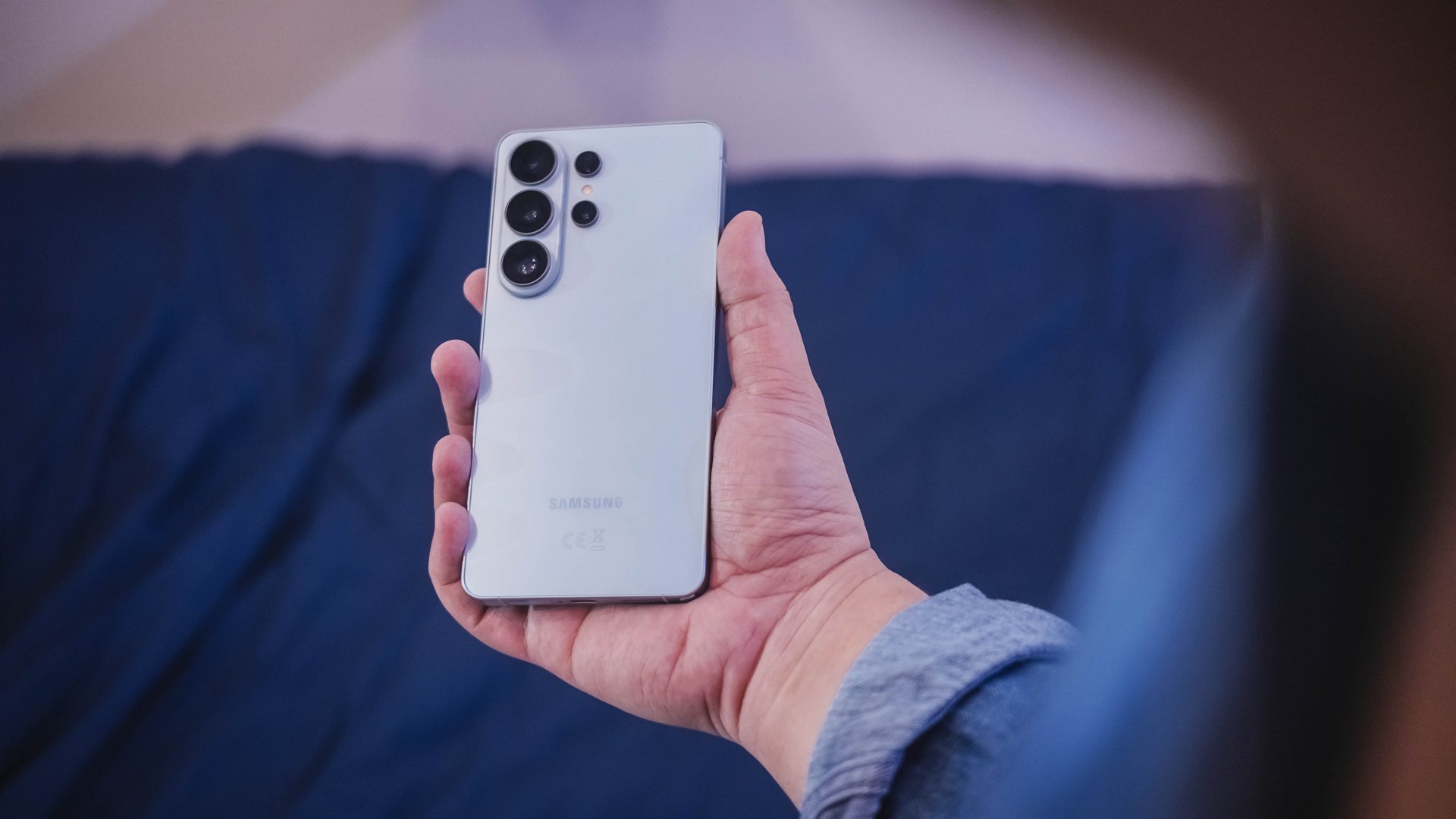
“Our philosophy has never been about chasing specs.”
That line from Samsung’s presentation captures the Galaxy S26 Series better than any spec table.
This isn’t a year of radical hardware shifts. Battery capacities remain unchanged. Megapixel counts are familiar. The design language evolves rather than transforms.
But incremental doesn’t automatically mean irrelevant.
The S26 Ultra feels like Samsung refining its priorities — usability, privacy, and AI integration — instead of pursuing headline-grabbing numbers.
Hardware refinement, not reinvention
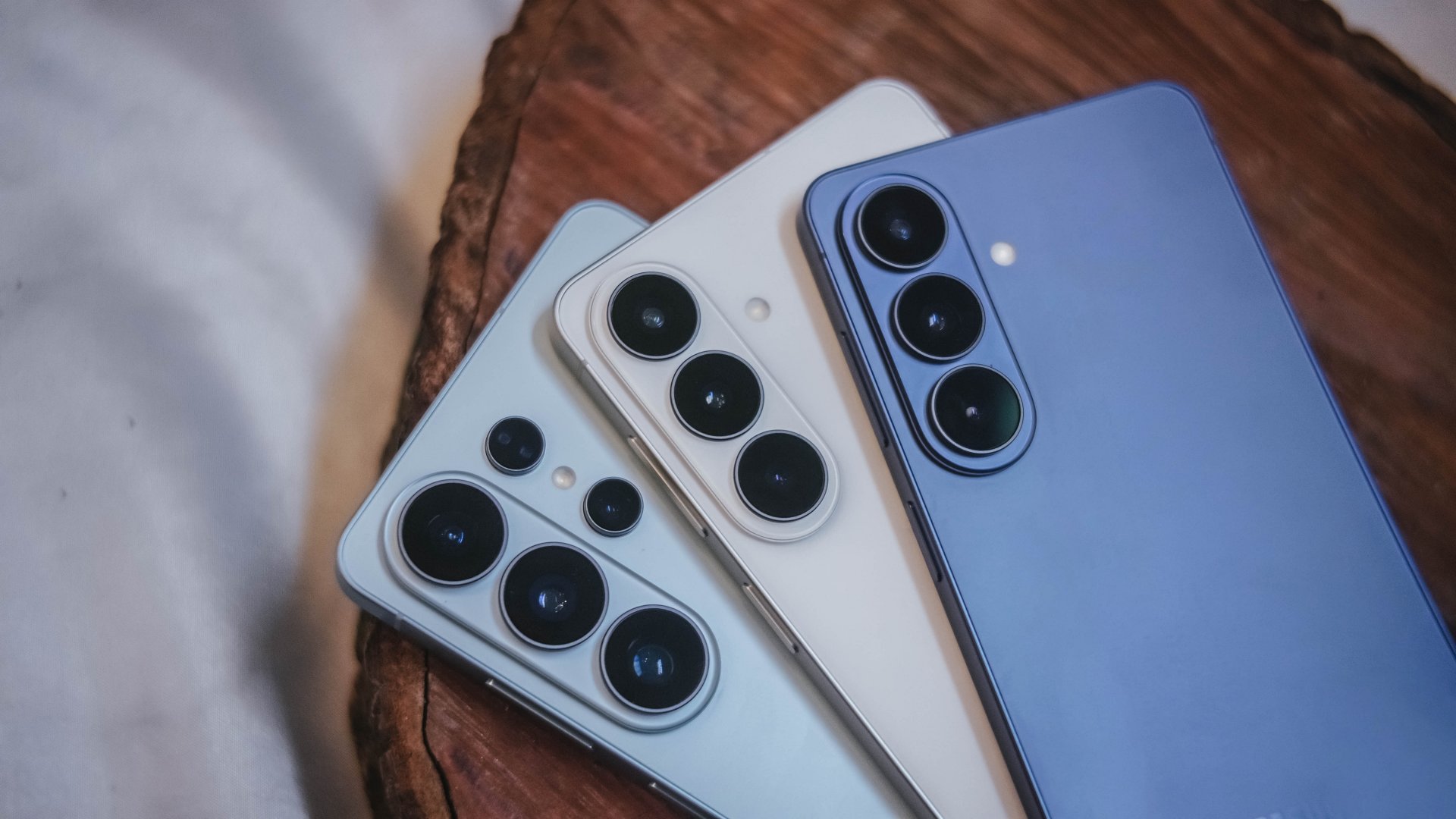
The Galaxy S26 series looks more unified. All three models now share the same corner radius, creating a consistent visual identity. The Ultra no longer stands apart with sharper edges. It’s a small change, but it makes the lineup feel cohesive.
The camera module sits on a more defined island rather than blending into the rear panel. It’s subtle, but noticeable in person.
Samsung also trimmed weight and thickness on the Ultra. At 7.9mm and 214 grams, it handles slightly better than last year’s model. The company switched to Light Armor Aluminum, which it claims improves heat dissipation and weight. The difference in hand isn’t dramatic, but it’s appreciated during extended use.
Charging finally moves forward. The Ultra supports 60W wired charging, up from 45W. Samsung says you can reach 75 percent in around 30 minutes. That’s a meaningful improvement for quick top-ups.
However, 60W isn’t industry-leading in 2026. Competing brands have offered similar or faster speeds for years. This feels less like Samsung setting a new benchmark and more like closing a gap.
Battery capacity remains 5,000mAh. That’s consistent with previous models. While fast charging helps daily convenience, endurance gains will depend on software optimization and real-world usage.
AI and software remain the headline
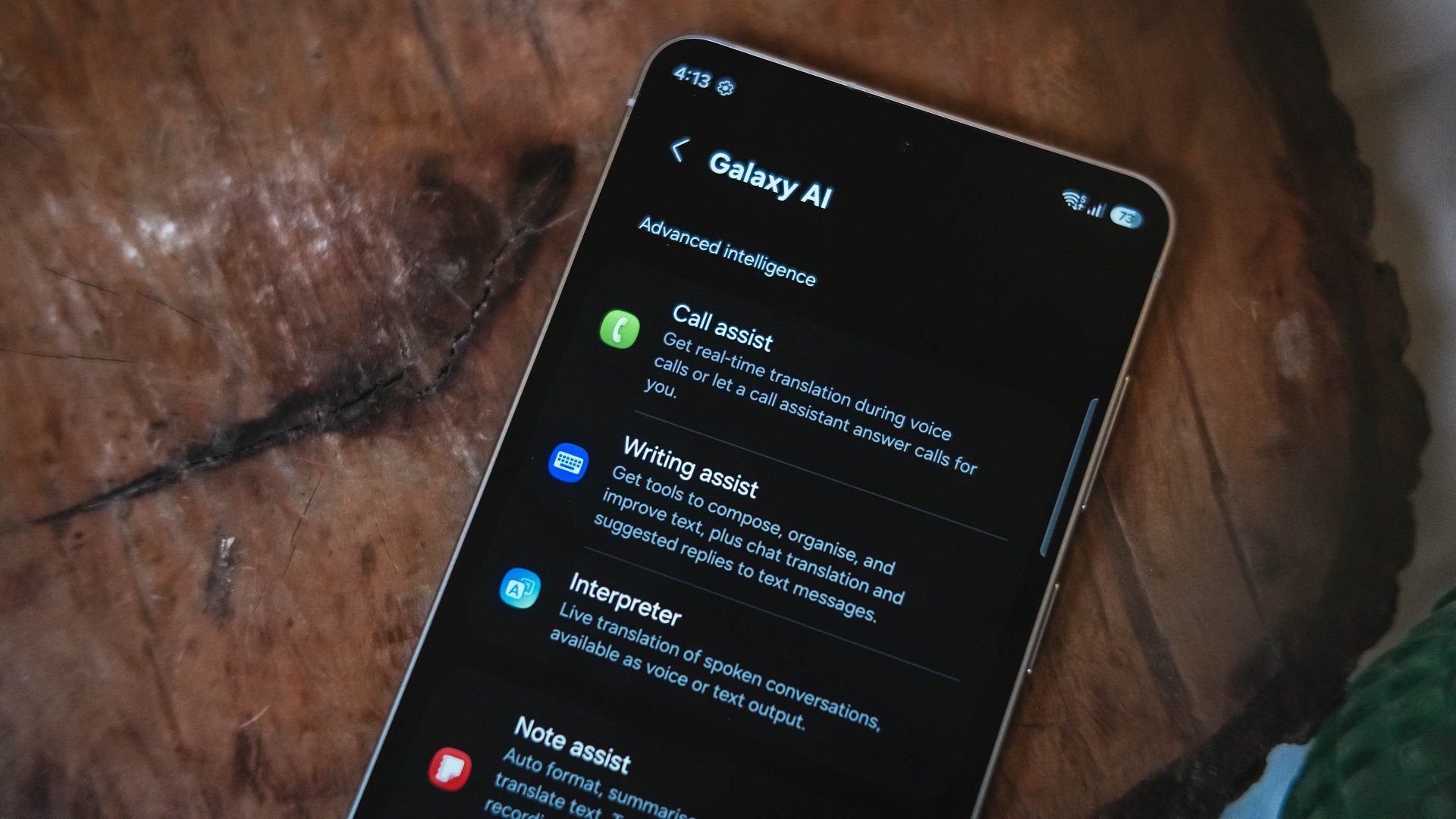
Like recent Galaxy generations, the S26 Series leans heavily on software features.
Privacy Display is one of the more practical additions. It restricts viewing angles at the pixel level, functioning like a built-in privacy filter. If you’re using your phone in public spaces, people nearby will struggle to see what’s on screen.
You can toggle the feature or enable it only for specific apps. That flexibility matters. It allows privacy protection for sensitive apps while keeping general use unaffected.
This addresses a real-world problem. Public screens are inherently visible. Privacy Display doesn’t eliminate that risk, but it reduces casual glances and unwanted observation.
Audio Eraser also gets an upgrade. It now works across third-party apps. We tested it on a noisy K-pop fancam from YouTube, and the background noise reduction was noticeable without destroying audio quality.
It’s not perfect. Overprocessing can occur in extreme cases. But for cleaning up shared videos or reducing ambient noise, it proves useful.
AI Photo Assist introduces text-prompt editing directly inside the Gallery app. Users can describe edits in natural language — remove objects, expand backgrounds, or modify elements — without exporting images to external tools.
This isn’t groundbreaking technology. Similar generative edits exist in other AI platforms. The difference is integration.
By embedding generative tools inside the Gallery, Samsung turns them into part of the default workflow. Photo editing becomes more accessible rather than requiring specialized knowledge or separate apps.
That shift is meaningful. It signals that generative AI editing is becoming a standard smartphone feature rather than an experimental add-on.
Cameras: computational evolution
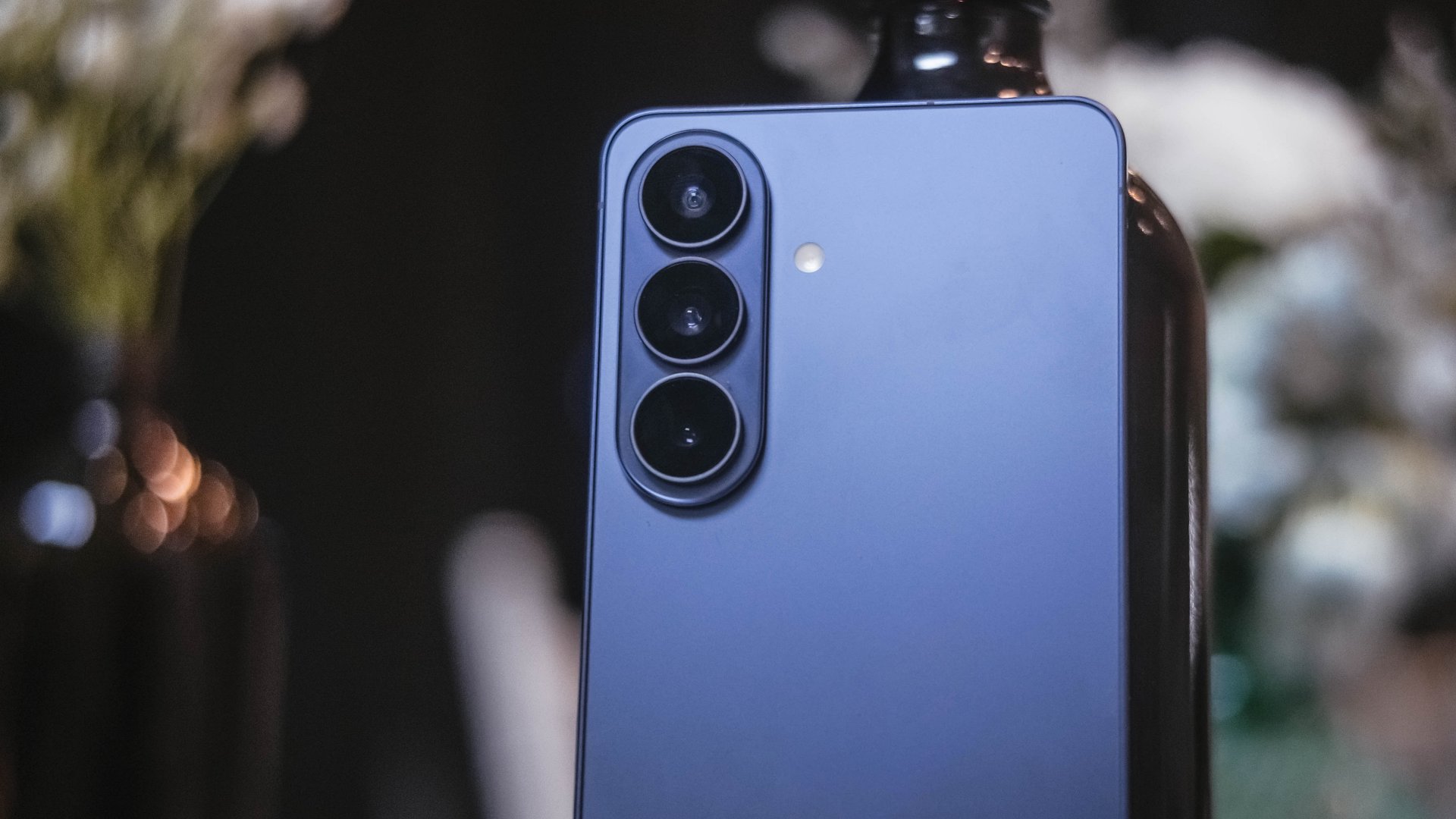
The camera hardware remains familiar. The Ultra continues with a 200MP main sensor and telephoto configurations similar to last year.
Improvements focus on computational photography.
Samsung widened apertures to allow more light. Stabilization has been refined. AI sharpening and Nightography processing aim to produce cleaner images with reduced noise.
From samples shown during the presentation, low-light shots appear brighter and cleaner. However, the processing can feel aggressive. Details sometimes look overly smoothed, and textures can appear artificial.
This reflects Samsung’s long-standing approach — prioritize computational enhancements over megapixel increases. The S26 continues that philosophy.
For video creators, APV (Advanced Professional Video) enables 8K recording with minimal quality degradation during edits. Super Steady Video also improves handheld stabilization.
These features cater to content creation workflows rather than casual snapshots.
Incremental but intentional

The Galaxy S26 Ultra doesn’t try to shock. It doesn’t reinvent Samsung’s design language or introduce dramatic hardware leaps.
Instead, it refines existing ideas.
Privacy Display addresses public visibility concerns. Audio Eraser improves real-world video cleanup. AI Photo Assist integrates generative editing into everyday photo workflows. Charging speeds improve without industry-leading ambitions.
Even the design changes — unified corner radii, a defined camera island, lighter materials — emphasize cohesion.
This strategy resembles the broader shift in the smartphone industry. Hardware innovation has slowed. Software and usability improvements drive differentiation.
Samsung appears comfortable with that reality.
Of course, first impressions only tell part of the story. We still need extended testing for battery life, thermal performance, camera consistency, and AI reliability.
The S26 Ultra may not represent a revolution. But refinement can matter — especially when it targets usability and practical features.
Samsung will have to make significant hardware upgrades eventually. But for now, it feels like the company is doubling down on incremental progress. Not flashy. Not radical. But purposeful.
Whether that strategy resonates will depend on real-world performance.
Samsung Galaxy S26 Series – Specs
| Feature | Galaxy S26 Ultra | Galaxy S26+ | Galaxy S26 |
| Display | 6.9″ Dynamic AMOLED 2X
|
6.7″ Dynamic AMOLED 2X
|
6.3″ Dynamic AMOLED 2X
|
| Rear Camera: Ultra Wide | 50MP, F1.9, 0.7 µm | 12MP, F2.2, 1.4 µm | 12MP, F2.2, 1.4 µm |
| Rear Camera: Wide | 200MP, F1.4, 0.6 µm | 50MP, F1.8, 1.0 µm | 50MP, F1.8, 1.0 µm |
| Optical Quality 2x | |||
| Rear Camera: Telephoto 1 | 10MP, F2.4, 1.12 µm | 10MP, F2.4, 1.0 µm | 10MP, F2.4, 1.0 µm |
| 3x optical zoom | |||
| Rear Camera: Telephoto 2 | 50MP, F2.9, 0.7 µm
|
— | — |
| Front Camera | 12MP, F2.2, 1.12 µm | 12MP, F2.2, 1.12 µm | 12MP, F2.2, 1.12 µm |
| Processor | Snapdragon® 8 Elite Gen 5 for Galaxy (3 nm) | Exynos 2600 (2 nm)* | Exynos 2600 (2 nm)* |
| Memory (RAM) | 12GB / 16GB | 12GB | 12GB |
| Storage | 256GB / 512GB / 1TB | 256GB / 512GB | 128GB / 256GB / 512GB |
| (Micro SD: N/A) | |||
| Battery | 5,000 mAh | 4,900 mAh | 4,300 mAh |
|
|||
| Dimensions | 78.1 x 163.6 x 7.9 mm
214 g (Sub6/mmWave) |
75.8 x 158.4 x 7.3 mm
190 g (Sub6/mmWave) |
71.7 x 149.6 x 7.2 mm
167 g (Sub6) |
| Colors | Standard: Cobalt Violet (Hero), Sky Blue, Black, White
Online: Silver Shadow, Pink Gold |
Standard: Cobalt Violet (Hero), Sky Blue, Black, White
Online: Silver Shadow, Pink Gold |
Standard: Cobalt Violet (Hero), Sky Blue, Black, White
Online: Silver Shadow, Pink Gold |





Project Helix is Xbox’s next console, and it plays PC games

Nothing adds color to its wearables with the Headphone (a)

Nothing launches the Phone (4a) series

HMD is developing an AI assistant for the elderly

OPPO is finally getting AirDrop support

Xiaomi 17 Ultra is now available outside China

TECNO will showcase the CAMON 50 and POVA 8 series at MWC 2026

The art of being in and behind the frame

HUAWEI MatePad 11.5 S 2026: The better-than-ever 4-in-1 productivity tablet

TECNO MEGABOOK K16s 13th review: No-frills beneath those grills


-
 News6 days ago
Xiaomi 17 Ultra is now available outside China
-

 Camera Walkthrough2 weeks ago
OPPO Reno15 Pro: Camera Review
-

 MWC 20261 week ago
TECNO resurrects modular phones with this new concept
-

 MWC 20264 days ago
TECNO showcases cool concepts at MWC 2026
-

 Reviews6 days ago
Xiaomi Pad 8 review: Slab that slaps!
-

 Events2 weeks ago
Capcom to hold Resident Evil Requiem launch event in Jakarta
-
 Gaming2 weeks ago
Pokémon FireRed and LeafGreen are coming to the Switch
-

 MWC 20263 days ago
TECNO launches the all-new CAMON 50 series