
Accessories
Huawei Freebuds Pro is here to ‘redefine noise cancellation’
First TWS with ‘intelligent dynamic noise cancellation’

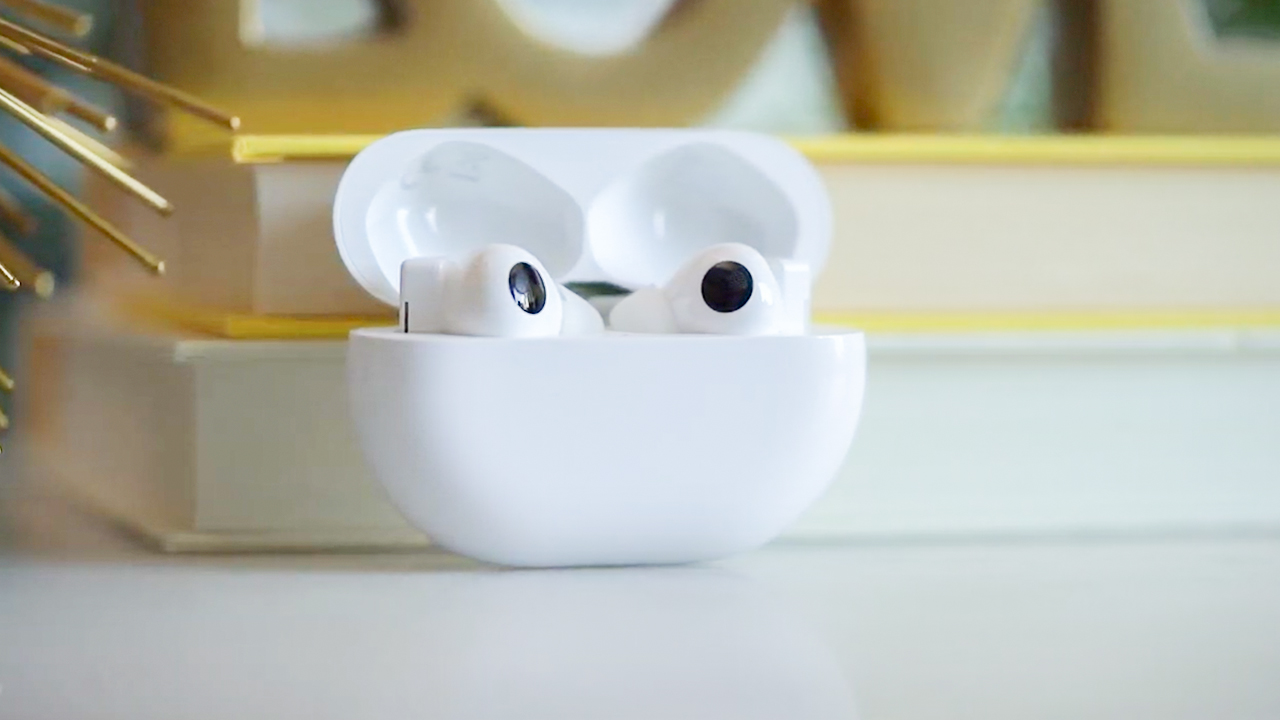
Huawei was pretty gun shy about slapping the “pro” tag on their TWS earphones. Now, we’re finding out why with the Huawei Freebuds Pro which has the bold claim of redefining noise cancellation.
If this were any other manufacturer we would be more skeptical, but previous the company’s previous TWS earphones on the Freebuds 3 line have been nothing short of fantastic. So, what’s different now?

Next level noise cancellation
Let’s get to the meat of the improvement. The Huawei Freebuds 3 Pro’s noise cancellation has gone up to 40db. Previous models were at 30db (Freebuds 3) and 15db (Freebuds 3i).
Like the Freebuds 3, it’s equipped with the Kirin A1 chip to aid in noise cancellation, but there are other factors in play as well. The chip is complemented by the in-ear fit — a feature it shares with the Freebuds 3i but not the Freebuds 3.
Adding to these are the dual microphones located both inside and outside the earbuds. This is a key design decision that helps in detecting the surrounding you’re in. It enables the Freebuds 3 Pro to automatically choose the appropriate noise cancellation mode of which it has three: Ultra Mode, Cozy Mode, and General Mode.
Improved battery life
More features mean a little more strain on the battery, but Huawei managed to improve it still, on paper, at least. With noise cancellation on, the Freebuds 3 Pro should last for 4.5 hours, with it turned off, you should get up to 7 hours on a single charge.
When charging for 10 minutes, the wired charging method can charge to 30% and wireless charging method can be charged to 18%. With a 30-minute charge, the wired charging method can charge to 55%, and wireless charging can charge up to 32%.
It supports Huawei SuperCharge so you can use your Huawei tablet or smartphone that support the reverse wireless charging feature to juice up the TWS earbuds.
Intuitive controls and usage
Huawei is also leaning into the stem design but for good reason. They’ve traditionally used the stem both as a way for the user to control the functions of the earbud and as a mic for audio output. The same is true for the Freebuds 3 Pro.
Toggling the noise cancellation on or off can be done by simply pinching the stem. The same gesture can also be assigned to answer and hang-up calls, pause and play songs, and others. To control the volume, users can simply slide up or down on the stem. Convenient.
The Freebuds Pro also allows simultaneous pairing. You can pair it with two devices at the same time. These also don’t have to be Huawei devices. The Dual Connection feature will let you seamlessly switch to Android, iOS, and Windows devices. Neat!
Pricing and availability
The Huawei Freebuds Pro comes in three colors: Carbon Black, Ceramic White, and Silver Frost. It will retail for EUR 199 (US$ 236) and will be available for purchase starting October 2020 on the Huawei official website and various retailers in selected markets.
SEE ALSO:
Huawei Freebuds 3 review: Best value wireless earbuds
Huawei Freebuds 3i review: A pleasant surprise





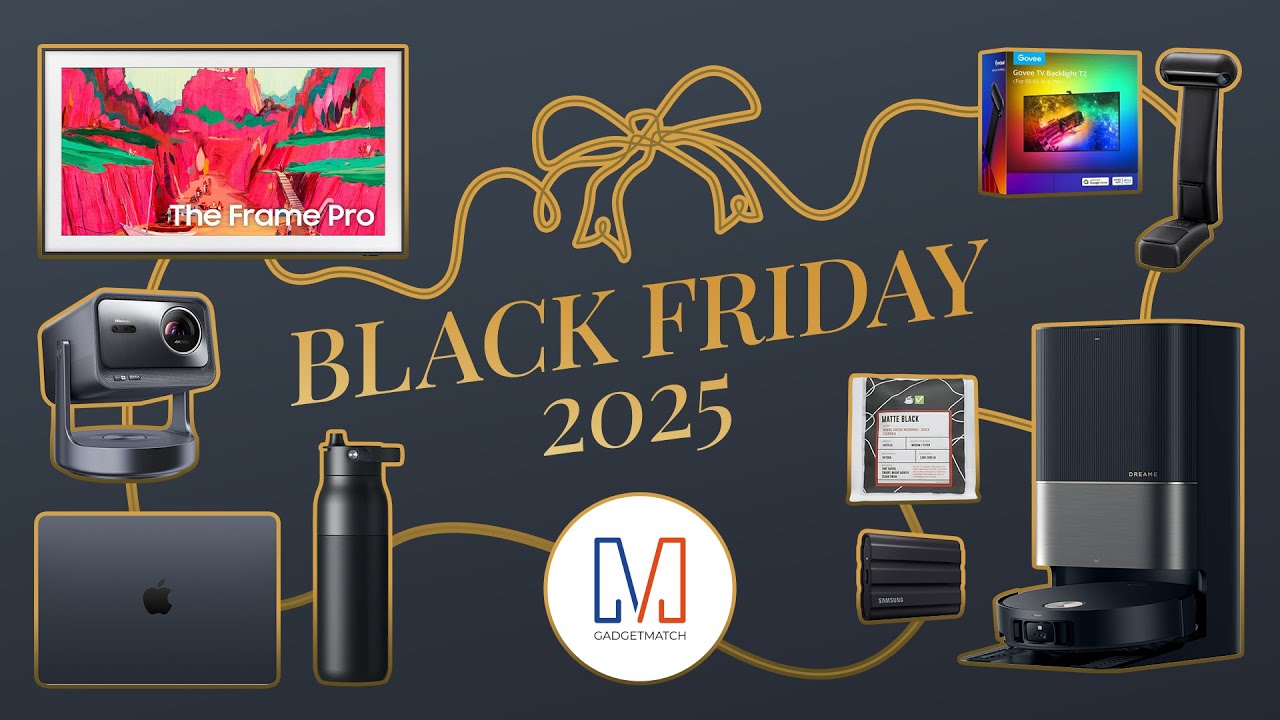
In the annual BLACK FRIDAY SALE, we’ve compiled and rounded-up our best picks with the best value you can get right now!
🧹 Get 50% off Dreame X50 Ultra on Amazon or click here on their website | Use code SAKITECH15 (5% off ’til Dec 1)
💧 Stay hydrated and get up to 30% off on the LARQ PureVis 2 here.
💡 Level up with Govee TV Backlight T2 or Govee Sync Box AI Kit 2.
> Nomad Universal Cable for Apple Watch
Accessories
Unboxing EVERY Color of the very exclusive iPhone Pocket
And why it got sold out instantly!


In this video, we’re unboxing the iPhone Pocket in ALL ITS COLORS!
Also, it gives us a glimpse of Apple’s shared history with ISSEY MIYAKE.
Lastly, THE Michael Josh will show you what fits and how to style it.
Here’s our first look at this very exclusive accessory, the iPhone Pocket.
Accessories
BOYA mini 2: A step-up for content creators, more
Sub-US$ 60 package where audio quality, convenience, and portability align

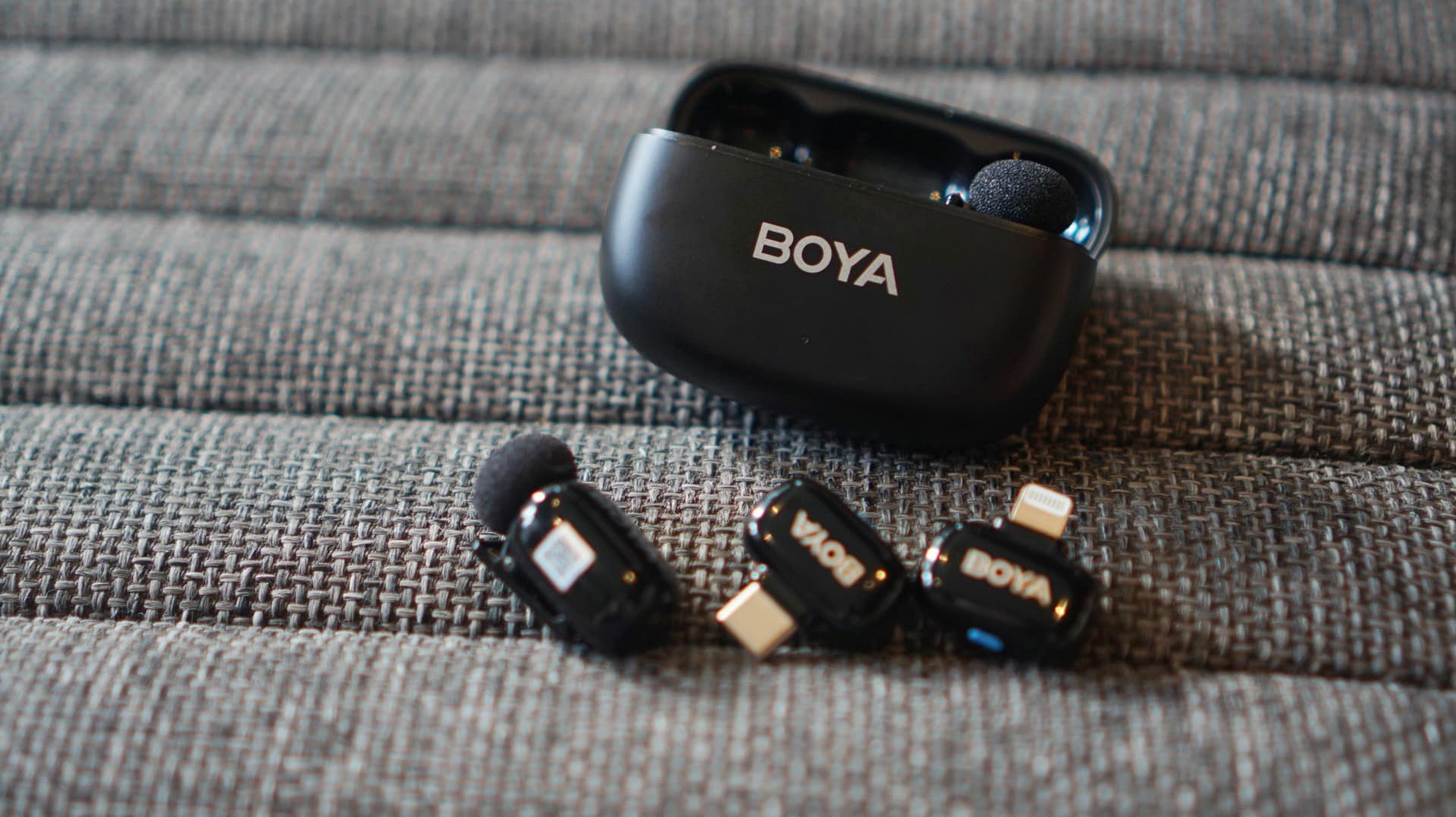
In today’s vertical-first, voice-over-heavy social media world, audio isn’t just important; it’s the dealbreaker. Better audio sets the tone instantly.
Content creators know this, especially that production for social media consumption has changed dramatically over the past half decade.
It’s only vital for creators to resonate with audiences clearly, as the latter are all ears aside from eyes on videos.
That’s where the BOYA mini 2 can come in and upgrade that aspect of content creation — mine included.
Portable, lightweight, easy to use
These thumb-sized, 5-gram transmitters are portable, long-lasting, and can give you a quick and easy workflow to finish whatever you’re working on.
Scour quickly on BOYA’s retail website and you’ll find plenty of sets to choose from. You can start with just a charging case and one transmitter and receiver, but you can also opt for two transmitters and both a Lightning or USB-C receiver.
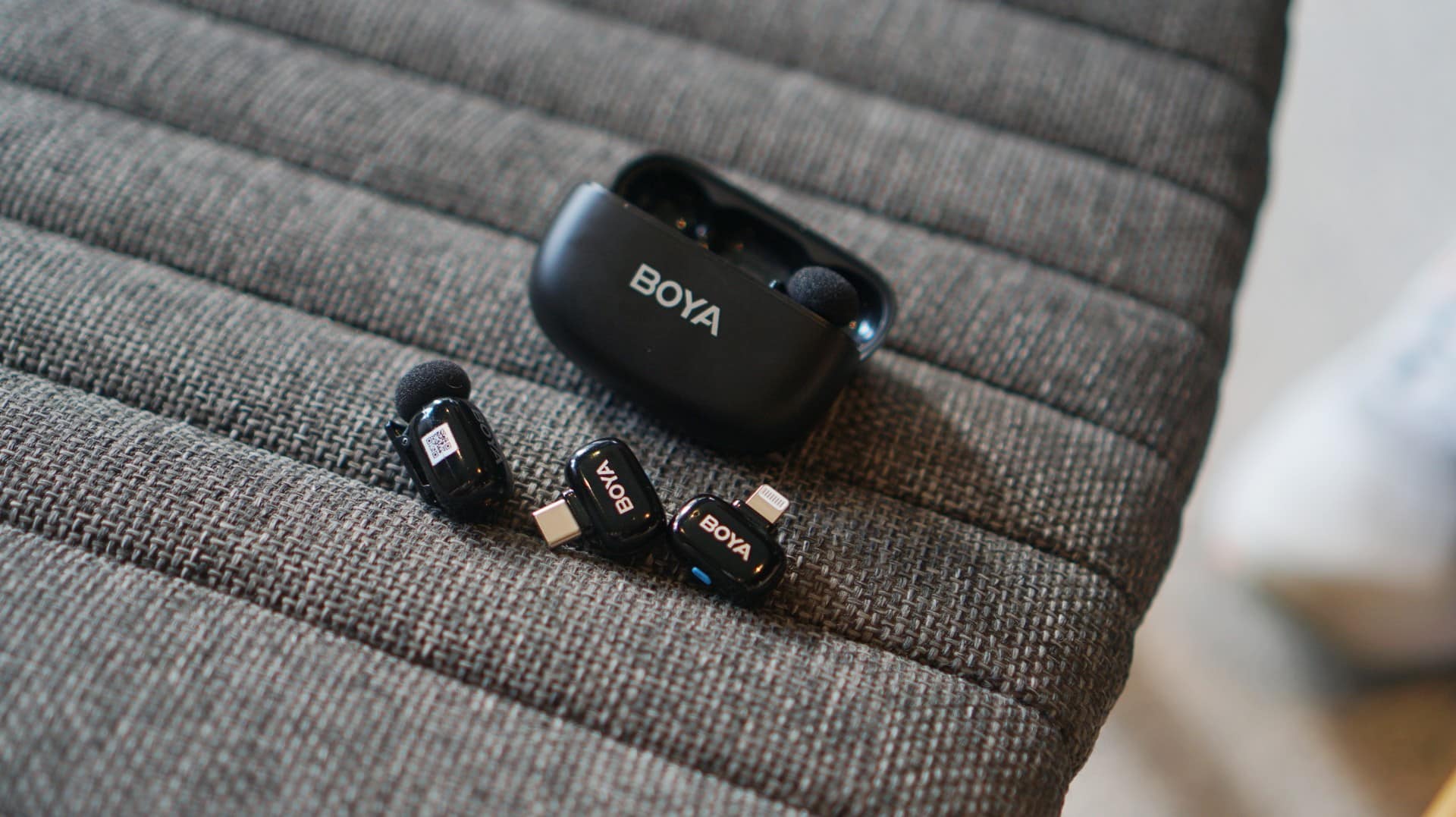
I had the set that had everything, and this entire package costs just US$ 54.99 (PhP 3,290). There’s Matte Black and Lunar Silver color options as well.
The charging case is likewise small and portable, and having it is as if you’re just carrying earbuds along. It fits pockets, pouches, sling bags, handbags, and more. No extra baggage needed.
Plug and use
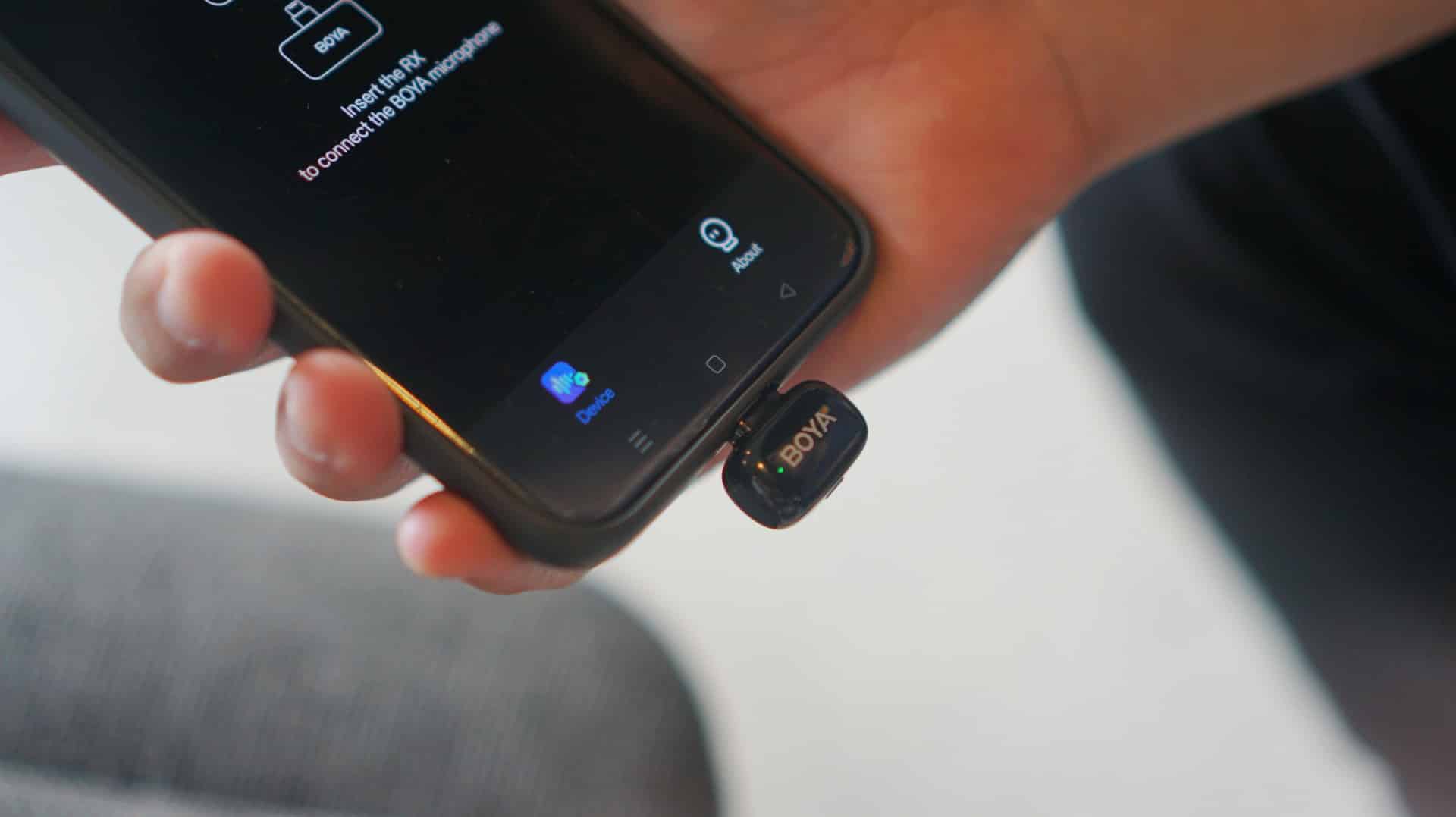
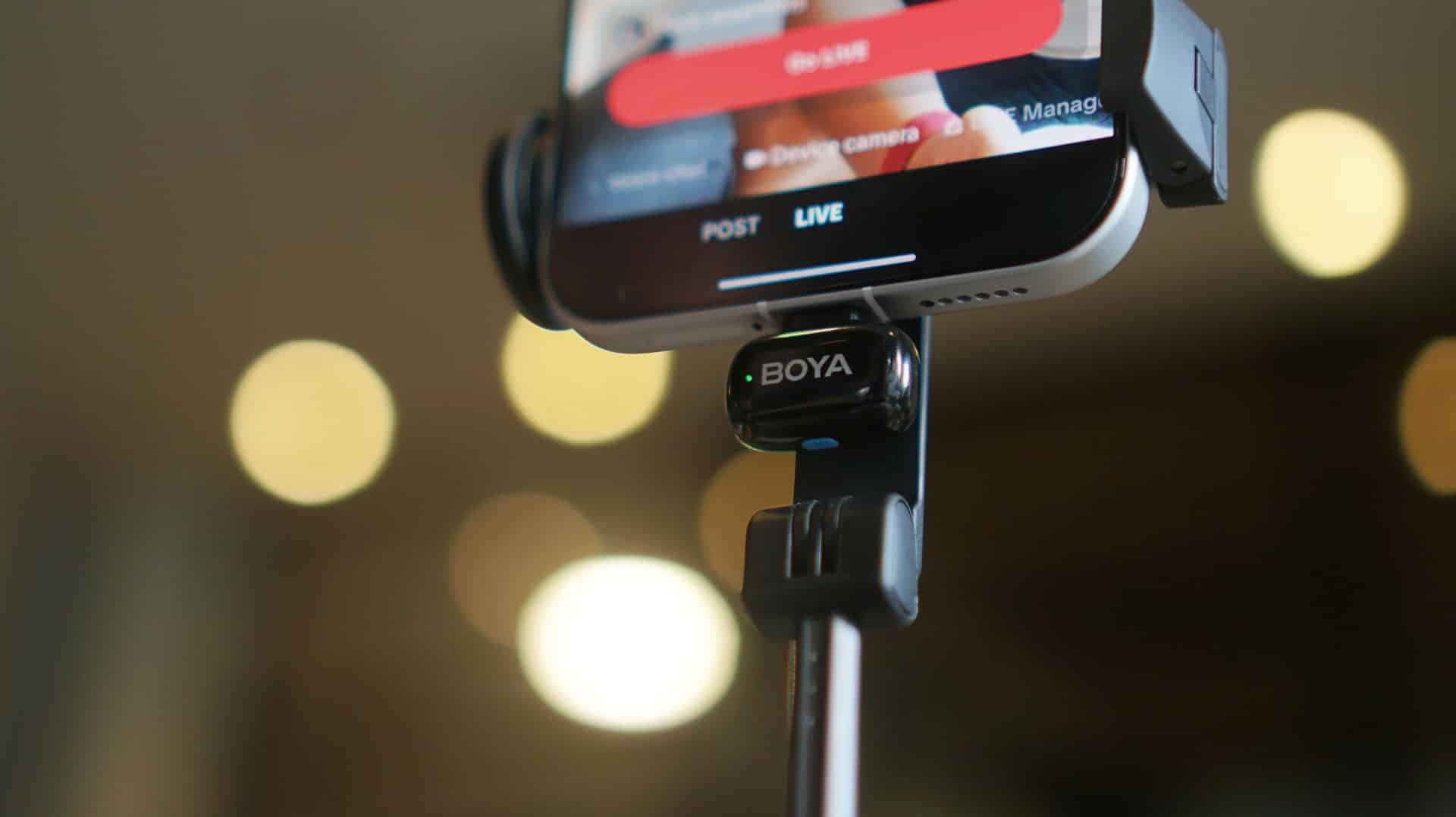
What you’ll love with the BOYA mini 2 is that it works right out of the box. The package I have had both the lightning and USB-C receivers.
Just plug which one is compatible with your phone and you’re ready to go. The default audio quality is already leagues ahead of muffled clip-ons and built-in phone mics.
Each mic lets you record up to 48Khz-24 bit quality audio, giving voices clarity with minimal distortion.
But of course, if you’re big on tailor-fitting the audio for what you’re about to produce, you can just download the BOYA Central app to make changes in several settings.
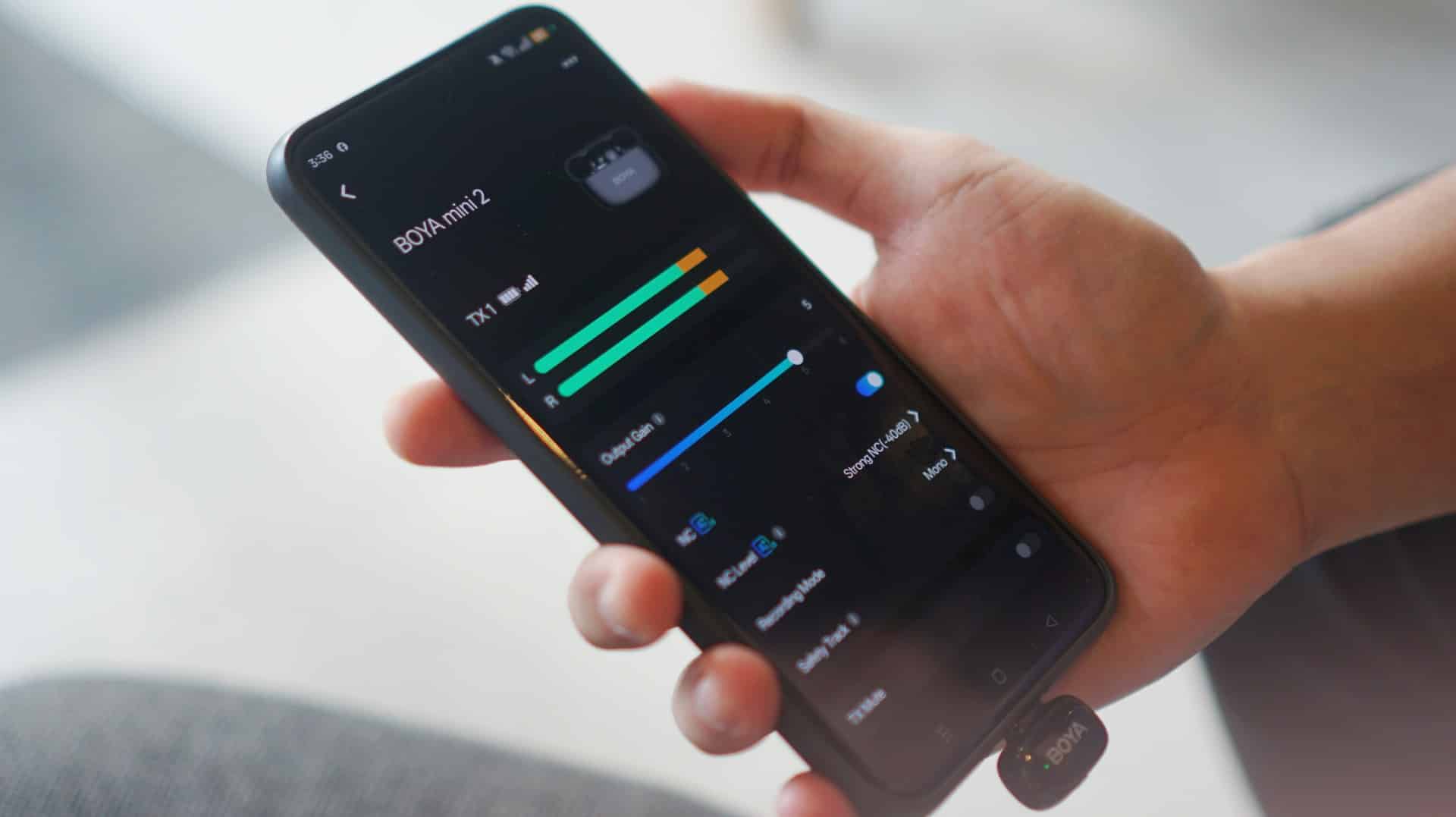
There is a 6-level gain, so you can have the transmitter absorb louder audio. You can also switch between mono and stereo recording if you have two transmitters turned on.
In addition, there are preset EQ modes, but you’re free to customize your own mix as well. My go-to is the Vocal Boost mode which amplifies whatever I say on record.
Speaker mode, meanwhile, allows you to review recorded audio or video immediately afterwards. This is helpful especially if you’re just recording with a phone.
Do note that the app needs internet connection to work, but other than that, you’re all set.
Noise Cancellation: A big help
Moreover, the 3rd-generation AI-powered Noise Cancellation feature works wonders. It blocks off unwanted noise (-21dB to -40dB) to a certain degree.
BOYA trained this with over 700,000 real-world noise samples. In practice, it shows.
There are times I recorded in crowded areas or had a cooling fan behind me for a food review, but I couldn’t hear them whenever I played such videos on my phone.
Conversely, if your area is already quiet enough, the audio stands out even better.
Obviously, if you have more high-end headphones, you’ll be able to hear more layers of sound, but considering the target audiences of creators who’ll likely play content from their phones, it’s all good.
And such feature is helpful for interviews, stand-uppers (i.e., talking-head shots), and more scenarios.
I can imagine traditional media leveraging this and the wireless nature of the mini 2 for packed media scrums where you can’t be in front of the guest/s.
A step-up for vloggers, content creators, more

In my case, I started making vlogs again back in 2023. Before that, I had a YouTube channel that lasted from 2018 to 2021 that focused mainly on Korean BBQ restaurant reviews back when the samgyup hype was at an all-time high.
My videos had the regular 16:9 aspect ratio and lasted about 5 to 10 minutes long. But those days are well behind us.
Nowadays, it’s all about vertical short-form videos with voice-overs. I was well aware of this and had to figure out how to keep up with this generation’s way of making vlogs.
While I’ve always trusted my skills and my midrange smartphones to deliver the visual part, the voice recording side was the one that’s tricky. I used to just record my voice inside my wardrobe closet to block off noise and absorb echo.
At some point, our ever generous managing editor did give me a condenser mic before, but using it also involved a lot of steps in the workflow. I had to use a laptop to start recording and then transfer the audio file to my phone.
Simpler process
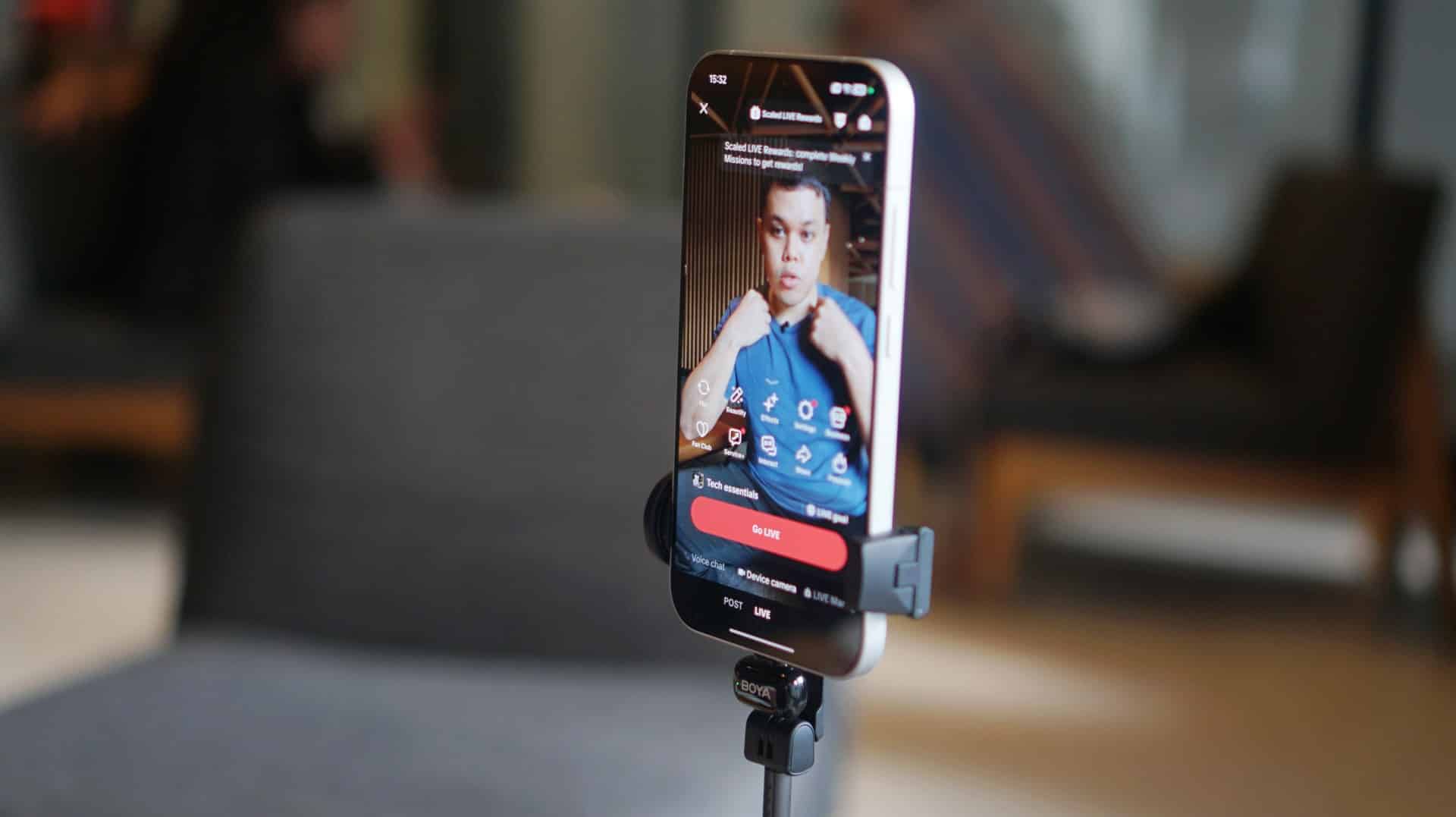
This is where the BOYA mini 2 changed the game for me. The product’s versatility allows for a more simplified and seamless production flow.
My partner, on the other hand, was also able to use the system for her makeup product reviews with front camera shots.
She even leveraged the transmitters for livestreaming sessions so that she could use both arms for swatching different lipstick shades and focusing on Shopee or TikTok’s livestream controls.
A little patience goes a long way
As you’re not paying a fortune per se with the BOYA mini 2, don’t expect perfection either.
The one hurdle we had to deal with was whenever we switched from the Lightning to USB-C receiver, you will have to reconnect the transmitters again.
It takes a while to figure it out. Without reading the manual, I just double-pressed the button on the transmitter until it turned green after blinking steadily. You will also have to do the same with the mics, which restart several times before finally syncing again.
Other than that, there weren’t much problems encountered.
Final thoughts
The BOYA mini 2 isn’t flawless. But convenience, portability, and clear audio quality all align at below US$ 60.
It’s about studio perfection but for creators who need speed, portability, and good enough clarity to keep up with the algorithm.


POCO F8 Pro review: Lightweight, heavy hitter
Delivers mostly on promised premium level smartphone experience

POCO Pad X1 review: A tablet that keeps up with your day
Simply reliable

POCO F8 Ultra review: An Achievable aspirational all-rounder
Flagship within reach

You can play SNES games on this Nike shoe

I finally saw BLACKPINK perform live for the first time

Qualcomm unveils the Snapdragon 8 Gen 5
POCO F8 Pro review: Lightweight, heavy hitter

Turn your cravings into cashback with this new credit card

realme 15 Pro review: A step forward or a step back?

Spotlight: ASUS ProArt P16

I was skeptical about smartphone gimbals, then I tried the DJI Osmo Mobile 8

ROG Xbox Ally X review: A proper sequel

This gaming mouse made me fall in love with working from home again


-

 Gaming2 weeks ago
Red Dead Redemption is coming to PS5, Xbox Series X|S, Switch 2
-
 Reviews1 week ago
realme C85 5G review: Big battery, tough body
-

 Gaming2 weeks ago
REMATCH: Elite Edition out now
-
 Reviews1 week ago
nubia Air Review: The air that’s lighter on your pocket
-

 Gaming1 week ago
Clair Obscur: Expedition 33 bags record-breaking 12 nominations at Game Awards
-

 Entertainment1 week ago
The Legend of Zelda film gets its first official photos
-
 Cameras6 days ago
DJI Osmo Action 6 review: An adventurer’s best friend
-

 News1 week ago
realme C85 with 7000mAh battery, 5G connectivity officially launches