


Laptops
Huawei MateBook 13 review: 5 reasons to make the switch
And a couple of reasons why you shouldn’t

Lots of tech reviewers, including myself, considered the MateBook X Pro as one of the best Windows laptops of 2018. It has the build quality, performance, and look that could easily take on the MacBook Pro.
Naturally, Huawei followed up this major release with a set of new notebooks in early 2019. These include an updated MateBook X Pro, MateBook 14, and finally, the MateBook 13 we have here.
Given its name and pricing — starting at US$ 999 for the Intel Core i5 variant — it’s a given that this is at the lowest end of the MateBook lineup. But don’t let any of those figures fool you; this is one solid product.
I can provide a few reasons why.
Smaller yet equally powerful
Having used the MateBook X Pro as a daily driver for several months now, switching to the MateBook 13 felt like a downgrade at first. I’d miss the quad speaker setup and larger screen, but those were the only losses in the grander scheme. If you took even a single glance at the MateBook 13’s specs sheet, you’d know that it still packs a punch.

The particular model I reviewed, which retails for US$ 1,299, comes with a Core i7-8565U, 8GB of memory, 512GB of fast storage, and a GeForce MX150 GPU. That’s loads of power for a slim laptop that’s only 14.9mm thick with a weight of 1.3kg. That’s also perfect for pushing the 2160 x 1440 pixels on the 13-inch display.
All the convenience is here
I was a little worried that Huawei would remove the fingerprint scanner as a way to cut costs, but fortunately for me and everyone who uses the MateBook 13, it’s still conveniently placed on the power button. Keep your finger on the sensor for a couple of seconds during boot-up, and you’ll go straight to your desktop.
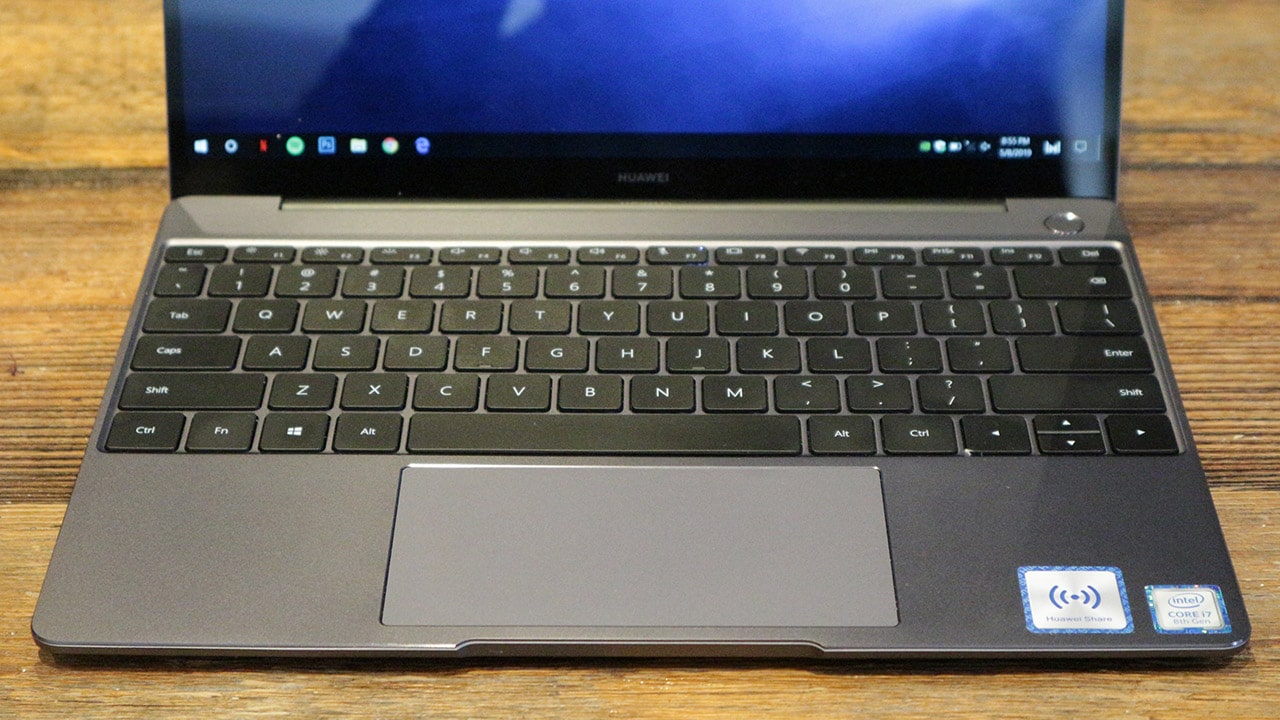
Another handy feature is the fast charger the MateBook 13 comes with. At 65 watts, it can bring this laptop from zero to full in about 1.5 hours, which is similar to what Huawei does with SuperCharge tech on its flagship smartphones. As a bonus, the cable ends in USB-C, so it can quickly charge your handset, as well.
Huawei Share is surprisingly good
I admit, there was some skepticism at the beginning with the Huawei Share sticker placed on the lower-right corner of the notebook. I’ve seen multiple attempts at making syncing between a smartphone and laptop seamless for ages, but nothing has really made it worth the try over simply plugging the mobile device in.
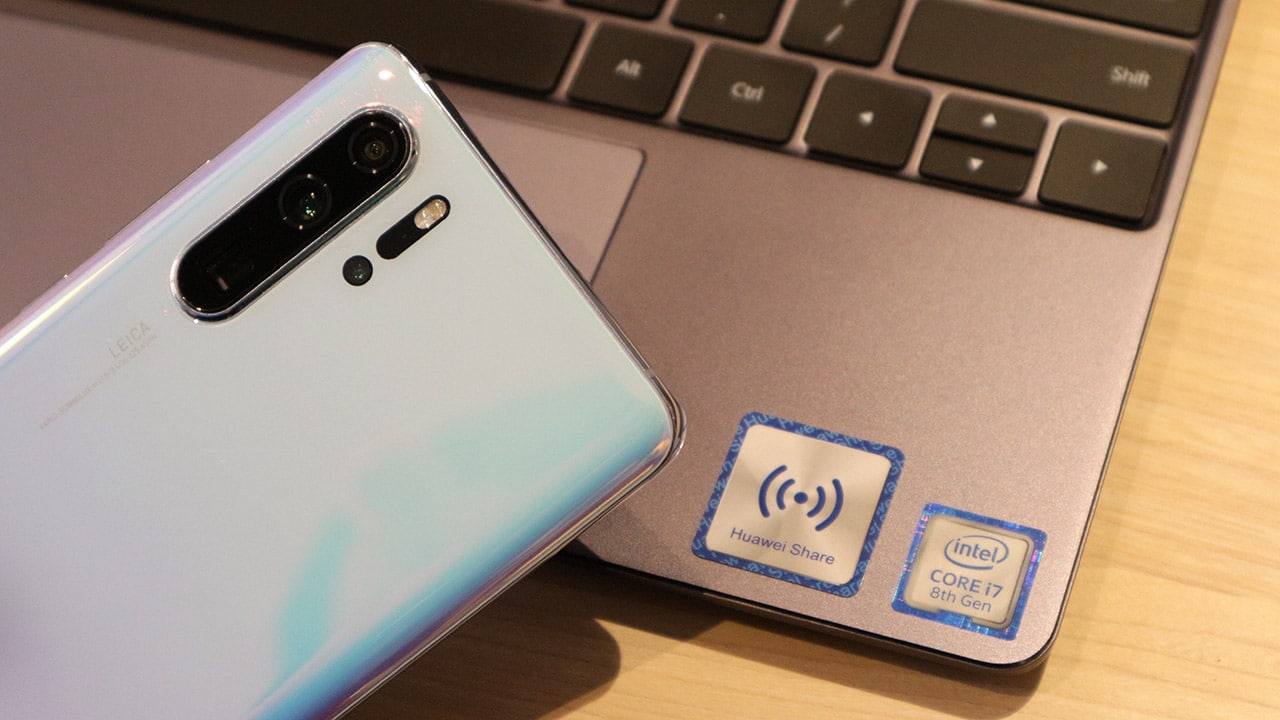
To my delight, Huawei Share legit works. I tap my P30 Pro to the right of the trackpad, and it automatically pairs through NFC. From there, you can select photos, videos, or music you’d like to share between the two devices. The only downside, of course, is that you need a compatible Huawei phone to make this work, which would alienate tons of users.
A much better webcam placement
The biggest complaint of any MateBook X Pro user centers around the notebook’s awkward webcam placement. While the pop-up mechanism is cool, the videos you get out of it aren’t. It’s the lone downside of an otherwise perfect Windows laptop.

Huawei took notes and put the webcam where it belongs on the MateBook 13. It’s right above the display this time and doesn’t add much to the top bezel. It’s a shame that Huawei didn’t just apply this to all of its laptops from the start, but I do miss the privacy I got from the hidden placement of the MateBook X Pro.
Pretty much everything about the design
I believe that 14 inches is the sweet spot for ultra-slim laptops; it provides enough real estate while fitting well inside any sort of backpack. However, the MateBook 13 makes a strong case for why 13 inches is even handier without losing much work space. Because the bezels are still so slim, the display always feels bigger than it looks.

I’m also glad that Huawei didn’t make any comprises with the keyboard and trackpad. The clickiness and response of every backlit key is spot on, and although the trackpad may be a bit too wide for its height, the responsiveness is equally satisfying and it’s so easy to apply gestures on it, especially if you pick the non-touchscreen option.
But then…
As usual, there are a few downsides. The most glaring one is the absence of a USB-A port. One can argue that USB-C is the future — and the MateBook 13 has two of these — but if the MateBook X Pro can have a couple plus one USB-A, so should the MateBook 13. There’s a dongle for this, but being able to plug in straight away is miles more convenient.

As alluded to earlier, this laptop bears only two downward-firing speakers. They can get loud, but clarity is lost at the higher levels, and is totally muffled when placed on a soft surface. And because of the smaller overall heft, battery life takes a hit. I could get easily get over six hours of usage on one full charge, but that isn’t MateBook X Pro levels.
Is this your GadgetMatch?
The MateBook 13 is best described as a more affordable MateBook X Pro that doesn’t compromise too much. In effect, it’s yet another MacBook competitor.
With the exception of video calls, there were several moments wherein I wished I’d been using the MateBook X Pro instead, specifically when binge watching shows and plugging in a flash drive.
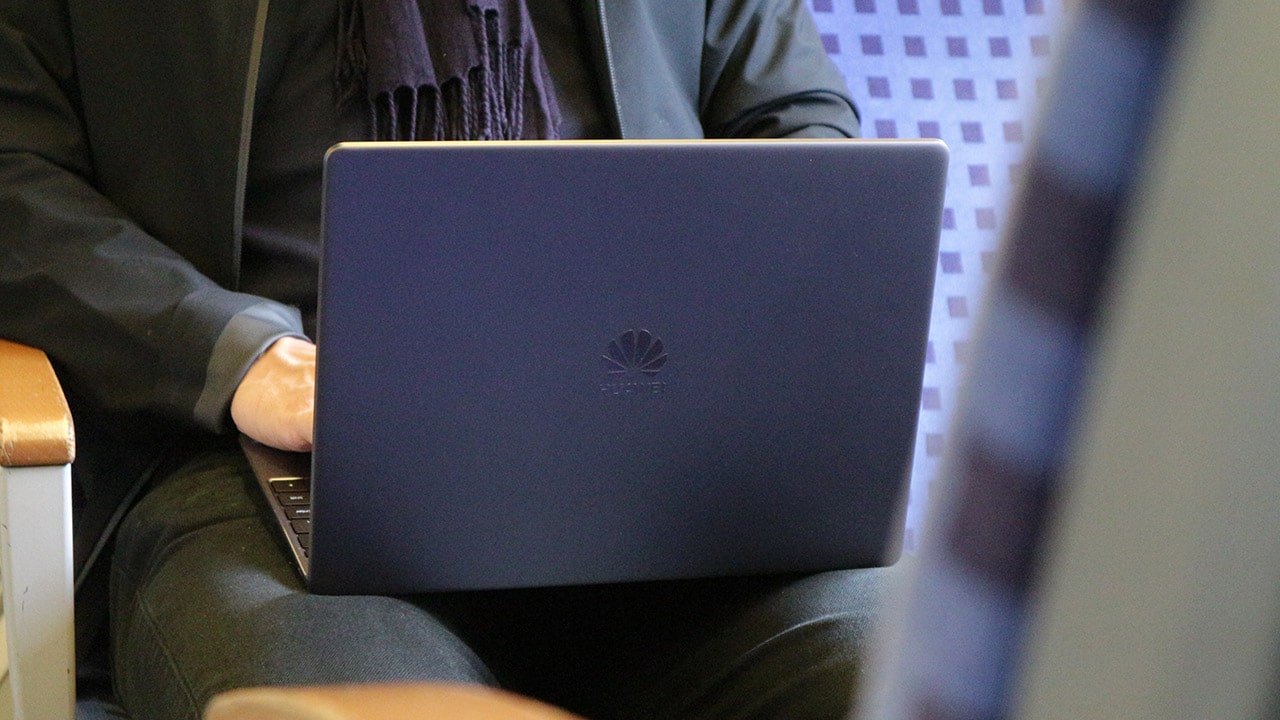
Otherwise, for the price it commands, the MateBook 13 is one of the best in its class. I love how you can get high performance and a quality build in such a compact package.
The best alternatives here are the MateBook 14 for something a little bigger and Dell’s XPS 13 line, which had been the undisputed champ before the current-gen MateBook series arrived. Now, that crown has to be shared.







TECNO is making its MEGABOOK lineup a little more flexible.
At IFA ShowStoppers 2026, the uprising tech brand unveils the MEGABOOK T15 360 with two more laptops and three phones tagging along.
One laptop, four modes
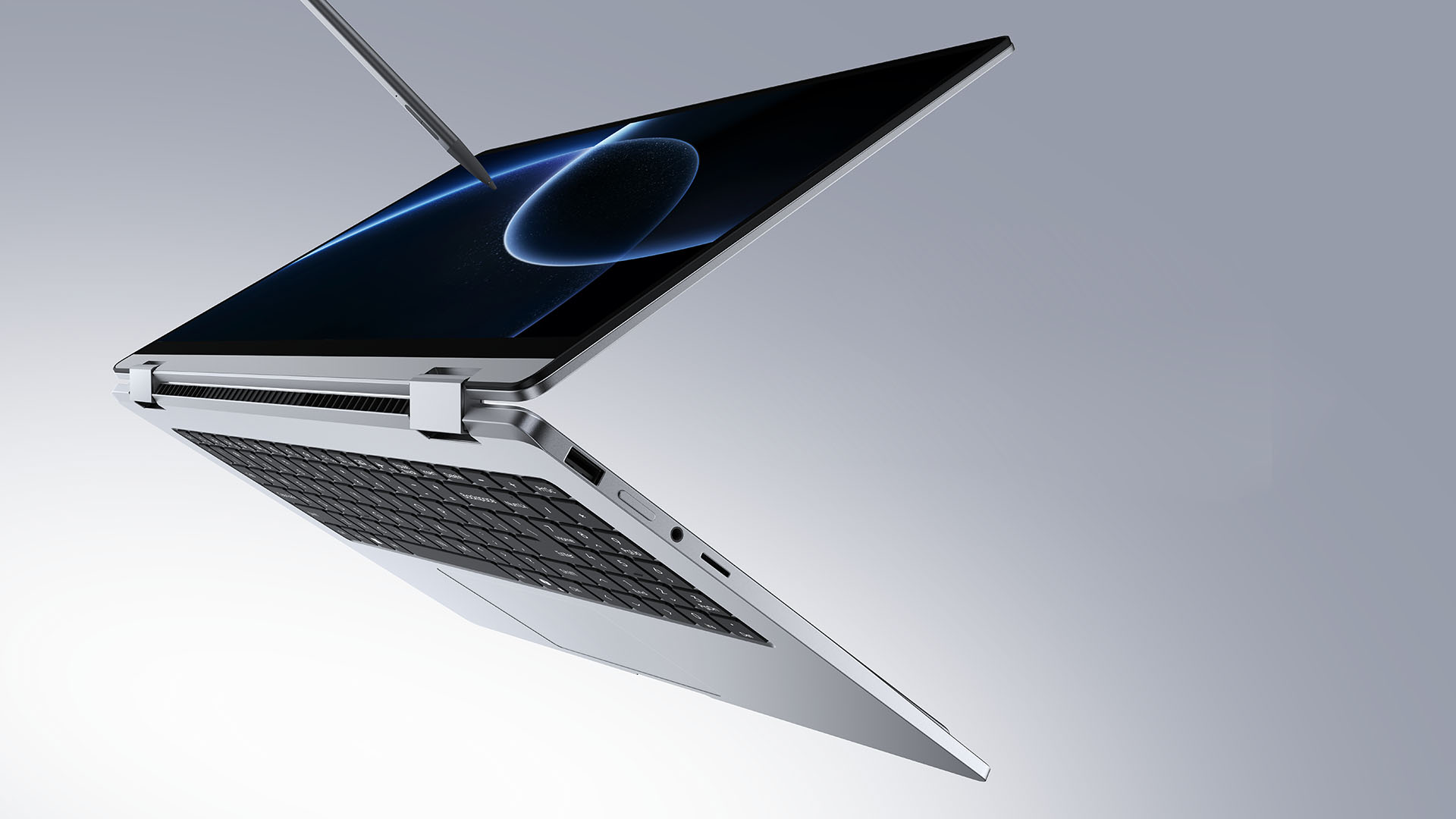
The MEGABOOK T15 360 series is the brand’s first laptop lineup with a 360-degree hinge and touchscreen display.
By that, it’s more than just a conventional laptop. It can also be a tablet or a portable display via Tent mode or Stand mode. This added feat makes everything more versatile as TECNO’s existing laptops are only limited to the clamshell form factor.
Both models feature a 15.6-inch screen with the standard 16:9 aspect ratio. As alluded earlier, it’s a touchscreen laptop consisting of 10-point multitouch points. There’s also optional MPP 2.0 active pen support if you want to write or draw directly on the display.
So what’s the difference?
Well, the regular T15 360 gets a Full HD 60Hz panel with 320 nits brightness.
Meanwhile, the Pro version takes it up a notch with a faster 120Hz refresh rate, sharper 2.5K display resolution, full 100% sRGB coverage, and higher 350 nits brightness.
Both laptops come in an all-metal chassis made using CNC machining. The convertible design doesn’t come at the expense of a more conventional laptop build.
Performance uncompromised
TECNO isn’t treating the T15 360 as a lightweight convertible that has to compromise on performance.
You can get up to an Intel Core Ultra 9 185H processor, paired with an LPDDR5X RAM. The storage is based from PCIe M.2 2280 SSD — with select models having a secondary M.2 slot for utmost expansion.
There’s also a 70Wh battery plus support for a speedy 65W PD GaN charger. Connectivity includes up to Wi-Fi 6E and Bluetooth 5.4, alongside seven built-in ports.
Practical stuff were neither forgotten. There’s a backlit keyboard with a dedicated number pad, a fingerprint reader underneath its power button, dual speakers with DTS Ultra, a webcam, and dual digital microphones.
TECNO’s OneLeap feature also rounds things out by letting the MEGABOOK work with other TECNO’s smartphones, tablets, and other PCs for cross-device collaboration.
Two more MEGABOOKs
TECNO also brought two other MEGABOOKs to IFA.
The MEGABOOK K15S WCL is the more straightforward option. It uses Intel’s newer Wildcat Lake platform with a 16:10 display, a 70Wh battery, and 65W GaN charging — all in a premium, all-metal body.
Then there’s the MEGABOOK T17 Ultra. Ultra by its name, it goes big with a massive 17.3-inch 16:9 display. It can be configured with up to an Intel Core Ultra 9 processor and LPDDR5X memory. It also features a massive 99.99Wh battery and speedy 100W GaN PD fast charging.
Wait! There’s even more…
Beyond laptops, TECNO reveals the true form of its Next-Gen Bezelless Concept Phone at IFA 2026.
As announced more than a month ago, this concept uses a redesigned display architecture, internal stacking, structural engineering, and screen packaging to eliminate the physical black border around the display, resulting in what TECNO calls a true 0mm display border.

Beside a phone prototype, there are two consumer-ready products as well.
The POVA 8 Pro 5G Tonino Lamborghini Limited Edition combines the POVA series’ performance-focused approach with Tonino Lamborghini’s design language.
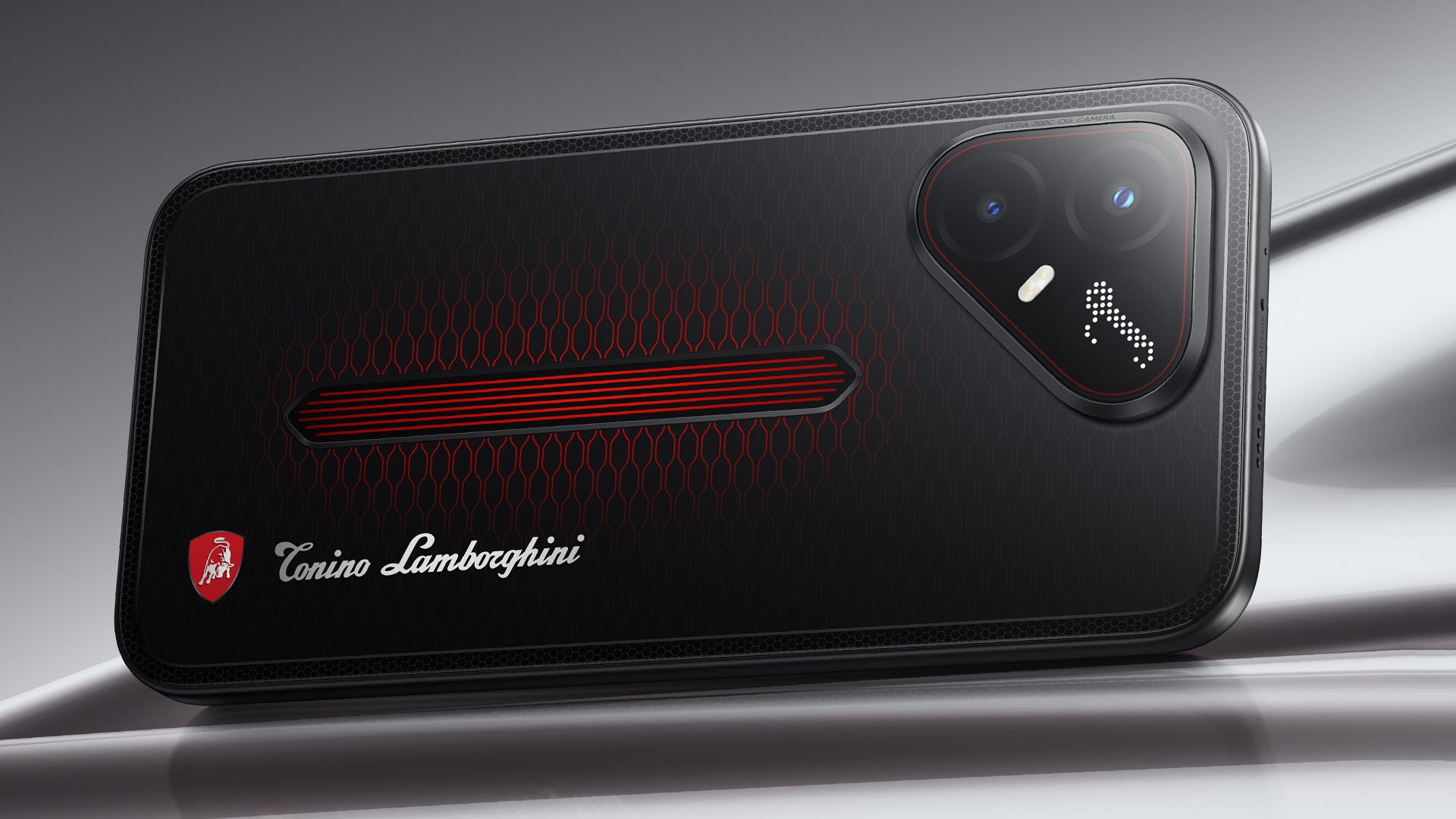
It uses a MediaTek Dimensity 7400 Ultimate 5G chipset alongside TECNO’s custom-made P1 Graphic Chip and a 5K IceShield vapor chamber cooling system. Specific details will be announced on September 4, 2026.
Meanwhile, the CAMON Slim 5G focuses on a thinner form factor, measuring just 6.39mm thick.
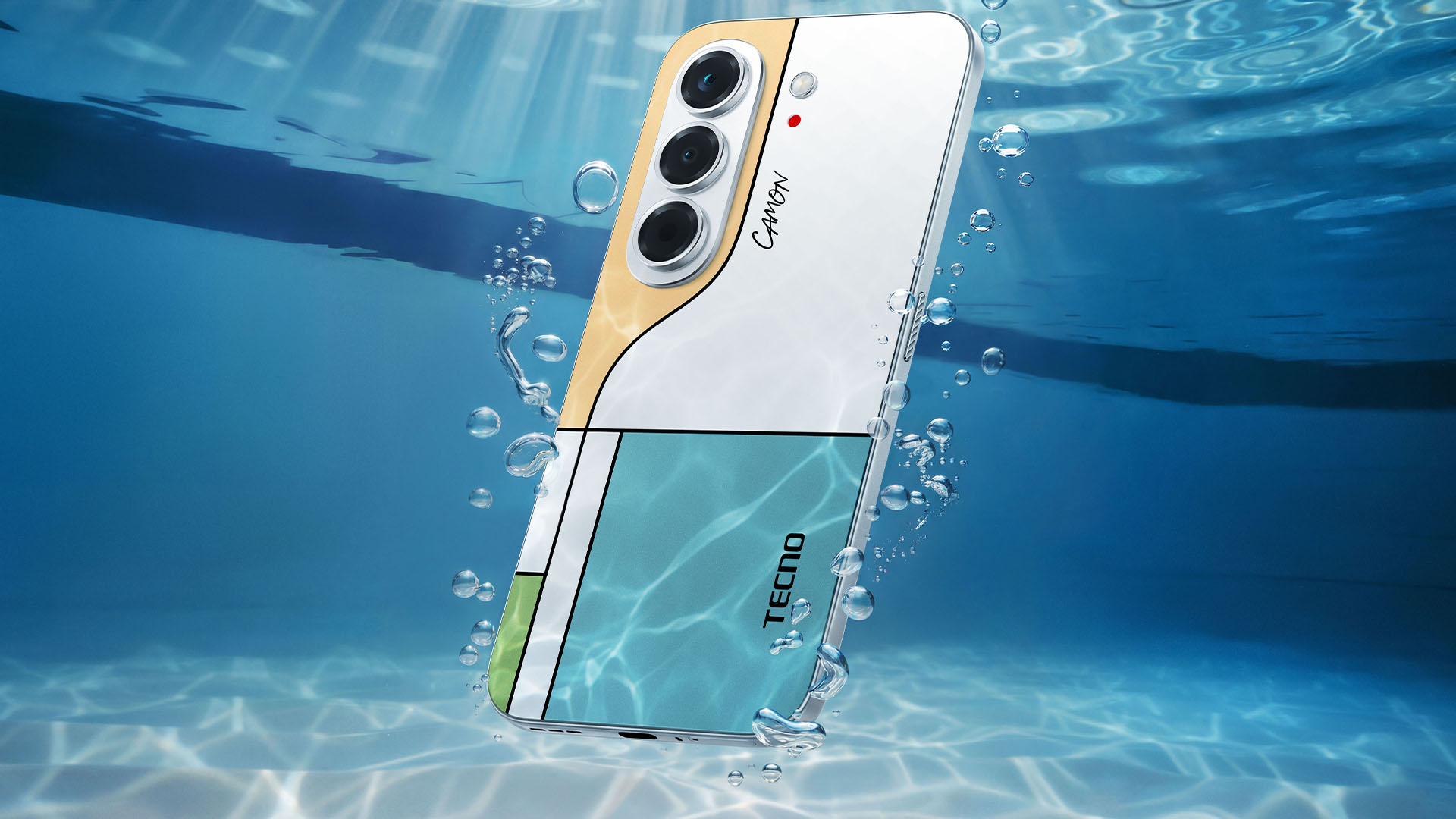
TECNO says it combines the CAMON line’s imaging features with AI capabilities and artistic colorways. More specifications will be revealed on September 7.
Pricing and Availability
The MEGABOOK T15 360 Series is expected to arrive in Europe by Q4 2026.
Depending on the configuration choice, the MEGABOOK T15 360 will start between EUR 899 ~ EUR 999. The MEGABOOK T15 360 Pro will cost as much as EUR 1099.
No pricing info were announced for the other MEGABOOKs and two phones as of writing.
Laptops
Acer expands mobile productivity lineup with Swift Blade 14, Air 16
Portable laptops built for work, play, creativity


Acer has expanded its thin-and-light portfolio with the launch of the Acer Swift Blade 14 laptop.
At just 799 grams, the portable laptop is built for mobile productivity. It is powered by up to an Intel Core 7 processor 350.
This capable processor is paired with 12GB of DDR5 memory and up to 1TB of storage for portable performance for work, play, and creativity.
In front is up to a 3K OLED display with up to 100% DCI-P3 color gamut. The display has a 90% screen-to-body ratio, 4.3mm slim bezels, and a 16:10 aspect ratio.
For connectivity, the Acer Swift Blade 14 has three USB 3.2 Gen 1 Type-C ports. It is also equipped with a 50 Wh battery and an FHD user-facing camera.
In addition, the sleek 16-inch Acer Swift Air 16 laptop has also been announced. Built for work and play, this notebook is powered by up to an Intel Core 7 processor 350 with up to 40 TOPS.
It also has a dedicated NPU, up to 16GB of DDR5 memory and up to 512GB of upgradeable storage.
This variant has an all-aluminum chassis, up to a 3K OLED display, an IPS touchscreen option, and quad-speaker audio. It also comes with a backlit keyboard, and a larger 70Wh battery capable of fast-charging.
General availability
Both the Swift Blade 14 and Swift Air 16 will be available in EMEA in December 2026. The latter will also be available in North America in Q1 2027.

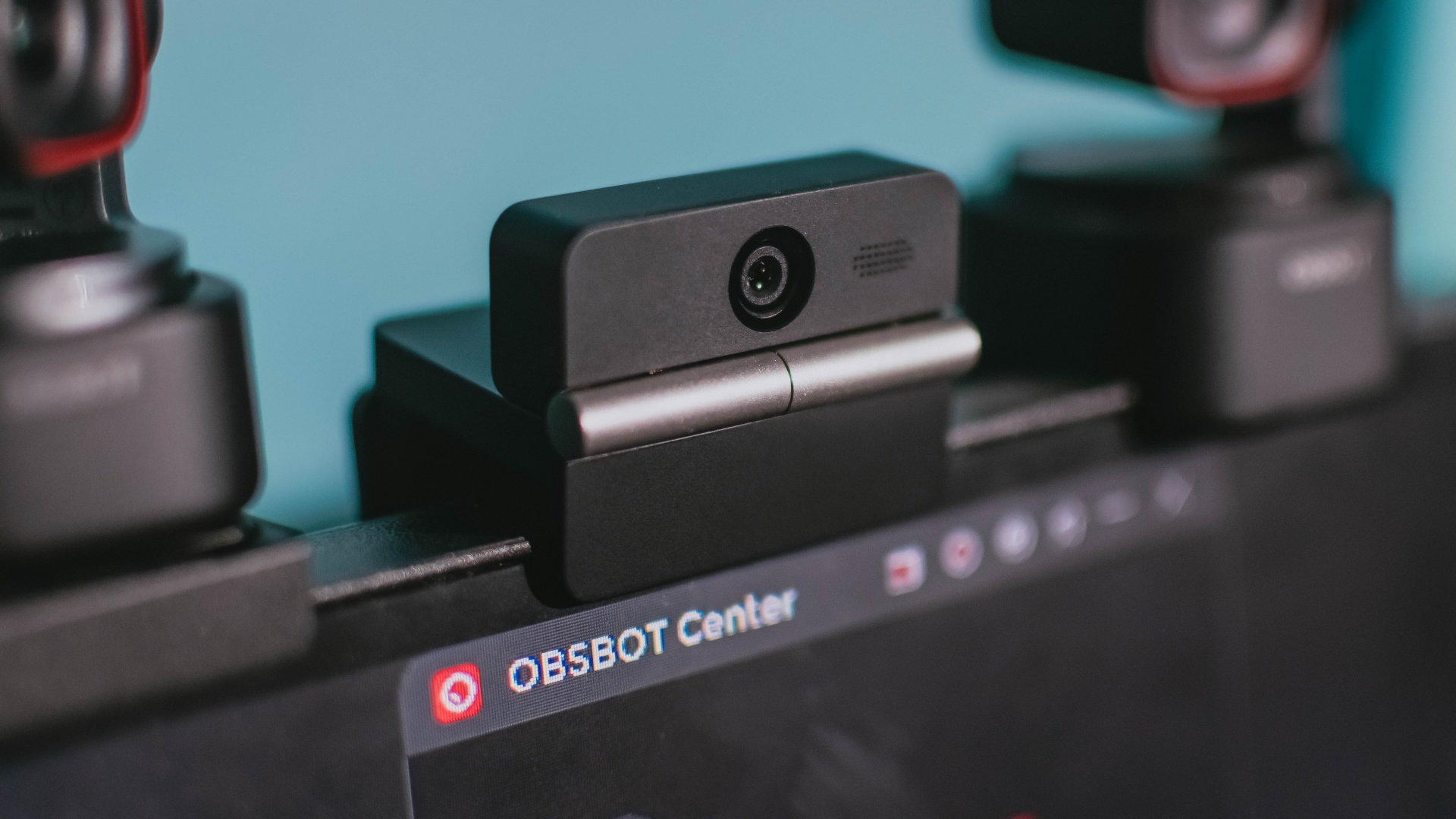
Phones flip and fold. Now webcams do too.
Foldable screens have found their way into phones, tablets, and laptops in recent years. Now, OBSBOT is taking that idea in a considerably smaller direction: the webcam.
The OBSBOT Meet Flip is the company’s first foldable 4K webcam packing:
- 1/2-inch stacked CMOS sensor
- intelligent audio
- a collection of AI-powered meeting tools
All of these inside a body weighing just 37.7 grams.
A fold that does something, not just a gimmick
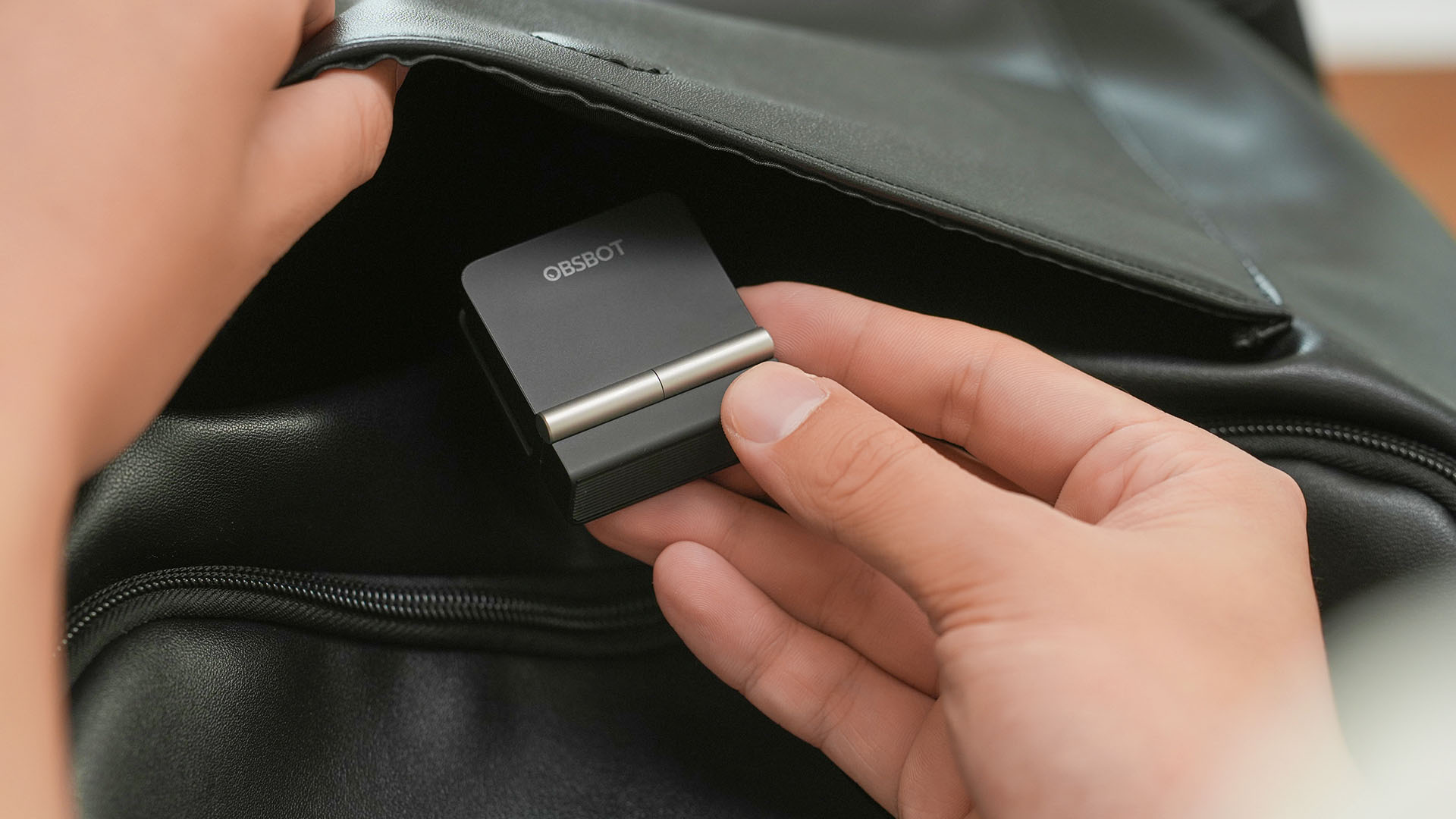
The OBSBOT Meet Flip isn’t foldable just to make it easier to throw into a bag.
Closing the webcam physically blocks the lens and puts the device into sleep mode. Open it when you want to be seen, flip it shut when you don’t.
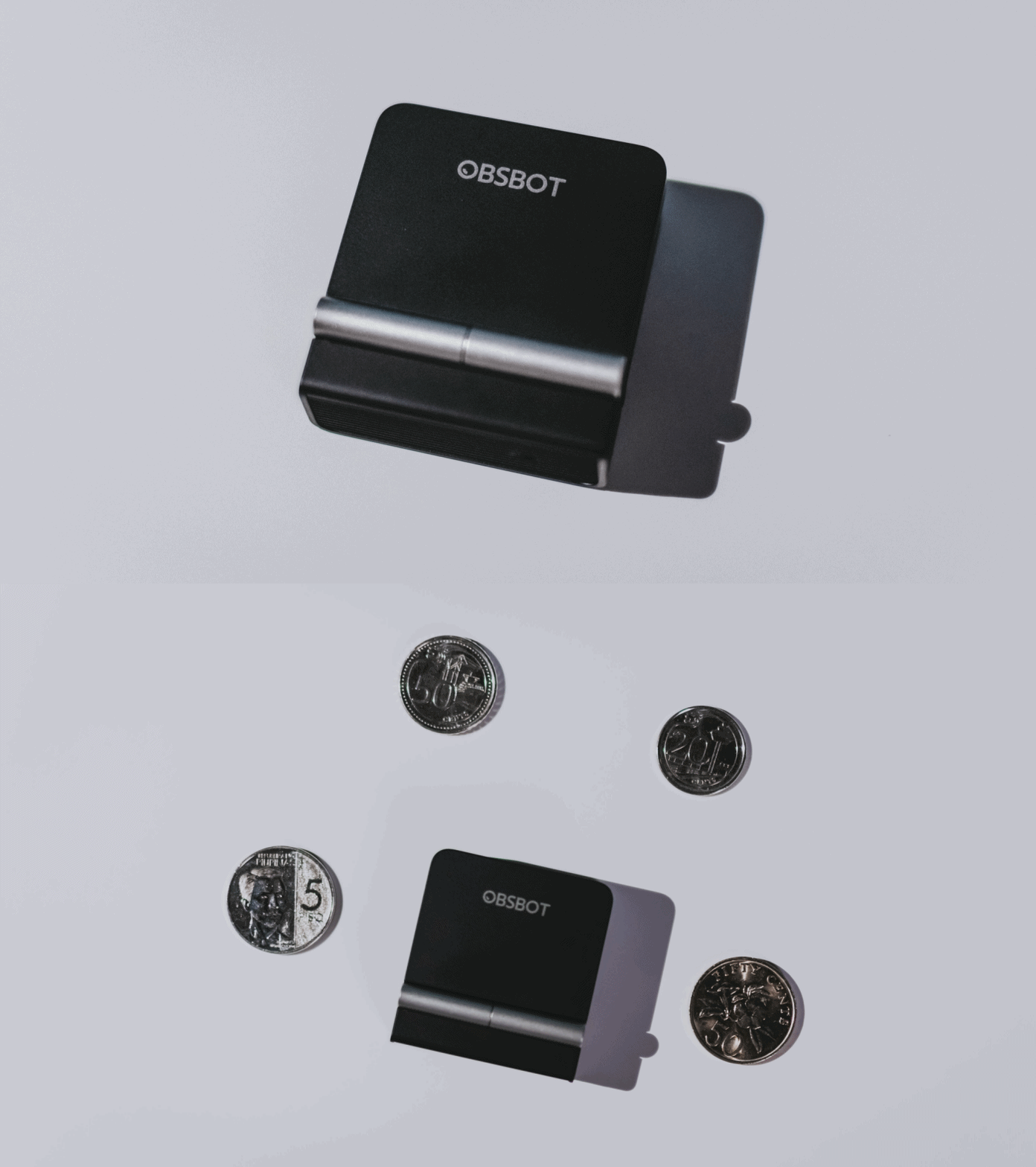
A physical privacy cover isn’t novel in itself. What’s clever here is how it’s part of the folding design.
As someone with a love-hate relationship with data privacy, I almost always keep some physical barrier over my laptop webcam. And if I can avoid having a webcam there entirely, even better.
Serious camera hardware in a pocket-sized webcam
Despite its size, OBSBOT hasn’t treated the Meet Flip like a basic laptop-camera replacement.
Inside is a 1/2-inch Exmor RS stacked CMOS sensor with Quad Bayer technology, capable of recording 4K UHD at 30 fps or 1080p at 60 fps. It also packs an f/1.8 aperture, HDR, PDAF autofocus, ISO 100–6400, and up to 4x digital zoom.
At its core is a 1/2-inch Exmor RS stacked CMOS sensor with Quad Bayer technology.
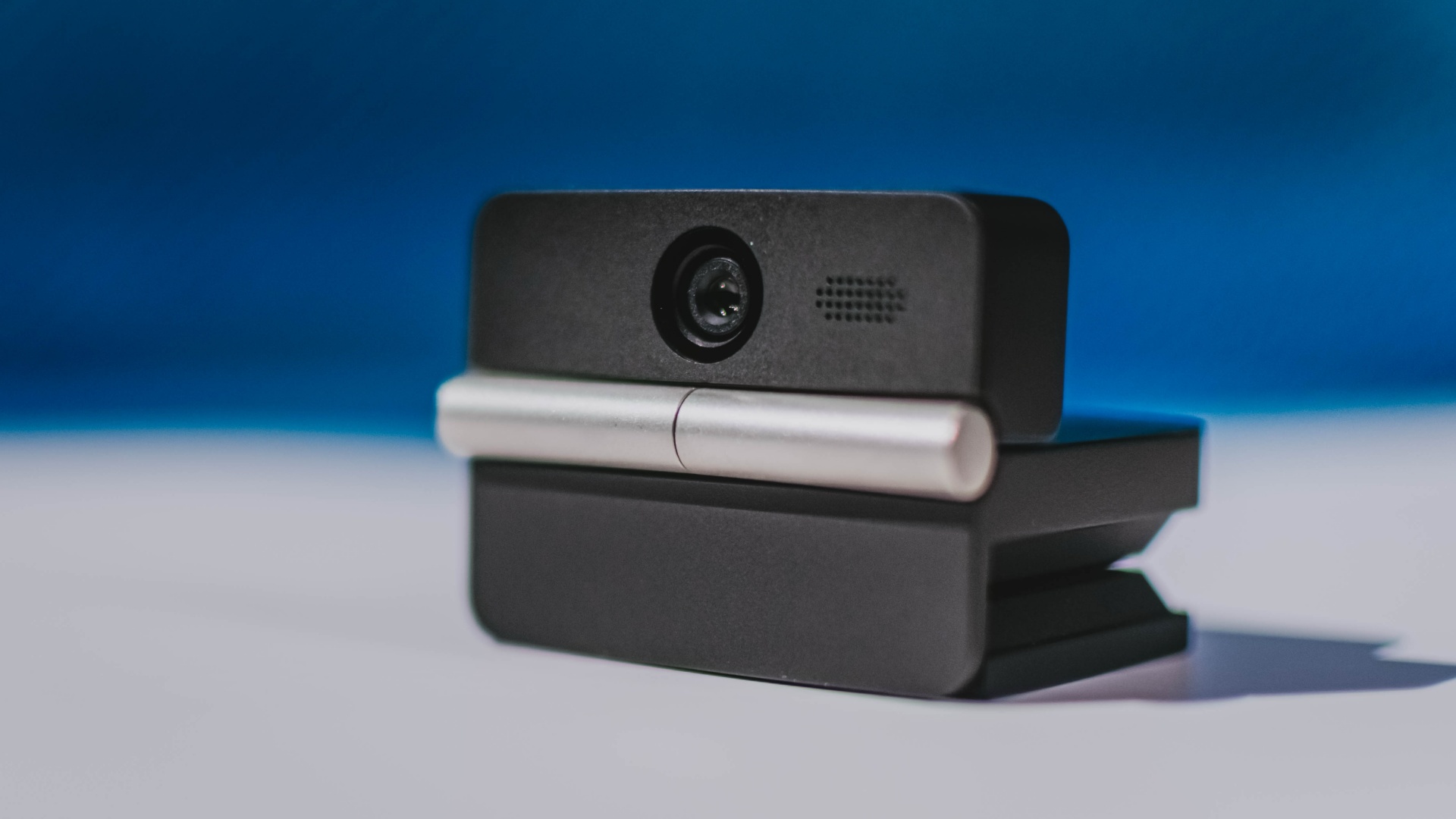
It can record:
- 4K UHD at 30fps
- 1080p at 60fps
You also get:
- f/1.8 aperture
- HDR
- PDAF autofocus
- ISO 100–6400
- up to 4x digital zoom
On paper, that gives the Meet Flip a better shot at handling the situations built-in laptop webcams often struggle with: dim rooms, harsh backlighting, changing lighting conditions, or simply moving around in front of the camera.
HDR helps keep faces visible against bright backgrounds, while PDAF autofocus continuously adjusts focus as you move closer to or farther from the lens.
The wider f/1.8 aperture should also help in less-than-ideal lighting.
The point is that once the Meet Flip is set up, you shouldn’t have to spend much time thinking about the camera itself.
It listens differently depending on the room setup
The Meet Flip also uses an intelligent dual-microphone system combining omnidirectional and directional microphones.
Instead of relying on one pickup pattern for every situation, it offers four audio modes for different setups:
Directional Mode focuses on sound coming from the front, making it the obvious choice for solo calls.
Dual-Directional Mode listens to both the front and rear of the webcam, which could be useful for interviews or conversations between two people sitting across from each other.
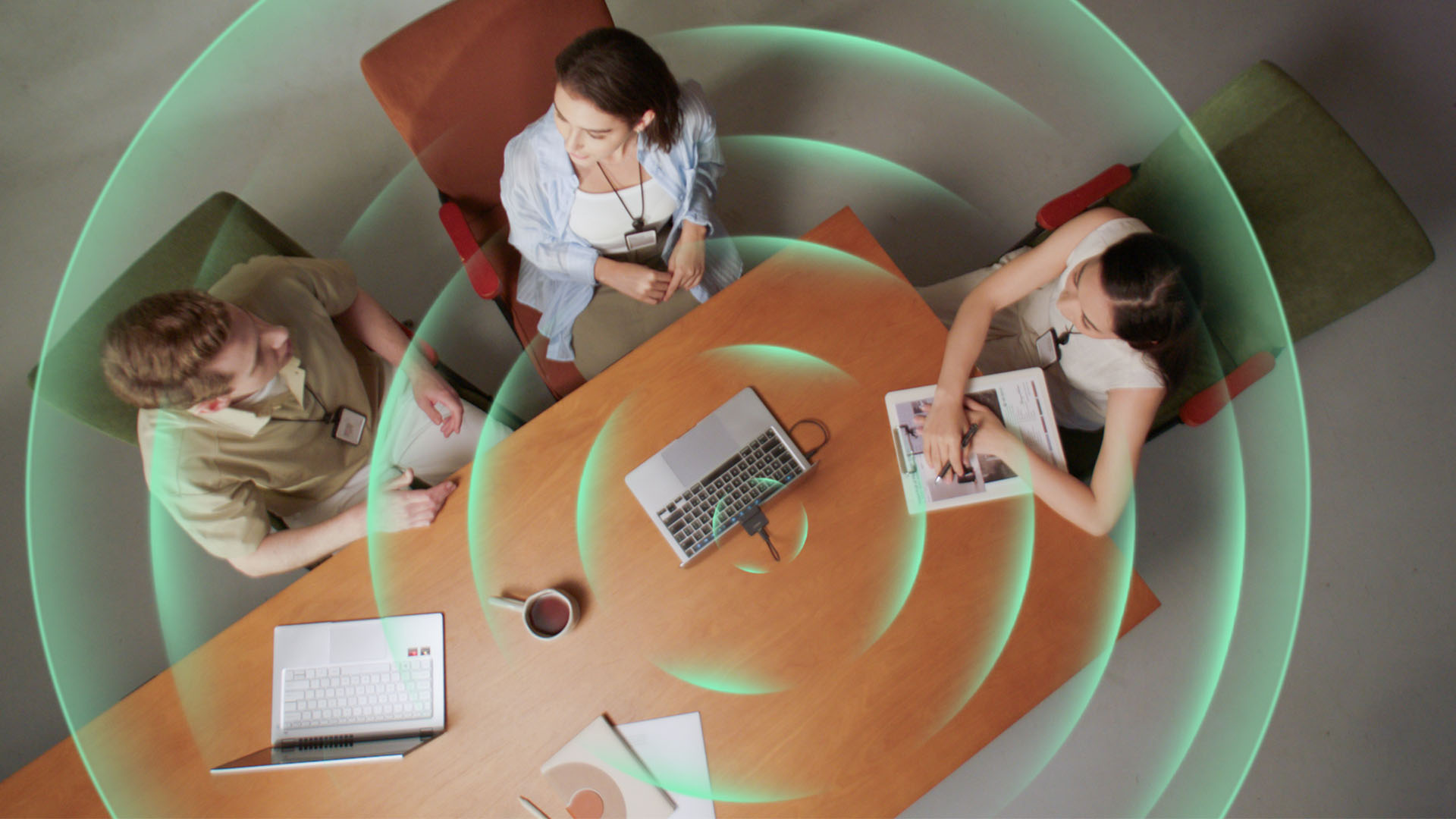
Smart Omni Mode is designed for group meetings, picking up voices from around the room.
And Pure Audio Mode provides unprocessed left and right stereo channels for users who would rather handle the audio themselves in post-production.
Auto Gain and AI Noise Reduction also work across the first three modes, helping clean up audio without requiring much manual adjustment.
It gives the Meet Flip more flexibility than a typical webcam microphone, especially if you regularly switch between solo calls, interviews, and group meetings.
AI that doesn’t intrude
AI has become an almost obligatory addition to new hardware in 2026, but several of the Meet Flip’s features put it to work on real-world meeting annoyances.
AI Auto Framing keeps you in frame, with options for:
- Group
- Single Close-up
- Upper Body
- Full Body
Gesture controls can also toggle Auto Framing or adjust the zoom without reaching for a keyboard or mouse.
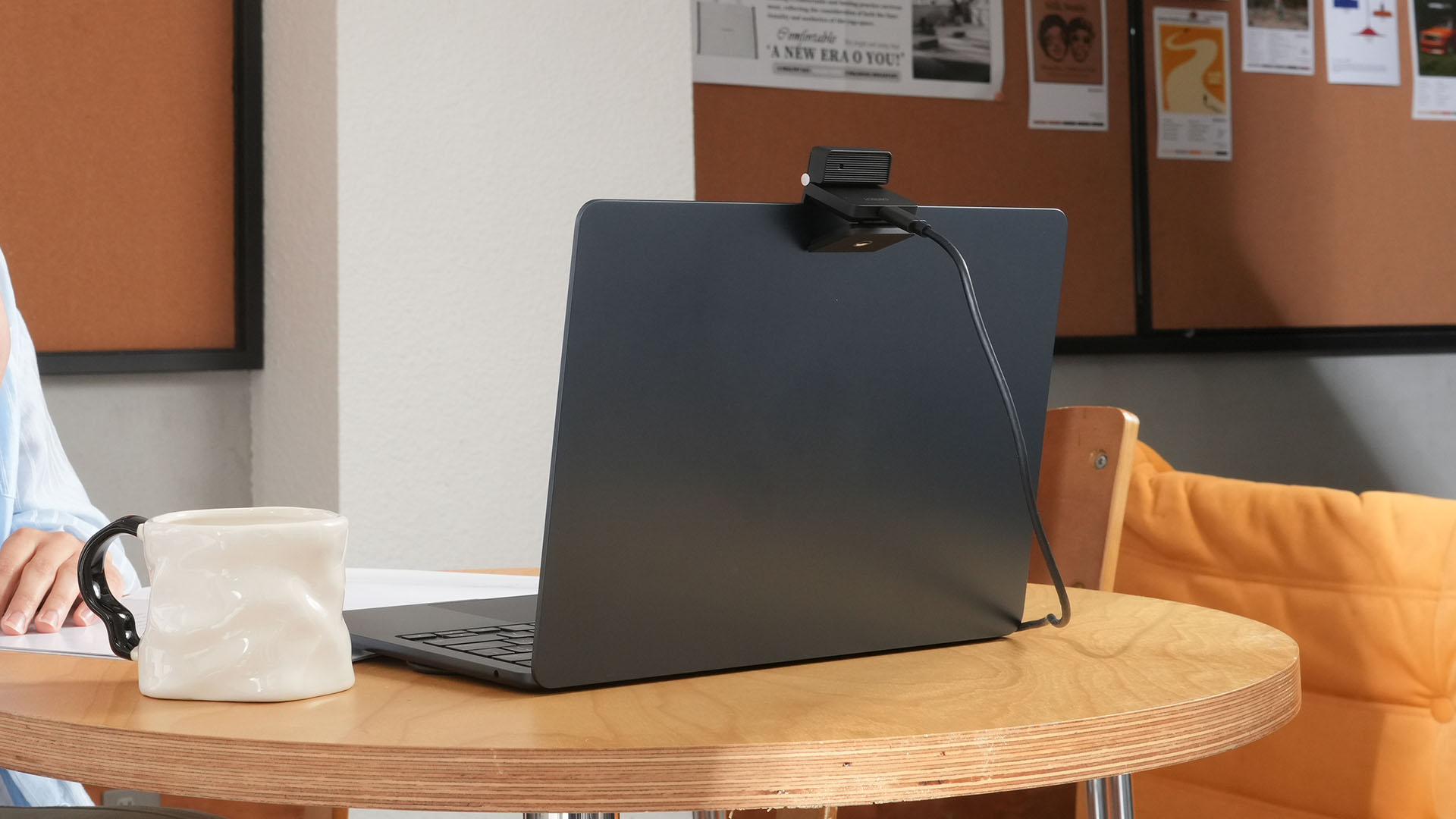
More interesting is AI Magic Notes.
Through OBSBOT Center, it provides real-time transcription and can automatically generate meeting summaries with key points, decisions, and action items. It works across Google Meet, Zoom, and Microsoft Teams.
Although AI Magic Notes is offered as a subscription service, every Meet Flip includes 120 complimentary minutes to get started.
MORE with OBSBOT Center & OBSBOT Live
There are plenty of other software features as well. OBSBOT Center includes:
- Background Blur and Background Replacement
- Real-Time Beauty Mode
- Picture-in-Picture overlays
- Smart Eye Tracking
- Teleprompter support
- Detailed image adjustments
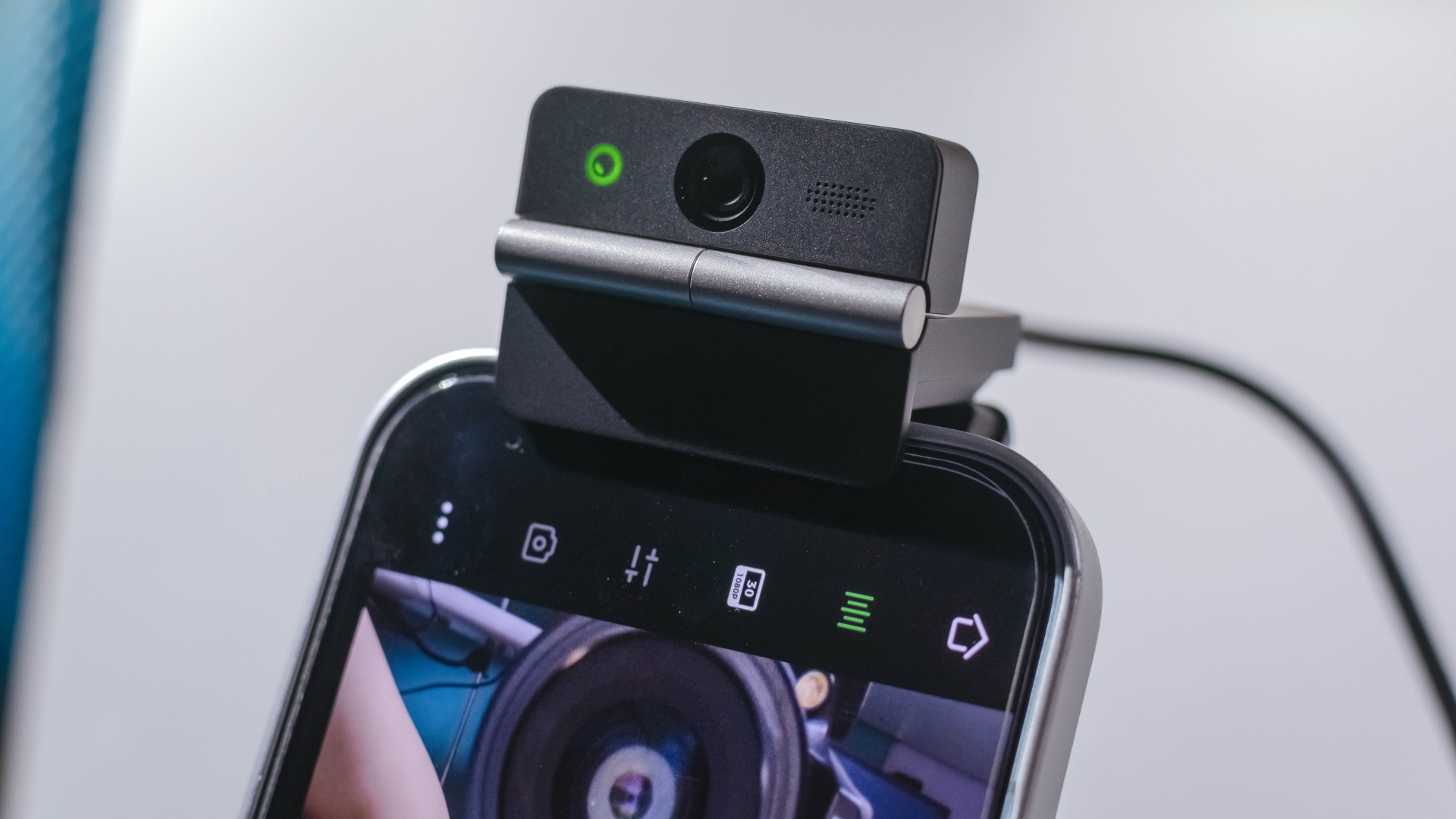
The Meet Flip isn’t limited to laptops or desktops either. Through OBSBOT Live, it can connect directly to smartphones and tablets over USB-C for mobile streaming and content creation.
Flip it open. Fold it away.
None of those features reinvent the webcam on their own.
Taken together, though, they make the Meet Flip a more thoughtful take on a piece of hardware whose basic design and features have barely changed.
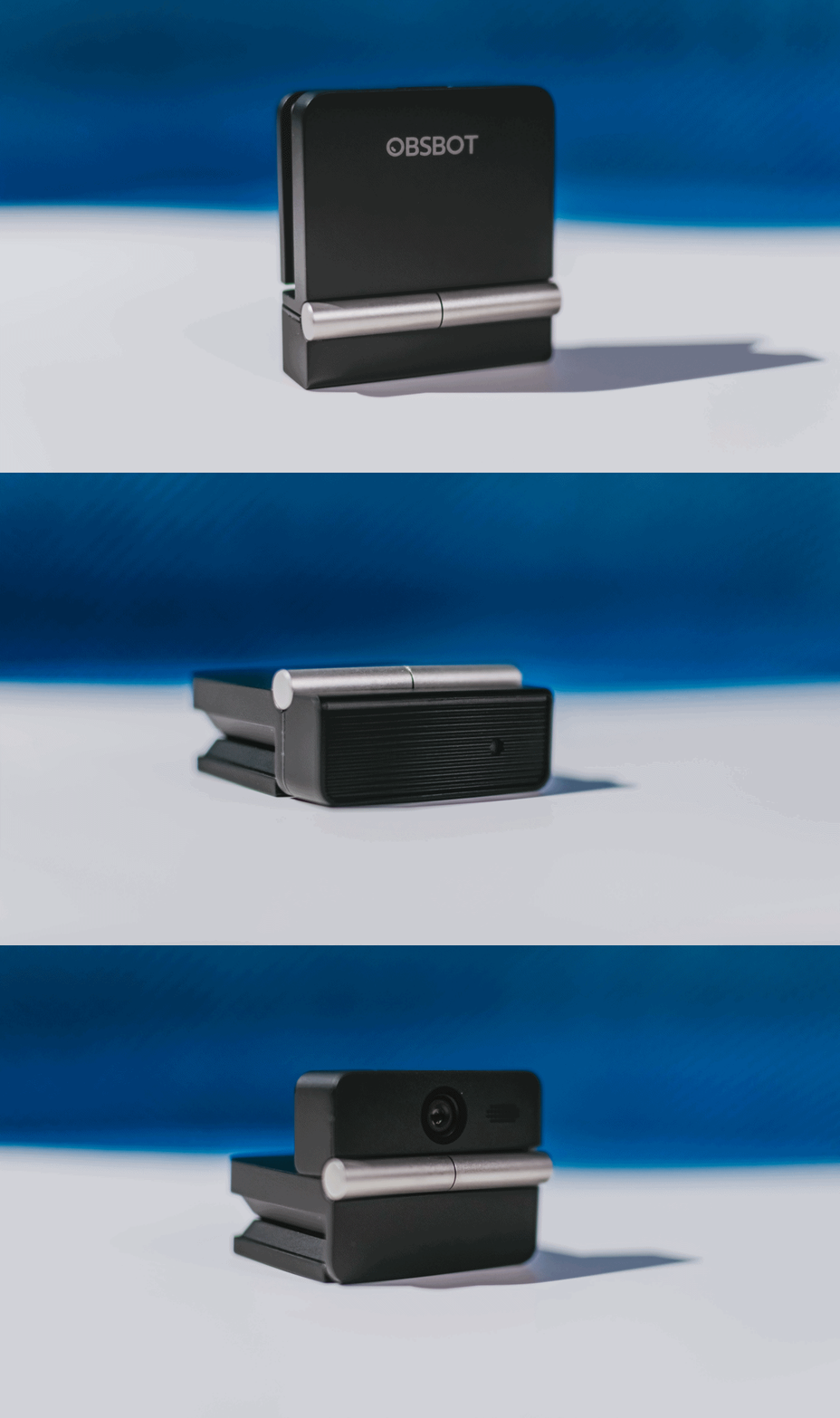
The flip may grab your attention first, but it’s how OBSBOT uses that design alongside its camera, audio, and software features that makes the Meet Flip interesting.
The OBSBOT Meet Flip is now available at US$ 119 and is currently available through OBSBOT’s official store, Amazon US, and select retailers.
&
@gadgetmatchPhones flip. Now webcams do too. 👀 Meet the OBSBOT Meet Flip, a tiny foldable 4K webcam with a lot packed inside. ✨
If you buy one, here’s what you’ll get out of the box!







GUNDAM ROGUE ORBIT launches in March 2027

Lenovo Legion teams up with Quiccs

LG’s AI Home vision comes to life at IFA 2026 with innovative showcase

Ford’s new Everest lineup brings V6 engine to the top, tech down the line

Xiaomi makes IFA debut, showcasing ‘Human x Car x Home’ ecosystem

TECNO MEGAPAD 2 review: Eyes on the size

realme 16T 5G with 8000mAh battery, IP69 Pro rating launches in PH

REDMI Note 17 Series focuses on long-term reliability

realme 16T to come with 8,000mAh battery, 7-year battery health guarantee

HUAWEI Pura X View is 2026’s first WIDE slab-type smartphone


-
 News1 week ago
realme 16T 5G with 8000mAh battery, IP69 Pro rating launches in PH
-
 Singapore1 week ago
REDMI Note 17 Series: Price, availability in Singapore
-
 News1 week ago
REDMI reveals the refreshed Note 17 and Note 17 Pro series
-
 Cameras2 weeks ago
Insta360 Luna Ultra review: My new solo coverage camera
-
 Reviews1 week ago
REDMI Note 17 Pro review: What a rollercoaster ride!
-
 News2 weeks ago
HONOR Magic V6: Price, availability in the Philippines
-

 Features1 week ago
The designated photographer’s new favorite phone: OPPO Reno16 Series 5G
-

 Automotive2 weeks ago
Tesla involved in recalling over 4 million electric cars