



As a long-time Windows user, I have to admit, I’ve always dreamed of having a Windows version of Apple’s MacBook. The Pro model in particular is an awesome fusion of sturdy hardware and precise software. Dell’s XPS line was often the best Windows had to offer, but they never quite hit every checkbox.
Surprise, surprise: Huawei came up with the closest thing to the MacBook of Windows yet. Yes, Huawei makes laptops; they don’t just specialize in smartphones and sick burns.

It’s called the MateBook X Pro, and it’s the successor to 2017’s MateBook X, which didn’t experience much fanfare outside of China. There was also a regular MateBook in 2016, but it was more of a Surface Pro competitor than a full-fledged notebook.
The MateBook X Pro has been available in select regions for a while now, garnering positive reviews and calls from fans to bring it to their shores. But why is it so coveted? Let me give you the reasons why, as well as some deeper-rooted cons.
Nothing beats its display
There’s so much to love about the MateBook X Pro, but I’m gonna go with the display as its best feature. The 13.9-inch 3K (3000 x 2000 pixels) touchscreen is enough to wow anyone who sees it. Even better: It’s got the highest screen-to-body ratio of any laptop today at 91 percent.

This is as bezel-less as it gets, and there’s no notch to interfere with the sleek design. Where does the webcam go then? Well…
Huawei picked the most unusual webcam location
If you’ve watched our hands-on video, you’d already know what to expect. The webcam pops up with the press of a button between the F6 and F7 keys. It’s innovative and totally bonkers. Check it out:

But as cool as it is — and trust me, I’ve wowed lots of people with this — I still would’ve preferred a top-mounted placement. I’d add a couple of millimeters on the top bezel to house a proper camera.
A login method I can get behind
Perhaps the biggest reason why I’m not a fan of the pop-up camera is that I can’t log in with my face the moment the laptop enters the lockscreen. It’s something I’ve enjoyed on every Windows Hello-enabled notebook I’ve used up until now, mainly those from ASUS and Lenovo.

To remedy that, Huawei integrated a fast fingerprint reader into the power button. If you leave your finger on the button a second longer when turning on the PC, it’ll bring you straight to the desktop — such a time-saver!
Keyboard and trackpad are top-notch
As someone who needs to write and edit articles on a daily basis, I consider the reliability of the keyboard and trackpad as priorities in a computer. Fortunately for me, this MateBook ticks both boxes with flying colors.


While not MacBook Pro levels of quality, the keyboard has just the right amount of travel and it’s so well-spaced — plus, there’s backlighting for when I work in the dark. The trackpad is massive for Windows laptop standards, and its use of Microsoft’s precision touchpad drivers means gesture control and navigation are easy peasy.
Speaker you wouldn’t expect from an Ultrabook
One of the first things normally given up when going for a slim form factor is the speaker setup. That’s not the case with the MateBook X Pro, which has some of the loudest units I’ve ever heard on an Ultrabook.

There are four in total, all Dolby Atmos-certified, making them loud and crisp. Combined with the immersive display, I’ve turned this into my go-to binge-watching machine.
No port problems here
A gripe of mine with newer laptops is the over-reliance on USB-C as the one, true port. Although I agree it’s the present and future of wired connectivity, I still want my USB-A on board.


That’s exactly the case with this notebook: It has two USB-C ports — one that allows charging and the other with Thunderbolt 3 support for plugging in an external GPU or monitor — and a full-sized USB-A for old flash drives and printers. It’s the best of both worlds, and there’s even a 3.5mm audio port so you won’t have to rely on the older Bluetooth 4.1 standard this MateBook uses for wireless headphones.
Performance is a strong point
At this point, there has to be some compromise, right? If you’re thinking that’s on the raw performance, you’d be absolutely wrong. My unit comes with Intel’s 8th-gen Core i7-8550U chipset, 16GB of memory, 512GB of SSD storage, and lo and behold, an NVIDIA GeForce MX150 graphics chip.

It’s amazing how Huawei was able to cram all this power into the 1.33kg, 14.6mm-slim chassis. Admittedly, it does get quick hot under heavy load from games such as Fortnite and Overwatch, but not enough for me to turn the machine off. For everything else, such as photo and video editing, this configuration blazes through apps.
And battery life is surprisingly great
Again, Huawei somehow managed to avoid any glaring weakness in its best laptop to date. Yes, the MateBook X Pro has a 57.4Wh battery which I’m happy to report is designed to last.

If I avoid the overheating mentioned earlier while off the plug, I can get over seven hours of straight usage. It helps that this notebook charges quickly with its compact 65W adapter, which can also be used to top up my smartphones, so I need to bring only one charger on trips.
Is this your GadgetMatch?
Since I began using the MateBook X Pro, I’ve found it tough finding faults, in the same way most Mac users feel about their laptops. There are minor hiccups here and there, but nothing deal breaking enough to avoid a purchase.
On that note, actually buying one may be the biggest hurdle. Even though it’s becoming increasingly easier to find through online retailers in different regions, it’s still nowhere near as easy to purchase as an Acer, HP, or even a MacBook.
It’s a shame, since more support for this product would mean a successor, though I think Huawei will produce one either way. Besides a specs bump and improved location for the webcam, I have nothing else on my wish list for next year’s MateBook X Pro Max Plus — or whatever it’s gonna be called.








Laptops
Alienware celebrates 30th anniversary with new Area-51 laptops
The series features Alienware 30, an all-new design language.

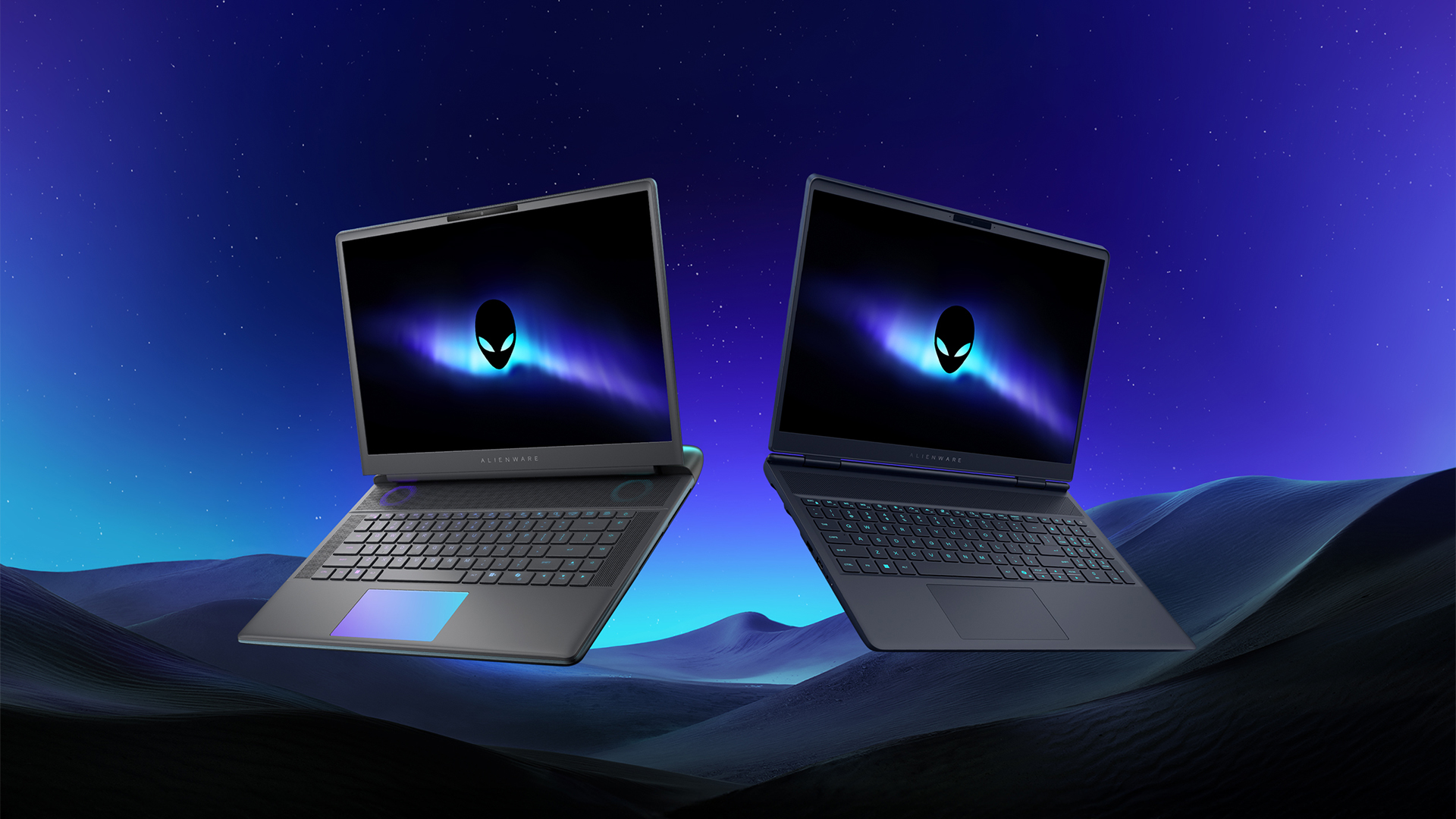
Despite the rise of more gaming brands, Alienware is still one of the most recognizable names for gamers who want dedicated hardware. This year, the brand is celebrating its 30th anniversary. To commemorate the milestone, Alienware has launched the new Area-51 and Aurora notebooks.
Alienware Area-51
Alienware’s Area-51 lineup is the brand’s flagship line of notebooks, packing in the best of the best from the industry. This time is no different.
First of all, the new series will rock Alienware 30, a new design philosophy made especially for the 30th anniversary. On the outside, the laptops have fluid contours, emphasizing curves opposed to the industry’s more angular contemporaries. It also has a Zero Hinge, which hides the laptop’s hinge from view. Finally, it has pillowed palm rests to make usage easy for long gaming sessions.
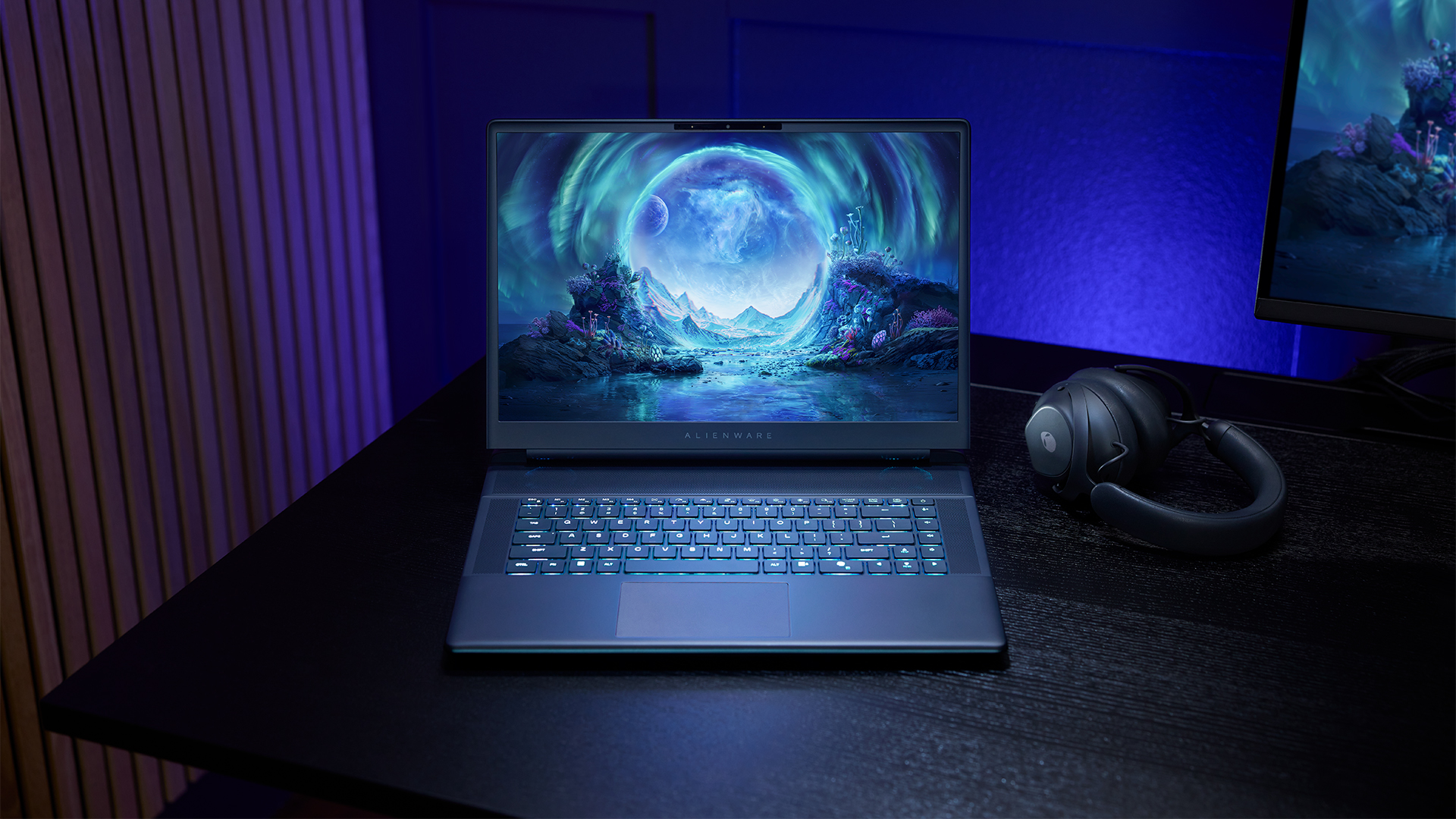
The 16-inch model can rock up to a WQXGA Anti-Glare OLED screen, featuring 240Hz refresh rate and 620 peak HDR nits. It will also have an LCD option. Alternatively, the 18-inch model has a WQXGA screen, featuring 300Hz refresh rate and 500 nits of brightness.
Inside, the Alienware Area-51 boasts up to an Intel Core Ultra 9 290HX processor and up to an NVIDIA GeForce RTX 5090 24GB GPU. For memory, gamers can enjoy up to 64GB Dual-Channel DDR5. Finally, for storage, the series can rock up to 2TB SSD natively but can support up to 3 slots, allowing for up to 12TB of internal storage.
The series will have a sizable 96Whr battery. This is complemented by a 280W adapter and the brand’s largest fans by volume to keep things cool.
Alienware 16X Aurora
For those who portability over raw power, the new Alienware 16X Aurora fits inside any day-to-day kit. For example, it ditches the thermal shelf typical of most gaming notebooks today to increase portability. It has rounded edges to make it easier to grasp and to create a slightly pillowed palm rest, similar to its flagship counterpart.
The 16-inch WQXGA OLED panel touts 240Hz refresh rate, 0.2ms response time, and 620 nits HDR peak brightness.
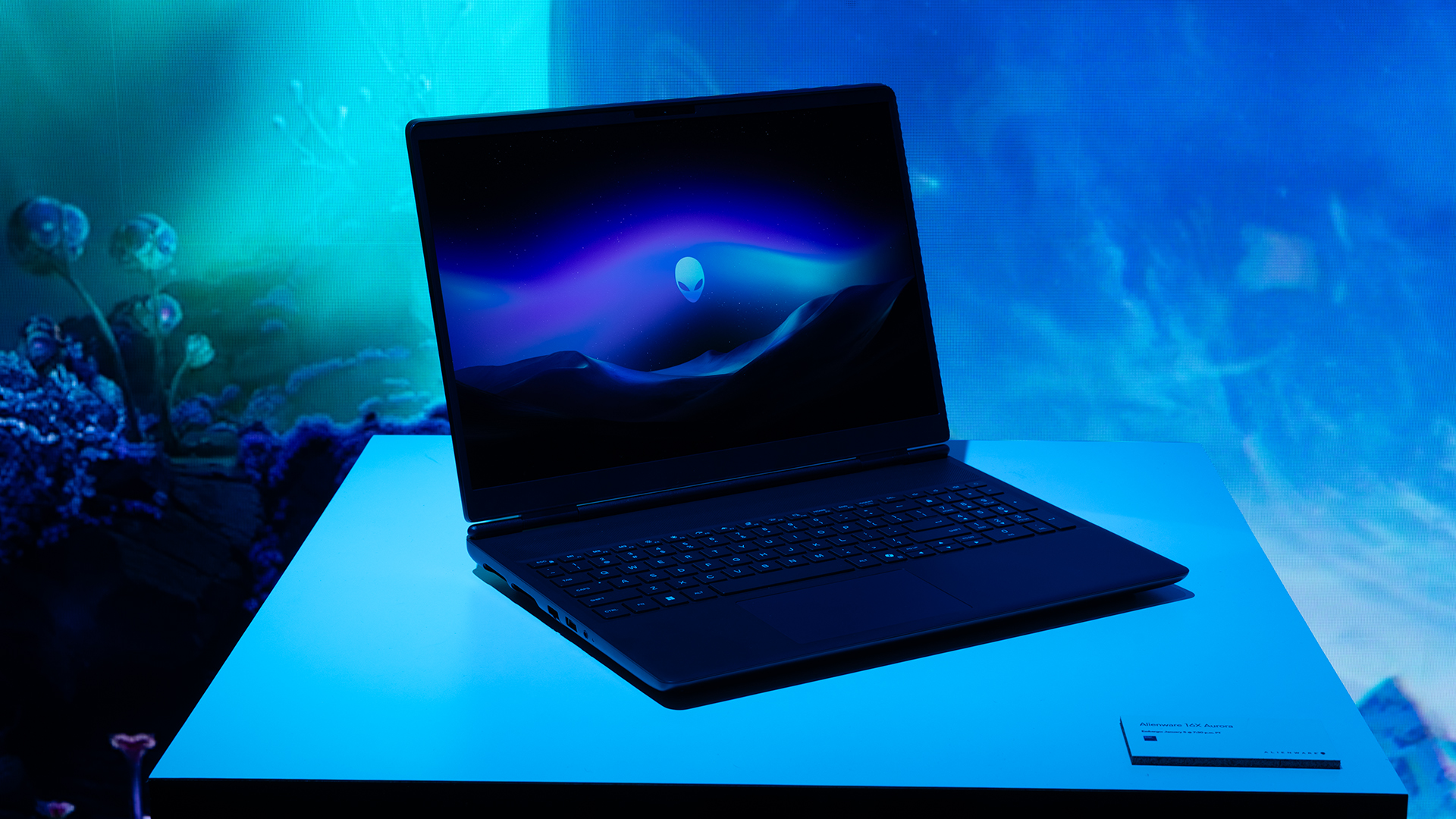
Inside, the notebook has up to an Intel Core Ultra 9 275HX processor and up to an NVIDIA GeForce RTX 5070 Ti GPU. These specs are paired with up to 64GB Dual-Channel DDR5 memory and up to 2TB SSD.
Finally, the Alienware 16X Aurora will have a 90Whr battery. This is supported by up to a 280W charger (for the RTX 5070 variant).
Price, availability
Both series are available starting today, March 17.

Apple disrupts the industry with their latest MacBook — an affordable to say the very least.
If you’re a student, a first-time Mac owner, someone who’s been priced out of this ecosystem their whole life, someone who just needs a laptop for basic tasks but one that looks great, without slowing them down, this is it!
Or maybe you’re torn choosing between the MacBook Neo and the more powerful M5 MacBook Air?
Well, that’s what we’re here for. Here’s our review with the all-new MacBook Neo.
Laptops
Hands-on: NEW iPhone 17e, iPad Air, MacBooks, Studio Displays
What Apple has announced other than the MacBook Neo


The MacBook Neo was the star of yesterday’s Apple event, and it has every right to be but it’s been a big week for Apple.
So as promised, we also went hands-on with every other device announced this week: iPhone 17e, M4 iPad Air, M5 MacBook Air, MacBook Pro with M5 Pro and M5 Max chips, and the new Studio Displays.





Now Playing: Hoppers

Jackery SolarSaga series: Free power for small devices

UGREEN adds new Nexode Pro power bank, charger to lineup

nubia to launch new Neo 5 series gaming phones on March 28

SHINOBI: Art of Vengeance’s SEGA Villains Stage out on April 3


-

 Reviews5 days ago
POCO X8 Pro Max review: A new beast from the far east
-

 News5 days ago
POCO X8 Pro Series: Price, availability in the Philippines
-

 Laptops2 weeks ago
Apple MacBook Neo Review
-

 Computers2 weeks ago
GIGABYTE collaborates with Capcom for RE Requiem custom PC
-

 Apps1 week ago
Google Maps is finally getting a 3D mode
-

 Entertainment2 weeks ago
The internet is thirsting over the One Piece Season 2 cast
-

 Features1 week ago
Galaxy AI on the Samsung Galaxy S26 Ultra
-

 Automotive2 weeks ago
BYD is reportedly considering an F1 team