


Laptops
Lenovo ThinkPad X1 Nano: An ultra light business laptop for creative tasks?
Can this powerhouse keep up with the expectations of a multimedia creative?

Since 2016, I’ve been deliberately using a MacBook for the creative tasks I do. Back then, I was just a college student who needed to work on plenty of multimedia-inclined projects and publication materials for the student council organization I belonged to. Not to mention, we’ve used iMacs for certain subjects in school. Even as I joined GadgetMatch as an intern and became a part of the team, I’ve continued to use Mac.
After almost five years, I finally have my hands on a Windows laptop again. Although Windows 10 has barely changed ever since its release back in 2015, using one after years felt different because macOS has dramatically changed the way I use a machine — whether that may be through trackpad, keyboard, and the apps I use for multimedia work.

When I was given a chance to review one, I didn’t hesitate to agree and try it. While ThinkPads aren’t aligned for the type of job I do, I came up with an idea of trying it as if it’s my daily driver for my work. But before letting you know how was my experience as a multimedia creative, I’ll introduce the ThinkPad X1 Nano first and how special this laptop is.
ThinkPads have always looked similar over the years
And that’s not a bad thing at all. If some of you can recall, Lenovo announced the ThinkPad X1 Nano last September 2020 — and it looked so much like any other ThinkPad released. The apple obviously doesn’t fall far from its tree.
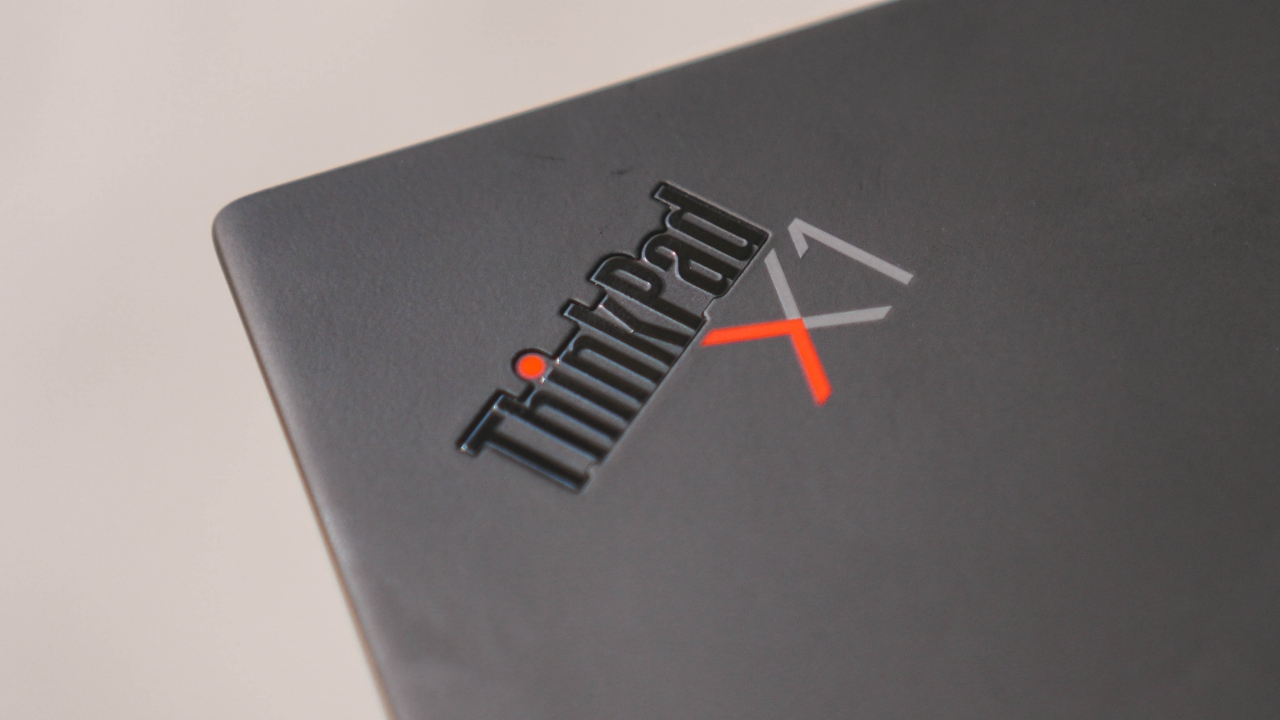
While I haven’t owned one, I can still remember seeing one from the days when I was just a kid. ThinkPads displayed on magazine brochures, pamphlets, and computer store outlets in malls looked so durable and robust with that heavy “ThinkPad” text branding plastered on its lid and palm rests.

The most iconic part of any ThinkPad is that red dot (some say it’s a nub, I call it a nipple with no malice) but Lenovo’s proper term for it is the “ThinkPad TrackPoint” which actually helps in UI navigation once in a while.
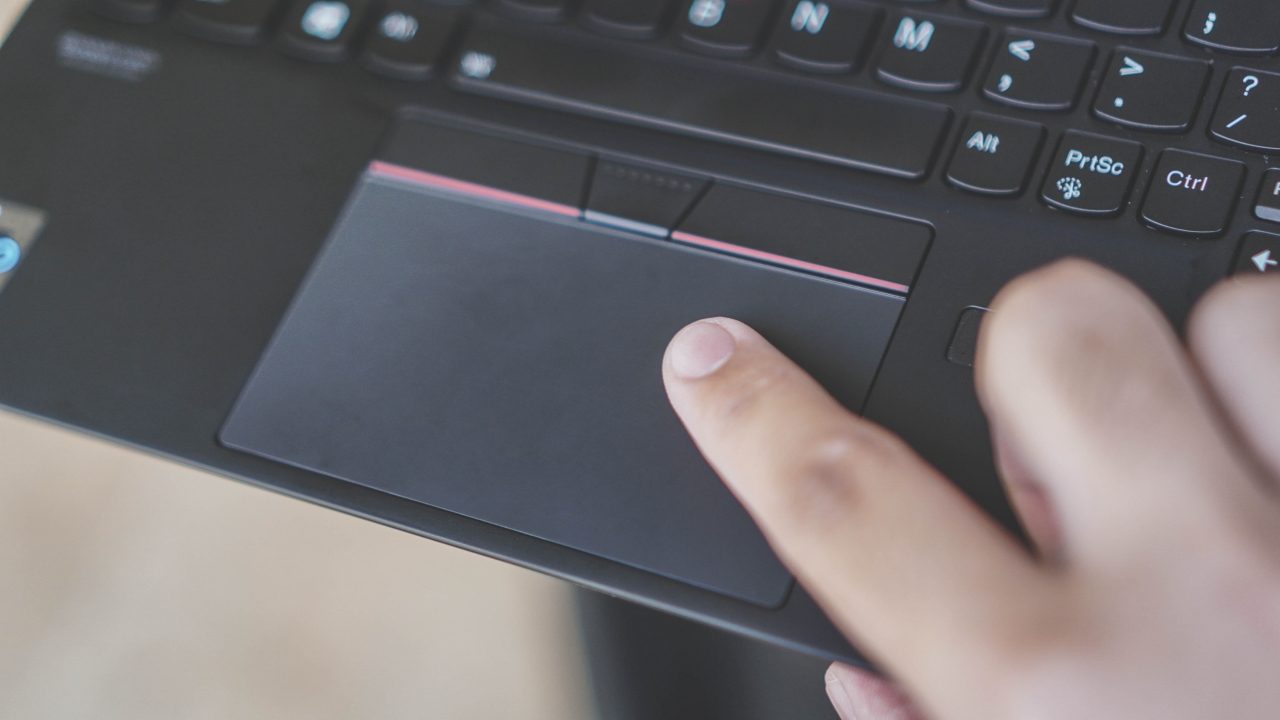
Although I admit, I’d still prefer using its trackpad more especially because it’s fast, responsive, and accurate.
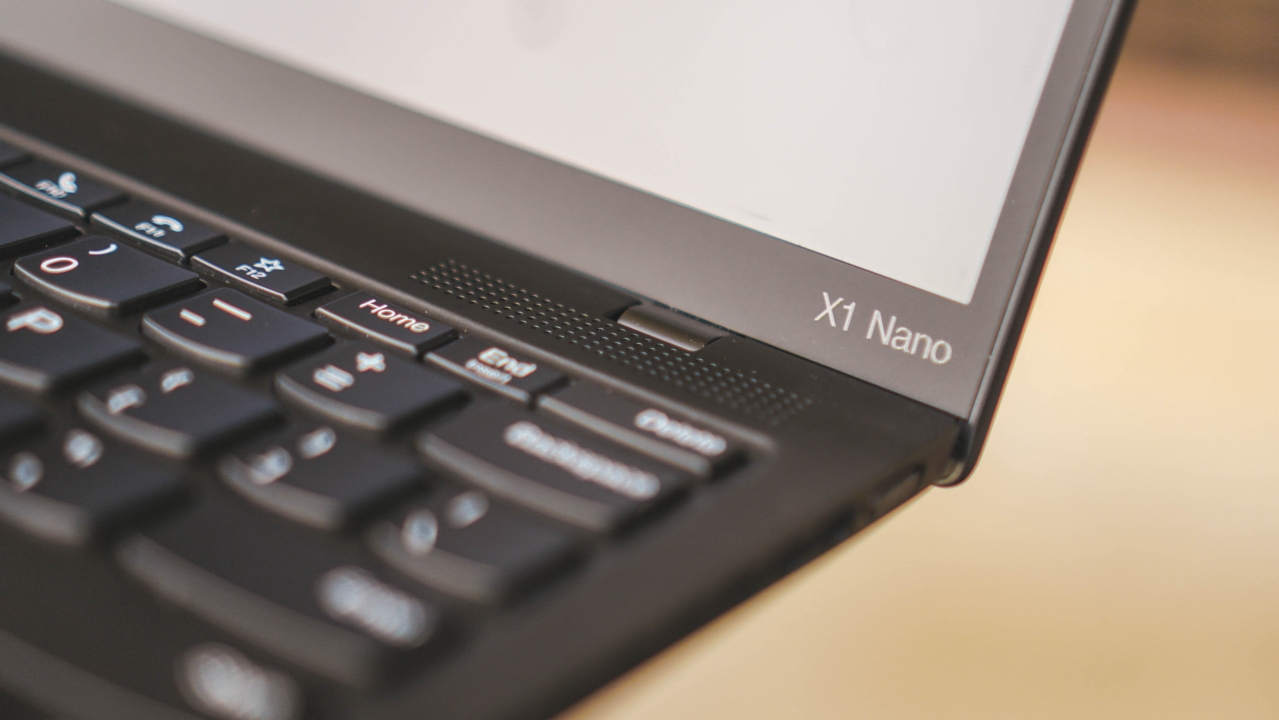
Surprisingly, its screen bezels are thin enough. Usual ThinkPads have thicker side screen edges.
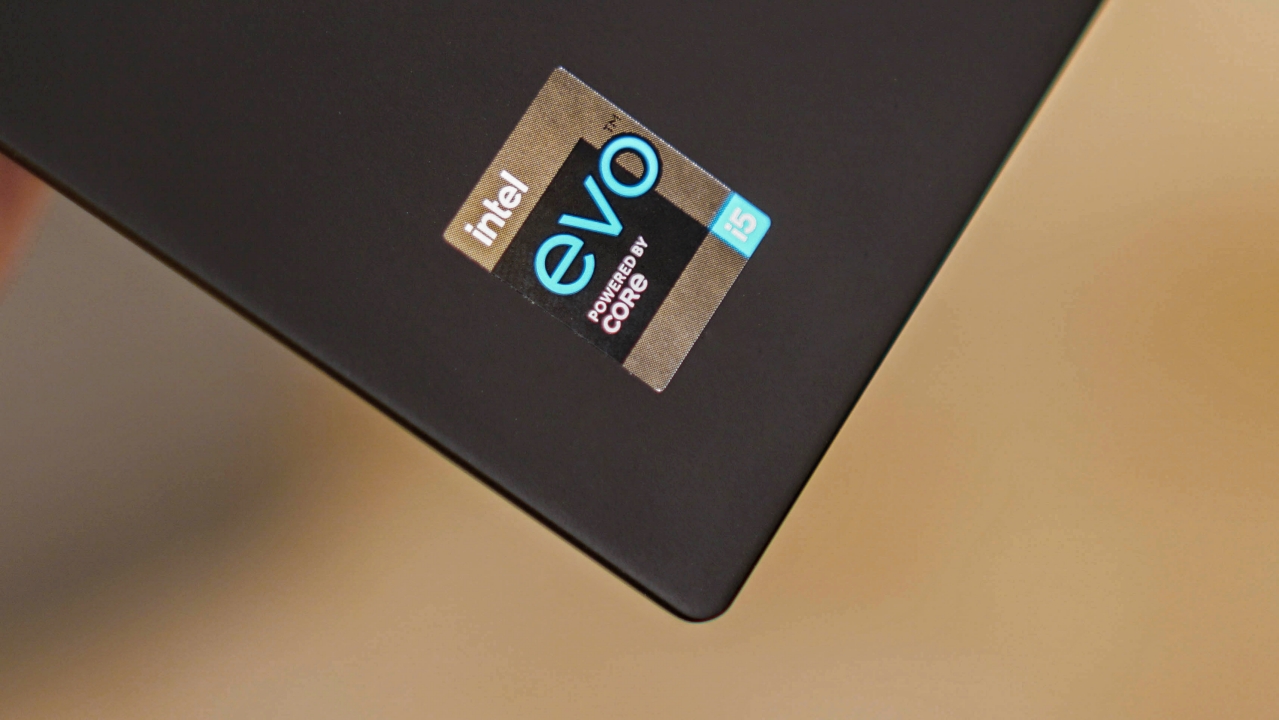
But out of all the common ThinkPad features of this laptop, its main attraction is none other than being a featherweight machine. This slim powerhouse weighs just under 1kg — a great feat considering it’s power-packed with Intel Core i5-1130G7 processor, integrated Intel Iris Xe Graphics, 8GB RAM, 512GB of SSD, and even a speedy Wi-Fi 6 modem.
How ultra featherlight and slim is this laptop?
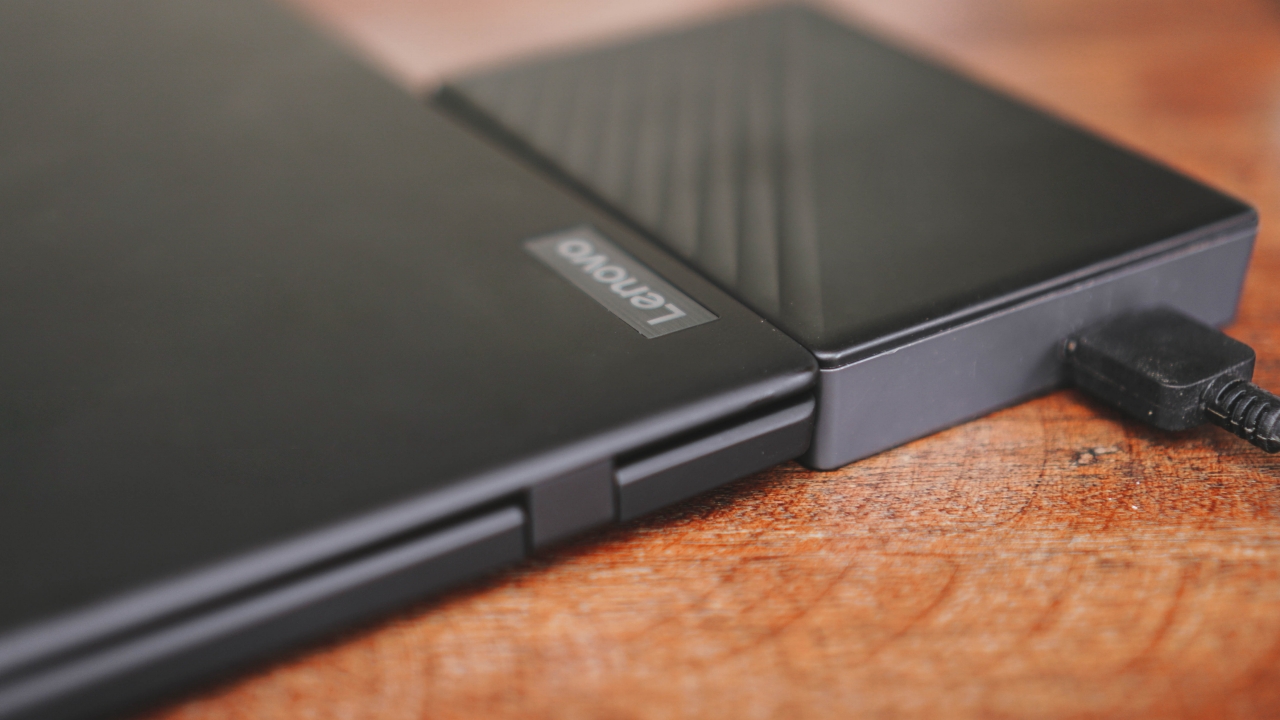
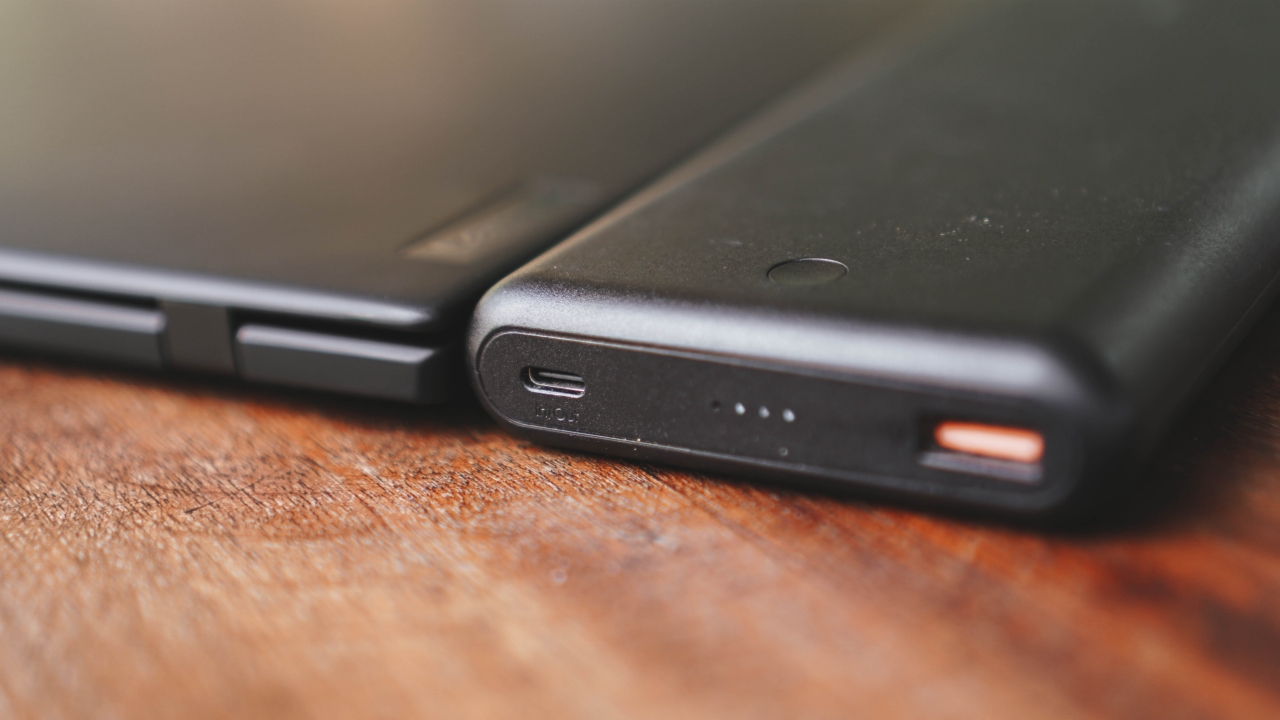
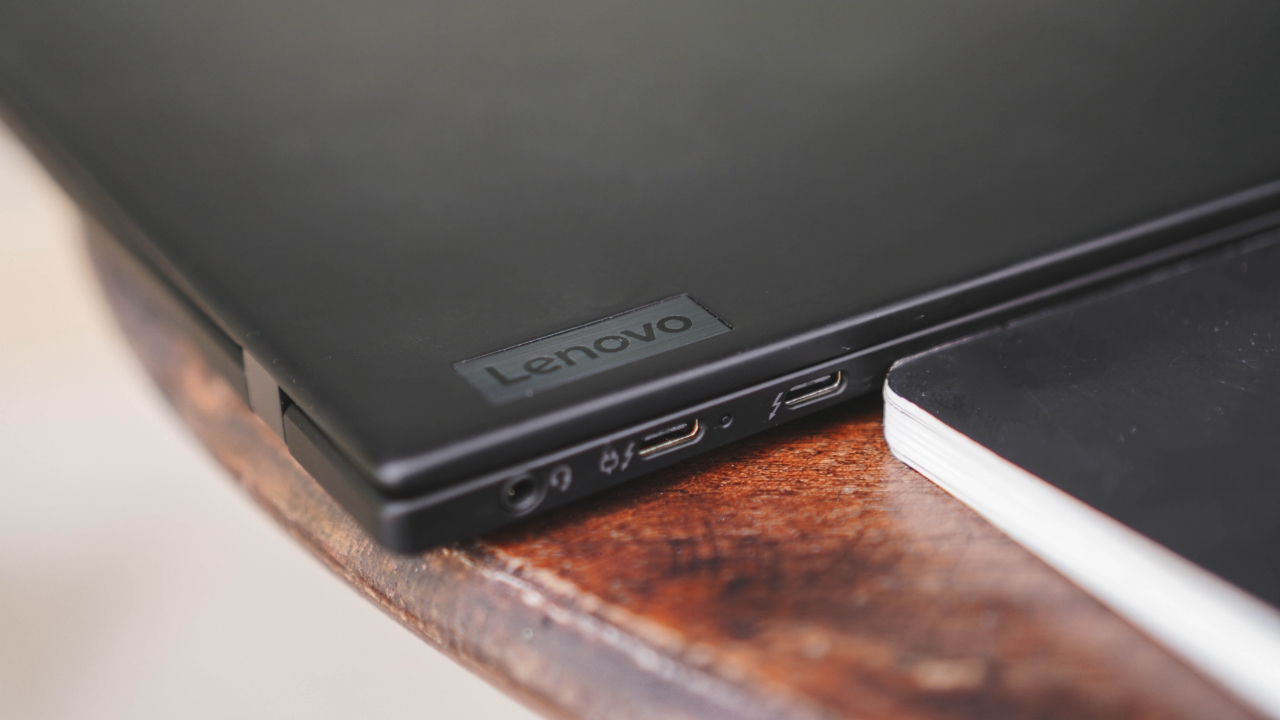
The main highlight of the ThinkPad X1 Nano is its ultra-lightweight body and super slim form factor. For reference, I compared it to several items and devices.
How it’s like versus a 4TB external HDD…
between a thicc 25,000mAh powerbank…
and even a notebook planner.
Here’s also a thinness comparison to the 2020 M1 MacBook Air…
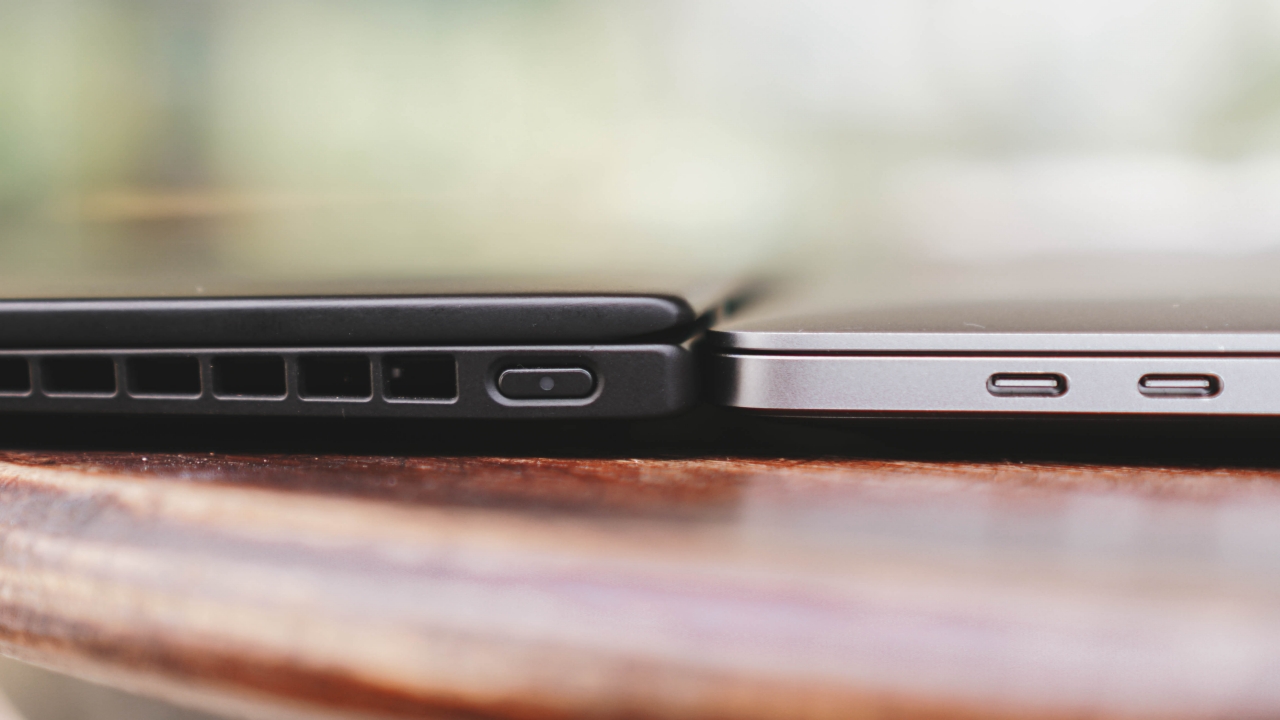
and a body comparison to the 2020 M1 MacBook Pro (also with a 13-inch display).
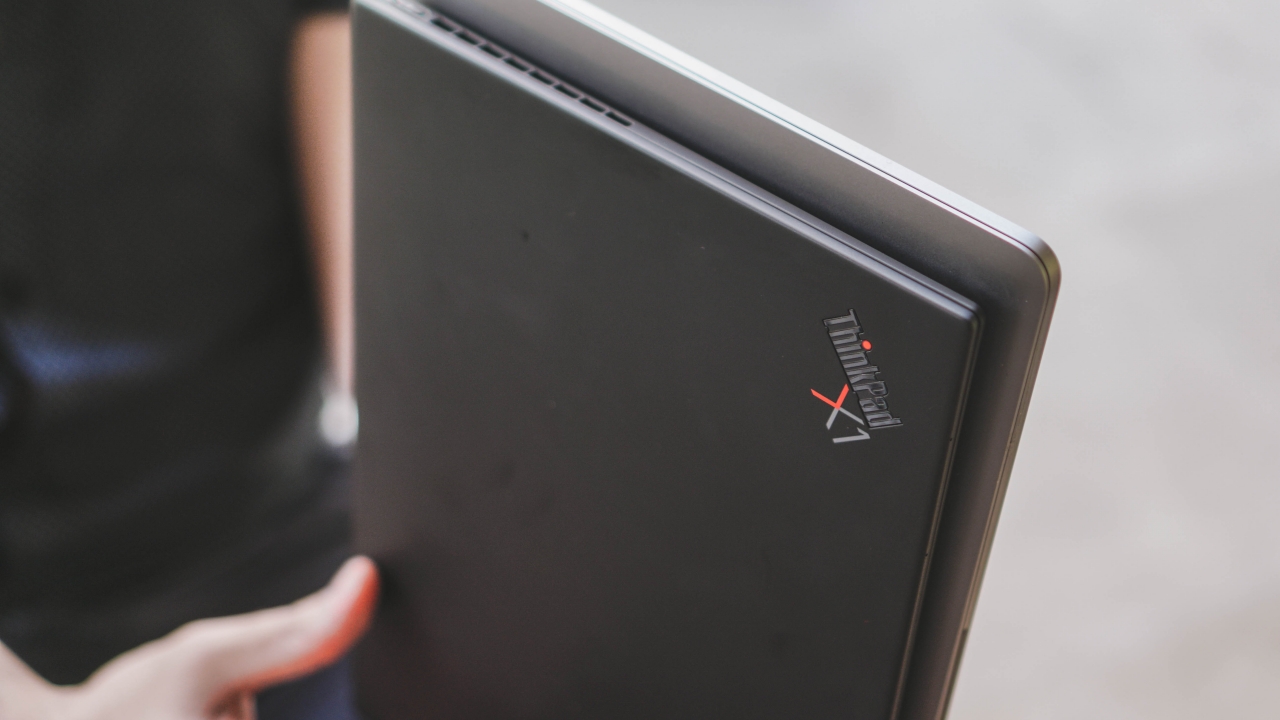
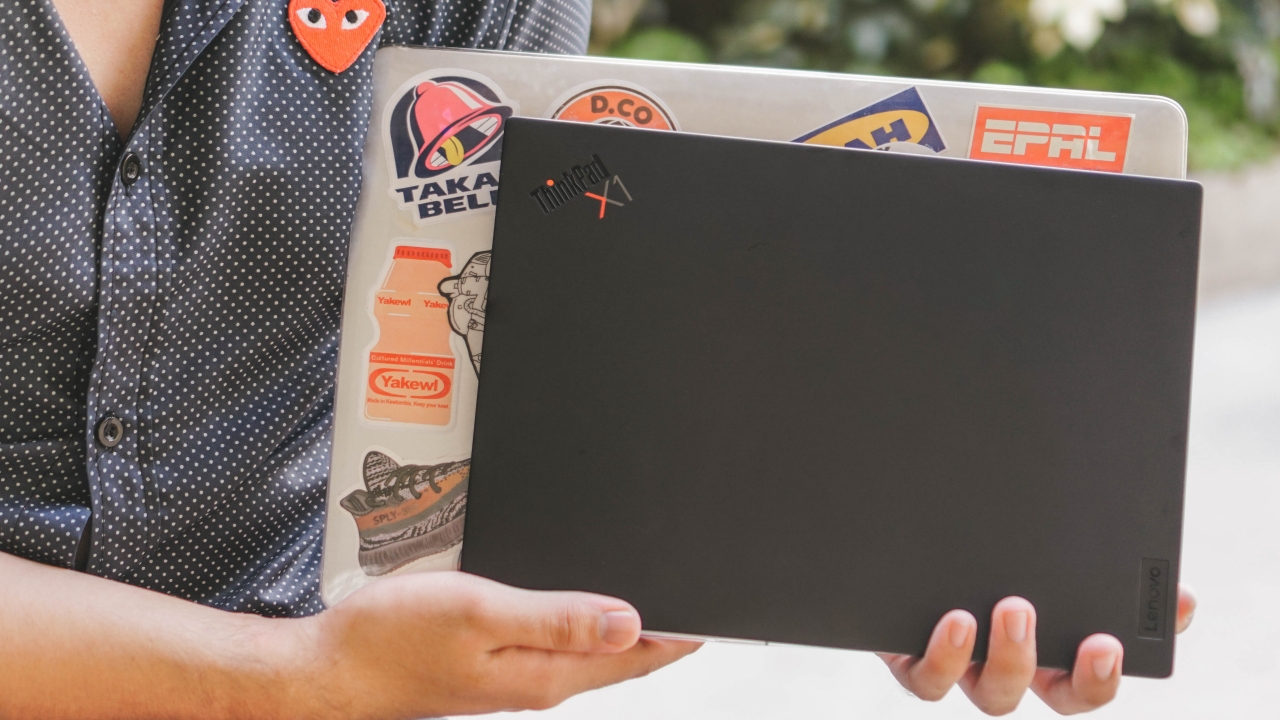
Although the MacBook Air is slimmer than the ThinkPad X1 Nano, lifting it immediately felt heavier especially because of its aluminum unibody. The less than 1-kilogram weight of the X1 Nano definitely won me over.
As a bonus, it’s a lot smaller than the work laptop I use every day (the 2019 15-inch MacBook Pro)
I was even able to lift it with my right index finger without the laptop ever falling from it.
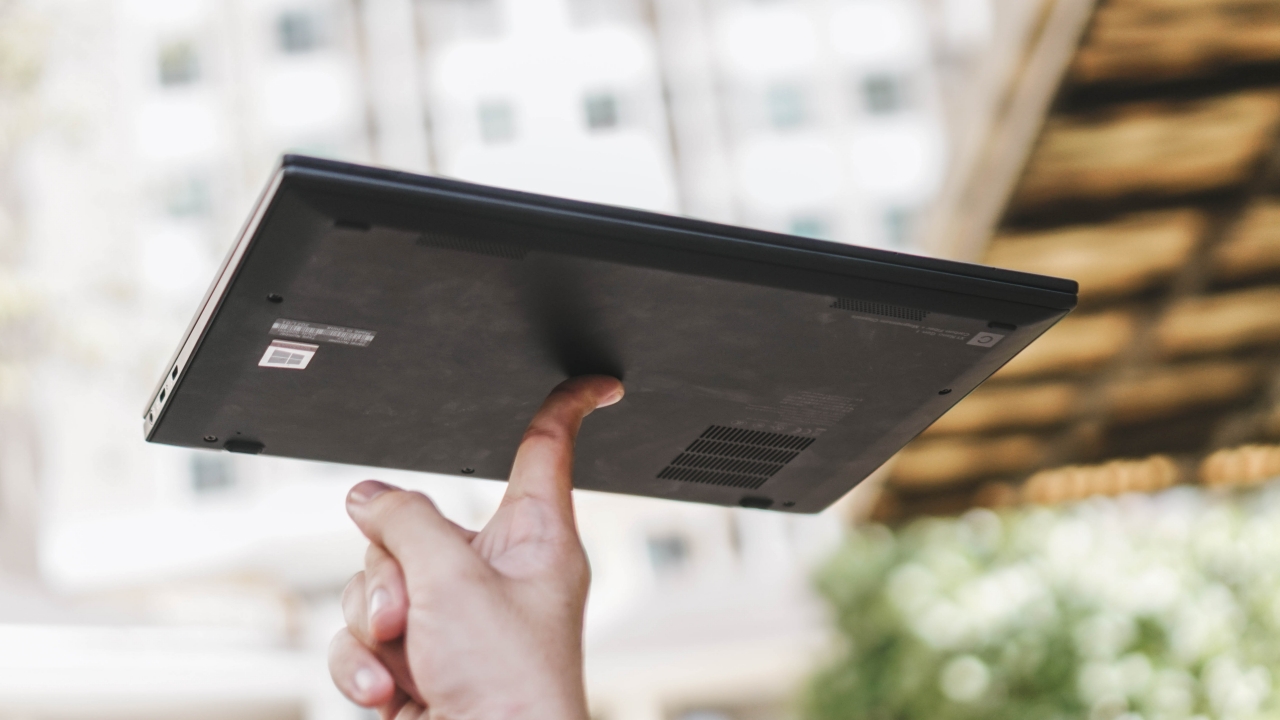
No laptop was harmed in shooting this certain scenario
Carbon Fiber and Magnesium Alloy made it super lightweight
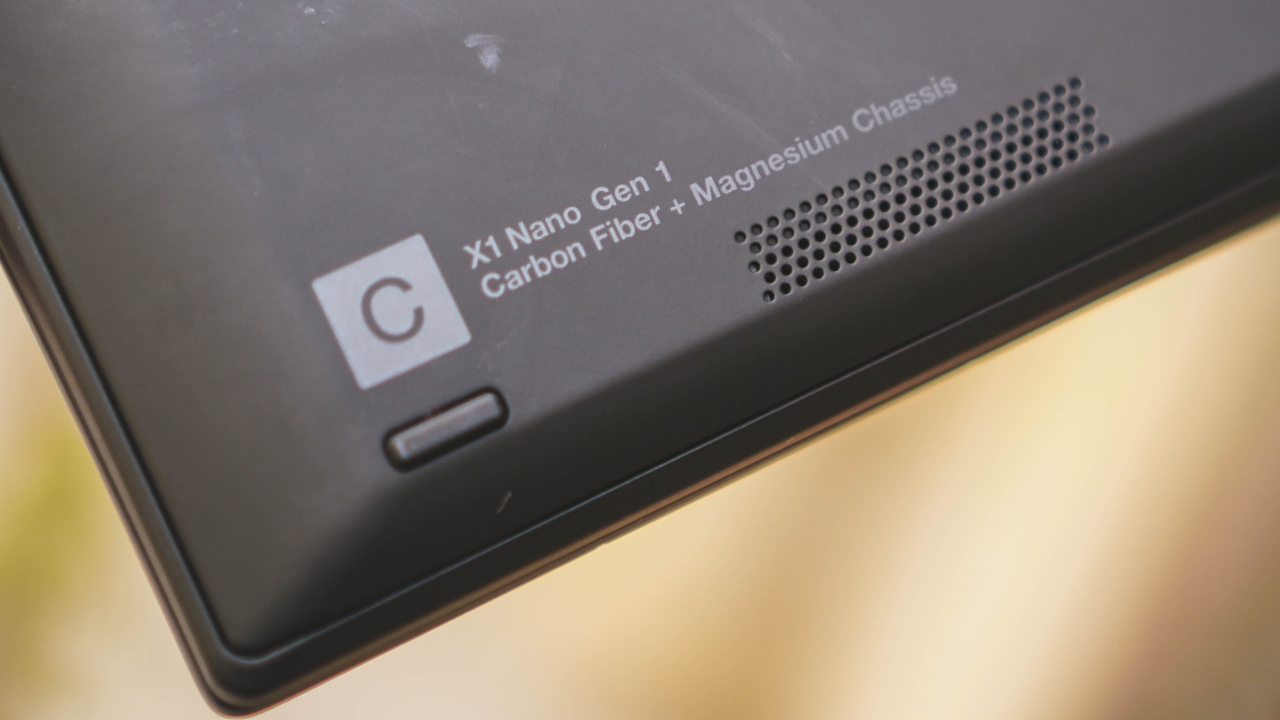
But it comes with a caveat…
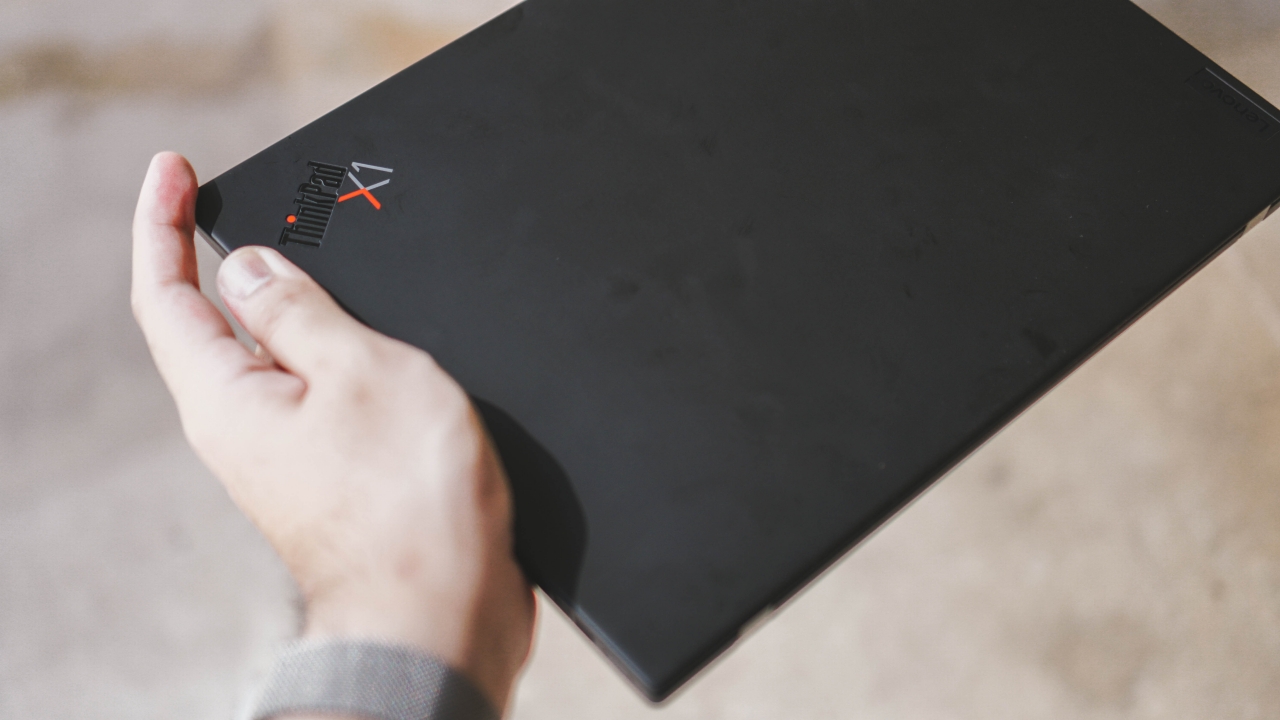 ‘
‘Its ultra featherweight factor comes with a price. As seen on both photos above, it gets dirty every once in a while. Whether it’s the bottom chassis or the lid, it easily attracts fingerprint smudges.
To make it worse, it’s hard to clean with a regular microfiber cleaning cloth. To avoid any damage, I deferred from using alcohol, water, or any chemical that might ruin the overall look and feel of the device.
Why is this business laptop also a great powerhouse for creatives?
A question I always get a lot from friends, acquaintances, and even complete strangers is a “MacBook alternative” among laptops running Windows. The ThinkPad X1 Nano might just be your next best bet and here are the reasons why it’s a great machine for artists and creatives like me.
1. Lightness and portability

Now that you’ve seen that it’s somehow as thin as a regular MacBook Air but a lot lighter at under a kilogram (versus the Air’s 1.29kg overall weight), the X1 Nano is simply a great Windows laptop to consider. In fact, it holds the title of being the lightest ThinkPad ever.

Having long arms and large hands, carrying big laptops around or over 15-inches isn’t much of a big deal to me. But because the ThinkPad X1 Nano is so small and light, it felt like I was just trying to carry a thin textbook.
Despite the pandemic, there are several instances where creatives have to go to and forth in several locations. Whether that may be for a documentary, wedding coverage, travel vlog, out-of-town projects, or even for shootings on-the-go, this is actually a great investment as you can carry it around no matter where you are.
2. Bright and crisp display
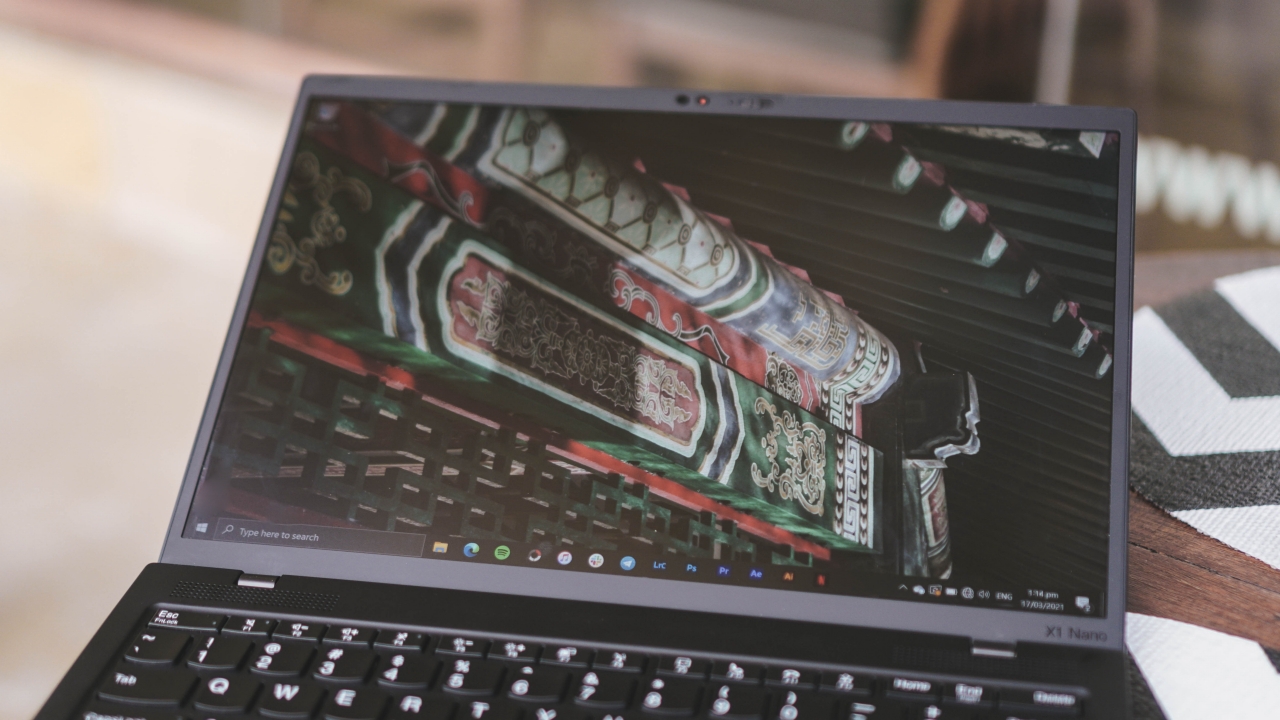
On paper, Lenovo offers two display variants for the ThinkPad X1 Nano. However, the unit I have here has a non-touch 2K display with Dolby Vision. I actually am glad that it wasn’t a touchscreen. Regardless, the first time I’ve seen the display, I was honestly stunned.
It has a matte, anti-glare coating — which is different from the usual glossy screens of MacBooks and any other Windows laptops. That particular material makes it hard for me to work outdoors.
Other than that, the display is bright and crisp. I don’t want to get too technical but its 2K screen resolution and 450 nits of brightness paired with a color accurate panel just makes the creative experience a whole lot better.
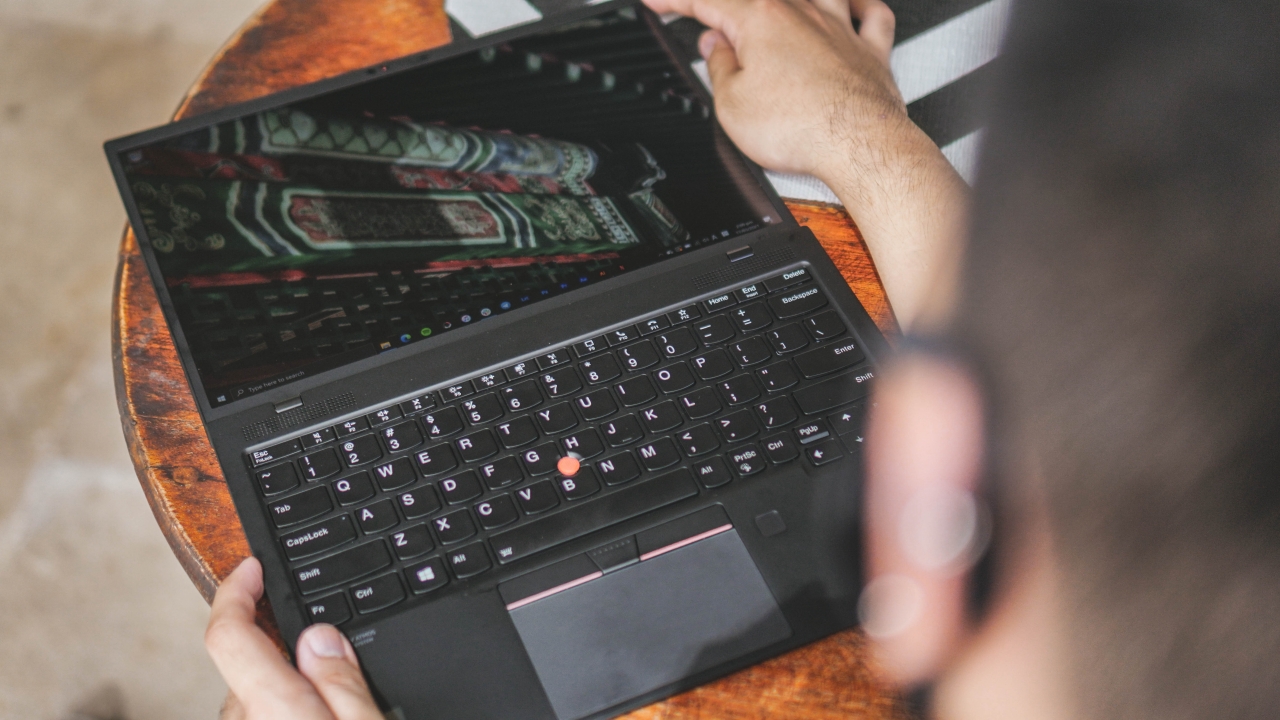
One thing that got me confused is the ability of the laptop to lay down its screen as low as 90-degrees — especially that this is the non-touch variant. I’m guessing that it might still be helpful for those who’ll have client meetings and presentations where everyone is required to stand.
3. Excellent audio quality
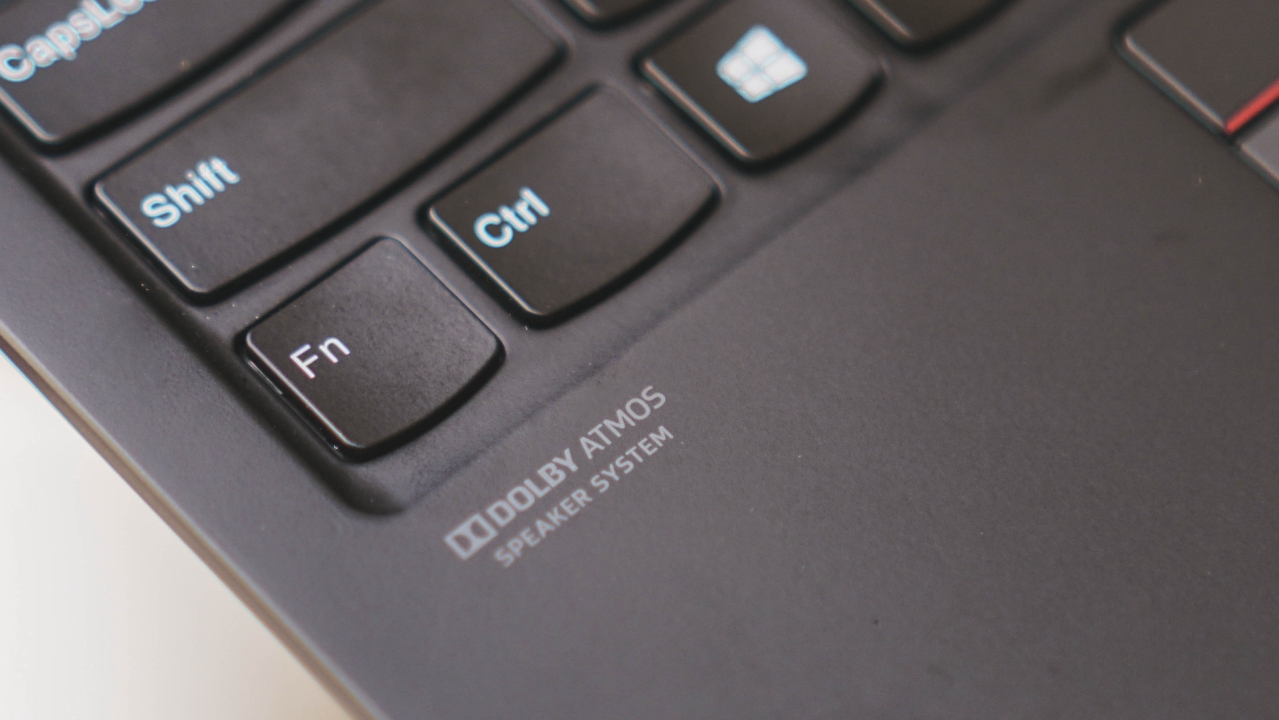
Usual problems I encounter among any Windows laptop are bad speakers. To my surprise, the ThinkPad X1 Nano was able to make my jaw drop by how great its speakers sound. Upon seeing how they paired it with Dolby’s Atmos sound technology, that made me geek out.
If most of you weren’t aware, the Dolby Atmos system offers loud, full, crystal clear, and immersive audio experience whenever you watch films in select prestige cinemas and theaters. To see such a feature in a small device is a great win for creatives who may rely on speakers — either when watching something or editing videos.
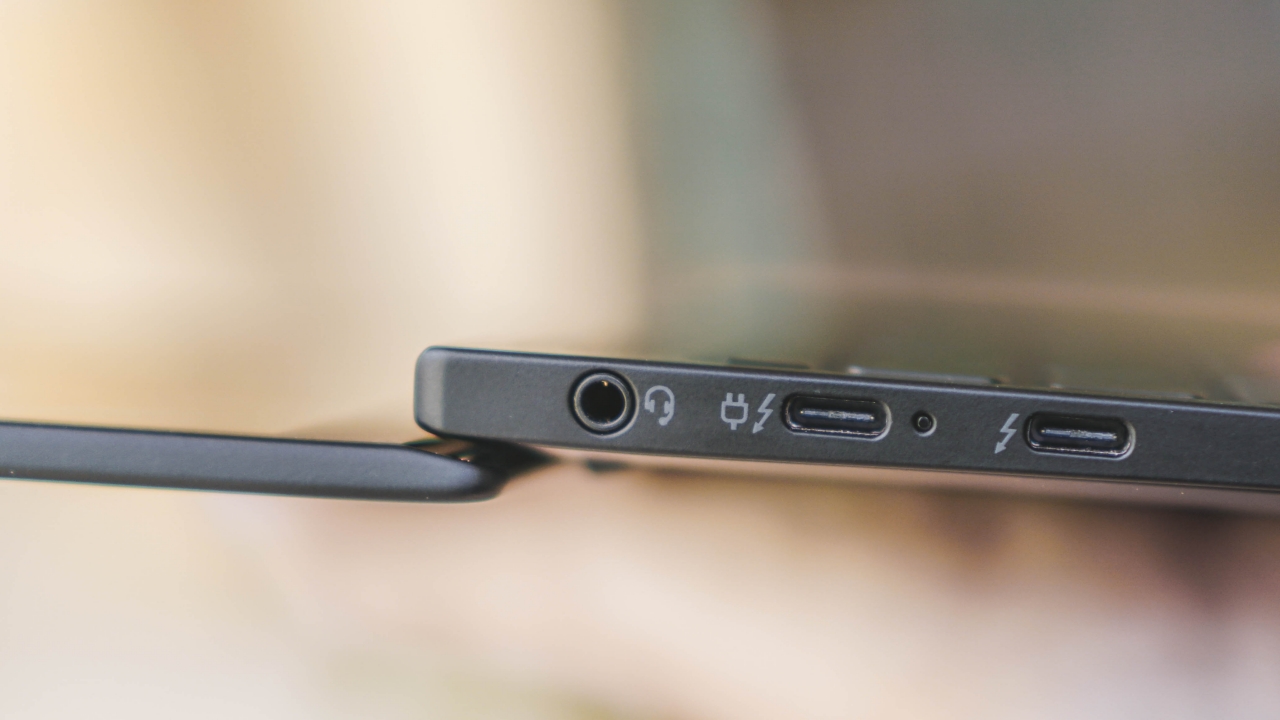
Identical port selection to M1 MacBook Air and Pro
While I have said several times that I completely transitioned to using wireless earbuds and headphones, the inclusion of an audio jack besides its two USB-C ports is a great feat considering most editors and sound engineers who rely on wired ear/headphones to avoid the latency when playing audio in the long run.
Also, if you’re concerned about mic quality, the X1 Nano has four 360-degree microphones so you don’t have to worry when presenting your work during Zoom or Meet calls.
4. Speedy performance
As mentioned, the ThinkPad X1 Nano packs the latest generation of Intel Core i5 under the “Evo” platform meant for ultrabooks like this. It promises improvements in speed while being able to keep the battery running for longer periods than the usual Windows power-hogs.
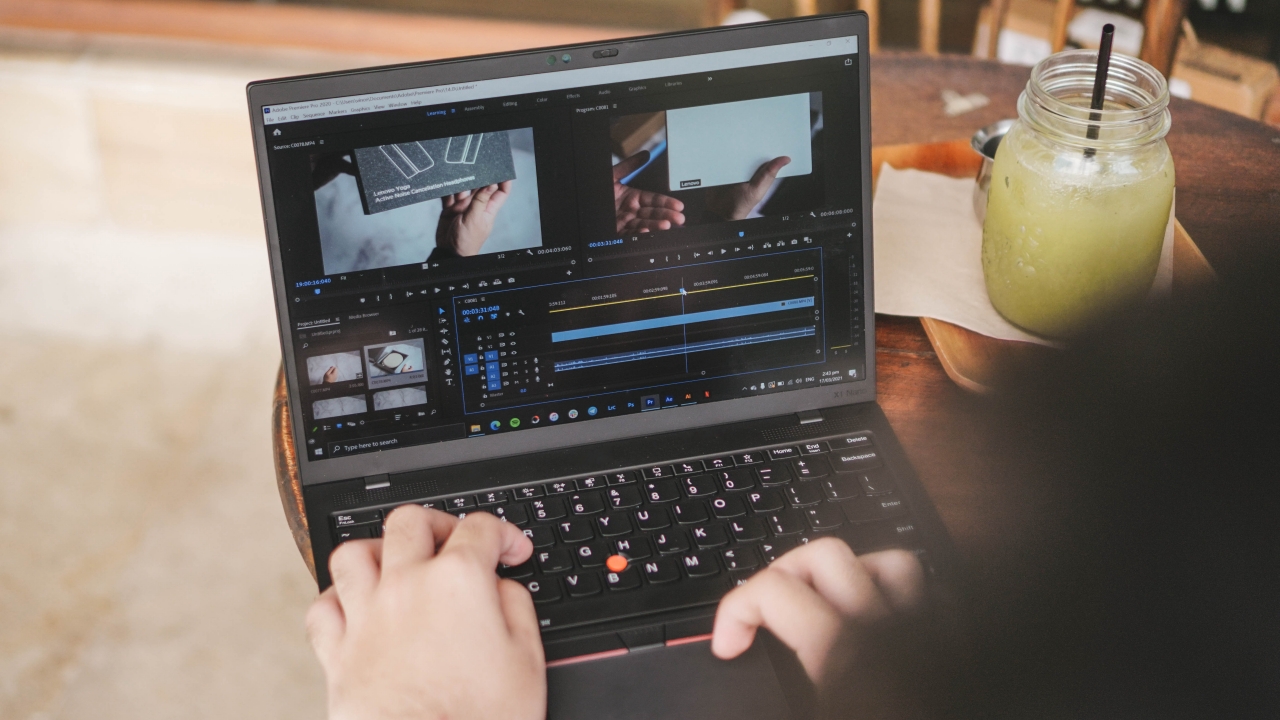
I’ll admit that whenever I edit videos for GadgetMatch’s YouTube channel, I use the one and only Final Cut Pro — which is the exclusive video editor only for the Mac. While I barely use Adobe Premiere Pro anymore, the layout was still familiar like how I used it in 2013 (yes, back when I was in high school).
I was able to export a 1-minute Full HD/120p video in just under a minute. That took longer to export because of its frame rate. Usual clips run in either native 23 or 29.97fps.

For motion graphics, I use Adobe’s After Effects. This one requires more processing and graphic power than usual video footages in Premiere Pro. In my test, rendering a 30-second 120p MoGraph with several high-resolution assets took almost a minute to render.

For every article I write or the spec sheet comparisons and other graphics needed for all the YouTube videos I edit, I always rely on the one and only Adobe Photoshop. Opening the app was instant. Of course, the layout will be similar. Shortcuts were kinda different (Mac uses Command or ‘cmd‘ and not ‘ctrl’) but I adapted quickly.
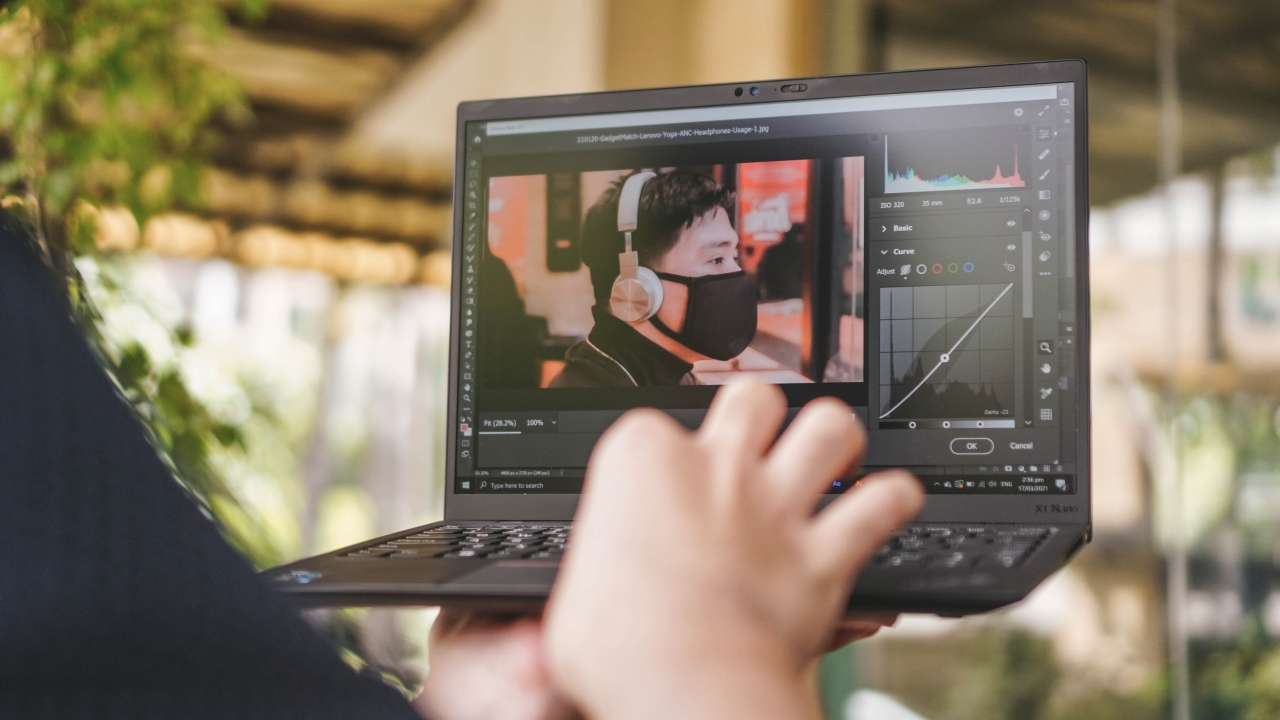
For post-processing photos, I usually rely on Adobe Lightroom or Photoshop’s built-in Camera Raw feature. Performing these tasks was a breeze because Intel’s latest processor and its new built-in Iris Xe graphics are powerful enough. As seen above, I was able to hold the laptop one-handed while trying to adjust settings using my other hand.
5. Sufficient battery life
Lenovo promises of up to 13 hours of usage in a single charge. That always has a disclaimer and I wasn’t able to max it that long, the ThinkPad X1 Nano has a decent battery despite its size and ultra-portability.
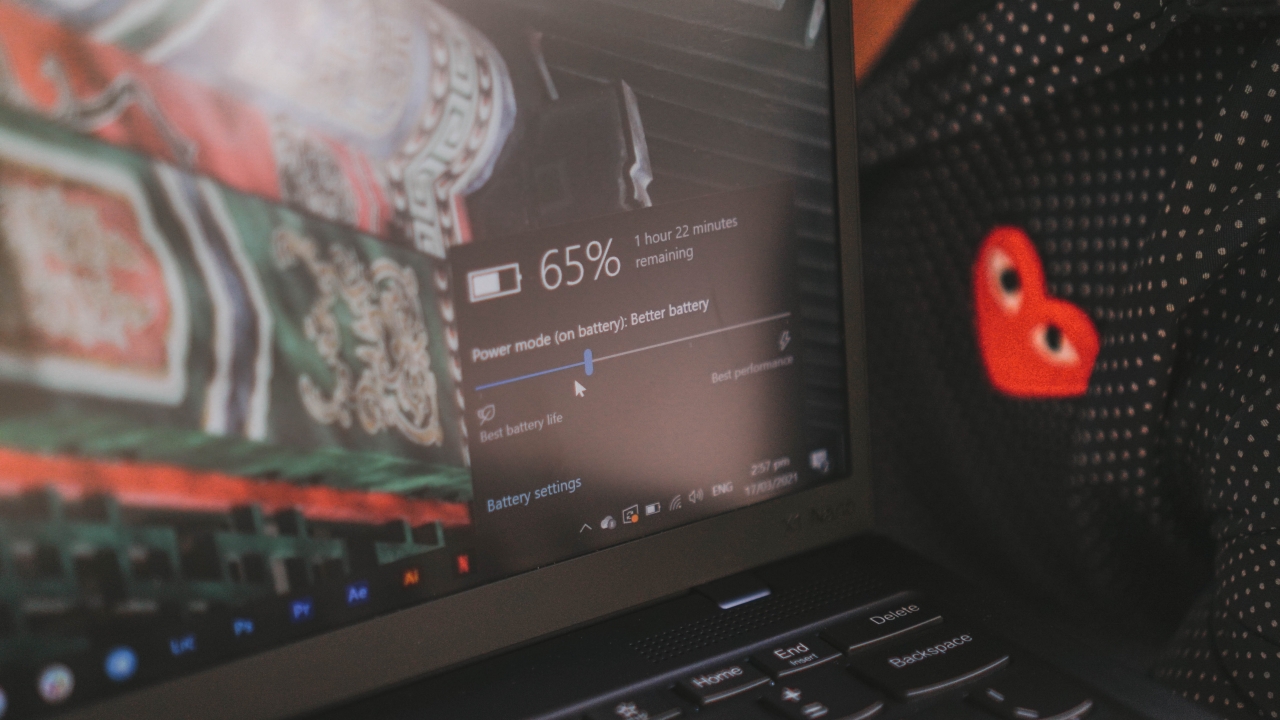
As usual, there are several power saving modes to preserve your machine’s battery life. With a moderate usage between using those power-intensive Adobe apps and casual browser sessions, it was able to last me around five to six hours — better than the three-hour battery life of my MacBook Pro even if I only use it for apps that has light power consumption.
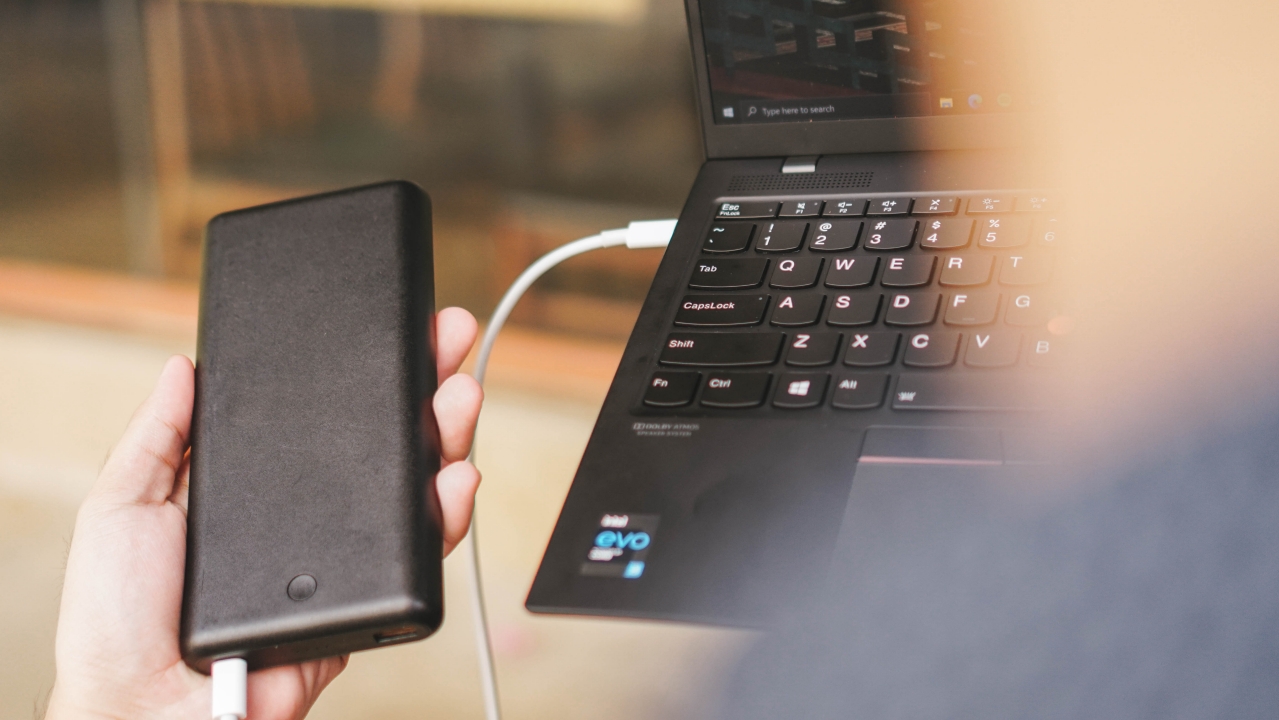
While we were shooting this outdoors, there was no available charging socket around. Instead, I tried using my 25,000mAh powerbank. Such large capacity powerbanks are capable of charging bigger devices like MacBooks and Nintendo Switches through USB-C Power Delivery that usual powerbanks don’t support. I hooked it up to the X1 Nano and it was able to detect it and even supports fast charging.

While it might be another pricey investment, if you’re the type of creative who’s required to go out every now and then, having a powerbank that supports USB-C PD is very helpful especially if you’re in a middle of a shoot and there are no outlets around your location.
6. Security and Privacy
Finally, one of the most important features in any device nowadays is the ability to have decent security and privacy features.

While having a fingerprint scanner in laptops this 2021 isn’t a new thing anymore, it’s still a great addition if you want it fast and dislike typing passwords or PINs every time you unlock your laptop.
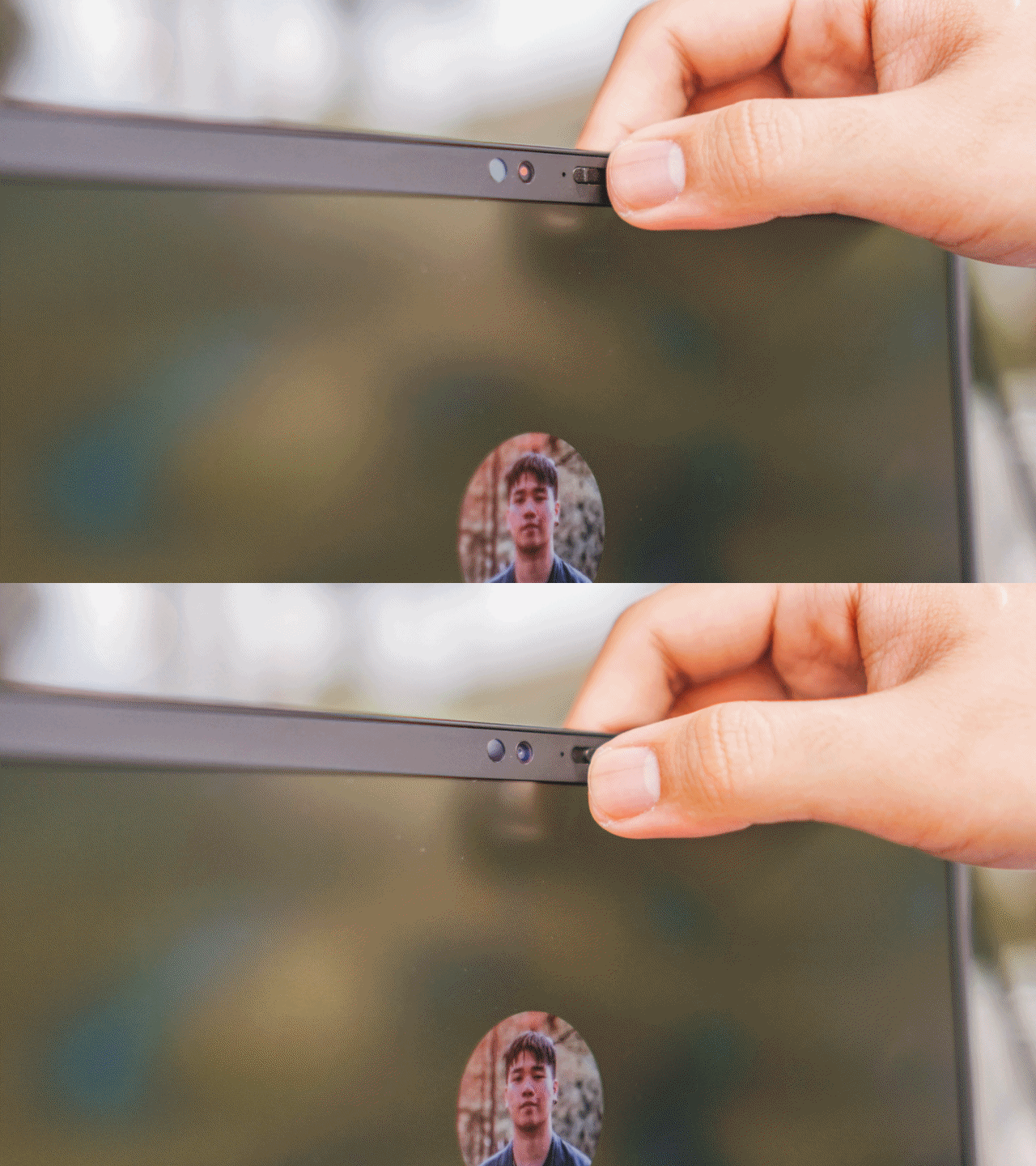
Now you see it, now you don’t
The thing that MacBooks still lack is the ability to unlock it with your face. But with the ThinkPad X1 Nano, you’ll be able to do it with ease.
One dumb experience of mine: I thought the camera was broken as it won’t detect my face through Windows Hello. I completely forgot that it has a built-in switch or a privacy cover on its webcam.
If I had been attentive enough, the light indicator should light up if the webcam is in use. The webcam is covered if it doesn’t light up and the red dot is displayed instead of the camera sensor inside. But hey, at least I felt like I was safe when browsing websites.
What else can you do with the ThinkPad X1 Nano?
Productivity
My usual work routine includes the access of Google services such as Drive and Docs via web browsers.
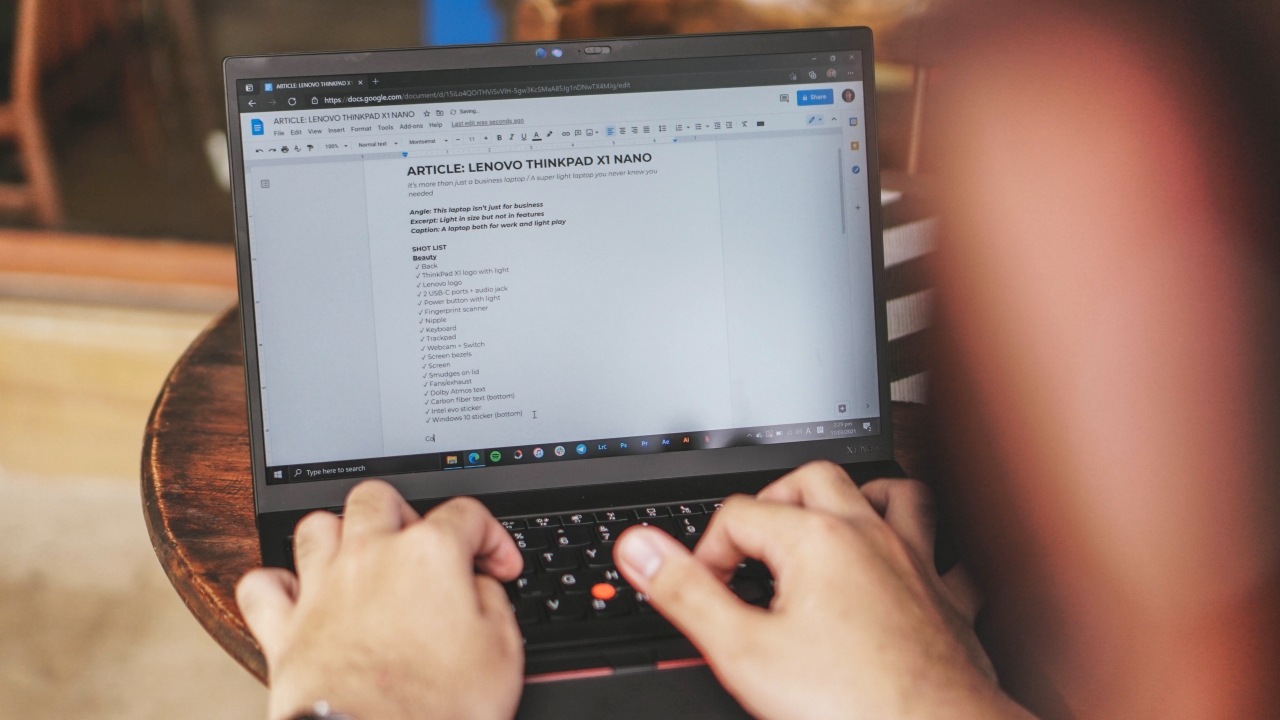
Sorry not sorry, but Microsoft Edge >>>>>>>>>> Google Chrome
While it may not be as shallow as MacBook’s butterfly and Magic keyboards, typing on the ThinkPad X1 Nano was still satisfying for my liking. It’s not hard to press yet not to sticky nor mushy when hitting the keys.
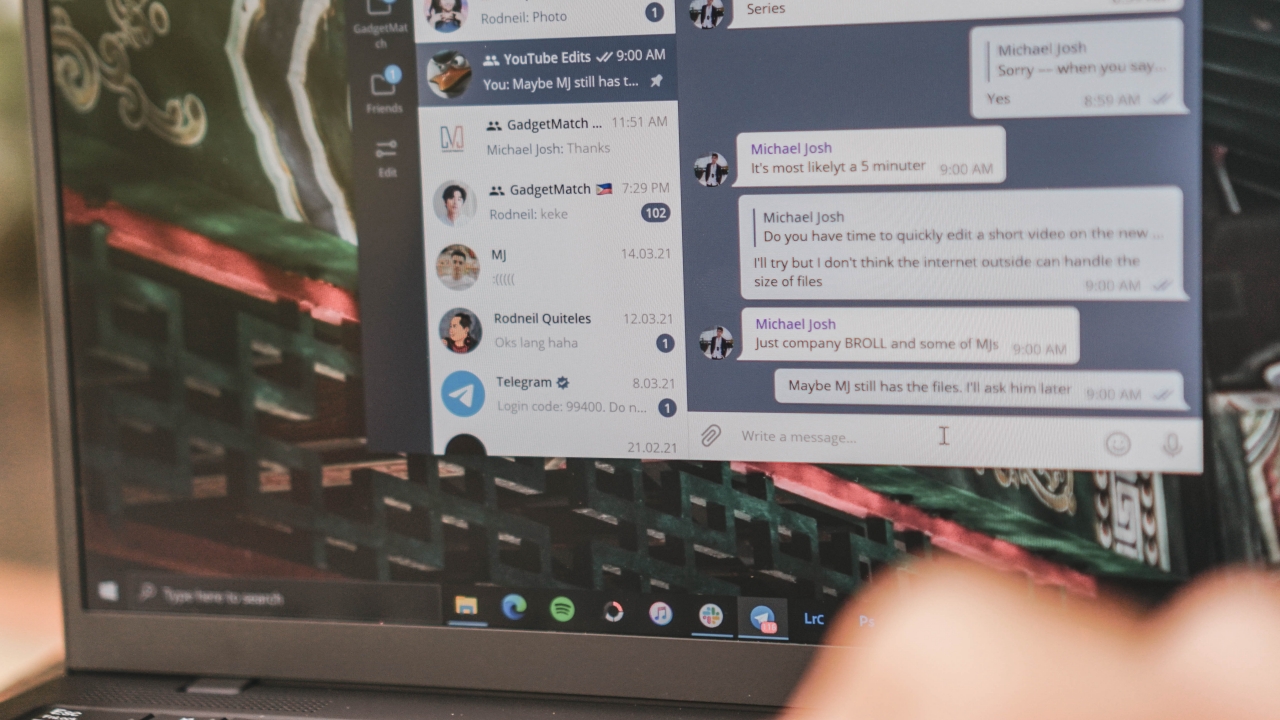
The smooth trackpad was also helpful for navigating and scrolling in group chats in Telegram as well as threads in Slack.
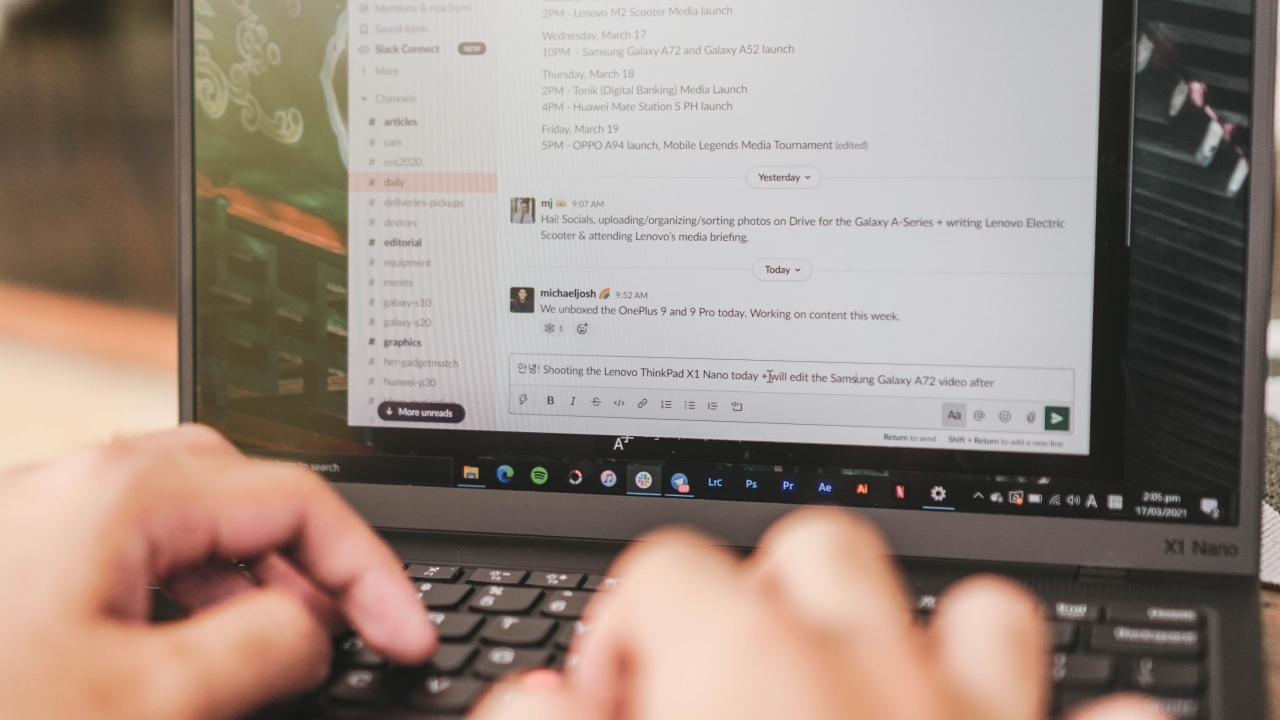
2K resolution on a 13.3-inch display was honestly an overkill that’s why most apps display texts smaller than other 13-inchers. But because of the screen’s crispiness (and me having a clearer eyesight than rest of the population), I barely managed to change and overscale these apps.
Entertainment

Rosé can step on me while I’m ‘On The Ground’
While we’re on the topic of its display, I was mesmerized by how great the color reproduction is. As promised on paper, this laptop supports Dolby Vision and has 100% sRGB color accuracy that’s helpful not just for creative tasks, but also great when watching music videos, TV series, and films.

Why does IU look so beautiful even if she has a ‘Flu’?
The combination of Dolby Atmos and Dolby Vision is a gift from the gods especially if you’re the type who loves to consume a lot of content in Netflix. Most titles support HDR10+ and Dolby Vision natively so you don’t have to worry at all.

Kim So-hyun honestly hasn’t aged a bit ever since her entrance on the K-Drama scene
If the black bars are bothering you, that’s because its display has a 16:10 aspect ratio, very unusual to the regular 16:9 widescreen. I’m being technical here again but geeks and creatives like me would know that some shows are displayed in an ultra-wide 21:9 aspect ratio to make way for smartphones with unusual ratios like 18:9, 19.5:9, so on and so forth so that they can zoom in and crop the video being played.
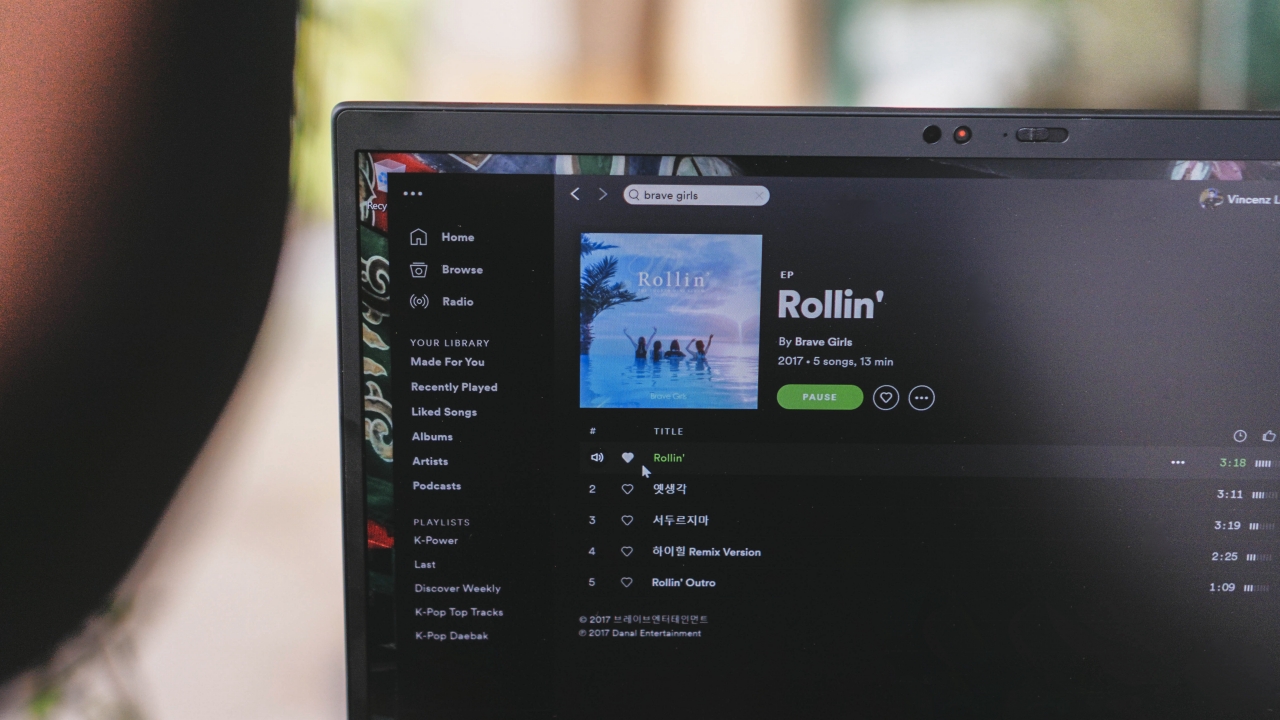
Brave Girls’ Rollin’ has always been this catchy since 2017 #Deserve
To further test out the power of its Dolby Atmos speakers, I tried opening Spotify to play one of my favorite underrated K-Pop songs from four years ago that became Korea’s most-played song today. Upon the first second of the song, I already felt how loud and strong the bass was. Even if we were outside, the song is audible enough even when you stand a few meters away.
Casual gaming
While I wasn’t able to try hardcore Windows titles (as this isn’t a gaming laptop at all), I still tried pushing it to its limits.
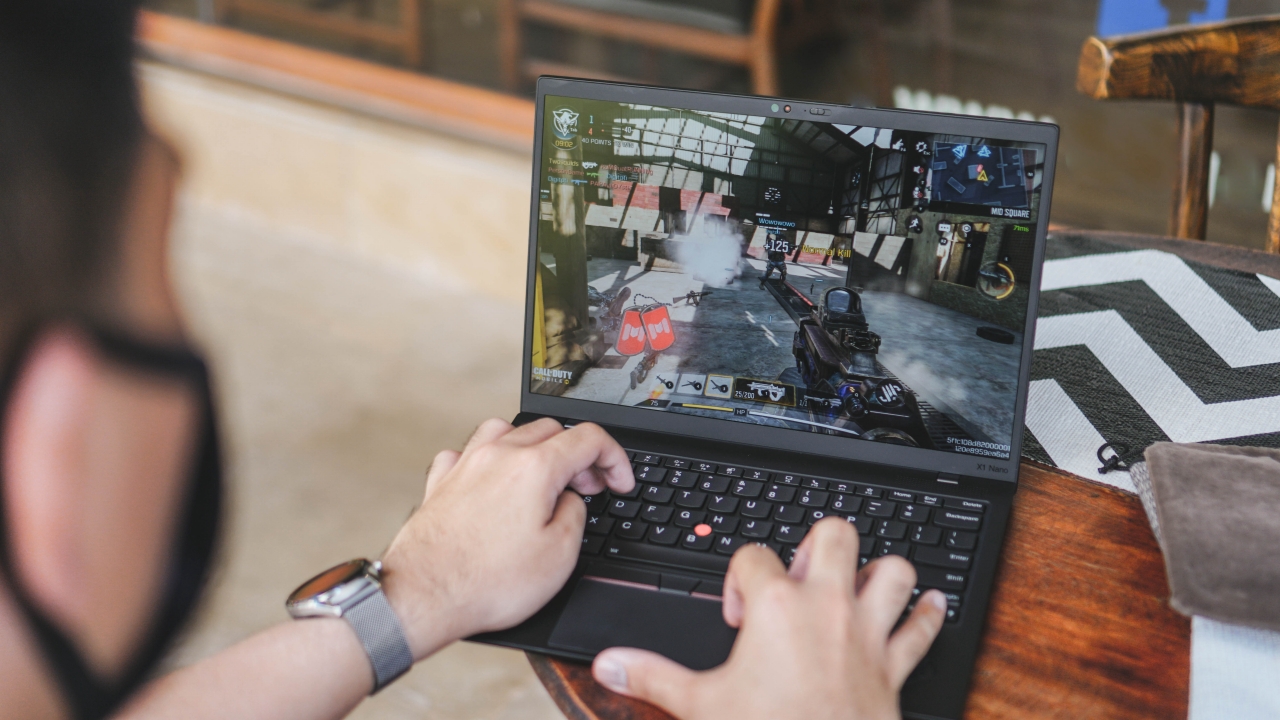
With the help of the PC-Android emulator Gameloop, I was able to run Call of Duty Mobile (CoDM) without any lags and hiccups. Shooting and aiming with a trackpad and keyboard was kind of weird but looking at its great-looking display made it a great playing experience.

26 kills and an MVP? Well it is what it is 🤷🏻♂️
I barely play this game because of work but when I do, I try my best to shoot as much as I can to release stress.
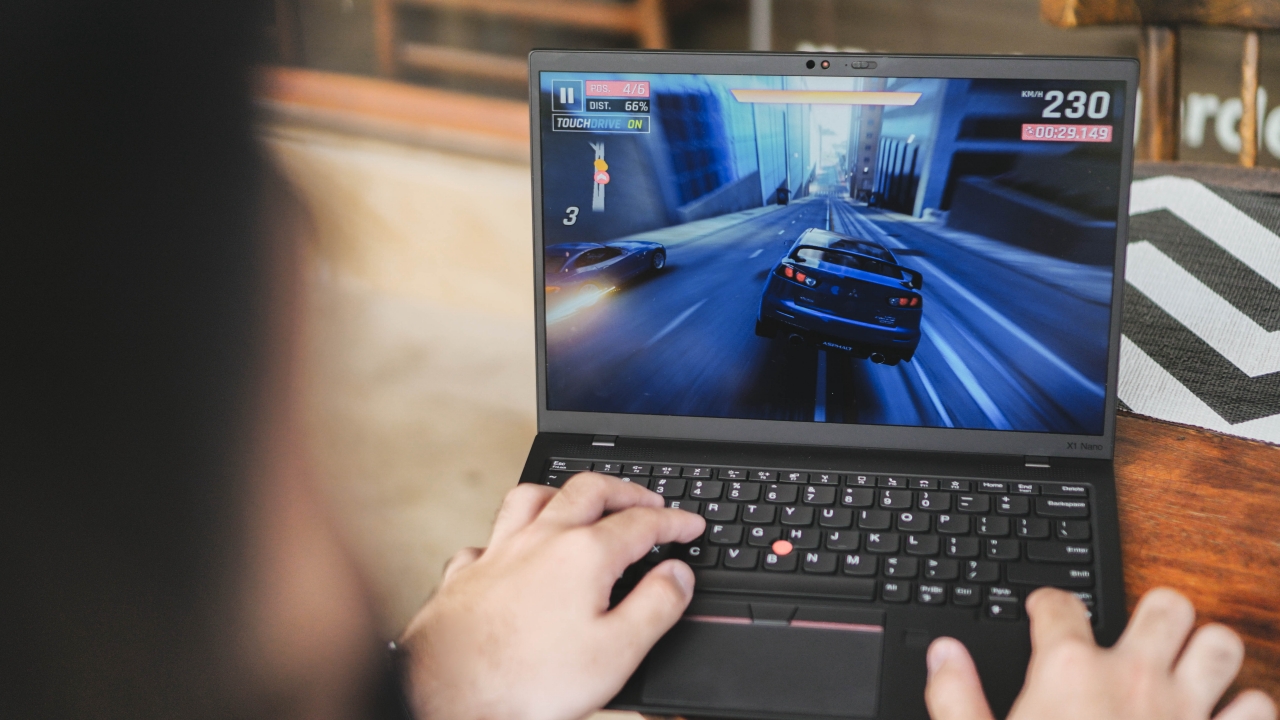
Another game I tried is the ever-popular racing game Asphalt 9. Again, running it on a larger screen felt unusual versus when you play it with a smaller smartphone you hold with your hands.
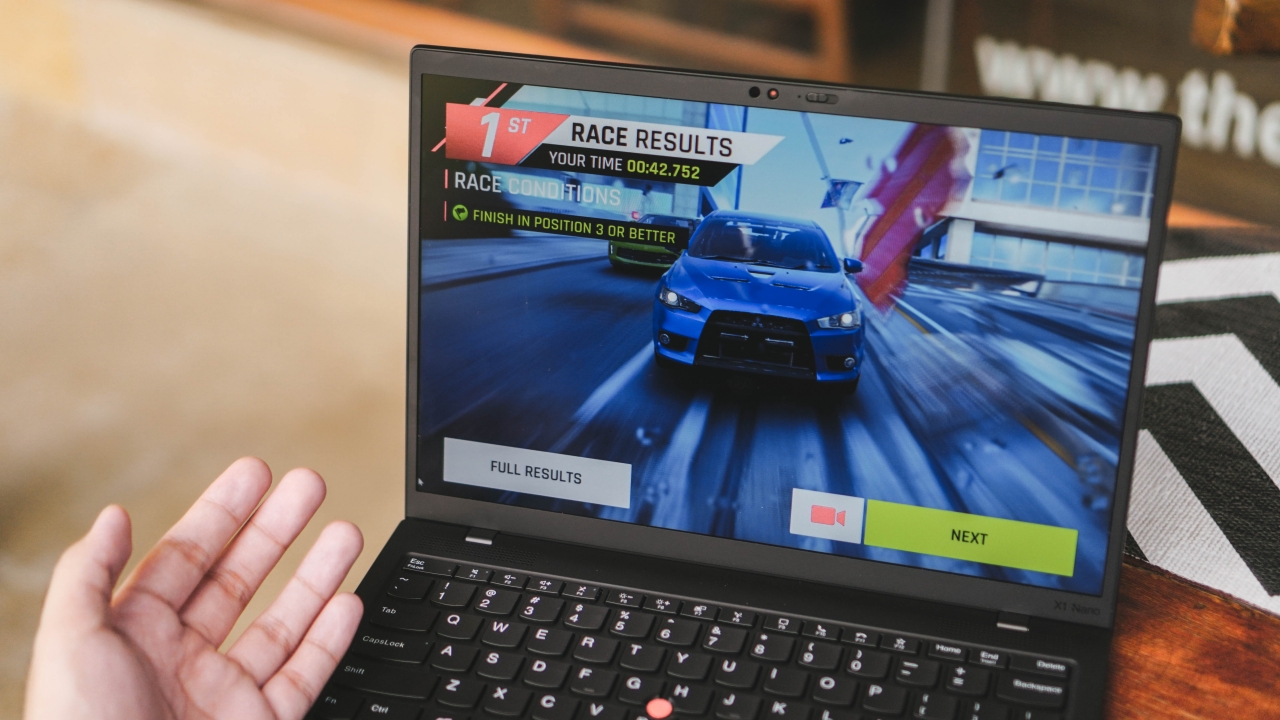
But because of the immersiveness and control substitutions, I was able to ace the game again. While I’m not a full-blown gamer, I’ve enjoyed playing these games on days when I feel like I need it.
Is this your GadgetMatch?
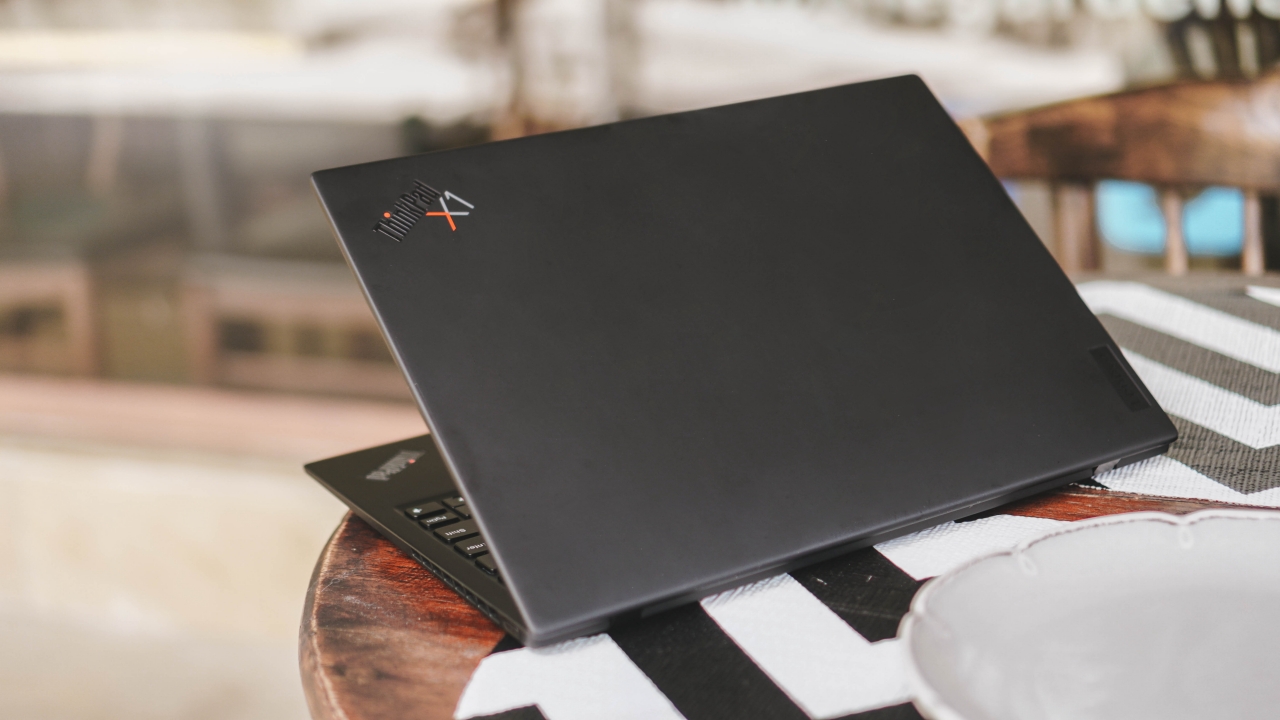
Priced at PhP 101,999, the Lenovo ThinkPad X1 Nano simply isn’t light in the pocket. Although there are other “better” offerings in that price range, one thing you really pay for other than its quality-tested ThinkPad branding are the speedy specs, featherweight build, and slim form factor.
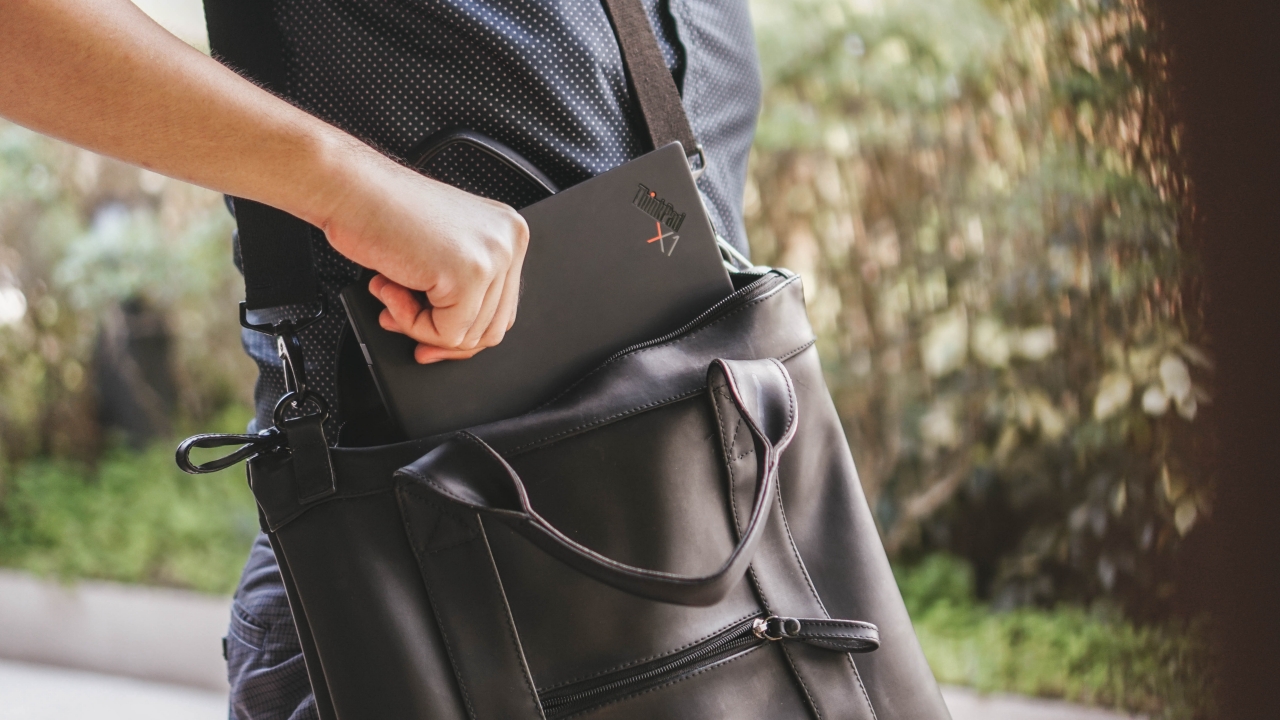
If you care more about premium looks and heavily rely on the Apple and macOS ecosystem, the M1 MacBook Air is just there in the corner with a cheaper price tag and faster M1 chipset. But if you’re that someone who’s used to the Windows 10 system, wants a laptop that’s looks and feels solid, and at the same time, ultra-portable and lightweight, and has several extra features such as Dolby Atmos, Dolby Vision, webcam privacy cover, and more, then the ThinkPad X1 Nano is your best pick.







Editors' Choice
GadgetMatch Awards: Best of IFA 2026
Xiaomi 18 Fold, Govee, XGIMI, ARZOPA, Cuktech and more!


We’re back at IFA 2026 in Berlin, checking out some of the coolest and most interesting tech on the show floor.
From smart home lighting and portable displays to projectors, power solutions, foldables, and more, these are some of the products and brands that caught our attention this year.
In this video, we take a look at:
- AI Lighting https://bit.ly/4xmY342
- Z3FC Portable Monitor https://bit.ly/4gRk7wD
- D14 Digital Photo Frame https://bit.ly/4qYlRJ6
- 30 Ultra Desktop Charging Station https://s.whaee.com/tXBornw
- 10 Ultra Charger https://s.whaee.com/UsWT4U2
** Use code CUKTECH09, valid until September 30
XGIMI
ASUS x NVIDIA RTX SPARK
- ProArt P16: https://asus.click/h7607_gm
- ProArt P14: https://asus.click/h7407_gm
- ProArt GR1X
Watch until the end for our favorite finds from IFA 2026!
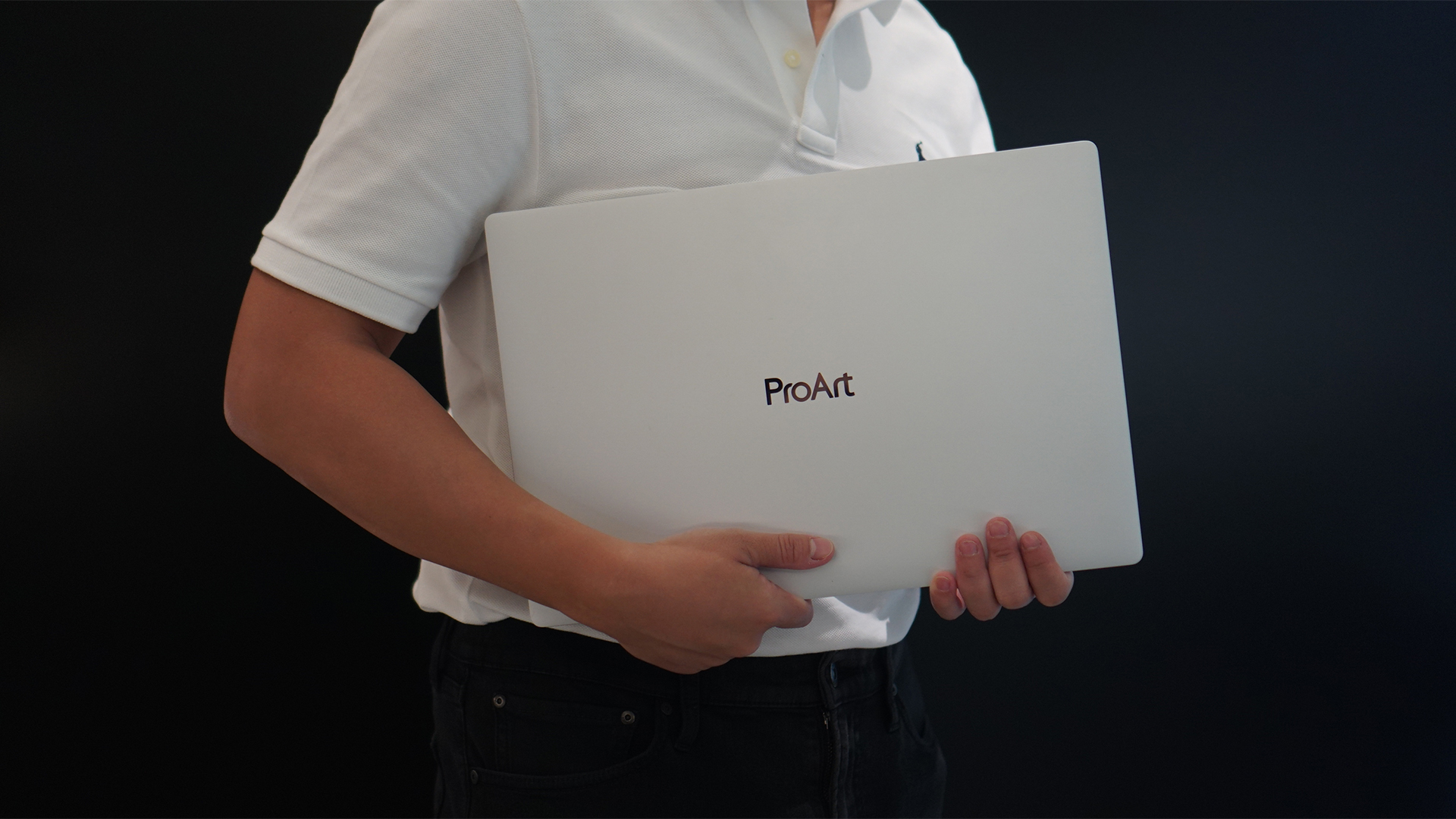
Select ASUS and ROG laptops now come with three months of Google AI Pro or Google AI Plus at no extra cost. The offer starts September 7 and covers eligible models from the 2025, 2026, and upcoming 2027 lineups.
Google AI Pro includes 5TB of cloud storage, while Google AI Plus comes with 400GB. Both plans also provide access to a range of Google’s AI-powered tools and features.
More Google AI on ASUS laptops
Eligible customers can use the Google Gemini app, Deep Research, Google Flow, Gemini in Google apps, and Gemini Notebook, among other features. Availability varies depending on the Google AI plan and supported features.
Google AI Pro offers higher usage limits and expanded access to Google’s more capable Gemini models. It also includes additional developer and agentic tools such as Google Antigravity, Jules, and AI Studio, subject to availability and plan terms.
Google AI Plus provides elevated access to Google’s AI tools alongside features for creative generation and productivity.
The offer covers more than just AI features. Google AI Pro’s 5TB of cloud storage and Google AI Plus’ 400GB give users additional space for documents, photos, videos, research, and other projects.
Available across select ASUS models
The one-year program starts September 7 and applies to selected ASUS and ROG laptops in supported markets. Eligible models span the ROG, TUF Gaming, ProArt, Zenbook, and Vivobook families, including select 2025 and 2026 models and upcoming 2027 devices.
Customers can redeem the offer exclusively through the MyASUS app. ASUS has published the full list of eligible models and the offer’s terms and conditions on its website.
Check the full list of eligible ASUS laptops
ASUS is also running its No. 1 Quality, School-Ready Deals promotion until September 15, 2026. The promo offers additional deals for students, gamers, and professionals buying select ASUS and ROG devices.
The company’s No. 1 Quality and Service package also includes up to three years of international and local warranty, service access across more than 90 countries, and over 100 ASUS Service Centers and Drop-Off Points in the Philippines. Eligible laptops also come with one year of Local Accidental Damage Protection and up to six free device cleaning claims.
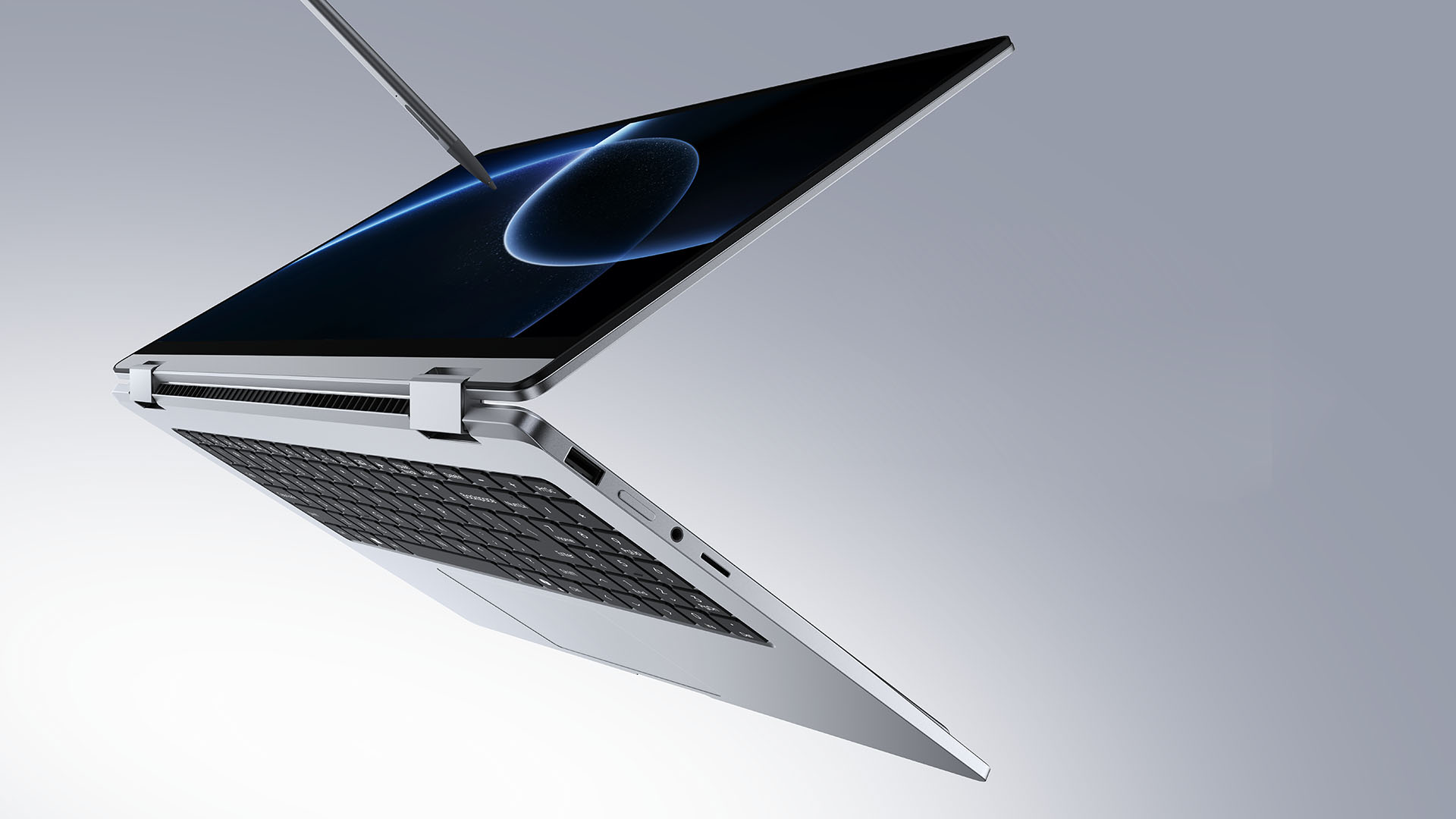
TECNO is making its MEGABOOK lineup a little more flexible.
At IFA ShowStoppers 2026, the uprising tech brand unveils the MEGABOOK T15 360 with two more laptops and three phones tagging along.
One laptop, four modes
The MEGABOOK T15 360 series is the brand’s first laptop lineup with a 360-degree hinge and touchscreen display.
By that, it’s more than just a conventional laptop. It can also be a tablet or a portable display via Tent mode or Stand mode. This added feat makes everything more versatile as TECNO’s existing laptops are only limited to the clamshell form factor.
Both models feature a 15.6-inch screen with the standard 16:9 aspect ratio. As alluded earlier, it’s a touchscreen laptop consisting of 10-point multitouch points. There’s also optional MPP 2.0 active pen support if you want to write or draw directly on the display.
So what’s the difference?
Well, the regular T15 360 gets a Full HD 60Hz panel with 320 nits brightness.
Meanwhile, the Pro version takes it up a notch with a faster 120Hz refresh rate, sharper 2.5K display resolution, full 100% sRGB coverage, and higher 350 nits brightness.
Both laptops come in an all-metal chassis made using CNC machining. The convertible design doesn’t come at the expense of a more conventional laptop build.
Performance uncompromised
TECNO isn’t treating the T15 360 as a lightweight convertible that has to compromise on performance.
You can get up to an Intel Core Ultra 9 185H processor, paired with an LPDDR5X RAM. The storage is based from PCIe M.2 2280 SSD — with select models having a secondary M.2 slot for utmost expansion.
There’s also a 70Wh battery plus support for a speedy 65W PD GaN charger. Connectivity includes up to Wi-Fi 6E and Bluetooth 5.4, alongside seven built-in ports.
Practical stuff were neither forgotten. There’s a backlit keyboard with a dedicated number pad, a fingerprint reader underneath its power button, dual speakers with DTS Ultra, a webcam, and dual digital microphones.
TECNO’s OneLeap feature also rounds things out by letting the MEGABOOK work with other TECNO’s smartphones, tablets, and other PCs for cross-device collaboration.
Two more MEGABOOKs
TECNO also brought two other MEGABOOKs to IFA.
The MEGABOOK K15S WCL is the more straightforward option. It uses Intel’s newer Wildcat Lake platform with a 16:10 display, a 70Wh battery, and 65W GaN charging — all in a premium, all-metal body.
Then there’s the MEGABOOK T17 Ultra. Ultra by its name, it goes big with a massive 17.3-inch 16:9 display. It can be configured with up to an Intel Core Ultra 9 processor and LPDDR5X memory. It also features a massive 99.99Wh battery and speedy 100W GaN PD fast charging.
Wait! There’s even more…
Beyond laptops, TECNO reveals the true form of its Next-Gen Bezelless Concept Phone at IFA 2026.
As announced more than a month ago, this concept uses a redesigned display architecture, internal stacking, structural engineering, and screen packaging to eliminate the physical black border around the display, resulting in what TECNO calls a true 0mm display border.

Beside a phone prototype, there are two consumer-ready products as well.
The POVA 8 Pro 5G Tonino Lamborghini Limited Edition combines the POVA series’ performance-focused approach with Tonino Lamborghini’s design language.
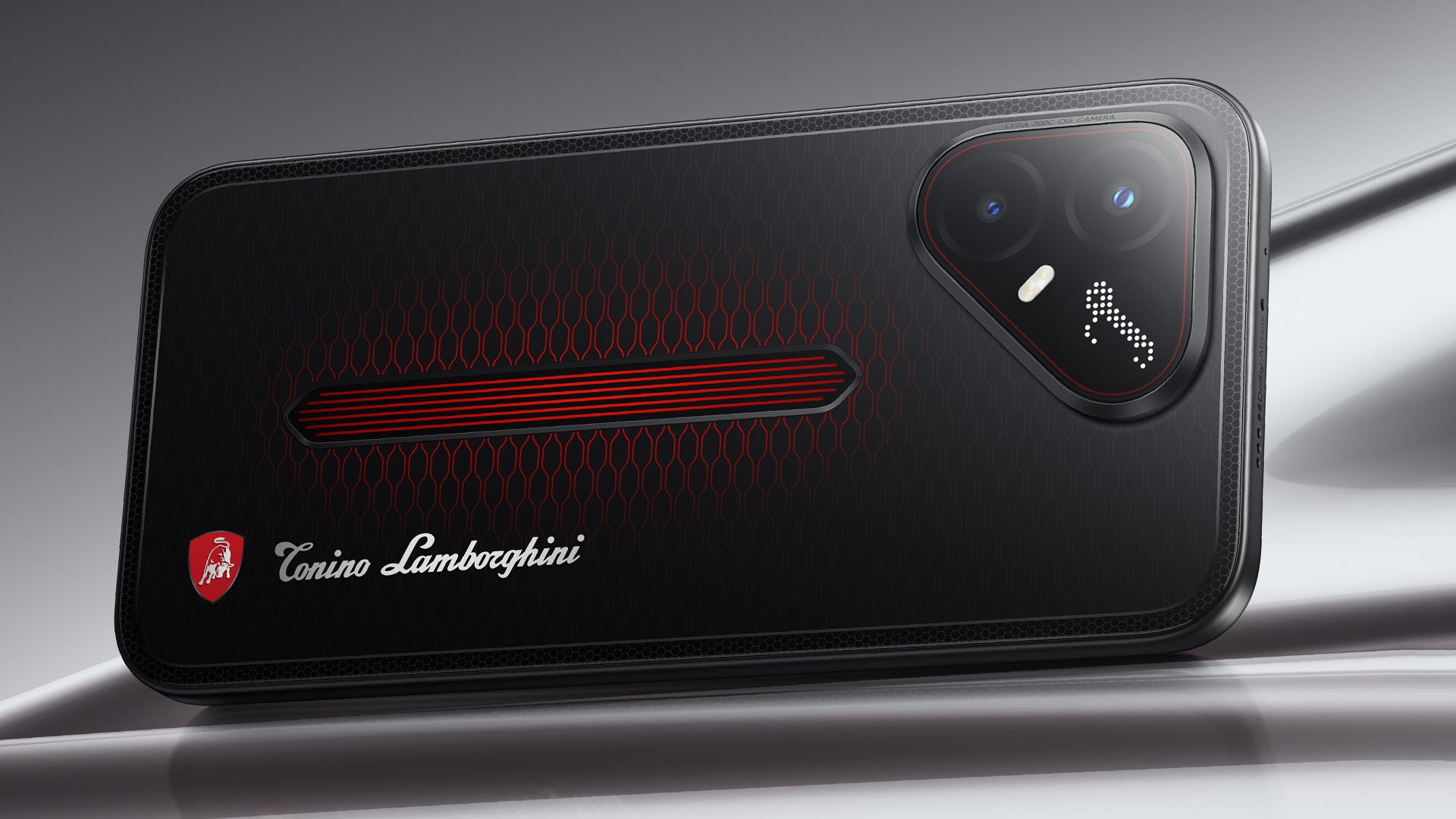
It uses a MediaTek Dimensity 7400 Ultimate 5G chipset alongside TECNO’s custom-made P1 Graphic Chip and a 5K IceShield vapor chamber cooling system. Specific details will be announced on September 4, 2026.
Meanwhile, the CAMON Slim 5G focuses on a thinner form factor, measuring just 6.39mm thick.
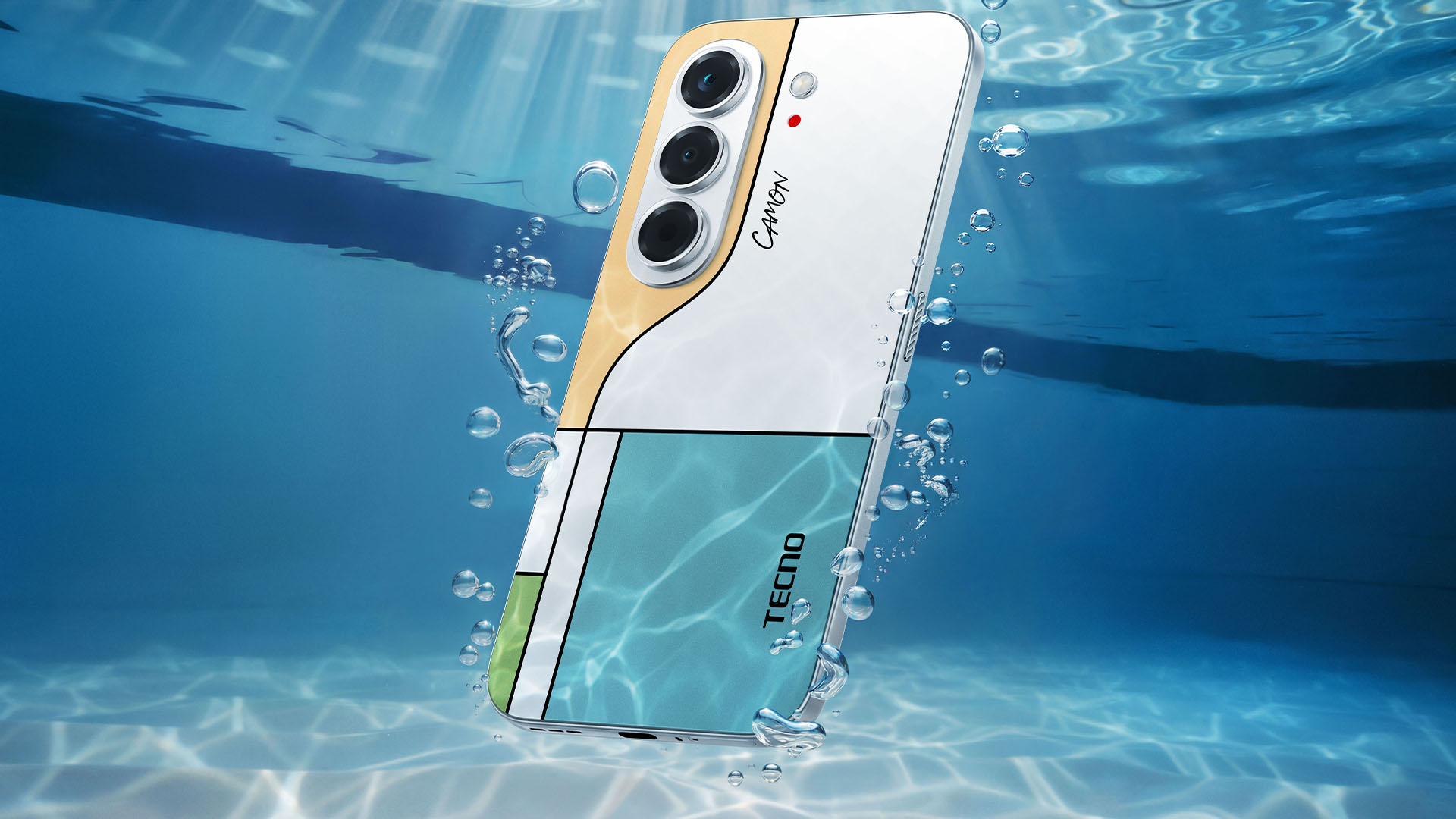
TECNO says it combines the CAMON line’s imaging features with AI capabilities and artistic colorways. More specifications will be revealed on September 7.
Pricing and Availability
The MEGABOOK T15 360 Series is expected to arrive in Europe by Q4 2026.
Depending on the configuration choice, the MEGABOOK T15 360 will start between EUR 899 ~ EUR 999. The MEGABOOK T15 360 Pro will cost as much as EUR 1099.
No pricing info were announced for the other MEGABOOKs and two phones as of writing.


DJI Lito X1 review: Is this the best lightweight drone for creators?
Making a strong case as a travel companion and a capable B-cam!


REDMI Note 17 Pro Max review: A new breed born from AI greed
Welcome to the new normal


Marvel’s Wolverine review: When the claws come out
A brutal, cinematic superhero adventure

Spotlight: Amazon Kindle Scribe Colorsoft

Chimelong’s newest attraction might be the robots themselves

Xiaomi 18 Pro series is launching globally, Xiaomi confirms

Google Photos can now censor your kid’s face better

CRISIS CORE -FINAL FANTASY VII- REUNION physical edition now available for Switch 2

realme 16T 5G with 8000mAh battery, IP69 Pro rating launches in PH

HUAWEI Pura X View is 2026’s first WIDE slab-type smartphone

The CAMON Slim 5G is TECNO’s latest ultra-slim smartphone

iPhone 18 Pro series: Price, availability in the Philippines

DJI Osmo 360 II review: Going all-in on the ecosystem


-

 News5 days ago
vivo X500 Series launches with major imaging upgrades
-

 Hands-On2 weeks ago
Apple iPhone 18 Pro Series Hands-on
-

 News4 days ago
OPPO Find X10 Pro Max is the first phone with a triple 200MP camera system
-

 Gaming2 weeks ago
BlizzCon 2026 announces World of Warcraft: Forever and Diablo V
-
Reviews2 weeks ago
REDMI Note 17 Pro Max review: A new breed born from AI greed
-

 Singapore1 week ago
Epson Lifestudio Grand Plus EH-LS970B with 4K projection, more launches
-

 News5 days ago
vivo introduces OriginOS 7 with smarter multitasking and AI features
-

 Gaming2 weeks ago
Valve unveils price of the Steam Frame