



Samsung’s newest curved monitor is big — like literally, it’s 49 inches. When it arrived at the GadgetMatch HQ, all the boys pooled around the massive sight and got excited about the games they could play. They then proceeded to play said games and for a good afternoon, the boys were busy “reviewing” the device.
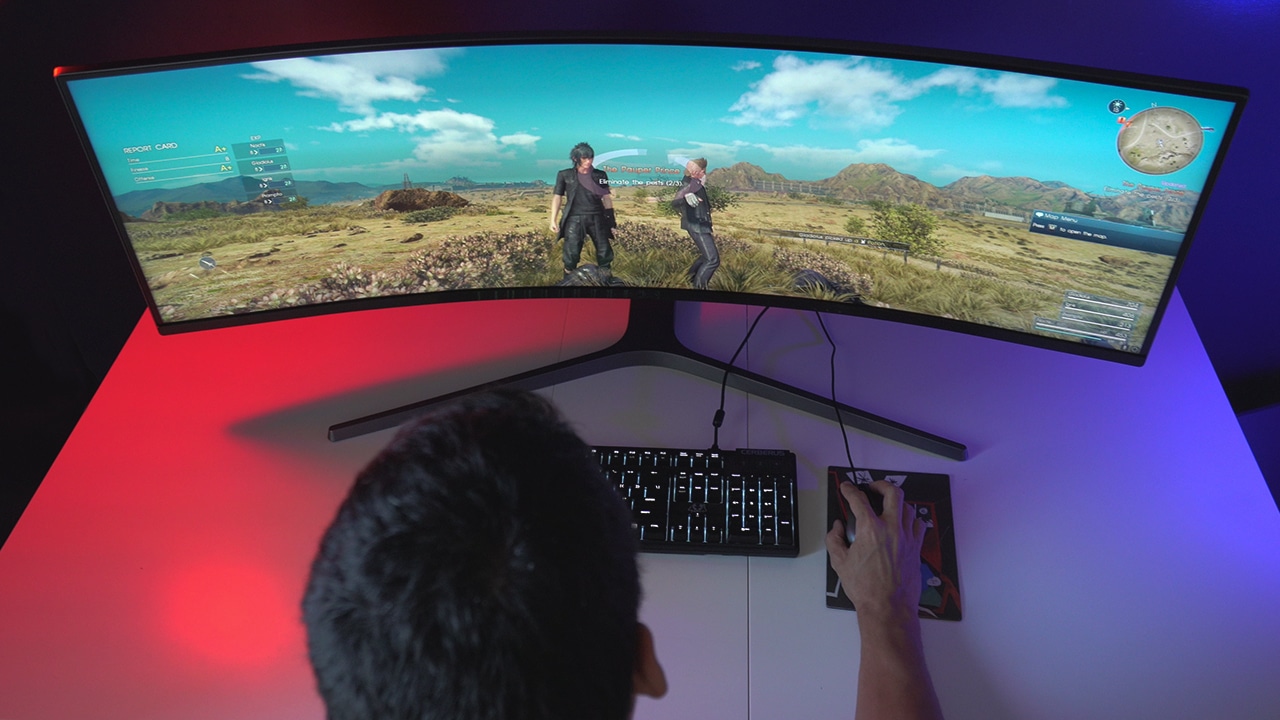
Managing Editor Marvin hard at work testing out this unit
This video, crafted with love, is the result of countless hours spent with the monitor as they tested it out with unparalleled enthusiasm.
Of course, at first look, I didn’t care much about this monitor. Sure, it’s pretty cool, but the only games I really play are Travel Frog and Sims Mobile, so this thing pretty much didn’t register to me as something I’d want or even need. But, since it took up all the space, I got curious: Aside from gaming, what else can we use it for?
I asked members of the GadgetMatch team and these were their answers.
Video editing with a wider view
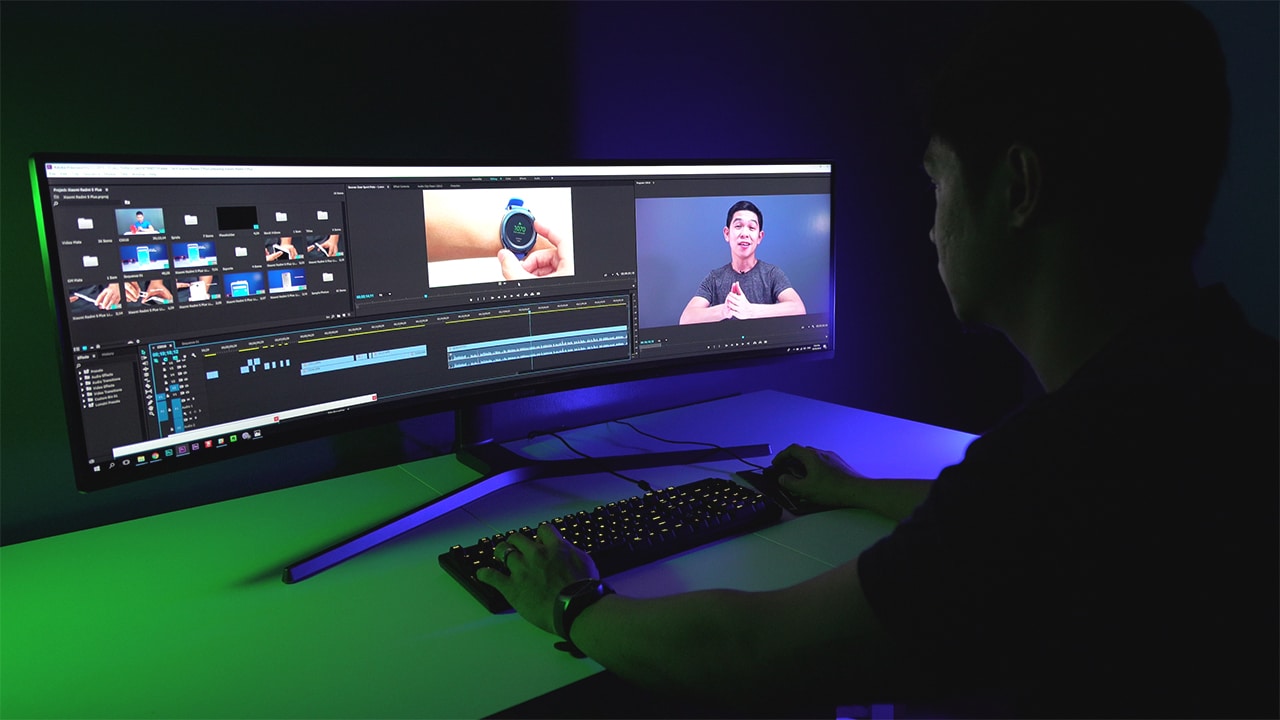
Of course, dealing with video is a delightful task if you have all this space on a monitor. Kevin, who makes videos for us, basically took up the whole screen with his editing software. He explains that this screen “fits all the needed windows and tools so they’re easily available when you need them.” Just imagine all the tools and settings right in front of you!

Rodney, who heads social video production on the team, maximizes all the space for his editing, too. He says, “having a monitor this big helps a lot in really seeing all of the details. It’s easier to spot if there’s anything in the video that’s not supposed to be there.”
Multitask because you now have space to do so!
Let’s be real, we all wish we could multitask this well.
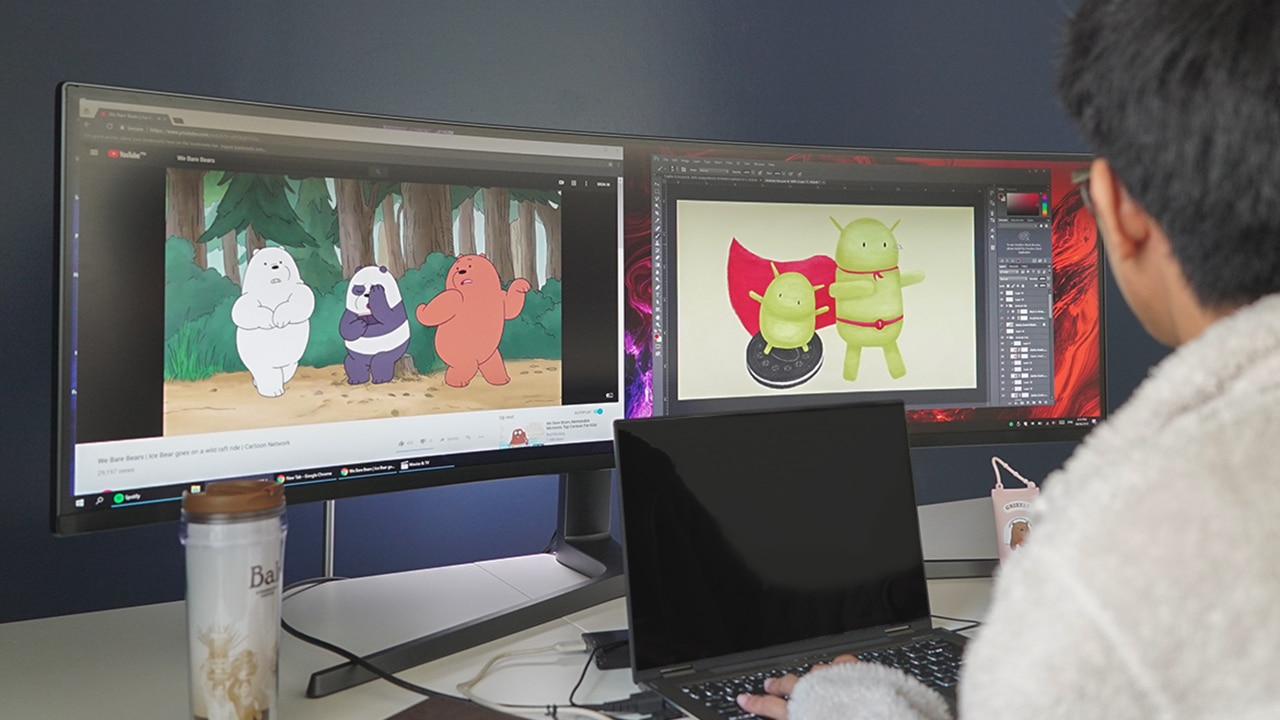
MJ, our Associate Visual Producer (or the dude you go to for pictures and graphics), put the monitor to use by working on his illustrations and watching cartoons — yes, both windows side by side. Of course, this isn’t something he could normally do on his laptop. He claims this is a great way to refresh his creative juices as he worked on tasks at hand.

Rodney, on the other hand, chose the monitor to follow basketball highlights as he worked on quick projects on his laptop. “It’s pretty amazing how I can lay them out and kind of just let my eyes dart from one video to another while also checking the stats and standings on another window,” he says.
Finally, I tried out this 49-inch monitor and put its usefulness to the test.
Social media monitoring

We do a lot of live posting and social media monitoring, and handling all these tasks is a dream on this large display. There was literally no need to shift windows as everything was onscreen all the time. Every single tab I had to open had space on this thing and it was glorious.
Online stalking 😂

Honestly, we’ve all done it at some point. If you don’t wan’t to admit you do it, let’s just say that the bigger the screen, the more info you can put on there. The possibilities are definitely endless.
The wider view is amazing. Since the monitor is curved, it gives you a better look at everything at one glimpse. My time with this thing was a definite eye-opener.
And, contrary to popular belief, it’s definitely not something only gamers should be excited about.
SEE ALSO: Samsung Galaxy S9: An honest review of AR Emoji and more








Apple has unveiled its new iMac powered by the M6 chip, bringing faster performance, enhanced on-device AI capabilities, and improved connectivity to its all-in-one desktop computer.
Announced on October 27, the new iMac retains its slim design and 24-inch display while introducing hardware upgrades for everyday productivity, creative workflows, and AI-powered applications.
Apple claims the M6-powered iMac delivers up to 18 times faster performance than the most popular Intel-based iMac. It also offers up to five times faster on-device AI performance than the previous-generation M4 model.
The new iMac comes in seven colors: blue, green, pink, yellow, purple, orange, and silver.
M6 brings faster performance and AI capabilities
The new iMac features Apple’s M6 chip, with configurations offering either a 10-core CPU and 10-core GPU or a 12-core CPU and 12-core GPU.
The 12-core CPU delivers improved performance for everyday applications, multitasking, and demanding workloads. Meanwhile, the GPU now features Neural Accelerators in every core to accelerate AI processing and graphics-intensive tasks.
Apple claims the new iMac delivers up to twice the graphics performance of the M4 model. Users can expect improvements in photo editing, video production, and gaming, including titles that use ray tracing.
The M6 also features a Dual 16-core Neural Engine, which delivers up to twice the AI computing performance of the previous generation. Combined with memory bandwidth of up to 170GB/s, the chip can handle demanding on-device AI workloads, including running large language models.
Apple highlights several performance improvements over previous generations:
- Up to 2.5 times faster performance in Microsoft Excel compared to the M1 iMac.
- Up to 3.3 times faster graphics performance in applications such as Affinity compared to the M1 iMac.
- Up to 12 times faster on-device AI prompt processing in LM Studio compared to the M1 iMac.
- Up to twice the gaming performance with ray tracing compared to the M4 iMac.
These improvements make the iMac a more capable desktop for professionals, students, and creators who need additional computing power without moving to a separate desktop tower.
A desktop built for AI
Apple is positioning the new iMac as a platform for its expanding AI ecosystem.
Running macOS 27, the desktop supports Apple Intelligence features and Siri AI, Apple’s next-generation assistant. Users can ask questions, search for information across their messages and emails, and perform actions across supported applications.
Siri AI is also integrated into Spotlight, allowing users to search for information and ask follow-up questions. Visual Intelligence lets users interact with content on their screen, whether it’s a chart in a spreadsheet or an image in a browser.
Other AI-powered features extend to everyday applications. Safari can automatically organize tabs into topics and notify users about website changes, including product restocks and price drops. Users can also create Shortcuts automations by describing what they want to accomplish.
For creative professionals, Apple Intelligence adds tools for photo editing and other productivity tasks. The iMac also supports third-party AI applications optimized for Apple silicon, including LM Studio and Topaz Studio.
Apple says these capabilities allow users to run supported AI workloads locally, helping preserve privacy by processing certain tasks directly on the device.
Siri AI is available in beta in macOS 27.2, with language and regional availability restrictions applying to some Apple Intelligence features.
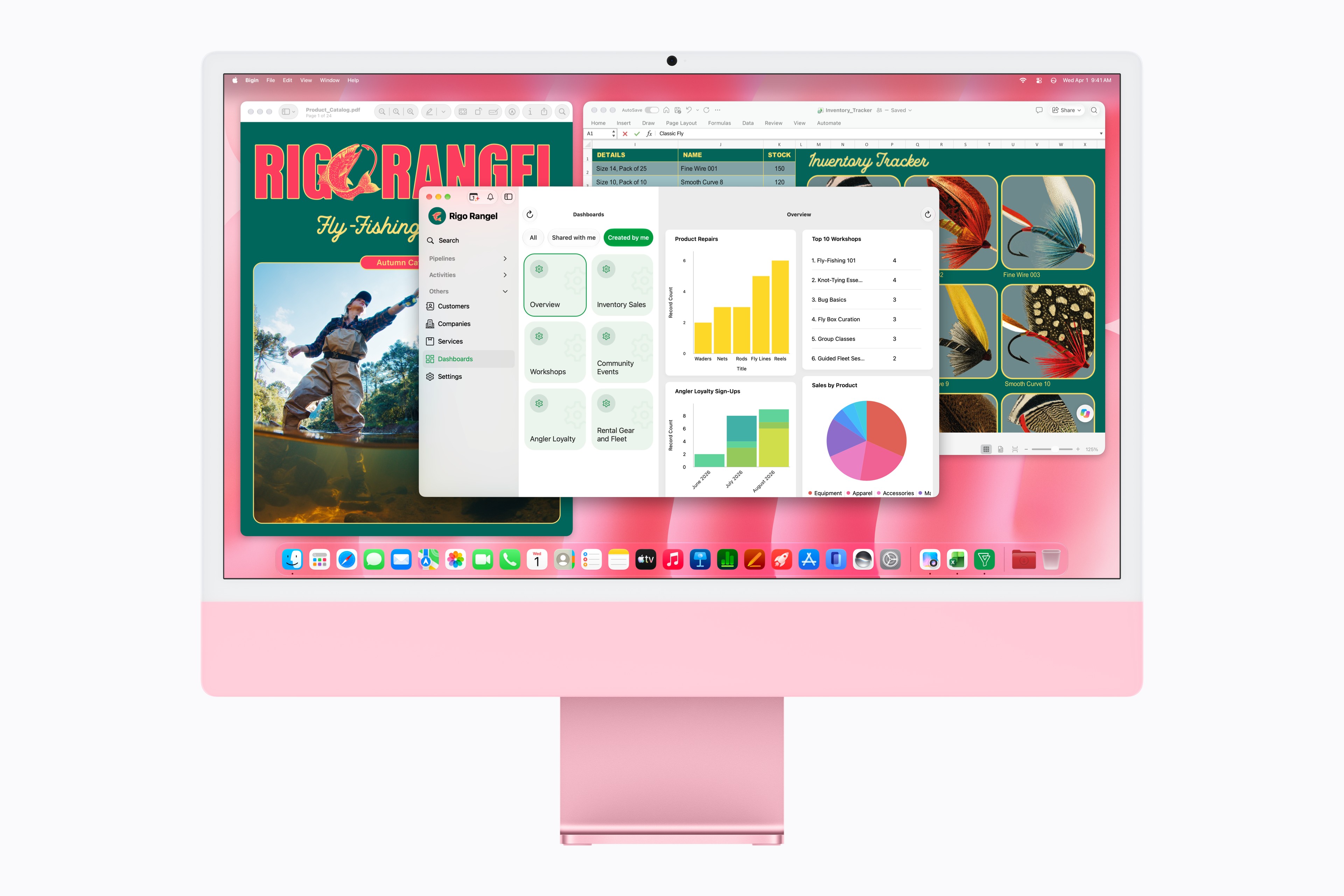
24-inch 4.5K Retina display
The new iMac retains its 24-inch 4.5K Retina display, which offers a resolution of 4,480 x 2,520 pixels and 500 nits of brightness.
The display supports the P3 wide color gamut and more than one billion colors, making it suitable for photo editing, video production, and everyday entertainment.
Apple also offers an optional nano-texture display finish on supported configurations to reduce reflections and glare in challenging lighting conditions.
For video calls, the iMac features a 12-megapixel Center Stage camera with Desk View. Its three-microphone array and six-speaker sound system deliver an integrated audiovisual setup without requiring additional peripherals.
The speakers feature force-cancelling woofers and tweeters, with support for Spatial Audio and Dolby Atmos.
Wi-Fi 7, Bluetooth 6, and faster storage
Connectivity receives an upgrade with Wi-Fi 7 and Bluetooth 6.
The higher-end configuration can also be equipped with 2.5 Gigabit Ethernet, offering up to 2.5 times faster wired connectivity than the previous generation.
Apple claims the new iMac delivers up to twice the SSD read and write performance of its predecessor, helping applications launch faster and large files load more quickly.
Port availability depends on the configuration. The higher-end model includes four Thunderbolt 4 ports, allowing users to connect external storage, docks, and other accessories.
The iMac also supports up to two external 6K displays, providing additional screen space for demanding workflows.
Apple continues to bundle color-matched accessories with the desktop. Depending on the configuration, these include a Magic Keyboard with Touch ID and either a Magic Mouse or Magic Trackpad. The accessories feature USB-C charging ports.
macOS 27 and sustainability
The new iMac runs macOS 27, which brings refinements to the Liquid Glass interface, system performance, and search.
Users can adjust the transparency of Liquid Glass through a new setting, choosing an appearance that ranges from clearer to more tinted. Apple has also refined app icons and other interface elements.
The iMac continues Apple’s sustainability efforts. Its stand uses 100 percent recycled aluminum, while its magnets use 100 percent recycled rare earth elements. Apple-designed printed circuit boards also use 100 percent recycled gold plating and tin solder.
Apple says the new iMac is manufactured using renewable electricity across its supply chain. The company continues working toward its goal of becoming carbon neutral across its entire footprint by 2030.
iMac with M6 pricing and availability
In the United States, the new iMac with M6 starts at US$1,499 for the configuration with a 10-core CPU and 10-core GPU. Education pricing starts at US$1,449.
The higher-end configuration, featuring a 12-core CPU and 12-core GPU, starts at US$1,699, with education pricing starting at US$1,599.
Pre-orders in the United States and 34 other countries and regions begin on October 28, 2026. Availability starts November 6.
In the Philippines, the new iMac with M6 starts at PHP 109,990 for the 10-core CPU and 10-core GPU configuration. Eligible students and educators can purchase it for PHP 105,990.
The higher-end configuration with a 12-core CPU and 12-core GPU starts at PHP 124,990, with education pricing at PHP 117,990.
Apple says the new iMac will be available soon through the Philippine Apple Store online and Apple Authorized Resellers. Local availability dates have yet to be announced.
In Singapore, the new iMac starts at SGD 2,099 for the 10-core CPU and 10-core GPU configuration, with education pricing at SGD 2,029.
The 12-core CPU and 12-core GPU configuration starts at SGD 2,399, with education pricing at SGD 2,259. Pre-orders in Singapore begin on October 29, with availability starting November 6.
Computers
Lenovo tech behind DreamWorks Animation hit ‘Forgotten Island’
Partnership powers modern demands of animation production


DreamWorks Animation’s Forgotten Island has definitely become a big screen hit, debuting with a 100% Rotten Tomatoes score and being well received particularly by a large Filipino fanbase.
And behind the movie is DreamWorks Animation’s partnership with tech giant, Lenovo. The collaboration is helping power the former’s production slate, including the studio’s animated feature inspired by Filipino culture, mythology, and experiences.
In 2025, DreamWorks expanded its relationship with Lenovo by naming the company its preferred compute services, workstation, and solutions provider.
Such partnership brings together Lenovo workstations, high-performance infrastructure, data center technology, and services to support the demanding needs of modern animation production.
It is a collaboration that builds on years of work between the two companies. DreamWorks has used Lenovo workstations as part of workflows across the studio.
Lenovo infrastructure has also supported the large-scale computing requirements involved in creating animated worlds and characters.

Still in cinemas, Forgotten Island follows lifelong best friends Jo and Raissa, voiced by Grammy and Academy Award winner H.E.R. and Filipino actress Liza Soberano.
As the two prepare to take different paths after high school, they unexpectedly find themselves transported to Nakali, a fantastical island populated by magical and mythological creatures rooted in stories from their Filipino families.
The film is written and directed by Academy Award nominee Joel Crawford and Januel Mercado and produced by Academy Award nominee Mark Swift, the filmmaking team behind Puss in Boots: The Last Wish.
Its voice cast also includes Dave Franco, Jenny Slate, Manny Jacinto, Dolly de Leon, Jo Koy, Ronny Chieng, and Lea Salonga.
Computers
ROG brings out the ultra-stylish G1000 gaming desktop
Plus, here’s a couple of sleek transport options from ROG.


Despite how much higher prices are going today, there are still so many options if you want a PC for yourself. However, only a handful of brands will offer you quite as much style doing so as ASUS. Today, ROG has revealed the new G1000 gaming desktop.
For the first time ever in a prebuilt PC, the ROG G1000 comes with a built-in AniMe Holo, a holographic fan with customizable visuals using Armoury Crate and Aura Sync. Additionally, the holographic fan is inside its own chamber, preventing it from interfering with the main system. Instead, the desktop uses the ROG Thermal Atrium, which uses three fans to channel fresh air through a 420mm AIO liquid cooler.
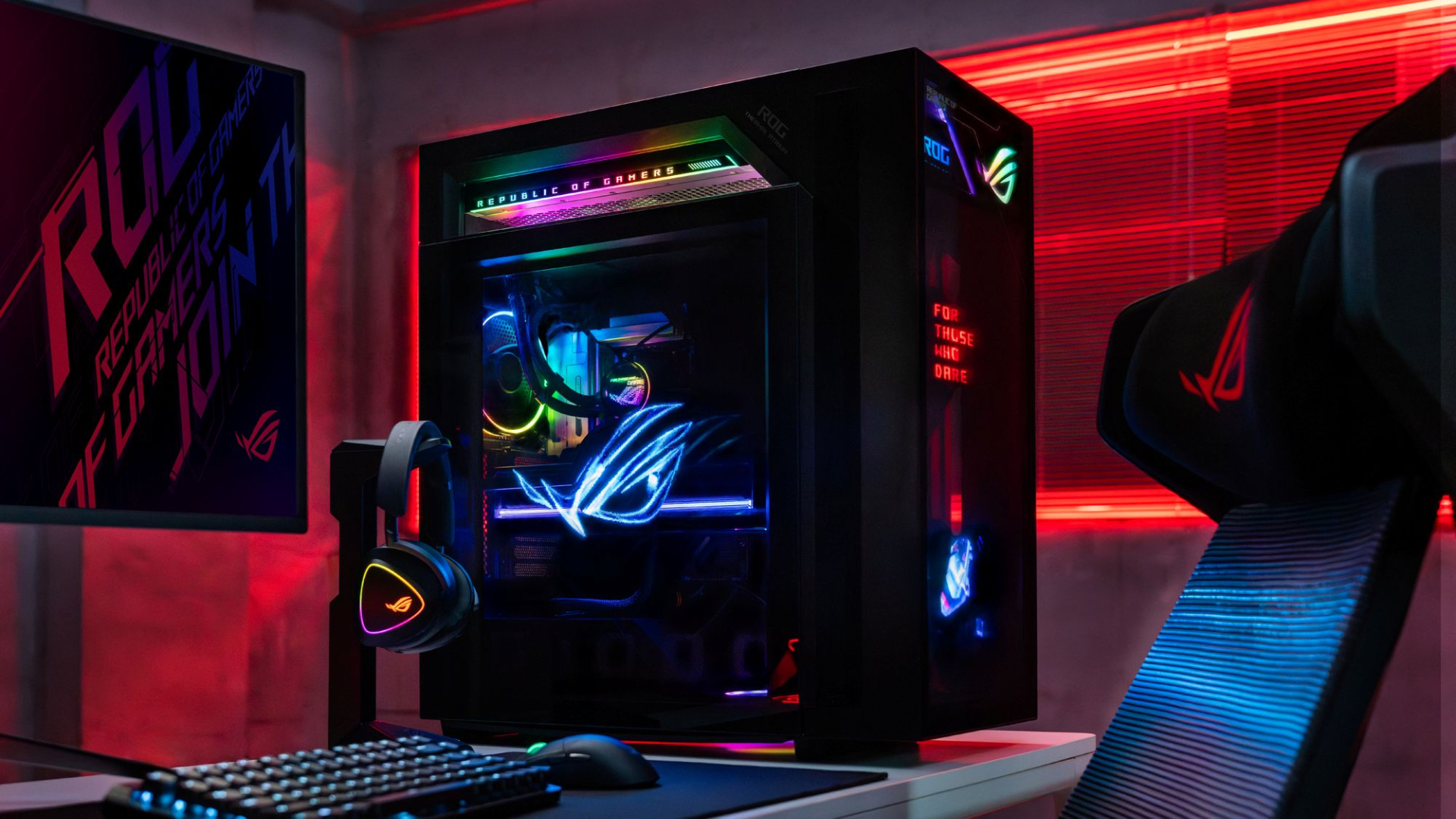
Now, the ROG G1000 isn’t just a pretty face. Inside, the 104L desktop comes with a Ryzen 7 9800X3D processor. It also comes equipped with the ROG Astral GeForce RTX 5080, up to 128GB DDR5 memory, and 1TB SSD for storage. New purchases will also come with a gaming keyboard and mouse, a year of Microsoft 365 Basic, Office Home 2024, and an ASUS No. 1 Quality and Service warranty.
The ROG G1000 will be available from ROG Exclusive Stores and will start at PhP 399,995.
Celebrating ROG at 20
Besides the new desktop, ROG is also launching a couple of storage and transport options for your prized gaming possessions. The ROG SLASH Backpack Edition 20 is a sleek backpack that can fit an 18-inch laptop with enough room for peripherals and accessories. It also comes with a custom FIDLOCK Magnetic quick-release, black-and-translucent-gold buckle. It will be available next quarter for PhP 10,995.

Meanwhile, the ROG SLASH Hard-Case Luggage Edition 20 is designed specifically for transporting your hard-earned gaming devices. The light-but-durable aluminum frame comes with a specialized compartment for laptops, handhelds, and accessories. It also has removalbe foam dividers to better customize the case for your needs. Finally, it has 360-degree silent skate wheels for smoother rolling. The luggage will be available starting next quarter for PhP 15,995.



ROG G700 review: The best prebuilt PC you can get off the shelf
This PC will make you stop worrying about specs.


HP OMEN Max 16 review: Gamer-maxxing in deep black
Peripherals deemed necessary to max this out


vivo V80 review: Good phone, tough sell
A capable travel companion

Sticker season is back, and so is the planner your ~friends~ might fill in for you

FromSoftware’s The Duskbloods delayed to 2027

Yes, you can turn off the MacBook Pro’s touchscreen display

Demon Slayer: The Hinokami Chronicles 2 launches on Switch 2

What the MacBook should touch on instead

Ghost of Yōtei Complete Edition review: More of a great thing

vivo X Fold6 makes global debut with 200MP camera and 6900mAh battery

OPPO Find X10 Series launches globally October 21

Sony teams up with Hello Kitty for exclusive limited-edition collection

Bambu Lab opens first Authorized Store in the Philippines


-
Reviews2 weeks ago
vivo V80 review: Good phone, tough sell
-

 News1 week ago
OPPO Find X10 Series: Price, availability in the Philippines
-

 Cameras1 week ago
DJI Osmo Pocket 4P Pearl White now available globally
-

 News1 week ago
OPPO Find X10 Series: Price, availability
-

 News2 weeks ago
Sony unveils three premium Walkman music players
-

 Entertainment1 week ago
Cyberpunk: Edgerunners 2 now streaming, Cyberpunk 2077 update coming
-
Gaming1 week ago
HP OMEN Max 16 review: Gamer-maxxing in deep black
-

 Laptops2 weeks ago
Lenovo expands Yoga lineup with new AI PCs and tablets