
News
Galaxy AI expands to 22 languages, adds Filipino and Gujarati
AI-powered suite now covers languages spoken by nearly 74% of the world


Samsung has announced that Galaxy AI has expanded by adding two new languages: Filipino and Gujarati.
Filipino is used daily by an estimated 87 million people and is the national language of the Philippines.
Gujarati, meanwhile, is spoken primarily by citizens of the Indian state of Gujarat. An estimated 62.5 million speak the language.
Both new languages were developed in close collaboration with Samsung Research Centers in Indonesia and India, respectively.
With the new update, Galaxy AI will now support a total of 22 languages. The database now accounts for languages spoken by nearly 74% of the global population, or roughly 5.9 billion people.
This strengthens Samsung’s ongoing commitment to lowering language barriers and bringing meaningful mobile AI experiences to more people.
Samsung users in even more regions can now access Galaxy AI’s suite of intelligent features designed to make communication and productivity easier and more intuitive.
This includes Live Translate for real-time, two-way voice and text translations for calls. There’s also Interpreter, which translates in-person conversations instantly through a split-screen view.
Other AI-powered features include Chat Assist, Note Assist, Transcript Assist, and Browsing Assist.
Such features were created with deep linguistic understanding and regional insight to ensure Galaxy AI adapts naturally to the ways people communicate.
Galaxy AI expanding at unprecedented pace
Samsung added that Galaxy AI has quickly become part of daily routines for millions of users around the world.
At the Galaxy AI Forum, Samsung shared that more than 70% of Galaxy S25 users regularly engage with Galaxy AI and Google Gemini features.
In the Philippines, there have also been a double-digit increase in Galaxy AI appeal, based on a consumer study conducted from August to September 2025.
In particular, the study found out that 40% of Filipinos find Live Translate and Call Assist “appealing”.
Since its debut with the Galaxy S24 series, Galaxy AI has been expanding at an unprecedented pace. Samsung is on track to bring the suite to over 400 million devices by the end of 2025.
The suite is not limited to Samsung’s flagships like the S series and Z foldables; users on A series devices and some of the company’s tablets also feature Galaxy AI.





News
OPPO Find X10 Pro Max is the first phone with a triple 200MP camera system
Second to rock MediaTek’s Dimensity 9600 Pro chip

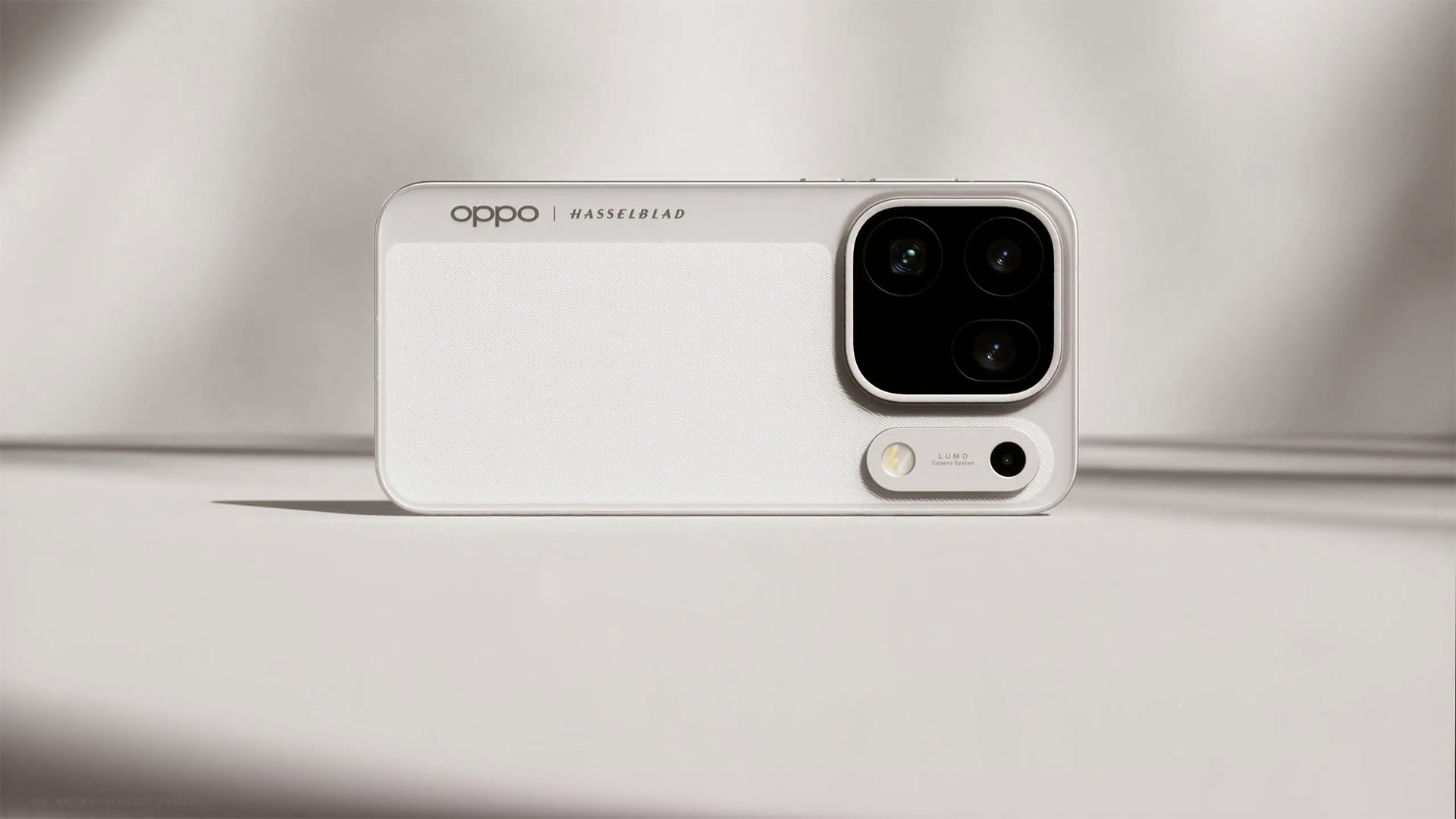
Just a day after its sister company launched the camera-centric vivo X500 Pro Max with the same chip in it, OPPO grabs the spotlight with the Find X10 Pro Max.
More than pro
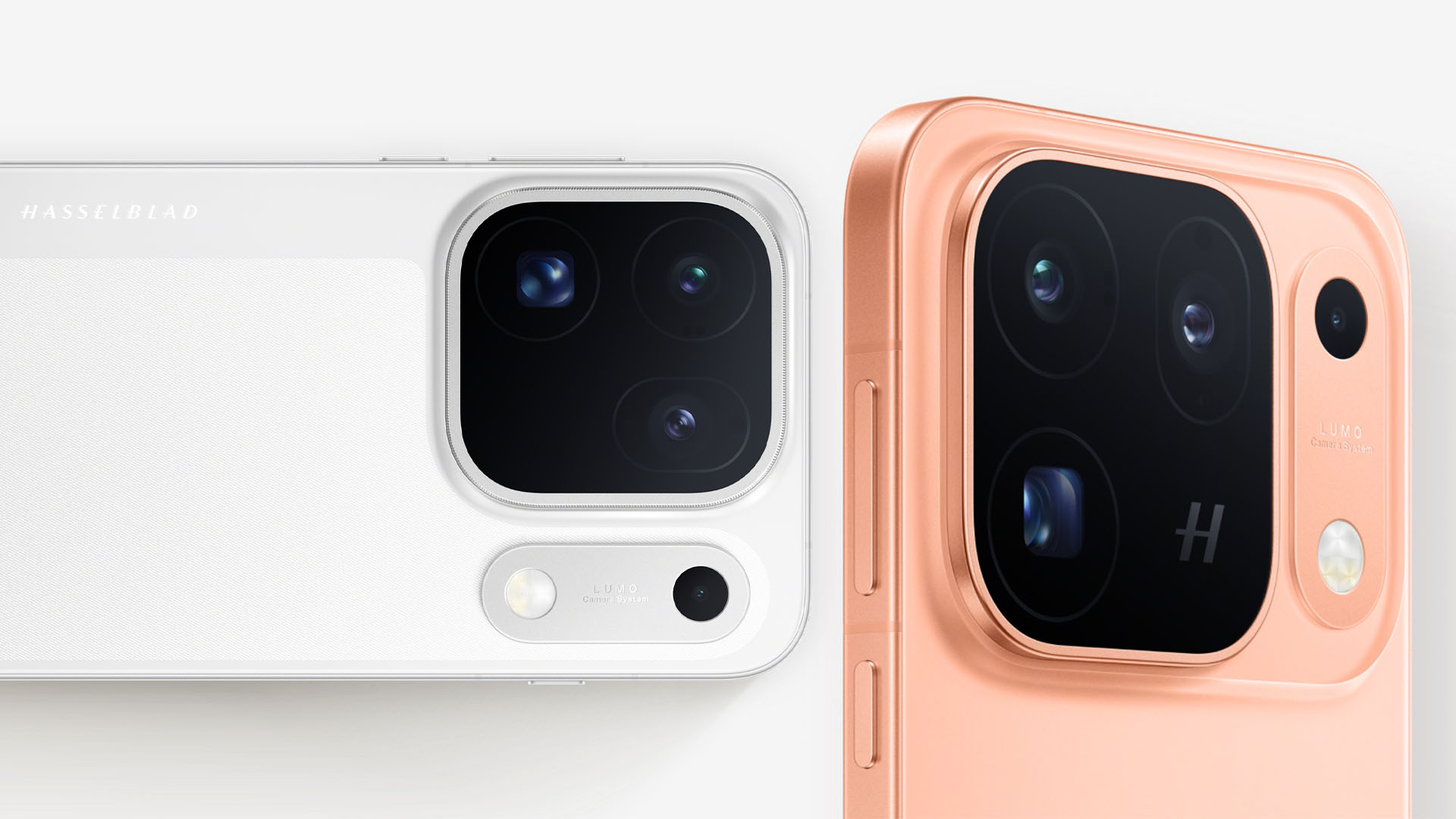
The highlight of the all-new OPPO Find X10 Pro Max has got to be its triple 200MP camera system — marking the first smartphone to have such PROwess. These are still co-developed with the niche Swedish camera maker, Hasselblad.
First and foremost, the main sensor boasts a large aperture of f/1.5. It also offers 17EV of dynamic range and a CIPA 6.5 professional-grade stabilization.
It also features the industry’s first DeepPix sensor technology. This creates the most “realistic” light and shadow reproduction while consuming less power at the same time.
Graphics by Vincenz Lee | GadgetMatch
Second, its UWA (Ultra-Wide Angle) lens with an f/2.2 aperture. This new module has a 124-degree FoV (Field of View) and can catch 102% more light than last year’s Find X9 Pro.
Last but definitely not the least, its telephoto shooter. The lens opening is at f/2.1 and has OIS with a CIPA 7.5 stabilization.
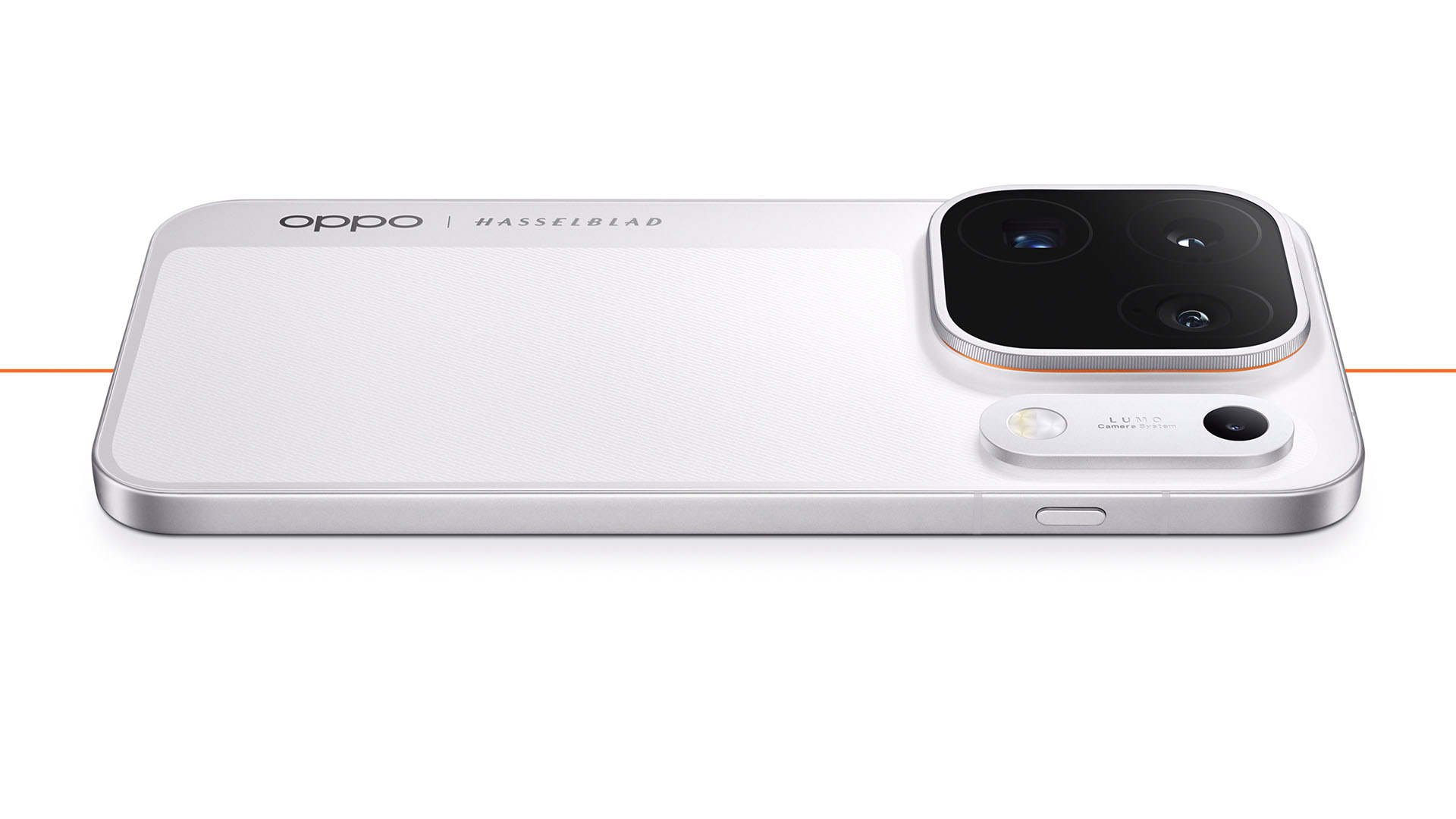
That separate bar beside its camera bump is dubbed as the “LUMO Original Color Capsule.” It houses not just the flash unit, but also the second-generation Danxia multi-spectral color sensor.
It does not stop at just pro-tography as the OPPO Find X10 Pro Max focuses on videography as well.
To make it a full-blown Pro Max model, it can shoot at a maximum of 4K/120fps or 8K/30fps video recording across all these three rear cameras.
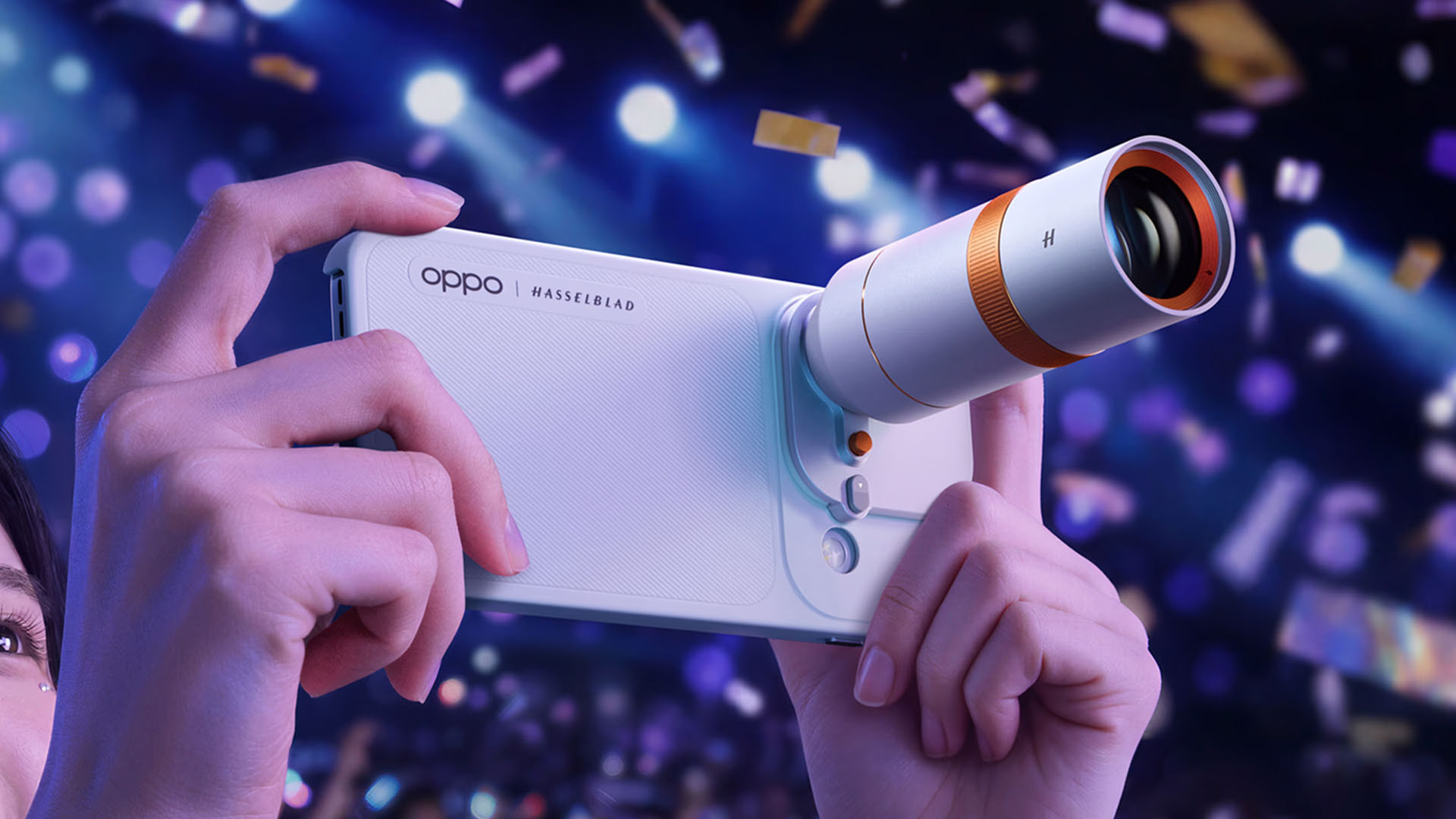
Blackmagic Camera can also make use of these video strengths alongside OPPO’s 10-bit O-Log2 format.
And while we’re already at it, it also supports Open Gate capture where it uses the full camera sensor to capture footage in a 4:3 aspect ratio.
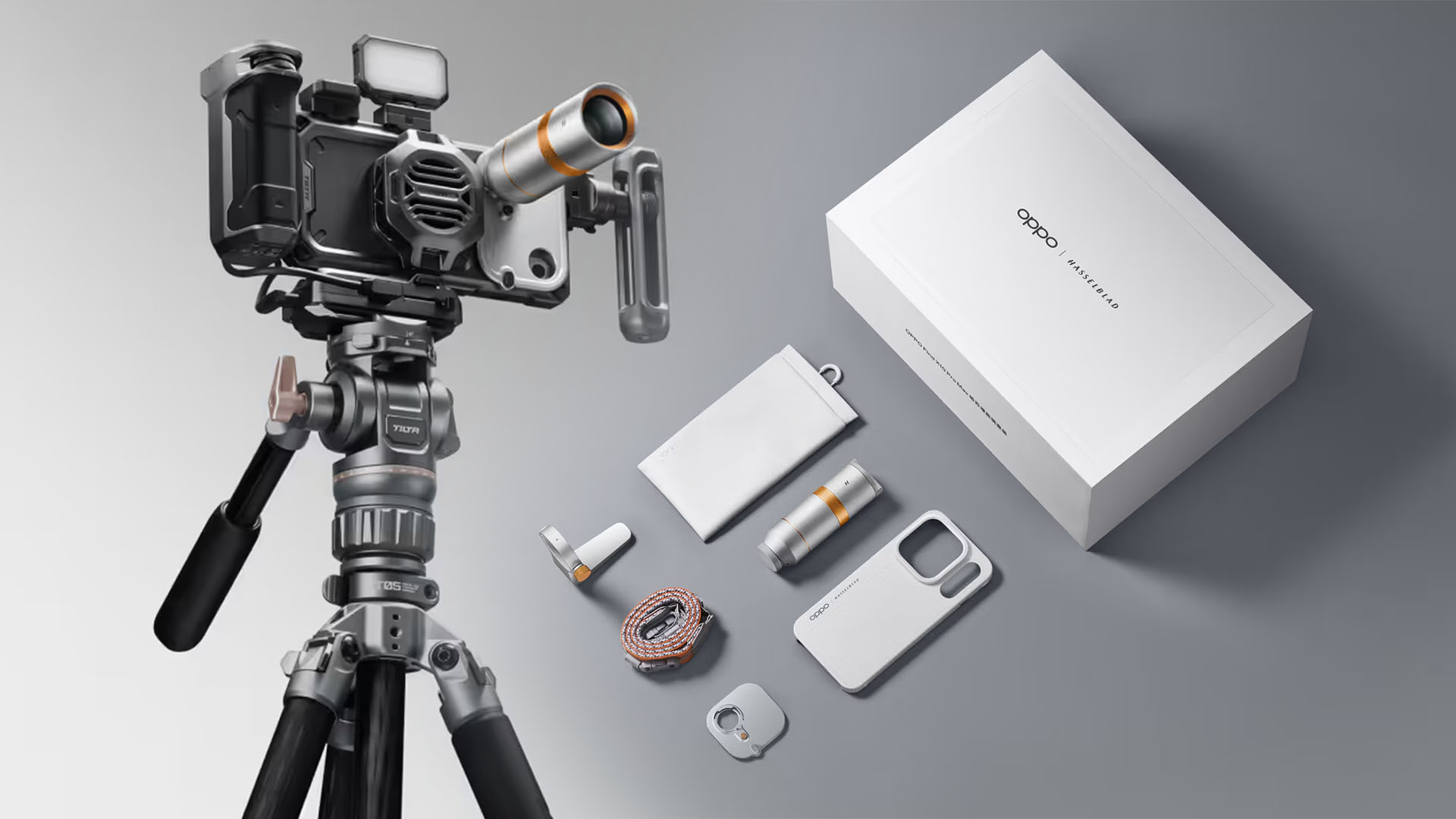
The previous telephoto extender lens is also supported alongside Tilta’s Khronos rig.
Max power
As alluded to earlier, the OPPO Find X10 Pro Max is the second smartphone to have MediaTek’s latest Dimensity 9600 Pro SoC based on a 2nm process — just a day after the vivo X500 Pro series.
While it’s already mentioned that CPU is up to 15% faster and GPU is around 27% faster, the best thing is that it it’s 61% more power efficient in multi-core tasks.

Graphics by Vincenz Lee | GadgetMatch
Other than being the first smartphone with triple 200MP cameras, OPPO has also worked together with MediaTek in developing Laminar Flow Engine. This basically balances out system responsiveness alongside an even lower power usage.
Now that it’s mentioned, the Find X10 Pro Max packs a 8000mAh battery, 500mAh more than last year’s Find X9 Pro (and 950mAh more than the Find X9 Ultra),

Graphics by Vincenz Lee | GadgetMatch
Screen bezels have also shrunk to a mere 0.99mm. That’s in contrast to the 1.15mm and 1.45mm bezels of the Find X9 and Find X8 series.
Charging is less speedy though at 80W (versus 100W on the Ultra).
While USB-C PPS support is limited to 55W, the new UFCS standard eliminates that limitation and makes full use of OPPO’s SuperVOOC charging speeds.
50W wireless charging and 10W reverse wireless charging all still remain.
Finding the other Xs
OPPO skips a Max-less Pro model in favor of two vanilla variants: the Find X10 and Find X10 E.
Both models possess a smaller 6.59-inch screen. Though display tech isn’t far off from its superior sibling, especially with the faster 144Hz refresh rate and BT.2020 support.

Much like the base vivo X500, the OPPO Find X10 runs MediaTek’s slightly down-powered Dimensity 9600M.
The Find X10 E, on the other hand, runs Dimensity 9500s.
Battery capacity of the Find X10 is the same as its Pro Max sibling at 8000mAh. Meanwhile, the Find X10 E has a slightly smaller 7025mAh tank.
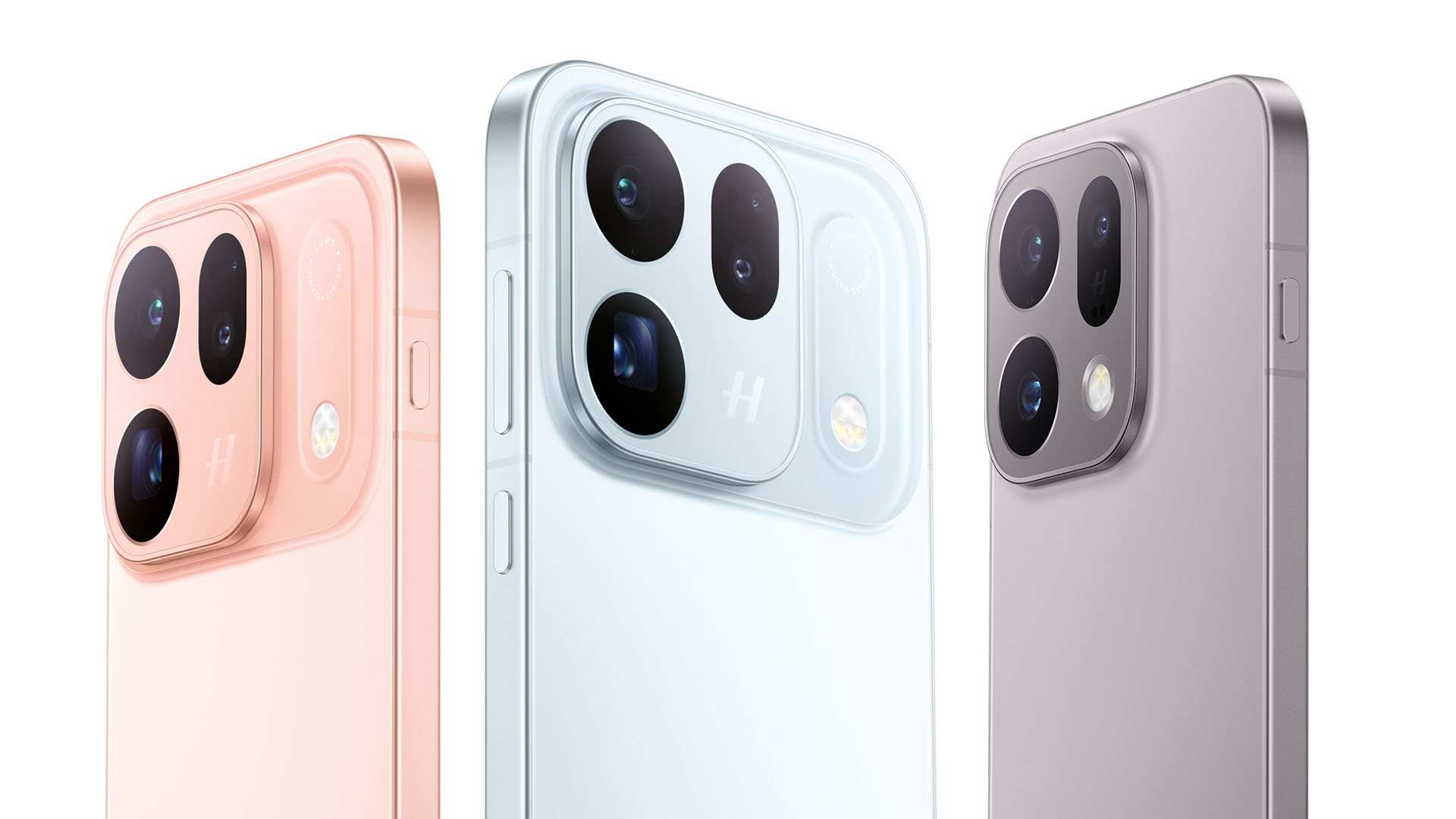
Graphics by Vincenz Lee | GadgetMatch
Finally, cameras, while not Pro Max-level, were not totally compromised.
Find X10 E has a triple 50MP camera setup. While the base the Find X10 retains that 50MP f/2.0 120-degree ultra-wide shooter but replaces its main and telephoto cameras with a dual 200MP sensor at f/1.6 and f/2.6 respectively.

Graphics by Vincenz Lee | GadgetMatch
For utmost durability, all Find X10 models feature IP66, IP68, and IP69 water and dust resistance ratings.
They also run the latest ColorOS 17 based on Android 17.
Pricing and Availability
The OPPO Find X10 series + Find X10 Pro Max are currently available for pre-orders in Mainland China.
Pricing and configuration are as follows:
Find X10 Pro Max (Moon White, Shallow Titanium, Warm Orange)
- 12+256GB = CNY 6799 (US$ 1015 / EUR 870 / GBP 750 / SG$ 1285 / MYR 4099 / PhP 63,465 / INR 95,735)
- 12+512GB = CNY 7499 (US$ 1120 / EUR 960 / GBP 825 / SG$ 1415 / MYR 4520 / PhP 69,999 / INR 105,590)
- 16+512GB = CNY 7999 (US$ 1190 / EUR 1025 / GBP 880 / SG$ 1510 / MYR 4825 / PhP 74,665 / INR 112,630)
- 16+1TB = CNY 8999 (US$ 1340 / EUR 1155 / GBP 1698 / SG$ 1260 / MYR 5425 / PhP 83,999 / INR 126,710)
Find X10 (Ice Blue, Light Titanium, Clear Orange)
- 12+256GB = CNY 5499 (US$ 820 / EUR 705 / GBP 605 / SG$ 1038 / MYR 3315 / PhP 51,330 / INR 77,430)
- 12+512GB = CNY 5999 (US$ 895 / EUR 770 / GBP 660 / SG$ 1130 / MYR 3615 / PhP 55,995 / INR 84,470)
- 16+512GB = CNY 6499 (US$ 970 / EUR 835 / GBP 715 / SG$ 1230 / MYR 3920 / PhP 60,665 / INR 91,510)
- 16+1TB = CNY 7499 (US$ 1120 / EUR 960 / GBP 825 / SG$ 1415 / MYR 4520 / PhP 69,999 / INR 105,590)
FindX10 E (Ice Blue, Shallow Titanium)
- 12+256GB = CNY 4999 (US$ 745 / EUR 640 / GBP 550 / SG$ 945 / MYR 3015 / PhP 46,660 / INR 70,390)
- 16+512GB = CNY 5499 (US$ 820 / EUR 705 / GBP 605 / SG$ 1038 / MYR 3315 / PhP 51,330 / INR 77,430)
* these are only rough price estimates
It’s rumored that international availability of the OPPO Find X10 series will likely happen next October. We just have to wait and see what OPPO global has to reveal.
News
vivo introduces OriginOS 7 with smarter multitasking and AI features
A smoother, smarter smartphone experience

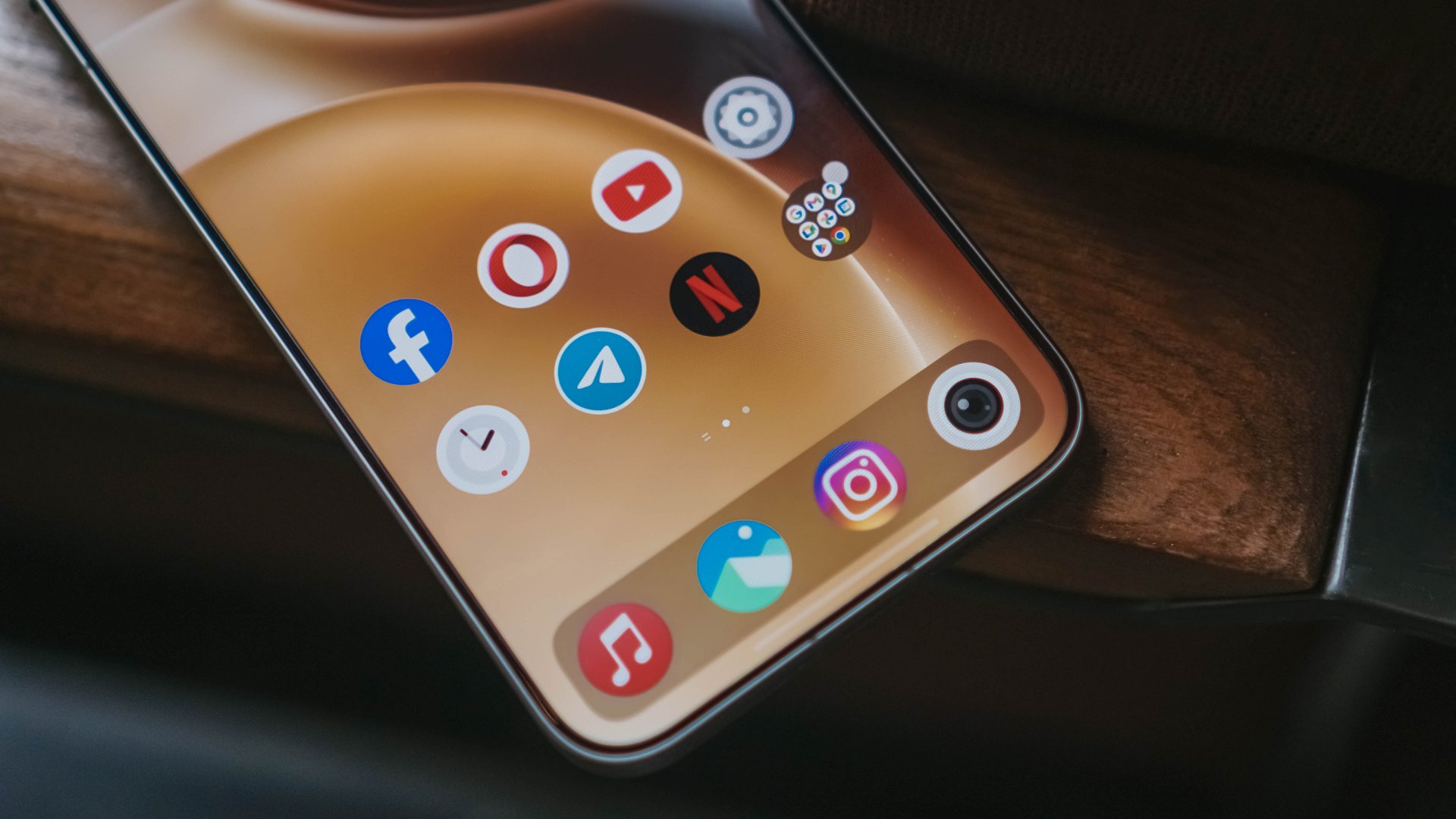
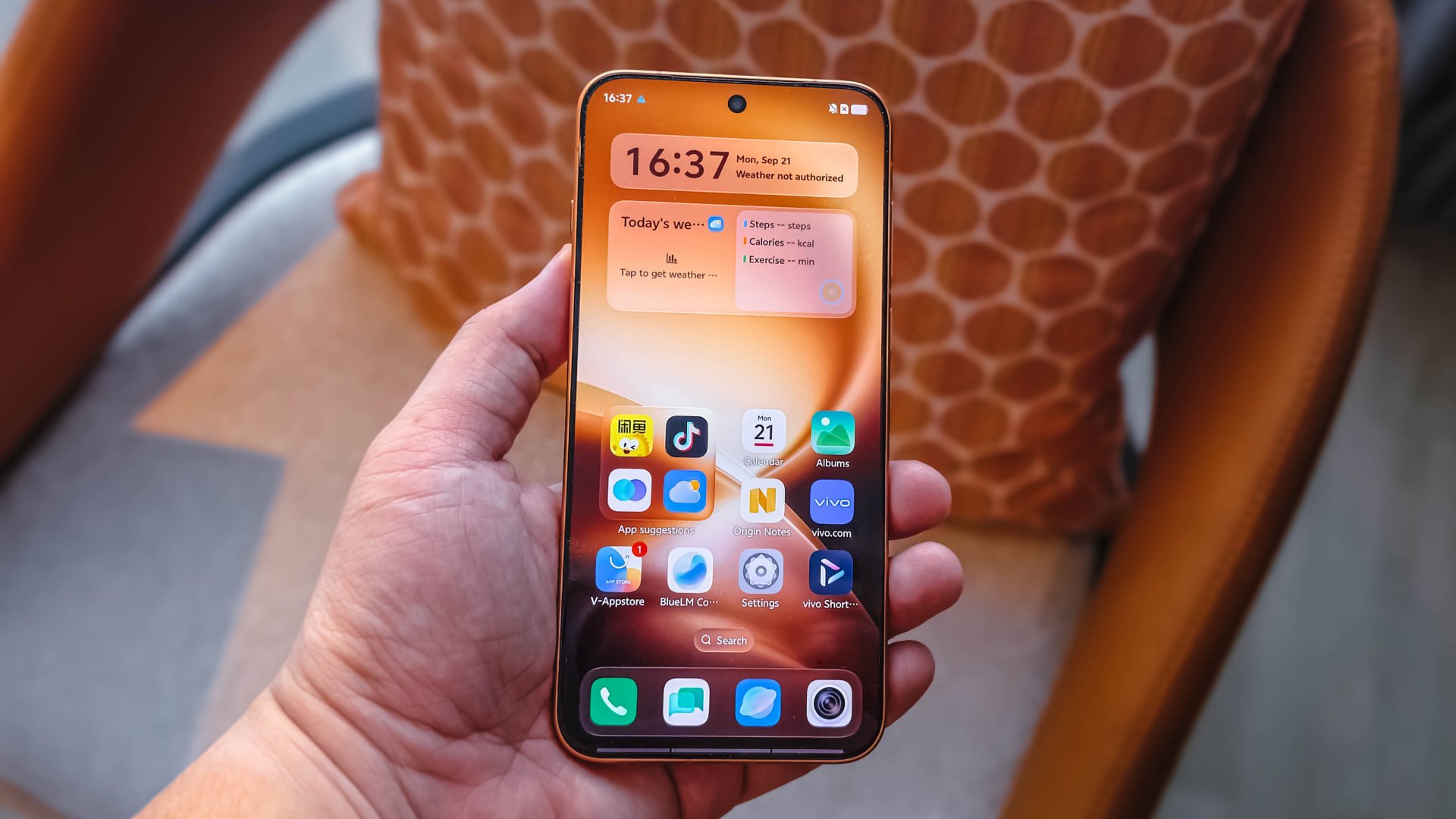
vivo has officially introduced OriginOS 7 in Shanghai, China, on September 21, 2026. The new operating system focuses on smoother performance, smarter multitasking, cross-device connectivity, and deeper customization.
OriginOS 7 introduces the next-generation Origin Smooth Engine, Origin Workbench, and Jovi, vivo’s personal AI agent. The company also promises up to six years of sustained smoothness through system-level optimizations.
The new operating system aims to make everyday smartphone interactions more responsive while helping users move seamlessly between apps and connected devices.
OriginOS 7 improves performance and multitasking
OriginOS 7 introduces the next-generation Origin Smooth Engine. The system redesigns graphics computation, memory management, and system scheduling to improve performance.
Its Ultra-Core Computing feature dynamically allocates processing resources based on demand. vivo says this helps maintain responsiveness during demanding activities, including gaming, multitasking, and extended video sessions.
The company claims OriginOS 7 reduces app cold start times by 10% and improves app page switching by 11%.

Memory Fusion also improves memory allocation and reclamation. vivo says the feature increases memory reclamation by 60% and can free up to 25GB of additional storage on a 256GB device.
Meanwhile, Dual Rendering introduces a new rendering pipeline and compilation framework. vivo claims it improves rendering efficiency by 14.4%, resulting in smoother animations and richer visuals.
These improvements power Origin Workbench, which lets users manage up to five active applications in a unified workspace. Users can coordinate tasks such as exporting video footage, reviewing notes, and messaging without constantly switching between apps.
vivo also says OriginOS 7 passed its 72-month anti-aging test. The company designed the system to maintain its responsiveness after six years of daily use.
Origin Animation makes interactions feel more natural
OriginOS 7 introduces Origin Animation, which applies physics-inspired motion to everyday interactions.
Fluid Motion lets interface elements stretch, bounce, and merge based on finger movements. Spring Animation applies consistent motion across system components, apps, and in-page elements.
Seamless Interaction also improves scrolling across supported system apps and third-party applications.
Together, these features aim to make transitions and touch interactions feel more natural.
OriginOS 7 connects vivo phones with Apple devices
OriginOS 7 expands cross-ecosystem connectivity, allowing users to integrate their vivo phones with devices they already own.
Apple Watch users can receive notifications and sync workout and health data with the Origin Health app. AirPods users can access battery information through Origin Island and use Spatial Audio.
Through vivo Office Kit, users can also connect their phones with an iPad, Mac, or Windows PC. The feature supports task handoffs, real-time note synchronization, and cross-screen file transfers.
OriginOS 7 also integrates iCloud into vivo File Manager. Users can browse, upload, and download photos and files stored in iCloud without leaving the app.
Feature availability may vary depending on the device, region, and software version.
Jovi brings AI-powered assistance across devices
OriginOS 7 introduces Jovi, a personal AI agent designed to manage workflows across connected phones and PCs.
Through vivo Office Kit, Jovi can retrieve files from a connected computer, summarize information, and deliver the results to a user’s phone. Users can also schedule recurring tasks, such as compiling weekly reports or organizing files.
For everyday productivity, Snap Note can turn photos of whiteboards, handwritten notes, and presentation slides into editable, formatted documents.
vivo also emphasizes user control and transparency. Through Jovi Security, the system records autonomous actions and requires user authorization for key steps.
OriginOS 7 adds interactive themes and customization
OriginOS 7 introduces new ways to personalize lock screens, home screens, and Always-On Displays.
Wiggle Theme transforms personal photos into interactive surfaces that ripple and respond to touch. Glint Theme uses gyroscope sensing to create realistic lighting and shadows as users tilt their phones.
StickIt lets users create layered collages from photos and Live Photos across supported screens.
Pet Pals adds interactive companions that respond to device movement, charging status, music playback, and the time of day.
These features give users more ways to personalize their phones beyond traditional wallpapers and static themes.
OriginOS 7 availability
vivo will begin the OriginOS 7 Preview Program on September 21, 2026, for the vivo X300 Pro and select iQOO devices in India, Thailand, and Malaysia.
The operating system will subsequently roll out to the vivo X500 Series, as well as new X Fold and V Series devices.
vivo has yet to announce a specific rollout timeline for other devices and markets. Feature availability may vary by region and device.
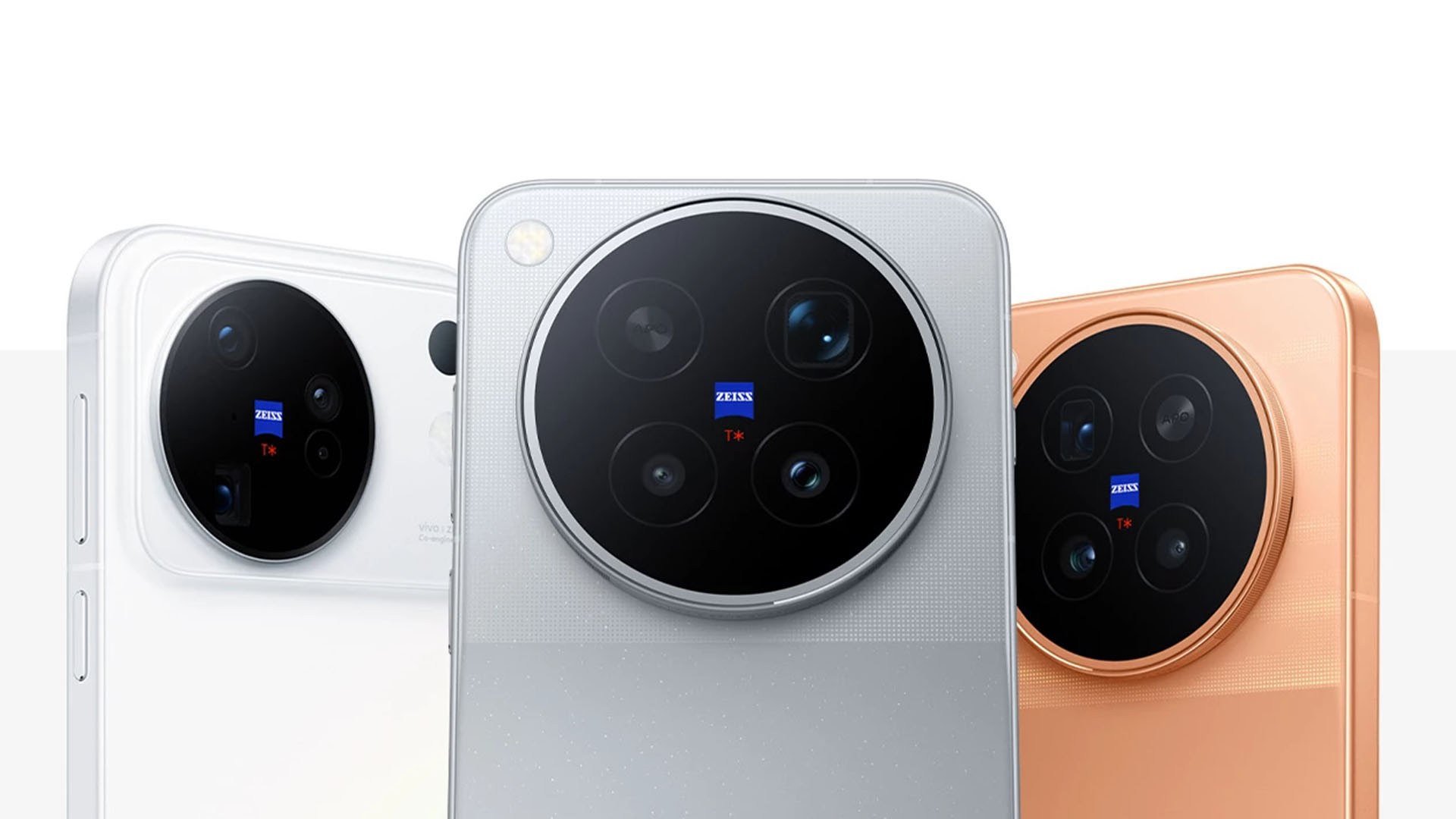
vivo has officially launched the X500 Series in Shanghai, China, on September 21, 2026. The new lineup includes the vivo X500, X500 Pro, and X500 Pro Max.
The new imaging flagships introduce vivo’s BlueImage Dynamic Imaging Technology Stack. The system focuses on improving photography, video recording, and live imaging through advancements in sensors, chips, and algorithms.
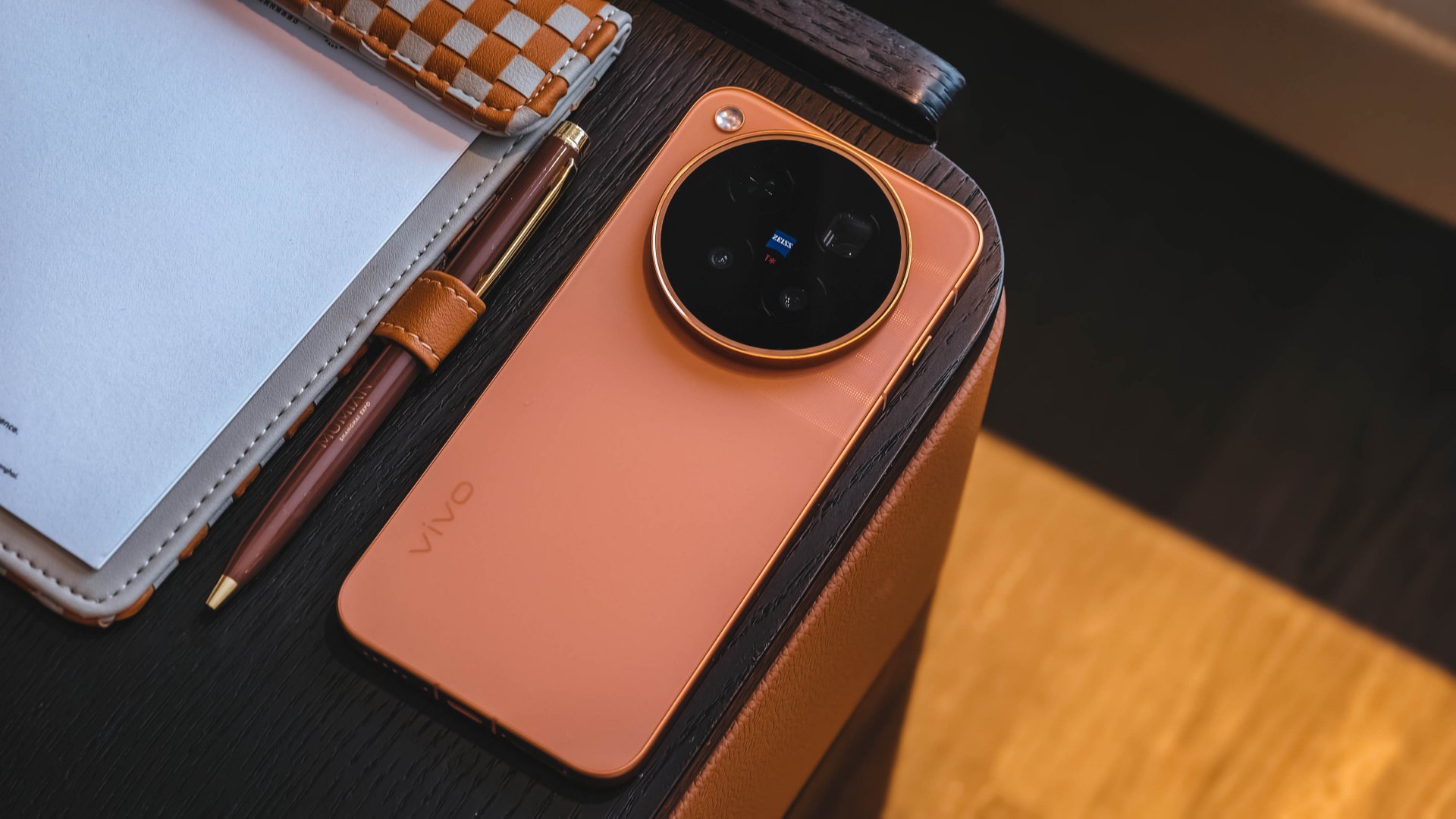
vivo aims to deliver professional-grade imaging capabilities while making cinematic video creation more accessible to everyday users.
The vivo X500 Series also introduces several imaging upgrades, including 4K 240fps cinematic slow-motion video, 8K Native Live, and improved stabilization. The company designed the lineup to deliver a more consistent experience across photography, video, and live content.
BlueImage Dynamic Imaging Technology Stack
The BlueImage Dynamic Imaging Technology Stack serves as the foundation for the X500 Series’ imaging capabilities. vivo developed the system around five key standards: high dynamic range, professional image quality, cinematic color, professional stabilization, and dynamic consistency.
The X500 Pro Max debuts the vivo × Sony LYTIA L910 sensor. It delivers a claimed 17 EV ultra-high dynamic range for video, allowing users to capture more detail in challenging lighting conditions.

The X500 Pro Max also features a ZEISS TrueDynamic Main Camera with 3-degree gimbal-grade optical image stabilization (OIS). Both its main and telephoto cameras achieve CIPA 7.0 Professional Stabilization.
vivo also partnered with MediaTek to develop professional Log video hardware for the Dimensity 9600 Pro. The chipset supports high-spec video creation through dedicated imaging processing capabilities.
vivo X500 Pro Series brings cinematic video to smartphones
The vivo X500 Pro and X500 Pro Max feature a ZEISS TrueDynamic Main Camera with a 1/1.28-inch sensor and ZEISS T* Coating.
The X500 Pro Max uses a 200-megapixel ZEISS APO Telephoto Camera, similar to the one on the vivo X300 Ultra. It supports CIPA 7.0 Professional Stabilization, multi-zone laser focus, and up to 30x Long Range Motion Snapshot.
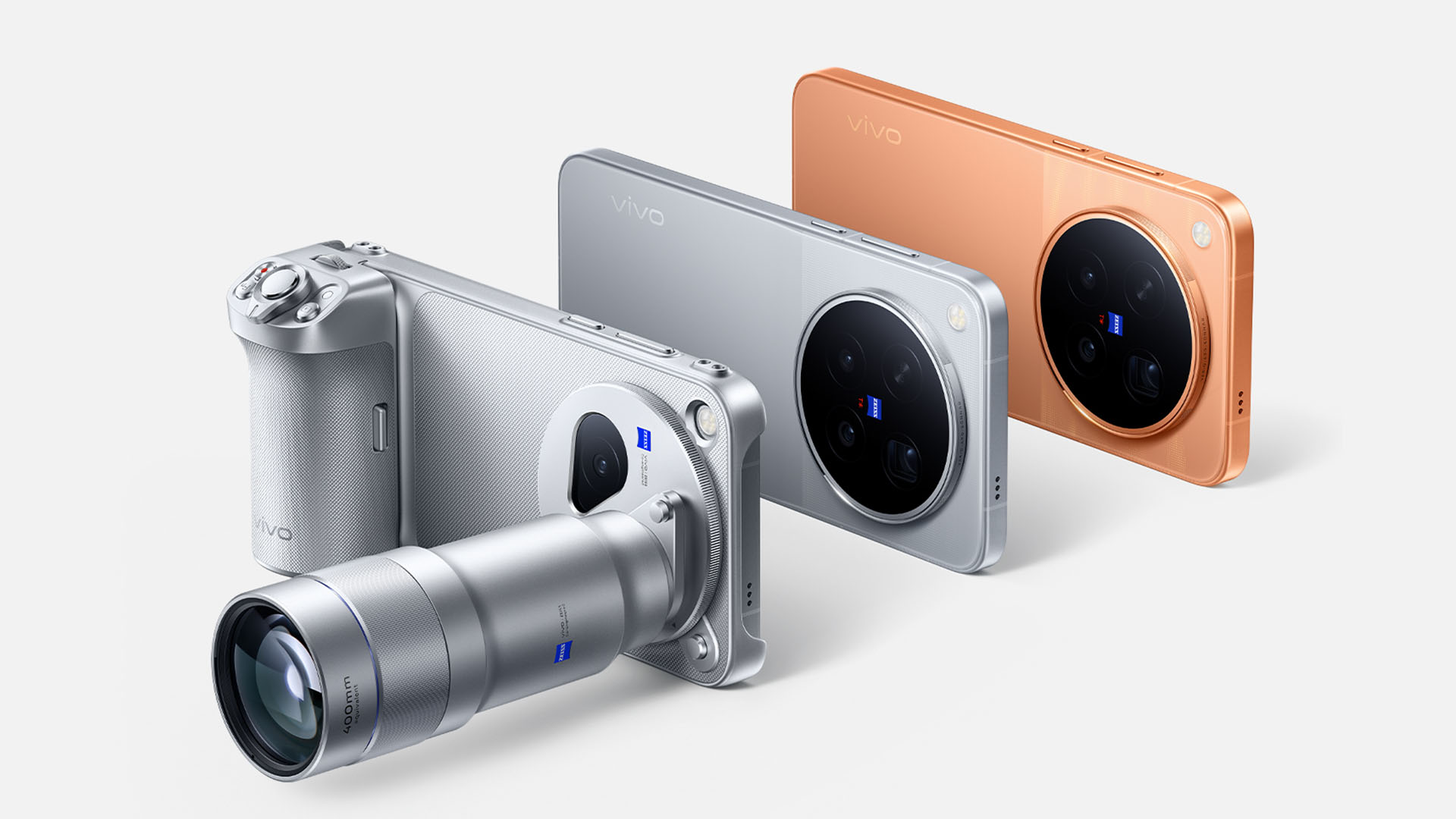
The phone also supports Anyplace Telephoto Tracking and the 400mm equivalent vivo ZEISS Telephoto Extender Gen 2 Ultra.
Meanwhile, the X500 Pro features a ZEISS APO Telephoto Camera with CIPA 7.0 Professional Stabilization.
Both Pro models support 4K 240fps Cinematic Slow-Mo Video. They also offer 17 EV TrueDynamic Log Video with 10-bit 4:2:2 encoding and ACES support.

vivo partnered with DaVinci to support official color transformation, allowing users to color-grade smartphone Log footage in the same color space as professional cinema camera footage.
The X500 Pro Series also supports 4K 120fps 10-bit Log direct output and 4K 120fps autofocus tracking video. The latter helps maintain focus even when foreground objects temporarily obscure the subject.
For portrait videos, the lineup introduces 4K Cinematic Portrait Video with unified portrait beautification and HDR production standards.
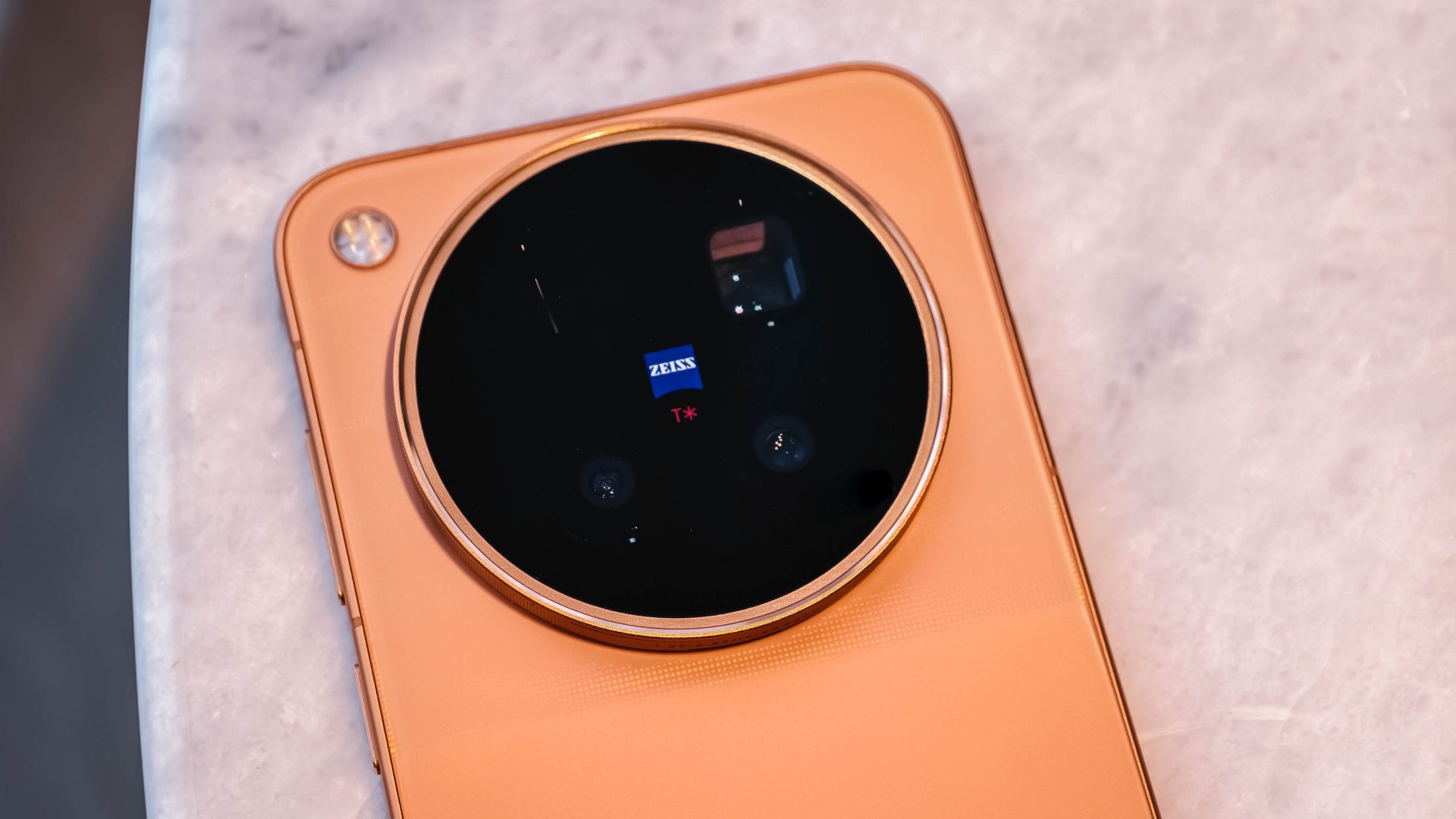
vivo also added six cinematic video color styles: Golden, Platinum, Sunny Day, Paris Afterglow, Noir, and Amber. Each style uses a dedicated color pipeline that optimizes the appearance of people and scenery.
The Pro Series also supports 8K Native Live direct output, keeping the cover frame and video stream consistent in color and perspective.
Users can access four cinematic camera movement options through Cinema mode: Auto Framing Video, Vortex Shot, Super Slow-Mo, and Dual View.
vivo X500 offers upgraded imaging in a standard model
The standard vivo X500 also brings several imaging features from the Pro lineup.
Its main camera uses the vivo × Sony LYTIA 828 sensor, the same sensor found in the vivo X300 Pro. The 1/1.28-inch sensor works with ZEISS Gimbal-Grade OIS to deliver stable video footage.
For telephoto, the X500 uses the vivo × Sony LYTIA 610 sensor, which it shares with the X500 Pro. The 64-megapixel telephoto camera supports 4K 120fps high-spec slow-motion video and CIPA 5.5 Professional Stabilization.
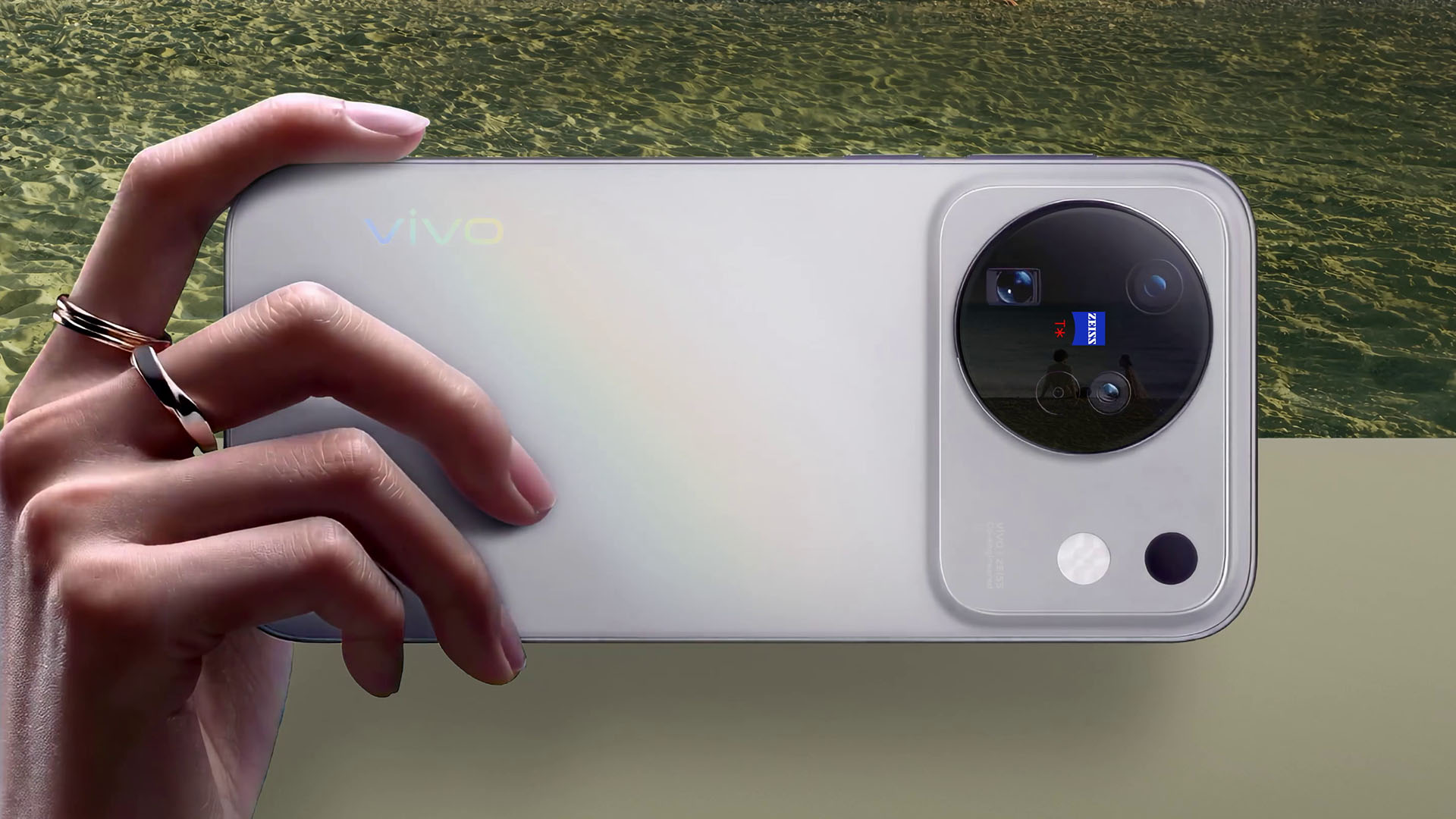
The standard model also supports 4K 120fps slow motion, cinematic color styles, 4K 60fps Cinematic Portrait Video across all focal lengths, 4K 120fps 10-bit Log, and 4K 120fps HLG video.
The entire X500 Series supports 8K Native Live, which vivo says delivers more detailed Live Photos.
The standard model also supports the 200mm equivalent vivo ZEISS Telephoto Extender Gen 2. The accessory weighs 153 grams and measures 96mm in length. It supports 14 shooting modes, including portrait, landscape, and stage photography.
vivo X500 Series features Dimensity 9600-series chips
The vivo X500 Pro and X500 Pro Max run on the MediaTek Dimensity 9600 Pro, which uses a second-generation 2nm process.
The X500 Pro Max features a 6.85-inch BOE Q11 2K ZEISS Master Color Display and an 8,000mAh BlueVolt Battery.
The X500 Pro, meanwhile, features a 6.36-inch ZEISS Master Color Display and a 6,510mAh BlueVolt Battery.
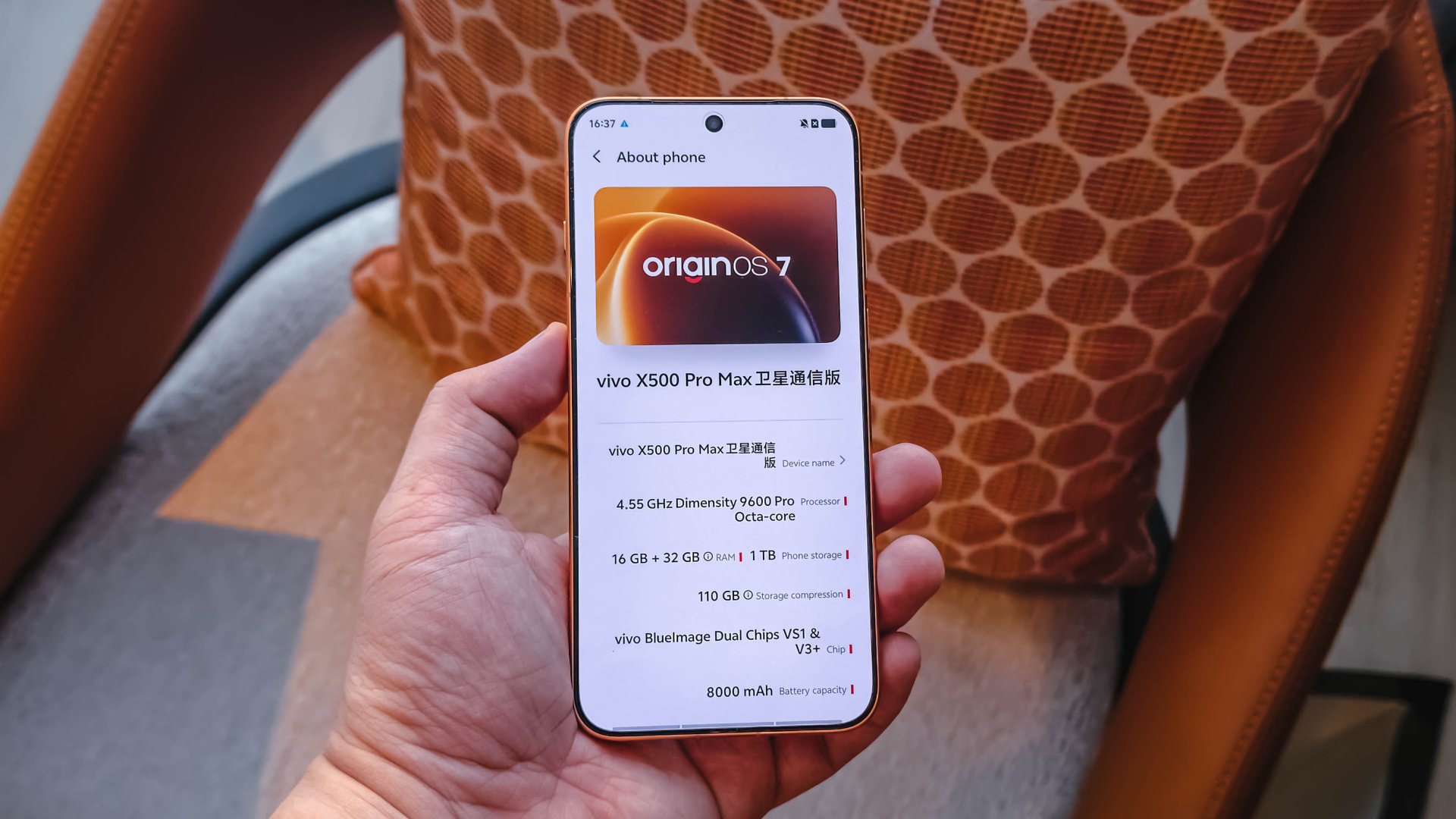
Both models run OriginOS 7, which introduces Origin Workbench and Seamless Interaction. vivo also says the phones passed its Lab’s 72-month anti-aging model test.
The X500 Pro Series comes in four colors: Sunny White, Starry Gray, Moonlit Black, and Sunset Orange.
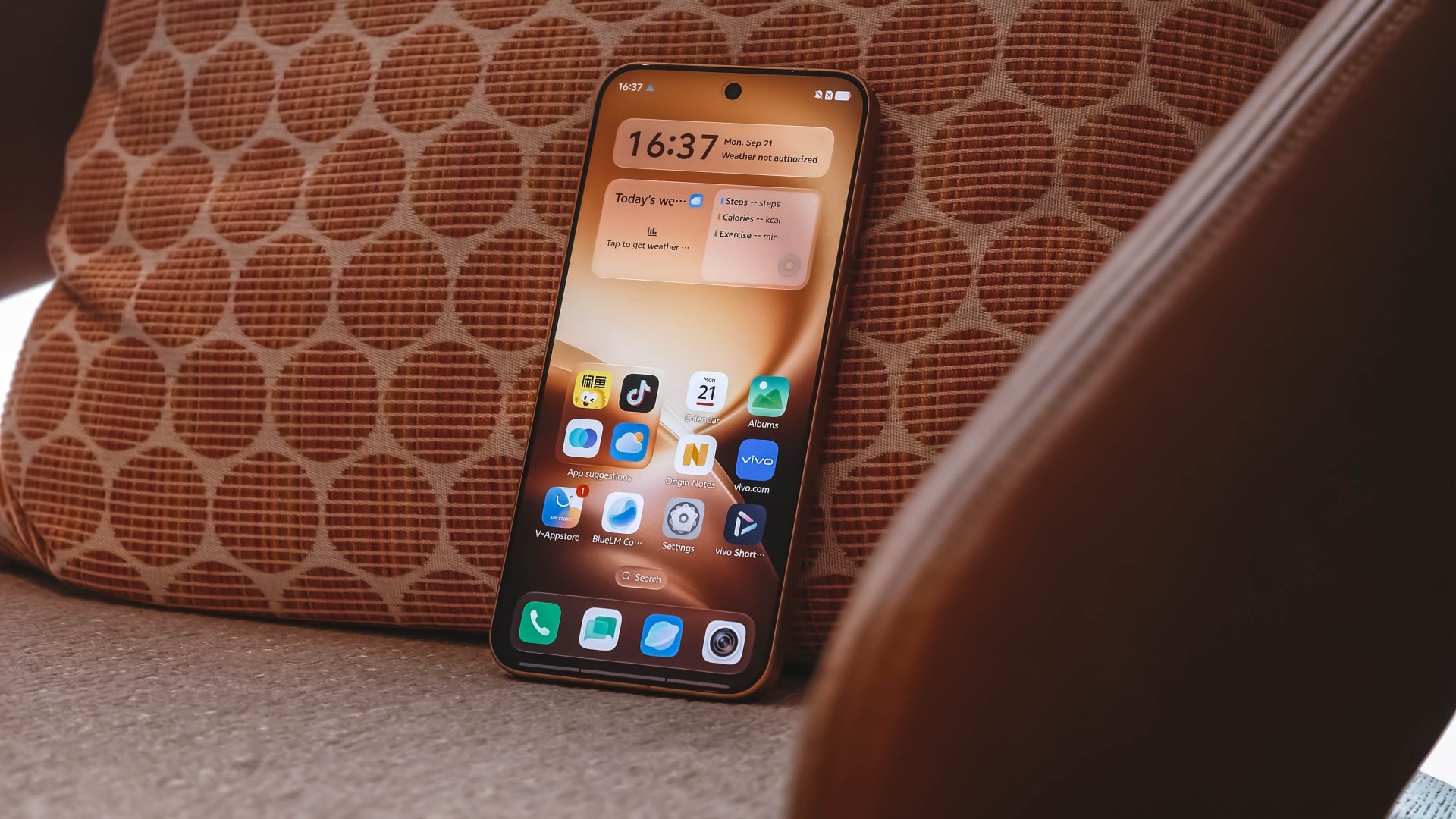
The standard vivo X500 uses the MediaTek Dimensity 9600M chip. It features a 6.59-inch ZEISS Master Color Display and a 7,500mAh BlueVolt Battery.
The phone supports 90W FlashCharge and 40W Wireless FlashCharge. It also runs OriginOS 7, with Origin Workbench supporting up to five apps running in the foreground.
The vivo X500 comes in Starry Gray, Sunny White, Dawn Pink, and Dusk Black.
vivo X500 Series price and availability
vivo has announced the following China pricing for the X500 Series. Sales officially begin on September 24, 2026.
Configuration and pricing are as follows:
vivo X500
- 12GB + 256GB = CNY 5499
- 12GB + 512GB = CNY 5999
- 12GB + 1TB = CNY 6999
X500 Pro
- 12GB + 256GB CNY 6499
- 12GB + 512GB CNY 7499
- 12GB + 1TB CNY 8499
X500 Pro Max
- 12GB + 256GB = CNY 6999
- 12GB + 512GB = CNY 7999
- 16GB + 512GB = CNY 8499
- 12GB + 1TB = CNY 8999
vivo also announced a special X500 Pro Max Creator Edition with 16GB RAM and 1TB storage. It retails for CNY 12,999.
The company will also offer photography accessories for the X500 Series, including the ZEISS Telephoto Extender G2 for CNY 999 and the ZEISS Telephoto Extender G2 Ultra for CNY 1999.
The X500 Pro Max Creator Kit costs CNY 699. A bundle featuring the X500 Pro Max, G2 Ultra telephoto extender, and Creator Kit is priced at CNY 2499.
These prices are for the Chinese market. vivo has yet to announce international pricing or availability for the X500 Series.


DJI Lito X1 review: Is this the best lightweight drone for creators?
Making a strong case as a travel companion and a capable B-cam!


REDMI Note 17 Pro Max review: A new breed born from AI greed
Welcome to the new normal


Marvel’s Wolverine review: When the claws come out
A brutal, cinematic superhero adventure

OPPO Find X10 Pro Max is the first phone with a triple 200MP camera system

70mai launches the A900 series with 4K front, rear recording

Dune: Awakening makes it way to the PS5 and Xbox Series X

The Kia EV3 brings gallery-worthy design in a compact electric form

vivo introduces OriginOS 7 with smarter multitasking and AI features

realme 16T 5G with 8000mAh battery, IP69 Pro rating launches in PH

HUAWEI Pura X View is 2026’s first WIDE slab-type smartphone

REDMI reveals the refreshed Note 17 and Note 17 Pro series

REDMI Note 17 Series: Price, availability in Singapore

The CAMON Slim 5G is TECNO’s latest ultra-slim smartphone


-

 News2 weeks ago
iPhone 18 Pro series: Price, availability in the Philippines
-

 Singapore2 weeks ago
iPhone 18 Pro series: Price, availability in Singapore
-

 News2 weeks ago
iPhone Duo: Price, availability in the Philippines
-

 News2 weeks ago
iPhone Duo: Price, availability in Singapore
-
 News2 weeks ago
vivo introduces refurbished versions of X300 FE, X300 Ultra for less
-

 Accessories2 weeks ago
CASETiFY upgrades iPhone 18 cases, teases iPhone Duo lineup
-

 News2 weeks ago
HONOR teases Magic9 Pro Max at Venice
-

 Editors' Choice2 weeks ago
GadgetMatch Awards: Best of IFA 2026