
Apps
What’s the deal with Mobile Legends?


Have you been seeing this image on your Facebook feed a lot lately? Wondering what’s the big deal that has your friends actually sharing this stuff online for all their social circles to see? GadgetMatch takes a quick look at Mobile Legends.
So what is Mobile Legends anyway? It’s a multiplayer online battle arena or MOBA. What’s a MOBA? It’s a game where two teams of player-controlled characters, each with special abilities, face off in a large symmetrical level with the goal of destroying the opposing group’s home base, fighting off small AI enemies and toppling turrets in lanes on the way.

Basically, it’s DOTA that you can play on your phone or tablet.
The MOBA problem
Considering how huge DOTA and other MOBAs like League of Legends are worldwide, maybe it shouldn’t be such a surprise how Mobile Legends has become so popular. Just apply the formula to a mobile format, and you gotta have a hit, right?
Not exactly the easiest thing to do. MOBAs are super complex!

I actually never got into them even when the genre first exploded circa 2004 with the original Defense of the Ancients, because it was too complicated even for me, a hardcore console gamer. The highly competitive, testosterone-fueled atmosphere of net cafes was intimidating, too, for my awkward teen self back then.
My experience with Mobile Legends has been the complete opposite. Well, for the most part.
Low barrier to entry

The moment you load up the app, it puts you right into a tutorial that walks you through the basic process of a match step by step with a character you can control. I understood the core concept of the game in the short time it took to complete the tutorial, which I wasn’t expecting at all.
In fact, I was kind of surprised to see the game run in the first place, since I have a low-end smartphone that can’t properly play 1080p videos and struggles with modern, graphically demanding games.

No, it’s not buttery smooth, but the performance is mostly stable and the visuals are only slightly grainy. Characters stand out with their striking colors and flashy abilities. I haven’t had much trouble keeping track of what’s going on, even with my average-sized screen.
Conventional and convoluted aesthetics

However, the overall art design is a generic mish-mash of sci-fi and fantasy tropes. There’s no cohesive aesthetic, and it’s got a disappointingly familiar dose of straight male fanservice. If the guys can be pretty boys, ferocious manbeasts, masked cyborgs, and ghost pirates, why do the females have to be mostly busty, scantily clad supermodels?

The menus outside the actual game modes can be a bit much to navigate for the average person with all the numbers, countdowns, in-game currencies, and promotions they throw at you. After your initial run of Mobile Legends, the app always starts at the Events Hall menu, showing you all the things you can buy with crystals and battle points and emblems. It’s free-to-play, so I get the hard sell. Maybe it works for other people, but I find it a bit of a turn-off.

Thankfully, exiting the shop leads you to the Battle menu where the big red Match Up Mode button is right in the middle, so you can get started on a game ASAP.
Snappy and intuitive gameplay
The standard match goes by quickly compared to PC MOBAs. I’ve had games finish in 10 minutes, with none lasting longer than around 20 when both teams are evenly matched. Contrasted with hour-long battles of DOTA 2 and League, this bite-size experience is welcome for busybodies who still like to have engaging fun on breaks.

Each competition has been satisfying, too! Controls are easy; move with a digital joystick, touch or hold a button to attack the nearest enemy, and just tap on your special abilities when they’re available. With my home internet as well as my mobile data connection, it’s been very responsive either way.
The mid-battle upgrade system in MOBAs are so much simpler here, too, since the game just shows one or two ideal options from a preset loadout of items with clear descriptions when you have the gold to buy them. No rummaging through a huge list, wondering which one is the best to get at the right moment. Pick whatever, and your character will be ultimately more powerful!

I’ve tried 9 of the 37 characters available, playing at least one from each class (fighter, tank, support, etc.), and it’s been very easy getting into the role I needed to assume.
A highly accessible mobile MOBA
I can see the intricacy in higher levels of play with actual teams coordinating strategies with optimal character lineups, too. I’ll never put as much time and effort into mastering Mobile Legends as I have with full-priced premium games I like such as Overwatch and Dark Souls III, but I understand now why some of my friends who don’t even play a lot of games can’t help but broadcast to the world how much they’re into it.

SEE ALSO: Persona 5 review: Can style override substance?
[irp posts=”13656″ name=”Persona 5 review: Can style override substance?”]






Apps
Breaking up with Adobe Photoshop after 20 years
Wedding planning and Apple Creator Studio made me realize it was time


Planning a wedding, even a small and intimate one, has a way of sharpening your sense of priorities. Right as my fiancé and I were making decisions for our city hall wedding here in New York City, Apple announced Creator Studio.
Creator Studio is a subscription service that gets you access to eight creative pro and productivity apps for US$12.99 a month, or US$2.99 if you’re a student or educator. The design app included in the subscription, Pixelmator Pro, is also available as a standalone purchase for US$49.99. Adobe Photoshop, my design software of choice for over two decades costs me US$22.99 a month.
Seeing those numbers next to each other made me pause. It’s not that I was unhappy with Photoshop. I was just suddenly made aware how expensive it is. I’d been paying more for a single tool than I could for an entire creative ecosystem.

Adobe Photoshop was my first foray into the world of graphic design
Creative Studio’s lower price point, along with the free trial, made me consider switching to Pixelmator Pro altogether. That’s something I never thought I would do. Photoshop was how I got into graphic design. It was my first love, and up until recently, I truly thought it would be my ride or die.
Getting to know Pixelmator Pro
If you’re not familiar, Apple’s Pixelmator Pro is a graphic design and image editing app that’s similar to Adobe Photoshop. In practice, it covers a huge amount of the same ground but with a very different philosophy around usability and design.
I tried Pixelmator Pro, mostly as a challenge because we were doing a YouTube video on Apple Creator Studio. Personally, I was lowkey excited to try something new.
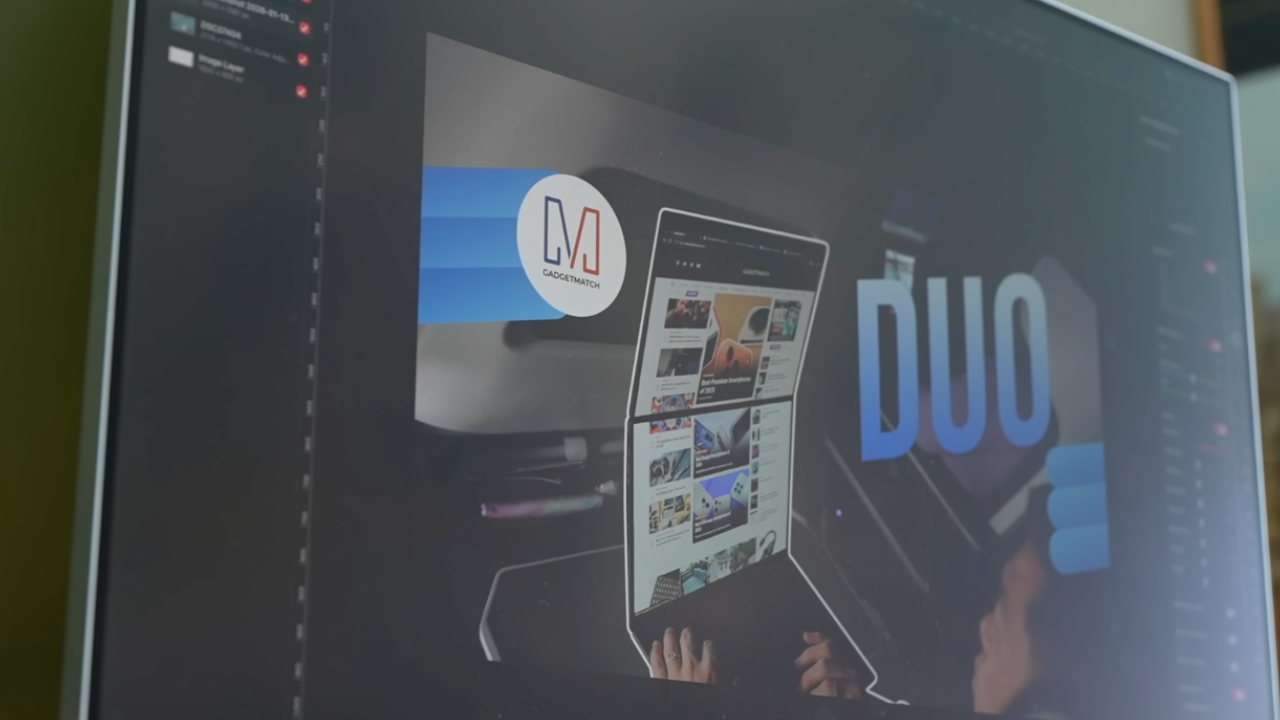
The first time I loaded the app, I recreated our YouTube thumbnail template — all within 10 minutes — and I haven’t looked back since.
Familiar enough to feel effortless
One of the biggest reasons my transition to Pixelmator Pro was so easy is muscle memory. Many shortcuts behave the same way: cmd+T for transform, cmd+R to show rulers, cmd+J to duplicate layers, just to name a few.
Having used Photoshop since high school, it felt familiar and intuitive — the complete opposite of how it felt to try and switch to Adobe Illustrator many years ago.
Photoshop is how I got into graphic design. It was my first love, and up until recently, I truly thought it would be my ride or die.
Later, I learned that you can import PSD (Photoshop) files directly to Pixelmator Pro. Apparently I didn’t even need to recreate the GadgetMatch assets. It does a good job of converting and preserving layers.
Photoshop now feels archaic

After using Pixelmator Pro for a few days, going back to Photoshop felt jarring. The sharp edges of the UI felt cold and rigid. Everything was layered with popups, panels, and tiny interruptions.
Pixelmator Pro, in comparison feels warm, smooth and frictionless. Its user interface is very Apple-like — rounded edges, softer icons and buttons. The Creator Studio version also gets the new Liquid Design touch, with transparent menus and elements that feel dynamic.
I especially love the little things. Color adjustments live in one simple panel instead of being scattered across different windows. There’s an eyedropper tool beside every color picker with a magnifier built-in.
When you hover over tools, it shows you the shortcut (e.g. “R” for Repair). There are also subtle animations, like when you use the Color Fill tool to change your canvas color.
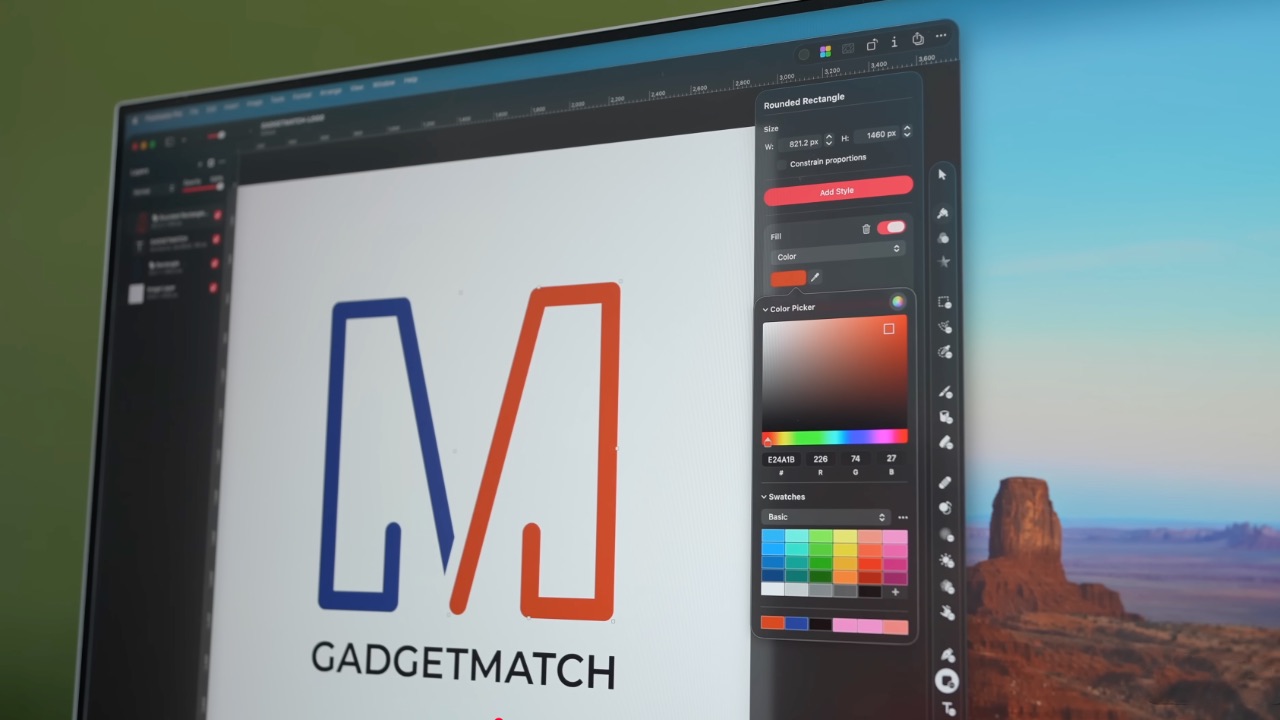
Pixelmator Pro’s UI is warm, snappy, and approachable
The differences in user experience are stark. Photoshop’s animations either don’t exist or are too abrupt for one to notice.
Smart tools without the noise
Photoshop has one clear advantage over Pixelmator Pro: Generative AI. It’s great and powerful especially when you need to save time.
I personally used it a couple of times before to save time on cloning, erasing, or expanding elements. Am I going to miss it with this switch? Something tells me I won’t.
Pixelmator Pro’s clone and repair tools, though seemingly so simple, work like a charm. And for how I usually manipulate images, those two are more than enough.
From digital to physical
If Pixelmator Pro was going to replace Photoshop in my workflow, wedding prep was the perfect time to give it a real world test — and it more than held its own. Its ease of use gave me permission to think outside the box, because I knew I had a reliable tool that can help me make it happen.
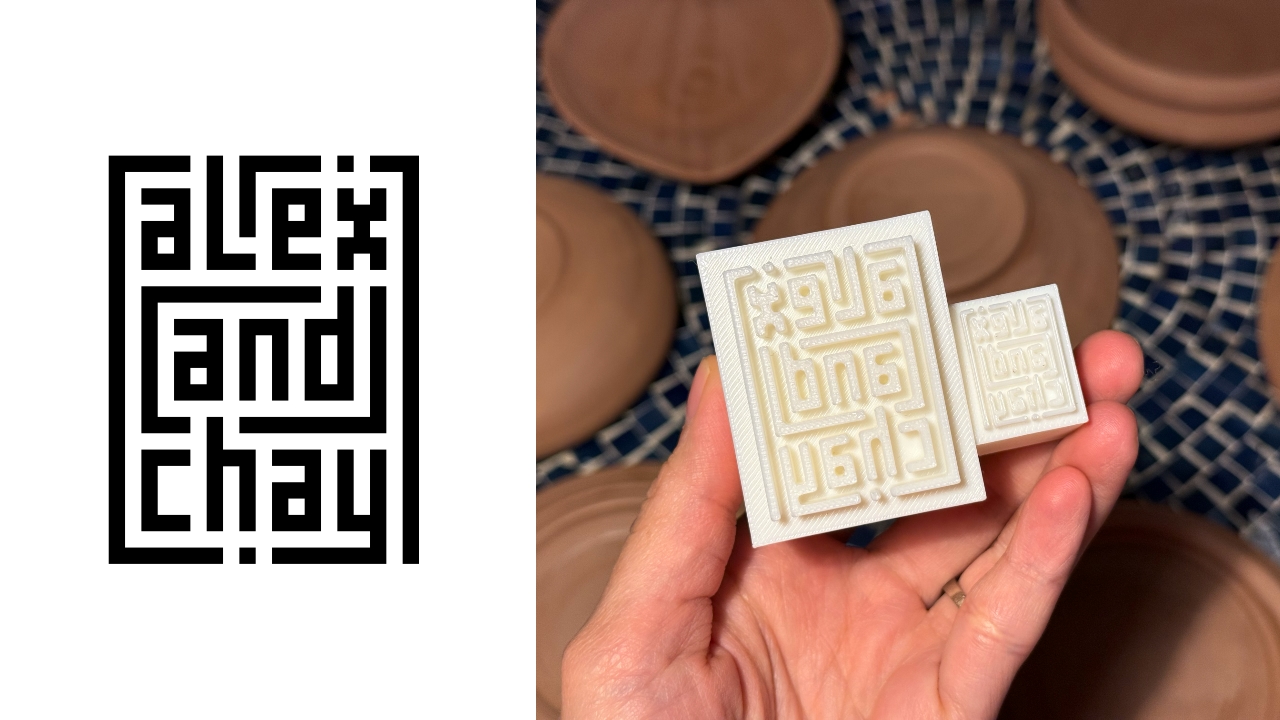
On the left, a Kufic-inspired wedding logo designed on Pixelmator Pro; on the right, 3D printed stamps
Since my fiancé is half-Iranian, I designed a logo combining our names, inspired by Kufic calligraphy, and I did it entirely in Pixelmator Pro. I developed that same logo further and designed a save the date, with color, also inspired by Kufic calligraphy. I went through a few iterations to come up with the final designs, which were made easier by the Shape tool and grid overlays.
My fiancé then took the logo I designed in Pixelmator Pro, converted it to 3D on Revit, and printed it into stamps in different sizes. One way we’re using it is to deboss the handmade pottery he’s making as one of our party favors.
There are a few more wedding pieces I’m designing on Pixelmator Pro in the coming weeks: our final invitation, and the custom stationery for the dinner that follows the ceremony.
Through this whole process, Pixelmator Pro never felt like it got in the way, or that it was limited. On the contrary, it feels like that enabler friend who says yes to every idea I have, and can actually help make them real.
Powerful, but approachable
The best way I can describe what using Pixelmator Pro is like is this: it’s a mix of Photoshop’s professional tools, Canva’s free library of assets, and Apple’s UI sensibility.
Shortly after Apple announced Creator Studio, Adobe rolled out significant Creative Cloud discounts. Are they threatened? They better be.
That makes it great for beginners, small business owners, and casual creators. Like Canva, it comes with some beautiful templates to help someone with zero experience come up with something good.
But unlike Canva, it still feels like a serious design tool. I can do so much of what I need using Pixelmator Pro but with UI that’s so much more approachable compared to Photoshop.
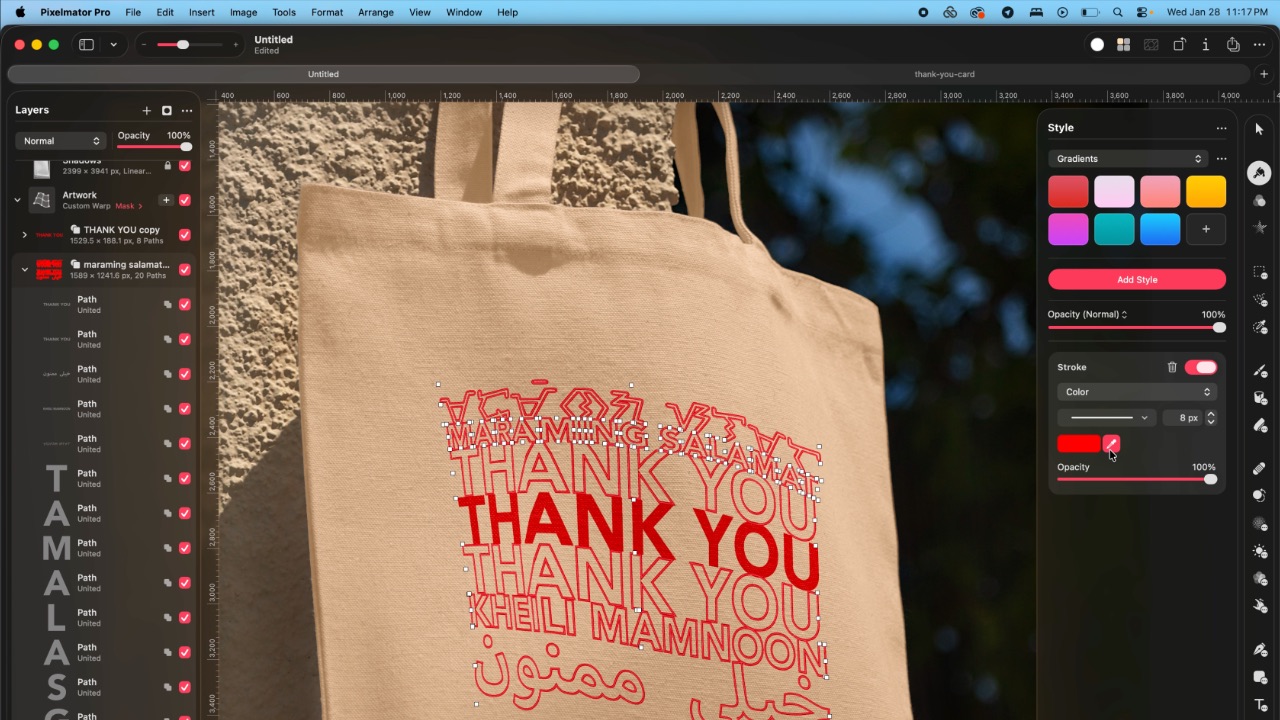
As the great philosopher Ariana Grande once said, “Thank U, Next”
I remember meeting Canva’s founders before launch and not fully understanding their mission to make graphic design accessible to everyone. Now I do.
It was never about replacing Adobe products and pro designers. What Canva did was fill a huge void we didn’t know existed. They democratized something that used to be reserved only for the privileged few.

Pixelmator Pro comes with free templates, assets, and mockups like this MacBook Pro and coffee packaging
Pixelmator Pro’s lower barrier to entry has potential to make a significant impact. My hope is it opens doors for people who were previously shut out of the graphic design world, and that it becomes something they can grow with, just as I did with Photoshop.
Adobe is still the industry standard
Switching to Pixelmator Pro wasn’t about rejecting Adobe, in the same way that Canva’s success did not kill Photoshop.
It’s worth noting that Adobe products are still the standard in the industry. A lot of companies rely on them, and most schools teach them. In a traditional design or agency environment, Photoshop and Illustrator are still the default language.
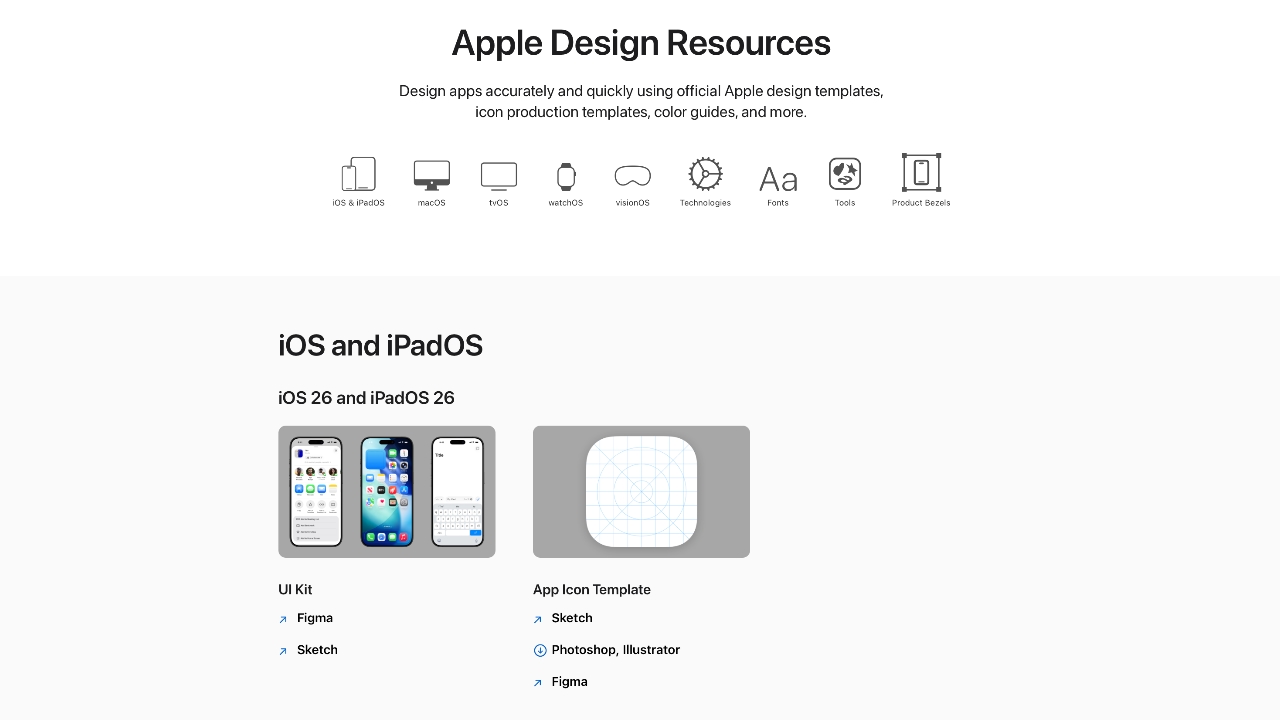
Even on Apple’s own Design Resources site for developers, the official design templates are built for Adobe Photoshop and Illustrator, not Pixelmator Pro. That says a lot about how embedded Adobe is in professional workflows.
Competition makes the space better
Apple Creator Studio, and tools like Pixelmator Pro, challenge Adobe’s near-monopoly in a really healthy way.
It’s not lost on me that trading Photoshop with Apple software actually keeps me locked into one ecosystem. But having more pro creatives try Pixelmator Pro can put pressure on the industry. A strong alternative that’s more cost effective can force titans and dinosaurs to evolve in a way the likes of Corel was never able to do.
Ideally, that means better products and fairer pricing for everyone. Shortly after Apple announced Creator Studio, Adobe rolled out significant Creative Cloud discounts. Are they threatened? They better be.

Pixelmator Pro’s intuitive UI makes switching from Photoshop easy peasy
Access matters, and at the end of the day, with a healthy competition in the market, it’s consumers that win. Canva is a great example of this. It made design tools accessible to those who aren’t professionals. It didn’t make everyone a great designer, just as a novice who tries Final Cut Pro today won’t become a pro video editor tomorrow. Design is still a craft you develop over time with practice.
Is Pixelmator Pro my GadgetMatch?
Photoshop still has its place. But for my everyday work, and occasional personal projects, Pixelmator Pro can do everything that I need to accomplish, at a fraction of the cost.
It feels faster, lighter, and more alive. Honestly learning my way around new software has been so enjoyable — so much so that I feel a renewed sense of eagerness to try other design software like Blender and Figma.
Pixelmator Pro never felt like it got in the way, or that it was limited. On the contrary, it feels like that enabler friend who says yes to every idea I have, and can actually help make them real.
Wedding planning and Apple Creator Studio didn’t just make me switch to a new software. They also made me question how much I’ve been missing out on. How much of what I do is simply due to inertia?
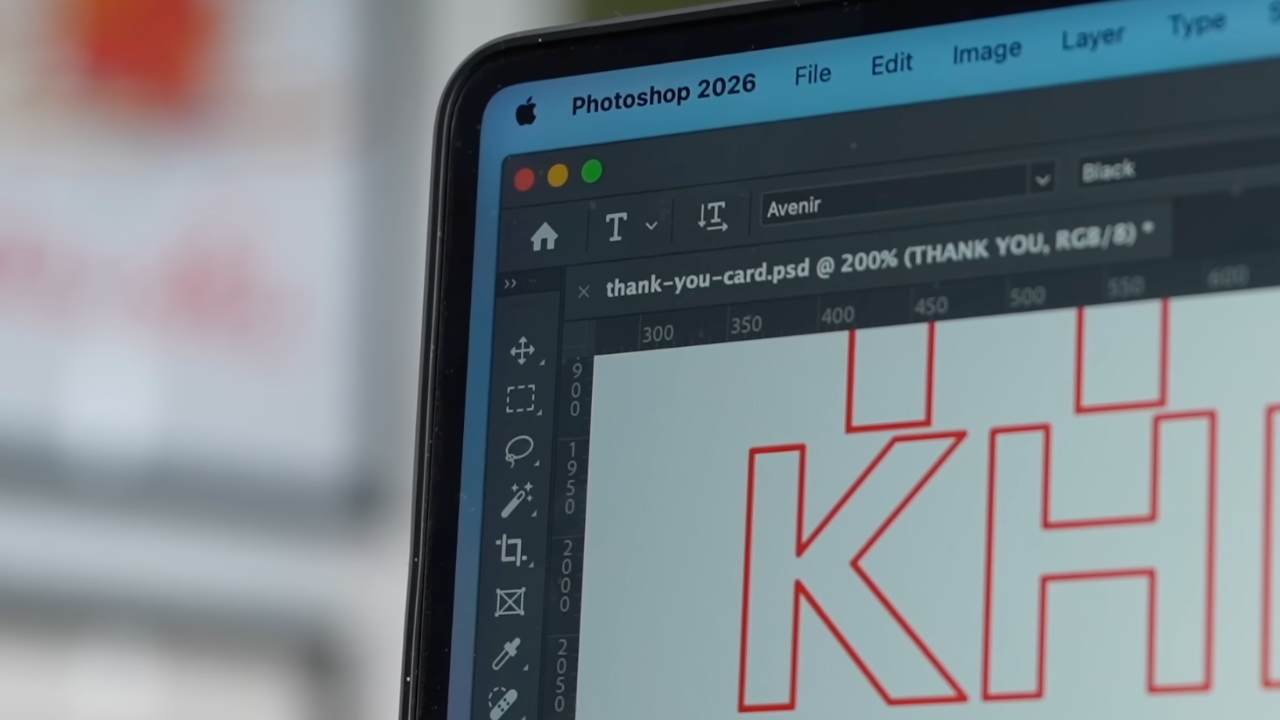
Ending my longest relationship doesn’t mean it failed. I’m grateful for what Photoshop taught me. It helped shape the creative professional that I am today.
But alas, this is one area where my practicality wins over loyalty. Relationships — with people or with tools — only work when both parties keep showing up. There’s no room for complacency, despite the history.
Walking away from something that taught me so much feels bittersweet, but Pixelmator Pro fits the way I work now, and I hope it grows with me as I turn the next page.
Apps
Apple Creator Studio: Creative apps bundled into single subscription
All the tools you need, one payment

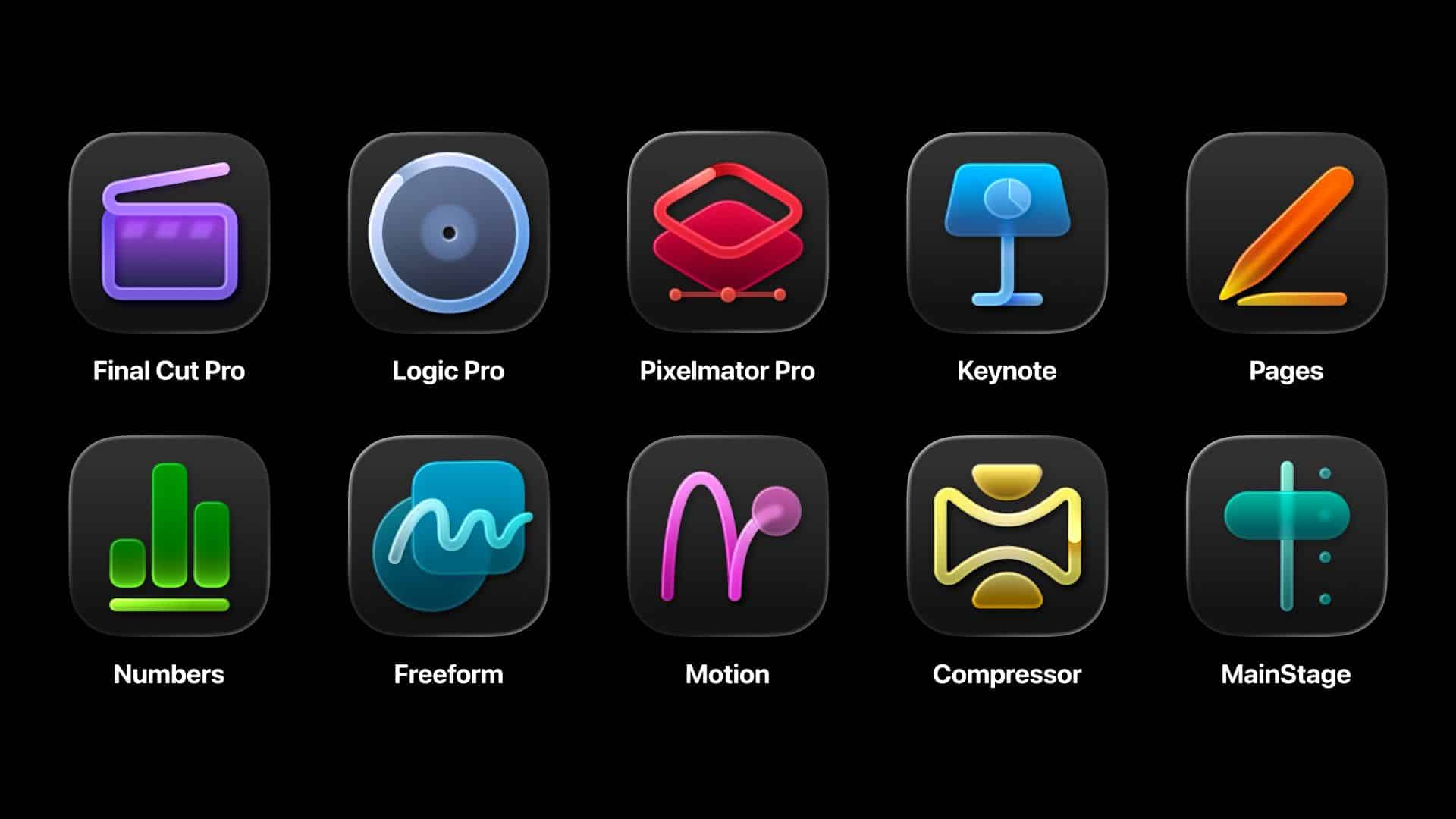
Apple has officially streamlined its popular creative apps into one single subscription suite with the introduction of Apple Creator Studio.
The collection includes some of the most useful apps for today’s creators: Final Cut Pro, Logic Pro, Pixelmator Pro, Motion, Compressor, and MainStage.
New AI features and premium content in Keynote, Pages, and Numbers also make the Apple Creator Studio an exciting subscription suite. Freeform will eventually be added to the lineup.
The groundbreaking collection is designed to put studio-grade power into the hands of everyone. It builds on the essential role Apple devices play in the lives of millions of creators worldwide.
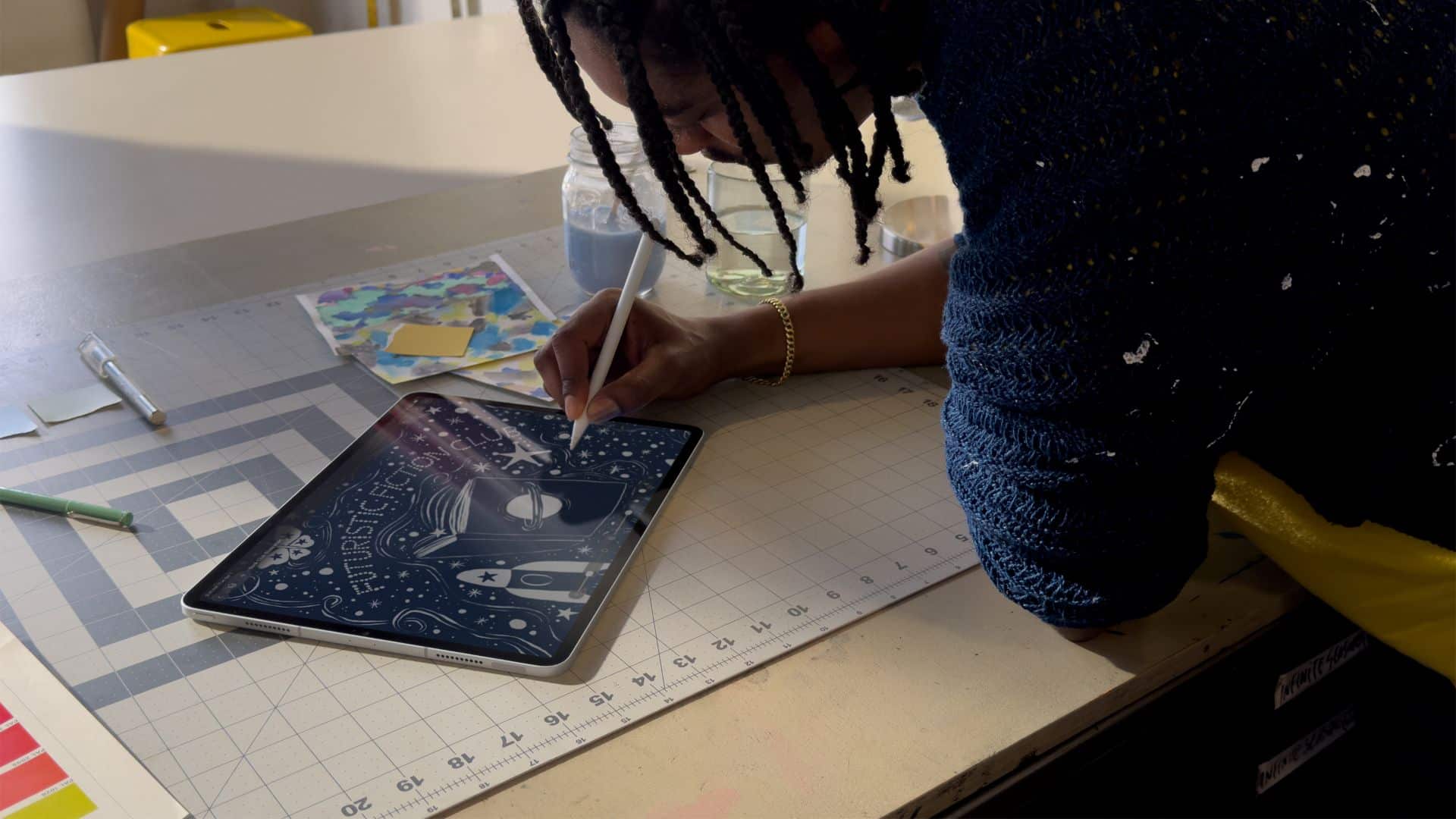
The apps included cover video editing, music making, creative imaging, and visual productivity to give modern creators the features and capabilities they need.
Final Cut Pro introduces exceptional new video editing tools and intelligent features for Mac and iPad.
For the first time, Pixelmator Pro is also coming to iPad with a uniquely crafted experience optimized for touch and Apple Pencil.
Logic Pro, meanwhile, for Mac and iPad introduces more intelligent features like Synth Player and Chord ID.
Apple Creator Studio will be available on the App Store beginning January 29. In the Philippines, the rates are PhP 399 a month or PhP 3,990 annually.
There is also a free one-month trial which includes access to:
- Final Cut Pro, Logic Pro, and Pixelmator Pro on Mac and iPad
- Motion, Compressor, and MainStage on Mac
- Intelligent features and premium content for Keynote, Pages, Numbers, and later Freeform for iPhone, iPad, and Mac
College students and educators can subscribe for a discounted price of PhP 149 per month or PhP 1,490 per year.
Apps
Apple gives up on making AI, inks a deal with Gemini to power Siri
Gemini gets another feather in its cap.

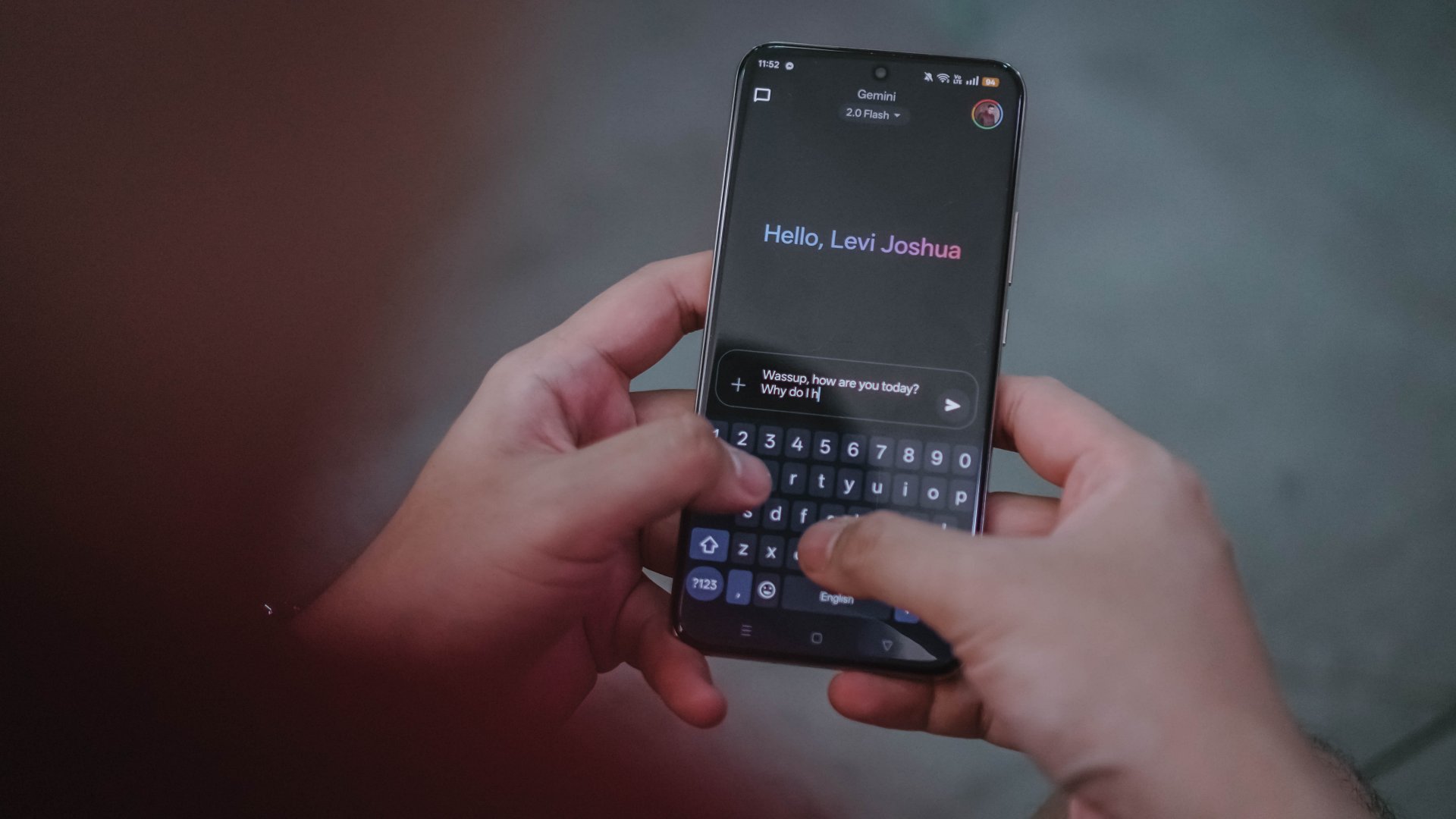
In the not-too-long-ago past, the biggest names of the tech industry competed to build their own AI software. Now, though some brands are still on the hunt, it’s easier to name certain software that have more successfully drowned users in a flood of AI-powered features. Today, Google gets another win by adding Apple’s Siri to its Gemini cap.
In the past, Apple peddled Apple Intelligence, an upcoming AI-powered system to compete against the giants of the industry. However, much like other features from other brands, Apple Intelligence came out half baked with features still lacking months after the initial launch.
Now, Apple has signed a deal with Google to use Gemini for a revamped Siri. The former plans to launch a new version of Siri later this year. Because of the deal, the voice assistant will start using Gemini as a foundation for its own services. Currently, Samsung’s Galaxy AI already uses Gemini.
Formerly a battleground between so many competing brands, it’s now looking like a battle between two major companies: Google and OpenAI. Google now has a huge grip, though. Both Samsung and Apple are no slouches when it comes to owning market share in the world’s smartphones.
Now, as consumers, Apple’s deal probably doesn’t mean much besides the continued influx of features that add little to no value to a smartphone.
SEE ALSO: Google paid Samsung a lot of money to install Gemini on Galaxy


The art of being in and behind the frame
An OPPO Reno15 5G review


Now Playing: Yakuza Kiwami 3 & Dark Ties
How old should a game be before it gets a remake?


TECNO MEGABOOK K16s 13th review: No-frills beneath those grills
All-around laptop without messing around
The art of being in and behind the frame

New Resident Evil Requiem trailer teases a return to the RPD

Jason Momoa will star in upcoming Helldivers film adaptation

Metal Gear Solid: Master Collection Vol.2 launches August 27 on PS5

TECNO POVA Curve 2 5G packs an 8000mAh battery

Infinix NOTE Edge debuts: High-end features for accessible pricing

HONOR X9d 5G review: Tougher, more long-lasting and optimized

Redmi Note 15 Pro+ 5G review: The midrange fashion piece

Mijia Smart Audio Glasses review: Immerse yourself in the music

Can the REDMI Note 15 Pro+ 5G Survive?


-

 Apps2 weeks ago
Breaking up with Adobe Photoshop after 20 years
-

 Gaming2 weeks ago
PlayStation, LE SSERAFIM Chaewon team for the ‘Love of Play’ campaign
-

 Accessories2 weeks ago
Sony WF-1000XM6 was accidentally leaked online
-

 Reviews2 weeks ago
nubia V80 Max: Long battery, marginal upgrades, casual budget phone
-
 News4 days ago
TECNO will showcase the CAMON 50 and POVA 8 series at MWC 2026
-

 Gaming2 weeks ago
Zenless Zone Zero Version 2.6 launches February 6 with idol group debut
-

 Gaming1 week ago
My Hero Academia: All’s Justice: A familiar Final War, made playable
-

 Gaming2 weeks ago
New Civilization VII update will address everyone’s biggest issue