
Apps
4 Free-to-Play Mobile MOBAs: Which game is for you?

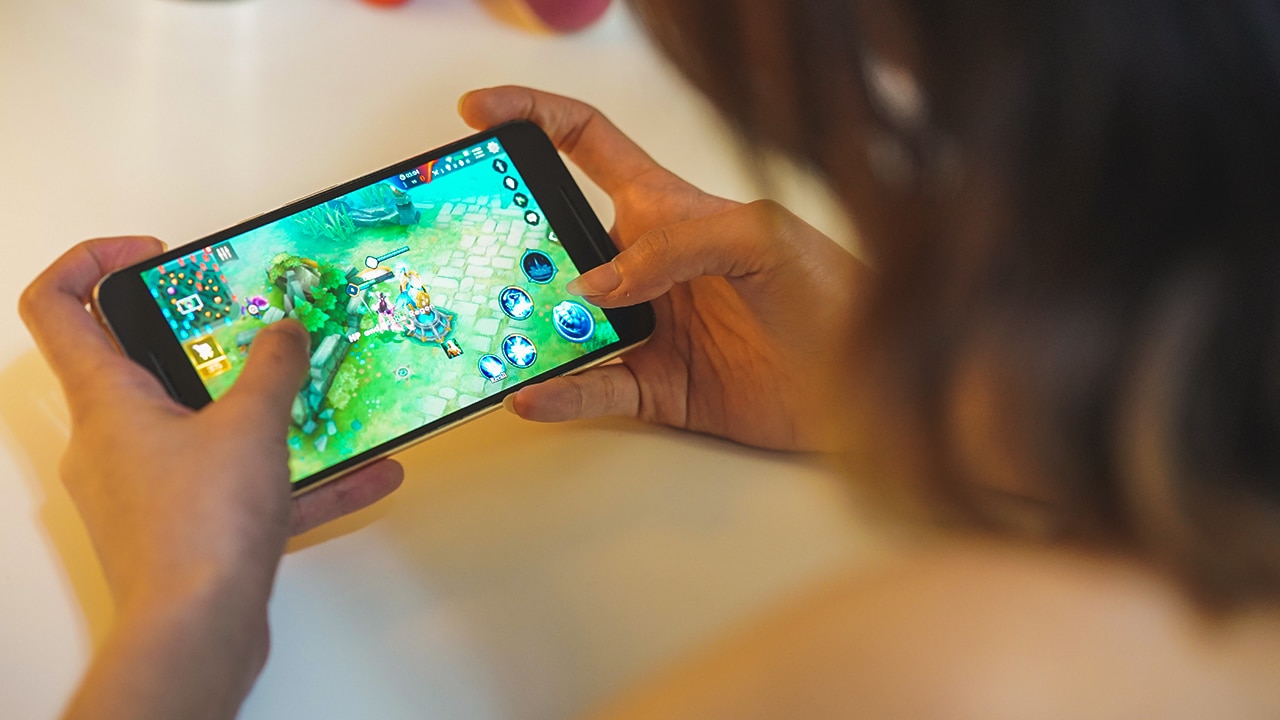
There’s no way you can play PC multiplayer online battle arena (MOBA) video games with ease. Besides the obvious factor of portability, the amount of time it takes to play, accessibility, and barrier of entry are just a few things that make mobile MOBAs a popular alternative.
Baby steps
I never got into MOBAs, and probably won’t be as into it as other games. But aside from facets of real-time player versus player gameplay and the typical map, I’ve learned to enjoy the genre through its simplified mobile alternative.
The advantage for mobile MOBAs is that they sustain the backbone of the genre and practically test what they can strip off and alter. With mobile MOBAs, you get to experience a relatively lower barrier of entry (in comparison to PC versions), quicker plays, and quirkier characters that developers integrate.
Here are some of the best mobile MOBAs you can try out without having to sink your teeth too deep into the more technical and mechanical parts of the game:
Mobile Legends: Bang Bang
Mobile Legends: Bang Bang is, by far, the most friendly mobile MOBA I’ve encountered. With quick and easy virtual joystick controls, convenient tap-to-equip system, and automated targeting, the game pulls through with the fundamentals of the genre. A feature that makes Mobile Legends: Bang Bang distinct from the others would be its Artificial Intelligence Assists when anyone disconnects from the game. On the downside though, I still find the automated targeting annoying and skins (that are acquired through in-app purchases) boost hero performance.
Pros: Quick and easy play, AI Assists
Cons: In-app purchases affect hero performance, automated targeting
Garena AOV: Arena Of Valor
Garena AOV: Arena Of Valor is not too different from Mobile Legends: Bang Bang. With the skeletal structures of the genre down pat, Garena AOV: Arena Of Valor has thirty playable heroes, virtual joystick controls, and fun custom games. The game is simple and easy to learn; its charm comes from how it manages to patch the flaws of targeting in Mobile Legends: Bang Bang. I think this follows for the games that come after this one, but automated targeting is just an irritating handicap. Unfortunately, from its early release, it does have a ton of glitches.
Pros: Quick and easy play, targeting
Cons: Early-release glitches
Heroes Evolved
Heroes Evolved features over 40 heroes, a clan system, short match options, and more. Besides the obvious basics, Heroes Evolved heroes has relatively faster cooldowns making for quicker gameplay compared to other mobile MOBAs. If there’s anything strange I found with the game, it was that it integrated a teleport ability with a cooldown instead of the regular recall and observer wards.
Pros: Quick and easy play, quick cooldown
Cons: Unfamiliar features
Vainglory
It’s one of everyone’s favorite mobile multiplayer online battle arena games. Having quickly built a community after its initial release late 2014, Vainglory manages to integrate the MOBA playing style and compact it into a snug mobile game. You can play the game on casual, quick-play, or ranked. Vainglory stands out with touch controls instead of the typical virtual joystick, as well as in-game item boosts that require you to return to base or drop by the shop.
Pros: Quick and easy play, touch targeting
Cons: Learning curve for stubby fingers, average barrier of entry
Which is your game match?
Each one has its own charm from hero variety and out-of-place characters, to the streamlined controls and designed interface. I personally played all four not just for this article, but also from genuine curiosity. If I had to pick my top two, I’d pick Vainglory and Heroes Evolved.
I started playing Vainglory early this year, and it has warmed me up to other mobile MOBAs. It can be a bit tough since I’m now getting more used to the virtual joystick to move around in the games, but first loves die hard — at least in this case.
Heroes Evolved sustains the ease of Mobile Legends: Bang Bang but patches up the nasty bits of targeting and the unfair purchasing of better skins for boosted heroes, plus it adds interesting features.
If you want the quickest and lowest barrier of entry, go for Mobile Legends: Bang Bang. It doesn’t pry you on customizing item boosts, targeting is automated, and it has smart AI Assistance whenever someone disconnects from the game.
[irp posts=”14611″ name=”What’s the deal with Mobile Legends?”]






Apps
Firefox ad reunites all your favorite memes from decades ago
The Numa Numa Guy, Annoying Orange, and Chocolate Rain are back!


Before Tung Tung Tung Sahur and Skibidi Toilet, the early internet was populated by charismatic personalities looking to make their presences felt in a land that didn’t have a lot of rules yet. As early users, we danced to “Dragostea din tei,” belted out “Chocolate Rain,” and copied “Shoes” word-for-word. Today, Firefox is bringing all those good memories back for a grand reunion.
In a new ad, the web browser featured ten of the biggest stars of the early internet including the aforementioned Numa Numa Guy, Tay Zonday, and Shoes’ Kelly. You can also see Annoying Orange, Chuck Testa, Overly Attached Girlfriend, Bad Luck Brian, Where the Hell is Matt?, the Apparently Kid, and the Success Kid.
Now, this isn’t just a reunion. The ad has a clear message about today’s most concerning issue: AI. Everything has “built-in AI, always asking, asking, asking,” as the Annoying Orange said.
“They make money by following us, and somehow, I’m the creepy one?” the Overly Attached Girlfriend asked.
All these famous personalities are asking what happened to the internet today. Obviously, the big takeaway is that we should all go back to Firefox.
Compared to other browsers, Firefox has a lot of built-in features that offer a lot of control for users. For one, it has its own VPN for privacy. Secondly, reflecting the ad’s message against AI, the browser has a toggle to minimize AI features.
SEE ALSO: Google illegally destroys 250,000 trees for a single AI data center
Apps
Salesforce introduces Slack Frontline for deskless workers
Simple, secure, mobile-first way for deskless teams across retail, healthcare, manufacturing, field service

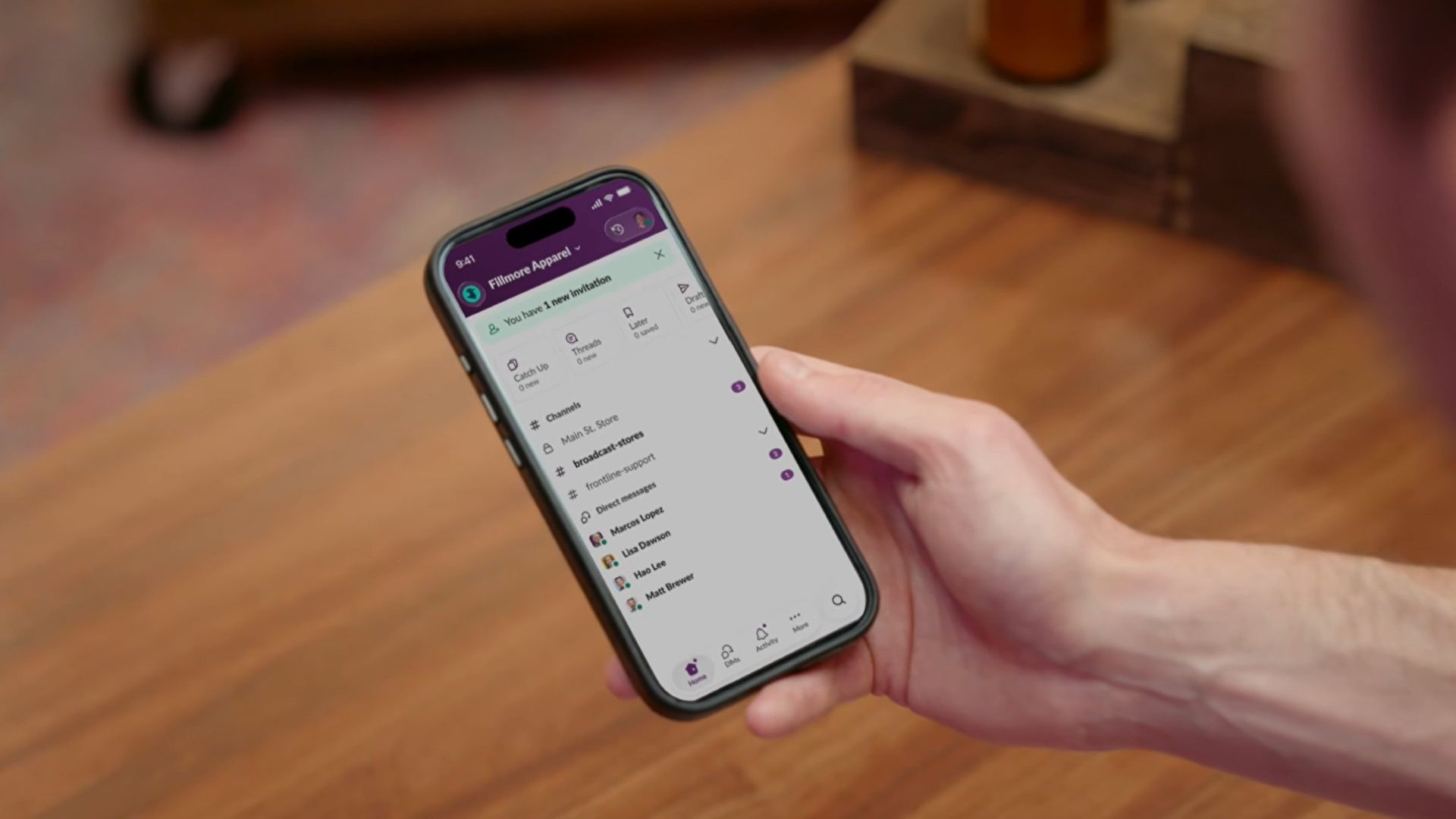
Salesforce is bridging the massive divide between corporate headquarters and deskless workers with the launch of Slack Frontline.
This new solution is designed specifically for retail associates, healthcare providers, factory workers, and field crews.
The mobile-first workspace brings communication, data, role-specific tools, and AI together in a single clutter-free app.
While frontline employees make up about 80 percent of the global workforce, they have historically been left out of workplace transformation, often relying on paper checklists, group texts, and broken communication loops.
Slack Frontline addresses these challenges by giving mobile workers up to 10 role-relevant channels, instant Huddles with headquarters, on-demand AI agents, and automated workflows.
Backed by Salesforce data and enterprise-grade security, the platform lets IT teams govern the entire workforce under one secure layer with employee ID sign-ins, multifactor authentication, and compliance configurations like HIPAA.
This ensures that critical updates, training materials, and shift handoffs reach workers directly in their pockets without needing corporate email addresses or shared terminals.
Moreover, the platform is tailored to transform operations across multiple industries, including retail, home healthcare, manufacturing, hospitality, and field services.
For instance, retail teams can instantly sync promotions and monitor inventory, while healthcare professionals can securely review patient histories and coordinate care on the go.
Manufacturing and hospitality teams benefit from drastically reduced downtime and faster issue resolution, cutting response times significantly.
Slack Frontline is available now as an add-on for businesses on the Slack Enterprise+ plan.
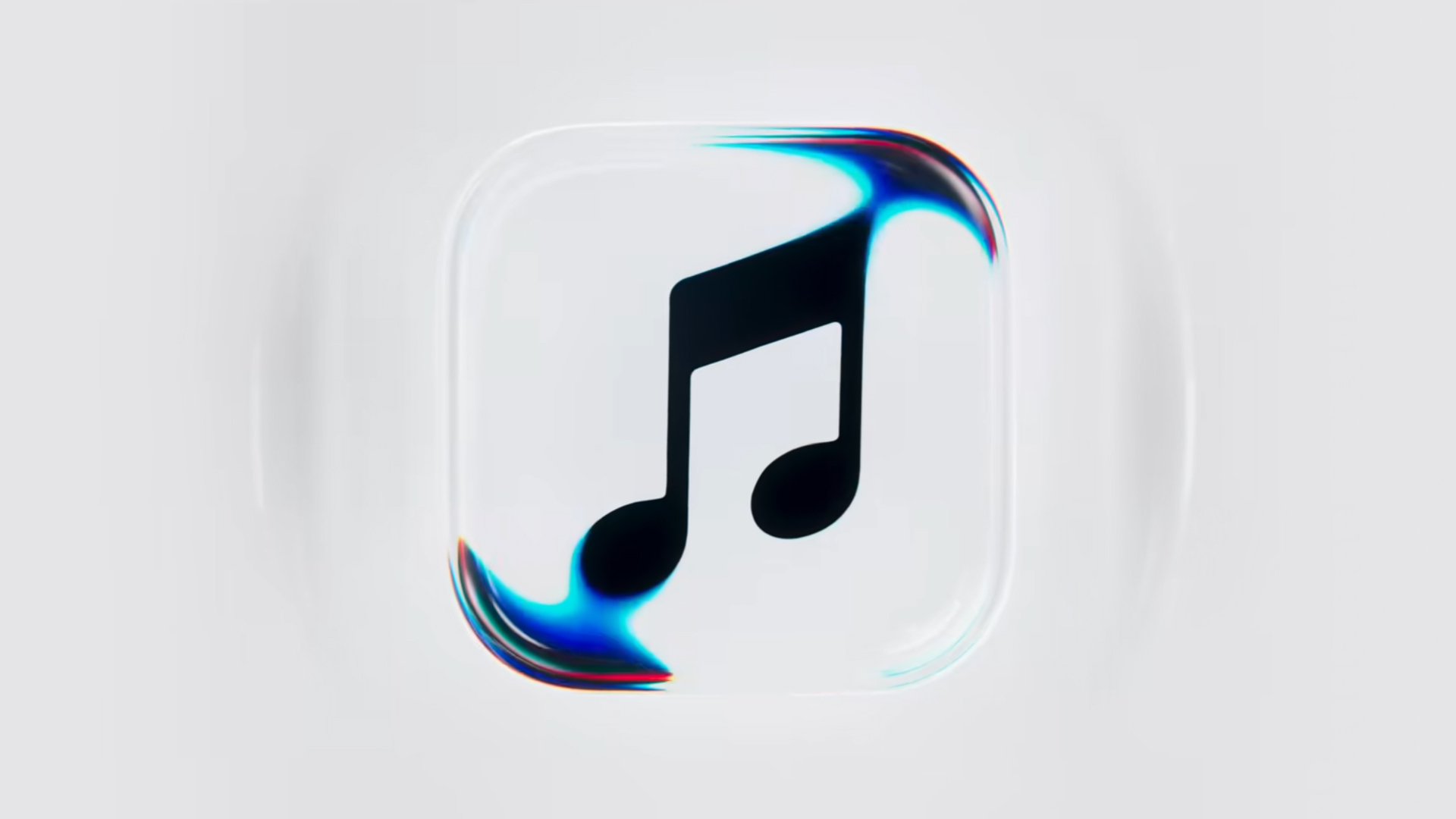
Apple Music is getting a revamp. In one of the tamer things going on with the brand today, Apple has introduced a new design language for its native music streaming platform.
In the midst of all the hubbub surrounding the iPhone Duo, Apple released a change in the visual identity of Apple Music. Rather than a static logo, the platform’s newest evolution offers a dynamic look that melds Liquid Glass and the power of sound together.
Confirmed through a behind-the-scenes video, Apple says that the new aesthetic was made with practical effects. Music producer Fred Again and NEST Acoustics submerged the platform’s logo in a tank of mineral oil and creating ripples with sound. The new language matches well with the chrome aesthetic typical of today’s trends and… well, Liquid Glass, of course.
Apple says that the more ripple-filled version will play before longer content like concert recordings (similar to Netflix’s startup stinger). Meanwhile, a black-and-white version will replace the app’s icon currently colored red and white. Current previews show off a simple logo, but it’s unknown whether Apple is adding a but more elements when the final version drops.
The updated version will debut for users after next week’s iOS 27.2 and macOS 27.2 updates.
SEE ALSO: Apple iPhone Duo Unboxing and Hands-on


ROG G700 review: The best prebuilt PC you can get off the shelf
This PC will make you stop worrying about specs.


HP OMEN Max 16 review: Gamer-maxxing in deep black
Peripherals deemed necessary to max this out


vivo V80 review: Good phone, tough sell
A capable travel companion

The next Elder Scrolls game is called Sentinel

4 new nutribullet kitchen essentials to make holiday hosting easier

Inside Infinix’s first global concept store in Bali

Wild Rift Patch 7.3, celebrates K/DA comeback

LG showcases its latest AI TVs in the Philippines

OPPO Find X10 Series launches globally October 21

Sony teams up with Hello Kitty for exclusive limited-edition collection

vivo V80 debuts with ZEISS cameras

Garmin Enduro 4 promises up to 320 hours of battery life

iPhone 18 series breaks records in Vietnam as pre-orders triple


-

 News2 weeks ago
OPPO Find X10 Series: Price, availability in the Philippines
-

 Lifestyle2 days ago
Your coffee nook is getting a makeover with Starbucks’ holiday collections
-

 News2 weeks ago
OPPO Find X10 Series: Price, availability
-
Gaming2 weeks ago
HP OMEN Max 16 review: Gamer-maxxing in deep black
-

 Lifestyle4 days ago
Sticker season is back, and so is the planner your ~friends~ might fill in for you
-

 Apps2 weeks ago
Apple Music is getting a Liquid Glass makeover
-
 Hands-On2 weeks ago
Apple iPhone Duo Unboxing and Hands-on
-

 Gaming2 weeks ago
FINAL FANTASY RESONANCE now available across major platforms