
Accessories
Seagate Ultra Touch SSD: 5 reasons why you need this external SSD
Seagate’s new portable SSD is truly a worthy investment


If you’ve been fond of reading our posts, we already did an article that discusses the differences of SSDs (Solid State Drives) against regular HDDs (Hard Disk Drives). I even made a full article on how upgrading to an SSD vastly improved the performance of an old and sluggish laptop.
In this article, it’s all about this new storage device that caters not only to me as a creative, but also to every other professional who always relies on large external drives for work on-the-go. Wrote five reasons why I find the Seagate Ultra Touch SSD one of the best (if not the best) external storage device you can use for work and play.
1. Chic and stylish
Unlike other external HDDs that are mostly made up of plastic, Seagate’s Ultra Touch SSD is made from textile that resembles a woven fabric, making it look and feel sleek.
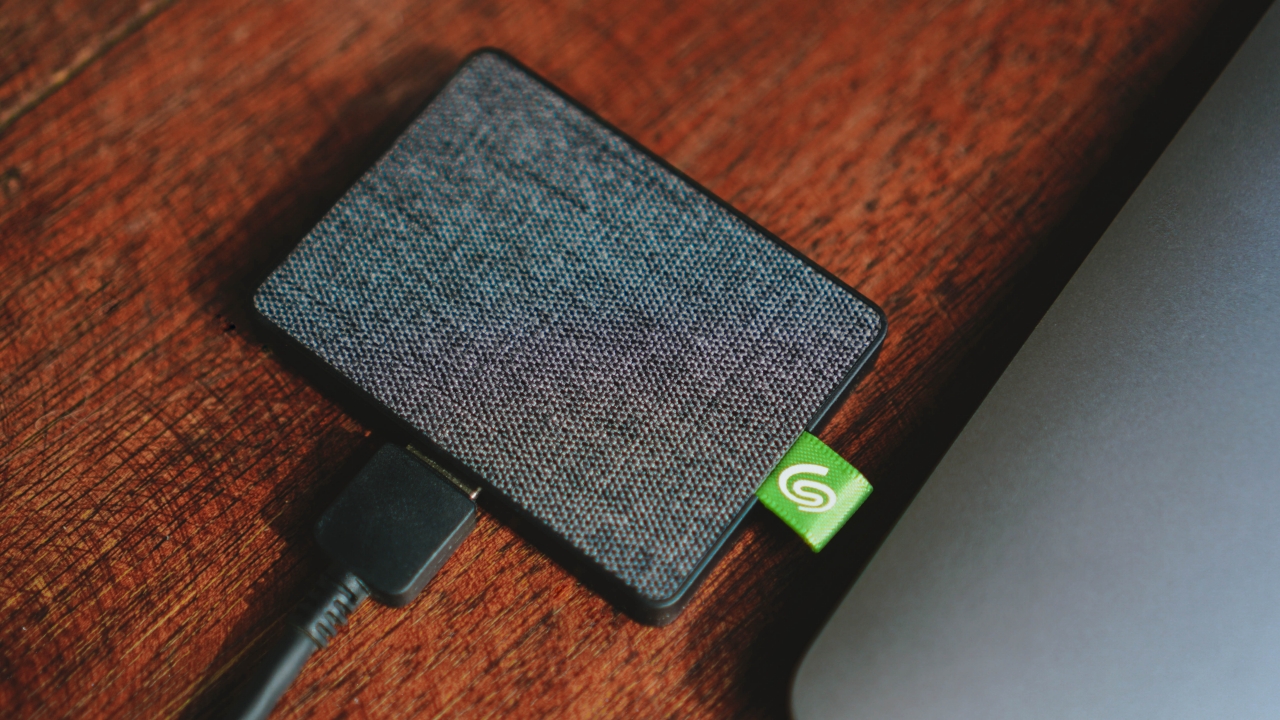
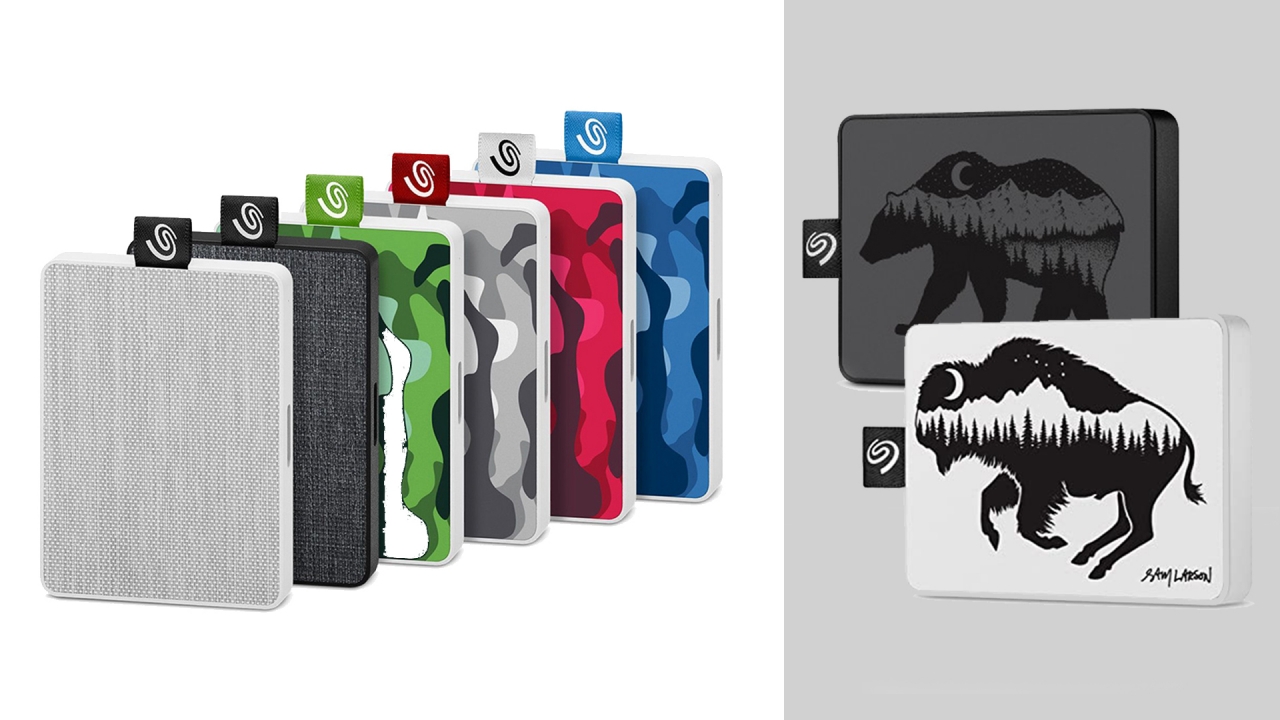
It comes in two basic colors: White and Black. Obviously, I got the black one. But if neither is your cup of tea, there are special Camo and Sam Larson editions for the One Touch version — especially if you prefer louder designs over the minimal-looking. Regardless of what color you choose, they all look modern and barely looks like a typical external storage device.
2. Compact and pocketable
Seagate’s Ultra Touch SSD thinnest point is just at 10mm. That’s slimmer than most smartphones today. When held, you’ll barely notice it’s there because it weighs exactly at 0.065 kilograms or just 65 grams! If you come to think of it, conventional hard disk drives weigh around 170 to 220 grams. It may not sound a lot, but you’ll definitely feel the heft if you hold them with your hands.
Due to the lack of mechanical parts such as large spinning disks, this makes Seagate’s Ultra Touch SSD ultra lightweight and compact — especially that it has immovable parts (chips) inside it. While I don’t recommend to just put this storage device inside your jeans’ pockets as it’s not totally built for butt pressure, this external SSD is greatly pocketable.
For real-world comparison, I’ve managed to place it side-by-side with my old laptop’s 500GB 2.5-inch SATA HDD (Hard Disk Drive)…

…and also compared its thin form factor against my extra thicc 4TB External HDD.
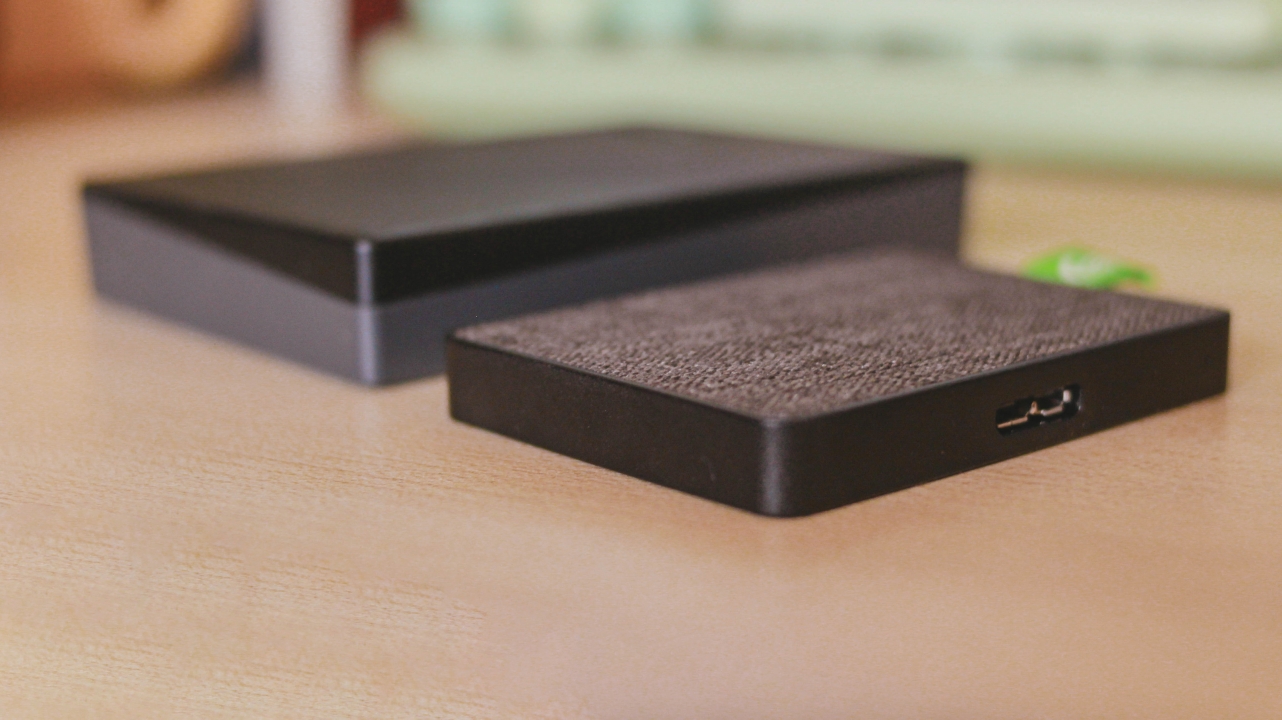
For another comparison, I also have another 2TB external HDD that’s as thicc as the previously mentioned hard drive.
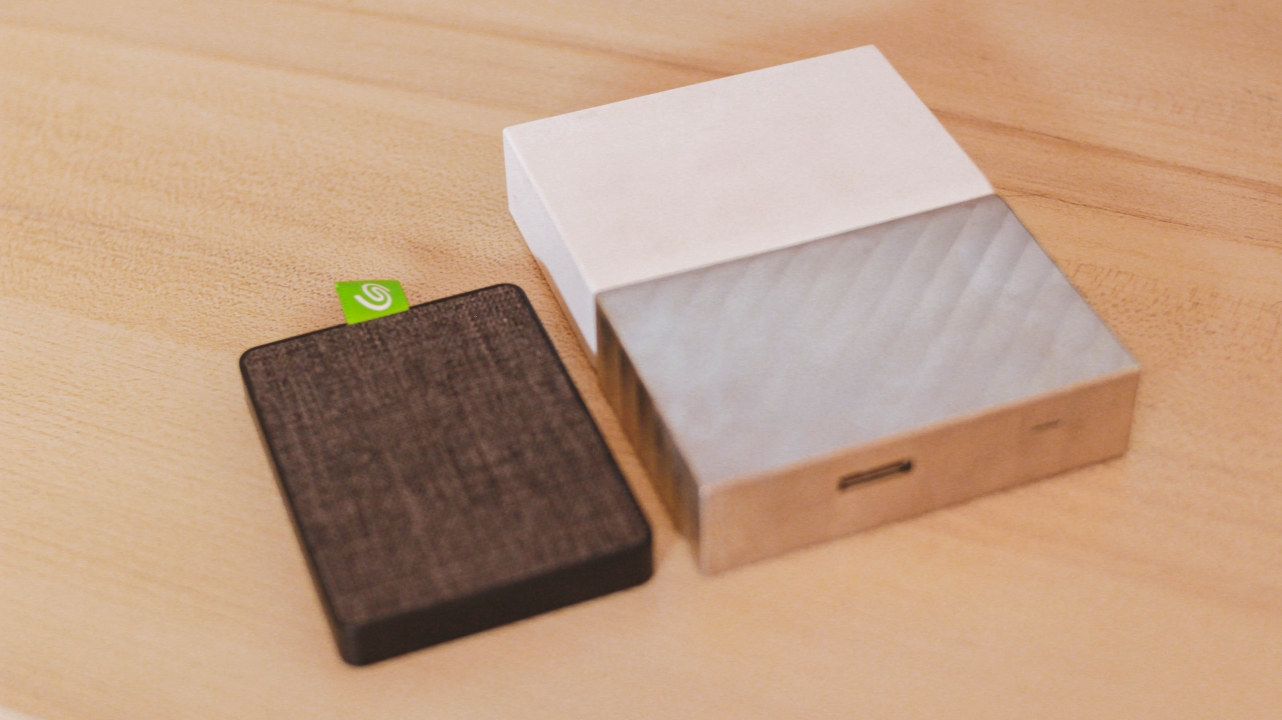
Its size is quite close to my 65W USB-C PD power brick…
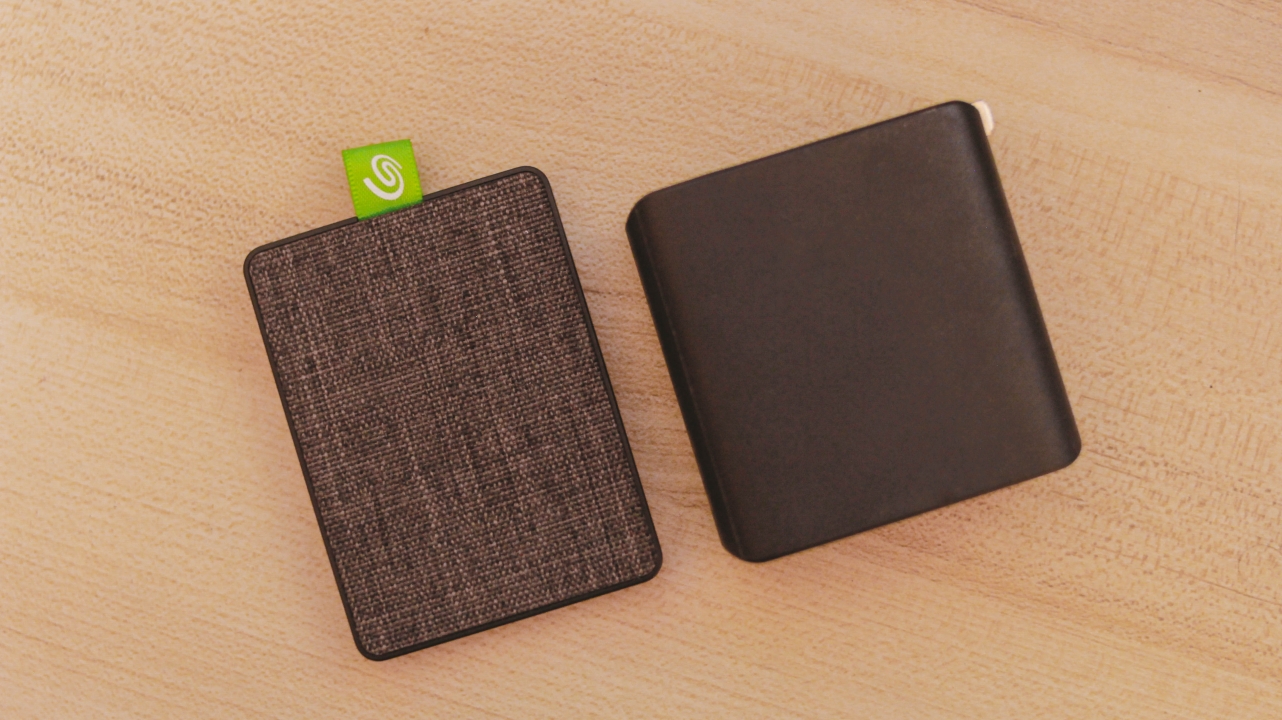
and quite smaller than my debit card.
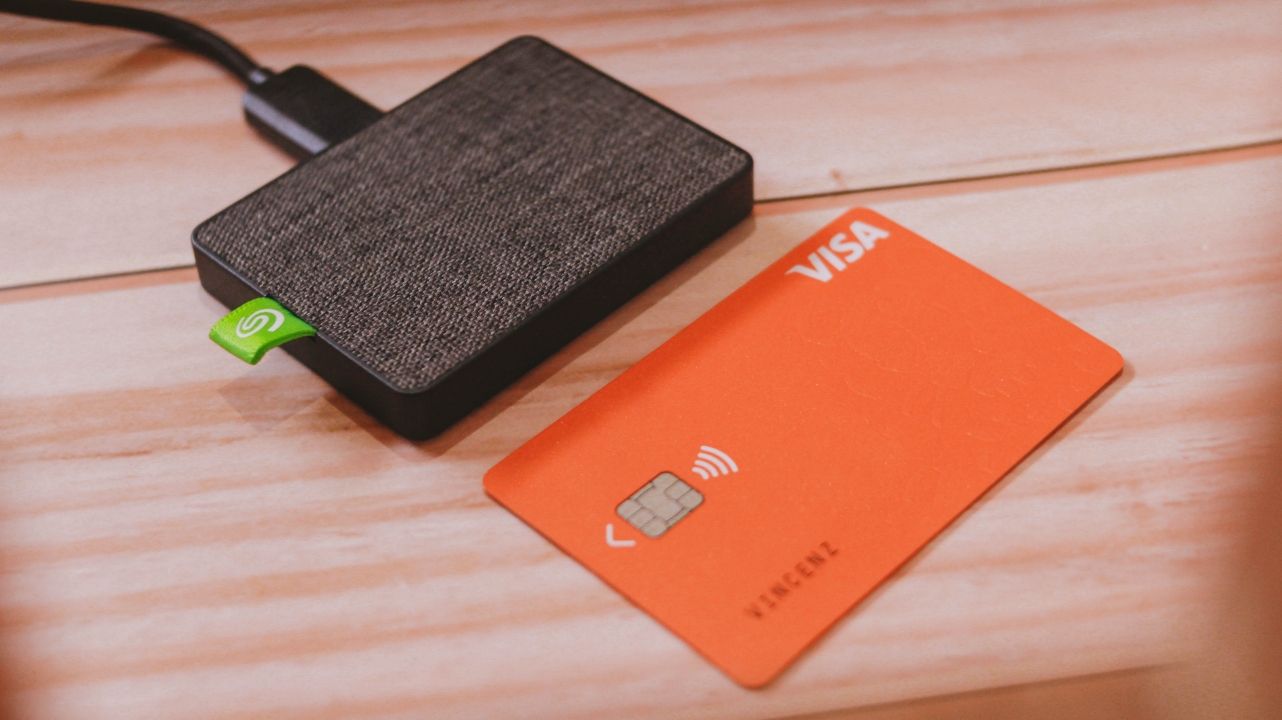
Finally, here’s how it looks like versus three different coins from Singapore, Taiwan, and the Philippines.
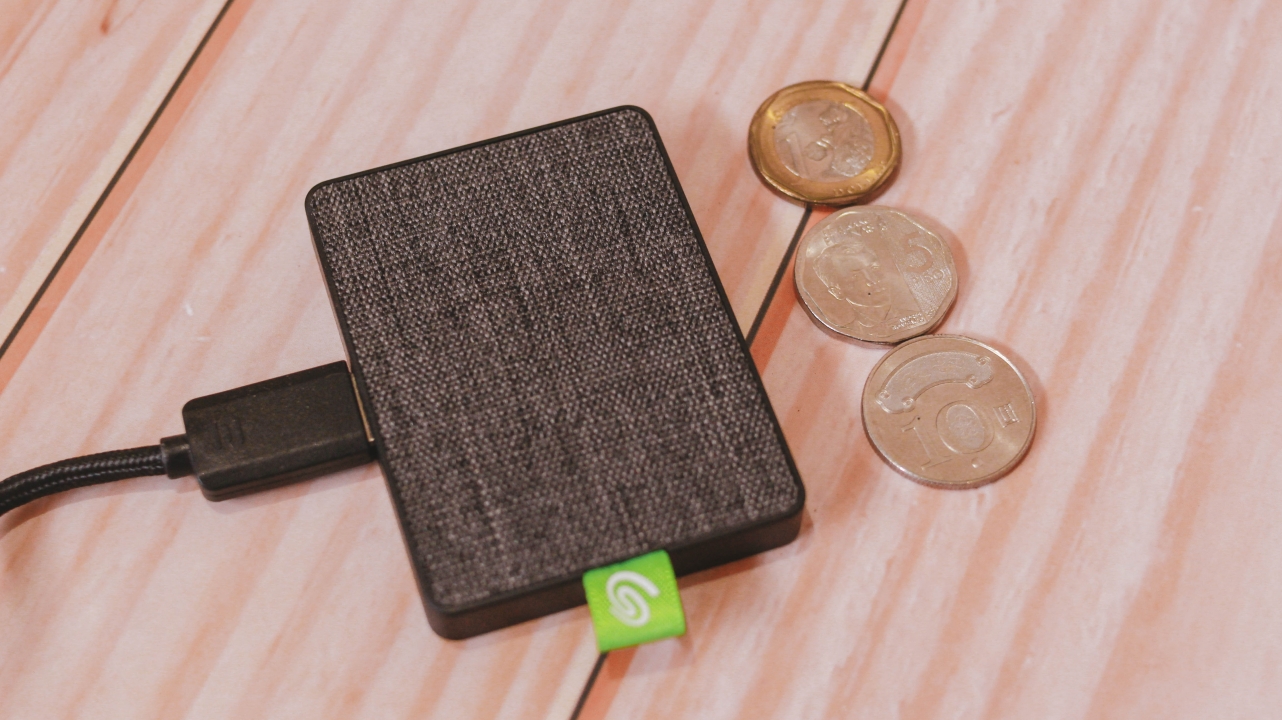
3. Speedy and reliable performance
On paper, Seagate is confident that the Ultra Touch SSD will reach up to 400MB/s of write speed. True to its words, it’s able to give me more than 300MB/s under a huge stress test. Others might say it doesn’t stick to its promise but devices like this don’t really reach the maximum limit — just like how it works in cars, other devices, and even human beings with utmost limits.

The image above shows a huge speed gap between my external HDD compared to Seagate’s SSD. It may not matter to most users, but for video editors and gamers, fast read and write speeds are everything.
4K videos are harder to read on slower disk drives. No wonder why a video editor app is sluggish even if your laptop/rig has all the best chipset and memory on board. Investing on a fast SSD like the Ultra Touch SSD is a great solution for that.
Even gamers need fast drivers since most games run on 2K/4K resolution with maximum settings possible. The external SSD will not only load games faster, it can also be opened in other laptops as long as you figured out how to correctly install games in external drives.
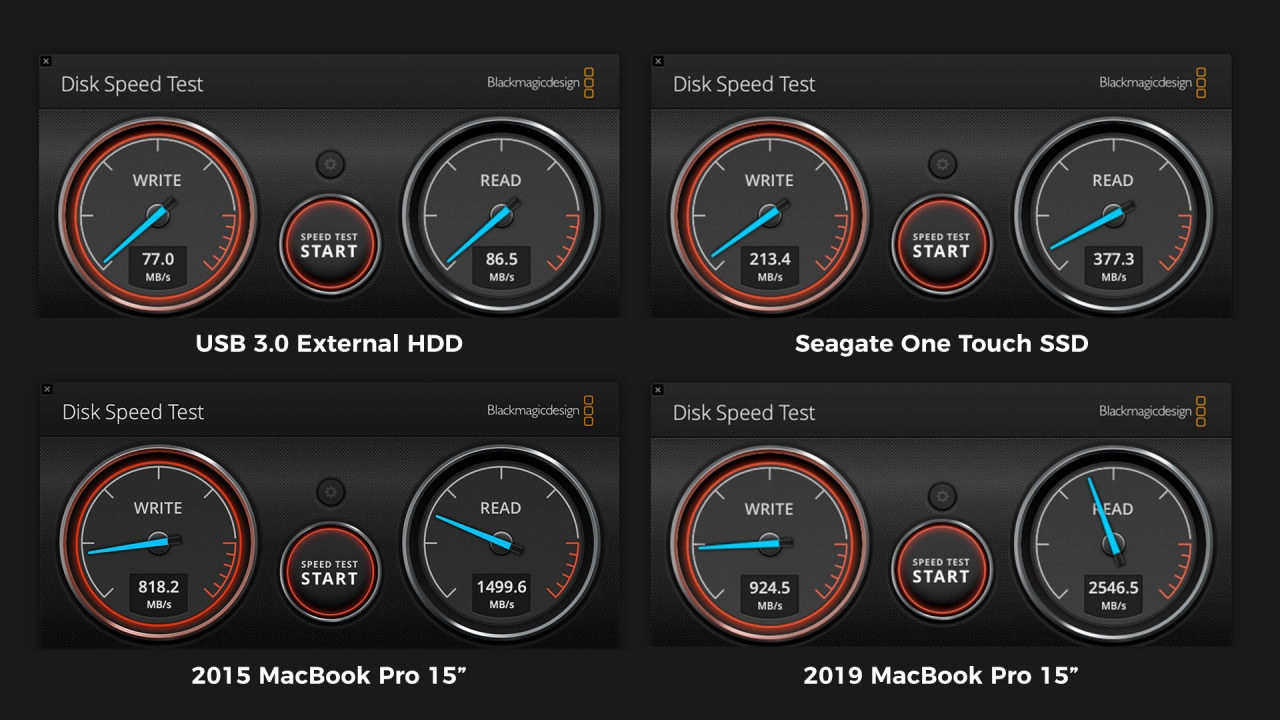
I also tried comparing disk speeds versus two MacBook Pros with an internal, non-removable SSD. While they’re pretty far from what Seagate can offer, it’s still a huge feat considering an external SSD can achieve great feats of read and write speeds that regular disk drives can’t even do.
4. Utmost compatibility
Out of the box, the Seagate Ultra Touch SSD is already formatted to exFAT. This means you don’t have to worry about storage platform incompatibilities. Usually, external disk drives come in NTFS format — which is limited to Windows systems. Other drives are specified for Mac. Thus, the Mac OS Extended format.
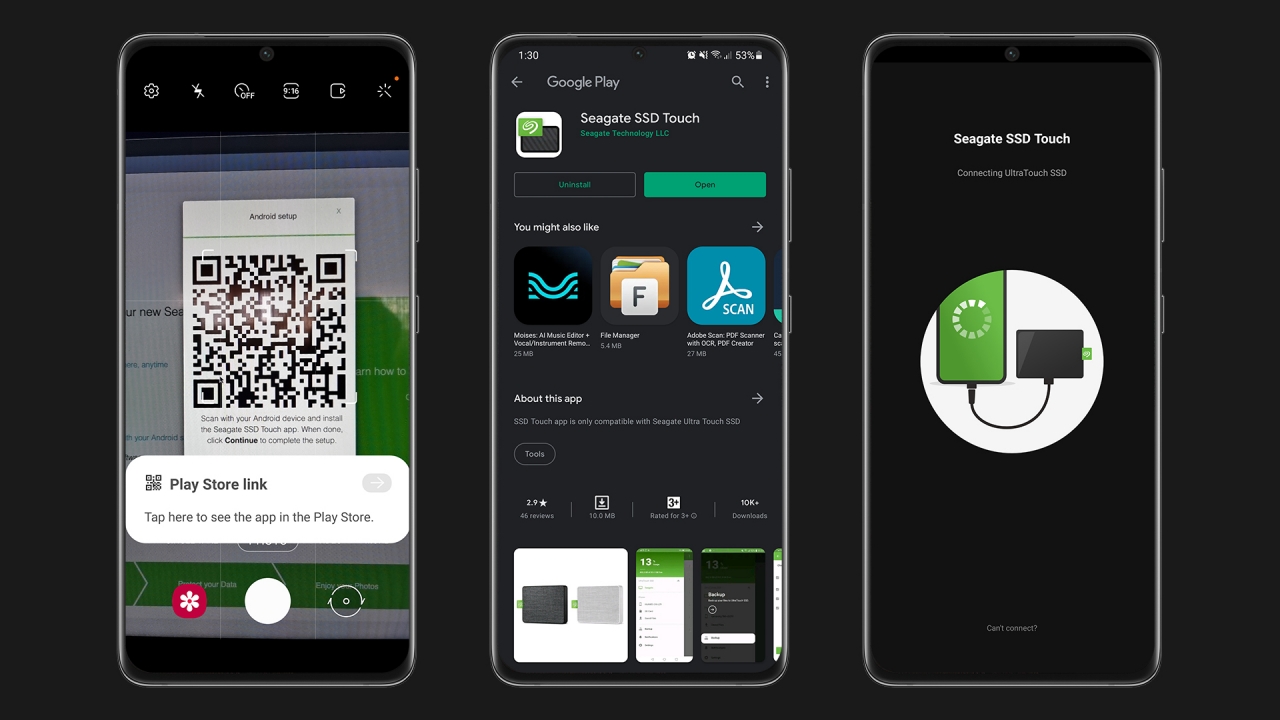
Whether that may be Windows, macOS, Linux, a smart/Android TV, or even an Android smartphone, the Seagate Ultra Touch SSD will work wonders since exFAT can be read by most devices. Such file format is the most accessible across all platforms whether that is for reading or writing files.
Upon my usage, I tested it with the Galaxy S21 Ultra as it successfully detected the drive and was able to show its contents through Seagate’s SSD Touch app. File Manager works as well for copying and pasting several data. As long as your device supports USB On-The-Go, the portable drive would actually work.
5. Future-ready
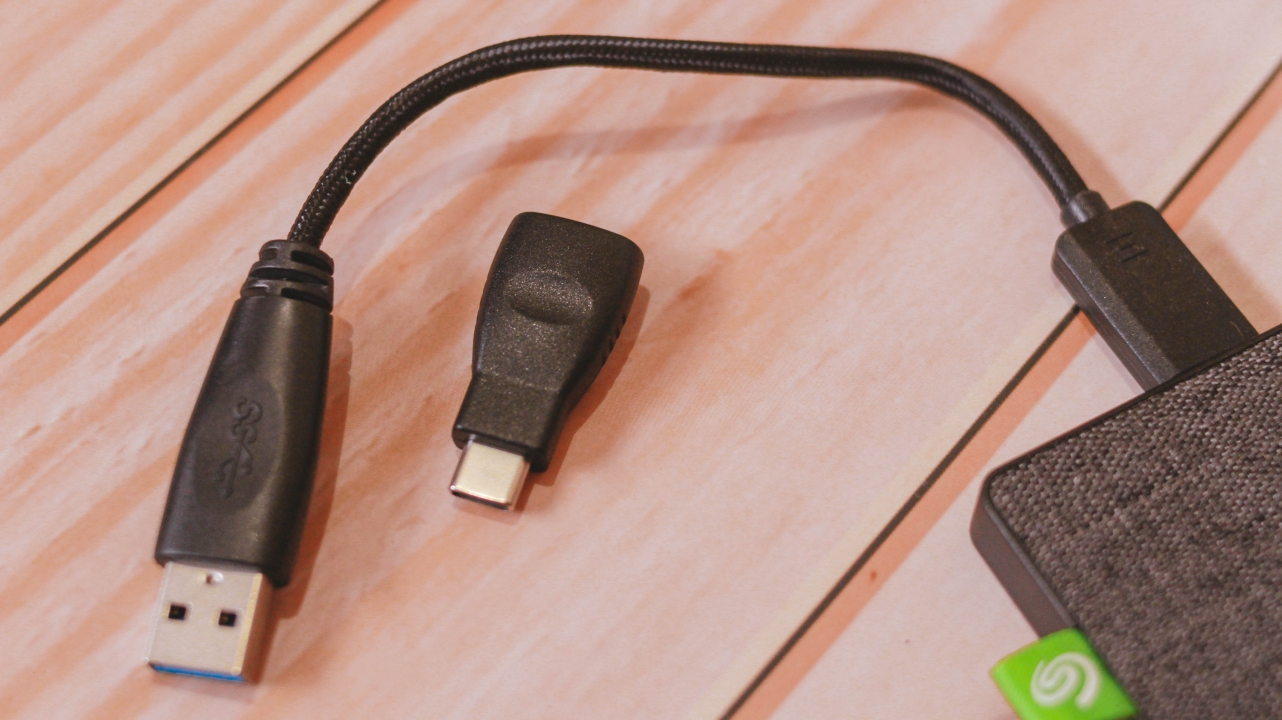
Other than being available to almost every device, Seagate made sure that it’s safe for future use with the inclusion of a braided USB-A cable plus a USB-A to USB-C adapter. It’s “future-proof” in a sense that most upcoming devices will be shipped with USB-C anyway. While there’s still the USB-A plug for backwards compatibility with older machines.
BONUS: Free subscriptions

Upon any purchase of Seagate’s Ultra Touch SSD (or even HDD), you’ll get free limited subscriptions with Mylio Create for one year. Mylio Create is an app that stores all your photos in one online library. Their system also organizes your photos depending on their visual story.
There’s even the free Adobe Creative Cloud Photography plan (Photoshop and Lightroom) for two (2) months. If you’ll try to list it down, that’s a great saving especially if your a creative or a content creator who relies on such apps. Adobe’s Creative Cloud plan alone will cost you thousands of dollars. If you’re new to the scene, this is a great way for you to test out their products while trying to build your creative portfolio.
Pricing

The Seagate Ultra Touch SSD is currently available in only two storage options: 500GB and 1TB. Pricing varies per region and is available through Shopee or Amazon at these links in Singapore, Malaysia, Thaila







Accessories
Father’s Day gift guide: Gadgets for every kind of dad
Dad deserves a gift that won’t collect dust after Father’s Day

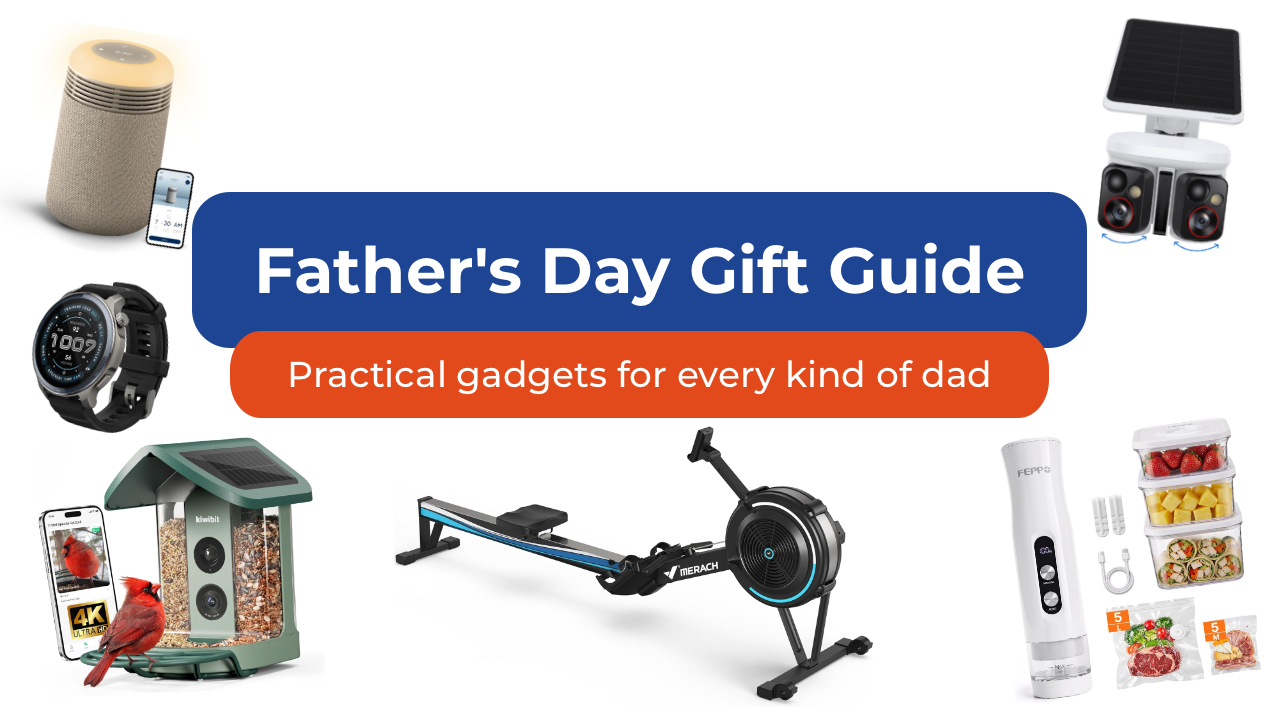
As we get older, Father’s Day shopping gets a lot easier when you stop thinking about the typical dad gifts. Especially since it’s not always your dad you’re shopping for anymore. It could be your grandfather who insists he doesn’t need anything. Maybe it’s your brother who just became a dad and is running on three hours of sleep. Maybe it’s your father-in-law.
Whoever it is, here are some of my favorite picks to give them this year. Spoiler alert: there are no “World’s Best Dad” mugs included in this list.
For the dad who wants a smarter home
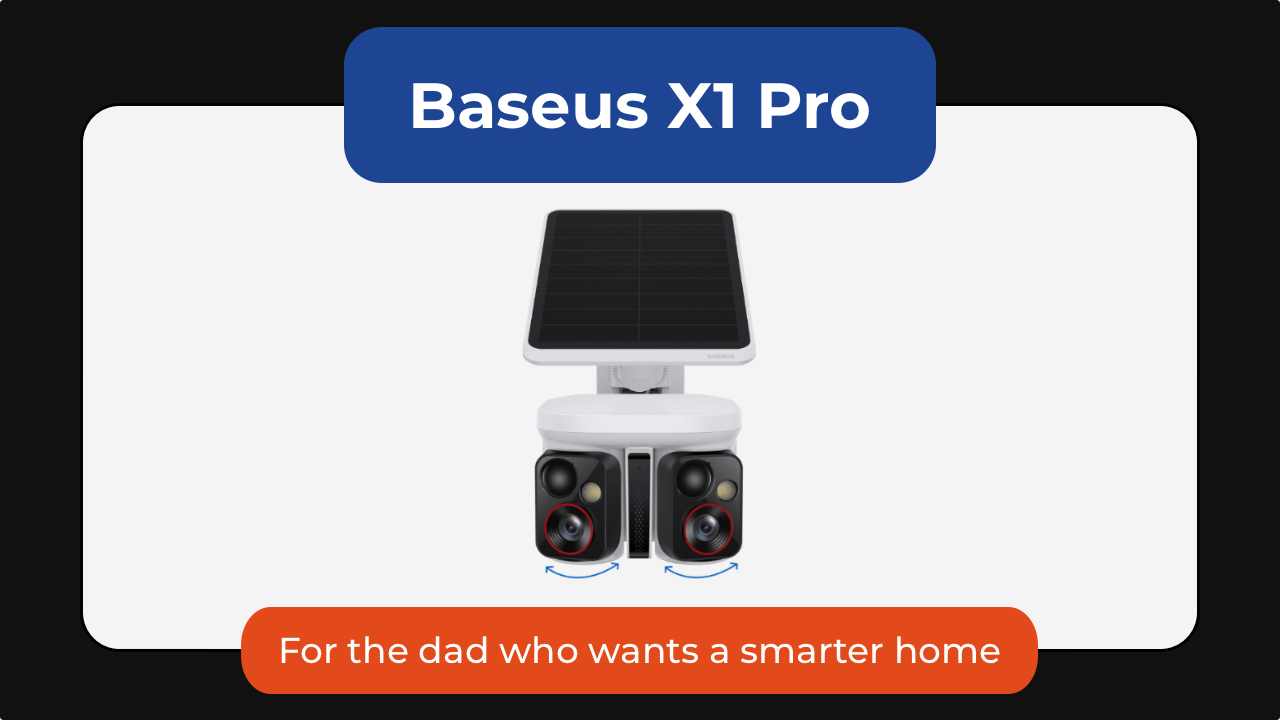
Some of the best tech is the kind you stop noticing because it just runs in the background. The Baseus X1 Pro dual security camera is one of those. It combines a dual-lens design with a wide 210-degree field of view and 300-degree motion tracking, allowing it to cover areas that would normally require multiple cameras.
What makes it stand out is its ability to track two subjects at the same time. Unlike traditional security cameras that can lose sight of one person while following another, the X1 Pro’s dual-lens system can independently follow both, creating a more complete picture of what’s happening around his home.
Its dual 3K cameras capture plenty of detail during the day, while color night vision and 8x zoom make it easier to identify visitors, vehicles, and other activity after dark.
The included solar panel means less maintenance for dad. As little as 20 minutes of direct sunlight can provide enough power for a full day of operation. It’s also got local storage with no monthly subscription fees.
You can get the Baseus X1 Pro for as low as US$119.99 using the code X1PROPRNO1 until June 30th.

And then there’s the Ecovacs Winbot W2 Pro Mini, which solves one of the most ignored chores in any home: cleaning windows. Dad can attach it, let it run, and something everyone’s been avoiding for months just disappears from their mental checklist.
From large glass panels to smaller apartment windows, the compact robot cleaner uses intelligent WIN-SLAM 4.0 navigation to map out the most efficient cleaning path and avoid missed spots. Multiple cleaning modes let you choose between a quick refresh, deep cleaning, edge cleaning, or targeted spot cleaning depending on what the glass needs.
Hard-to-reach windows become less intimidating for dad to clean. Whether it’s a second-story window, a glass door, or a large mirror, the Winbot stays securely attached while it works, turning a tedious chore into a hands-free task.
You can get the Ecovacs Winbot W2 Pro Mini for just under US$240.
For the dad who’s always in the kitchen

Every family has someone who treats grocery shopping like strategy. If that sounds like your dad, then the FEPPO compact food vacuum sealer is a great addition to the family.
It keeps food fresher longer, makes bulk buying from Costco more practical, and turns freezer storage a lot more organized.
Unlike traditional countertop vacuum sealers, the FEPPO is compact, cordless, and rechargeable, making it easy to store when not in use. Despite its size, it delivers strong suction and can seal food in just a few seconds with a single button press.
The included kit comes with 10 reusable BPA-free vacuum bags and three storage containers. The bags and containers are washable and reusable, s not only are you saving space in the fridge or freezer, you’re also helping reduce waste.
I also like that FEPPO designed it with a detachable water tank that collects excess moisture during the sealing process, making cleanup simpler and helping keep the machine running smoothly over time.
It doesn’t look exciting on paper, but once it’s part of dad’s kitchen routine, they’ll wonder how they managed without it, and thank you later.
Get the FEPPO Compact Vacuum Sealer for Food for under US$70.
For the dad who needs any excuse to be outdoors
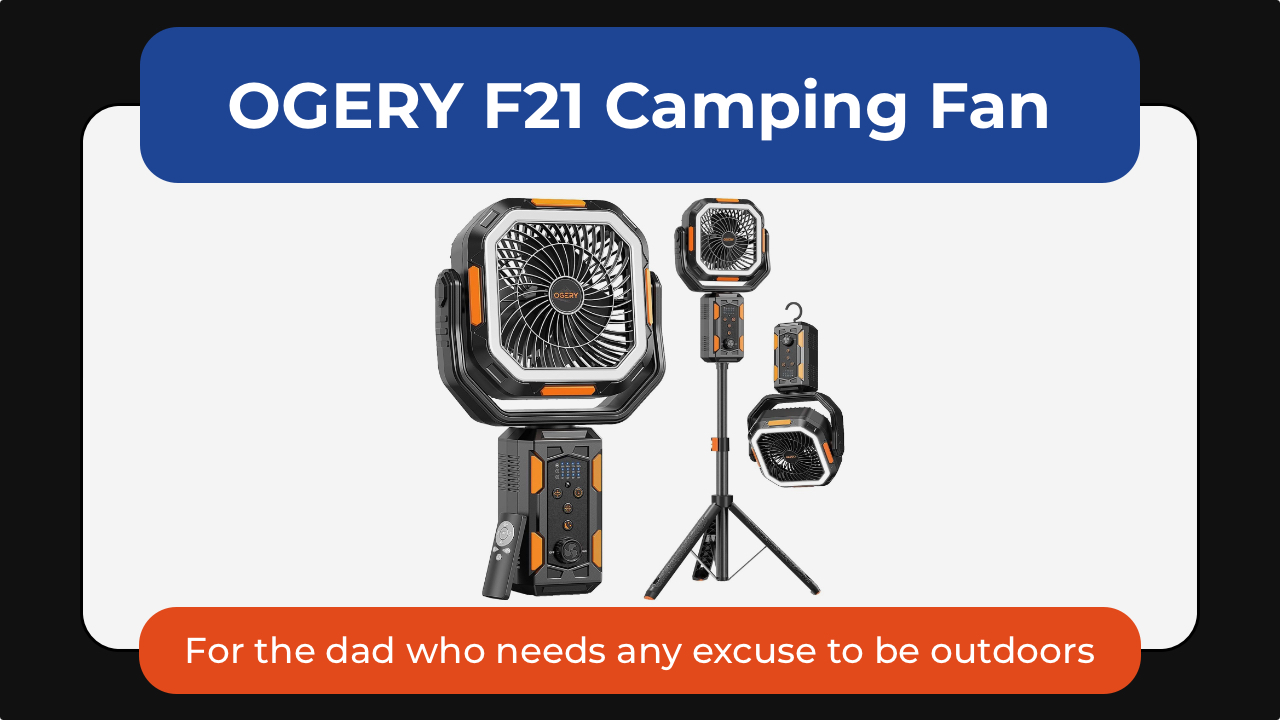
Some dads are indoors dads. Others will take any excuse to be outside. The OGERY F21 camping fan is one of those small upgrades that makes outdoor time noticeably more comfortable—not just for them but for the whole family. Whether it’s camping trips, backyard BBQs, RV adventures, or just surviving peak summer heat, it’s a gift dad would surely appreciate.
What makes it stand out is its versatility. The adjustable tripod lets it work as either a floor fan or desktop fan, while the massive 20,000mAh battery can keep air moving for days on lower settings. It also doubles as an LED lantern and emergency power bank, perfect for camping camping and even power outages.
Dad will love the wide-angle oscillation and the included remote control so he can sit back and relax while cooling down.
The OGERY F21 Camping Fan is available for US$89.99.
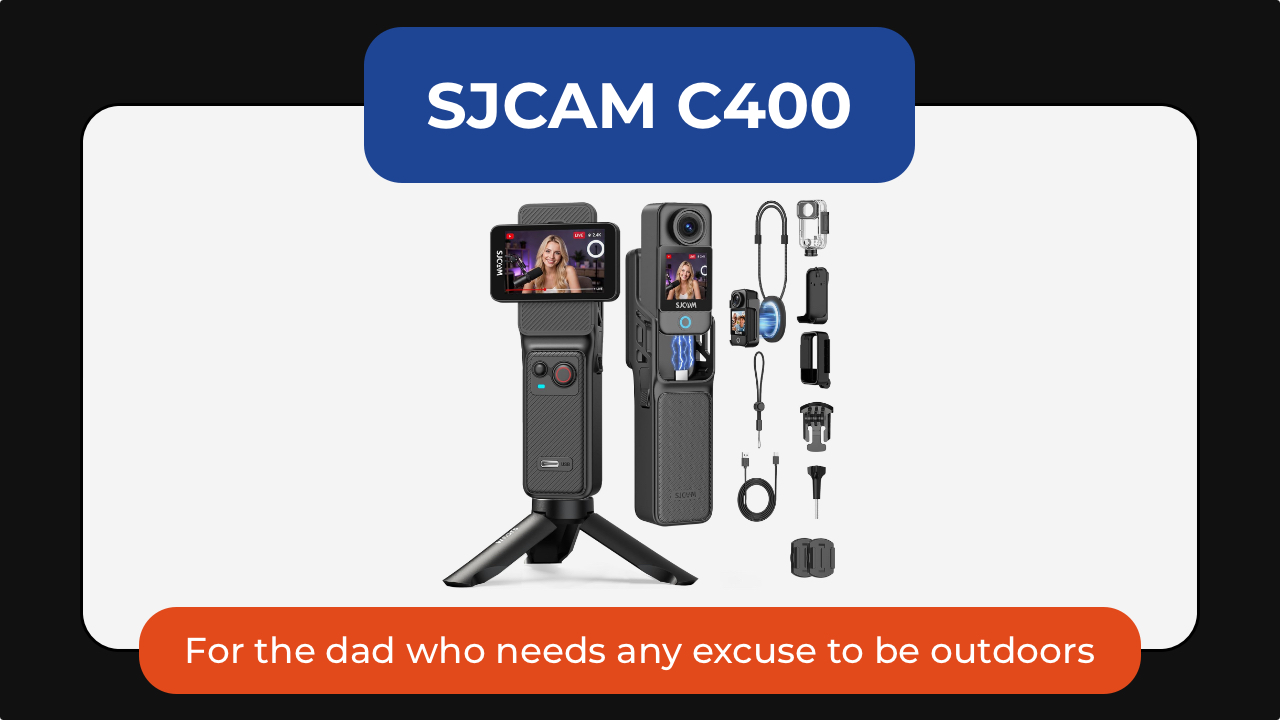
The SJCAM C400 action camera is for the dad who is always doing something worth remembering: biking, fishing, hiking, skiing, traveling, or just being the unofficial family photographer.
It captures 4K video through a wide 154-degree lens, making it easy to record everything from scenic landscapes to fast-moving action. Built-in 6-axis image stabilization helps keep footage smooth even when the camera is mounted to a bike, helmet, or backpack. Its battery life is rated to last up to seven hours so his adventures get documented before needing a top up.
The C400 also supports features like slow motion, time-lapse, and wireless app control, making it equally useful for adventure loving dads or one who simply wants a hands-free way to capture family memories.
Get the SJCAM C400 Action Camera for US$179.99.
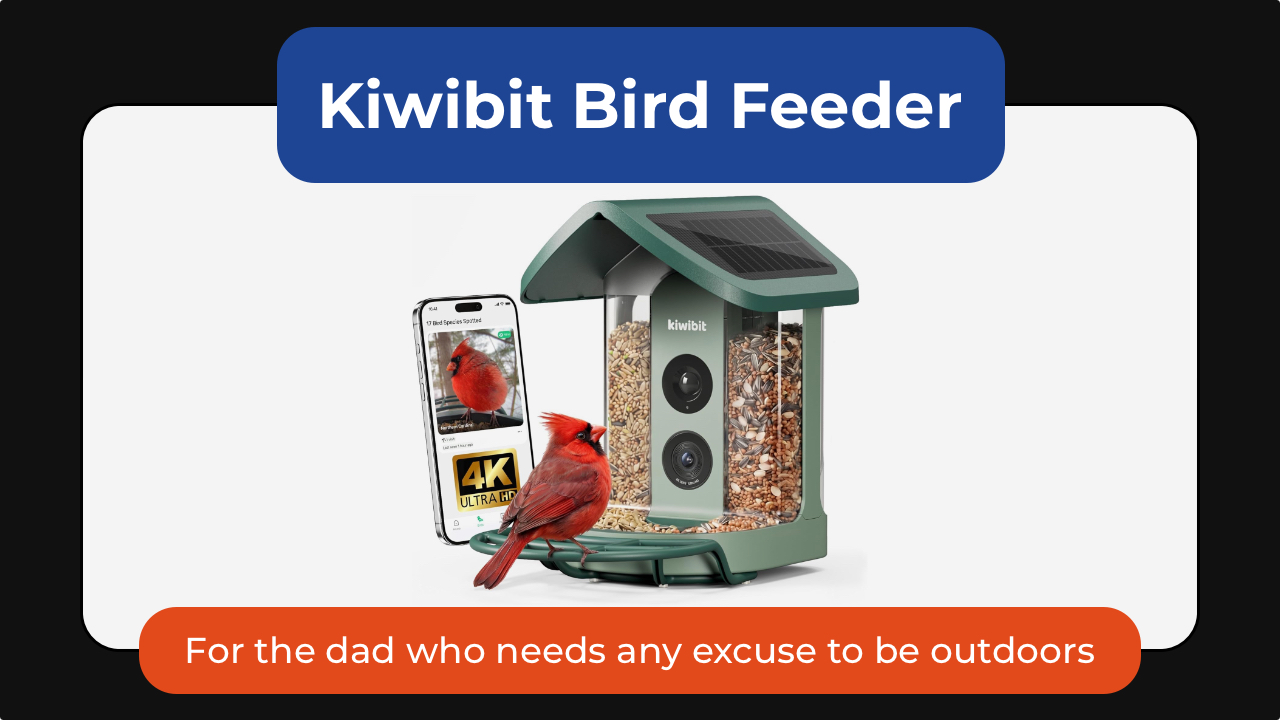
And the Kiwibit smart bird feeder turns into something unexpectedly addictive. It’s the perfect gift for the dad who enjoys slowing down and appreciating the little things.
The built-in camera captures 4K video and 8MP photos through a wide-angle lens, allowing you to watch visiting birds up close and even check in after dark with infrared night vision. Two-way audio also lets you listen in on the activity happening outside.
For dads who enjoy learning, Kiwibit’s AI can identify more than 10,000 bird species and send alerts whenever a new visitor arrives. The companion app automatically creates galleries and summaries, making it easy to keep track of backyard regulars.
The feeder itself is thoughtfully designed, too, with a solar-powered roof, removable battery, and a dual-compartment seed hopper that can attract a wider variety of birds. It’s the kind of gift that would keep delivering small moments of joy long after Father’s Day is over.
For the dad who treats his car like a second home

Cars collect everything. The FEPPO cordless vacuum handles the everyday mess: crumbs, dust, snack debris, pet hair, and whatever else somehow finds its way into the car. Powered by a brushless motor, it delivers strong suction while remaining cordless and easy to maneuver around tight spaces like dad’s car.
What makes it particularly useful for busy households is its thoughtful design. The anti-tangle brush helps prevent hair from wrapping around the roller, while a multi-stage HEPA filtration system captures fine dust and allergens before recirculating cleaner air.
Long battery life means it’s ready for quick cleanups without constantly needing a recharge. The different attachments make it easy to clean around the house or car.
The best part is you can get the FEPPO Cordless Vacuum Cleaner for under US$200.
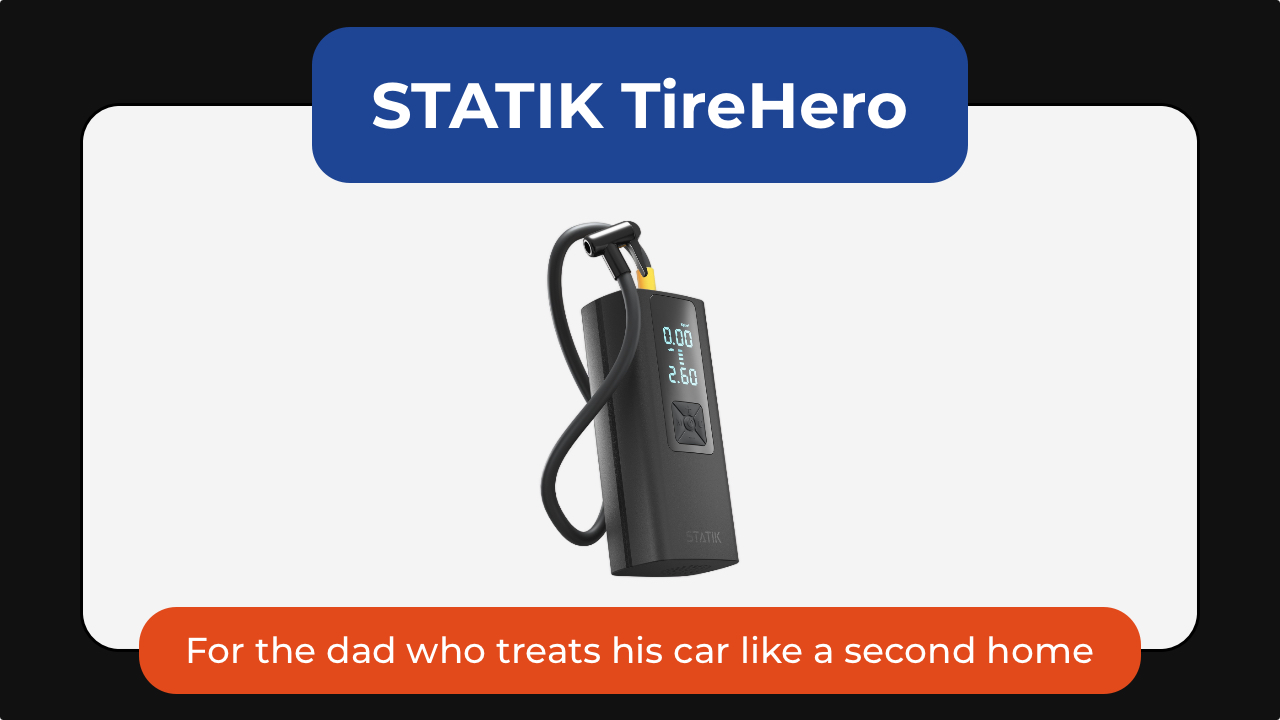
The STATIK TireHero tire inflator is the tool you never think about until you reallyy need. It lives in the glove box until the exact moment it saves you from a low-pressure warning, a road trip delay, or a late-night stop at a gas station air pump.
Beyond inflating car tires, it can also handle bike tires, sports balls, paddleboards, air mattresses, and other inflatables, making it surprisingly versatile for road trips, camping, and family outings. It even doubles as a portable power bank for charging a phone in an emergency and includes a built-in flashlight for nighttime use.
It’s a practical gadget that may not feel exciting when dad unwraps it, but becomes invaluable the first time he actually needs it.
The STATIK TireHero is available for US$59.99.
For the dad who brings people together

Some of the best gifts will keep on giving. The XGIMI MoGo 4 portable projector turns any blank wall into a movie screen. Dad can set up backyard movie nights, World Cup watch parties, or casual weekend hangouts without needing a dedicated entertainment room.
What makes the MoGo 4 special is how portable it is. About the size of a tumbler, it’s easy to toss into a bag for camping trips, vacations, or visits with family. The built-in battery provides up to 2.5 hours of viewing time so you can enjoy a movie without needing to plug it in. It’s also got a 360-degree adjustable stand and automatic image correction to make setup almost effortless.
Despite its compact size, it delivers Full HD 1080p visuals, built-in Harman Kardon speakers, and Google TV with licensed Netflix support.
The XGIMI MoGo 4 is now US$469.

The Liiton American Peaks whiskey decanter set is for dads who have had a stressful year. It helps them slow down, unwind, and appreciate the ritual of pouring a drink at the end of a long day.
Inspired by some of the most iconic mountain ranges in the US, the set includes a crystal decanter and four whiskey glasses featuring detailed 3D mountain impressions molded into the base. Beyond looking beautiful on a bar cart, the mountain design helps chill and aerate the drink. Place the glass in the freezer and in just 18 seconds he gets a drink that stays cold until the last sip, thanks to its proprietary X1 Crystalline Chill Charge System.
Made from heavy lead-free crystal with a weighted base, the glasses feel substantial in the hand and elevate everything from bourbon to tequila. The included gift-ready presentation box also makes it feel like a truly special Father’s Day gift.
And because the set includes four glasses, it’s just as much about sharing a drink with friends and family as it is enjoying a quiet moment alone.
The American Peaks Whiskey Decanter Set is available for under US$130.
For the dad who likes to express himself

The INKWON TAG is probably the most unexpected product in this entire list. This pocket-sized printer can create stickers, temporary tattoos, iron-on transfers, and photos directly from a smartphone. Paired with the INKWON app, it can turn almost any image into something physical within minutes.
That’s where it gets fun. One day it might be custom stickers for a water bottle. Another day it’s temporary tattoos for his kids. It can even be used to create personalized shirts, tote bags, and keepsakes. For dads who enjoy making things, it’s the kind of gadget that sparks creativity long after Father’s Day is over.
The INKWON TAG starts at US$199.
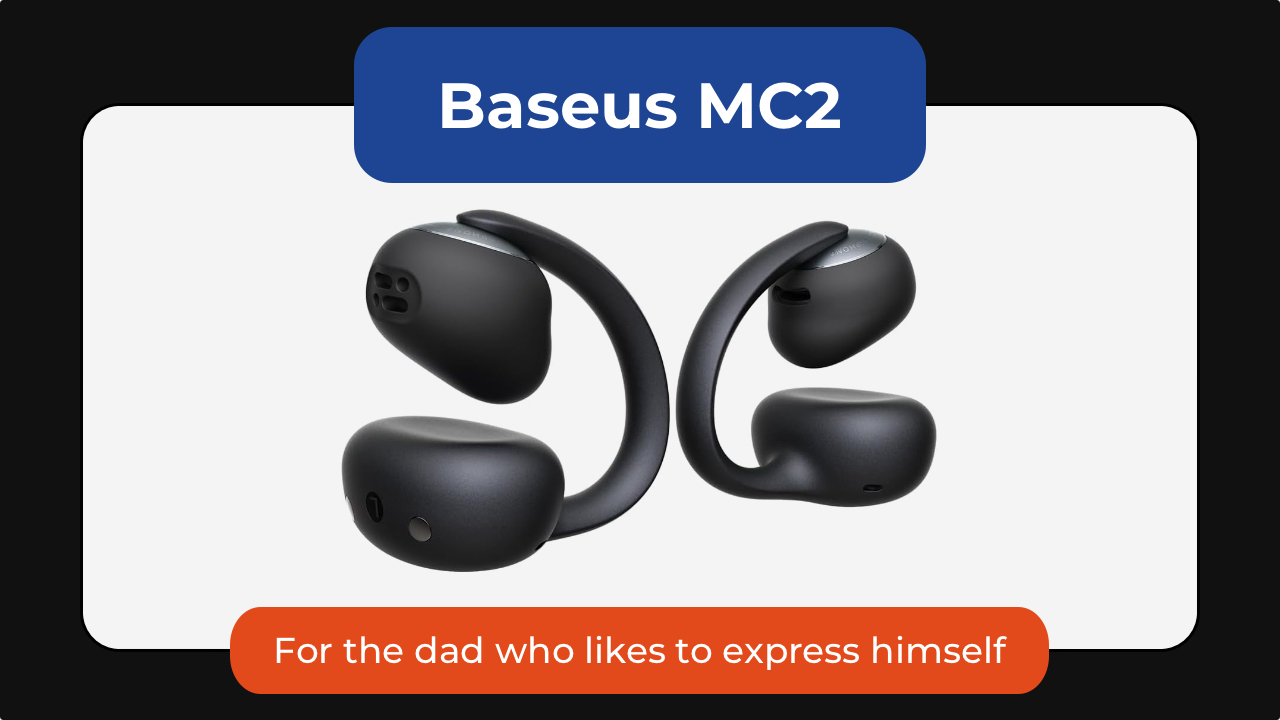
Not every gift needs to change someone’s routine. Some just make it slightly better.
The Baseus MC2 open-ear earbuds are for dads who always have something playing in the background. Unlike traditional earbuds, the open-ear design lets them enjoy music, podcasts, or audiobooks while staying aware of traffic, conversations, and everything happening around them.
They’re lightweight enough to wear for hours, offer impressive battery life, and deliver surprisingly rich audio despite their compact clip-on design.
Get the Baseus MC2 open-ear earbuds for US$49.99 using the code MC2OWSPR.

Then there’s the Posh Tech Hunt distressed leather Apple Watch band, which transforms one of the most common pieces of tech into something with a little more character.
Made from genuine distressed leather, it develops a worn-in look over time that feels more personal. It’s a simple upgrade, but one that can make an Apple Watch feel less like a gadget and more like an everyday accessory. It’s available for US$35.
For the dad who’s focused on staying well
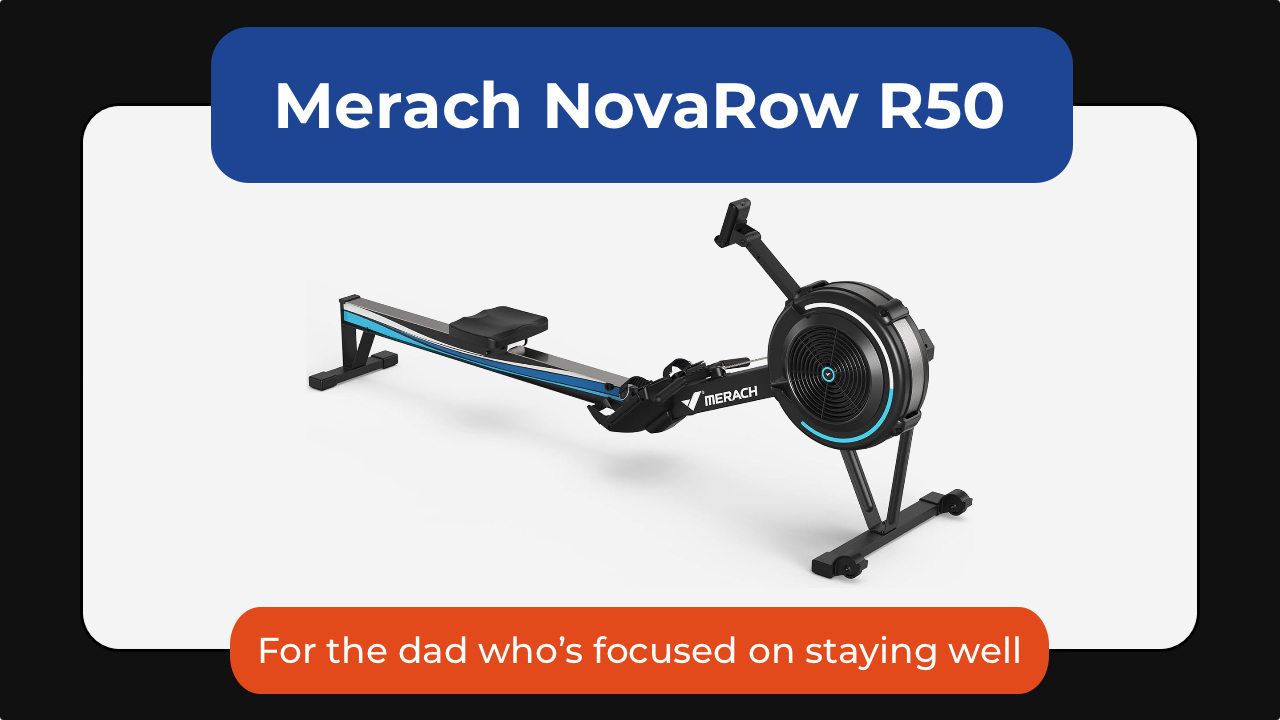
The Merach NovaRow R50 rowing machine is one of the best examples of low-impact fitness that can stick. It’s a full-body workout that engages his legs, core, back, shoulders, and arms, all while being easier on his joints than running or other high-impact exercises.
What makes it work isn’t intensity; it’s consistency. The movement is smooth, the setup is simple, and the Merach app adds guided workouts, performance tracking, and scenic rowing routes that make it easier to show up again tomorrow.
With 10 levels of air resistance, it can grow alongside dad’s fitness journey, whether he’s just getting started or looking for a more challenging workout. It also folds for easier storage, making it a practical option for apartments and home gyms alike.
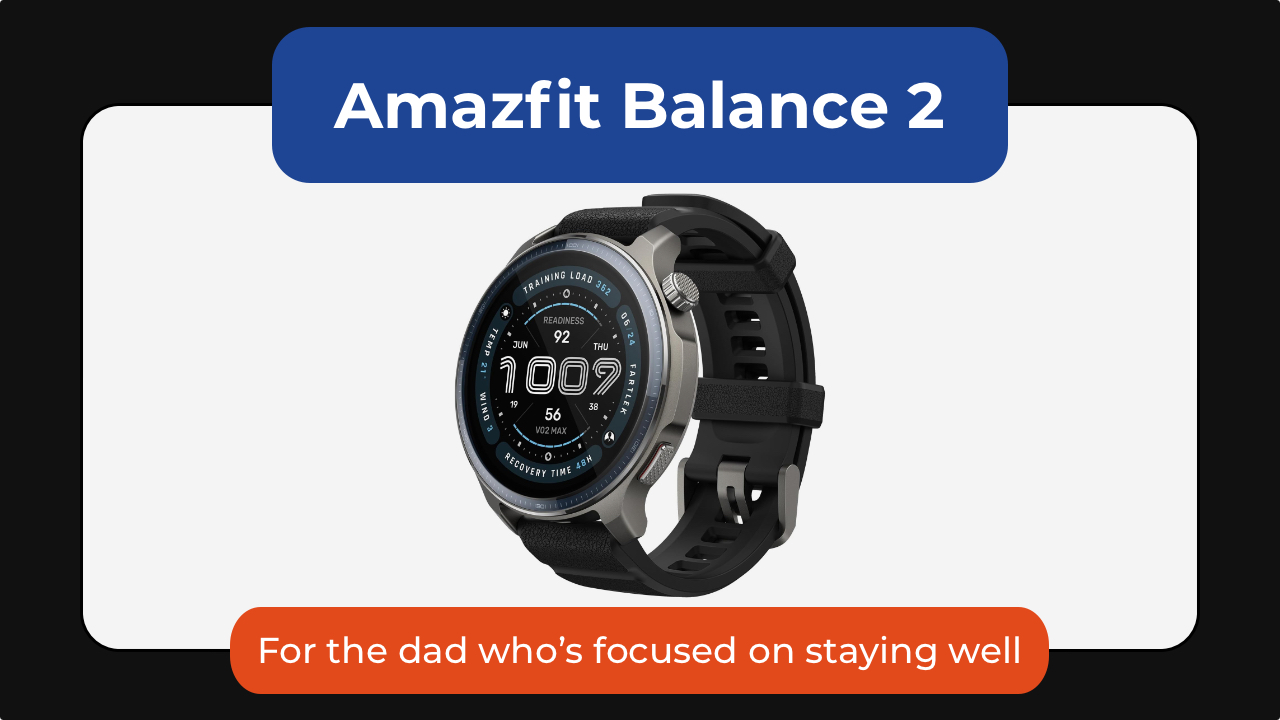
The Amazfit Balance 2 is one I gave to my dad, who’s almost 70. He’s not training for anything nor is he tracking performance. What the smartwatch has done is he is paying a little more attention to himself.
He checks how much he’s moved. He looks at his heart rate. He notices patterns he wouldn’t have thought about before.
At the same time, it scales up for someone who is more active. With over 170 sport modes, recovery insights, golf mapping, scuba support, and up to 21 days of battery life, it’s a great smartwatch no matter the recipient’s fitness level.
Get the Amazfit Balance 2 for US$299.99.

And then there’s the CAVN blood pressure monitor.
Instead of being intimidating or clinical, it’s designed to be simple enough for everyday home use. It’s got a barrel-style design with one-touch operation that removes the hassle of wrapping a cuff properly. Dad can just slide his arm in, press a button, and it does the rest.
It also supports multiple users, stores readings over time, and makes it easier for families to track trends. The large display and color indicators also make it more accessible for older users, too.
The CAVN Blood Pressure Monitor is available for US$179.99.
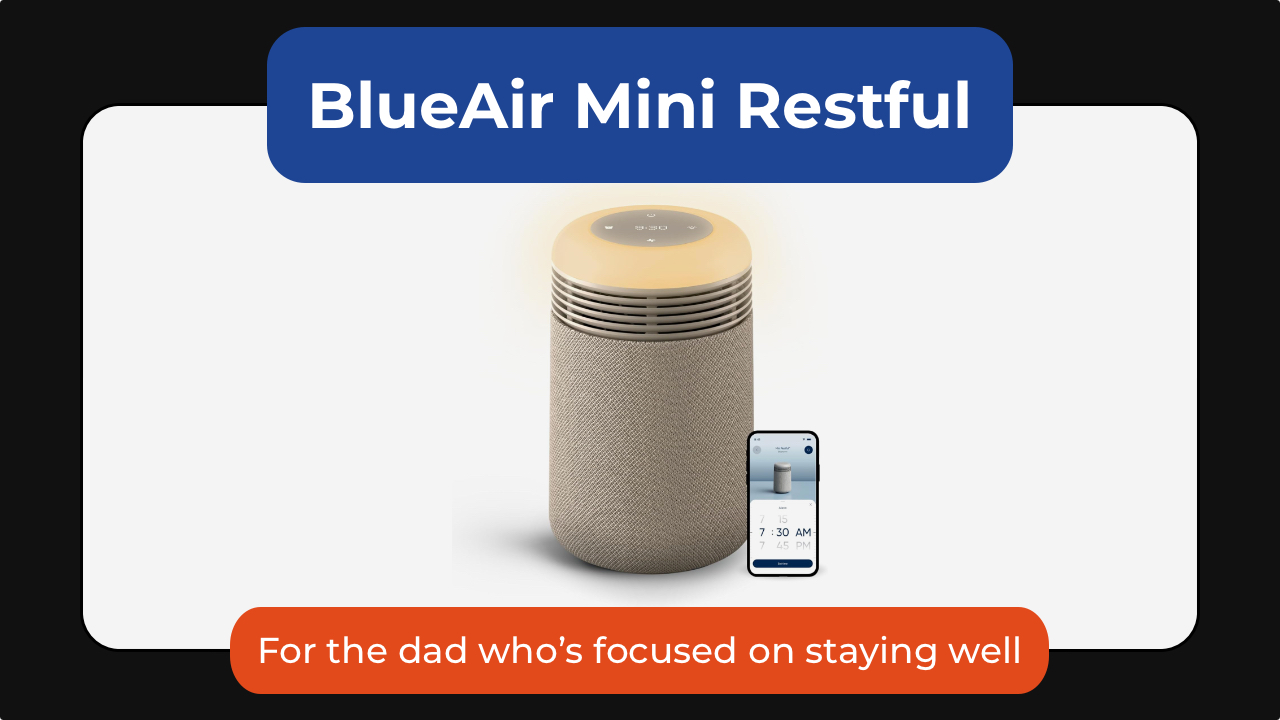
The Blueair Mini Restful sunrise clock air purifier takes a different approach to wellness by improving the environment dad sleeps in.
It combines a medical-grade air purifier, warm evening lighting, and a sunrise-style alarm clock into a single bedside device. Blueair’s HEPASilent filtration technology removes airborne particles like dust, pollen, pet dander, and smoke while operating quietly enough not to disturb sleep.
In the evening, the warm amber lighting helps create a more relaxing wind-down routine, while the sunrise alarm gradually brightens before wake-up time to make mornings feel less abrupt.
Thoughtful extras like soothing wake-up sounds, app controls, and a built-in USB-C charging port make it an easy addition to any nightstand. It’s an all-in-one device for cleaner air, better sleep, and calmer mornings.
The BlueAir Mini Restful is available in Coastal Beige and Midnight for US$199.99.

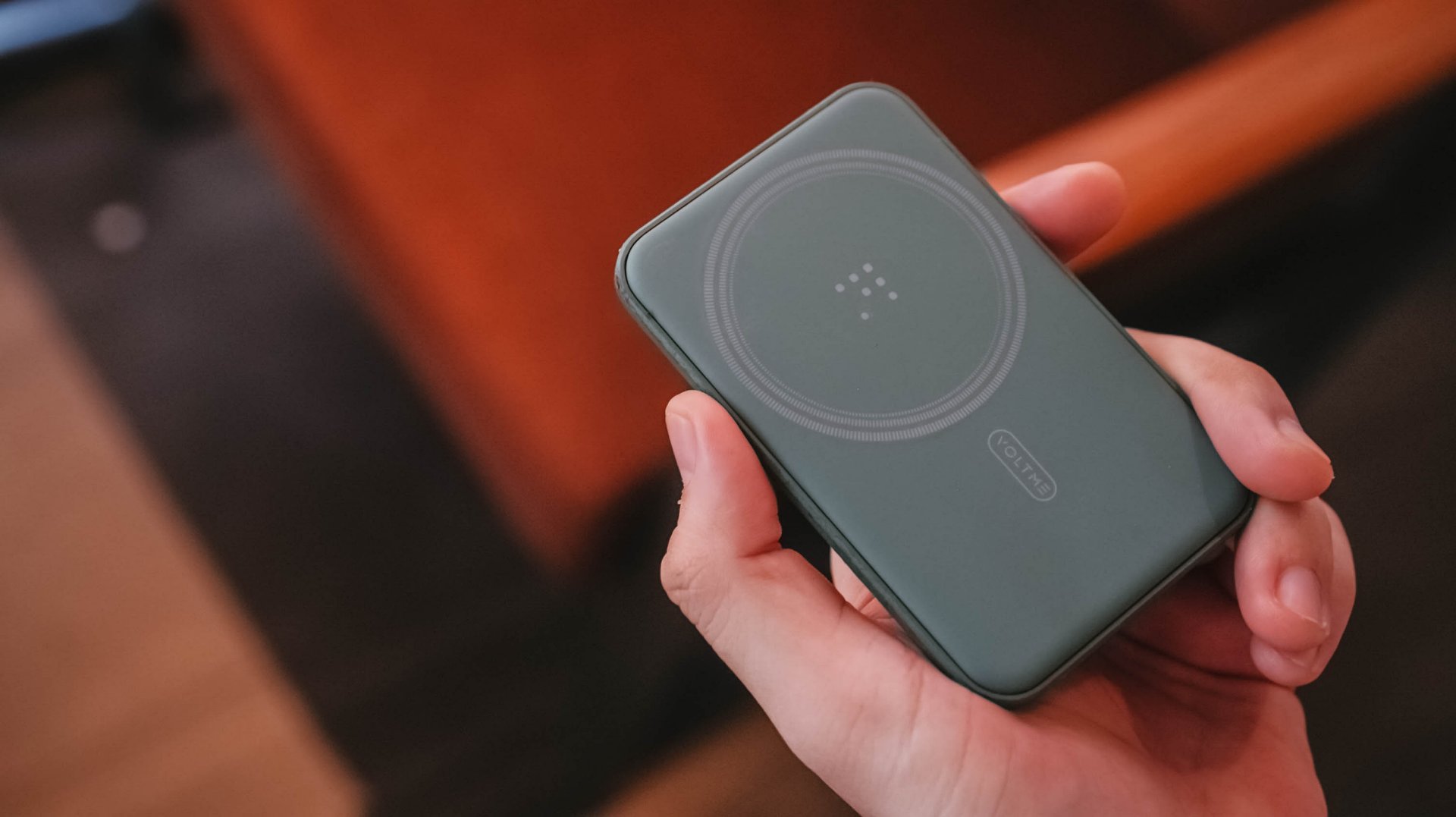
While smartphone manufacturers have been equipping devices with larger batteries over the past few years, power banks still remain an essential carry.
That’s especially for heavy smartphone users who have to push their device’s power to the limit — be it for gaming, content creation, and similar demanding tasks.
Or, you know, if you just suddenly ran into an unexpected long day and have to spend extra hours outdoors.
Whatever the case may be, that’s where the VOLTME MagPak 5K comes in. This small, 5,000mAh capacity magnetic power bank easily recharges your phone’s battery wirelessly.

The VOLTME MagPak 5K is chiefly meant for the iPhone 12 to 14 models, but can still pretty much refuel more modern devices, so long as they have magnetic charging capability.

It uses V-Dynamic technology and is MagSafe and 7.5W Qi compatible. With a 9N Magnetic Alignment Force, it has a stronger attachment so users can focus on the titles they play or the scenes they shoot.
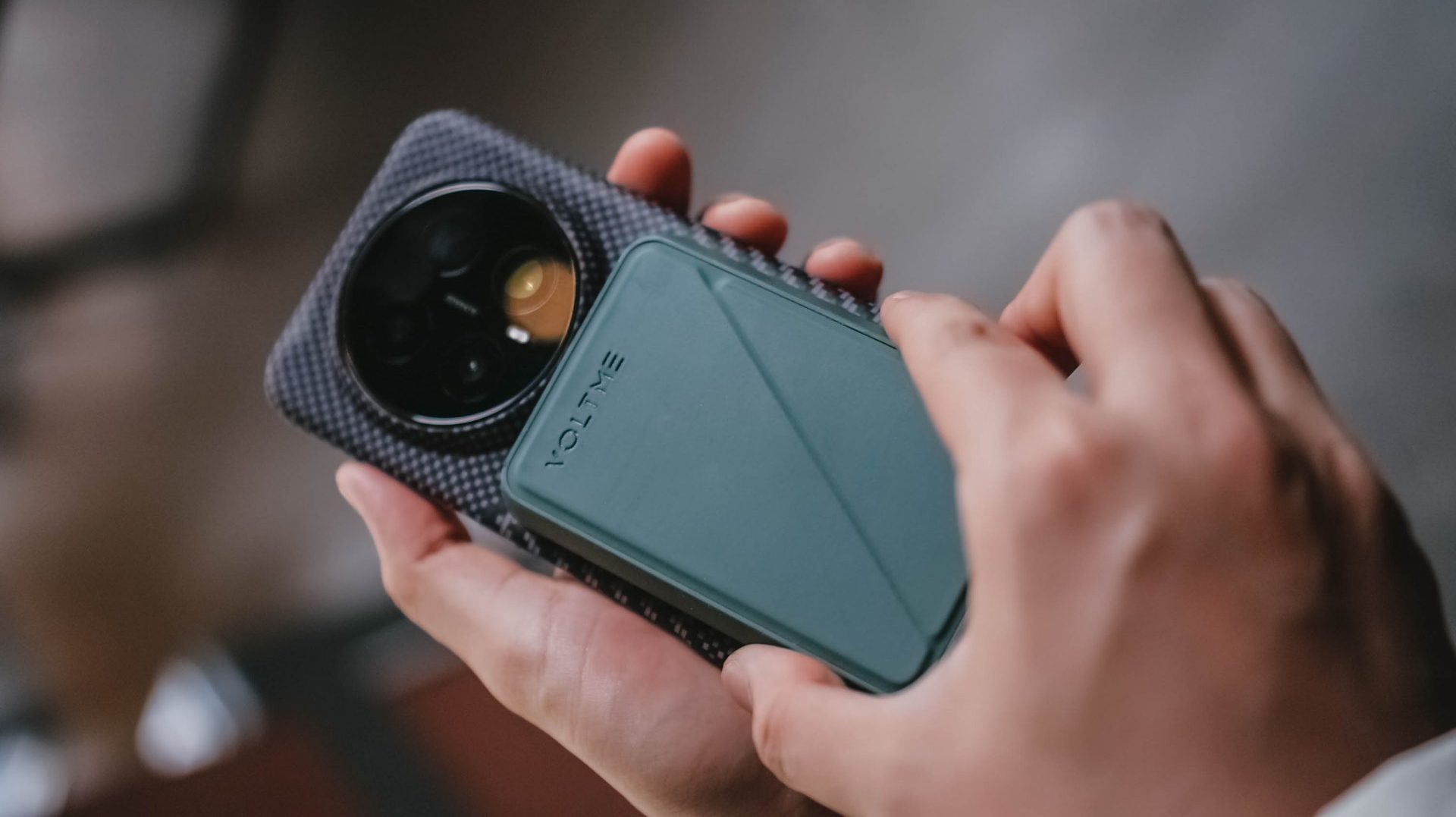
Or, if you want to slow it down while recharging your handset, the power bank comes with a kickstand to help you place your device either horizontally or vertically.
Beyond the magnetic charging capability, the MagPak 5K also supports USB-C to USB-C charging to another device.
You can even simultaneously charge two devices at once, or just opt for the wired charging if that’s what your phone is using.
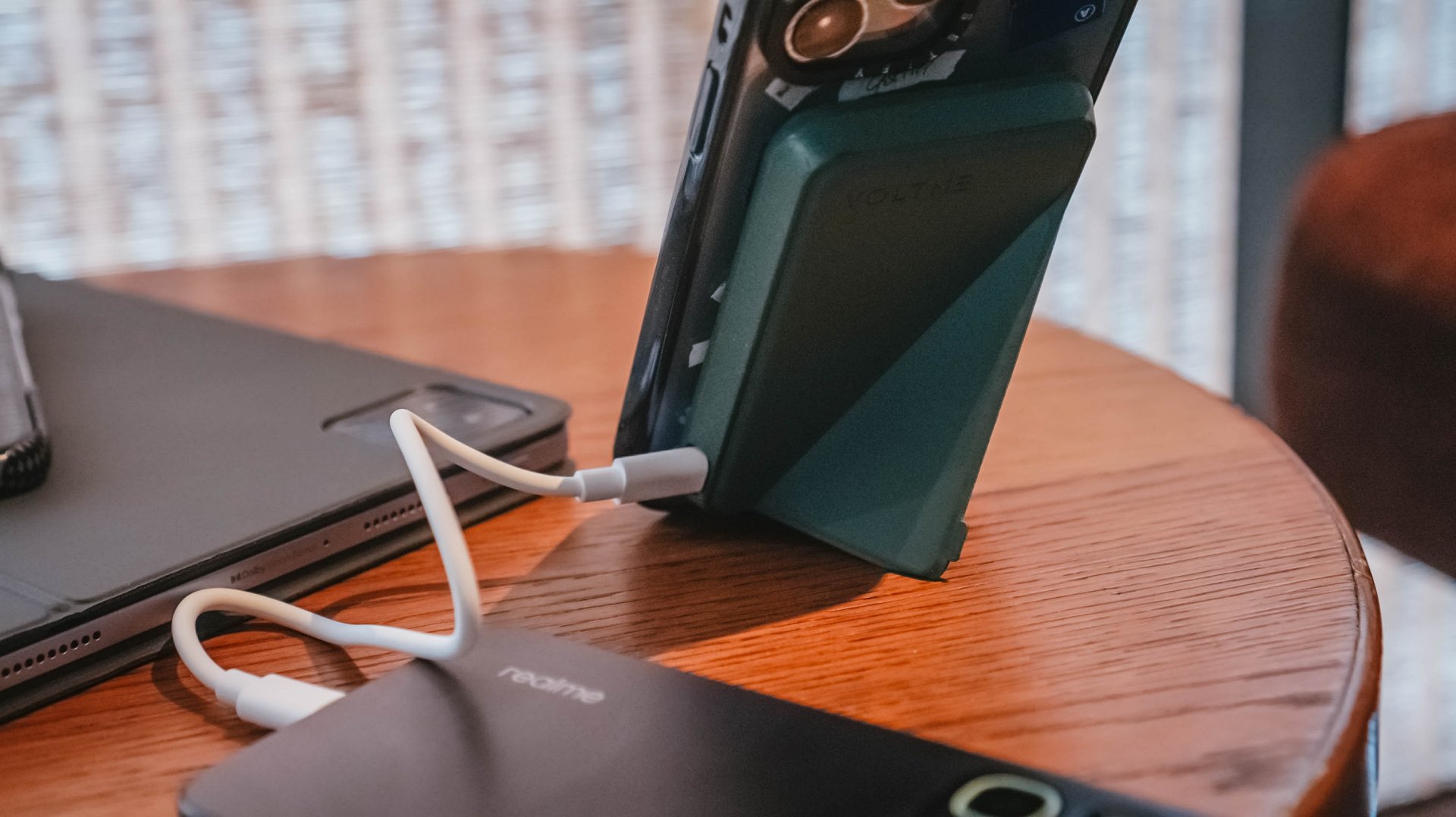
At just 134 grams, it’s an easy carry, and something that fits seamlessly into your pocket. There are also five colors to choose from.
For days where you feel you’ll have extended device usage, it’s best to keep a portable gadget to keep you going.
Who knows, that extra power can spell the difference between going out of battery or being able to transfer money, purchase something at a convenience store with cashless payment, or booking a trip home.
No need to worry about battery drain. Just focus on what you’re doing with your daily life.
Accessories
The Aecooly Cold Air Ultra can chill your skin in ten seconds
It has a misting function and a small water tank.


The world is heating up. While one side of the world is swelteringly humid in anticipation of a rainy season, the other side is gearing up for a scorching summer. Unfortunately, the world needs a more long-term solution. But while we wait for such a remedy, we have personal solutions. Introducing: the Aecooly Cold Air Ultra.
As you can probably see from the rest of its lineup, Aecooly means business when it comes to personal cooling. The Cold Air Ultra, in particular, does more than just move air; it chills the air instantly. The personal fan does this with a misting nozzle (and a small water tank) that delivers an ultra-fine layer of pre-cooled mist. The air itself can reach up to 25m/s. It can cool your skin’s temperature by up to 18F in only ten seconds.
It’s also packed with tech right inside. The Aecooly Cold Air Ultra comes with a full-color touchscreen panel that offers a seamless way to control the air. Besides the screen, it also has two physical buttons to control the power and the misting.
The Cold Air Ultra comes with a sizable 7000mAh battery, which promises up to 10 hours of continuous operation. Additionally, it can charge devices with a 20W two-way fast charging function.
The Aecooly Cold Air Ultra retails for only US$ 39.99. Plus, you can get 20% off with the code GMATCH20 from Amazon.


vivo X300 Ultra review: A “Whole Different Animal”
Got the beast (finally) unleashed!


The realme P4 Power: realme’s midrange power play?
A power bank and a phone — and more


HONOR Watch 6 Review: Less guessing, more knowing
Beyond educated guesses

The vivo X Fold6 is the first foldable to support teleconverter lens

Now Playing: Supergirl

Apple raises the prices of iPad and MacBook lineups

LE SSERAFIM to perform at BlizzCon 2026

Xiaomi opens largest Singapore store yet at VivoCity

TECNO’s POVA 8 5G is both futuristic and future-ready

realme launches P4 Series 5G, including Power with 10,001mAh battery

The Xiaomi Watch S5 proves you don’t have to take it off

Buyer’s Guide: Xiaomi Pad 8 Series

HONOR Magic V6 review: The best version of a book-style foldable?


-
 News2 weeks ago
TECNO’s SPARK 50 Pro is the latest budget smartphone battery beast
-

 Buyer's Guide1 week ago
Buyer’s Guide: TECNO SPARK 50 Pro vs SPARK 50 5G
-
 Singapore3 days ago
Xiaomi opens largest Singapore store yet at VivoCity
-
Reviews7 days ago
vivo X300 Ultra review: A “Whole Different Animal”
-

 News1 week ago
Budget smartphone realme C100 Series launches
-
Reviews1 week ago
HONOR Watch 6 Review: Less guessing, more knowing
-

 Laptops2 weeks ago
ROG launches 2026 Strix gaming laptop series
-
Reviews1 week ago
The realme P4 Power: realme’s midrange power play?