


It is quite noticeable that more and more smartphone brands have been venturing into the laptop scene. This isn’t surprising. Since the pandemic, demand for laptops have seen a large increase for remote work and online classes.
Moving into this direction, it was just a matter of time for brands like Xiaomi’s Redmi to also take this on. Being one of the top brands offering the finest value-for-money smartphones, the question remains. Can they do the same with their laptops?
That’s what we’re finding out in this review of the newest laptop from Redmi — the RedmiBook 15.
Design and Build quality
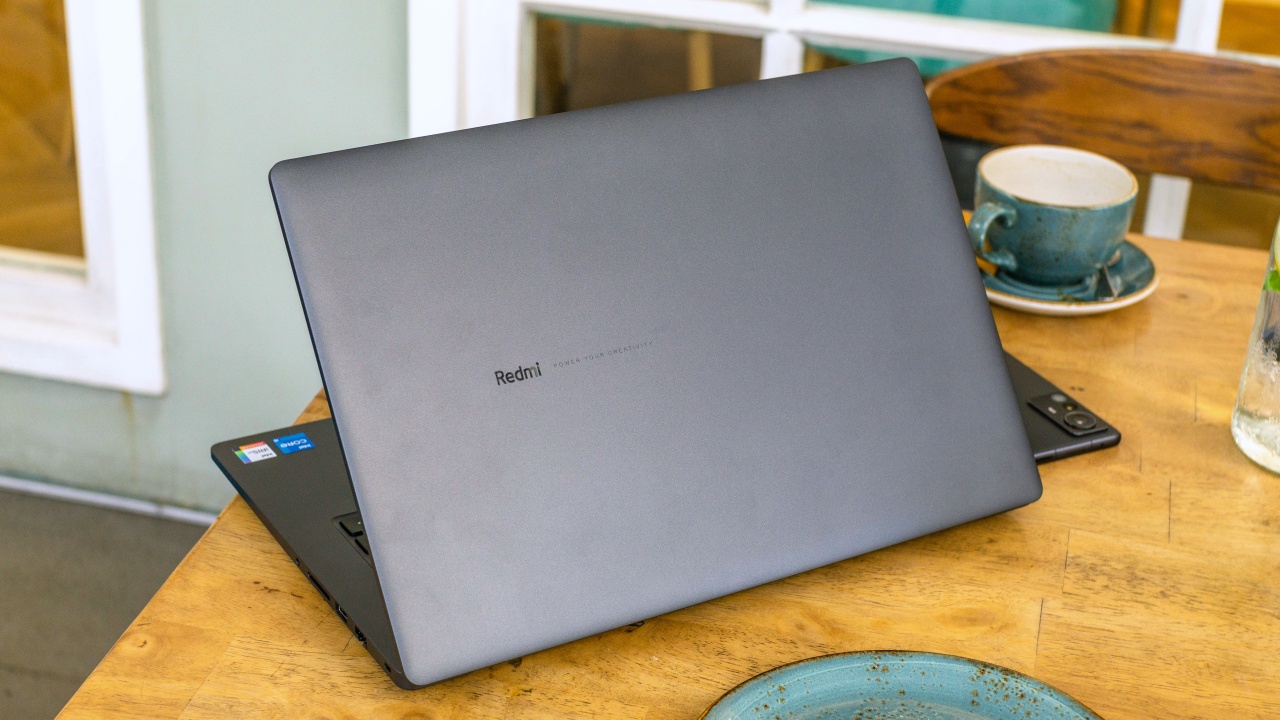
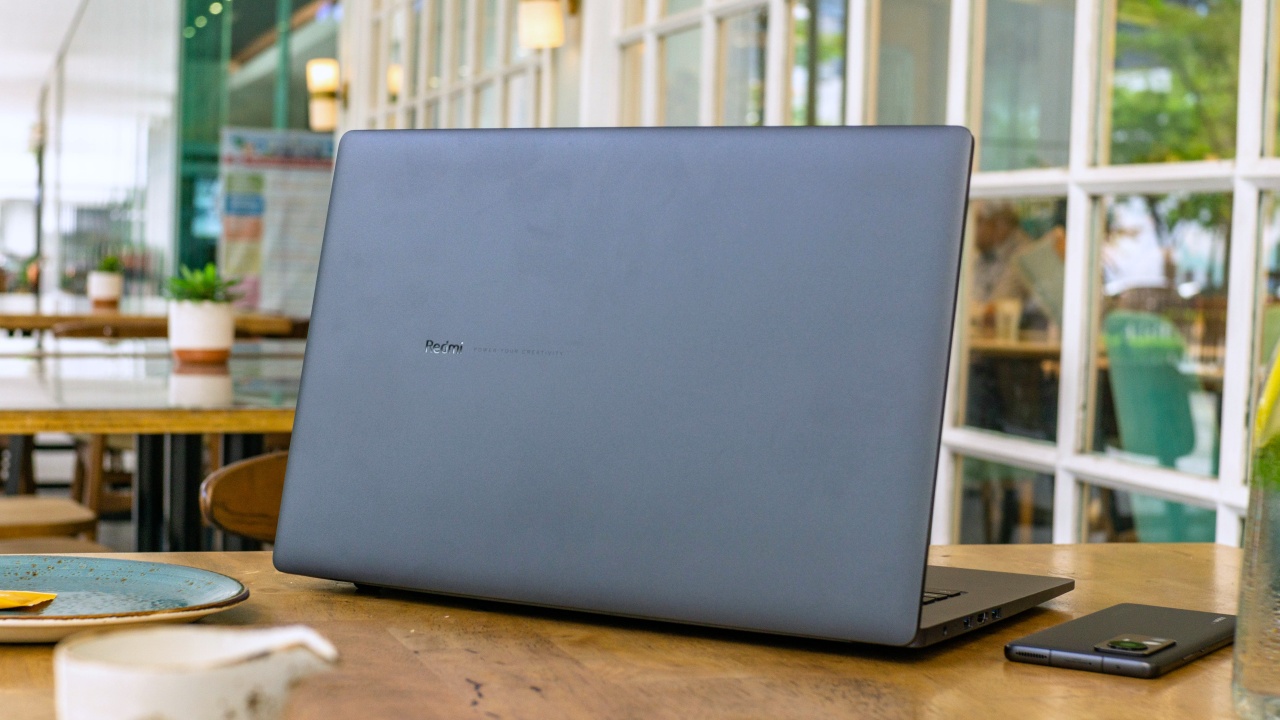
The design of the RedmiBook 15 is pretty straightforward. You can tell that it gets its inspiration from the unibody design and looks rather basic. That said, it was still given much thought. With just a plain top lid engraved with a subtle Redmi branding, this fashion is surely one that minimalists will appreciate.
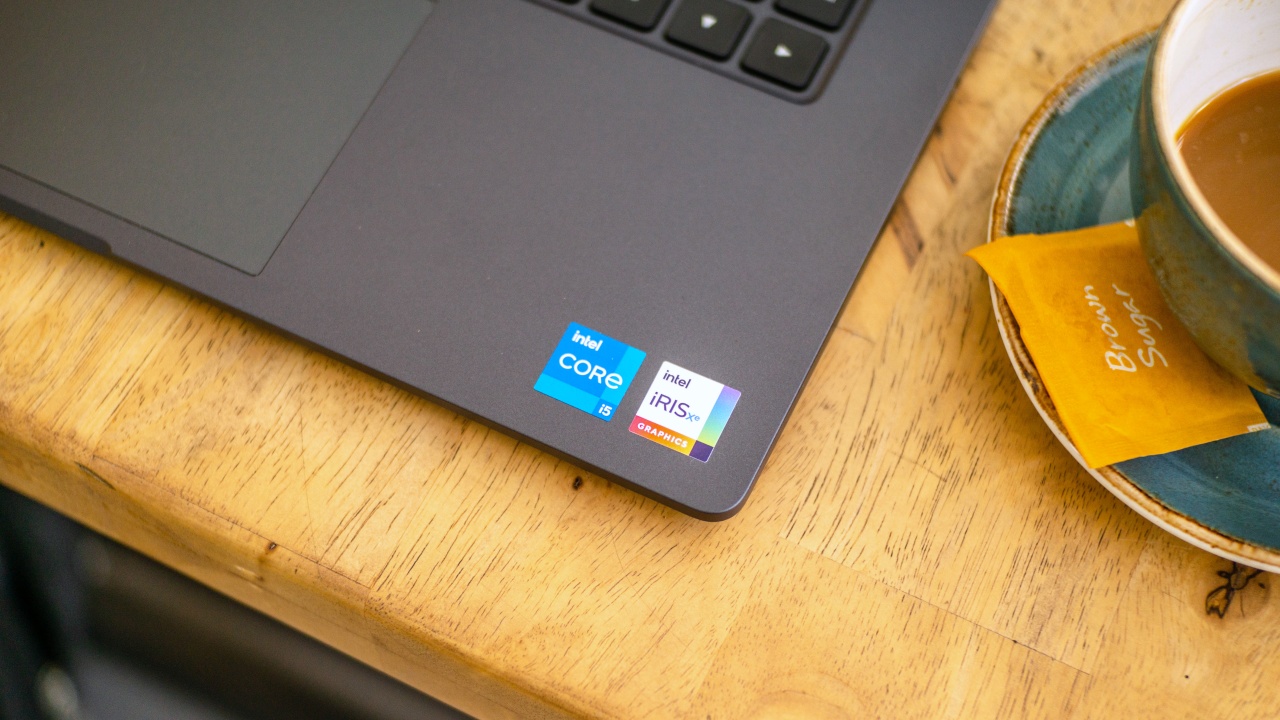
There’s no large sticker carrying the specs of the laptop and instead there are only two case badges placed on the palm rest.
Straight away you will feel that the body is indeed plastic with its smooth and flat finish. Fortunately, it’s not one that feels like it would break on you easily as it does seem like it can withstand daily use.
One handed opening of the top lid does open about 90 percent of the way and with practice, it is possible to get through entirely.
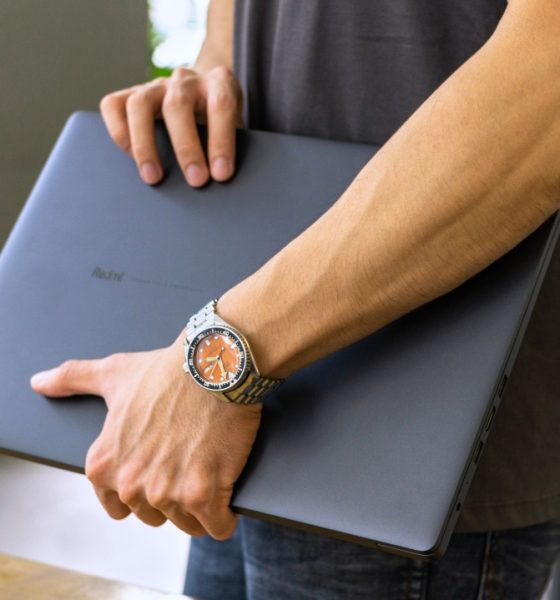
It also has a fairly slim footprint and weighs acceptably light as it even fits my bag which is designed for 14-inch laptops but without much headroom left.
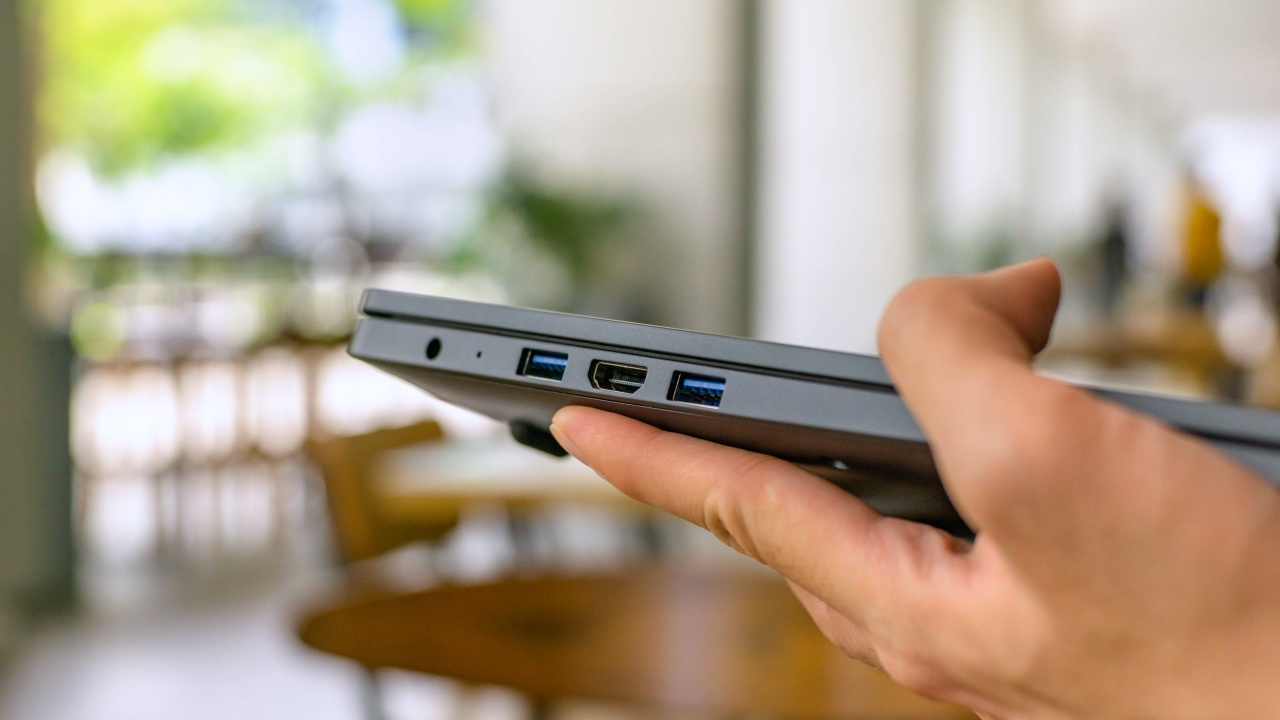
For the ports, we do appreciate that we are getting a lot on this laptop but the selection could have done a bit better. There are three USB 3.0 ports, an HDMI port, RJ45 LAN port, 3.5mm combo audio port and a full size SD card reader. Sadly, there is no USB-C port.
Keyboard and trackpad
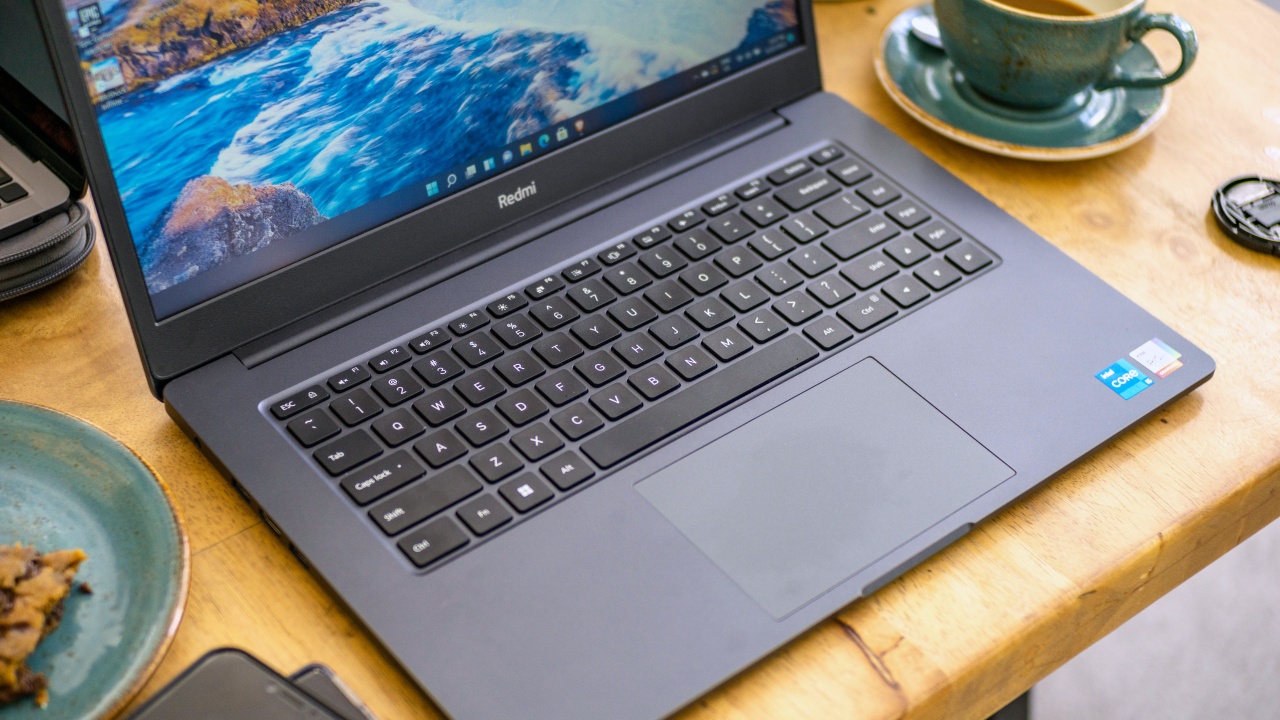
The RedmiBook 15 comes equipped with a full sized keyboard that looks a bit ordinary without any sort of backlighting or fancy features. The plastic keycaps feel relatively rough which is similar to what we would feel on other entry level laptops.
Thankfully, key spacing is pretty substantial and each key press feels satisfying. A bit of a surprise on my part but this indeed feels great to type on. I actually did write this review on it and I didn’t run into any issues that I was expecting to experience like hitting the power button accidentally.
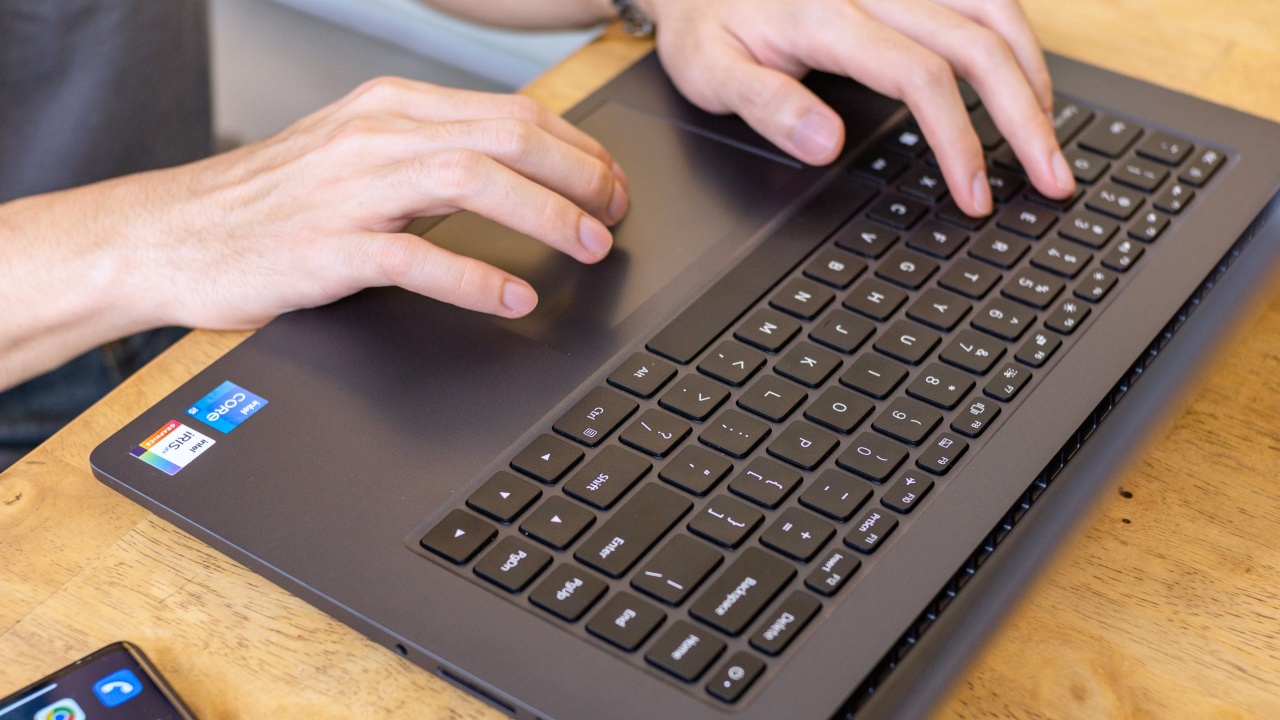
People who don’t prefer connecting an external mouse are also likely to enjoy using the trackpad on the RedmiBook 15. The one we have here is huge and it tracks cursor movement nicely. Tap and swipe gestures are also responsive, making navigating the Windows user interface effortless.
Display
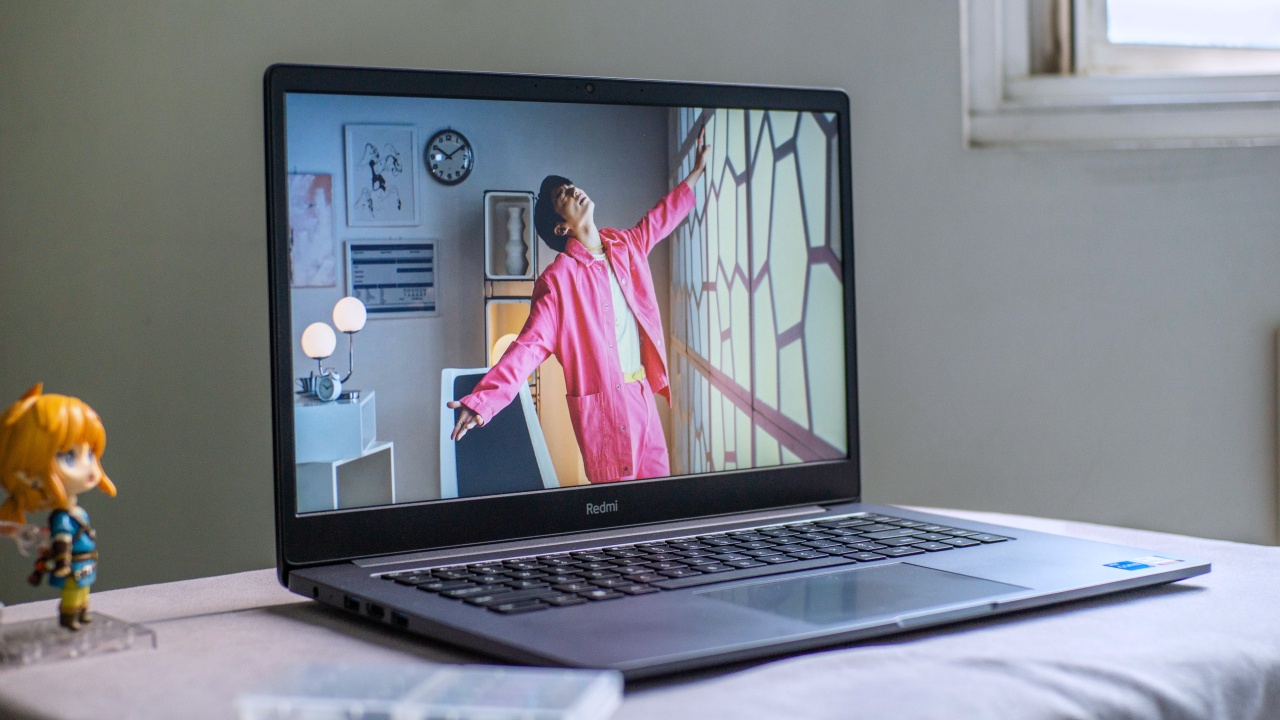
A 15.6-inch, Full HD display is what we’ll mostly be looking at on the RedmiBook 15. This display has a matte anti-glare coating and is wrapped around some fairly slim bezels with a 720p web camera on top.
It’s a pretty average display for an entry level laptop. However, colors on this display just leaves much to be desired. Oftentimes it looks washed out and it’s difficult to discern what color you are looking at as it suffers from undesirable viewing angles.
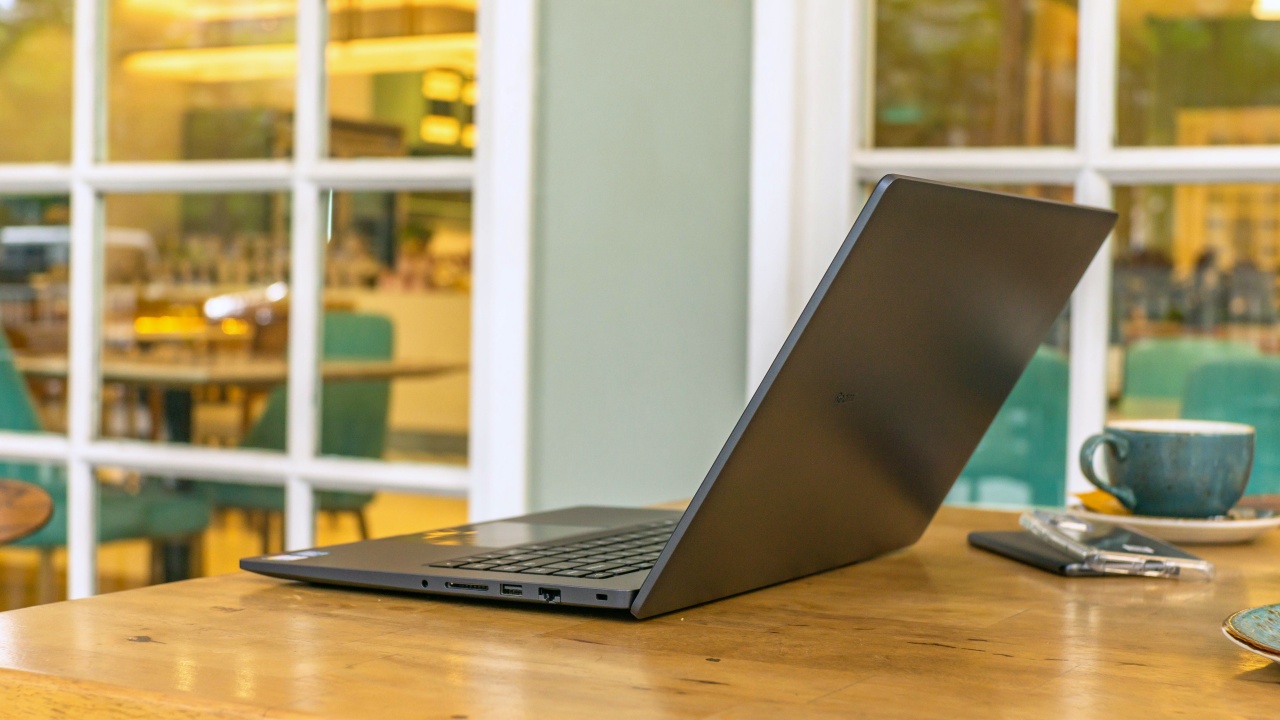
It took me a while to find the sweet spot but I discovered that the best way to view this is to push the display far back between 100 to 110 degree angle. And even that does not make the whole screen perfectly clear. To add, just getting slightly off axis would make it even harder for your eyes to see.
I couldn’t really suggest doing photo editing or color grading on this but web browsing and other non-screen dependent tasks would be okay.
Specs and Performance
The RedmiBook 15 comes in two variants. The one that we have is running on the 11th gen Intel Core i5 11300H processor with 8GB DDR4 RAM and 512GB PCI-E SSD while the base model runs on the Intel Core i3 1115G4 with 8GB DDR4 RAM and 256GB SATA SSD storage
On paper, the Core i5 variant that we have has the upper hand over its competition in this price range. The Core i5 11300H being a high performance processor, this can presumably handle a fair amount of processor intensive software that the average person would use. This means everyday tasks, like Zoom meetings and online classes along with heavy web browsing, wouldn’t be a problem on the RedmiBook 15.
During our test, the performance we experienced was superb and everything was smooth as we had hoped it would be. This also comes preloaded with Windows 11 and I do appreciate that it doesn’t seem to have bloatwares installed.
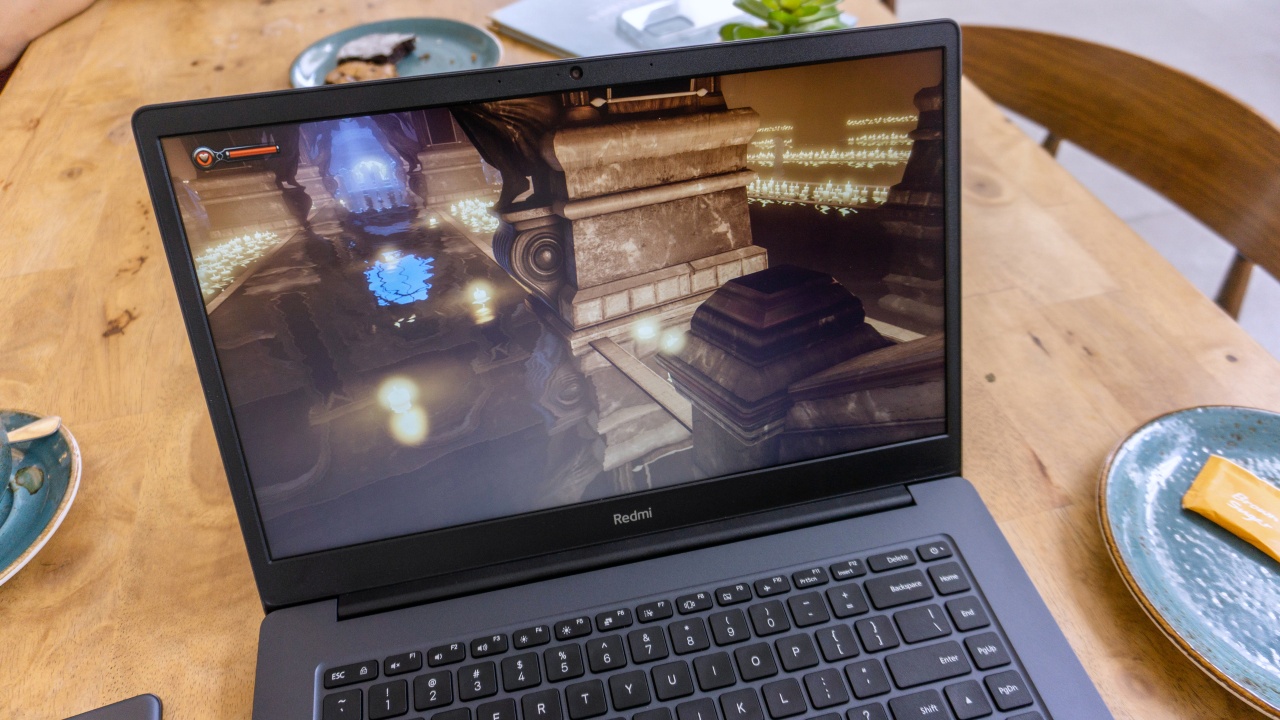
Despite not having a discrete graphics card, I was still curious on how this laptop would perform running games. And to satisfy my curiosity, l went on to test some. Quite surprisingly, this is able to run Bioshock: Infinite at very high settings at very acceptable frame rates. It may not be a recent title, but keep in mind that this is still a AAA game. Running the game at high settings is still commendable.
It’s also nice to know that running games didn’t raise the temperatures too high as the laptop only managed to reach a peak of 84 degrees celsius in game.
Sound Quality

For the sound, we are getting two 2W down firing speakers below the device that come with DTS tuning. Sound quality wise, I find that these speakers sound tinny especially with music playback but it does sound alright for spoken dialogue.
It’s more on the quieter side of the spectrum but the panning of the sound from left to right when playing games is noticeable.
Battery and Charging
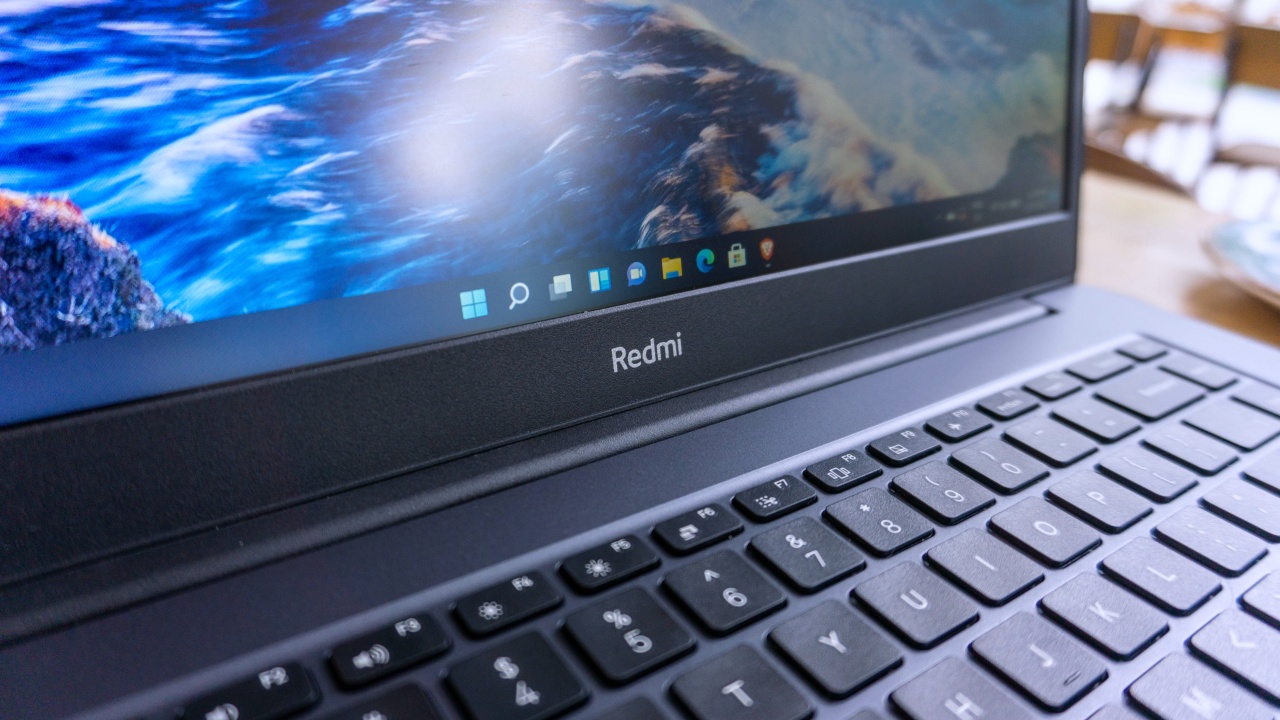
Running on battery, I was able to reach approximately six hours on balanced battery mode. I think this is a pretty okay result for a laptop this size. But we could probably squeeze in around an hour or more if we ran on power saving mode or if we held back on some tasks but that would depend on your use case.
For its charging, the included 65W charger was able to juice up the RedmiBook 15 from 11 percent to 22 percent in 15 minutes. While the whole charging time took two hours and forty six minutes which is also nothing out of the ordinary.
Is the RedmiBook 15 your GadgetMatch?

Despite some of its flaws, I think the RedmiBook 15 gets a lot of things right. The minimalist design plus the large trackpad, good keyboard and the powerful performance are, no doubt, its main selling points.
I can easily see professionals like app developers, writers, teachers and even students really appreciating this. It almost has most of the things it takes to be a powerful and affordable contender for creative work that it’s just unfortunate that it is greatly held back by its display.
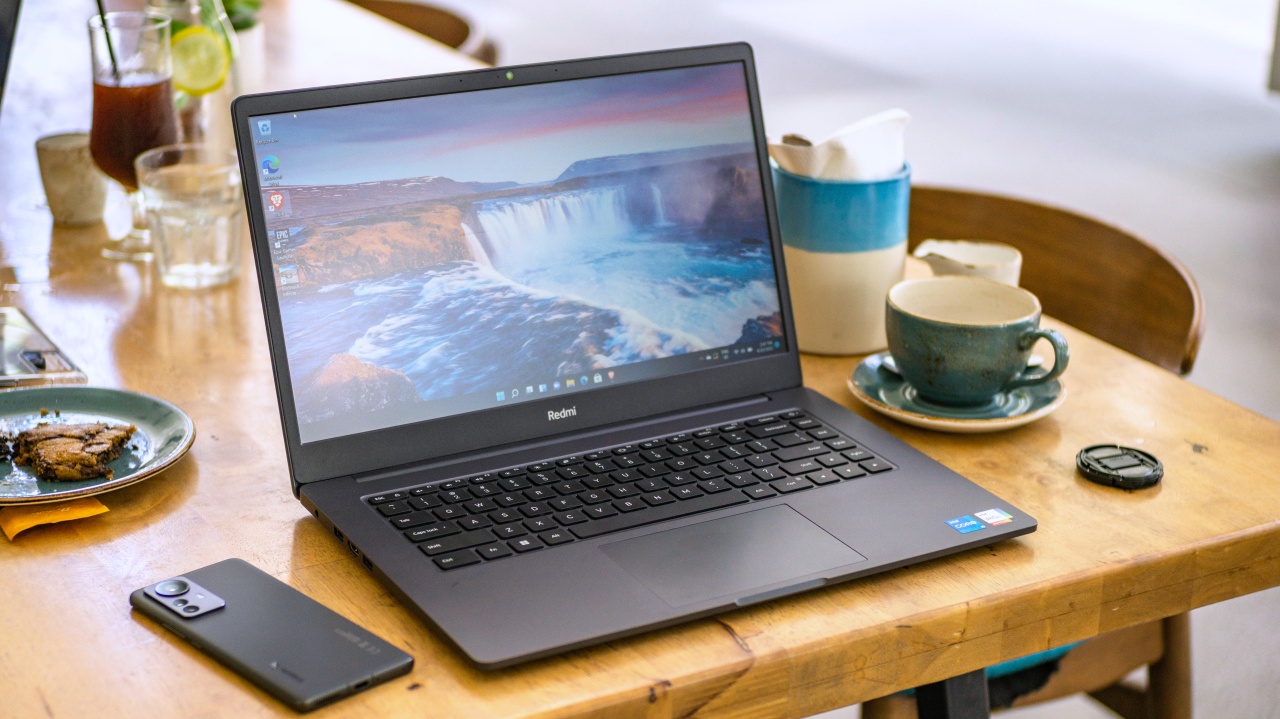
At the price it’s going for, there are other options with less powerful hardware that have better displays which I personally would be more inclined to choose.
Then again, if your priorities fit in the categories we mentioned, I think the RedmiBook 15 will still perform well for you.
The RedmiBook 15 is priced at PhP 37,999 for the Intel Core i5 11300H, 8GB, 512GB SSD variant and PhP 26,999 for the Core i3-1115G4, 8GB, 256GB SSD variant.








This is coming from someone who has done countless unboxings and has touched a wide variety of devices — the ASUS ExpertBook Ultra was… alright.
My first impression was that it certainly didn’t wow me as much as I expected it to after having read the brief, nor even after attending the tech seminar where ASUS laid out its vision for the laptop.
That’s probably the strangest thing about the ExpertBook Ultra. Because after having spent more time with it, the laptop grew on me.
Put cheekily, the ASUS ExpertBook Ultra wasn’t the laptop that made my head turn. Instead, it was the laptop that kept showing up consistently. Before I realized it, it’s become the one I wanted to keep coming back to.
And I think that’s the best way to describe my experience with ASUS’ flagship business notebook.
The laptop sneaks up on you.
Built to be carried

I got the laptop right after Computex 2026 coverage. That meant my days were closer to how they normally are. That also meant I had to be more intentional about going out and bringing it with me as I tackled my day-to-day duties.
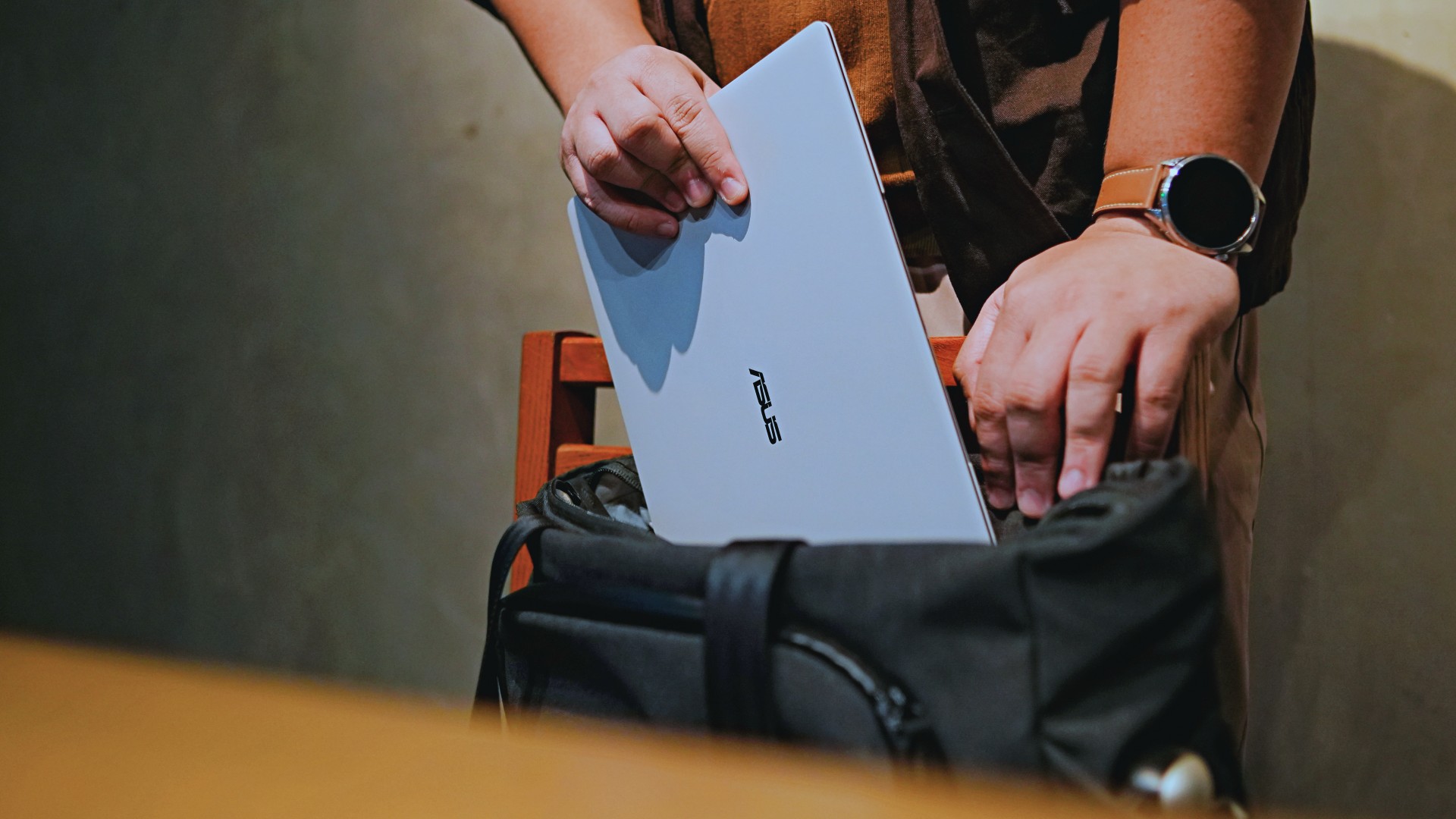
I normally carried it using my trusted EDC — the Alpaka Bravo Tote — and I have to say it definitely felt lighter than my usual laptop, which is the MacBook Pro M4.
The Apple laptop I regularly carry is, I have to admit, chunkier than I would prefer. So having the ExpertBook Ultra for about a week or so literally felt like some load was taken off my shoulders.
Did I ever forget it was there? I wouldn’t go that far.
But if you’re asking me which one I’d rather carry based on build and weight alone, I would, with no hesitation, reach for the ExpertBook Ultra.
That says a lot considering how attached I am to my usual setup.
ASUS likes talking about how light the ExpertBook Ultra is. Normally, that’s the sort of marketing line I acknowledge and quickly move past.
This time, I actually felt it.
The Nano Ceramic effect

One of the first things ASUS will tell you about the ExpertBook Ultra is its Nano Ceramic finish. I’ll admit, it felt like one of those things that sounds good on a slide presentation.
It’s one of those things that look gimmicky at first but actually feels incredible once you come across it on a daily basis.
It’s still early, so you can consider this very much part of the honeymoon phase with the laptop. Even so, the Nano Ceramic finish continues to inspire a bit of awe every time I pick it up.
I do feel like a little weirdo caressing the laptop ever so gently before I begin the day’s work wherever I may be. But that’s just a testament to how good it feels to touch.
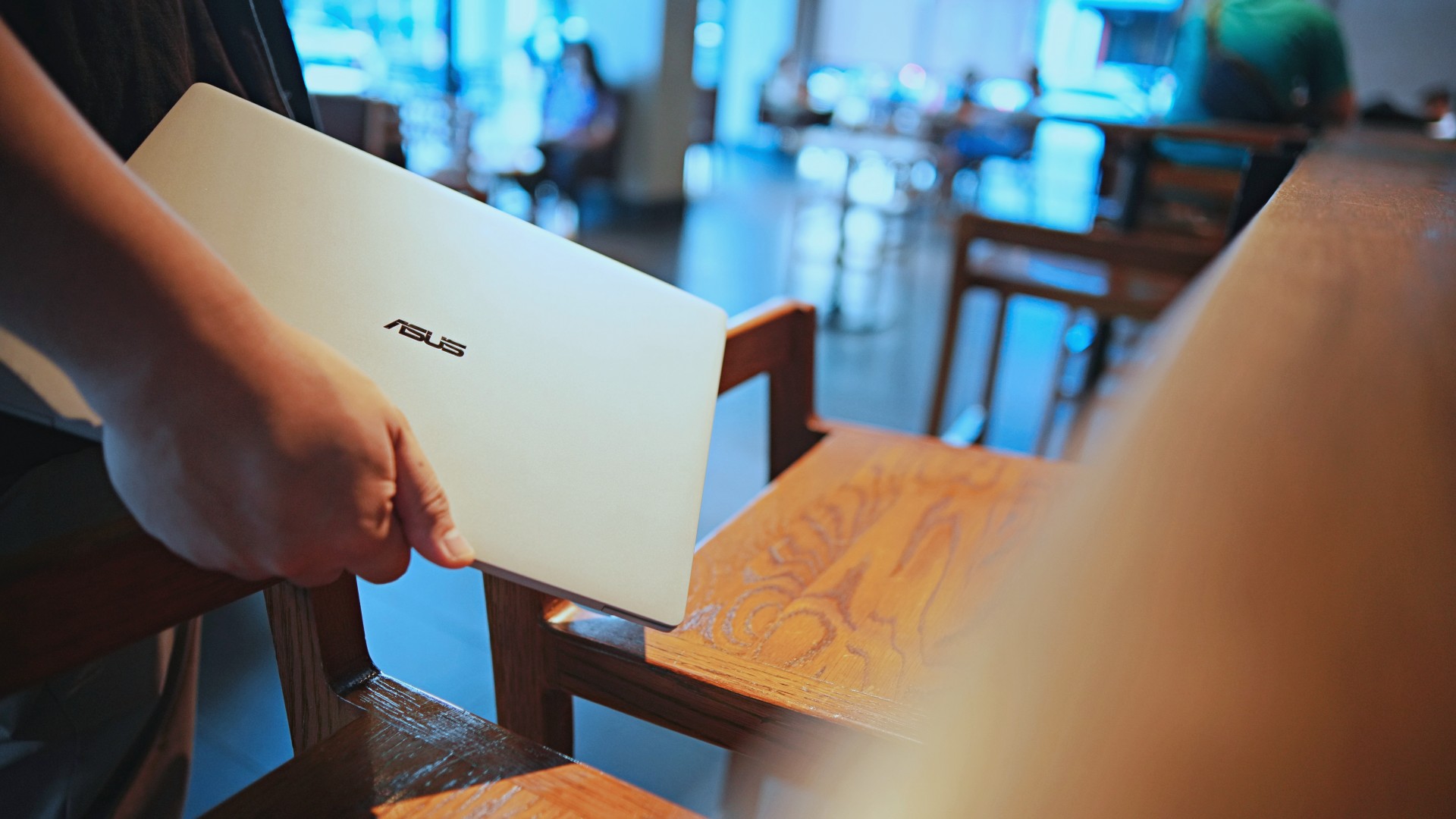
And yes, it does reinforce the feeling that, “Hey, I’m working on a pretty fancy piece of machinery.”
It’s easy to underrate the effects of that feeling, but it’s those little intangible things that can sometimes help unlock perspectives and possibilities.
That’s not something you’ll find on a spec sheet. But it’s absolutely part of the experience.
A display that’s difficult to stop staring at

It also helps if STAYC Isa is on screen.
The display is magnificent.
As Captain America would say, “I can look at this all day.” Not the exact phrase, but you’re smart. You get it.
The OLED and matte coating is just a killer combo. Kind of like the Chaewon and Yeji “That’s a No No” challenge collab. Pardon the months-old K-pop reference. I’ve been so busy I haven’t really kept up with what’s new.
Anyway, the combination just comes at you unapologetically and you have no recourse but to bask in it. Maintaining the deep blacks and crisp colors is such a gift to your eyes.
I often sit right next to big windows when I’m out in cafés and the light did nothing to dull the effect of the display.

Two love, two love. I’m falling.
It was so good I often found myself fully diving into STAYC’s 2 LOVE music video in between writing this very review and coordinating with my team.
The matte coating deserves special mention here.
OLED panels already look fantastic. Pairing one with a matte finish that helps cut reflections without sacrificing the strengths of OLED makes for one of my favorite laptop displays in recent memory.
Typing just clicked

This is one of my favorite keyboard experiences. Things just clicked right from the start. No awkward feeling-out phase whatsoever.
I was touch typing like I was Doctor Strange trying to look into over 14 million possible outcomes and still landing on the right key every single time.
The keys feel closer to chiclet-style keyboards than anything else. Even so, the spacing is perfect and the travel satisfying.
Then there’s the haptic touchpad.

I typically don’t like using mice, especially when I’m out and about. With most Windows laptops I’ve used in the past, that eventually becomes a necessity.
That wasn’t the case with the ExpertBook Ultra. It’s easily one of the best-feeling touchpads I’ve used in recent memory.
My standard for touchpads has always been MacBooks. While the software is also doing some heavy lifting in that particular setup, the ExpertBook’s own comes pretty close.
That’s not praise I hand out lightly.
Performance that feels like overkill
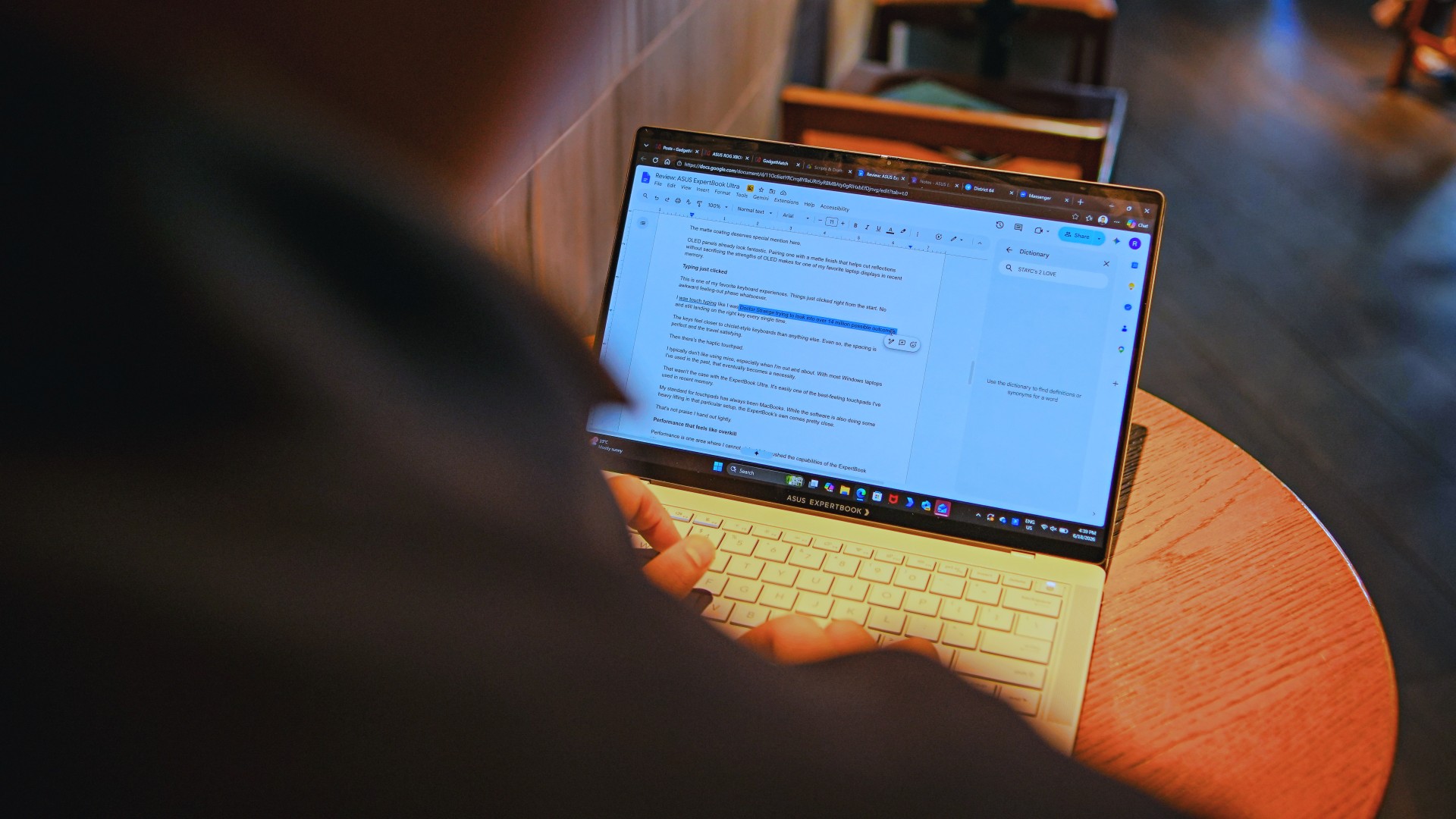
Performance is one area where I cannot claim I fully pushed the capabilities of the ExpertBook Ultra.
Most of my tasks are browser-based. Plenty of tabs open, sure, but I don’t think I ever came close to really testing the capabilities of this business notebook. I imagine that would be the case for most of ASUS’ target audience.
Upon seeing the specs, I already knew this was going to be a bit of an overkill for my own use case. My time with it only proved that assessment.
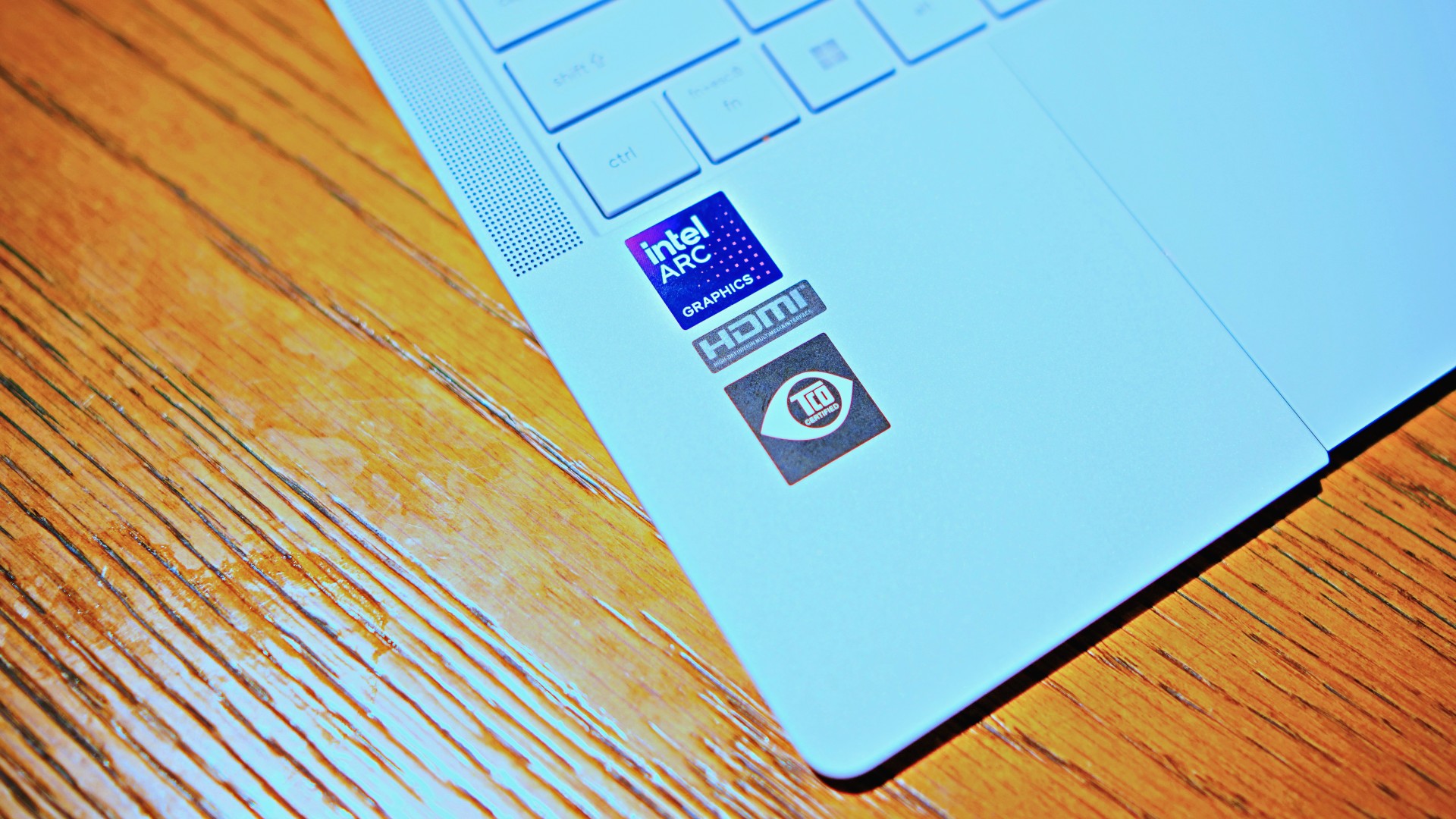
The most I did with it was jump between browser tabs and chat apps, letting ChatGPT help me process unresolved feelings and questionable timing while I dealt with coordinating shoots, writing scripts and reviews, and dealing with external forces that leave me feeling drained.
Never once did the laptop feel slow. Never once did I find myself waiting.
What noise?
Speaking of things I didn’t notice, let’s talk about fan noise.
Again, since I didn’t really push this thing to its absolute limits, the fan never really kicked into high gear at any point during my time with it.
The same goes for thermals.
No task I did ever raised the temperature to uncomfortable levels. The laptop simply went about its business. Which, come to think of it, is probably the most business-laptop thing I can say about it.

Battery life that simply works
I was very impressed with its overall efficiency.
When I go out to work, I typically don’t stay out longer than five to six hours. Most of the time that’s five to six hours of really focused work—with some K-pop loving in between.
Being generally risk-averse, I still always brought my usual charger with me. Not once during my time with the device did I feel the need to plug in while working outside.
I would typically end my café work days somewhere between 30 to 40 percent and only juice the thing up once I got home while it was closed and not in use.
That’s exactly the kind of battery experience I want from a business laptop.
The AI question
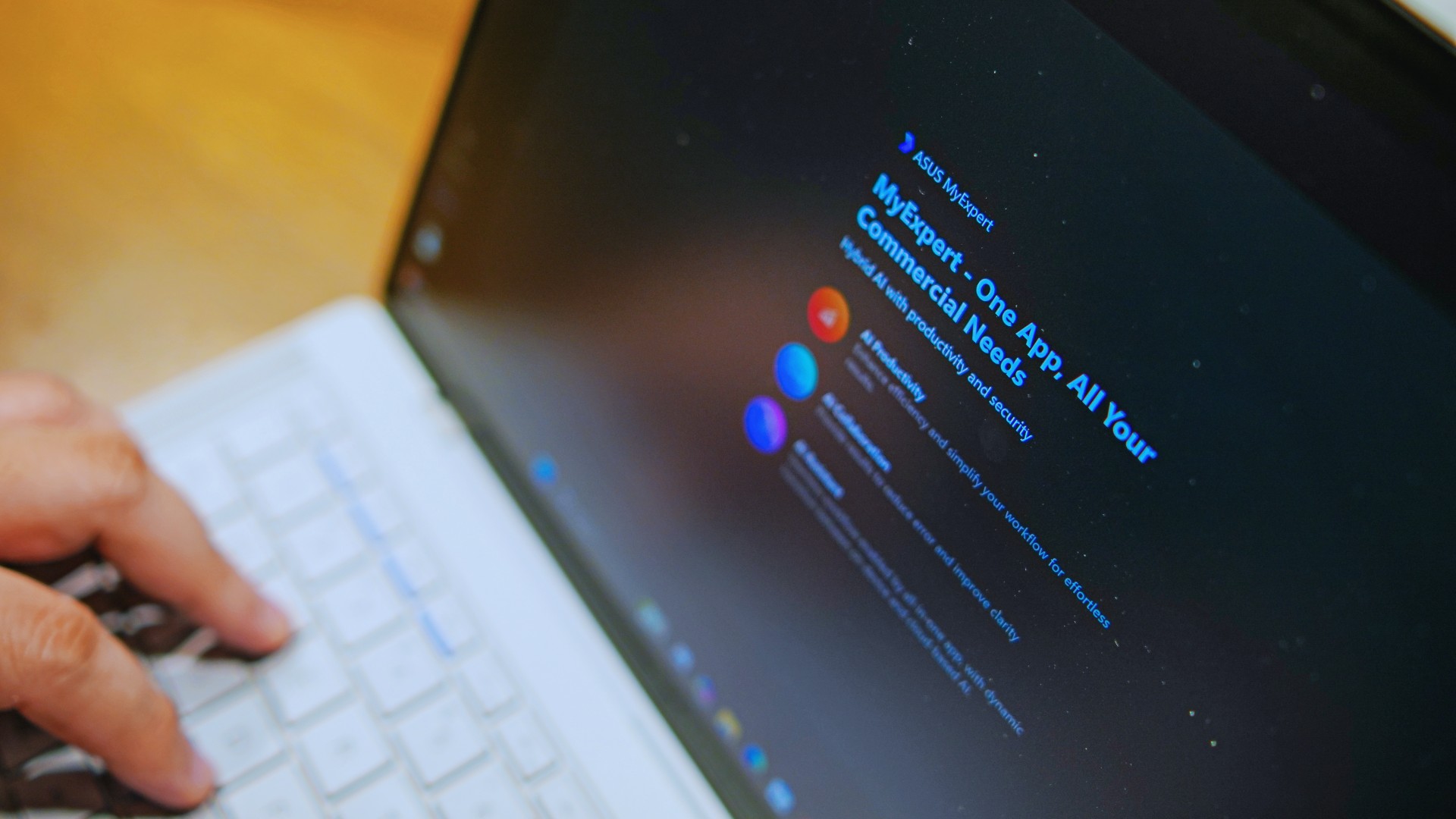
The thing I struggle with when it comes to AI features on this machine is that a lot of them are Windows-based and that’s just not the AI I find reliable.
Right now, many of these features are nice-to-have.
I’m sure one of ASUS’ target users will likely find a use case for them.
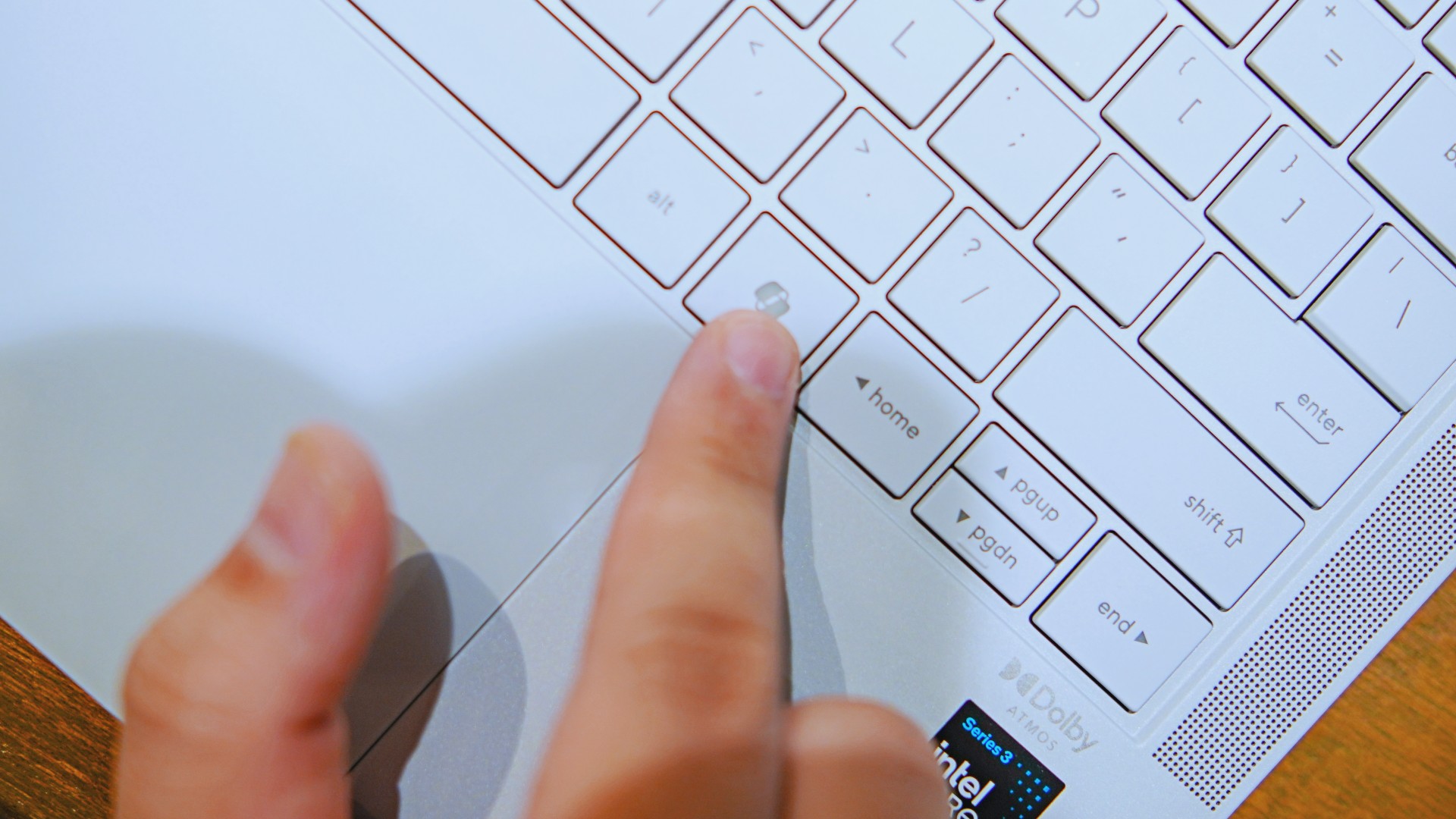
As for me personally, this is one area I’d have to dig deeper into to actually find ways to integrate them into my workflow and general usage.
And honestly, that’s okay. The AI features weren’t the reason I kept reaching for the laptop.
Who is this actually for?

That’s a loaded question. Really, it’s built for anyone who can afford it.
With a starting price of PhP 129,995, this device comfortably sits in aspirational territory.
What I know for sure is that this is a machine for someone who’s already built some momentum in their chosen field and would like to level up.
The ASUS ExpertBook Ultra gives you a machine that can handle your business now and inspire you to dream bigger about your future.
Is the ASUS ExpertBook Ultra your GadgetMatch?
The thing I kept coming back to with the ExpertBook Ultra is that there is no one thing that made me turn to it.
Instead, it’s the combination of everything that it brings to the table. The premium-feeling build, lightweight design, wonderful display, excellent keyboard and touchpad. efficient performance, and the thoughtful extras. Together, they make it a laptop that’s easy to recommend to anyone who’s ready for it.
But what does ready for it actually mean?

It means it’s for people who have leveled up quite a bit in their grind and want a machine that matches their current status and future aspirations.
That’s what the ASUS ExpertBook Ultra represents. A modern classic that’s ready for now and whatever comes next.
That’s why it didn’t wow me. But it certainly won me over.

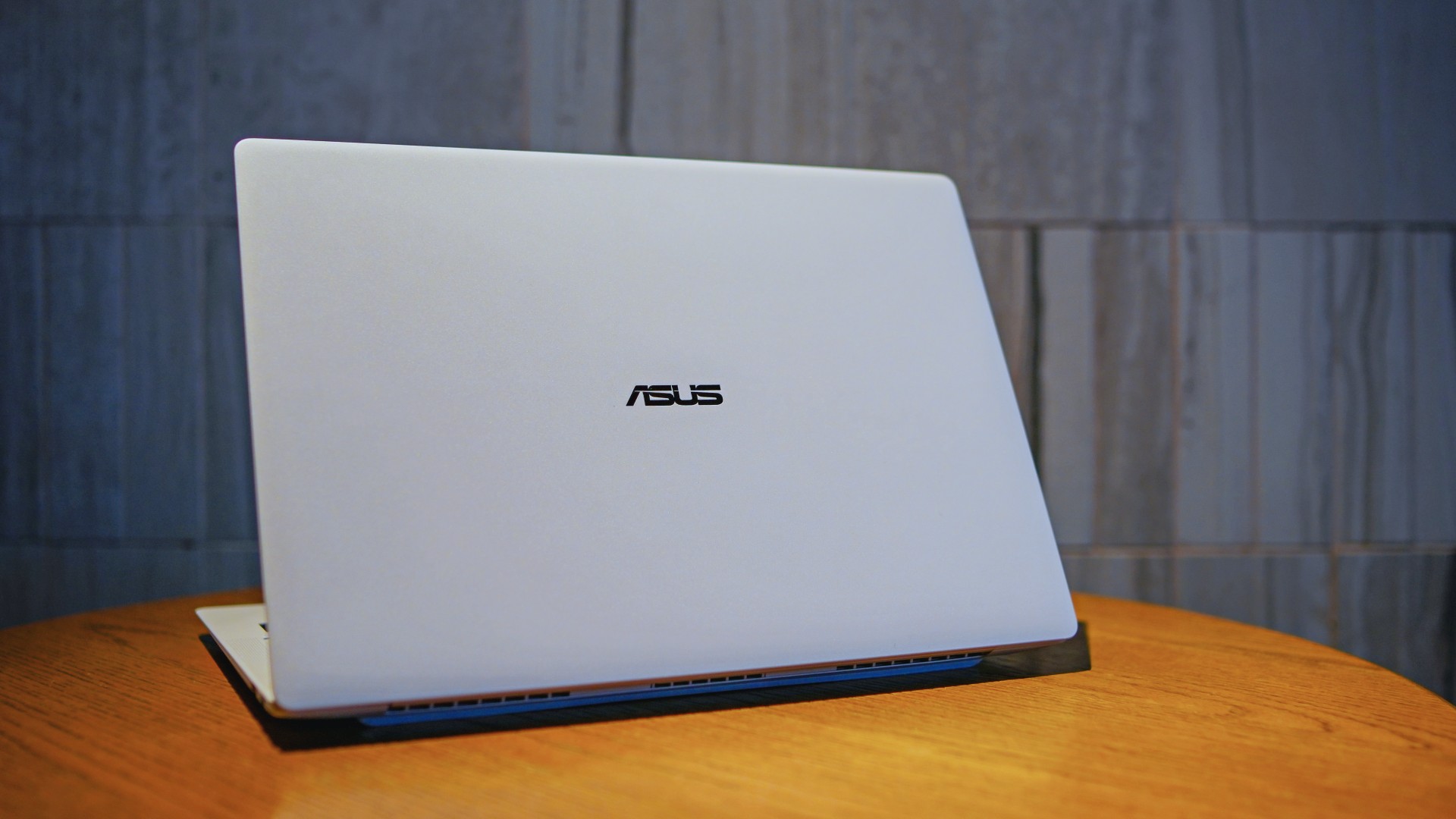
The ASUS ExpertBook Ultra is now available in the Philippines. It is ASUS’ latest AI-powered business laptop for professionals who want a lightweight machine without sacrificing performance.
Positioned as the flagship of the ASUS ExpertBook lineup, it combines a sub-1kg chassis with Intel Core Ultra processors, enterprise-grade security, and AI features. ASUS is targeting executives, business users, and creators with the new laptop.
Built for portability and performance
The ASUS ExpertBook Ultra weighs as little as 0.99kg. It measures just 10.9mm thick. The laptop uses an aerospace-grade magnesium-aluminum chassis with ASUS Nano Ceramic Technology. ASUS says the finish delivers five times greater scratch resistance than the industry standard.
Despite its slim profile, the laptop packs a 70Wh battery. ASUS rates it for up to 26 hours of battery life.
Power comes from Intel Core Ultra Series 3 processors. The lineup is topped by the Intel Core Ultra X9-388H. Buyers can configure the laptop with up to 64GB of LPDDR5X memory running at 9600 MT/s and up to a 2TB PCIe Gen 5 SSD.
ASUS also highlights its ExpertCool Pro thermal system. It allows the processor to sustain up to 50W of CPU performance while keeping fan noise low.
Tandem OLED display and premium hardware
The ExpertBook Ultra features a 14-inch 3K Tandem OLED touchscreen. It offers a 120Hz refresh rate and up to 1,400 nits of HDR brightness. Corning Gorilla Glass Matte helps reduce reflections while preserving image quality.
Other hardware highlights include:
- 1.5mm travel spill-resistant keyboard
- Edge-to-edge haptic touchpad
- Six-speaker Dolby Atmos audio system
- Dual Thunderbolt 4 ports
- Two USB-A ports
- HDMI 2.1
- 3.5mm audio jack
AI and enterprise security
As a Copilot+ PC, the ASUS ExpertBook Ultra includes AI-powered tools through the MyExpert suite. These include AI ExpertMeet and a local Knowledge Hub.
The laptop also focuses on enterprise security. Features include dual biometric authentication, a physical webcam shutter, self-healing BIOS, TPM 2.0, Microsoft Pluton, and compliance with the NIST SP 800-193 firmware security standard.
Price and availability
The ASUS ExpertBook Ultra is now available through ASUS authorized stores and select retailers nationwide.
Pricing starts at PhP 129,995. Higher-end configurations go up to PhP 215,995.
ASUS is also offering an Early Bird Bundle until July 31, 2026. Eligible purchases include an ASUS 100W GaN charger and PhP 10,000 worth of SSI gift vouchers.

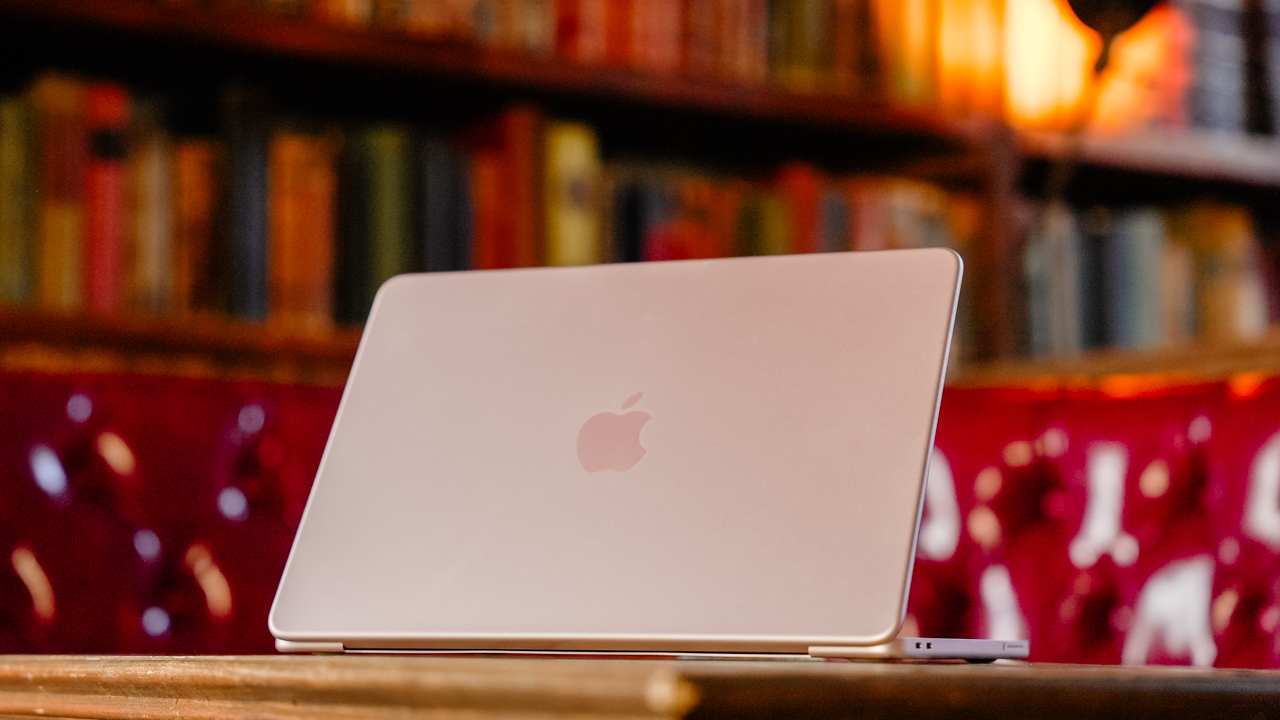
Hey, remember when Apple launched the MacBook Neo, and it had the most attractive price for an Apple-branded laptop? Those were good times. Unfortunately, it was too good to be true. Responding to the ongoing RAM crisis, Apple has now increased the prices of its hardware, starting with the MacBook and the iPad lineups (via Reuters).
The “highlight” here is the price of the MacBook Neo. To be fair, the affordable MacBook is still the cheapest one of the lot, but that’s not saying much. From a starting price of US$ 599, the Neo now costs US$ 699.
Now, we’d love to say that a US$ 100 price hike is the most you can expect across the board. But that’s not true at all. Most will bring up the price by a few hundreds and up to a whopping US$ 1,300. Here’s a list of devices you’re going to see changes for:
| Model | Original price | New price |
| MacBook Neo | $599 | $699 |
| MacBook Air (13-inch) | $1,099 | $1,299 |
| MacBook Air (15-inch) | $1,299 | $1,499 |
| MacBook Pro (M5) | $1,699 | $1,999 |
| MacBook Pro (M5 Pro) | $2,199 | $2,499 |
| MacBook Pro (M5 Max) | $3,599 | $4,099 |
| iMac | $1,299 | $1,499 |
| Mac Studio (M4 Max) | $1,999 | $2,499 |
| Mac Studio (M3 Ultra) | $3,999 | $5,299 |
| iPad | $349 | $449 |
| iPad mini | $499 | $599 |
| iPad Air (11-inch) | $599 | $749 |
| iPad Air (13-inch) | $749 | $949 |
| iPad Pro (11-inch) | $999 | $1,199 |
| iPad Pro (13-inch) | $1,299 | $1,499 |
| Vision Pro | $3,499 | $3,699 |
The current price hikes do not include the iPhone lineup. It might only be a matter of time, though. Recently, Tim Cook confirmed that Apple can no longer shoulder the expenses of the RAM crisis by themselves, essentially signaling a huge wave of price hikes. The brand will likely continue the increases heading into the iPhone launches in September.


realme C100: Enduring and durable in spite of entry-level realities
Enough power but needs more agility


The ASUS ExpertBook Ultra wins you over
The laptop sneaks up on you


Nexal Watch Sport review: A rugged watch for small budgets
I couldn't believe that watches this good could come for this cheap.

Mercedes-Benz celebrates 140th anniversary at the Presidential Car Museum

Street Fighter 6’s first Filipina fighter arrives August 3

Samsung releases teaser with Spider-Man: Brand New Day Easter eggs

iOS 27 public beta gives us our first taste of Siri AI

The case for traveling without a plan

Buyer’s Guide: TECNO SPARK 50 Pro vs SPARK 50 5G

New York becomes first state to ban smart glasses

vivo X300 Ultra review: A “Whole Different Animal”

DJI Osmo Pocket 4P launches with dual lenses and a 1-inch sensor

HONOR Watch 6 review: Less guessing, more knowing


-
 News1 week ago
New York becomes first state to ban smart glasses
-

 Singapore6 days ago
Sony launches IER-M500 in-ear monitors
-

 Gaming1 week ago
Microsoft dictates that a new Fallout game is coming
-

 Computers1 week ago
GIGABYTE releases new AORUS RTX 5080 INFINITY graphics cards
-

 Gaming1 week ago
HoYo FEST 2026 details announced; tickets on sale from July 16
-

 Gaming1 week ago
Assassin’s Creed Black Flag Resynced available worldwide now
-
Reviews6 days ago
realme C100: Enduring and durable in spite of entry-level realities
-

 Automotive2 weeks ago
The Kia Carnival Hybrid is a gentle giant