
Accessories
Sony brings back the Walkman
There are two new models


What is a Sony Walkman? For those who don’t know, ‘Walkman’ is essentially Sony’s branding for their line of portable music players. It had versions that played cassette tapes, CDs, and mp3 files. Now, in the era of streaming, the Walkman is making a comeback.
Two new models

Sony Walkman NW-ZX707
Sony is adding two models to the lineup. These are the NW-ZX707, and the NW-A306. Yes, Sony’s robotic nomenclature is alive in well even in the Walkman line.
The NW-ZX707 has a 5-inch display, enhanced battery life, balanced connection, and Wi-Fi compatibility for downloading and streaming. Updated components from high-ends models were used on the device. This is to make sure it delivers high sound quality.
It integrates a DSD Remastering Engine where PCM (Pulse Code Modulation) audio is resampled into an 11.2 MHz DSD (Direct Stream Digital).
Then, there’s the NW-A306. It’s a much more compact modern Walkman. It has a 3.6-inch touch screen as well tactile physical music controls for those who like to feel them buttons.
This new walkman is made with premium aluminium milled frame and weighs only 7oz.
High quality sound

Sony Walkman NW-A306
Naturally, high quality sound is the name of the game for this pair of devices. Walkman’s independently developed S-Master HX digital amp technology was used to make it compatible with native DSD format.
What it does is reduce distortion and noise across a wide range of frequencies. This results in a rich and full-bodied sound, further enhanced by a new high-quality sound lead-free solder.
The NW-ZX707 and the NW-A306 both use Edge-AI (Artificial Intelligence), and DSEE Ultimate™ (Digital Sound Enhancement Engine) which upscales compressed digital music files in real-time. The evolving algorithm now delivers even greater benefits for CD-quality (16-bit 44.1/48kHz) lossless codec audio.
This restores subtleties and dynamic range providing a richer and more complete listening experience.
Battery life
The NW-ZX707 has a battery life of up to 25 hours of 44.1kHz FLAC playback, up to 23 hours1 of 96 kHz FLAC High-Resolution Audio playback, or up to 22 hours2 even when streaming.
The NW-A306 has a battery life of up to 36 hours1 of 44.1kHz FLAC playback, up to 32 hours1 of 96kHz FLAC high-resolution audio playback, or even up to 26 hours with streaming service apps.
Price and availability
The NW-ZX707 retails for PhP 44,999 while the NW-A306 is priced at PhP 19,999. They will be available in select Sony Authorized Dealers nationwide starting February 10, 2023.


Accessories
Peak Design’s new City Line combines minimalism and color
Less padding, more personality


Known for its camera-friendly bags with generous padding to protect photography gear, Peak Design is taking a different approach with the City Line.
The new collection prioritizes lightweight construction and everyday functionality, stripping away unnecessary bulk while still delivering the thoughtful organization the brand is known for.
The new collection includes the City Backpack in 15L and 22L sizes, the 15L City Tote, the City Crescent in 6L and 12L options, and the compact 2L City Sling. While each bag serves a different purpose, they all share the same minimalist aesthetics and intuitive organization.
To achieve that lighter design is Peak Design’s new weather-resistant MonoShell material, along with a seam-reduced construction that cuts down on unnecessary bulk.
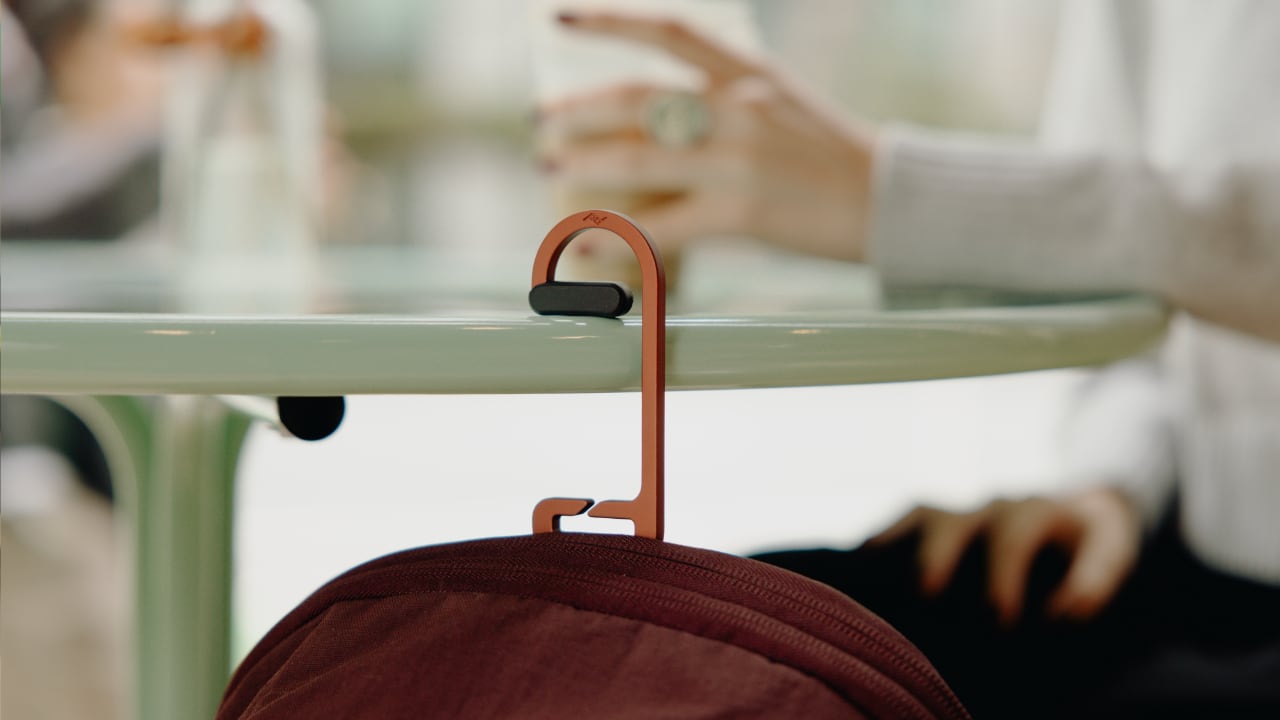
It also comes with Peak Design’s built-in BagLev hook, allowing you to hang your bag from a table instead of placing it on the floor.
Beyond the neutral and muted finishes we’ve seen in the past, Peak Design is also introducing brighter options that add more personality to the collection.
The vibrant Lapis blue, in particular, stands out as a fun alternative for anyone looking to move beyond the usual black everyday bag.
The City Line is now available through peakdesign.com and authorized retailers worldwide.

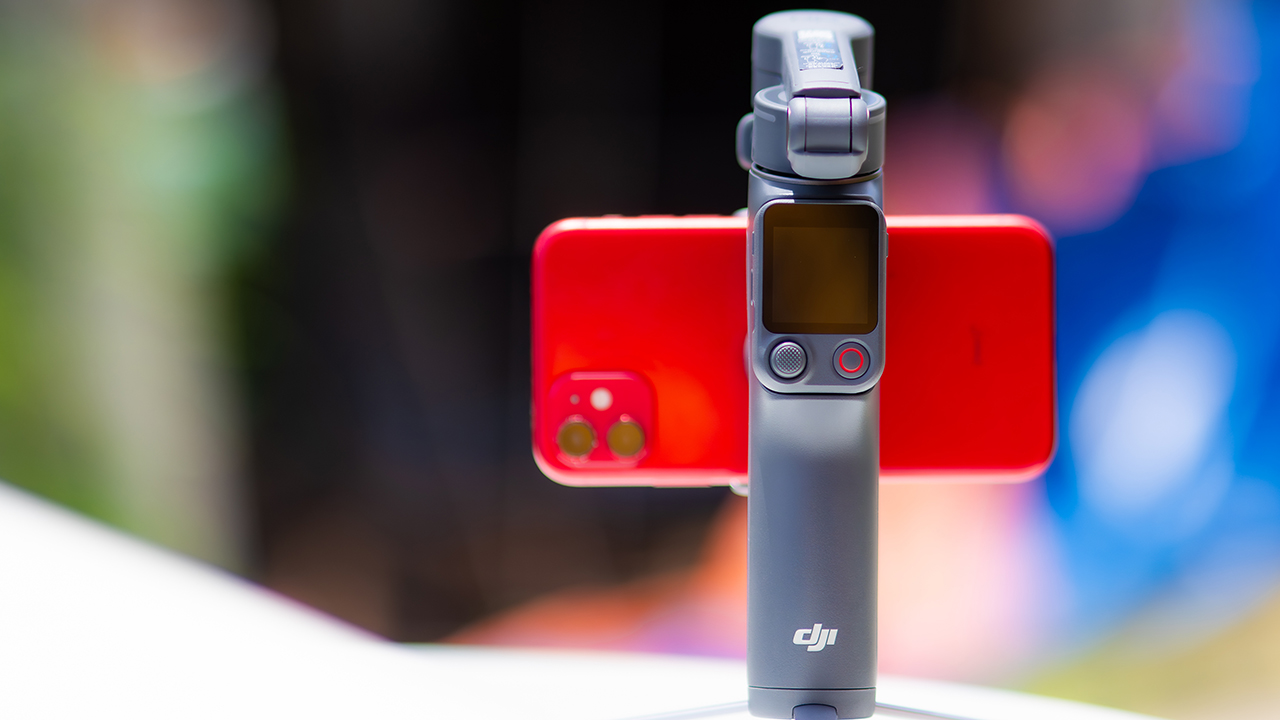
DJI’s smartphone gimbals have always chased one goal: delivering cinema-smooth footage without forcing you to carry a heavy rig.
The Osmo Mobile 8P (OM 8P) makes its priorities clear right out of the box. This is not a simple refresh. DJI rebuilt how you control the gimbal, and that decision shapes the entire shooting experience.
Freedom behind the lens
The biggest change is the FrameTap remote, and it’s the kind of upgrade that fixes a problem you didn’t realize was slowing you down until it’s gone.
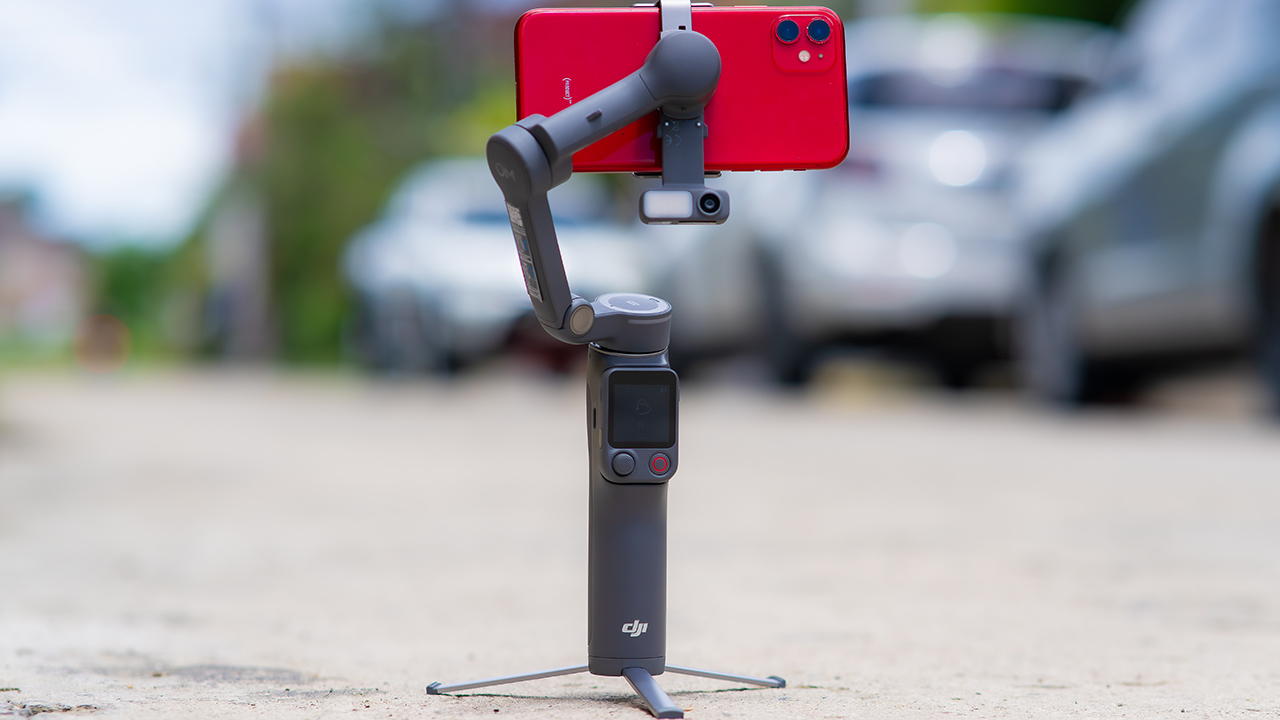
On the standard OM 8, adjusting your framing meant reaching for your phone every time, which broke the flow of shooting and pulled you out of the moment.
FrameTap puts that control back in your hand. You can reframe shots and manage the gimbal without touching your phone at all, and for anyone shooting solo, that alone changes how usable the whole setup feels. Tracking has taken a real step forward too.
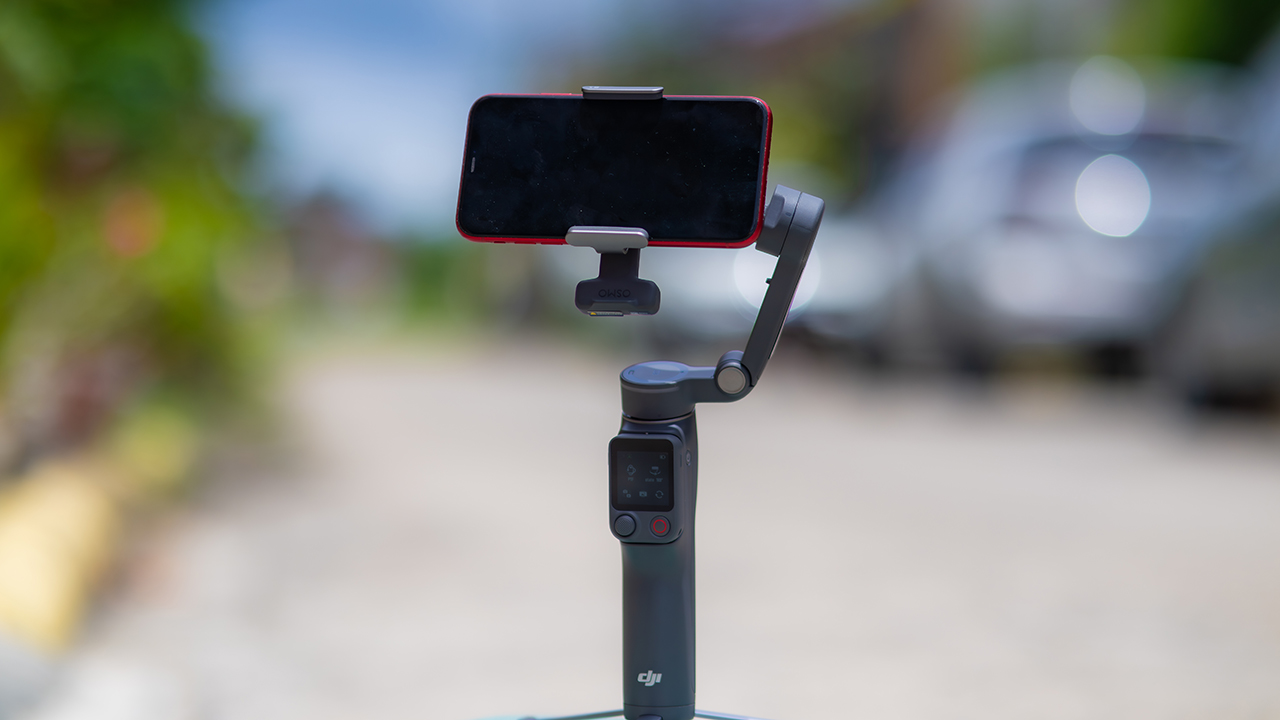
ActiveTrack 8.0, paired with Module 2, held onto its subject even after they stepped out of frame for a moment, then picked them back up without much fuss.
It also lets you sit off-center in the shot instead of forcing you into the middle every time, which gives you more room to compose something that doesn’t look like every other gimbal video.
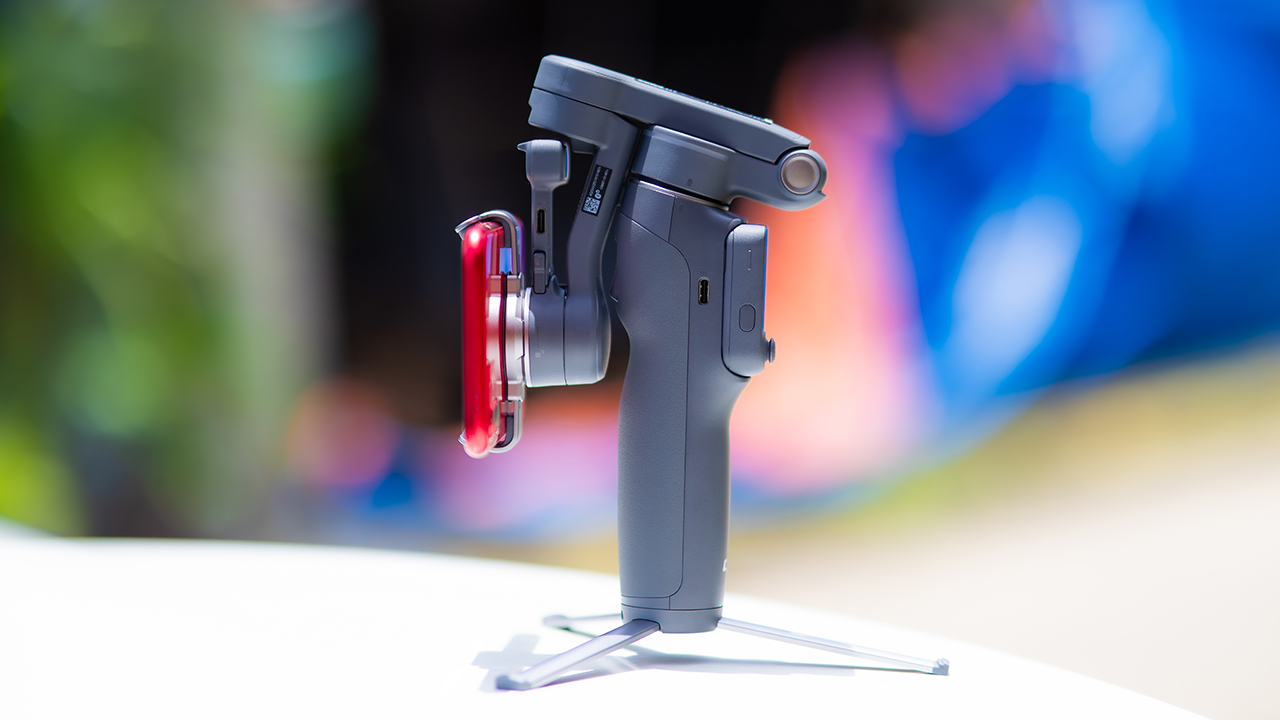
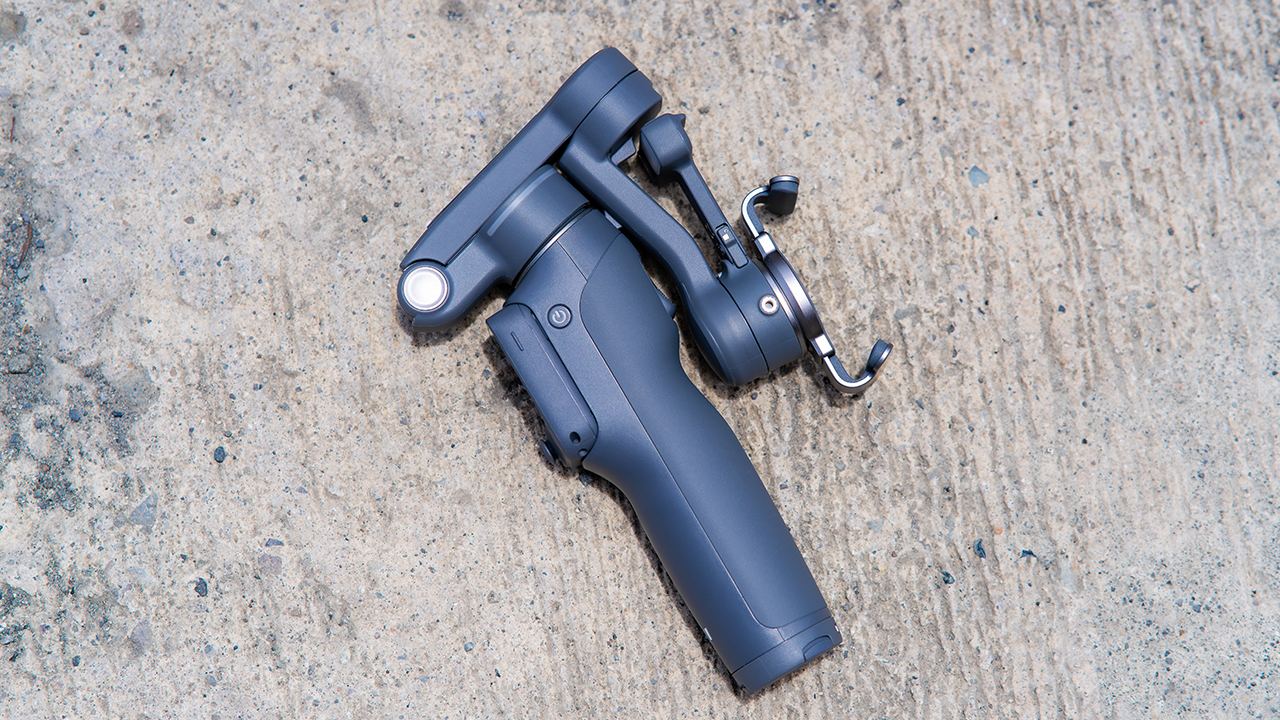
None of that would matter much if the gimbal itself wasn’t solid, and it still is. The OM 8P holds onto the same foldable design, magnetic phone clamp, and built-in tripod that made the OM 8 easy to live with.
And it remains one of the better compact options for stabilization, tracking, and portability in one package.
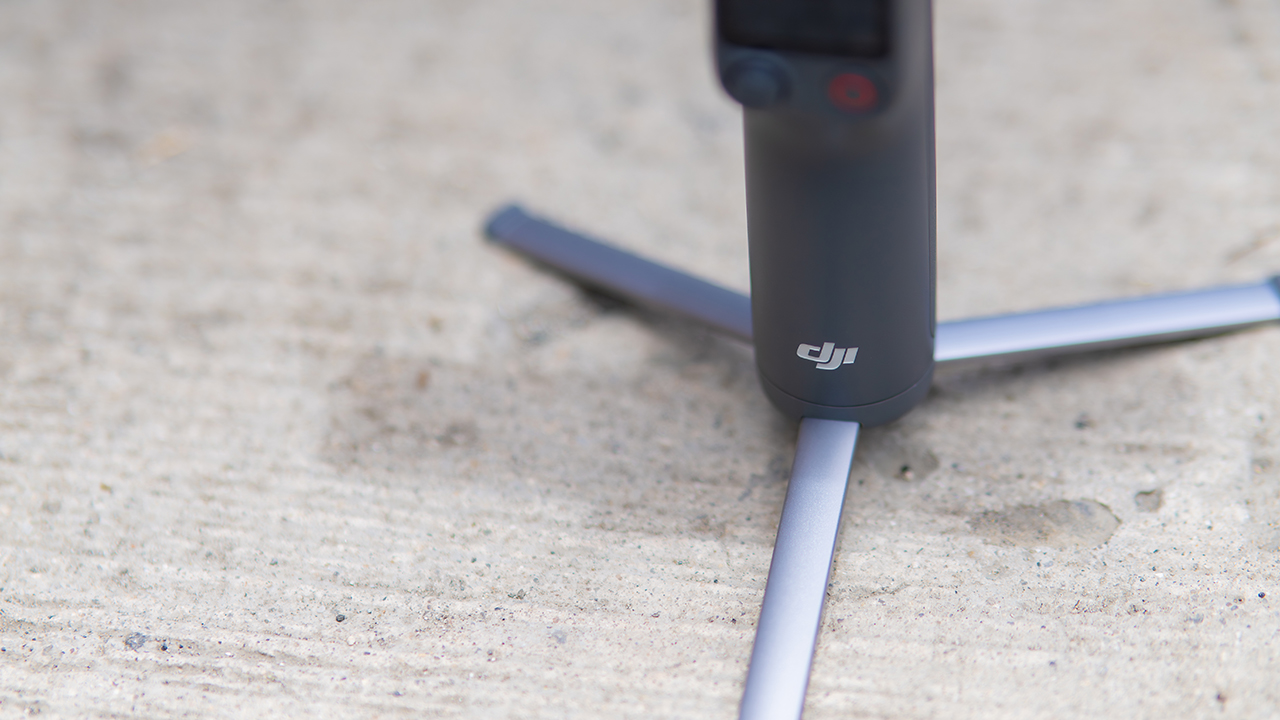
The tripod legs are a touch wider this time, and that extra width does make a noticeable difference on uneven ground.
The trade-offs in touch
The trade-off for all that new remote functionality is a control scheme that takes more getting used to. More of the gimbal’s functions now live on the FrameTap touchscreen, the joystick is smaller, and switching between shooting modes takes a few extra taps compared to the OM 8. It’s not a dealbreaker, but it’s a learning curve you’ll need to budget time for.
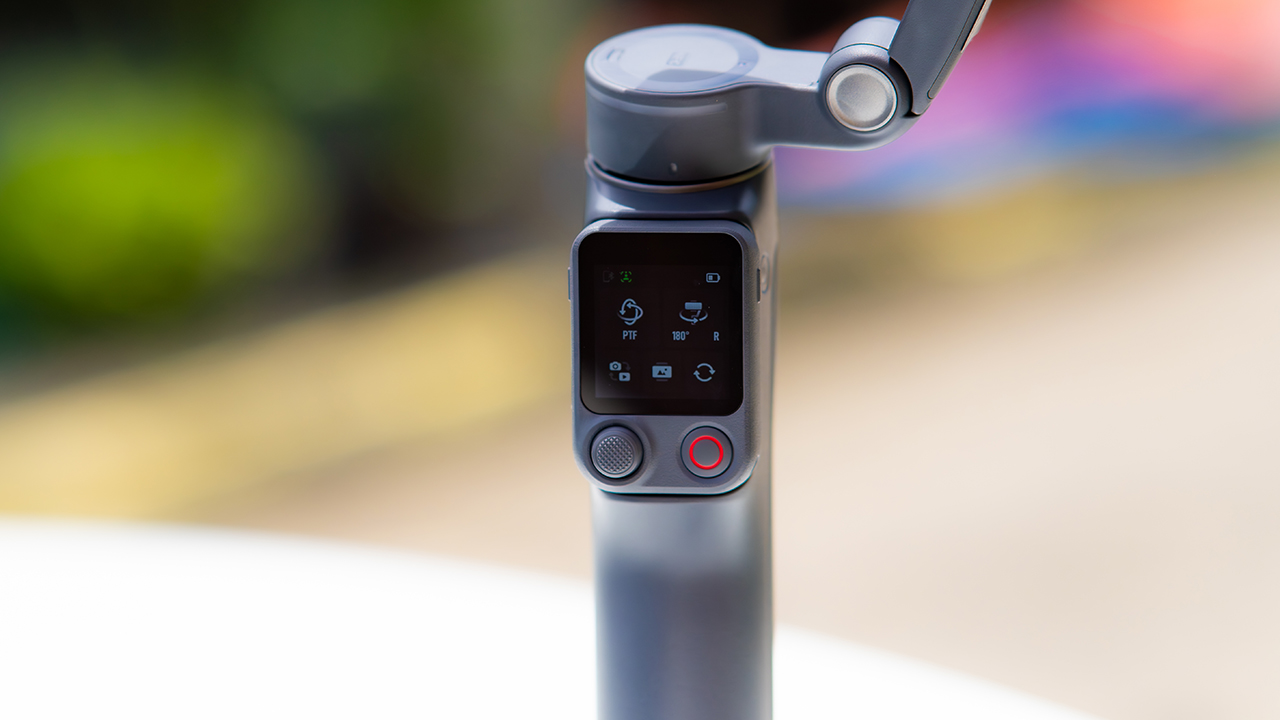
DJI also removed the zoom and focus wheel, so if you leaned on that dial for quick adjustments, you’ll feel its absence here. Module 2 no longer lets you plug a DJI wireless mic in directly either.
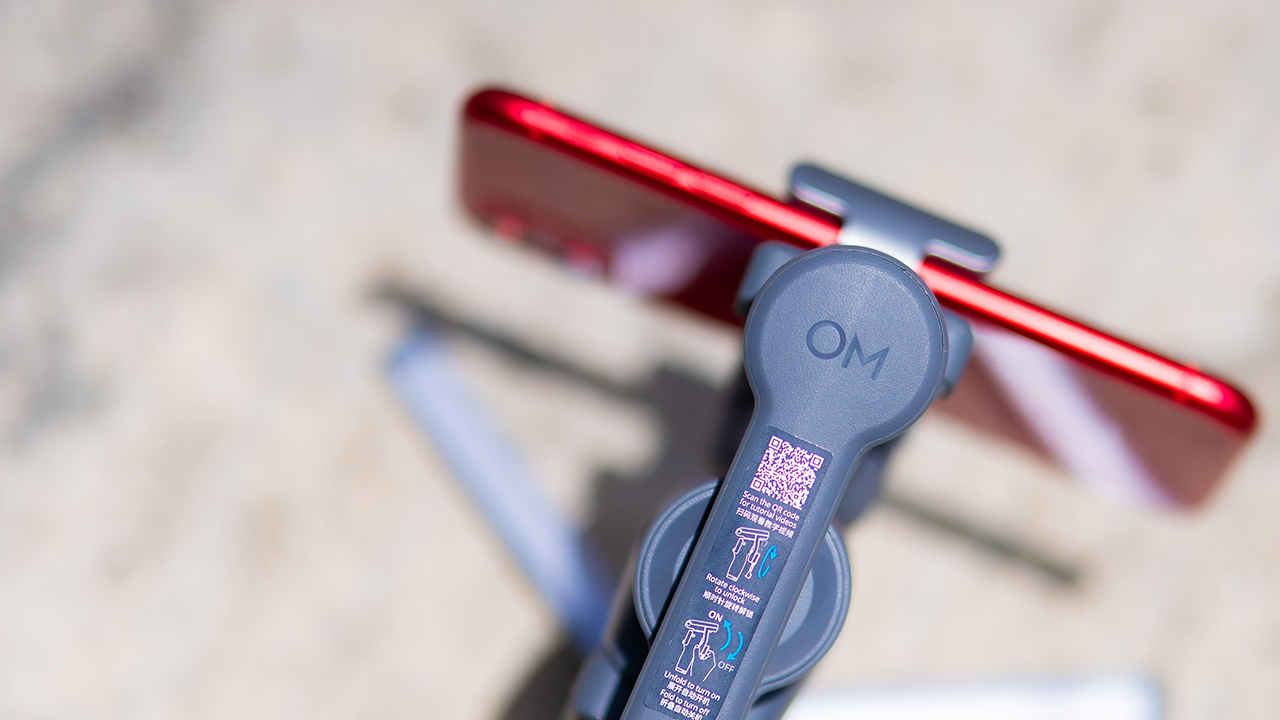
You’ll need to connect it to your phone instead, which adds a step to a setup that used to be simpler. Phone compatibility is still a limiting factor as well. DJI lists support for phones up to around 300g and 11mm thick, so bigger phones or ones in chunky cases may not clamp in properly.
Finding your ideal workflow
The OM 8P makes the most sense for solo creators who want dependable tracking and the freedom of remote framing without stepping up to a dedicated camera like the DJI Osmo Pocket.
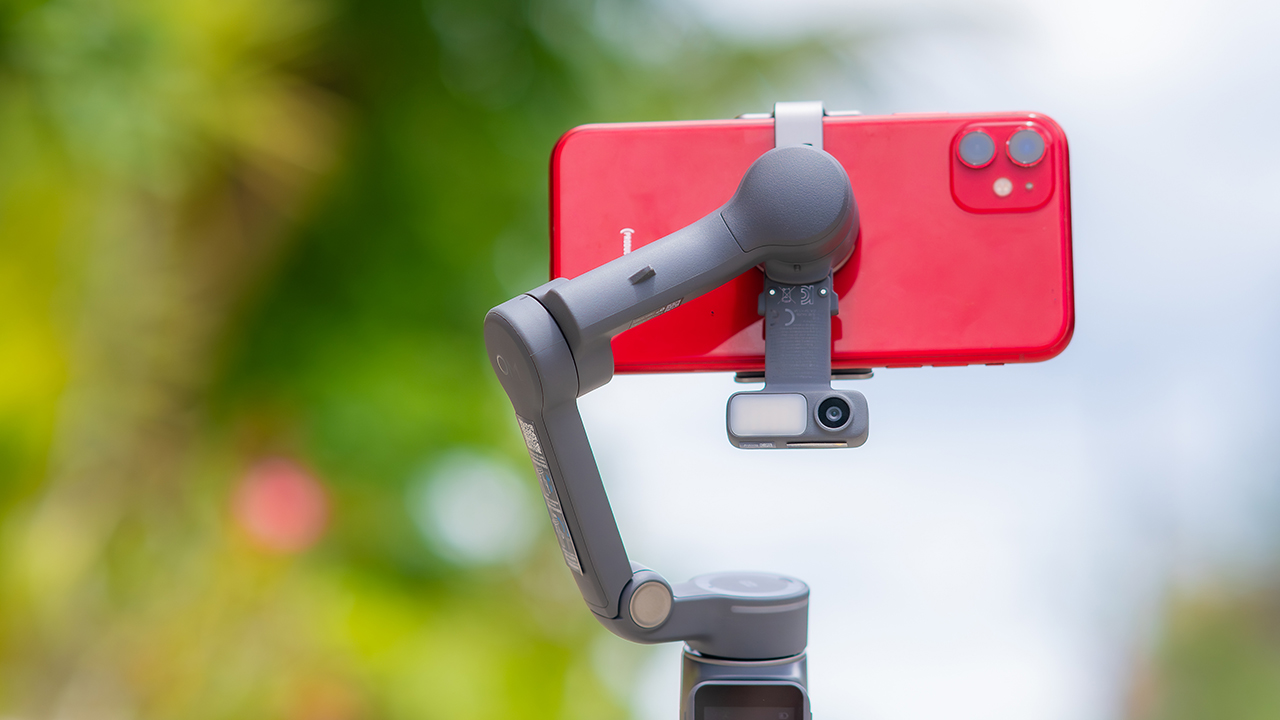
If you’re already shooting on a phone with a solid camera, this fills the gap nicely. It’s a tougher sell if you prefer physical buttons over touchscreen menus, or if your phone runs on the larger and heavier side, since fitting it onto the clamp might be a problem before you even get to shooting.
Price, availability
DJI is offering the OM 8P in three combos, so how much you pay depends on how much of the ecosystem you actually need.
- Standard Combo (PhP 7,499): the gimbal itself, with 8th-gen stabilization and the detachable FrameTap remote included.
- Advanced Tracking Combo (PhP 9,199): adds the Multifunctional Module 2 for the improved subject tracking we tested.
- Creator Combo (PhP 11,099): the full kit, built for creators who want everything DJI bundles in from the start.
Is the DJI Osmo Mobile 8P your GadgetMatch?
The DJI Osmo Mobile 8P asks you to relearn a few habits in exchange for a gimbal that finally lets go of your phone. If hands-free framing and steadier tracking matter more to you than a dedicated zoom dial, this is worth the adjustment.
If you’d rather keep things exactly as they were on the OM 8, that learning curve might be the deciding factor.
Swipe right if you shoot alone often and have been waiting for a gimbal remote that actually works. The FrameTap remote alone justifies the upgrade if reaching for your phone mid-shot has been slowing you down.
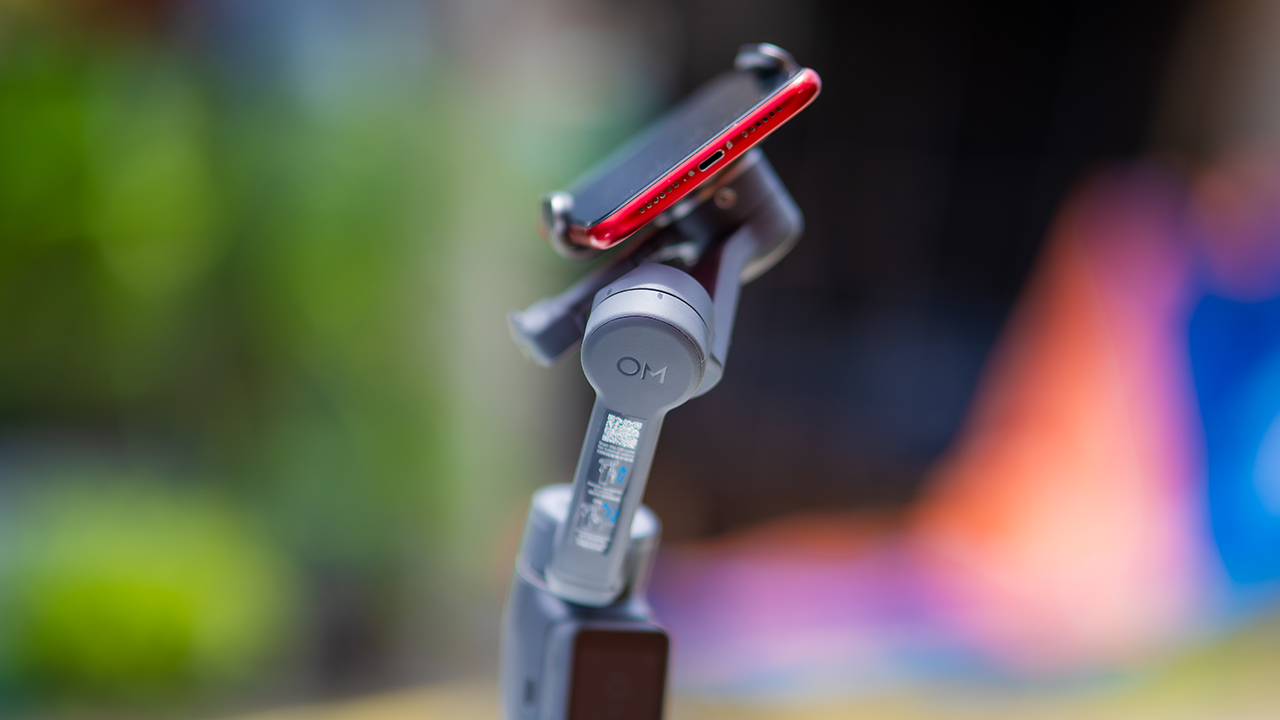
Consider this if reliable tracking matters to you, especially if you’ve had a subject wander out of frame and stay lost on older gimbals.
And of course, get this if you already own a capable phone under the weight and thickness limits, and you’d rather invest in a smartphone rig than jump to a dedicated camera like the Osmo Pocket.
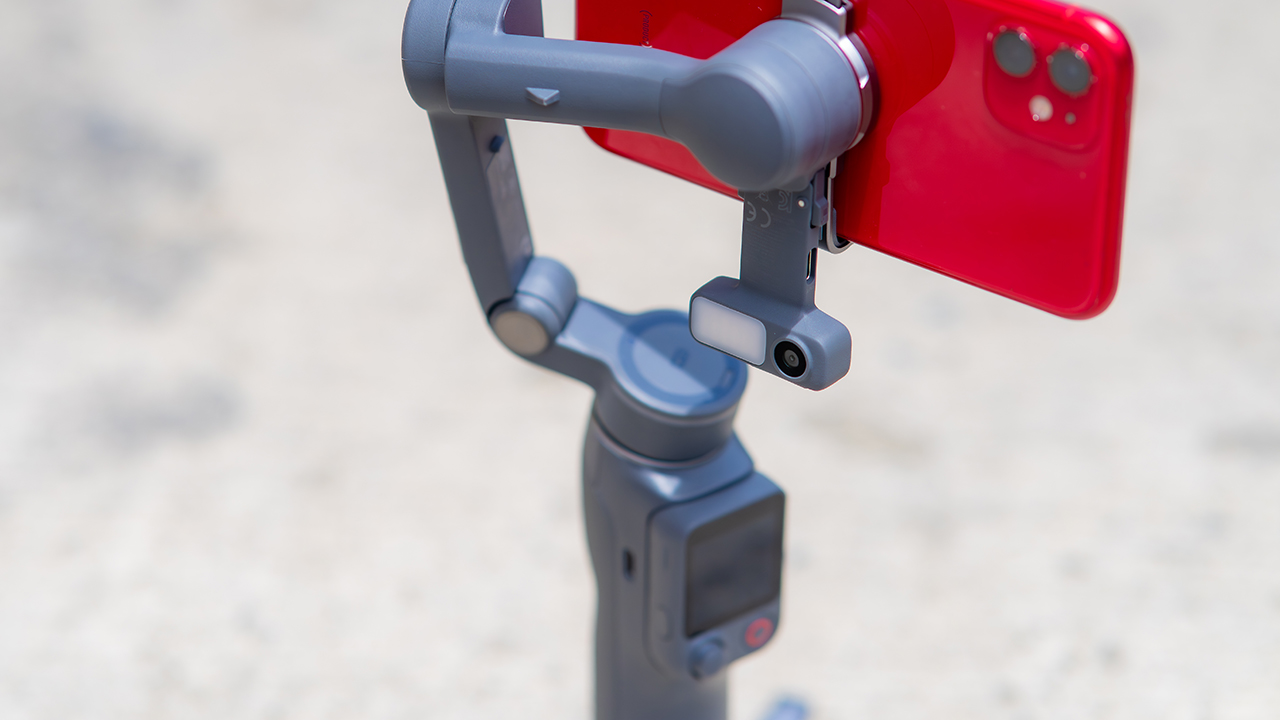
Swipe left if you lean on physical dials for zoom and focus, and moving those functions to a touchscreen sounds like a downgrade rather than an upgrade.
This is not for you if you use a DJI wireless mic and want it plugged directly into the module without routing through your phone first. Or, your phone runs heavier or bulkier than DJI’s limits allow, since no amount of enthusiasm fixes a clamp that won’t close.

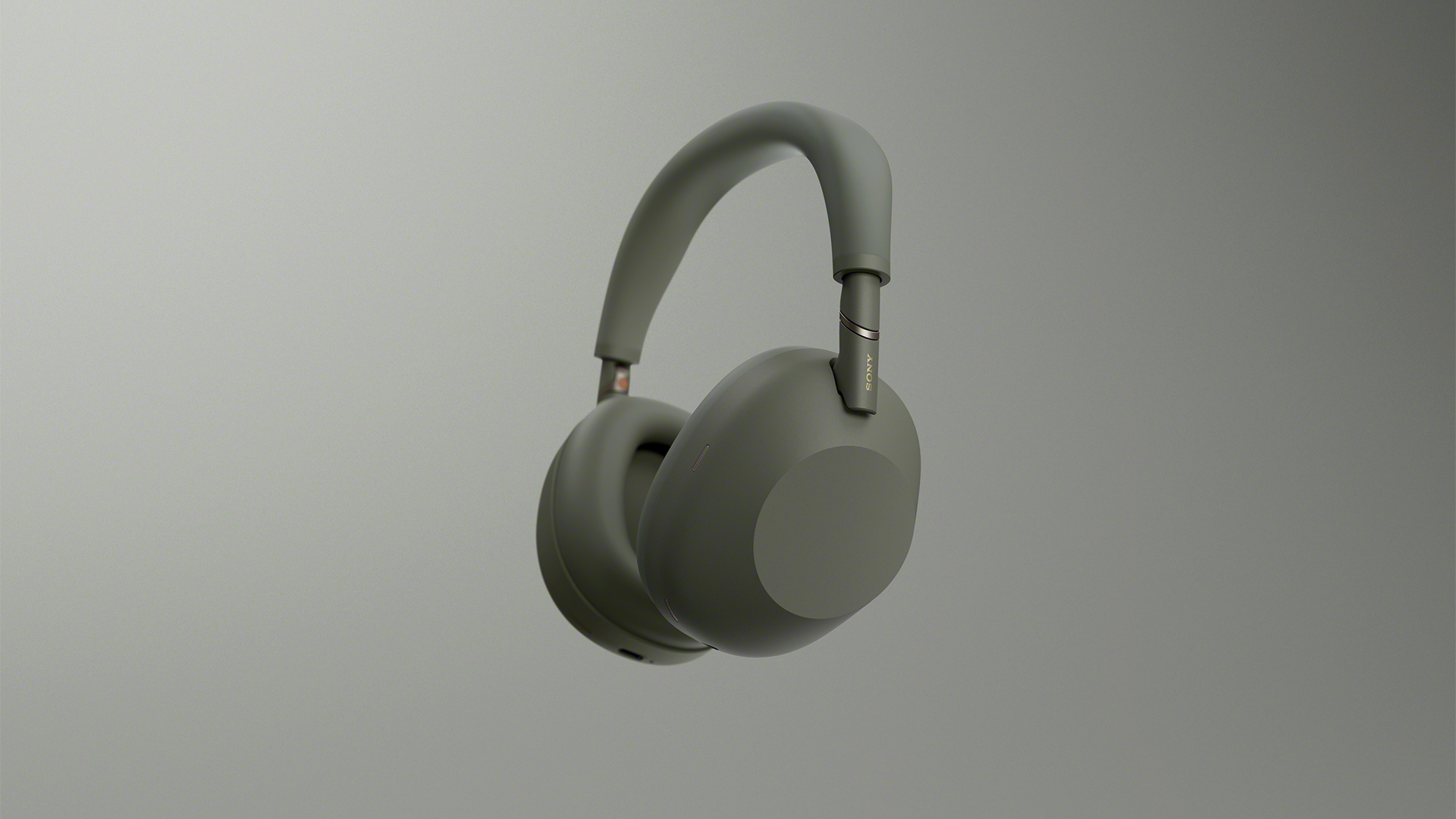
Last year, the Sony WH-1000XM6 quickly became our favorite pair of noise-cancelling headphones. The audio quality pairs remarkably well with its ANC capabilities. Now, a year into the accessory’s life cycle, new colors are still coming out. Today, the acclaimed WH-1000XM6 is getting an Olive Gray variant.
A few months ago, Sony expanded the WH-1000XM6’s colorway options with a Sandstone version, launching alongside the Sony 1000X THE COLLEXION. At the time, the new color added a splash of life to an already blossoming lineup.
Now, much like the rest of the lineup, the new Olive Gray version is a subdued mashup between olive green and gray. Though it stands out on its own, the color is still cool enough to mix well with the contours of the user’s head.
Other than that, the new version is still identical to the inner workings of the original device. The Sony WH-1000XM6 comes with a new HD Noise Canceling Processor QN3, providing 12 microphones for effective noise cancellation. In terms of audio quality, the headphones support High-Resolution Audio and High-Resolution Audio Wireless, thanks to LDAC support.
Also, the accessory sits comfortable on the head with a high rigidity carbon fiber composite material dome, cushioned well with synthetic leather.
As always, the Olive Gray version, launching today, will sell for US$ 459.99.
In Singapore, the Sony WH-1000XM6 in Olive Gray is available starting today through Sony Stores, the Sony Store Online, and authorized dealers for S$649, matching the pricing of the existing color options.
SEE ALSO: Sony WH-1000XM6: Master of sound quality and noise cancellation


30 days later with the ASUS ExpertBook Ultra: Like seeing an ex
Felt exactly as I remembered.

ROG STRIX G16 Review: Building for the moment
Setting it up however you want to make the most out of it


realme C100: Enduring and durable in spite of entry-level realities
Enough power but needs more agility

Getting the latest Samsung Galaxy Z Flip8 at 0% Interest with Maya Mini Payments
30 days later with the ASUS ExpertBook Ultra: Like seeing an ex

TCL expands mobile lineup with latest NXTPAPER series
ROG STRIX G16 Review: Building for the moment

Smart opens HUAWEI Pura 90s Series pre-orders with exclusive freebies

Hands-on: Samsung Galaxy Z Fold8, Flip8, Ultra

Garmin launches its first screenless fitness band

VinFast debuts two-wheeler models, opens 21 e-motorcycle showrooms

Samsung releases teaser with Spider-Man: Brand New Day Easter eggs

Most of the world’s PlayStations will be officially useless by 2028


-
 Automotive1 week ago
VinFast debuts two-wheeler models, opens 21 e-motorcycle showrooms
-

 Computers2 weeks ago
AMD launches Radeon RX 9050 graphics card
-

 Automotive2 weeks ago
Xiaomi debuts SkyNomad Series featuring new Kunlun platform
-

 News7 days ago
OnePlus officially leaves the United States and Canada
-

 Gaming2 weeks ago
NBA 2K27 gameplay trailer showcases new dunk mechanics, Rucker Park, and more
-

 Gaming1 week ago
Call of Duty: Modern Warfare 4 clip shows Losing Ground 1st look
-

 Automotive2 weeks ago
BYD Atto 2 launches with EV, plug-in hybrid options
-

 Automotive2 weeks ago
GAC launches new trio of MPVs