

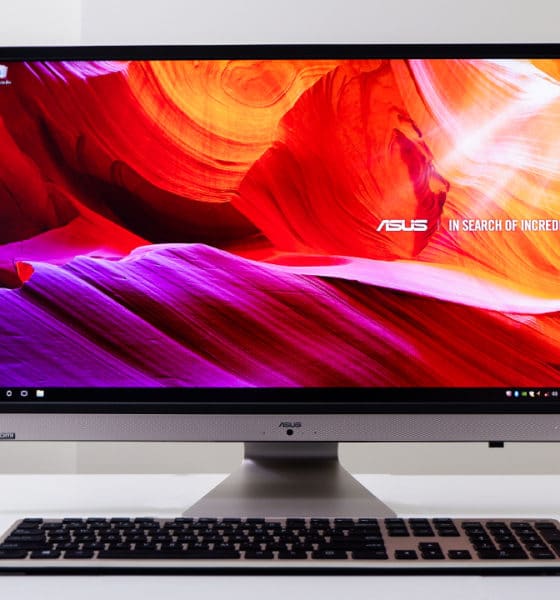

As a person who builds his own desktop computers and thrives on portable laptops for his on-the-go lifestyle, I admit there are times I just want a PC that can do it all — minus all the hassle of plugging accessories in and finding wall sockets for charging.
That’s exactly what an all-in-one computer aims to do, and the ASUS Vivo AiO is the latest example.
Much like the Zen AiO Pro I reviewed last year, this model only needs a single power cable to get things running. Everything else is already built in or simply wireless. Now, that’s convenience!
Here’s what it can do
Make no mistake about it: This AiO PC is quite big. With a 27-inch LCD on its adjustable base, it takes some effort to take this 8.5kg computer out of its box and setting it on a table. From there, however, the rest of the setup becomes pleasantly easy.
All you have to do is plug in the power cable, insert the wireless keyboard and mouse’s dongle into an open USB port, and you’re all set! Powering the unit on happens by pressing a somewhat hidden button at the back of the display.
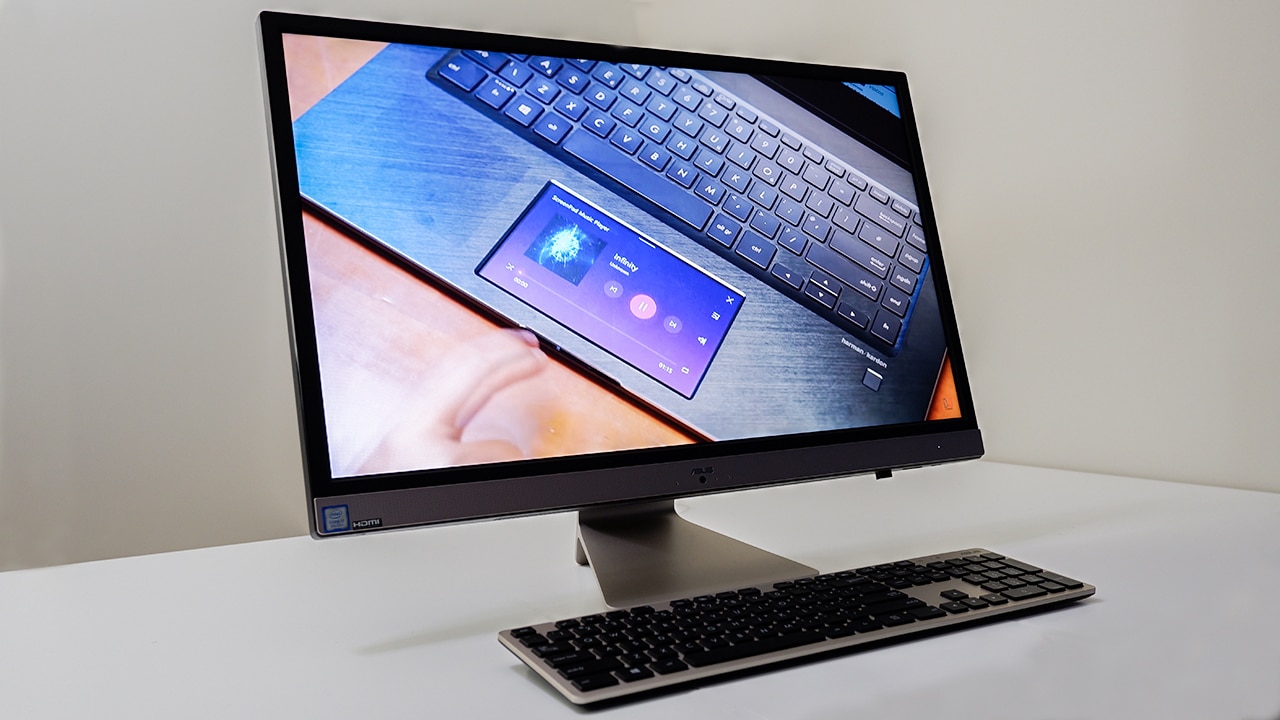
You’ll then be greeted by a 1920 x 1080-pixel resolution, which isn’t that dense for a 27-inch panel, but it does allow the system to run more smoothly since fewer pixels have to be pushed at a given time. ASUS claims it has a 100 percent sRGB color gamut, which is great for editing photos and videos more accurately.
Some variants of the Vivo AiO come with a touchscreen. This is kinda unusual to have on a desktop computer, but if it’s already there, then why not, right? Still, I would stick to using the keyboard and mouse, and leave the touch gestures to your laptop or smartphone.
I’m saying this because the bundled wireless mouse and keyboard are actually quite good. While not mechanical or gaming-optimized in any sense, they’re ergonomic and work well on all sorts of surfaces with no noticeable input lag.

Despite having everything in one solid piece, there are enough ports to go around.
Underneath the display, you get a single USB port, which I found to be a perfect spot to plug in the keyboard-mouse receiver, as well as a 3.5mm audio port for your headphones or external speakers.

At the back is a decent selection of ports, from USB 3.1 to HDMI and Ethernet. The only head-scratching omission is USB-C, which is becoming increasingly common on smartphones and thin notebooks. Even ASUS’ own phones and laptops are committed to the port, so it’s strange to see it missing here.

Design-wise, my main complaint is the location of the webcam. It’s situated on the bottom bezel, allowing it to look up your nose during video calls. ASUS brags about the display’s 81 percent screen-to-body ratio, but I would’ve been fine with some bezel up top to house the front camera instead.

Even though you can tilt the unit by a few degrees to find your sweet spot, you sadly can’t adjust the height to remedy the poorly placed webcam.
What exactly can it run?
One look at the specifications sheet, and you can tell what this machine is meant for.
My review unit is equipped with an Intel Core i7-8550U, 8GB of memory, and an NVIDIA GeForce MX150 graphics chip. This setup means the Vivo AiO can handle light workloads such as Microsoft Office, Chrome, and Photoshop with ease, but anything visually heavy will make it struggle a bit.
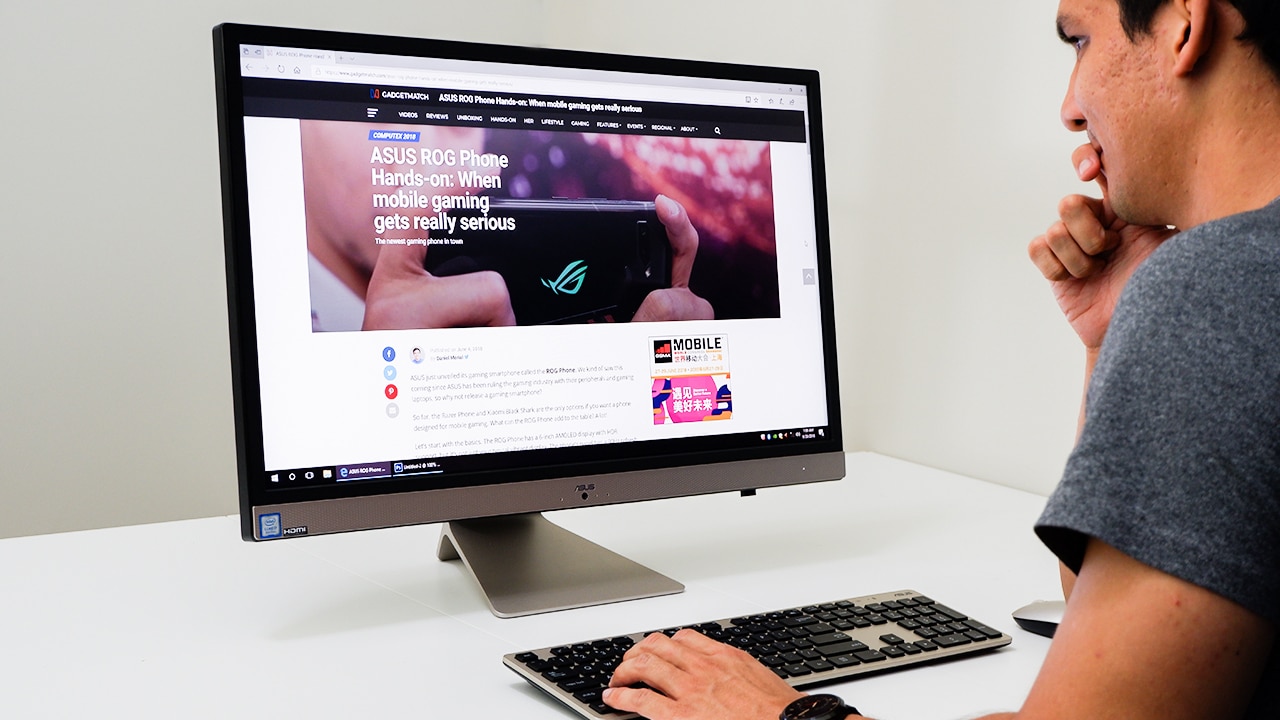
Like most AiO computers, upgrading components is a pain, so you’ll have to settle for whatever configuration you pay for from the start, so choose wisely.
During my time with this unit, I didn’t experience any lag while browsing websites, writing articles, and editing photos — all at the same time. That’s largely thanks to the quad-core Core i7 processor with Hyper-threading, giving you eight logical cores in total.
It’s only when I fired up a couple of graphically demanding games when the system couldn’t keep up.

For kicks, I played some Final Fantasy XV on this thing. As expected, I was forced to endure the lowest graphics settings on 1080p. However, to my surprise, the game managed to run at a consistent 30 frames per second, which made it totally playable. Any title less power-hungry than Final Fantasy XV — such as Fortnite or PUBG — will definitely run more smoothly.
Video editing on Premiere Pro is enjoyable on the large monitor and its powerful stereo speakers, but don’t expect rendering to be seamless. Still, I highly recommend getting a configuration with both an SSD and HDD to speed up the processing and provide you with enough storage, respectively. My setup has a standard 128GB M.2 SSD and 1TB HDD.
All in with the all-in-one?
In a nutshell, this is pretty much the Windows equivalent of an iMac. And like an Apple product, the Vivo AiO simply works. There’s no cumbersome setup process or annoying cables and dongles to deal with; plug it in and you’re set.
Who is this for other than iMac users wanting to jump ship? I’d say Windows users who want more screen real estate than what a laptop offers, yet need to save as much desk space as possible. An AiO like this is by far easier to transfer from one point to another compared to a traditional desktop PC with its separate monitor and multitude of cables.
Of course, this costs more than a custom-built PC spec-for-spec. You may buy a Vivo AiO with a starting price of US$ 1,000, but you could assemble a more powerful rig for less.
It ultimately comes down to convenience versus power. Which one will it be for you this time? Take a long look at your work space and decide from there.


Computers
Select GIGABYTE Intel motherboards now support HUDIMM
Offering budget-conscious builders more flexibility, accessibility


GIGABYTE announced a comprehensive BIOS update for its Intel 800, 700, and 600 series motherboards. These motherboards are now support the new HUDIMM memory standard, enabling “One Sub-channel DDR5” technology.
The specification is designed to reduce the high retail costs associated with modern memory by utilizing a single 32-bit sub-channel rather than the standard dual-channel configuration.
This update primarily targets the budget-conscious builders. Even system integrators, who have been restricted by DDR5 market pricing, should benefit.
HUDIMM provides a more accessible entry point for those building on modern Intel platforms, by reducing the DRAM chip count per module.
This is without requiring the premium investment typically demanded by high-bandwidth kits.
Beyond initial builds, the update facilitates unconventional upgrade paths for mainstream users. The firmware allows for asymmetric mixing.
In other words, a user can pair a low-cost 8 GB HUDIMM with an existing 16 GB standard module.
This configuration allows for a 24 GB total capacity, providing a middle-ground performance boost that utilizes three combined sub-channels.
GIGABYTE confirmed the BIOS firmware is available immediately via its official website. The company also stated that the update ensures seamless detection and stable operation of the new modules across its entire compatible Intel motherboard lineup.
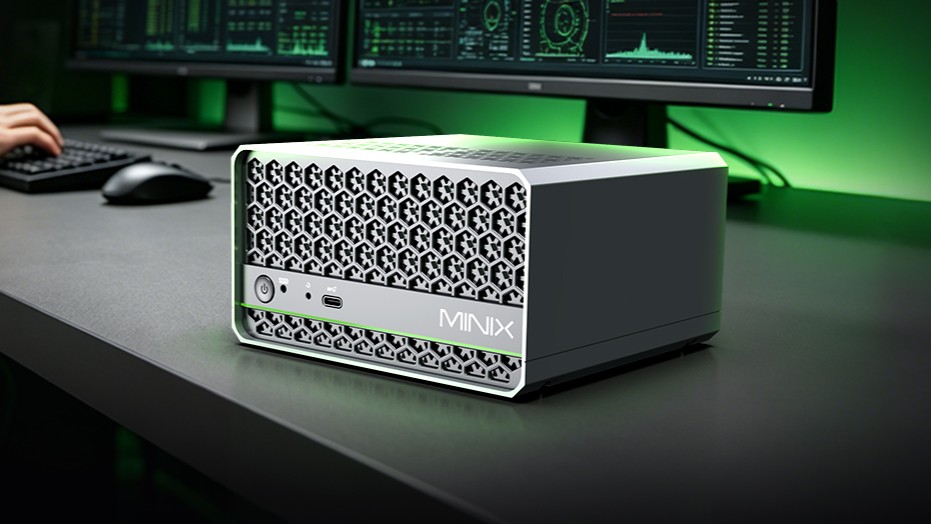
MINIX has launched the T4000 and T5000 Generative AI Mini Workstations.
These powerful and space-saving solutions are built for professional generative AI, local large language model (LLM) inference, content creation, on-premise enterprise deployment, and lightweight model training.
The desktops are powered by the NVIDIA Jetson AGX Thor series modules with flagship Blackwell architecture. As such, they deliver exceptional on-device AI horsepower in a small desktop form factor.
The build features durable metal and plastic chassis, plus twin turbo intercooler for sustained performance.
The new offerings are engineered for professionals, developers, creators, and IT teams, redefining edge and on-premise AI without bulky server hardware.
At the core of the T4000 and T5000 are NVIDIA’s cutting-edge compute platform:
- T4000: Up to 1200 Sparse FP4 TFLOPs AI performance
- T5000: Up to 2070 Sparse FP4 TFLOPs AI performance
- 1536-2560 Blackwell GPU with fifth-generation Tensor Cores
- Multi-Instance GPU (MIG) for parallel task efficiency
- NVIDIA PVA 3.0 dedicated vision processing engine
The workstations natively support smooth local inference for 7B-70B parameter LLMs. This makes private, low-latency AI accessible for businesses and creators.
In addition, the offerings feature high-core-count Arm processing and large, fast memories of up to 128GB DDR5 on 12-core or 14-core Arm Neoverse-V3AE 64-bit CPU.
Designed for professional workflows, the mini workstations also include enterprise-grade networking and flexible expansion:
- Dual 10GbE ethernet
- Wi-Fi 6E
- Bluetooth 5.3
- 2x HDMI 2.1 TMDS (4K@60Hz)
- 4x USB 3.2 Gen 1 Type-A
- 1x USB 3.2 Gen 2 Type-C
- 24V DC input, up to 200W max power
Ideal use cases for the MINIX T4000 and T5000 include local LLM inference, generative AI creation, on-device AI computing, and lightweight model training.
Computers
Lenovo accelerates production-ready enterprise AI with NVIDIA
From AI inferencing to gigawatt-scale AI factories

Lenovo has unveiled new Lenovo Hybrid AI Advantage with NVIDIA solutions designed to accelerate AI adoption, reduce time-to-first-token (TTFT), and deliver measurable business results across personal, enterprise, and cloud environments.
Building on the inferencing acceleration introduced at Lenovo Tech World, this next phase of Hybrid AI execution expands the solutions with device to data center to gigawatt-scale AI cloud deployments.
This enables real-time decision-making, operational efficiency, and intelligent automation across industries at global scale. The solutions boost productivity, agility, and innovation by enabling faster AI deployment.
The development comes as AI is seen moving from training models powering real-time decisions. Lenovo is prepared to address the demand for validated hybrid AI platforms built for production-scale inferencing, as organizations will need infrastructure to support such.
In fact, Lenovo’s Hybrid AI Advantage with NVIDIA are now delivering ROI in less than six months. The new inferencing-optimized ThinkSystem and ThinkEdge servers are being utilized for real-time inferencing across retail, manufacturing, healthcare, sports, and smart city scenarios.
The expanded portfolio includes:
- two Lenovo Hybrid AI platforms, featuring NVIDIA RTX PRO 6000 Blackwell Server Edition and Blackwell Ultra
- Hybrid AI inferencing starter platform with RTX PRO 4500 Blackwell Server Edition
- Lenovo ThinkAgile HX650a with Nutanix Enterprise AI and Nutanix Kubernetes Platform
- Lenovo Hybrid AI platforms with Cloudian
Bringing inferencing directly to professionals
Lenovo and NVIDIA are bringing AI from development environments to real-world production at a global scale. This is thanks to new Lenovo AI inferencing platforms with NVIDIA Dynamo and NVIDIA NIM.
Meanwhile, Lenovo AI Cloud gigafactory platforms are powered by NVIDIA Vera Rubin NVL72. Industry-specific agentic AI solutions are also built with NVIDIA Blueprints and software.
For consumers, there’s next-generation NVIDIA RTX Pro Blackwell-powered mobile and desktop workstations. These will be rolled out across the ThinkPad P14s Gen 7, ThinkPad P16s Gen 5, and ThinkPad P1 Gen 1 lineups.
ThinkStation P5 Gen 2 desktops, meanwhile, will get up to two RTX PRO 6000 Blackwell Max-Q GPUs. They will also have support for NVIDIA OpenShell.
For gigawatt-scale scenarios, the next-gen Vera Rubin platform accelerates deployment for hyperscale and sovereign AI cloud providers.
These fully liquid-cooled, rack-scale AI systems are engineered for faster deployment and dramatically improved token economics. They can achieve up to 10x higher throughput and up to 10x lower cost per token.


HONOR 600 Pro review
For the visionaries who want a flagship experience without the premium price tag.


vivo X300 FE review: Don’t judge the camera by its cutout
A midrange-sized camera bar doesn't mean mid camera performance


PRAGMATA is not for the faint of heart
Already a Game of the Year contender for all the feels

HONOR Robot Phone to launch in Q3 2026

Xiaomi is making it easier for customers in the PH to shop
HONOR 600 Pro review

Infinix NOTE 60 series sweeps 2026 design awards, including Red Dot, iF

Select GIGABYTE Intel motherboards now support HUDIMM

HONOR 600 review: A taste of more

ASUS Zenbook S14 (2026) review: The perfect portable buddy

The OPPO Find X9 Ultra is Galaxy S26 Ultra’s biggest enemy

OPPO Find X9 Ultra lands in PH: Price, availability, pre-order perks

Forget the Pro+ and Ultra! HUAWEI unveils the Pura 90 Pro Max


-

 Singapore2 weeks ago
vivo Y Series launches in Singapore with bigger battery, durability upgrades
-
Gaming2 weeks ago
PRAGMATA is not for the faint of heart
-

 Laptops2 weeks ago
Spotlight: ASUS Zenbook A16
-
 Singapore5 days ago
Sony Xperia 1 VIII arrives with AI Camera Assistant, bigger telephoto sensor
-
Reviews6 days ago
vivo X300 FE review: Don’t judge the camera by its cutout
-

 News2 weeks ago
iPhone 17 is the best-selling phone of 2026 so far
-

 Automotive2 weeks ago
VinFast VF MPV 7 positioned as practical choice for families
-

 Gaming2 weeks ago
Stranger Than Heaven is a Yakuza prequel with Snoop Dogg