
Gaming
A non-Potterhead’s verdict on Harry Potter: Wizards Unite
Use your phone, Harry!


More than a week has passed since the global release of the mobile game Harry Potter: Wizards Unite and we’re ready to give our thoughts. As the title states, I’m not into the franchise that much although I’m a big Pokémon Go player. It basically has the same gameplay as they’re under the same developers — Niantic, Inc.
That being said, I won’t be diving too much on the lore and will instead focus more on gameplay and its overall experience.
For those unfamiliar, Harry Potter: Wizards Unite is a location-based AR game that requires you to go out of the house in order to get more experience points, unlock special items, and advance in the game. The same goes for Pokémon Go and the game before that, Ingress. While PoGo, in the real world, has PokéStops that give out PokéBalls, HP:WU has Inns that you get Spell Energy from. This is then required so you can cast spells and return Foundables to their rightful place and time (the game’s version of catching different Pokémon in the wild).



ALSO READ: A beginner’s guide to Harry Potter: Wizards Unite
During the first day of release and being curious as to how the game works, I went out and tried to “catch” as much Foundables as I can and just like PoGo, it gets you in the momentum of just wanting to go around and get as much as you can. I initially noticed the wider array of different “species” you can come across with on HP:WU as compared to when PoGo first launched. I remember all I did back then was to catch Pidgey and Rattata because that was pretty much everything that was available. This was also the main reason why most players quit back then.

You get to choose your house, profession, and design your wand
Back to Wizards Unite, the similarities it has with PoGo made it easy for me to get a grasp of its general gameplay even though I have no idea who most of the characters are. The idea is to basically level up by grinding for experience points in the most efficient way. This means planning where to go and making sure the place is populated by in-game stops and spawns — usually parks and shopping malls are good choices.
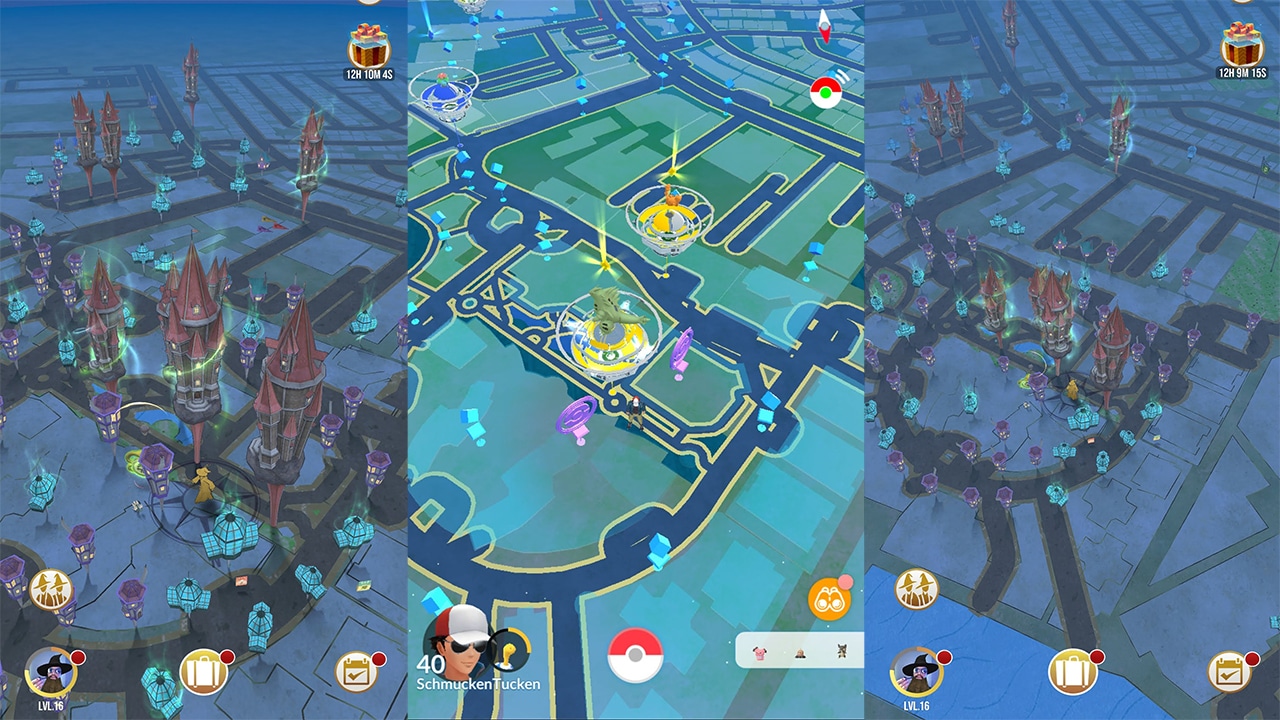
Comparison of HP:WU’s UI vs PoGo in the same area
While it parallels Niantic’s other games in many levels, Wizards Unite brings its own charm through its visuals. The environment of HP:WU is simply more immersive than PoGo‘s and even the encounters have more detail in them. It could get distracting at times since there are more elements in HP:WU, but is overall nicer to look at.
A unique aspect from the company’s games is that unlike other multiplayer games where you meet your friends online, you actually play with them in real life and this is also the case for Wizards Unite. These games basically build a community that helps each other accomplish in-game tasks that are usually challenging to accomplish alone. What HP:WU did better, though, is to go for a more immersive gameplay by making you trace different patterns on your screen as if waving your wand as compared to the tapping mechanics of PoGo.

Overall, Harry Potter: Wizards Unite could be a more enjoyable game for some players who are not big fans of the Pokémon franchise. I personally enjoy it enough to switch between HP:WU and PoGo whenever I play out. It will keep you walking around drawing on your screen and pretending to wave your make-believe wand.
It’s a game that’s far more complete than Pokémon Go at launch, that’s for sure. Although, it’s still far from reaching its full potential since there are things that could still be added to the game like a dueling system, for example.
If you want to try the game and get some cardio while casting spells, Harry Potter: Wizards Unite is available on Google Play and the App Store.






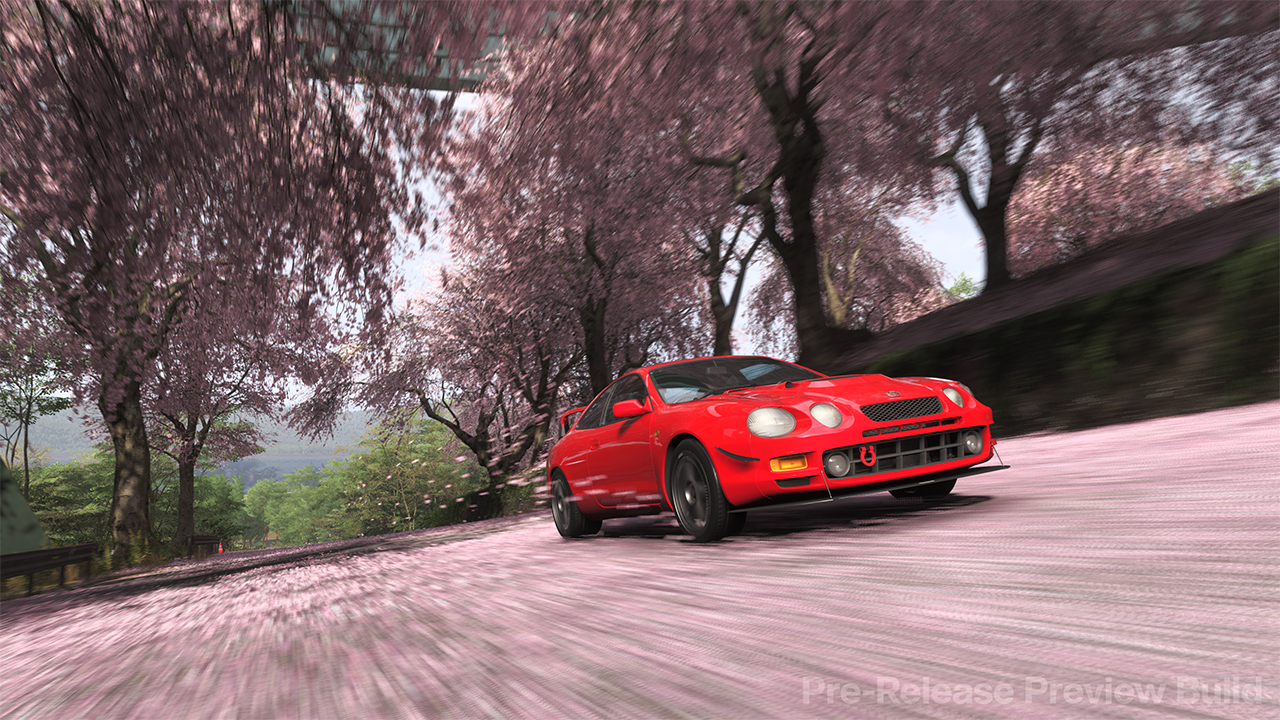
Up next on the Forza Horizon World Tour is a place filled with rich history. And an even richer cultural background. Tradition blends exceptionally well with the modern worldview, whether it’s the environment or the cars available on the terrain. For the first timers, it sounds like a riveting experience. For the returning players, it feels like a trip down a familiar path even if they’ve never been to the place at all.
When Playground Games announced Forza Horizon 6, I just knew that I needed to play it for a variety of reasons. From the trailer alone, there are things to be excited about, especially with how they will carry over the Horizon system of gameplay to a more car-centric cultural location in Tokyo. The driving, the cars, the sights, and even a preview of the Horizon events — all these are gearing up for a grand release on May 19.
And the special preview from Xbox alone has already surpassed initial expectations in my book!
Hot like rising sun
Right off the bat, the game wows you with the breathtaking scenery and the equally cool-looking cars to match. Even as someone who has never been to Japan in this life, I felt that they perfectly captured the hustle and bustle of Tokyo. Including highly visited tourist spots. The developers wanted to reflect a more realistic feel of the city. And I appreciate that a lot.
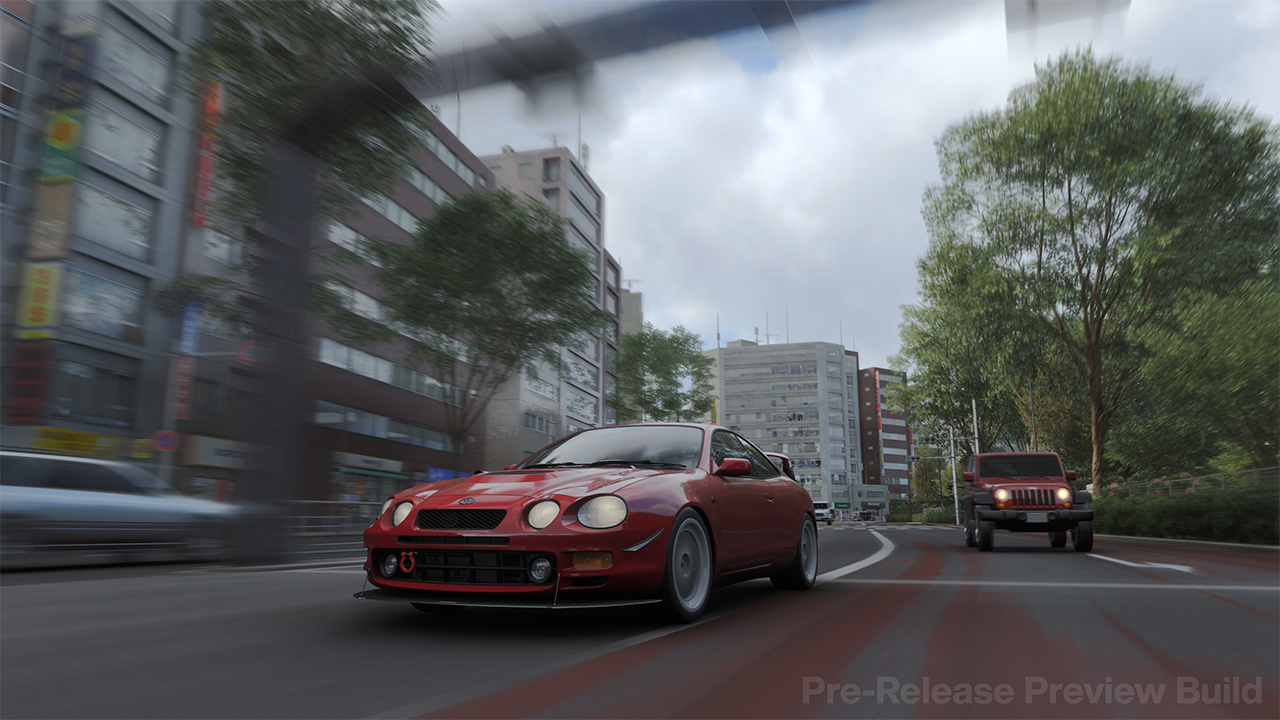
As you immediately jump into action, the familiar mechanics start kicking in. Simply put, Forza Horizon 6 didn’t change too much in terms of how you play — from the controls in races to the customization. If anything, they mostly applied clarifications to previous descriptions of existing mechanics. Furthermore, real-world feel for the cars still exists especially when you take cars only meant for city driving off-road and into harsh areas.
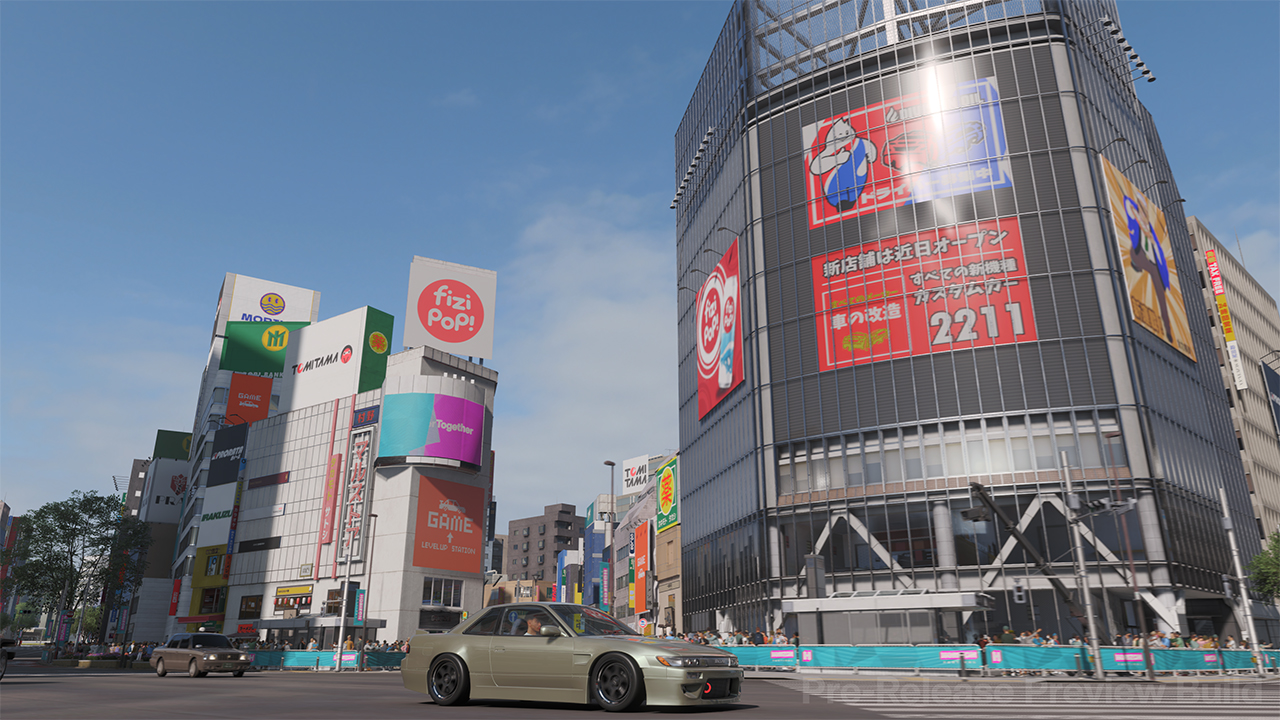
Of course, the Forza Horizon experience wouldn’t be complete without the free-driving across an entirely vast area, exploring nooks and crannies and engaging in all the quests. Similar to previous releases, the Horizon events were tailored referencing car culture in the country they roll in, which they nailed even in this preview. Also, they added even more breakable elements to collect and work towards potentially earning more cars, spendable credits, or other cosmetics.
Exploring Tokyo with ease
Even with keeping things roughly the same in game feel, Forza Horizon 6 felt substantially different, catering to both new and returning players. For starters, they divided the entire map of Tokyo into their own regions, each with a designated checklist. Instead of aimlessly wandering about the roads, you actually get an idea of what you should be looking for this time.
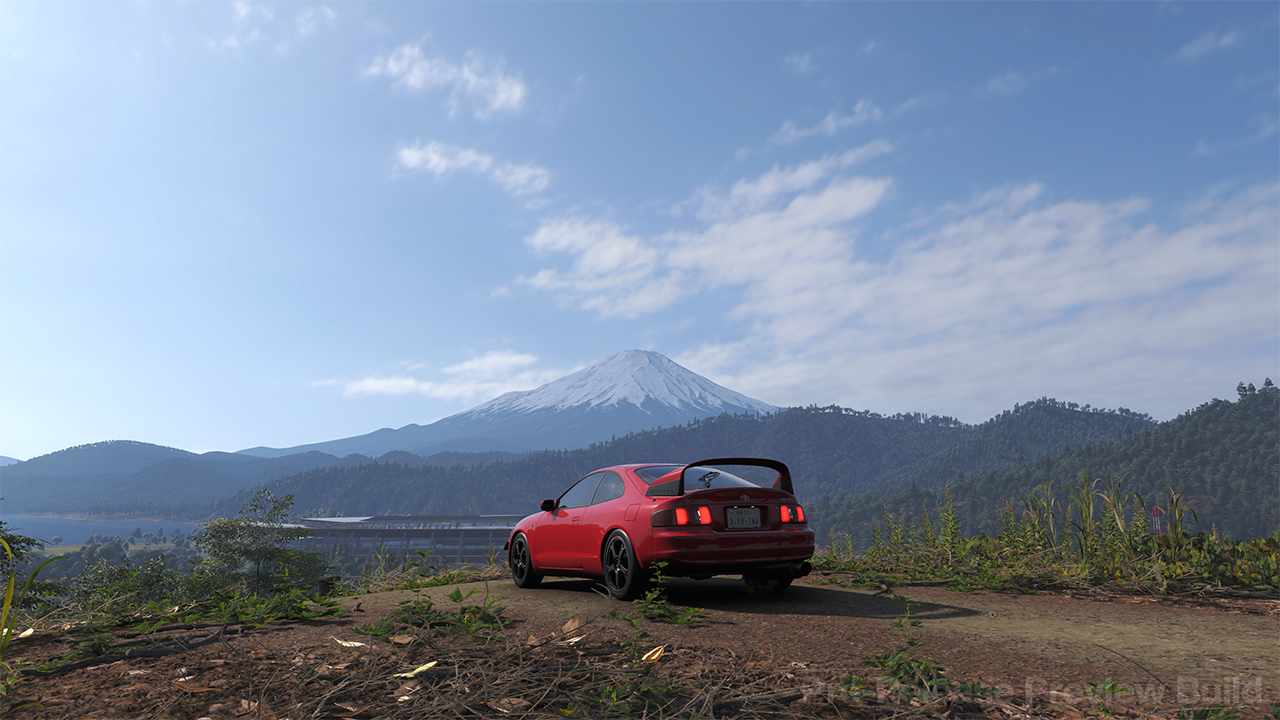
Second, remember ANNA, your guide to Horizon? Well, she got several significant upgrades that help out content creators immensely. One of which is adding in a Drone Mode. This allows exploration without driving and can help with video recordings on Xbox. The other is having a dedicated Auto Drive Mode. It takes inspiration from Waymo and Tesla in driving routes for you. Though, I still think that they need to work on the automatic driving just a bit. Sometimes the cars would just take the weirdest routes to get to your destination.
Finally, though there wasn’t access to the Buy and Sell market in the preview, you could get other cars in the overworld called Aftermarket Cars. These basically replaced Forza Horizon 5‘s car barn-hunting by basically just showing you the car, and it’s sold at a much lower rate. I love that some of these cars truly represent some of the more famous brands in Japan, both for casual travel and intense races. Hopefully they add a lot more in the final build, especially vintage Japanese car models!
A furious Tokyo drift over the horizon
So far, Forza Horizon 6 promises to be another exhilarating edition of a franchise that prides itself in celebrating car culture to the fullest. Playground Games kept everything mostly intact for overall gameplay yet fully poured in the effort to perfect the environments and activities well. It’s obvious that they did justice to Tokyo as a whole, to the point that even someone who hasn’t been there will enjoy the experience very much.
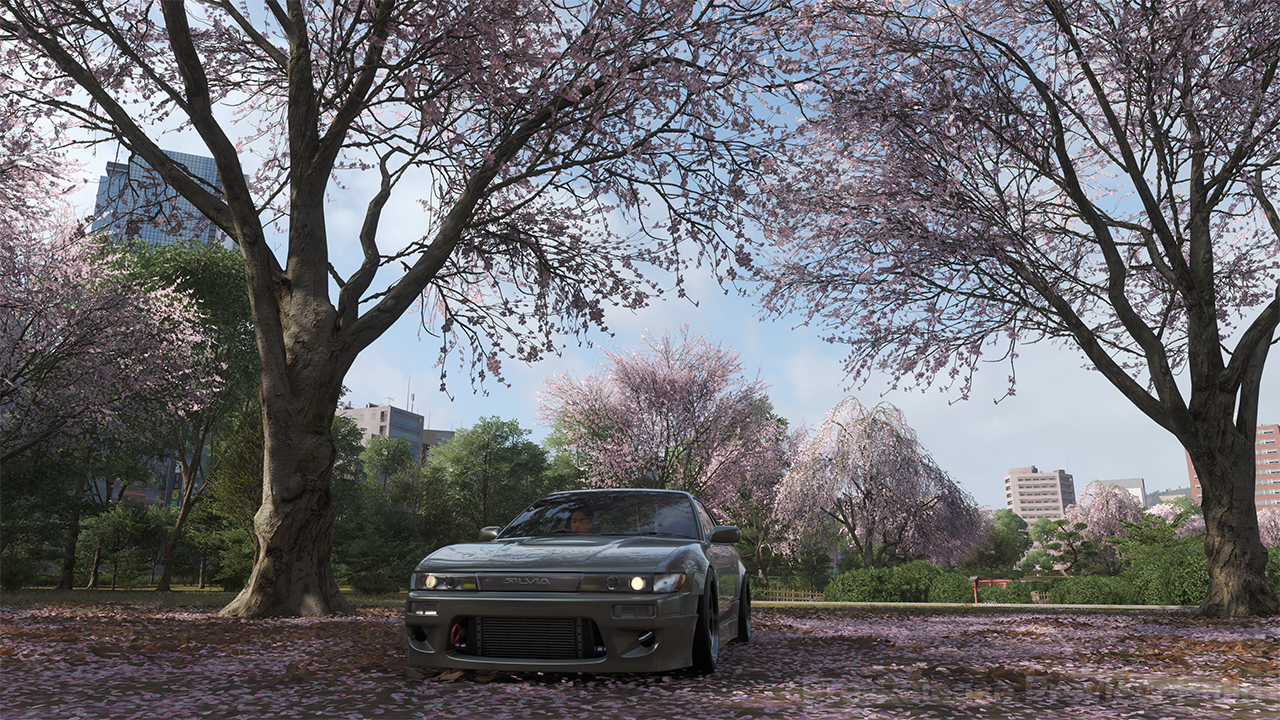
Hopefully, they continue to work on some of the wonky mechanics like Auto Drive and apply a deeper integration of the four seasons into accessible events. Also, it would help out immensely if players get better rewards for clearing all the hazards – similar to what was present in previous games. Overall, there are a ton of things to be excited about with Forza Horizon 6 when it finally gets released on May 19 for the Xbox Series X|S, Steam, and as a Day One Release for Xbox Game Pass subscribers.
So, time to dust off those racing wheels and, maybe, hold off on booking that flight to Tokyo for now!
Gaming
PlayStation can now scan you and put you inside a game
The limited feature will be available for Gran Turismo 7 for now.


A staple of sports simulation games like the NBA 2K series, one of the most interesting developments in gaming today is the ability to scan faces and import them into an avatar. The feature lets players fully live out the fantasy of being inside their favorite sport. It has since made its way to more genres, such as in Where Winds Meet. Now, PlayStation wants to add its own native face- and body-scanning technology — called The Playerbase — into its repertoire.
Announced today, The Playerbase will bring PlayStation’s dedicated fans into cyberspace. It’s more than just uploading a face into a game’s files, too. PlayStation will fully scan a fan and import their entire body into a game.
Being more rigorous than just a facial scan, The Playerbase’s uses are still very limited today. PlayStation will start by importing a selected fan into the world of Gran Turismo 7.
Interested fans from selected markets all over the globe can sign up starting today for a chance to be featured inside the racing game. Once selected, the lucky fan will participate in video interviews before being scanned into the game in Los Angeles.
The player’s avatar will be available in a limited-time basis, but their livery, which they will design, will be a permanent fixture in the game going forward.
Afterwards, PlayStation will look to add more of its studios into the initiative tailored for their specific worlds. As of now, it’s meant as a special thank you for its dedicated fans, rather than an easily available feature for all of their games.

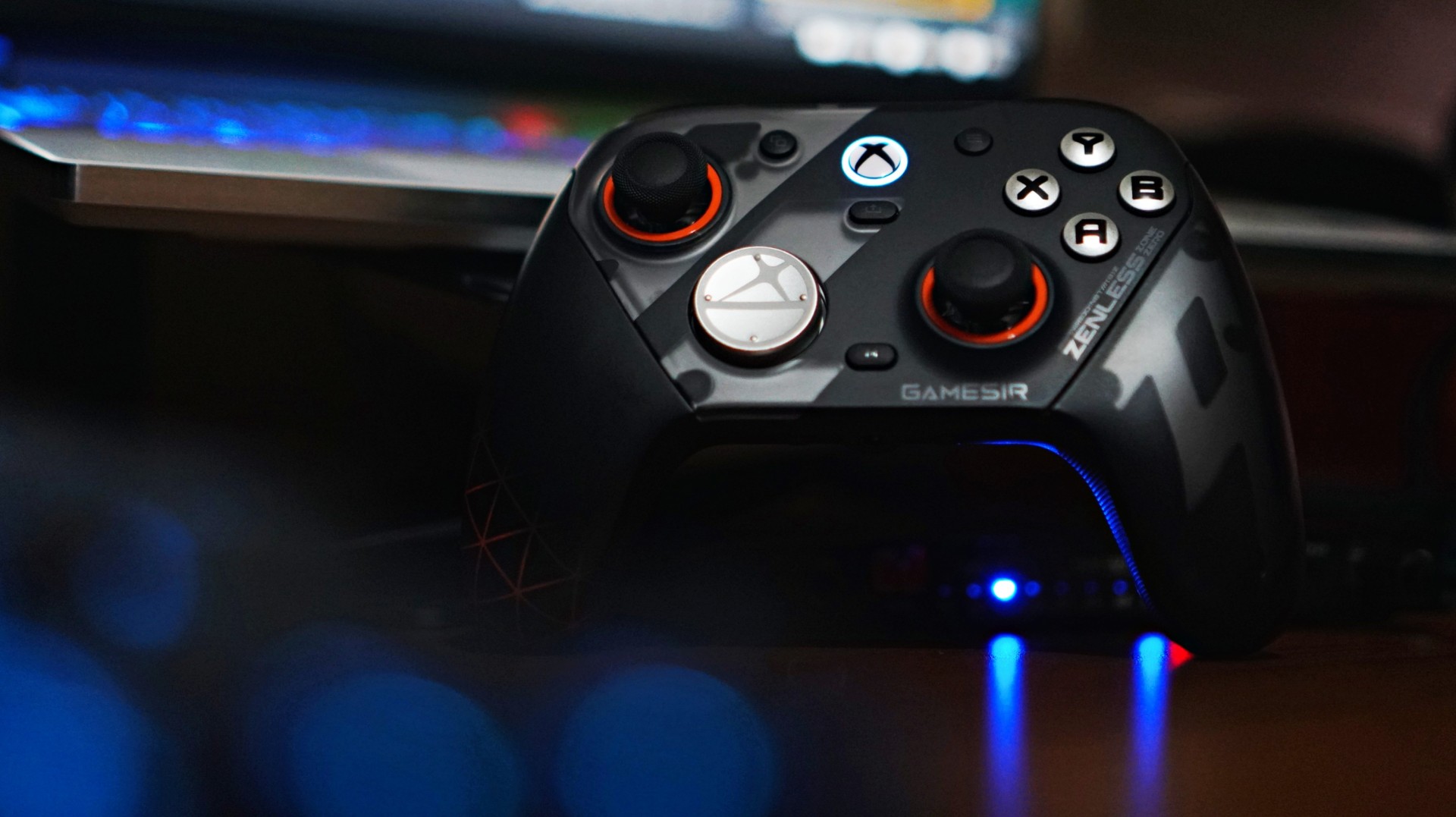
There’s a moment when a new piece of gear stops feeling new. You stop thinking about it. You stop noticing it. It just becomes part of your setup. That’s what happened with the GameSir G7 Pro ZZZ Edition.
I keep saying this about GameSir controllers that I’m starting to sound like a paid shill—but I’m not. The truth is, this is a spectacular controller. It has quietly become my default whenever I game on PC.
And for someone who tends to overthink setups, that says a lot.
I’ve been playing my usual rotation—Sleeping Dogs for quick pick-up sessions, and NBA 2K26 when I just want to zone out. Nothing too hardcore. Nothing too technical. But enough to get a real feel for what a controller is like to actually live with.
And the G7 Pro? It just works.
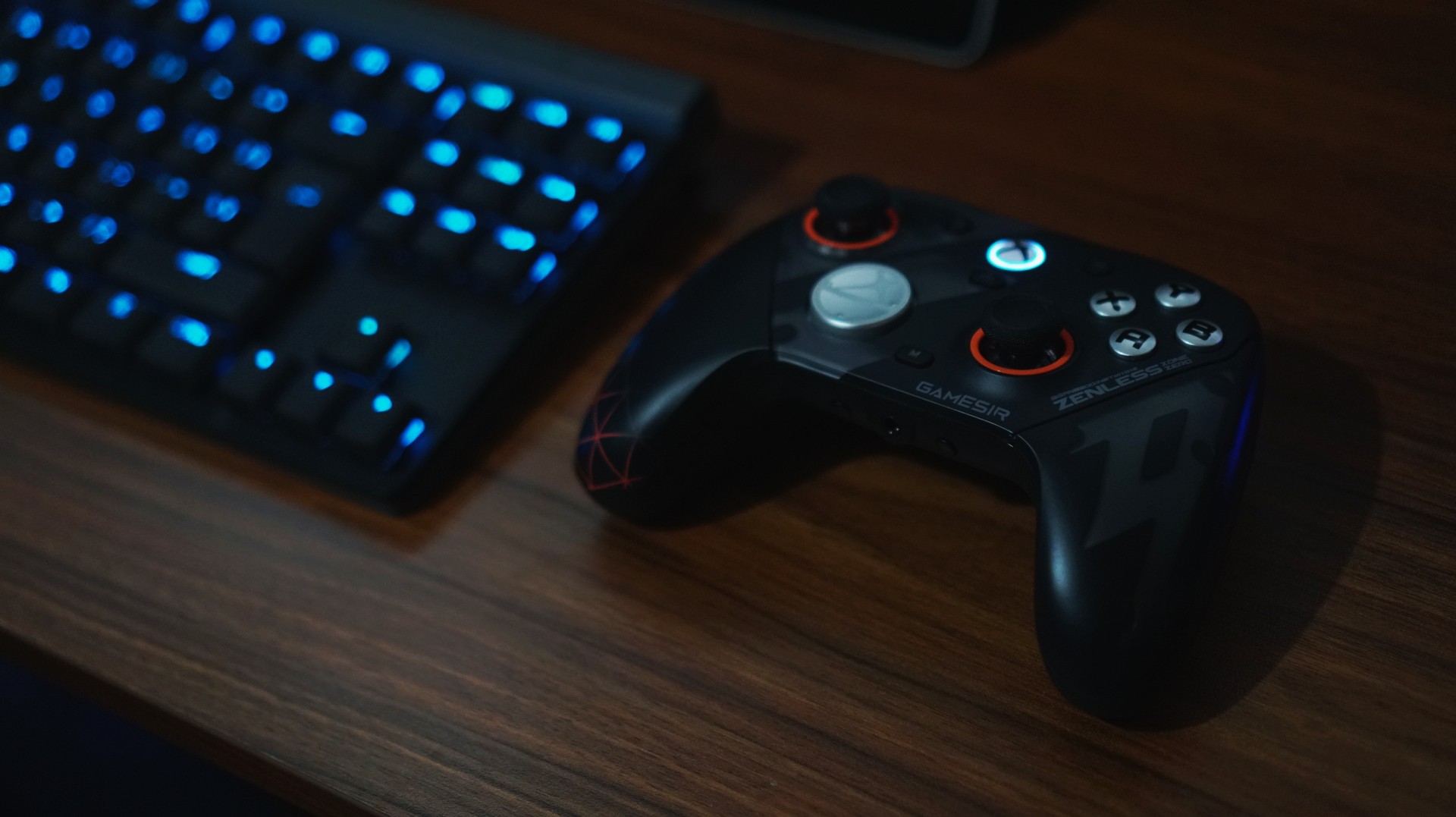
Familiar, but better
I actually first held this controller at Gamescom in Cologne while playing Honor of Kings: World. At the time, I didn’t even realize it wasn’t a standard Xbox controller. That’s how natural it felt.
It was only during a lull in the demo that I noticed the GameSir branding and went, “Wait, this isn’t first-party?”
That first impression stuck.
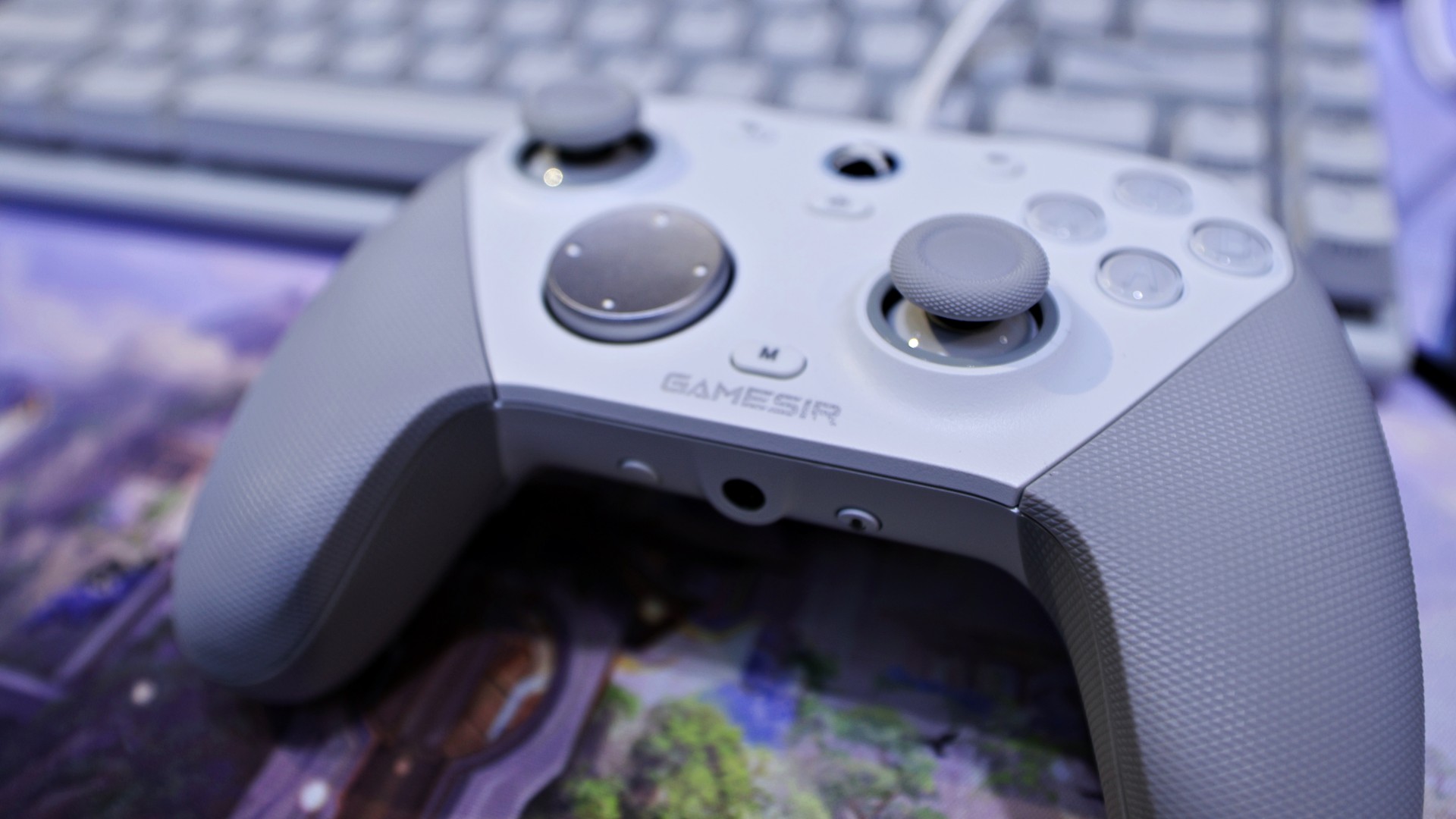
gamescom 2025 | GameSir | Honor of Kings: World
Back home, using it on my own setup, that same feeling carried over. It doesn’t scream premium in the way some flashy controllers do, but it feels solid, balanced, and intentional. The weight distribution is right. The grips feel secure. Nothing about it feels cheap.
There are small touches here that go a long way, too. I’m a big fan of the orange accents around the sticks—it gives the controller just enough character without going overboard.
Even the ZZZ collaboration design, which could have easily gone full loud and chaotic, feels surprisingly restrained. It still has personality, but it doesn’t scream for attention.
And if you do get tired of how it looks, you can just swap things out. Switching from the default black faceplate to a clear version gives it a completely different vibe. It’s a small thing, but it helps the controller feel fresh over time—like it can evolve with your setup instead of being stuck as one look forever.
It’s the kind of controller you don’t have to adjust to.
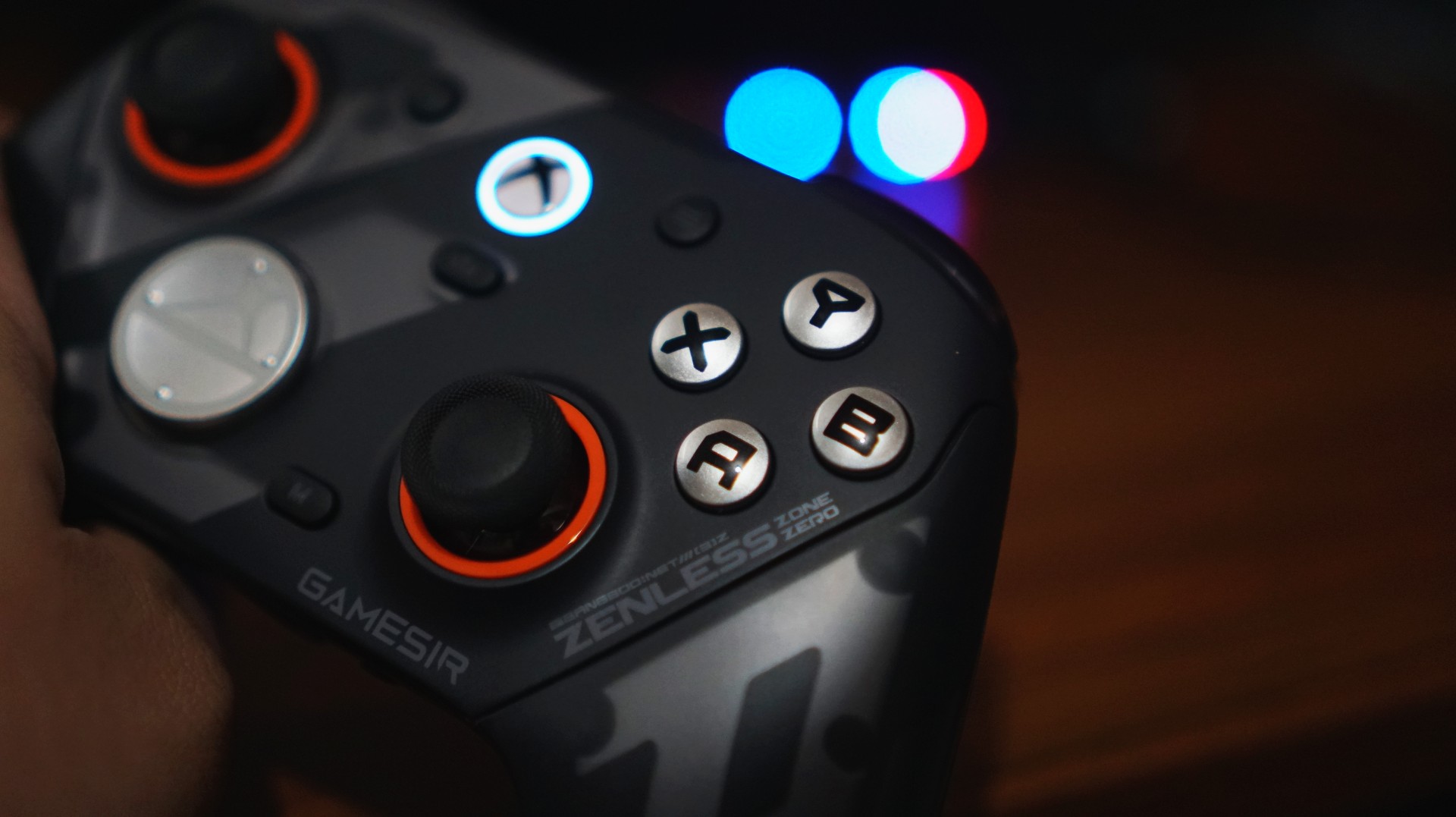
Just works, right out of the box
I’ve already broken down everything included in the package in our unboxing reel. But what matters more is this: you don’t actually need to touch most of it to enjoy the controller.
And that’s a good thing.
I like my gear to be great by default. Not something I have to tweak before it becomes usable.
The G7 Pro nails that.
View this post on Instagram
Clicks you can trust
The buttons are one of those things you don’t think about—until they’re bad. Here, they’re not.
They’re not loud. Not distracting. You can play comfortably without feeling like you’re announcing every input to the room. I wouldn’t necessarily game beside someone sleeping, but it’s not something I’d worry about either.
What you do notice is how smooth everything feels.
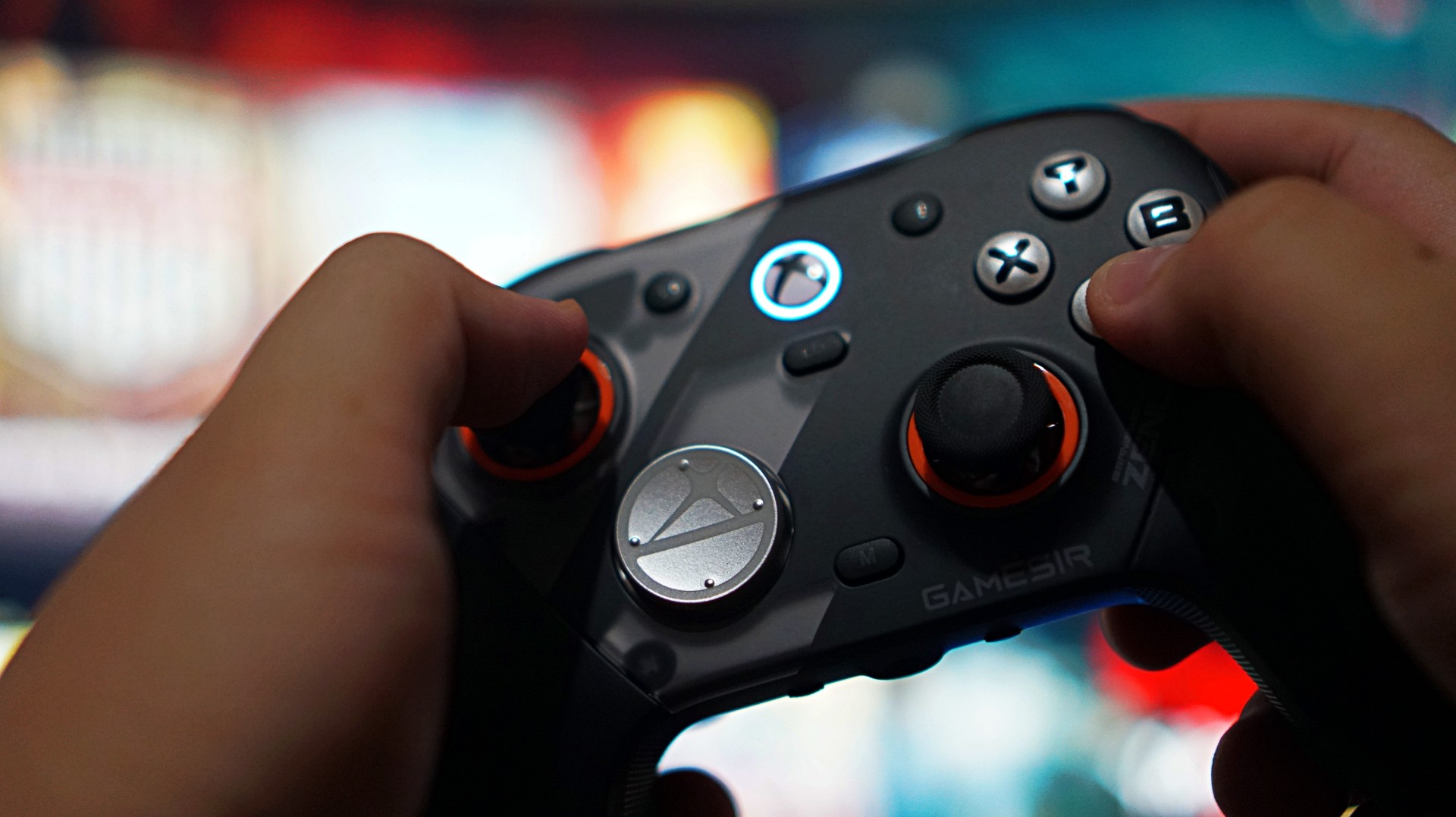
Not necessarily faster than a standard Xbox controller, but more precise. More consistent. There’s a sense of durability to every press, like it’s built to take repeated inputs without wearing down. It’s subtle. But it adds up.
The only thing I didn’t vibe with was the default circular D-pad. It’s not bad—it’s just not for me. Good thing there’s a more traditional option in the box. I swapped that out eventually– after these photos were taken.
When control actually matters
If there’s one moment that sold me on the G7 Pro, it wasn’t in a shooter. It was in NBA 2K26. I usually play a more system-heavy game. Move the ball. Run plays. Keep things controlled.
But with this controller, I found myself leaning into isolation. More dribble-heavy possessions. More one-on-one situations. Not because I had to—but because I felt like I could.
The sticks felt reliable enough to handle it. No hesitation. No second guessing. No fear of drift creeping in. That confidence changes how you play.
And that’s when you realize a controller is doing something right.
Triggers built for a specific kind of player

The triggers are interesting. They come with locks that turn them into near-instant inputs—perfect for competitive shooters. And to be fair, they work. But for me, they feel a little too shallow.
There’s barely any travel, to the point where it almost feels like you’re not pressing anything at all. That’s great if you’re chasing faster reaction times. Not so great if you prefer a bit more feedback.
This is one of those features that will either click with you immediately or not at all. If you play a lot of shooters, you’ll probably love it. If you don’t, it’s easy to ignore.
More control than I actually use

Customization is a big part of the G7 Pro’s appeal. Swappable D-pads. Magnetic faceplates. Extra buttons. Back paddles. It’s all there.
You can see everything included in our unboxing, but the short version is this: it gives you a lot of control over how you want to play.
Personally, I didn’t use most of it.
I tend to stick to default layouts, especially since I jump between platforms and want to keep my muscle memory consistent. The extra buttons can feel a bit overwhelming if you’re not into tinkering.
But that’s the thing—you don’t have to use them.
You can explore at your own pace. Or ignore them completely. And the controller still feels complete.
Seamless where it matters
I mostly used the G7 Pro wired on my Legion 7i. Setup was easy. Plug it in, press the Xbox button, and it just works. No weird pairing issues. No friction.
Any hiccups I ran into were more on Windows than the controller itself. That reliability matters more than any spec sheet.
A controller that fits into your routine

Battery life was never really a concern for me.
Partly because my gaming sessions have been shorter lately—quick bursts here and there. But also because it just didn’t feel like something I had to constantly think about.
I didn’t use the charging dock much yet since I’m still reworking my setup. But I do want to make space for it eventually. It looks good, and it fits the kind of “drop and go” routine I prefer.
For now, I’ve just been using my UGreen Nexode charger alongside everything else on my desk. Not ideal, but it works.
Not perfect—but close
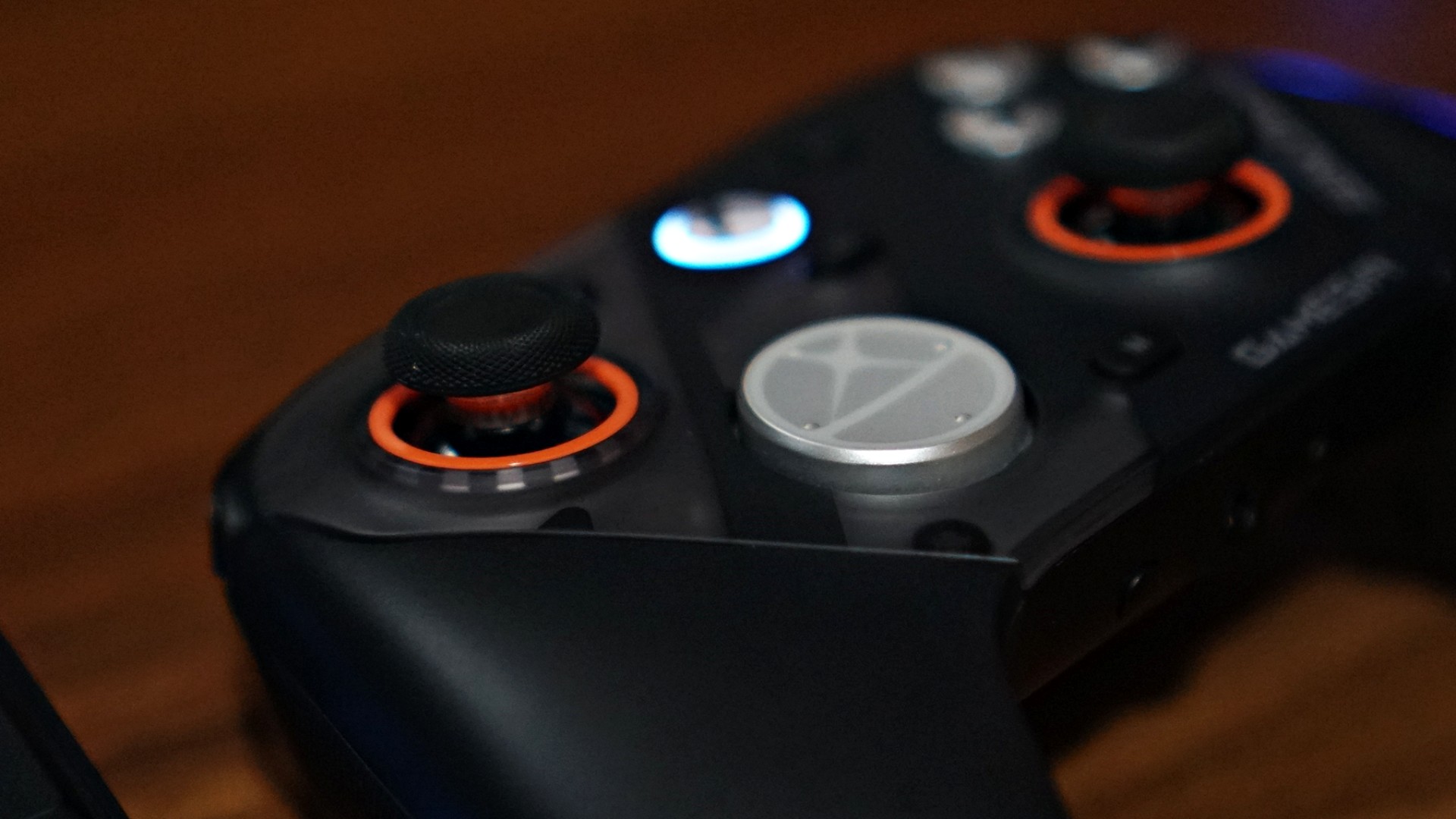
If I had to nitpick, it really comes down to two things.
The default circular D-pad isn’t for everyone. And the extra buttons might feel like overkill if you just want a straightforward experience.
That’s it.
Everything else feels dialed in.
Is the GameSir G7 Pro ZZZ Edition your GamingMatch?
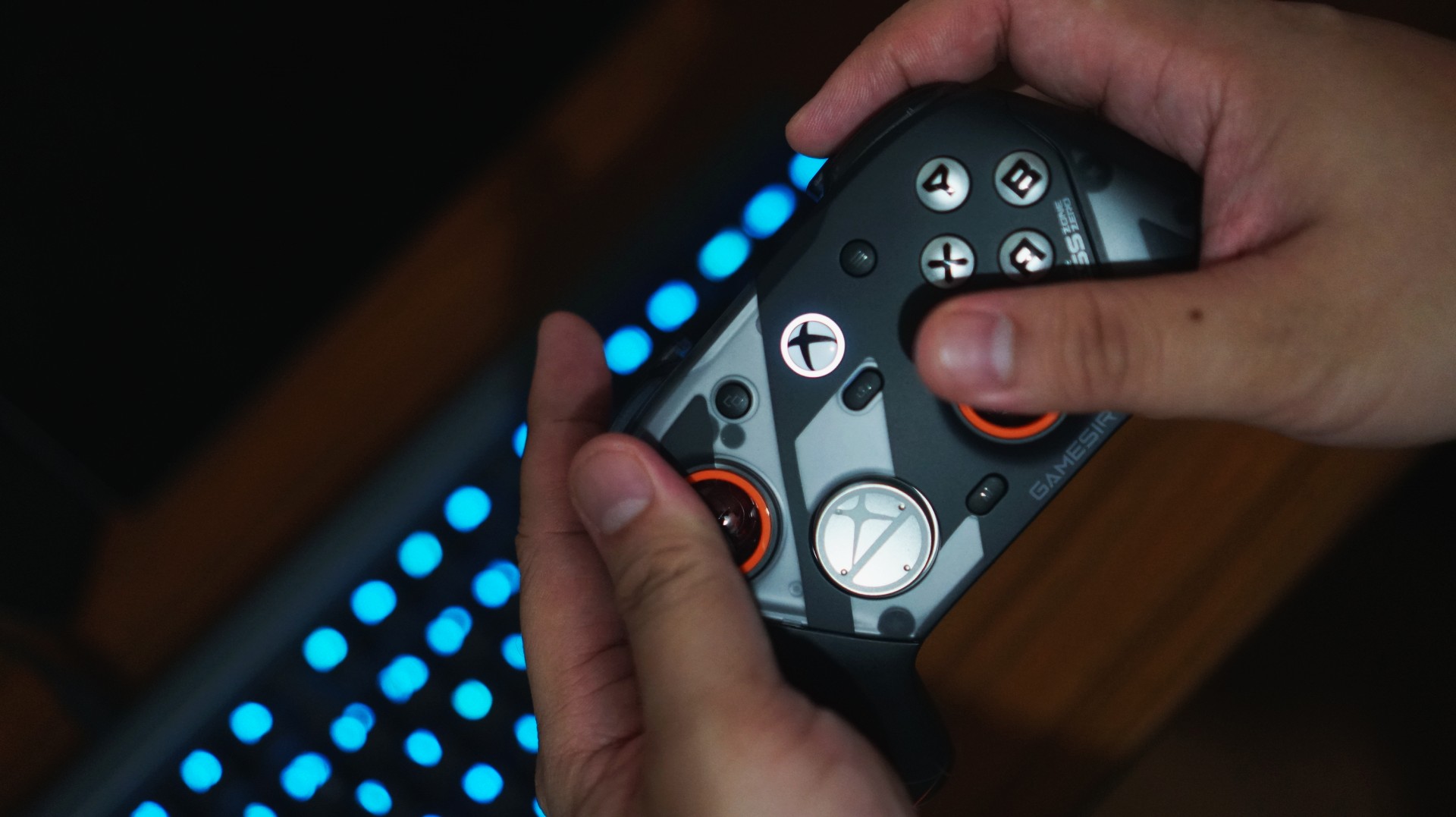
I think the reason I enjoyed using the G7 Pro so much is simple. I’ve already assigned it a role. This is now my go-to PC gaming controller.
As someone who leans PlayStation, the DualSense is still king for me overall. That’s years of muscle memory and familiarity. It’s hard to replace.
But having a dedicated controller for each platform removes friction. It clears space in your head. And the G7 Pro does that effortlessly. From here on out, it’s going to be the standard I measure other PC gaming controllers against.
And that might be the biggest compliment I can give it.


Apple iPhone 17e review
Everything you need for US$ 599?

Infinix NOTE 60 Ultra: Not bad for a flagship push
It's definitely got the looks, though.


JBL Sense Pro review
My daily driver met a loud and capable rival in this quest for a superior training companion.

Dyson now has its own pricey handheld fan

Report: ‘Accessible flagship’ smartphones might provide best value this year

Sony launches breakthrough True RGB display technology

Forza Horizon 6 already hits the mark

Why a dedicated mattress vacuum is the allergy season upgrade you need


-
 News2 weeks ago
nubia Neo 5 series launches in the PH, starts below PhP 12K
-

 Gaming2 weeks ago
Life is Strange: Reunion now available on consoles and PC
-
 News2 weeks ago
vivo X300 Ultra wants to beat the iPhone 17 Pro Max in pro video
-
 Reviews2 weeks ago
Shokz OpenFit Pro: Somewhere between awareness and focus
-

 Gaming2 weeks ago
Nintendo might be working on an Ocarina of Time remake
-
Reviews1 week ago
Infinix NOTE 60 Ultra: Not bad for a flagship push
-
Lifestyle1 week ago
JBL Sense Pro review
-
 First Look1 week ago
Match Pulse: TECNO SPARK 50 5G