
Gaming
ASUS ROG Strix GL503 Review: Too little or too much?


As much as we enjoy reviewing new-age, hyper-expensive gaming laptops, we have to go back down to earth and look at machines that regular consumers can actually afford.
For this round, we’re looking at the ROG Strix GL503. The name is a little daunting at first, but it’s quite memorable after what we’ve been through.
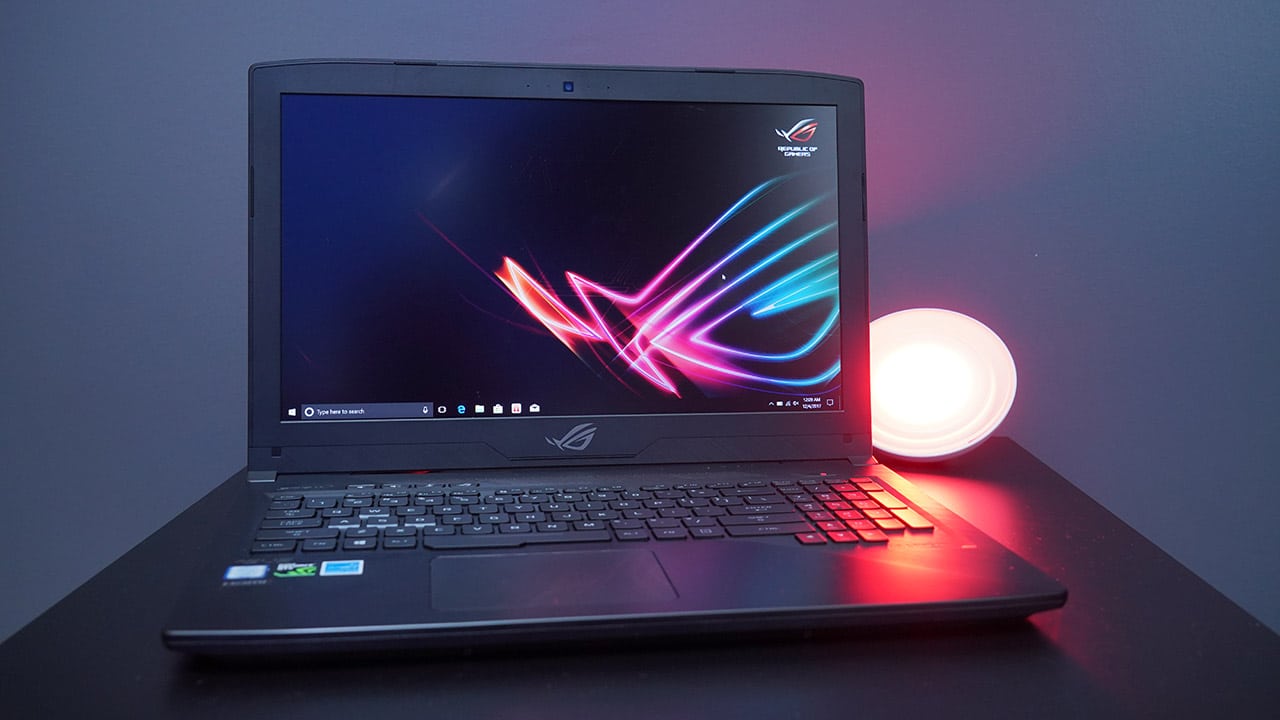
It’s one of ASUS’ midrange gaming laptops, armed with a sleek and solid body that gives it a premium feel beyond its price point, as well as a CPU and GPU pairing fit for certain types of AAA video games.
That’s the gist, but there’s a lot more to it.
What does it feel like?
Despite being on the more affordable side of gaming laptops, the brushed metal casing of this Strix takes some cues from the far more expensive Zephyrus of ASUS. That’s a good thing, because the Strix GL503 feels like it can take a beating but doesn’t feel that heavy at 2.3kg.

And since we’re dealing with a 15.6-inch model here, it fits perfectly in a backpack designed for slim 15-inch notebooks. Its power brick is on the heavy side though, adding weight to what could’ve been a more travel-friendly gaming machine.
How many peripherals can you connect?
This being a relatively standard-thickness gaming notebook at 23mm, input-output ports weren’t compromised:
- 3x USB 3.0
- 1x USB 2.0
- 1x USB-C
- 1x HDMI
- 1x mini-DisplayPort
- 1x Ethernet LAN
- 3.5mm headphones/microphone port
- SD/SDHC/SDXC card reader

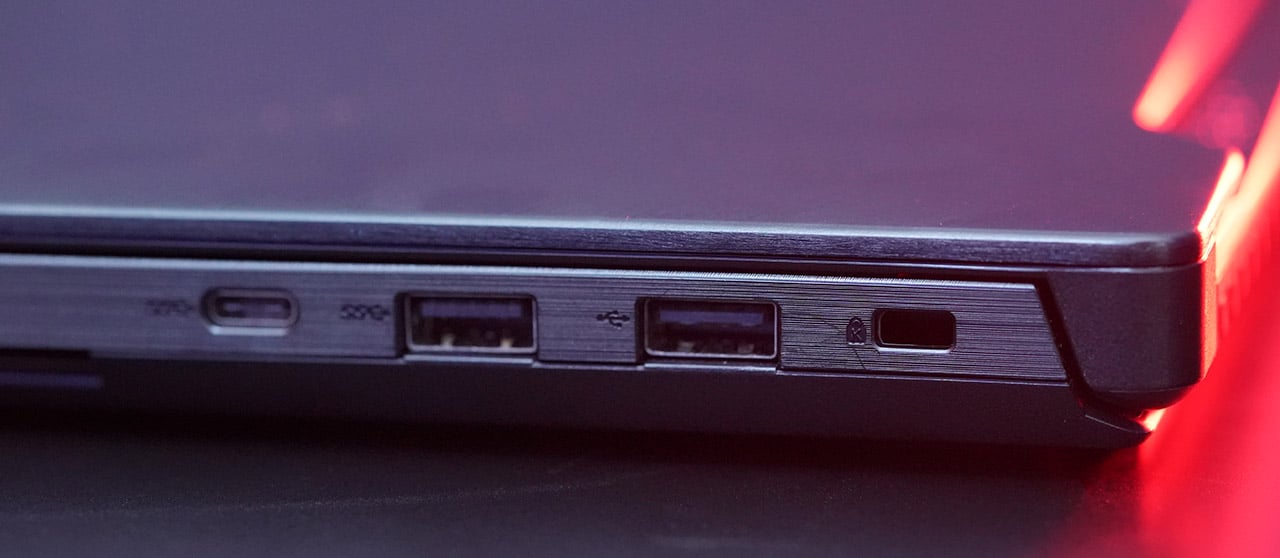
That’s as complete as it gets for a mobile computer. ASUS labels the ROG Strix GL503 as VR-ready, but getting acceptable frame rates might be a stretch with this configuration.
What’s inside?
Here’s a quick rundown of the specifications:
- 15.6-inch 1080p display (60Hz)
- Intel Core i7-7700HQ processor (2.8GHz)
- 8GB DDR4 memory (2400MHz)
- 128GB M.2 SSD, 1TB HDD
- NVIDIA GeForce GTX 1050 (4GB)
Looking at the standard refresh rate of the display, high-speed Core i7 processor, and entry-level graphics chip, we already know what we’re in for: low to medium visual settings for graphics-intensive games, yet smooth frame rates for MOBA titles and first-person shooters.

You could also argue that the RAM is lacking. Fortunately, installing more is as simple as popping open the panel underneath and sliding in an additional stick.
How does it perform on benchmarks?
We ran our standard selection of synthetic and gaming benchmarks to see what the Strix GL503 could do. Here’s what we got:
- Unigine Superposition: 4212 (1080p, Medium)
- Cinebench R15: 85.74fps (OpenGL), 744cb (CPU)
- Rise of the Tomb Raider: 59.4fps (1080p, Lowest)
- Deus Ex: Mankind Divided: 48.1fps (1080p, Low)
That’s close to what we expected even before running the stressful software. For the two games listed, you’d have to tone down every major graphics settings to achieve frame rates close to 60fps at a resolution of 1080p.
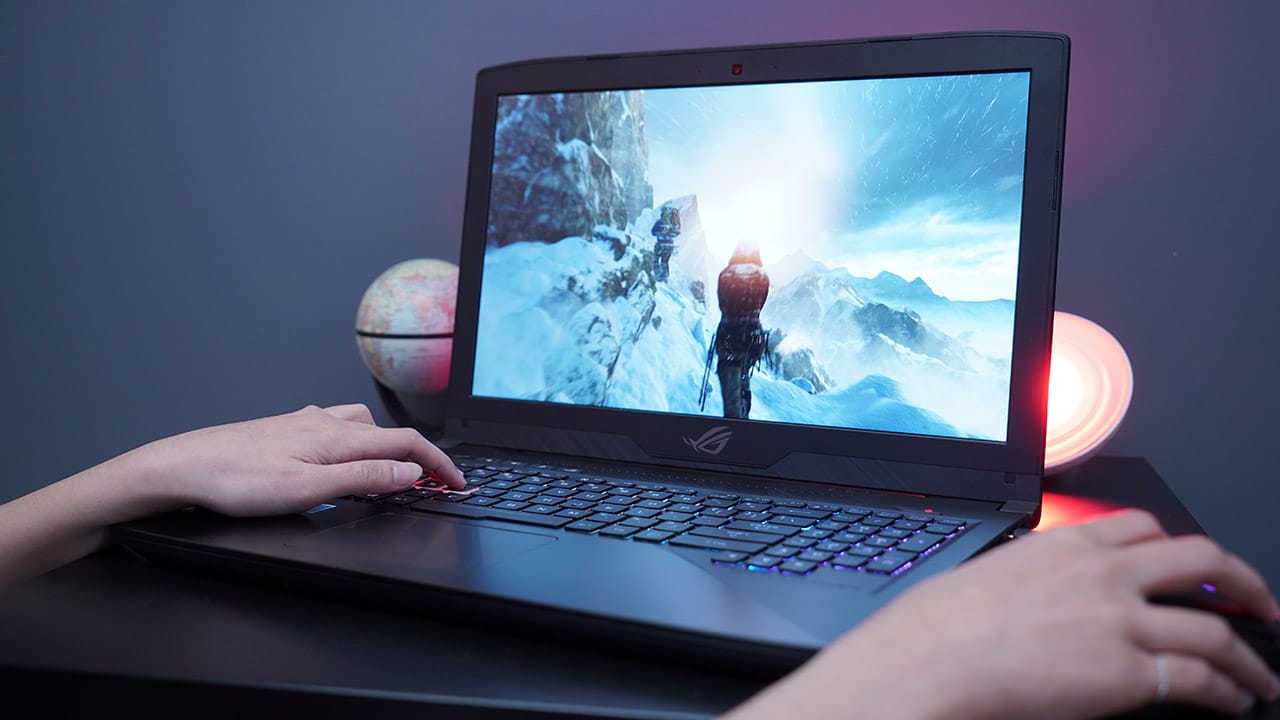
Clearly, gameplay is a lot smoother when playing titles such as Overwatch and CS:GO, which are what this laptop targets in the first place. The same goes for MOBA games like League of Legends and Dota 2, which demand more CPU power than graphics processing.
Can it stay cool?
One advantage of using a non-anorexic gaming notebook is the extra space allotted for a possibly better cooling system. Indeed, the Strix GL503 can keep itself cool for the output it delivers, though it’s still best left on top of a table rather than on a lap.

Not once did the CPU or GPU exceed 70 degrees Celsius during intense gameplay. Of course, fan speeds had to kick it up a notch to stay consistent, yet it was never really loud enough to fill up a room — something a Predator would do.
Are the keyboard and trackpad up to par?
Benchmarks give you a rough idea of what to expect performance-wise, but they don’t paint the entire picture. How you interact with the games plays a big part, and this is handled primarily by the keyboard and either the trackpad or bundled mouse.


My experience with the keyboard wasn’t so great. While I liked how I could customize the RGB lighting to nail certain keys more precisely, I found the buttons to be overly squishy because of the soft material. It didn’t gel well with the trackpad, which felt too tough to press in comparison to the keyboard.


ASUS must have anticipated these complaints and included a decent gaming mouse in the package. It’s mandatory to use even while you aren’t gaming. Its ergonomics are actually quite good for right-handed use and it never failed me while playing something as fast as Overwatch.
Anything else to know?
We don’t normally bother to extensively test a gaming laptop’s battery, although it’s worth noting that the Strix GL503 has satisfactory endurance for its class. When taking it to a coffee shop to get some writing done, I was always surprised to get almost four hours of life out of it. That’s double what gaming laptops this size used to get me, and nearly as much as what power-hungry convertibles do for me now.
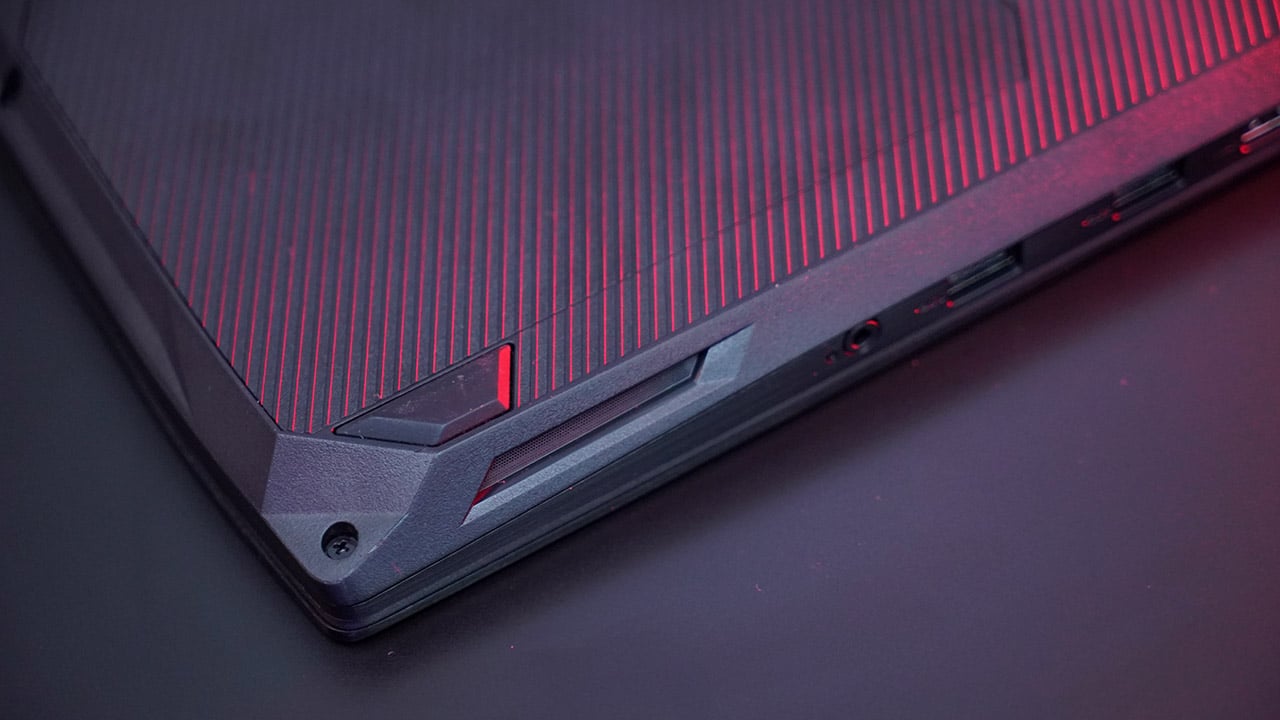
On the downside, I was disappointed by how the speakers cracked at high volumes. It doesn’t just happen during explosive moments in video games, but also while watching YouTube videos at max volume. For something that has all this space for proper acoustics, having ample audio output to match the colorful display and keyboard would’ve only been fitting.
Is this your GadgetMatch?
It’s easy to get blinded by the glitzy designs and incredible thinness of higher-end gaming laptops, but it’s mobile machines like the Strix GL503 that are perfect for playing popular games at optimal settings.
With a starting price of US$ 1,199 — or PhP 69,995 for this particular model provided by ASUS Philippines — you definitely get what you pay for out of a sub-US$ 1,500 laptop. No design cues are going to wow you and there aren’t any special features that make this an instant buy.

There are configurations available to upgrade the graphics chip up to a GTX 1070, but that’ll make the price dangerously close to US$ 2,000 and would hamper the per-buck performance the lower-end models offer.
When it comes down to it, the ROG Strix GL503 is the gaming-optimized notebook you’d travel with for quick gaming sessions. Just don’t forget to bring a decent pair of headphones and mouse along.
SEE ALSO: ASUS ROG Strix GL702VM Review: Portable gaming powerhouse
[irp posts=”18002″ name=”ASUS ROG Strix GL702VM Review: Portable gaming powerhouse”]








CD PROJEKT RED has released The Witcher 3: Wild Hunt — Remastered, a free upgrade that brings a wide range of visual, performance, and gameplay improvements to the acclaimed RPG.
The remastered version is available as a free upgrade for existing owners on GOG, Steam, Epic Games Store, PlayStation 5, and Xbox Series X|S. Players who own The Witcher 3 on the original Nintendo Switch can also upgrade for free to the native Nintendo Switch 2 version.
The upgrade also includes both expansions, Hearts of Stone and Blood and Wine, even for players who originally owned only the base game.
PC and PS5 Pro
On PC, The Witcher 3 now supports Path Tracing alongside improved textures, foliage, lighting, rendering, and ray tracing. The remaster also adds dedicated PlayStation 5 Pro support, with PSSR enabling ray tracing at 60fps and a performance mode that can reach up to 90fps with VRR.
Gameplay also gets an overhaul. CD PROJEKT RED has rebalanced the skill system, revamped combat animations, added new finishers, and introduced an adaptive camera. Geralt and Roach also receive updated animations, including more fluid traversal, vaulting, and ladder climbing.
The remaster adds cross-platform mod support through mod.io on consoles. Players can access custom content ranging from new quests and equipment to balance changes.
Switch 2
Nintendo Switch 2 gets additional features through its native version. These include motion controls, gyro aiming, mouse controls, and touchscreen support. Players can use motion controls for actions such as aiming the crossbow, throwing bombs, casting Signs, and controlling Roach. The touchscreen can also be used to navigate menus and play Gwent.
The Witcher 3: Wild Hunt — Remastered is also available to purchase on Battle.net and the Microsoft Store, where it supports Xbox Play Anywhere.
The remaster replaces the Complete Edition on supported platforms and includes Hearts of Stone and Blood and Wine as standard. It was developed in close collaboration with Yigsoft.
Computers
ROG brings out the ultra-stylish G1000 gaming desktop
Plus, here’s a couple of sleek transport options from ROG.


Despite how much higher prices are going today, there are still so many options if you want a PC for yourself. However, only a handful of brands will offer you quite as much style doing so as ASUS. Today, ROG has revealed the new G1000 gaming desktop.
For the first time ever in a prebuilt PC, the ROG G1000 comes with a built-in AniMe Holo, a holographic fan with customizable visuals using Armoury Crate and Aura Sync. Additionally, the holographic fan is inside its own chamber, preventing it from interfering with the main system. Instead, the desktop uses the ROG Thermal Atrium, which uses three fans to channel fresh air through a 420mm AIO liquid cooler.
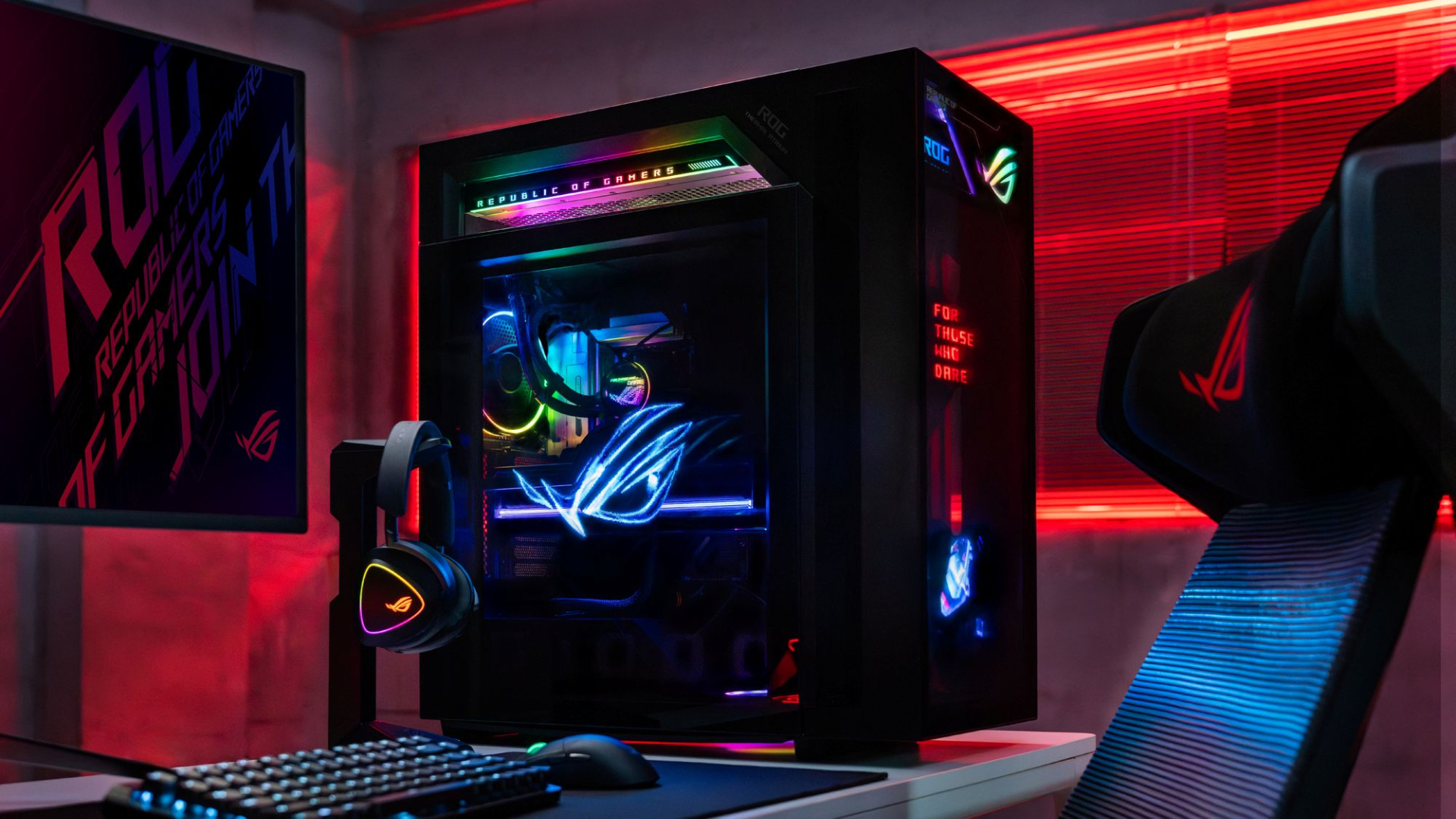
Now, the ROG G1000 isn’t just a pretty face. Inside, the 104L desktop comes with a Ryzen 7 9800X3D processor. It also comes equipped with the ROG Astral GeForce RTX 5080, up to 128GB DDR5 memory, and 1TB SSD for storage. New purchases will also come with a gaming keyboard and mouse, a year of Microsoft 365 Basic, Office Home 2024, and an ASUS No. 1 Quality and Service warranty.
The ROG G1000 will be available from ROG Exclusive Stores and will start at PhP 399,995.
Celebrating ROG at 20
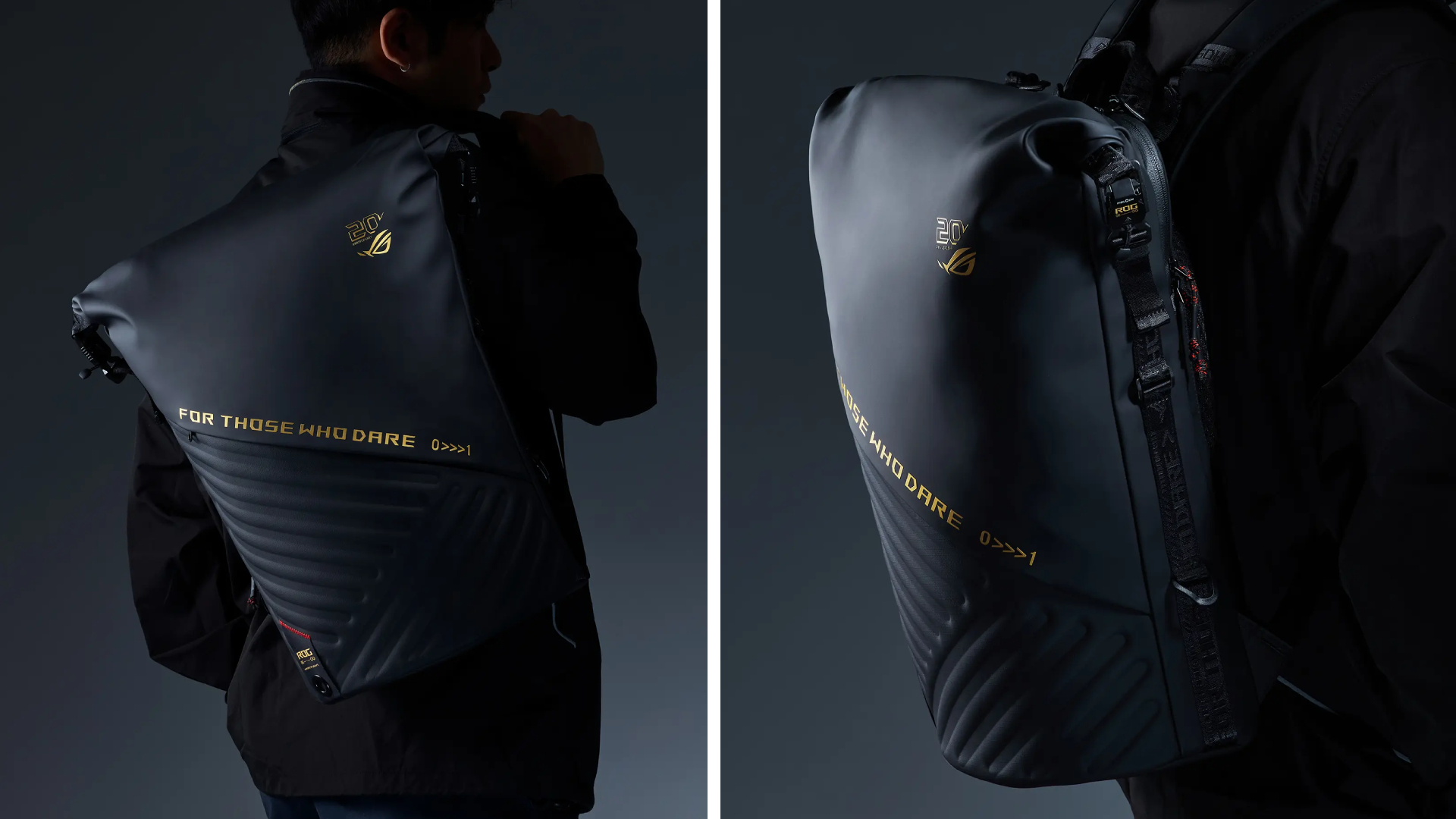
Besides the new desktop, ROG is also launching a couple of storage and transport options for your prized gaming possessions. The ROG SLASH Backpack Edition 20 is a sleek backpack that can fit an 18-inch laptop with enough room for peripherals and accessories. It also comes with a custom FIDLOCK Magnetic quick-release, black-and-translucent-gold buckle. It will be available next quarter for PhP 10,995.
Meanwhile, the ROG SLASH Hard-Case Luggage Edition 20 is designed specifically for transporting your hard-earned gaming devices. The light-but-durable aluminum frame comes with a specialized compartment for laptops, handhelds, and accessories. It also has removalbe foam dividers to better customize the case for your needs. Finally, it has 360-degree silent skate wheels for smoother rolling. The luggage will be available starting next quarter for PhP 15,995.



Pre-orders for God of War Laufey pre-orders are now live with new details on editions and Faye’s Serpent Bow. are now live on the PlayStation Store and at participating retailers across Southeast Asia ahead of its February 16, 2027 release on PlayStation 5.
Sony also detailed the game’s pre-order bonuses and Digital Deluxe Edition, alongside new footage and information about Faye’s combat abilities.
Players who pre-order God of War Laufey will receive the Last Wish Armor Set, Phranque Golden Leaves Appearance, and an in-game resource pack. The physical Standard Edition includes these items through a download code.

The Digital Deluxe Edition adds the Dark Alchemy Armor Set, Dark Alchemy Blade, Dark Alchemy Bow Scales, Dark Alchemy Catalyst, an in-game resource pack, a digital mini artbook, and the official digital soundtrack.

Faye gets a new weapon
Faye will wield the Serpent Bow, an enchanted weapon that lets her switch between close-range and ranged attacks.
The bow has two firing modes. Full-aim provides more precise shots and greater range, allowing Faye to target specific parts of enemies and charge up to five arrows for a powerful volley. Half-aim switches to a more mobile hip-fire stance for rapid attacks at close range.
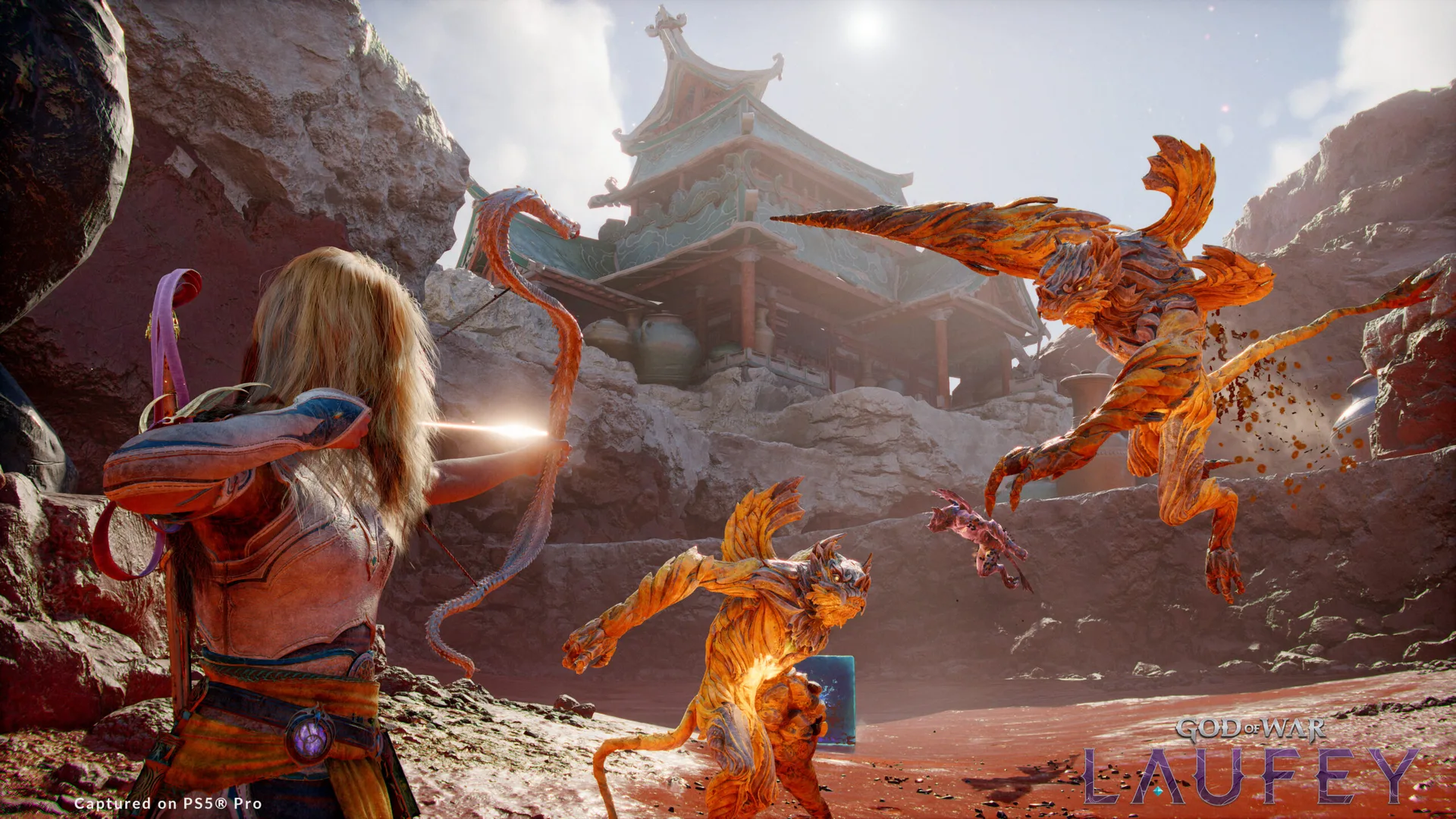
Different arrow types support various combat approaches, including rapid-fire, explosive, and multi-target attacks. Players can also equip different Serpent Scales, which change the bow’s appearance and provide unique perks. Additional skills further expand its capabilities.
Faye’s other equipment can also be customized. Her Blade, Serpent Bow Scales, and Catalysts can be configured to support different playstyles.
God of War Laufey follows Faye after her death as she awakens in the Everywhen, an afterlife where gods and creatures from different mythologies converge. Santa Monica Studio previously revealed that Faye will fight through the realm alongside Phranque and Rue as she searches for a way home.
God of War Laufey launches exclusively on PS5 on February 16, 2027.


TECNO CAMON Slim 5G review: Slim on size, big on surprise
Still with some compromise


UGREEN Nexode Pro 160W review: One mighty brick with a powerful trick
All the speed you need in one charging brick


Apple iPhone 18 Pro Series review
Hype versus Reality

iPhone 18 Pro series pre-orders now open via Power Mac Center

Apple wants to release new iPhones more regularly
TECNO CAMON Slim 5G review: Slim on size, big on surprise
UGREEN Nexode Pro 160W review: One mighty brick with a powerful trick

Samsung unveils Galaxy Tab S12 series for work, creativity, and life on the go

HUAWEI Pura X View is 2026’s first WIDE slab-type smartphone

The CAMON Slim 5G is TECNO’s latest ultra-slim smartphone

iPhone 18 Pro series: Price, availability in the Philippines

DJI Osmo 360 II review: Going all-in on the ecosystem

iPhone 18 Pro series: Price, availability in Singapore


-

 News1 week ago
vivo X500 Series launches with major imaging upgrades
-

 News1 week ago
OPPO Find X10 Pro Max is the first phone with a triple 200MP camera system
-

 Automotive3 days ago
BYD says that way better EV batteries are coming next year
-

 Singapore2 weeks ago
Epson Lifestudio Grand Plus EH-LS970B with 4K projection, more launches
-

 News1 week ago
vivo introduces OriginOS 7 with smarter multitasking and AI features
-

 News3 days ago
HONOR Magic9 Pro Max launches in China with ARRI-powered imaging
-
 Smartphones5 days ago
When TECNO-logy meets Tonino Lamborghini legacy
-

 Accessories1 week ago
70mai launches the A900 series with 4K front, rear recording