
Apps
Google updates G Suite to be more collaborative
Bringing everything together in one app the moment you start your work day

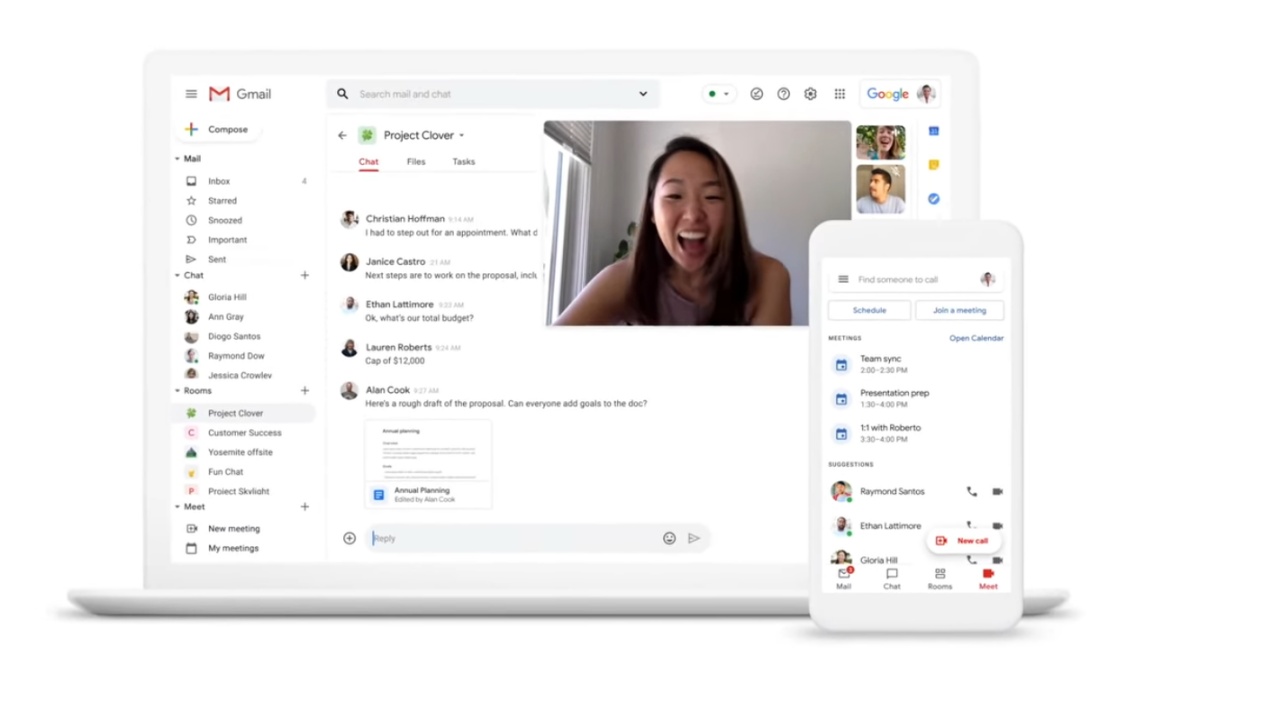
Let’s face it: you’ll be working from home for the foreseeable future and managing your time is of the essence. However, you’ll always find yourself opening multiple apps at the same time whenever you start the day. Whether it’s checking emails, your team’s chatbox or your project files, it’s such a hassle to access these on different apps. You’ll eventually start asking yourself, “why can’t all of these be in one place?” Well, Google, through G Suite, has a fix.
Google is bringing updates to G Suite to address all of these. In particular, the new update focuses on a cross-service integration between Mail, Chat, and Meet.
That’s right: now you can check your emails, messages, and project files under one roof — the Gmail web service and app. Google brought in Google Meet to Gmail for both web and mobile devices not too long ago, and offered it for free.
Now, they’re also looking to add Google Chat into Gmail for both Android and iOS devices for seamless communication.
Apart from these, Google is also improving on its collaboration features within Google Chat. Team members will now be able to share files and tasks within their message boxes so everyone stays on the same page.
Also, they’ve added real-time collaboration with your fellow teammates by opening any G-Doc or G-Sheet without leaving Gmail. At least this time around, you don’t have to leave comments on your sheets that you literally use as a chat box.
With the new update, you can also join video calls straight from the Gmail app itself, instead of opening separate apps for it. Plus, you can stay focused on your work through several features such as pinning important chat rooms, and setting a “Do Not Disturb” or “Out of office” status.
Companies curious to try the update can sign up here.
There’s no direct timetable yet on the implementation of these changes. However, Google promised that there will be more updates coming to improve your work flow with the G Suite!
SEE ALSO:
Laptops for your basic work and learn from home needs
8 apps to use when working from home
How to build and manage your WFH or online class setup



Apps
Disney+ strengthens footing as go-to sports streaming app with UFC, NBA, more
ESPN on Disney+ brands itself as ‘new home ground for sports’


Disney+ is strengthening its footing as a go-to sports streaming app as ESPN on Disney+ is now available in the Philippines, one of its markets with a huge sports-loving fanbase.
The launch coincides with a brand new campaign, “Ito ang Homecourt Mo!” (This is your homecourt!), welcoming Filipino fans to a new home ground for games, stories, and moments.
Subscribers can access live events, on-demand replays, studio shows, documentaries and original programming together in one dedicated destination through ESPN on Disney+.
Production and coverage will be led by ESPN, delivering high-quality broadcasts, commentary and expert analysis across the sports season where available, alongside Disney+ general entertainment and family programming.
Following last season’s success, NBA returns to ESPN on Disney+ with matchups during NBA Tip-Off Week.
Christmas Day games will also be available to stream, including the NBA Finals rematch between the New York Knicks and San Antonio Spurs and the Philadelphia 76ers versus the Los Angeles Lakers.
Playoff games through the conference finals shall also be streamed live and on demand.
Meanwhile, the UFC is among some of the new regular sports programs Filipinos can watch on Disney+.
The action kicks off at UFC 333 in Abu Dhabi scheduled on October 25, where two world championship titles are expected to be on the line: UFC featherweight champion Alexander Volkanovski takes on undefeated No. 1-ranked contender Movsar Evloev, and UFC bantamweight champion Petr Yan defends against former champion and No. 1-ranked Merab Dvalishvili.
Alongside live UFC numbered events and UFC Fight Nights, fans will have access to a library of classic fights and curated UFC content.
There will also be the original and and behind-the-scenes programming, including UFC Countdown, UFC Connected, UFC Main Event, UFC Fight Flashback, UFC Reloaded, and ROAD TO UFC.
A new home ground for sports
Other notable sports programming will include the Formula E 2026/27 season, with practice, qualifying and main races across 21 rounds in 13 host cities.
Also available on Disney+ are NCAA events, including March Madness, and Australia’s National Basketball League (NBL), with all games live across the regular season and championship series.
ESPN’s popular 30 for 30 documentaries will continue to be available on the platform. The line-up also features ESPN studio shows, including ESPN FC and Pardon the Interruption.
Apps
GrabCar Group Ride now splits the fare automatically
Passengers stand to save up to 50% compared with booking a solo ride
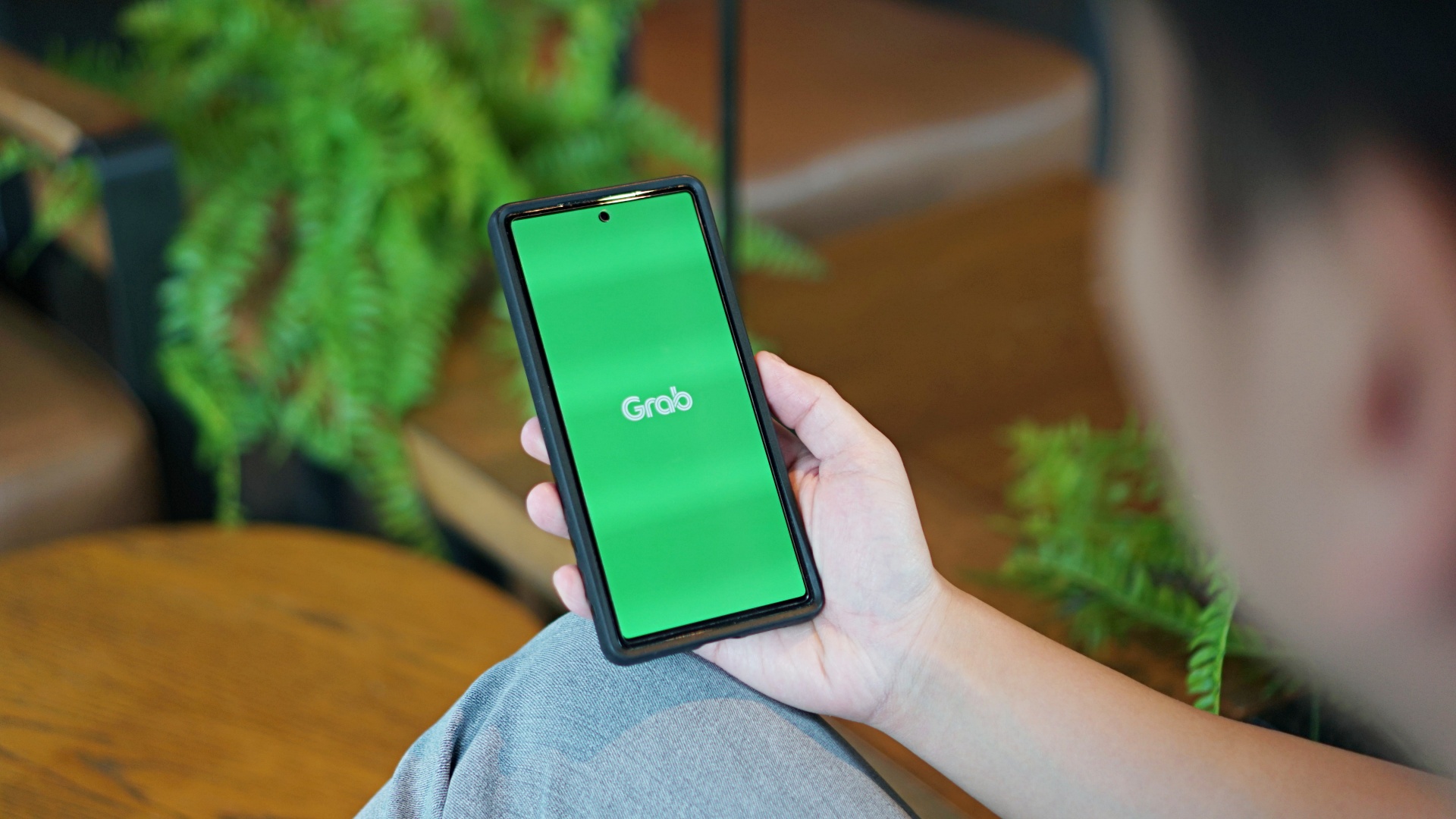
GrabCar Group Ride now splits the fare automatically among passengers, making it simpler to book such ride types.
Each rider can save up to 50% on fare as well when using a group ride, compared with booking a solo ride.
The ride type lets the ride host and up to two friends share one GrabCar, with up to three drop-off points along the way. The more people join, the more affordable the ride becomes for everyone.
Regular ride buddies can also be saved as a group, together with frequent pickup and drop-off pins. This way, repeat bookings take just a few taps.
Such a system is ideal for officemates headed the same way or friends coming home from a night out, as well as plenty of other scenarios.
To book a Group Ride, follow these steps:
- Open the Grab app, tap GrabCar, then select Group Ride
- Enter your pickup point and drop-off
- Share the invite link with up to two friends
- Your friends can add their own drop-off points
- Confirm the booking to split the fare automatically
The GrabCar Group Ride feature is now available in all GrabCar cities nationwide.
Apps
Google Photos can now censor your kid’s face better
The new Redact feature can censor sensitive information.


Censoring photos is heavy work. Either you stick on random emojis or draw an indiscriminate splotch of doodles to cover sensitive information. It’s an imperfect art but an essential one to protect privacy. Today, Google Photos is getting a Redact feature which can censor sensitive bits with pixelated blocks.
An addition to the Markup tool, Redact acts like a nifty pen that can hide information that you don’t want seen. Unlike a ghastly emoji or a splotch, the censored bar mixes better with the surrounding elements. In the example that Google used, a censored license plate blends well with the car it’s attached to, making the photo look more cohesive. Besides license plates, it’s the perfect tool for covering other information like phone numbers, addresses, and the faces of your loved ones.
Google Photos is also rolling out Moods, a set of filters that give photos a nostalgic look, including a 2000s night digicam vibe that’s popular today. There are also 15 new Remix templates to add more creation options.
Both the Redact and the Moods features will roll out to Android users starting today. The new Remix templates, however, will be limited to some countries on both Android and iOS.
SEE ALSO: Google will force Android users to use Gemini next month







Now Playing: Final Fantasy Resonance

Disney+ strengthens footing as go-to sports streaming app with UFC, NBA, more

Samsung will reportedly launch a Galaxy Z Slide next year

Apple is hosting another “Pro” event this October

Now Playing: Whalefall

vivo X500 Series launches with major imaging upgrades

OPPO Find X10 Pro Max is the first phone with a triple 200MP camera system

TECNO CAMON Slim 5G: Price, availability in the Philippines

TECNO CAMON Slim 5G review: Slim on size, big on surprise

HONOR Magic9 Pro Max launches in China with ARRI-powered imaging


-
 News2 weeks ago
OPPO Find X10 Series launches globally October 21
-

 Wearables2 weeks ago
Garmin Enduro 4 promises up to 320 hours of battery life
-

 Gaming1 week ago
Dragon’s Dogma 2: Dark Arisen launches with new Official Pawns
-

 News5 days ago
vivo V80 debuts with ZEISS cameras
-
 Deals1 week ago
Score PhP 22,000 in guaranteed freebies when you pre-order the iPhone 18 Pro at Beyond the Box
-

 Wearables1 week ago
Garmin Approach S72 brings swing metrics, green reading to your wrist
-

 Philippines5 days ago
TECNO CAMON Slim 5G gets launch discounts, free MagBadge
-

 Laptops2 weeks ago
ASUS Zenbook 14 lineup expands with new colors and processors