
Computers
Huawei MateStation S review: One smart workstation
Bringing the entire master race together in one suite

Desktop workstations work the same way the moment you get them: boot it up, and start working on your reports or presentations. The moment you press the button, you come prepared with every piece of hardware you need to get going. From your smartphone and storage devices to wireless headsets, this is how an ideal workstation practically looks like.
However, the integration of all of these technologies into one workstation requires a ton of things to consider. From compatible hardware to required software, you can’t fully optimize everything in, supposedly, one sitting. Well, Huawei thought you probably could. You just need the proper hardware to bring everything together.
Enter the Huawei MateStation S and the suite of peripherals it can come with. The entire system comes with features that ultimately enhance the workstation experience, while integrating smart features here and there. For a company’s latest attempt in expanding their portfolio, I feel this is their way of creating an entire ecosystem.
But, is this workstation even worth looking at? Well, here’s what you’re getting with the MateStation S:
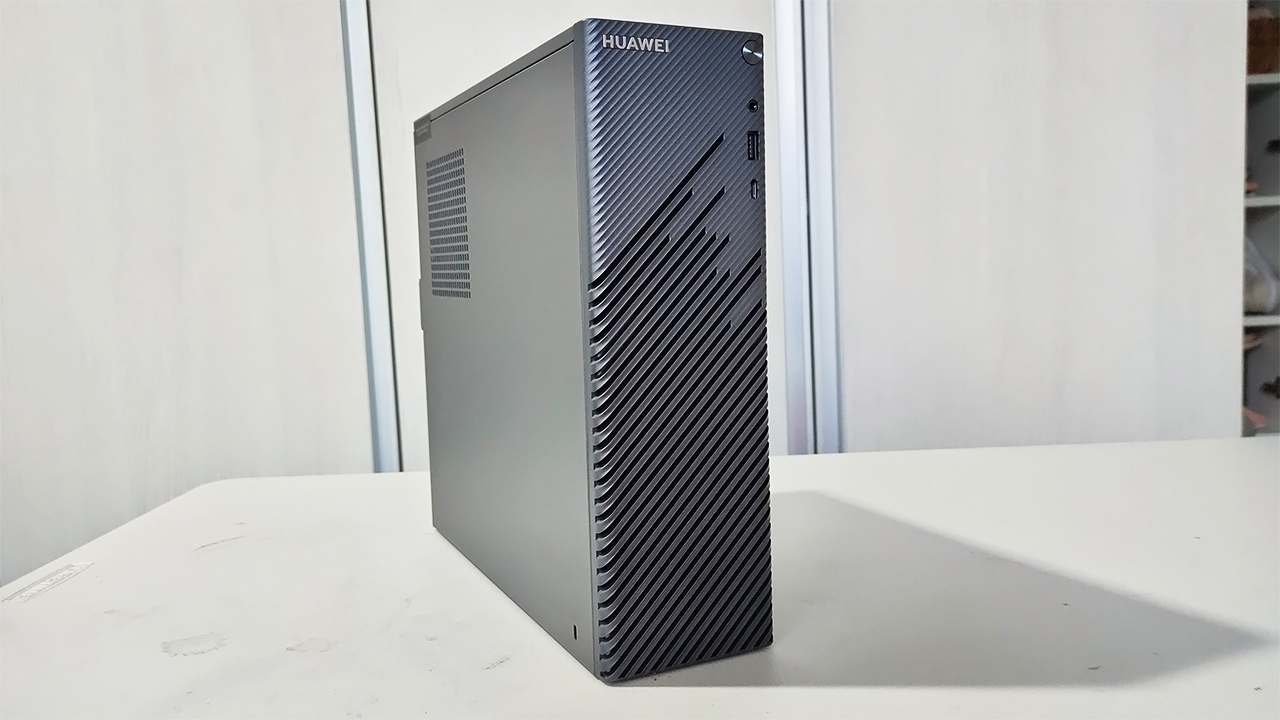
It comes in a compact form factor with a Star Trail design
Inside, it is powered by a 4th generation AMD Ryzen CPU
It only comes in the Space Gray colorway
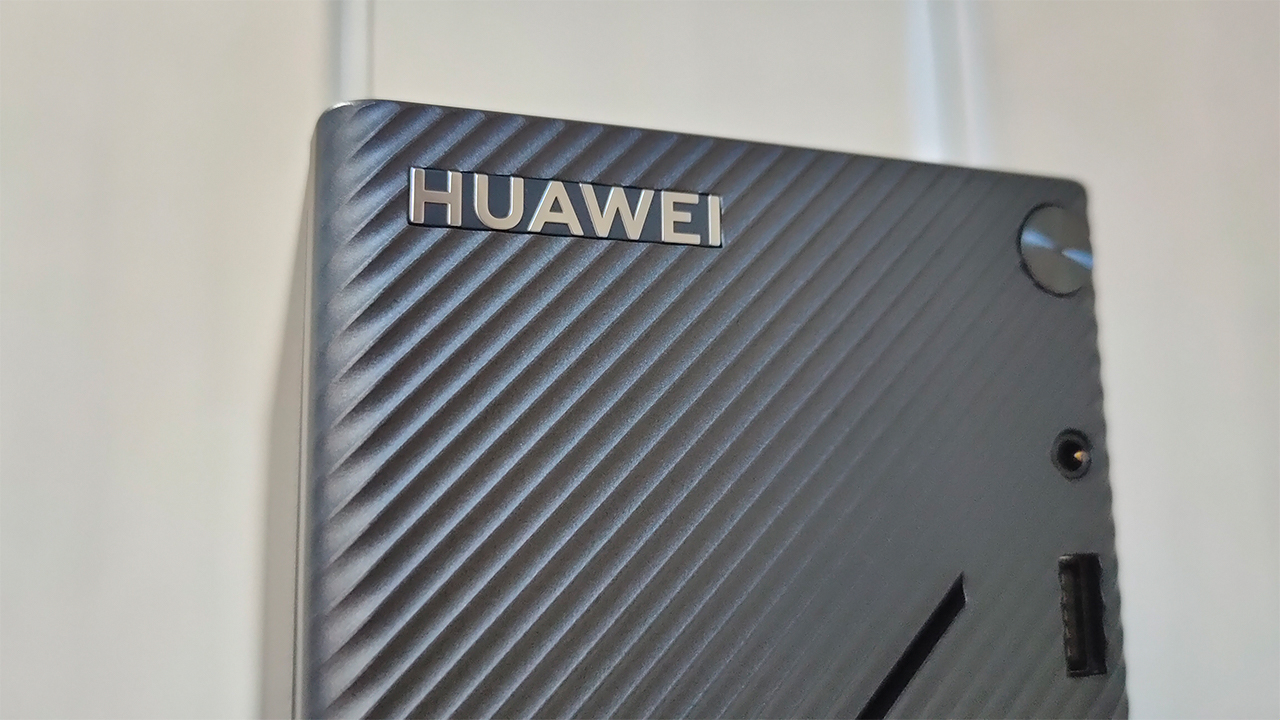
Well-thought out design, but be careful
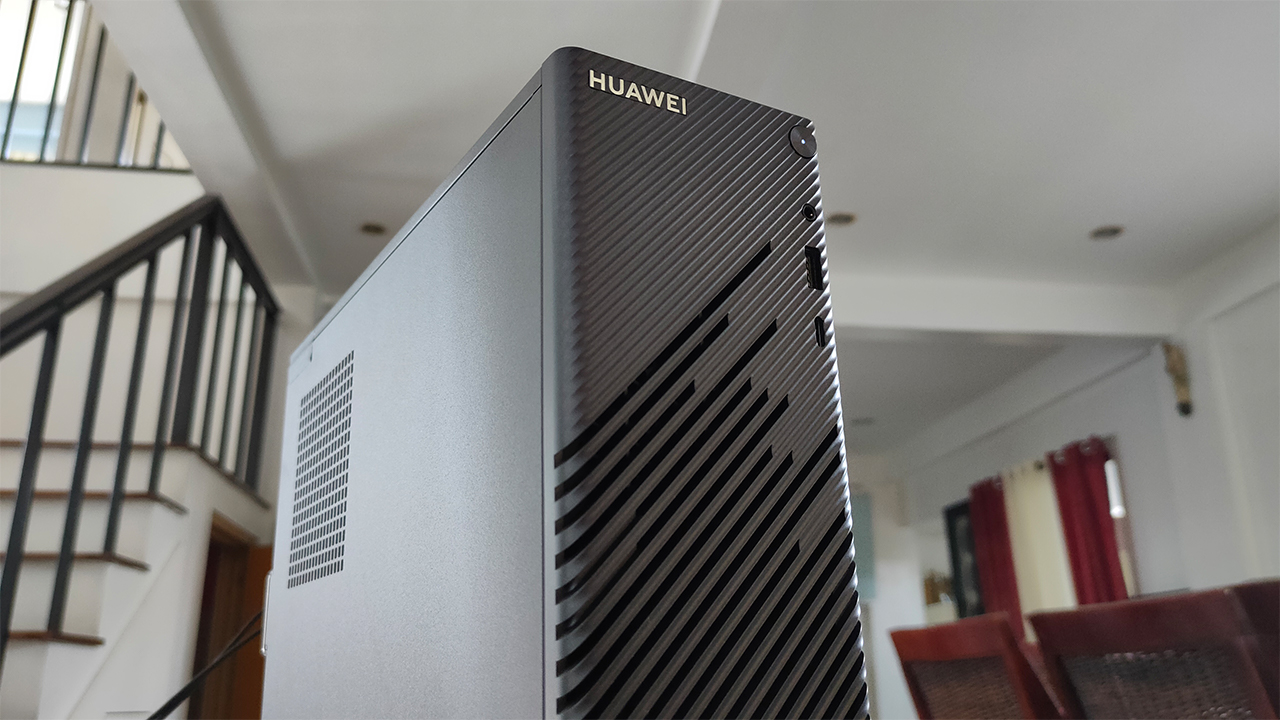
The main star of the show is this compact prebuilt system in Space Gray. Honestly, I was surprised that a workstation like this comes in a relatively small package. Like I mentioned before, its compact form factor makes it relatively easy to move around and place anywhere. I felt that this would be a good thing for people who have cramped work spaces.
Huawei also didn’t mind putting in a little flare in there with the Star Light design at the front panel. To be honest, I was looking for some way this could be useful to the system in terms of ventilation. Upon my usage of it, it’s mostly just for pure aesthetics since there’s no air coming out of it.
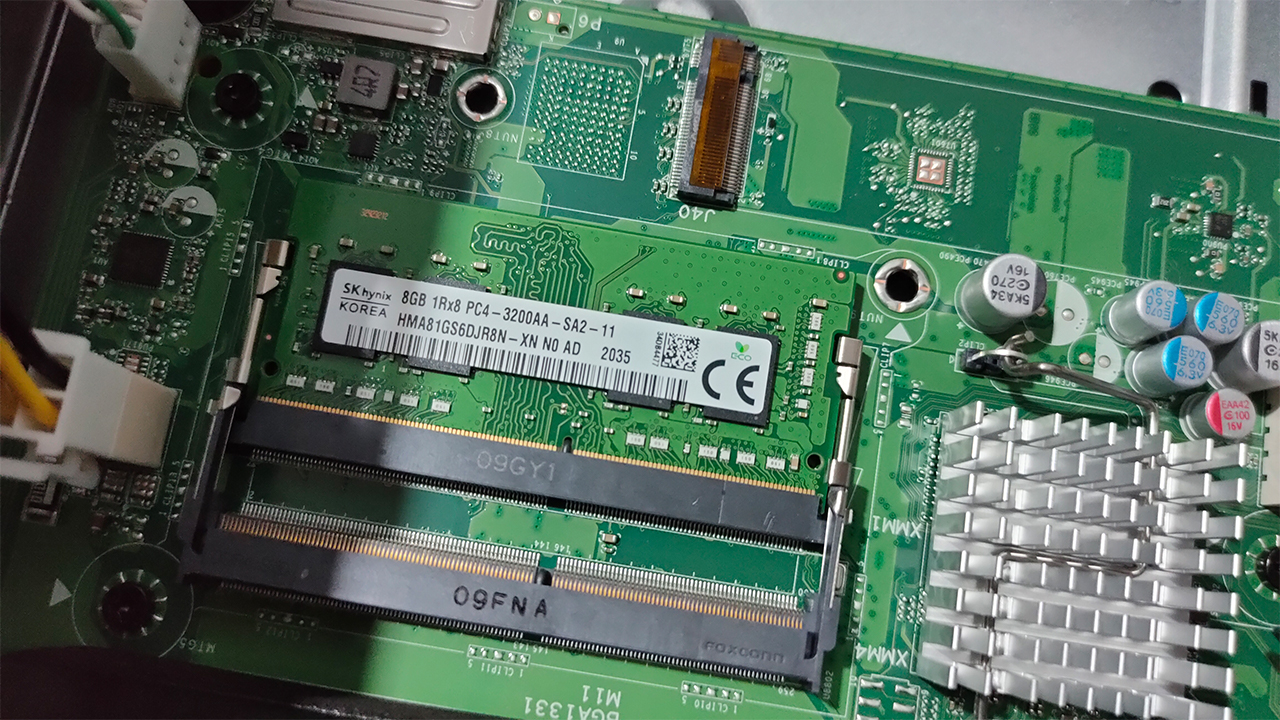
An extra slot for mobile RAM and another M.2 SSD
Now, this system isn’t actually totally complete in terms of a full upgrade. I’ll run down the spec sheet later on, but I found out there’s room for upgradability inside the system. From additional RAM to even installing a dedicated GPU, this is a workstation that you can turn into a beast. Of course, you have to willingly void your warranty early if you choose to open this up.
Workstation performance fit for WFH
Inside the Huawei MateStation S is an AMD Ryzen 5 4600G processor, which offers great performance and power efficiency. This hexa-core processor is great for even most basic workstations you either plan to buy or build. Along with the Ryzen 5 4600G, the MateStation S comes only with integrated Radeon graphics and 8GB of RAM.
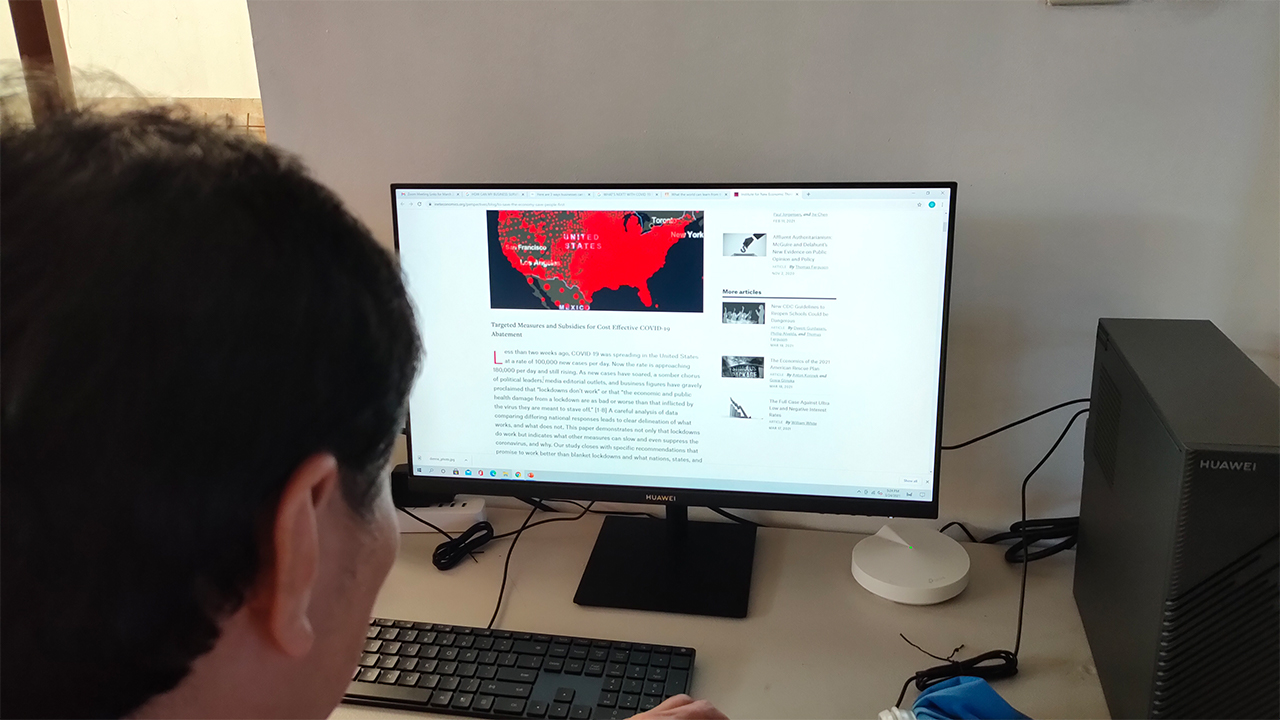
For the most part, I had a pleasant experience using this machine for some of my business-centric tasks on my day job. From creating process documents and data reports to online video conferences, the system handled all of these quite well. When using this for social media browsing and HD video playback, it still remains fast and responsive.
Although, I don’t recommend using this workstation in its current configuration for graphic-intensive work. Sure, basic photo editing and older games work on this system but the integrated graphics option simply can’t afford going higher than that. The good thing is you can pry the system open and upgrade your RAM and GPU, but at your own risk.
Comes with a great, optional display option
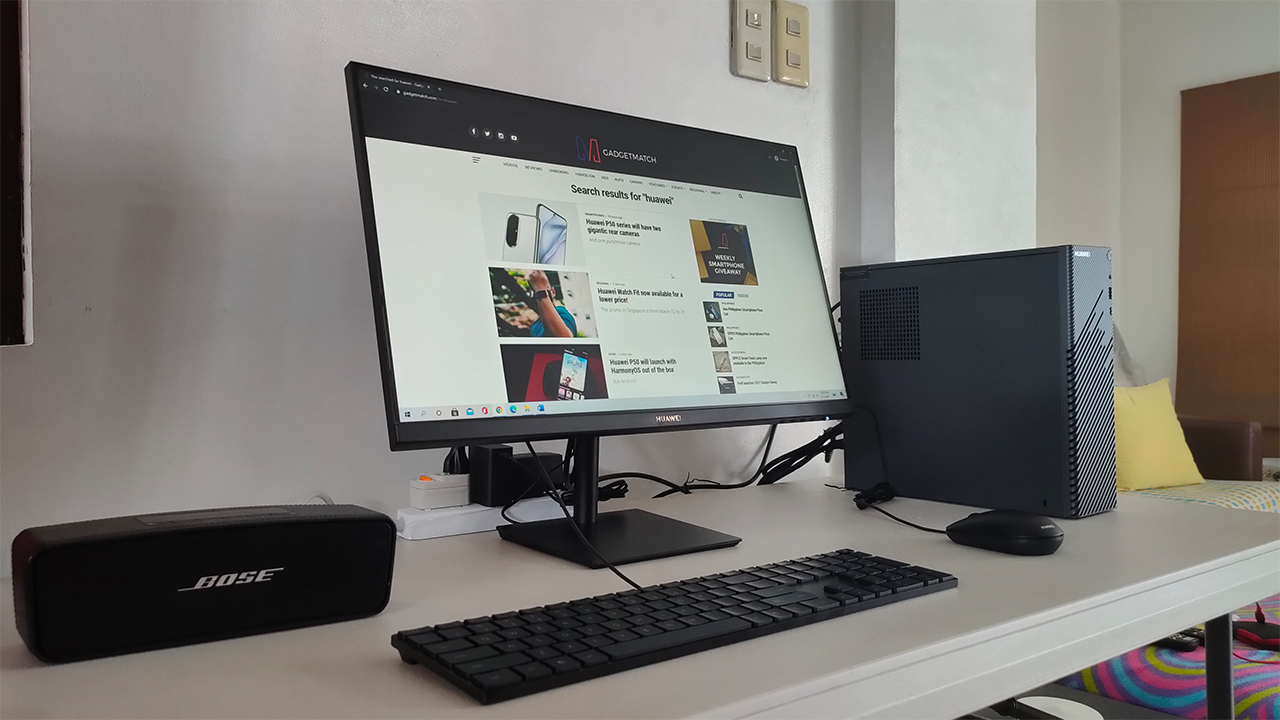
Obviously, the MateStation S isn’t the only thing the entire suite contains but from here on out, these are purely optional stuff. First up is the Huawei Display, which comes in at PhP 7,999. It’s a 23.8-inch FHD display which is designed like any other monitor for offices. Apart from the gold Huawei branding and the sleek black color, there’s really nothing else fancy about it.
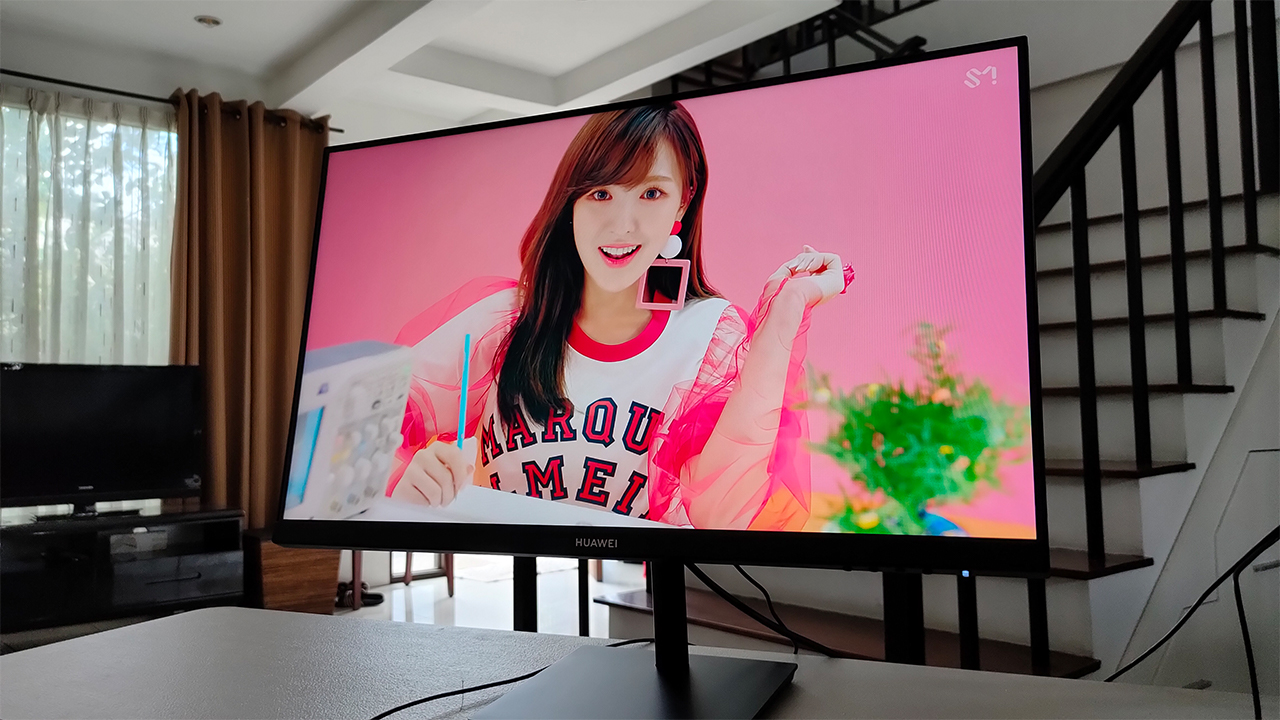
In my time using it, it’s a decent workstation monitor and secondary display. The display is quite bright and is relatively color accurate when watching HD videos. Although, it does suffer from a little bit of glare against sunlight so I’d rather place this far from the window, if ever. Also, it comes with the standard HDMI and VGA ports at the back — again, it’s stuff you expect from most monitors.
However, the first few times I used the monitor, I noticed a bit of a backlight issue by the right side. When it happened, it only shows up on either darker backgrounds or when I boot up the machine. Fortunately, it didn’t happen for the majority of the time I was using it, so I guess it pretty much solved itself out.
An optional, ultra-slim, smart keyboard
Another optional peripheral for the entire suite is Huawei’s Ultra-Slim Keyboard. It’s a full-sized keyboard, complete with the usual function keys catered for media and business. At first, you would think that there’s really nothing special about it. However, this is where Huawei put their smart service integration to the fullest of its extent, in my opinion.
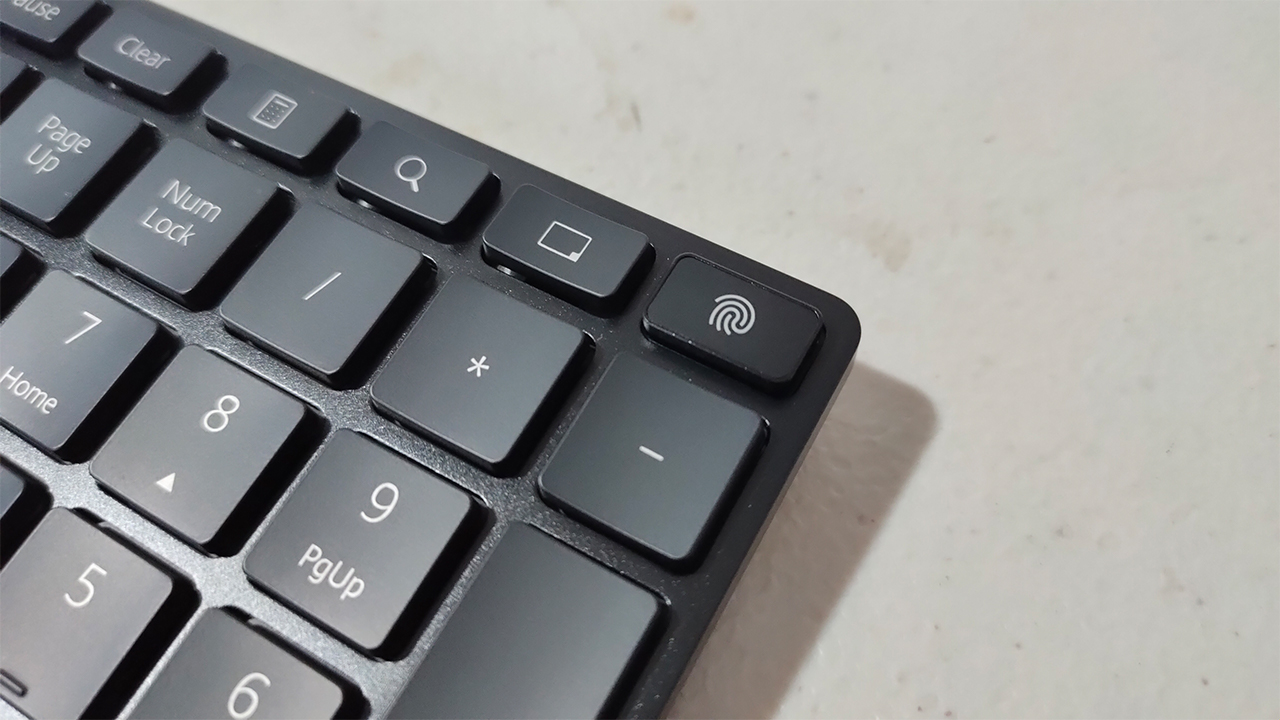
See, this slim keyboard comes with two important features: Windows Hello and Huawei Share. At the top right of the keyboard, you will find a fingerprint sensor/button that unlocks your PC through Windows Hello. It’s fairly easy to set up, and it was quite fast in recognizing your fingerprint, as long as it’s relatively clean.
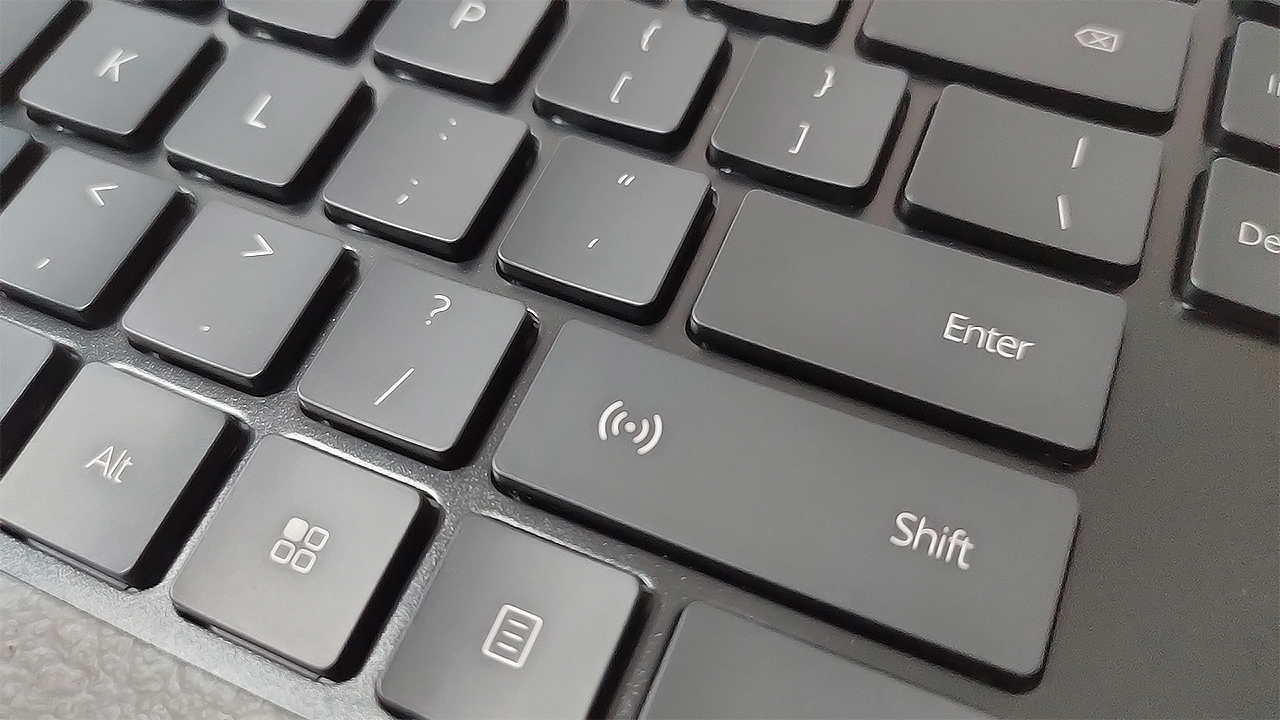
When it comes to Huawei Share, you will find this on the right Shift key and contains a built-in NFC sensor. In essence, you can use your compatible Huawei smartphones to transfer files for work or do Multi-Screen collaboration. It’s something that even their own MateBook lineup hasn’t fully integrated yet, so this is a big step up for a smarter experience.
Is this your WorkstationMatch?
At PhP 30,999, the Huawei MateStation S provides quality performance for any business-centric workstation. Its compact form factor allows for any flexible arrangements for your workspace, and it comes with powerful hardware for all your tasks. If you just need a prebuilt system for some school work, this is one great option too.
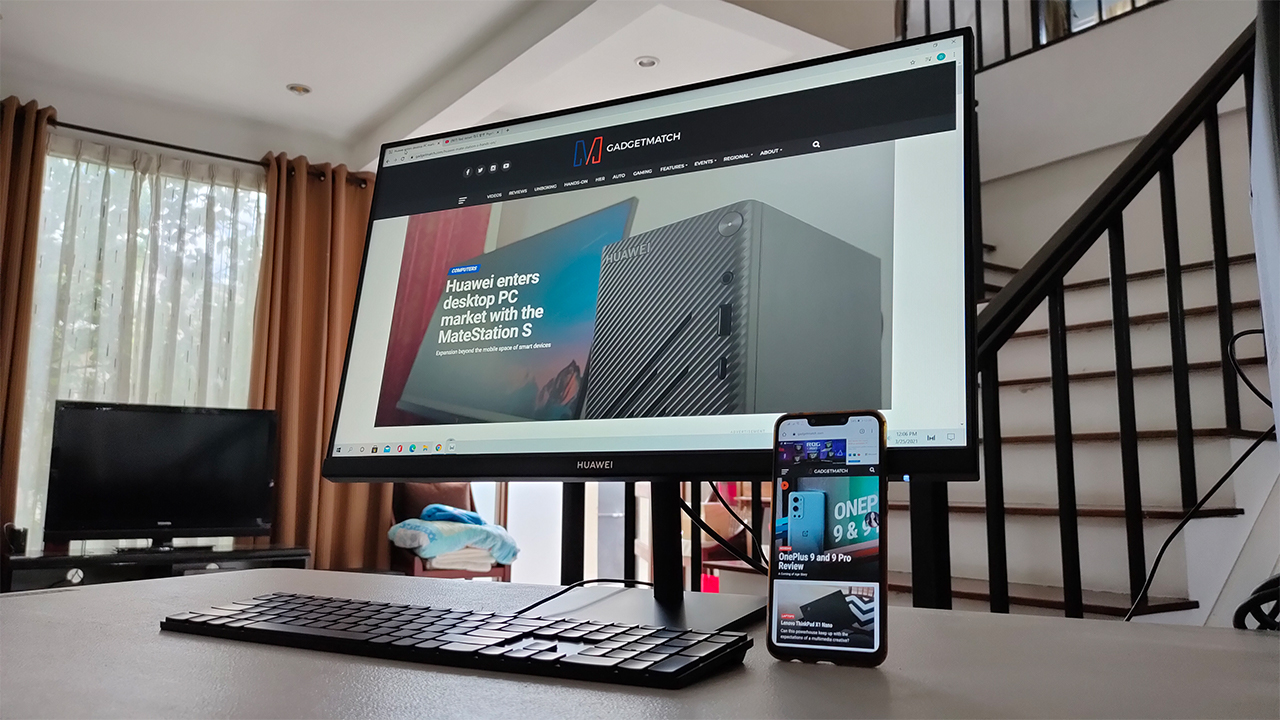
If you’d like, you can opt to bundle this with the optional peripherals Huawei has to offer for a smarter experience. Specifically, the Huawei Ultra-Slim Keyboard would be the ideal peripheral to buy for Windows Hello and Huawei Share integration. Also, you can upgrade certain hardware inside the system at the expense of your warranty.
Overall, the Huawei MateStation S serves as a riveting workstation PC for any and all professionals, and even for the young ones in school. If you’re knee-deep in Huawei’s growing ecosystem, this expansion into the desktop PC space is something worth investing in.





Computers
New Mac mini starts at a whopping $899, only 256GB of storage
It comes with the M6 or the M5 Pro.


Almost two decades ago, Apple was infamous for being an anti-gamer brand. Though the company’s devices touted superior protection against viruses, they couldn’t play video games, alienating a significant chunk of the population and forcing them onto PCs. For a while now, the Mac has changed the status quo, bringing in more powerful hardware that can play games. Today, Apple is championing that cause further through the newly launched Mac mini.
Compared to the chunkier Macs, the Mac mini has a lithe 5” x 5” profile, emphasizing the “mini” in its name. Despite the size, the new mini will tout two flavors of Apple silicon: the M6 and the M5 Pro.
The M6 variant delivers with up to two times faster gaming performance with ray tracing when running Cyberpunk 2077: Ultimate Edition, compared to the previous M4 version. Meanwhile, the M5 Pro version touts up to 4.5 times faster rendering performance with ray tracing in Blender, compared to the M2 Pro. It will come with macOS 27 Golden Gate out of the box.
You won’t have to worry about connectivity, either. The Mac mini comes with compatibility for Wi-Fi 7, Bluetooth 6, and 2.5Gb Ethernet (going up to 10Gb in upgraded versions). It will also have two USB-C ports, three Thunderbolt 5 ports (but only Thunderbolt 4 for the M6 version), and HDMI port, an Ethernet port, and a headphone jack.
Unfortunately, price seems to be another thing that it’s getting from PCs. The new Mac mini has an increased starting price. Specifically, the M6 version starts at US$ 899 (with only 256GB of storage), and the M5 Pro version starts at US$ 1,699 (for 512GB of storage). Preorders are open now, but they ship out on September 22.
SEE ALSO: Apple raises the prices of iPad and MacBook lineups

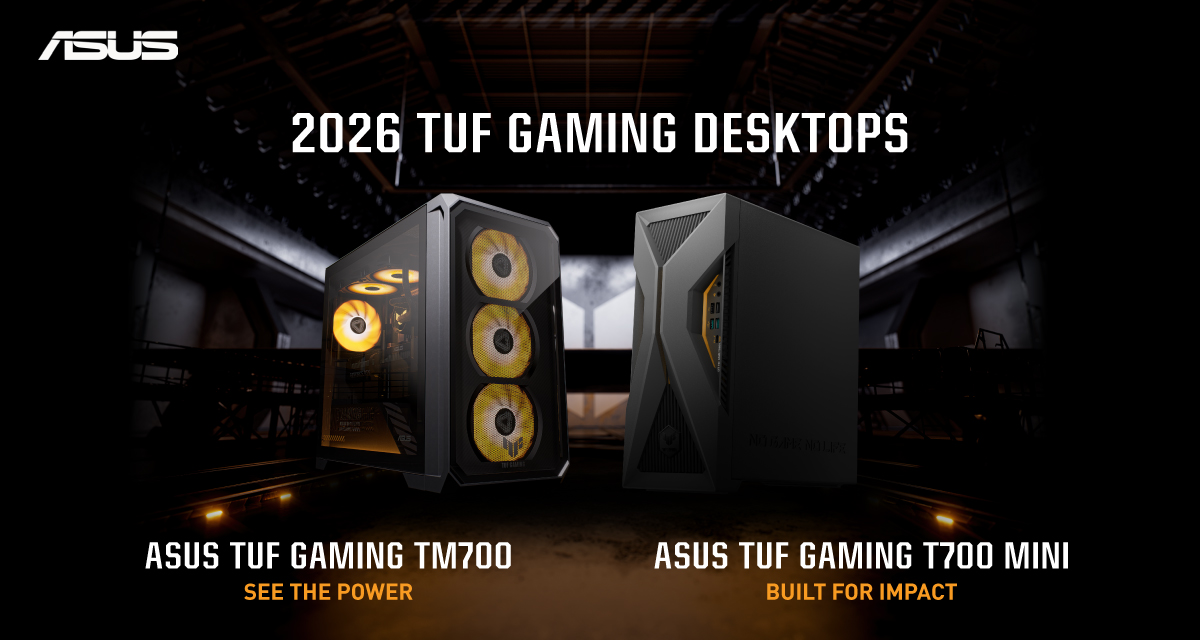
ASUS has announced the arrival of its latest TUF Gaming desktop lineup models: the TUF Gaming T700 and TUF Gaming T700 Mini.
These new offerings bring heavy-duty performance and military-grade durability to gamers, engineered to endure extreme operational demands while delivering rock-solid stability.
The new ASUS TUF Gaming T700, in particular, is engineered to take on modern AAA titles with its uncompromising performance.
It has an aggressive mecha-inspired MIL-STD chassis, including a transparent side panel to put powerful components on display. Vibrant orange ambient lighting also adds a bold finishing touch.
Inside is an AMD Ryzen 7 8700F processor and up to an NVIDIA GeForce RTX 5060 Ti GPU for high-frame rate gaming.
The T700 also features a robust thermal solution equipped with quad 65 CFM fans and a 240mm liquid cooler.
Meanwhile, the TUF Gaming T700 Mini is tailored for competitive gamers while maintaining a compact, battle-tested chassis.
It has an Intel Core Ultra 5 225F desktop processor, paired with with NVIDIA GeForce RTX 3050 graphics.
This combination provides seamless multitasking, crisp visuals, and reliable frame rates across today’s popular titles.
The internal hardware is cooled by a custom thermal matrix featuring dedicated copper heat pipes and a heavy-duty 90mm cooling fan.
True to the TUF Gaming legacy, the T700 Mini is likewise MIL-STD tested to endure extreme operational demands.

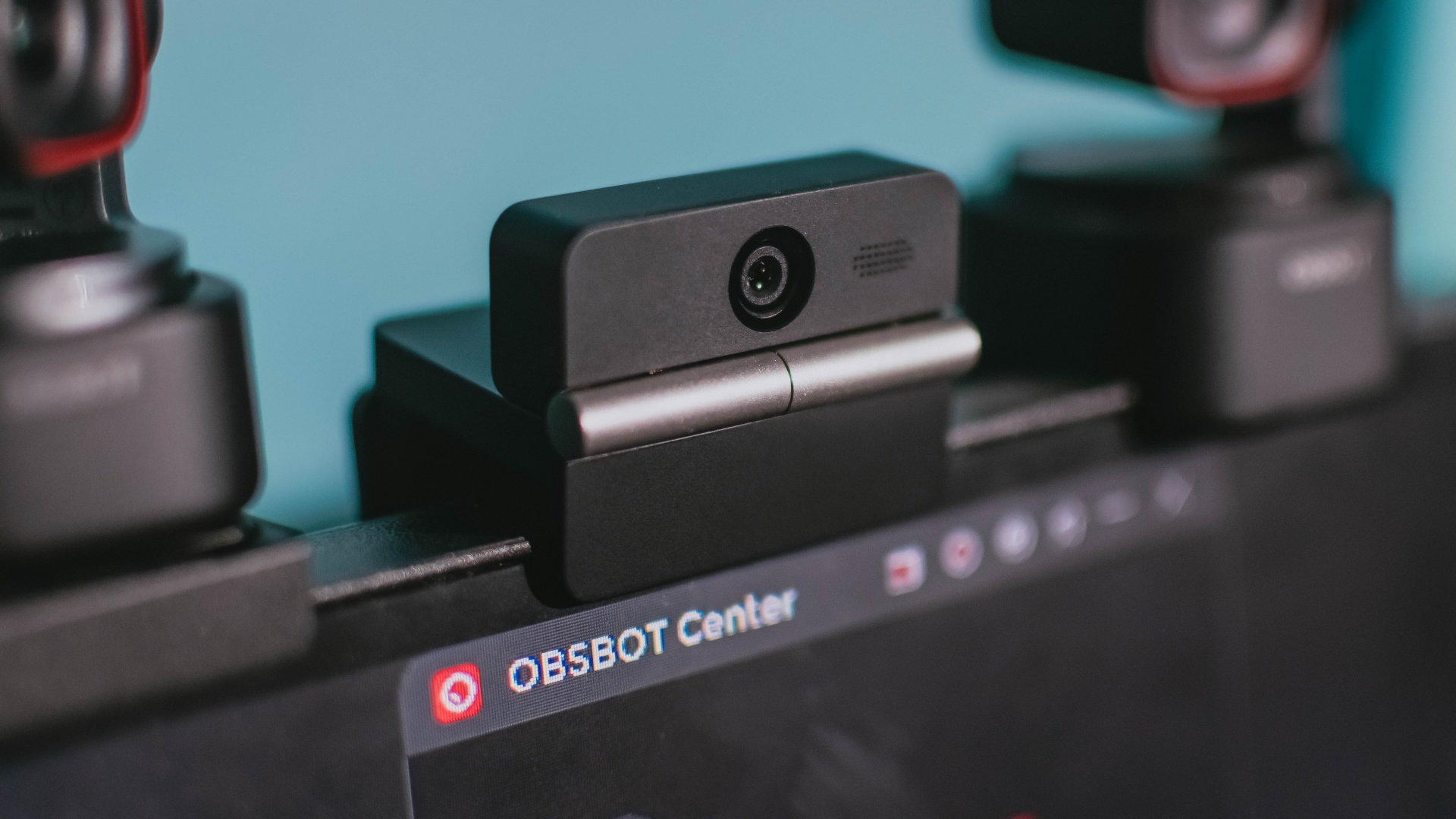
Phones flip and fold. Now webcams do too.
Foldable screens have found their way into phones, tablets, and laptops in recent years. Now, OBSBOT is taking that idea in a considerably smaller direction: the webcam.
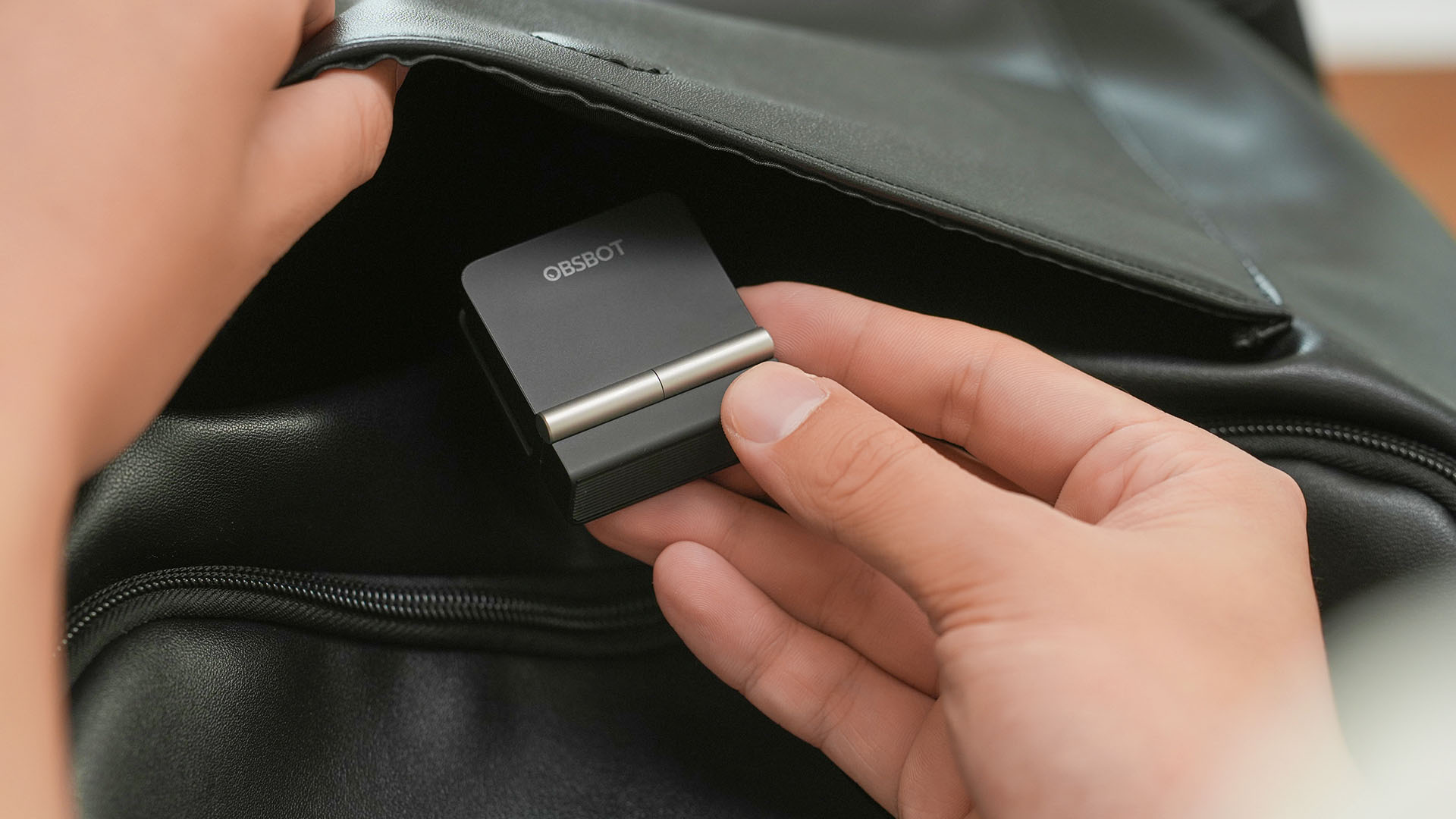
The OBSBOT Meet Flip is the company’s first foldable 4K webcam packing:
- 1/2-inch stacked CMOS sensor
- intelligent audio
- a collection of AI-powered meeting tools
All of these inside a body weighing just 37.7 grams.
A fold that does something, not just a gimmick
The OBSBOT Meet Flip isn’t foldable just to make it easier to throw into a bag.
Closing the webcam physically blocks the lens and puts the device into sleep mode. Open it when you want to be seen, flip it shut when you don’t.
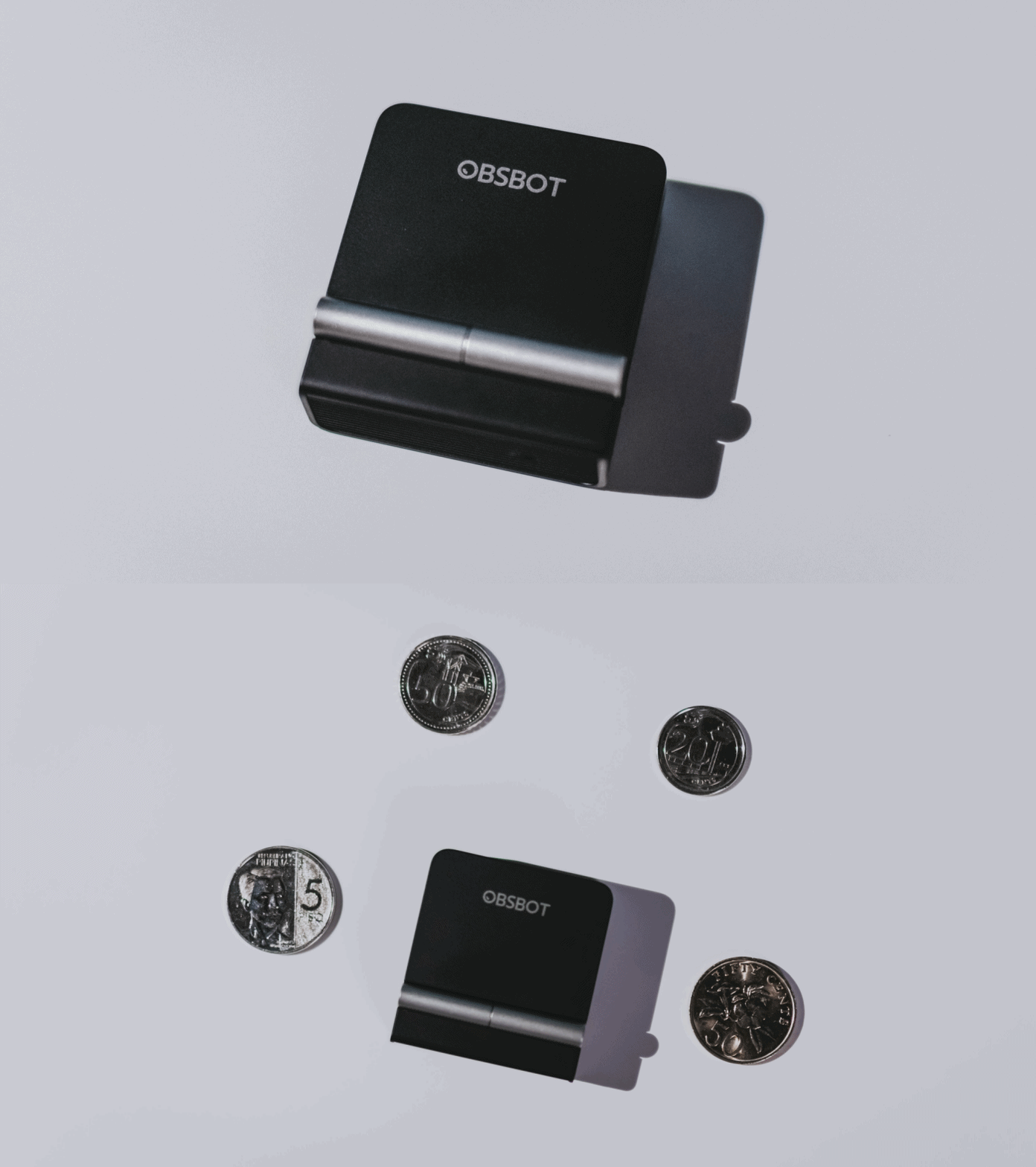
A physical privacy cover isn’t novel in itself. What’s clever here is how it’s part of the folding design.
As someone with a love-hate relationship with data privacy, I almost always keep some physical barrier over my laptop webcam. And if I can avoid having a webcam there entirely, even better.
Serious camera hardware in a pocket-sized webcam
Despite its size, OBSBOT hasn’t treated the Meet Flip like a basic laptop-camera replacement.
Inside is a 1/2-inch Exmor RS stacked CMOS sensor with Quad Bayer technology, capable of recording 4K UHD at 30 fps or 1080p at 60 fps. It also packs an f/1.8 aperture, HDR, PDAF autofocus, ISO 100–6400, and up to 4x digital zoom.
At its core is a 1/2-inch Exmor RS stacked CMOS sensor with Quad Bayer technology.
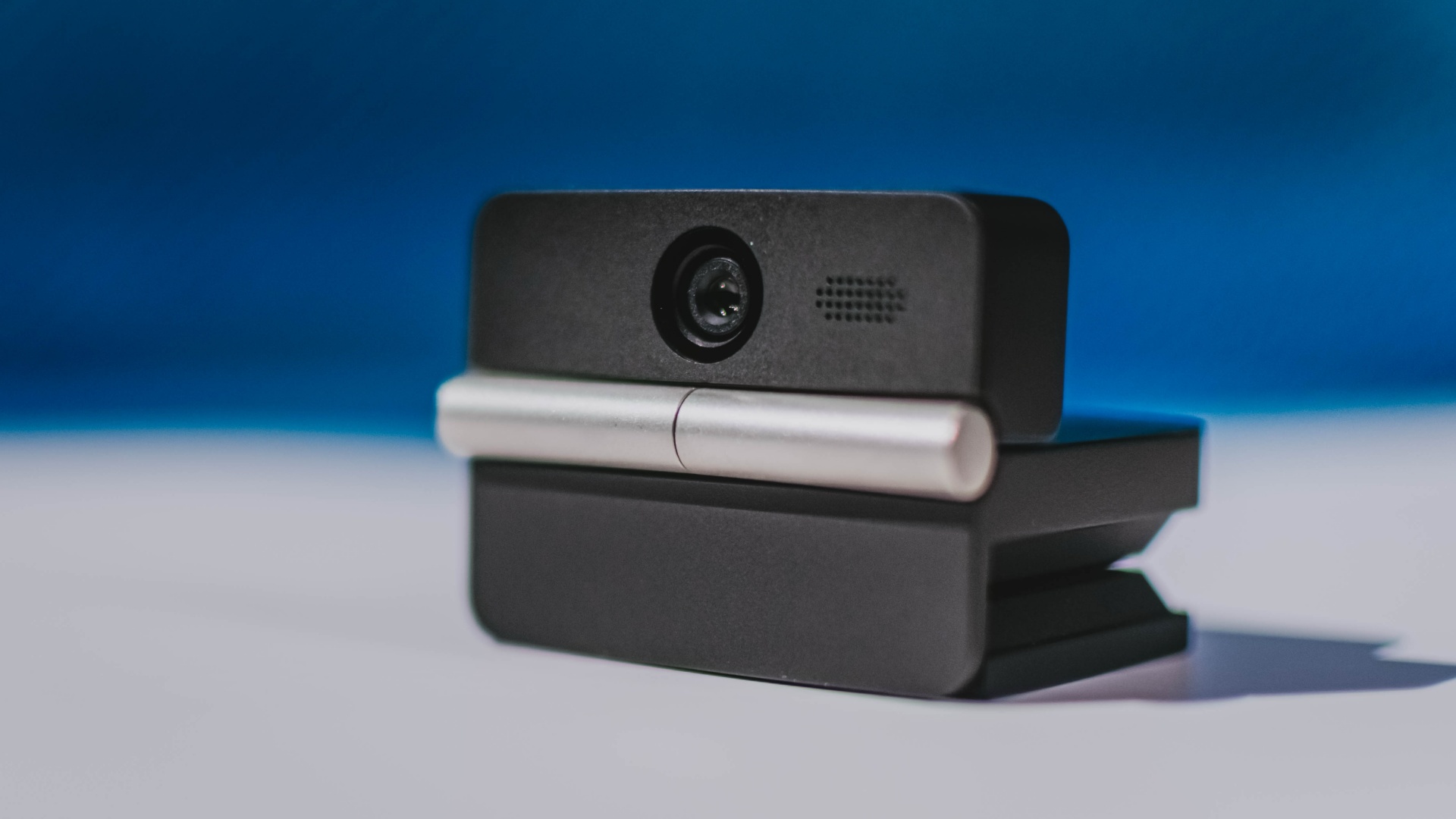
It can record:
- 4K UHD at 30fps
- 1080p at 60fps
You also get:
- f/1.8 aperture
- HDR
- PDAF autofocus
- ISO 100–6400
- up to 4x digital zoom
On paper, that gives the Meet Flip a better shot at handling the situations built-in laptop webcams often struggle with: dim rooms, harsh backlighting, changing lighting conditions, or simply moving around in front of the camera.
HDR helps keep faces visible against bright backgrounds, while PDAF autofocus continuously adjusts focus as you move closer to or farther from the lens.
The wider f/1.8 aperture should also help in less-than-ideal lighting.
The point is that once the Meet Flip is set up, you shouldn’t have to spend much time thinking about the camera itself.
It listens differently depending on the room setup
The Meet Flip also uses an intelligent dual-microphone system combining omnidirectional and directional microphones.
Instead of relying on one pickup pattern for every situation, it offers four audio modes for different setups:
Directional Mode focuses on sound coming from the front, making it the obvious choice for solo calls.
Dual-Directional Mode listens to both the front and rear of the webcam, which could be useful for interviews or conversations between two people sitting across from each other.
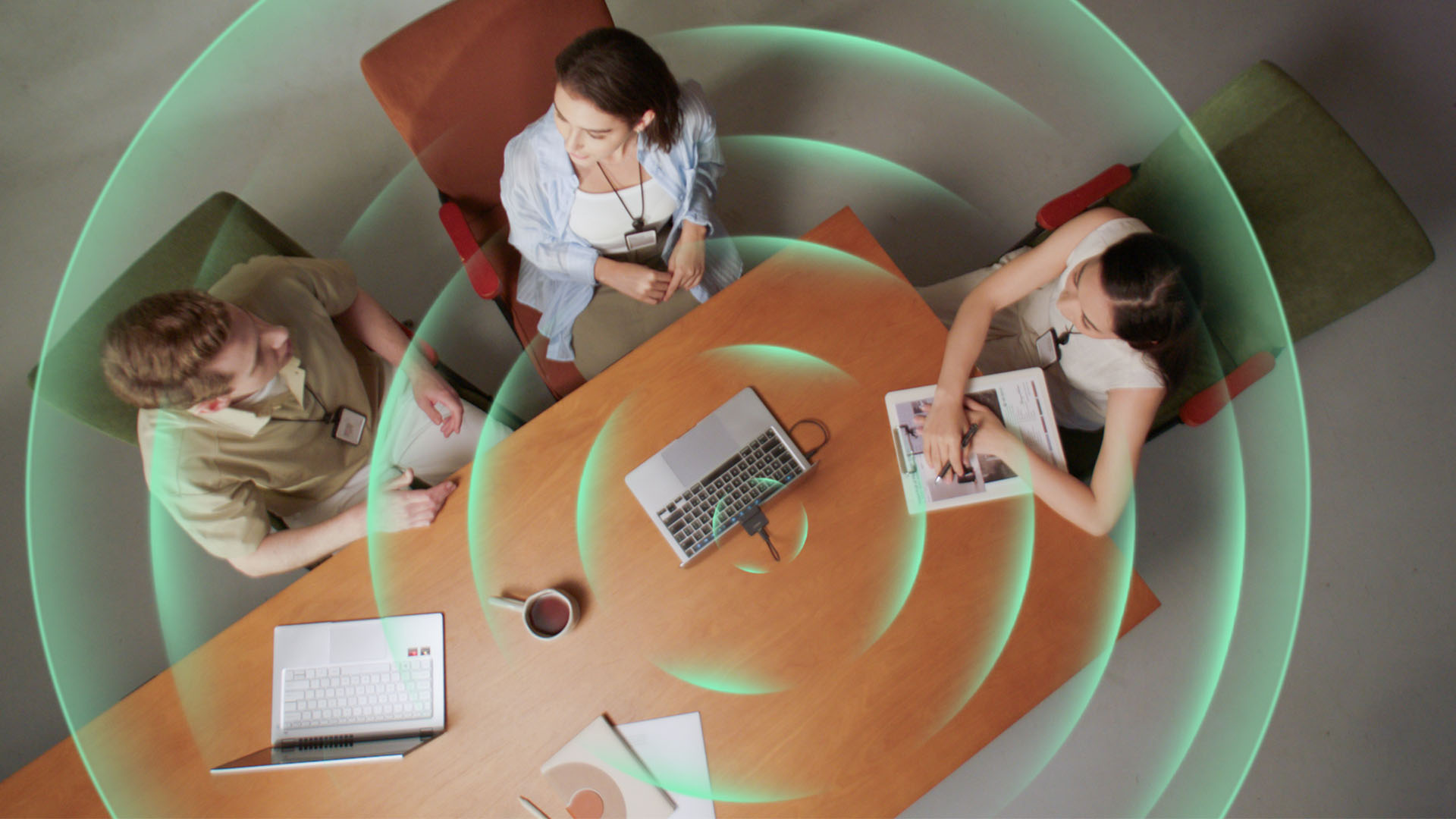
Smart Omni Mode is designed for group meetings, picking up voices from around the room.
And Pure Audio Mode provides unprocessed left and right stereo channels for users who would rather handle the audio themselves in post-production.
Auto Gain and AI Noise Reduction also work across the first three modes, helping clean up audio without requiring much manual adjustment.
It gives the Meet Flip more flexibility than a typical webcam microphone, especially if you regularly switch between solo calls, interviews, and group meetings.
AI that doesn’t intrude
AI has become an almost obligatory addition to new hardware in 2026, but several of the Meet Flip’s features put it to work on real-world meeting annoyances.
AI Auto Framing keeps you in frame, with options for:
- Group
- Single Close-up
- Upper Body
- Full Body
Gesture controls can also toggle Auto Framing or adjust the zoom without reaching for a keyboard or mouse.
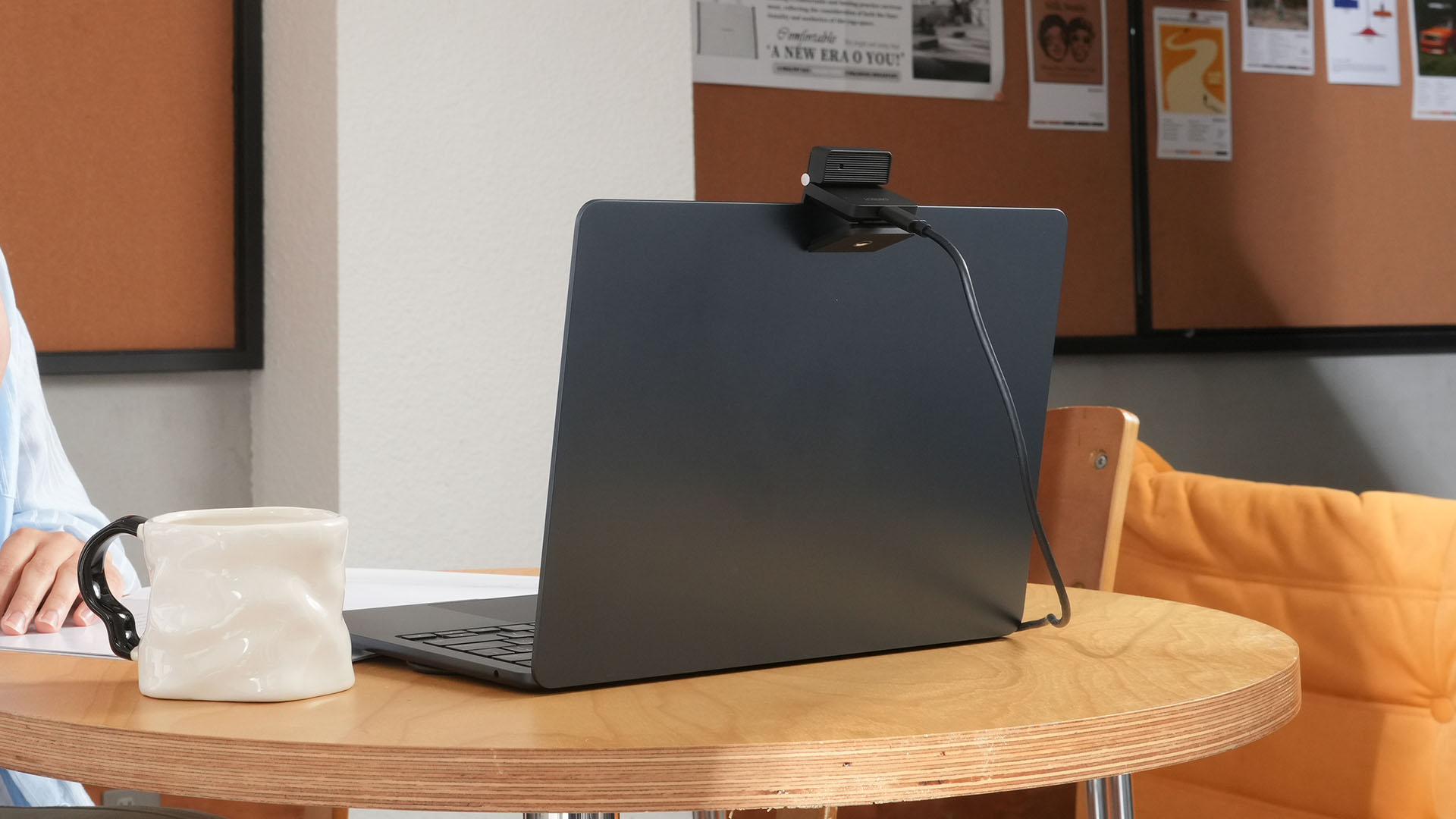
More interesting is AI Magic Notes.
Through OBSBOT Center, it provides real-time transcription and can automatically generate meeting summaries with key points, decisions, and action items. It works across Google Meet, Zoom, and Microsoft Teams.
Although AI Magic Notes is offered as a subscription service, every Meet Flip includes 120 complimentary minutes to get started.
MORE with OBSBOT Center & OBSBOT Live
There are plenty of other software features as well. OBSBOT Center includes:
- Background Blur and Background Replacement
- Real-Time Beauty Mode
- Picture-in-Picture overlays
- Smart Eye Tracking
- Teleprompter support
- Detailed image adjustments
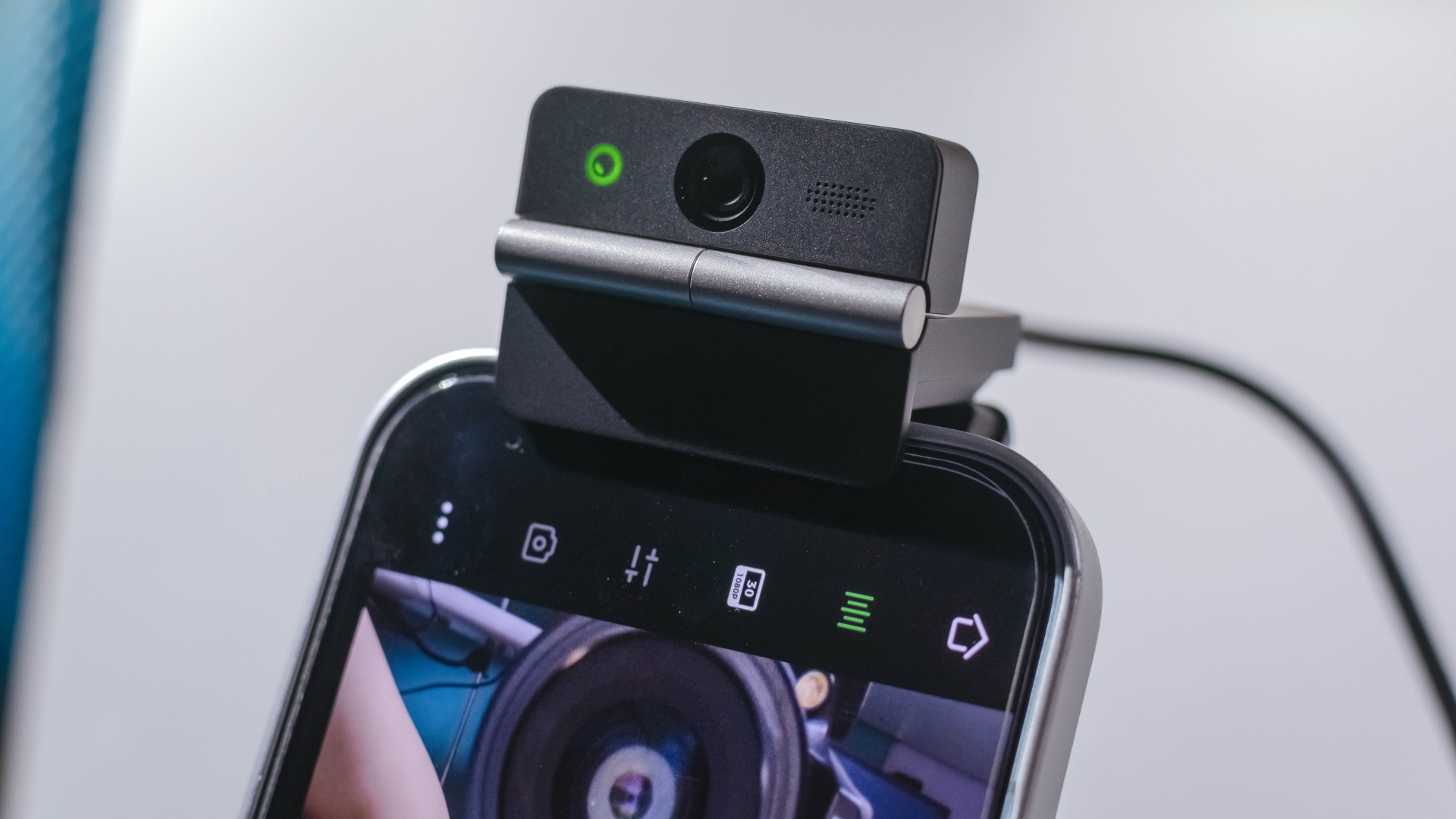
The Meet Flip isn’t limited to laptops or desktops either. Through OBSBOT Live, it can connect directly to smartphones and tablets over USB-C for mobile streaming and content creation.
Flip it open. Fold it away.
None of those features reinvent the webcam on their own.
Taken together, though, they make the Meet Flip a more thoughtful take on a piece of hardware whose basic design and features have barely changed.
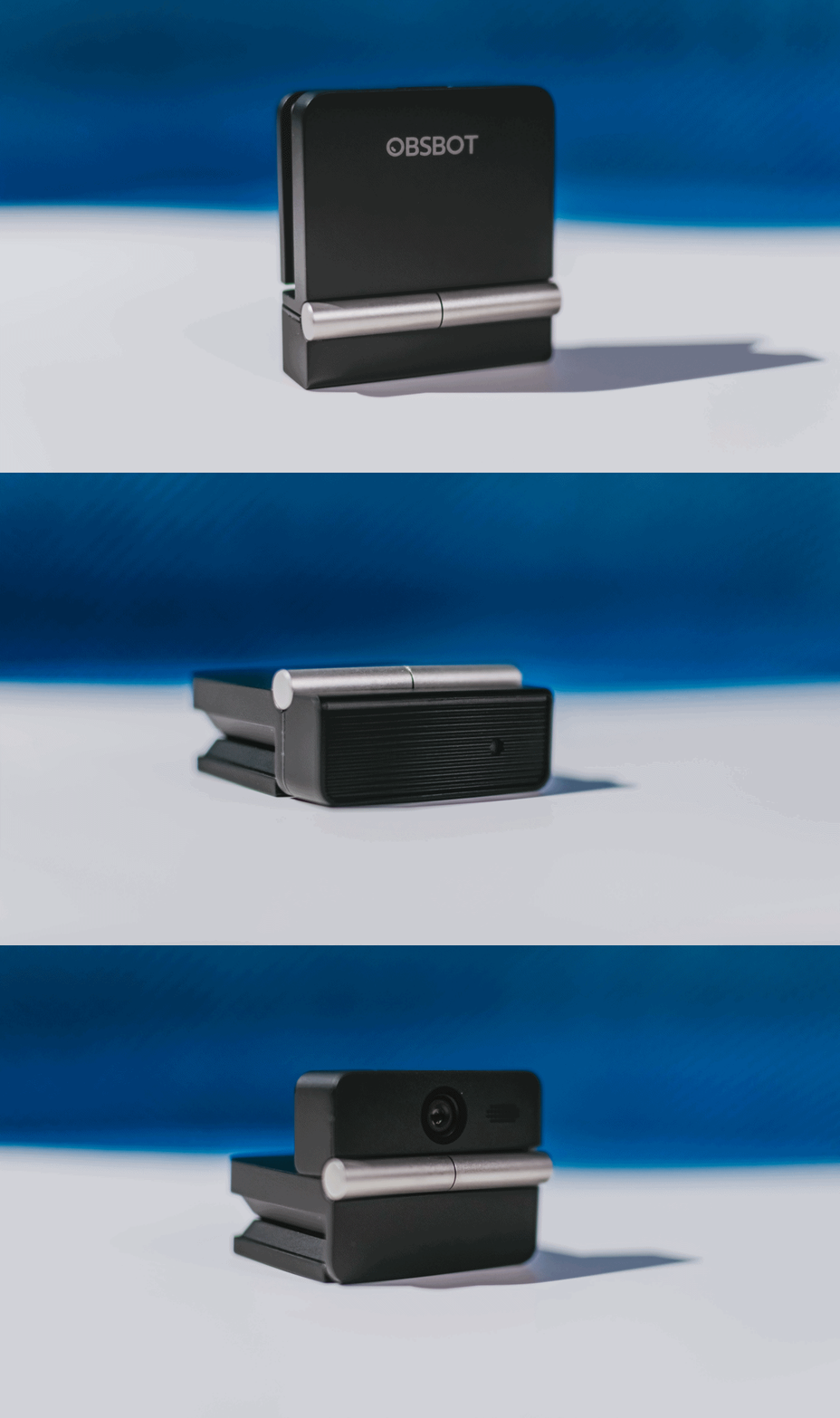
The flip may grab your attention first, but it’s how OBSBOT uses that design alongside its camera, audio, and software features that makes the Meet Flip interesting.
The OBSBOT Meet Flip is now available at US$ 119 and is currently available through OBSBOT’s official store, Amazon US, and select retailers.
&
@gadgetmatchPhones flip. Now webcams do too. 👀 Meet the OBSBOT Meet Flip, a tiny foldable 4K webcam with a lot packed inside. ✨
If you buy one, here’s what you’ll get out of the box!

REDMI Note 17 Pro review: What a rollercoaster ride!
The serious series of ups and downs are NOTEworthy of your attention

Insta360 Luna Ultra review: My new solo coverage camera
Changed my workflow

TECNO MEGAPAD 2 review: Eyes on the size
The MEGA pad for two base users

Marvel’s Wolverine details combat, abilities, and features

The designated photographer’s new favorite phone: OPPO Reno16 Series 5G

NBA, Salmon team up for multi-year partnership

realme 16T 5G with 8000mAh battery, IP69 Pro rating launches in PH

Dune: Awakening gets new PS5 gameplay, movie DLC
TECNO MEGAPAD 2 review: Eyes on the size

VinFast debuts two-wheeler models, opens 21 e-motorcycle showrooms

REDMI Note 17 Series focuses on long-term reliability

realme 16T to come with 8,000mAh battery, 7-year battery health guarantee

OnePlus officially leaves the United States and Canada


-
Reviews1 week ago
TECNO MEGAPAD 2 review: Eyes on the size
-
 Singapore2 weeks ago
REDMI Note 17 Series focuses on long-term reliability
-
 News2 weeks ago
realme 16T to come with 8,000mAh battery, 7-year battery health guarantee
-

 News2 weeks ago
HUAWEI Pura X View is 2026’s first WIDE slab-type smartphone
-
 Accessories2 weeks ago
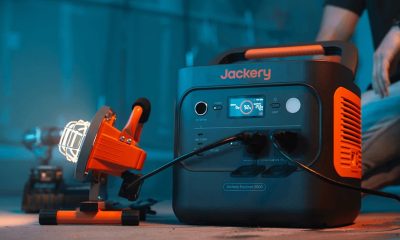
Jackery expands Explorer Series portable power stations
-

 Cameras1 week ago
30 days with the DJI Osmo Pocket 4P
-

 Gaming2 weeks ago
NBA 2K27 expands MyCAREER, MyPLAYER, MyNBA, more
-

 Gaming2 weeks ago
Now Playing: Assassin’s Creed Black Flag Resynced