
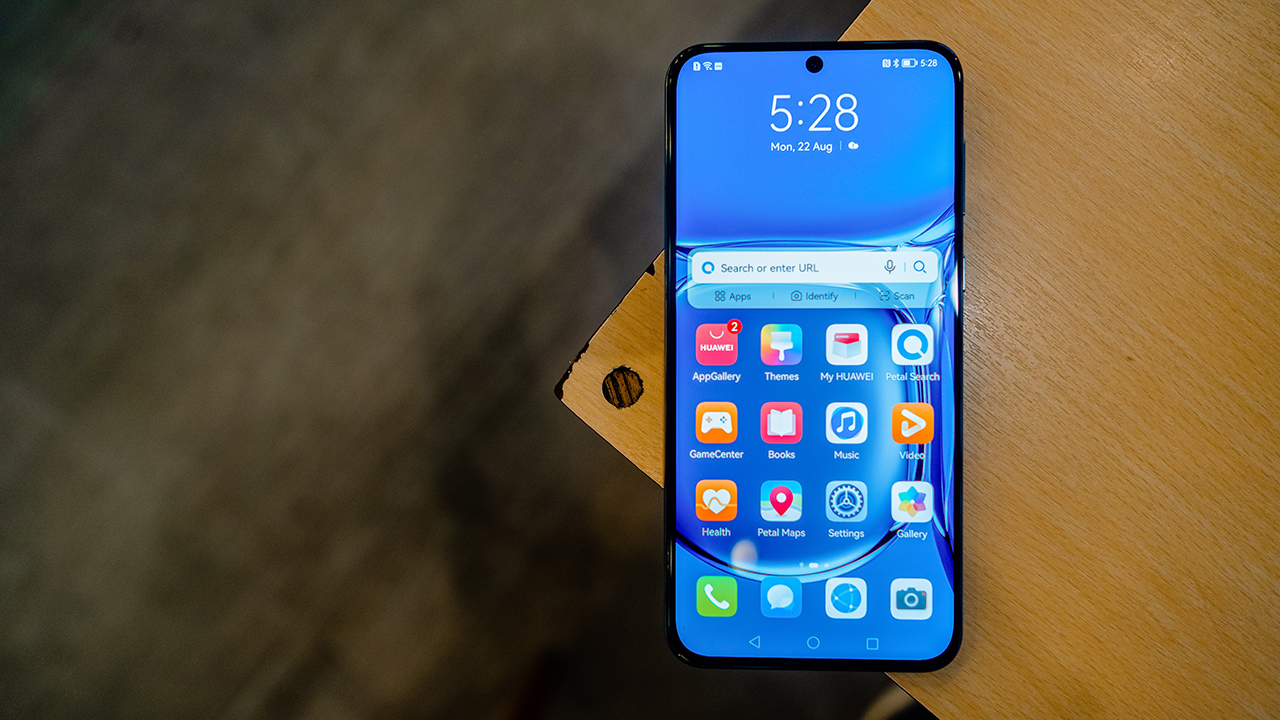


Dating, more than going on dinners and hanky panky, is a practice of assessing green flags and red flags. Whether we like it or not, every person we’re going to try to date will come with pros and cons. Nobody’s perfect. Entering a long term relationship is a matter of deciding whether we’re willing to live with the cons in favor of the pros. Sounds a lot like buying a smartphone, right?
Karlo, will you be my smartphone?
That’s because dating in the hopes of being in a long term relationship is a lot like buying a smartphone. Smartphones aren’t cheap. They’re investments that require plenty of thought and analysis before making a purchase. That’s why while reviewing the Huawei P50, I asked myself…
Is this a smartphone I can commit to in the long run?
Let’s find out by studying the green flags and the red flag of the Huawei P50.
Green Flag #1: Looks that will make you blush
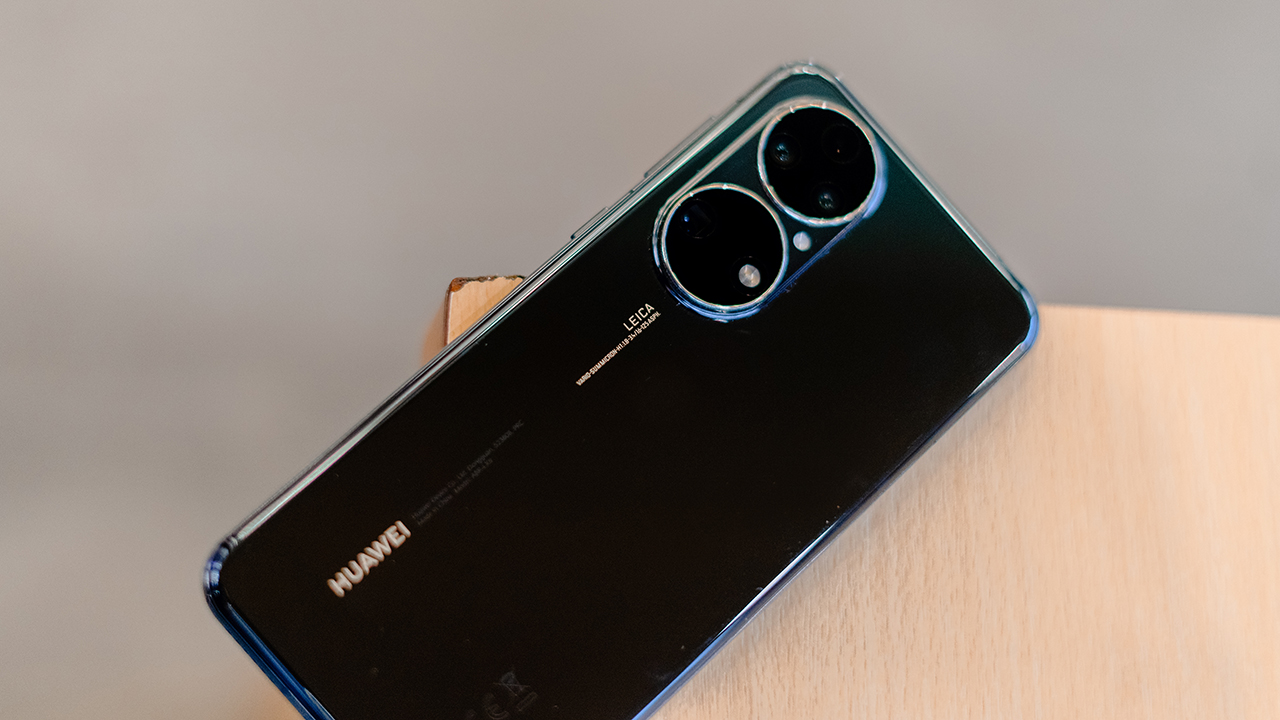
You should never judge a book by its cover, but it’s still important to have a good cover nonetheless. Standing out in the smartphone world in 2022 matters. Thankfully, the Huawei P50 is a device that did not skimp on its looks.
The phone comes with your punch hole design upfront, which is a standard at this point.

What makes the P50 unique is its camera design at the back, with two large circles that house its triple camera setup. It may be polarizing for some, but it’s undeniably a look that will stand out in an ultra competitive flagship market. Completing its look is a glass back that screams premium.

Huawei’s P50 is also a delight to use in the hand. It carries enough weight that it feels premium but it isn’t heavy to the point of discomfort. It’s a comfortable everyday device that you can easily carry around in your pockets.
Green Flag #2: Performance that just works

As a corporate man who travels for leisure, I didn’t get a chance to test the complete power of the device. Instead, I assessed its performance based on how it felt according to my everyday lifestyle. In a sentence: The Huawei P50 just works.
Barely any stutters were felt during the review process, even when exposed to various everyday scenarios. It held itself well as a hotspot device during a remote work day and it performed smoothly during a trip to Balesin Island.
You won’t have any problems running multiple social media apps and even Spotify on the P50. While others may complain that its performance is too bland, sometimes you just need a device that sticks to the basics and remembers the primary function of a smartphone: a multimedia communication device. That in itself is already a win.
Green Flag #3: A camera that competes with the best

Cameras can make or break a flagship smartphone. That’s why while testing the P50, I took the opportunity to do a blind smartphone camera test between Huawei’s flagship and one of 2022’s top smartphones (let’s call this Smartphone N).
The results were interesting.
A = Huawei P50
B = Smartphone N

A = Smartphone N
B = Huawei P50

A = Huawei P50
B = Smartphone N

A = Smartphone N
B = Huawei P50

A = Smartphone N
B = Huawei P50

Surprisingly, considering how highly touted Smartphone N’s camera is, Huawei won 3 out of the 5 blind tests I shared on my Instagram page.


It won daylight shots by a landslide and the selfie blind camera test was neck and neck. It lost out on the night mode test, however, but not by much. While blind smartphone camera tests aren’t the best way to assess a phone’s camera, it’s at least a more objective way of comparing shots done by opposing rivals based on the personal interests of the consumer.


Most consumers like brighter shots with colors that pop. In this case, the P50’s main camera does that well in good lighting conditions while also showcasing some good dynamic range. Some shots can look too saturated, but never to the point that you’d dislike its results.



The same goes with its selfie camera, however with a bigger caveat. Since its selfie sensor isn’t as good as the setup on the back, the saturation is much more evident. Details are a bit more washed out, which can bother at least pixel peeping consumers. For most consumers, however, they’ll be perfectly fine with its selfie stills.


There are other things to nitpick with the P50’s camera, however, First is how its tendency to saturate shots hurts its night mode stills.

Night shots are tricky. While you want as much light as possible to come in, you don’t want your stills to come out with unnatural looking results. This is where the P50 struggled as it brightened up night shots too much, to the point where the processing looked very evident.


Another is its choice of wide angle lens. While it does come out with great results, it doesn’t capture enough compared to the wide angle shots of other cameras. It’s a shame this was the case, given how good its shots were.
Nitpicking aside, this is a superstar camera that can compete with the best of the best. In fact, its camera alone could have catapulted it close to phone of the year territory. But its red flags forced me to rethink that thought.
Red Flag #1: Lack of Google Services
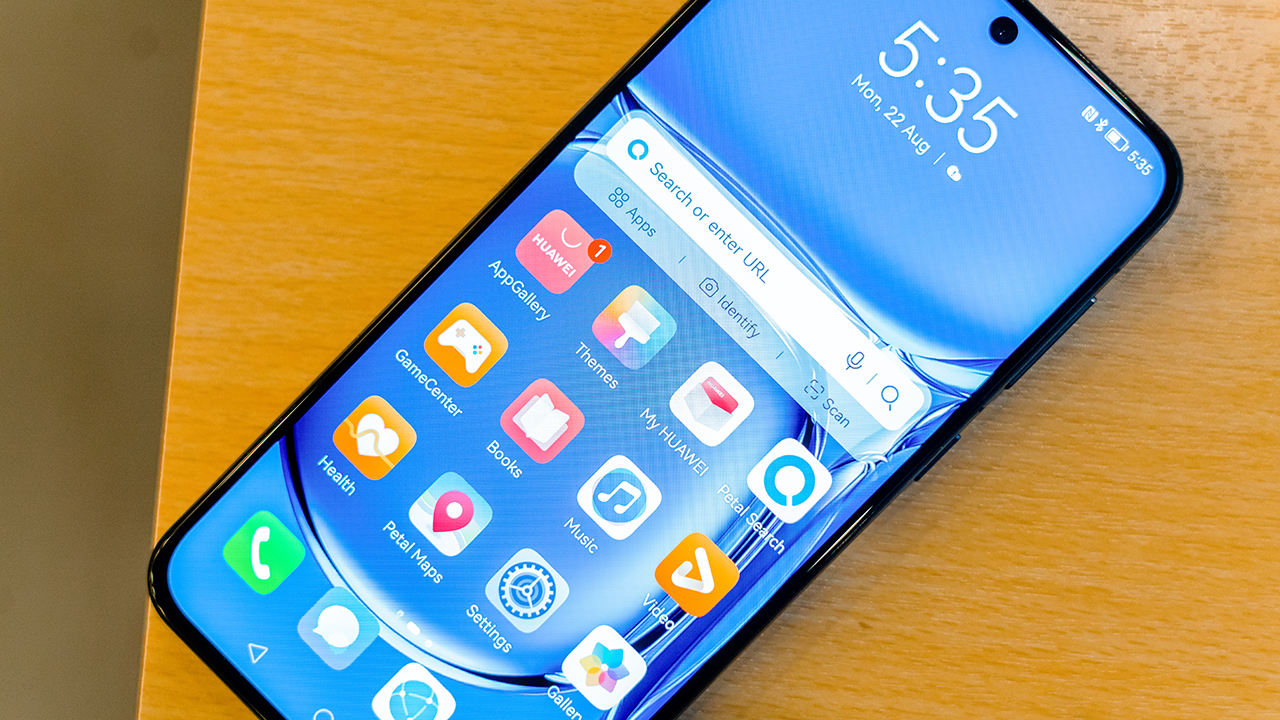
You likely knew it was coming, but we need to mention it either way. It’s the biggest red flag the entire Huawei brand faces today and the promising P50 is held back by its lack of Google Services.
The Google ecosystem is something that’s ingrained into the lifestyles of most consumers. The commitment to the ecosystem varies per person. But just having yourself be dipped to a part of this system is already a big deal with your overall tech experience.
There are two parts to this experience which are especially important to the casual tech consumer.
Red Flag #2: Incomplete media consumption experience
Smartphones, aside from being a communication device, are tools we use to consume media. There are a number of apps that work on the P50 such as Spotify and Netflix, but it misses out on a very important app: YouTube.
It may just be one app, but it’s the app that is the most universal across all consumers. Losing out on YouTube feels like losing out on an entire media consumption experience. Sadly, given Huawei’s current predicament concerning Google Services, it’s an important app that can’t be enjoyed on the P50.
Red Flag #3: Incomplete work stream offered

Smartphones embody the saying, Work Hard, Have Fun. If the fun comes from multimedia, the working hard comes from the work tools smartphones offer.
Unlike media consumption, there are only a select number of apps that run widely-used work applications. One of the top tools happens to be part of the Google ecosystem: GSuite.
You can’t use Gmail , Google Sheets, Docs, or any other apps that are a part of this system. This was especially difficult for me, as my employer uses GSuite as part of its workstream. This made it difficult for me to use the P50. When I’d go mobile, Huawei’s flagship was limited to being a hotspot source while I used Smartphone N for work-related tasks.
Is this your GadgetMatch?

It feels like there’s an overarching, unanimous answer to this question, but like most relationships, this question needs to be answered with more nuance.
Committing to the Huawei P50 — priced at PhP 39,999 — is a gargantuan task. It’s especially difficult for users whose daily lives center around Google Services. If you’re a heavy user of at least one Google app, I’d recommend you steer clear of purchasing this device. The trade-off may not be worth it.
However, if Google apps aren’t a big part of your day-to-day life, then purchasing the P50 wouldn’t be the worst thing in the world. You’re getting a smartphone that feels good on the hand, looks very good, performs well, and has a camera that competes with the best of the best.
Nuance matters in this discussion. But there’s that part of me that can’t help but say, “If only this phone didn’t have those red flags.”
We can’t live with the ifs. We have to live with reality. This is the reality Huawei faces and it’s up to tech consumers whether they can commit and say ‘I Do’ to the P50 as their GadgetMatch.






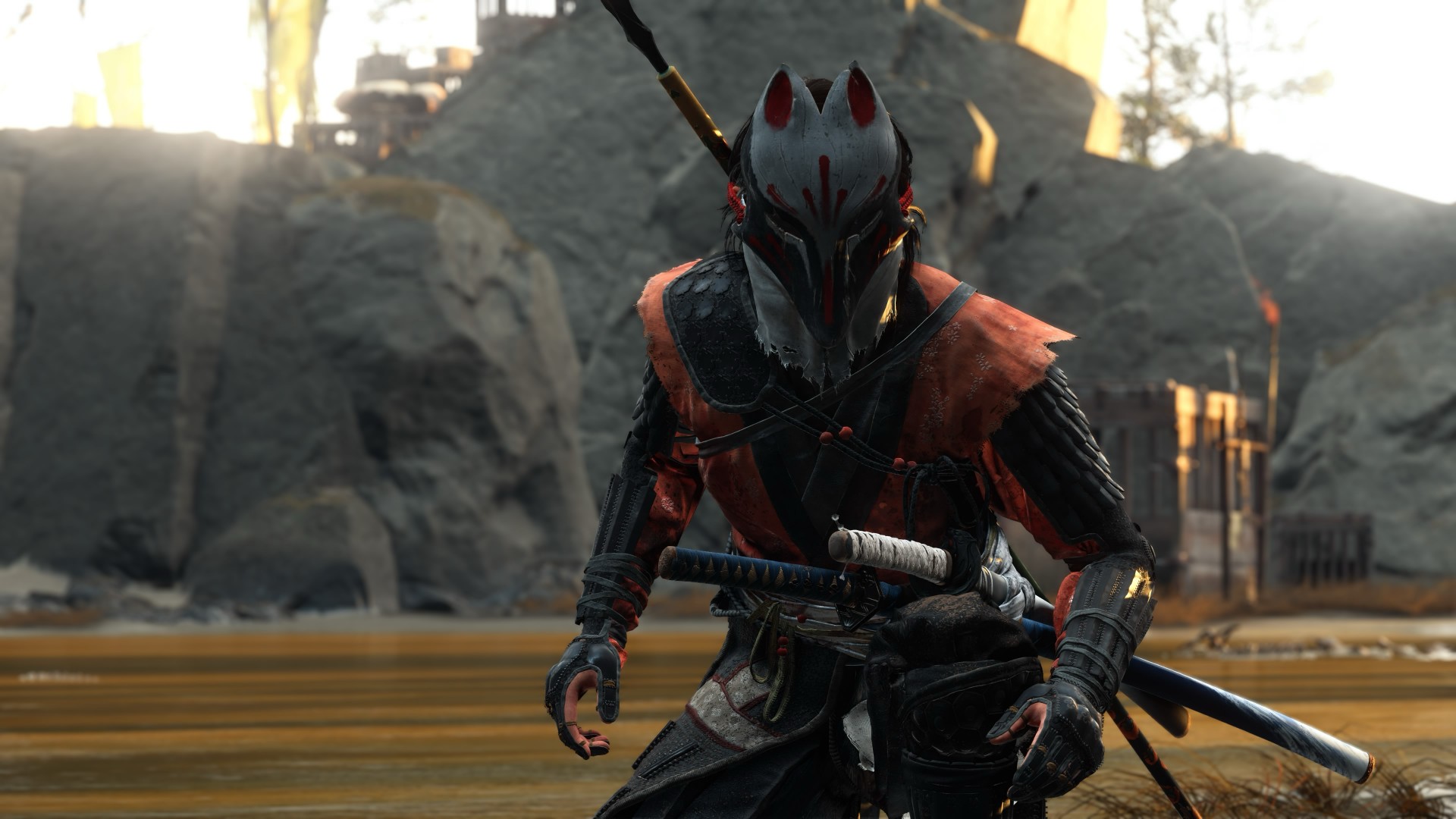
A year away from Ghost of Yōtei was enough to make me rusty. It wasn’t enough to make me forget why I loved it.
What immediately jumped out to me is how beautifully connected this game’s open-world mechanics are. Moving about and exploring felt like picking up where I left off after roughly a year of not really touching the game.
The Guiding Wind, the birds that point you toward locations of interest, and the encounters scattered throughout Ezo all work together to keep you busy without the tasks ever feeling like a chore. There is always something worth looking toward, whether it is a quest, a hidden location, or simply another reason to stop and appreciate the scenery.
And of course, the new area is just as beautiful as everything else we’ve seen in the base game.
That is probably the biggest compliment I can give Ghost of Yōtei Complete Edition. It does not feel like an expansion bolted onto an existing game. It feels like another excuse to step back into a world that already knew how to pull me in.
Picking up where I left off
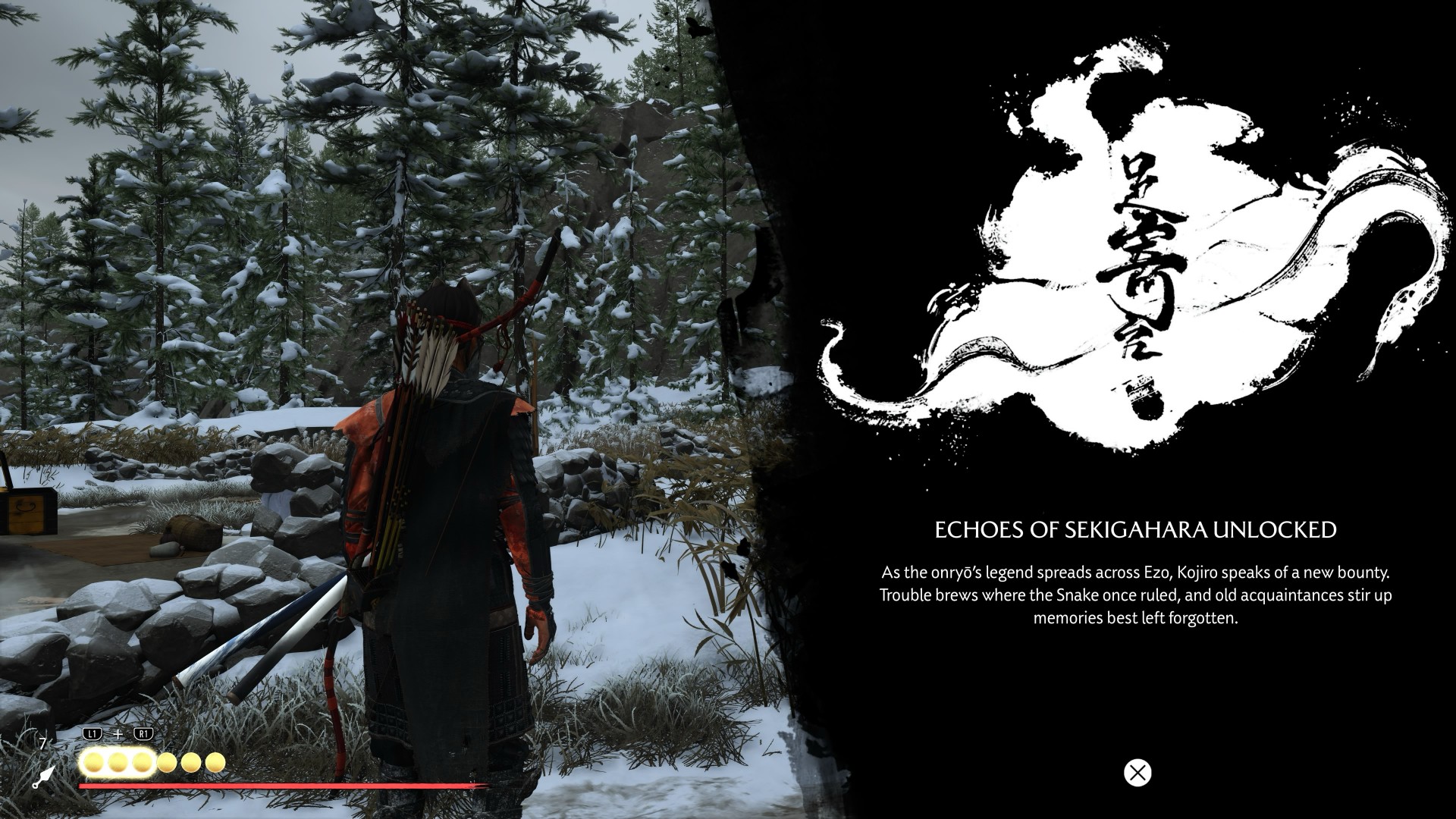
I started my playthrough of the Complete Edition with Echoes of Sekigahara. I thought it was going to be a quick romp, but it’s proving to be a longer experience than I initially thought it would be.
I’ve spent roughly five to six hours playing through it, and I don’t think I’m anywhere near completing the story.
That said, I did get sidetracked quite a bit.
Which tends to happen with these Ghost games.
Not to their detriment, though. Every other quest and encounter in the open world feels like a contained story on its own that is well worth your time. The game has a way of presenting distractions that never really feel like distractions. You can set out with one objective in mind, stumble into something else, and suddenly realize an hour has passed.
That familiarity came back surprisingly quickly.
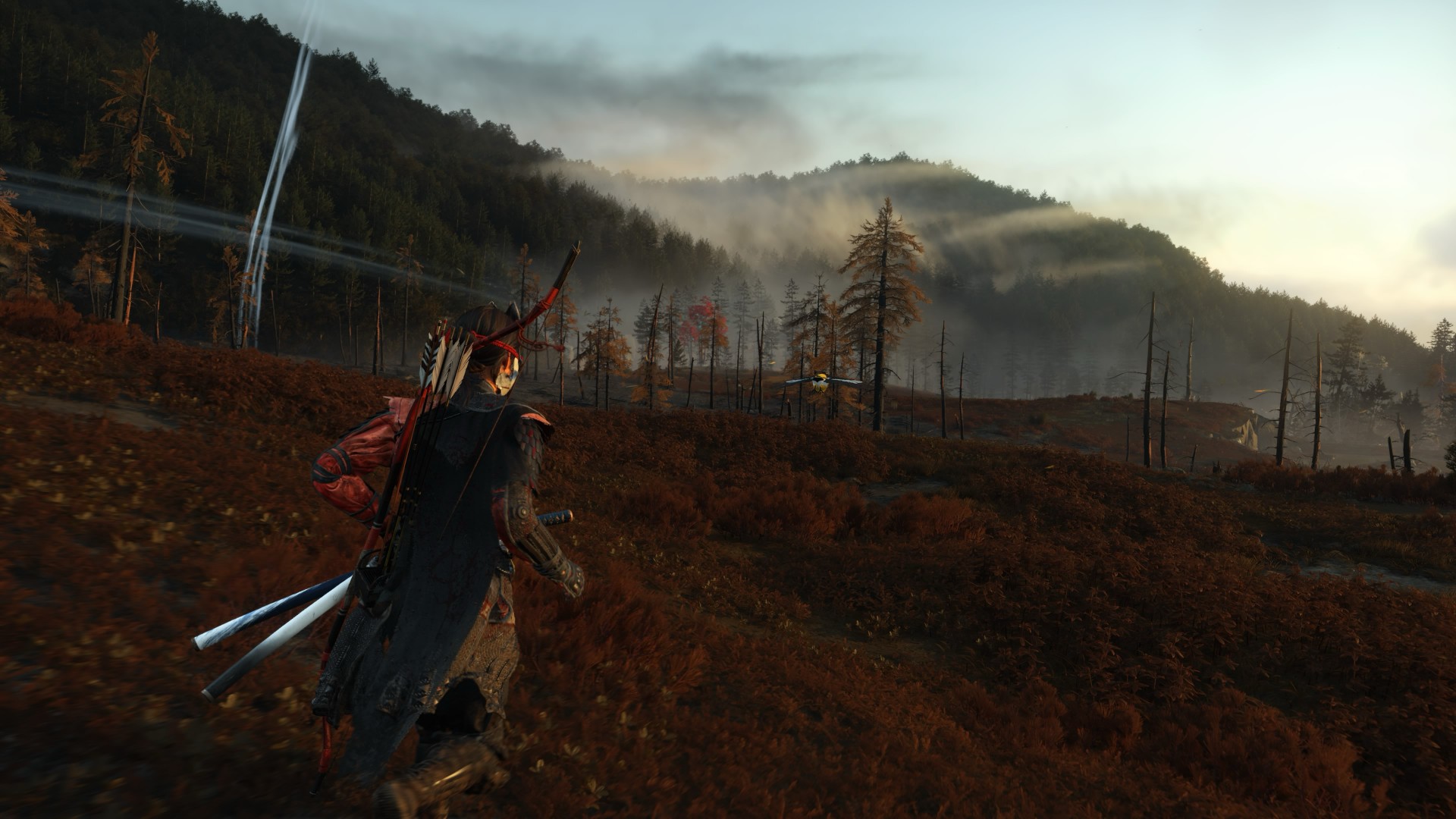
The new region introduced in Echoes of Sekigahara brings unfamiliar enemies, new weapons, and memories tied to Atsu’s past, giving the expansion its own identity while still operating within the systems that made the base game so easy to lose yourself in.
The Wolf quest line in particular was the first one I tackled, and it was quite a ride.
I’m deliberately leaving the details there.
This is the kind of story that is better experienced without knowing too much going in, and the review guidelines themselves ask reviewers to avoid major narrative developments and surprises.
Finding my footing again

While movement and exploration felt natural, it took me a while to get reacquainted with the combat.
My Atsu had many skills mastered, but being a year removed from the game meant I was rusty. I was dying against what I would consider fodder enemies.
There is something humbling about returning to a game where you once felt completely in control, only to discover that your muscle memory has apparently packed its bags and moved somewhere else.
Even now as I write this review, I don’t think I’ve gotten to the level I was when I first completed the game.
But I’m getting by just fine.
And that is partly because Yōtei gives you another toy to play with.
Massive weapons make a massive difference

Massive Weapons
The new wrinkle in combat is the Massive Weapons you get to pick up and swing around.
They are an absolute joy to use.
More importantly, they bailed me out of a few encounters already.
There is a satisfying weight to picking up one of these weapons and simply going to town on enemies. It changes the rhythm of a fight without asking you to relearn the entire combat system. After spending several hours trying to remember how I used to fight as Atsu, having the option to grab something enormous and start swinging was a welcome change of pace.
This was a definite win.
It also highlights one of the strengths of Yōtei’s combat. The foundation is already strong enough that adding another layer does not need to completely reinvent it. Sometimes, giving Atsu something massive to hit people with is enough.
Most Wanted keeps the blade moving

If you want to dive deeper into combat, Most Wanted is where it’s at.
PlayStation first-party games have had a habit of adding these roguelike-inspired modes to some of their games. There’s Valhalla for God of War Ragnarök and No Return for The Last of Us Part II.
Most Wanted takes that idea and puts Yōtei’s combat front and center.
The mode is a single-player combat survival experience built around escalating bounties, different playable characters, and experimenting with the game’s combat system. Unlike Echoes of Sekigahara, you can jump into it immediately without existing save data or base-game progression.
I’ve only had a couple of runs so far, but I can say I thoroughly enjoy the mode.
Mostly because I love the game’s combat mechanics.
That is what you engage with for much of Most Wanted, and it gives you a reason to keep testing yourself. You start a run, make your choices, fight your way through increasingly demanding encounters, and inevitably reach a point where things stop going according to plan.
Then you try again.
And again.
There is a particular satisfaction to a mode like this when the underlying combat is already enjoyable. Losing doesn’t necessarily feel like wasted time because every run gives you another opportunity to get better at the thing you were already having fun doing.
It can also be frustrating.
That is part of the appeal.
More Yōtei is still more Yōtei

The biggest strength of Ghost of Yōtei Complete Edition is also the simplest.
It gives me more Ghost of Yōtei.
Echoes of Sekigahara gives Atsu another story to tell. Most Wanted gives the combat another place to shine. The Complete Edition also adds cosmetics, Trophies, Photo Mode content, and other extras. Meanwhile, the October 1 update brings additional Watanabe Mode tracks, Beauty of Yōtei mode, quality-of-life improvements, and a new high-contrast accessibility option to all Ghost of Yōtei players.
After roughly a year away, I was surprised by how quickly I settled back into the rhythm.
The wind blew, birds flew, a quest turned into another quest, and a random encounter became a story.
Then I picked up a massive weapon and started remembering why I enjoyed this game so much in the first place.
That cohesion remains Yōtei’s greatest strength. Its world constantly gives you reasons to move forward without making the journey feel like work. The Complete Edition simply gives you more reasons to keep going.
Is Ghost of Yotei Complete Edition your Play Match?

Ghost of Yōtei was already one of the best experiences on PlayStation 5.
The Complete Edition gives you more of it.
Echoes of Sekigahara is shaping up to be a substantial addition rather than a short side adventure, while Most Wanted offers a compelling excuse to keep coming back to Atsu’s combat long after you’ve finished the main story.
I still have plenty more of both to see. But even after only a handful of hours with the new content, I know exactly how I feel about returning to Yōtei.
It feels familiar, fresh, and Most Wanted will both frustrate and hook you.
It’s absolutely thrilling.
Ghost of Yōtei Complete Edition is an easy Swipe Up.
After a year away, I came back rusty.
I’m still swinging. And I’m still having a damn good time.

There is nothing particularly wrong with the HONOR 600S.
It works. It looks decent. The display is nice enough. The cameras can capture perfectly usable photos. Battery life is excellent. It even has a collection of AI features that can keep you entertained for a while.
The problem is that “perfectly fine” becomes a harder sell when the 8GB + 256GB version carries a PHP 22,999 SRP and launches at a PHP 19,999 promo price.
The HONOR 600S feels like a phone that sits comfortably in the lower mid-tier. It has enough going for it to be perfectly serviceable as an everyday smartphone, but it doesn’t quite deliver the kind of experience that makes you want to recommend it over the alternatives.
That becomes particularly apparent when HONOR puts so much emphasis on its AI capabilities.
It feels every bit like a lower mid-tier phone

The HONOR 600S feels well-built, but nothing about it feels particularly premium.
At 216.5 grams and 8.3mm thick, it isn’t exactly a featherweight phone. It comes in Velvet Black, Desert Gold, and Misty Purple, with the latter being the finish we spent time with.
There is a reassuring heft to the phone, and the build doesn’t give off the impression that HONOR cut corners just to hit a price point. It also carries IP68, IP69, and IP69K ratings for water and dust resistance, along with SGS five-star drop resistance according to HONOR’s materials.
Those are meaningful practical advantages.
Still, pick it up and you immediately get that lower mid-tier feeling.
That’s not necessarily a bad thing. Phones in this segment have gotten remarkably good at feeling solid without costing a fortune. But the HONOR 600S doesn’t really give you that extra bit of refinement that makes it feel more expensive than it is.
The display is a pleasant surprise
The display is probably one of the better parts of the HONOR 600S.
It uses a 6.872-inch TFT LCD with a 1592 x 720 resolution. HONOR lists typical brightness at 860 nits, with up to 1,020 nits in HBM, and it also includes Eye Comfort and Dynamic Dimming technologies.
Those specifications don’t exactly scream “media powerhouse,” but actual use tells a more favorable story.

Reacher and Lila
I spent time watching episodes of Reacher Season 4 on the phone, and the experience was pretty good. It’s not the sort of display that makes you forget you’re looking at an LCD, but it gets the job done well enough for movies and shows.

Certified Isa-holic
The same applies to watching fancams of STAYC Isa, who currently occupies a frankly unreasonable amount of rent-free real estate in this Managing Editor’s mind.
The HONOR 600S is a perfectly competent little entertainment machine.
It also has stereo speakers, with HONOR Sound 7.3 listed in the specifications. That helps round out the media experience.
The cameras are serviceable
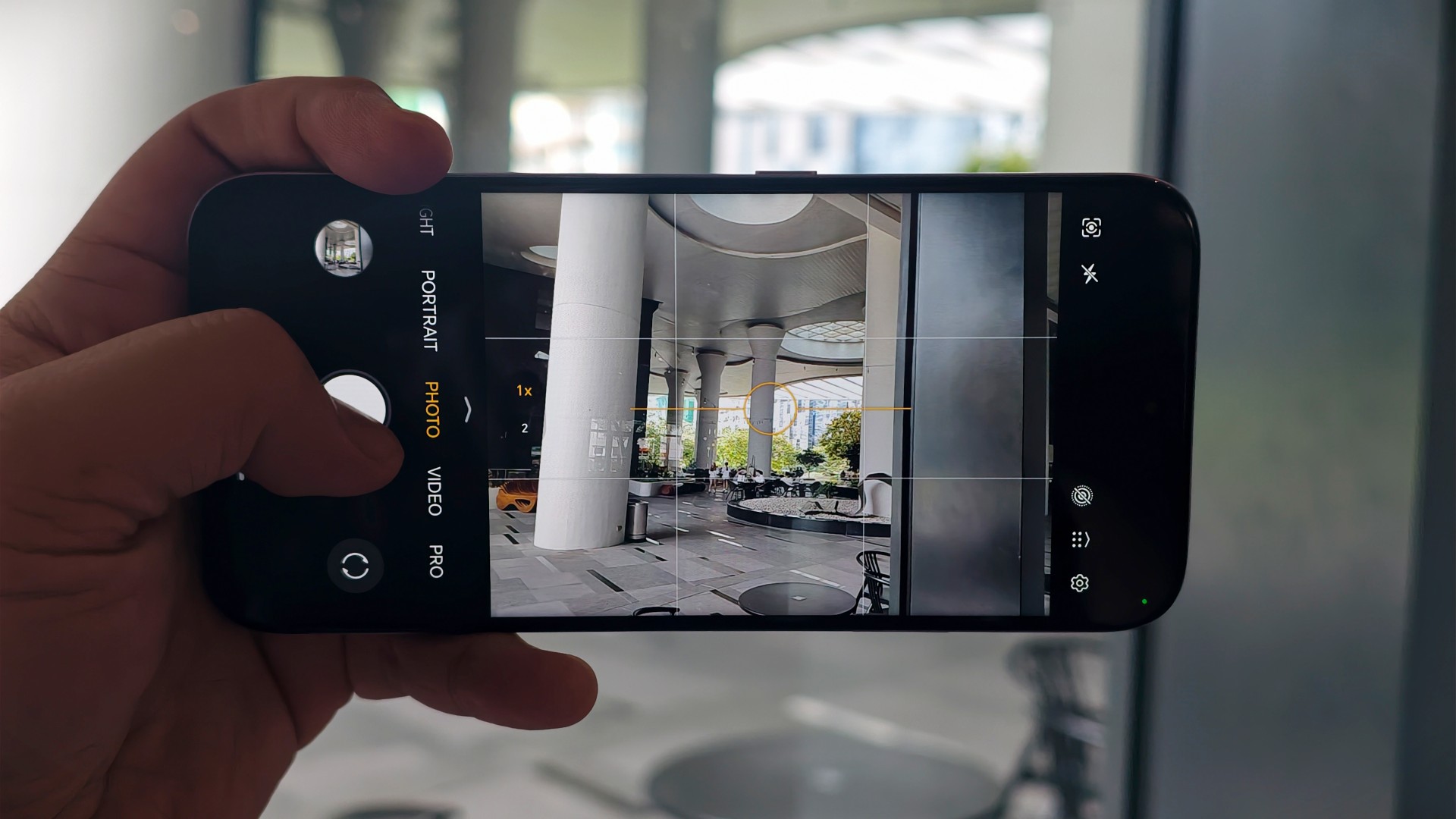
The HONOR 600S has a 50-megapixel f/1.8 main camera paired with an auxiliary lens. Around the front is a 5-megapixel f/2.2 camera. Rear video tops out at 1080p, while the phone offers up to 8x digital zoom.
And “serviceable” is probably the best word for the cameras.
They’re not necessarily something you’d use to show off your mobile photography chops. You won’t be reaching for the HONOR 600S when you want to make a serious photographic statement.


But that’s not necessarily what this phone needs to do.
For capturing moments with friends, taking photos of food, documenting whatever happens during the day, and throwing the results onto social media, the cameras are mostly okay.




That’s enough for the intended audience.



There are also several shooting modes available, including Portrait, Night, High-Res, Panorama, Pro, Slow-Mo, and the usual Photo and Video modes.
The problem is that the cameras don’t give the HONOR 600S much of an identity. They’re there, they work, and they do what you expect.
Nothing more.
The Snapdragon 4 Gen 4 keeps things moving
The HONOR 600S runs on Qualcomm’s Snapdragon 4 Gen 4 with an octa-core CPU and Adreno 613 GPU. Depending on the configuration, you get either 6GB of RAM with 128GB of storage or 8GB of RAM with 256GB. It runs MagicOS 10 based on Android 16.
That combination tells you pretty much what to expect.
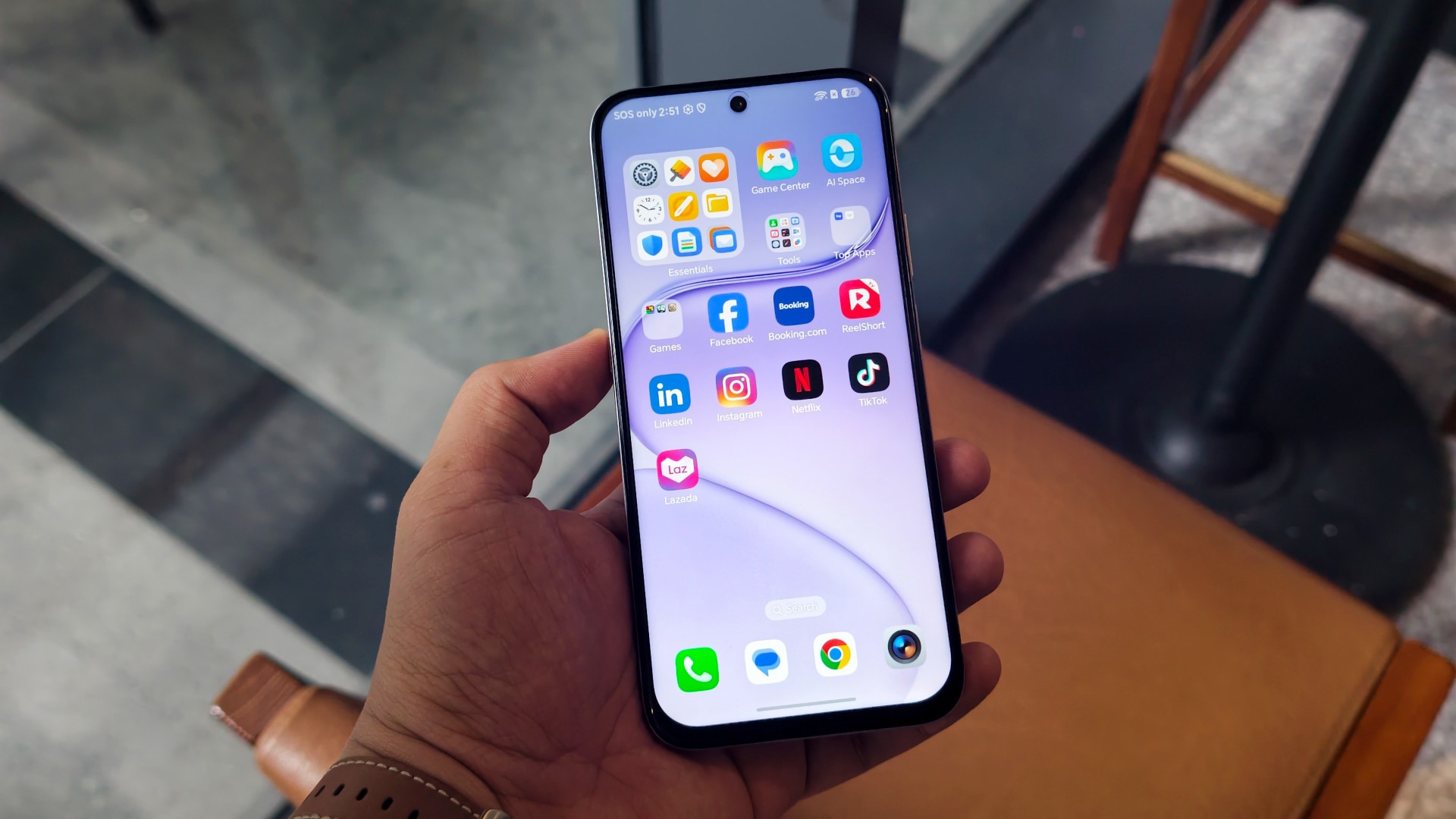
The phone should be perfectly capable of handling everyday tasks, social media, messaging, streaming, and other non-demanding workloads. You shouldn’t expect it to suddenly become a gaming powerhouse, though.
The Snapdragon 4 Gen 4 suggests that less demanding mobile games should run without much trouble. Games that ask for more horsepower will probably require some tweaking to the graphics settings to get things running properly.

Had our best run while taking photos for this review
On our end, we mostly ran the app version of the web game 82-0. It’s addicting.
And, frankly, that’s about as much gaming as the HONOR 600S really needed to handle during our time with it.
AI is entertaining, but that’s about it

Every HONOR 600 phone and up has this feature
HONOR really wants you to know about the AI.
The HONOR 600S supports AI Image-to-Video 2.0, Moving Photo Editing, AI Photos Agent, Magic Color, and Magic Pose. The Image-to-Video feature can work from multiple images, two images representing a first and last frame, or automatically through a no-prompt option.
And, yes, you can have some fun with it.
The problem is that there’s a fairly significant gap between “this is a neat toy” and “this is a feature that makes the phone worth buying.”
In the hands of someone who knows what they’re doing, AI Image-to-Video can produce something interesting. The more specific prompt templates give users a little more control over the result, too.
In the hands of the unskilled, however, it mostly results in a bunch of AI slop.
We typically don’t look at generative AI particularly positively. There is still something undeniably entertaining about watching your photos turn into weird little videos, though.
That’s ultimately where I land with the HONOR 600S’s AI features.
They’re fun. They’re occasionally useful. But I wouldn’t buy this phone for them.
And if the cost of putting all these AI features into the phone is contributing to a price that doesn’t otherwise match the hardware and experience, that’s a bigger problem.
The battery is the highlight

26% left but last charge when this was taken was a day and a half ago. Light to medium usage.
Now we get to the HONOR 600S’s strongest argument.
The battery is huge.
The phone packs an 8,100mAh battery, with HONOR listing 7,900mAh as the rated capacity. It supports 45W wired HONOR SuperCharge, although there is no wireless charging.
And you can feel that capacity in everyday use.
The HONOR 600S is hard to drain.
If you leave home early in the day and put the phone through medium to heavy usage, you can expect to still have some juice left after a typical nine-to-12-hour day outside your home.
That’s genuinely useful.
Battery anxiety is one of those things that disappears into the background when you have this much capacity. You can watch some videos, scroll through social media, take photos, play games, and use your phone throughout the day without constantly wondering where the nearest charger is.
The 45W charging isn’t particularly exciting, but the combination of a big battery and reasonably fast wired charging makes the HONOR 600S dependable.
And sometimes dependable is exactly what you want from a phone.
There’s nothing wrong with the HONOR 600S. That’s the problem.
The HONOR 600S is alright. Its display is good. The battery is excellent. The cameras are serviceable. Performance is appropriate for the hardware. The build is solid. The AI features can be entertaining.
Put everything together and you get a phone that does most things it needs to do without making too many mistakes.
But that’s also why the pricing is difficult to swallow.
Is the HONOR 600S your GadgetMatch?
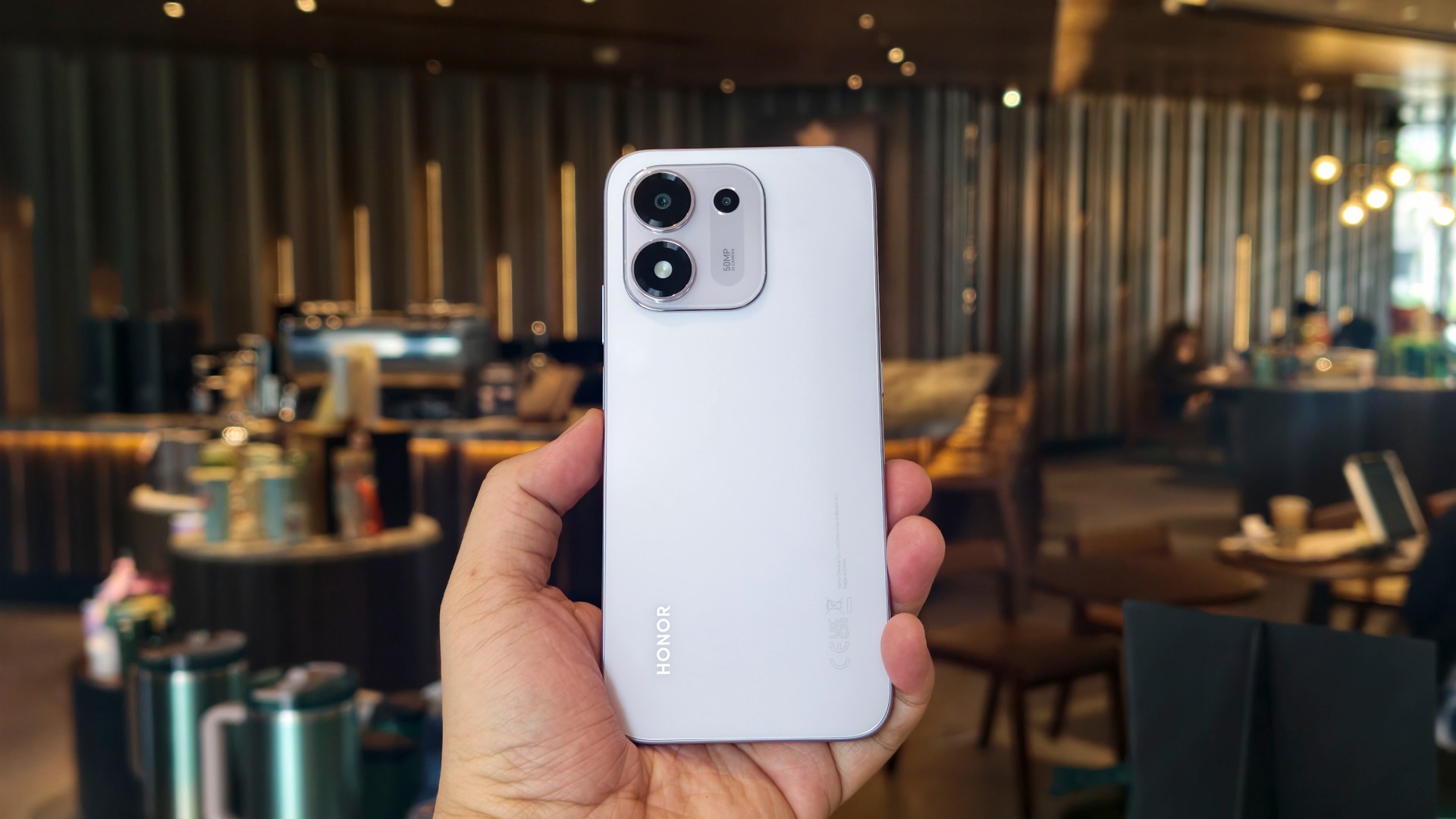
The 8GB + 256GB HONOR 600S has an SRP of PHP 22,999, although it will be available at a PHP 19,999 promo price. There is also a 6GB + 128GB version priced at PHP 18,999 during its first month of sales, exclusively online.
At those prices, the HONOR 600S needs to offer more than “mostly okay.” The hardware itself doesn’t feel particularly premium, the cameras don’t stand out, and the Snapdragon 4 Gen 4 is firmly positioned toward the entry-level end of Qualcomm’s smartphone lineup.
Then there’s AI.
HONOR is clearly positioning AI Image-to-Video 2.0 and the rest of its AI toolkit as major selling points for the HONOR 600S. The company’s own brief calls out AI as one of the phone’s primary product strengths alongside its battery and 50-megapixel camera.
But after spending time with the phone, I don’t think the AI features provide enough value to bridge the gap between what the phone offers and what it costs.
And that’s just the reality we’re going through at the moment.
You might be better off setting your sights on the other models in the HONOR 600 family.
The HONOR 600S isn’t a bad phone.
It’s just a difficult one to recommend at these prices.
Swipe Left.

Despite the resurgence of WIDE-bodied slabs and folds trying to dominate the smartphone space again, slender smartphones aren’t done just yet.
From last year’s SPARK Slim and POVA Slim, TECNO brings in the CAMON Slim to the table.
As we transition into an era where smartphones rock beyond the 5000mAh battery mark, the Chinese brand aims to hit two birds with one stone in the latest TECNO CAMON Slim 5G.
Slim and clean that isn’t mean
At just 6.39mm, there’s no denying that the TECNO CAMON Slim 5G is a true skinny legend.
For the record, it’s not the slimmest phone around nor is it the most striking smartphone design to ever exist.
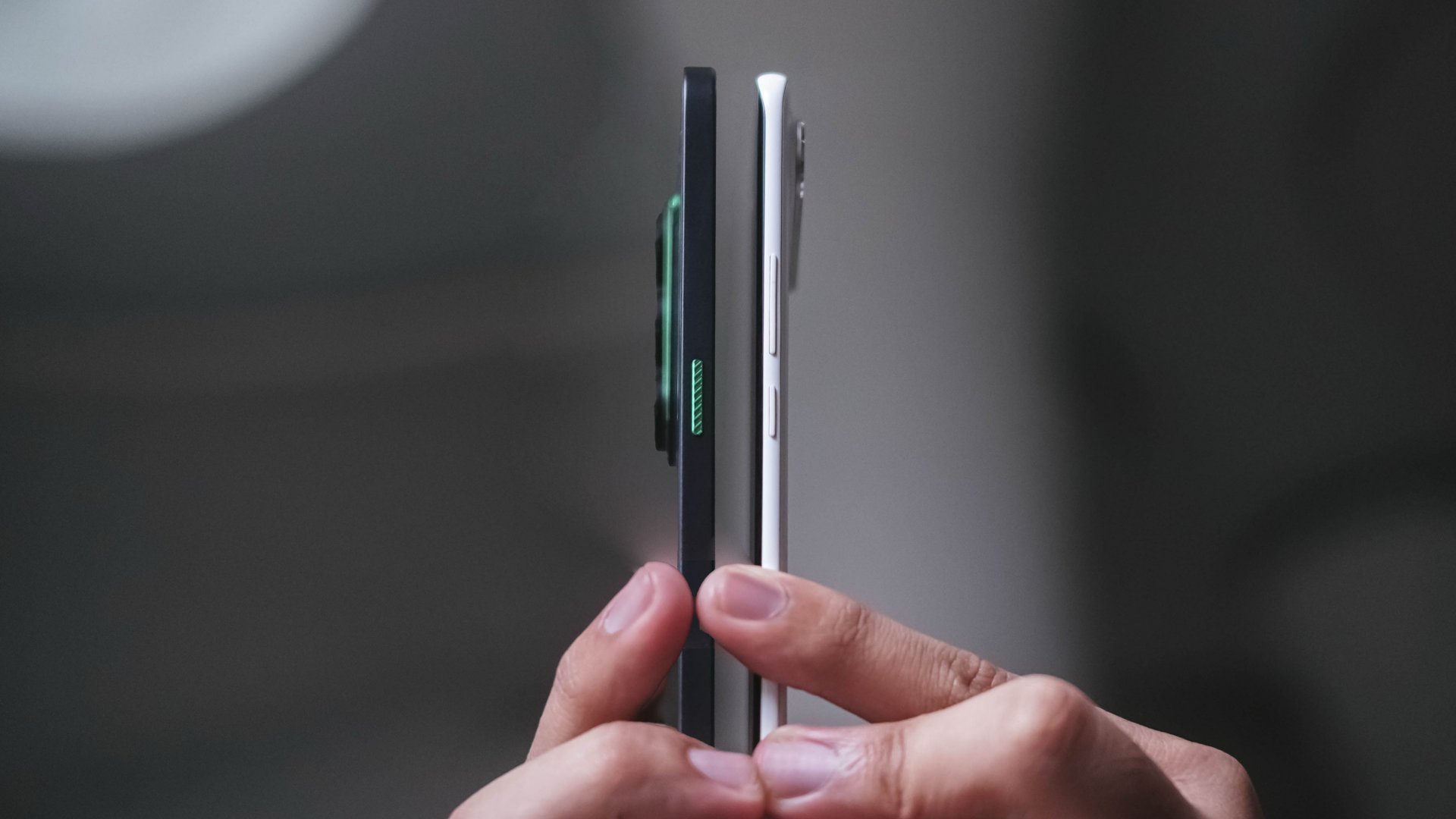
Last year’s SPARK Slim still holds the slimmest phone title — at least when it comes to TECNO’s product portfolio alongside other smartphones with curved displays.
Honestly, the existence of SPARK Slim still bedazzles me. It’s one of the best-looking smartphones out there that also happened to nail its slimness from within. That added razor-sharp illusion from the side still amazes me.

While the CAMON Slim 5G isn’t as iconic as the “Baymax phone,” its clean look is commendable, nonetheless.
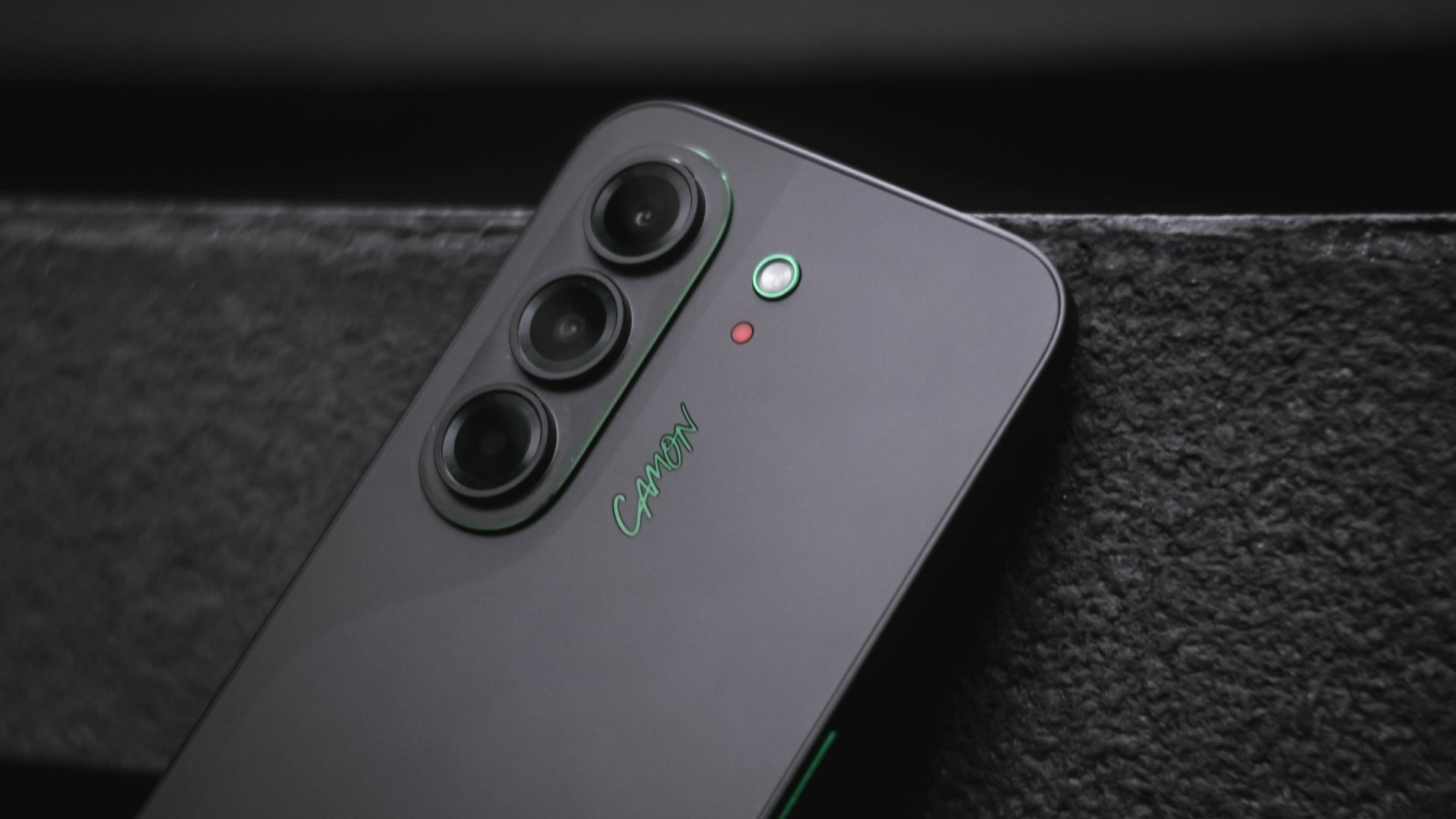
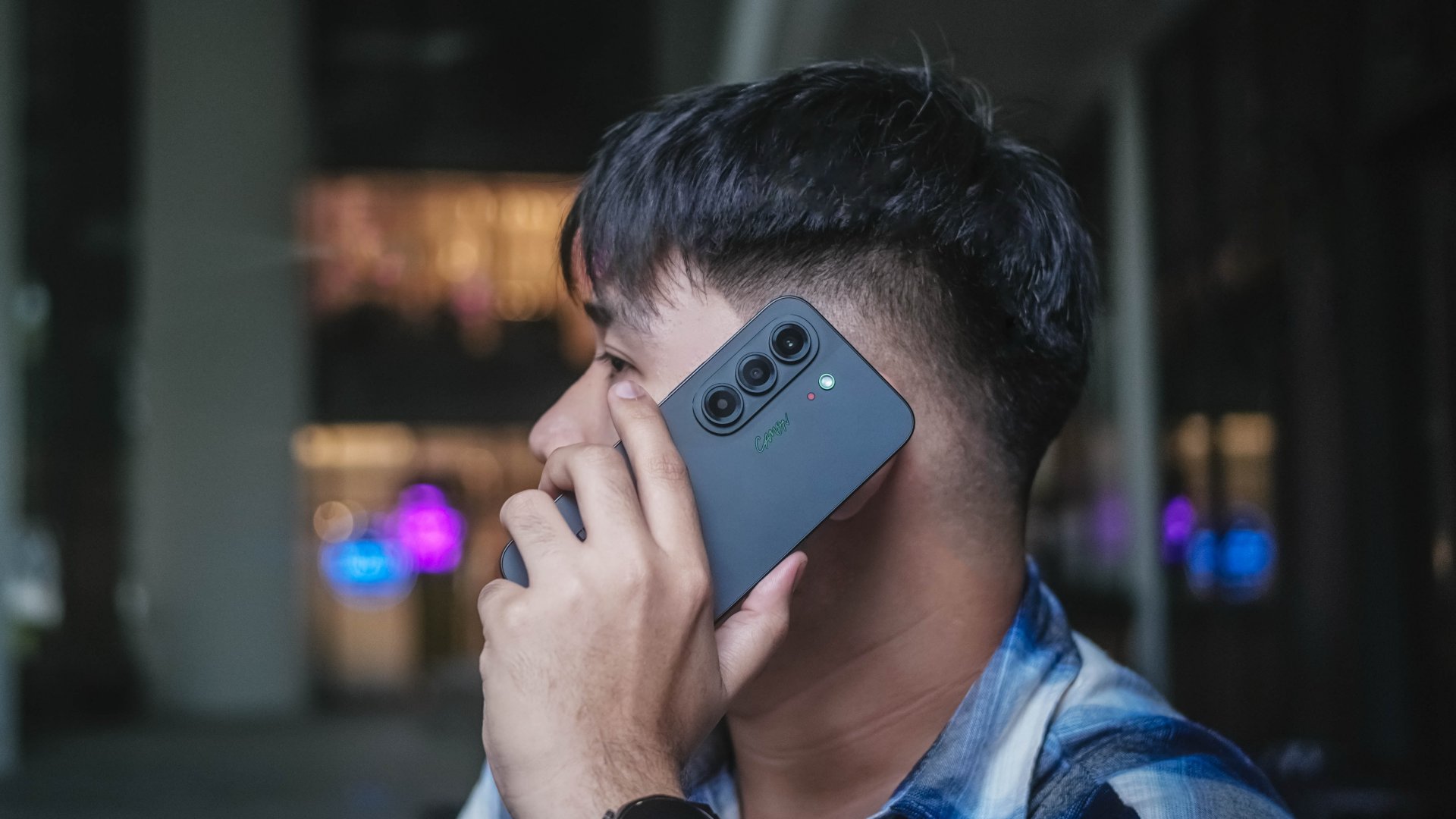
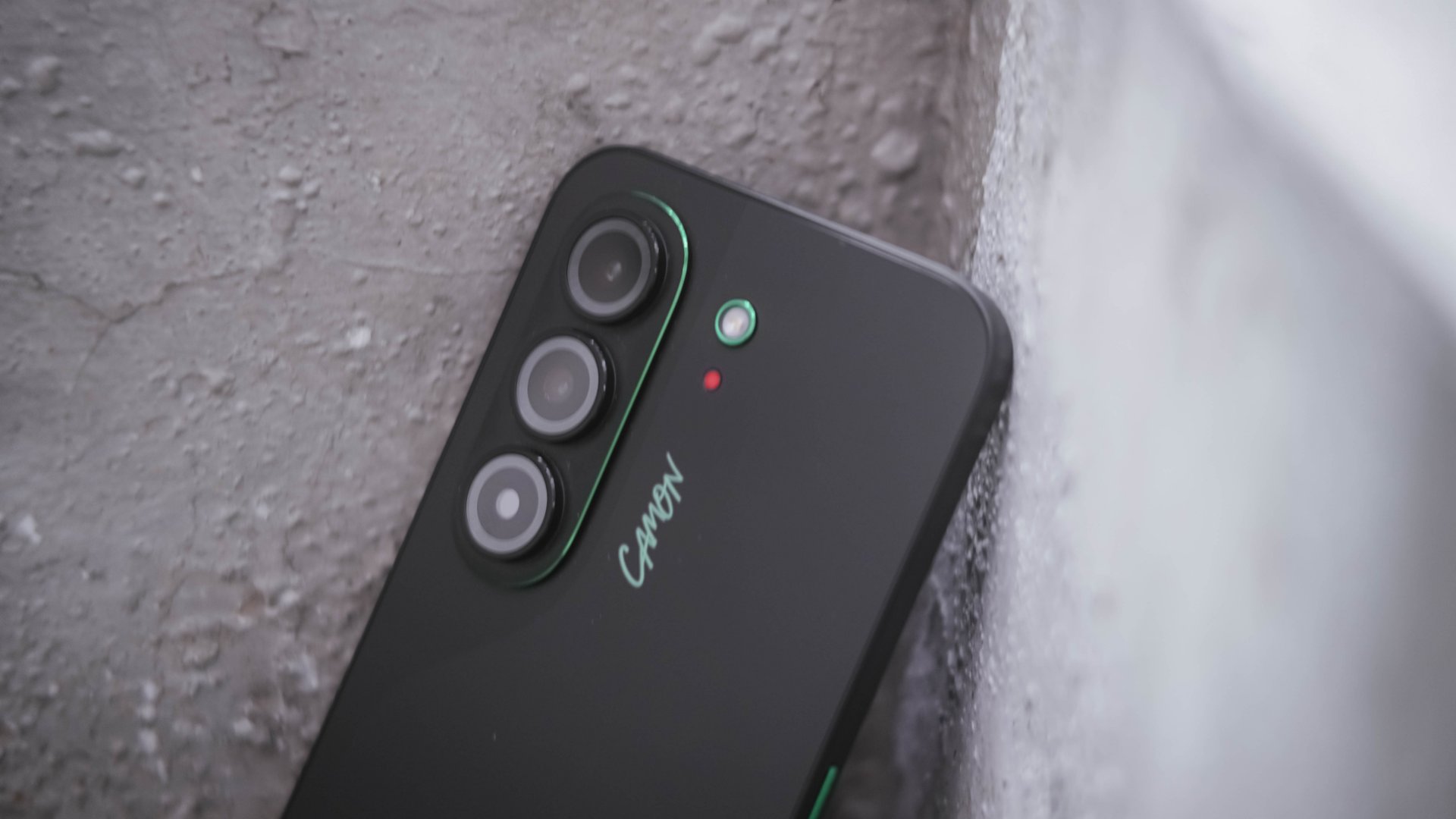
Its understated back design with CAMON’s signature “swan-neck” curve give it some sophistication — and distinctly CAMON in nature.
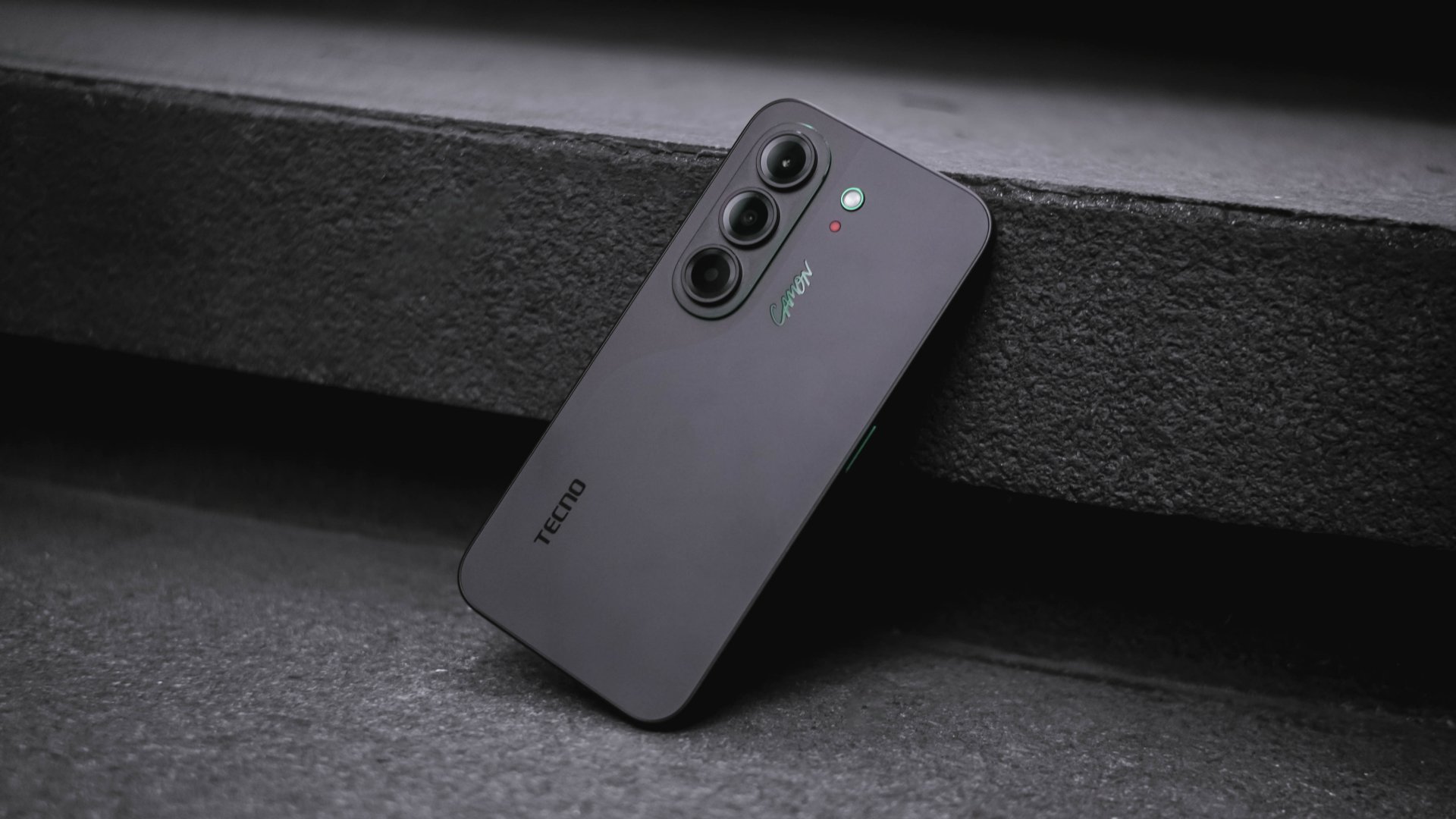
More so, its CMF (color, materials, finish) don’t immediately scream “cheap” despite the category it belongs to.
Now, if you’ve read some of my reviews, you’d know that even though I love wearing anything black, I (still) despise rocking black phones.
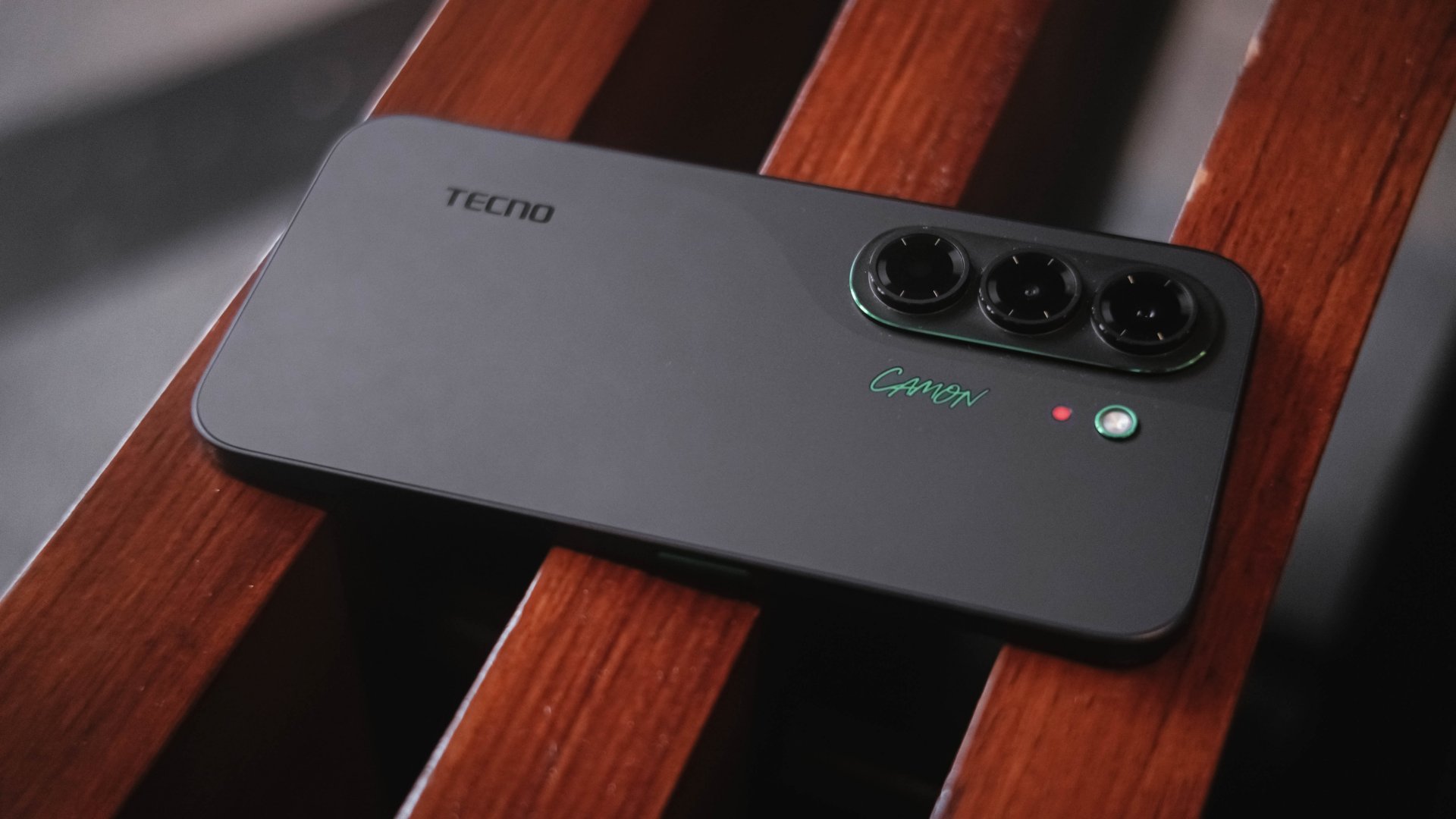
Somehow, the Matisse Black I hold is an exception. Surprisingly, it doesn’t show off much of my fingerprint smears all over its vast black back.
Moreover, those subdued green accents found on its oval camera rim alongside a stylish new “CAMON” wordmark truly adds an elegant touch.
If this isn’t your cup of tea, there are also the hero Burgundy Red shade alongside Gossamer White, Rebel Pink, and an even flashier Neo-Mondrian colorway.
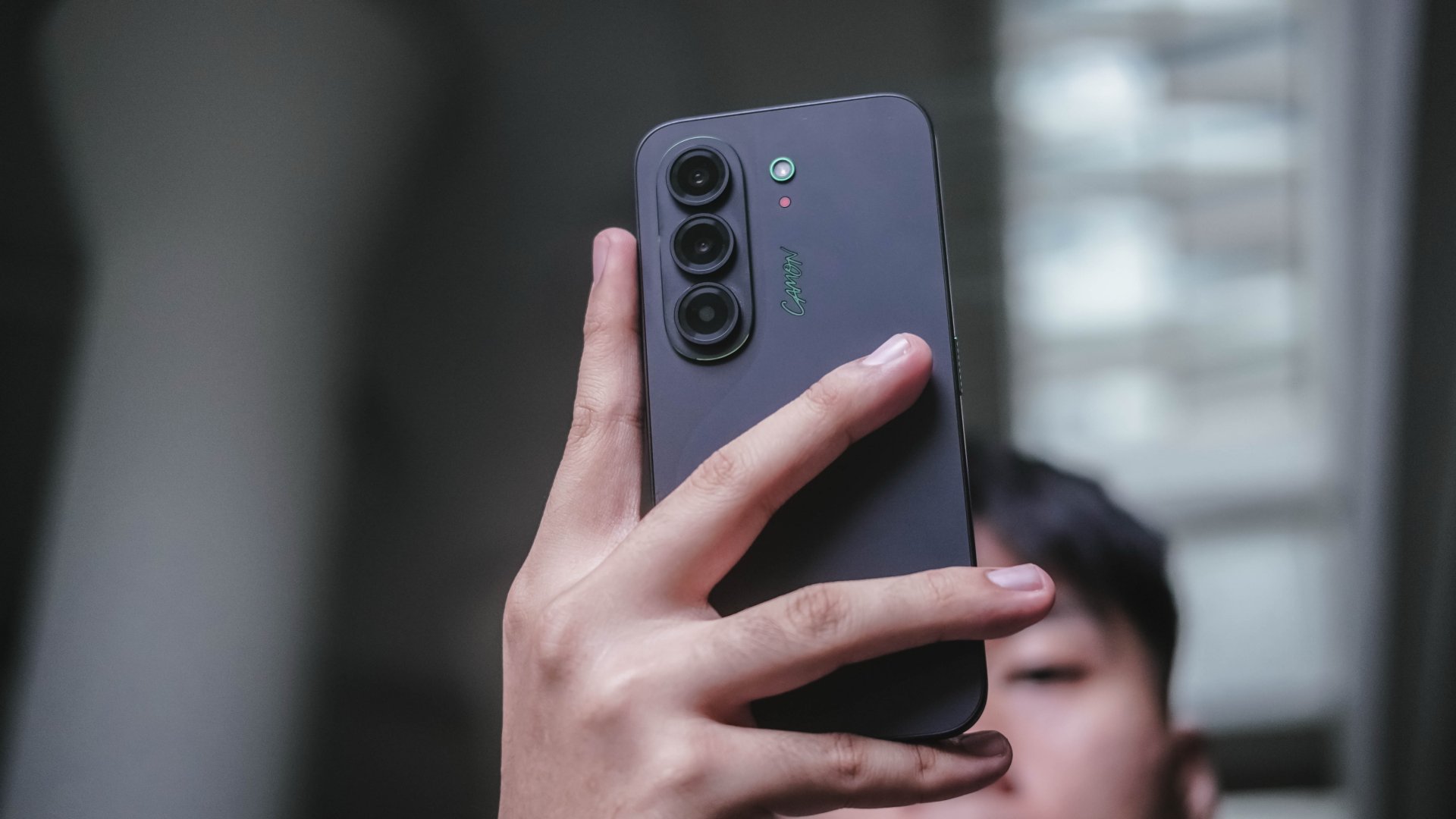
Even if it has flat edges, the phone is still easy to hold for longer periods. That slimness and a weight of only 171 grams contribute to that overall handfeel.
Being thin doesn’t mean being overly fragile either. TECNO gives the CAMON Slim 5G triple IP68, IP69, and IP69K ratings for that much-needed water and dust resistance.
So while its looks aren’t necessarily groundbreaking, its clean design, slim profile, and solid build quality all made the cut.
Bright sight with a sound delight
Easily another favorite part of the TECNO CAMON Slim 5G is none other than its audiovisual supremacy.
Up front is a large 6.78-inch 1.5K flat AMOLED display.

When I watched IU’s latest Dear my crazy soulmate live clip (dedicated to her long-time celebrity best friend Yoo In-na), I was immediately mesmerized by both her vocals and charm.
It just so happened that next in my YouTube’s autoplay list is fromis_9’s Jiwon in her WORKDOL era.
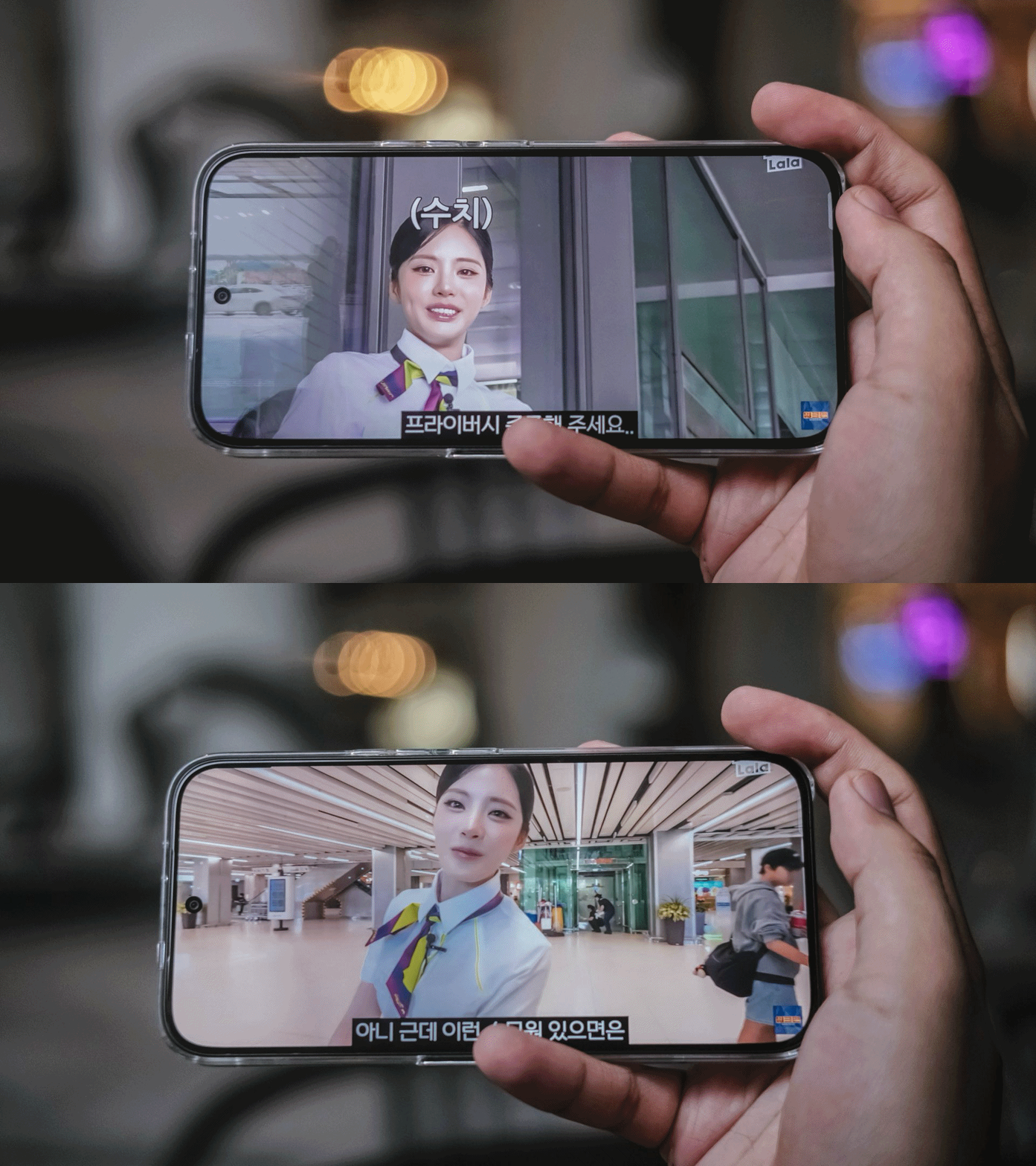
Just like the slimness of both idols I truly and dearly admire, the same can be said with TECNO’s CAMON Slim 5G.
Despite their form, they actually provide power-range vocals and irresistible visuals altogether.
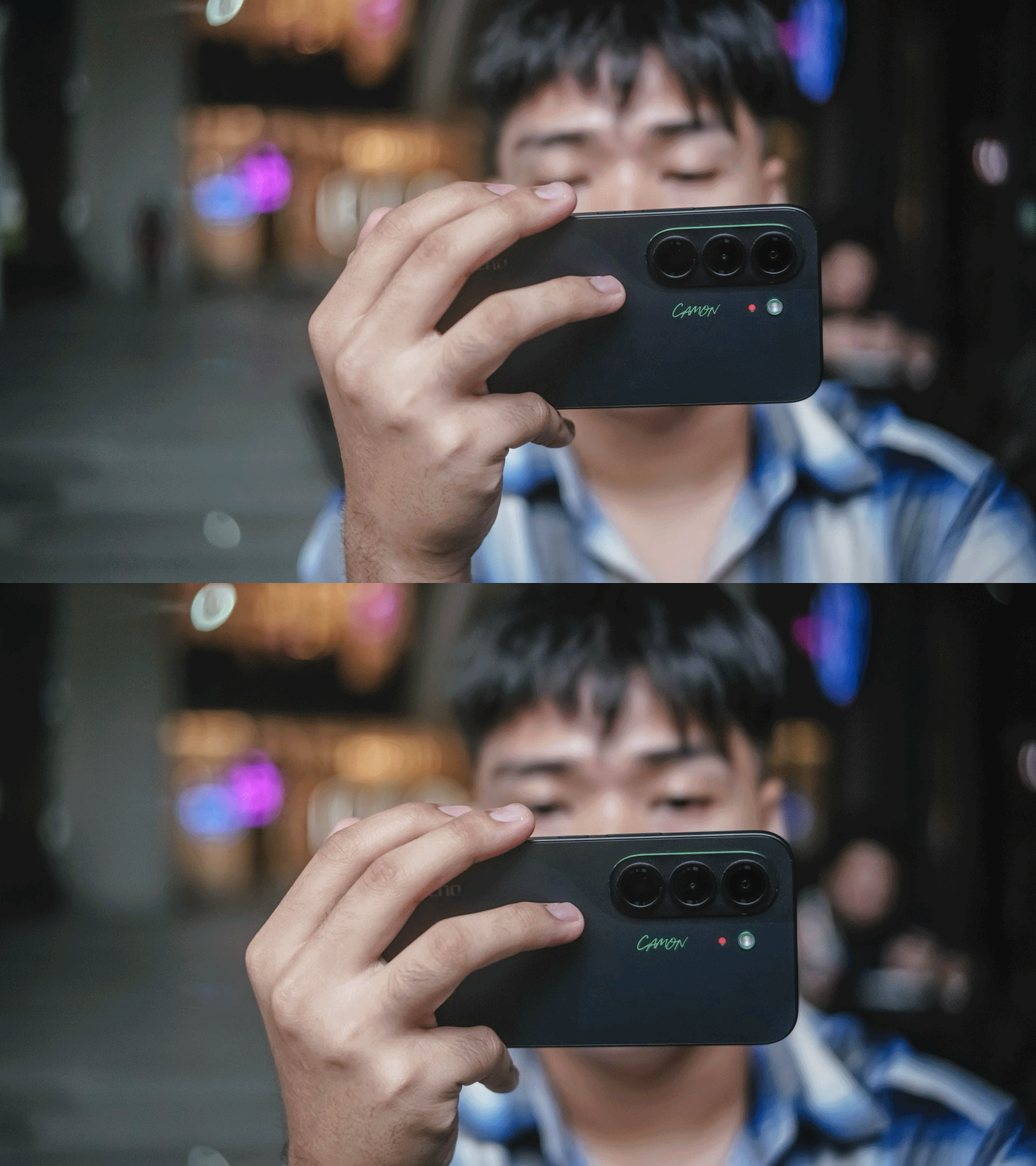
Colors are vibrant, text and images look crisp, and the buttery smooth 144Hz refresh rate makes scrolling through apps and navigating HiOS feel incredibly fluid.
Pair that with its sound output and the CAMON Slim 5G becomes an enjoyable device for banging loudspeaker sessions.
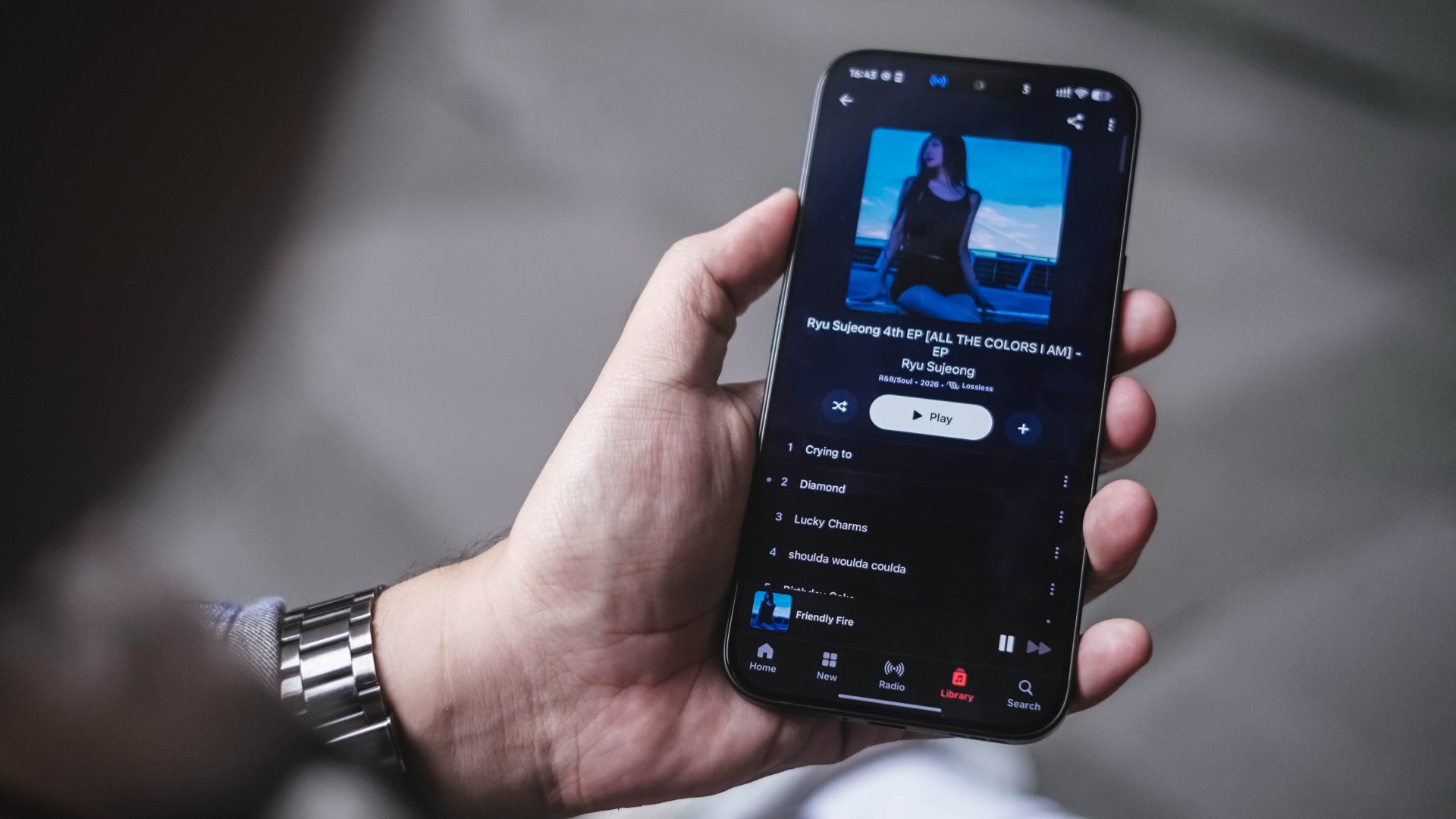
Personally, it’s my first time to see the Infinity Volume Plus feature which boosts the audio output by up to 300% more.
Ryu Sujeong’s latest redemption arc release against her bubbly and innocent visuals during her prime with Lovelyz is the best sample I can think of to enjoy CAMON Slim 5G’s audio fidelity.
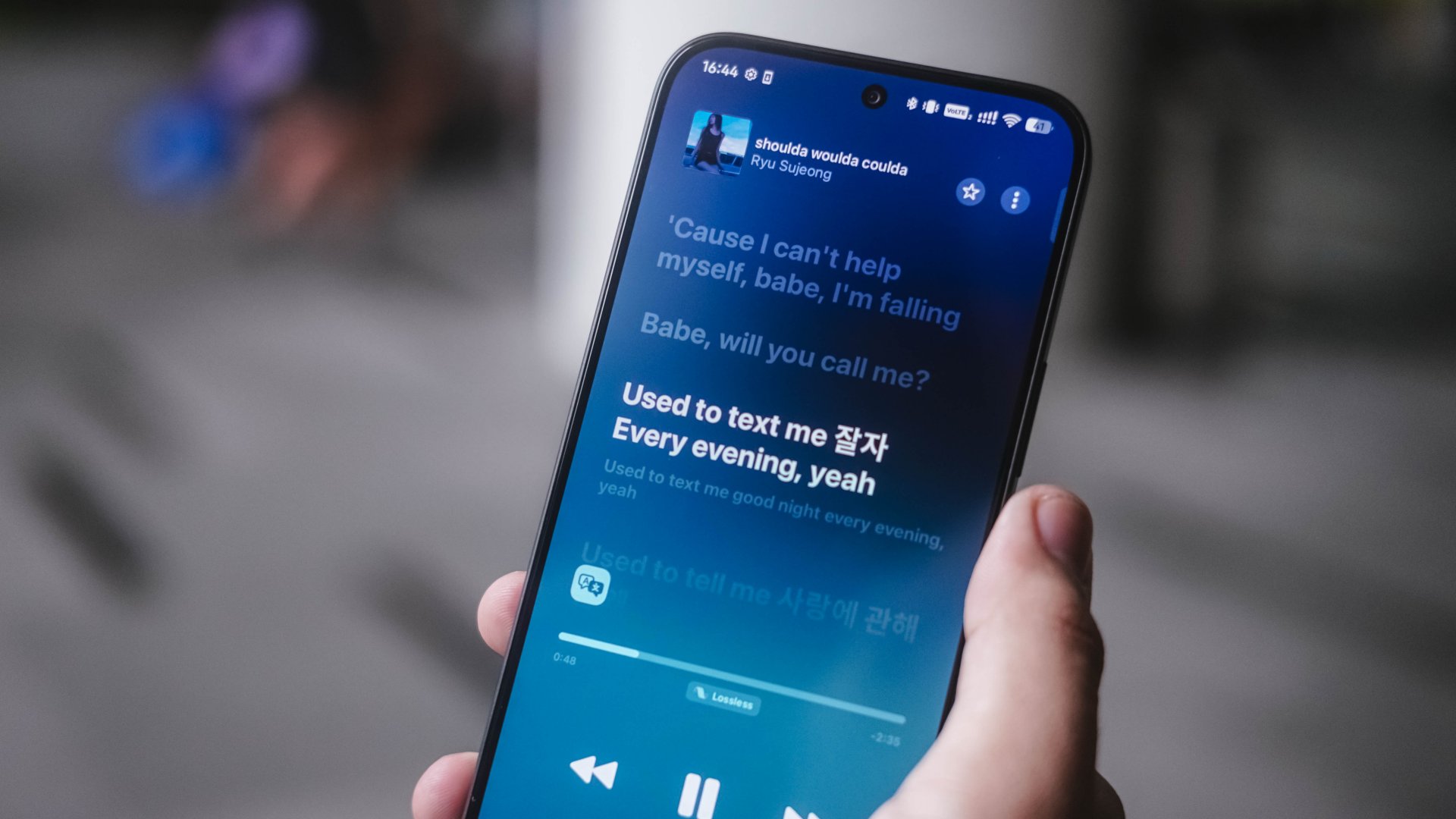
Needless to say, its Dolby Atmos stereo speakers already sound loud when out and about.
Whether I was watching long-form videos, scrolling through my Instagram Reels algorithm full of pets, idols, dank and even dark memes. Or simply just streaming my latest K-Pop music faves, TECNO’s focus on these two made a lot of sense for a slim smartphone ready to be someone’s content companion.
New chip with an efficiency dip
Powering the TECNO CAMON Slim 5G is MediaTek’s latest Dimensity 7300e chip announced as early as April 2026.
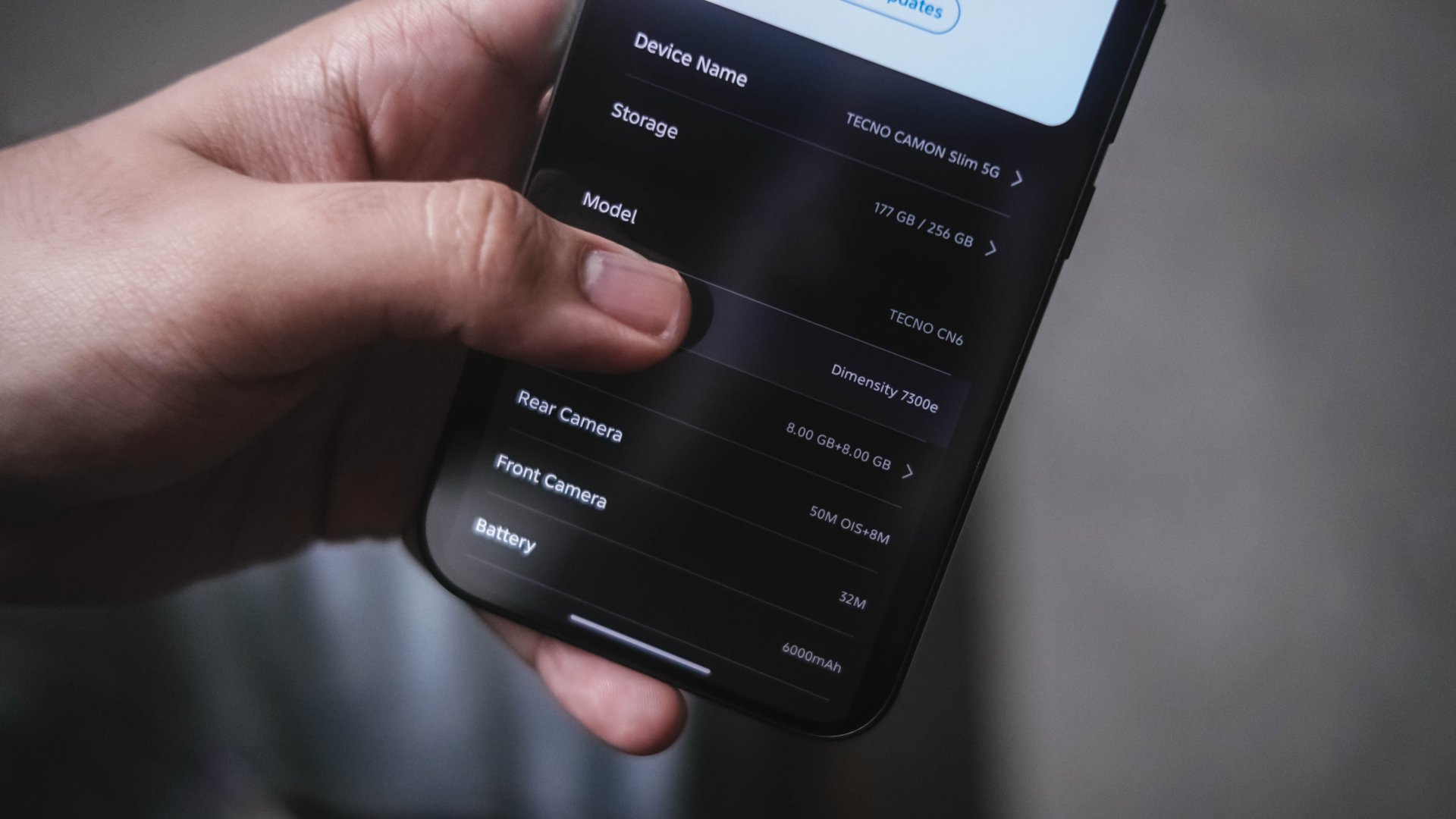
While I firmly believe that the “e” stands for “efficiency,” my experience proves otherwise.
Firing up HoYoverse’s Zenless Zone Zero gave some false hopes with its “Medium” graphic settings by default.
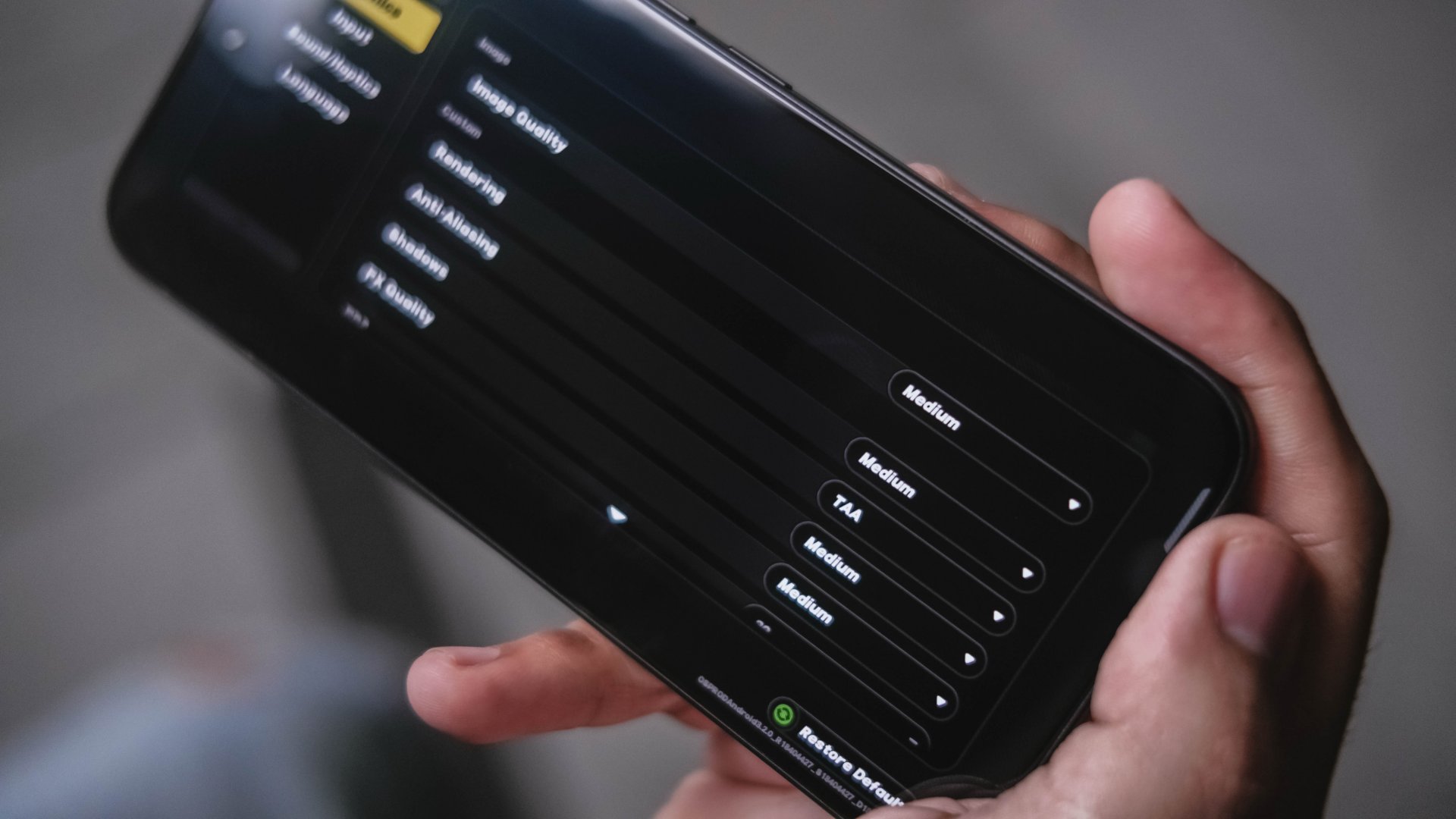
The only way to play the game without stutters is by lowering rendering and graphics to low, frame rate at 30fps. Also, by enabling Performance Mode hidden in the High Boost sidebar.
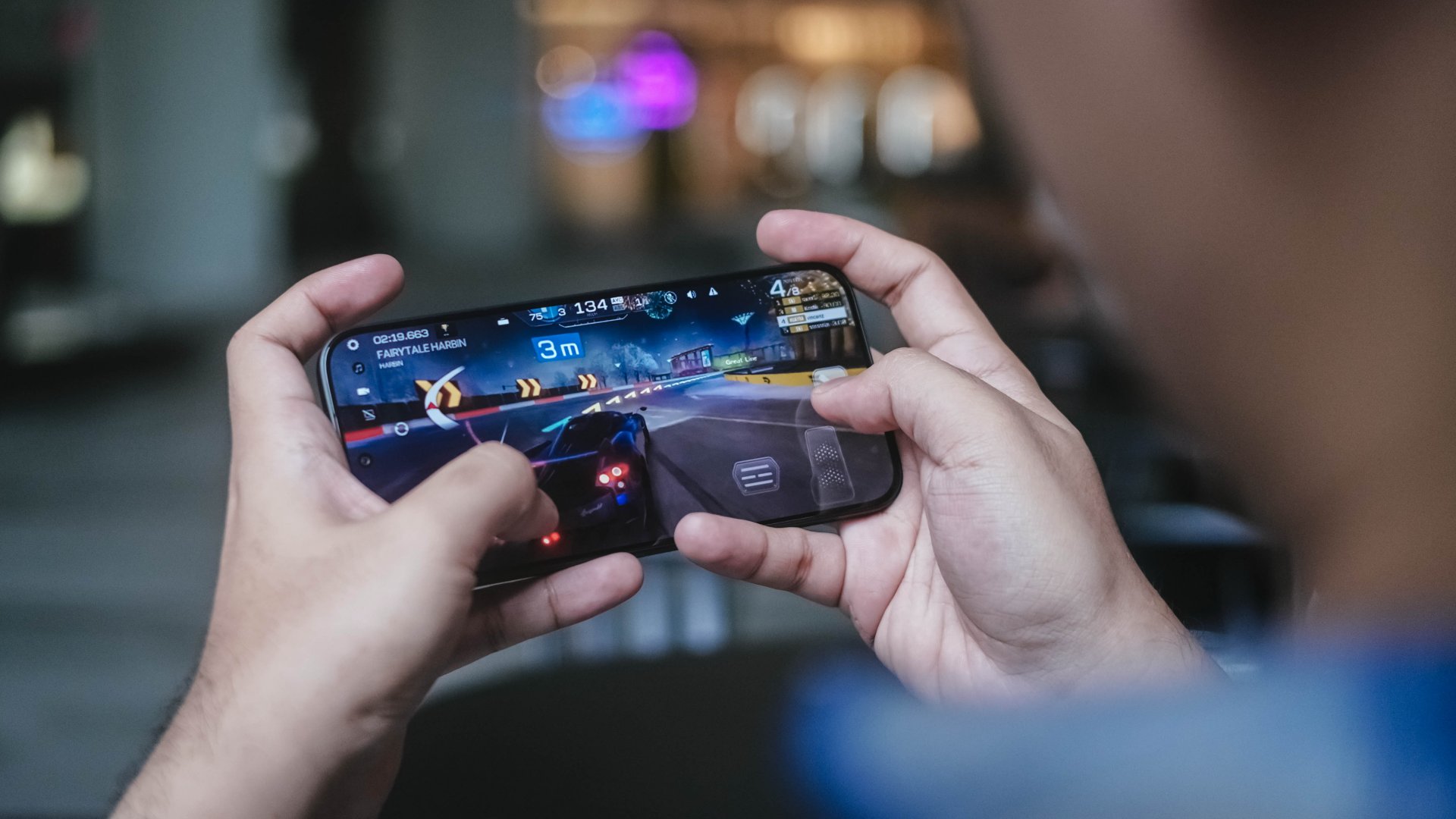
Racing Master? It’s playable with its out of the box graphics but I still recommend doing the same thing just to avoid that unwanted stutter.
Those being said, the CAMON Slim 5G don’t necessarily mean it’s awfully slow.
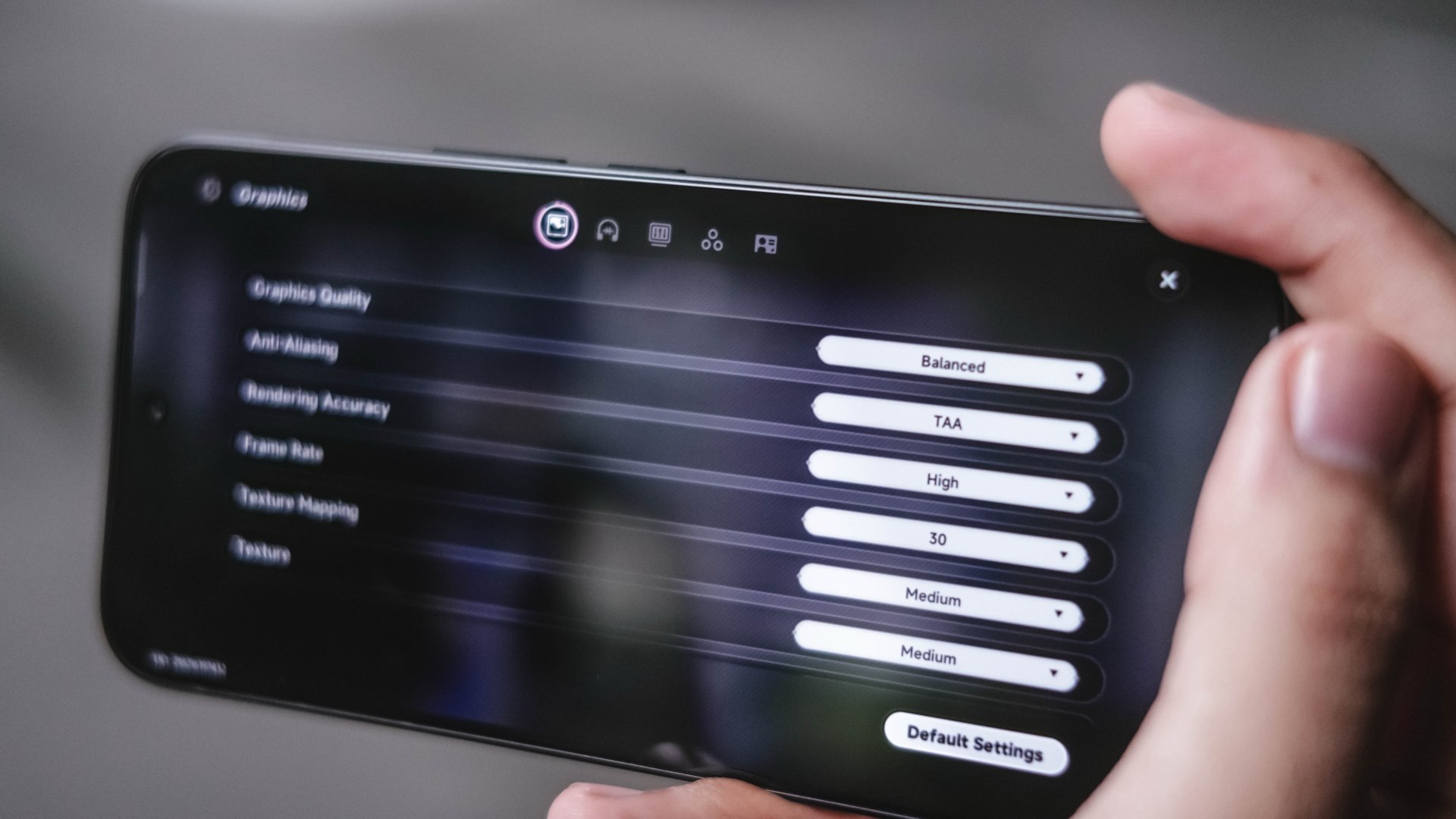
In a surprising turn of events, Neverness to Everness performs smoother and better even under Balanced graphics.
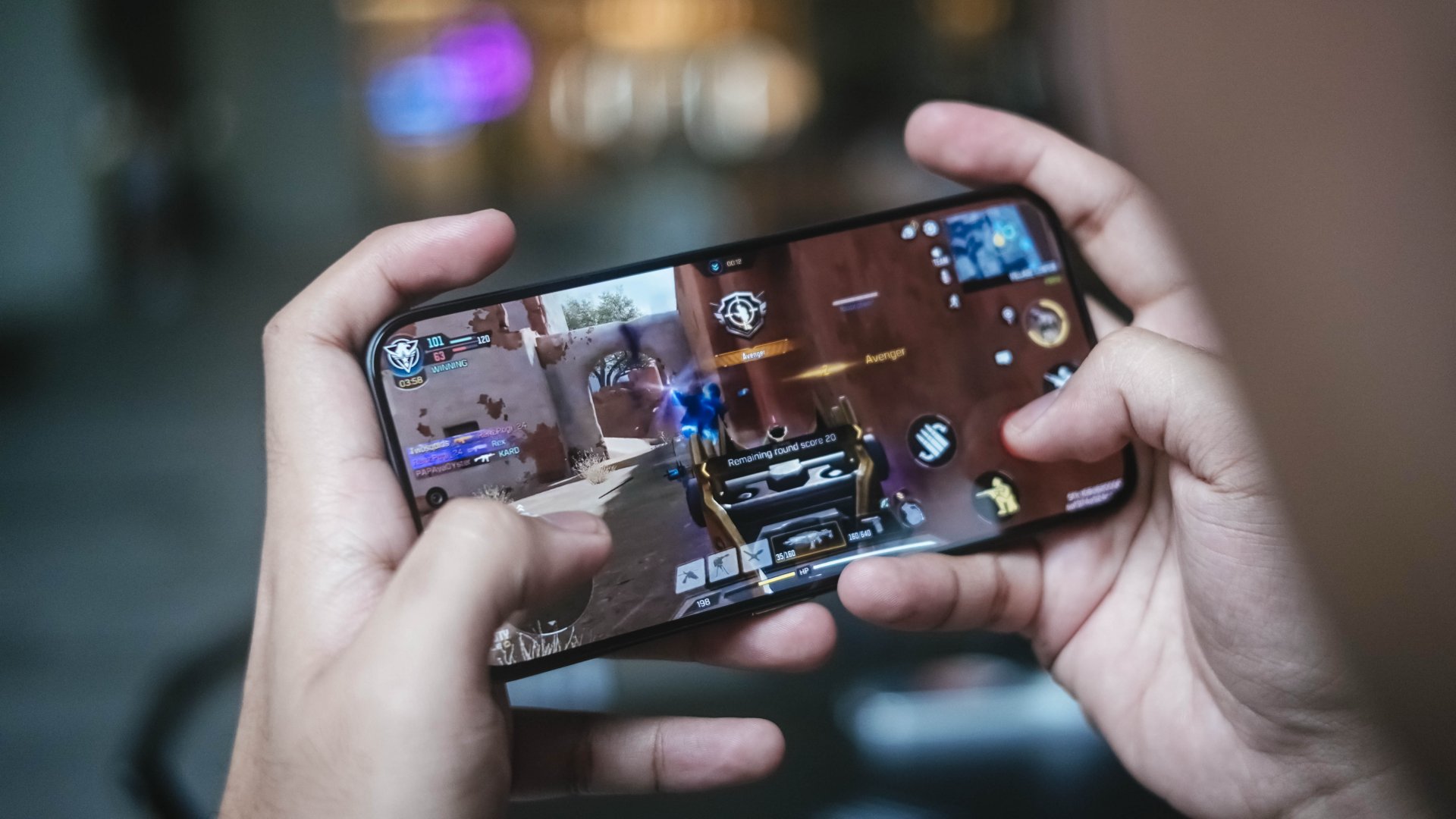
Call of Duty: Mobile and Mobile Legends: Bang Bang, like most phones in the league, run without frills.

However, that slim form factor meant getting toasty hot when used for gaming and other intensive tasks in the long run — or at least by the time you hit the 15- to 30-minute mark.
Not that this phone is totally meant for gaming. Still, the huge trade-off of its utmost slimness is simply the lack of space for a better cooling chamber.
This leads to ineffective heat dissipation resulting to performance bottleneck. A huge reason why the “e”fficiency is barely felt in this 5-month old processor.
Now when it comes to doomscrolling, streaming, split-screen multitasking and other everyday tasks, they all run without a hitch.

In the grand scheme of things, a 5G-enabled chip is still better right now when internet speeds matter a lot.
Thus, this is still a better option than the CAMON Slim 4G with a slower chip inside it.
Big cell that lasts (almost) well
We’ve seen manufacturers shave millimeters off their devices before. But doing so usually means making compromises somewhere else — most commonly in battery capacity.
While the CAMON’s chipset isn’t quite the midrange chip champ I was expecting, thankfully, TECNO compensates for some of that inefficiency with sheer battery capacity.
Inside its oh-so-thin chassis is a large 6000mAh battery. For some context, its 4G variant has a slight smaller 5600mAh tank. Last year’s POVA Slim 5G? Only at 5160mAh.
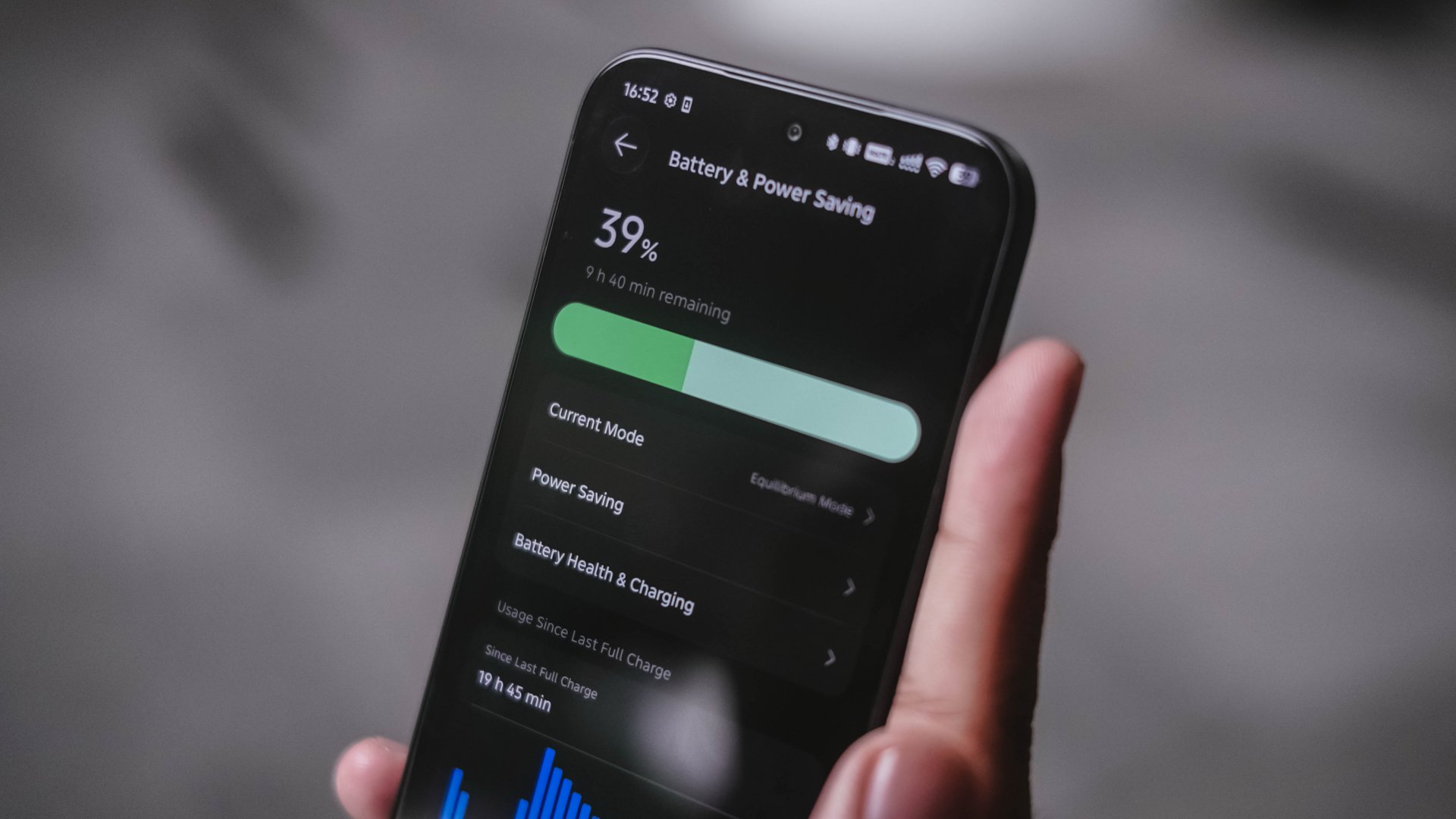
Even if the Dimensity 7300e had some performance reservations, the battery is still enough to get me throughout the day — as long as I don’t fully exhaust it.
That said, I made this phone as my one-stop hotspot for a day. From 5AM, it only lasted me around 7PM until it ultimately died down.
Standby time further proves how power-hungry it is. The CAMON Slim 5G still consumes battery even when resting on a desk for hours.
The POVA 8 Pro with a slightly better chip and 500mAh more battery was able to last more than 12 hours the next day without being touched after I placed it on my desk with only 11% remaining in it.
Considering the many TECNO phones I’ve used with big batteries in the recent months, I honestly expected better optimization for a slimmer device equipped with an “e” chip.
Now, when the juice completely runs out, the phone supports TECNO’s not-so-fast yet still reliable 45W wired charging.
Two attempts in the GadgetMatch Charge Test prove that it can be filled at least below 1.5 hours.
Attempt #1 |
Attempt #2 |
|
START TIME (from 0%) |
3:25AM |
10:37PM |
3 minutes |
2% |
4% |
5 minutes |
8% |
7% |
10 minutes |
11% |
12% |
15 minutes |
22% |
17% |
30 minutes |
40% |
38% |
45 minutes |
59% |
56% |
1 hour |
79% |
77% |
1 hour 15 minutes |
94% |
93% |
END TIME (100%) |
4:47AM
|
12:00AM
|

For better measure, I have to insert this part as well.
POVA 8 Pro
|
CAMON Slim 5G
|
|
START TIME (from 0%) |
5:00AM |
3:25AM |
3 minutes |
5% |
2% |
5 minutes |
8% |
8% |
10 minutes |
19% |
11% |
15 minutes |
27% |
22% |
30 minutes |
53% |
40% |
45 minutes |
78% |
59% |
1 hour |
97% |
79% |
1 hour 15 minutes |
– |
94% |
END TIME (100%) |
6:04AM
|
4:47AM
|
The POVA 8 Pro Tonino Lamborghini I handled clearly has the same charging speed and bigger battery. Yet, it was still able to finish first. A smartphone’s chipset choice clearly has an effect.
Are the cameras CAMON-like?
The CAMON line has always put a fair amount of emphasis on photography. Hardware-wise, their Slim model isn’t any different.
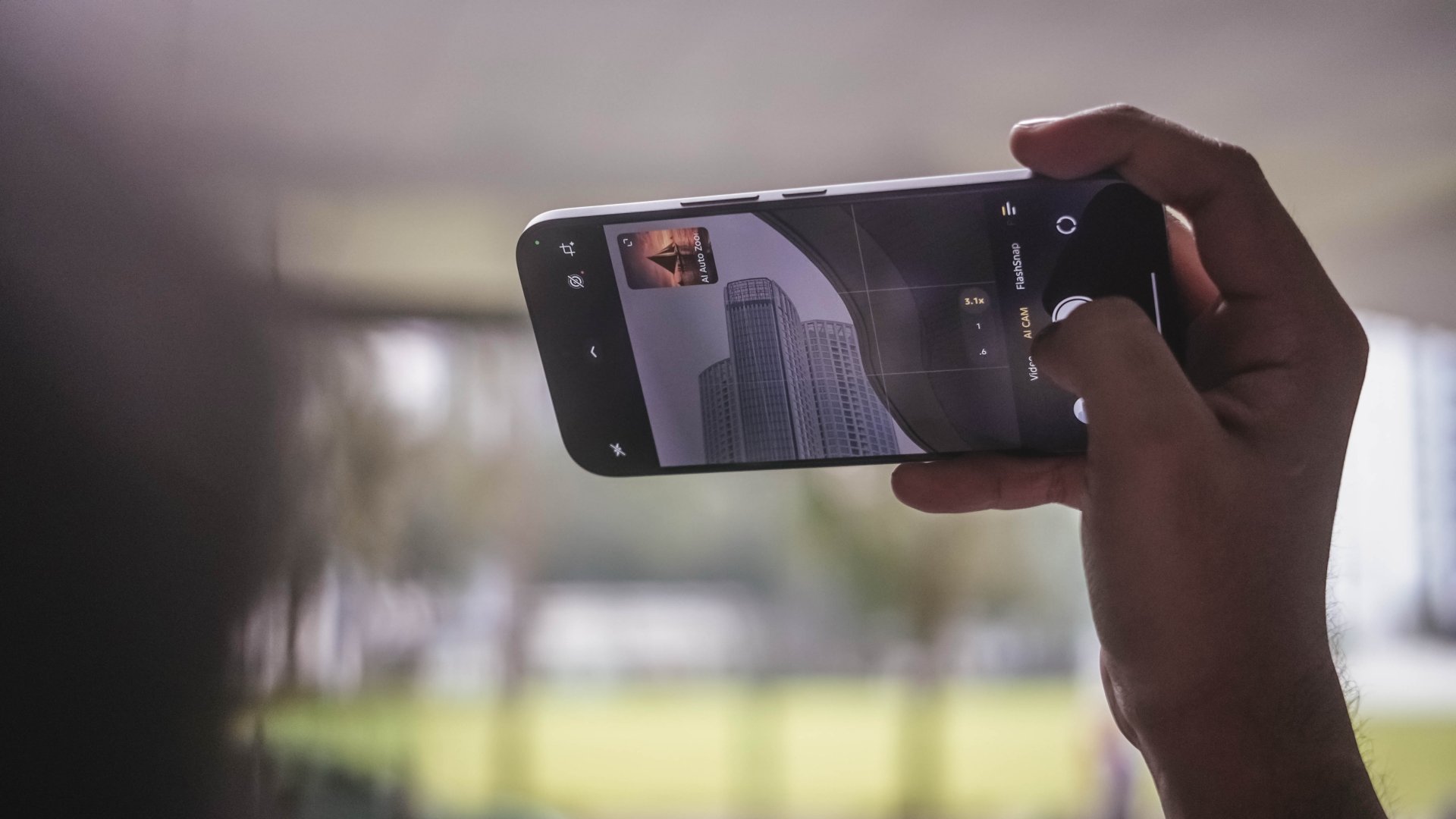
Don’t be fooled by that triple camera lens setup though as it only features two rear shooters: a 50MP Sony LYTIA-700C main sensor accompanied by the widely conventional 8MP UWA camera.
I’ll keep this part simple. The cameras are just right. Photos from the main camera are enough for everyday shooting.




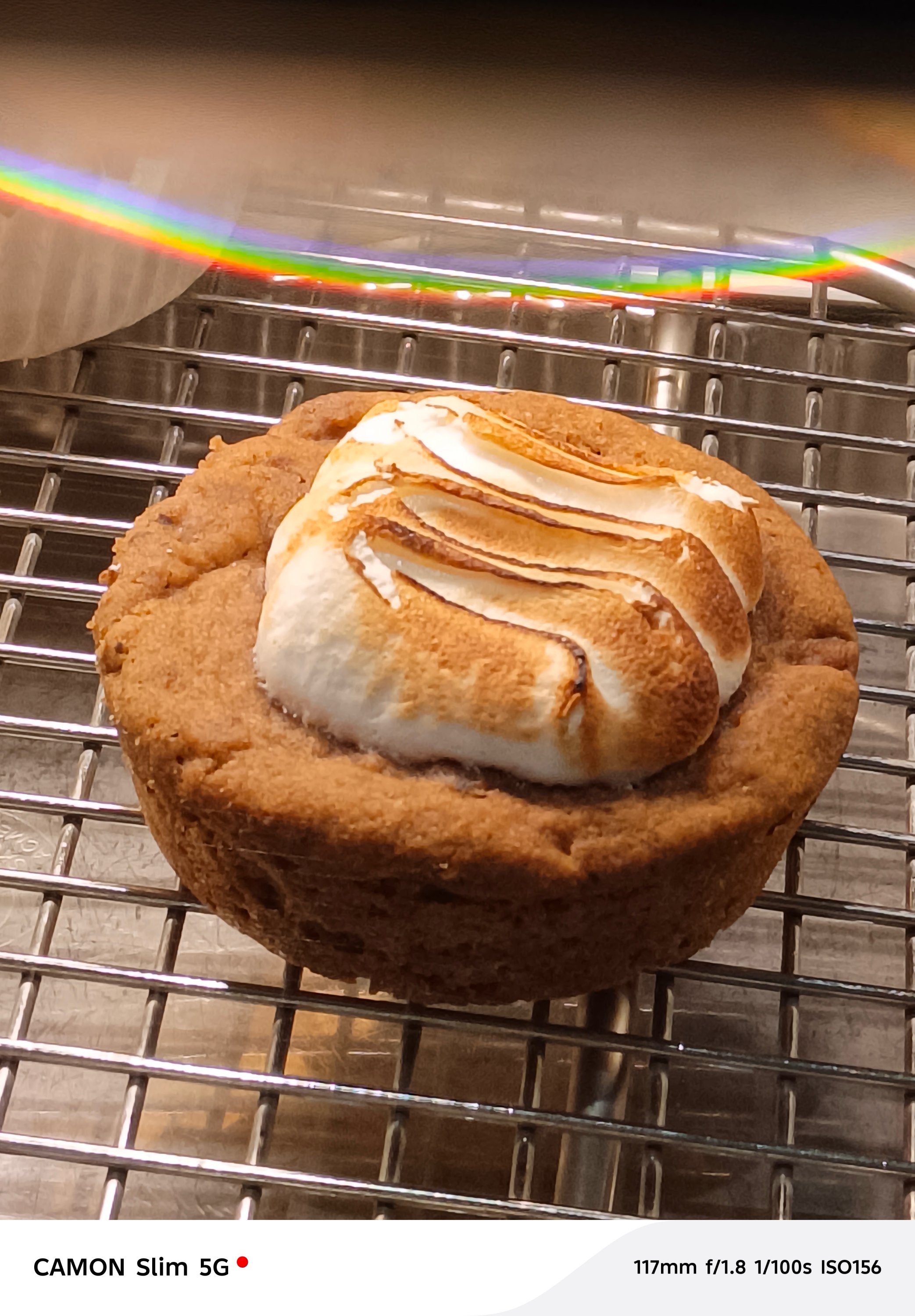
Honestly, most photos seem like they were captured by a SPARK, not a CAMON. While there were hits, there were quite misses as well.
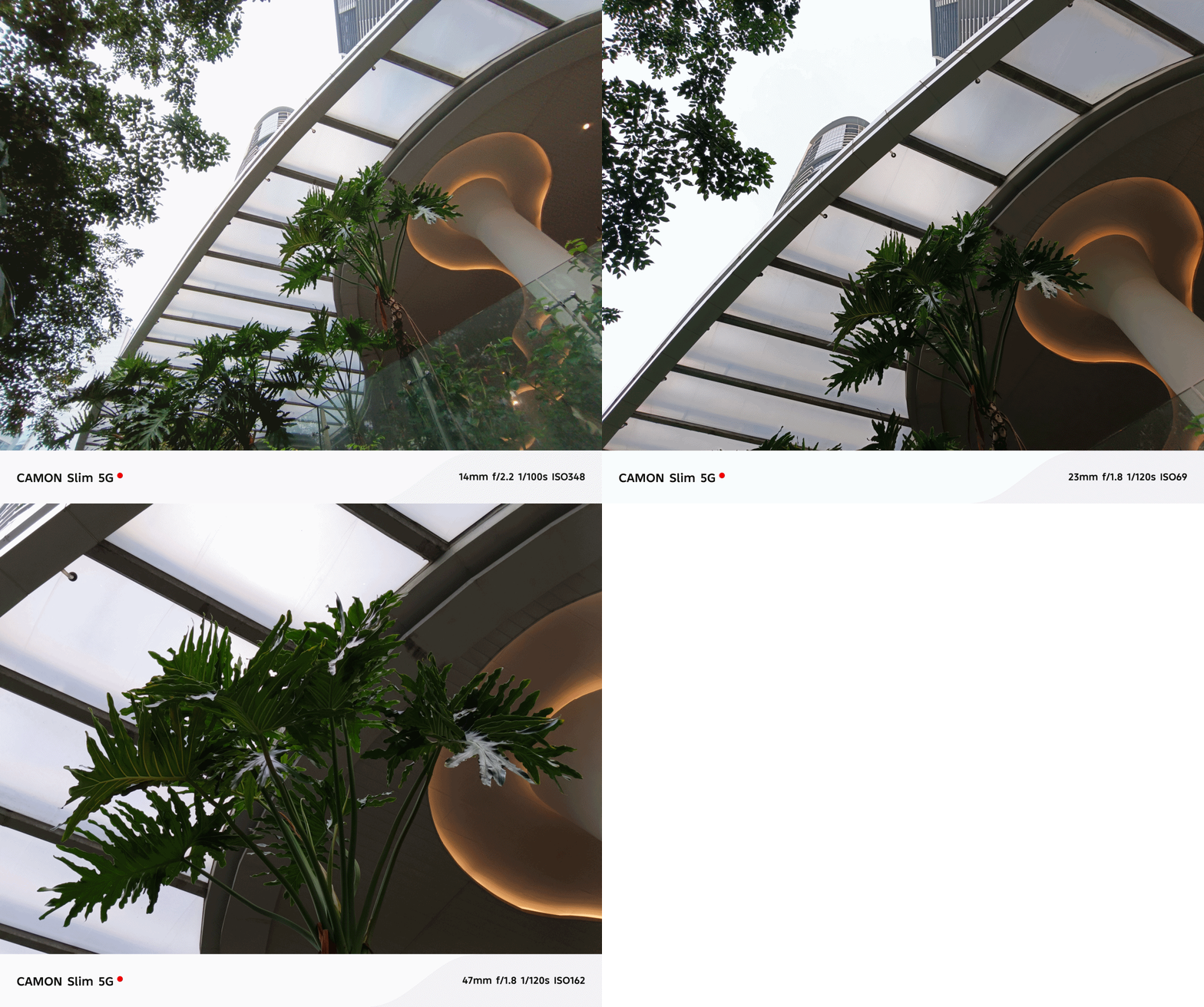
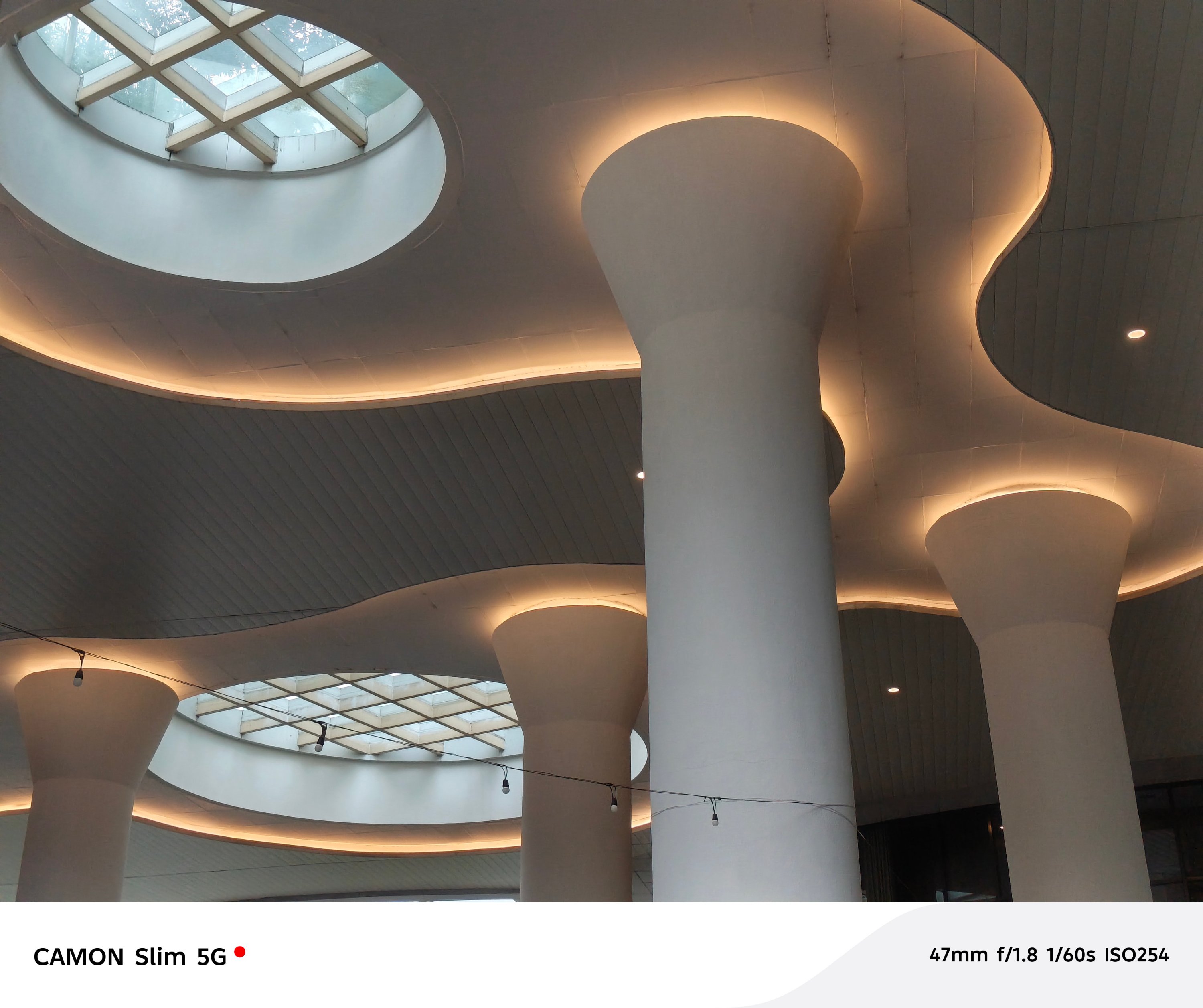
In certain occasions, color reproduction somehow looked less punchy and flat. AWB (Auto White Balance) sometimes get confused too — especially indoors.

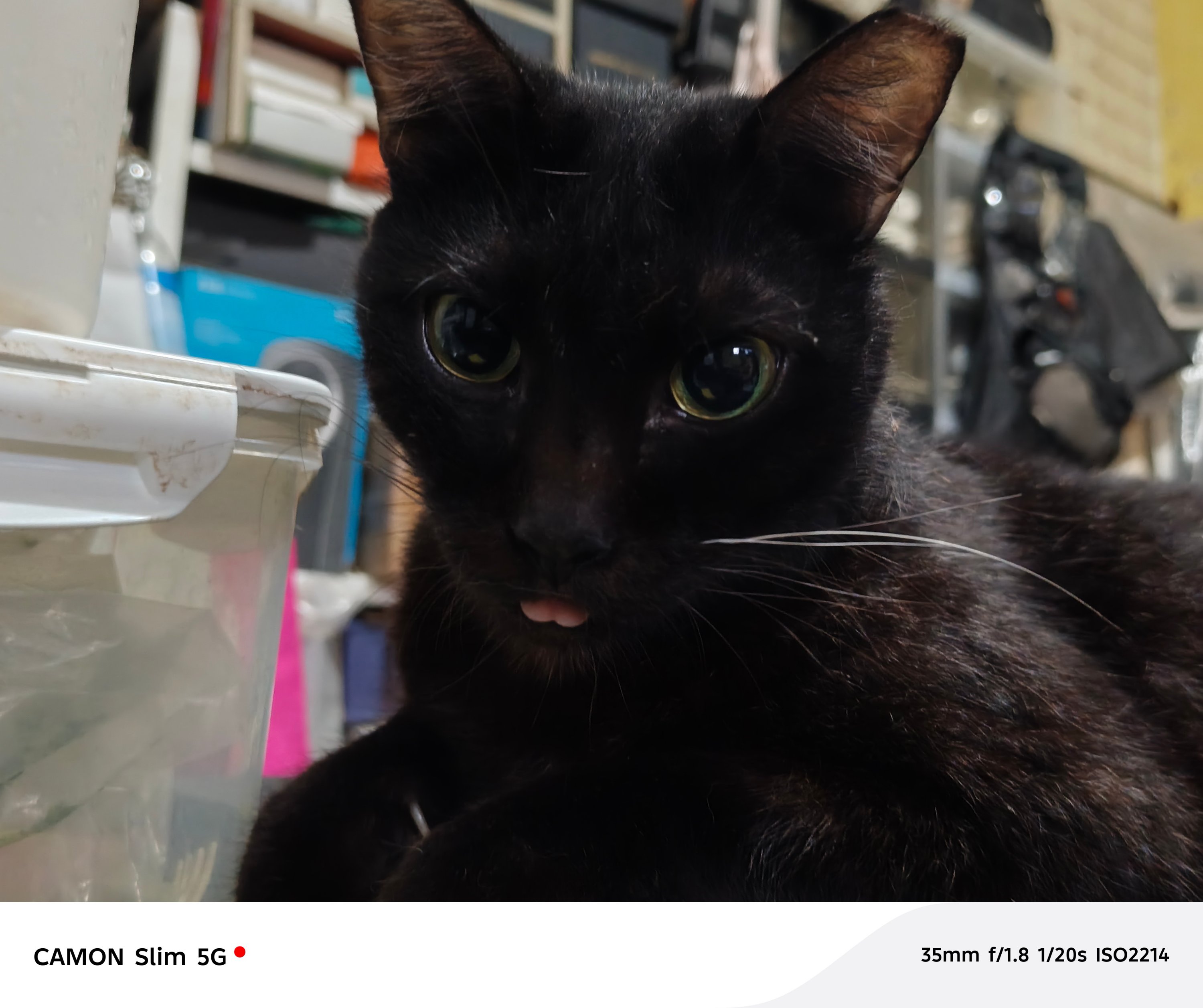
You also have to be very still when taking photos of moving subjects. Otherwise, they will all just be blurry.
Again, putting the POVA 8 Pro I recently reviewed into perspective, that one snapped faster and produced overall better photos. That’s despite the fact that the CAMON Slim 5G features FlashSnap and that one doesn’t.
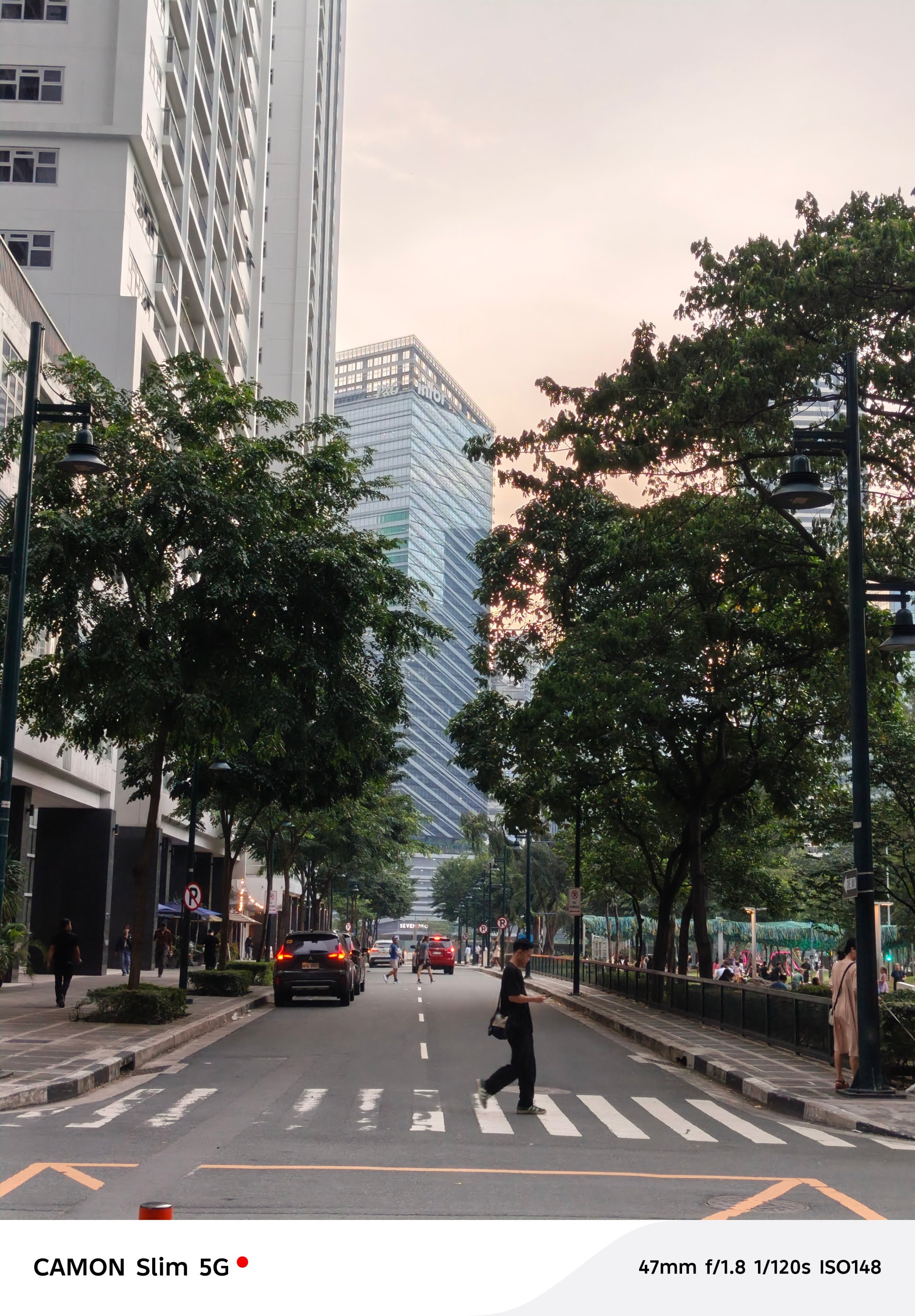
Also, ICYMI, both of them rock the same LYT-700C sensor as their main shooter. Both of them also lacked long-range telephoto modules which meant heavy reliance in sensor cropping.
For 2x shots, its main sensor simply gets the job done.



However, the CAMON Slim 5G instantly loses when going beyond the digital 2x zoom.
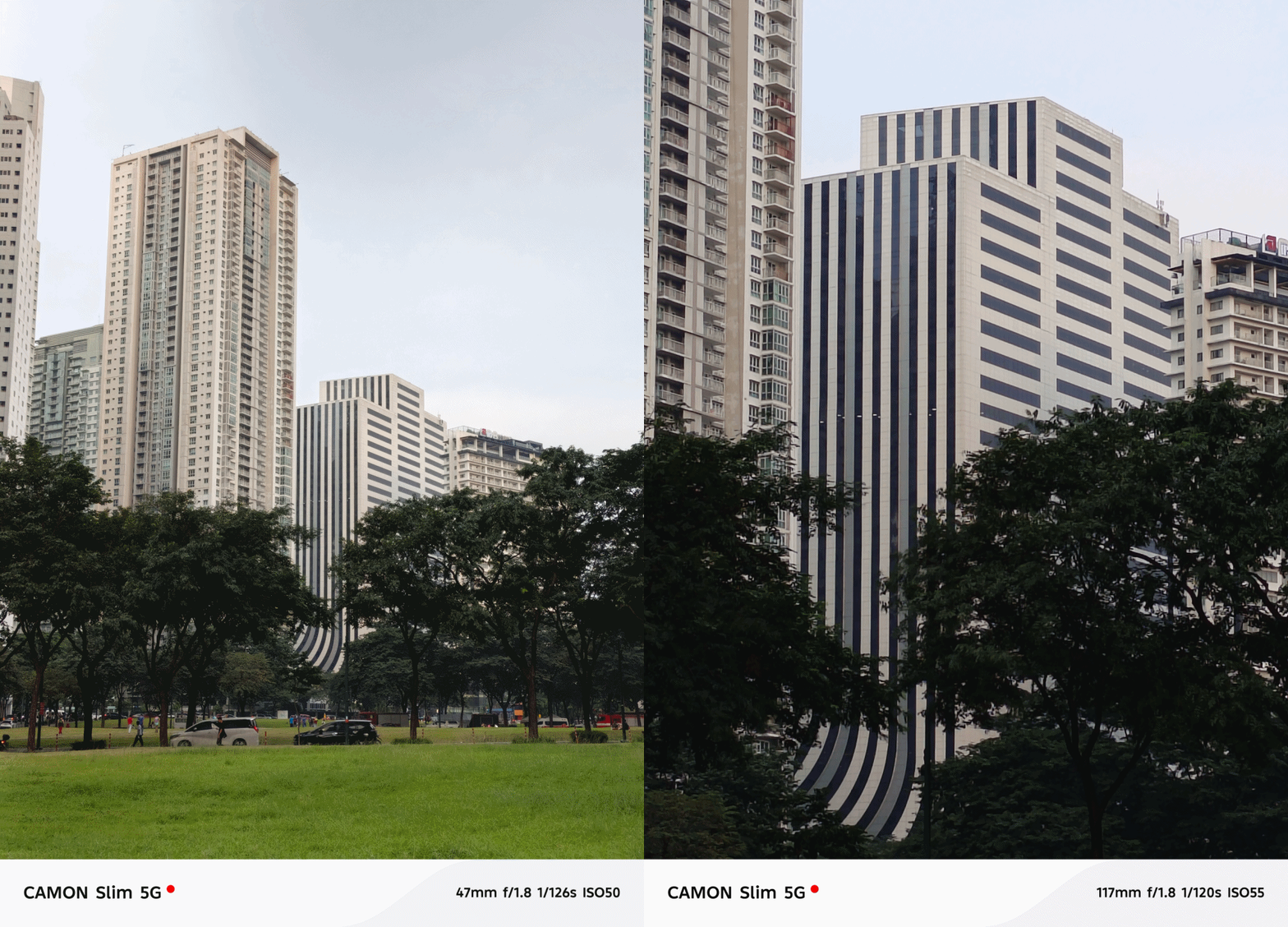
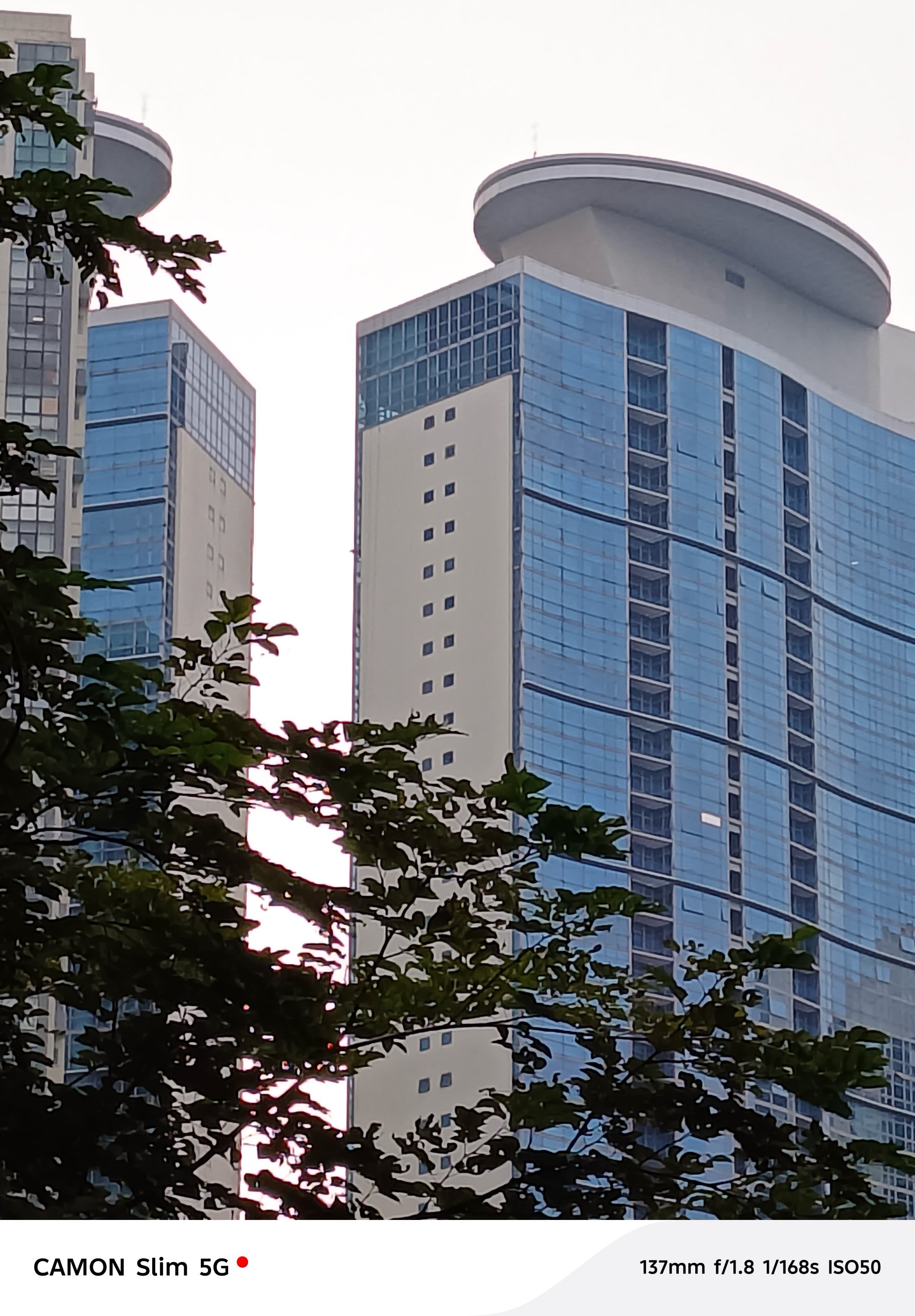
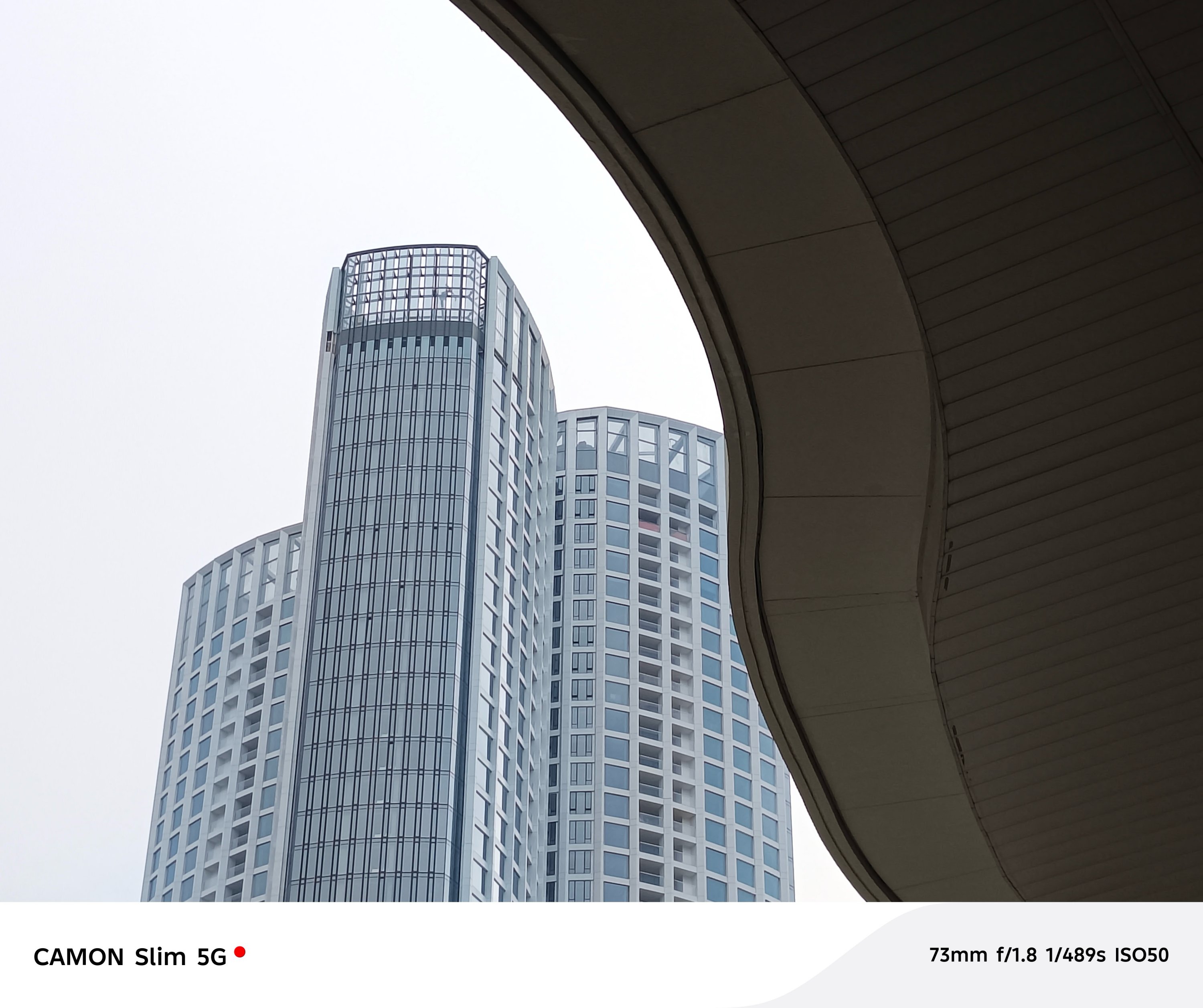
For the type of phone the CAMON Slim 5G is, its cameras get the job done. Just don’t expect a CAMON 50 series-like output.

Cute badge to match
Alongside the new phone comes with TECNO’s MagBadge, an all-new accessory that attaches to the CAMON Slim 5G through its bundled magnetic clear case.
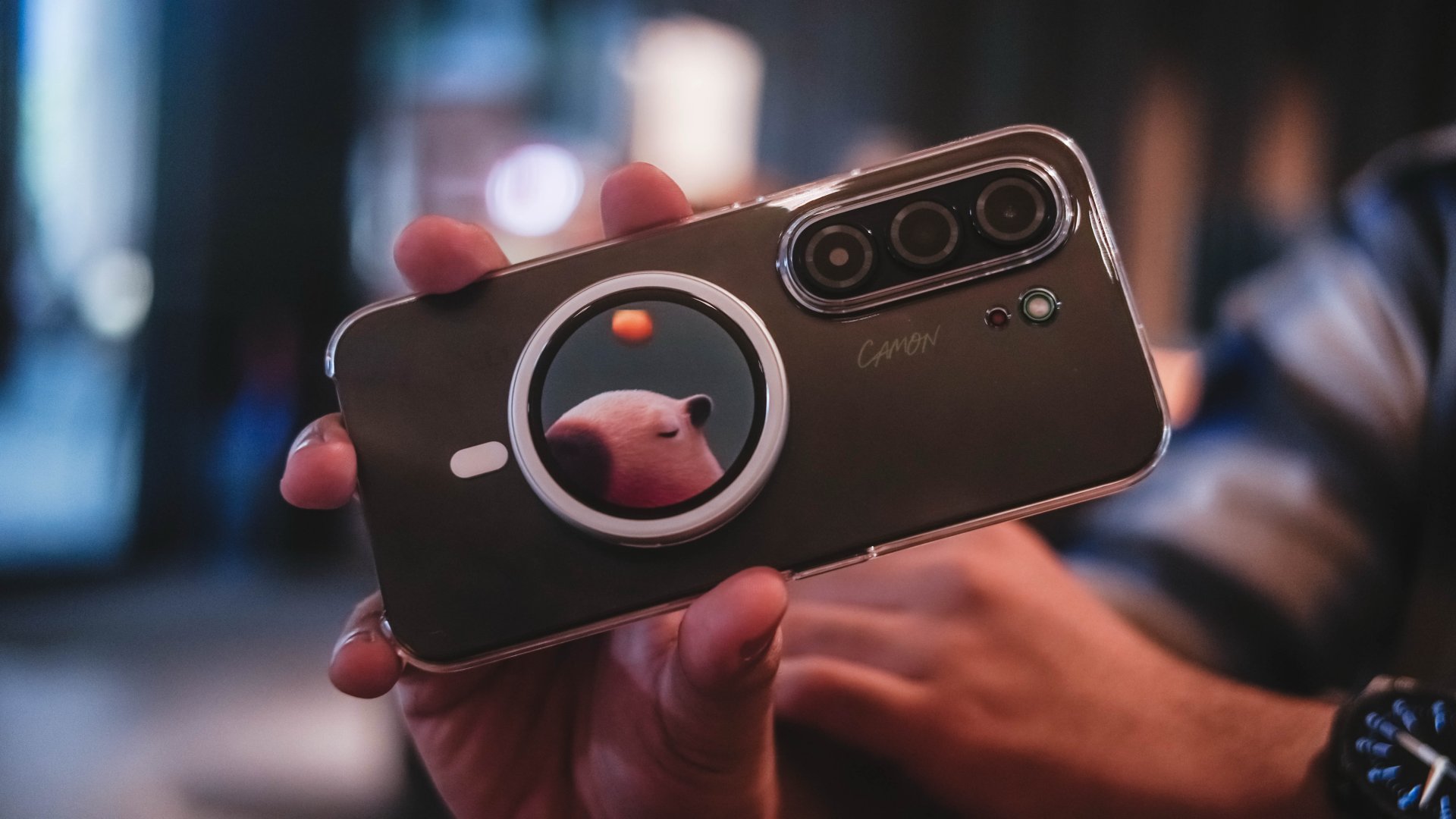
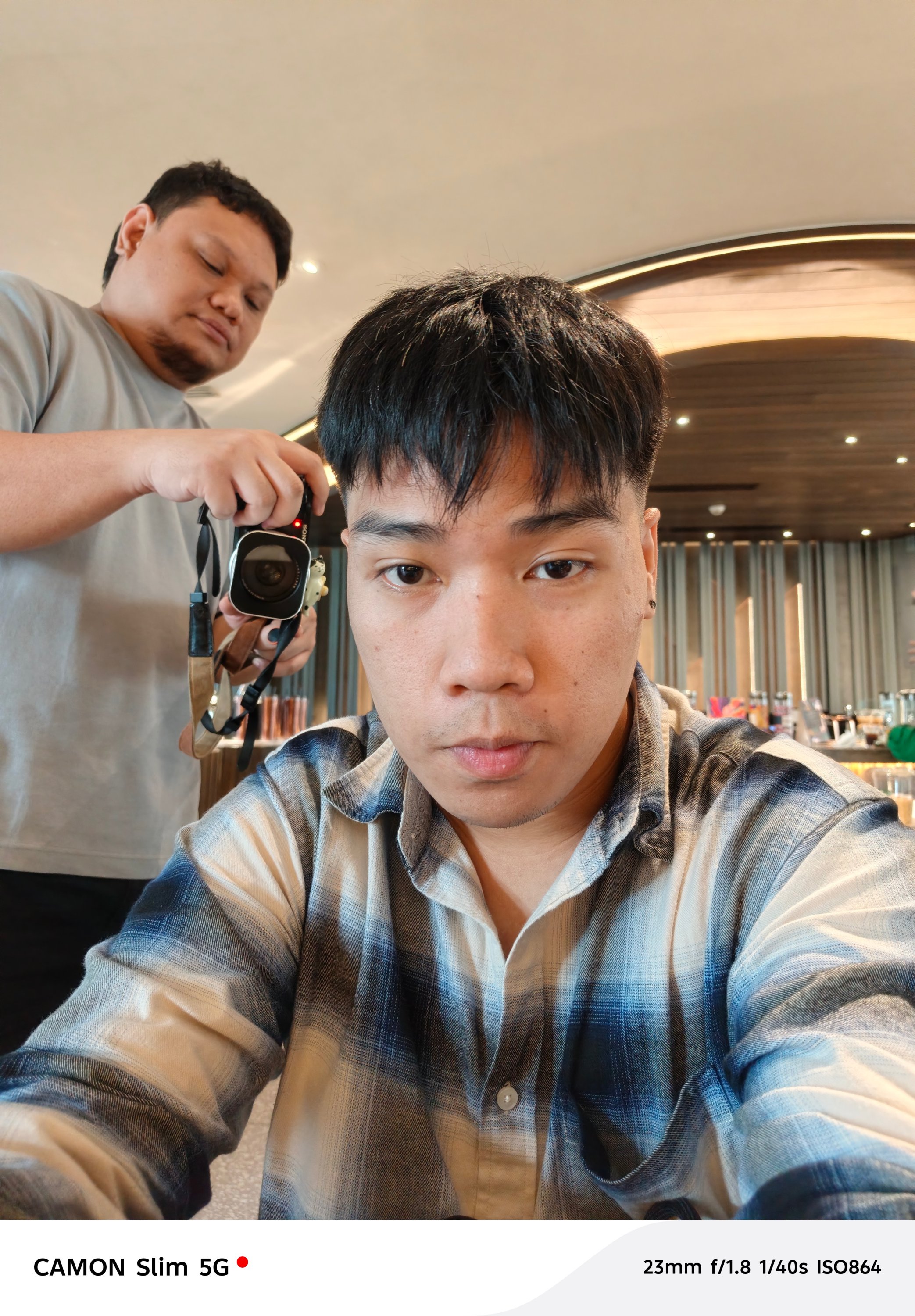
It’s basically a tiny circular display that doubles as a rear-camera monitor. While its front houses a 32MP selfie shooter, this add-on makes Gen Z selfies a lot less hassle to frame and take.
It can also act as a remote shutter, making it useful when shooting yourself from farther away or recording videos alone.
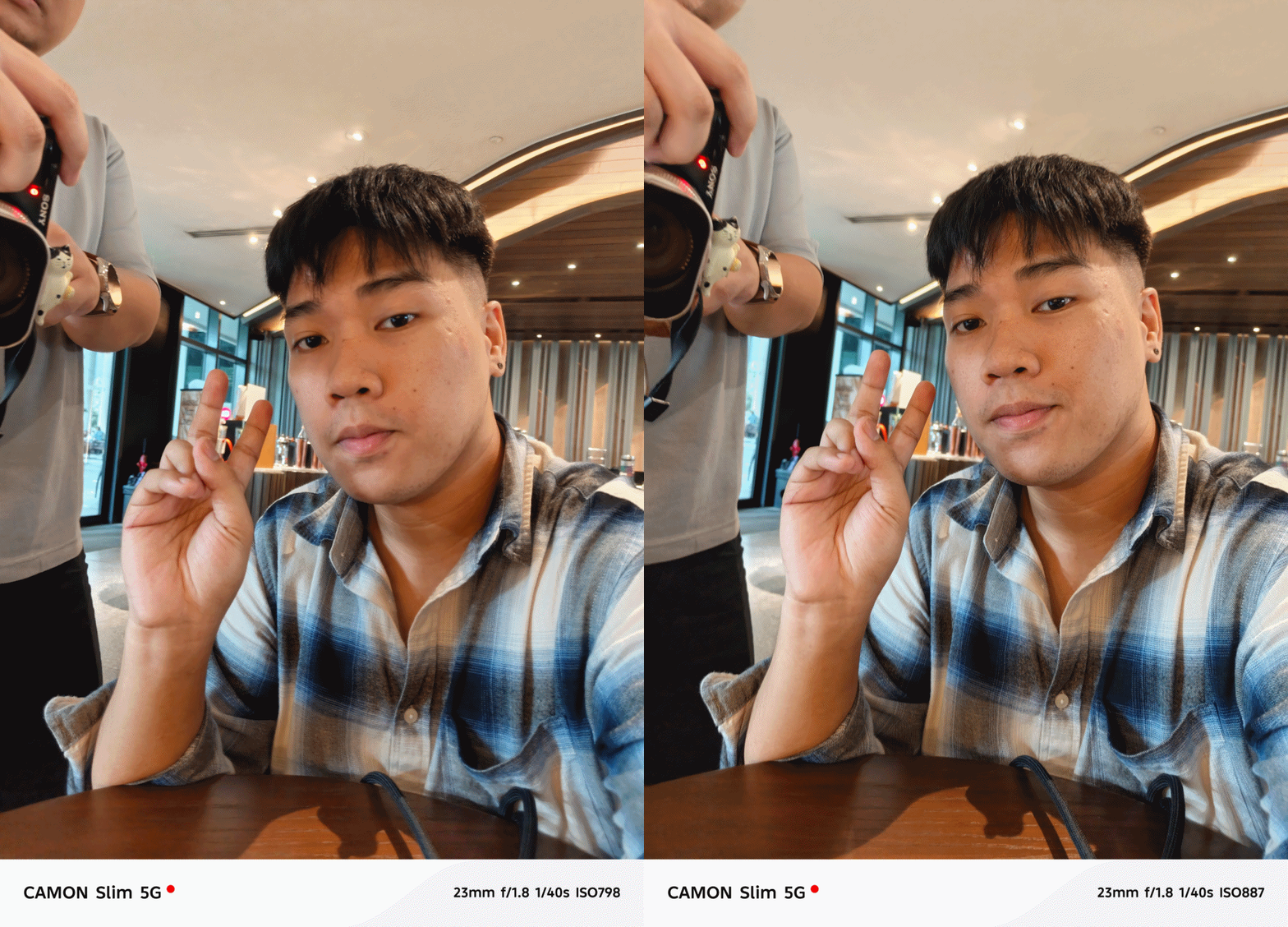
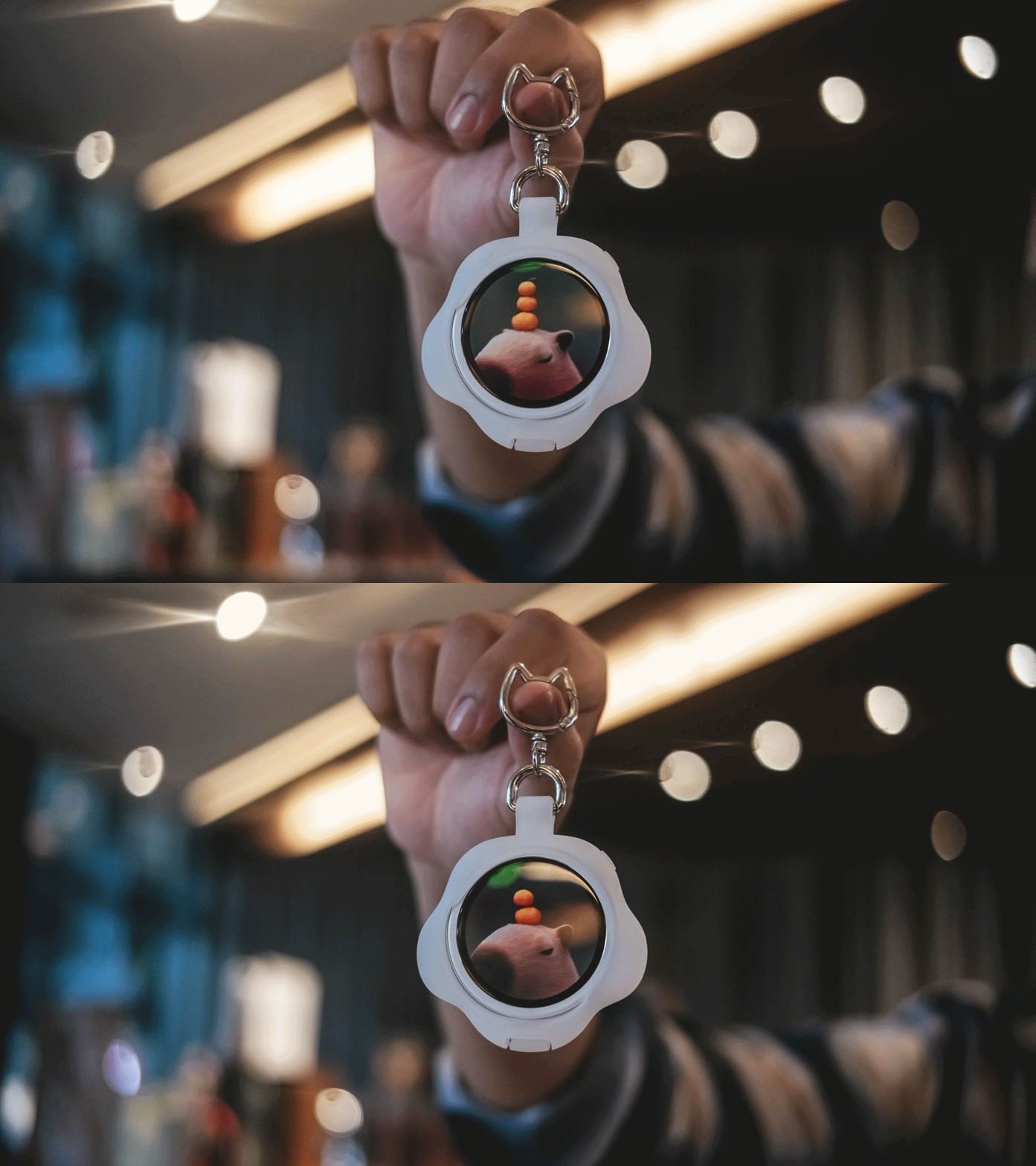
You can even put your own image or add custom texts on the MagBadge and use it as your unique phone accessory.
Unfortunately, the software still needs some polishing.
For instance, even though focal length switches appear in the interface, it was stuck at the regular 1x mode during my testing.
That’s frustrating because the hardware itself is clever.

If you plan on purchasing this accessory alone, it currently only works for the CAMON Slim 5G.
It’s not compatible with other smartphones — both Android and iPhones. The MagBadge app is only available in TECNO’s proprietary Palm Store (or App Center).
With that in mind, I tried installing it in my CAMON 50 Ultra to take advantage of the better camera system.
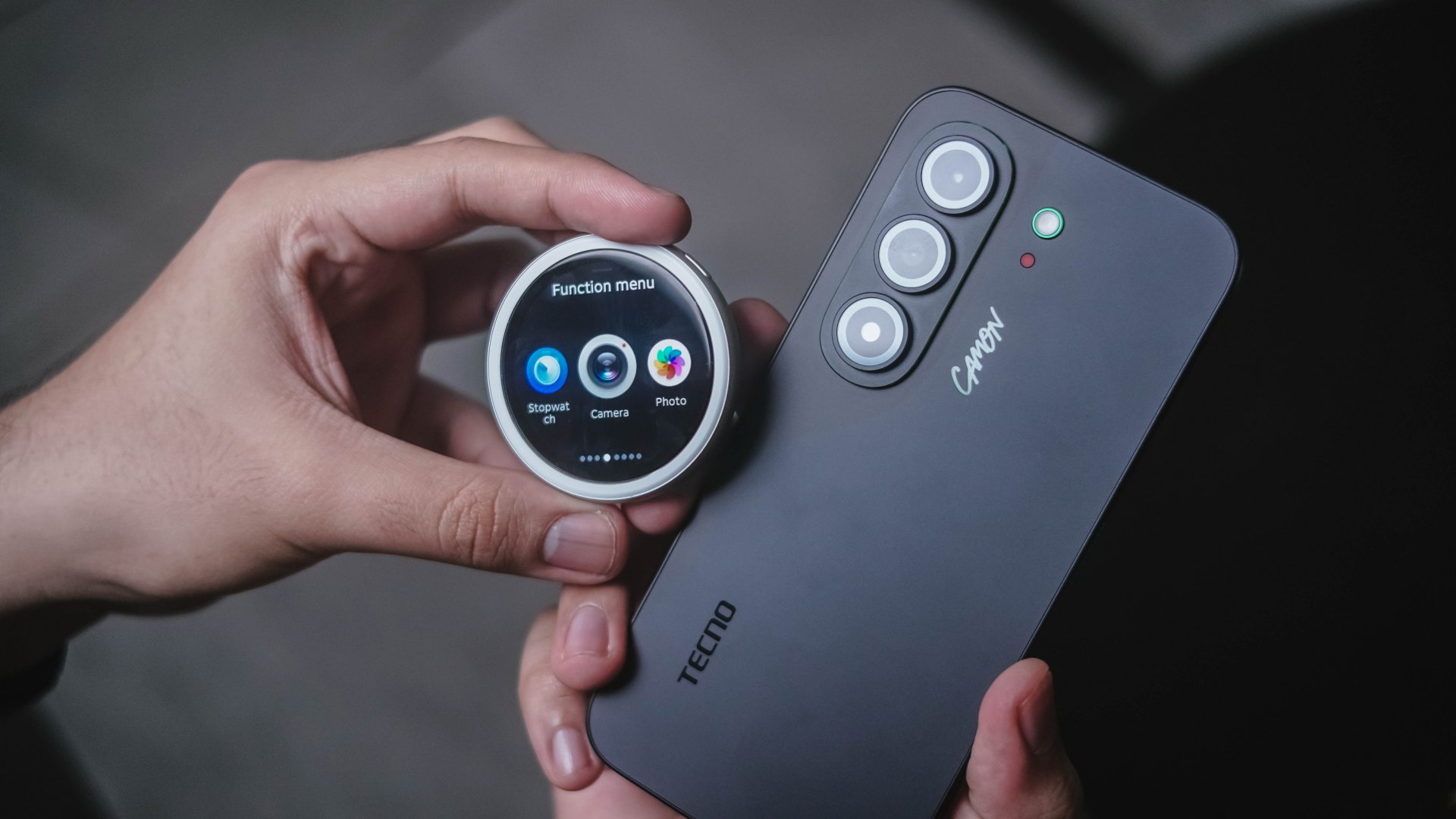
While I was able to download the MagBadge app, connect it, and even run a firmware update, it wasn’t able to do its job. Whether opening the camera app via MagBadge or manually opening the camera app in the phone, none of them worked.
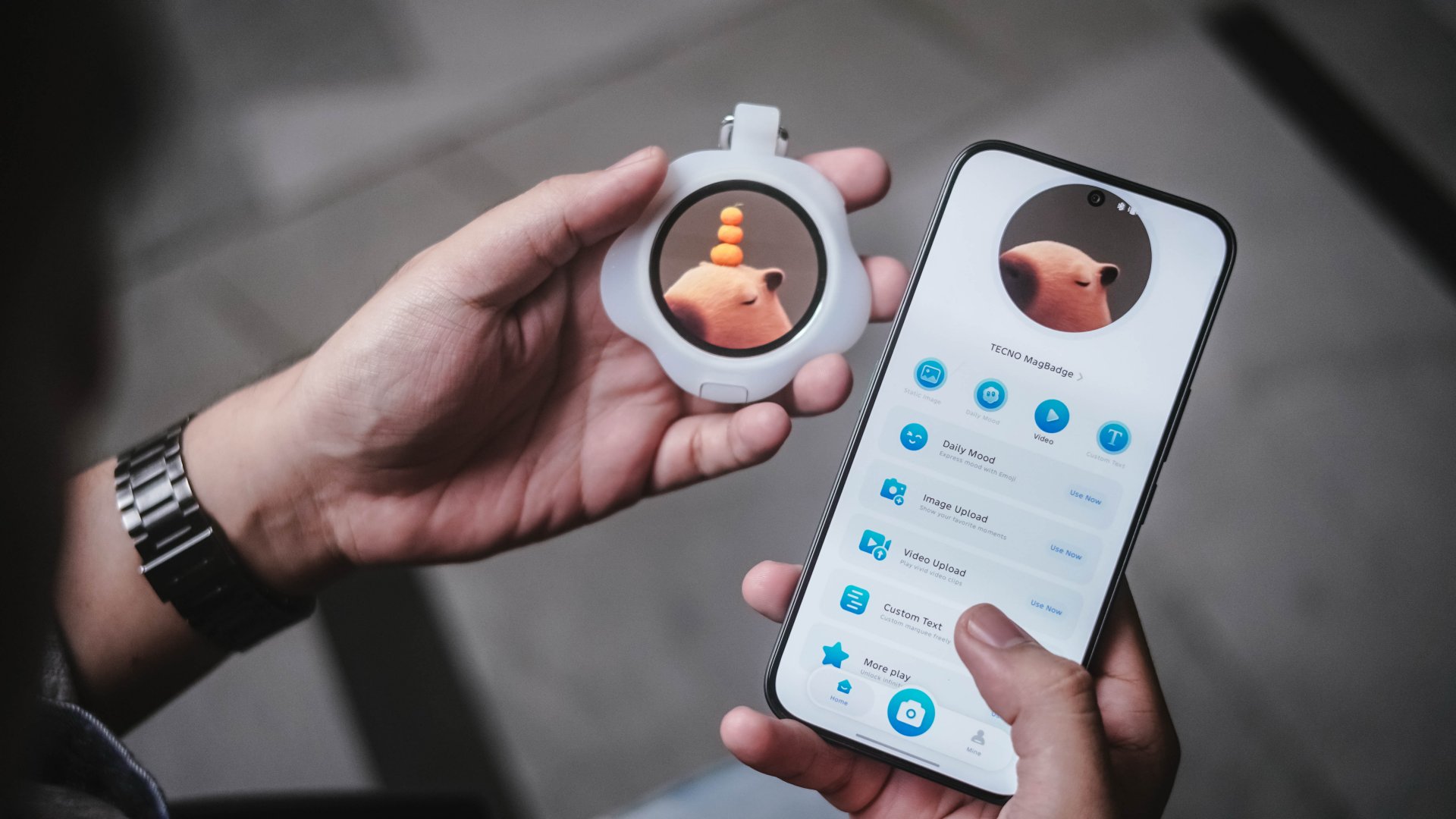
Hopefully, TECNO makes the MagBadge compatible to most if not all of their smartphones.
Beyond the novelty, I see a potential that this can become a hit — as long as they fix their software quirks.
Is the TECNO CAMON Slim 5G your GadgetMatch?
If it wasn’t emphasized enough, its slim body meant lack better cooling. That resulted to a less than ideal heat management plus a loss in overall chip and battery efficiency.
If those concern you, you might want to look elsewhere.
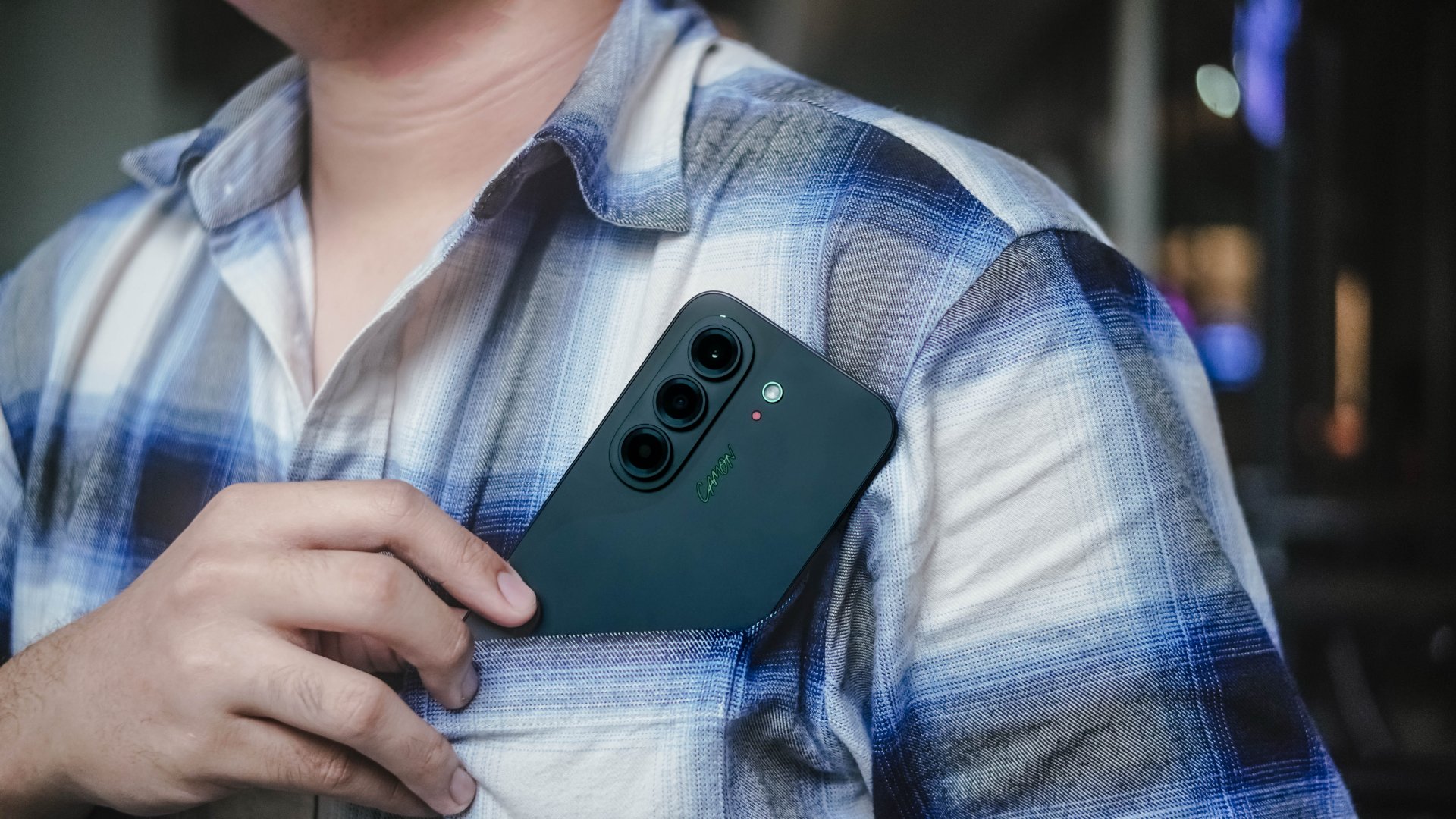
However, those shortcomings don’t completely ruin the experience. It’s still a Swipe Right for a handful of reasons.
The combination of an impressive slim build alongside a clean design, superb display and speakers, plus a large battery and cute MagBadge accessory all make up for some of its performance-heavy drawbacks.
The TECNO CAMON Slim 5G is easy enough to appreciate for what it is.

While most don’t get the hype around slim smartphones, I still see this as an engineering breakthrough. Something brands and people behind all of these were able to achieve through years of research and hard work, all packed in an ultra-thin, consumer-ready product.
The TECNO CAMON Slim 5G is clearly thin. While not perfect, there’s still plenty to like within.





Garmin Enduro 4 promises up to 320 hours of battery life

Spotlight: Marshall Heston 60

Apple sets home-themed event on October 13

ASUS Zenbook 14 lineup expands with new colors and processors

OPPO Find X10 Series launches globally October 21

vivo X500 Series launches with major imaging upgrades

OPPO Find X10 Pro Max is the first phone with a triple 200MP camera system

BYD says that way better EV batteries are coming next year

TECNO CAMON Slim 5G: Price, availability in the Philippines

HONOR Magic9 Pro Max launches in China with ARRI-powered imaging


-
 Automotive2 weeks ago
BYD says that way better EV batteries are coming next year
-
 Philippines1 week ago
TECNO CAMON Slim 5G: Price, availability in the Philippines
-
 News2 weeks ago
HONOR Magic9 Pro Max launches in China with ARRI-powered imaging
-

 Reviews1 week ago
TECNO CAMON Slim 5G review: Slim on size, big on surprise
-

 Smartphones2 weeks ago
TECNO CAMON Slim 5G teases an ultra-slim design ahead of launch
-
 Reviews2 weeks ago
TECNO POVA 8 Pro Tonino Lamborghini review
-
 Smartphones2 weeks ago
When TECNO-logy meets Tonino Lamborghini legacy
-

 News1 week ago
Apple wants to release new iPhones more regularly