


We recently received a laptop from Lenovo to check out and play around with and this time it’s the IdeaPad S145. It comes from the same lineup of notebooks we reviewed late last year but this specific model is on the lower end of the specifications spectrum or SPECtrum (get it?).
Kidding aside, it still shares certain features seen on its high-end counterparts so let’s delay no longer and get on with this hands-on.

The Lenovo IdeaPad S145’s design isn’t one to call attention due to its subtle design. While it’s also available in Platinum Grey Glossy and Granite Black Glossy, our unit came in Granite Black Texture which, as you may have guessed, traded its shiny finish for a matte and textured coating.
It sports a 14-inch HD display but there’s a better Full HD variant available. Side bezels are thin enough while the top still needed to house a webcam so there’s a bit of thickness added to it. Meanwhile, its bottom bezel is one thick panel of plastic.

The texture from its lid continues to the chassis while the keys share the same gray color of its body. Oh, and these aren’t back-lit in case you were wondering.

A power button is situated on the upper right corner of the keyboard with a light indicator of its own. Meanwhile, towards the bottom, its clickable touchpad might be a bit small for some but it still gets the job done.

In terms of dimensions, I can still consider the IdeaPad S145 a slim laptop that I can easily slide in and out of any normal-sized backpack. The front lid has that slanted edge which makes it easy to open with just one hand and if there’s something I appreciate about laptop construction, it’s thoughtful applications like these.
One feature that it got from its higher-end siblings is the ability to open all the way and flat on its back. This is made so online content, presentations, or basically anything can be shared easily with others for easier collaboration.

The left side houses all the ports including one USB 2.0, two USB 3.1, and an HDMI. On the flip side, we have the combined microphone and headphone jack along with an SD card reader.

Adding to the connectivity aspect is Bluetooth for wireless pairing with gadgets. And when it comes to sound quality, you’ll be glad to know that it features Dolby Audio speakers for a more immersive experience when sound-tripping or watching videos.

Now onto what’s inside. Before we proceed, though, keep in mind that it has different configurations available and could still be upgraded. What we’re going to discuss here is the specific model we have.
This IdeaPad S145 runs on an Intel Pentium Gold 5405U. It doesn’t compete with the higher end chipsets from Intel and is not made to process heavy tasks. It is then partnered with a modest Intel UHD Graphics 610 which, again, isn’t the best around.

Furthermore, only 4GB of RAM is installed in this notebook so the things you could accomplish on it is limited. No, there will be no complicated video or photo editing on this setup.
Storage is supported with 512GB of HDD onboard although it could also run an SSD at the same time to help make it snappier. Finally, a 64-bit Windows 10 Home comes as standard and the company claims its battery can last up to six hours.

As I have mentioned earlier, this combo of specifications won’t let you work on resource-heavy tasks like video editing or gaming. It functions well for browsing the web and working on your Powerpoint projects — basically light tasks that you need to accomplish anywhere.
Its form factor is great for portability, though, so you can easily bring it at a cafe, whip it out on a table, and start typing away to meet those deadlines.







Hands-On
Apple iPhone Duo Unboxing and Hands-on
Supported apps, crease, cameras, and MagSafe all tested


Apple’s iPhone Duo is finally here!
Aside from unboxing the all-new iPhone-dable in Night Sky, we take a closer look at the display crease, check out the under-display camera quality, see which MagSafe accessories work with it.
Most of all, which apps support it (or not).
But how well does the dual-screen experience on an iPhone actually work? Watch our Apple iPhone Duo unboxing and hands-on to know more!

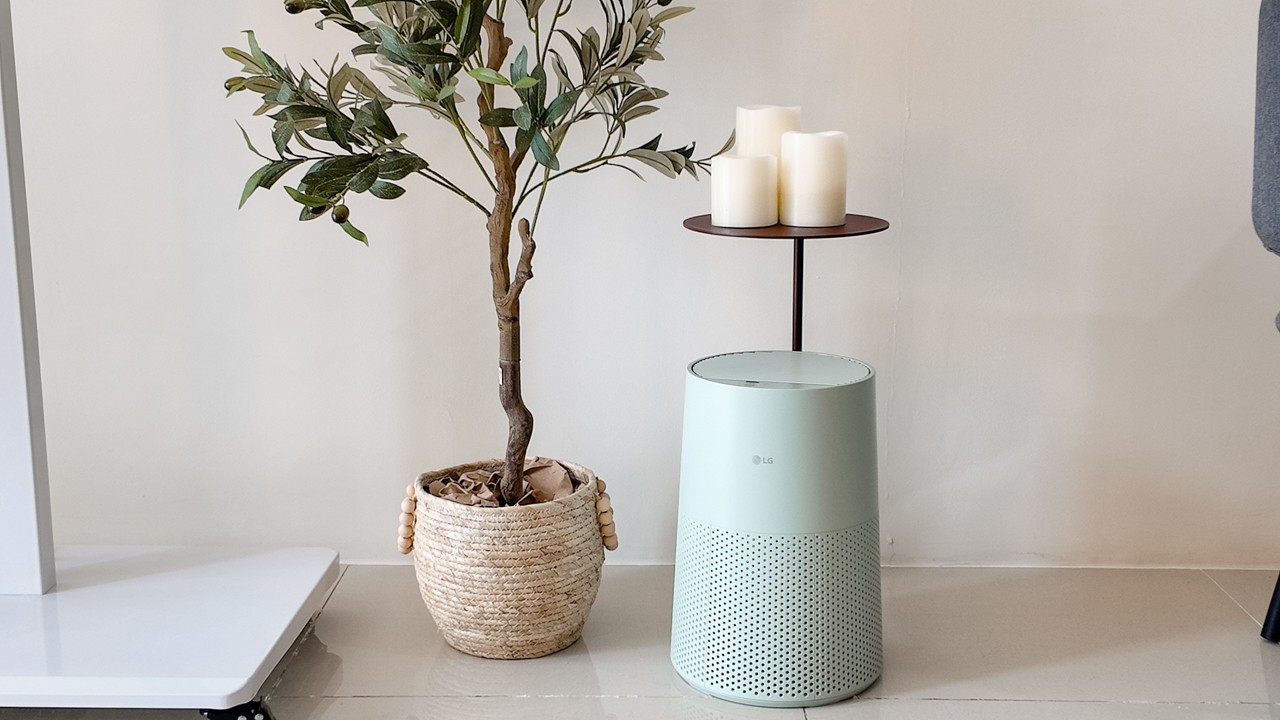
Moving into a new space comes with a long list of things to figure out, and lately, I’ve been paying more attention to something that’s easy to overlook: air quality.
After using the LG AeroMini for about a month, it has become a subtle but welcome addition to my space. It helps make the room feel fresher, while its compact and stylish design fits naturally into my setup. Here are the things that stood out to me most after living with it for a month.
360° purification for a fresher space
One of the things I appreciate about the AeroMini is its 360° air purification, designed to bring purified air in every direction.
For me, this is particularly useful in a new space where I’m spending a lot of time working, relaxing, and just settling in.
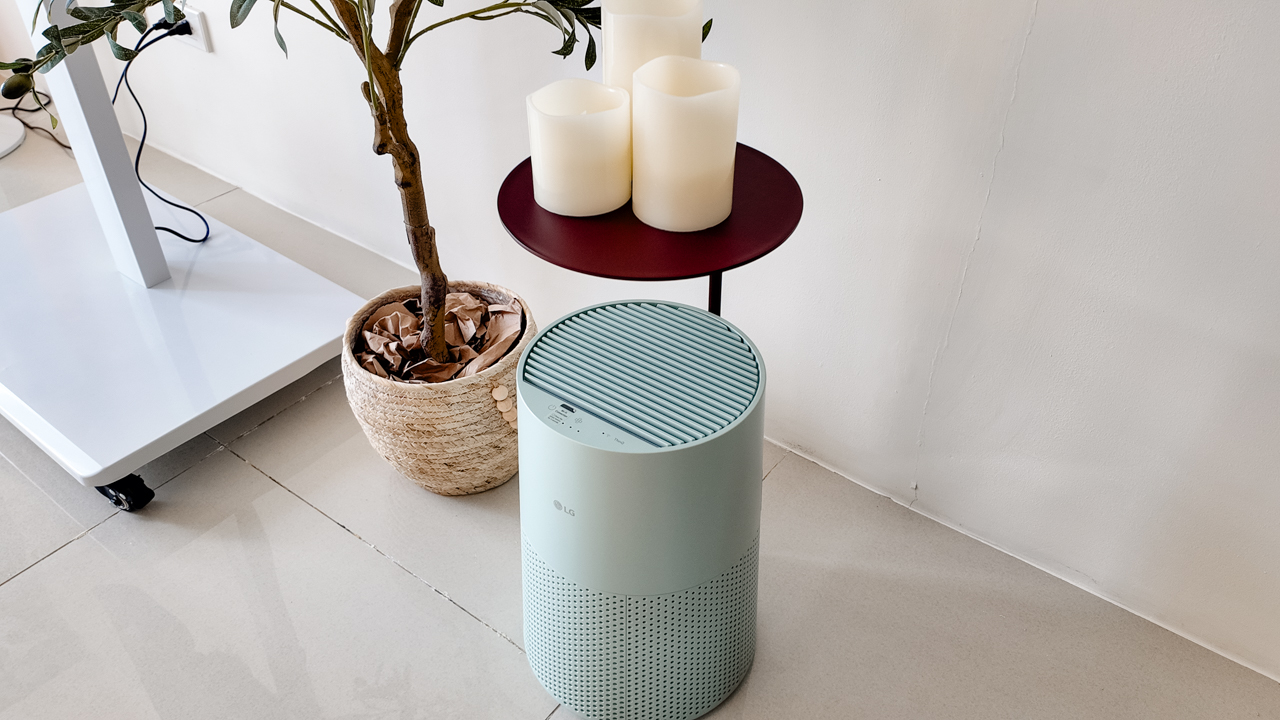
Combined with its True HEPA filter, which is designed to remove 99.999% of 0.01μm fine dust and allergens, it gives me added peace of mind about the air I’m breathing every day.
After a month, I can genuinely say that the space feels fresher with it running.
Surprisingly quiet
This is probably my favorite feature.
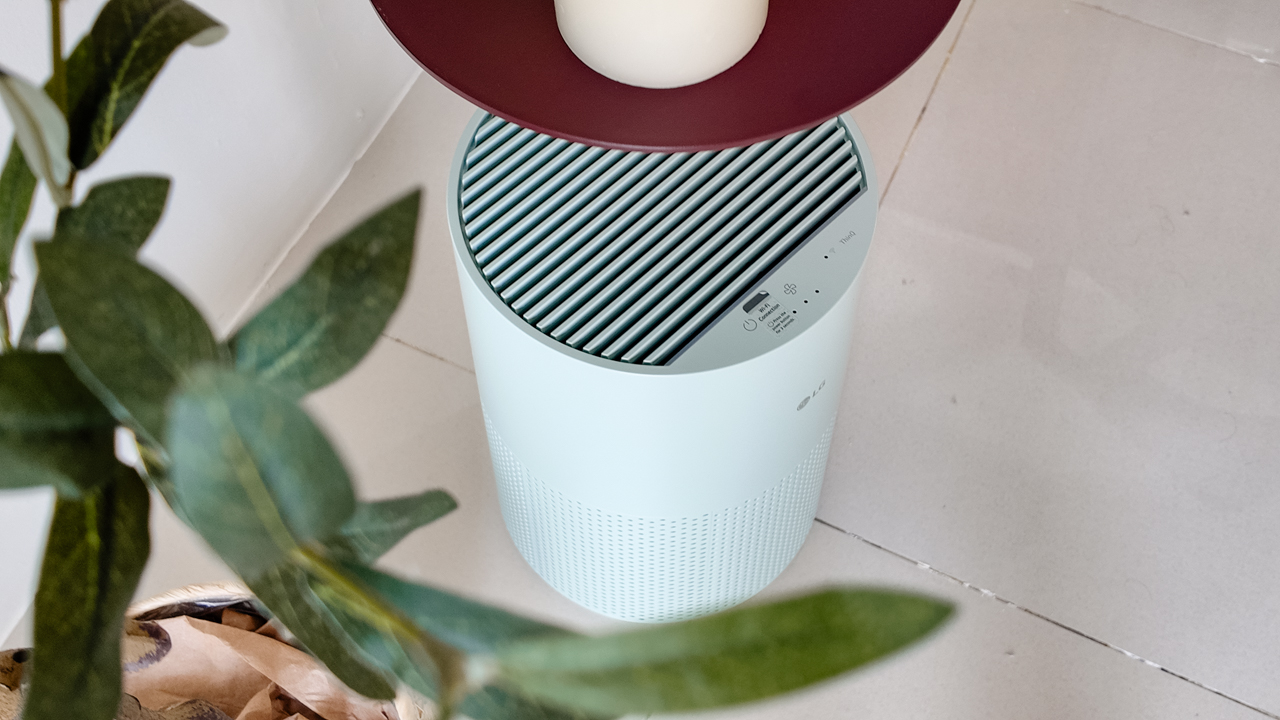
The LG AeroMini operates at just 26dB, and after using it for a month, what stands out is how easy it is to forget that it’s even running.

I can have it running while I’m working or sleeping without the noise becoming a distraction. For an appliance that’s designed to continuously improve the air around you, I think that’s a big deal.
Sometimes, the best feature is the one you barely notice.
Design that fits my space
Since I recently moved, I’ve been pretty conscious about what I bring into the space. I want things to be functional, but I also don’t want appliances that feel like they’re taking over the room.
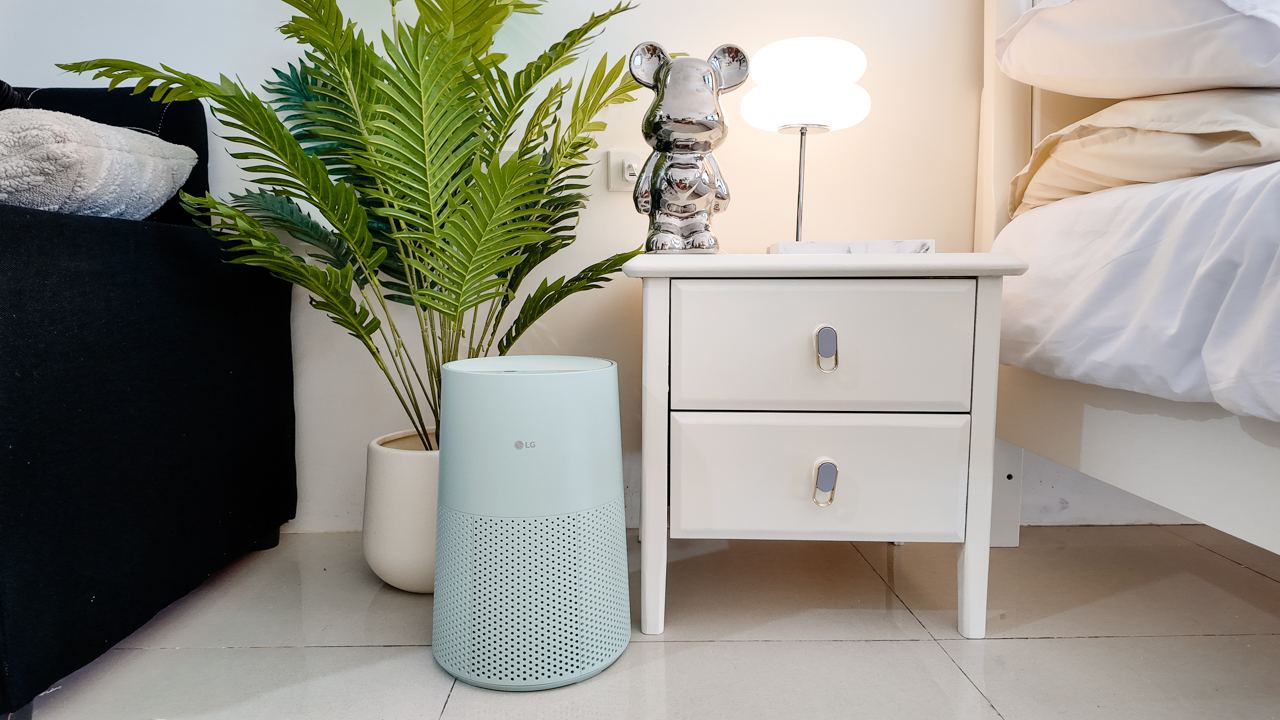
The AeroMini’s slim and compact design makes it easy to incorporate into my setup. It doesn’t feel bulky or industrial, and I like that I can leave it out without feeling like I need to hide it away.
For me, that balance between functionality and aesthetics makes it feel more like part of the space rather than just another appliance.
Air quality at a glance
Another feature I’ve found convenient is its Smart Control. Through the app, I can monitor and control the AeroMini while getting real-time updates on the indoor air quality.
It’s a small convenience, but being able to check the air quality without having to interact with the purifier directly makes it easier to keep track of what’s happening in the room.

Easy to maintain
I also appreciate that the AeroMini is designed with an all-in-one dust and deodorization filter that makes replacement and maintenance easier.
That matters to me because the best home gadgets are the ones that don’t create another complicated chore. I want something I can set up, use regularly, and maintain without too much fuss.

After a month, would I keep it?
Yes, and mainly because it quietly fits into my everyday routine.
The LG AeroMini has helped make my new space feel fresher and more comfortable, while its compact design means it doesn’t compromise the look of the room. But if I had to pick just one thing I appreciate most, it’s still how incredibly quiet it is.

It’s one of those upgrades that doesn’t demand your attention. It simply works in the background.
If you’re also looking to make your home a fresher and more comfortable space for yourself and your family, visit https://www.lg.com/ph/ to learn more about the LG AeroMini and how it can fit into your everyday life.
Hands-On
Apple iPhone 18 Pro Series Hands-on
And everything announced during Apple’s September 2026 Event
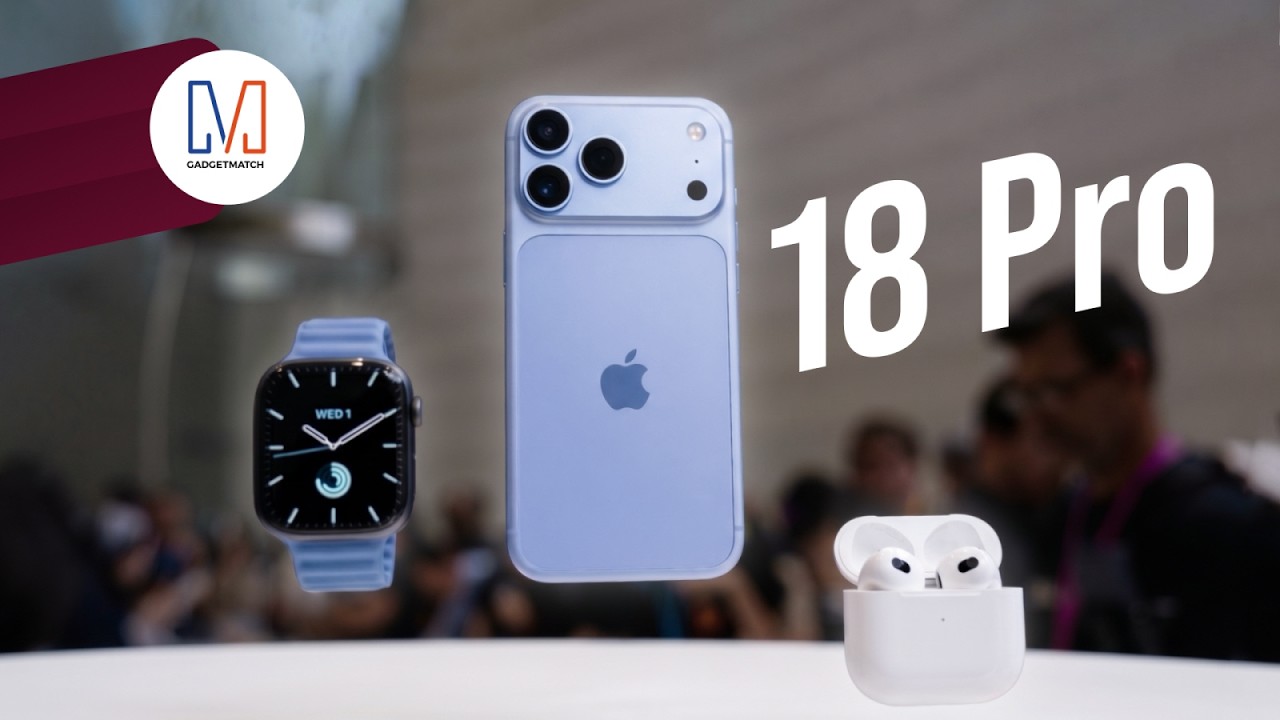
The latest Apple event isn’t just about the shiny new Apple Duo. There’s a lot to talk about!
In this video, we break down everything Apple has announced during their September 2026 keynote.
First, there’s the updated iPhone 18 Pro and 18 Pro Max. That’s alongside their design and color changes, battery and performance improvements. Even that massive camera upgrade.
There’s even the ANC-infused AirPods 5 alongside the newer Apple Watch Series 12 and Apple Watch Ultra 4. Plus, the latest software updates coming to both these wearables.
So, are these worth the upgrade?


ROG G700 review: The best prebuilt PC you can get off the shelf
This PC will make you stop worrying about specs.


HP OMEN Max 16 review: Gamer-maxxing in deep black
Peripherals deemed necessary to max this out


vivo V80 review: Good phone, tough sell
A capable travel companion

Smart boosts 5G network in Siargao for World Surf League event

The next Elder Scrolls game is called Sentinel

4 new nutribullet kitchen essentials to make holiday hosting easier

Inside Infinix’s first global concept store in Bali

Wild Rift Patch 7.3, celebrates K/DA comeback

OPPO Find X10 Series launches globally October 21

Sony teams up with Hello Kitty for exclusive limited-edition collection

vivo V80 debuts with ZEISS cameras

Garmin Enduro 4 promises up to 320 hours of battery life

iPhone 18 series breaks records in Vietnam as pre-orders triple


-

 Lifestyle3 days ago
Your coffee nook is getting a makeover with Starbucks’ holiday collections
-

 News2 weeks ago
OPPO Find X10 Series: Price, availability
-
Gaming2 weeks ago
HP OMEN Max 16 review: Gamer-maxxing in deep black
-

 Lifestyle5 days ago
Sticker season is back, and so is the planner your ~friends~ might fill in for you
-

 Apps2 weeks ago
Apple Music is getting a Liquid Glass makeover
-

 Hands-On2 weeks ago
Apple iPhone Duo Unboxing and Hands-on
-

 Gaming2 weeks ago
FINAL FANTASY RESONANCE now available across major platforms
-
Gaming1 week ago
ROG G700 review: The best prebuilt PC you can get off the shelf