
Features
Lenovo ThinkPad X1 Tablet hands-on


Lenovo can’t seem to get enough of hybrid and modular designs. The ThinkPad X1 Tablet has a little bit of both, but despite sounding like a full-on tablet, the convertible we have here behaves more like a laptop. Let us explain.
Convertibles aren’t a new concept; in fact, all the hybrid notebooks released in the past couple of years feel like they’re playing catch-up to Microsoft’s pioneering Surface lineup. To stand out, every execution is a bit different. Take the Samsung Galaxy TabPro S, for example: It disguises itself as an Android tablet, but it’s a full-fledged Windows computer through and through. The ThinkPad X1 Tablet takes a different path, choosing to be a business-oriented Windows convertible with modular components more than anything else. It’s this kind of flexibility that makes this fledgling category so exciting.

Since hybrid laptops are so distinct from one another and function differently for every type of user, we’ll apply the same idea to the Lenovo ThinkPad X1 Tablet. After all, certain features will serve an office worker really well, but a multimedia buff not so much. We’ll simplify things by narrowing down the usage cases to four.

Writers will love the keyboard
Despite lots of convertibles successfully acting like actual laptops, few manage to provide a pleasant typing experience. We have to applaud Lenovo for upholding the ThinkPad lineup’s image and bringing its keyboard expertise to the X1 Tablet. It has to be the most laptop-like implementation we’ve seen on a convertible this year.
Key travel is splendid for a keyboard this thin, and there’s a distinct amount of space between each key. Wrists rest comfortably on the end of the board, and since the attachment doesn’t have its own power supply, there’s no heat to make your palms sweat. There’s also backlighting in case you’re working at night and are too lazy to reach for a light switch.
With the keyboard attached, there are a total of three ways to navigate: You can use the tablet’s touchscreen, the keyboard’s trackpad, or the signature red TrackPoint. We’ve always chosen the trackpad, because the touch experience on Windows 10 still feels five years behind iOS and Android devices, and the TrackPoint felt mostly unnecessary when there’s a touchscreen available. This isn’t to say the trackpad wins by default; the three clicky buttons above the trackpad and its compatible Windows gestures are fast enough to speed through open tabs on Chrome and Microsoft Office.
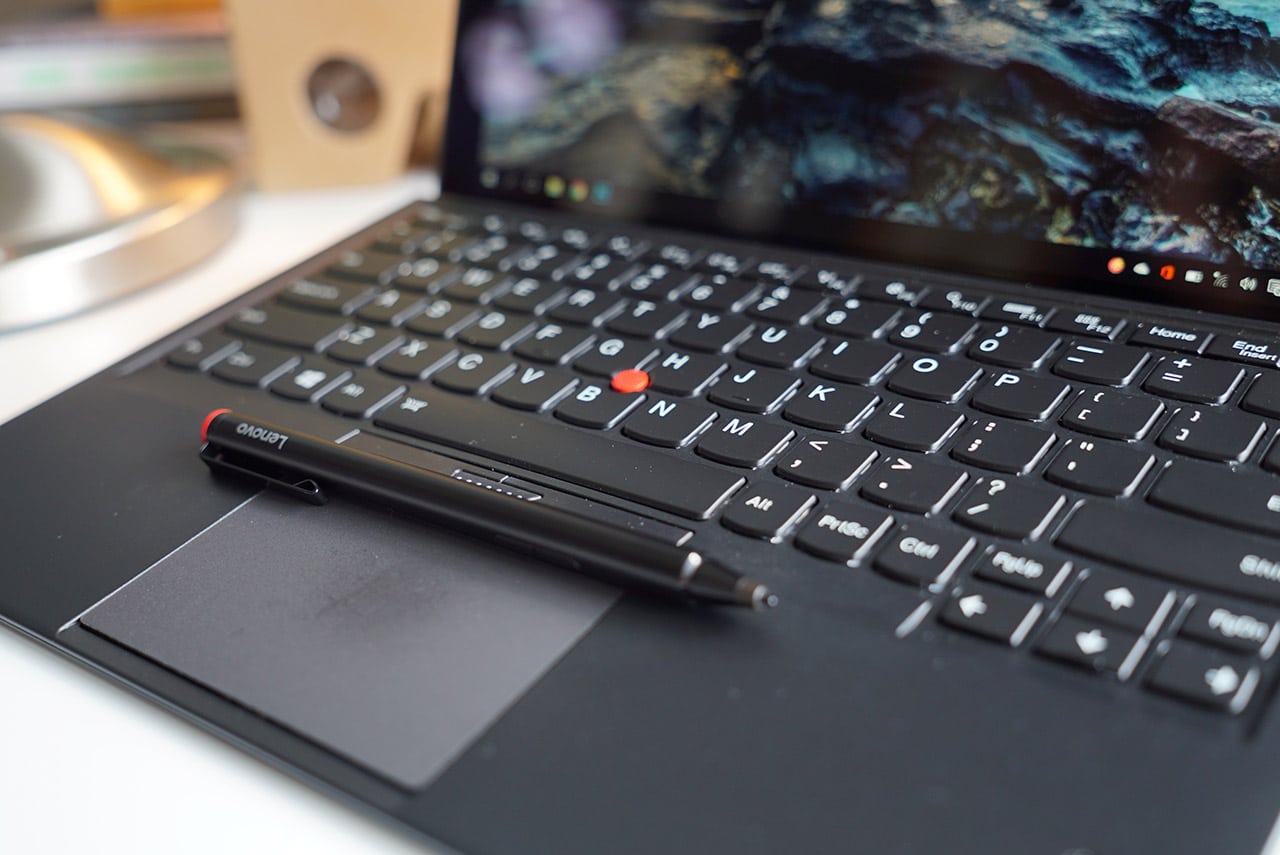
Artists shouldn’t give up their graphics tablets for this
The stylus pen is both a blessing and a bother. It’s great that you don’t have to plug it into a power source to charge, but you also have to go through the hassle of finding an uncommon AAAA battery to slide in once the bundled one is dead.
Using it to draw on the touchscreen is a slippery affair. Without any replaceable tips or added texture, the stylus glides across the display like ice. This is bad news for anyone who wants precise control over inputs, and if you want to backtrack on any mistake, there’s no eraser on the other end to save you. The good news is that it behaves like an actual pen, thanks to a thick body and 2,048 levels of sensitivity. On top of that, the stylus has built-in left- and right-click buttons that you can program to other functions on Windows.
Fortunately, the build we received is equipped with an Intel Core m5 processor and 8GB of RAM, making it more than qualified to handle Photoshop and some light video editing. We managed to make the X1 Tablet open a hundred high-resolution photos at once on Photoshop without trouble, and the tablet didn’t flinch when we began editing each one. There are variants with a weaker Core m3 or faster Core m7 installed, but the one we have here seems suffice for everyday tasks. The 256GB SSD that came with our unit is also recommendable, since Windows 10 takes up a lot of space and you can easily eat up more once all your videos and apps are imported.

Multimedia consumption is a mixed bag
We can summarize this section in two parts: The available ports make connectivity on the X1 Tablet seamless, but the 12-inch display and stereo speakers don’t do their ends of the job.
With so many manufacturers relying on a sole USB Type-C port for charging and plugging in peripherals, it’s such a breath of fresh air to see the X1 Tablet offer a full-sized USB port, USB Type-C port, an audio jack, and Mini DisplayPort. The USB port accepts all those flash drives stored in your desk drawer, while the Type-C port is used for charging, as well as future-proofing in case every single company begins focusing on USB-C as the only standard.
It’s those things that push the X1 Tablet into laptop territory, but it’s a shame it doesn’t leap in terms of visuals or sound. The stereo speakers, in particular, are a lot weaker than what you’d find on much smaller smartphones. And in spite of its 2160 x 1440-pixel resolution, sharpness and strong color reproduction seem lost on the display. Plugging in external speakers and pumping up the brightness to maximum are prerequisites to movie watching.
If you want to get fancy, Lenovo is selling a presenter module for $279 that can shoot a 60-inch projection from about two meters away. We weren’t able to try it out ourselves, but we can say with certainty that it’s a hefty investment, so consider your lifestyle and living space before spending the extra cash.

Built for travelers
Something all users are going to appreciate is the adjustable kickstand at the back of the tablet. You can adjust it freely without set positions or help from the keyboard attachment. The stand is also wide enough to sit on your lap as long as you keep your legs together. And even with the keyboard attached, the whole thing is feather-light for a laptop replacement at 1.1kg.
Behind it, you can find slots for a microSD card and SIM card. Anyone who transfers photos from a camera during a trip and needs a data connection to instantly upload online knows how vital these two slots are. If for some unfortunate reason your camera is unusable, there’s a decent 8-megapixel camera with LED flash at the back of the tablet to help out – just don’t expect any miracles.
And now, we must ask: How’s the battery life? To be frank, it’s average compared to all the other tablets and laptops we tested. With mixed usage, which involves streaming TV shows, surfing on Chrome, and editing on Photoshop every now and then, the X1 Tablet can last a little less than five hours on a full charge. What’s impressive it how fast the tablet charges, able to achieve an ample amount of juice in only 30 minutes of charging.
Like the presenter module mentioned earlier, the productivity module costing $149 comes to the rescue. Lenovo claims it can add an additional five hours to the battery life, which means it would double the endurance if it works as advertised. We highly recommend purchasing one if you plan to work far from a wall socket; plus, it provides additional USB 3.0 and full-sized HDMI ports.
Fun in a block
You really can’t tell by the industrial design and blocky exterior, but the X1 Tablet is more fun to use than it looks. And by fun, we mean it doesn’t give you a headache when you make it work. In typical ThinkPad fashion, the tablet simply takes all the tasks you throw at it and performs. You don’t have to put much thought into using it, such as charging the keyboard or stylus. Snapping the keyboard on and adjusting the angles are straightforward, and once you begin typing, you forget for a moment that it isn’t an actual notebook.
Again, you can’t rely on it for pure multimedia consumption. The battery life and audio-visual outputs just don’t hold up. Lenovo probably noticed these weakness during the production stages, and hence, we have the productivity and presenter modules to fill in the cracks. The pair of attachments actually bolster the functionality and make the tablet a true entertainment device, but you’ll have to pay the hefty price.
(Notes: The ThinkPad X1 Tablet package Lenovo sent us came with the tablet itself, attachable keyboard, and stylus pen. According to Lenovo, if you purchase the variant costing P83,990 in the Philippines, it’ll come with everything we mentioned, plus the productivity module. Elsewhere, the X1 Tablet’s price begins at $1,029 for the entry-level Intel Core m3 variant, and it costs around $1,299 for a Core m5 build similar to what we have.)
[irp posts=”9152″ name=”Lenovo gets serious about AR with New Glass C200″]






Accessories
Thoughtful gift ideas for modern living: 2025 holiday gift guide
Gift ideas that feel intentional and considered


The best gifts aren’t impulse buys nor extravagant. This year’s holiday gift guide is about giving with intention. Each pick was chosen not as a novelty, but as something that adds value to your loved ones’ lives. They support routines, encourage rest, create shared moments, elevate everyday comforts, and provide peace of mind. These are the kind of gifts that feel considered, personal, and truly meant for the person receiving them.
Peace of mind, wherever the day goes

OrbitKey Travel Sling (3L), US$89.90
This sling is designed for moving through the day feeling organized and secure. Along with its compact, structured layout, it includes RFID-protected pockets that help shield cards and personal information from digital theft. It’s ideal for both commuting and traveling and comes in Black, Stone, and Terracotta.

Statik TireHero Smart Tire Pump, US$69.99
This is the kind of gift that helps people feel prepared rather than reactive. Compact and easy to use, it quickly inflates tires at home or on the road. A small tool that offers real reassurance, it’s especially useful for drivers and cyclists alike.

ExpressVPN Aircove Go, US$169.90
This pocket-sized router creates a secure, VPN-protected network anywhere, making public Wi-Fi far safer to use. Ideal for travelers, remote workers, or anyone handling sensitive information on the go. It’s small enough to travel with but powerful enough to protect privacy beyond the home.

OrbitKey Foldable Duffel, US$49
Having an extra bag when you didn’t know you need one can remove a surprising amount of stress and unnecessary expenses. This duffle folds down flat for easy storage, then opens into a 55L bag when packing gets too ambitious and you’re being charged at the airport for your overweight suitcase. It’s reliable, flexible, and quietly reassuring to have on hand.
Thoughtful tech for home and productivity

Native Union WEIGHTER, starts at US$29.99
Sometimes the smallest upgrades make the biggest difference. This weighted desk accessory keeps charging cables from slipping out of reach, reducing friction in everyday routines. It’s a subtle but satisfying improvement for someone who works from home or their messy night stand. It comes in Black and Sandstone, and two models: 1 Cable and 3 Cables.
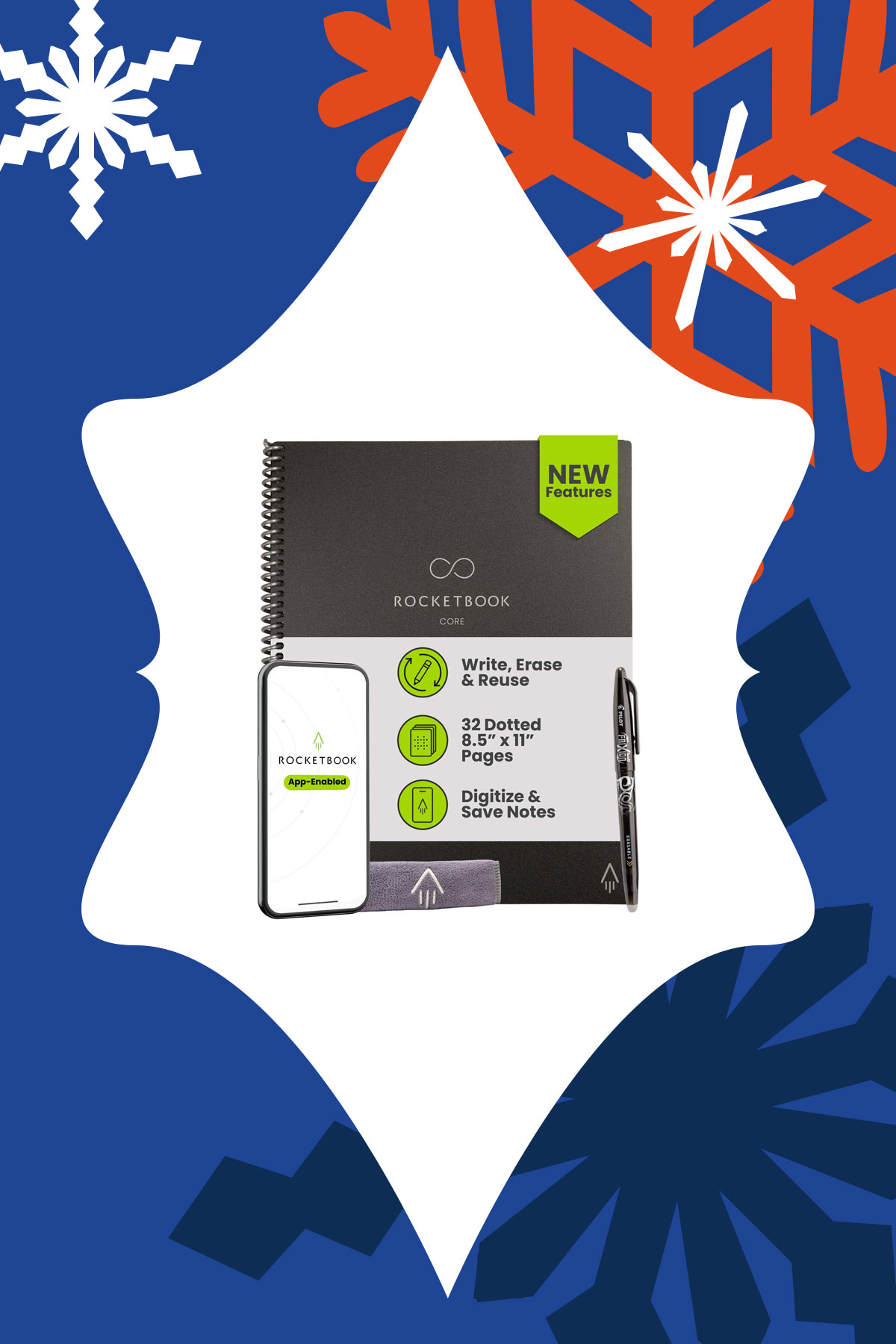
For someone who loves writing by hand but also wants their notes organized digitally, this reusable notebook allows handwritten notes to be stored in the cloud. It’s great for planners, students, even creatives that don’t want clutter. It combines the satisfying tactility of pen and paper and digital convenience.
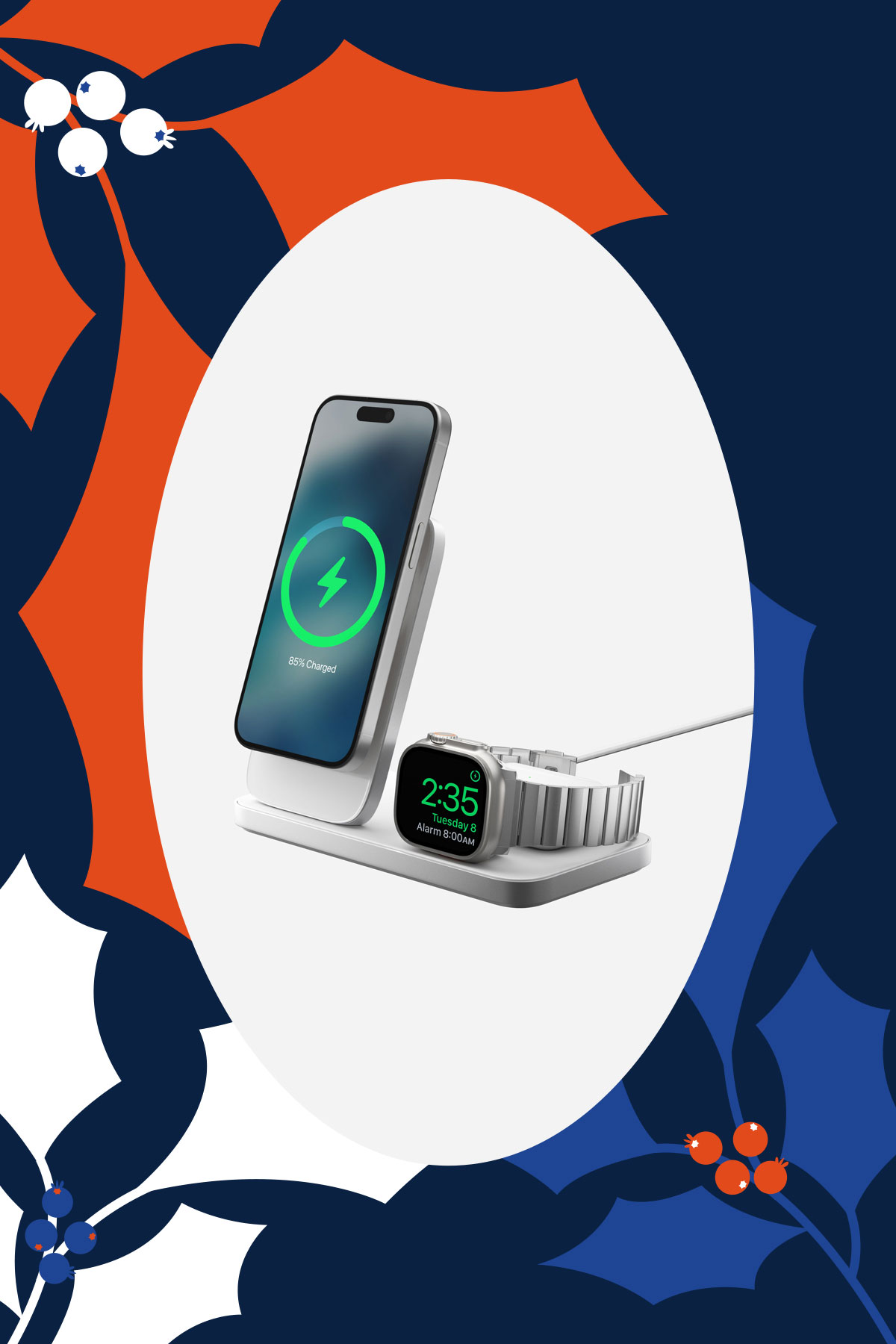
Built with Qi2 25W, this charger brings calm to the end of the day. With one solid, beautifully weighted base, it charges the iPhone, Apple Watch, and AirPods in one place. It reduces clutter and decision-making, turning charging into a simple ritual.
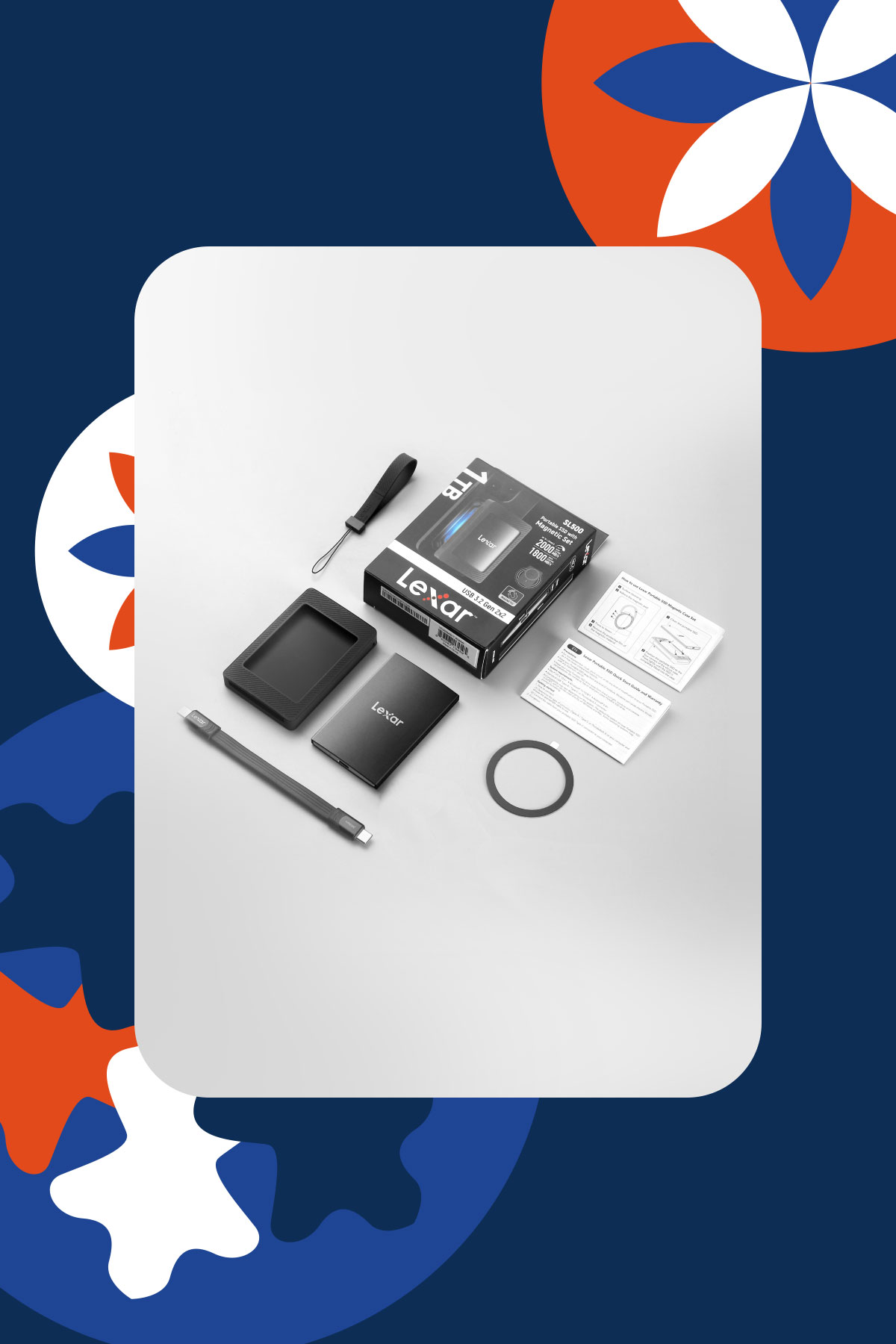
Lexar SL500 Portable SSD with Magnetic Set, starts at US$105
Extra storage becomes invaluable once someone starts creating, traveling, or documenting more of their life. This portable SSD offers fast, reliable storage with a magnetic sleeve that makes it easy to attach and carry. It’s ideal for backing up photos, videos, and important files without fuss. It’s a practical gift to support that creative in your life and help them stay organized.
Rituals, wellness, and slowing down

Üllo Original Wine Purifier, US$79.99
For someone who enjoys a glass of wine as part of winding down but hates the headaches that come after: Üllo removes sulfites while aerating the wine. It helps enhance the flavor and aroma of wine while being gentler for those sensitive to additives. Add the hand blown Decanter that’s made from ultra transparent lead-free crystal to make any bottle taste fancier.

La Jolie Muse Season of Stories Trio Set, US$60
With artful vessels and clean-burning soy wax, these candles feel as much like decor as they do self-care. The scents are cozy and ideal for winding down or hosting. It’s a gift that invites pause.

LEGO Botanicals, starts at US$14.99
A calming, screen-free build that becomes a beautiful piece of home decor, each set invites someone to slow down and enjoy the process. With flower bouquets, bonsais, and plants to choose from, it’s a satisfying project that brings a sense of completion without the upkeep of real plants. As an added bonus, if you can build it together it turns the gift into a shared memory, so every time they see the finished piece, they’re reminded of the time you spent creating it together.
Small joys, big upgrades

SURI 2.0 Electric Toothbrush, US$135
This device makes an everyday habit feel more intentional. Created with sustainability in mind, it’s a sleek yet practical gift that elevates anyone’s bathroom shelf. It’s got wireless charging and the redesigned travel case powers UV cleaning on the go. It comes in five colors: Winter Fern, Sea Mist, Sunset Bloom, Midnight Black, and Morning Waves.

This portable projector makes it easy to turn any wall into a big screen. You can give the gift of a quiet solo night for someone who needs to decompress from work, or movie nights shared with their loved ones. It’s great for a cozy home setup this winter or the outdoors when the weather starts to get warmer.

Lighting is one of the most overlooked features in any space, but is truly transformative. This smart LED lamp creates soft, customizable ambient light that works indoors or outdoors. It’s perfect for someone who just moved into a new apartment, or that person in your life who cares about mood and intentional design.

Liiton American Peaks Whiskey Decanter Set, US$129
This glassware set transforms drinking into a sensory experience, whether on display or in use. It’s a great conversation piece and makes a nightcap more intentional. Place your glass in the freezer and get chilled and aerated whiskey in just 18 seconds thanks to its proprietary X1 Crystalline Chill Charge System. Made from lead-free crystal, the glassware is sculpted with the majestic U.S. mountain peaks: Mount Whitney, Yosemite, Smoky Mountains, Mount Rainier, and The Rockies.
For growing lives and staying connected

With fewer strings and a simplified design, kids can start playing real songs quickly without feeling overwhelmed. It builds confidence and creativity while introducing musical fundamentals. It’s a gift that supports learning through play.

This gift turns fleeting moments into tangible memories. With a few taps, photos on your phone become physical prints that can be shared, saved, and displayed. In an age where taking photos has never been easier, having physical prints encourages reminiscing without increasing screen time. It’s a wonderful gift for families and friends who love documenting life.

Arzopa Digital Photo Frame, starts at US$99.99
Bring warmth to someone’s home without requiring technical effort. This photo frame is great for that loved one who’s moved far away. Photos can be updated remotely, making it easy to feel closer despite the distance. It comes in two sizes: 10″ and 14″, both with a champagne colored bezel.
Editors' Choice
ICYMI: Everything big that happened in tech this 2025
From new consoles to potential corporate buyouts, a lot happened this year.


Where did 2025 go? The year felt like a whirlwind. In one moment, it was January, and then, after an excruciating blink, it’s December once again. Though it doesn’t feel that way, a lot of newsmakers happened in 2025.
And it’s not just all about AI. We saw so many developments in the world of technology, gaming, and enterprise. This, as with every year, is your one big ICYMI for 2025.
TikTok shuts down for a day
The year started with a dark interlude for the chronically online. For a single day right before the start of Donald Trump’s second term as president, TikTok went down in the United States.

The brief shutdown was in anticipation of a potential ban from the Trump presidency. It was sparingly brief, though. After a day, TikTok came back online, albeit with the added burden of finding an American buyer to fully stave off a definitive ban. The saga is still ongoing today.
Tri-fold phones have arrived
Last year ended with a potential teaser for the first tri-fold phone. The year then quickly started with its official launch. In February, Huawei debuted the Mate XT. The foldable smartphone features three screens and two hinges, creating the world’s first tri-fold device.
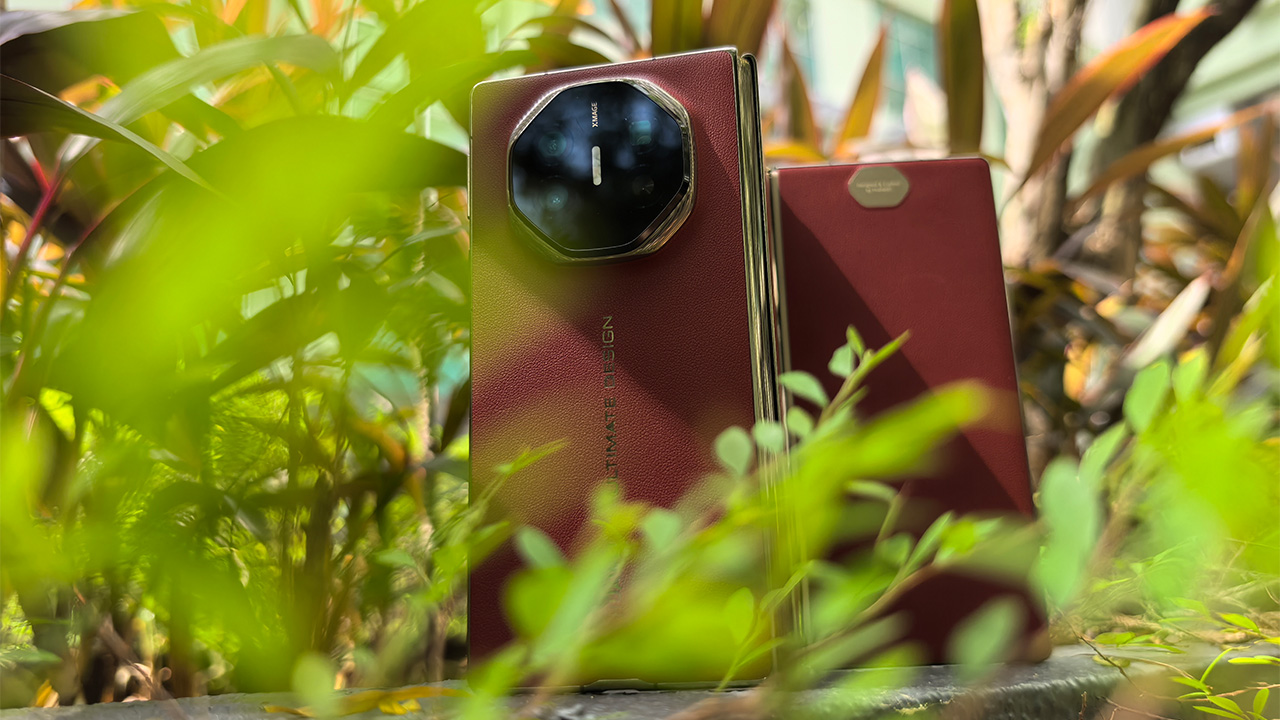
Currently, Huawei still holds a strong grip over the niche segment. However, the year was filled with rumors of future developments from competitors. This December, Samsung announced the strongest challenge to the Mate XT. The Galaxy Z TriFold is already available in South Korea and will debut early next year.
The Nintendo Switch 2 is here
Console gaming got a wake-up call this year. Nintendo has launched the much-awaited follow-up to the globally successful Switch. The Switch 2 immediately turned heads, promising a deserved upgrade to the dated predecessor’s hardware.

Plus, this is without massively changing the formula. The Switch 2 is more of a moderate upgrade, rather than an entirely new segment. It’s a classic example of “if it ain’t broke, don’t fix it.” And yet, the console is already on its way to breaking the Switch’s records.
Nano Banana takes over the internet
By the end of 2024, it was clear that AI has (and will continue to have) an iron grip over the world of tech. This year, generative AI photos and videos took the internet by storm, none more so than Nano Banana.


Nano Banana is a massively popular service that turns static photos into realistic figurines, among other uses. Everyone wanted to turn their photos real with the service, earning it one of the most used AI services this year.
Valve enters the console wars
The Steam Deck is still a popular option for handheld gaming consoles. But that segment is only a portion of the entire gaming industry. Now, Valve wants to have its hands in more niches. Earlier this year, the company announced the upcoming Steam Machine.

As opposed to the portable Steam Deck, the Steam Machine is meant for desktop use. A dedicated mini-PC for gaming, it aims to introduce more affordable rigs for beginning gamers. Though it’s still slated for next year, the Steam Machine is already making so many waves for gamers.
Silksong is finally out
As is evident from the recent Game Awards, Clair Obscur: Expedition 33 owns this year. However, one massive title deserves its flowers, too — Hollow Knight: Silksong.

After six long years, Team Cherry, the developer behind the original Hollow Knight, finally released the much-awaited sequel, Silksong. Even if you aren’t a fan of the series, you would have definitely felt its palpable effect. On the day of its launch, players who sought to buy the title simultaneously caused all major platforms, including GOG and Steam, to crash. It also helped that the game itself was a masterpiece of a sequel.
RAM sales are going up
Even if you’ve successfully avoided the nauseating flood of AI-powered features, the pull of AI is now affecting the entire industry. As of late, the prices of RAM skyrocketed due to the demand put forward by AI data centers.
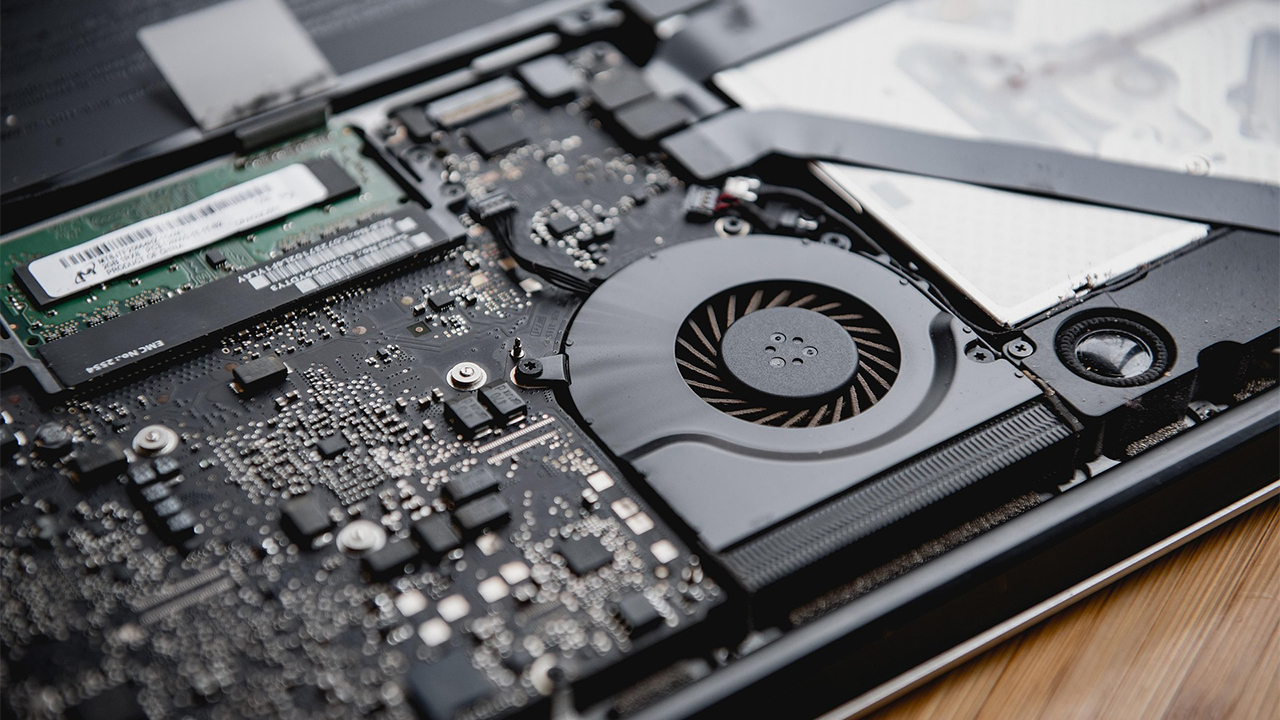
Unfortunately for everyone, the trend means that consumer chips will escalate beyond what people are usually comfortable paying for. And it’s not just for those building a PC, either. Smartphone makers, including Xiaomi, are already predicting that phone prices will also spike next year.
Netflix bids for Warner Bros.
Almost like a post-credits scene, Warner Bros. and Netflix made a huge splash this December. Earlier this year, Warner Bros. Discovery decided to put the first half of its name up for sale. The company will split into Warner Bros. and Discovery next year.

This month, Netflix made a blockbuster bid to claim the Warner library for itself. Of course, there’s still a lot of legal hurdles before the deal pushes through. But, in its wake, the announcement heralds a future where one of the biggest entertainment libraries in the world passes to one of the biggest streaming services.
What should we look out for in 2026?
There isn’t a single thing that binds 2025 together. There are so many different developments in the whole industry, some good and some bad. However, it’s pretty clear that what happened this year will have big effects for 2026.
For one, we still need a conclusion to the Warner Bros. saga. Who will buy the library? Does Netflix have it locked in?
Secondly, how will the rising RAM prices affect consumer technology? Which industries will feel the sting of price hikes?


Consumers are getting far more from even cheapest smartphones today. Think decent cameras, improved water and dust resistance, and even basic AI integration.
Still, always keep in mind that these are budget devices. The key to appreciating them is knowing their limits and intended purpose. That does not mean all budget smartphones are cut from the same cloth.
From unique features to niche-specific strengths, standout affordable handsets throughout the year prove budget-conscious buyers don’t need to spend a fortune to get more from their devices.
Across categories — from rugged builds to gaming-focused designs — here are the Best Budget Smartphones of 2025:
realme C85
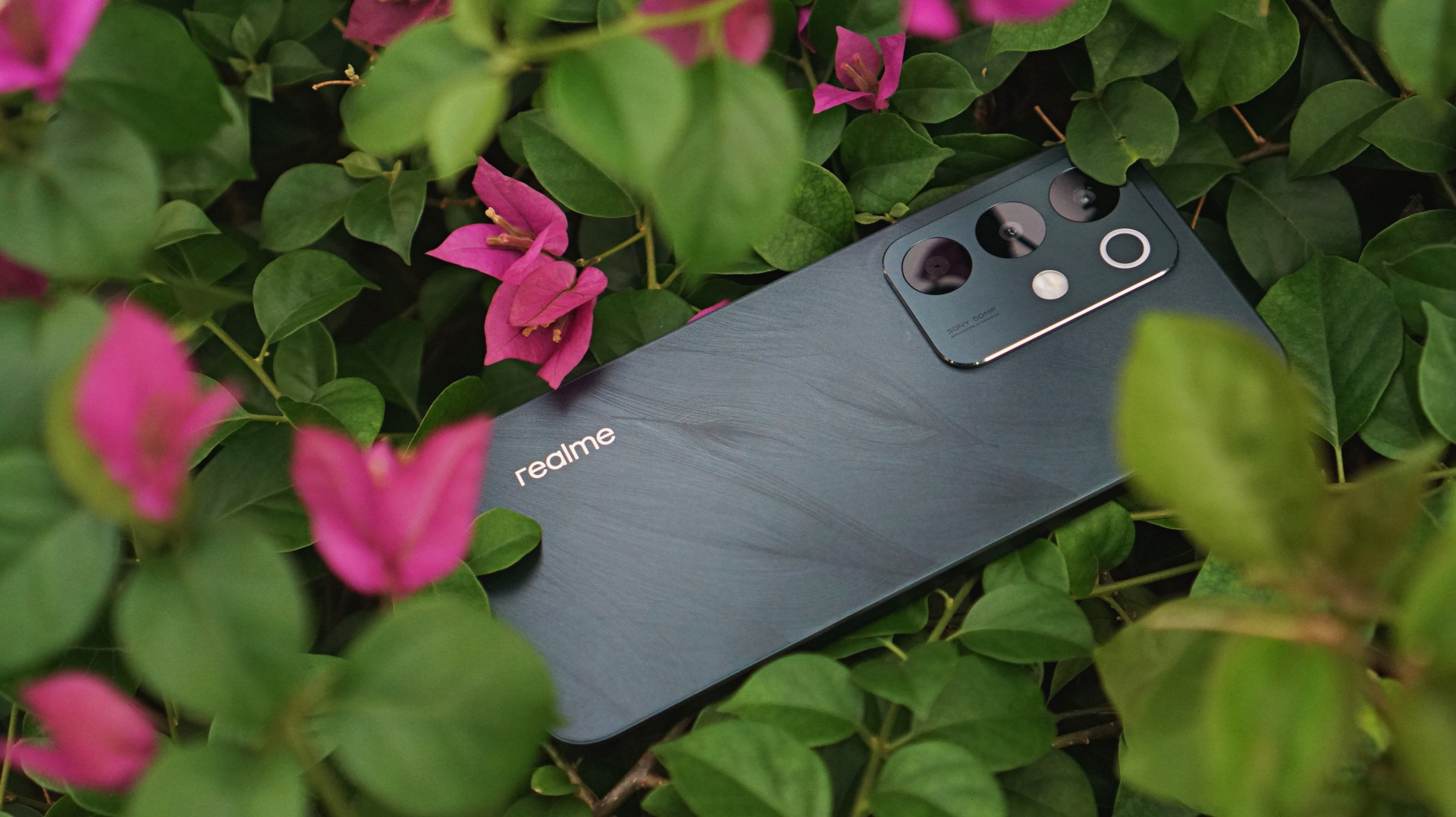
The budget segment has become some sort of battleground proving how tough and long-lasting the smartphones can be. The realme C85 confidently enters the competition with some swag.
It sports a subtle but notable back design while offering water resistance that won’t leave you worried if you, for whatever reason, subject it to some splashing.
Performance and camera capability is… decent. Par for the course for any smartphone in its price category.
Infinix GT 30

Like its lower midrange sibling, the GT 30 Pro, the “standard” model brings steady gaming performance and extra perks to the table.
What makes the Infinix GT 30 an essential daily carry is primarily its optimized performance and battery consumption.
It handles the most demanding mobile games at lower settings and breezes through light multitasking and other uses without hiccups.
The immersive display is a steal for about US$ 200, and the main camera is likewise capable enough for more than documentation.
nubia Neo 3 series
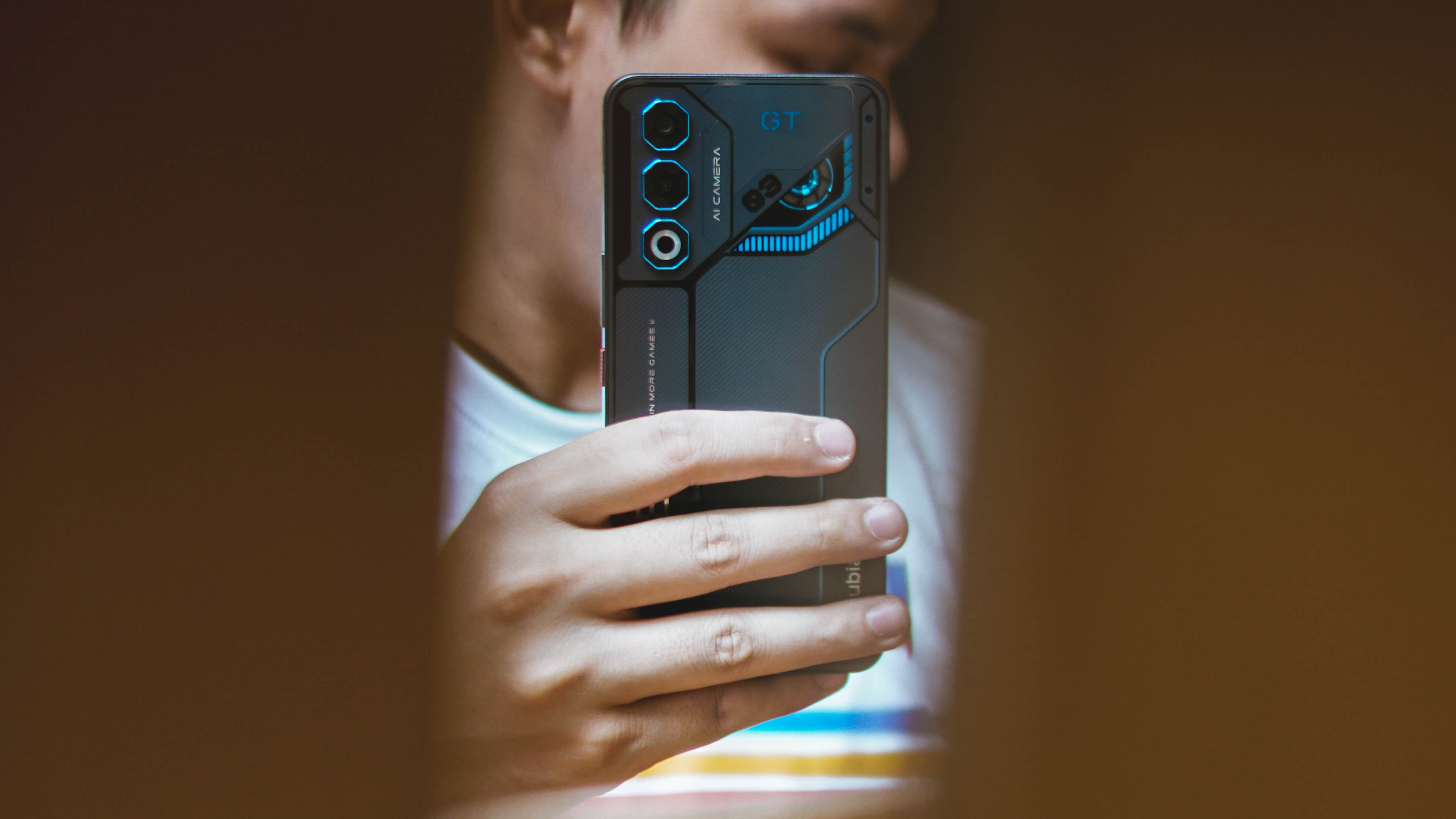
Among ZTE’s releases this year, the nubia Neo 3 series as a whole stands out by delivering solidly on what their marketing promises. Designed chiefly for gaming, the Neo 3 and Neo 3 GT both perform well on that front.
Performance is complemented by a sharp and clear display. The 50MP camera on the Neo 3 GT is a bonus, edging into lower midrange territory with the way it processes shots.
The cybernetic mecha design is just a fun plus for those who prefer such a look, but these phones are all about delivering on what matters.
HONOR X7d
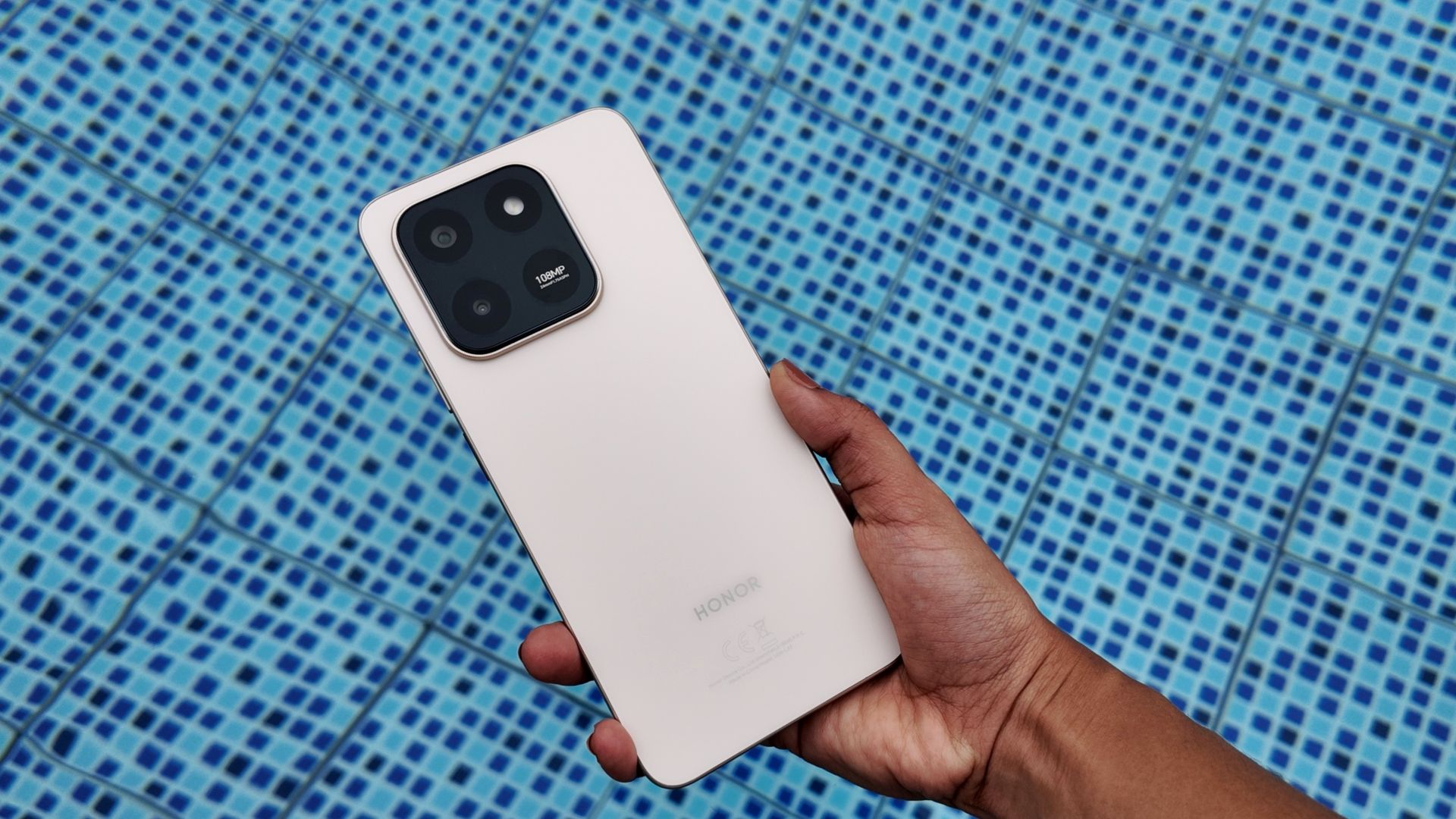
The HONOR X7d is HONOR’s latest all-around budget utility device. What’s great is that while you don’t expect it to overperform, it consistently delivers.
We’ve mentioned value-for-money several times but it’s exactly what the X7d is all about: straightforward dependability. Plus points for AI integration, a serviceable camera, spacious internal storage, and features you don’t find often elsewhere like HONOR to iPhone file sharing.
TECNO Slim

The iPhone 17 Air was kind of a bust commercially. But it didn’t stop Android manufacturers from turning in their take on super skinny smartphones. The kicker? They’re A LOT more affordable than what the Cupertino company has to offer. Leading the charge is the TECNO Slim.
This Baymax-coded offering from TECNO has similar strengths and drawbacks to the iPhone 17 Air but undercuts it heavily with a US$ 200 price tag.
The TECNO Slim is a smexy, antifragile slim smartphone that delivers the basics while letting more users experience a crazy thin build.
nubia Air
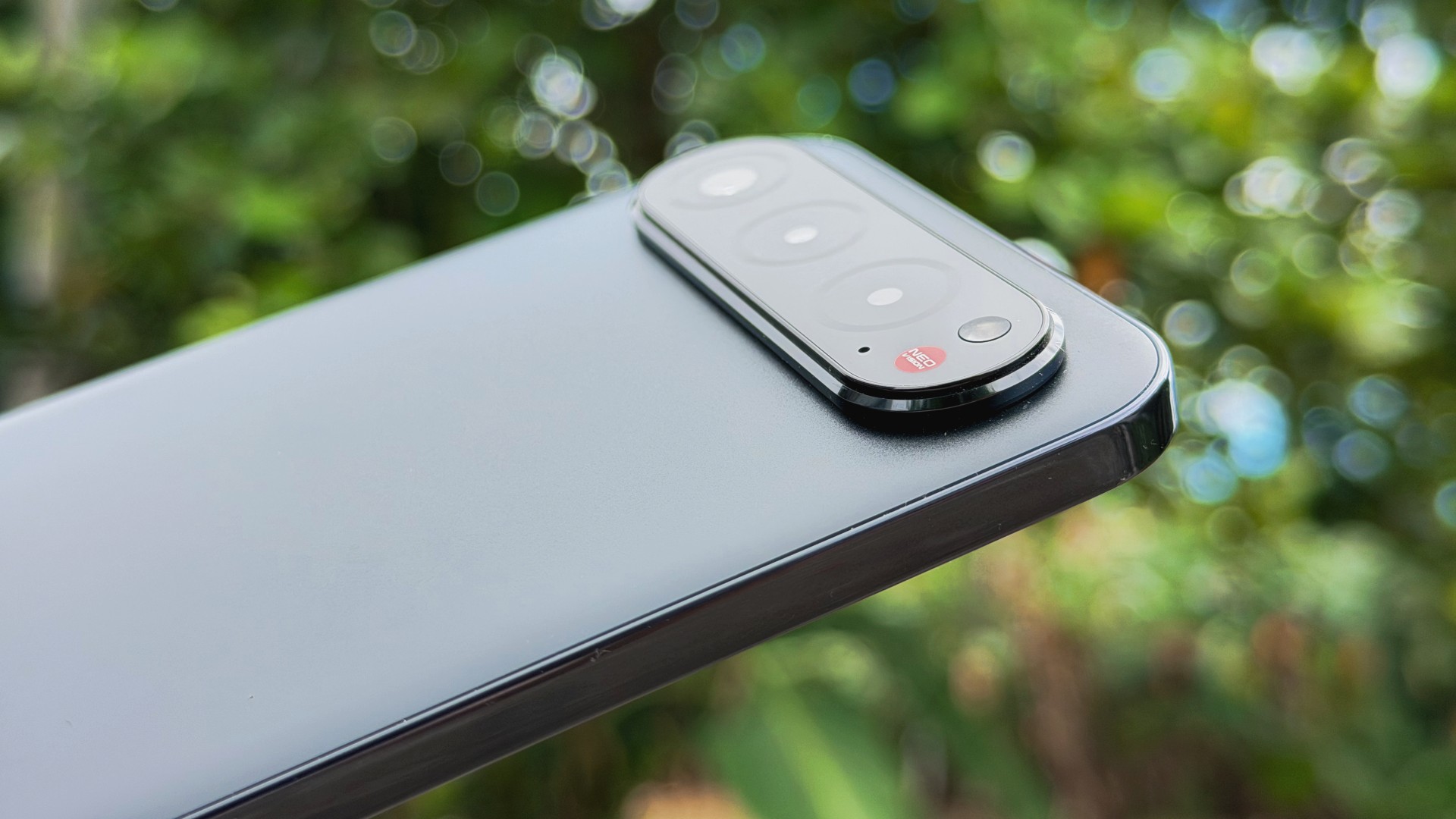
The nubia Air pretty much follows the same refrain as the TECNO Slim. A slight but premium-feeling build that won’t burn a hole in your wallet.
It’s 5.9mm thin and 172g light yet it’s surprisingly solid. Casual users will enjoy smooth performance, the display is bright and immersive, and the battery easily lasts a full day.
The sleek finish and refined look gives it a cooler and more premium feel in hand as well, making everyday use just a bit more stylish if that matters.
Redmi 15C
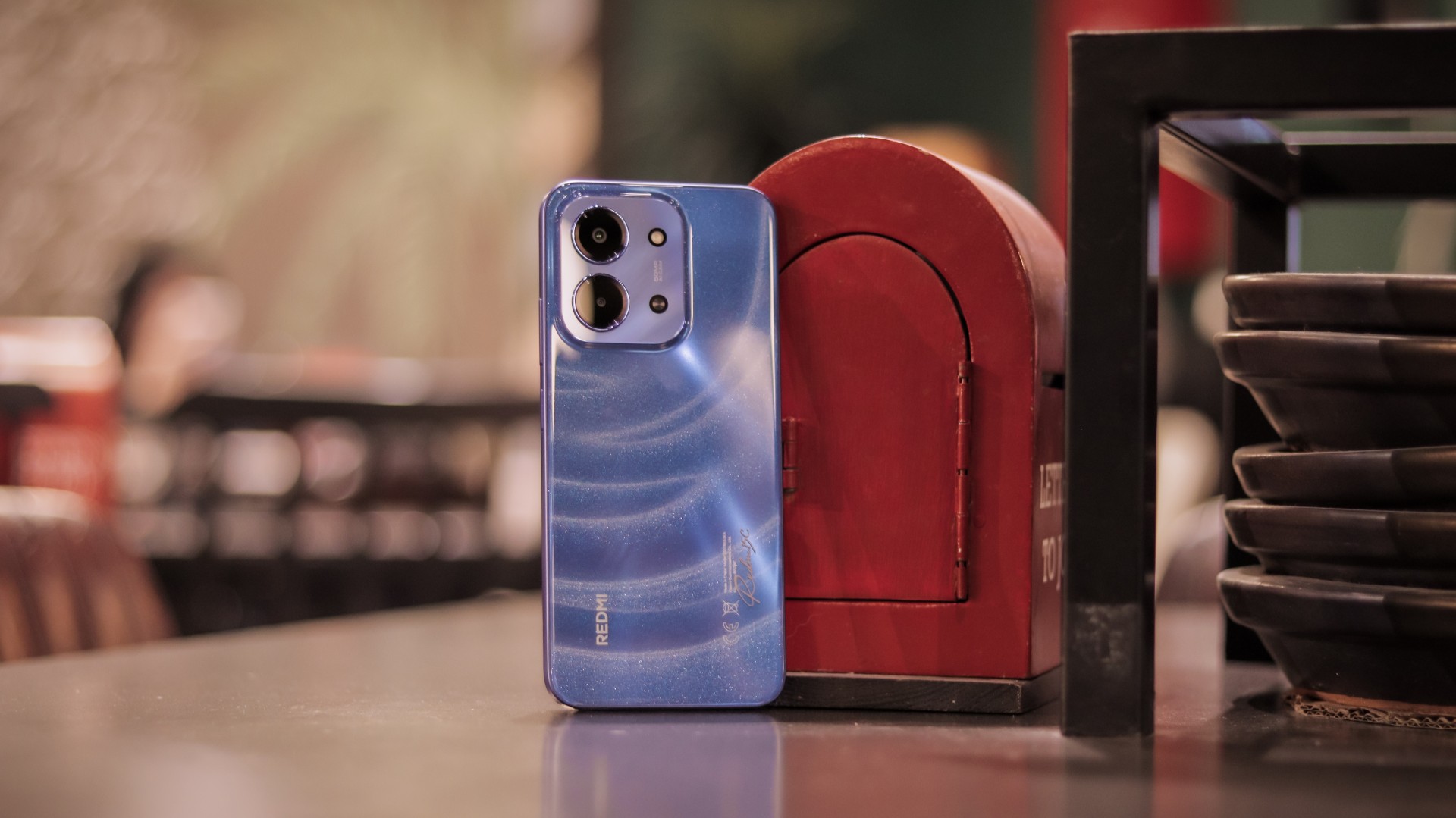
Lastly, the Redmi 15C continues the Xiaomi sub-brand’s tradition bang-for-buck devices. This particular release appeals to buyers with a large display, long battery life, and reliable performance.
It’s as stunning on the outside as it is dependable inside. Scrolling feels smooth and responsive. The camera package feels consistent for its asking price.
Overall, it handles basics with ease and can still stay steady under pressure at times — proof that even at the lowest price tier (starts at PhP 5,299), there are options that can exceed modest expectations.


OPPO Find X9 review: Super Swipe material!
This is the flagship smartphone that's ready for anything, just like you~


The Razer BlackShark V3 Pro might be the comfiest headphones I’ve tried
The memory foam cushioning is divine.


The Razer DeathAdder V4 Pro made me believe in wireless mice
I used to turn my nose up at ultra-light wireless mice. I preferred the heft of a traditional mouse. The...

Crunchyroll Winter 2026 anime season lineup and schedule

Binge-watch your favorite anime with this new Ani-One YouTube channel

2025 GadgetMatch Approved Devices

Thoughtful gift ideas for modern living: 2025 holiday gift guide
OPPO Find X9 review: Super Swipe material!


-

 Editors' Choice5 days ago
Best Premium Smartphones of 2025
-
 Accessories2 weeks ago
Kingston launches Dual Portable SSD with up to 2TB storage
-

 Editors' Choice5 days ago
Best Budget Smartphones of 2025
-

 Gaming1 week ago
Expedition 33 cleans house at The Game Awards: full list of winners
-

 Reviews2 weeks ago
How the Samsung Galaxy Z Flip7 fit the life I built from the ground up
-

 Deals2 weeks ago
12.12 PH top picks: OPPO, Infinix, Xiaomi, Dyson, Laifen, more
-

 Gaming2 weeks ago
Genshin Impact, Duolingo partner for limited-time quest
-

 Editors' Choice5 days ago
Best Midrange Smartphones of 2025