
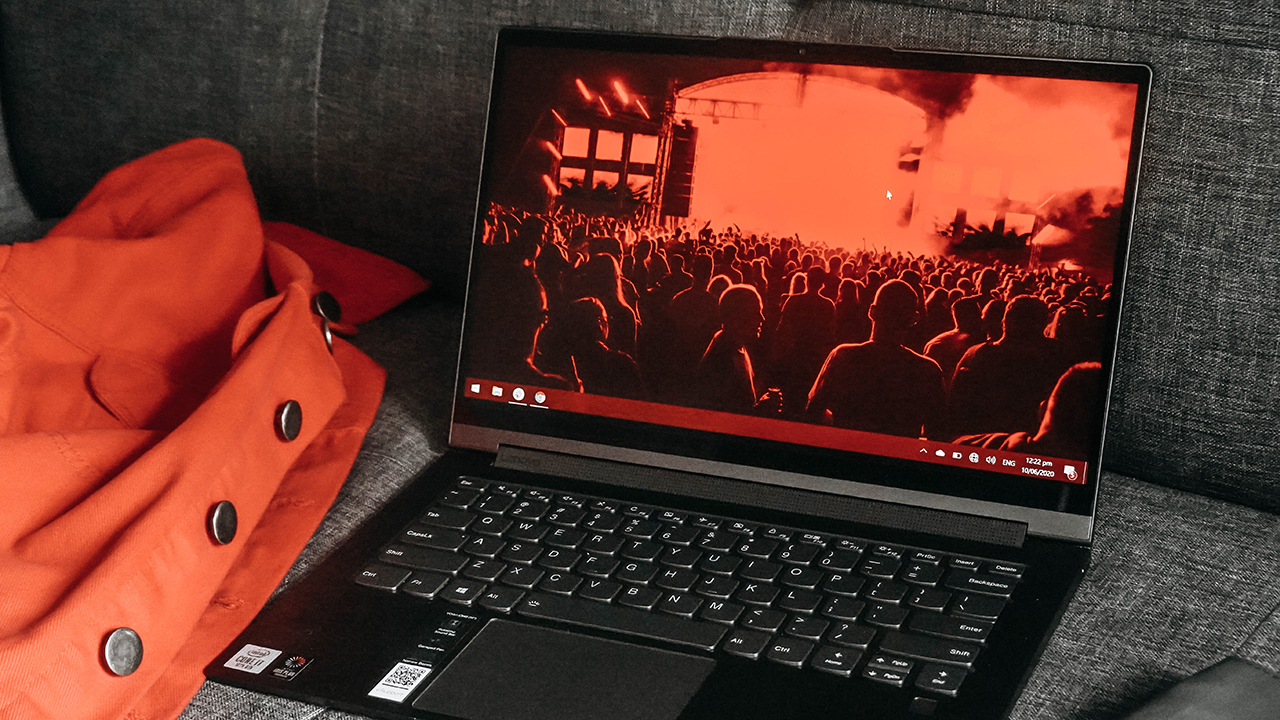

Laptops are more than just productivity machines — for the premium category, that is. It has cemented itself in our lives in different ways; a portable entertainment hub, a statement piece, and an avenue to a connected lifestyle.
For the upper-middle class and above, laptops aren’t just tools. They’re also accessories complementing their way of life. Such is the case for the Yoga C940 — one of Lenovo’s promising flagship consumer notebooks meant to suit anyone’s upscale lifestyle.
Lenovo’s most premium convertible
The Yoga C940 arrived in my home in a snazzy package. Held together by a black ribbon with a red branded tag, curiosity kicked in. When I unboxed the black box, I was greeted by the Yoga C940, together with its charger.
On top of the laptop is a gray leather notebook with a pen attached to its side. Next to it is a glass bottle with an inscribed cork cover that says “Time capsule. To be opened in 2050!”
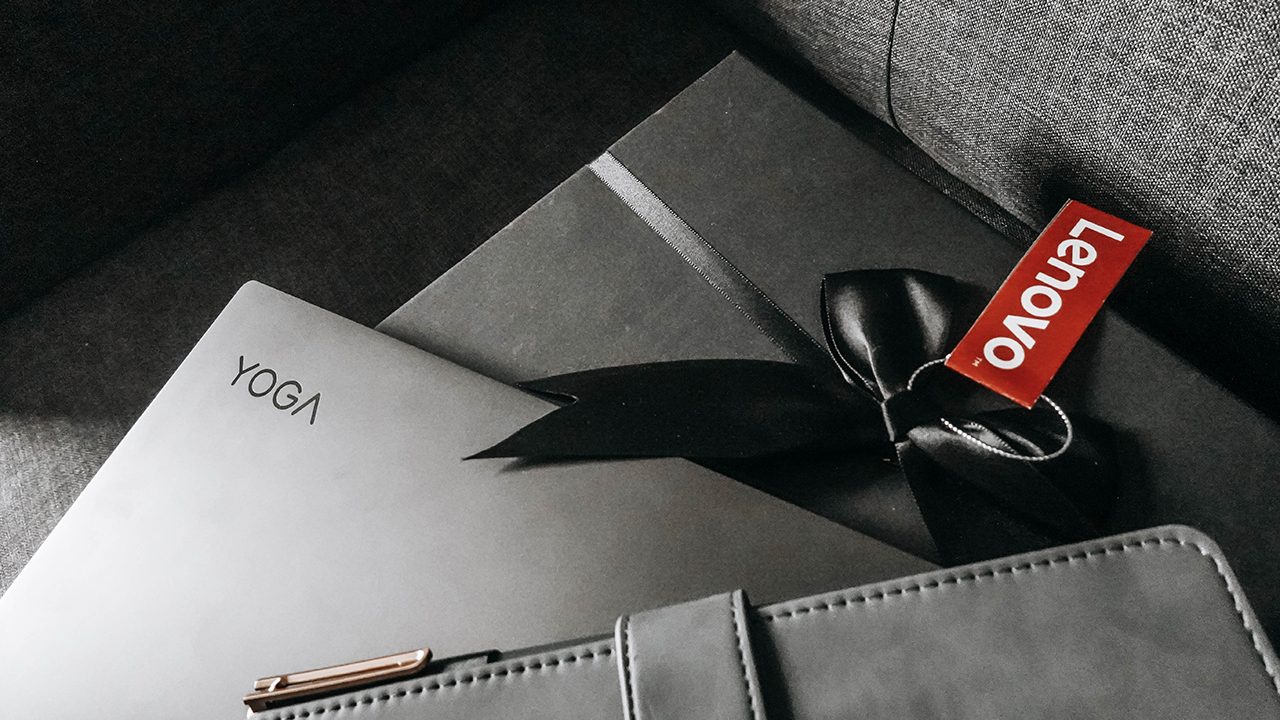
The thought Lenovo puts in crafting and presenting a beautiful package for a premium laptop is quite impressive. My expectations rose.
Lenovo’s Yoga lineup has a distinct aesthetic and it’s present in both the C and Y series. The Yoga C940 has a striking resemblance to the Yoga S940 — Lenovo’s other flagship Yoga that doesn’t flip. You might even wonder what’s so premium about it when it looks similar to another laptop?
Like a touch of your favorite designer clothes
The unit I have comes in Iron Grey. Some will argue it looks bland, but I beg to differ. This laptop knows its position in your life; complementing and elevating your style. It wasn’t meant to stand out with flashy colors or gimmicky features.
Rather, it shines through its intricate design and well-thought out details. Similar to the Dell XPS 13, it’s always the little things that make a big difference.
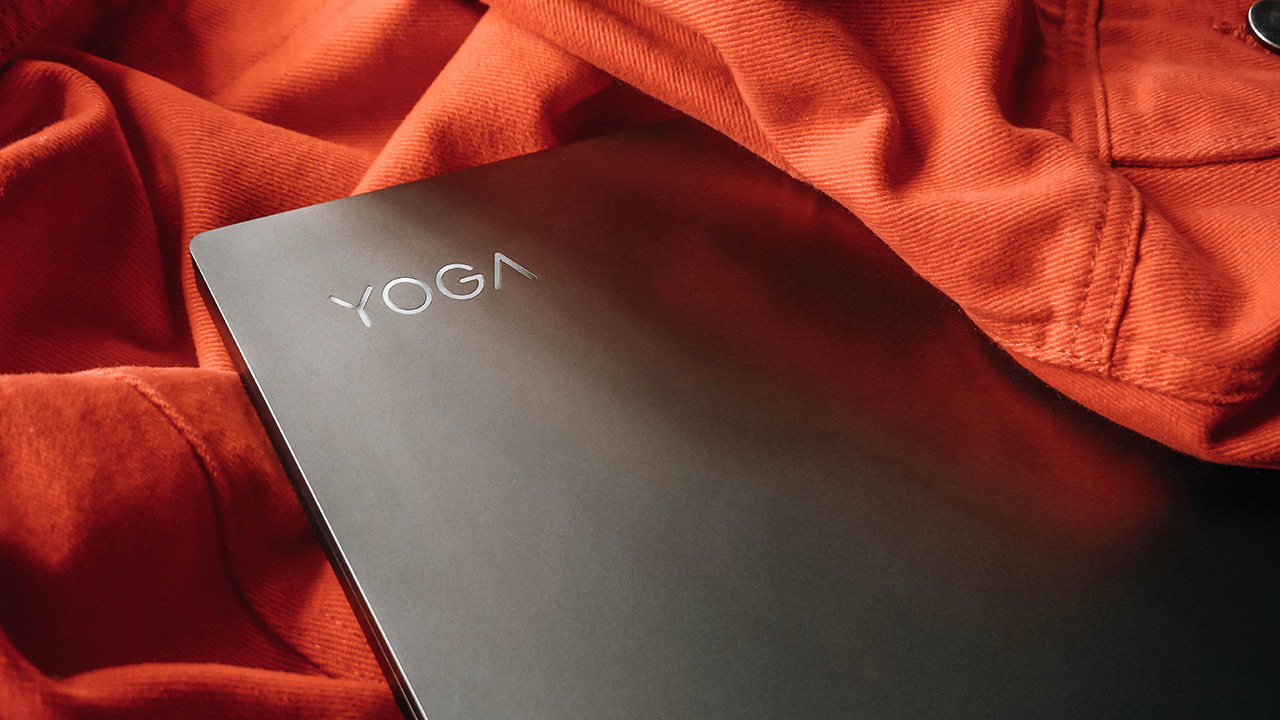
For instance, its engraved name shines when light hits from an angle. Its metal shell lids invites the gliding of your fingertips. It’s like brushing your fingers off a Valentino wool-silk scarf or Givenchy cashmere sweater.
There’s a certain high when your senses meet its light chassis; it’s like touching someone you’re passionate about for the first time.
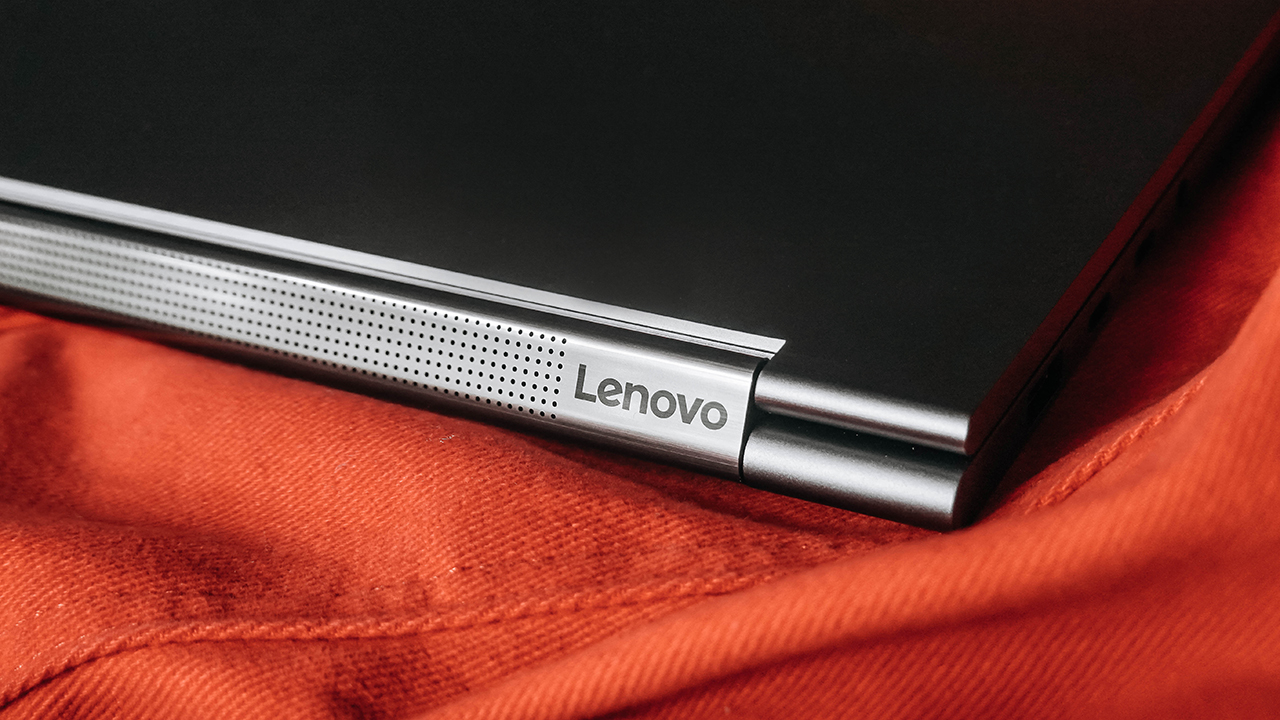
“Lenovo” is also inscribed on the extra space found on the edge of the soundbar. Yes, you read it right. This convertible used a soundbar for its speaker, built into the actual hinge of the laptop in place of using knuckles on opposite sides. It’s a step-up compared to its predecessor.
All the essential connection and protection you need
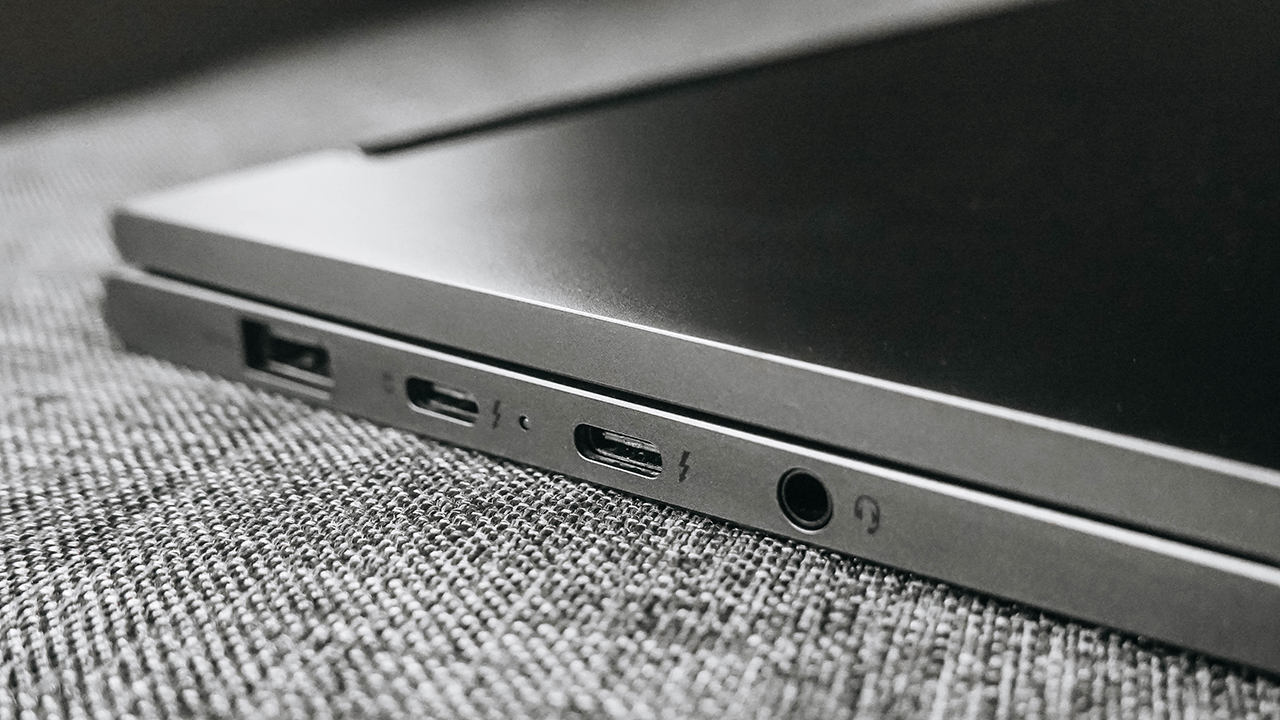
Moving to the left side, the Yoga C940 carried all the essential ports for your daily grind: a USB 3.1 Type A, two Thunderbolt 3 ports, and a headphone jack. Thankfully, Lenovo was polite enough to keep the USB Type-A, unlike what Dell and Apple did.
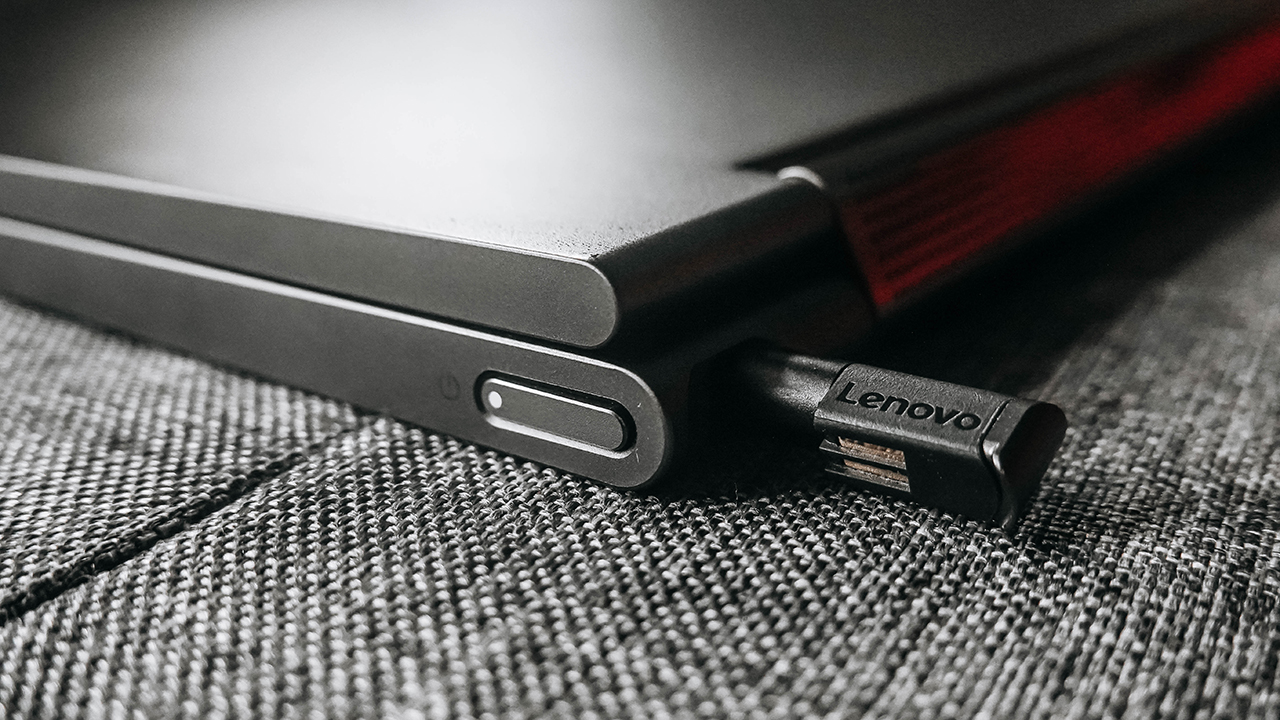
Meanwhile, its right side carried only the power button and nothing else. How I wish there’s a dedicated HDMI port or at least, an SD card reader. On the other hand, Lenovo’s “Active Pen” is garaged on its little silo behind the power button.
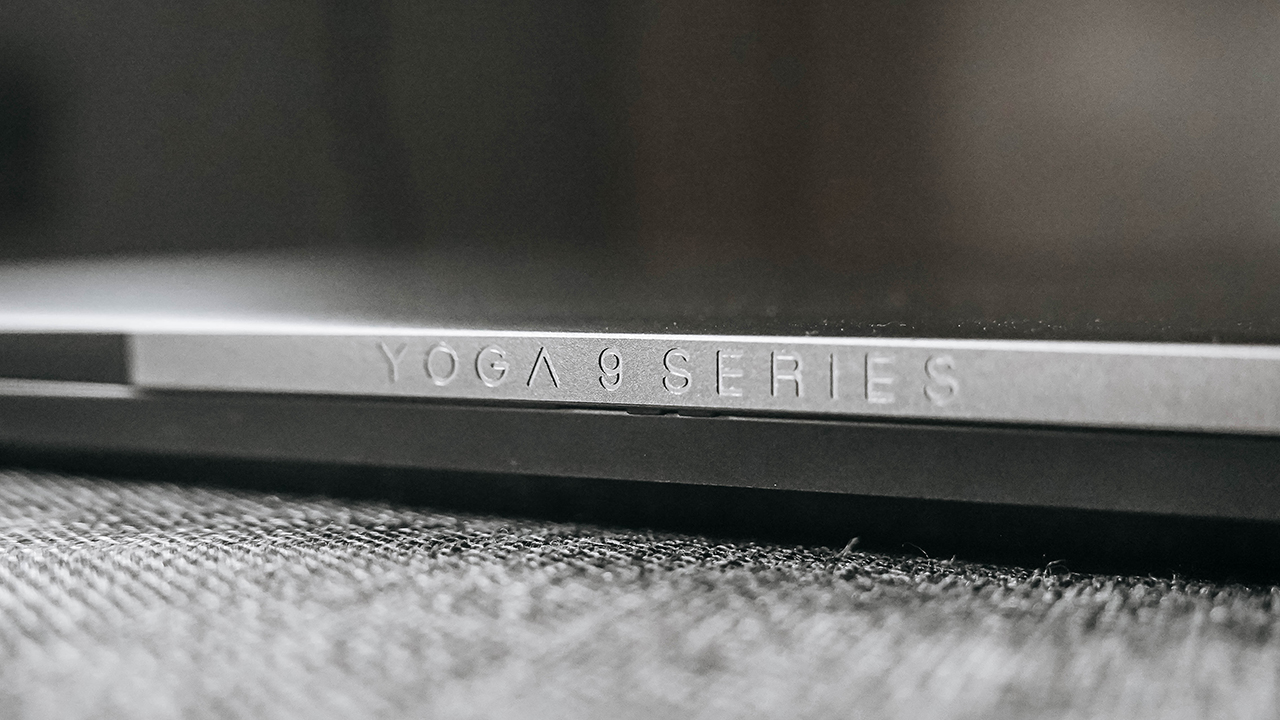
Another branding can be found on the laptop’s top. The “Yoga 9 Series” is etched on a small protrusion housing the laptop’s camera. It’s more noticeable when the lid is closed.
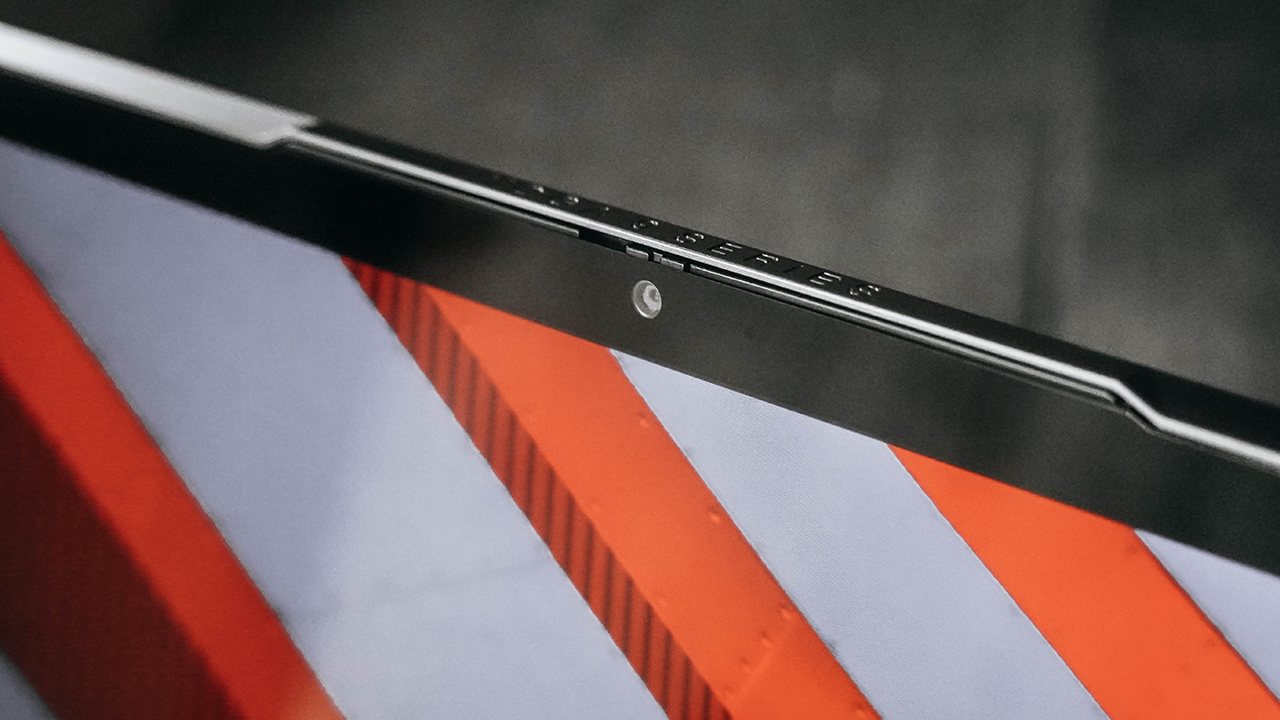
Lenovo is also high on security and privacy. If worse comes to worst and your camera is being remotely used to monitor you through spyware, you can protect yourself with its physical cover.
It’s highly becoming an essential, nifty feature among premium laptops, although Lenovo already had it on its ThinkPad laptops.
Simply exceptional
Holding the Yoga C940 invoked feelings of holding someone precious to you. There’s something about it that just felt like it demanded extra care. As my fingers caressed its gunmetal-looking body, I found myself being more gentle and soft with how I used it.
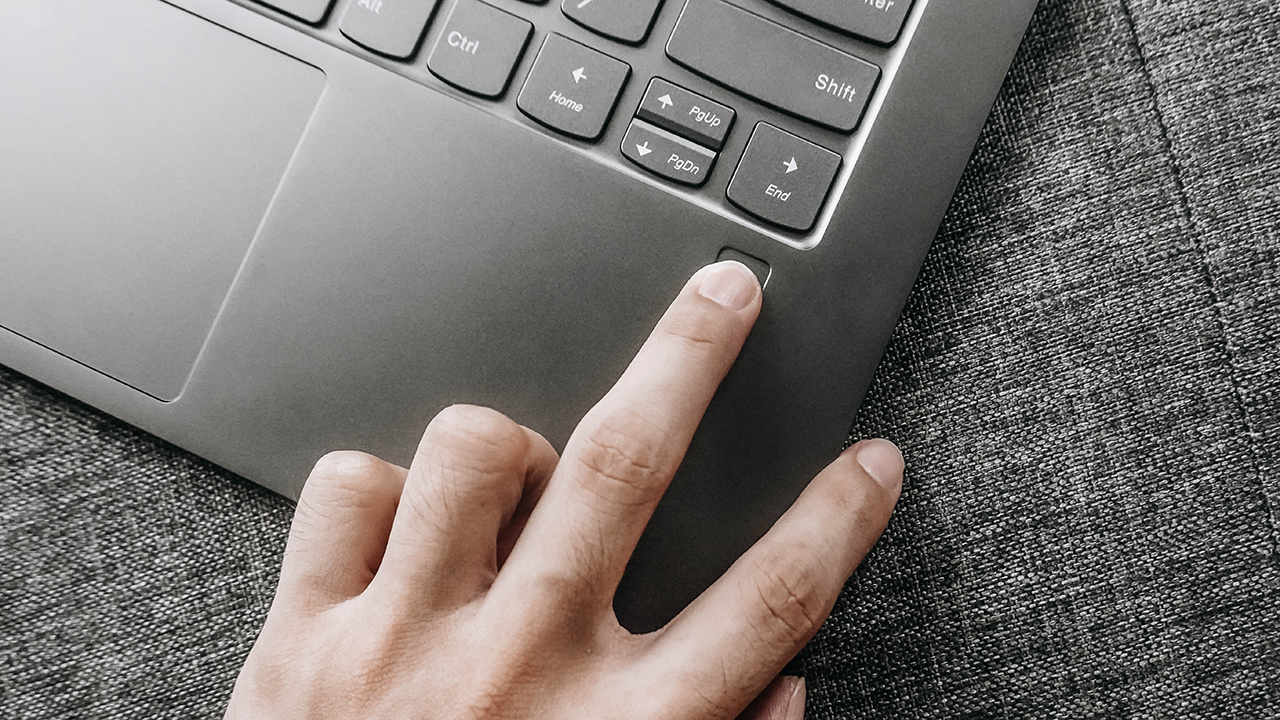
Everything in the Yoga C940 simply screams premium. Its fingerprint scanner found on the bottom right side of the keyboard works like The Flash. It instantaneously recognizes your finger and unlocks at a lightning speed. Astonishing!
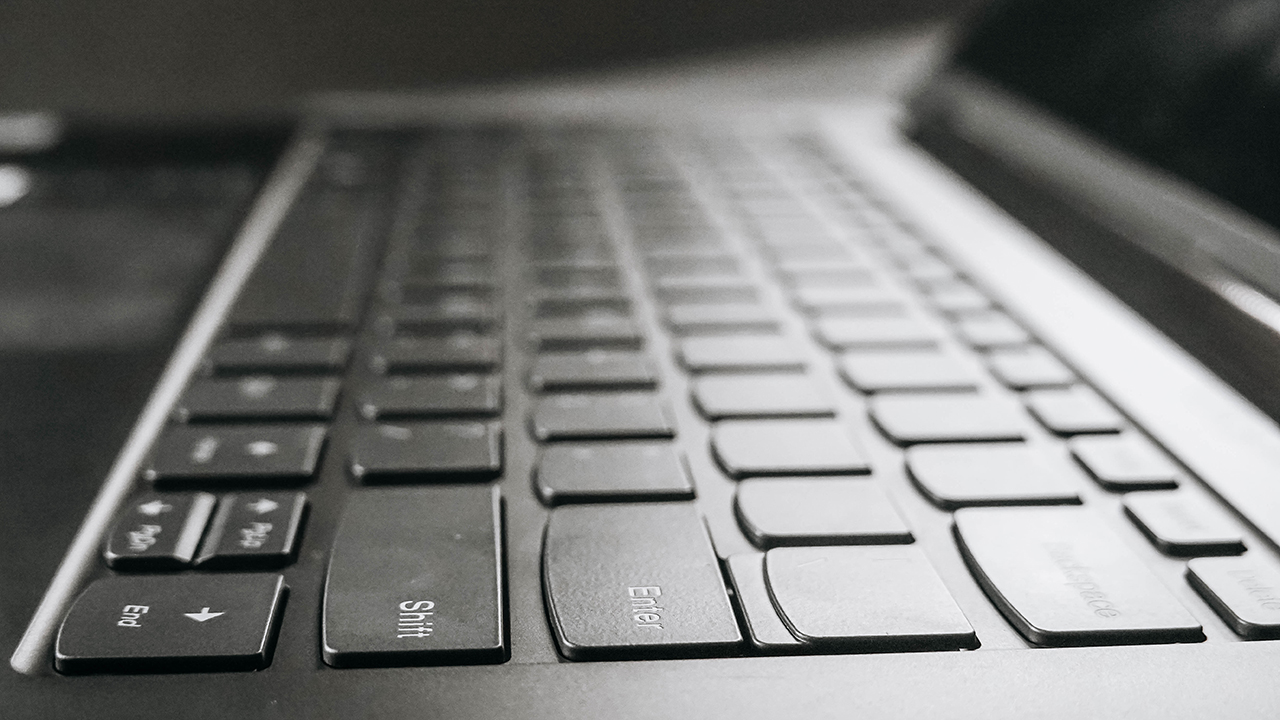
Moreover, the keyboard is breathtaking to use. I enjoyed writing my tablet and smartphone reviews in one sitting, simply because I loved typing on this handsome gizmo. As I’ve said before, it’s always the little things.
It’s the way every key felt like a cushion whenever I pressed my fingers, silently transcribing the words I want to say. The spacing, the travel, it’s… sensational. Honestly, I’m out of words. That’s how exceptional it is.
Unfortunately, the trackpad failed to be as remarkable. It was just like any Windows trackpad. While it’s large enough to offer wider tracking, its touch sensitivity isn’t as seamless nor smooth as its premium rivals such as the MacBook Pro and Dell XPS 13.
Keeping it loud and vivid
The Yoga C940 sits parallel to the Yoga S940. Both are flagship laptops bearing similar looks, yet designed distinctively to indulge different consumers. The Yoga S940’s slim and flagship prowess made it the perfect companion for business travelers and creators on the go.
Meanwhile, the Yoga C940’s convertible design accommodates a wider range of consumers. For starters, Lenovo integrated a soundbar, simplifying its hinge while promising stellar audio experience.
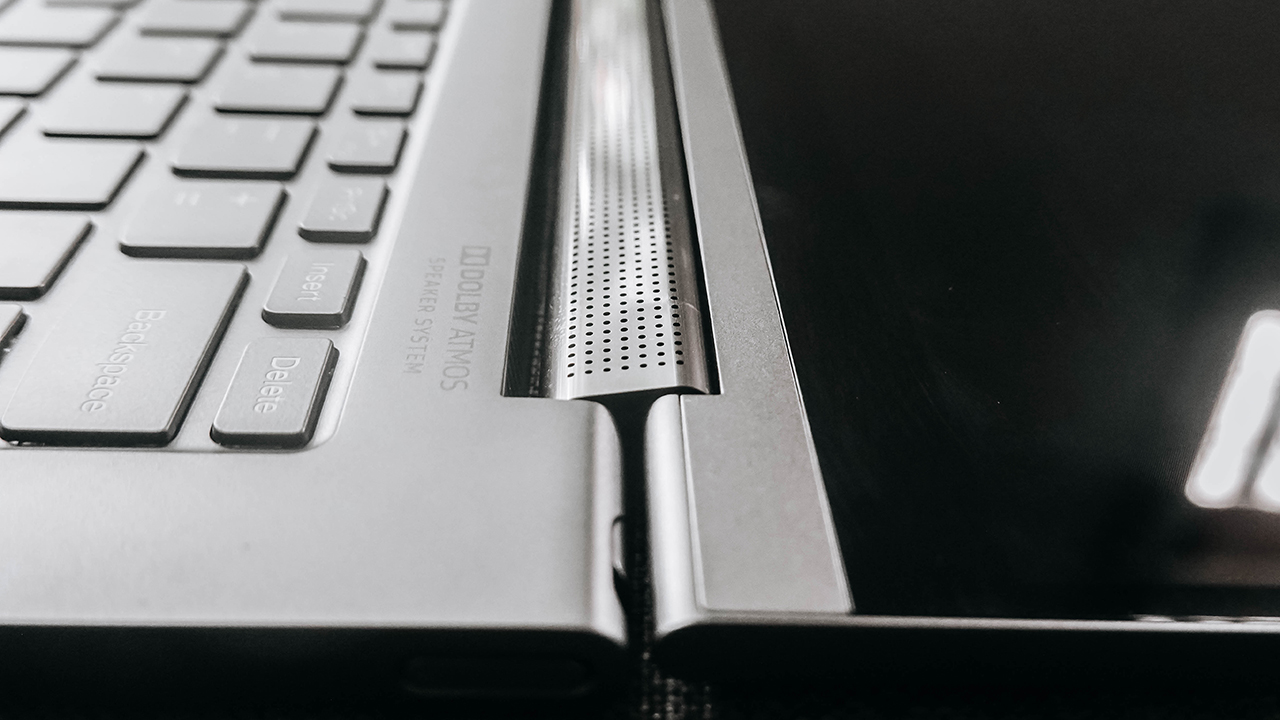
This proved helpful in playing clear and loud sound freely. Especially in Tent mode, where the speaker faces upwards and there are no blockages that would cause muffling.
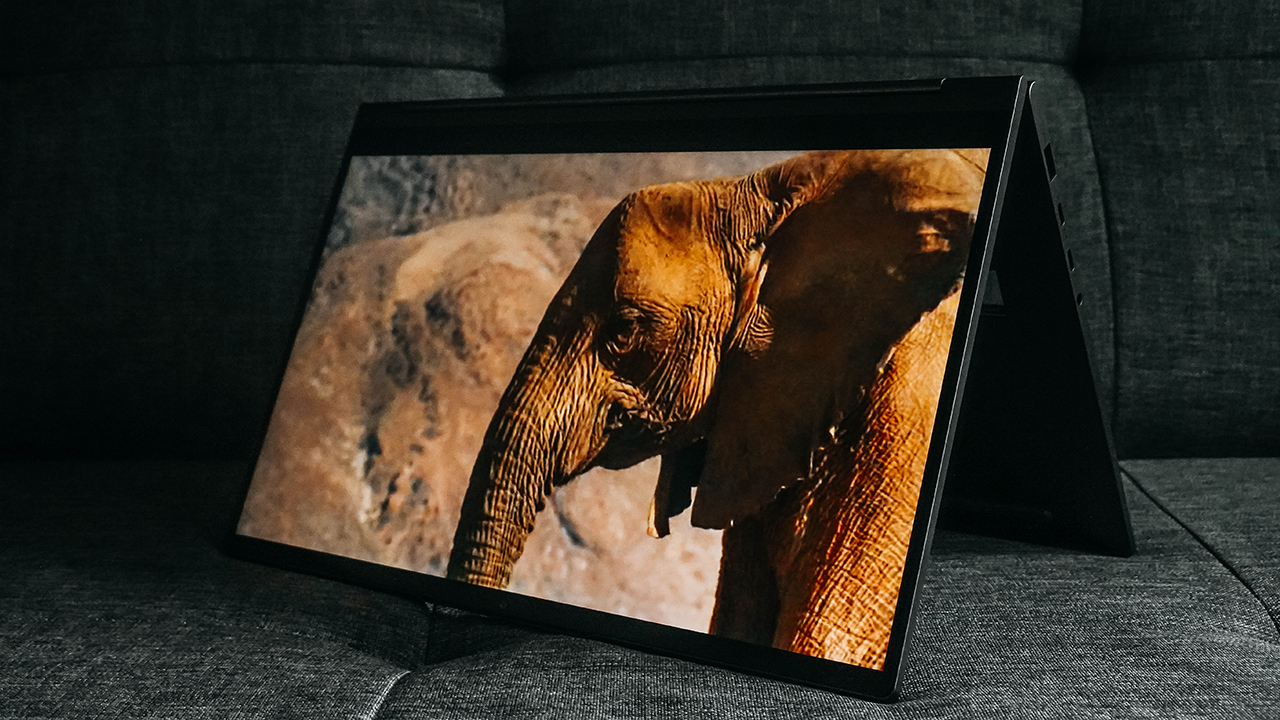
Despite sporting Dolby Atmos’ speaker system, it wasn’t a treat to listen to at max volume. I found it more pleasing when I lowered the volume, keeping my space harmonious.
Firing up a loud and clear speaker doesn’t equate to impressive sound quality. We’re talking premium here, and it must at least replicate an immersive experience as if it’s your own, portable IMAX cinema.
Luckily, the Yoga C940 has a stunning 14-inch 4K Dolby Vision display which can go as high up to 500 nits. It’s vibrant and produces deep blacks, even though it’s just an IPS LCD.
Convertible for the flexible
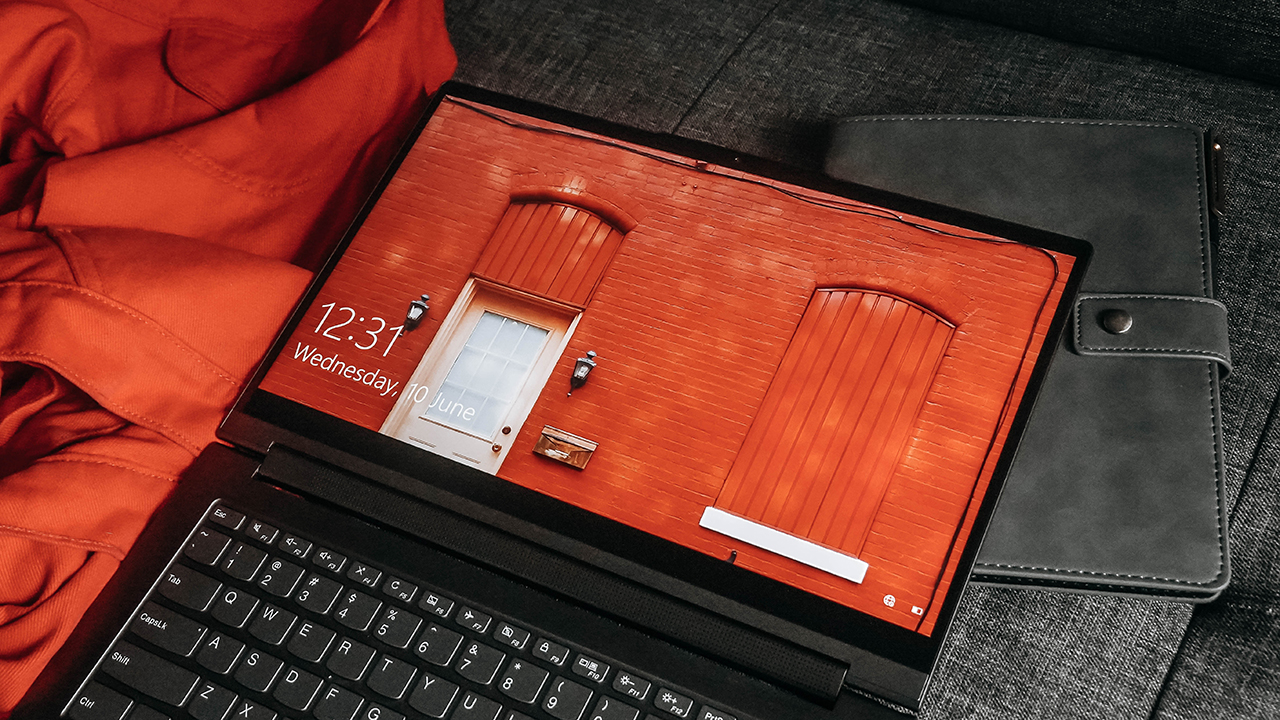
Aside from using the laptop for style and entertainment, it’s a useful tool for leisure and business. With a 360-degree hinge, you can lay the laptop flat, flip it like a tablet, or make it stand with the keyboard facing down.
It’s easy to show-off your works and/or presentation, and there’s a huge chance of impressing your clients and colleagues.
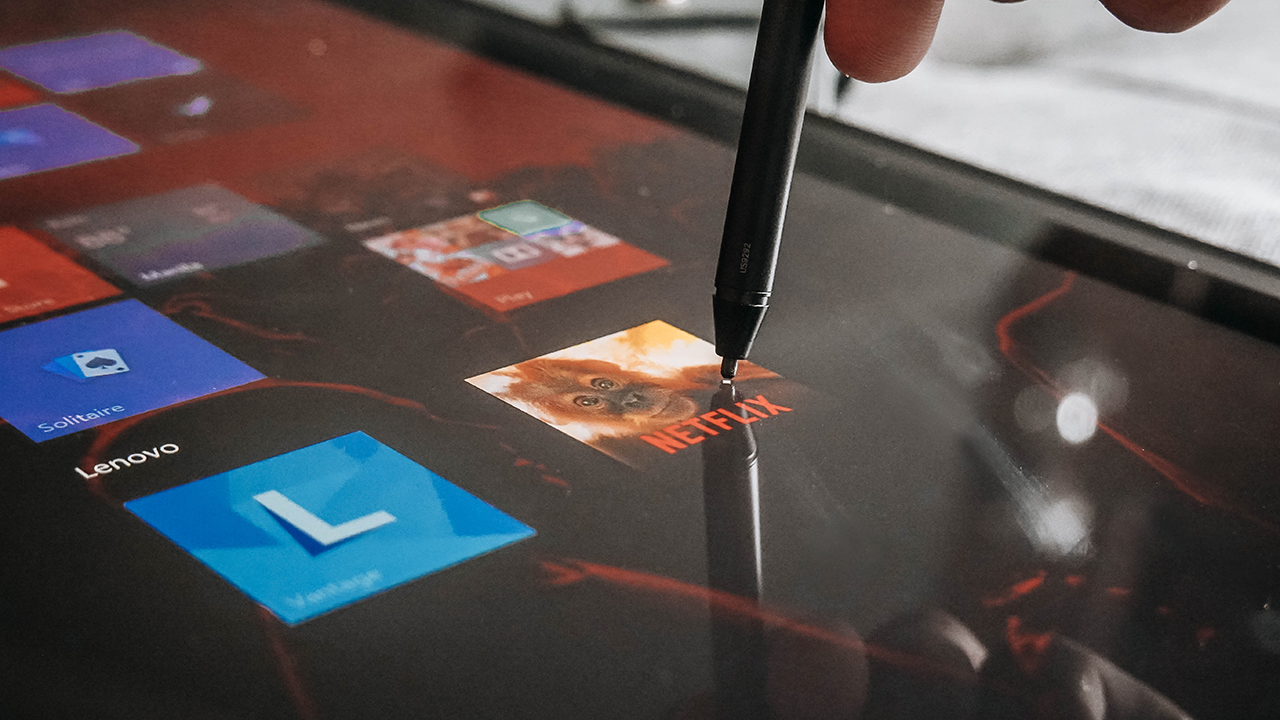
It easily switches to Tablet mode when flipped, too. You can read and sign documents, particularly when you use the “Active Pen.”
Your work-life balance companion
Lenovo’s Yoga C940 isn’t necessarily your portable high-powered workstation. However, this laptop is powerful enough to make everything work, at least to the best that it can.
It sports an Intel Core i7-1065G7 processor and it’s equipped with 16GB Soldered LPDDR4X-3733 RAM, 512GB of M.2 PCIe SSD storage, and an Intel Iris Plus graphics card.
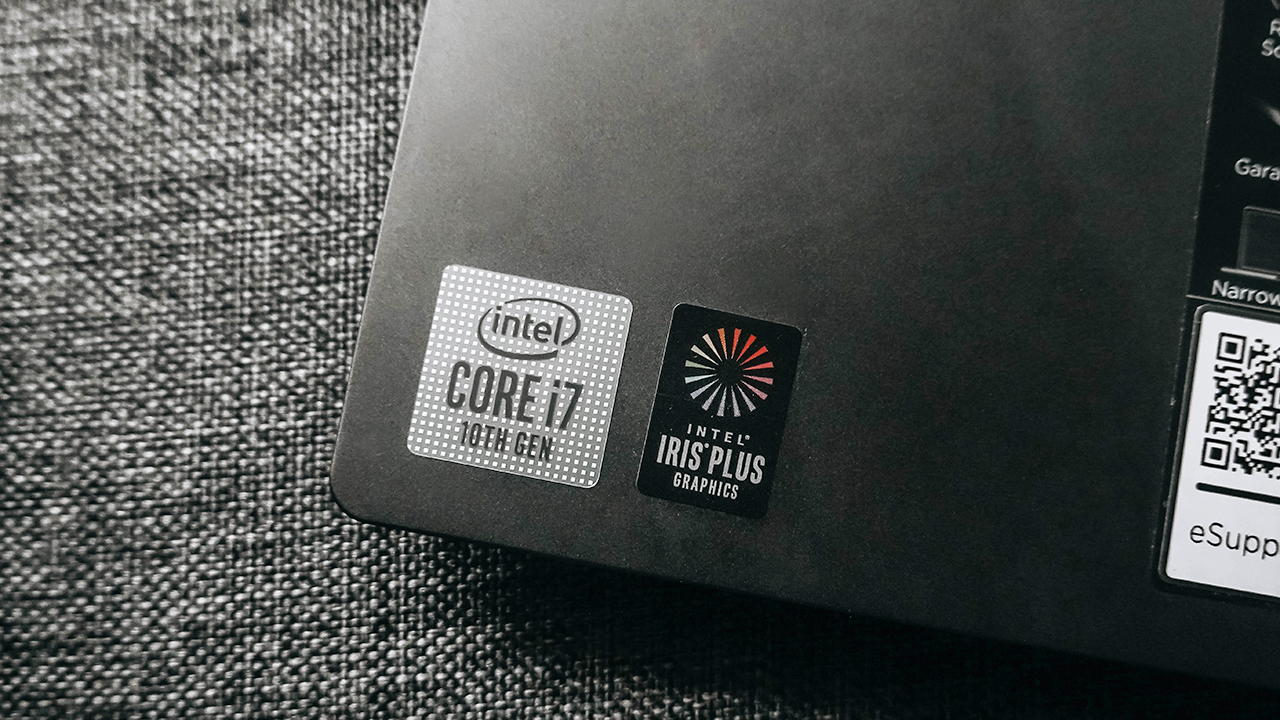
As an associate creative director, my work involves multitasking: Running multiple tabs on Google Chrome while using creative software such as Adobe Photoshop or Adobe Lightroom. It even runs Adobe Premiere Pro decently until you push it to its limits.
On top of everything I use for work, I either have Spotify on to stream my favorite tunes or put Netflix in the background to serve as white noise. Living and working in a fast-paced environment requires me to have a gear that won’t slow me down or worse, give up on me.
The Yoga C940 proved more than capable and it helped me balance work and life. I might even say, it acted like my life support, especially during my busiest days.
Too hot to handle
Though it seemed perfect for an ultra notebook, the Yoga C940 had one problem: Heat. The laptop is relatively thin and small, and there’s no way you can put multiple fans and perforations to help dissipate heat.
When it’s running, it just isn’t advisable to use even if you’re just typing. It’s highly uncomfortable, and I worry about its hardware melting from too much heat. A bit of an exaggeration on my part, but that’s my anxiety talking.
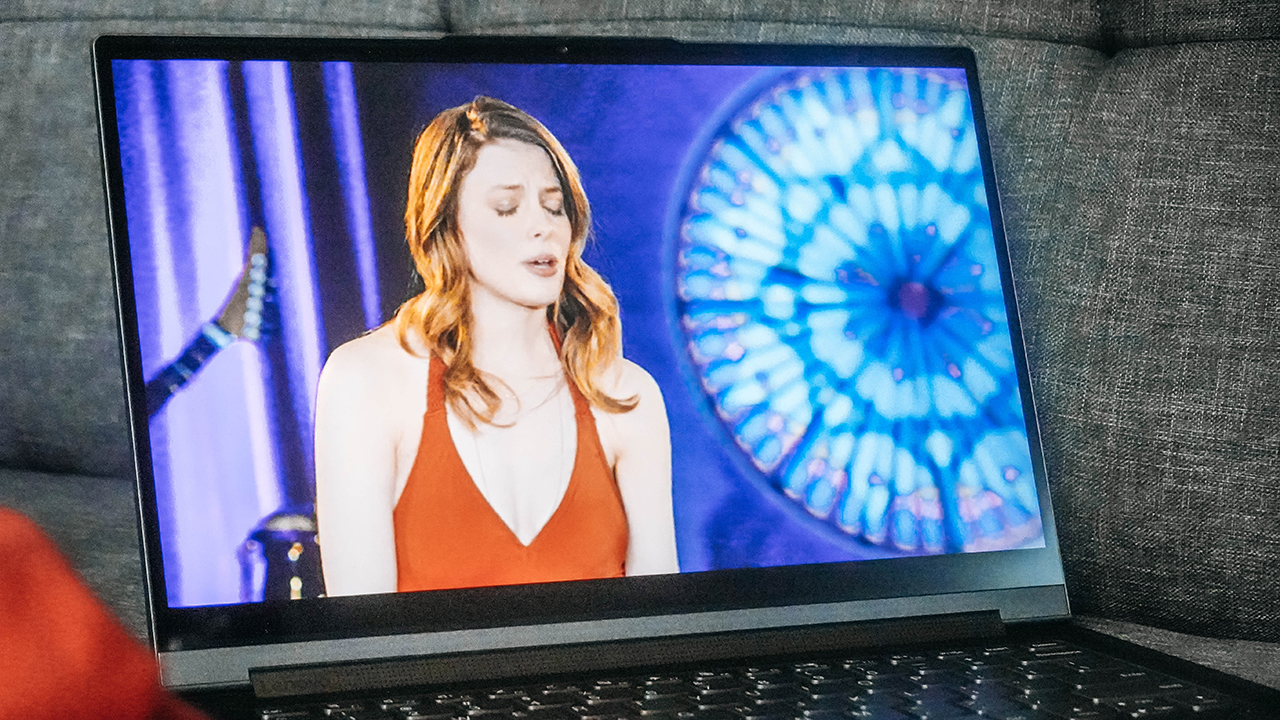
More importantly, you can feel the heat further when you use Tablet mode. How are you supposed to carry it when it’s blazing through your skin? If you place the laptop on a surface while in tablet mode, clean or not, it risks scratching the body and the keyboard since there are no rubber feet to protect it.
Even though there’s a heating issue, it didn’t affect the Yoga C940’s long battery life. During my stint, it lasted for eight hours with heavy and memory-consuming usage. This laptop’s predecessor lasted from eight to nine hours.
In conclusion, it doesn’t have major changes in its battery although the laptop would probably last longer if I’m not a power user.
Is this your GadgetMatch?
The Lenovo Yoga C940 is a flagship, premium convertible that lives up to its billing. It prides itself on its sleek, intricate design that helps elevate one’s style. It does this while offering flagship prowess to accommodate various users: artists, content creators, businessmen, entrepreneurs, rich kids who want to show-off, and power users.
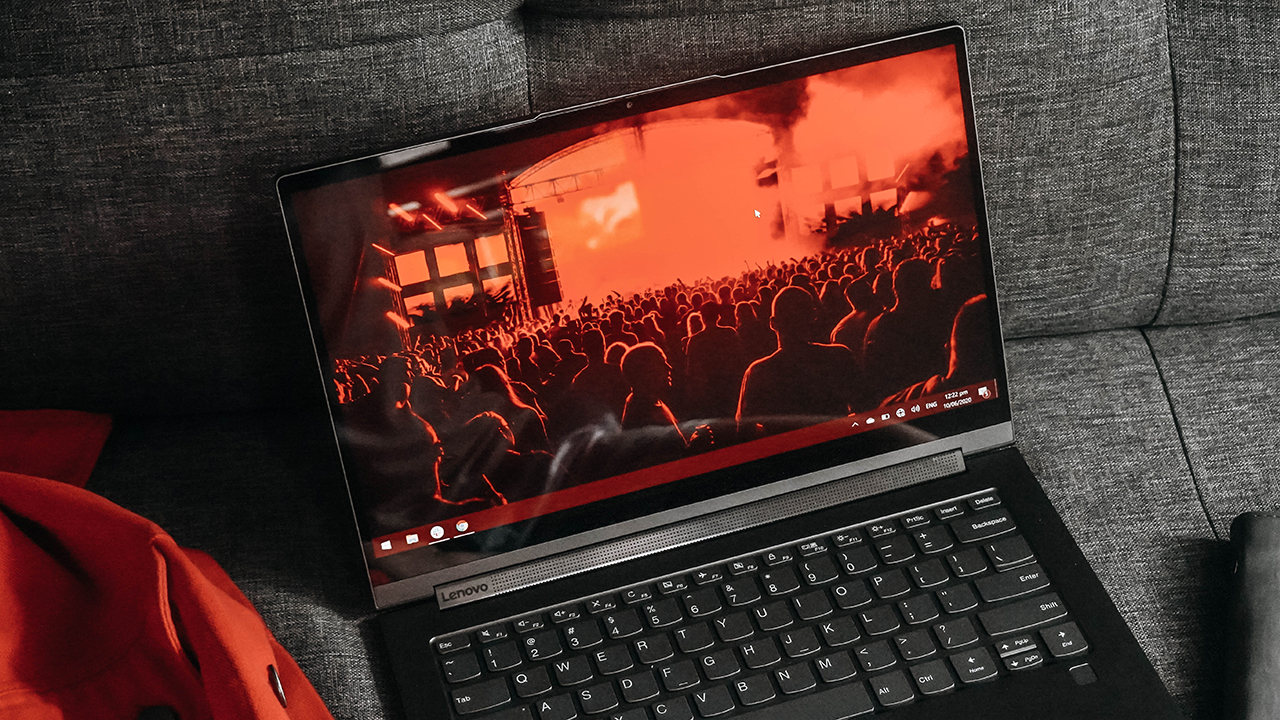
For PhP 99,995 (US$ 1,985), it positions itself as one of the expensive laptops rivaling the Dell XPS 13 and MacBook Pro. Despite having a few shortcomings, it still met my expectations — putting together a premium look, power, and versatility in one gorgeous machine. Truly, it’s one of the best flagship laptops worth buying today.







The launch of the new MacBook Pro is a polarizing one, to say the least. The notebook introduces a new touchscreen feature that isn’t really an automatic hit for fans. Some have even pointed out how Steve Jobs once said that touchscreen MacBooks were a bad idea. If you’re a part of this group, a new discovery might alleviate your worries a little bit. Apparently, you can turn off the new MacBook Pro’s touchscreen functionalities.
According to MacStories’s Federico Viticci, the new MacBook Pro with Touch includes accessibility features that can turn off the touchscreen entirely. Other early testers have also corroborated this option.
A touchscreen notebook isn’t the most popular type of laptop. Though this particular display has been available for quite a while, it hasn’t really taken off. Case in point, Apple’s announcement hasn’t been met with the warmest of fanfare.
It’s also telling that Apple baked in a way to turn this setting off. At the very least, we didn’t have to wait a while. The hullabaloo is reminiscent of the reception to Liquid Glass, another polarizing feature that Apple eventually made configurable for detractors.
Also, this isn’t the first time that Apple tried experimenting with the MacBook. Do you remember the short-lived Touch Bar?
Strangely, it’s such a strong contrast to the MacBook Neo launched earlier this year. Whereas that particular model debuted to applause, the new MacBook Pro attracted more raised eyebrows.
SEE ALSO: What the MacBook should touch on instead
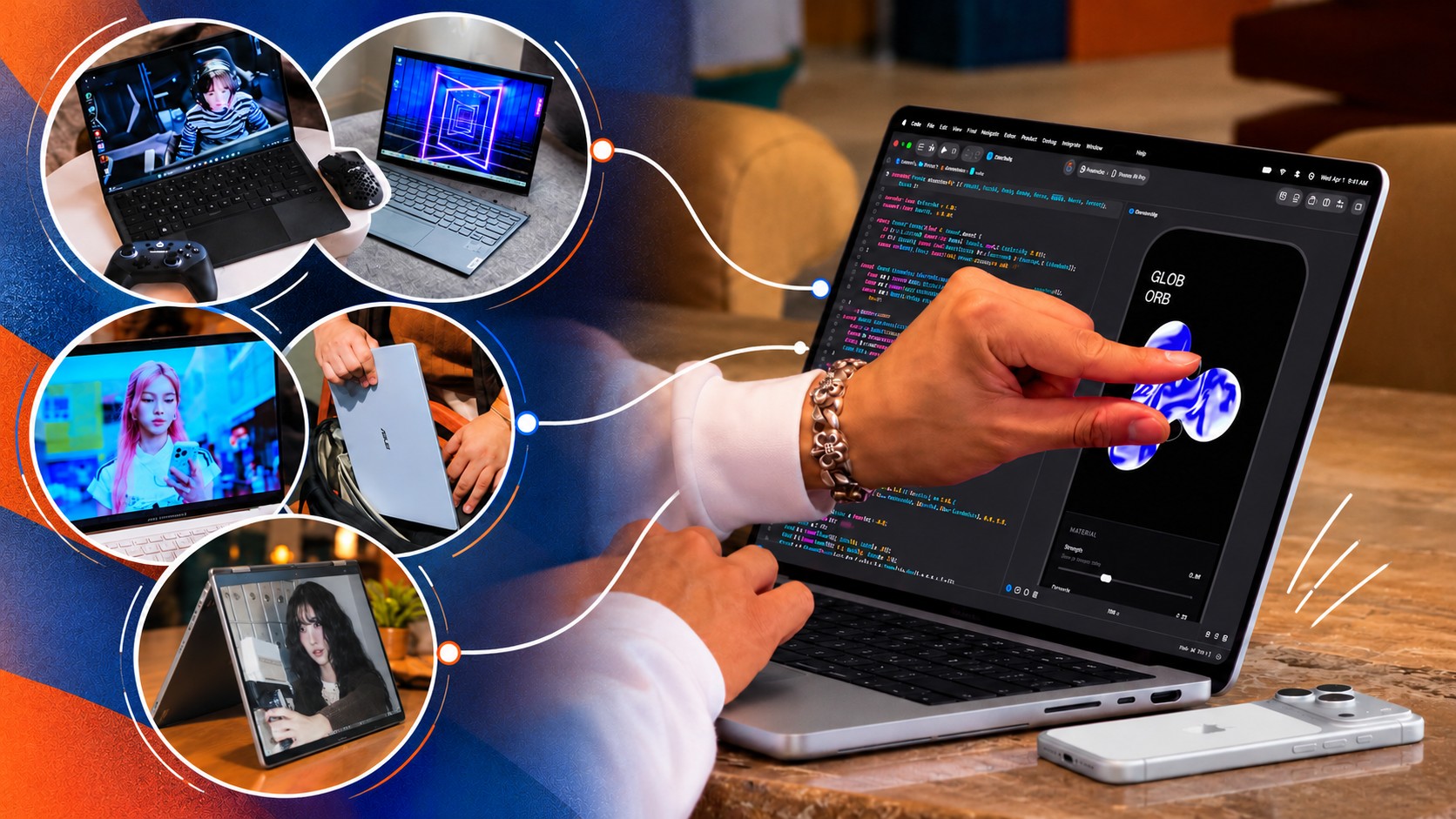
Apple just unveiled their brand spanking new MacBook Pro, now with a touchscreen. That’s fine and all, but something about it lacks… imagination.
Apple broke tech and cultural barriers with the iPhone and the iPad. The MacBook, meanwhile, has been a standard-bearer of personal computing for years. Yet Apple’s latest attempt at innovation doesn’t inspire the same sense of possibility.
Tech creators and publications present at the event have shared their thoughts. While they didn’t necessarily say it verbatim, there’s a “Who asked for this?” or “Who needs this?” energy going around.
The argument for the company in Cupertino has always been that while it might join the party late, it arrives with something refined and ready for the spotlight. That feels less certain in 2026.
I digress.
That’s a whole other topic to unpack, so before I go any further, let me shift back to what I wanted to write about in the first place: the innovations I want to see from Apple. Ones that capture the imagination and inspire possibilities.
MacPad or MacPad Pro
Yes, I’m starting with a haymaker.
For years, users have been asking Apple to make the iPad run some hybrid of iPadOS and macOS.
The MacBook Neo and iPad Pro are proof that this isn’t too farfetched. The former runs macOS on an iPhone/iPad chip (A-series) while the latter runs iPadOS on a MacBook chip (M-series). Computing power doesn’t seem to be the issue. Apple is just likely afraid that one device category will cannibalize the other. That’s pure speculation on my part so let’s just continue with the thought exercise.
Assuming we get that macOS and iPadOS hybrid, what will the hardware look like?
Some disclaimer before the fun part. This whole article is a thought exercise and I am inviting all of you to imagine with me. But to make things feel a little more grounded, I will name models from other brands that Apple can take some inspiration from. Just, you know, Apple-fy it.
For the MacPad or MacPad Pro, I’m thinking something like a 2-in-1. The main body is a slab with a display and kickstand. Think Nintendo Switch 2. But instead of provisions for Joycons on the side, you get some form of cooling and the ports.
Let it have an M-series chip for maximum computing power. But to differentiate it from the iPad, have it come with a foldable keyboard and trackpad folio of some sort.
The ROG Flow Z13 but Apple-fied
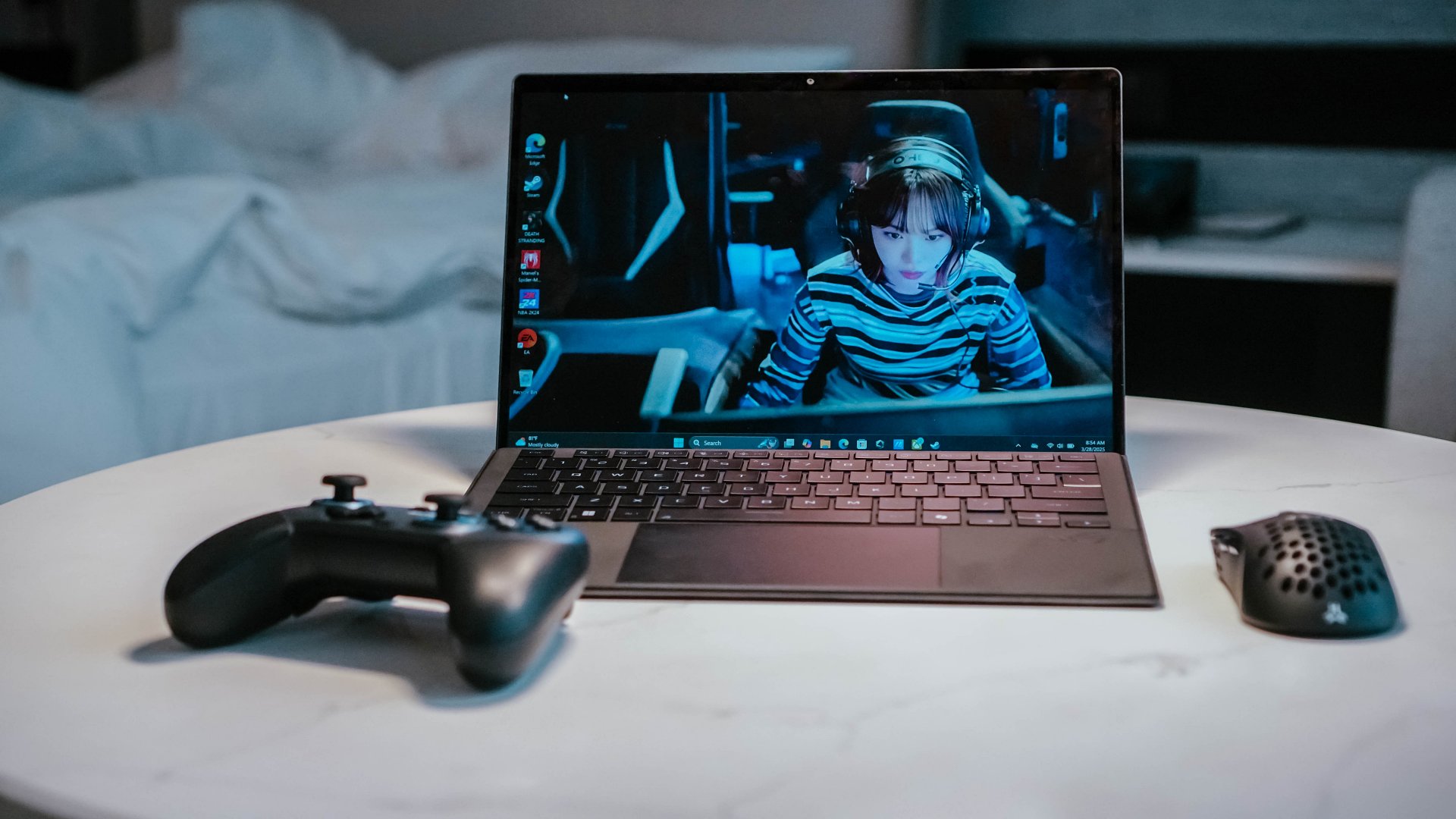
Now that I think about it, what I’m describing is likely closer to the ROG Flow Z13. But instead of a gaming aesthetic, make it closer to how sleek and streamlined the look of MacBooks and iPads.
Having spent time with the ROG Flow Z13 (2025), I know there’s something genuinely compelling about this form factor. It’s a tablet with the brains of a full-fledged PC, with the keyboard becoming an accessory rather than a permanent fixture.
I traveled with the Flow Z13 and loved how it could serve as my work machine, gaming console, and entertainment device. Detach the keyboard and you have a screen for watching videos. Prop it up and you have a surprisingly capable gaming machine. Connect it to a TV and you have another way to play. It simplified my travel loadout in ways I didn’t expect.
Now imagine that same flexibility with macOS. A MacPad Pro could be a tablet when you want to browse, read, or watch something, then become a proper Mac when it’s time to get serious about work. You wouldn’t need to choose between carrying a MacBook and an iPad because one device could cover both roles.
A detachable design, done right
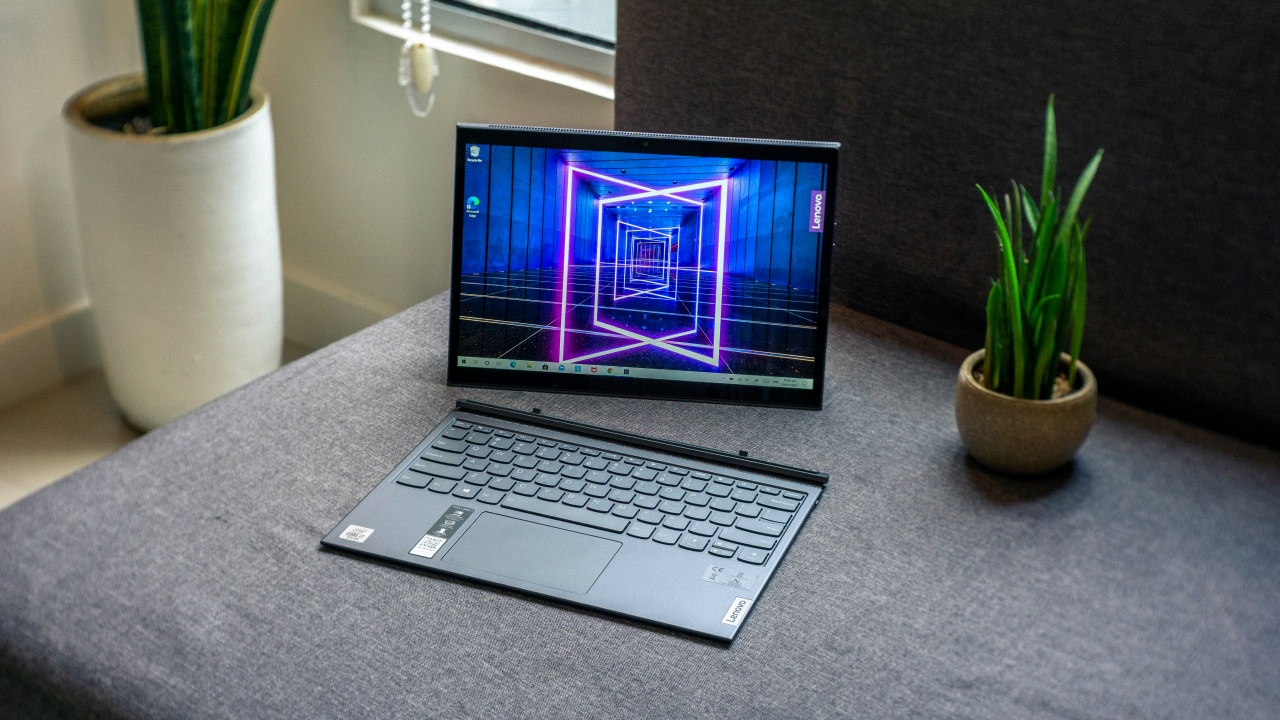
There’s already a precedent for this, too. The Lenovo Yoga Duet 7i showed how a detachable tablet and keyboard could work together without either feeling like an afterthought. Its Bluetooth keyboard meant you weren’t necessarily tied to the tablet in the same way you would be with a conventional laptop.
That’s the part I’d want Apple to get right. Give the MacPad Pro a proper kickstand, a keyboard that doesn’t feel like a compromise, and enough ports to make it useful beyond the desk. Let people use it as a tablet, a laptop, or a makeshift desktop without having to fight the hardware.
And because this is Apple, I’d expect the accessories to be ridiculously good. If the company can make the Magic Keyboard for iPad feel like a convincing laptop keyboard, imagine what it could do if it built the entire experience around macOS from the start.
Heck, they can even go full Apple and do away with the kickstand and just include a flimsy folio in the original packaging. And then sell a Magic Keyboard and Trackpad folio separately for maximum profit. Now that’s truly the Apple way.
Refined MacBook Pro
Look, I love the MacBook Pro. And I’ll take macOS over Windows any day. But every now and again I come upon a Windows machine that has immaculate hardware.
This year, to me, that’s the ASUS ExpertBook Ultra. In terms of overall build, materials, display, and size it’s my favorite work machine that I personally spent significant time with.
Premium finish

It already has that sleek MacBook look. But on top of that, the Nano Ceramic finish elevates it in a way that only experiencing it firsthand can make you understand.
I wrote about this in my original review, but it’s worth repeating: the Nano Ceramic finish is one of those things that sounds like marketing fluff until you actually touch it. It gives the laptop a distinct texture that makes picking it up feel like an experience in itself.
What’s more surprising is that the feeling doesn’t wear off. I got the ExpertBook Ultra back for another stretch of use after ASUS had already collected it, and I still found myself running my hand across the lid before opening it. Thirty days later, I hadn’t outgrown the novelty.
That might sound trivial, but I don’t think it is. We interact with our laptops for hours every day. The materials, textures, weight, and little physical details all contribute to how much we enjoy using them. If a manufacturer can make something as ordinary as opening a laptop feel special, that’s a kind of refinement worth pursuing.
OLED all day

It doesn’t hurt to have STAYC Isa on screen.
The OLED display with matte coating is a feast for the eyes. I regularly worked in cafés beside large windows, and the matte coating helped keep the OLED panel looking magnificent even with all that ambient light.
Deep blacks, crisp colors, and fewer distracting reflections made it a pleasure to work on and an even bigger pleasure to take breaks with.
Tantalizing typing

And the chiclet-style feeling keyboard will have you waxing poetic about an intimate connection found and faded. The spacing is excellent, the travel feels satisfying, and I found myself typing without that awkward adjustment period you sometimes get with a new machine.
Neither feature is revolutionary on its own. That’s precisely the point. The ExpertBook Ultra brings together a collection of thoughtful hardware decisions that make the whole experience feel a little more special. I want that same attention to detail from Apple, even if the MacBook Pro is already one of my favorite laptops.
Imagine that hardware running macOS. One can dream.
Yoga MacBook
I don’t know how Apple will do this without Lenovo suing but for the love of the game, please indulge me.
Imagine the aforementioned macOS and iPadOS hybrid running on a machine that morphs from a regular laptop to one that’s display-facing. That’d make a touchscreen MacBook more compelling to more users.
They’re definitely gonna have to call it something else, but a flexible MacBook is more appealing than the same old clamshell but now with a touchscreen. It has more practical uses that extend beyond developers and heavy-duty multimedia professionals and creatives.
Bend it like Lenovo
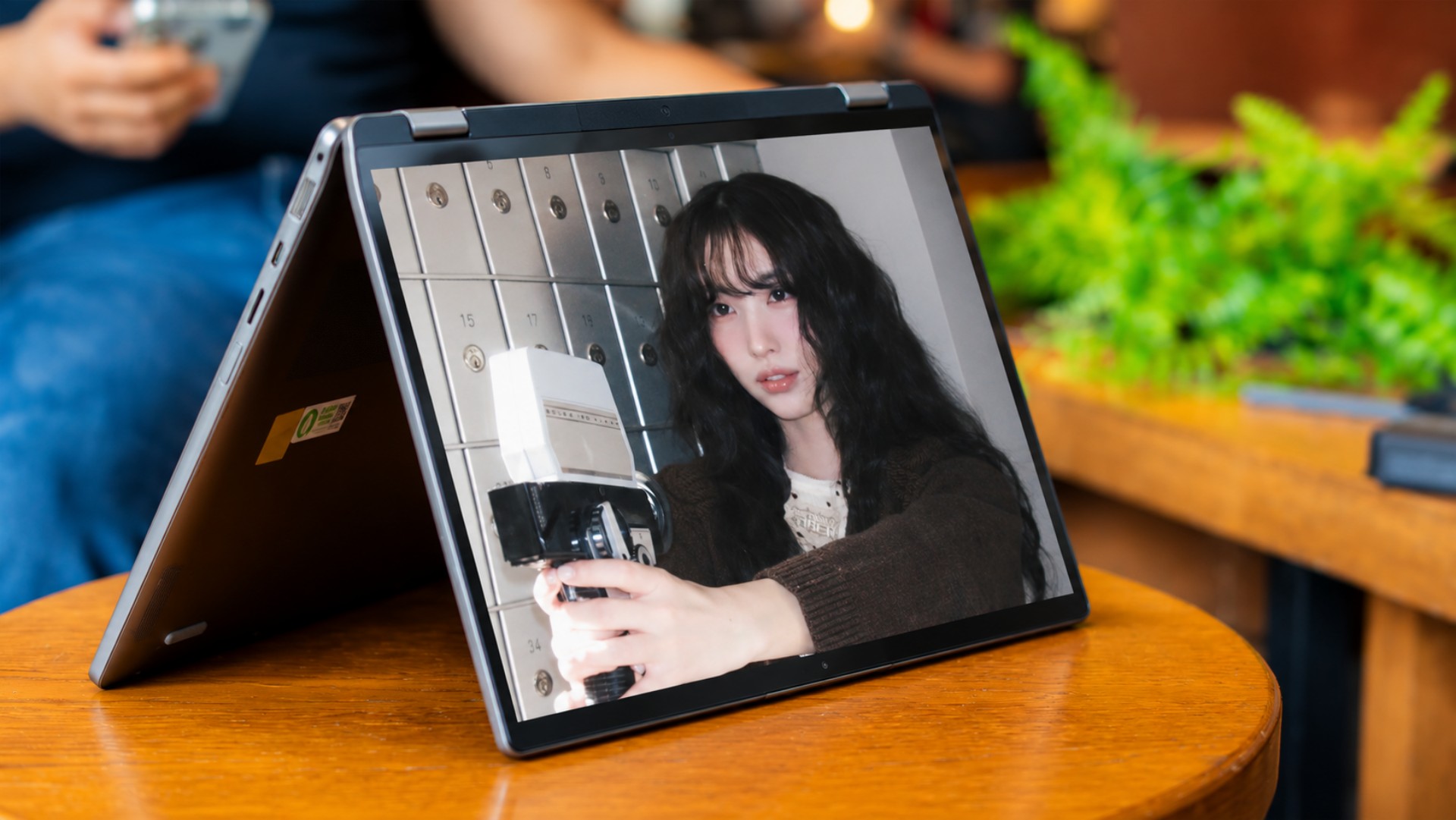
Lenovo has been doing this for years with its Yoga series, and there’s a reason it has stuck around for ten generations. A good convertible isn’t just a laptop with a screen that folds backward. It’s a device that can adapt to what you’re doing without requiring you to change devices.
In laptop mode, you have a proper keyboard for writing and getting work done. Fold the display into tent mode and you have a convenient screen for watching videos or following a presentation. Flip it into stand mode and you can use it for video calls or put it in front of you while working with someone else. Fold it all the way back and you have a tablet for reading, browsing, or sketching.
I’ve seen how useful these different configurations can be in practice. They’re not just party tricks for product demonstrations. They offer different ways to use the same machine throughout the day, depending on what you’re doing and where you’re doing it.
Software that adapts
Of course, the hardware is only half the equation. macOS would need to adapt to these different configurations, too. Touch targets should be easier to hit when the laptop is folded into tablet mode, while creative applications should make better use of direct interaction with the display. The interface shouldn’t feel like a desktop operating system that reluctantly tolerates fingers.
This is where a hybrid of macOS and iPadOS could become particularly interesting. Apple wouldn’t have to abandon what makes the Mac good at getting work done. It would simply need to make that experience more adaptable when the keyboard and trackpad aren’t the most convenient ways to interact with the machine.
That’s the kind of touchscreen MacBook I’d get excited about. Not just a MacBook that lets me poke at the screen, but one that gives me a reason to use it differently.
Dream bigger, refine better
To be clear, I’m not asking Apple to reinvent every product in its lineup every year. That would be ridiculous, and not every new idea needs to become a commercial product. But I’d love to see the company take more chances on what its products could become, rather than simply adding another feature to what already exists.
I just miss the Apple that truly turns heads when it enters a room. Right now, it feels to me like the company is banking on the cultural cachet it earned decades ago.
The iPhone Duo and touchscreen MacBook show that Apple is still willing to experiment. Now I’d love to see it push those experiments further. It might as well go all in and Think Different.
Laptops
Apple unveils MacBook Pro with PROLED XDR display and Touch
Apple brings Touch to MacBook Pro

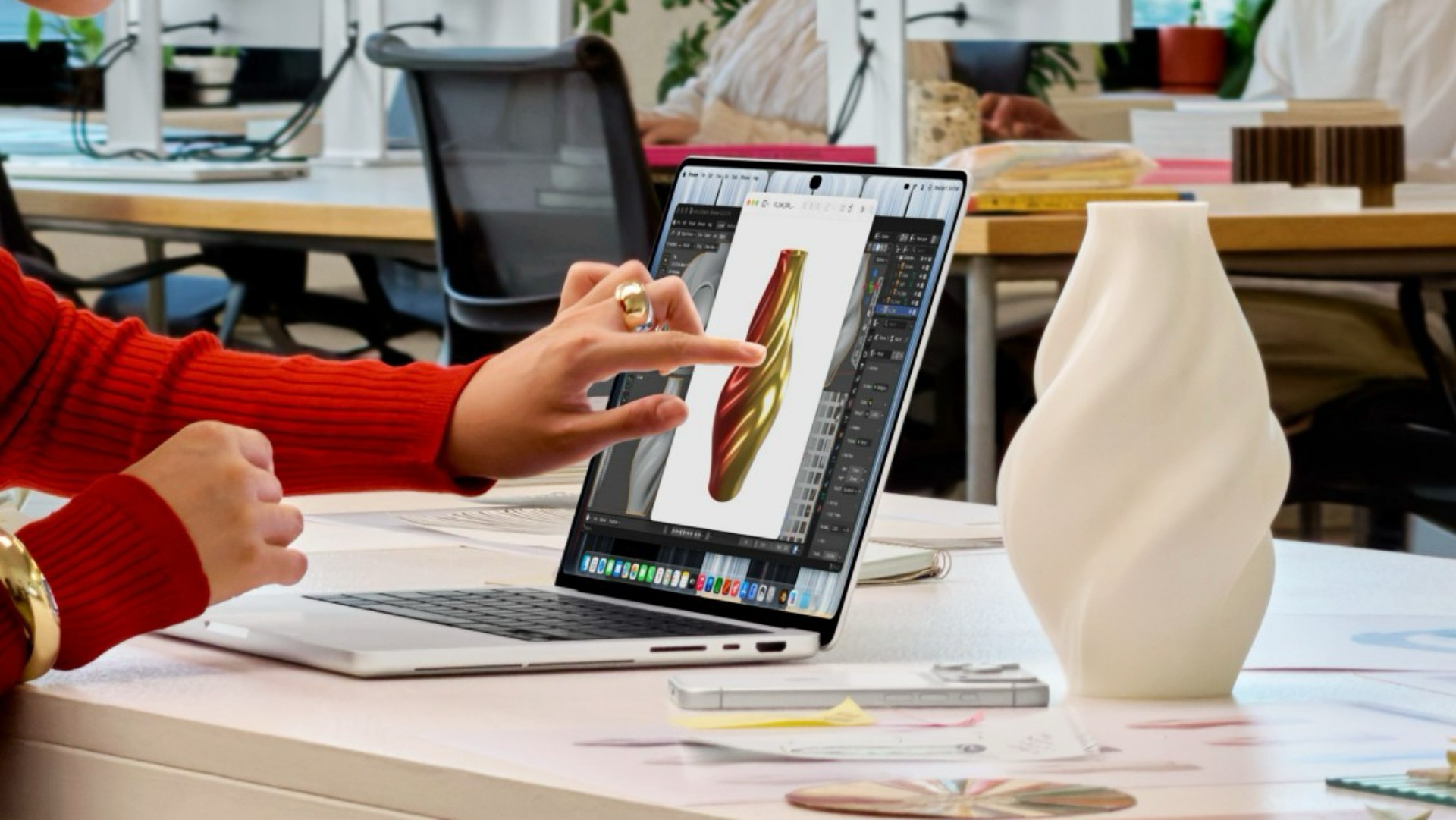
Apple has unveiled its new MacBook Pro with PROLED XDR Display, introducing tandem OLED technology and touchscreen capabilities to the Mac for the first time.
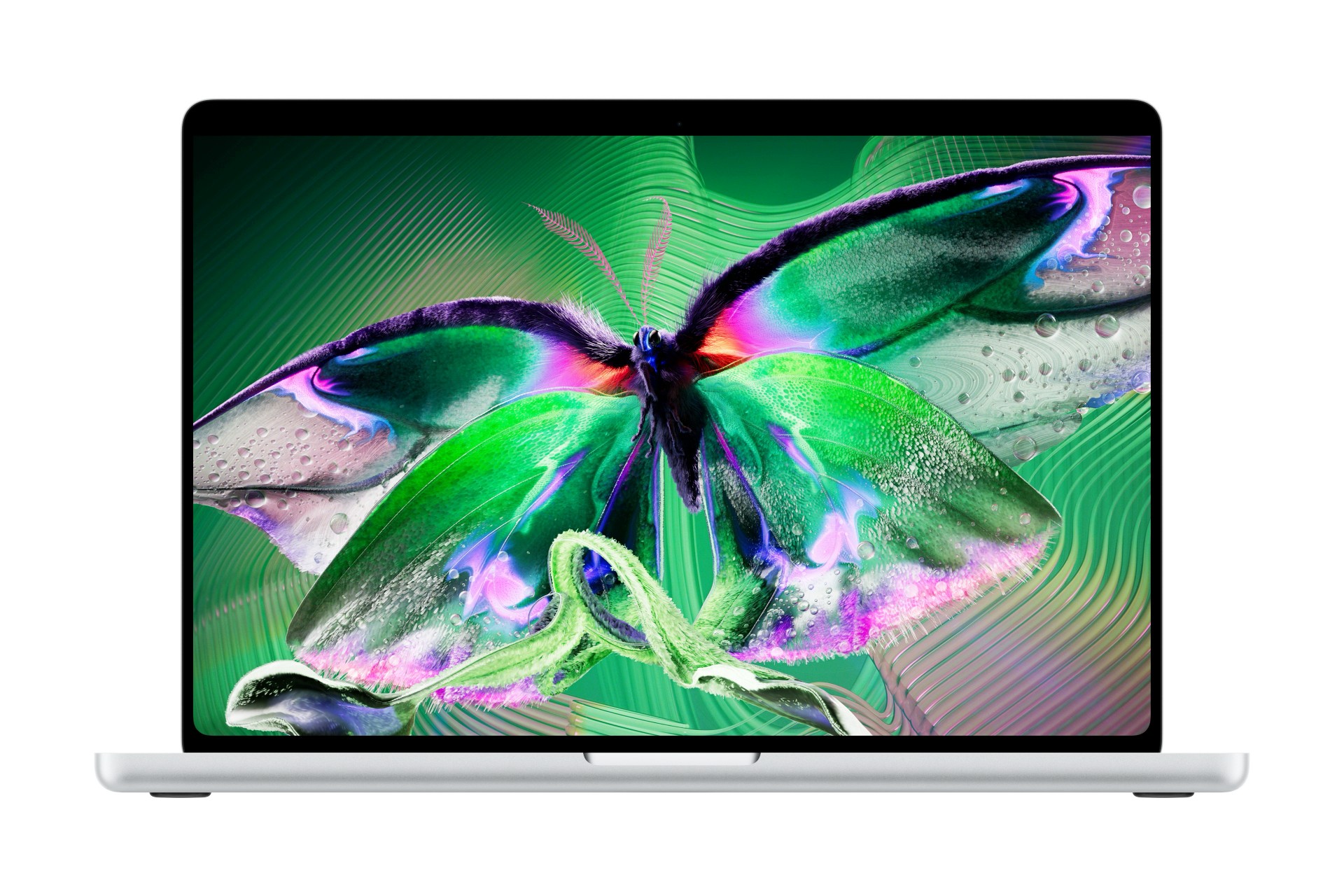
Available in 14-inch and 16-inch models, the new MacBook Pro combines a redesigned display with Apple’s M5 Pro and M5 Max chips. It also introduces the Dynamic Island to Mac, alongside improvements to graphics performance, on-device AI, and battery life.
Apple says the new MacBook Pro delivers up to 2,000 nits of peak HDR and SDR brightness, a 10,000,000:1 contrast ratio, and a 120Hz variable refresh rate. The laptop also offers up to 24 hours of battery life in a thinner and lighter design.
The new models are designed for professionals working in video production, photography, graphic design, software development, 3D rendering, and other demanding workflows.
PROLED XDR brings tandem OLED to MacBook Pro
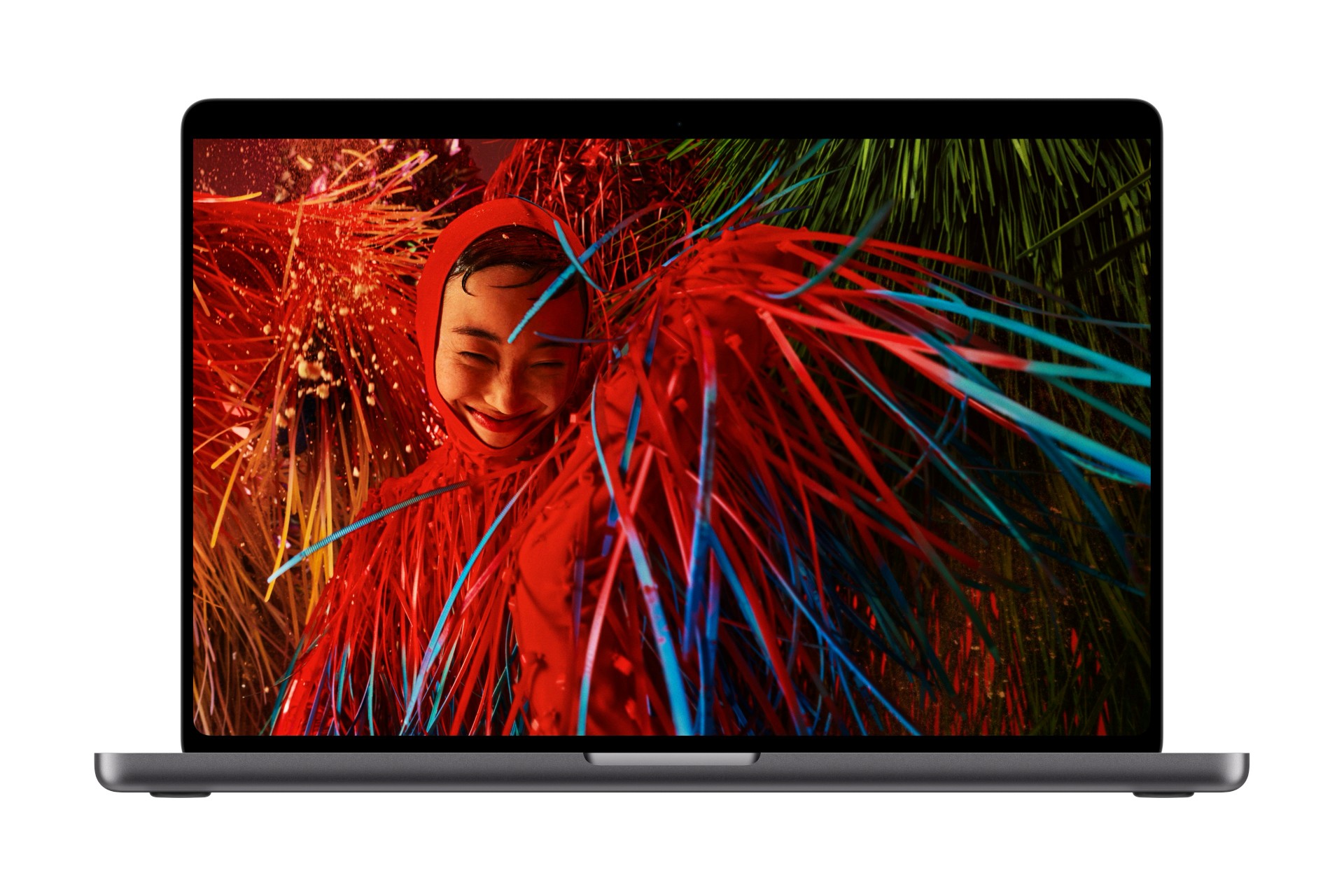
The new MacBook Pro introduces Apple’s PROLED XDR display, which uses tandem OLED technology to improve brightness, contrast, and color accuracy.
Unlike conventional OLED designs, the display uses two self-illuminating pixel layers. Apple says this approach helps maintain brightness and grayscale uniformity while minimizing internal reflections.
The display delivers up to 2,000 nits of peak HDR and SDR brightness and a 10,000,000:1 contrast ratio. It also supports ProMotion, with adaptive refresh rates ranging from 10Hz to 120Hz.
These features should benefit professionals who need precise control over colors, shadows, and highlights when editing photos, grading HDR video, or designing print materials.
The display supports both the P3 and Adobe RGB color spaces, with more than 80 percent coverage of the Rec. 2020 color space for HDR video editing and color grading.
Apple also offers an optional nano-texture finish, which is etched directly into the cover glass to reduce glare and reflections. This should make the laptop easier to use in bright environments.
For professionals who need consistent color reproduction, Apple includes display calibration and reference modes for cinematic production, photography, print, and design. New DICOM medical imaging reference modes also support medical image review for research and educational purposes, but not diagnostic use.
Touch arrives on MacBook Pro
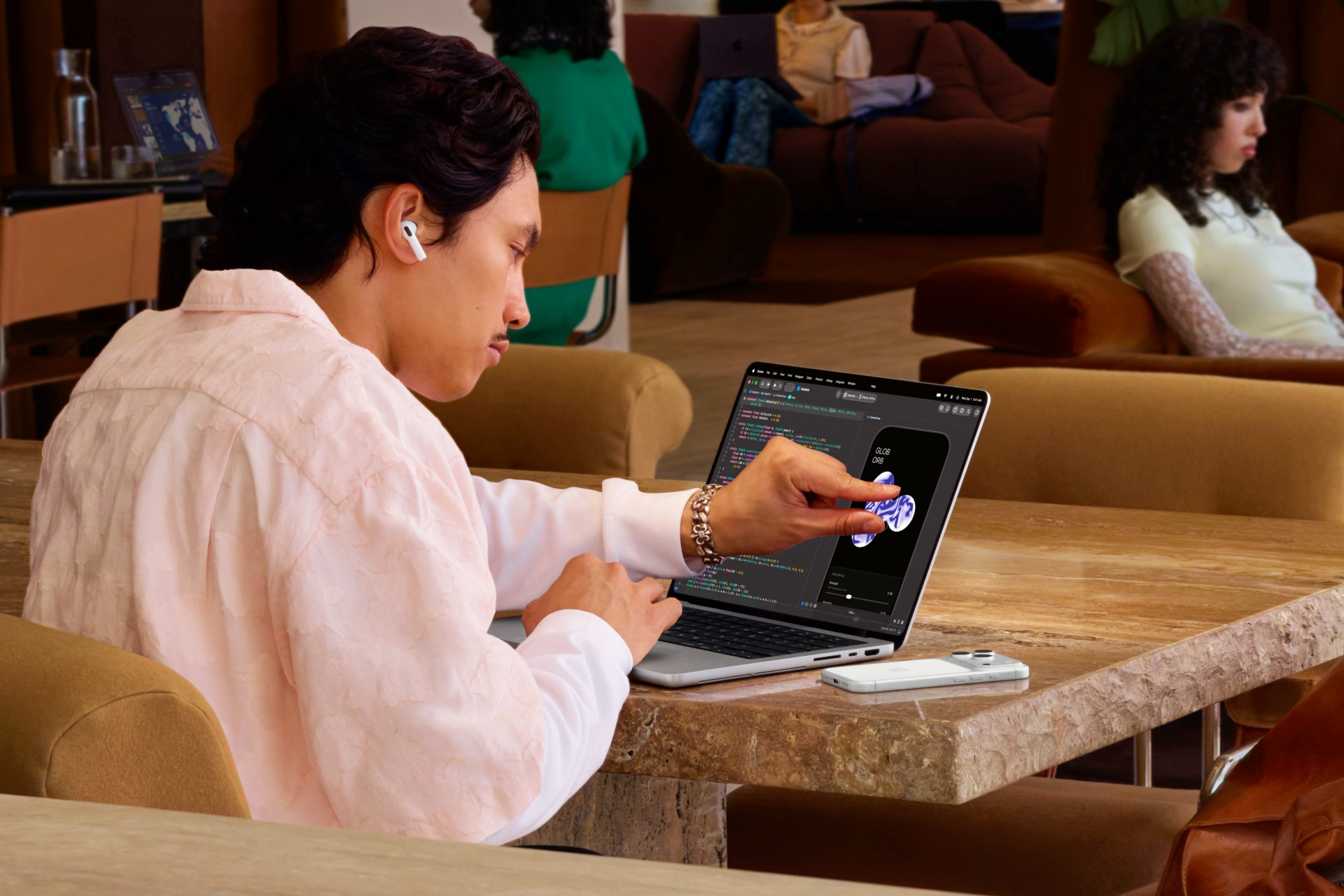
For the first time, MacBook Pro users can interact directly with the display using Touch.
The touchscreen supports familiar gestures, including swiping through webpages, pinching to zoom in on photos, and dragging and dropping content between windows. Users can also double-tap windows to expand them or flick them into a tiled layout.
Apple has integrated the touch sensor directly into the display panel rather than layering it on top. This design aims to reduce latency and make interactions feel more immediate.
Touch also introduces new possibilities for creative work. Graphic designers can manipulate their designs directly on the screen, while musicians can play software instruments using a Multi-Touch keyboard and onscreen chord and drum pads.
Apple’s own applications are optimized for Touch, while macOS automatically translates touch input into clicks for many existing applications.
Third-party applications will also benefit from the feature. Apple lists productivity and collaboration tools such as Notion, Canva, Zoom, Microsoft Word, Excel, PowerPoint, and Outlook, alongside creative applications such as Adobe Lightroom, DaVinci Resolve, Blender, Cinema 4D, ZBrush, Shapr3D, and Algoriddim djay Pro.
Touch works alongside the keyboard and trackpad rather than replacing them. Apple has also redesigned the hinge to provide greater stability when users interact with the display.
Dynamic Island comes to Mac
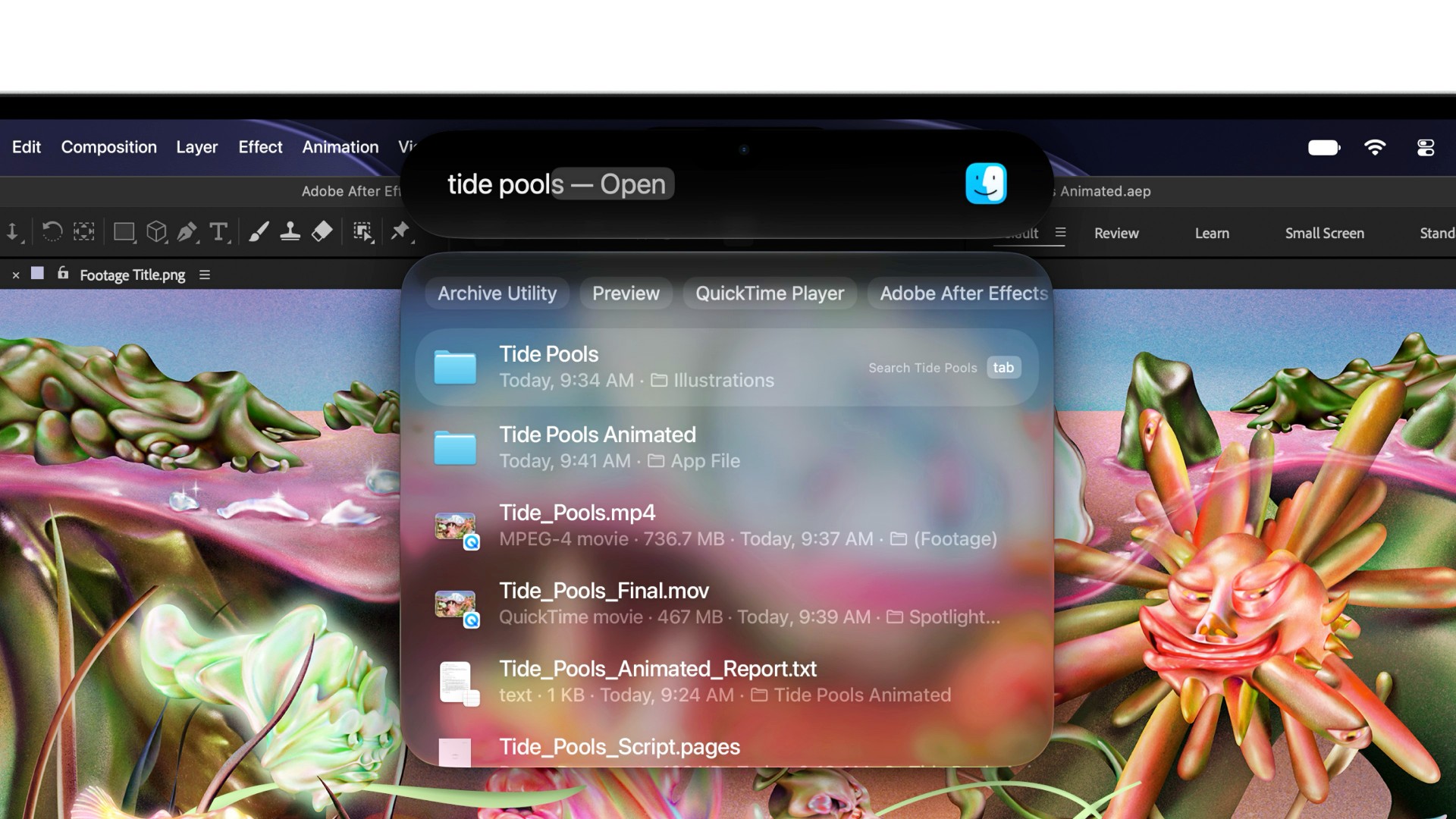
The Dynamic Island makes its Mac debut on the new MacBook Pro.
It serves as a central location for Spotlight, Live Activities, and Siri AI, allowing users to search their computers, access real-time updates, and interact with the assistant.
Users can also perform quick actions directly through the Dynamic Island, such as accepting an AirDrop request, controlling music playback, or responding to a phone call.
The feature brings an interface familiar to iPhone users to the Mac, making selected notifications and interactions more accessible without requiring users to navigate away from their current tasks.
The new MacBook Pro runs macOS 27, which integrates Apple’s latest software features and AI capabilities.
M5 Pro and M5 Max power demanding workflows
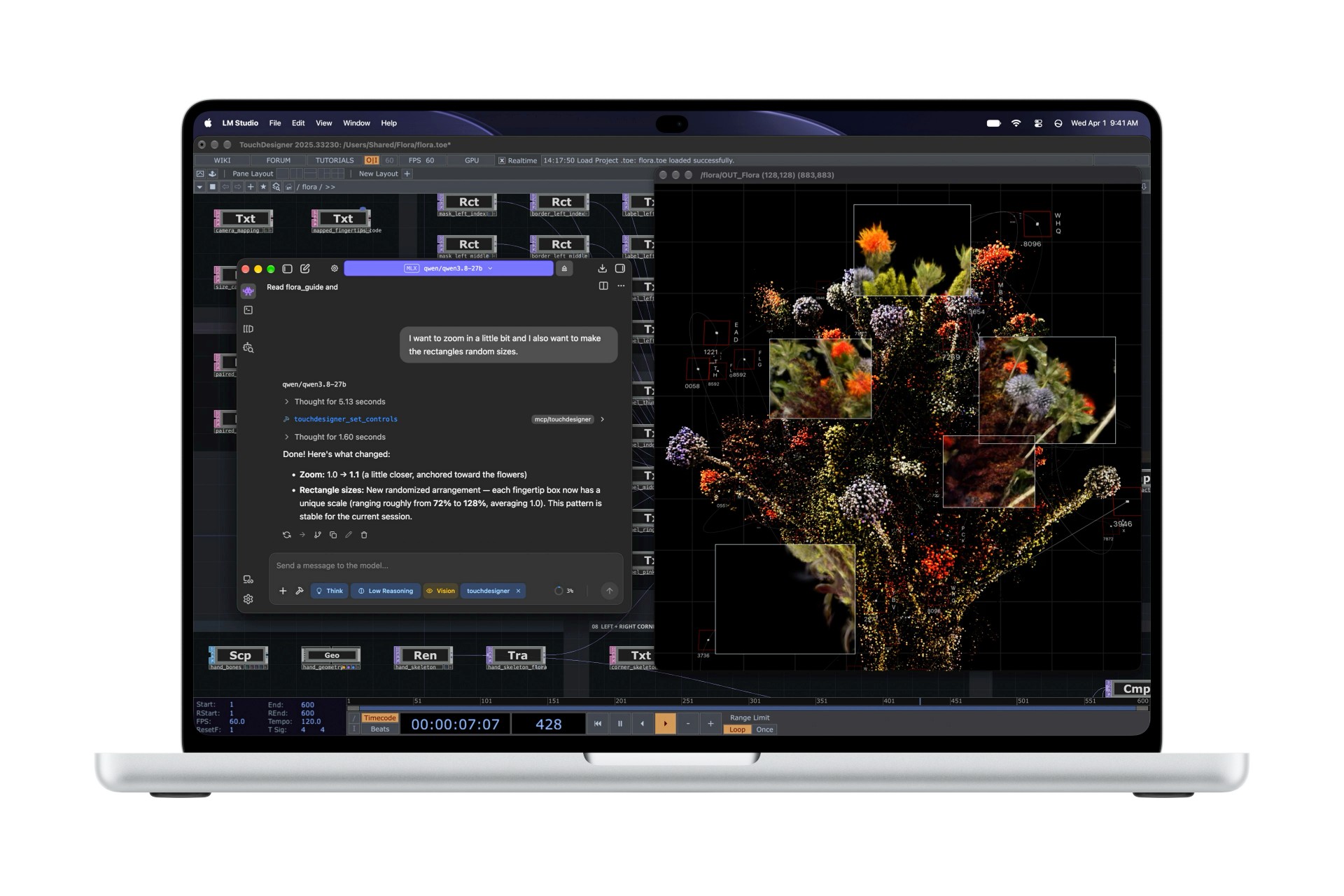
The new MacBook Pro comes with Apple’s M5 Pro or M5 Max chip, depending on the configuration.
Apple positions M5 Pro for professionals who need high performance for software development, scientific computing, and creative production. M5 Max targets users with more demanding requirements, including 3D artists, AI developers, and film composers.
Both chips feature enhanced CPU performance, faster unified memory, and GPUs with Neural Accelerators in every core. They also include enhanced shader cores and a third-generation ray-tracing engine.
These improvements accelerate graphics-intensive tasks such as 3D rendering, animation, and gaming. They also help with AI workloads, including running large language models locally.
Apple says the M5 Max can run large language models with hundreds of billions of parameters entirely on the device, depending on the model and configuration. This enables demanding AI workflows without relying entirely on cloud processing.
The new MacBook Pro supports up to 128GB of unified memory and up to 16TB of storage, giving professionals more room for large projects, high-resolution media, and complex datasets.
Thinner, lighter design with up to 24 hours of battery life
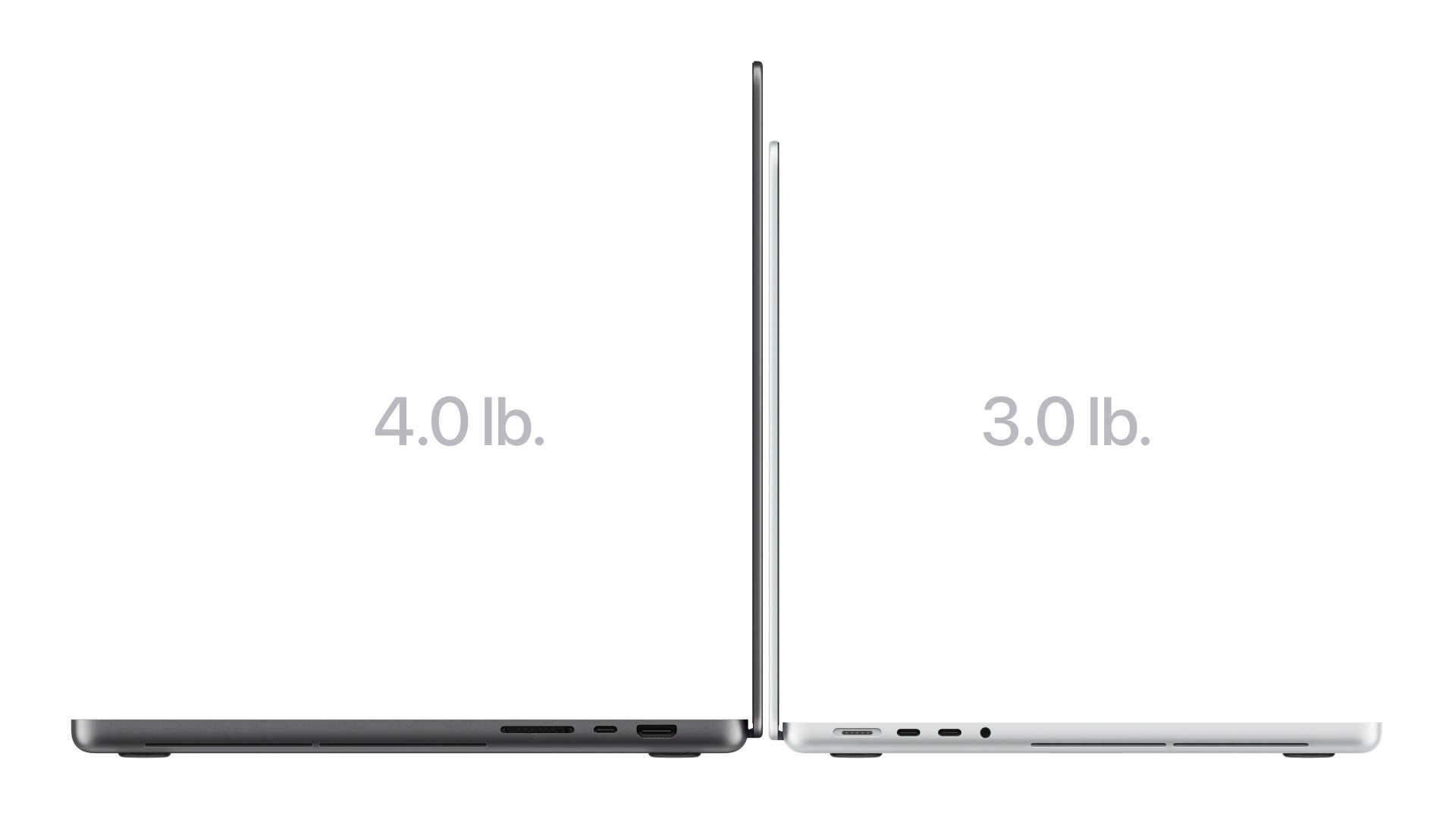
Despite its upgraded display and performance, the new MacBook Pro is thinner and lighter than its predecessor.
The 14-inch model weighs 3 pounds, or approximately 1.36kg, while the 16-inch model weighs 4 pounds, or approximately 1.81kg.
The 14-inch model is half a pound lighter, while the 16-inch model is 0.7 pounds lighter than the previous generation.
Apple has also redesigned the thermal architecture to maintain sustained performance while directing warm air away from the display.
Battery life reaches up to 24 hours, giving professionals more flexibility when working away from a power outlet.
The new MacBook Pro also features an enhanced six-speaker sound system. Its redesigned woofers deliver 50 percent deeper bass, while updated tweeters improve clarity. The system supports Spatial Audio and Dolby Atmos.
For calls and recordings, the laptop includes studio-quality microphones and a 12-megapixel Center Stage camera.
Connectivity includes Thunderbolt 5 and a range of ports for external displays, storage, and other peripherals. The laptop also supports Apple’s broader ecosystem of accessories and services.
MacBook Pro with PROLED XDR pricing and availability
In the United States, the 14-inch MacBook Pro with PROLED XDR Display starts at US$2,899 with M5 Pro, while the 16-inch model starts at US$3,399. Education pricing starts at US$2,749 and US$3,199, respectively.
For customers who need more computing power, the 14-inch model with M5 Max starts at US$4,499, while the 16-inch model starts at US$4,799. Education pricing starts at US$4,199 for the 14-inch model and US$4,499 for the 16-inch model.
In the Philippines, the 14-inch MacBook Pro with M5 Pro starts at PHP 214,990, with education pricing at PHP 203,990. The 16-inch model starts at PHP 249,990, with education pricing at PHP 234,990.
The M5 Max configurations start at PHP 329,990 for the 14-inch model and PHP 344,990 for the 16-inch model. Education pricing is PHP 307,990 and PHP 322,990, respectively.
In Singapore, the 14-inch MacBook Pro with M5 Pro starts at SGD 3,999, with education pricing at SGD 3,789. The 16-inch model starts at SGD 4,499, with education pricing at SGD 4,229.
For M5 Max configurations, the 14-inch model starts at SGD 6,299, with education pricing at SGD 5,869. The 16-inch model starts at SGD 6,499, with education pricing at SGD 6,089.
Pre-orders in the United States began on October 28, 2026, while pre-orders in Singapore began on October 29. The new MacBook Pro will begin arriving at customers’ doors and Apple Store locations on November 6.
In the Philippines, the new MacBook Pro with PROLED XDR Display will be available soon through the Apple Store online and Apple Authorized Resellers.


My latest fashion accessory happens to play music
The JBL Soundgear Clips are the finishing touch my outfits needed!


Fujifilm instax Pal 2 review
A tiny digital camera that’s all about the keepsakes.

vivo X500 Pro Max review: 500+ hours later
Is Pro Max the new Ultra?

Huawei found guilty of conspiracy to steal trade secrets, bank fraud

Avengers: Doomsday releases final trailer

Smart Postpaid Plans+ offers zero lock-in

HONOR Magic9 Pro Max brings ARRI cinematic imaging to Malaysia
My latest fashion accessory happens to play music

Your coffee nook is getting a makeover with Starbucks’ holiday collections

Sticker season is back, and so is the planner your ~friends~ might fill in for you

Wild Rift Patch 7.3, celebrates K/DA comeback

ROG G700 review: The best prebuilt PC you can get off the shelf
vivo X500 Pro Max review: 500+ hours later


-
Reviews1 week ago
vivo X500 Pro Max review: 500+ hours later
-

 Gaming6 days ago
Five new (and better) games you can play instead of GTA VI
-
Cameras3 days ago
Fujifilm instax Pal 2 review
-

 Accessories2 weeks ago
Secretlab brings Pikachu, Gengar, and Eevee to its Pokémon gaming chair collection
-

 Smartphones1 week ago
Spotlight: OPPO Find X10 Pro Max
-
 Smartphones6 days ago
The iPhone Duo is replacing my Kindle
-
 Tablets2 weeks ago
Infinix XPAD 30 launches, comes with AI features and expansive display
-

 Buyer's Guide1 week ago
Buyer’s Guide: 2026 Amazon Kindle