
News
The future is here: All-display Vivo NEX is official
Bezel-less and notchless!

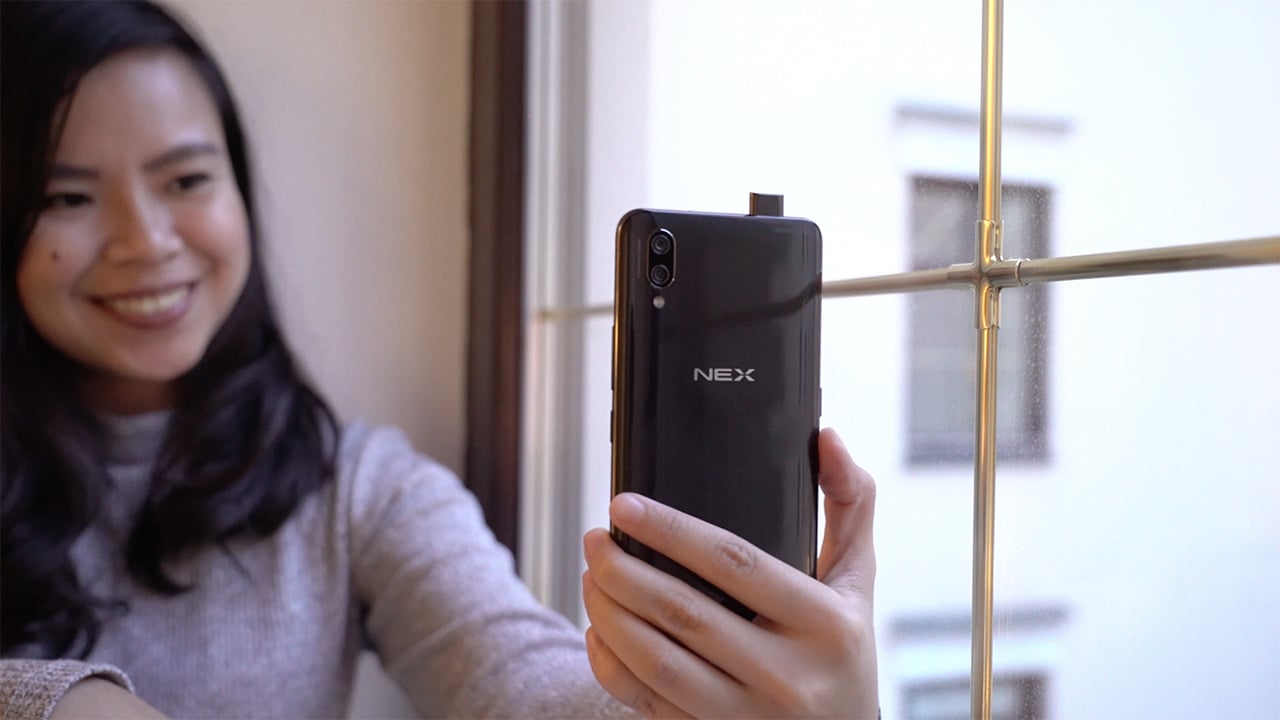
After months of teasing and leaks, Vivo’s truly bezel-less phone is finally official. The Vivo NEX features a notch-free 6.59-inch Super AMOLED Ultra FullView display with a 91.24 percent screen-to-body ratio.
The new NEX lineup comes in two variants: the midrange NEX A powered by the new Snapdragon 710, 6GB of memory, and 128GB of storage; and the flagship NEX S that boasts top-of-the-line specifications: Snapdragon 845 processor, 8GB of RAM, up to 256GB of internal storage, and 4000mAh battery.

The NEX S adopts Vivo’s in-display fingerprint scanner, initially found inside the Vivo X20 UD and X21, with this generation promising better speed and accuracy, while the NEX A opts for a regular one at the back.
Also hidden underneath the display is Screen SoundCasting Technology that turns the screen of the NEX phones into a speaker. Vivo says this not only allowed them to reduce the top bezel, it also enhances sound quality with more powerful bass and softer, smoother treble.

Unlike Xiaomi’s Mix line whose selfie camera is awkwardly placed at the bottom, Vivo retains the selfie camera position up top. The 8-megapixel camera is retractable, and pops up instantly every time the front camera is activated on the camera app. At the back, there’s a 12MP + 5MP dual-camera setup with 4-axis optical image stabilization.
The NEX runs on Android 8.1 Oreo out of the box, with Vivo’s FunTouch OS 4.0 on top. The phone also gets AI-based features including AI Scene Recognition, AI HDR, AI Filters, and AI Photo Composition.
Similar to the Samsung Galaxy S9 and LG G7 ThinQ, the Vivo NEX gets a dedicated AI button for Vivo’s own assistant Jovi. With it, users can access apps and features with voice commands, and identify objects using the camera.
The back of the phone is made of 3D glass, inspired by the texture of the mother of pearl that when viewed in certain angles radiates rainbow colors.

The Vivo NEX A and NEX S will be available in two colors, black and red, starting June 23. The NEX A retails for CNY 3,898 (US$ 608), and the 8GB + 128GB version of the NEX S costs CNY 4,498 (US$ 702), while the 8GB + 256GB variant costs CNY 4,998 (US$ 780).





Recently, Apple CEO John Ternus declared his intentions to make his company release new devices more regularly. Well, he isn’t playing around. So soon after the launch of the new iPhone 18 Pro series and the iPhone Duo, Apple has just scheduled a new event on October 13 titled “Welcome Home.”
As the name implies, this isn’t an event for more iPhones. Rather, the event will likely focus on Apple’s suite of home-related products. We might see an all-new HomePod and an Apple TV. Plus, it’s been rumored that the company will launch a new smart home hub.
Besides new mobile products, Apple is focusing on adding more ways to have their ecosystem inside your home. Naturally, this could mean that Apple is improving the ecosystem itself, ensuring that all of its products work seamlessly with one another.
Sadly, that’s all we can say about the upcoming October 13 event. This is, after all, a new era for Apple after Tim Cook stepped down from his post as the company’s CEO. We don’t know if the company wants a grand entrance for its new products or a more subtle one. Either way, stay tuned next week for a preview of whatever the brand has cooking in the kitchen.


OPPOOPPOOPPO has announced that the Find X10 Series will launch globally on October 21 in Mallorca, Spain.
The latest flagship lineup focuses heavily on mobile photography, with OPPO positioning the series as a “Hasselblad True-to-Life Camera.” It combines new camera hardware with OPPO’s next-generation LUMO True Image Engine for more natural detail, color, and tones.
Two phones, up to three 200MP cameras
The Find X10 features a Dual 200MP Camera System co-developed with Hasselblad. Meanwhile, the Find X10 Pro Max takes things further with a Triple 200MP Camera System.
The Pro Max is equipped with 200MP sensors for its ultra-wide, main, and telephoto cameras.
OPPO’s LUMO True Image Engine is designed to make the most of the new hardware. It combines computational photography with Master Mode and color information from the True Color Camera to produce more natural-looking images.
The company says the system is designed to preserve details such as skin tones and fine textures while maintaining natural contrast.
4K 120fps and 8K video
The OPPO Find X10 Series also gets upgraded video capabilities.
The Find X10 Pro Max supports 4K video recording at 120fps and 8K at 30fps across all three rear cameras. The Find X10 offers the same capabilities on its two 200MP cameras.
Both models also introduce Open Gate Capture. The feature uses the sensor’s full imaging area, allowing creators to capture more of a scene and later crop or reframe footage for different formats.
Flagship MediaTek chips and 8,000mAh batteries
The Find X10 is powered by the MediaTek Dimensity 9600M, while the Find X10 Pro Max is among the first smartphones to use the 2nm MediaTek Dimensity 9600 Pro.
Both phones pack an 8,000mAh OPPO Silicon-Carbon Battery. OPPO claims the battery can provide up to two days of typical use and retain more than 80 percent of its original capacity after five years of typical use.
The series will also ship with ColorOS 17, which introduces a new Living Flow Design and AI Mind Pilot with Agent Mode. The latter connects agentic AI with files and photos on the phone to help users complete more complex tasks through a single prompt.
Find X10 Series design
OPPO is giving the Find X10 Series a minimalist design with its new Borderless Design. One-Piece Sculpted Glass flows into the camera module, creating a more seamless look around the camera bump.
The Find X10 will be available in Glacier Blue, Glow Coral, and Mist Grey. The Find X10 Pro Max comes in Titanium Grey and Luna White.
OPPO will reveal the Find X10 Series’ full specifications, pricing, and availability during its global launch event in Mallorca on October 21.
News
Amazon launches new Alexa+ tablets with full Google Play access
Alexa+ arrives on three tablets.


Amazon has introduced its new Alexa Tablets, a lineup of Android tablets built around its Alexa+ assistant and full access to the Google Play Store.
The lineup consists of the Amazon Alexa Tablet 12 Pro, Amazon Alexa Tablet 11, and Amazon Alexa Tablet 8. All three feature aluminum designs, high-resolution displays, and Alexa+ built into the core tablet experience. The Alexa Tablet 12 Pro leads the lineup
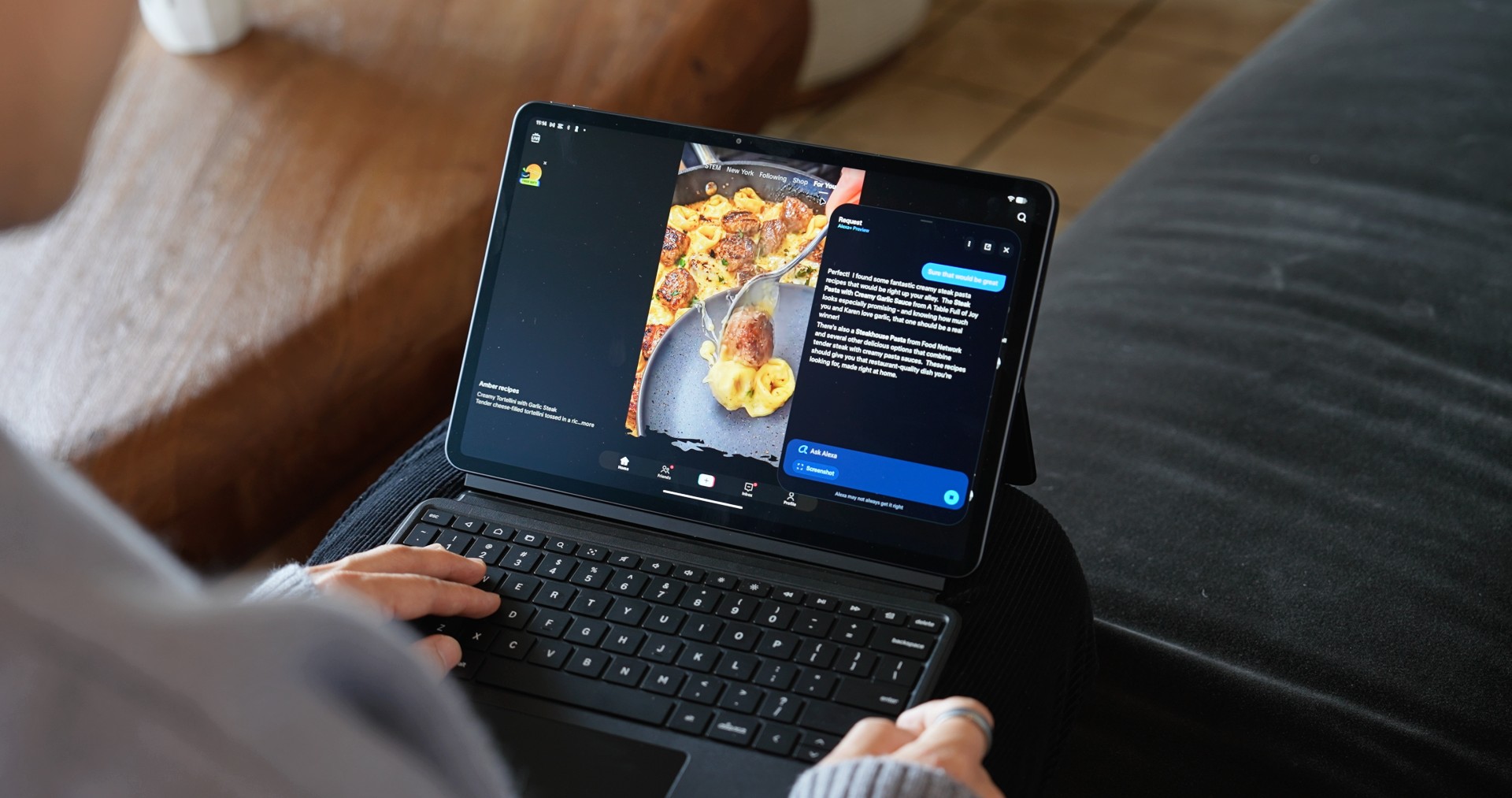
The Amazon Alexa Tablet 12 Pro is the flagship model. It features a 12-inch 2800 x 1840 display with a 120Hz refresh rate and 3:2 aspect ratio. It measures just 6.5mm thick and weighs 550g.
The tablet runs on a 4nm MediaTek Dimensity 8400 processor with up to 16GB of RAM. Amazon claims it delivers nearly three times faster processing and nine times faster graphics than any tablet it has previously shipped.
The tablet also has quad Dolby Atmos speakers, Wi-Fi 6E, and up to 16 hours of video playback.
An optional Nanomatte display uses an etched anti-glare surface designed to reduce reflections while retaining detail and color accuracy. Amazon says it is designed to remain readable in different lighting conditions.
The company is also offering a Pro Pen and Pro Keyboard for the 12 Pro. The pen supports 4,096 levels of pressure sensitivity, tilt detection, magnetic docking, and wireless charging, while the keyboard turns the tablet into a more traditional productivity setup.
Alexa+ is built into the tablets
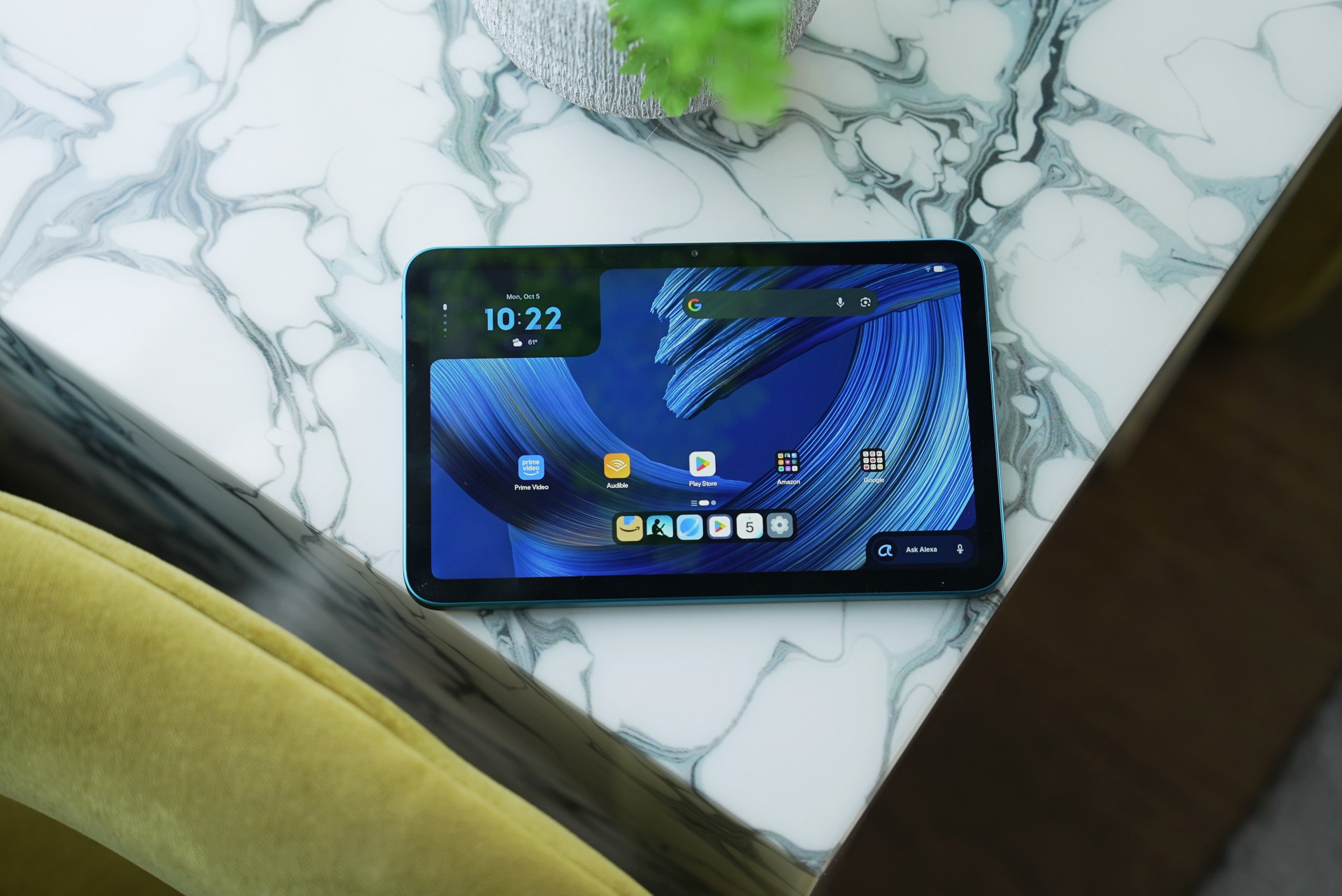
Alexa+ is integrated throughout the new tablets. Users can activate it by saying “Alexa” or tapping the Ask Alexa button without leaving their current app.
The assistant can also use On-Screen Intelligence to understand what’s displayed on the tablet. Users can ask Alexa to analyze information, help plan activities, or perform tasks based on what’s on screen.
Alexa+ also supports hands-free live sessions, allowing users to have continuous conversations without repeating the wake word.
Amazon says these screen-related features are off by default and require users to opt in. A visual indicator appears whenever Alexa is active.
The other two tablets
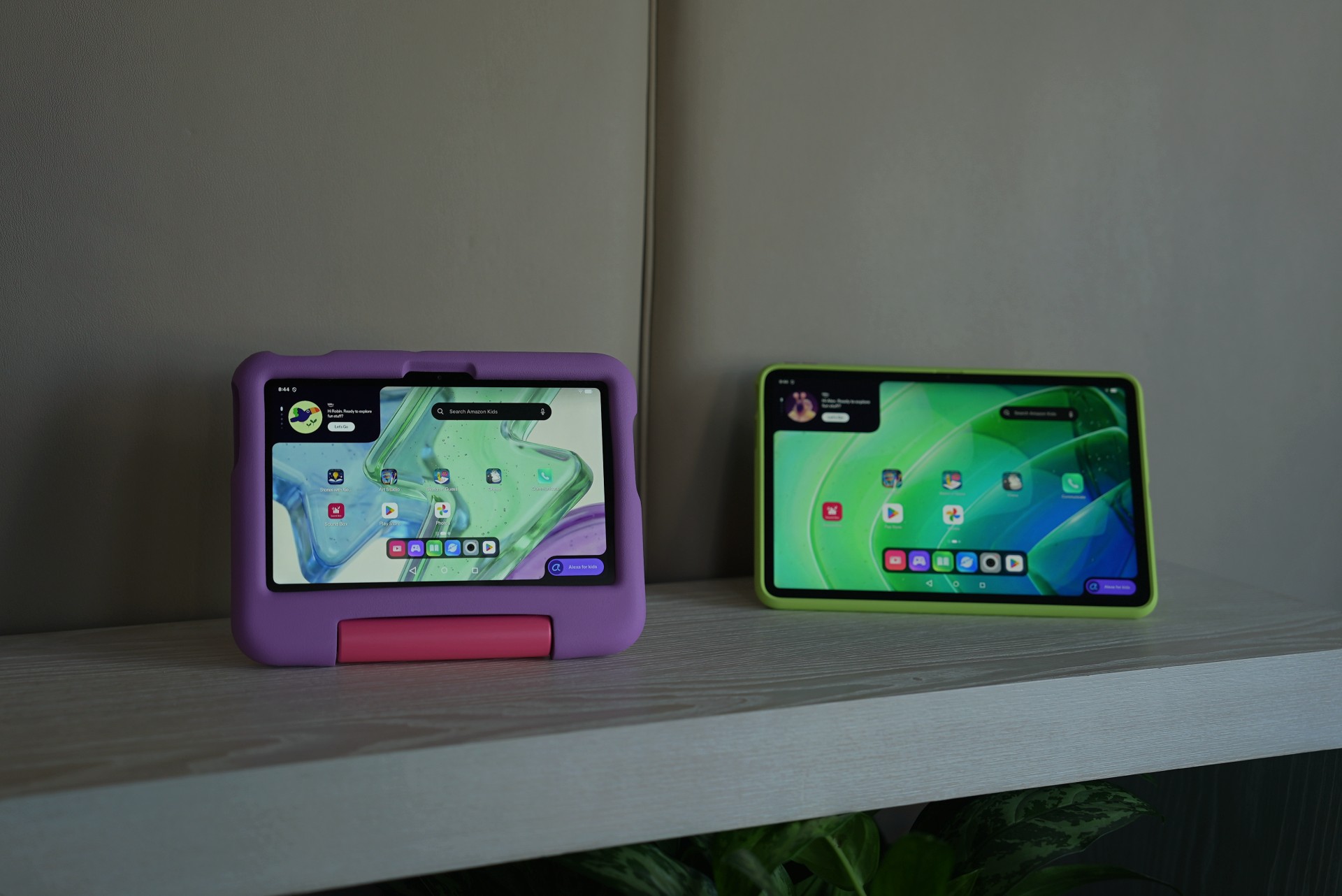
The Amazon Alexa Tablet 11 has an 11-inch 2560 x 1600 display with a 90Hz refresh rate and 16:10 aspect ratio. It uses an 8-core processor with 8GB of RAM, dual Dolby Atmos speakers, and offers up to 15 hours of video playback.
Meanwhile, the Amazon Alexa Tablet 8 is the most portable model. It has an 8.7-inch display, weighs 329g, and measures 7.95mm thick. It offers up to 14 hours of video playback and comes with the same Alexa+ integration as the larger models.
All three tablets run Android 16 and include Google Play Store access, alongside Amazon’s own apps such as Prime Video, Kindle, Audible, Amazon Music, Amazon Quick, and Amazon Luna.
Pricing and availability
The Amazon Alexa Tablet 12 Pro starts at US$499.99, while the Nanomatte version starts at US$549.99. The Amazon Alexa Tablet 11 starts at US$329.99, and the Amazon Alexa Tablet 8 starts at US$229.99.
The Pro Keyboard costs US$149.99, while the Pro Pen costs US$89.99.
The tablets will go on sale October 14, 2026 in the US, Mexico, and Canada. They will arrive in the UK, Germany, France, Italy, and Spain on October 19.
Amazon has not listed the Philippines among the initial launch markets.



Dragon’s Dogma 2: Dark Arisen launches with new Official Pawns

Score PhP 22,000 in guaranteed freebies when you pre-order the iPhone 18 Pro at Beyond the Box

Sony unveils world’s 1st Eclipsa Audio-certified mic for smartphones

Garmin Approach S72 brings swing metrics, green reading to your wrist

Garmin Enduro 4 promises up to 320 hours of battery life

vivo X500 Series launches with major imaging upgrades

OPPO Find X10 Pro Max is the first phone with a triple 200MP camera system

BYD says that way better EV batteries are coming next year

TECNO CAMON Slim 5G: Price, availability in the Philippines

HONOR Magic9 Pro Max launches in China with ARRI-powered imaging


-
 Philippines2 weeks ago
TECNO CAMON Slim 5G: Price, availability in the Philippines
-
 News2 weeks ago
HONOR Magic9 Pro Max launches in China with ARRI-powered imaging
-

 Reviews2 weeks ago
TECNO CAMON Slim 5G review: Slim on size, big on surprise
-

 News2 weeks ago
Apple wants to release new iPhones more regularly
-

 News1 week ago
vivo X Fold6 makes global debut with 200MP camera and 6900mAh battery
-

 Computers2 weeks ago
ROG brings out the ultra-stylish G1000 gaming desktop
-

 Reviews2 weeks ago
HONOR 600S review
-

 Her GadgetMatch2 weeks ago
TECNO and Angélica Dass visit the Philippines next for its grand portrait project