
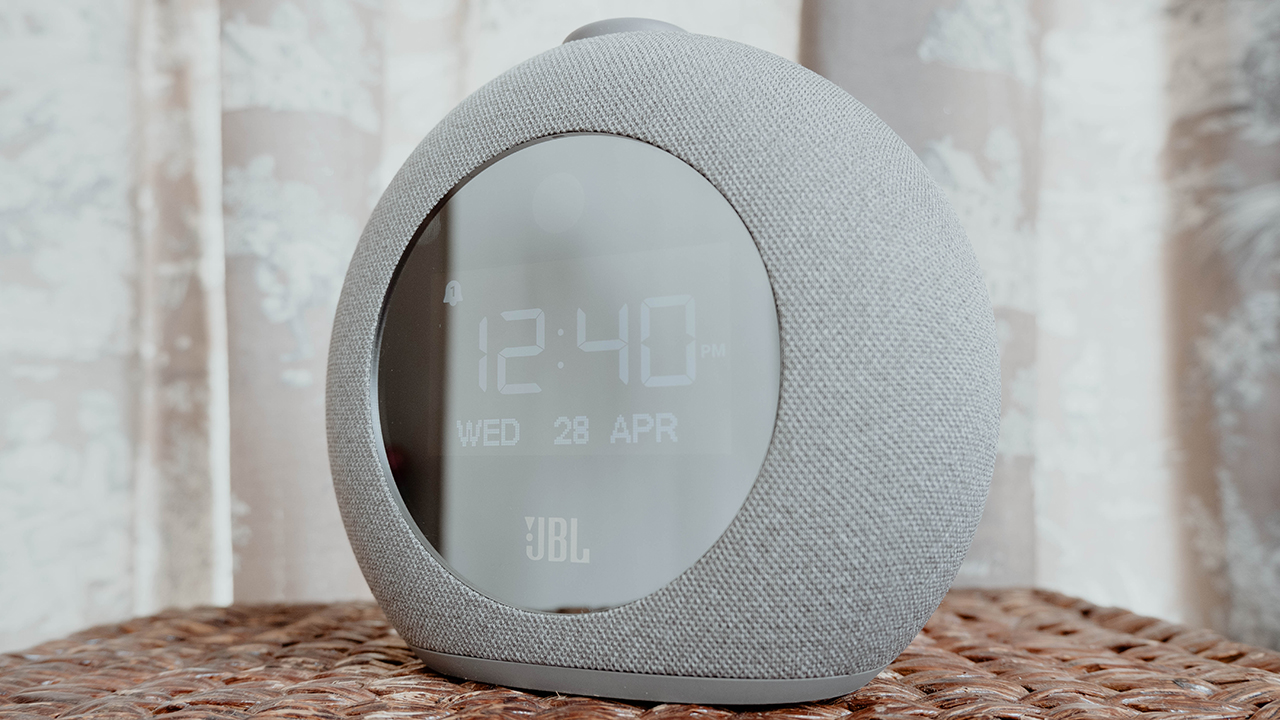


I’m a person who creates a setup for any piece of tech I have in my room. In essence, I’d like to keep things organized so that I know how best to use them. Believe it or not, I tried fixing up my bedside area with a table and phone chargers. I just needed something to fit the entire setup altogether.
Enter the JBL Horizon 2, a one-of-a-kind Bluetooth speaker fit for any living or bedroom space. It comes with features that make it a great device to blast your favorite songs on, especially when you’re jamming in your room. Although, it provides much more than just a nice soundtrip in any given space.
So, let’s take a deeper dive into the JBL Horizon 2:
More than just a speaker apparently
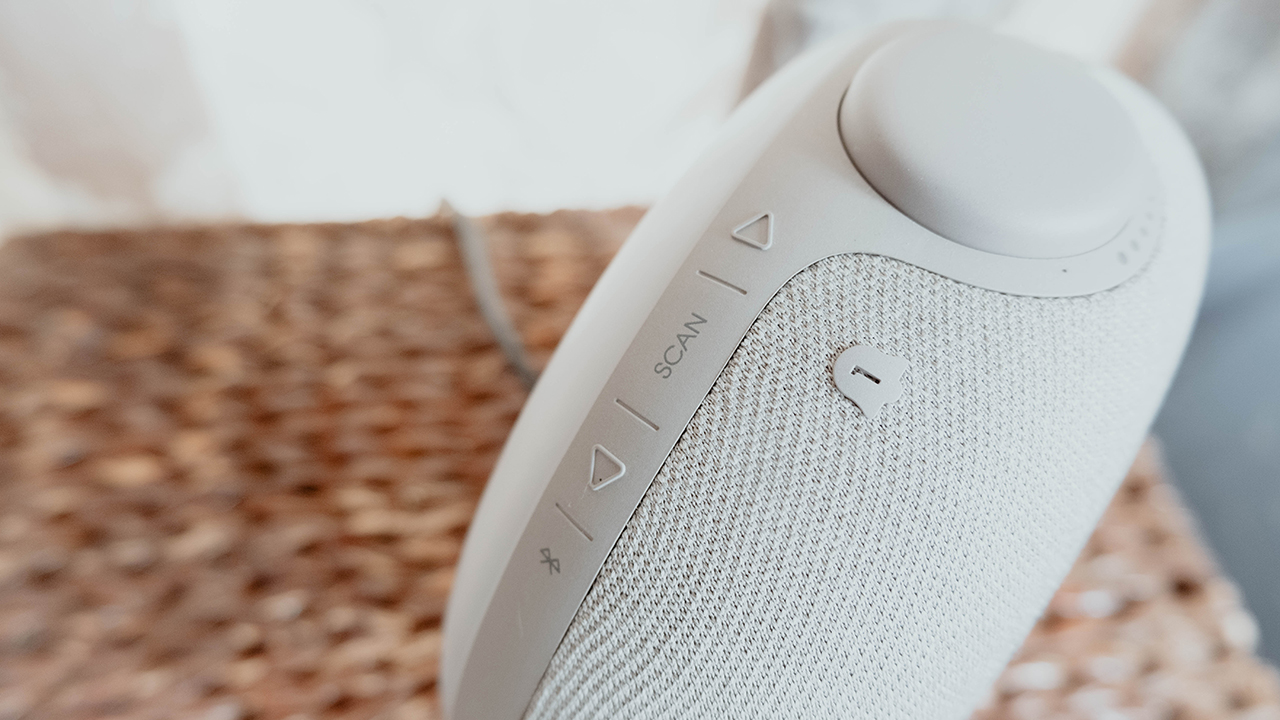
Upon unboxing the speakers, I honestly thought that it was just a bulky speaker for your bedside table. I mean, it comes in a form factor that’s mostly focused on speaker-like features and functions — like Bluetooth pairing and FM Radio. Also, it comes with a volume dial at the top and an LED screen in the center… wait, what?
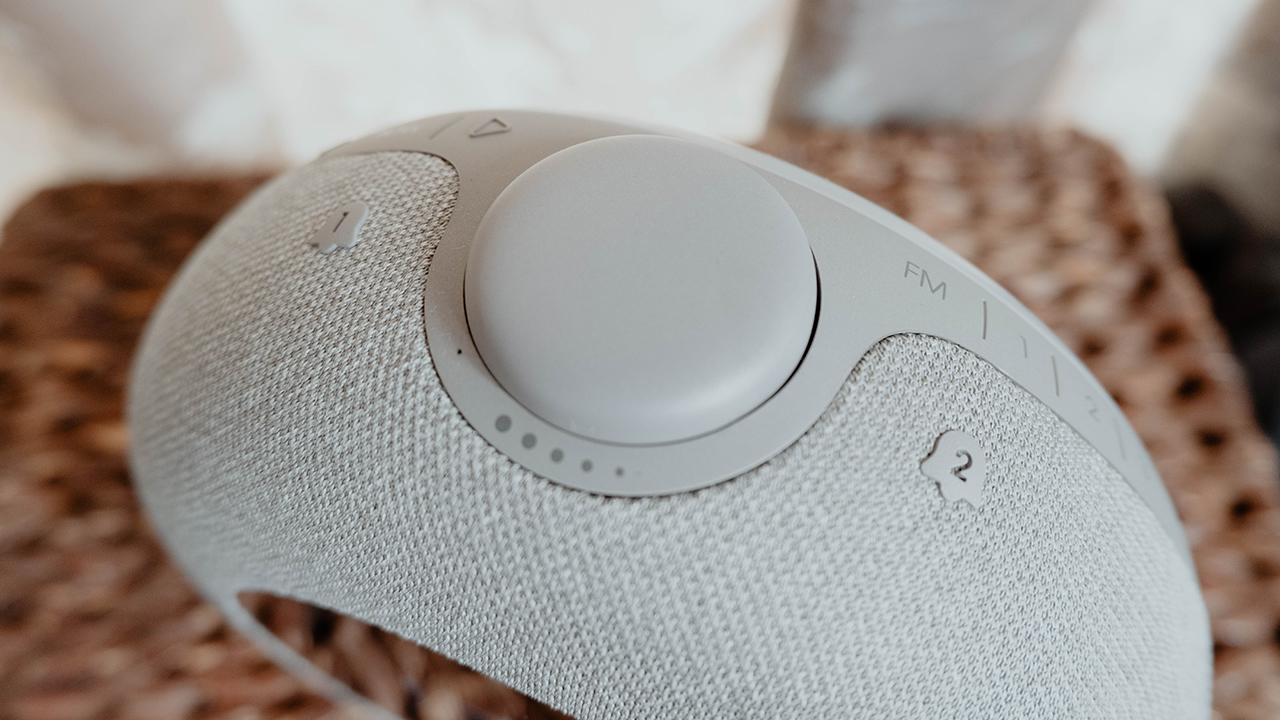
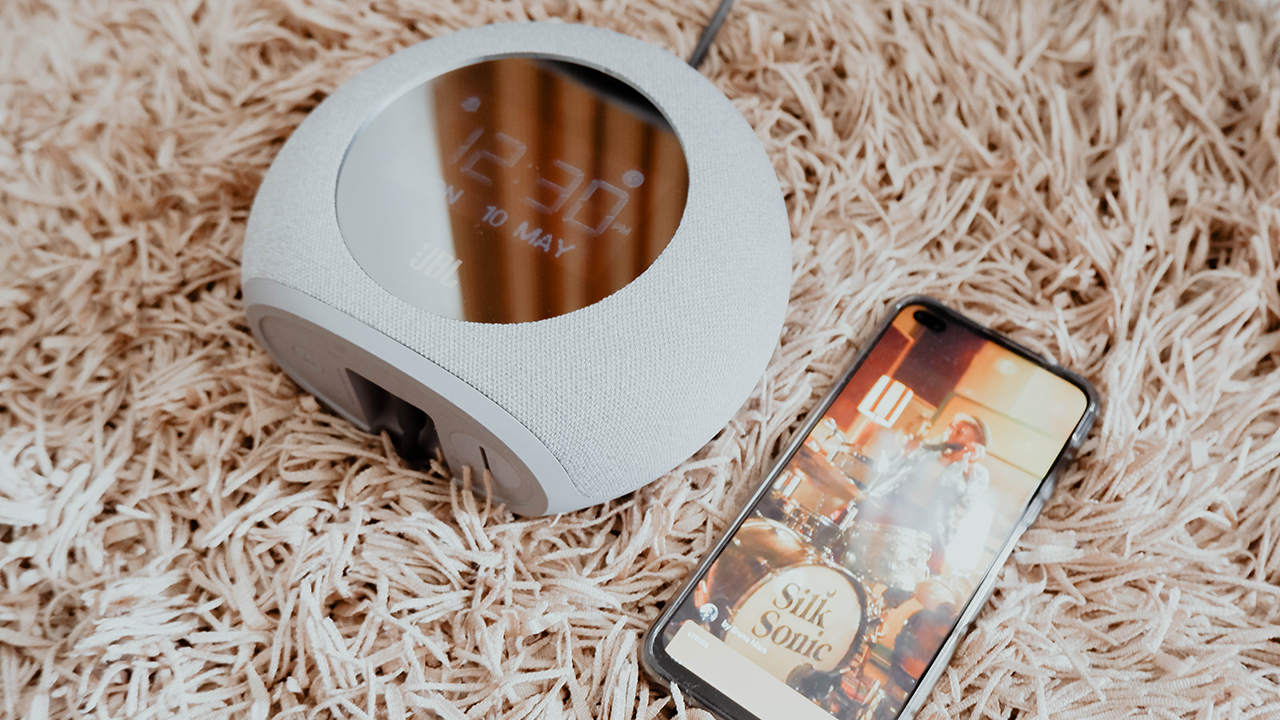
Yes, the JBL Horizon 2 isn’t just any regular Bluetooth speaker you plug into a wall. In fact, it’s also designed as an alarm clock, as well. The LED screen that’s built into the design displays the time, any active alarms and logos to indicate a connected device. Although, it’s not that enticing when (at certain angles), I couldn’t see what’s displayed since it’s not an anti-glare display.
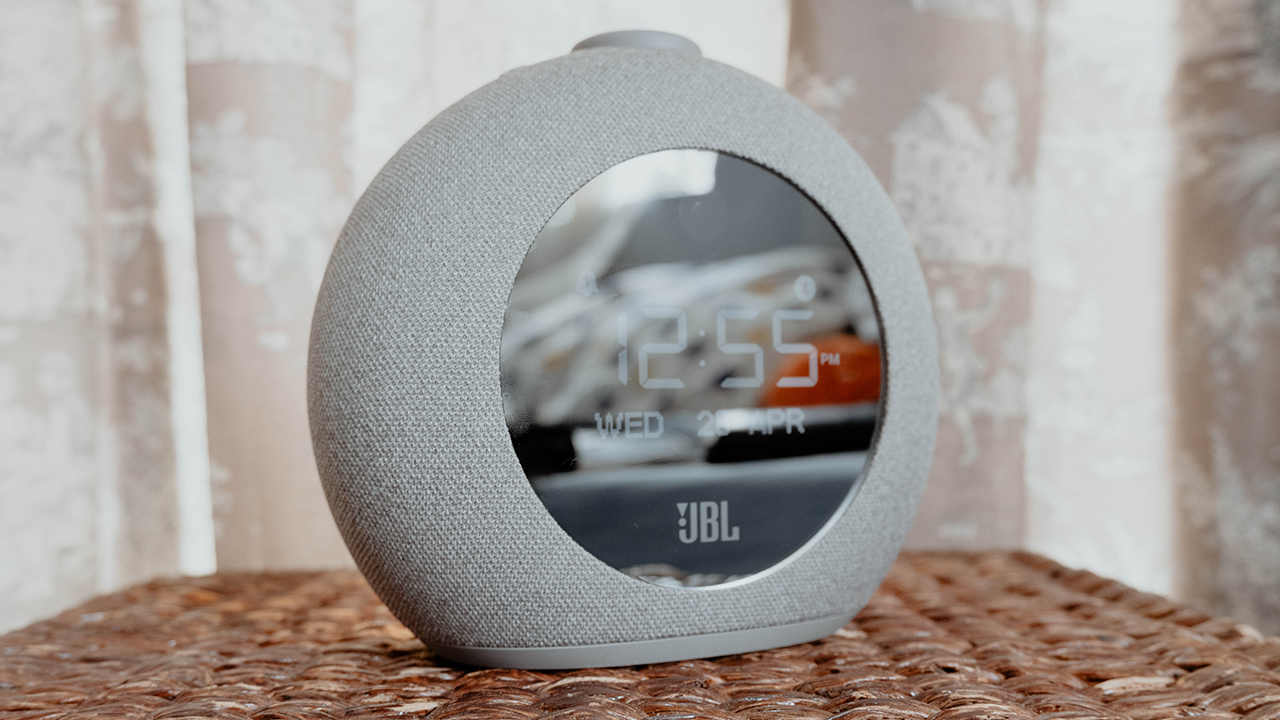
Nonetheless, the JBL Horizon 2 looks like a practical kind of speaker with a dual purpose. It’s not everyday you come across something like this, and I welcome it.
Easy to set up and work around
One thing this speaker brings is some ease of setup in any given space. As mentioned, I had it set up just on my bedside table since it was the only free space available. When you plug it in, it automatically turns on and is ready for an initial set up (date, time, and even your alarms).

For the most part, the controls were quite intuitive since there are symbols to help guide you through it. From connecting your preferred devices via Bluetooth to tuning the FM radio, it was pretty easy to work around. Also, you have access to two USB-A ports at the side of the speaker for charging your devices, as well.

Almost excellent sound quality
As a speaker, the JBL Horizon 2 provides a near excellent audio experience. Apart from the ease of connection, the speakers released sounds with some level of deep bass suited for any room. Also, it’s quite loud even just at volume levels 9-15, depending on how sensitive your ears are to sounds in any area.
I also found it quite nice that there is a dedicated volume dial for ease of control. Instead of having to press buttons on my phone, I could just simply turn the dial in the direction I want to increase or decrease the volume. The thing is, it assigns the volume levels according to your device’s volume settings, so I could gauge the bearable levels.

However, I say it’s almost excellent because in some cases, I experienced a slight hiccup with the sound quality. For the most part, audio playback happens after about 1-2 seconds from playing certain tracks or videos. Although audio and video sync quite well during playback, I still find it weird that there’s this level of delay even if my phone is close to the speakers.
Helpful in waking you up
If you’re someone like me who is recently having a hard time waking up, the JBL Horizon 2 is quite the useful alarm clock. Instead of having to set 15 different alarms on your phone, you can just set two alarms and they’re quite loud. Even if my head is not beside my bedside table, I can still hear it when I gain consciousness from my sleep.
To turn off the alarm, you have to press the volume dial like how most people in movies do but with less aggression. If you don’t press it, like most alarms, the JBL Horizon 2 comes with its own snooze functionality that you can also set. If there’s any real complaints I have about the alarm setup, it’s the fact that you can’t adjust the volume of the alarm.
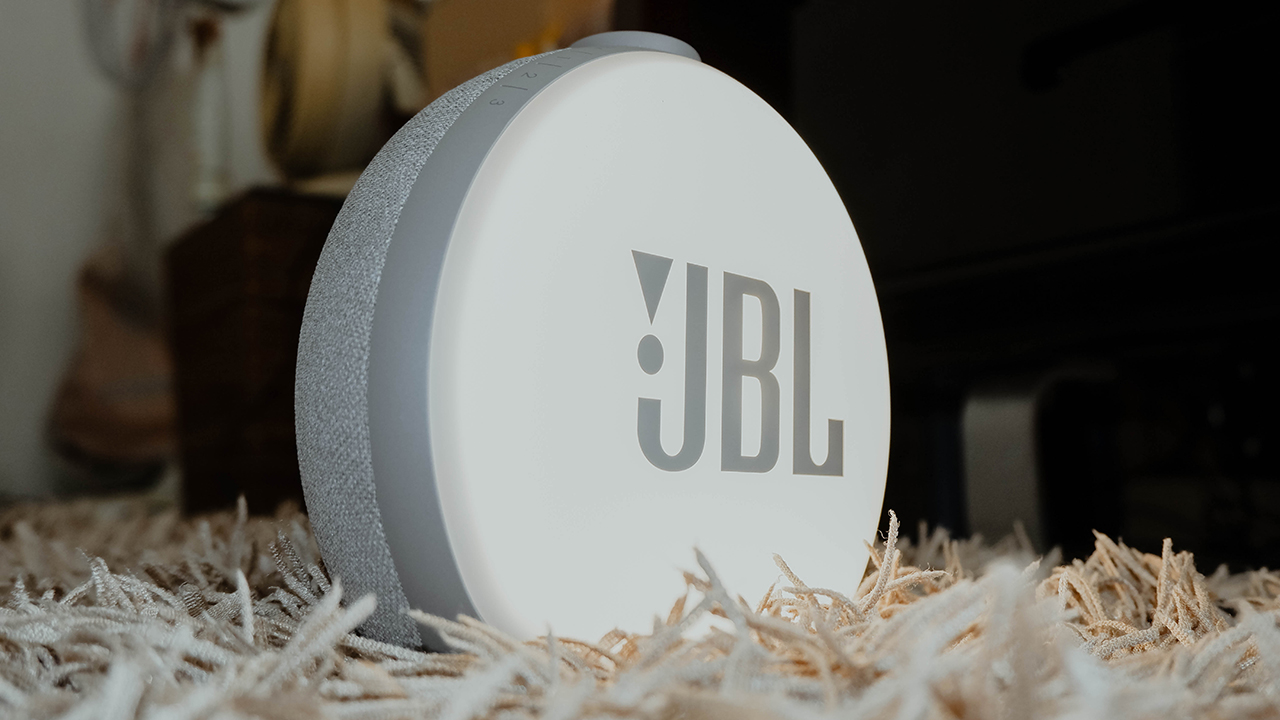
Another feature that helps with the alarm functionality is the night light at the back of the speaker. All it takes is pressing the volume dial twice, and that night light is on — for those who can’t sleep with the lights off. If the speakers are close to you, this is great for shining light in your eyes to wake you up! Honestly, it’s an effective way to wake you up if you hate the sun.
Is this your GadgetMatch?
At PhP 6,299, the JBL Horizon 2 provides a multi-faceted sound system for any living space. It comes with speakers with great audio quality suited for those lovely soundtrips while indoors. With relative ease, you can connect almost any kind of device with Bluetooth and enjoy hassle-free volume control.
When you’re not using it as a speaker, it serves its other purpose as an alarm clock quite well. Even though the LED screen is rather subpar, it still tells you the time and even sets off according to your alarms for the day. With a night light at the back, you will also not have any problems with sleeping in the dark.
It’s an audio device that will surely find its place in your home or bedroom. While it may not be a portable device, it’s something worth investing in while you’re not going anywhere.
For more great products and accessories like the JBL Horizon 2, visit OnWardPH or follow them through their Facebook and Instagram accounts (@OnWardPH) for you to keep posted.







Acer is expanding its storage lineup with the PA100 Portable SSD. It’s a compact external drive designed for users who need faster storage across multiple devices.
The PA100 uses USB 3.2 Gen 1 connectivity. It reaches sequential read speeds of up to 560MB/s and write speeds of up to 430MB/s. This makes it suited for everyday tasks such as transferring large files, backing up content, managing documents, and moving media between devices.
Up to 2TB of portable storage
The PA100 comes in three capacities: 500GB, 1TB, and 2TB. This gives users options depending on whether they need extra space for documents and schoolwork or larger collections of photos, videos, and project files.
Acer also designed the drive with mobility in mind. The PA100 has a slim 9mm profile and a lightweight build, while its reinforced construction is designed to withstand everyday travel and handling.
The drive comes with a 2-in-1 USB-C to USB-C and USB-A cable. This allows it to connect to compatible PCs, tablets, smartphones, and other devices without requiring a separate adapter. It also supports major operating systems and USB-C mobile platforms.
Designed for everyday use
Power efficiency is another focus. Acer says the PA100 uses less than 3W during operation, while idle power consumption can drop to as low as 0.62W.
The drive also features an optimized thermal design to help maintain stable performance during extended transfers and daily workloads.
The Acer PA100 Portable SSD is backed by a three-year limited warranty. Pricing and availability may vary by market.
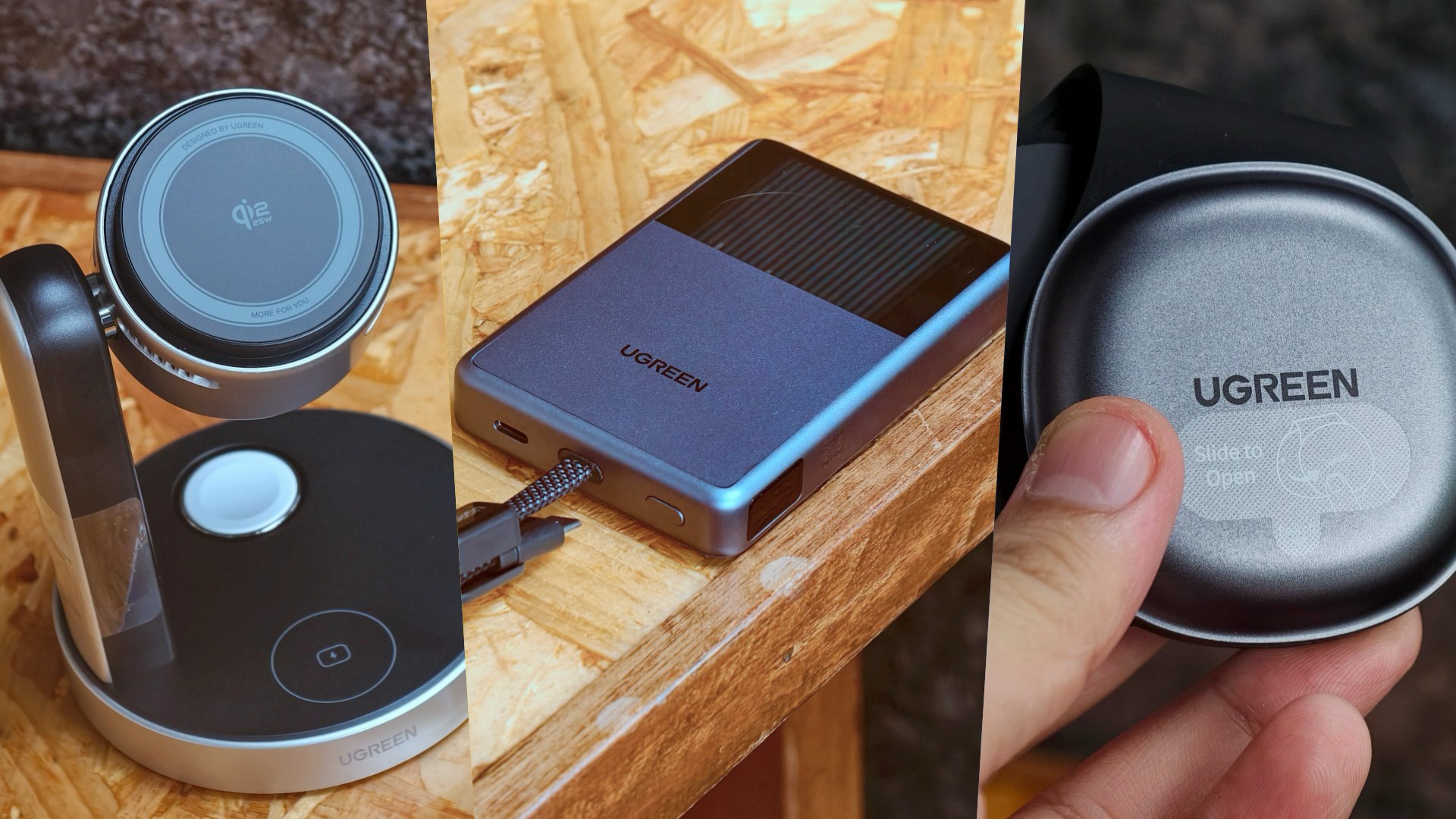
UGREEN has expanded its MagFlow lineup with three new wireless charging products. The range now covers portable power, desktop charging, and travel.
All three support Qi2 25W charging. UGREEN also focuses on thermal management to keep charging cooler and more consistent.
A cooler power bank
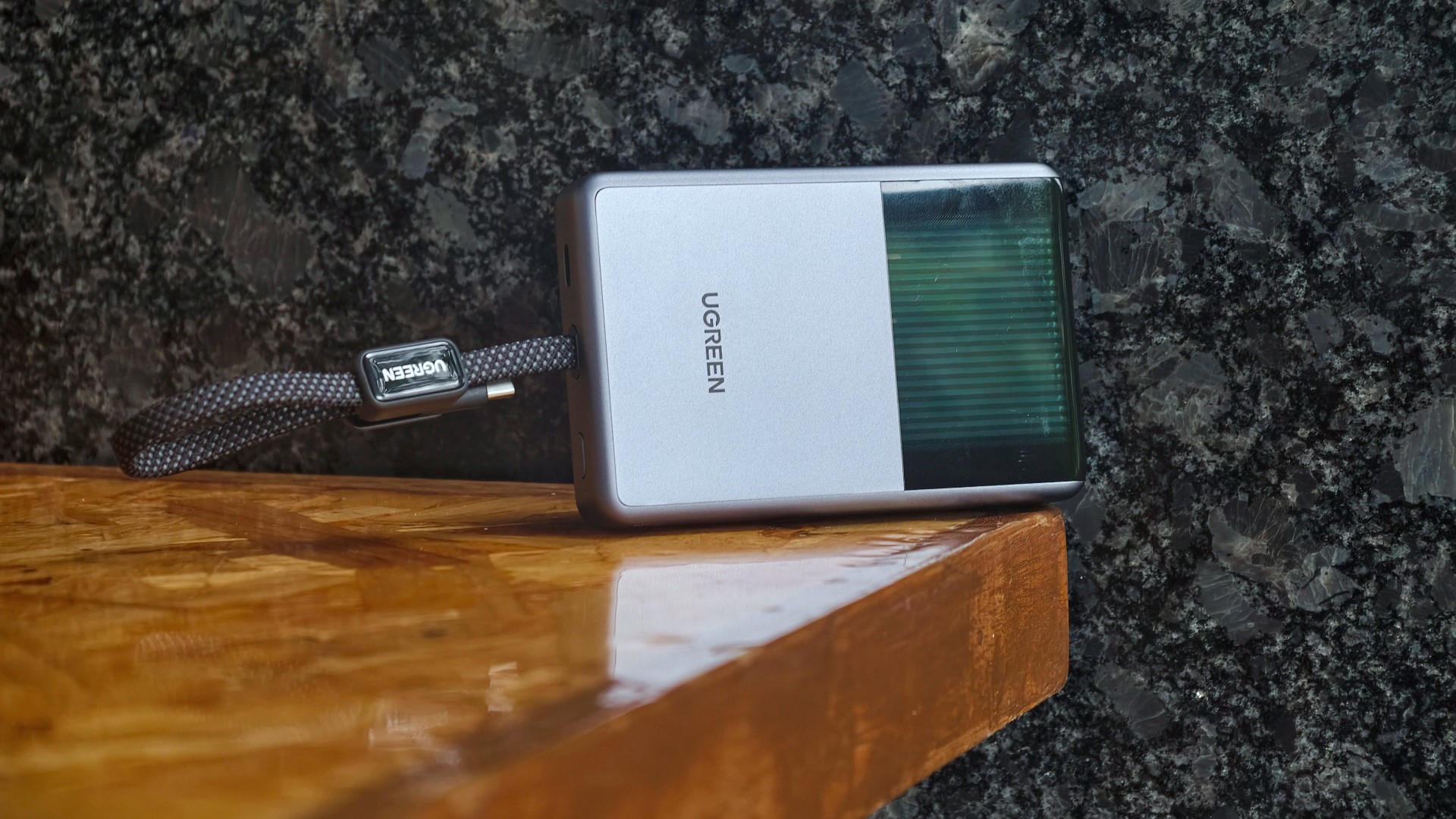
The highlight is the UGREEN MagFlow Pro Magnetic Power Bank 10000mAh 25W. UGREEN calls it the world’s first liquid-cooled Qi2 25W magnetic power bank.
It uses UGREEN’s CryoPulse technology. A micro-pump circulates coolant around key components to draw away heat. A Cyber Window also lets users see the cooling process in real time.
UGREEN says the system can keep peak temperatures up to 18°F below the industry benchmark. The power bank also uses Dymondcell 2.0 high-density ATL cells.
A built-in smart display shows charging power, battery level, cycle count, and cooling status. UGREEN says the power bank can charge an iPhone 17 Pro Max to 50 percent in 40 minutes.
Charging three devices at once
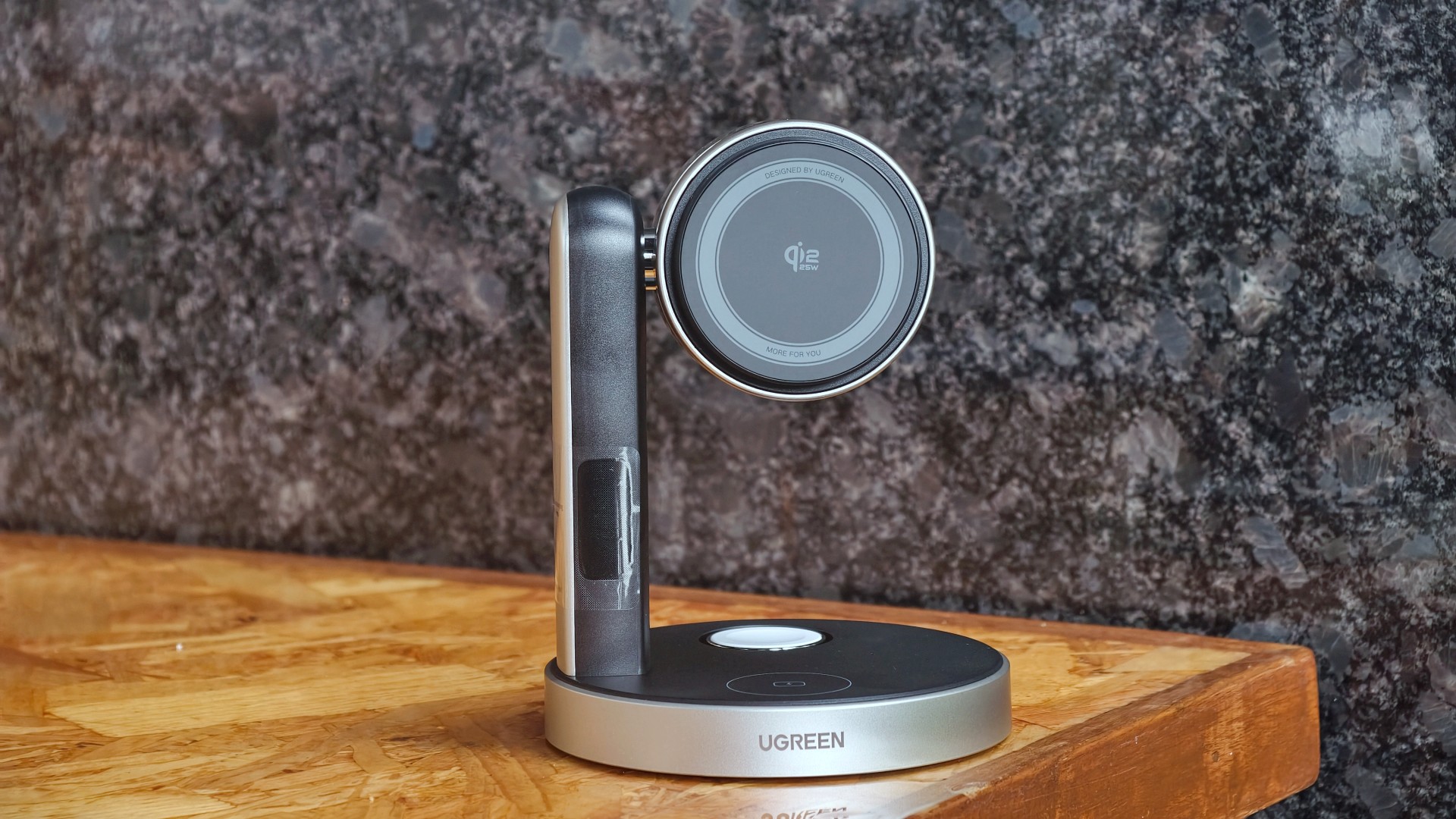
The UGREEN MagFlow Pro 3-in-1 Magnetic Wireless Charging Stand 25W targets desktop setups. It can charge an iPhone, Apple Watch, and AirPods at the same time.
The stand uses CryoPulse TEC active cooling and an ultra-quiet 15dB fan. Its thermoelectric cooling system draws heat away from the charging surface.
UGREEN says the center of the charging surface can reach temperatures as low as 51.8°F. It can also charge an iPhone 17 Pro Max to 50 percent in 26 minutes under its internal testing conditions.
The stand has an adjustable design for easier viewing. A smart display shows charging power and temperature.
A foldable charger for travel

The UGREEN MagFlow 2-in-1 Foldable Magnetic Wireless Charger 25W offers dual-device charging in a compact design.
It can also work as a magnetic phone stand. Users can set it up on a desk or bedside table, or bring it along while traveling.
When folded, the charger takes on a palm-sized clamshell design that fits into a pocket or bag.
All three MagFlow products are available now.
- The MagFlow Pro Magnetic Power Bank 10000mAh 25W costs USD 149.99.
- The MagFlow Pro 3-in-1 Magnetic Wireless Charging Stand 25W costs USD 159.99.
- The MagFlow 2-in-1 Foldable Magnetic Wireless Charger 25W is priced at USD 59.99.
UGREEN sells all three through its official store and Amazon.
Accessories
Acer announces 1st FHD 1000Hz gaming monitor: Predator XB253Q U1
Acer unveils new lineup of monitors across Predator, Acer Nitro, and Acer ProDesigner brands

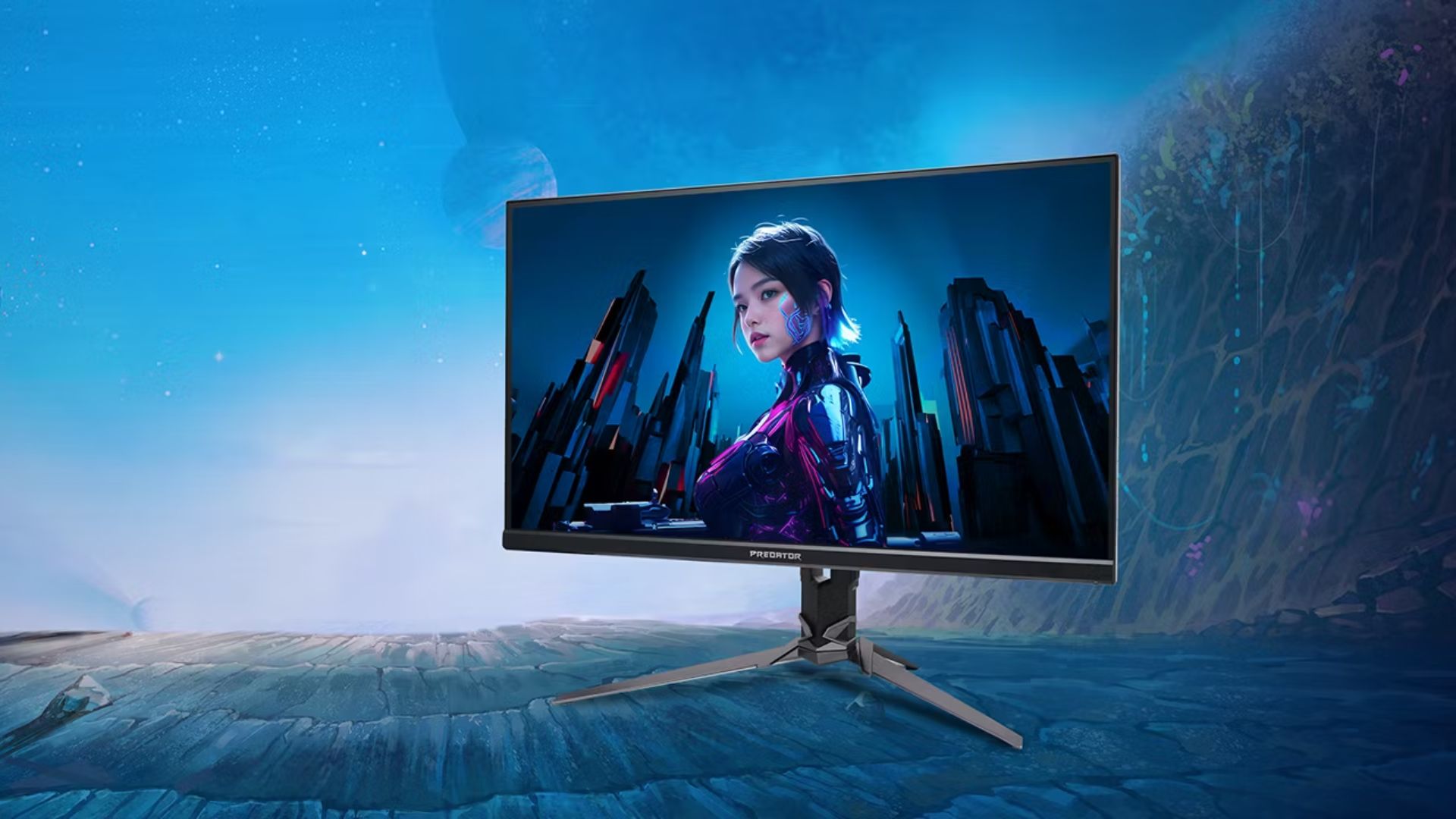
Acer has announced a full lineup of monitors for high-powered gaming and content creation, headlined by the first FHD 1000Hz gaming monitor Predator XB253Q U1.
This offering leads various releases across the Predator, Acer Nitro, and Acer ProDesigner portfolios.
The Predator XB253Q U1 monitor is a premium gaming display designed for top-tier responsiveness for fast-paced titles and esports competitions.
It comes in an optimal 24.5-inch display size for esports environments and delivers ultrafast visual response, motion clarity, and consistent performance.
It features a 1000Hz refresh rate with FHD resolution, along with Acer’s Visual Response Boost (VRB) Pro technology to reduce motion blur and ghosting for fast-moving objects.
The monitor is VESA DisplayHDR400 certified and includes Circular Polarizer technology to reduce glare and eye strain during longer gaming sessions.
Furthermore, it also offers AMD FreeSync Premium and NVIDIA G-SYNC Compatible for tear-free gaming visuals.
Acer unveils new monitors
Acer also released the Predator X23 V3, which comes with a 31.5-inch QD-OLED Penta Tandem display. It has a UHD resolution with 180Hz refresh rate, VESA DisplayHDR True Black 400 certification, and 99% DCI-P3 color gamut.
For a versatile option for both gaming and creative work, there’s the 27-inch Predator XB273K V7. It comes with up to a 500Hz refresh rate, and a baseline UHD resolution at 160Hz.
Users can switch on up to FHD resolution at 500Hz for fast-paced gameplay. This option also offers AMD FreeSync Premium and NVIDIA G-SYNC compatibility. An Acer Smart Dial is also built-in for remote adjustments.
Moreover, Acer has launched the 27-inch Acer Nitro XV275X P, which offers 5K resolution, 2304-zone Mini LED backlighting, and a 0.5ms GTG response time.
This variant is also ideal for creative work with 99% Adobe RGB, 99% sRGB, 99% DCI-P3 color gamuts and Delta E<2 color accuracy.
Speaking of creatives, the Acer ProDesigner PE270X P monitor is built for professional creative work.
It delivers exceptional 5K clarity at a 5120 x 2880 resolution, alongside factory calibration Delta E<1 factory calibration.
More options
For curved display enthusiasts, there’s the Acer Nitro XZ340CKR P monitor. This curved 34-inch display offers up to a 5120 x 2160 resolution at 180Hz, and up to a 360Hz refresh rate at WFHD resolution.
Features include: 0.5ms GTG response time, AMD FreeSync Premium, HDR10 certification, and 90% DCI-P3 color gamut.
Rounding out the lineup are the Acer Nitro XV275U Z2 and Nitro XV270U Z3 monitors. These 27-inch displays are designed as a single display that caters to multiple needs of modern gamers.
They can handle AAA titles and competitive esports, while providing a balance between image quality and ultra-high refresh rates.
They also both support tri-mode DFR technology, allowing users to choose among three optimized visual experiences with one click.
Pricing availability
Predator XB253Q U1
- North America (Q1 2027): Starts at US$ 1,099.99
- EMEA (Q1 2027): Starts at EUR 1,099
- China (Q1 2027): Starts at RMB 7,999
Predator X32 V3
- North America (Q1 2027): Starts at US$ 899.99
- EMEA (Q1 2027): Starts at EUR 899
- Australia (Q2 2027): Starts at AUD 1,999
- China (Q1 2027): Starts at RMB 5,999
Predator XB273K V7
- North America (Q4 2026): Starts at US$ 449.99
- EMEA (Q4 2026): Starts at EUR 449
- Australia (Q2 2027): Starts at AUD 899
- China (Q4 2026): Starts at RMB 2,999
Acer Nitro XV275X P
- North America (Q1 2027): Starts at US$ 1,199.99
- EMEA (Q1 2027): Starts at EUR 1,199
- China (Q1 2027): Starts at RMB 9,999
Acer Nitro XZ340CKR P
- North America (Q4 2026): Starts at US$ 699.99
- EMEA (Q4 2026): Starts at EUR 699
- China (Q4 2026): Starts at RMB 4,999
Acer Nitro XV275U Z2
- North America (Q4 2026): Starts at US$ 329.99
- EMEA (Q4 2026): Starts at EUR 329
Acer Nitro XV270U Z3
- North America (Q1 2027): Starts at US$ 299.99
- EMEA (Q1 2027): Starts at EUR 299
- China (Q1 2027): Starts at RMB 1,999
Acer ProDesigner PE270X P
- North America (Q1 2027): Starts at US$ 1,299.99
- EMEA (Q1 2027): Starts at EUR 1,299






Disney+ is moving to a global app experience

Now Playing: Elden Ring Tarnished Edition

TECNO’s POVA 8 Pro gets a stealthy makeover

The original PlayStation gets the LEGO treatment

NBA 2K’s MyCAREER needs to play the long game

TECNO MEGAPAD 2 review: Eyes on the size

realme 16T 5G with 8000mAh battery, IP69 Pro rating launches in PH

REDMI Note 17 Series focuses on long-term reliability

realme 16T to come with 8,000mAh battery, 7-year battery health guarantee

HUAWEI Pura X View is 2026’s first WIDE slab-type smartphone


-
 Reviews2 weeks ago
TECNO MEGAPAD 2 review: Eyes on the size
-
 News7 days ago
realme 16T 5G with 8000mAh battery, IP69 Pro rating launches in PH
-

 Cameras2 weeks ago
30 days with the DJI Osmo Pocket 4P
-
 Singapore1 week ago
REDMI Note 17 Series: Price, availability in Singapore
-
 News1 week ago
REDMI reveals the refreshed Note 17 and Note 17 Pro series
-

 Cameras1 week ago
Insta360 Luna Ultra review: My new solo coverage camera
-
 Reviews1 week ago
REDMI Note 17 Pro review: What a rollercoaster ride!
-
 News2 weeks ago
HONOR Magic V6: Price, availability in the Philippines