
Tablets
OPPO set to launch its first tablet next year
Plus foldable and rollable phones

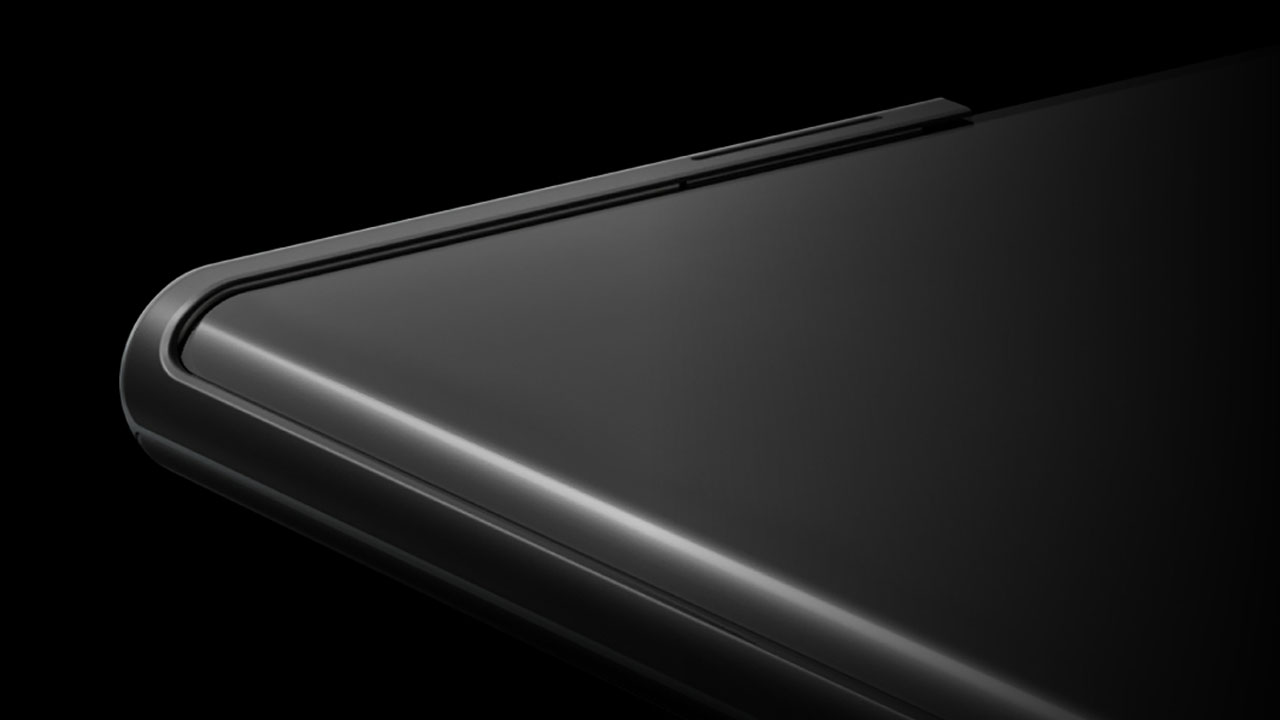
Tablets are on the rise. After an extensive downturn for the tablet industry, larger devices are making a comeback. Of course, it will take a while before tablets become a staple for every household, but the new tablets coming out are making quite a case for it. To join with the trend, OPPO will reportedly launch its first tablet next year.
According to a new report from China, OPPO is hard at work for its first-ever tablet. An OPPO tablet was first rumored late last year. However, as we know now, it’s getting highly unlikely that the brand is still launching a new tablet this year. The new report pegs the tablet’s launch for the first half of 2022. To go along with the device, the company is also working on ColorOS specifically made for tablets.
Besides going into the tablet market, OPPO is also working on devices with foldable and rollable designs coming for the future. This isn’t the first rollable from OPPO either. Also last year, the company unveiled its concept for a rollable phone but without launching a final product.
Even without talks of a tablet or a new design, OPPO is doing relatively well for itself. Chinese smartphone brands are filling in the vast void left behind Huawei’s descent down the ranks.
SEE ALSO: MagVOOC is OPPO’s version of MagSafe






Choosing between the Xiaomi Pad 8 and the Xiaomi Pad 8 Pro feels like picking between a “sweet treat” and a “full-course meal.”
It’s deciding between a reliable travel companion and a specialized workstation. Both tablets rock a slim 5.8mm profile and a manageable 485-gram weight, and a 9200mAh battery.
However, under the hood, they are playing in different leagues. Especially since the “Pro” moniker adds serious muscle to the internals, and a solution for that glossy screen distraction.
Specs at a glance
| Product | Xiaomi Pad 8 | Xiaomi Pad 8 Pro |
| Processor | Snapdragon 8s Gen 4 (4nm) | Snapdragon 8 Elite (3nm) |
| Display | 11.2″ 3.2K IPS LCD (144Hz) | 11.2″ 3.2K IPS LCD (144Hz) |
| Surface | Ultra-Glossy Glass | Optional Matte Nano-Texture |
| Storage/RAM | Up to 12GB LPDDR5X / 256GB | Up to 16GB LPDDR5T / 512GB |
| Rear Camera | 13MP | 50MP |
| Front Camera | 8MP | 32MP |
| Charging | 45W Turbo Charge | 67W HyperCharge |
| Pricing | Starts at PhP 20,999 | Starts at PhP 38,999 |
Why you should pick the Xiaomi Pad 8
The standard Pad 8 is that “Goldilocks” device, hitting that sweet spot between price and premium hardware.
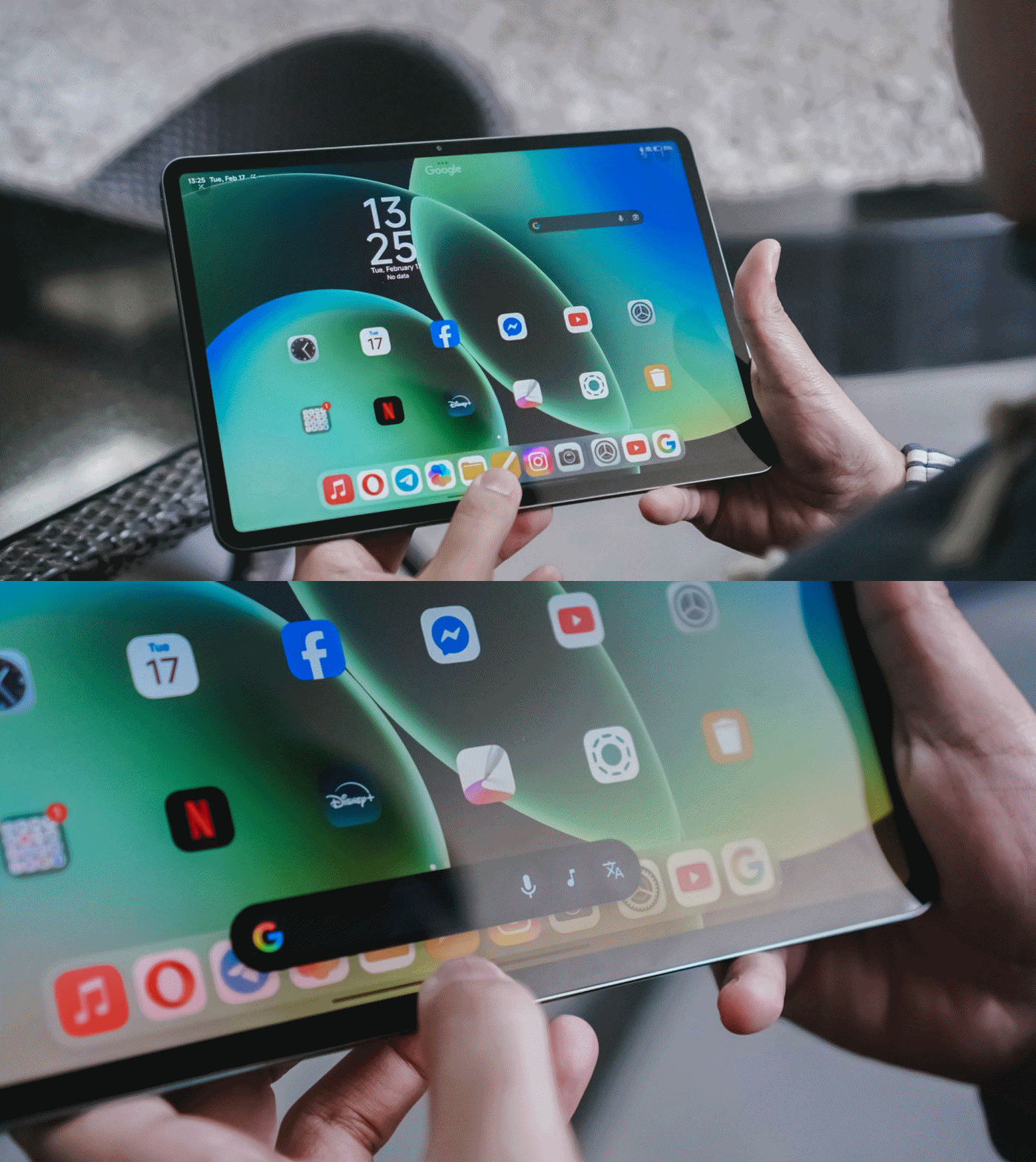
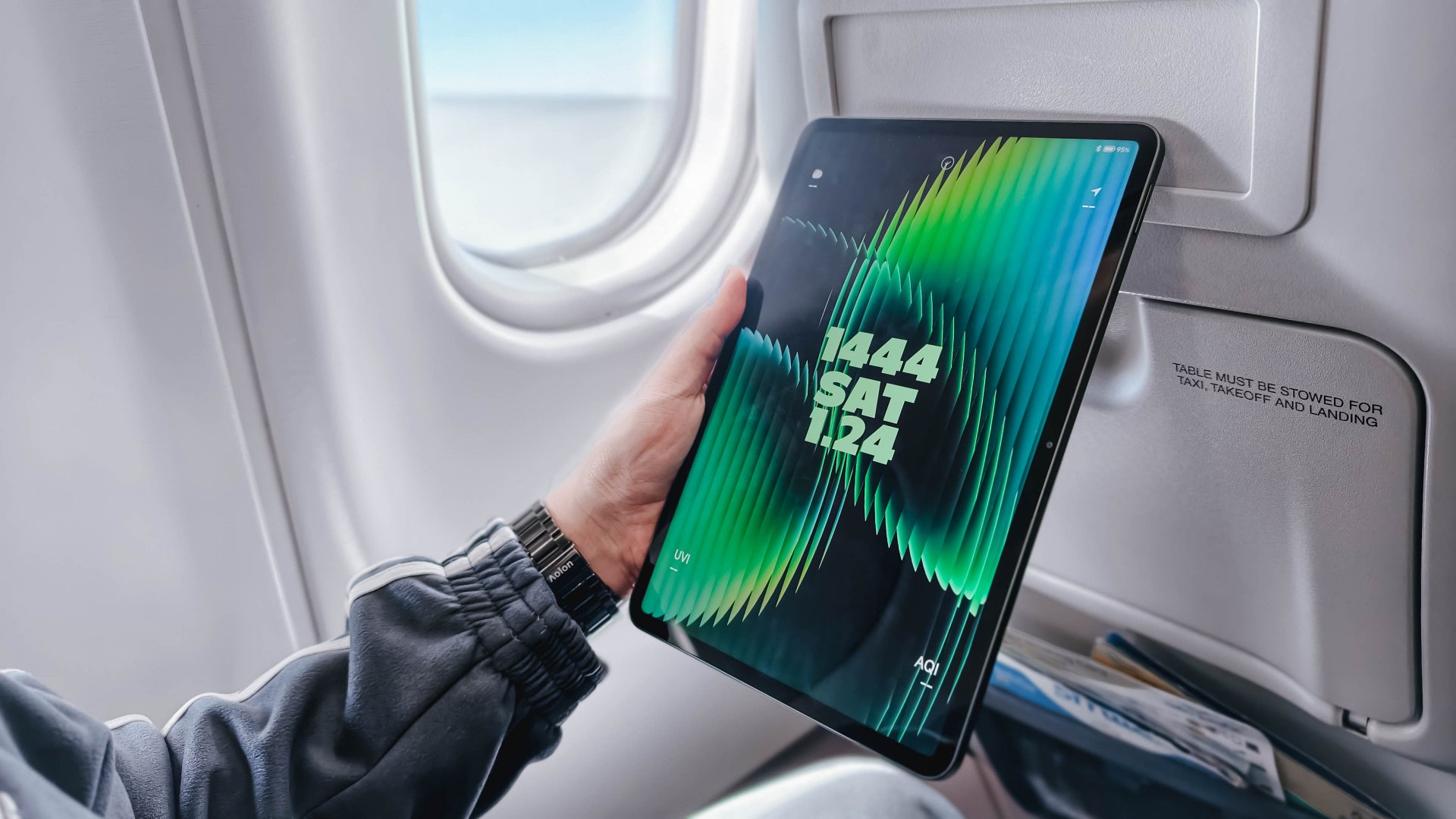
It’s ideal if your tablet usage is centered on media consumption and light productivity. Since it shares the same 11.2-inch screen size as the Pro, it fits perfectly on an airplane tray table, making it a dream for frequent flyers.
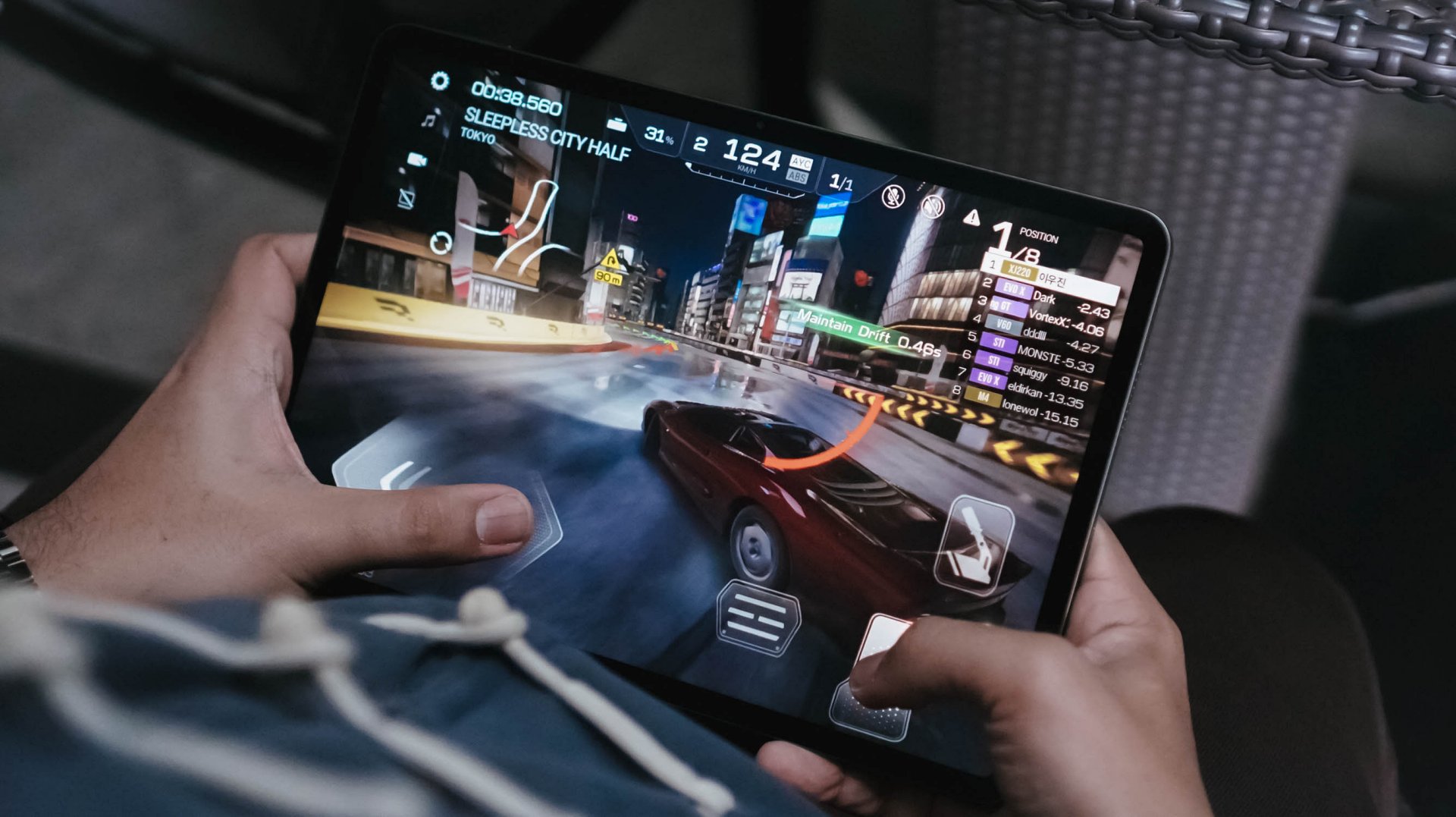
The Snapdragon 8s Gen 4 is no slouch; it still runs titles like Racing Master at 60fps on Ultra-High settings. If you’re a fan of XG or KiiiKiii, you’ll appreciate the quad-speaker setup and Hi-Res Audio support without needing to pay the “Pro” tax.
It’s the smart choice for those who want a capable second screen to complement their main laptop.
Why you should level up to the Xiaomi Pad 8 Pro
The “Pro” is for those who found the standard model’s limitations — like the glossy screen reflections or the 128GB storage ceiling — to be a dealbreaker.
The biggest upgrade is the Snapdragon 8 Elite, a powerhouse chip that turns the tablet into a legitimate workstation for video editing in CapCut or heavy multitasking in HyperOS 3.0.

Beyond power, the Pro version offers a Matte Glass Edition, which completely solves the “reflection” issue that can ruin your movie sessions or drawing time under bright lights.
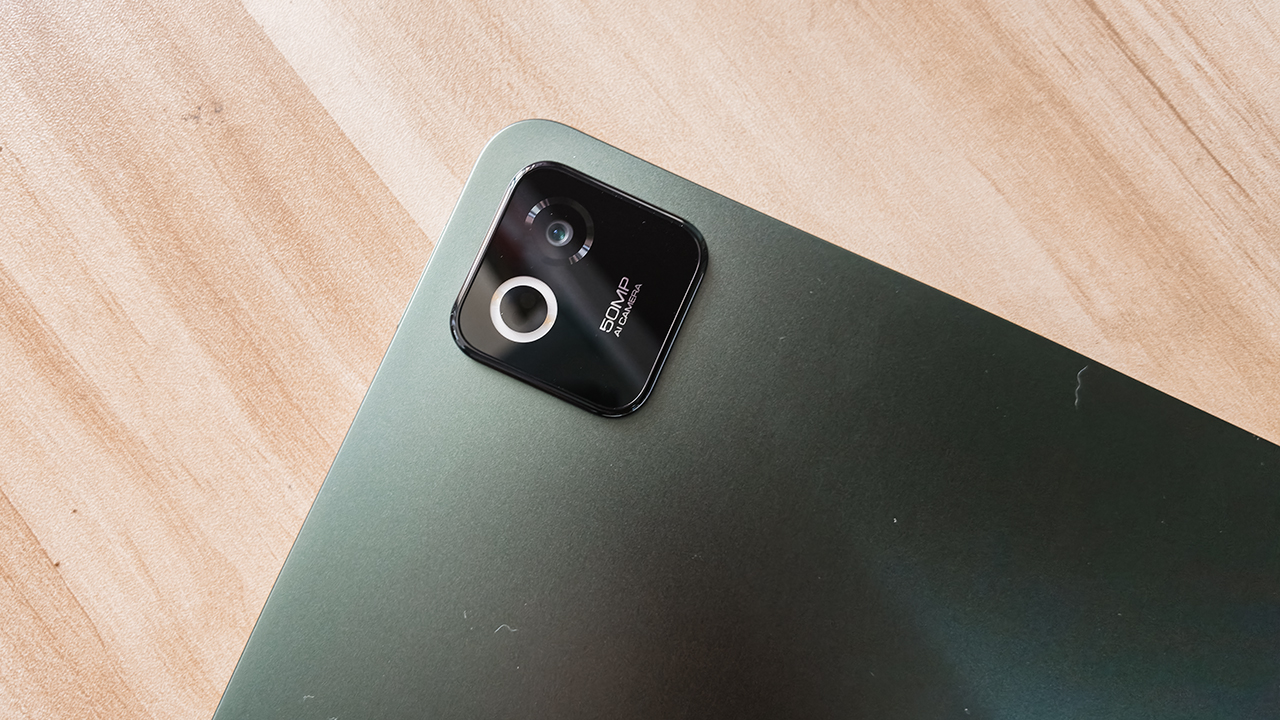
You also get significantly better cameras, such as a 32-megapixel front sensor for professional-looking video calls. There’s also a 50-megapixel rear camera for high-res document scanning.
Finally, the 67W HyperCharge means you spend less time tethered to a wall and more time being productive.
Which Xiaomi Pad is your GadgetMatch?
Swipe Right on the Xiaomi Pad 8 if you want the best value for your money.
It’s thin, light, and powerful enough for 90% of users. It handles gaming, writing, and music playback with ease, making it a worthy recipient of a seal of approval for anyone on a budget.
Just be sure to skip the 128GB entry model and go for the 256GB version to ensure you get those faster storage speeds.

Swipe Right on the Xiaomi Pad 8 Pro if you are a “power user” who hates screen glare. If you plan to use the Focus Pen Pro for serious creative work or need 512GB of space for a massive game library, the Pro is worth the extra investment.
It’s a high-speed machine that charges faster, captures better photos, and runs every app with flagship-level fluidness.
The Xiaomi Pad 8 starts at PhP 20,999 with Normal Keyboard while the Xiaomi Pad 8 Pro starts at PhP 38,999 with Touch Keyboard. Both tablets come with free Focus Pen Pro.
Tablets
TechLife unveils Pad Plus 2 with 2K display, better battery, 4G
Productivity and entertainment companion

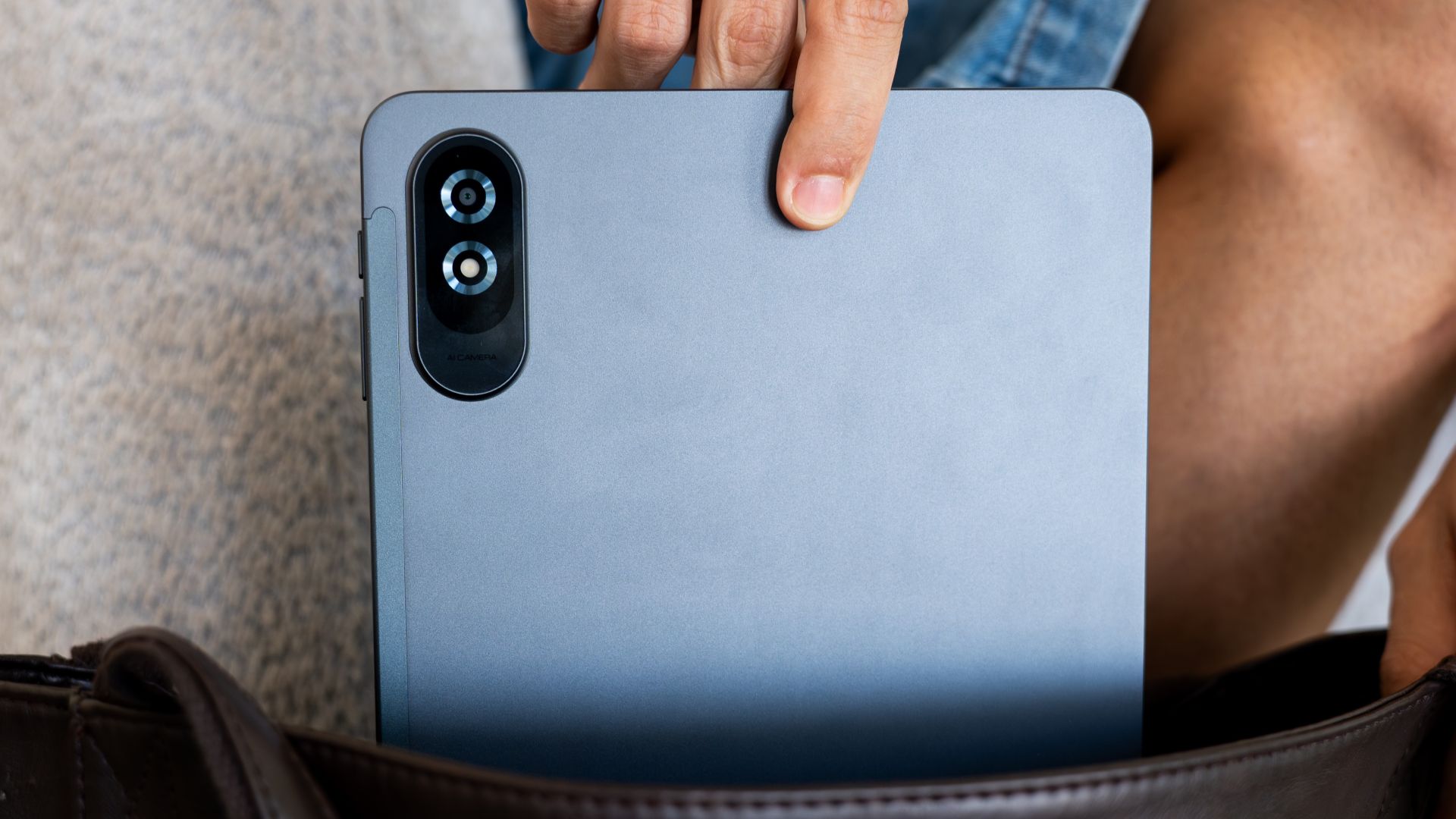
TechLife has officially expanded its tablet portfolio with the launch of the TechLife Pad Plus 2.
This latest productivity and entertainment tablet comes with upgrades in the screen size and battery capacity departments, as well as 4G connectivity.
Priced at about above US$ 200, the overall package is competitively priced and is an accessible option for consumers it is targeting.
In front is a 12-inch 2K IPS display, with a 2000 x 1200 resolution. This screen features a 90Hz refresh rate and a 450 nits peak brightness.
Inside is a MediaTek Helio G100 processor, along with 8GB RAM (plus up to 4GB expansion) and 128GB of internal storage. There is also a microSD slot for up to 1TB storage expansion.

The slate has a 9,000mAh battery, a significant capacity increase from the previous 8,000mAh. This is more than enough for powering through long sessions, workdays, or binge-watching.
Moreover, there is an 8MP rear camera and 5MP front-facing sensor for essential documentation needs.
The TechLife Pad Plus 2 ships with Android 16, and users can expand the setup with a stylus and keyboard case.
Available colors are Storm Grey, Moonlight Silver, and Starlight Pink.
News
HUAWEI Pura X Max overtakes the iPhone Fold as the first wide foldable
Also goes ahead of Samsung’s upcoming Galaxy Z Wide Fold

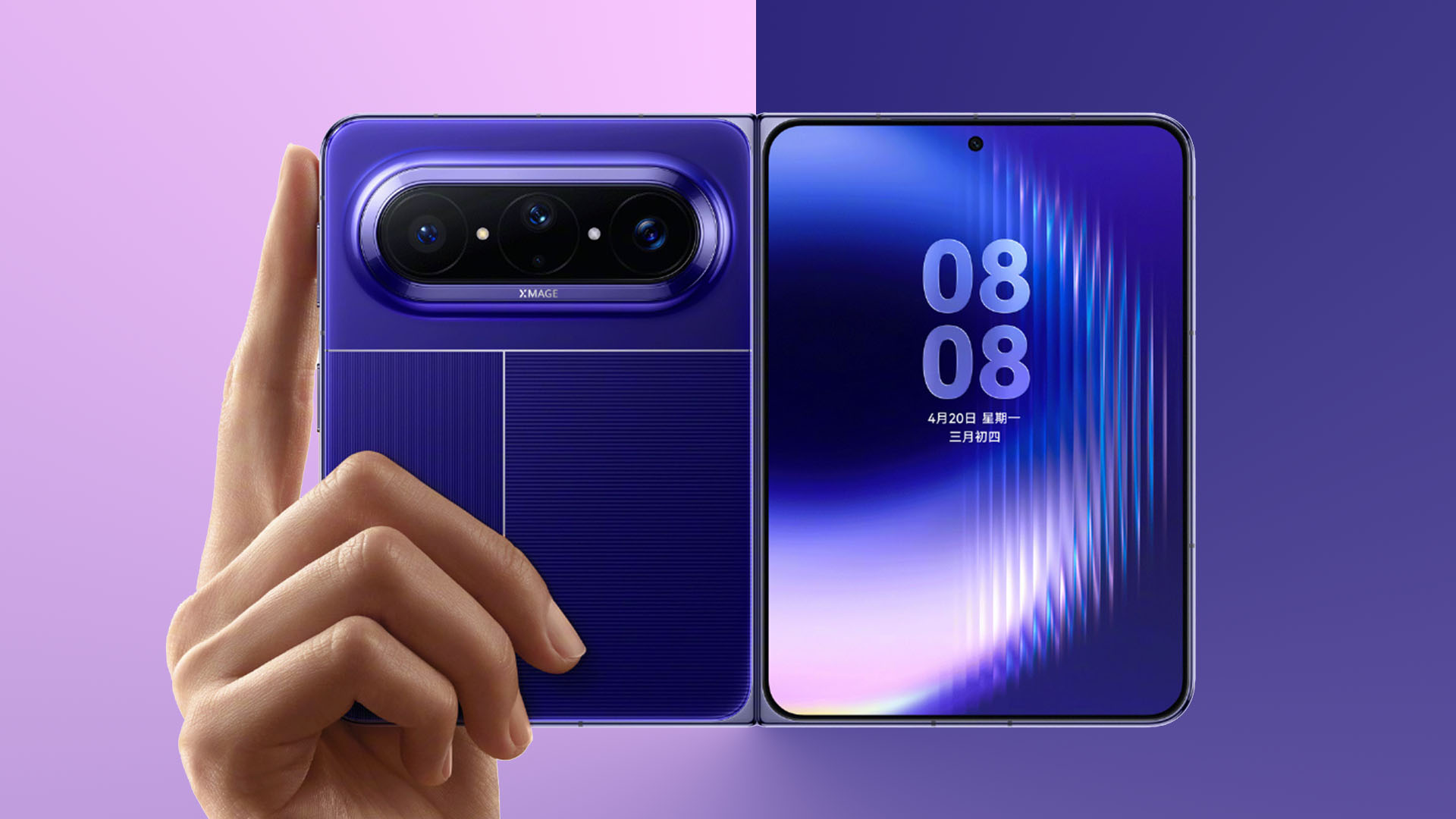
Months ahead of the much-awaited foldable from Apple, HUAWEI has decided to get in the way of the Cupertino-based company by announcing the world’s first wide foldable.
The HUAWEI Pura X Max is the earliest and biggest clapback to Apple’s upcoming iPhone Fold and Samsung’s rumored “Galaxy Z Wide Fold.”
World’s first wide foldable
HUAWEI’s Pura X Max isn’t a direct successor to last year’s Pura X.
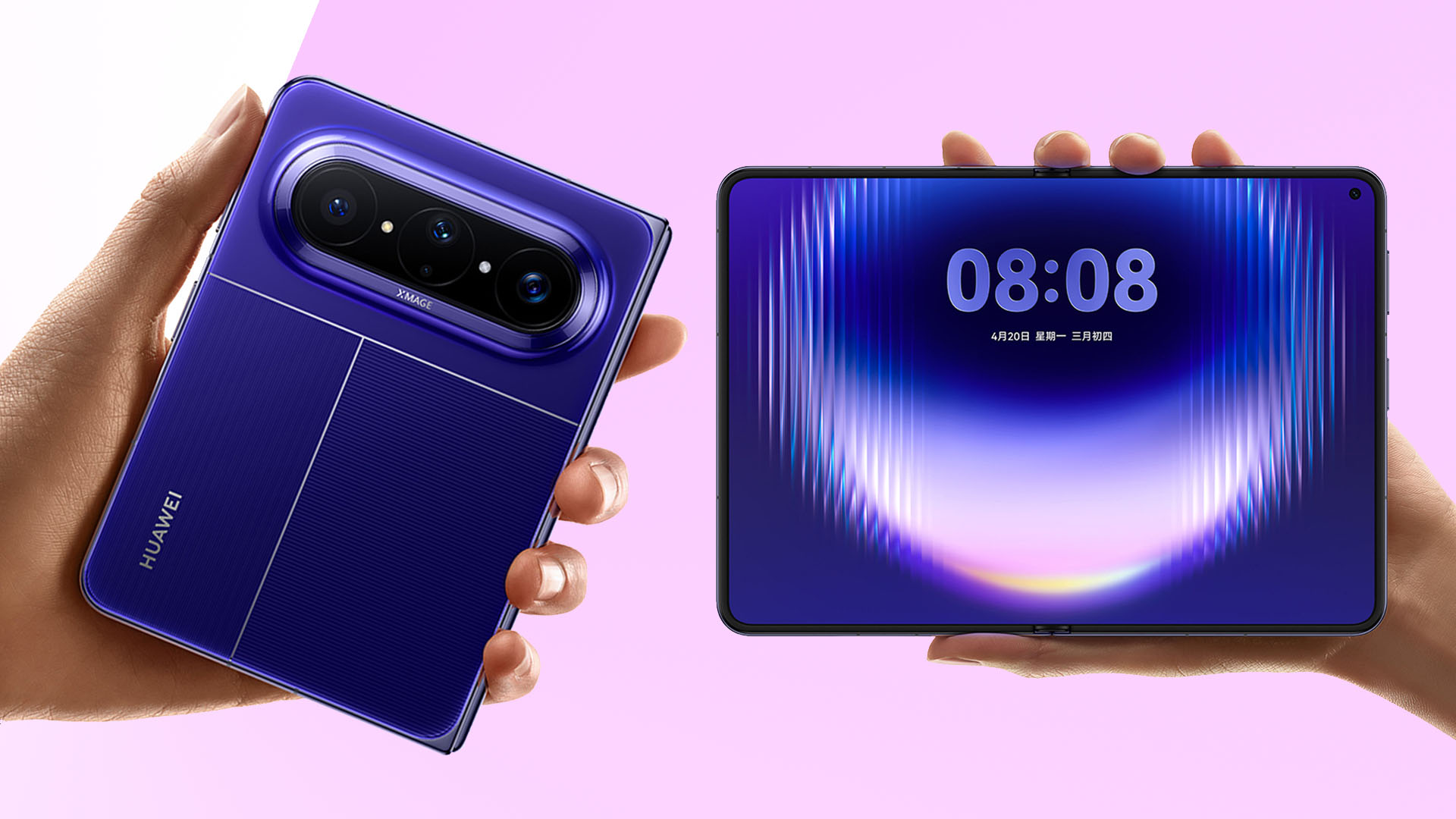
Graphics by Vincenz Lee | GadgetMatch
Last year’s offering only had a measly 3.5-inch cover screen. This time, it has a full 5.4-inch wide display outside. Unfolding it reveals a 7.7-inch foldable display instead of Pura X’s smartphone-like 6.3 incher.
Both are LTPO 2.0 OLED displays with an adaptive 1~120Hz refresh rate. They are not compromised with support for 1.07 Billion Colors as well as DCI-P3 Wide Color Gamut.

This new form factor solves the biggest issue seen among standard foldables — especially when consuming content or playing games.
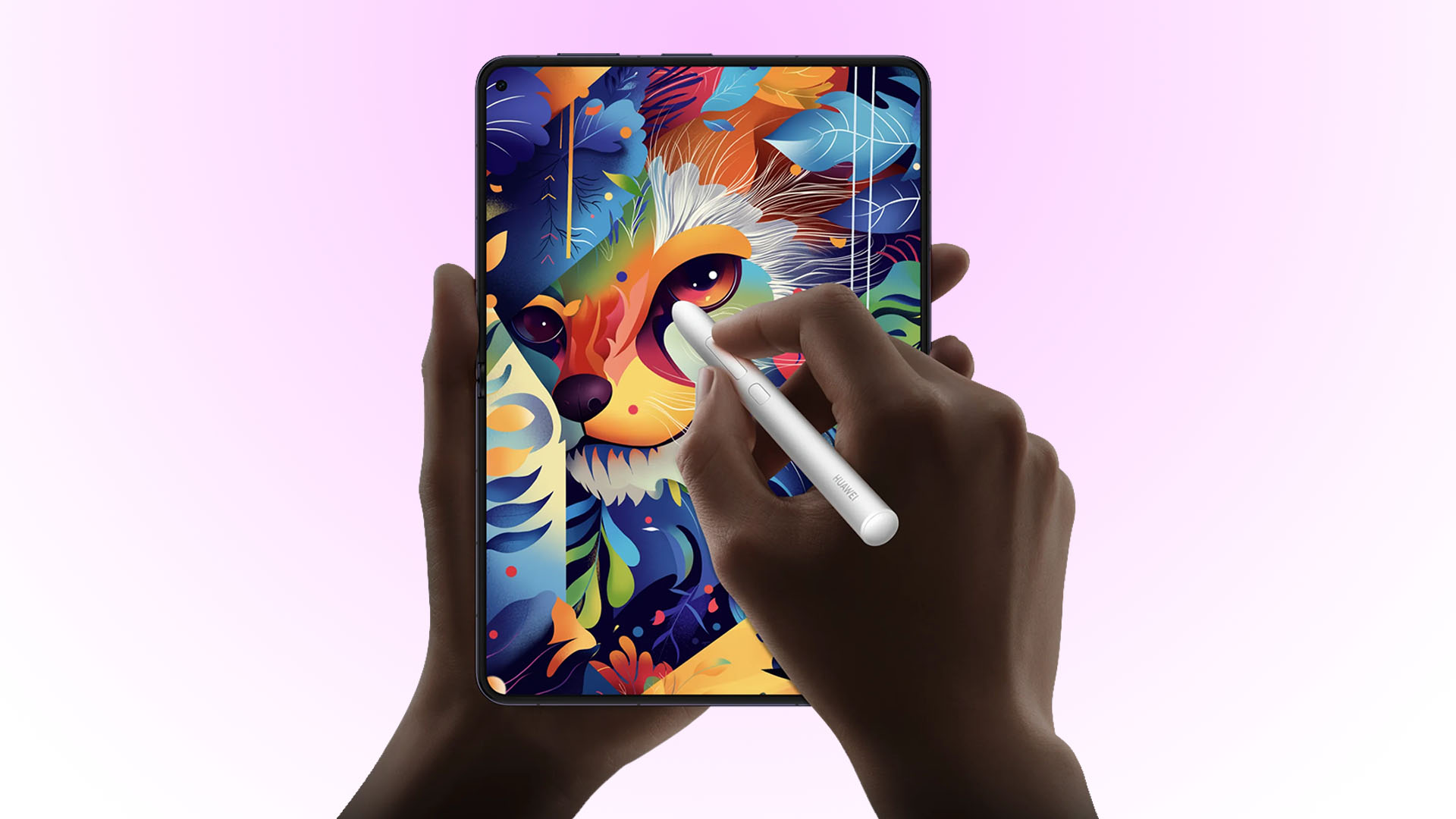
Graphics by Vincenz Lee | GadgetMatch
Stylus support is also expected with HUAWEI’s M-Pen 3 Mini stylus — best for jotting down, scribbling, doodling, drawing, or even just for navigation.
Supporting this foldable screen is HUAWEI’s so-called “basalt water droplet hinge” with core components made of steel.
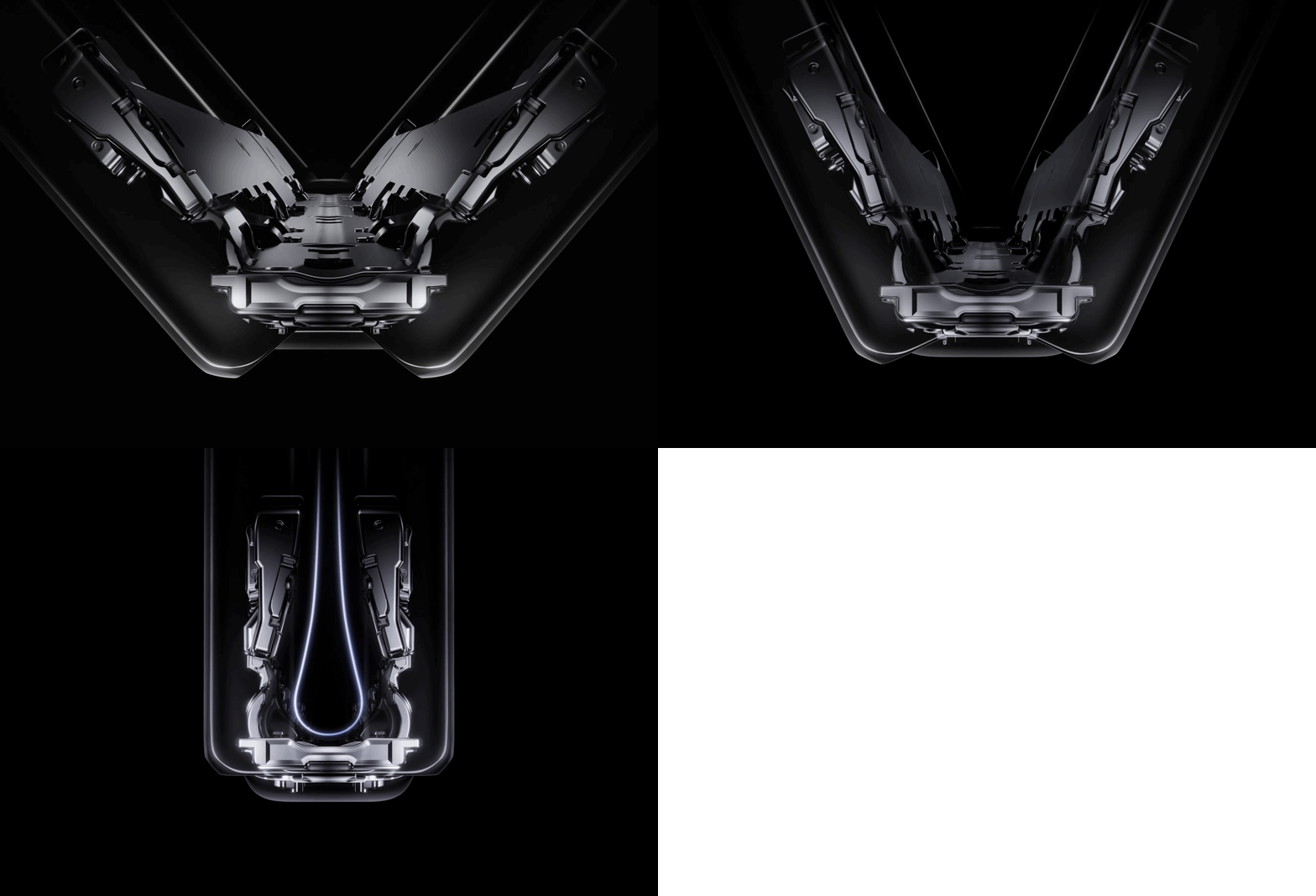
GIF by Vincenz Lee | GadgetMatch
As for the cover glass, it uses second gen Kunlun glass. And while we’re already at it, the Pura X Max supports IP58 and IP59 ratings for durability.
Maxed out fold
What runs this wide foldable is HUAWEI’s very own Kirin 9030 Pro chipset. The super brand promises up to 30% performance improvements.
Gaming should not be compromised thanks to its extra large VC Graphene Heat Dissipation System. Battery capacity is rated at 5300mAh with 66W wired and 50W wireless SuperCharge speeds.
GIF by Vincenz Lee | GadgetMatch
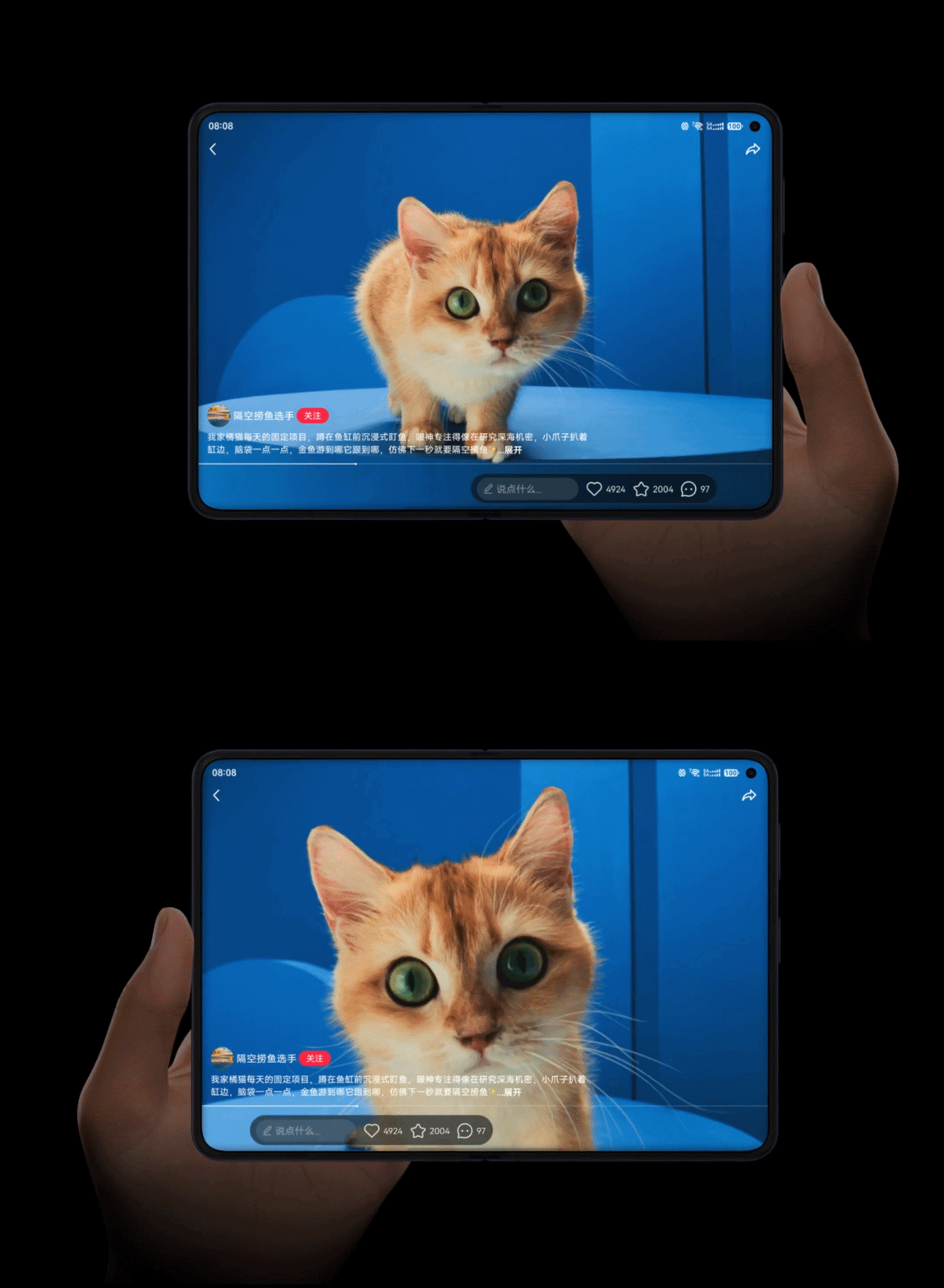
HUAWEI’s latest HarmonyOS 6.1 not only brings in that translucent trend, they have also adapted to the user’s needs through Immersion Layout.
When used, the app’s controls automatically adjusts if you are left- or right-handed — no matter how you hold them.
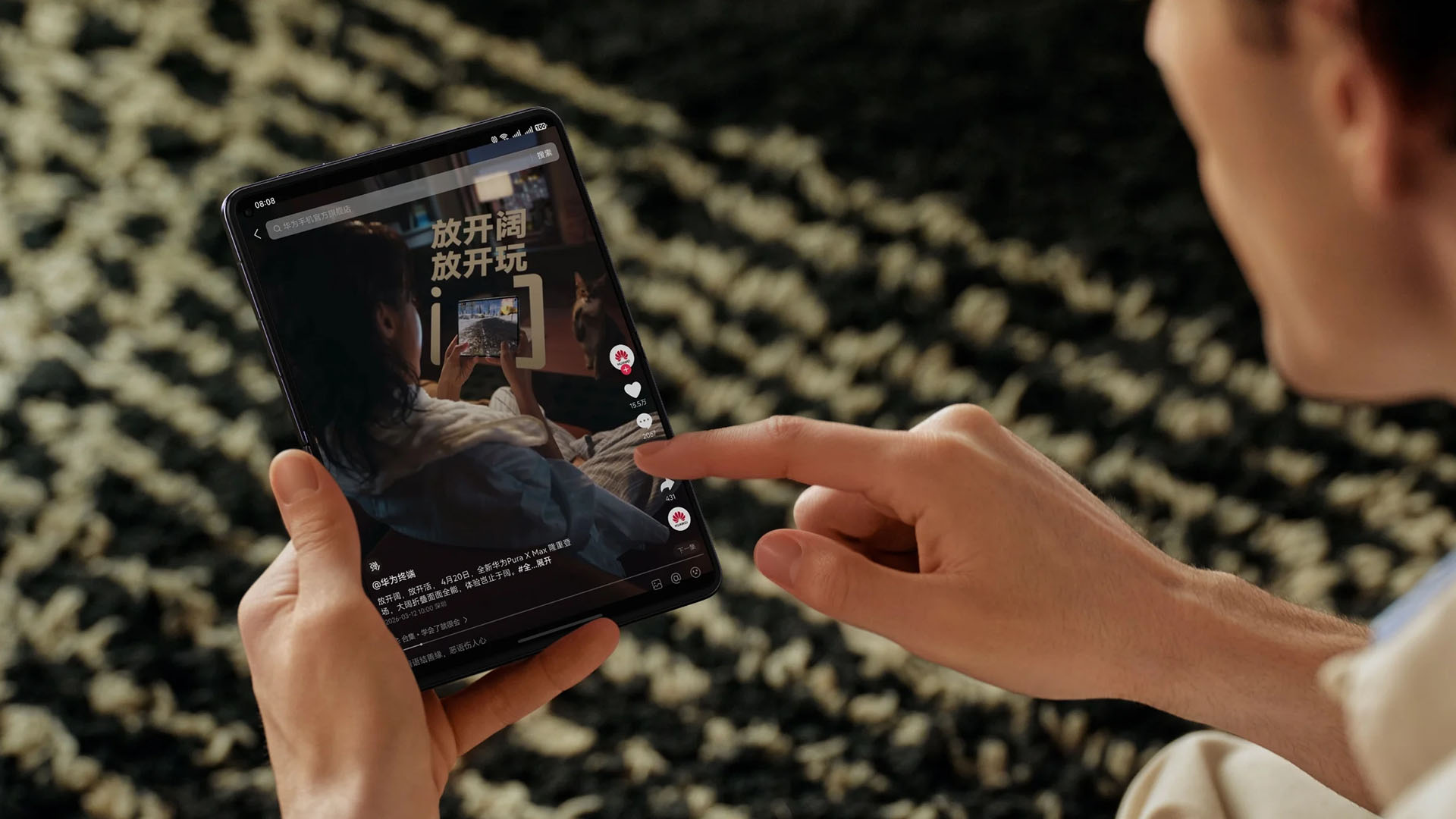
Much like most smartphones, HarmonyOS also relies on its AI tools to make things easier.
Last but definitely not the least, it’s camera system.

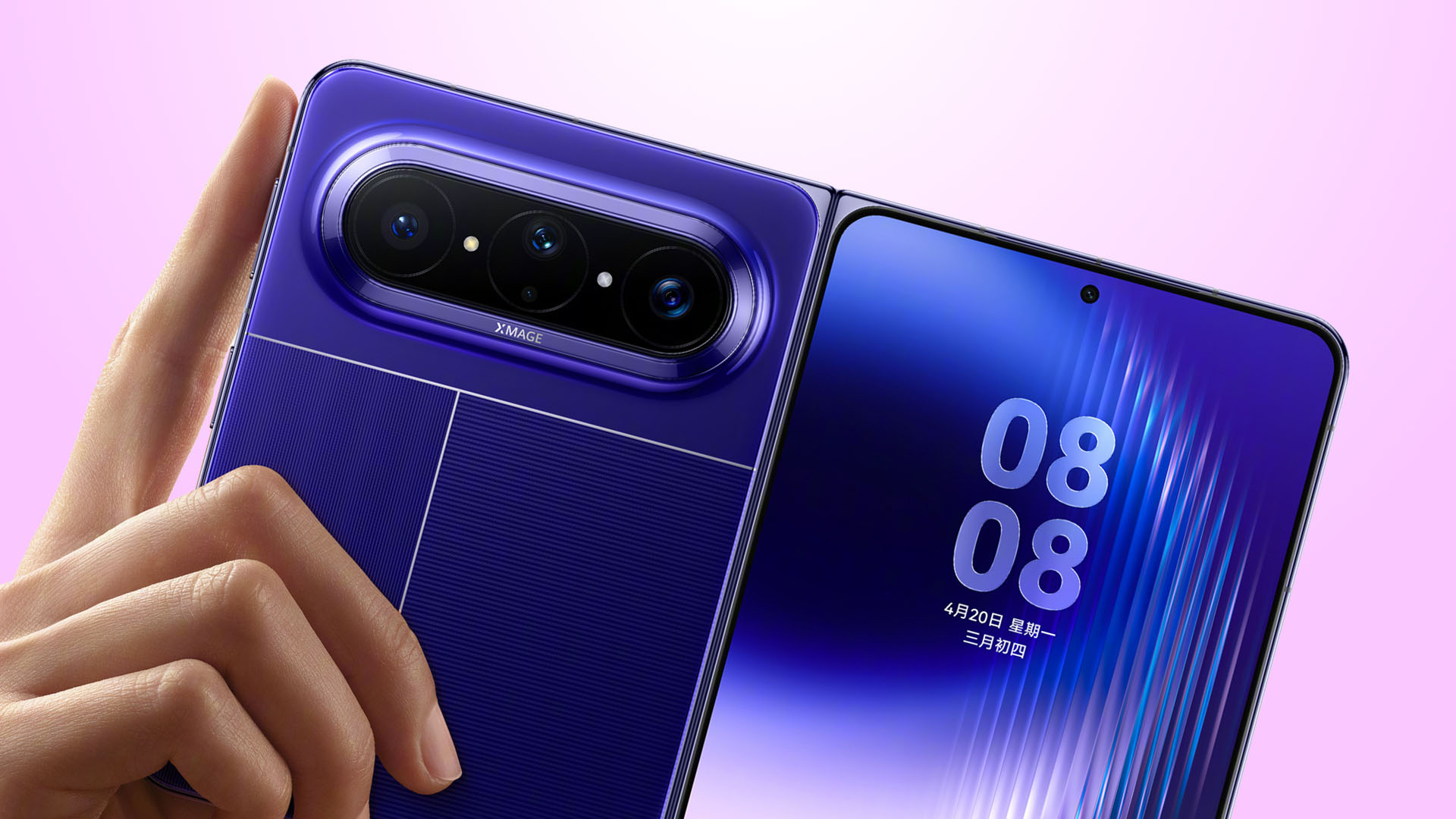
The HUAWEI Pura X Max boasts a 50MP main (wide) camera with a variable aperture of f/1.4 ~ f.4.0 — much like last year’s Pura 80 Ultra and the latest Pura 90 Pro Max.
It also has another 50MP f/2.2 3.5x periscope telephoto camera that can also take optical-quality 7x shots and as far as 100x digital zoom.
Lastly, the ultra-wide camera is capped at 12.5MP with an aperture of f/2.2. All these cameras are based from HUAWEI’s RYYB image sensor.
Graphics by Vincenz Lee | GadgetMatch
Additionally, there’s a spectral sensor called “Red Maple camera” in its second iteration.
Selfie cameras inside and out are 8MP f/2.4.
Pricing and Availability
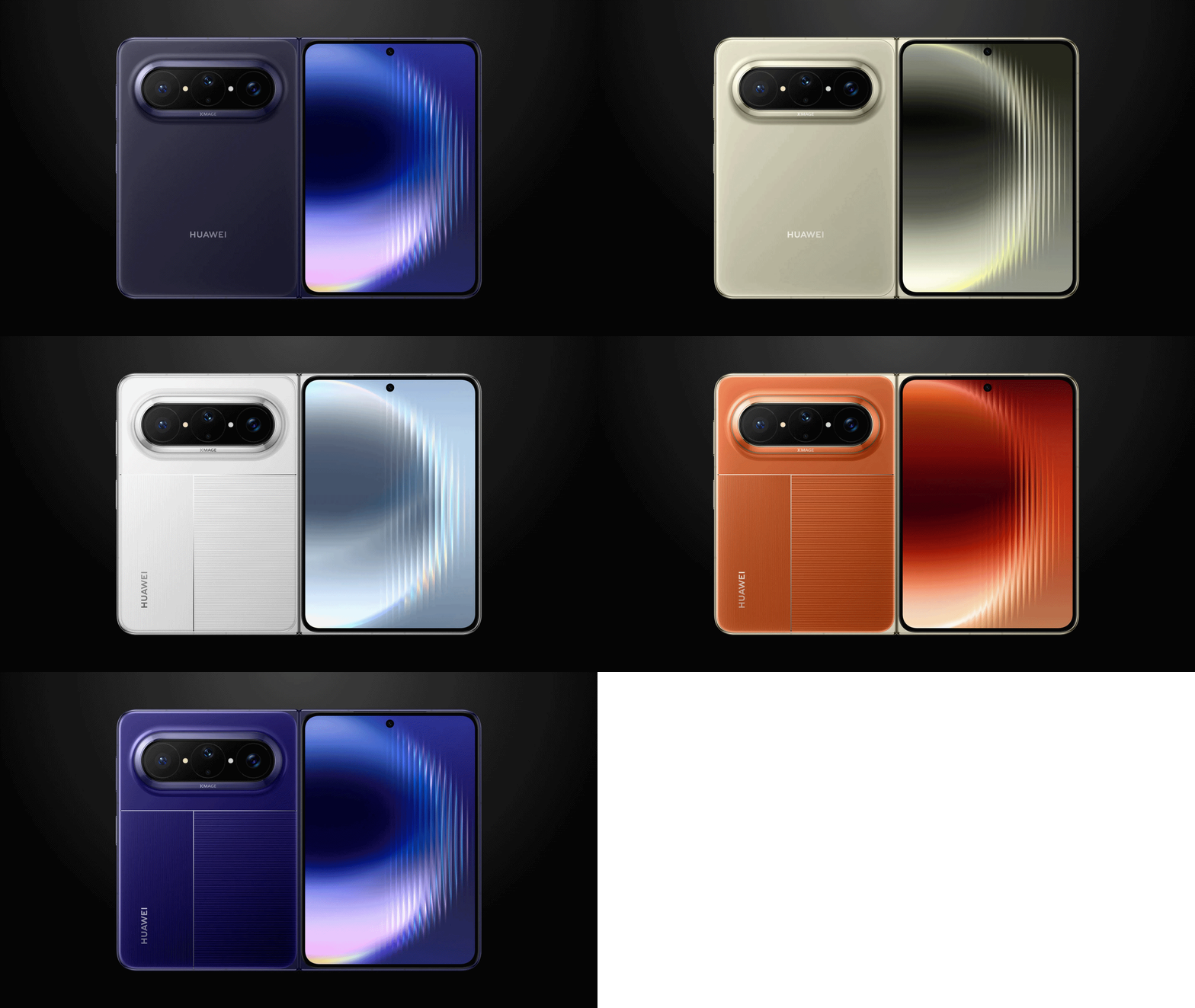
HUAWEI’s Pura X Max will be available in five colorways: Olive Gold, Phantom Night Black, Starblue, Vibrant Orange, and Zero Degree White.
Graphics by Vincenz Lee | GadgetMatch
Pricing does not come cheap. The HUAWEI Pura X Max are divided into two editions with four configurations in total:
Regular Edition
- 12+256GB = CNY 10,999 (US$ 1615 / EUR 1370 / GBP 1190 / SG$ 2050 / MYR 6370 / PhP 96,850 / INR 149,650)
- 12+512GB = CNY 11,999 (US$ 1760 / EUR 1490 / GBP 1300 / SG$ 2240 / MYR 6950 / PhP 105,650 / INR 163,260)
Collector’s Edition
- 16+512GB = CNY 12,999 (US$ 1905 / EUR 1615 / GBP 1410 / SG$ 2425 / MYR 7530 / PhP 114,460 / INR 176,860)
- 16+1TB = CNY 13,999 (US$ 2050 / EUR 1740 / GBP 1520 / SG$ 2610 / MYR 8110 / PhP 123,260 / INR 190,465)
* These are only rough price conversion estimates
Collector’s Edition supports China’s Beidou Satellite Services that the Regular Edition models don’t have.
It’s currently open for pre-orders in their home turf while global availability remains bleak. ICYMI, Last year’s Pura X was not released outside China.


HONOR Magic V6 review: The best version of a book-style foldable?
Little left to sacrifice

Close without crossing: A Xiaomi 17T Pro photo essay
Distance and closeness are not always opposites.


Spring reset: Growing more at home with Auk Mini
From kitchen counter experiment to everyday habit

Kingdom Hearts IV gets new trailer, confirms Switch 2 release

Final Fantasy fans have two big reasons to look forward to 2026

TECNO’s POVA 8 5G is both futuristic and future-ready

Upcoming realme C100 series to feature 8,000mAh battery

What HYROX Hong Kong looks like up close


-

 News1 week ago
realme launches P4 Series 5G, including Power with 10,001mAh battery
-

 Hands-On2 weeks ago
The Xiaomi Watch S5 proves you don’t have to take it off
-

 Computex 20262 weeks ago
ASUS ROG XBOX Ally X20 debuts at COMPUTEX 2026
-
 India3 days ago
TECNO’s POVA 8 5G is both futuristic and future-ready
-

 Computex 20262 weeks ago
Acer introduces new e-bikers, e-scooters at COMPUTEX 2026
-

 Gaming2 weeks ago
God of War Laufey puts Faye in the spotlight
-

 Gaming2 weeks ago
Marvel’s Wolverine showcases brutal combat, confirms Jean Grey
-

 Buyer's Guide6 days ago
Buyer’s Guide: Xiaomi Pad 8 Series