



When the world we live in requires us to stay connected and do our work through our preferred machines at the comfort of our homes, having a stable connection isn’t merely a desire anymore.
Sadly, not all homes are granted a fast Internet connection or fiber connectivity. Even I struggled to deal with intermittent connection from a certain Internet Service Provider (ISP). I remember using an extra 5G-capable smartphone as a mobile hotspot as my backup, especially when I was attending virtual conferences, team meetings, and client briefings.
It was costly, severely damaging my wallet in the process of staying connected. More importantly, not everyone is as privileged as I am. I get access to the latest technology and gadgets in the market.
Hope seems lost for most people, but there’s a new solution: the Smart Bro Home WiFi 5G.
Design and capabilities
The Smart Bro Home WiFi 5G is designed like the routers you see in the market today. Its build is similar to the Huawei WiFi AX3, especially when the device dons a plain, white colorway across its body.
I got the limited edition unit plastered with a cover design, drawn by award-winning Illustrator Stephanie Bravo-Semilla. The artwork playfully depicts how high-speed connectivity can link families together as they pursue their passions.
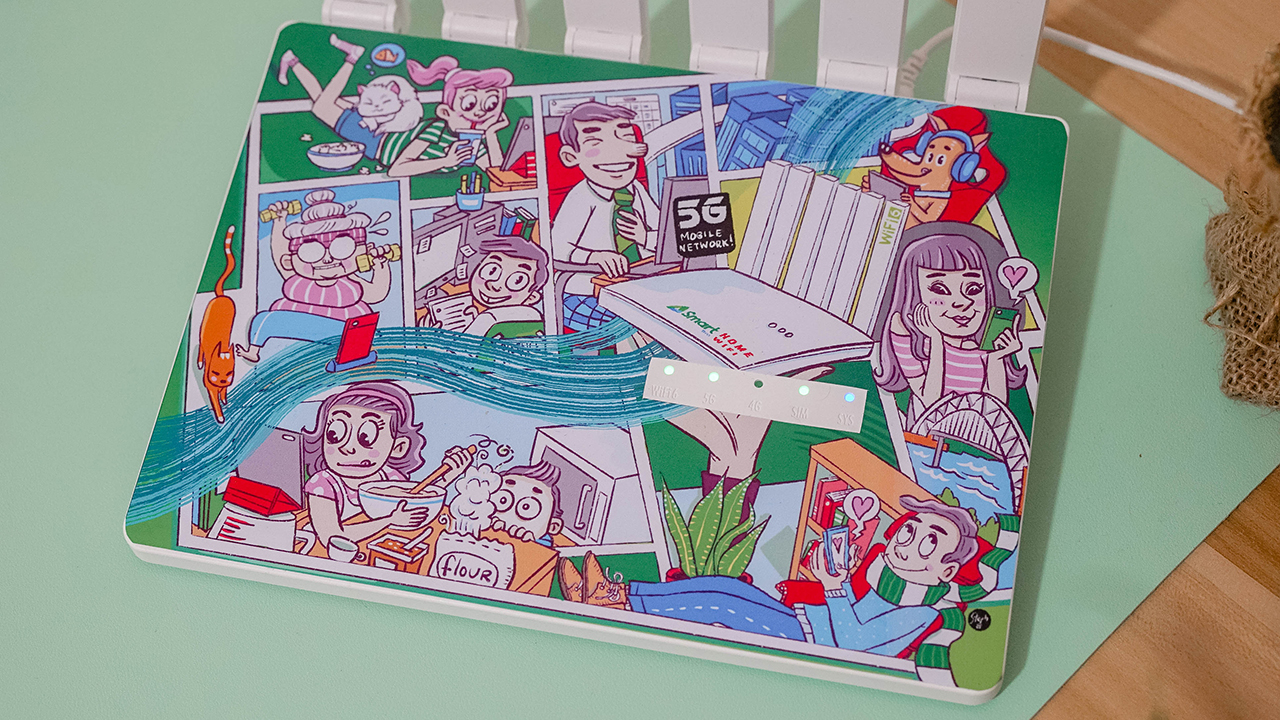
The router uses WiFi 6 technology — which guarantees speeds three times faster than the commonly used WiFi 5. It’s also equipped with a 5G NR SA/NSA connection, allowing it to connect to two wireless access technologies. Further, it has a 5G PLUS 2NR Carrier Aggregation, which expands the coverage indoors as well as maintains the connection’s stability.
Right off the bat, you can see how the Smart Bro Home WiFi 5G is built with six distinct external antennas as well, picking up better signals. It also have 9dBi high-gain antennas that extend the reach and support Gigabyte Ethernet Ports, WPA3 WiFi Security, and WiFi 22 MIMO.
Indicators, ports, buttons
You can find the LED indicators on top, displaying the status of your WiFi, 5G/4G signal, SIM, and System. There’s a pre-installed Smart SIM card that comes with 20GB of open-access data.

When you plug the router into a socket, it will boot up and the 4G signal will flash first unless it recognizes 5G connectivity in your area.
I used it inside my room, which is found in the innermost part of the house. At first, it didn’t pick up a 5G signal. The LED indicator for the 4G signal was on while the router was trying to find 5G.
That’s when I knew I had to place it outside my door. A few seconds later, the indicator for 5G connectivity lit up.

To confirm it, I turned on my mobile data using my 5G-capable smartphone and connected another one to the Smart Bro Home WiFi 5G. Happy to report that I live in a place where there’s 5G — both my smartphones and the WiFi device are picking up the 5G signal.
At the back, you can find the power port, Ethernet ports, reset button, and WPS button.
GigaLife
When the Smart Bro Home WiFi 5G was already up and running, I continued the setup by following the manual — which instructs you to access the web management page. I turned on my laptop, connected to the WiFi, and changed the network settings.
But that’s a grueling process — continuously going back to the web management page — just to check how your account is performing.

Luckily, you can use Smart’s GigaLife app. I like how it instantly reads the mobile number upon using the app. Even if I’m just connected to the WiFi. There was a prompt asking me if I was using a prepaid WiFi SIM.
Frankly, I dislike the hassle of adding and configuring accounts. I find it really convenient that the app easily recognized the account I’m using.
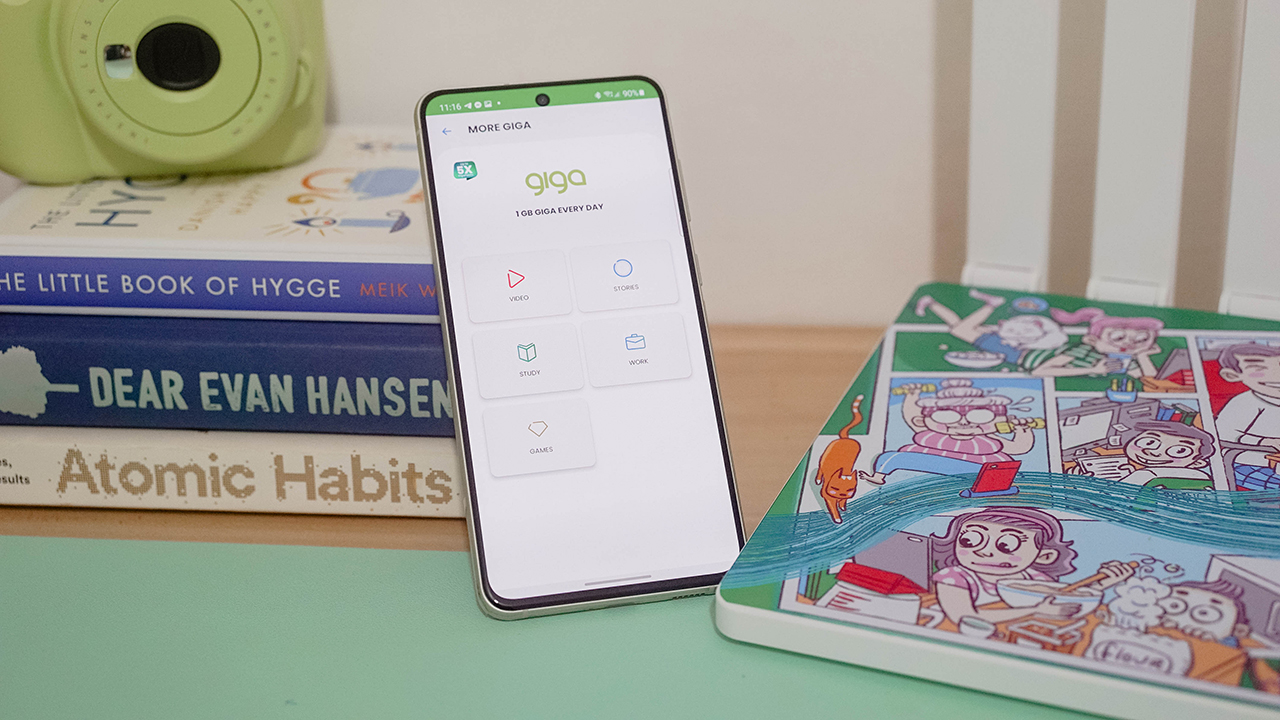
Through GigaLife, you can check your remaining balance, reload, and even monitor your subscriptions. Everything’s just easy when you have things sorted in one place.
Internet Speed for 5G-capable smartphones
I first tested the Smart Bro Home WiFi 5G through 5G smartphones that I have. Using the Honor 50 and the Samsung Galaxy S21 FE, I was able to do my everyday activities. Basically, the same stuff I would do had I been connected to my existing WiFi.

I played games without any delays, watched Netflix and other video content without buffering, and scrolled non-stop on social media.
I’ve connected two of my smartphones, my Nintendo Switch Lite, and my laptop. The router can supposedly handle 10 devices all at once. And even with four gadgets connected, not once did I feel any stutter in the Internet connection.
But then again, it really depends on the signal picked up in your area.
For laptops
Nevertheless, the Smart Bro Home WiFi 5G gets speeds from 20 to 100Mbps. You can actually do your everyday tasks, including work and school.
My signal gave speeds between 60-70Mbps consistently, more than enough to let me upload and download creative assets for the projects I’m working on.
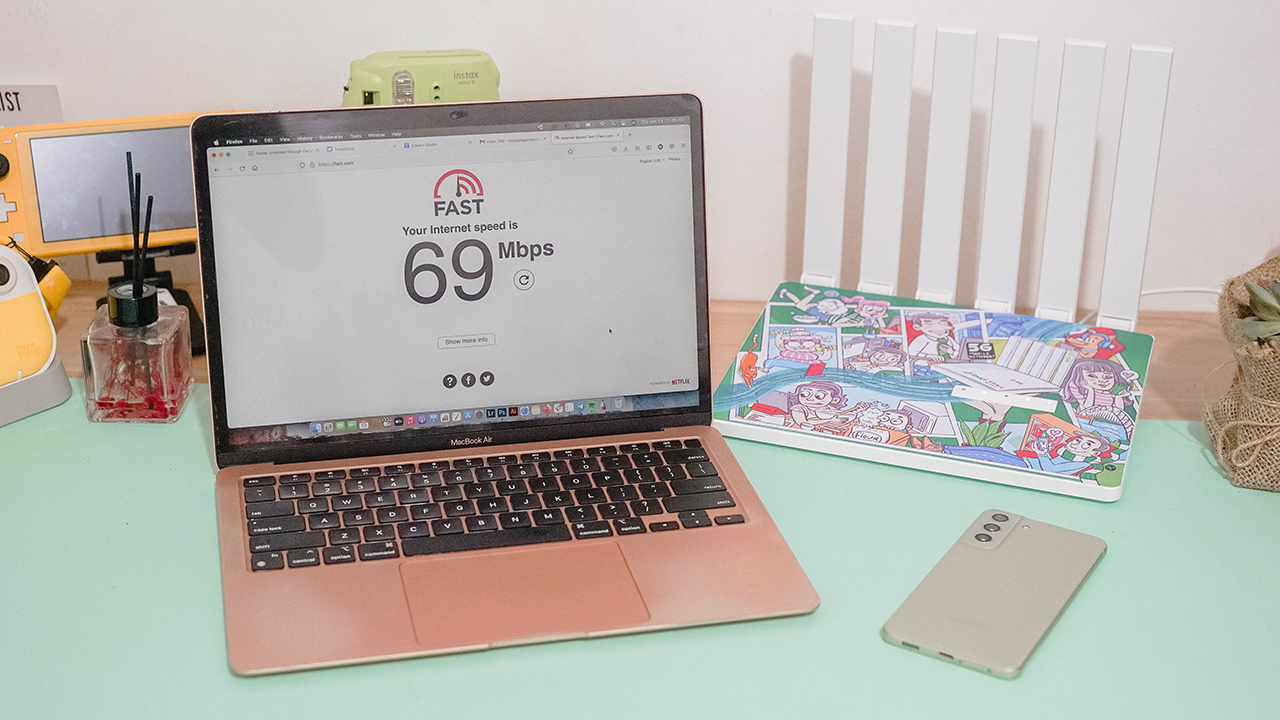
I’m privileged to have access to PLDT’s Fibr plans with an actual Fiber cable instead of copper lines. When I wasn’t using the 5G network, I get the same speed as I do when connected through the Smart Bro Home WiFi 5G, albeit higher.
The experience is quite the same — in terms of speed, latency, and maintaining the stability of the connection.
For non-5G smartphones
Over the holidays, my cousin who was studying in the province visited our family for a month. Like most people, she hasn’t switched to a 5G-capable smartphone since 5G connectivity isn’t as prevalent in the province as compared to when you’re in Metro Manila and living in key cities.

There’s a preconceived notion that 5G connectivity can’t be enjoyed by non-5G smartphones, but we beg to differ. While you can’t reach sky-high speeds when you do a speed test, the experience is the same as when you’re connected to a WiFi with Fiber connectivity.
My cousin played Call of Duty: Mobile for hours while connected to the Smart Bro Home WiFi 5G, and she expressed interest in taking it home. Especially with how stable the connection was even if there were my other four gadgets connected to the router.
Should you get one?
The Smart Bro Home WiFi 5G is the perfect solution for fiber-less homes wanting to have wireless fiber-like connectivity. You just have to remember that it uses a mobile network. The quality and speed of the connection will always depend on your area. Somehow, it’s a worthy investment for the everyday consumer living in the Philippines.
Students and budget-conscious consumers can monitor their data usage and spending since it’s prepaid WiFi. If you have spare money, it can be a backup plan just in case your Internet connection is interrupted. You won’t have to worry when you’re in the middle of a meeting, a conference, or an online class.

The Smart Bro Home WiFi 5G retails for PhP 15,995. It will be available at the Smart Online Store. For the same price, you can get the Smart Bro 5G Rocket WiFi. It’s perfect for anyone who needs to stay connected while on the go.








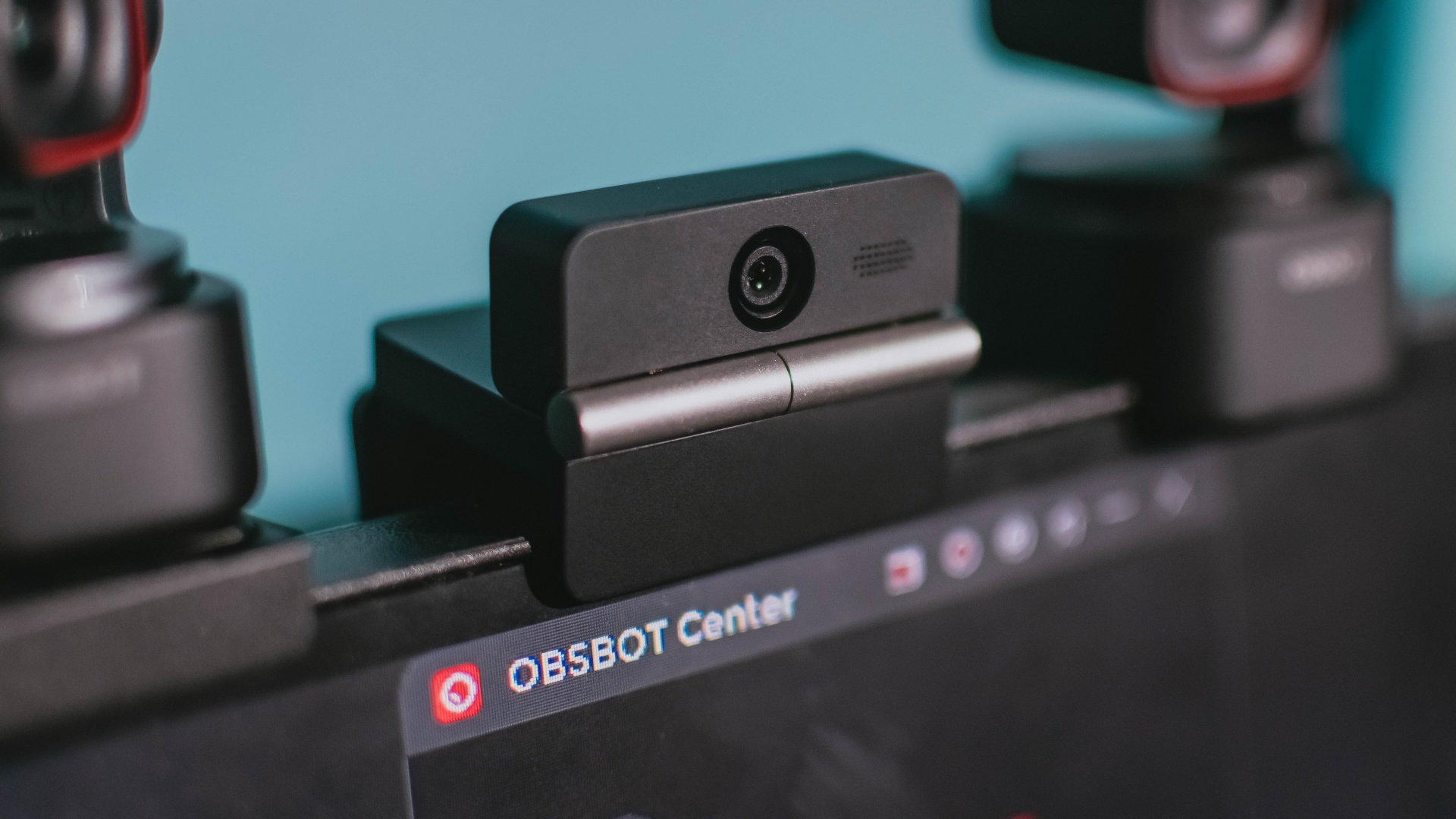
Phones flip and fold. Now webcams do too.
Foldable screens have found their way into phones, tablets, and laptops in recent years. Now, OBSBOT is taking that idea in a considerably smaller direction: the webcam.
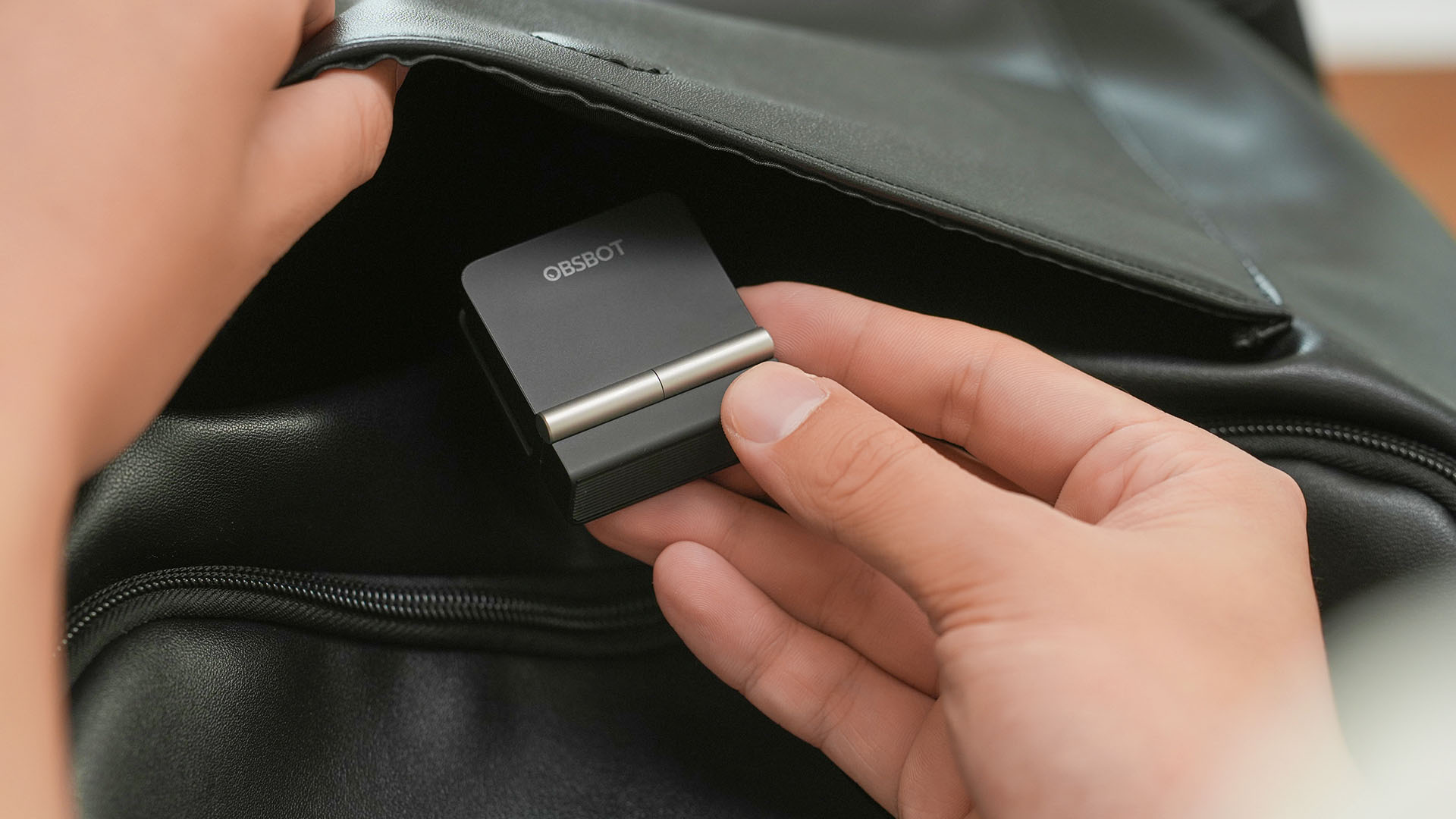
The OBSBOT Meet Flip is the company’s first foldable 4K webcam packing:
- 1/2-inch stacked CMOS sensor
- intelligent audio
- a collection of AI-powered meeting tools
All of these inside a body weighing just 37.7 grams.
A fold that does something, not just a gimmick
The OBSBOT Meet Flip isn’t foldable just to make it easier to throw into a bag.
Closing the webcam physically blocks the lens and puts the device into sleep mode. Open it when you want to be seen, flip it shut when you don’t.
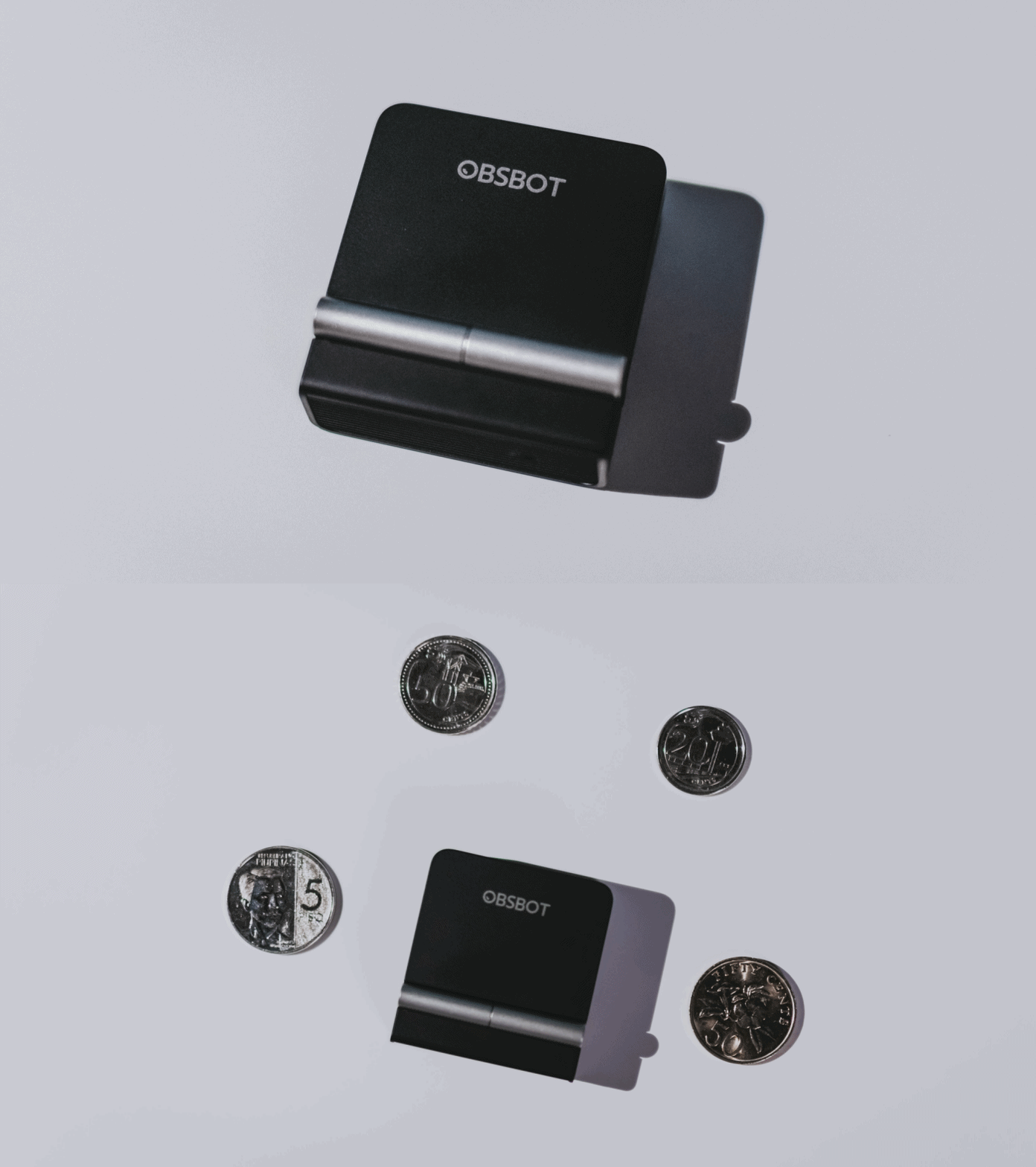
A physical privacy cover isn’t novel in itself. What’s clever here is how it’s part of the folding design.
As someone with a love-hate relationship with data privacy, I almost always keep some physical barrier over my laptop webcam. And if I can avoid having a webcam there entirely, even better.
Serious camera hardware in a pocket-sized webcam
Despite its size, OBSBOT hasn’t treated the Meet Flip like a basic laptop-camera replacement.
Inside is a 1/2-inch Exmor RS stacked CMOS sensor with Quad Bayer technology, capable of recording 4K UHD at 30 fps or 1080p at 60 fps. It also packs an f/1.8 aperture, HDR, PDAF autofocus, ISO 100–6400, and up to 4x digital zoom.
At its core is a 1/2-inch Exmor RS stacked CMOS sensor with Quad Bayer technology.
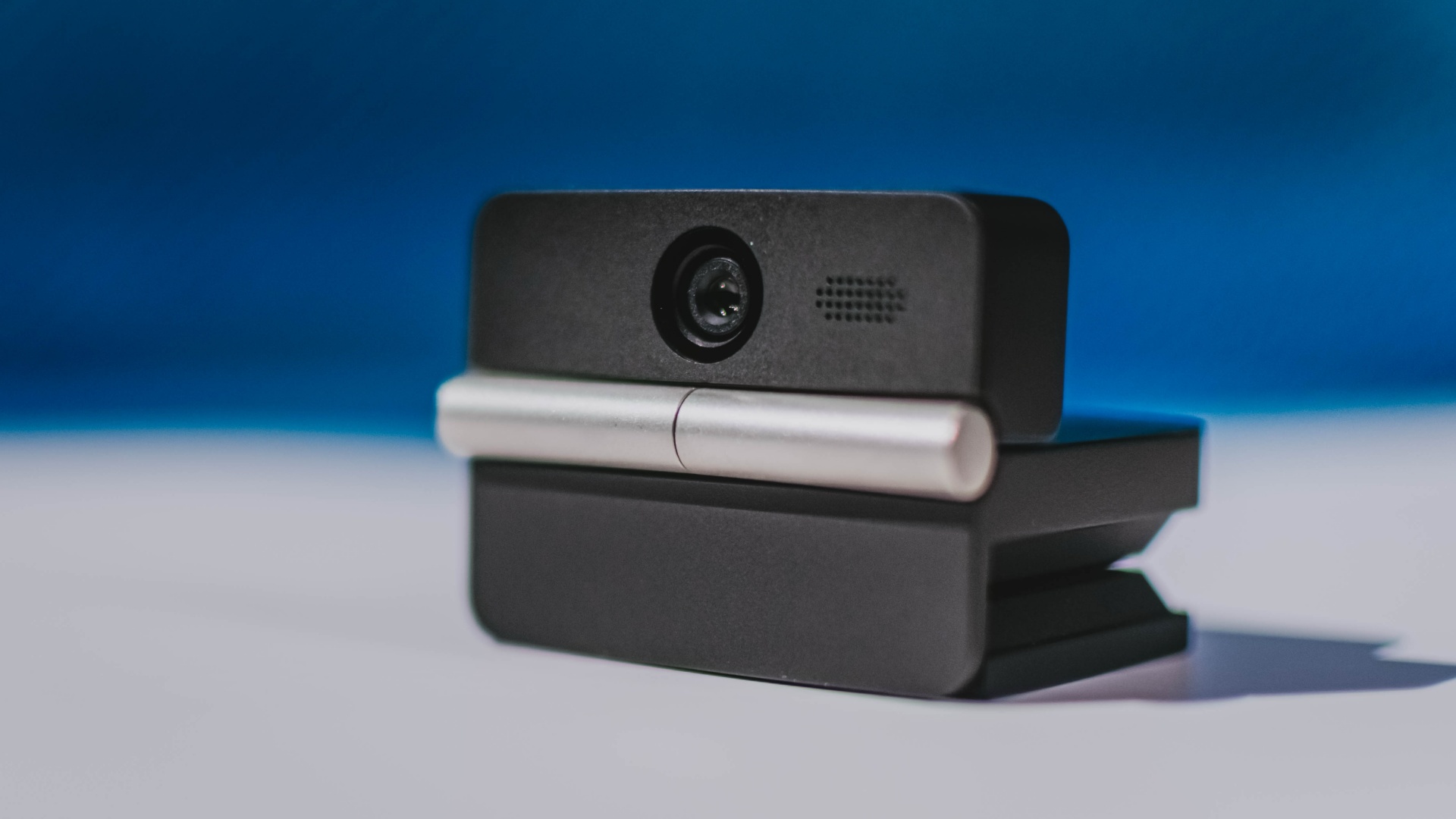
It can record:
- 4K UHD at 30fps
- 1080p at 60fps
You also get:
- f/1.8 aperture
- HDR
- PDAF autofocus
- ISO 100–6400
- up to 4x digital zoom
On paper, that gives the Meet Flip a better shot at handling the situations built-in laptop webcams often struggle with: dim rooms, harsh backlighting, changing lighting conditions, or simply moving around in front of the camera.
HDR helps keep faces visible against bright backgrounds, while PDAF autofocus continuously adjusts focus as you move closer to or farther from the lens.
The wider f/1.8 aperture should also help in less-than-ideal lighting.
The point is that once the Meet Flip is set up, you shouldn’t have to spend much time thinking about the camera itself.
It listens differently depending on the room setup
The Meet Flip also uses an intelligent dual-microphone system combining omnidirectional and directional microphones.
Instead of relying on one pickup pattern for every situation, it offers four audio modes for different setups:
Directional Mode focuses on sound coming from the front, making it the obvious choice for solo calls.
Dual-Directional Mode listens to both the front and rear of the webcam, which could be useful for interviews or conversations between two people sitting across from each other.

Smart Omni Mode is designed for group meetings, picking up voices from around the room.
And Pure Audio Mode provides unprocessed left and right stereo channels for users who would rather handle the audio themselves in post-production.
Auto Gain and AI Noise Reduction also work across the first three modes, helping clean up audio without requiring much manual adjustment.
It gives the Meet Flip more flexibility than a typical webcam microphone, especially if you regularly switch between solo calls, interviews, and group meetings.
AI that doesn’t intrude
AI has become an almost obligatory addition to new hardware in 2026, but several of the Meet Flip’s features put it to work on real-world meeting annoyances.
AI Auto Framing keeps you in frame, with options for:
- Group
- Single Close-up
- Upper Body
- Full Body
Gesture controls can also toggle Auto Framing or adjust the zoom without reaching for a keyboard or mouse.
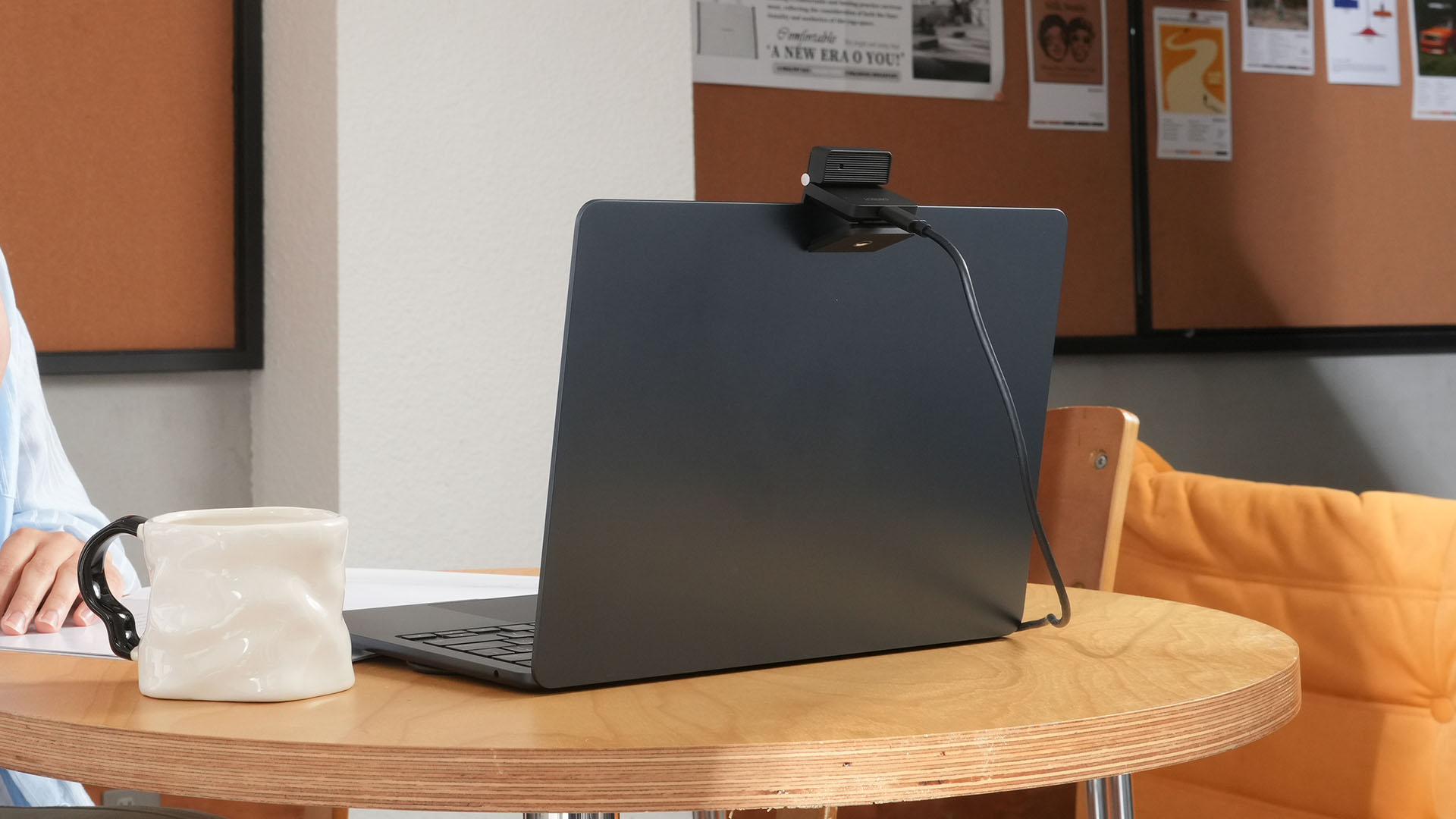
More interesting is AI Magic Notes.
Through OBSBOT Center, it provides real-time transcription and can automatically generate meeting summaries with key points, decisions, and action items. It works across Google Meet, Zoom, and Microsoft Teams.
Although AI Magic Notes is offered as a subscription service, every Meet Flip includes 120 complimentary minutes to get started.
MORE with OBSBOT Center & OBSBOT Live
There are plenty of other software features as well. OBSBOT Center includes:
- Background Blur and Background Replacement
- Real-Time Beauty Mode
- Picture-in-Picture overlays
- Smart Eye Tracking
- Teleprompter support
- Detailed image adjustments
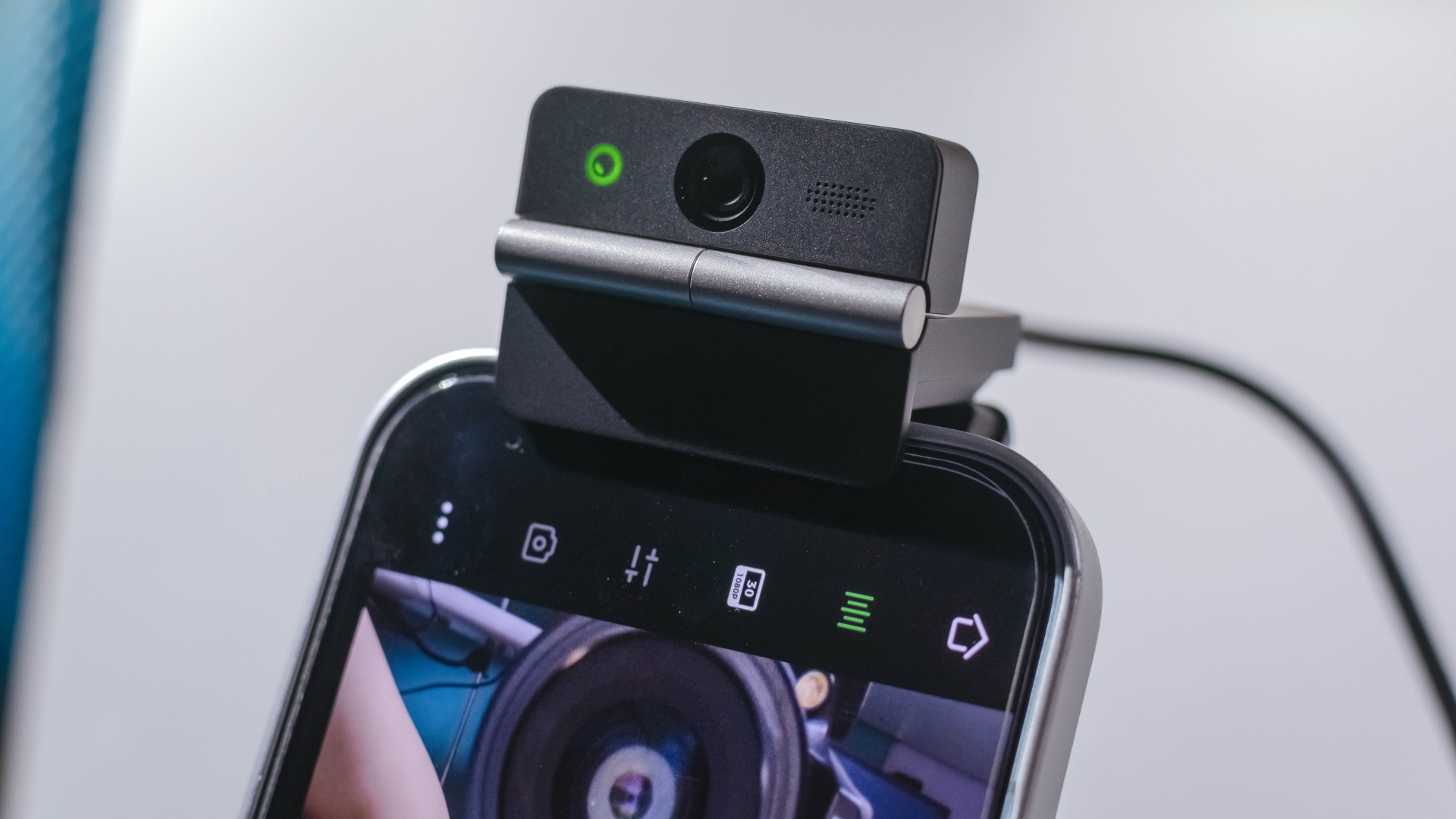
The Meet Flip isn’t limited to laptops or desktops either. Through OBSBOT Live, it can connect directly to smartphones and tablets over USB-C for mobile streaming and content creation.
Flip it open. Fold it away.
None of those features reinvent the webcam on their own.
Taken together, though, they make the Meet Flip a more thoughtful take on a piece of hardware whose basic design and features have barely changed.
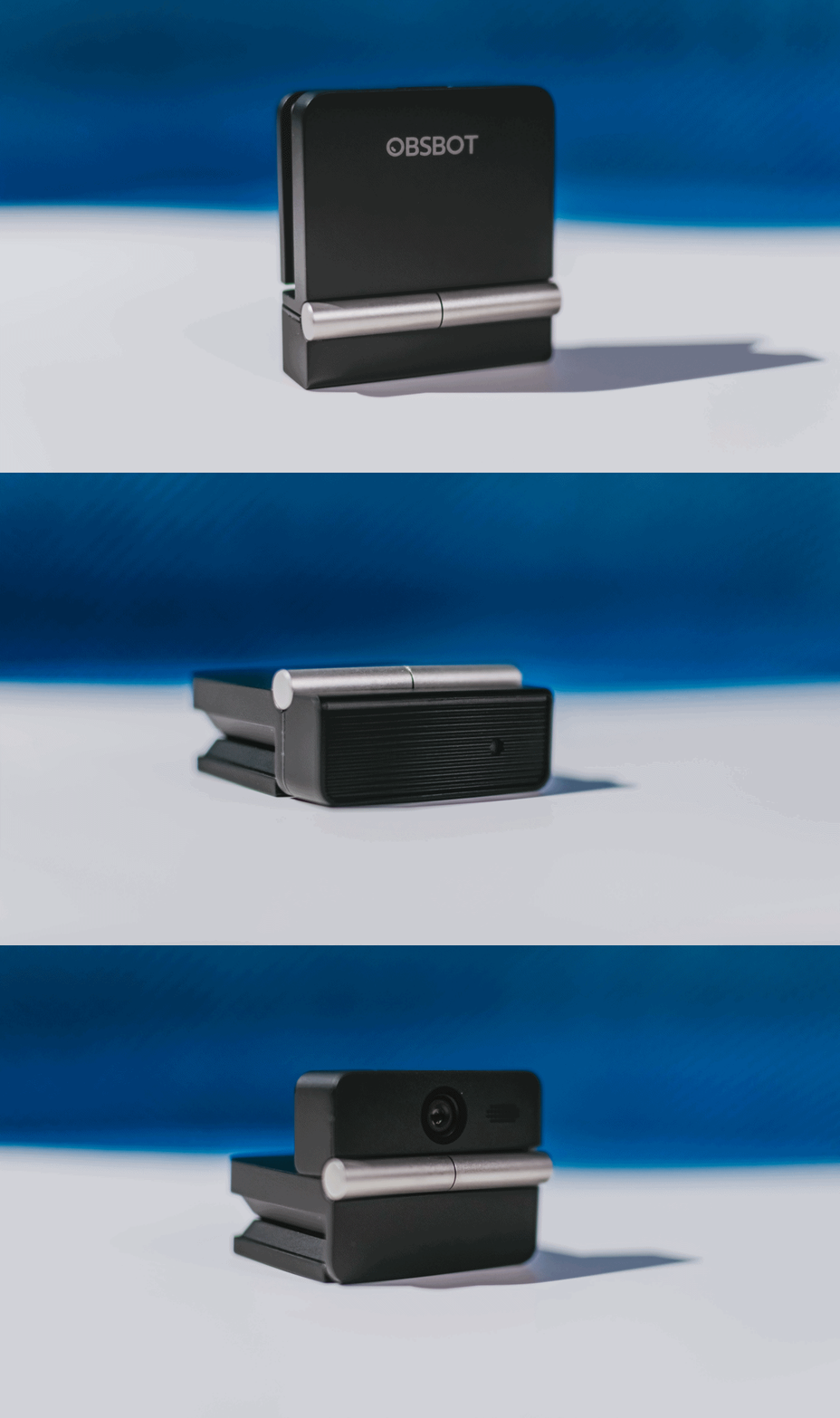
The flip may grab your attention first, but it’s how OBSBOT uses that design alongside its camera, audio, and software features that makes the Meet Flip interesting.
The OBSBOT Meet Flip is now available at US$ 119 and is currently available through OBSBOT’s official store, Amazon US, and select retailers.
&
@gadgetmatchPhones flip. Now webcams do too. 👀 Meet the OBSBOT Meet Flip, a tiny foldable 4K webcam with a lot packed inside. ✨
If you buy one, here’s what you’ll get out of the box!

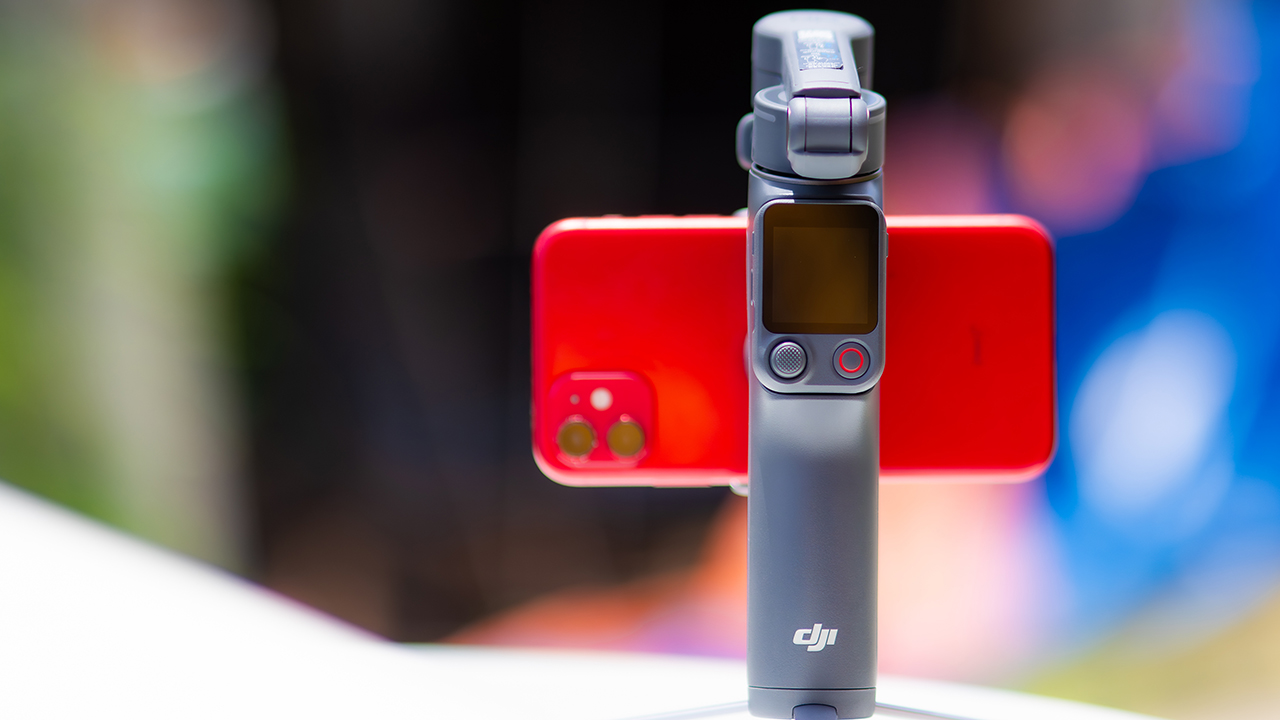
DJI’s smartphone gimbals have always chased one goal: delivering cinema-smooth footage without forcing you to carry a heavy rig.
The Osmo Mobile 8P (OM 8P) makes its priorities clear right out of the box. This is not a simple refresh. DJI rebuilt how you control the gimbal, and that decision shapes the entire shooting experience.
Freedom behind the lens
The biggest change is the FrameTap remote, and it’s the kind of upgrade that fixes a problem you didn’t realize was slowing you down until it’s gone.
On the standard OM 8, adjusting your framing meant reaching for your phone every time, which broke the flow of shooting and pulled you out of the moment.
FrameTap puts that control back in your hand. You can reframe shots and manage the gimbal without touching your phone at all, and for anyone shooting solo, that alone changes how usable the whole setup feels. Tracking has taken a real step forward too.
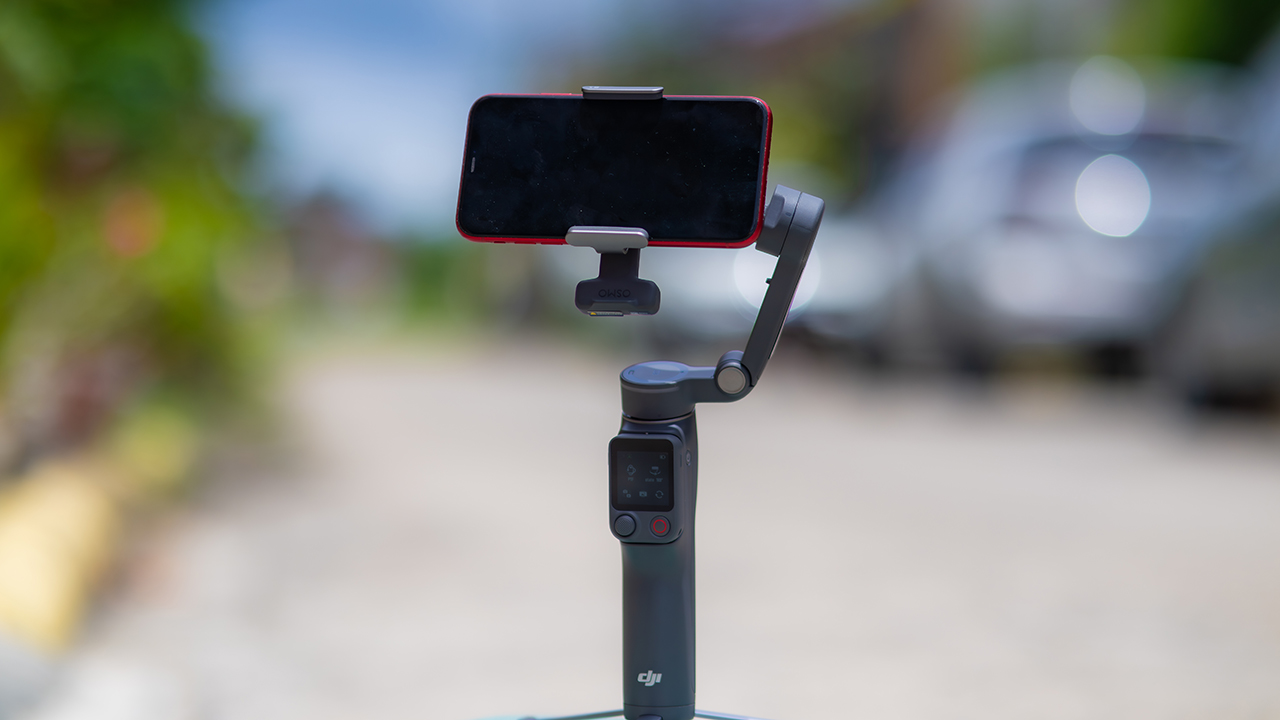
ActiveTrack 8.0, paired with Module 2, held onto its subject even after they stepped out of frame for a moment, then picked them back up without much fuss.
It also lets you sit off-center in the shot instead of forcing you into the middle every time, which gives you more room to compose something that doesn’t look like every other gimbal video.
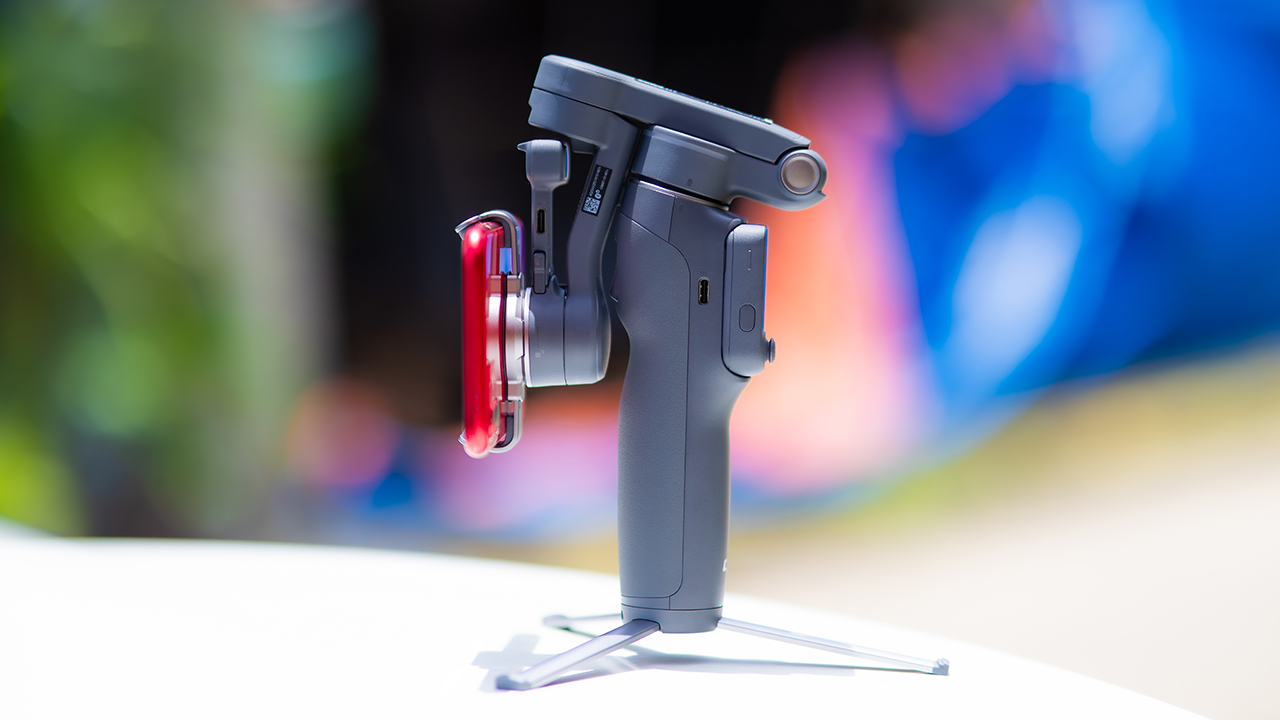
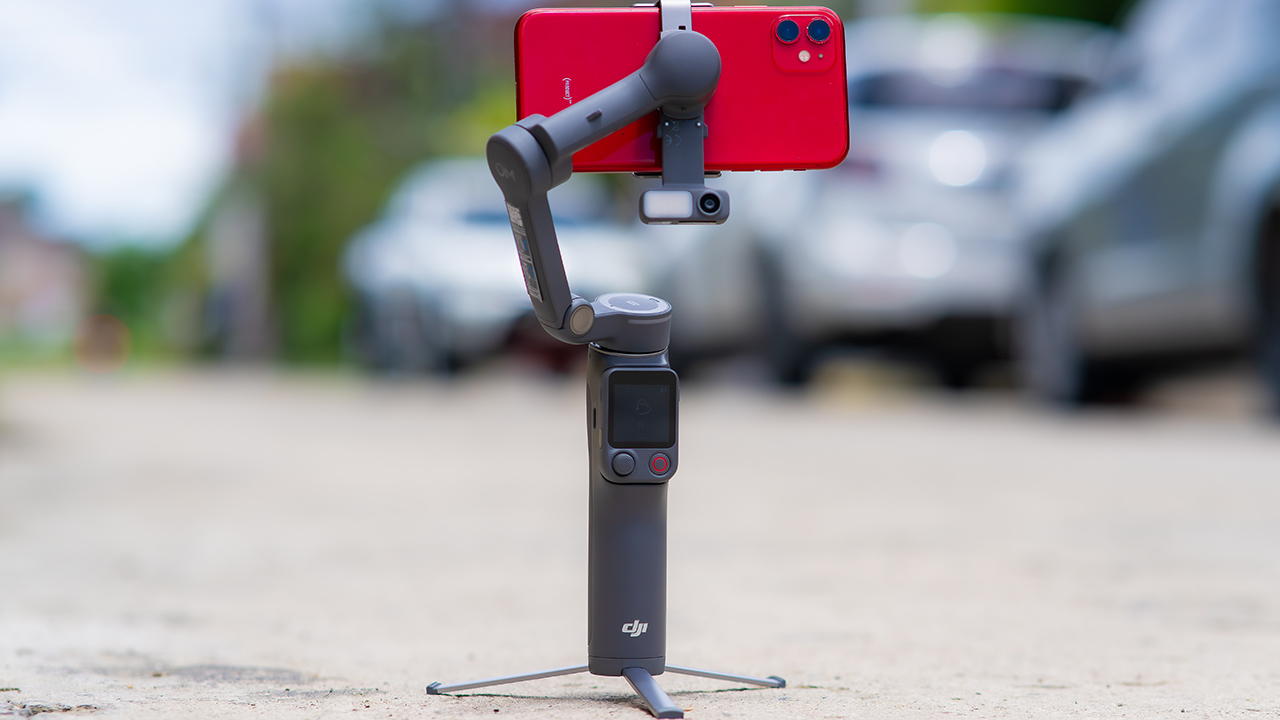
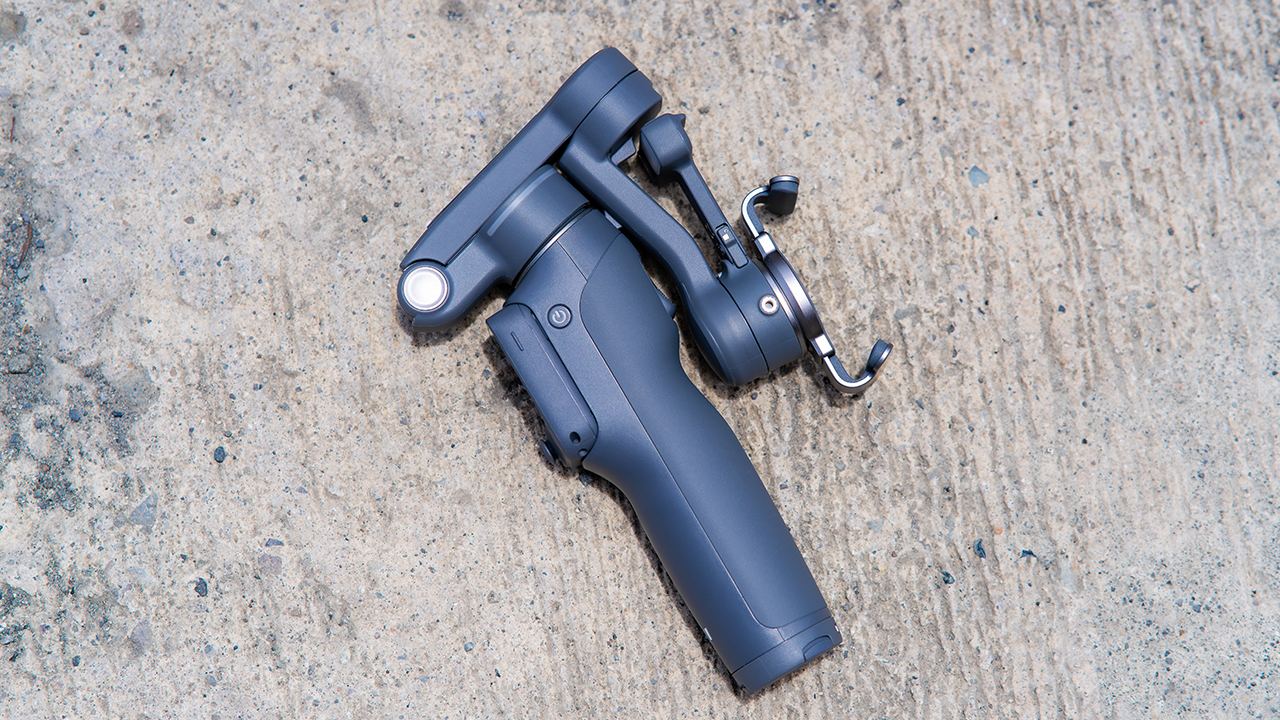
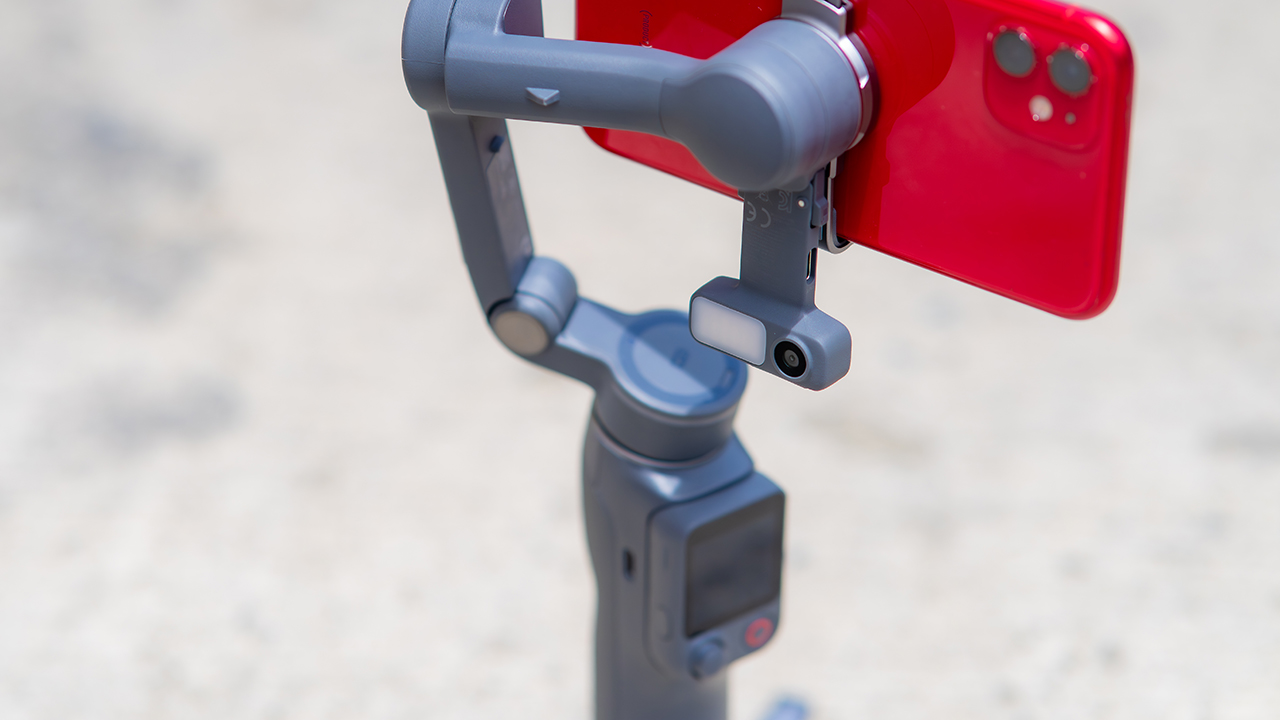
None of that would matter much if the gimbal itself wasn’t solid, and it still is. The OM 8P holds onto the same foldable design, magnetic phone clamp, and built-in tripod that made the OM 8 easy to live with.
And it remains one of the better compact options for stabilization, tracking, and portability in one package.
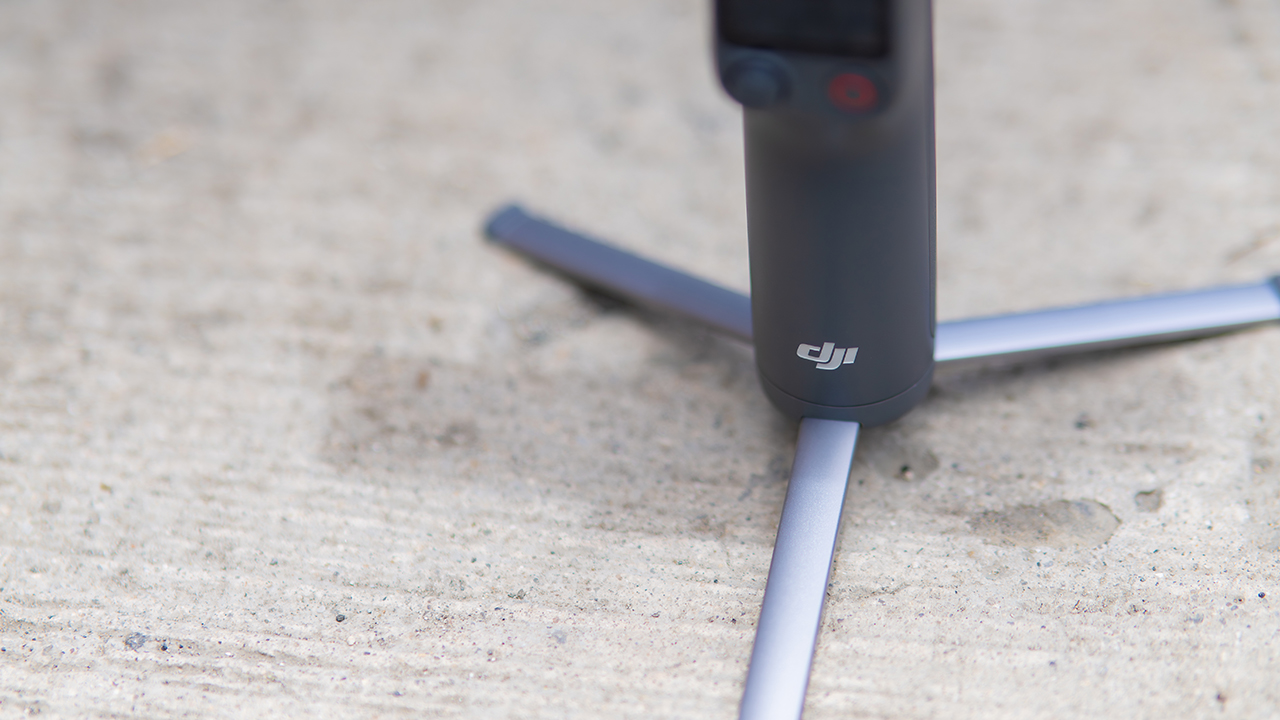
The tripod legs are a touch wider this time, and that extra width does make a noticeable difference on uneven ground.
The trade-offs in touch
The trade-off for all that new remote functionality is a control scheme that takes more getting used to. More of the gimbal’s functions now live on the FrameTap touchscreen, the joystick is smaller, and switching between shooting modes takes a few extra taps compared to the OM 8. It’s not a dealbreaker, but it’s a learning curve you’ll need to budget time for.
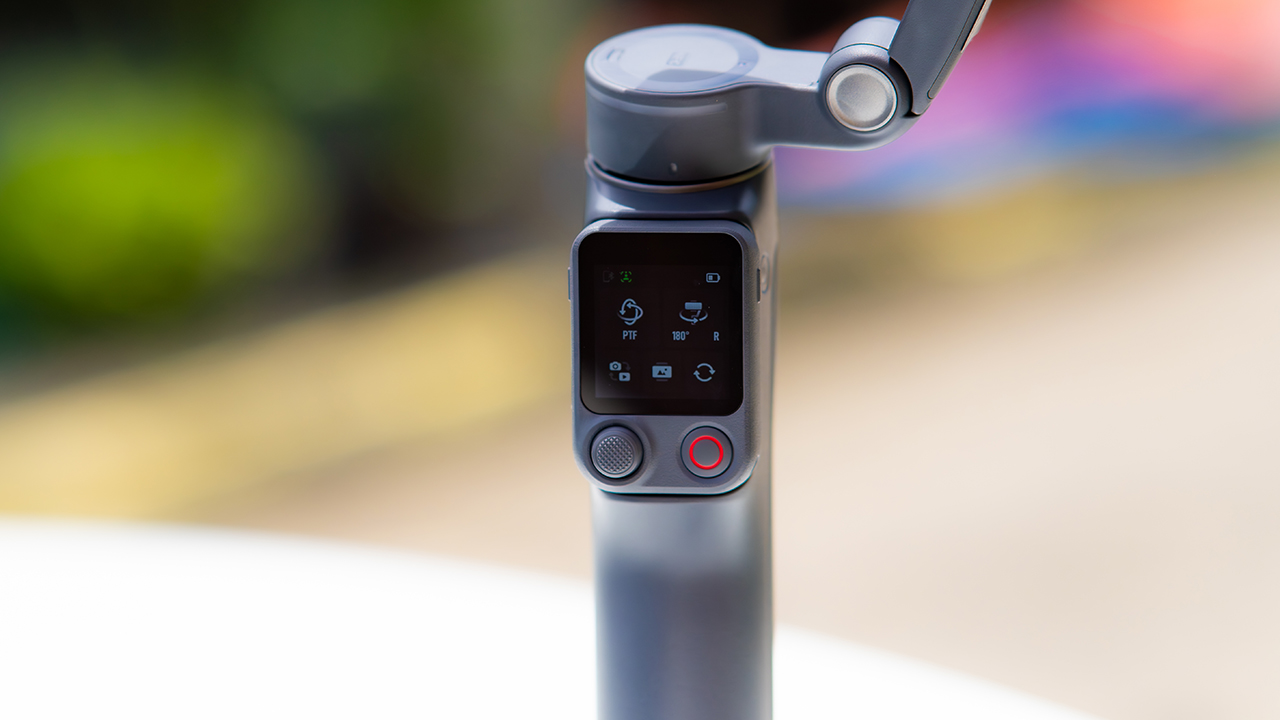
DJI also removed the zoom and focus wheel, so if you leaned on that dial for quick adjustments, you’ll feel its absence here. Module 2 no longer lets you plug a DJI wireless mic in directly either.
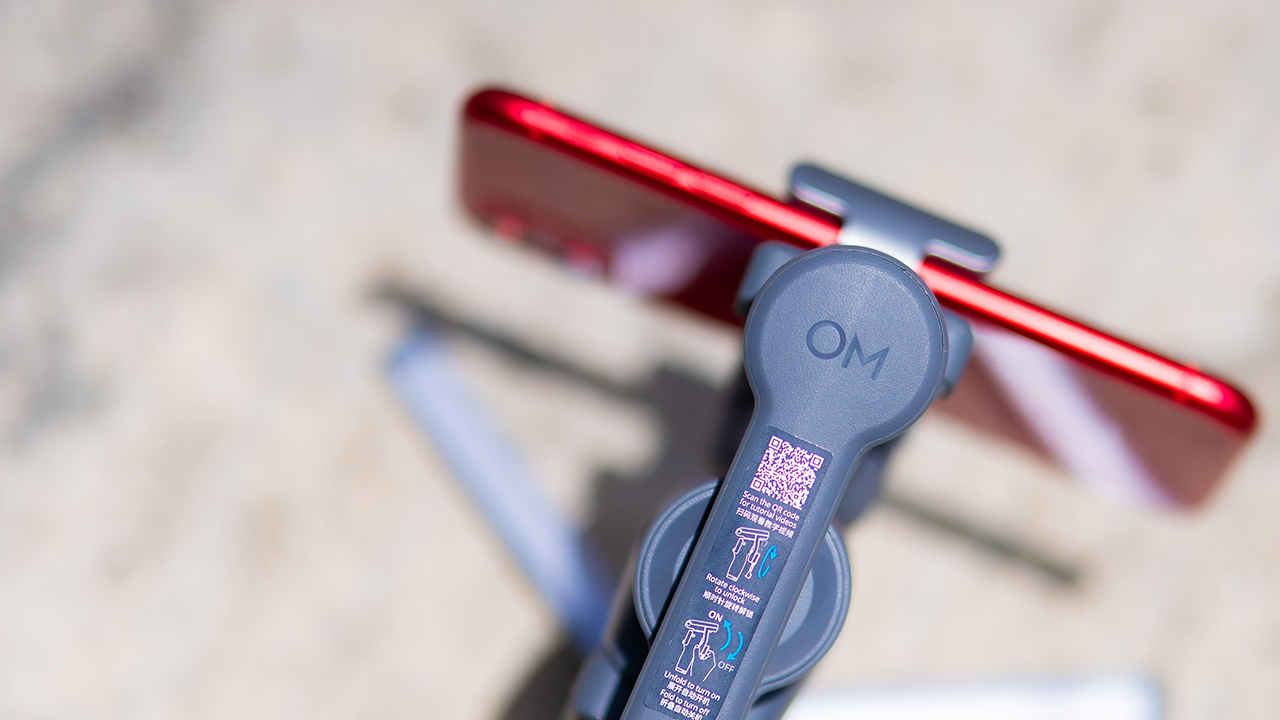
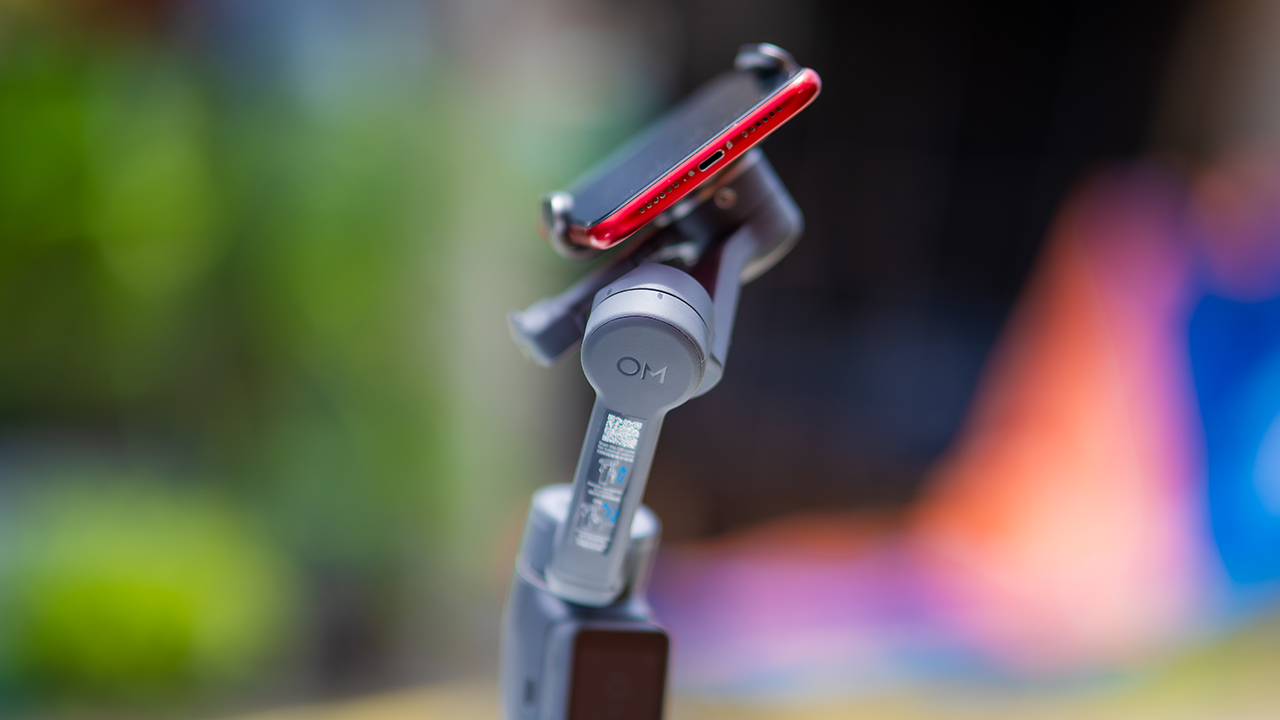
You’ll need to connect it to your phone instead, which adds a step to a setup that used to be simpler. Phone compatibility is still a limiting factor as well. DJI lists support for phones up to around 300g and 11mm thick, so bigger phones or ones in chunky cases may not clamp in properly.
Finding your ideal workflow
The OM 8P makes the most sense for solo creators who want dependable tracking and the freedom of remote framing without stepping up to a dedicated camera like the DJI Osmo Pocket.
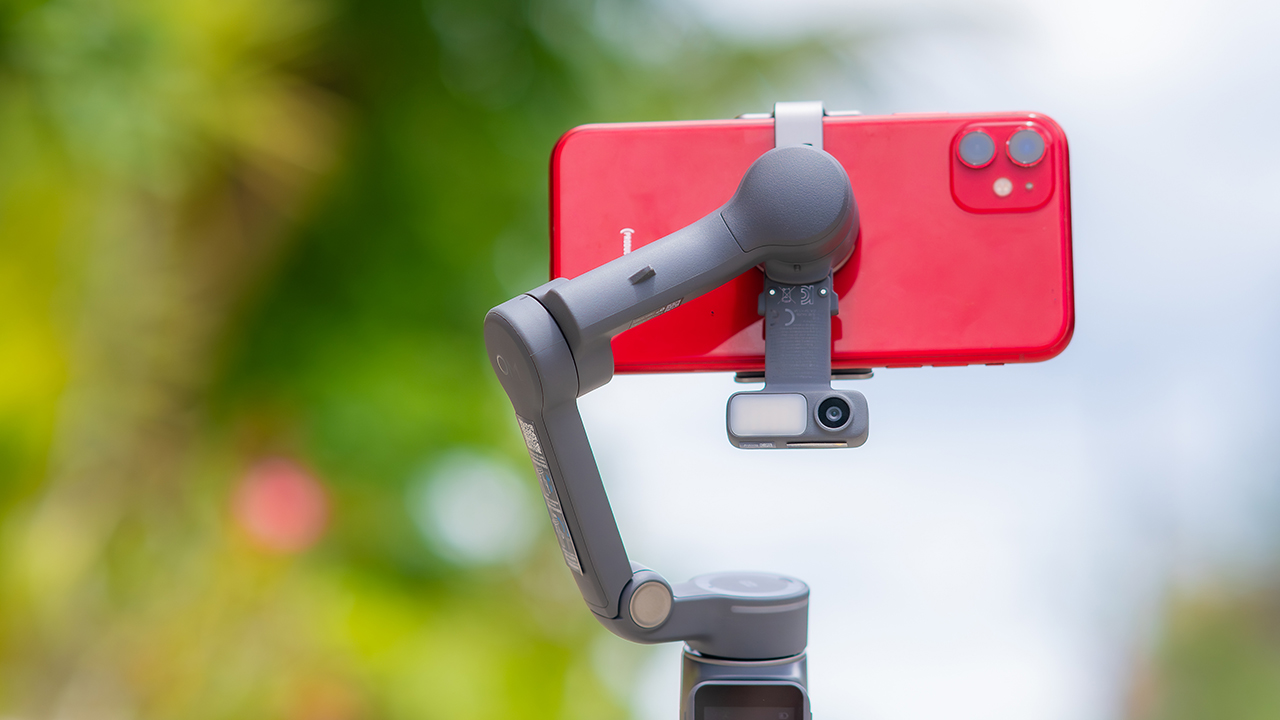
If you’re already shooting on a phone with a solid camera, this fills the gap nicely. It’s a tougher sell if you prefer physical buttons over touchscreen menus, or if your phone runs on the larger and heavier side, since fitting it onto the clamp might be a problem before you even get to shooting.
Price, availability
DJI is offering the OM 8P in three combos, so how much you pay depends on how much of the ecosystem you actually need.
- Standard Combo (PhP 7,499): the gimbal itself, with 8th-gen stabilization and the detachable FrameTap remote included.
- Advanced Tracking Combo (PhP 9,199): adds the Multifunctional Module 2 for the improved subject tracking we tested.
- Creator Combo (PhP 11,099): the full kit, built for creators who want everything DJI bundles in from the start.
Is the DJI Osmo Mobile 8P your GadgetMatch?
The DJI Osmo Mobile 8P asks you to relearn a few habits in exchange for a gimbal that finally lets go of your phone. If hands-free framing and steadier tracking matter more to you than a dedicated zoom dial, this is worth the adjustment.
If you’d rather keep things exactly as they were on the OM 8, that learning curve might be the deciding factor.
Swipe right if you shoot alone often and have been waiting for a gimbal remote that actually works. The FrameTap remote alone justifies the upgrade if reaching for your phone mid-shot has been slowing you down.
Consider this if reliable tracking matters to you, especially if you’ve had a subject wander out of frame and stay lost on older gimbals.
And of course, get this if you already own a capable phone under the weight and thickness limits, and you’d rather invest in a smartphone rig than jump to a dedicated camera like the Osmo Pocket.
Swipe left if you lean on physical dials for zoom and focus, and moving those functions to a touchscreen sounds like a downgrade rather than an upgrade.
This is not for you if you use a DJI wireless mic and want it plugged directly into the module without routing through your phone first. Or, your phone runs heavier or bulkier than DJI’s limits allow, since no amount of enthusiasm fixes a clamp that won’t close.
Hands-On
Hands-on: Samsung Galaxy Z Fold8, Flip8, Ultra
Samsung’s freshest foldables come out of the oven


Three foldables. Three very different people.
Samsung’s Galaxy Z Fold8 Ultra — the productivity maximizer. Heritage form factor, everything cranked to the max.
The Galaxy Z Flip8, pure style. The smallest, loudest, most you one of the bunch.
And finally, the Samsung Galaxy Z Fold8 — the new beginning.
Built for the way most of us actually use our phones: watching, reading, scrolling. The one I keep reaching for and have a feeling THE Michael Josh will be using a lot.
Same family. Three ways to experience it.
Head over to our hands-on video on the latest and greatest Galaxy Z8 family for you to know your best bet.


Marvel’s Wolverine review: When the claws come out
A brutal, cinematic superhero adventure


Setting your bedsheets ablaze with the Lovense Solace Pro
The closest proxy I could find where I'm guilty as sin


Now Playing: Elden Ring Tarnished Edition
Is the Switch 2 port worth the price?

First Look: Apple iPhone Duo

Xbox saves Kojima’s PHYSINT after PlayStation drops support
Marvel’s Wolverine review: When the claws come out

PH to celebrate 1st ever National Cinema Day; movies start at less than $2

New AGON gaming monitor features up to 1000Hz refresh rate

TECNO MEGAPAD 2 review: Eyes on the size

realme 16T 5G with 8000mAh battery, IP69 Pro rating launches in PH

HUAWEI Pura X View is 2026’s first WIDE slab-type smartphone

REDMI Note 17 Series focuses on long-term reliability

REDMI reveals the refreshed Note 17 and Note 17 Pro series


-
 News2 weeks ago
realme 16T 5G with 8000mAh battery, IP69 Pro rating launches in PH
-
 News5 days ago
HUAWEI Pura X View is 2026’s first WIDE slab-type smartphone
-

 News5 days ago
The CAMON Slim 5G is TECNO’s latest ultra-slim smartphone
-

 Cameras1 week ago
DJI Osmo 360 II review: Going all-in on the ecosystem
-

 Features2 weeks ago
The designated photographer’s new favorite phone: OPPO Reno16 Series 5G
-

 IFA 20261 week ago
TECNO MEGABOOK T15 360 unveiled at IFA 2026
-

 Gaming1 week ago
NBA 2K27 review: A two-way All-Star
-
 Reviews2 weeks ago
Samsung Galaxy Z Fold8 Ultra review: It’s time to get a foldable