
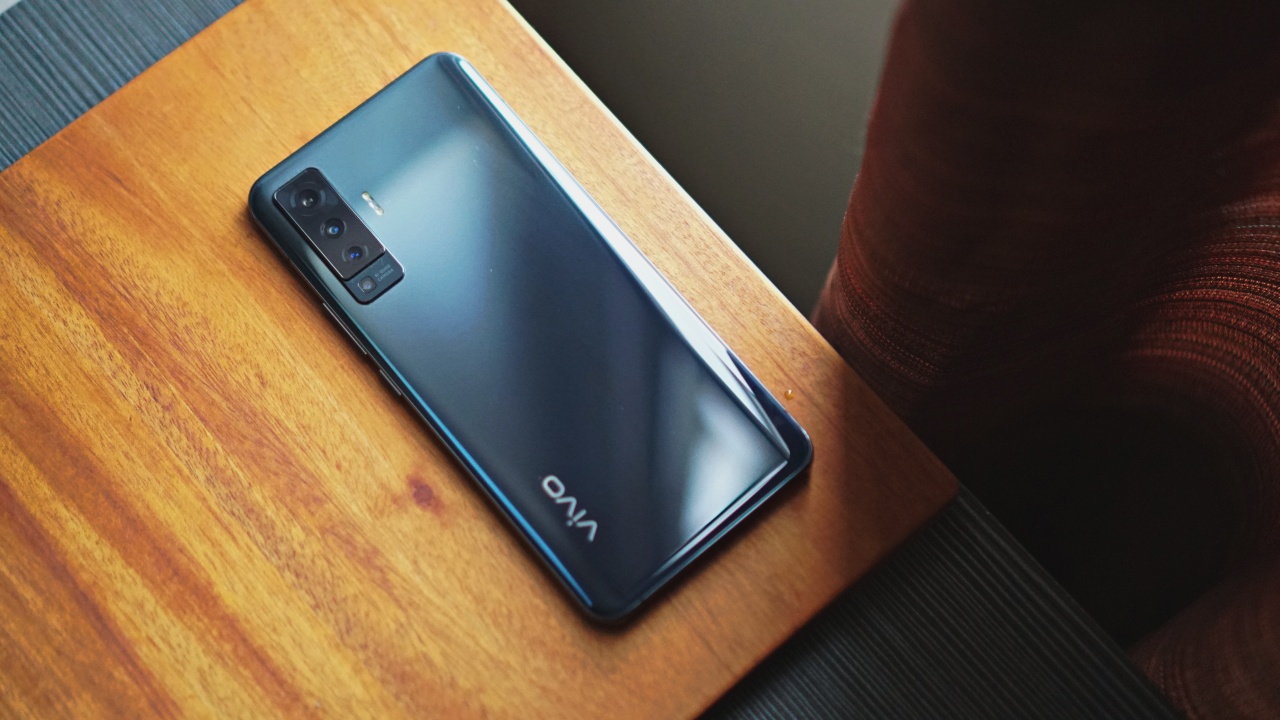


We’ve all felt inadequate. This is especially when we’re surrounded by people we believe are better than us. This is the feeling I remember after having used the vivo X50 for a few days.
To start with, the vivo X50 is the more affordable sibling in the X50 series. It lacks the features that sets the X50 Pro apart: the Gimbal camera system, a flagship-grade chipset, and 5G connectivity.
But do we even need all the features that the X50 Pro has? For everyday users, the X50 is more than enough, and it deserves to be given a chance.
Like a dapper gentleman
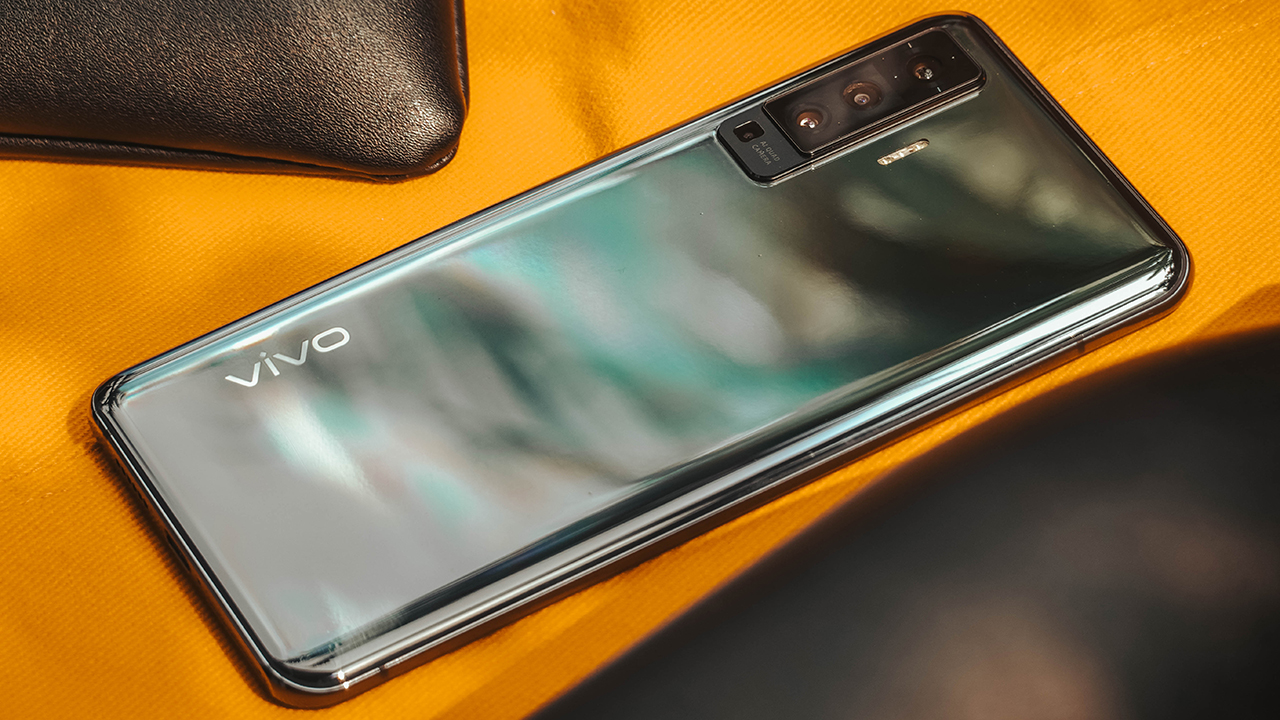
First and foremost, the X50 is gleamingly handsome. If I were to draw a character, the X50 would look like a high-maintenance, dapper gentleman, whose hair and beard were trimmed and sculpted in a barberdashery (a barber and haberdashery in one) like Felipe & Sons.
It exudes a classic appearance that makes you want to hold it. But before you do that, you’d have to choose between the matte Frost Blue and the fingerprint-magnet glass in Glaze Black.

Personally, I prefer the Glaze Black due to my habit of leaving memories behind, like a smudge on a glass. Kidding aside, I love the reflective mirror-like design.
But its design doesn’t matter as much since I tend to slap a case on any phone I use. If I won’t, there’s a ninety-six percent chance of glass phones slipping from my regularly moisturized hands.
Comfortable and entertaining
Surprisingly, the X50 is lightweight and slim enough to sit comfortably in my tiny hands. It can reach the in-display fingerprint scanner easily.

On the front, the vivo X50 prides itself on the same 6.56-inch AMOLED display with a 90Hz refresh rate and HDR10+ technology like the X50 Pro. Watching videos and playing games is a treat with its vibrant colors, high contrast, and bright screen.
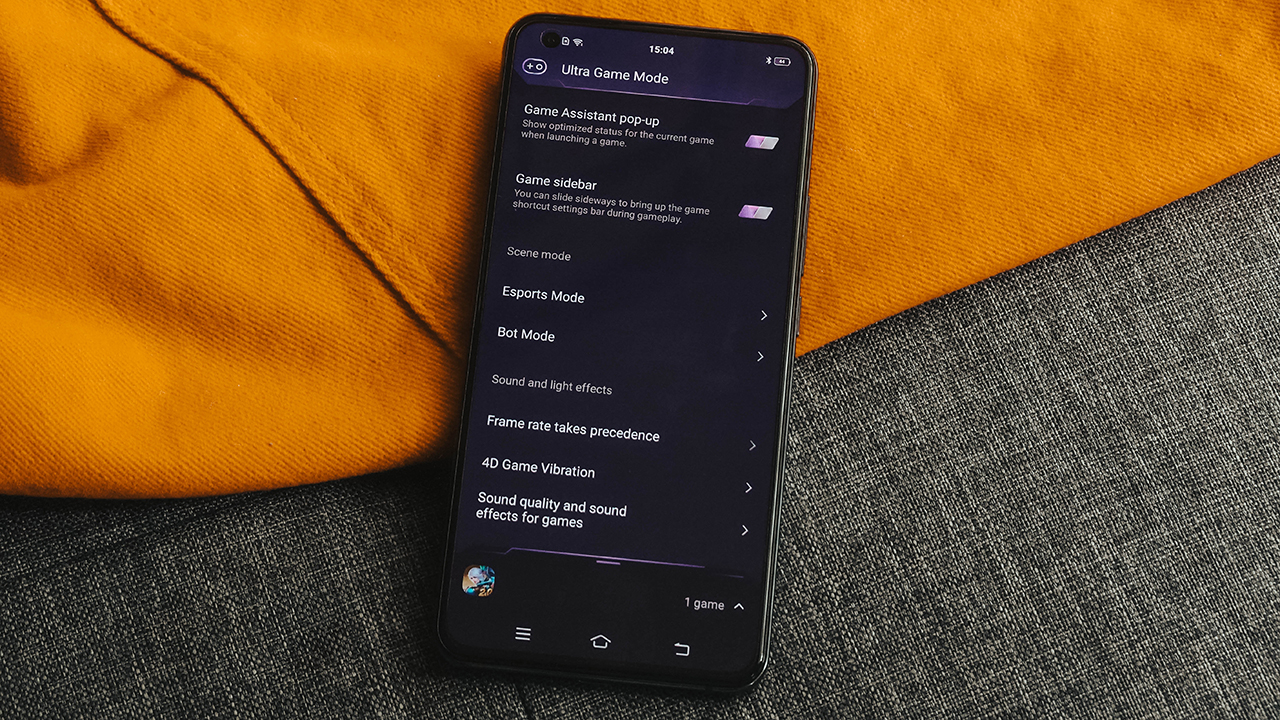
There’s also an Ultra Game Mode — an exclusive feature found on Funtouch OS 10.5 (based on Android 10). Mobile games like PUBG Mobile and Mobile Legend: Bang Bang are supported by vivo’s gaming feature.
In case you didn’t know, this feature helps you stay focused on your game, whether you’re playing for fun or competitively. Notifications are definitely turned off and your system’s resources are managed well, especially when you opt for Esports mode. There will be no accidental touches, annoying calls, and it moderates your phone’s temperature for smoother gameplay. Moreover, it saves battery.
Serving more than enough of what you really need
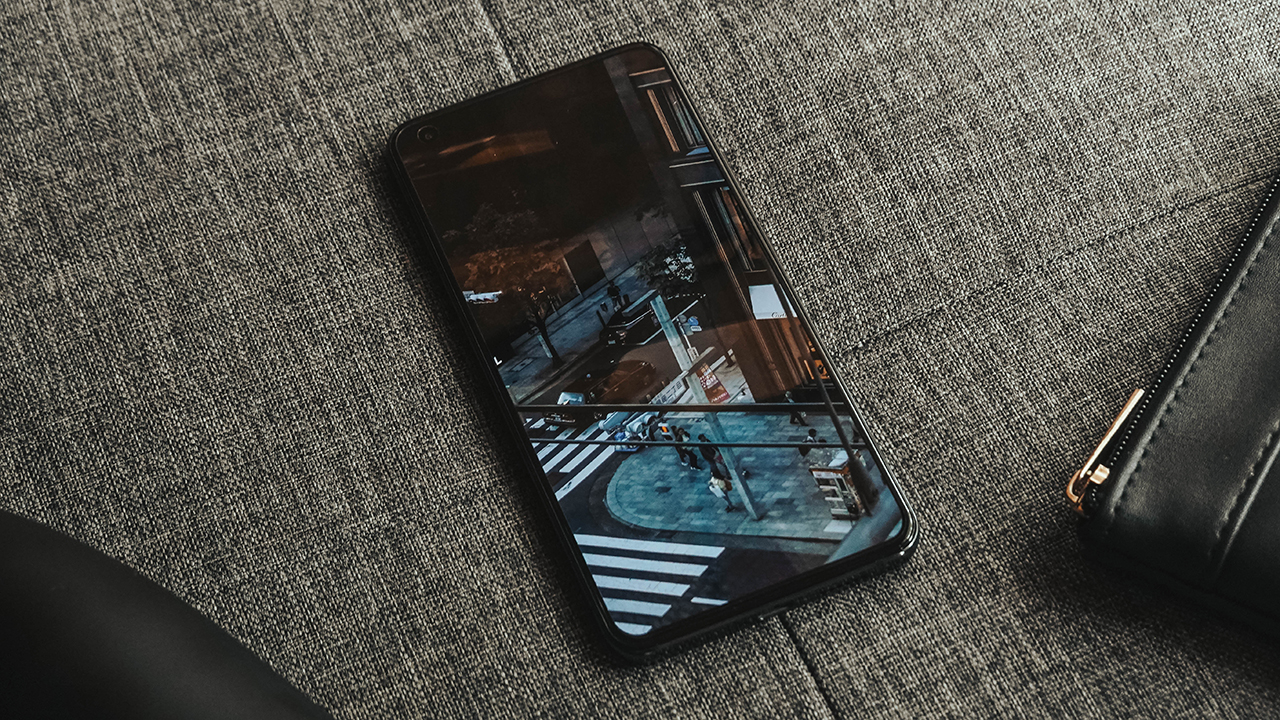
Frankly, the vivo X50 packs enough power to fuel your entertainment needs. Whether it’s intensive gaming or seamless performance. It’s powered by Qualcomm’s Snapdragon 730 and sports an 8GB RAM and 128GB built-in storage.

This handset is also equipped with a 4200mAh battery and supports vivo FlashCharge 2.0, reaching 33W of fast charging. Of course, it uses a Type-C port and cable, just like any normal 2020 phone.
With a bigger juice and near-flagship grade chipset, you can ensure a long-lasting experience. You can play to your heart’s content and binge-watch all 16 episodes of the latest K-drama people are talking about.

In my case, I watched the visual spectacle that is Fire Force — an animé based on the manga of the same name filled with brilliant animation sequences and blazingly hot character designs.
The downside in having this exquisite display while playing games or watching shows is the intrusive punch-hole cutout, which houses its 32-megapixel selfie camera.
Getting that glass skin
Moving to its selfies, the front camera struggles to take clear and decent selfies at low light but performs exceptionally with sufficient daylight.

Even under harsh sunlight, the vivo X50 snaps portrait-oriented selfies perfectly… for the ‘gram. I uploaded my selfies on Instagram Story’s Close Friends feature, handpicking people that are attracted to me so I can receive comments and validation.
Most of them complimented how I looked fresh, striking a close resemblance to South Korean actors’ glass skin apparent in K-dramas. On the other hand, some people were hesitant to compliment me because they’re too afraid to flirt and possibly fall for me. (Just kidding.)
Choosing the real you
But the truth is I’m not pore-less, and I refused to use vivo’s beauty mode since I thought it was too intense. Despite having beauty mode tailored for men, I was still averse since a beautified version of myself is far from how I actually look. And definitely not how I want to be seen.
What seems to be the common case in my selfies is how vivo pads beautification in its post-processing, even if you’re not actively using its beauty mode.

The thing is, vivo’s front camera uses an f/2.45 aperture, which results in backlit photos and brightened selfies. For reference, you can look at the well-lit busy background and cerulean-like sky on the middle photo above. Meanwhile, the photo on the right looks overexposed, even though I’m just basking under the sunlight inside a car.
However, this nitpicking can be handled easily if you know some tips and tricks in taking better selfies. Overall, the quality looks decent, and any selfie-taker or young professional who’d love to look good for a self-esteem boost will be satisfied with the results.
Putting Portrait Mode on a pedestal
It’s been years, but smartphone companies are still far from perfect in terms of their cameras’ portrait modes. Evident in the X50 is vivo’s attempt to produce cleaner bokeh albeit still unrefined.

When taking photos against a busy background, Portrait Mode should help you produce cleaner outputs while keeping the focus on the subject. But it’s still unpolished, as seen through the cutouts around my hair and shoulders. Additionally, vivo smartly applied HDR which lit my background causing haze around my face and hair.

Forgive me for slapping a clear case meant for the X50 Pro, I just really needed to put a case on.
Using its rear camera, the Portrait Mode had troubles dealing with depth of field (DoF), blurring my arms together with the background in the mirror. If you struggle with Portrait Mode, I mentioned in one of my camera hacks a trick on how to use mirrors to create better depth.
This way, you don’t have to be dependent on maxing out Portrait Mode, which results in ugly cutouts where you’d look like a pasted magazine cutout in a gaussian blurred image.
For every moment you can capture

The vivo X50 uses a quad-camera system similar to the X50 Pro, only with a smaller camera bump and narrower module. It uses Sony’s IMX598 sensor, comprised of a 48-megapixel primary shooter, a 13-megapixel portrait camera (with 50mm prime lens), an 8-megapixel ultrawide lens, and a 5-megapixel macro camera.
When compared to phones in a similar price range, the X50 is a mild contender in the camera department. It certainly packs useful features in shooting any type of photos. There’s a 120-degree super wide-angle, a clear 2X optical zoom, and 20X digital zoom.

Shot in auto mode on a 1:1 format (Square)

Backlit shot in auto mode on a 1:1 format (Square)

Flat lay produced through 2X optical zoom

20X digital zoom on a hive in my home’s window

Horizontal macro shot taken by placing the cameras close to the flowers

Vertical macro shot taken by placing the cameras close to the flowers
While vivo boasts of sharp and crystal clear night shots, I wasn’t able to test it due to curfew restrictions in my neighborhood.
The way our heart beats with strong connections
Casual users like me spend most of our time watching videos and listening to music. Of course, audio is as important as the display and other features. To audiophiles, vivo isn’t worth considering despite starting its humble story with peerless audio tuning.
Regardless, the vivo X50 fills a room loud enough like a night club booming with party speakers. It doesn’t have a 3.5mm headphone jack, but Type-C wired earphones will still work well.
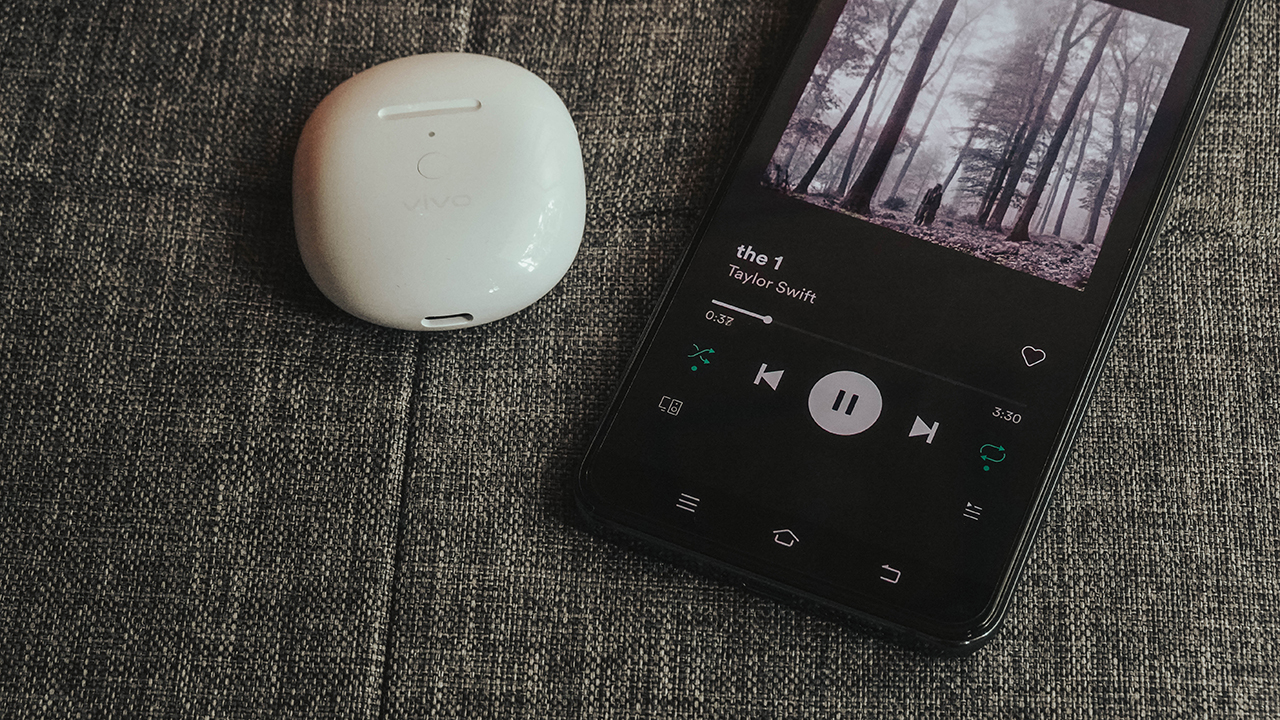
If you’re down with vivo’s ecosystem, it’s better to get the vivo TWS Neo since it pairs easily with the X50. Just like any other smartphone brand, vivo is focused in creating a seamless connection between its devices. With an R&D focused in audio, you get the same rich sound in both the X50 and TWS Neo.
Is this your GadgetMatch?
On paper, tech junkies might say a lot about its internals, yet vivo is more than the specs it offers. For years, vivo has been delivering an experience that is relevant to casual consumers.

The X50 is a testament to vivo’s history — offering the right power that everyday users need. While there are similar upper midrange phones with better specs and features, the vivo X50 still promises an all-around experience.
It may not have the X50 Pro’s flagship-grade power and extra features, the X50 serves that nearly similar flagship experience, at a reduced price. Undisturbed gaming, near-flagship efficient performance, better selfies and balanced cameras, and seamless ecosystem — what’s there to ask for?
Undoubtedly, it’s similar to the Samsung Galaxy A71. Both handsets are well-rounded, yet the X50 has a better build and design.
The vivo X50 retails for PhP 25,999 (US$ 536) in vivo’s official stores and authorized retail partners. Select outlets will also add in an exclusively X50 fit silicone Comfy case.
SEE ALSO: In having healthy connections through the vivo TWS Neo




Hands-On
Hands-on: Samsung Galaxy Z Fold8, Flip8, Ultra
Samsung’s freshest foldables come out of the oven


Three foldables. Three very different people.
Samsung’s Galaxy Z Fold8 Ultra — the productivity maximizer. Heritage form factor, everything cranked to the max.
The Galaxy Z Flip8, pure style. The smallest, loudest, most you one of the bunch.
And finally, the Samsung Galaxy Z Fold8 — the new beginning.
Built for the way most of us actually use our phones: watching, reading, scrolling. The one I keep reaching for and have a feeling THE Michael Josh will be using a lot.
Same family. Three ways to experience it.
Head over to our hands-on video on the latest and greatest Galaxy Z8 family for you to know your best bet.
Hands-On
The Xiaomi Watch S5 proves you don’t have to take it off
Elegant enough for dinner. Tough enough for Spartan.
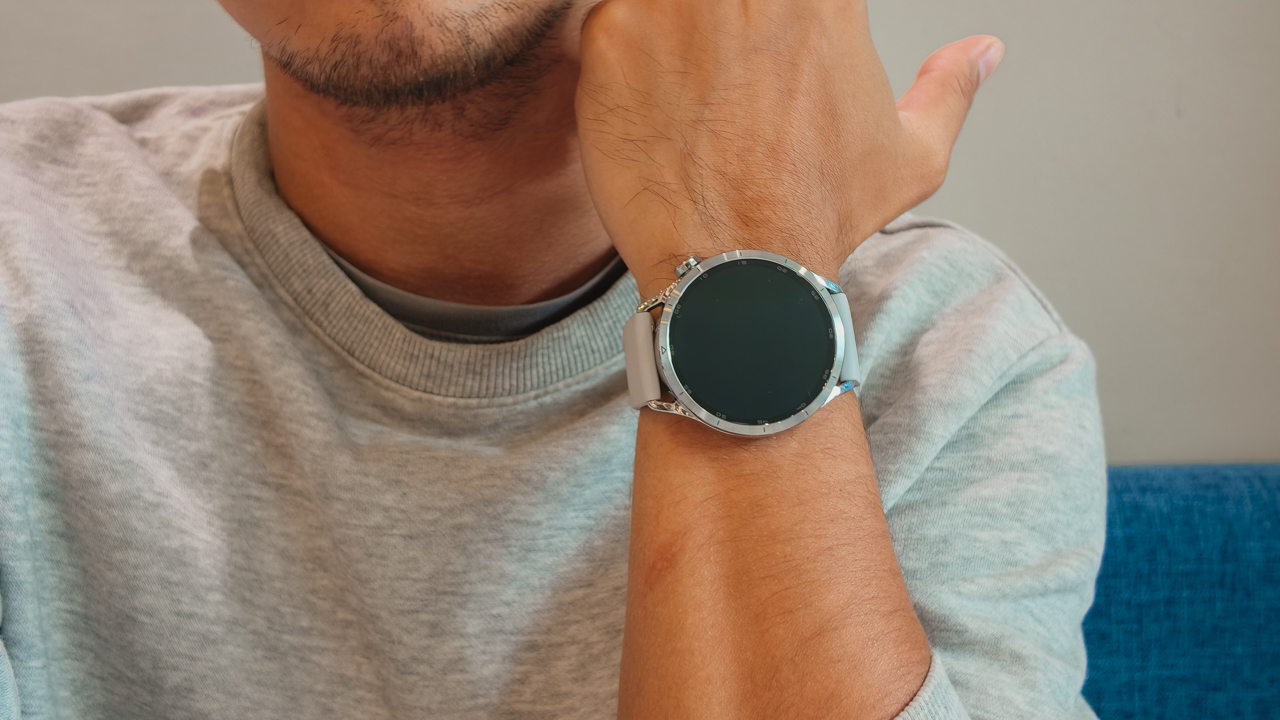
Picture this: one night, I’m dressed for a sophisticated gala in a carefully curated look. The following morning, less than twelve hours later, I’m standing at the starting line of a Spartan Trail 10K in Arden Botanical Estate with dirt on my shoes.
I’ve always struggled with smartwatches (or other timepieces) because they tend to ask you to choose a side. For instance, a classic timepiece looks right with tailoring, dinner jackets, and occasions where dress codes actually matter.
Meanwhile, a sports watch belongs in training kits, race bibs, and muddy obstacle courses. I’ve spent years switching between both, often leaving my smartwatch behind whenever the outfit called for something more refined.
Then, the Xiaomi Watch S5 arrived and challenged that whole routine. For once, I didn’t feel like I had to pick between looking polished and being athletic. I didn’t feel like I had to separate one part of my life from another.
A wardrobe investment
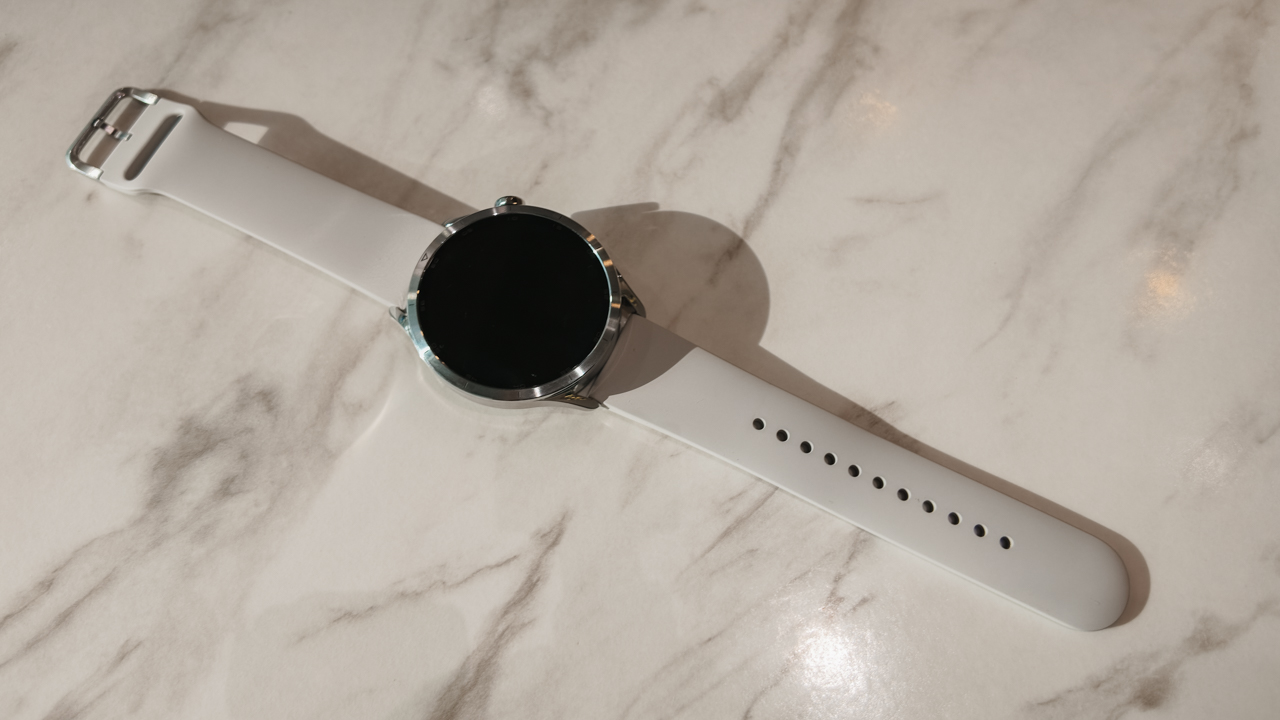
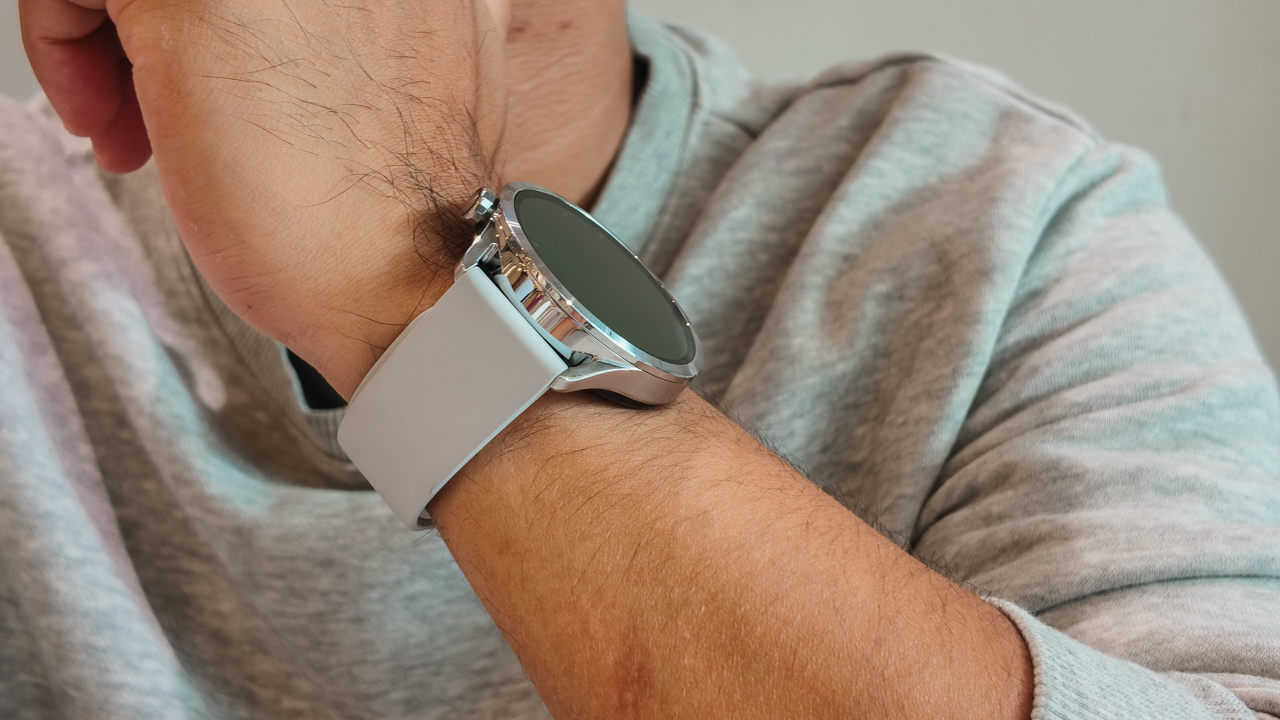
The Xiaomi Watch S5 immediately felt sleek. The upgraded stainless steel frame gives it the weight and polish of a traditional luxury watch. It looks expensive in the way a great accessory does.

It slips easily under a cuff, works with tailoring, and doesn’t compete with the rest of what you’re wearing. That mattered to me because I wore it to an evening event, styled like any proper watch would be.
Then the next morning, I wore it at a Spartan Race — at 6:00 AM, I was running the Spartan Trail 10K during a sudden downpour. Heavy rain poured over the course. Mud thickened under every step.
A few hours later at 9:30 AM, I was back on the course for the Spartan Sprint Open under the complete opposite conditions. Bright sun, harsh heat, and definitely no shade. By the time I crossed the finish line, I had visible sunburn.
I wore the Watch S5 across back-to-back races in completely different conditions. When it rained, the 5ATM water resistance handled it and allowed me to finish the Spartan Trail 10K with 350m elevation gain in 1 hour, 20 minutes.
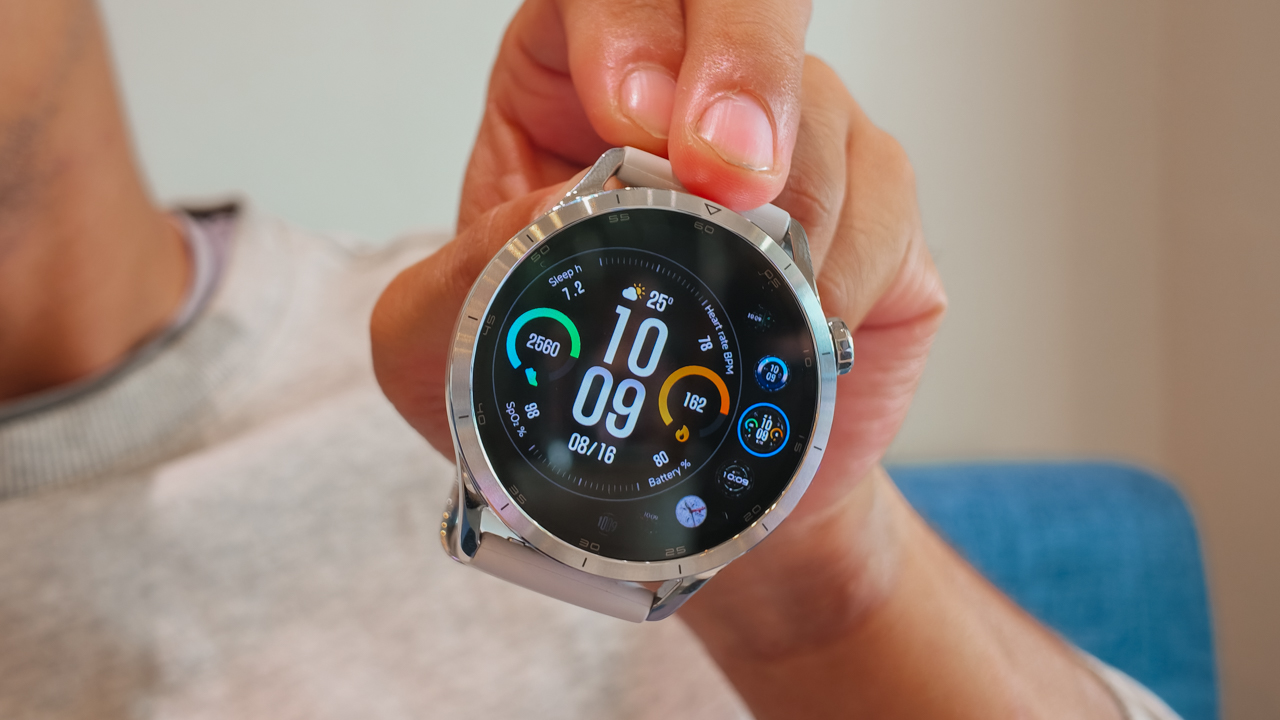
And even in full sun, the 2500-nit AMOLED display was bright enough for me to check my pace and metrics without squinting through sweat.
In a way, that is the whole point of versatility. You don’t have to look good in one setting. You just survive all of it.
High-fashion navigation on a sample sale budget
I love gear that performs. I love it even more when it doesn’t cost as much as a plane ticket.
My Garmin epix Pro (Gen 2) — which I had since 2023 — remains my benchmark for race-day navigation. It’s dependable and incredibly capable. It also costs enough to make me stare at my credit card statement in silence.
The Xiaomi Watch S5 gave me a surprisingly similar sense of confidence with built-in offline maps at a much more approachable price.
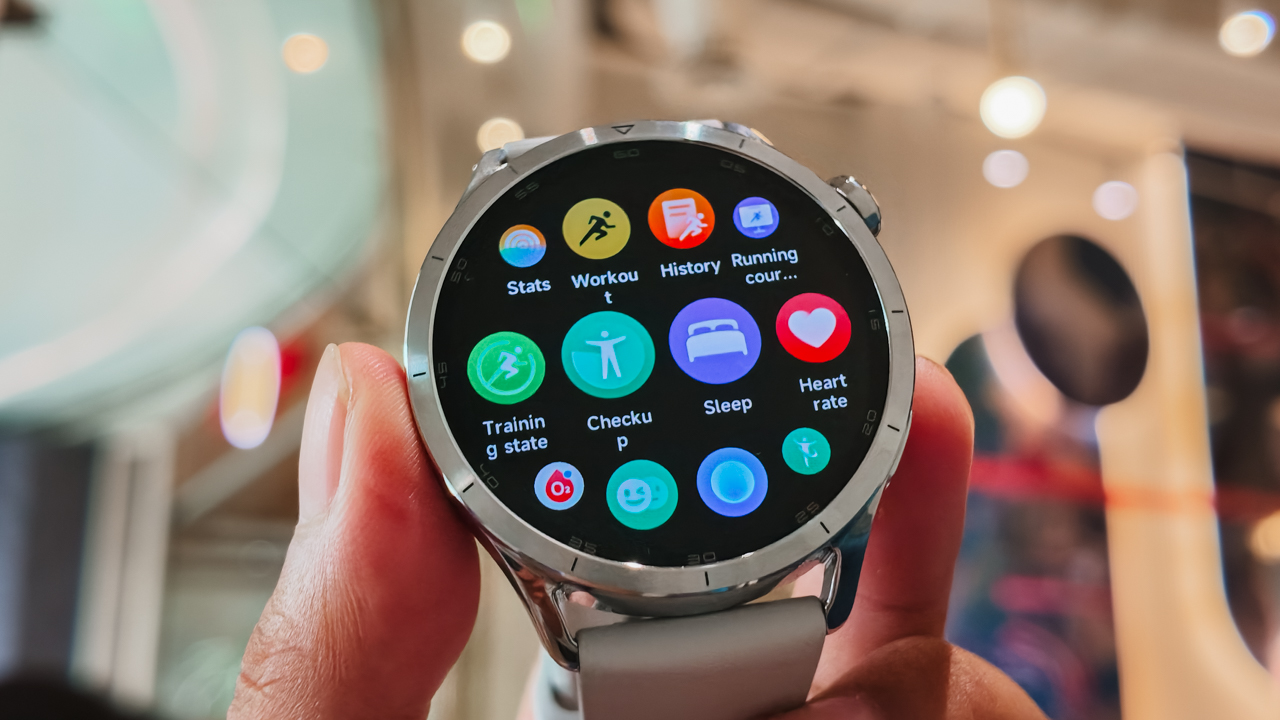
For trail races where routes are usually marked, that feature becomes less about finding your way and more about peace of mind.
Knowing you can navigate technical terrain without reaching for your phone feels reassuring, especially when weather conditions change fast — and on race day, mine certainly did.
One moment I was climbing through rain. A few hours later I was baking under direct sunlight wondering how my shoulders had already turned red.
The Watch S5 handled both like it was no big deal.
Keeping pace with a social butterfly’s calendar
A wearable becomes part of your wardrobe when you stop thinking about it. That’s where battery life matters.
The Xiaomi Watch S5 runs up to 14 days on normal use, which means I wore it across workdays, training sessions, events, recovery days, and race weekend without needing to obsess over charging it overnight.
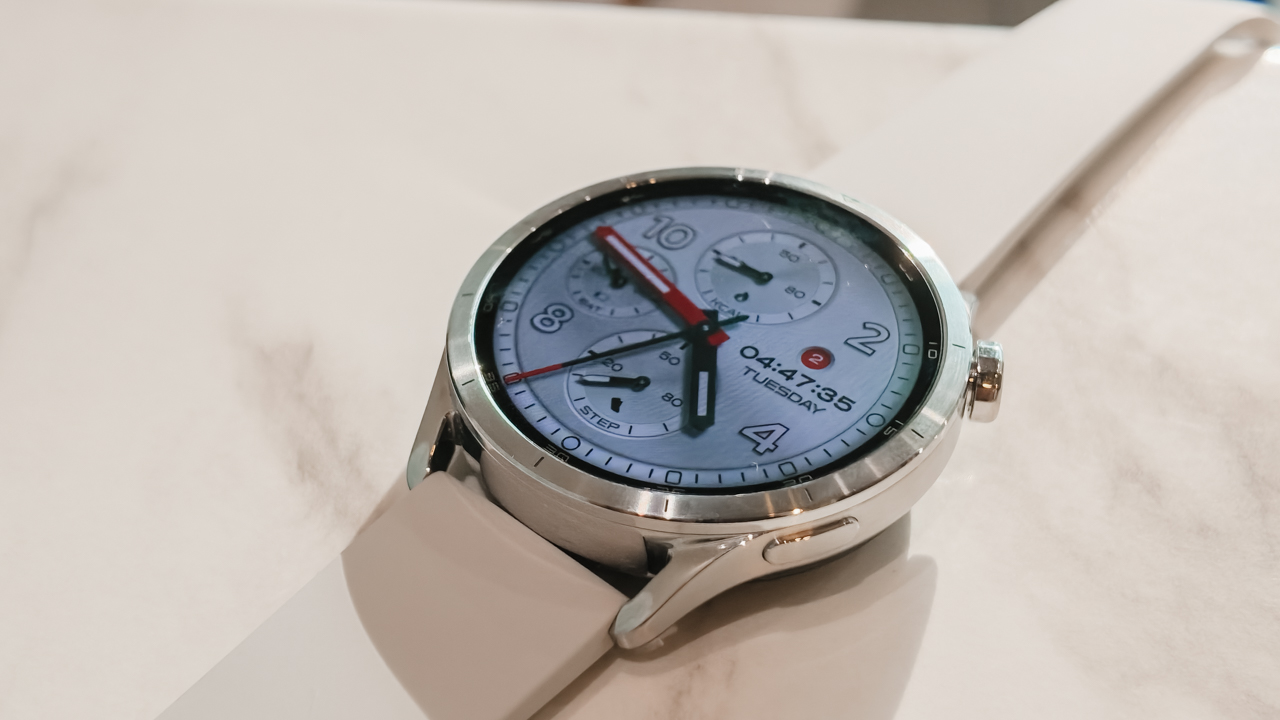
It outlasted my phone, my laptop, and possibly my emotional stability somewhere between the last aid station and the fire jump.
Once I finally got home, showered off layers of mud and sunscreen, and collapsed into bed with sore legs and sunburn, the Watch S5 kept doing its job in the background.
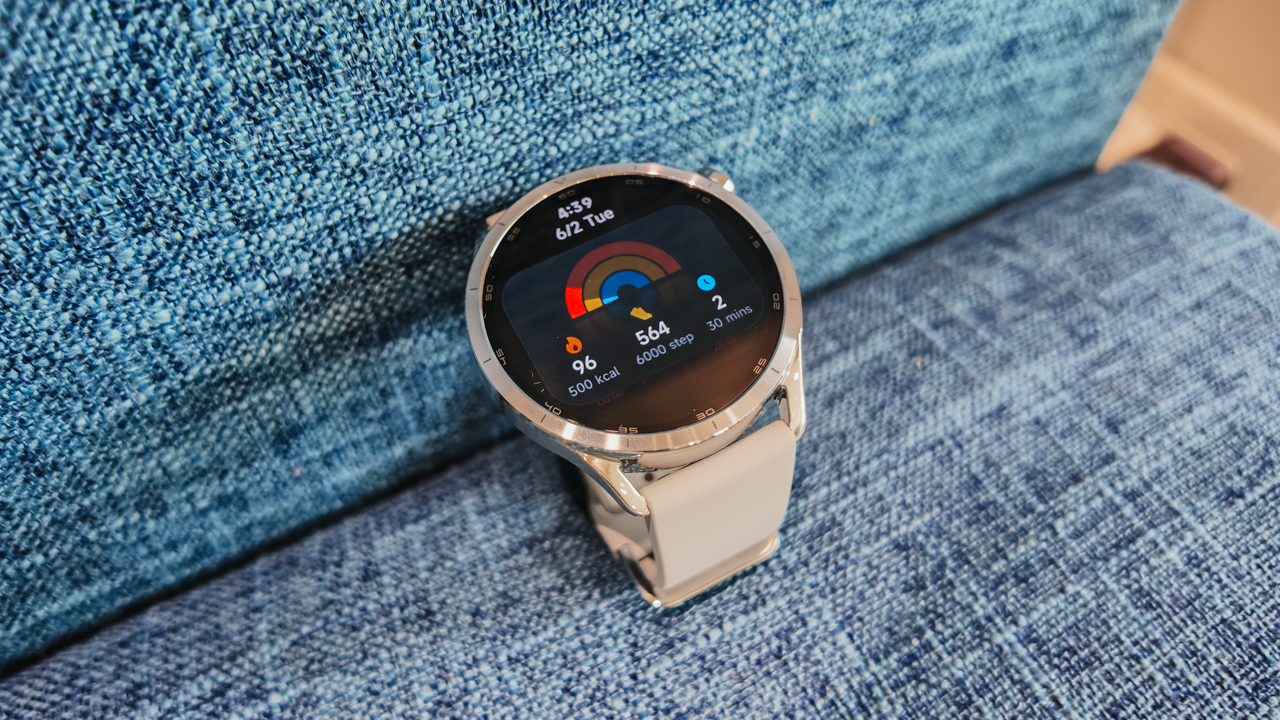
Sleep tracking, recovery insights, and wellness metrics all quietly continued while I did absolutely nothing.
Is the Xiaomi Watch S5 your GadgetMatch?
What I like most about the Xiaomi Watch S5 is that it doesn’t force a choice. It doesn’t ask you to pick between being sporty or polished. There’s no need to separate performance from style.
It looks elegant enough for formalwear, and tough enough for weathering the elements. For me, it went from chic events to an action-packed Spartan Race day without feeling out of place. And maybe, that’s the best way to describe it.
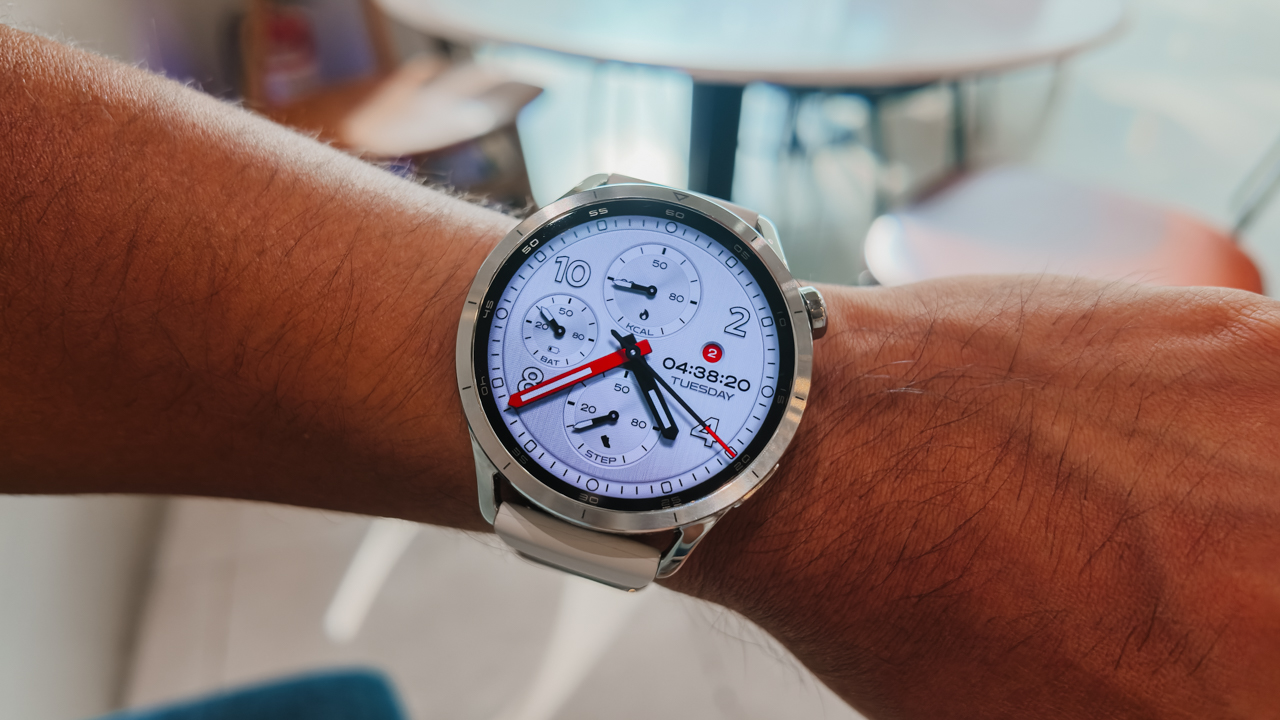
Swipe Right if you want a smartwatch that can keep up with both your calendar and your training schedule. The Xiaomi Watch S5 feels right at home with tailored looks, yet it’s durable enough for muddy race courses, sudden downpours, and long hours under the sun.
This is for the people who go from dinner reservations to race day without warning.
Swipe Left if you want highly advanced training analytics or a deeply specialized multi-sport watch for serious race preparations. Athletes who rely heavily on performance metrics may still prefer something more purpose-built.
For PhP 10,999, the Xiaomi Watch S5 46mm feels more like a wardrobe investment. One that happens to track your sleep, navigate a trail course and survive the elements, and still look good at dinner.
The Xiaomi Watch S5 46mm comes with an early-bird price of PhP 10,229 and a free strap. The Special Edition retails for PhP 11,999, with an early-bird price of PhP 11,159 and a free strap.


The HONOR Earbuds 4 deliver useful everyday features, though the sound quality may not impress audio enthusiasts.
The HONOR Earbuds 4 arrived alongside the HONOR MagicPad4, naturally becoming the audio companion for much of my testing.
That meant hours of music while working, videos during breaks, and plenty of movie watching once the workday was done.
After spending some time with them, I’ve come away with a fairly simple conclusion: the HONOR Earbuds 4 are practical everyday earbuds. They get a lot of things right. Unfortunately, the one thing I care about most in a pair of earbuds leaves me wanting more.
Comfortable and easy to live with
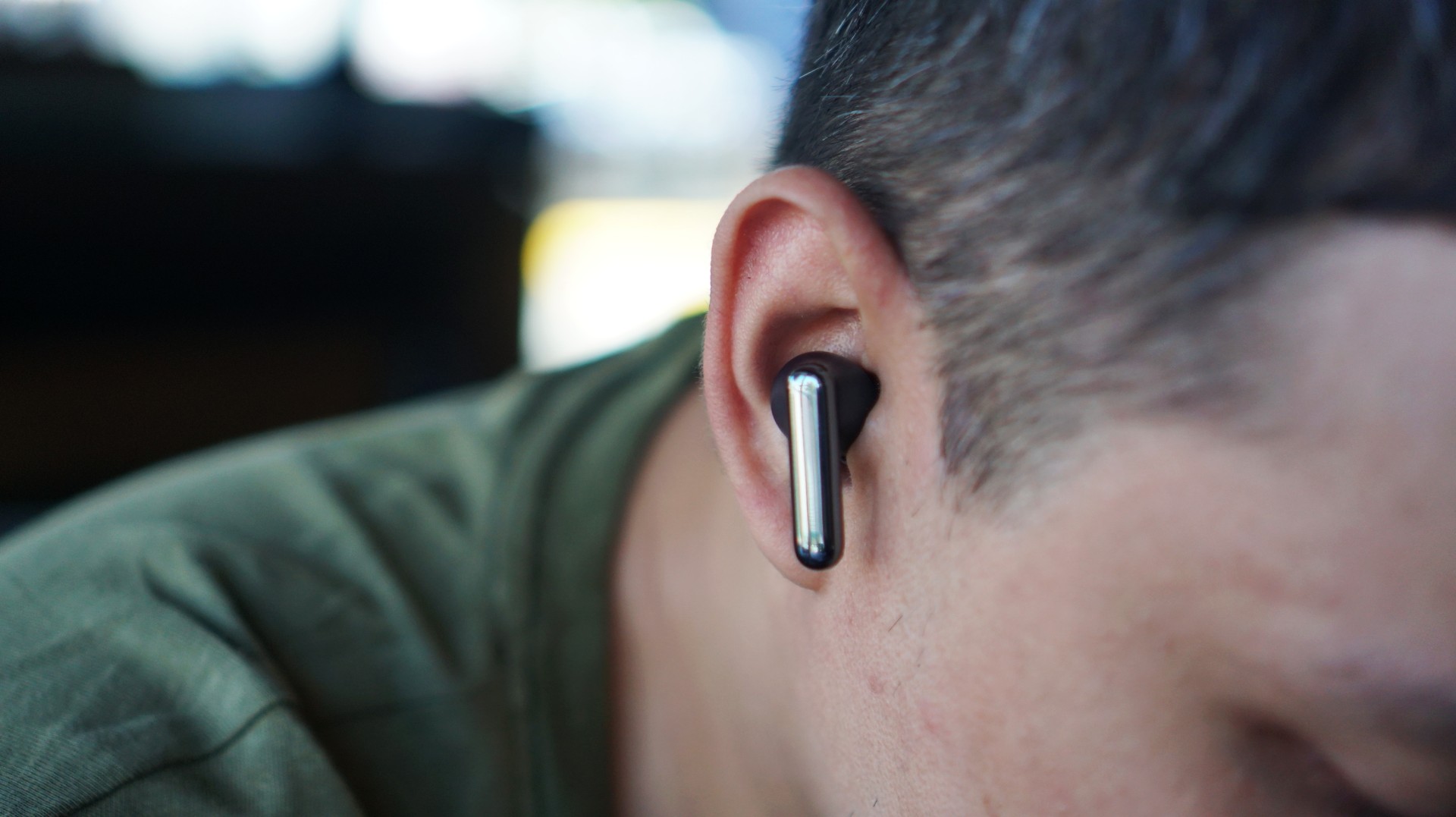
First impressions are generally positive.
The earbuds feature a lightweight design, weighing just 5.3g per earbud. They’re comfortable enough for extended listening sessions and never felt fatiguing during long workdays. The fit felt secure, whether I was sitting at my desk, moving around the house, or watching videos in bed.
HONOR also gave them an IP54 rating for dust and water resistance, which adds some peace of mind for daily use.
The charging case is compact enough to slip into a pocket, and the overall design feels clean and understated. Nothing flashy, but nothing offensive either.
ANC does the heavy lifting
If there’s one feature that stands out immediately, it’s the active noise cancellation.
The HONOR Earbuds 4 feature up to 50dB Tri-Mic Hybrid Active Noise Cancellation, along with multiple ANC modes and an Awareness Mode that lets outside sounds pass through when needed.
While working, I found myself relying on ANC more than anything else.
Whether I was answering emails, drafting notes, or simply trying to focus, the earbuds did a good job reducing background distractions. They’re particularly useful for creating a small bubble of concentration when you’re working in a busy environment.
Call quality is another area where the earbuds perform well. HONOR’s Tri-Mic AI Call Noise Cancellation helps keep voices clear during calls, even when there are competing sounds in the background.

The sound never quite clicked
The HONOR Earbuds 4 feature a dual-driver setup consisting of an 11mm low-frequency driver and a 6mm high-frequency driver. HONOR says the arrangement is designed to deliver better separation between lows and highs while maintaining clarity across the frequency range.
On paper, that sounds promising.
In practice, however, the audio experience never really wowed me.
To be fair, I may not be the target audience.
Most of the earbuds I use regularly sit well above the US$200 mark. My daily rotation includes products like the Galaxy Buds4 Pro, which admittedly sets a fairly high bar.
Switching between the HONOR Earbuds 4 and the Galaxy Buds4 Pro while listening to the exact same track on the same music app made the difference immediately obvious.
It wasn’t subtle.
The HONOR Earbuds 4 sound fine. Music remains enjoyable, vocals come through clearly enough, and casual listeners will probably find little to complain about.
But compared to more premium options, the presentation lacks some of the detail, depth, and refinement I’ve grown accustomed to.
And if sound quality is your top priority, there are other options I’d personally explore first.

Strong battery life rounds things out
Thankfully, the Earbuds 4 do well in areas that matter for everyday convenience.
Battery life reaches up to 46 hours when combined with the charging case, while a quick 10-minute charge can provide up to three hours of playback.
Features like pop-up pairing, touch controls, and wear detection also help make the experience feel seamless. They’re the kinds of conveniences you don’t think about until they’re missing.
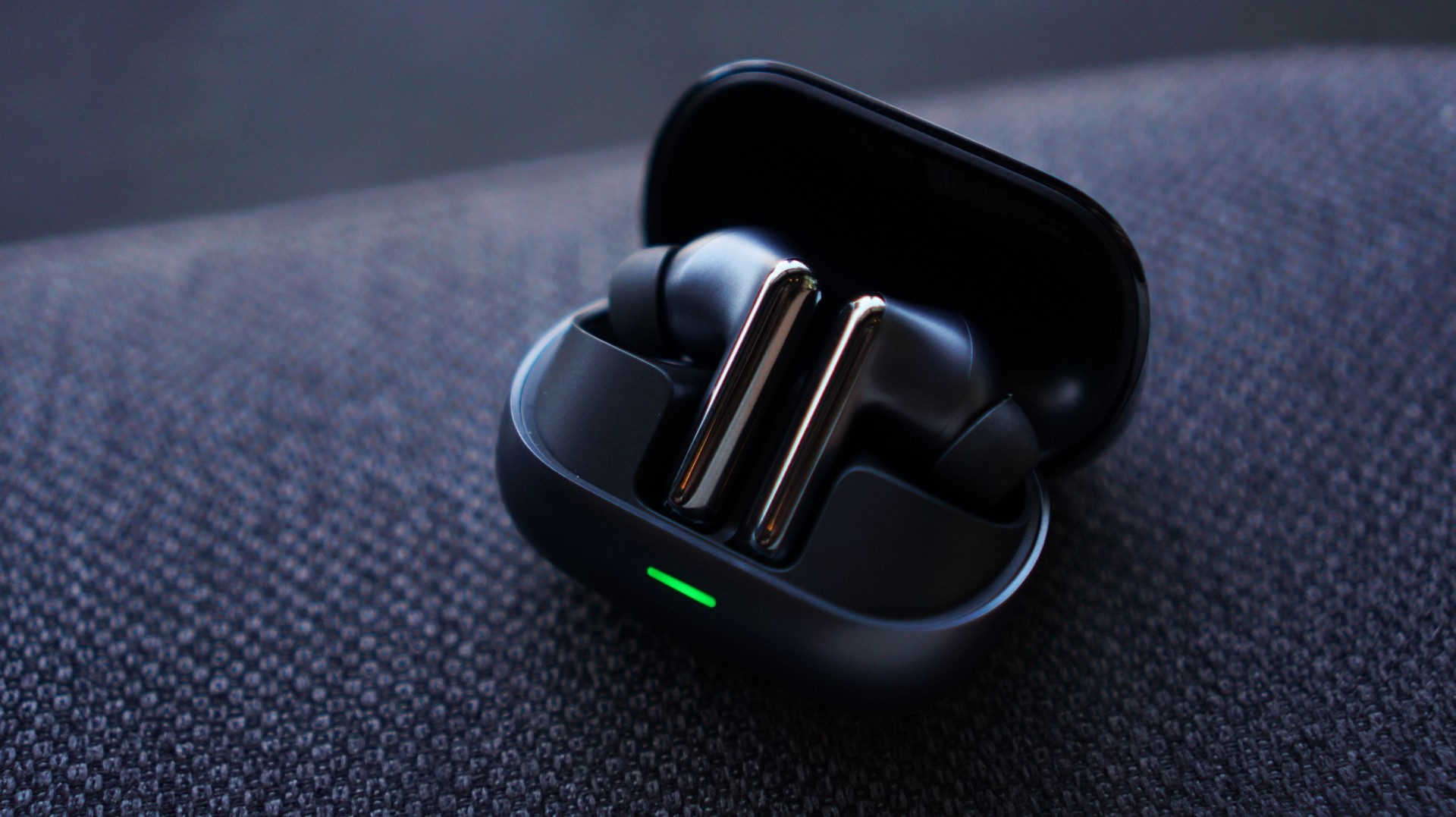
A practical everyday companion
The HONOR Earbuds 4 do a lot of things right.
They’re comfortable, offer useful ANC, provide solid battery life, and include the features most people expect from a modern pair of wireless earbuds.
For everyday listening, commuting, work calls, and casual entertainment, they’ll get the job done.
The problem is that sound quality remains the biggest reason I reach for a pair of earbuds. And in that department, the HONOR Earbuds 4 never managed to stand out.
They’re easy to recommend as a practical companion for daily use.
Just don’t expect them to become your next favorite pair of earbuds.


realme C100: Enduring and durable in spite of entry-level realities
Enough power but needs more agility


The ASUS ExpertBook Ultra wins you over
The laptop sneaks up on you


Nexal Watch Sport review: A rugged watch for small budgets
I couldn't believe that watches this good could come for this cheap.

Marvel Studios announces Ghost Rider, Black Panther 3 at SDCC

Xiaomi Singapore expands lineup of smart washing machines

AORUS MASTER 16 Gen 2 2026 AI gaming laptop launches

GCash future-proofs MSMEs with new payment innovations

Smart announces postpaid offers for Samsung Galaxy Z8 series

New York becomes first state to ban smart glasses

DJI Osmo Pocket 4P launches with dual lenses and a 1-inch sensor

Lenovo says RAM prices are not coming back down again

Sony launches IER-M500 in-ear monitors

The vivo X Fold6 is the first foldable to support teleconverter lens


-

 News1 week ago
Samsung releases teaser with Spider-Man: Brand New Day Easter eggs
-

 Wearables4 days ago
Garmin launches its first screenless fitness band
-

 Gaming2 weeks ago
Most of the world’s PlayStations will be officially useless by 2028
-

 News2 weeks ago
FIFA World Cup: Lenovo’s Referee View received positively by fans
-

 Gaming2 weeks ago
Assassin’s Creed Black Flag Resynced comes to life at Skypark Macau
-

 Apps2 weeks ago
Plot twist: Starbucks PH is letting you actually pick your reward now
-
 Features2 weeks ago
Spotlight: HUAWEI WATCH GT Runner 2 Racing Legend Edition
-

 Automotive1 week ago
Mercedes-Benz celebrates 140th anniversary at the Presidential Car Museum