Published

on

With Apple’s recent event (excluding the new iPhone 12 series), they revealed us not one, but two iPads in a row.

Other than the refreshed iPad 8th-Generation, Apple also unveiled an updated iPad Air with a newer design, similar to the design cues of the newer generation of iPad Pro. The delay of the iPhone 12 might have forced Apple to show the A14 Bionic first on an iPad. While it carries the latest chipset, the new iPad Air, in no doubt, comes with several cuts to make it cheaper than its premium sibling.

Are you having a hard time picking between them? Don’t worry, we’re here to help!

Just head over here to watch our Apple 2020 iPad Air vs 2020 iPad Pro buyer’s guide.

Reviews

Samsung Galaxy Z Fold8 Ultra review: It’s time to get a foldable

Let this be your first foldable, if you don’t have one yet

Published

on

Despite working in this industry, I’m not an early adopter eager to jump on the latest advancements in technology. I prefer waiting for later refinements to ensure all the kinks have been ironed out. That’s why I’ve never used a foldable. Until now, that is.

In the winter of 2019, Samsung announced the Galaxy Fold, a device that would eventually lead to one of the brand’s biggest segments. It’s a day that I distinctly remember. I was in New York on my way to a class for my master’s program when the news broke. It was a very wintery day, but I still rushed to my campus to cover the news. It felt like being on the ground floor of next big thing.

But every ground floor has its flaws: the floor is too dusty, the foundations are too weak, the price of admission is too high. Or, in foldable terms: the crease is too visible, dust gets inside too easily, the price of a foldable is too high. Despite its promise, a foldable in 2019 didn’t seem worth it.

Now, six years after the fact, the Galaxy Z Fold8 Ultra finally lands on the palm of my hands, ready to convince me to enter foldable culture. Was it successful? How does it feel to get your first foldable in 2026?

In the palm of your hands

A foldable is naturally a gigantic phone, especially when unfolded. With phones getting bigger and bigger today, a substantial concern is whether a foldable phone is just way too big for my smaller hands.

More than the phone’s performance or design, the Fold8 Ultra’s size is the most surprising thing about it. When folded, the phone measures only 72.8mm in width. It has less width than other phones today. Even for my smaller hands, I can maintain a solid grip. Plus, I don’t feel like I need to cradle the phone with my pinky finger from underneath.

Despite essentially being two screens bundled into one package, the Fold8 Ultra isn’t significantly heavier than other phones. In fact, it’s three grams lighter than my previous daily driver, the Nothing Phone (3) — 215 grams vs. 218 grams. The weight distribution is also better when unfolded, making it feel relatively lighter in practical use.

Oh, and though this is a small tidbit, I have to applaud the Fold8 Ultra for having only two button elements: the volume rocker and the power button. There’s no extemporaneous AI button. It’s just those two. Plus, the volume rocker is a bit more elevated than the power button, making it so easy to fiddle around with one-handed and without checking which button your finger is on.

If you’re worried about having a device that’s way too big for practical use, don’t be. The Fold8 Ultra is light enough so you can put it side by side without feeling out of place.

More than one way to use it

Though this is my first foldable phone, it’s not my first rodeo with a device that can transform from one form factor to another. If you’ve met the Lenovo Yoga series, then you’re familiar with the concept, too.

There’s a significant difference, though. For me, it’s difficult to justify a flexible laptop. Whenever I use a laptop, it’s always exclusively as a laptop. If I need a tablet, I’ll just get a tablet. A laptop is too cumbrous to constantly fiddle around with.

On the other hand, the Fold8 Ultra is just perfect for multiple uses. As I said above, it’s already perfectly balanced as a smartphone. It also works perfectly unfolded when I need a larger screen to watch videos. Now, those are the two main uses for a foldable, but there are more.

For example, you can partially unfold it into a book, which makes it easier to hold and to read, especially if you’re a reader. Plus, because it’s a larger 8.0-inch screen, the font and the content itself is bigger. So, if you want to save your eyes, holding it in “book mode” makes so much sense.

Staying with partially folded formats, the Fold8 Ultra also has a Flex mode. Imagine laying your phone down on a surface while folded like a laptop. The mode divides the main screen into two chunks. Some apps use this mode to perfection. For example, YouTube transforms the bottom half into easily maneuverable video controls. To me, this mode is perfect while I’m eating and want a screen automatically propped up to watch videos.

Personally, each mode is useful. With a laptop, I find myself forgetting about certain modes entirely. But with the Fold8 Ultra, I’ve been using each mode equally.

Is the crease gone?

The foldable crease is, by far, the most common pain point for those who are too hesitant to try a foldable. In early iterations, dust can too easily get inside the crease. Plus, after enough times unfolding, the crease created a visible line straight down the middle. Has that changed today?

Well, for one, the openings that formerly gave access to dirt and dust are now covered by the phone’s chassis. There’s no risk of dust entering your screen.

Now, to be honest, there’s still some faint traces of a crease. But it’s clearly less problematic as it was years ago. You’ll barely notice it with regular use. Samsung has also improved its screens, making the crease much less noticeable with better brightness.

While we’re here, let’s also talk about the screen’s durability.

The secondary screen is coated with Corning Gorilla Glass Ceramic 3. It’s a hardy surface but still prone to scratches. After some use, the screen ended up with tiny slivers visible when you look closely. But honestly, it just doesn’t matter. The display is good enough to mask tiny wear-and-tear scratches.

The main screen, on the other hand, has a Mohs hardness of 1. The screen itself doesn’t feel too susceptible to damage. The protective film, which you’re not supposed to remove, is a different story, though. Because it’s just a film, you can easily dent it with enough pressure. And that’s what happened to my screen. Like the scratches on the secondary screen, the dent is barely visible, but it’s certainly something to take note of when using the phone unfolded.

Powerful in its own right

As the most expensive phone in Samsung’s lineup, the Fold8 Ultra packs in the most powerful hardware that you can get from a smartphone today. It has the Snapdragon 8 Elite Gen 5, paired with up to 16GB of RAM and up to 1TB of storage.

With hardware as top-notch as this, it feels unnecessary to explore what the processor can do with pure numbers. It can basically do everything. My trusty Zenless Zone Zero was no match for the Fold8 Ultra, even if I use the full unfolded screen. If anything, the unfolded version just makes it so much more immersive.

Everything else is just child’s play. The Fold8 Ultra can handle multitasking well. Granted, I’m not a fan of keeping multiple windows up in a single smartphone screen, but if you’re inclined to set up a temporary workstation right on your phone, Samsung’s top foldable is perfect for it.

In terms of heat, the hottest spot is right beside the rear cameras. If you don’t have a case, you might run into issues of discomfort with prolonged heavy use.

Big cameras mean better quality

The Fold8 Ultra’s rear cameras are remarkably huge. In terms of depth, it’s almost as thick as the phone itself. If you don’t have a case, the phone wobbles back and forth when laid flat on a surface. It’s very distracting.

Because of how powerful they are, I can almost forgive the cameras for being too big. The three cameras consist of a 200-megapixel main sensor, a 50-megapixel ultrawide lens, and a 10-megapixel telephoto lens.

When it comes to color, the camera’s photos don’t stray too far from reality. There are some intensity changes in contrast, as is wont with modern cameras. It’s not too artificial, though. I found myself liking this camera more than others.


In an unfolded state, the camera can capture more, which I prefer, but it does seem too much like holding up an iPad to record a concert.

How does the battery last as long as it does?

For a device with two screens, the Fold8 Ultra is surprisingly economical with its battery usage. I expected a battery that would drain before I could get home. Instead, I got one that treats battery tests like a stroll in the park.

On a typical day, the phone eats up only 25 percent of the battery after eight hours or a full day’s work. A bit of a caveat, though: This was done exclusively in folded mode, which is how I prefer using the phone at work.

Of course, using it unfolded will deplete more battery. A single hour running YouTube while unfolded eats up 5 percent of the battery. But let’s go further. As I said, I preferred playing Zenless Zone Zero in unfolded mode to unlock more screen real estate. Though doing so made the game feel more immersive, it came at the expense of battery life. Playing for two hours straight depleted 20 percent of the battery.

Another thing I adore about the Fold8 Ultra is its charging. It’s a standard USB-C port, but the phone gets over half to two-thirds of the battery in only 30 minutes. Even more impressively, I found that the battery can reclaim 5 percent of juice from just a short five-minute drive using a small car charger. Though my car charger is fully capable of charging a phone all the way, this is the first time I’ve ever seen it go this quickly.

Is the Samsung Galaxy Z Fold8 Ultra your GadgetMatch?

So, is 2026 the right time to get into foldables? The Galaxy Z Fold8 Ultra delivers a resounding yes. Samsung’s latest book-style foldable is a refined distillation of everything we’ve done so far for the foldable segment. Besides being a strong phone in itself, it’s a true 2-in-1 device that offers actually functional use cases in other configurations.

Plus, we’re at a turning point for foldables. Besides book-style foldables, clamshell phones are just as strong, if not stronger. We’re also on the cusp of passport-style foldables, spearheaded by the regular Fold8 and the rumored iPhone Fold. In terms of choice, there are so many solid options today.

If you’re a power user, the Note8 Ultra is a strong first and gets a Swipe Right. Sure, the cost might burn a whole through your wallet (and it’s a bit more expensive than the previous generation), but that’s ironically why you should get one now. The AI-borne RAM crisis will terrorize the industry for some time, so who knows how much more expensive things will get next year?

For all that, the Galaxy Z Fold8 UItra also gets a Super Swipe. The time to go foldable is now.

Continue Reading

Reviews

TECNO MEGAPAD 2 review: Eyes on the size

The MEGA pad for two base users

Published

on

By

With lesser options around, choosing your next best tablet shouldn’t be as daunting as buying a shiny new smartphone.

However, that seems like a misconception. Buying the right budget tablet that matches your needs is still, and will always be, a hard task.

But, the presence and existence of the all-new TECNO MEGAPAD 2 might just persuade and prove you otherwise.

Luring allure

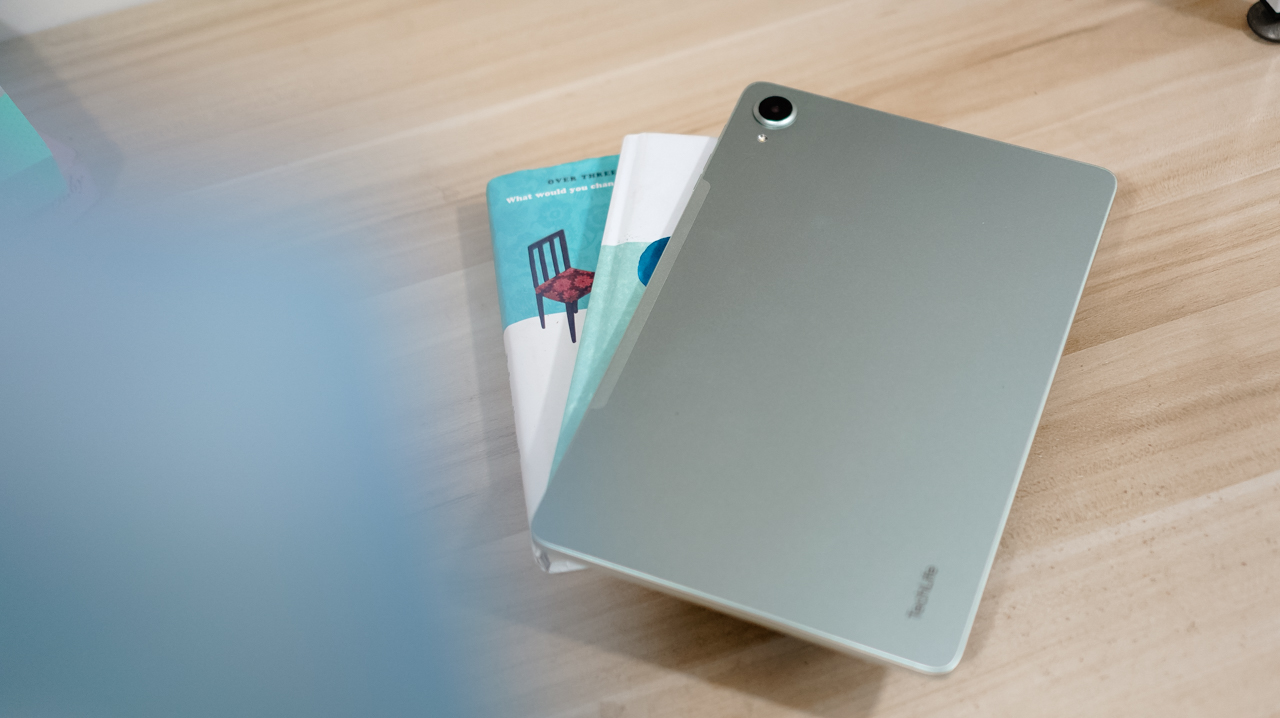
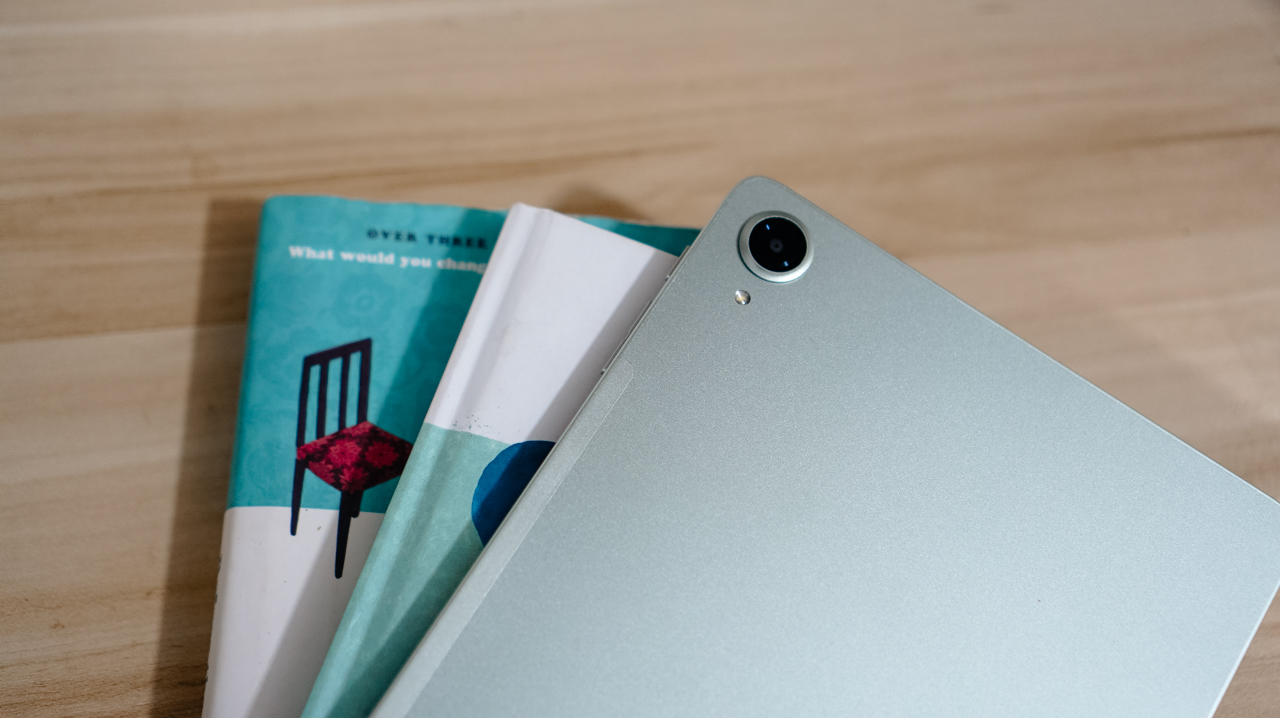
The TECNO MEGAPAD 2 review unit I rock comes in this Light Green colorway.

Personally, I prefer this a whole lot better over the overhyped Cosmic Orange hue or the plain ol’ Space Grey shade.

Now, despite the category it belongs to, TECNO’s MEGAPAD 2 is surprisingly built premium.

As opposed to icky plasticky budget tablets (or a mix of metal and plastic), this pad features a full metal build — buttons included.

And now that it’s mentioned, the trim is oh-so-slim at just 6.6mm — which is one of (if not) the slimmest in its class so far. Most tablets measure close to or beyond 7mm.

Whether you use it one-handed (or two), holding it won’t be too sore with its heft of 547 grams.

And with the given material, it feels solid enough when held without the budget feel.

Its size is the prize

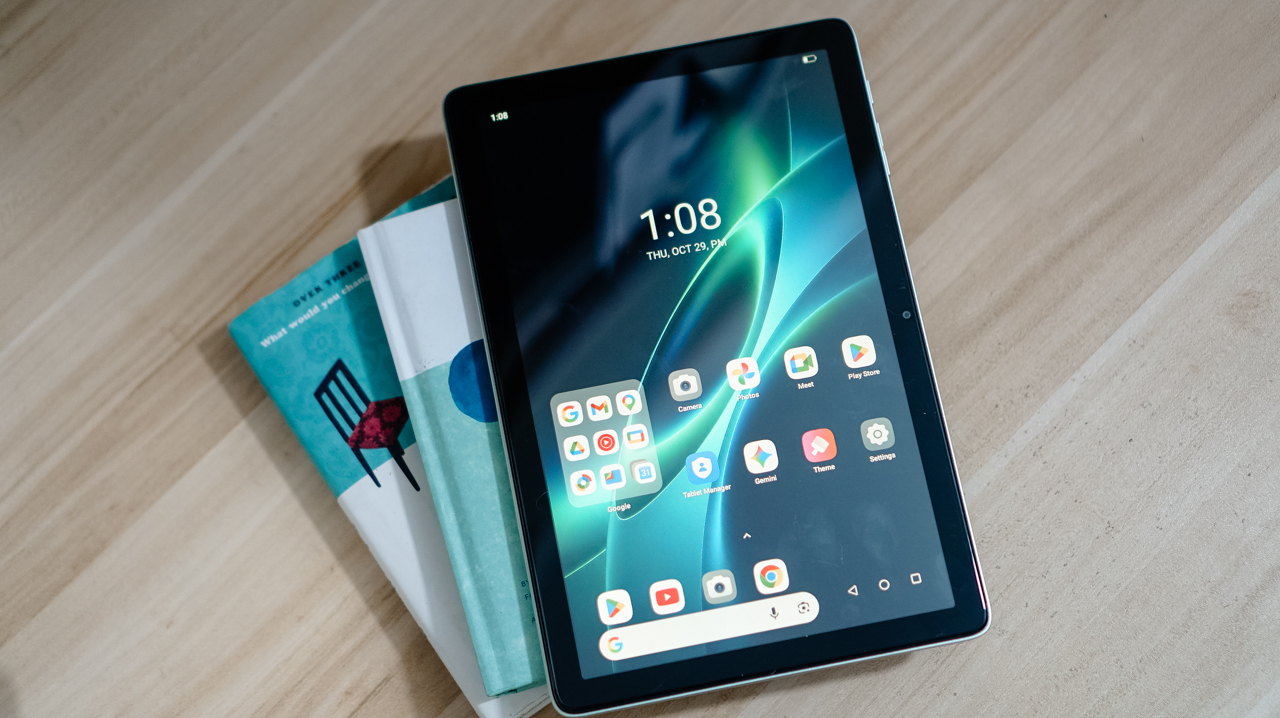
Unlike usual 10- or 12-inch tablets, the TECNO MEGAPAD 2 features the sweeter screen spot.

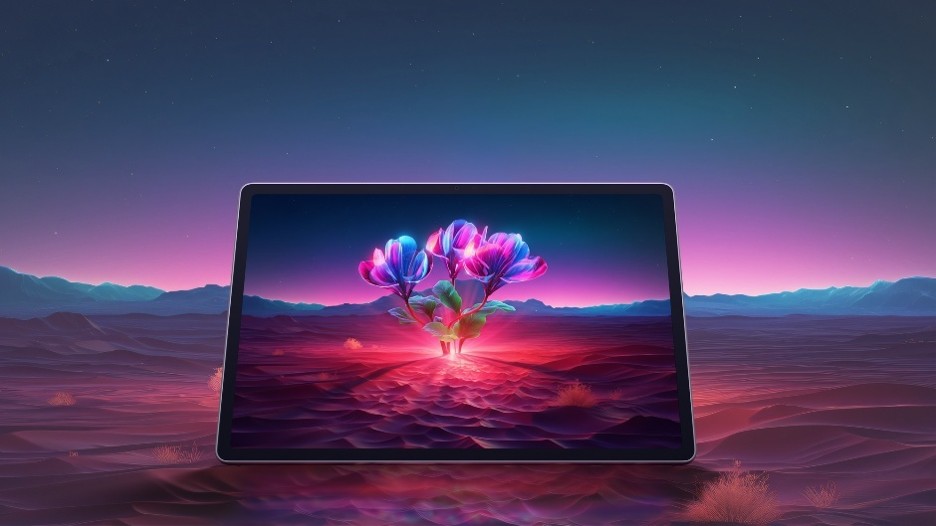
On paper, it’s an 11-inch 90Hz LCD display with a 2.5K display resolution. This makes it sharper than other Full HD+ tablet displays in the market today.

Of course, the main purpose of a tablet’s existence is none other than its visual immersiveness.

Admittedly, I enjoyed binge-watching Netflix’s Spooky In Love — which is starred by the very versatile Park Eun-bin together with the uprising actor, Yang Se-jong.

They both perfectly define what TECNO and the MEGAPAD 2 are in a nutshell: an uprising brand that offers a versatile tablet in both features and price range.

Color accuracy looks settling enough with colors that truly pop. Display bezels are surprisingly narrow too.

However, under harsh sunlight, that 550 nits of maximum brightness simply won’t make the cut. The panel is just too glossy and reflective for it to not to be mentioned.

The MEGAPAD 2 also boasts quad speakers powered by DTS. It’s a complete delight to make this tablet a portable music player.

On my queue are none other than Young K’s jampacked ‘YOUNGEST’ full-feature album consisting of 15 tracks.

That goes together with summer-studded comeback tracks featuring KISS OF LIFE’s ‘SWEAT’.

Let’s not forget fromis_9’s long overdue full album after three long years starred by ‘Vitamin ME’.

Although this isn’t the best-sounding in any tablet I’ve tried as it doesn’t have such thumps and oomphs. However, loudness is more than enough to fill the void of my room — reaching all the way to the nearby living room and bathroom.

Also, having four speakers are still better than the usual (two) stereo speaker setup of most tablets in this segment.

Passable and plausible

The elephant in the room is none other than the inclusion of MediaTek MT8781 — or popularly known as Helio G99.

Obviously, this SoC (System on a Chip) can only do so much. That excludes power-hungry games.

Albeit, it can still run most titles — as long as you set it in lowest graphics settings possible. Lucky if it runs medium at best, like how it did in Bus Simulator: EVO.

That being said, the MEGAPAD 2 can still do more than just the basic of tasks.

Given my weeks with this tablet, it surprised me how TECNO’s HiOS 16 felt fast. Animations are fluid. Scrolling was buttery-smooth. App-switching was also a breeze.

This proves that benchmarks aren’t everything — and not all mall promodisers go past beyond the usual sales talk.

This is also me trying to say that the brand of chipmaker and number of cores in a processor aren’t enough basis to say how “fast” and “capable” a device is. Software optimization shouldn’t be downplayed as it’s also an important factor to consider.

Sentiments aside, the MEGAPAD 2 has a slot for one nano SIM card that can provide speedy 4G LTE speeds. That’s a good addition if you work outdoors a lot.

Aside from the usual 128 or 256GB internal storage, it also supports a microSD card (up to 2TB) just beside the SIM slot — which is something you cannot have in modern smartphones and high-end tablets nowadays.

Base pad for two base users

The MEGAPAD 2 is a tablet that can be for everyone. However, two base users came up to my mind when writing this piece.

1. Learners and yearners

Students are obviously one of the biggest target markets of budget pads.

First, there’s the AI Problem Solving feature. Feed it your complex problem through typing or use its 8MP rear camera to capture the whole page and let TECNO AI do the process for you.

For the smaller kiddos, there’s a dedicated study hub dubbed “LearnUp” with free learning resources and a child-friendly interface. Another would be the Learning Center featuring thousands of K-12 lessons, stories, cartoons, songs, and so much more.

For those learning new languages, AI Translation can be of a great help.

It’s not limited to just translating texts, images, and app content, there’s even AI Captions that can translate 30+ language offline (and 160+ languages when connected with the cloud) while watching videos.

Thankfully, TECNO has a dedicated OneTap AI button to summon these AI features in one go. Best thing is that, they don’t want to completely lock you in as app assignments are still configurable in settings.

Lastly, if your child is feeling extra artsy, there’s even the TECNO MEGA Pencil that’s sold separately. Fire up the AI Drawing Board and the MEGAPAD 2 can transform your sketches into better ideas.

2. Productive pros

Other than kids and students, the MEGAPAD 2 is also directed towards working professionals. Teacher, manager, you name ’em!

Aside from its rear camera, that 8MP front camera matters too — mostly for video calls and meetings on the go.

AI SnapMemo and MindHub are also helpful tools that do more than just capturing and keeping screenshots. And by that, it can analyze and even summarize the content you kept.

With that bundled Bluetooth keyboard alongside the ability to do split-screen multitasking, it’s easier to switch between two active apps side by side.

One can even scroll through spreadsheet cells or do several slides — especially with the WPS Office pre-installed upon initial set-up.

My only gripe about this accessory is how flimsy and easy it is for the display to fall down.

I just wish the recessed part on the keyboard would have been much deeper for the display stand to sit and lock in securely.

It’s also worth pointing out that it’s paired via Bluetooth and not pogo pins. That means you have to turn on that side switch and charge it via the USB-C port separately.

Still, it’s a bundled accessory that feels solid and also serves as the tablet’s full-on protection.

Moving over, TECNO’s OneLeap Ecosystem is also helpful as a productivity leverage. Not only it eases file transfers across your devices, it even maximizes a triple-screen setup when paired with your TECNO smartphone plus laptop (or PC).

Overall, the MEGAPAD 2 serves a great purpose not limited to doom-scrollers and binge-watchers. It can also be a trustworthy companion for students and paid professionals alike.

Made to last

The TECNO MEGAPAD 2 admittedly doesn’t have a MEGA battery capacity.

Compared to its competitors that boast 9000+mAh, the MEGAPAD 2 has a smaller 8200mAh tank.

Use-case will always vary. If you use the tablet for binging several episodes of a single K-Drama or lengthy documentaries on YouTube as early as 10 in the morning at around 70% brightness, it can last until dinner time.

When placed in standby mode or left to rest overnight on your table top, it won’t consume much and can last more than a day (or two to three days at max). That’s shocking to witness considering it has an aging and less-efficient 6nm Helio chipset.

If its battery completely depletes, TECNO has bundled a proprietary charging brick and cable out of the box.

@gadgetmatch

MEGA in size for 2 base users. Meet the TECNO MEGAPAD 2 💪🏼✌🏼

♬ original sound – GadgetMatch – GadgetMatch

However, it has a painfully slow 18W charging — requiring you at least two hours to fully fill it.

TECNO MEGAPAD 2
8200mAh Battery
18W Bundled Charger + Cable
START TIME (From 0%)
3:40PM
5 minutes
3%
10 minutes
5%
20 minutes
12%
30 minutes
19%
45 minutes
28%
1 hour
38%
1 hour 15 minutes
50%
1 hour 30 minutes
60%
1 hour 45 minutes
70%
5:25PM

I obviously just gave up counting right after going over the 100-minute mark.

Is the TECNO MEGAPAD 2 your BudgetMatch?

With a starting price of PhP 16,999 for the 6+128GB model and PhP 19,999 for the 8+256GB variant, the TECNO MEGAPAD 2 is strategically situated along the budget tablet league.

If you value performance, the MEGAPAD 2 is obviously a Swipe Left. There are other tablets that offer the newer and more power-efficient MediaTek Helio G100 SoC such as the OPPO Pad SE, REDMI Pad 2, and even the TechLife Pad Plus 2.

Samsung even offers the Galaxy Tab A11+ with a 5G-capable Dimensity 7300 chipset. Albeit, it has a higher price mark despite having the same base configuration and smaller 7040mAh battery.

That only means the MEGAPAD 2 still stands a chance.

Although the HONOR Pad X8b (its closest rival) is compelling enough with its beastly 10,1000mAh battery, the MEGAPAD 2 still gains a Swipe Right with its larger memory (6GB versus 4GB). How can I even forget the keyboard bundled when you purchase this mighty pad?

And in all honesty, it still surprises me how TECNO managed to make their latest pad run a smooth, well-optimized, and even AI-powered software suit despite its aging core.

HONOR Pad X8b | 2026

Given that HONOR’s Pad X8b rocks a Snapdragon 680 4G chipset, it only has the a limiting AI ability with Google Gemini — which cannot do everything for users who rely on AI assistance for the apps they use and/or tablet tasks they do for work or school.

Let alone, the MEGAPAD 2 is an afforda-blet with a full metal body and full-on audiovisual experience — especially with its brighter and sharper display. Camera flash for document scanning not even forgotten.

Continue Reading

Reviews

Samsung Galaxy Z Fold8 Review

8 Galaxy Folds later, Samsung finally nailed It!

Published

on

THE Michael Josh has reviewed every Galaxy Fold since the beginning. But, for almost three weeks, the Samsung Galaxy Z Fold8 has been the phone he reaches for every single day.

In this Galaxy Z Fold 8 review, he is sharing what it’s actually like to live with Samsung’s latest foldable. From the size and multitasking to the cameras, battery, software, durability, and all the little things that become more obvious after weeks of daily use.

Here’s our long-term review on the newest Samsung Galaxy Z Fold8.

Continue Reading

Trending