


Hands-On
Apple Vision Pro Hands-On: Connectedness, Solitude & The Future

It is 5AM in Los Angeles, my brain suddenly switched on as I rolled over in bed. With a long work week ahead, I knew more sleep was essential but I just couldn’t anymore.
There’s a certain anticipation about today and the next few days that’s got me excited and wide awake. After a year of build-up, not too long from now, people will actually be able to buy Apple Vision Pro. And I have a feeling, just like the iPhone, its going to change the world.
Ahead of its retail launch, I’m getting ready for some special hands-on time with the device. This includes some never-before seen demos. I feel grateful. Not everybody gets the opportunity, so I want to pay it forward.
Hopefully this first hand account will be of some help while you consider taking this pretty pricey plunge.
Setup & controls
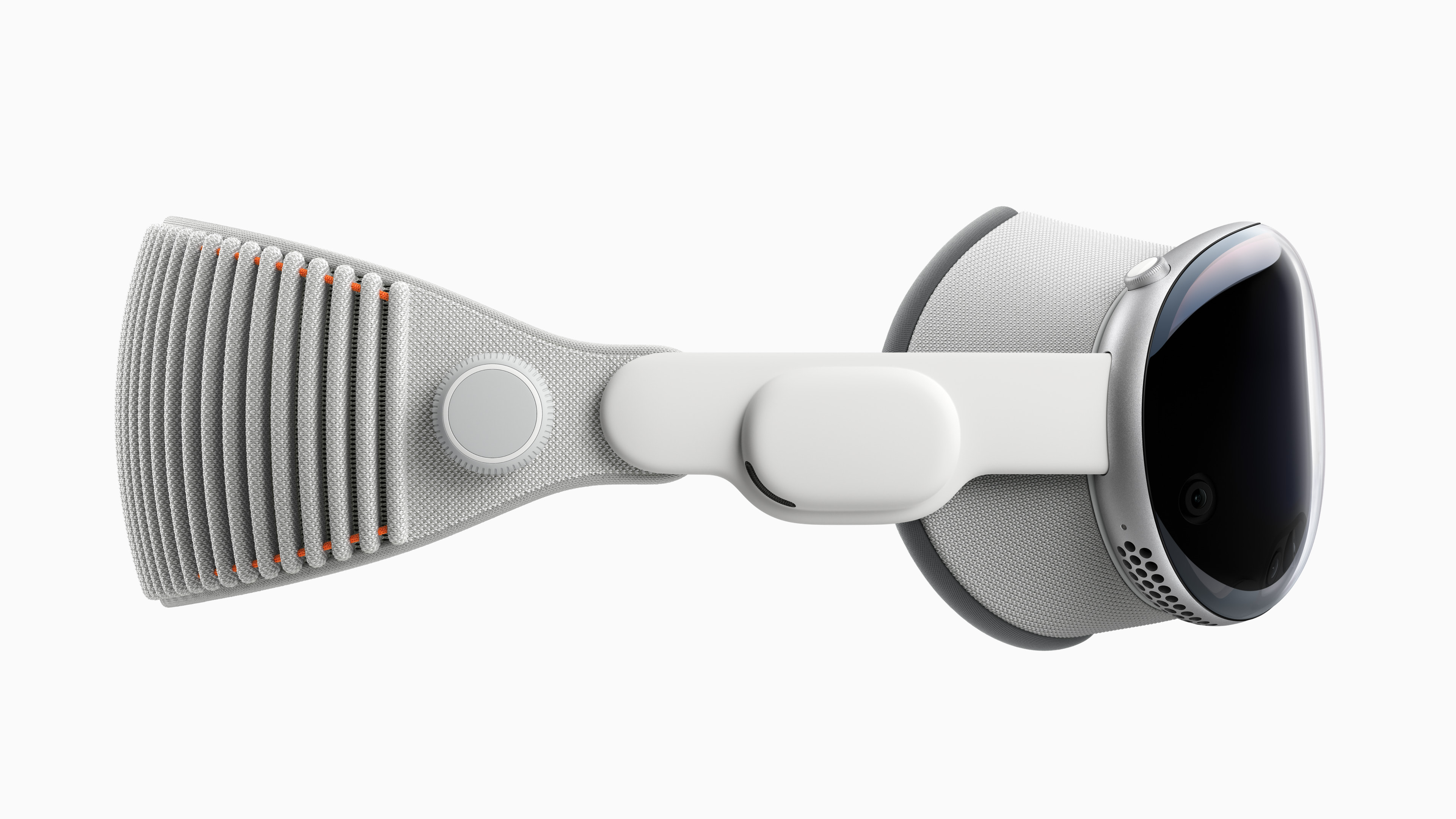
Before picking up a Vision Pro, you’ll need to get sized for a Light Seal. If you wear glasses, have your most recent prescription handy.
I’ve thankfully never needed glasses for most of my life. However, I recently started using readers so I used custom inserts by ZEISS during my hands-on. You can order these with Vision Pro and are easily snapped on and off with magnets.
The Light Seal is the piece that rests on your face so the perfect fit is essential. The sizing process is similar to setting up Face ID. When you order Vision Pro online you’ll be prompted to scan your face via the Apple Store app.
To put Vision Pro on, hold onto the front of the device and pull on the strap to secure around your face. There’s a nob on the right hand side that you can twist to tighten if needed. On me it was comfortable. Never in the 30 minutes or so that I had it on did it feel heavy or painful.
Making it work
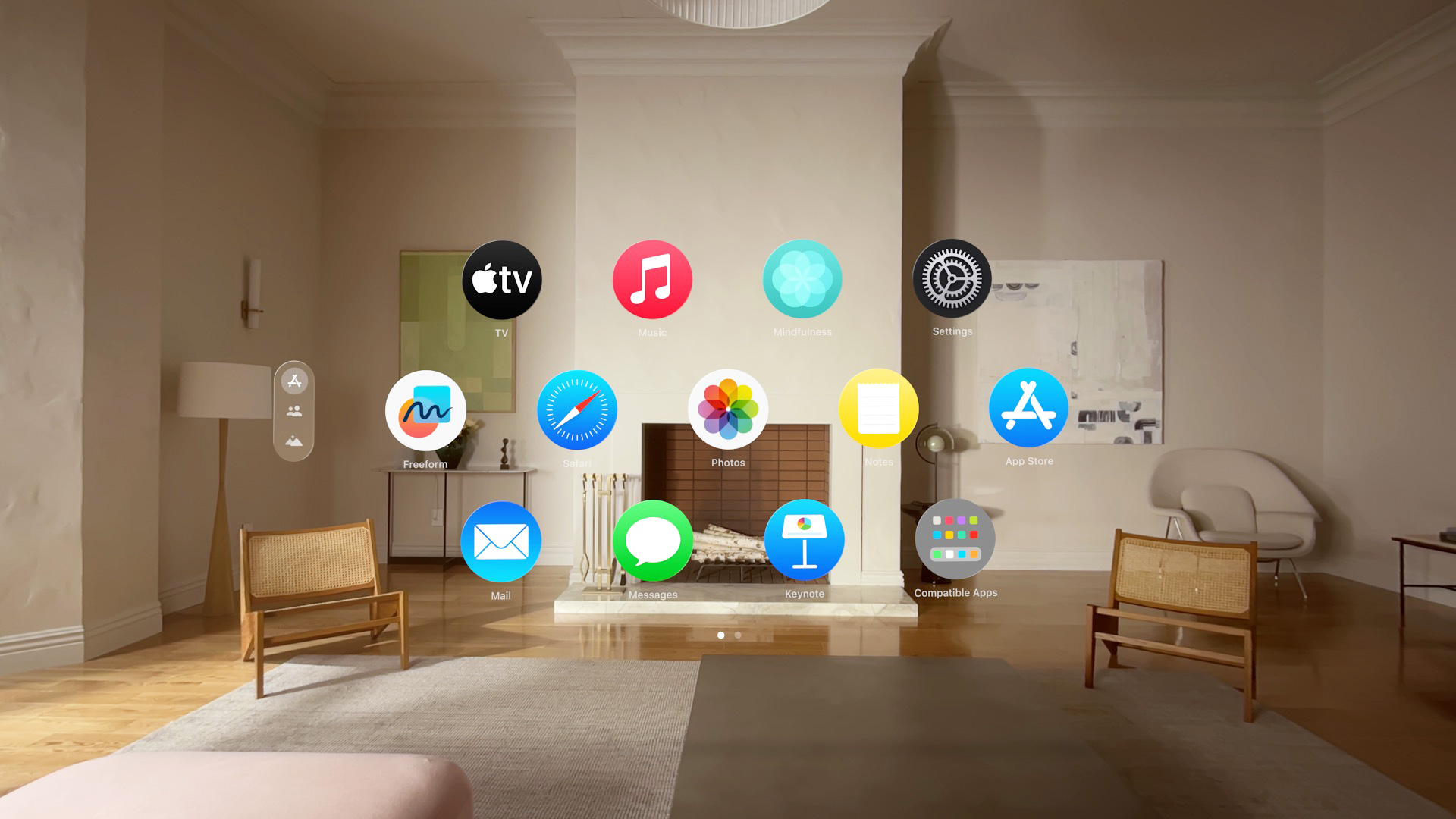
It was time to get started. A quick press and hold on the Digital Crown powers up the device. The familiar, “Hello” appeared, floating in front of me, the rest of the room was visible.
I couldn’t contain my excitement. But there were setup tests that needed to be completed first. One for eye calibration involves looking at dots on the screen and tapping your fingers together. The other is for the hands — you just lift them in front of the Apple Vision Pro. Setup didn’t take too long and is a one time thing.
Finally, a bunch of icons appear in front of me — this was Home View. Everything felt fresh and new, but also familiar. Nothing was intimidating or confusing, I instinctively knew exactly what to do.
Navigate with your eyes. Select with your fingers.
Specifically look at what ever you want to select then bring two fingers together in a pinching motion and then release — to enter. It can be either hand. Preferably with your thumb on the bottom and with nothing blocking line of sight to Vision Pro.
I understand some photos show otherwise, but there’s no need to have them raised. Resting comfortably on your lap works perfectly too.
Pinching with two hands lets you zoom in and out. Or make a canvas smaller or larger. I promise it’ll all make sense.
Spatial video & connectedness

The first app I dove into to was Photos. The app opens like a window on my Mac. But instead of my desktop, I see the room around me. And yes, you can have different apps open at a time pinned all around your room, including a mirror of whats on your Mac.
Windows can be pinned anywhere you like and are securely planted in this space. Unlike other headsets I’ve tried, there’s a certainty and security about how they are placed — so much so that it’s not dizzying.
I scrolled through a few photos, pinched in to explore details like I’ve been doing it for years. But it was when I got to spatial videos that I had my ‘aha’ moment.
You know how in Harry Potter when Harry uses Dumbledore’s pensive to go back in time, as a spectator, reliving his memory (or someone else’s). That’s how it felt like, watching a spatial video clip on Vision Pro.
BTW, currently, Spatial video clips can be shot using Vision Pro or the iPhone 15 Pro and Pro Max.
Sharing space virtually
In this one demo I was seated on the other side of a dining table watching a mom interact with her two kids. It was playful banter over what looked like a breakfast table. I felt like I was in the room with them and it was that moment that tugged on my heartstrings.
You see, my family has a group chat composed mostly of videos of my nephew David’s many milestones. This chat has been a godsend as David lives in a different country from both his grandparents and his favorite uncle (moi). I immediately thought of him and my other nephew (still inside his mom’s tummy) — and how a device like the Apple Vision Pro will hep us feel more a part of their lives despite the distance.
Panoramas, environments and escape
Phones have long had the ability to stitch photos together to make these extra long panoramic photos that capture the entire landscape BUT they’ve inherently had one problem. Unless you blow them up and print them — you don’t really get to appreciate them.
On Vision Pro, however, when you open up a panoramic image. It wraps around you 180 degrees, you almost feel like you’re actually there. And its this ability of the device to transport you to other places that’s tickles my fancy, thinking about the possibilities.
Immersive video
Coming soon to Apple TV+ is a category called Immersive Video and I got a sneak peak. One moment I was on a hot air balloon, the next moment I was underwater with sharks. I lunged back when some wild animals got too close. One moment I was up close and personal with Alicia Keys. She was serenading me and it felt like I was the King of England requesting a private concert. And another I was watching a football match, from the perspective of a goalie. Man, I thought my World Cup Final seats were great.
It’s fascinating how the brain works. And how I was able to feel all these sensations, excitement, thrill, and fear. Even if I wasn’t truly at any of these places at all.
Environments
Speaking of a flurry of emotions, I aspire to master the art of stepping away from the chaos of my everyday life. To pause, and center myself. I feel like doing so feeds me with energy to thrive. Built into Vision Pro is a feature called Environments, and I have a feeling it will be one that I use the most.
With just a few twists of the Digital Crown you can choose partial or full immersion. Twist enough and the whole world fades away and you’re immediately transported somewhere else.
I found myself atop Haleakala above the clouds in Maui. One word came to mind — escape. This could be my sanctuary where I go to just be alone to my thoughts even when the world feels a lot, or even when anxiety sinks in. Paired with the Mindfulness app, I could hop on a one minute mini meditation and get back to a place of zen.
Never alone
The best kind of tech is the kind that can suck you in. Immersive. Engaging. A part of me though worries about how this strips away part of what makes us human, where we become so disconnected with the world around us.
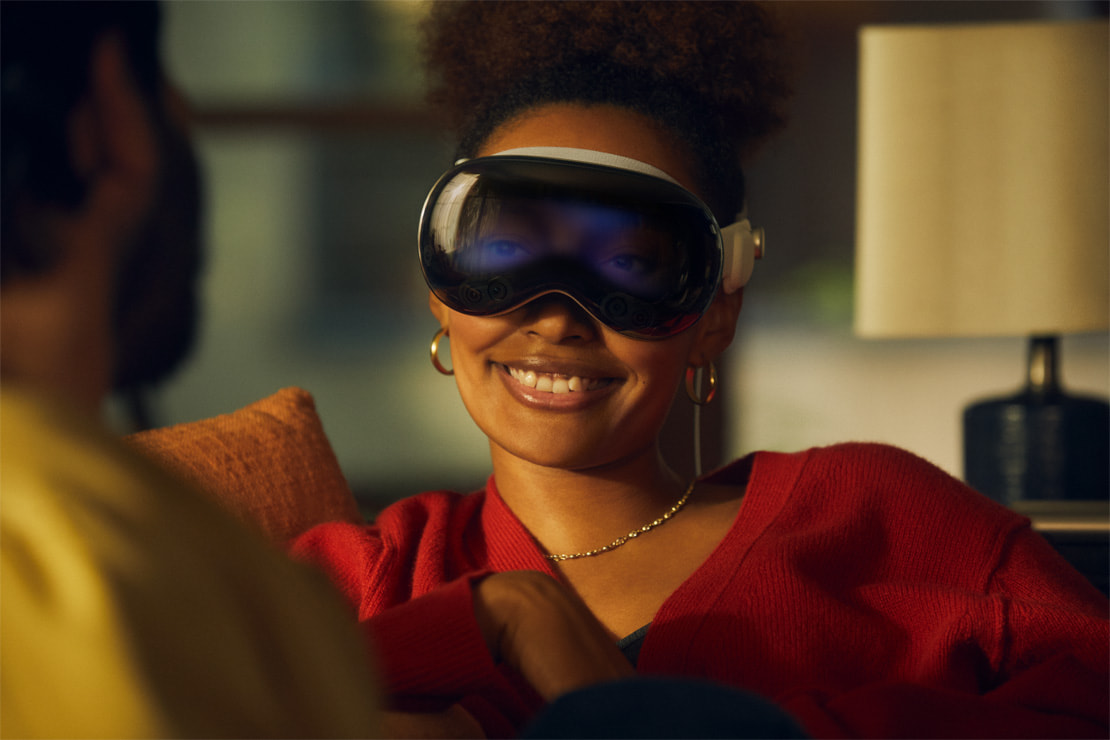
I’m grateful that Apple’s approach to Vision Pro has been different. While it is a device you put on over your eyes you’re never fully disconnected from the real world.
I recall looking at photos and still being able to look to the side and have a conversation with someone else in the room. And when I was in an environment or movie, something that took over the entire display, if someone came close, they’d gradually fade into view.
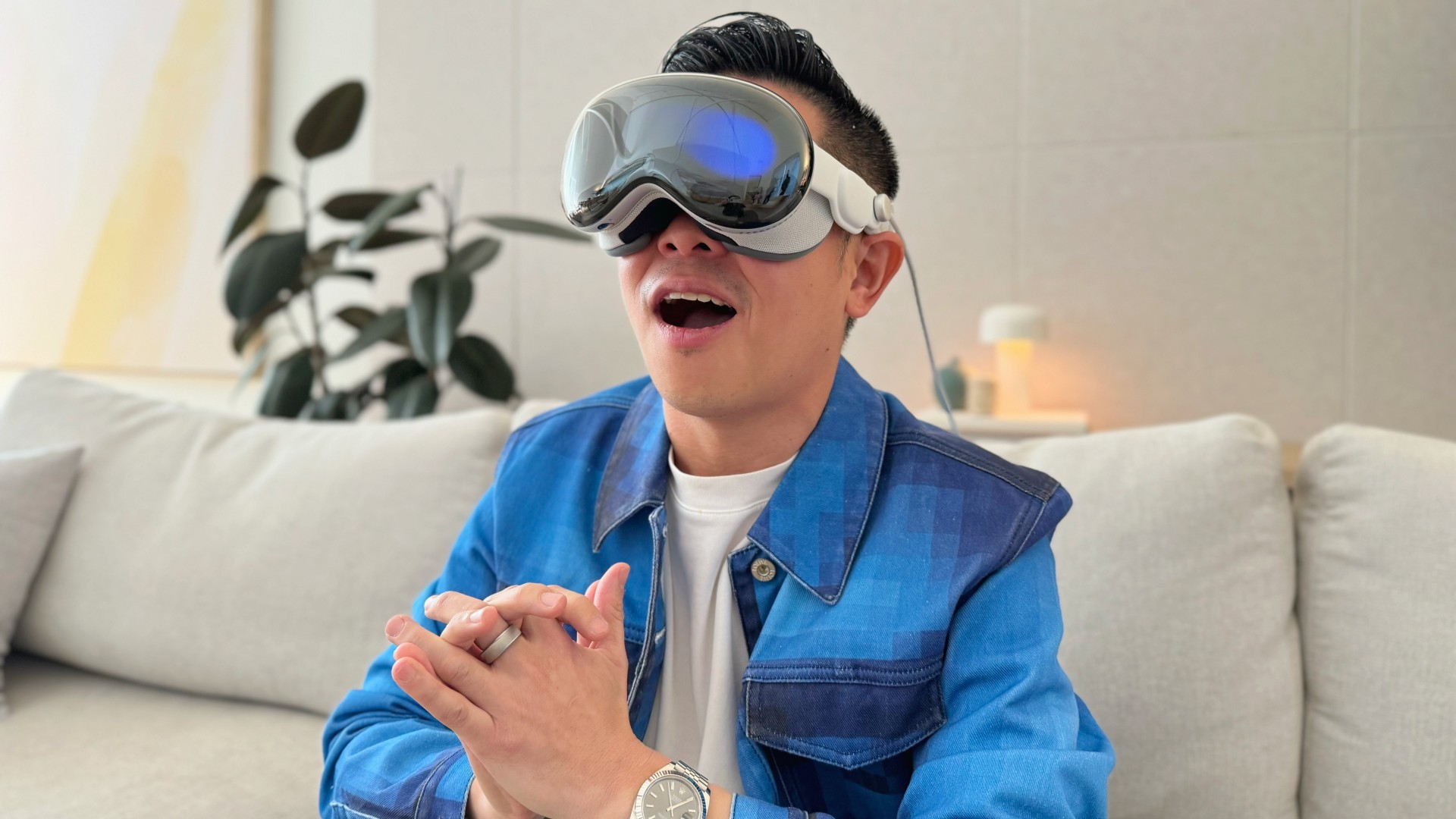
I also got to be on the flip side of this. Being in a room with some using VisionPro. I could see a live rendering of his eyes, they even blinked when he did. When he was viewing an app full screen or was in an Environment the display shifted to shimmer of color. But every time I came close and he could see me, I could see his eyes again. If he took a photo or video the screen would turn flash white. We strangely felt connected.
More to come for the Apple Vision Pro
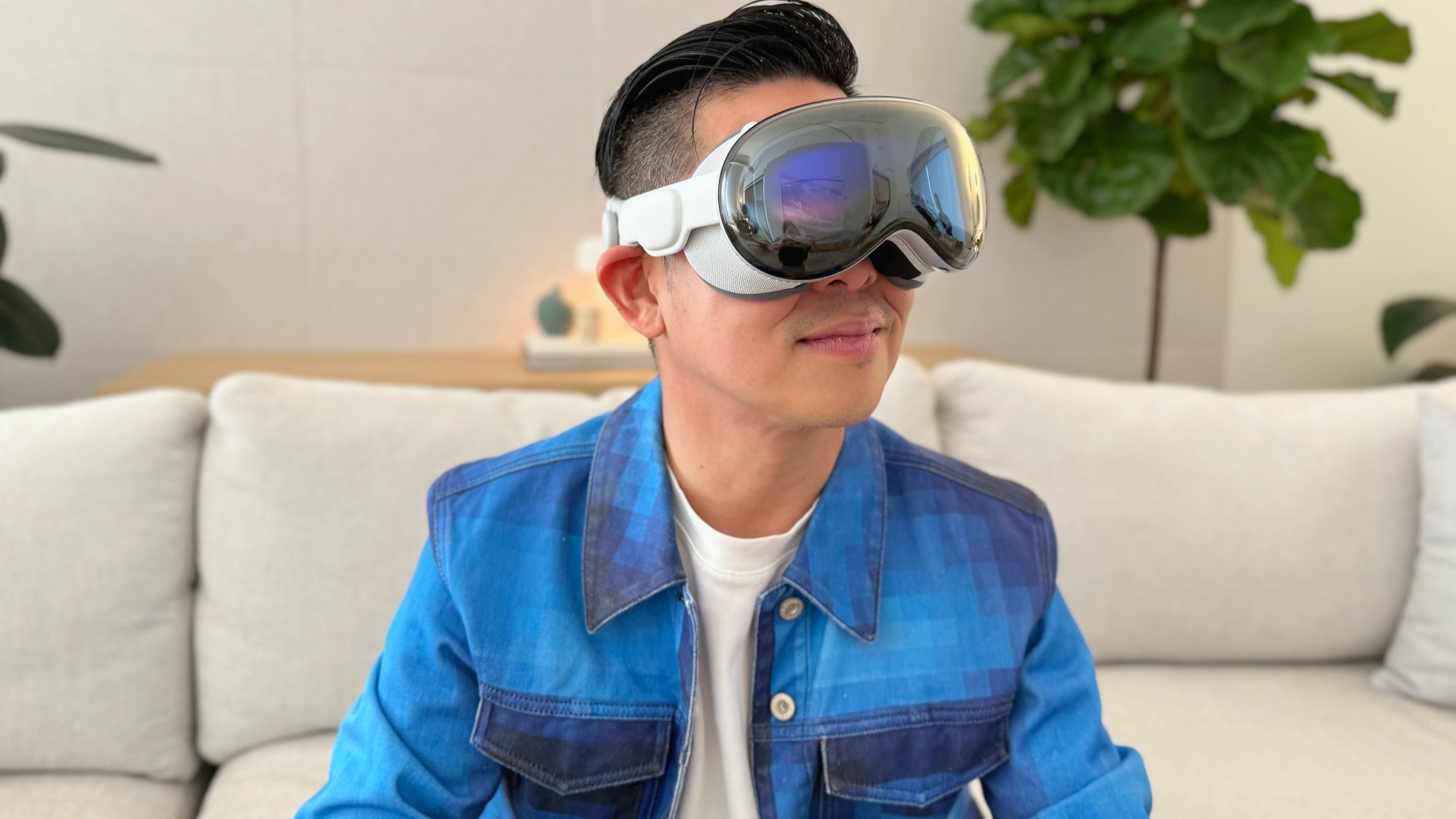
There were plenty more highlights from my 30 minutes with the Vision Pro. Watching Disney+ movies from the top of the Avenges Tower (loaded as an environment, Tatooine was another option), typing on a keyboard floating in front of me by punching my fingers through the letters, opening a 3D model of an F1 car then using my fingers to reposition it in a way that it was like I was in it, oh and scrolling through pages on Gadgetmatch.com.
But this is only the beginning and it’s the reason why I am pre-ordering one despite its steep US$ 3500 asking price. What the iPhone and the iPad were when they launched is nothing like what they have grown into. And I am confident Apple Vision Pro is the same. There are a few apps and experiences for now, but I can only imagine what things will be like in 5 years.
My pre-order is an investment in that future today. A VIP ticket, so that I am part of the ride from the beginning.
Apple Vision Pro is available for Pre-Order on January 19th 5AM Pacific.
Pricing are as follows:
256GB — $US 3499 or US$ 291.58/mo for 12 months
512GB — $US 3699 or US$ 308.25/mo for 12 months
1TB — US$ 3899 or US$ 323.91/mo for 12 months




Hands-On
Apple iPhone 18 Pro Series Hands-on
And everything announced during Apple’s September 2026 Event

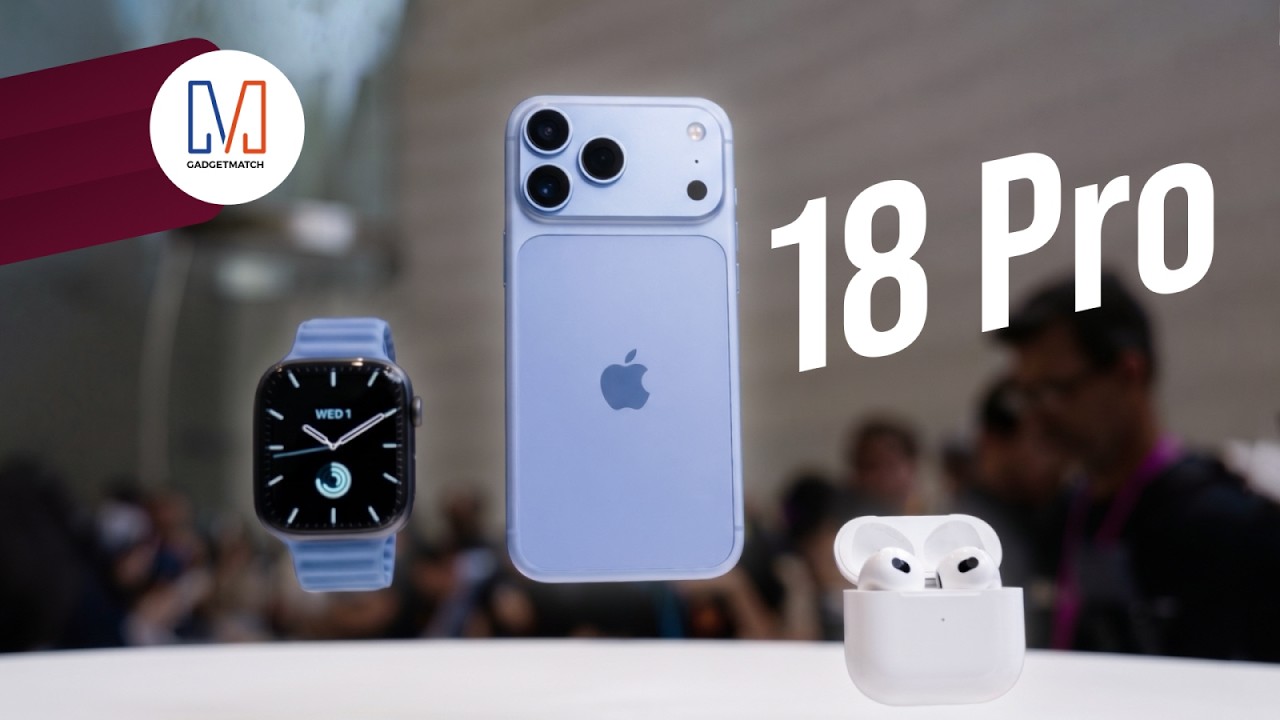
The latest Apple event isn’t just about the shiny new Apple Duo. There’s a lot to talk about!
In this video, we break down everything Apple has announced during their September 2026 keynote.
First, there’s the updated iPhone 18 Pro and 18 Pro Max. That’s alongside their design and color changes, battery and performance improvements. Even that massive camera upgrade.
There’s even the ANC-infused AirPods 5 alongside the newer Apple Watch Series 12 and Apple Watch Ultra 4. Plus, the latest software updates coming to both these wearables.
So, are these worth the upgrade?

Phones flip and fold. Now webcams do too.
Foldable screens have found their way into phones, tablets, and laptops in recent years. Now, OBSBOT is taking that idea in a considerably smaller direction: the webcam.
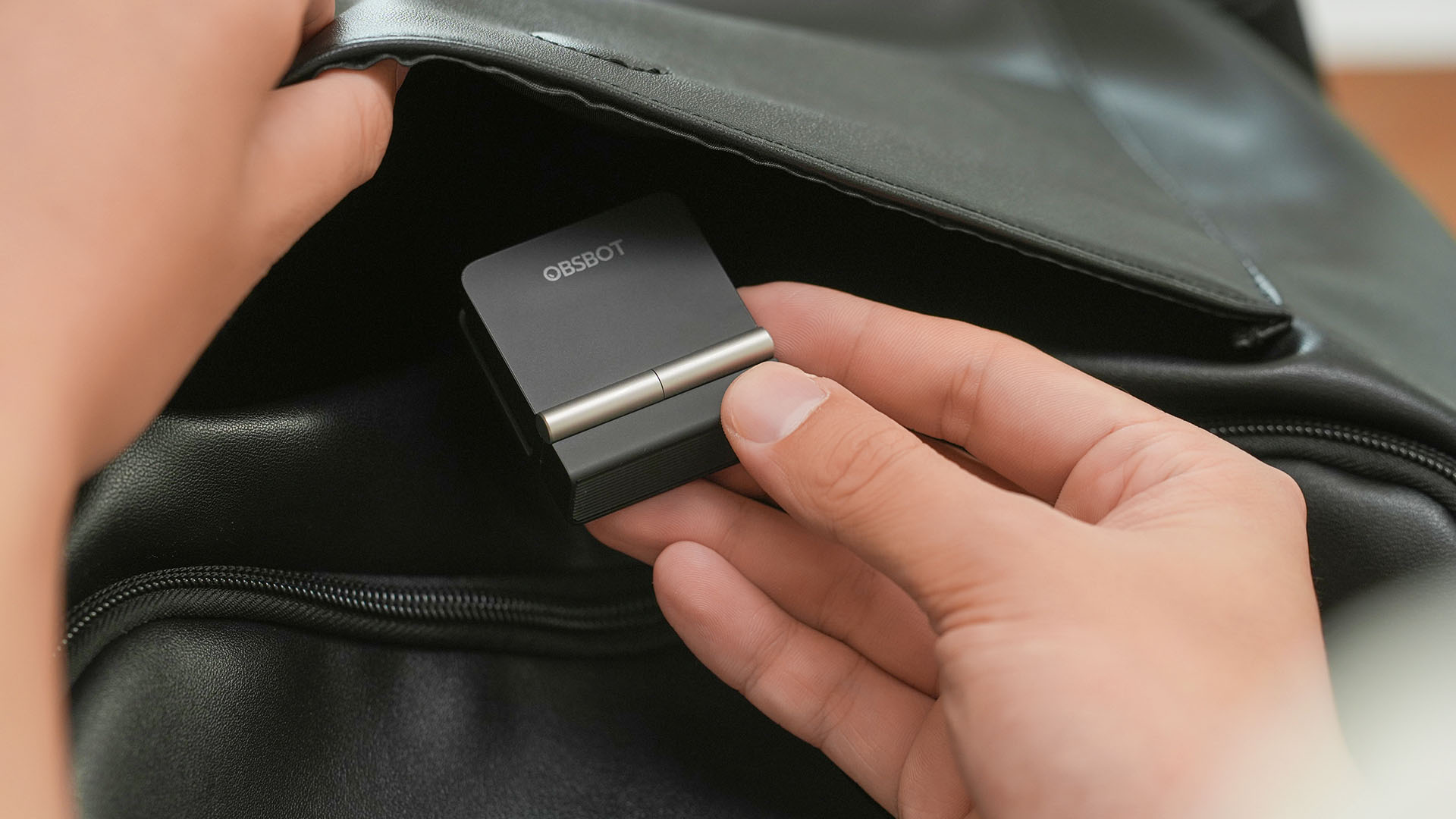
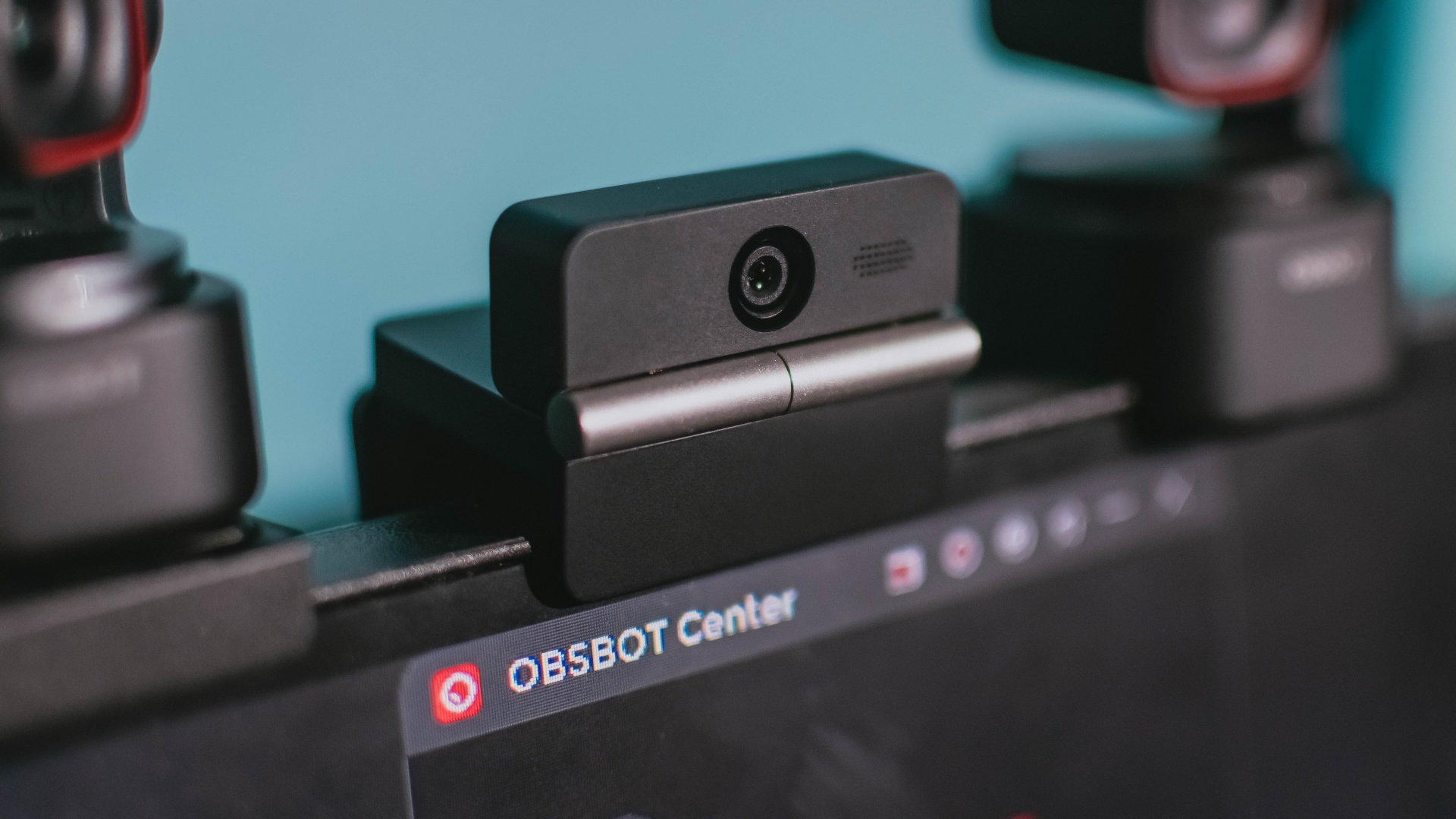
The OBSBOT Meet Flip is the company’s first foldable 4K webcam packing:
- 1/2-inch stacked CMOS sensor
- intelligent audio
- a collection of AI-powered meeting tools
All of these inside a body weighing just 37.7 grams.
A fold that does something, not just a gimmick
The OBSBOT Meet Flip isn’t foldable just to make it easier to throw into a bag.
Closing the webcam physically blocks the lens and puts the device into sleep mode. Open it when you want to be seen, flip it shut when you don’t.
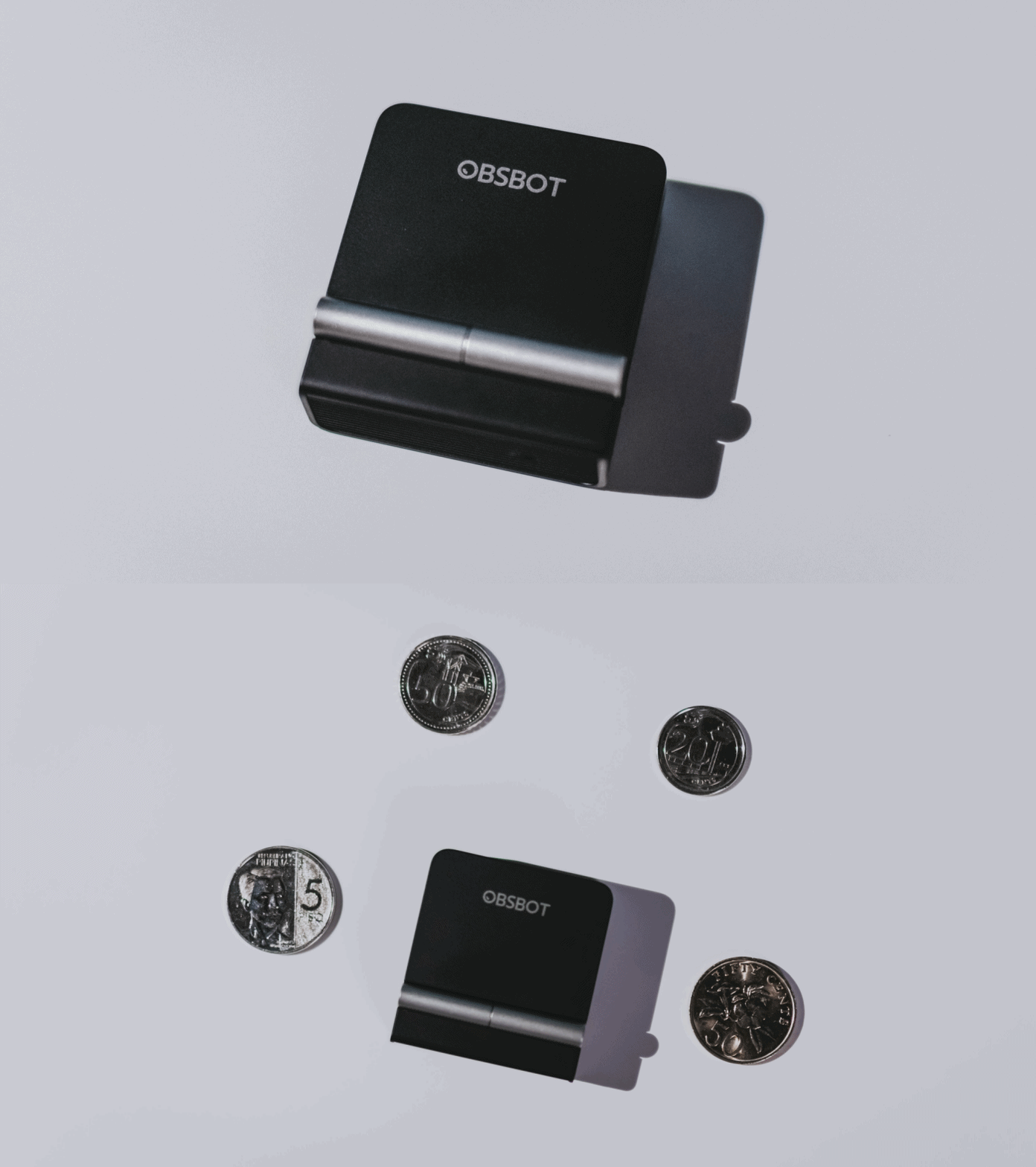
A physical privacy cover isn’t novel in itself. What’s clever here is how it’s part of the folding design.
As someone with a love-hate relationship with data privacy, I almost always keep some physical barrier over my laptop webcam. And if I can avoid having a webcam there entirely, even better.
Serious camera hardware in a pocket-sized webcam
Despite its size, OBSBOT hasn’t treated the Meet Flip like a basic laptop-camera replacement.
Inside is a 1/2-inch Exmor RS stacked CMOS sensor with Quad Bayer technology, capable of recording 4K UHD at 30 fps or 1080p at 60 fps. It also packs an f/1.8 aperture, HDR, PDAF autofocus, ISO 100–6400, and up to 4x digital zoom.
At its core is a 1/2-inch Exmor RS stacked CMOS sensor with Quad Bayer technology.
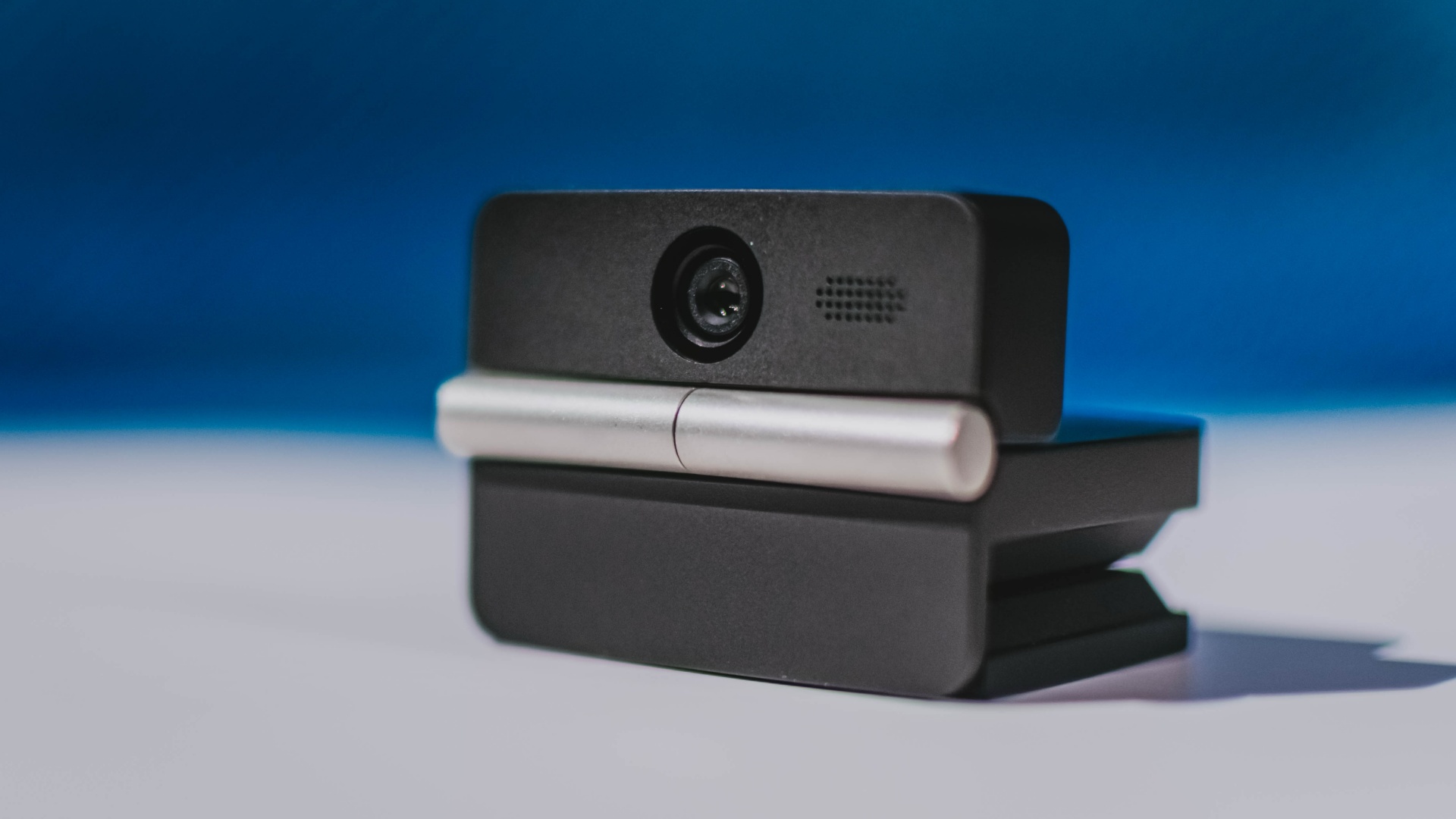
It can record:
- 4K UHD at 30fps
- 1080p at 60fps
You also get:
- f/1.8 aperture
- HDR
- PDAF autofocus
- ISO 100–6400
- up to 4x digital zoom
On paper, that gives the Meet Flip a better shot at handling the situations built-in laptop webcams often struggle with: dim rooms, harsh backlighting, changing lighting conditions, or simply moving around in front of the camera.
HDR helps keep faces visible against bright backgrounds, while PDAF autofocus continuously adjusts focus as you move closer to or farther from the lens.
The wider f/1.8 aperture should also help in less-than-ideal lighting.
The point is that once the Meet Flip is set up, you shouldn’t have to spend much time thinking about the camera itself.
It listens differently depending on the room setup
The Meet Flip also uses an intelligent dual-microphone system combining omnidirectional and directional microphones.
Instead of relying on one pickup pattern for every situation, it offers four audio modes for different setups:
Directional Mode focuses on sound coming from the front, making it the obvious choice for solo calls.
Dual-Directional Mode listens to both the front and rear of the webcam, which could be useful for interviews or conversations between two people sitting across from each other.
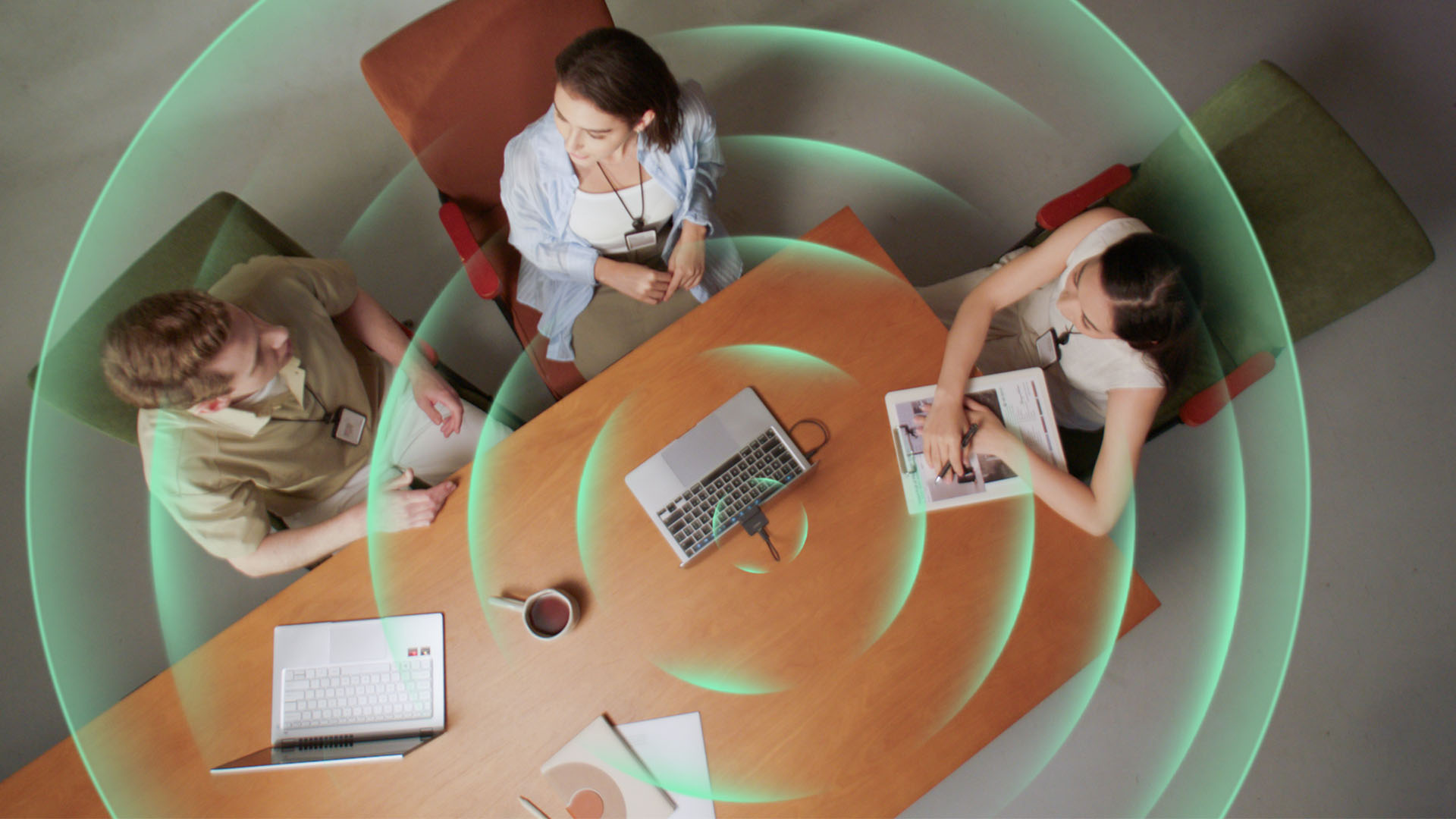
Smart Omni Mode is designed for group meetings, picking up voices from around the room.
And Pure Audio Mode provides unprocessed left and right stereo channels for users who would rather handle the audio themselves in post-production.
Auto Gain and AI Noise Reduction also work across the first three modes, helping clean up audio without requiring much manual adjustment.
It gives the Meet Flip more flexibility than a typical webcam microphone, especially if you regularly switch between solo calls, interviews, and group meetings.
AI that doesn’t intrude
AI has become an almost obligatory addition to new hardware in 2026, but several of the Meet Flip’s features put it to work on real-world meeting annoyances.
AI Auto Framing keeps you in frame, with options for:
- Group
- Single Close-up
- Upper Body
- Full Body
Gesture controls can also toggle Auto Framing or adjust the zoom without reaching for a keyboard or mouse.
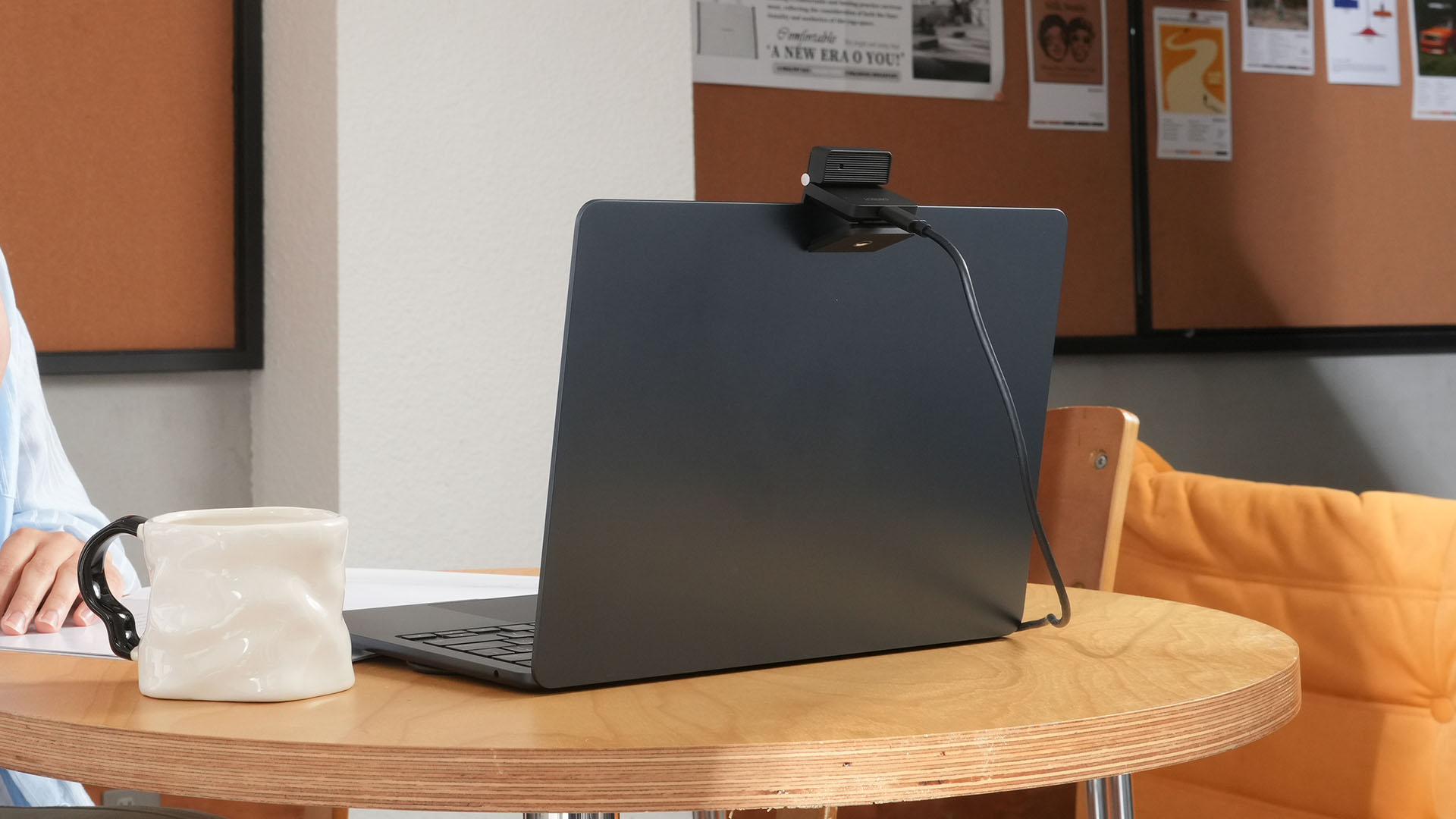
More interesting is AI Magic Notes.
Through OBSBOT Center, it provides real-time transcription and can automatically generate meeting summaries with key points, decisions, and action items. It works across Google Meet, Zoom, and Microsoft Teams.
Although AI Magic Notes is offered as a subscription service, every Meet Flip includes 120 complimentary minutes to get started.
MORE with OBSBOT Center & OBSBOT Live
There are plenty of other software features as well. OBSBOT Center includes:
- Background Blur and Background Replacement
- Real-Time Beauty Mode
- Picture-in-Picture overlays
- Smart Eye Tracking
- Teleprompter support
- Detailed image adjustments
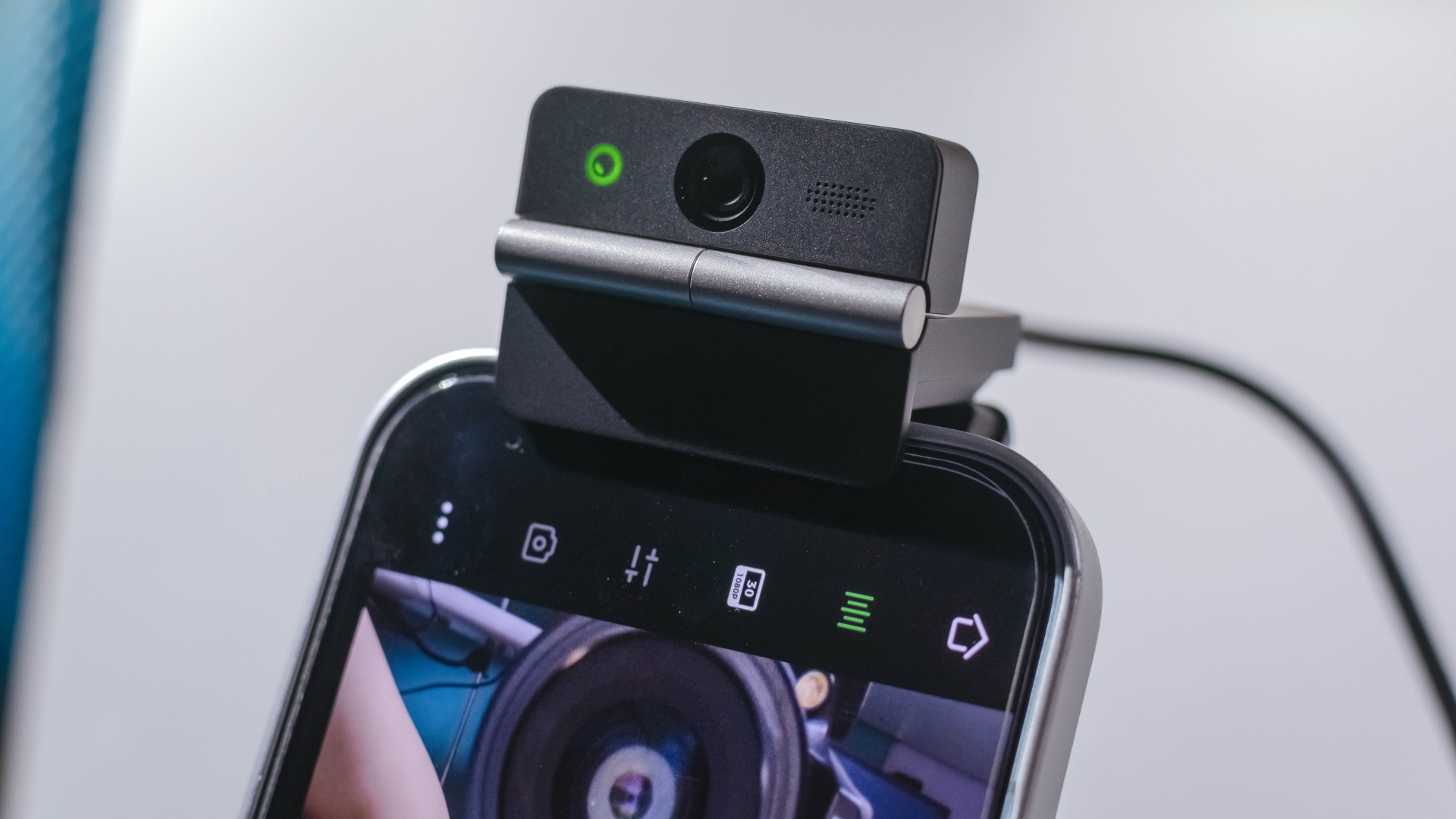
The Meet Flip isn’t limited to laptops or desktops either. Through OBSBOT Live, it can connect directly to smartphones and tablets over USB-C for mobile streaming and content creation.
Flip it open. Fold it away.
None of those features reinvent the webcam on their own.
Taken together, though, they make the Meet Flip a more thoughtful take on a piece of hardware whose basic design and features have barely changed.
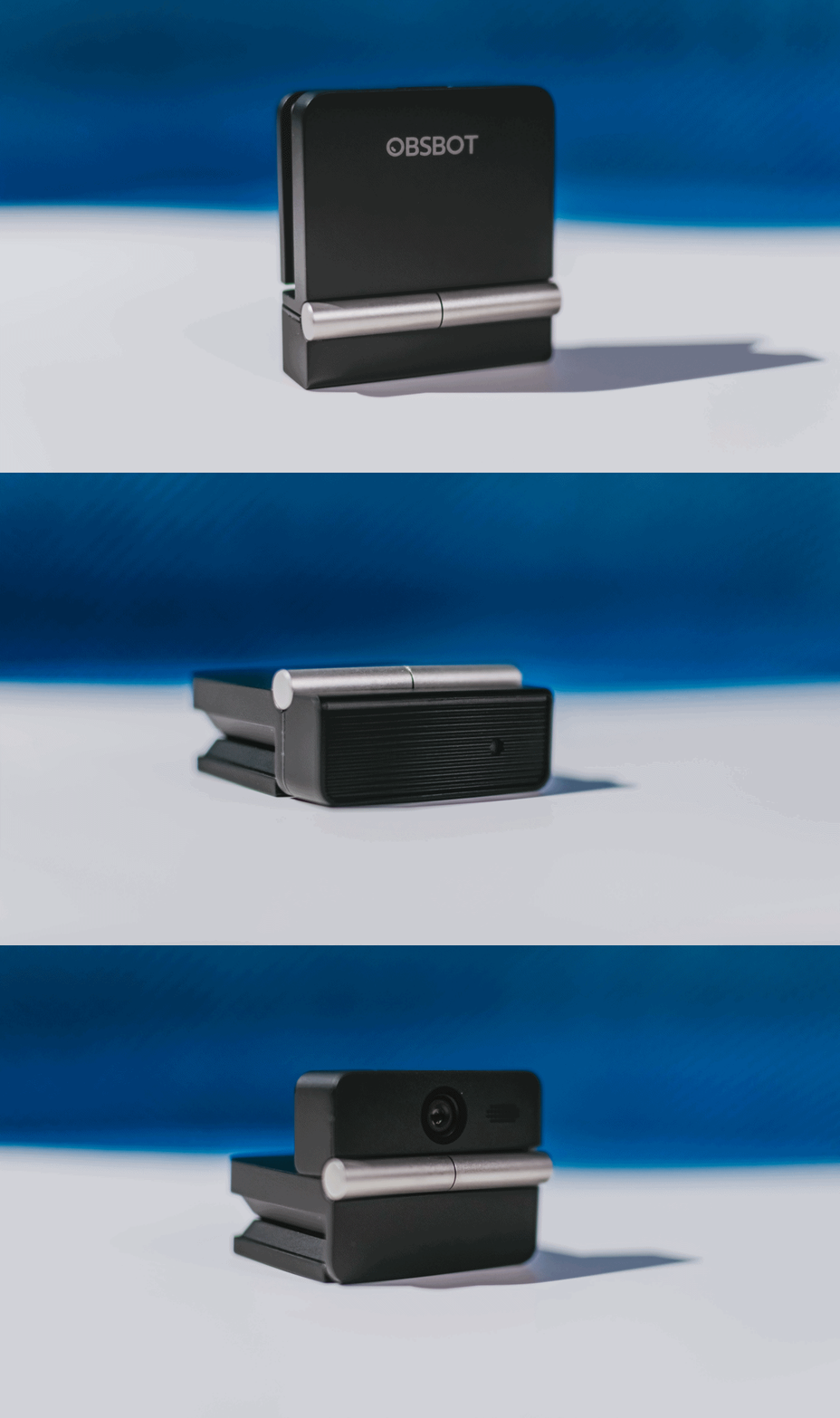
The flip may grab your attention first, but it’s how OBSBOT uses that design alongside its camera, audio, and software features that makes the Meet Flip interesting.
The OBSBOT Meet Flip is now available at US$ 119 and is currently available through OBSBOT’s official store, Amazon US, and select retailers.
&
@gadgetmatchPhones flip. Now webcams do too. 👀 Meet the OBSBOT Meet Flip, a tiny foldable 4K webcam with a lot packed inside. ✨
If you buy one, here’s what you’ll get out of the box!

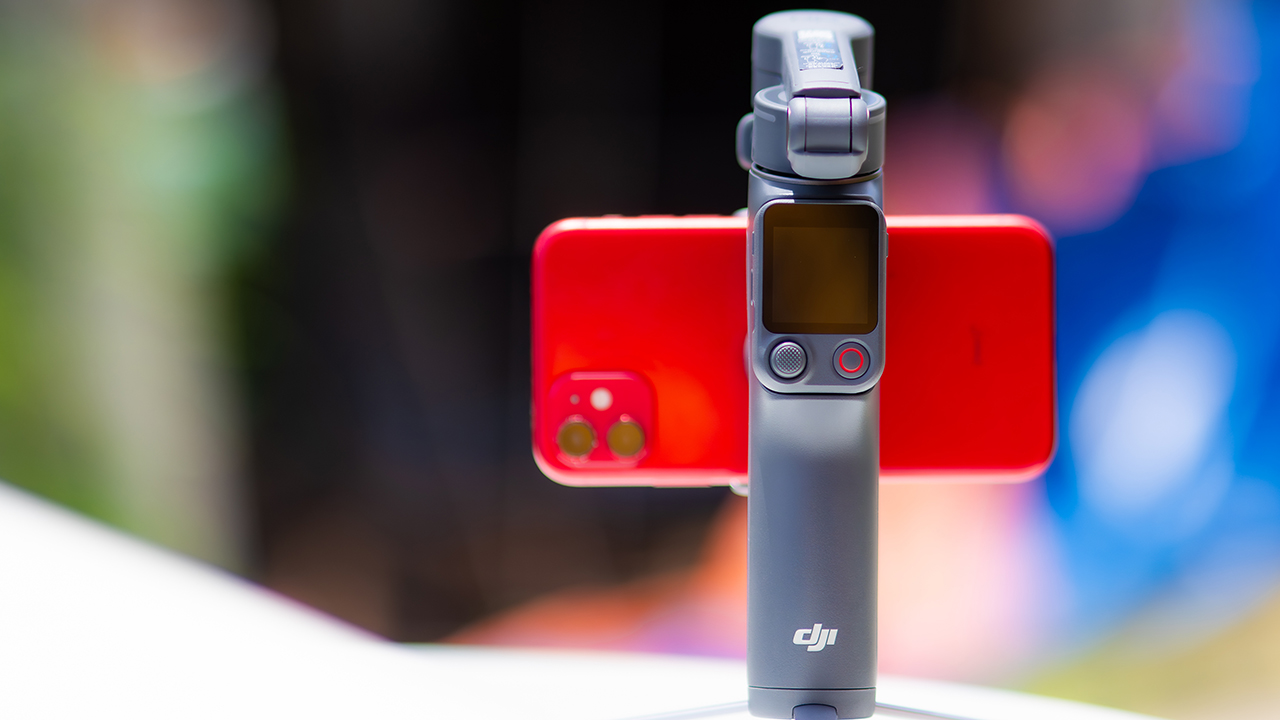
DJI’s smartphone gimbals have always chased one goal: delivering cinema-smooth footage without forcing you to carry a heavy rig.
The Osmo Mobile 8P (OM 8P) makes its priorities clear right out of the box. This is not a simple refresh. DJI rebuilt how you control the gimbal, and that decision shapes the entire shooting experience.
Freedom behind the lens
The biggest change is the FrameTap remote, and it’s the kind of upgrade that fixes a problem you didn’t realize was slowing you down until it’s gone.
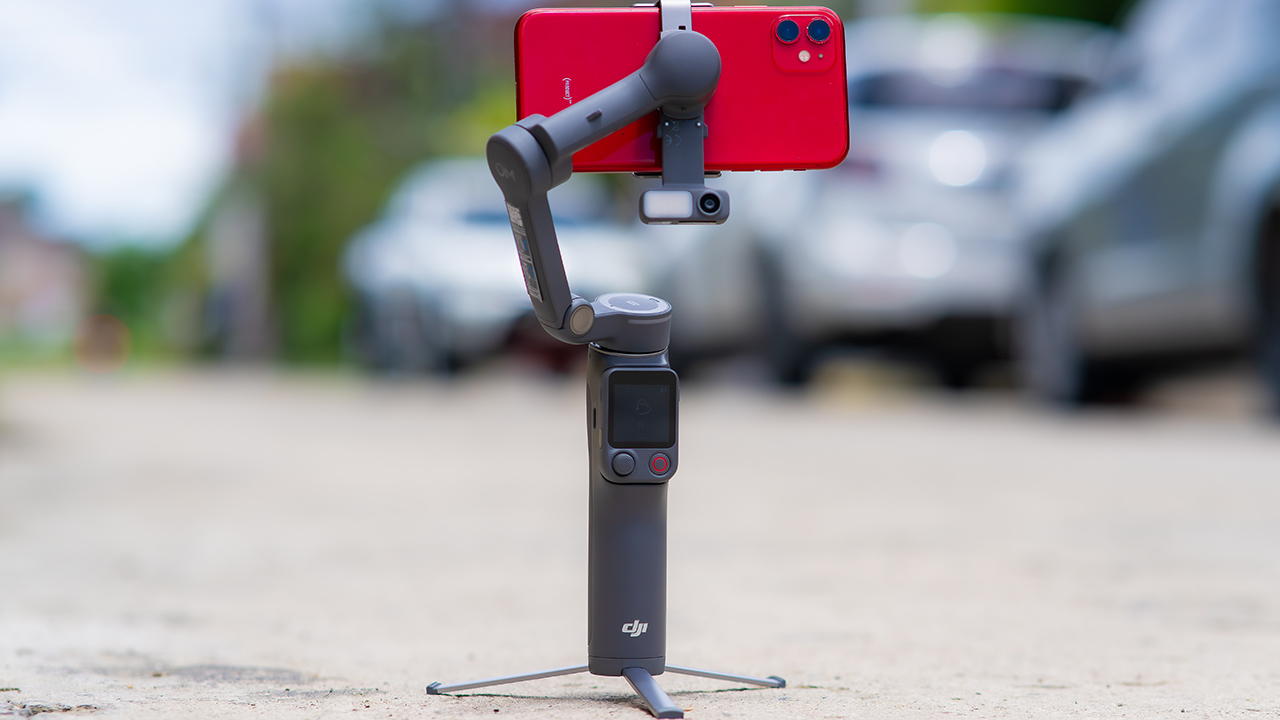
On the standard OM 8, adjusting your framing meant reaching for your phone every time, which broke the flow of shooting and pulled you out of the moment.
FrameTap puts that control back in your hand. You can reframe shots and manage the gimbal without touching your phone at all, and for anyone shooting solo, that alone changes how usable the whole setup feels. Tracking has taken a real step forward too.
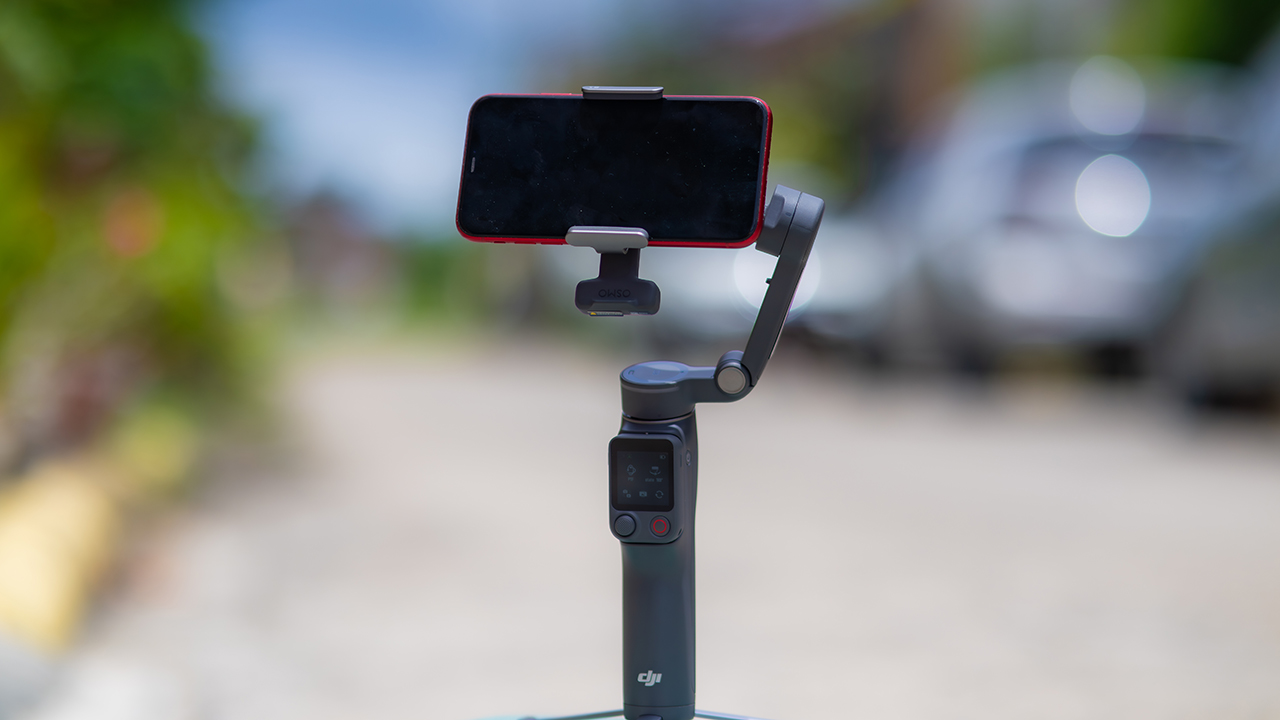
ActiveTrack 8.0, paired with Module 2, held onto its subject even after they stepped out of frame for a moment, then picked them back up without much fuss.
It also lets you sit off-center in the shot instead of forcing you into the middle every time, which gives you more room to compose something that doesn’t look like every other gimbal video.
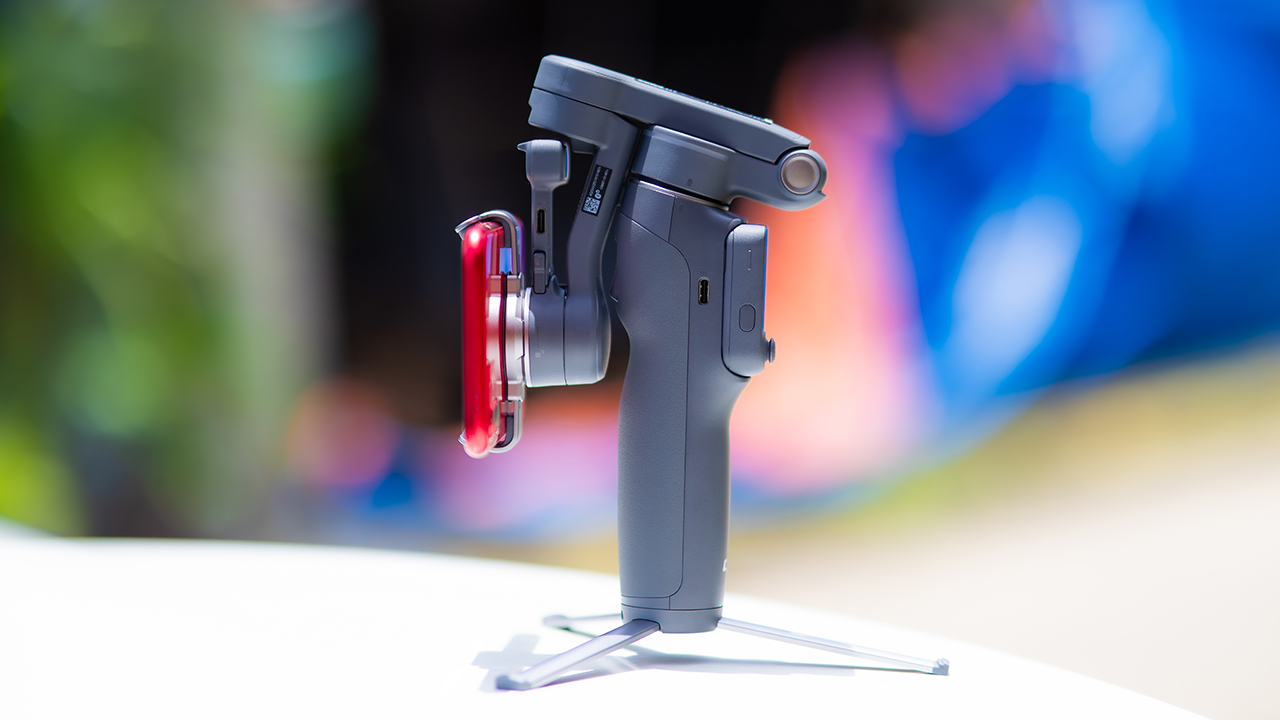
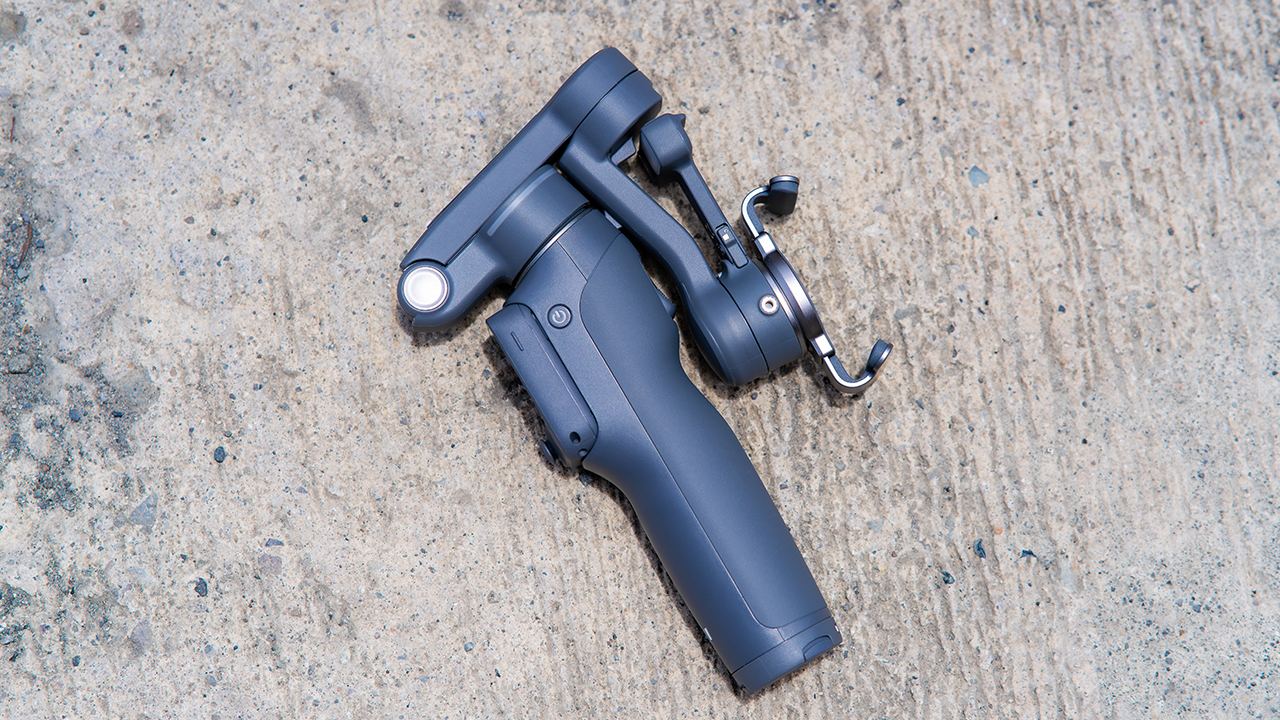
None of that would matter much if the gimbal itself wasn’t solid, and it still is. The OM 8P holds onto the same foldable design, magnetic phone clamp, and built-in tripod that made the OM 8 easy to live with.
And it remains one of the better compact options for stabilization, tracking, and portability in one package.
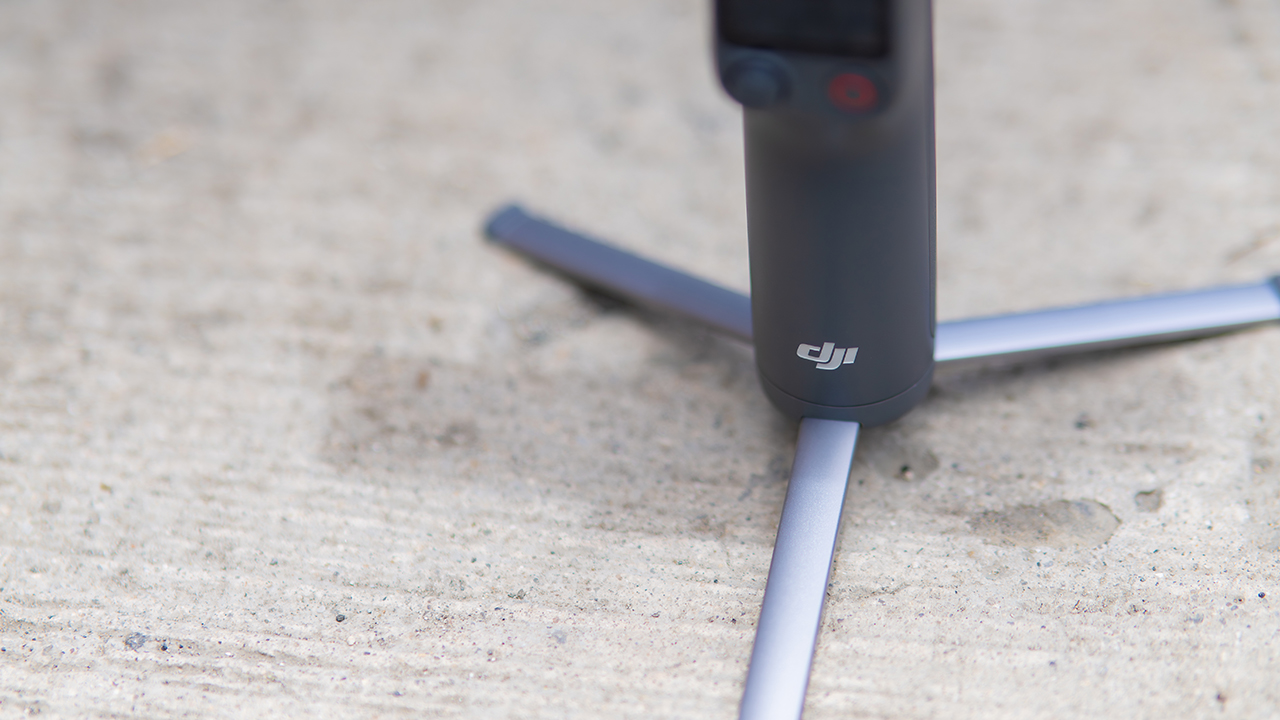
The tripod legs are a touch wider this time, and that extra width does make a noticeable difference on uneven ground.
The trade-offs in touch
The trade-off for all that new remote functionality is a control scheme that takes more getting used to. More of the gimbal’s functions now live on the FrameTap touchscreen, the joystick is smaller, and switching between shooting modes takes a few extra taps compared to the OM 8. It’s not a dealbreaker, but it’s a learning curve you’ll need to budget time for.
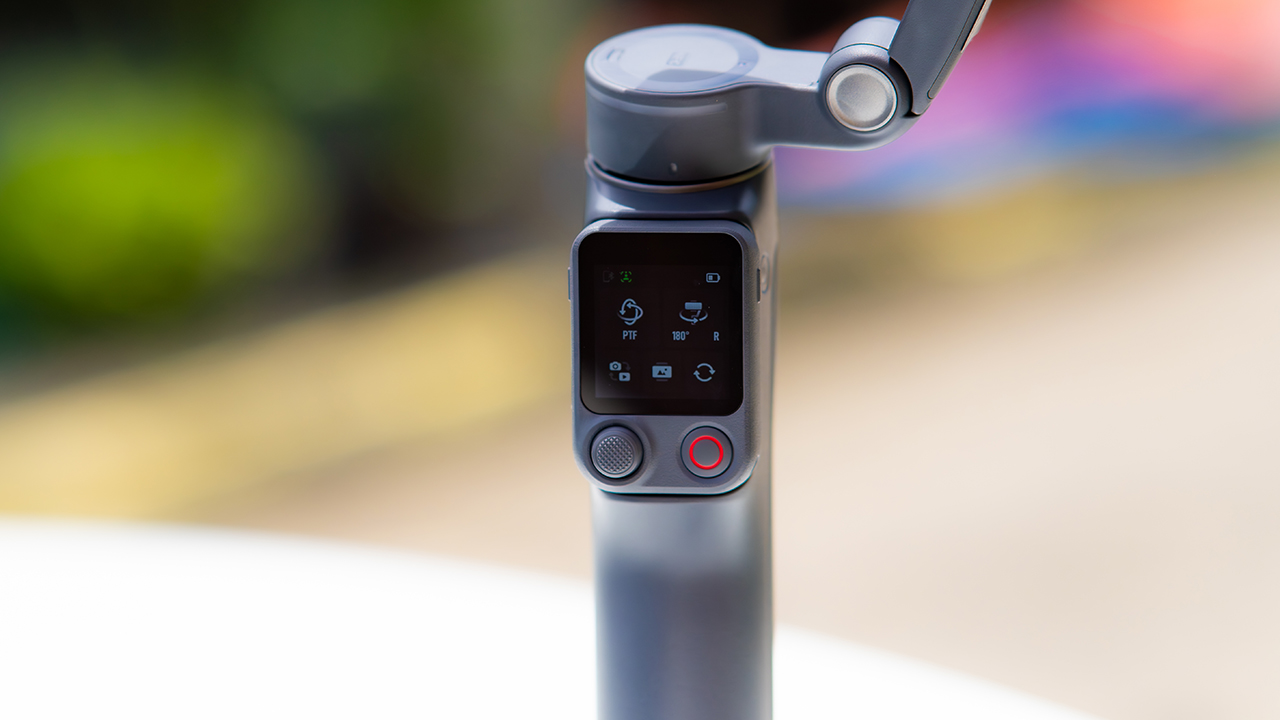
DJI also removed the zoom and focus wheel, so if you leaned on that dial for quick adjustments, you’ll feel its absence here. Module 2 no longer lets you plug a DJI wireless mic in directly either.
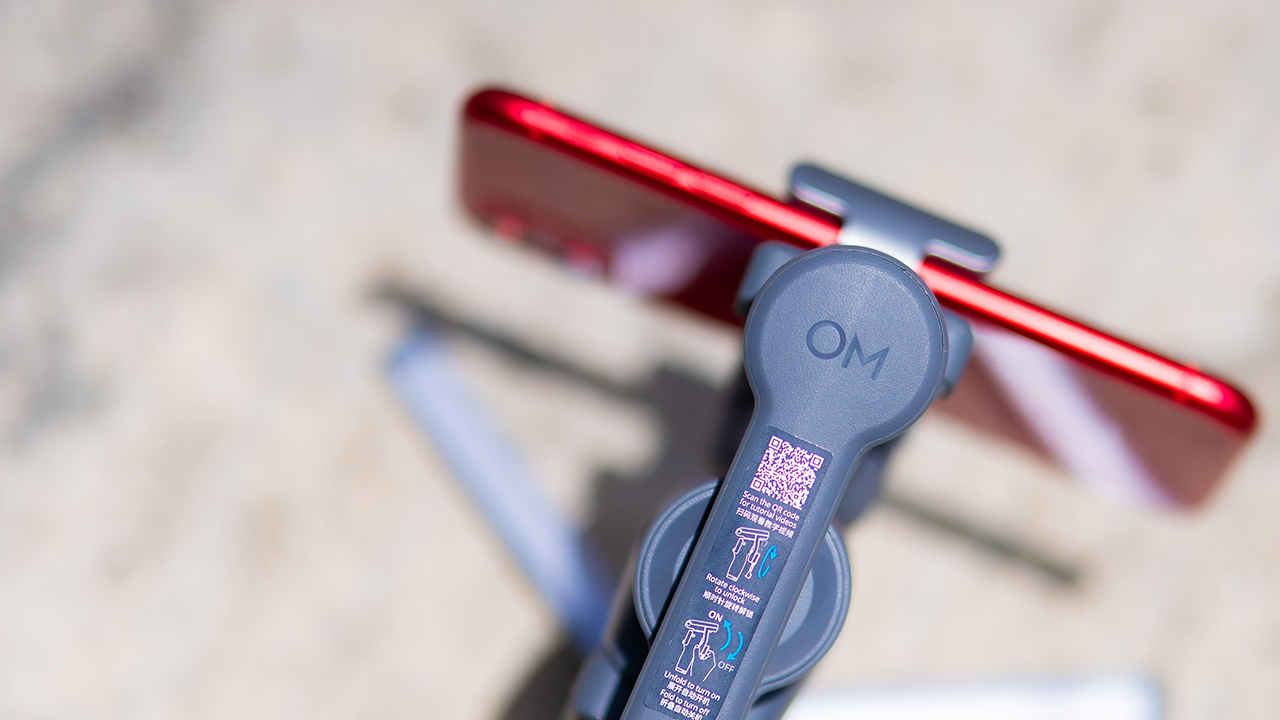
You’ll need to connect it to your phone instead, which adds a step to a setup that used to be simpler. Phone compatibility is still a limiting factor as well. DJI lists support for phones up to around 300g and 11mm thick, so bigger phones or ones in chunky cases may not clamp in properly.
Finding your ideal workflow
The OM 8P makes the most sense for solo creators who want dependable tracking and the freedom of remote framing without stepping up to a dedicated camera like the DJI Osmo Pocket.
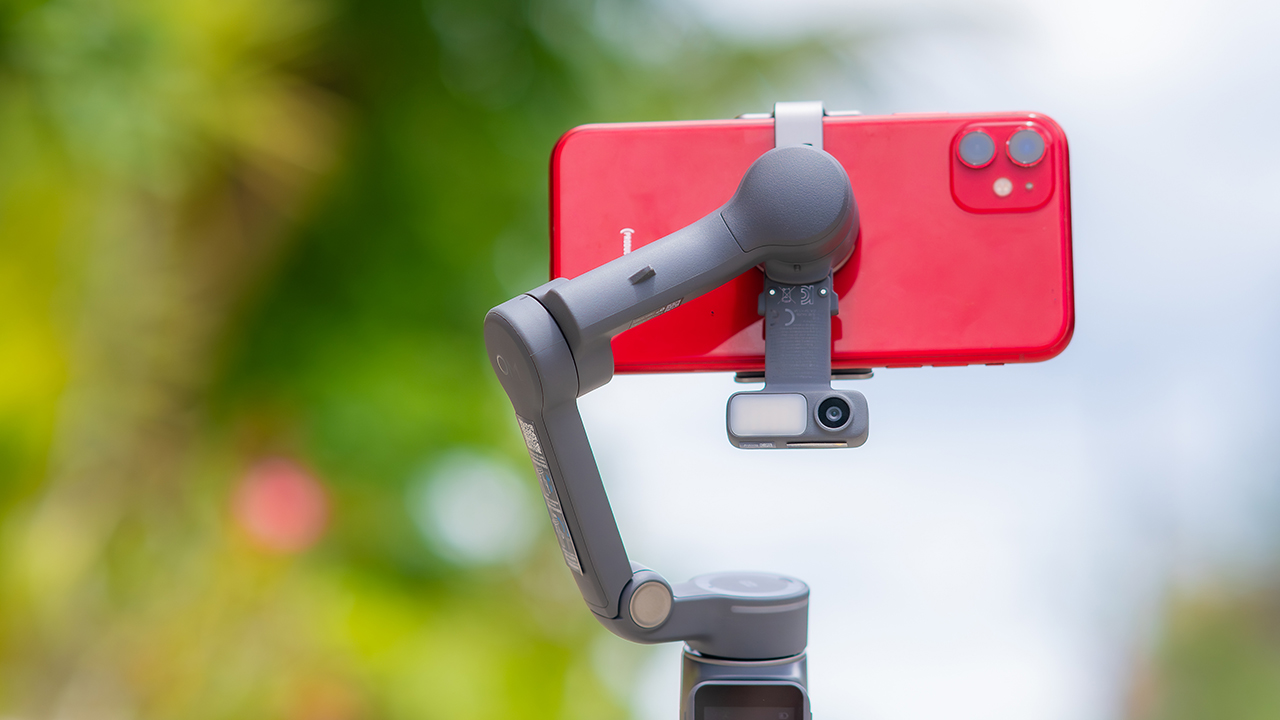
If you’re already shooting on a phone with a solid camera, this fills the gap nicely. It’s a tougher sell if you prefer physical buttons over touchscreen menus, or if your phone runs on the larger and heavier side, since fitting it onto the clamp might be a problem before you even get to shooting.
Price, availability
DJI is offering the OM 8P in three combos, so how much you pay depends on how much of the ecosystem you actually need.
- Standard Combo (PhP 7,499): the gimbal itself, with 8th-gen stabilization and the detachable FrameTap remote included.
- Advanced Tracking Combo (PhP 9,199): adds the Multifunctional Module 2 for the improved subject tracking we tested.
- Creator Combo (PhP 11,099): the full kit, built for creators who want everything DJI bundles in from the start.
Is the DJI Osmo Mobile 8P your GadgetMatch?
The DJI Osmo Mobile 8P asks you to relearn a few habits in exchange for a gimbal that finally lets go of your phone. If hands-free framing and steadier tracking matter more to you than a dedicated zoom dial, this is worth the adjustment.
If you’d rather keep things exactly as they were on the OM 8, that learning curve might be the deciding factor.
Swipe right if you shoot alone often and have been waiting for a gimbal remote that actually works. The FrameTap remote alone justifies the upgrade if reaching for your phone mid-shot has been slowing you down.
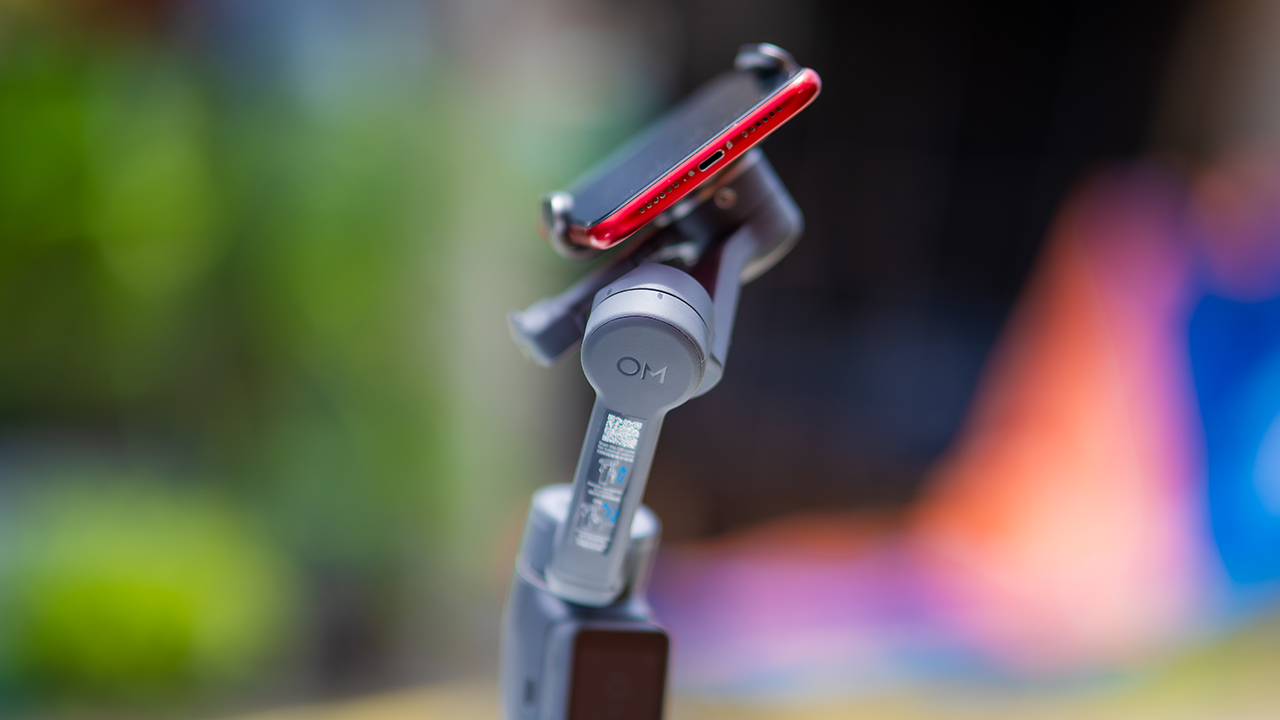
Consider this if reliable tracking matters to you, especially if you’ve had a subject wander out of frame and stay lost on older gimbals.
And of course, get this if you already own a capable phone under the weight and thickness limits, and you’d rather invest in a smartphone rig than jump to a dedicated camera like the Osmo Pocket.
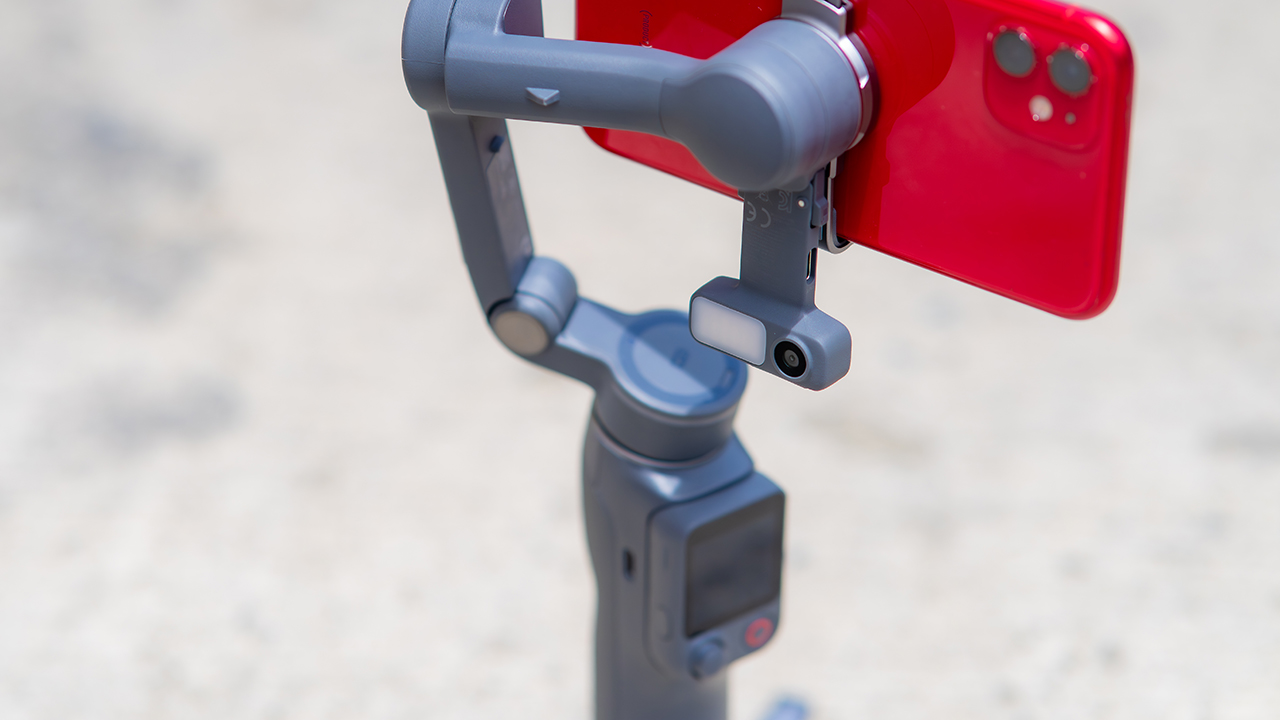
Swipe left if you lean on physical dials for zoom and focus, and moving those functions to a touchscreen sounds like a downgrade rather than an upgrade.
This is not for you if you use a DJI wireless mic and want it plugged directly into the module without routing through your phone first. Or, your phone runs heavier or bulkier than DJI’s limits allow, since no amount of enthusiasm fixes a clamp that won’t close.


Marvel’s Wolverine review: When the claws come out
A brutal, cinematic superhero adventure


Setting your bedsheets ablaze with the Lovense Solace Pro
The closest proxy I could find where I'm guilty as sin


Now Playing: Elden Ring Tarnished Edition
Is the Switch 2 port worth the price?

Apple iPhone 18 Pro Series Hands-on

Spotlight: Hisense UR8 + RGB MiniLED Explained

First Look: Apple iPhone Duo

Xbox saves Kojima’s PHYSINT after PlayStation drops support
Marvel’s Wolverine review: When the claws come out

TECNO MEGAPAD 2 review: Eyes on the size

realme 16T 5G with 8000mAh battery, IP69 Pro rating launches in PH

HUAWEI Pura X View is 2026’s first WIDE slab-type smartphone

REDMI reveals the refreshed Note 17 and Note 17 Pro series

REDMI Note 17 Series focuses on long-term reliability


-
 News6 days ago
HUAWEI Pura X View is 2026’s first WIDE slab-type smartphone
-

 News6 days ago
The CAMON Slim 5G is TECNO’s latest ultra-slim smartphone
-

 Cameras2 weeks ago
DJI Osmo 360 II review: Going all-in on the ecosystem
-

 IFA 20261 week ago
TECNO MEGABOOK T15 360 unveiled at IFA 2026
-

 Gaming1 week ago
NBA 2K27 review: A two-way All-Star
-
 Reviews2 weeks ago
Samsung Galaxy Z Fold8 Ultra review: It’s time to get a foldable
-

 News4 days ago
iPhone 18 Pro series: Price, availability in the Philippines
-

 IFA 20261 week ago
TECNO’s POVA 8 Pro gets a stealthy makeover