
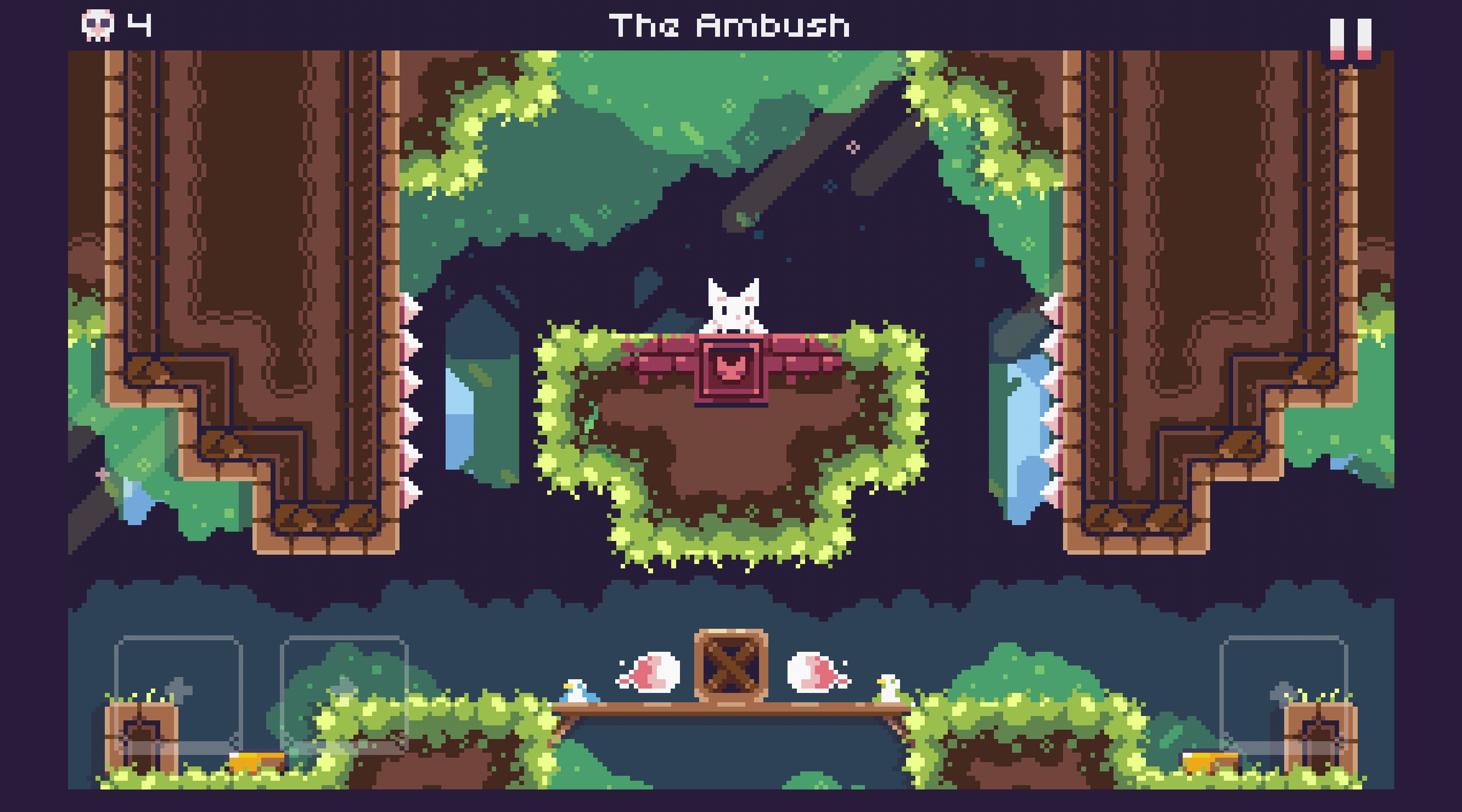
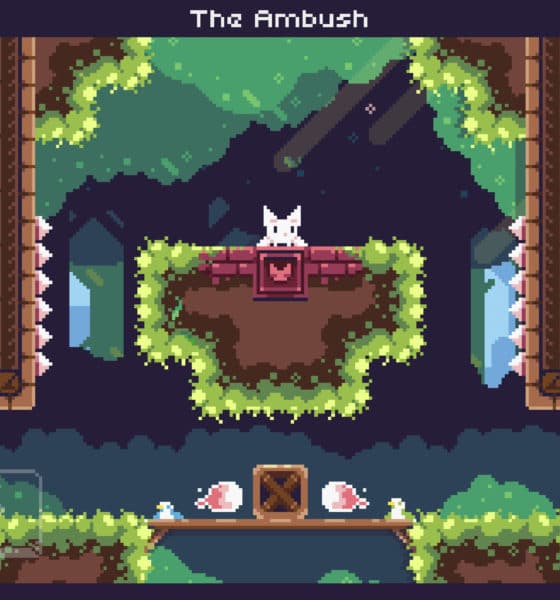

If you want a game that’s adorably challenging, I might have the game for you: Cat Bird.
It’s a title developed by Rayumi Adventure, an independent studio headed by Ryan Carag. If you like pixel art, you might want to check other titles from the same studio because they’ve developed similarly designed games.
About a cat that can fly
If you Google “catbird,” you’re up for a surprise: The game isn’t about the actual bird (yes, there’s an actual bird of the same name). We can pretty much appreciate the English language and how a space can alter compound words.
Anyway, Cat Bird is a mobile platformer where you have to get through enemies, falling spikes, and various obstacles. You play as Cat Bird, a white kitten with wings, who is lost and is finding its way home. Your task is to navigate your way back. Simple? You’d think so.
Charming design

When you first install the game, you’ll notice the adorable pixel design, charming music, and polished user interface. I’ll admit: The game has a lovely soundtrack that matches its cute design. When it comes to user interface, Cat Bird walks you through the basics. The controls are on the bottom of your screen. On the bottom right of the game is your jump control and on the bottom left, the forward and back controls.
It’s cute and all until…
… you realize you’re terrible at timing! It doesn’t help when you’re playing an adorable character that dies every time you don’t get it right. You’ll have to watch your death count go up a few digits and live with yourself seeing an adorable mythical animal die. Case in point: I’ve unconsciously learned to apologize out loud when Cat Bird dies.
More crowns, more bragging rights

Platformers are more than just getting from point A to point B. If you’re a messed-up completionist like I am, you’ll want to collect every item or earn every achievement that exists in the game. For Cat Bird, you’ve got crowns purposefully placed in the toughest places. The crowns are even sometimes hidden. Finishing the game may be fun, but being able to collect all crowns gives you bragging rights.
Makes me miss buttons

Surprise, surprise. I come up with a strange and ominous excuse as to why I cannot stop dying: buttons. Of course, Leez, buttons! I can’t help but miss the feeling of clicking buttons when playing this game. I play platformers with a controller and playing it on my phone feels like the first time I moved from phones with buttons to a touchscreen smartphone.
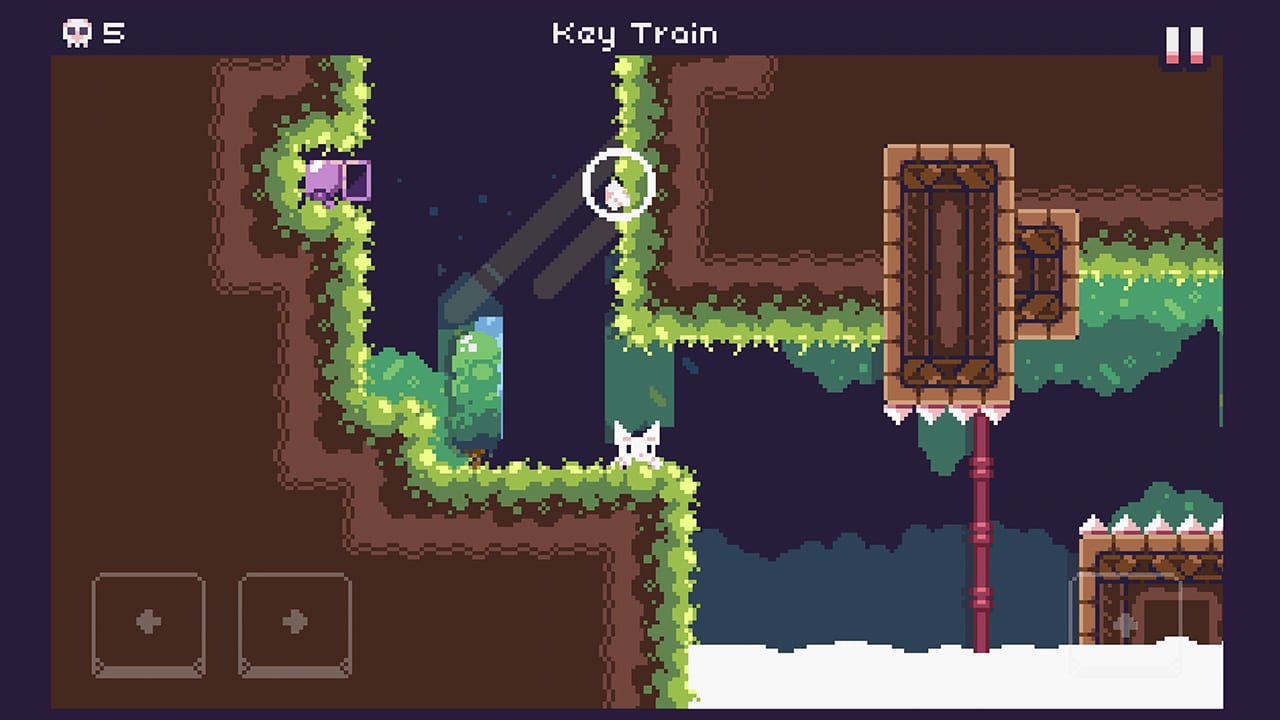
Am I making excuses for writing this section? Hell yes. Petty? Pretty much. Can we just toss my irrational defensiveness to the upsetting reality that I can’t keep watching this poor thing die over and over?
At least you get checkpoints

You re-spawn from the very beginning of every stage. You don’t get to save your progress anywhere. When I say it hurts to watch Cat Bird die again and again, it’s mostly because once I get pretty far into the obstacles, I slip up, die, and have to do it all over again. Luckily, some stages have checkpoints that show up as cute little flags so when you die after reaching them, you re-spawn there, instead.
Should you be playing Cat Bird?
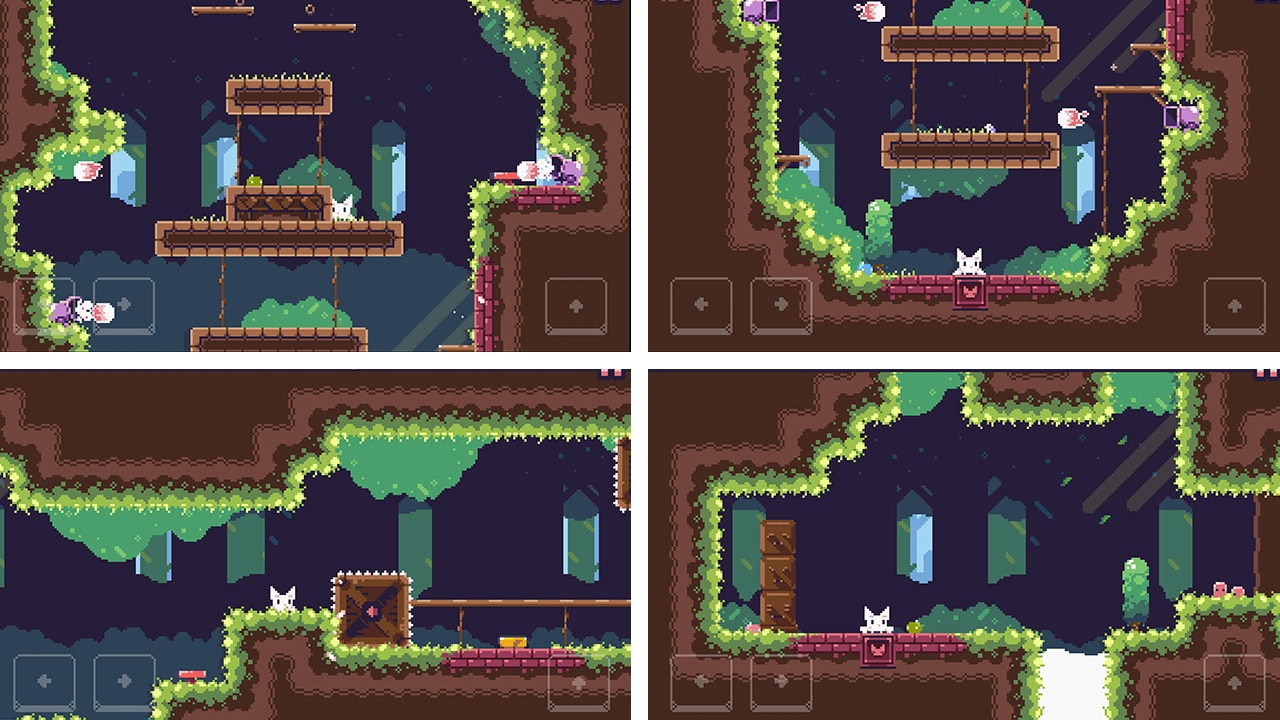
Looking for a nice mobile game that’s free-to-play and offline is a bit of a challenge — let alone finding one that’s of great quality. Although most games settle to be either offline or free-to-play, Cat Bird is both. If you miss more familiar platformers like Mario, Sonic, and Crash Bandicoot, definitely give this game a try.
This might be the game to take you back to the more familiar or nostalgic platformers. It may get challenging but that adds to the appeal of playing it. Trust me, I’ve almost completed the game despite sitting through so many deaths.

Cat Bird is available on iOS and Android for free.
SEE ALSO: Florence: Half-baked beautiful game about first loves?


Apps
Firefox ad reunites all your favorite memes from decades ago
The Numa Numa Guy, Annoying Orange, and Chocolate Rain are back!


Before Tung Tung Tung Sahur and Skibidi Toilet, the early internet was populated by charismatic personalities looking to make their presences felt in a land that didn’t have a lot of rules yet. As early users, we danced to “Dragostea din tei,” belted out “Chocolate Rain,” and copied “Shoes” word-for-word. Today, Firefox is bringing all those good memories back for a grand reunion.
In a new ad, the web browser featured ten of the biggest stars of the early internet including the aforementioned Numa Numa Guy, Tay Zonday, and Shoes’ Kelly. You can also see Annoying Orange, Chuck Testa, Overly Attached Girlfriend, Bad Luck Brian, Where the Hell is Matt?, the Apparently Kid, and the Success Kid.
Now, this isn’t just a reunion. The ad has a clear message about today’s most concerning issue: AI. Everything has “built-in AI, always asking, asking, asking,” as the Annoying Orange said.
“They make money by following us, and somehow, I’m the creepy one?” the Overly Attached Girlfriend asked.
All these famous personalities are asking what happened to the internet today. Obviously, the big takeaway is that we should all go back to Firefox.
Compared to other browsers, Firefox has a lot of built-in features that offer a lot of control for users. For one, it has its own VPN for privacy. Secondly, reflecting the ad’s message against AI, the browser has a toggle to minimize AI features.
SEE ALSO: Google illegally destroys 250,000 trees for a single AI data center
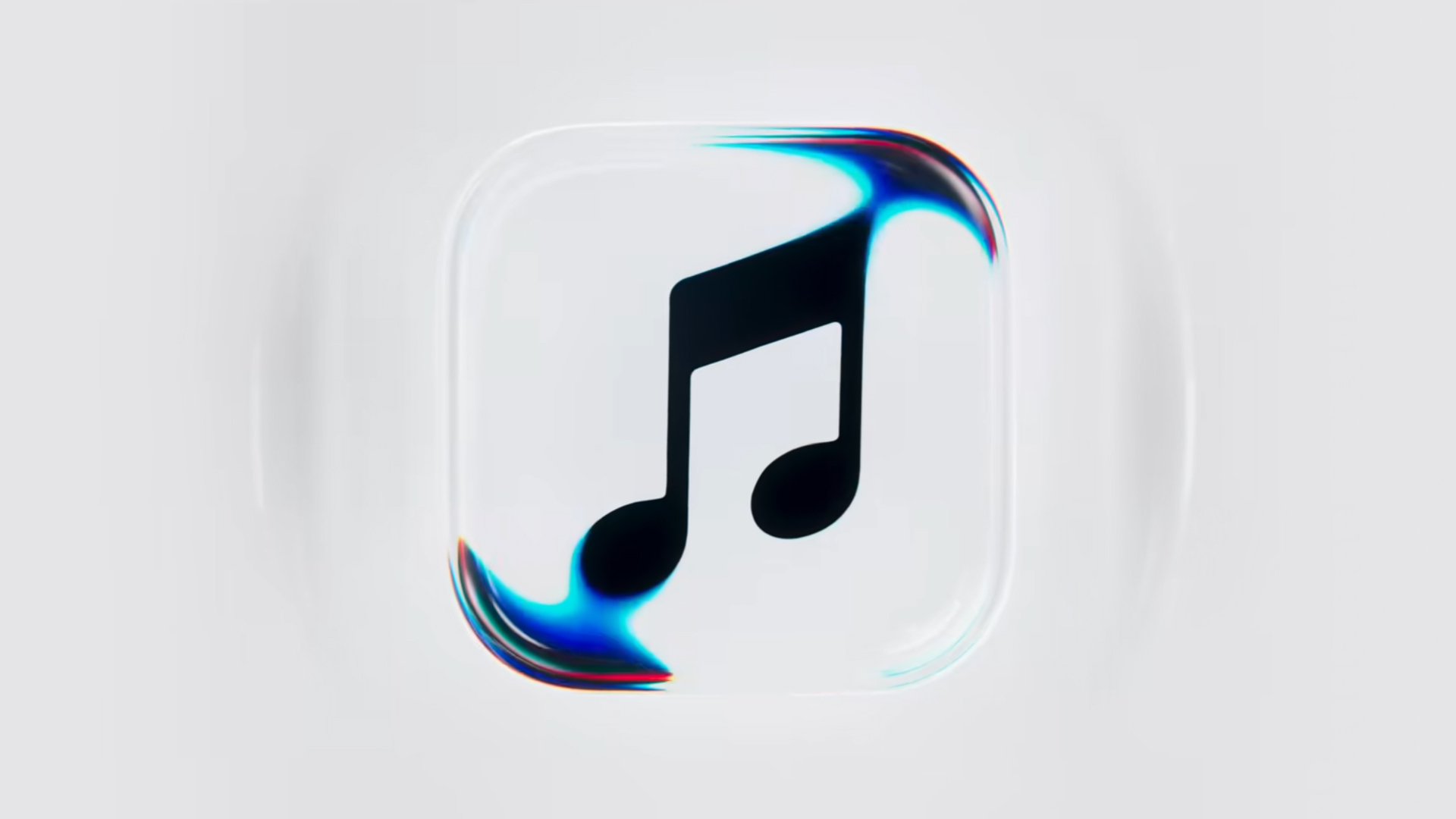
Apple Music is getting a revamp. In one of the tamer things going on with the brand today, Apple has introduced a new design language for its native music streaming platform.
In the midst of all the hubbub surrounding the iPhone Duo, Apple released a change in the visual identity of Apple Music. Rather than a static logo, the platform’s newest evolution offers a dynamic look that melds Liquid Glass and the power of sound together.
Confirmed through a behind-the-scenes video, Apple says that the new aesthetic was made with practical effects. Music producer Fred Again and NEST Acoustics submerged the platform’s logo in a tank of mineral oil and creating ripples with sound. The new language matches well with the chrome aesthetic typical of today’s trends and… well, Liquid Glass, of course.
Apple says that the more ripple-filled version will play before longer content like concert recordings (similar to Netflix’s startup stinger). Meanwhile, a black-and-white version will replace the app’s icon currently colored red and white. Current previews show off a simple logo, but it’s unknown whether Apple is adding a but more elements when the final version drops.
The updated version will debut for users after next week’s iOS 27.2 and macOS 27.2 updates.
SEE ALSO: Apple iPhone Duo Unboxing and Hands-on
Apps
Disney+ strengthens footing as go-to sports streaming app with UFC, NBA, more
ESPN on Disney+ brands itself as ‘new home ground for sports’


Disney+ is strengthening its footing as a go-to sports streaming app as ESPN on Disney+ is now available in the Philippines, one of its markets with a huge sports-loving fanbase.
The launch coincides with a brand new campaign, “Ito ang Homecourt Mo!” (This is your homecourt!), welcoming Filipino fans to a new home ground for games, stories, and moments.
Subscribers can access live events, on-demand replays, studio shows, documentaries and original programming together in one dedicated destination through ESPN on Disney+.
Production and coverage will be led by ESPN, delivering high-quality broadcasts, commentary and expert analysis across the sports season where available, alongside Disney+ general entertainment and family programming.
Following last season’s success, NBA returns to ESPN on Disney+ with matchups during NBA Tip-Off Week.
Christmas Day games will also be available to stream, including the NBA Finals rematch between the New York Knicks and San Antonio Spurs and the Philadelphia 76ers versus the Los Angeles Lakers.
Playoff games through the conference finals shall also be streamed live and on demand.
Meanwhile, the UFC is among some of the new regular sports programs Filipinos can watch on Disney+.
The action kicks off at UFC 333 in Abu Dhabi scheduled on October 25, where two world championship titles are expected to be on the line: UFC featherweight champion Alexander Volkanovski takes on undefeated No. 1-ranked contender Movsar Evloev, and UFC bantamweight champion Petr Yan defends against former champion and No. 1-ranked Merab Dvalishvili.
Alongside live UFC numbered events and UFC Fight Nights, fans will have access to a library of classic fights and curated UFC content.
There will also be the original and and behind-the-scenes programming, including UFC Countdown, UFC Connected, UFC Main Event, UFC Fight Flashback, UFC Reloaded, and ROAD TO UFC.
A new home ground for sports
Other notable sports programming will include the Formula E 2026/27 season, with practice, qualifying and main races across 21 rounds in 13 host cities.
Also available on Disney+ are NCAA events, including March Madness, and Australia’s National Basketball League (NBL), with all games live across the regular season and championship series.
ESPN’s popular 30 for 30 documentaries will continue to be available on the platform. The line-up also features ESPN studio shows, including ESPN FC and Pardon the Interruption.


ROG G700 review: The best prebuilt PC you can get off the shelf
This PC will make you stop worrying about specs.


HP OMEN Max 16 review: Gamer-maxxing in deep black
Peripherals deemed necessary to max this out


vivo V80 review: Good phone, tough sell
A capable travel companion

What the MacBook should touch on instead

realme 16 Pro 5G Harry Potter Edition: Price, availability in the Philippines

TechLife Pad Neo SE: Price, availability in the Philippines

PlayStation unveils Prism Collection

Apple unveils MacBook Pro with PROLED XDR display and Touch


-

 News2 weeks ago
vivo V80 debuts with ZEISS cameras
-

 Philippines2 weeks ago
TECNO CAMON Slim 5G gets launch discounts, free MagBadge
-

 News2 weeks ago
Samsung: Galaxy Z Fold8 demand rose because of iPhone Duo
-
Reviews2 weeks ago
vivo V80 review: Good phone, tough sell
-
![KINGDOM HEARTS Collection [I-III]](https://www.gadgetmatch.com/wp-content/uploads/2026/10/kingdom-hearts-colletion-I-III-202610-400x240.png)
![KINGDOM HEARTS Collection [I-III]](https://www.gadgetmatch.com/wp-content/uploads/2026/10/kingdom-hearts-colletion-I-III-202610-80x80.png) Gaming2 weeks ago
Gaming2 weeks agoKINGDOM HEARTS Collection [I–III] now available on PS5, Switch 2
-

 News1 week ago
OPPO Find X10 Series: Price, availability in the Philippines
-
 Buyer's Guide2 weeks ago
iPhone Duo Philippines: Prices, installments, and where to buy
-

 Cameras1 week ago
DJI Osmo Pocket 4P Pearl White now available globally