
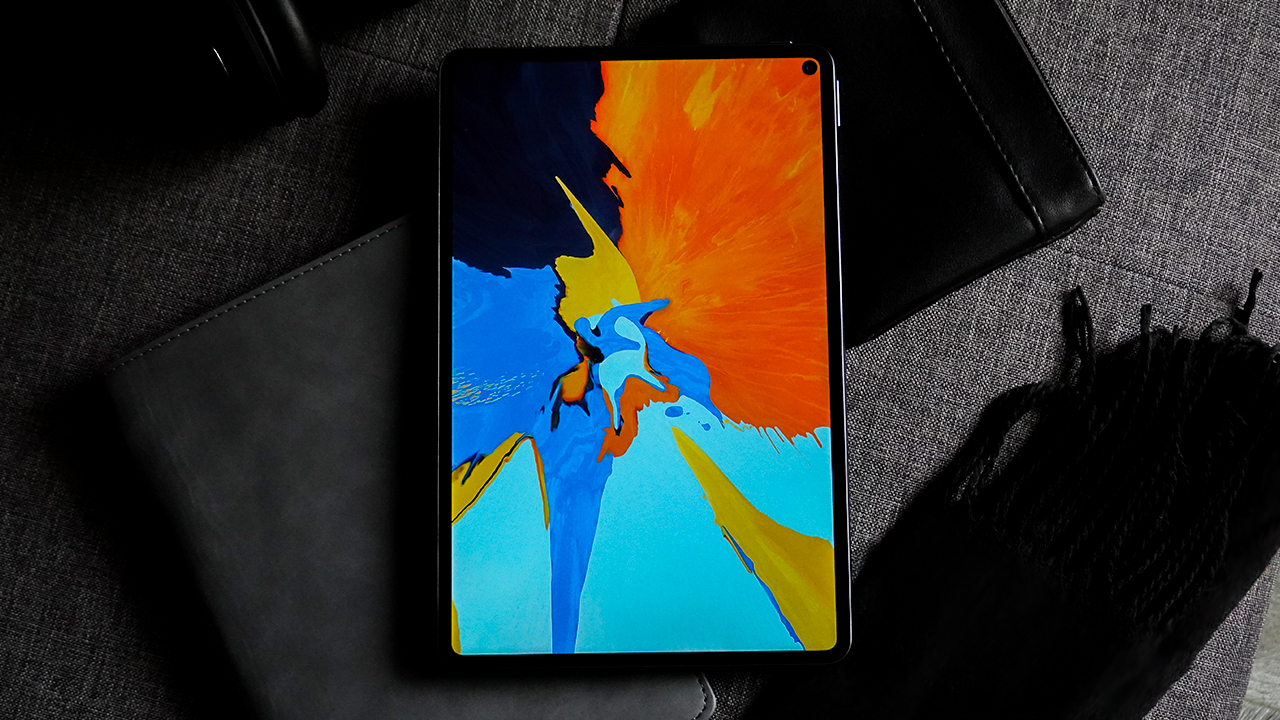

When the Huawei MatePad Pro came out, I was most ecstatic. It’s the closest thing I can get to an iPad Pro alternative.
Frankly, iPads are investments — a risk I can’t take yet. It’s expensive, and it’s best used when you’ve fallen in love with Apple’s ecosystem. (And I haven’t since I only use a MacBook Pro.)
Truth be told, I only wanted that magical tablet so I can keep on drawing and painting. Spending five years in the workforce, I haven’t been able to stay in touch with my creative side despite doing creative work.
Busily juggling work and life, I forgot how it felt to create personal art.
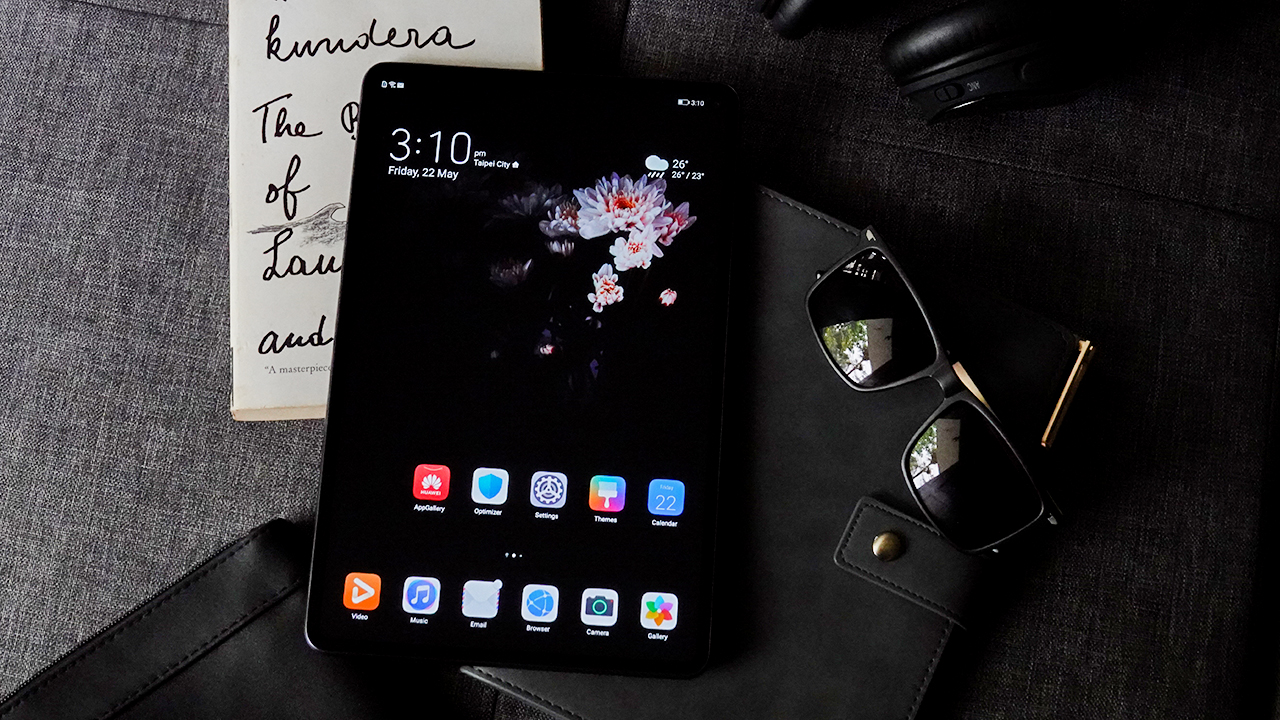
Knock, knock! Who’s there? It’s me, an iPad Knock-off!
I got the MatePad Pro packed on a gracious white box with rose gold labels. It would’ve been appeasing if the labels came in a cohesive style.
Open the box and you’re welcomed by a beautiful Android tablet… that looks like an iPad Pro. Personally, I hate knock-offs. I believe everyone should strive to produce something original because we’re all born artists.
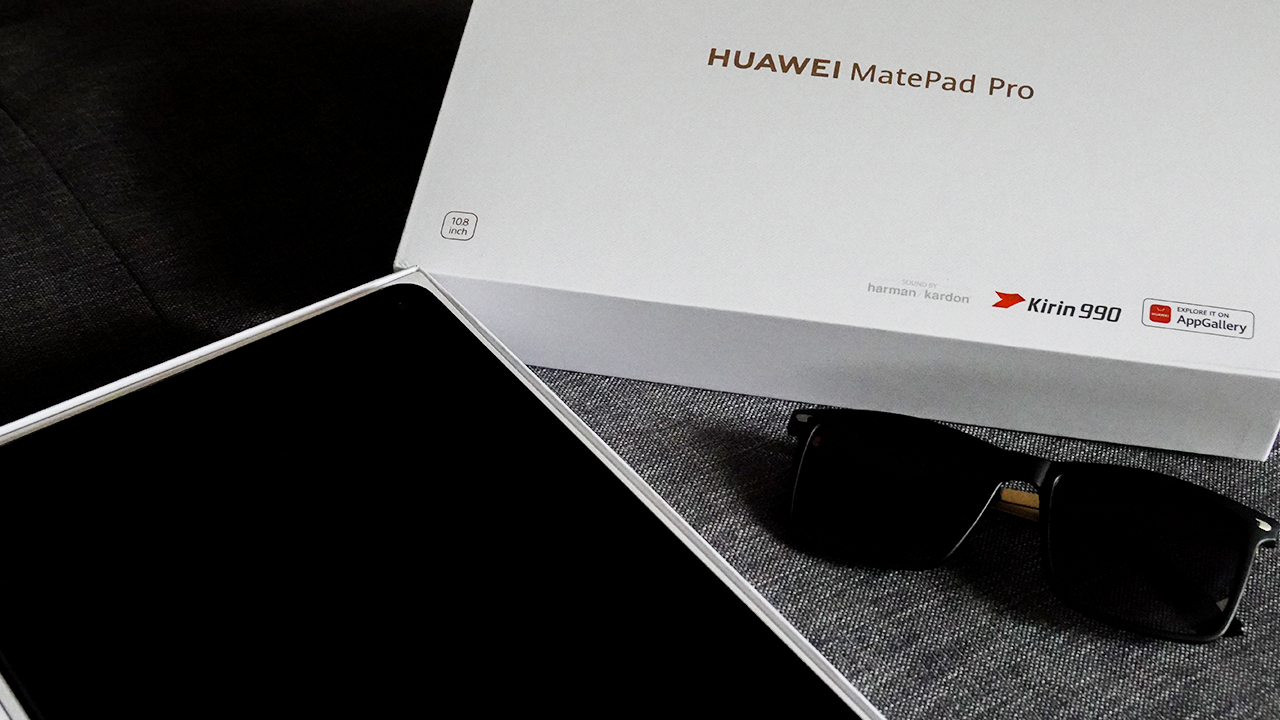
When I took the tablet out of the box, I was surprised how lightweight it was. It’s like carrying a notebook! This, despite having a glass front panel and aluminum frame and body.
The MatePad Pro comes with a 10.8-inch IPS LCD screen. Even though it doesn’t use an AMOLED display, it still has an impressive screen resolution of 2560×1600 pixels, brightening up as high as 540 nits.
I may not love an IPS LCD screen, but I used the MatePad Pro’s screen in different lighting conditions with gusto. You can set the brightness to really bright. So bright that it looks brighter than my future.

Moving to its sides, the MatePad Pro is fairly thin. On its top-right side, you can find the power button. On its left, there’s a sim card slot while on the right, you can find the volume rockers.
Color me ‘premium’
So far, the MatePad Pro looks exceptional for a ‘premium’ Android tablet. Although, there are points of improvement for this big slab of metal. Anything you call ‘premium’ should make you want to glide your fingertips and feel something — which I didn’t experience using the MatePad Pro.
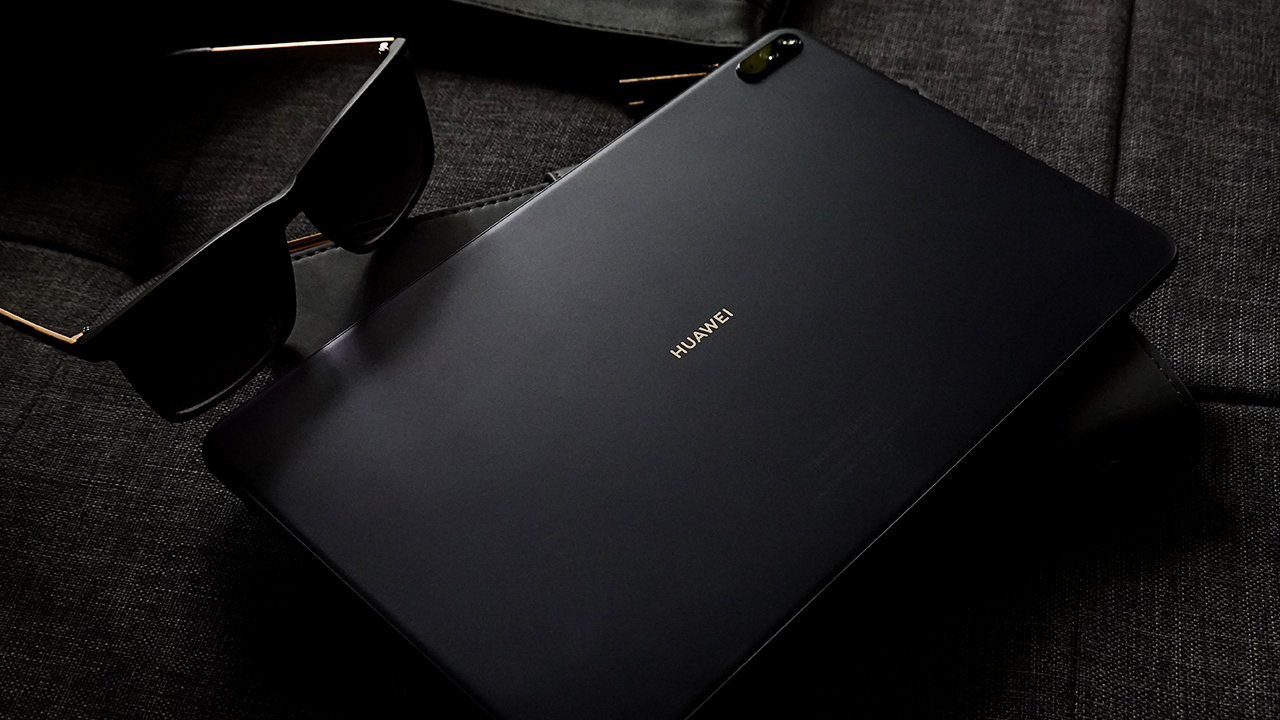
This particular unit I have comes in Midnight Grey, made of aluminum and fiberglass back panel same as the Pearl White variant. This combination gave it a matte-like finish, resulting in the tablet’s resilience to smudges and scratches.
On the other hand, the Forest Green and Orange colorways received a Vegan Leather treatment. Although it’s not entirely Vegan (please don’t get me started on this topic because it deserves another story), I firmly believe that Huawei should’ve used Vegan Leather for all variants.

The purpose of ‘premium’ products is to offer something different so consumers would be inclined to pay extra. A fiberglass chassis is something any consumer can get on most smartphones in the midrange segment nowadays. That’s not very ‘premium’.
iPad-like peripherals
Placing the tablet aside, the MatePad Pro comes with essential accessories in the box. There’s a SuperCharge adapter along with a USB-C cable, a USB-C to headphone jack adapter, and a Sim Ejector Pin.
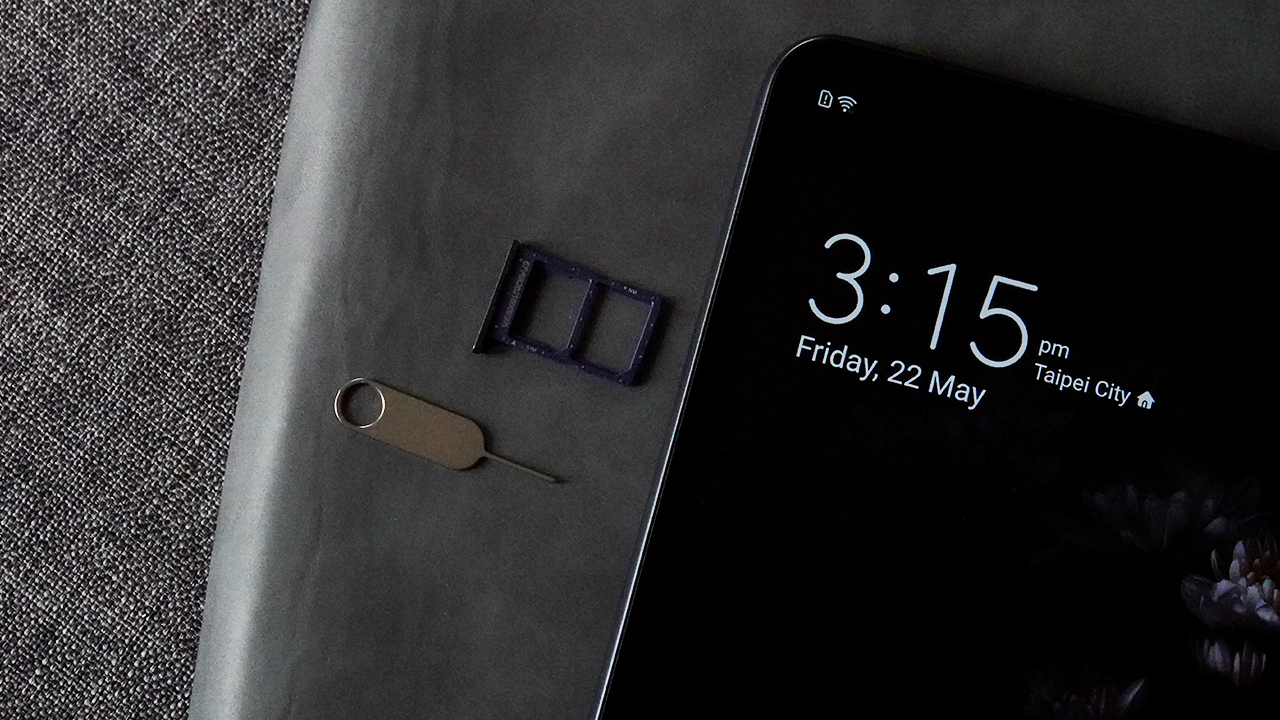
What made me gleeful is the peripherals that came with it: the Huawei M-Pencil and a Smart Magnetic Keyboard.
The M-Pencil is pretty much like the Apple Pencil. It’s a wireless stylus priding itself with 4096 levels of pressure sensitivity, tip-tilting functionality, and 10 hours of battery life.
It attaches to the right side of the tablet magnetically, fully charging itself for at least an hour when docked. Yes, the stylus charges quickly and lasts longer than your conversation with your crush.

There’s also a Smart Magnetic Keyboard, acting like Apple’s folio keyboard covers. It comes with an ultra-thin keyboard in a protective leather case and supports quick Bluetooth pairing. It also wakes the tablet up or puts it to sleep when covered, and offers a folding stand design for your convenience.
Almost perfect Folio cover
Personally, I like this keyboard cover since it comes in a gorgeous leather that made me feel secure (and want to touch it every now and then). It was a brilliant comeback after a heedless attempt to look premium sans the cover.
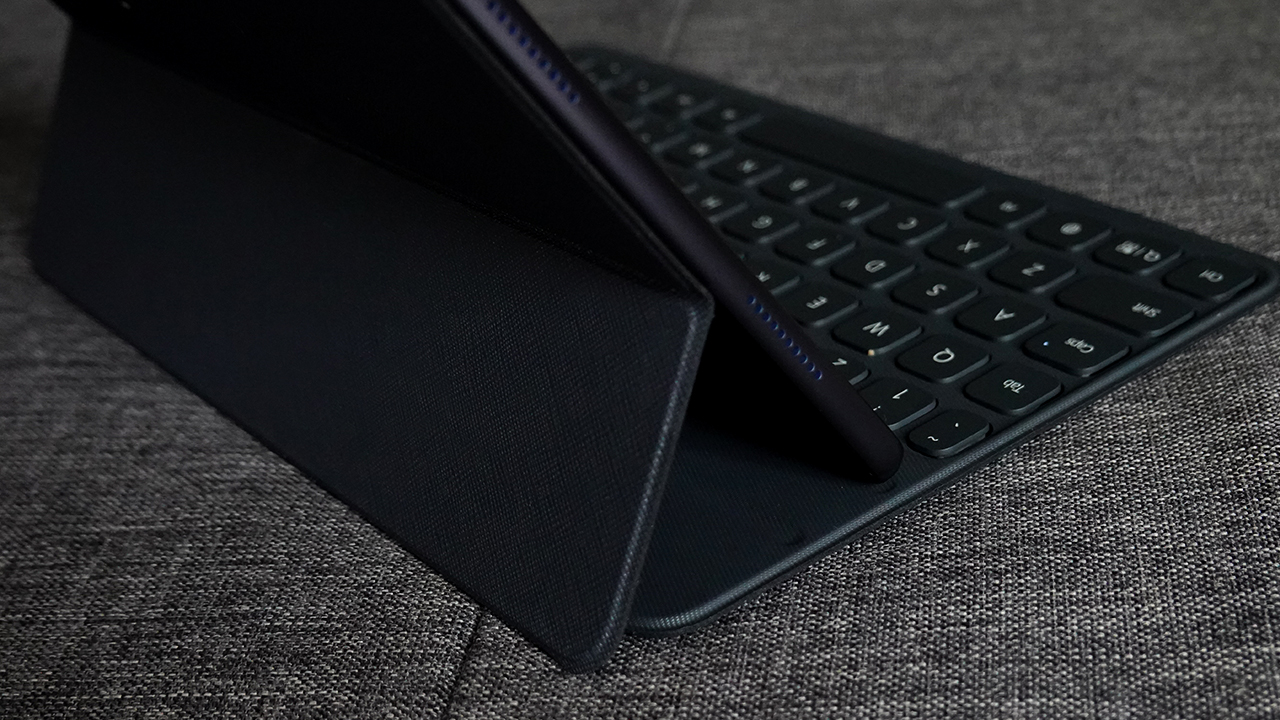
However, there are some nuisances. When using the keyboard cover, your viewing angle is limited to up to 60 degrees. Also, the magnet isn’t firm since I find the tablet slipping out repeatedly.
Typing might be difficult too, since it’s cramped but with too much space between keys, and travel is a bit shallow. You need to adjust fully before you get comfortable typing on the MatePad Pro.
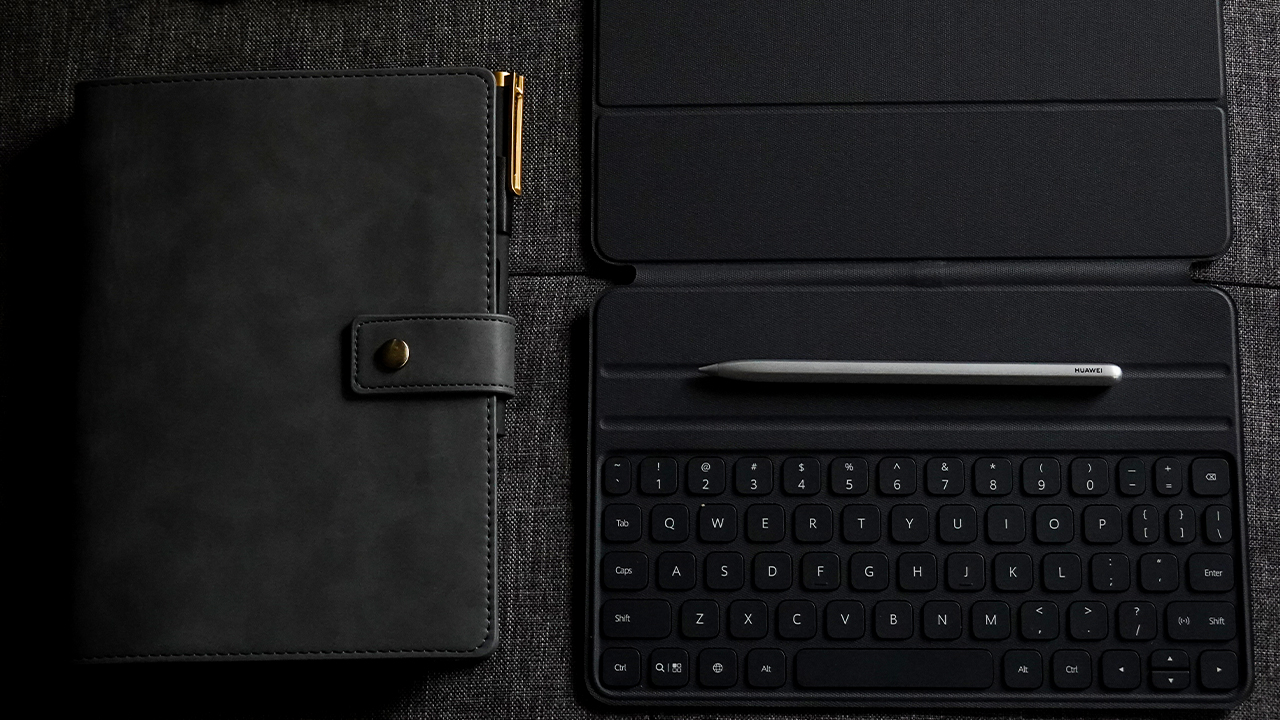
On the bright side, this peripheral can help people do their work on the go. I’ve used the keyboard multiple times when drafting my stories. It’s really far from your usual laptop experience, but it offers convenience to do your work wherever you want.
Your own mini home theater
I always bring the MatePad Pro with me whenever I go to eat. The screen may not be my favorite, but I can’t pass on the opportunity to entertain myself with a screen this large.
Besides, it has two speaker grilles each on both the top and bottom sides. Thanks to its quad-channel speaker setup tuned by Harman Kardon, you get an audio-visual treat whenever you watch on this tablet.

I’ve watched A World of Married Couple on Viu and finished six seasons of Community on Netflix during my stint with the MatePad Pro. My experience felt like bringing a mini home theater with me. It was spectacular that I found myself watching TV shows more than working.
If you’re not into watching K-dramas and other TV series, you can play your favorite games. After all, it sports Kirin 990, the same powerful processor as the Huawei P40 Pro.
The tablet also runs 8GB of RAM, 256GB of internal storage, and a Mali-G76 Mp16 graphics card. It’s easy to play graphics-intensive and memory-consuming games like Asphalt 9.
Surprisingly capable cameras
I don’t expect tablets to come with extraordinary cameras. Having said that, the MatePad Pro mounted entry-level cameras for both its front and rear. It has a single 13-megapixel lens on its rear, taking slightly saturated photos that lack detail.
Using natural light

Using artificial light
On the other hand, its 8-megapixel front camera is perfect for your occasional selfies and recording your TikTok challenges.

With proper lighting

Against the light
Content creators can utilize this tablet’s video features such as 4K/30p and 1080p video recording. Anyhow, cameras aren’t really a tablet’s strong suit, but it’s amazing to see that even a big slab of metal can take photos and videos decently.
Taking productivity to new heights
If you own a Huawei phone just like I do, you can take full advantage of the MatePad Pro’s features. It’s all set to help you relish Huawei’s ecosystem.
For instance, I use the multi-screen collaborate feature when working out, allowing me to use Nike Training Club on a bigger screen. You can switch it to landscape format and enter a full-screen mode.
This makes it easier to follow forms and exercises easily without squinting my eyes while I’m sweating.

Since my Huawei Mate 20 Pro has Google Mobile Services, I used to do my work remotely although I find it difficult to be productive on a tiny screen.
Connecting my phone to a tablet allowed me to work at the comforts of my couch, in the kitchen, or even when I step outside to my porch to get some sun. You don’t have to be tied at your desk anymore!

Moreover, the MatePad Pro runs EMUI 10.0 based on Android 10. Navigating the tablet is easy when you’re familiar with the interface, and you get Huawei staples such as Huawei Share.
While I don’t have Google Drive to organize and transfer my files saved in the tablet, I was able to use Huawei Share to transfer everything I need to my phone. Alternatively, you can use the Email app and connect your Gmail account to send your files.
The experience is similar to using Gmail’s app, the only difference is it’s named Email and it doesn’t have Gmail’s interface design.
Finding a way to connect with everyone
Huawei’s latest new video-calling feature, MeeTime, is also available on the MatePad Pro. Together with the P40 series, this feature allows you to have high-resolution video calls (up to 1080p) despite having poor network quality — something most users experience in some parts of the world. (Ahem, Philippines!)

However, MeeTime would’ve been a lot better if it’s made available to older Huawei devices. This would make it easier for people to appreciate the growing Huawei ecosystem, allowing users of older models to connect with new ones.
Another alternative would be using messaging and social apps available in the AppGallery. There’s Viber, Snapchat, and of course, Zoom — which I used to attend a virtual baby shower!
Playing it safe
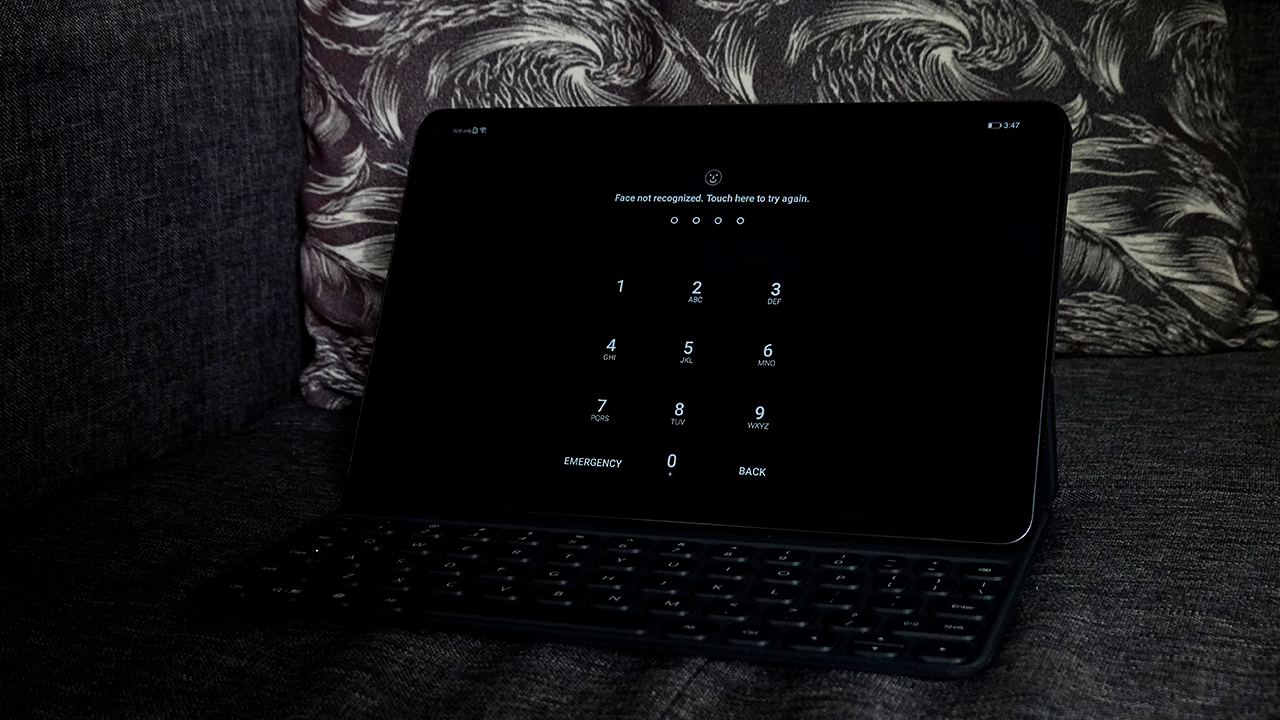
For a premium tablet, it sucks how it doesn’t have a fingerprint scanner. The tablet relied on the usual password-protection and facial recognition for its device’s security. Nonetheless, the facial recognition works fast enough to easily access the tablet.
On the other hand, online security is something we care about for devices launched in this decade. In my exclusive interview with Huawei from a data and security conference last year, the company explicitly said they’re not allowed to touch data, as it’s a policy from top-down.
In that same conference, both Huawei and Samsung shared the same sentiments of being cautious of what you download. Even with Google Play Store, some apps are intentionally hiding malware, and some harvest your data without your permission.
If you use AppGallery or APK sites online to download your favorite apps, always read the fine print. The terms and conditions might be boring to read, but it’s important and necessary. At least, the part where it discusses how your data will be used.
Talking about online security might be scary, and if you’re scared of downloading apps using other means, download the apps officially from their respective sites. For instance, Facebook, WhatsApp, and even PornHub offer their apps and official APKs so you can enjoy their platforms.
A piece of technology for every creative
Moving on to its performance (creatively), the MatePad Pro is a great iPad Pro alternative for beginners and those who aren’t ready to make the switch from Android to iPadOS.
I used to borrow Michael Josh‘s iPad Pro whenever he’s around and the experience always felt like euphoria — absolute bliss.
My stint with the MatePad Pro gave a similar high, albeit far from replicating the exact, same vibes. First, the Huawei M-Pencil has first-rate pressure sensitivity, pen latency, and accuracy that I found it easy to translate my ideas visually.
Working on my illustrations was such a smooth experience, I didn’t notice I’ve been making art for three hours straight — both sketching, trashing my drafts, and coming out with an output that I like.

A rough painting of a coffee with marshmallow using MediBang Paint
Most of my favorite drawing apps are available through APKs, such as ArtFlow, Infinite Painter, AutoDesk SketchBook, MediBang Paint, and IBIS Paint X. AppGallery has Concepts and other drawing apps, too, but I found those apps limiting.
If you’re a beginner, intermediate, or professional artist, you can benefit from apps with intensive features and brushes, allowing you to focus on creating freely.
So why do people call it an iPad Pro killer?
The MatePad Pro is a powerful Android tablet, no doubt. When you activate its Desktop Mode and pair it with the Smart Magnetic Keyboard, you can enjoy a PC-like experience albeit at a much slower pace.
You can easily connect it to present your decks and proposals, or work on it as if it’s a smaller laptop. Netbook if you say so, in case some of you still use that decade-old terminology.
The MatePad Pro really shaped itself up as a productivity tool. You can transform the way you work, and it can certainly handle whatever you throw at it.
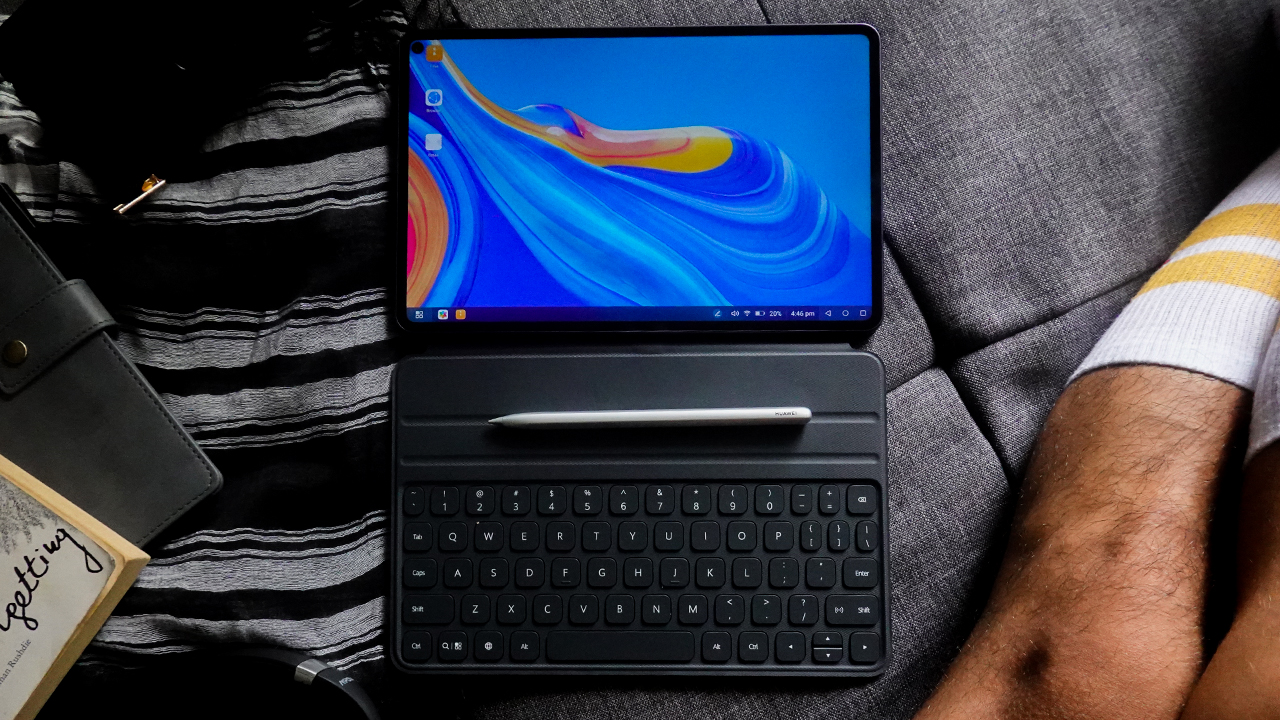
It’s primarily the reason why people dubbed it as an iPad Pro killer. It’s premium and it can do whatever the iPad Pro can, at a much affordable price. But claiming it as an iPad Pro killer is a bit of a stretch.
Why is it far from being an iPad Pro killer?
The MatePad Pro might look like a knock-off iPad Pro, or an affordable tablet alternative for those who can’t afford the iPad Pro yet, but they’re very different.
Comparing the MatePad Pro and the iPad Pro is like comparing pears and apples (pun not intended). Sure, they have the same structure, exuding similar design and performance. Yet the taste, experience, and what you can do with it do not yield the same results.
The real reason why people buy the iPad Pro isn’t because of the brand. It’s because of the ecosystem and the apps found exclusively on Apple. If that’s not the reason why people buy it, that’s for another story.
But ask any artist — particularly digital painters and illustrators — and you’ll realize they all love the same app: Procreate. Moreover, some apps are inherently superior to their Android alternatives (like the apps I mentioned).
For instance, Affinity Designer and Affinity Paint are noteworthy creative apps that designers enjoy. I could go on and on, but most apps on Apple are developed with creatives and professionals in mind.

A Mother’s Day illustration I made using AutoDesk SketchBook
We can always say that it’s always the artists and not the tools. It’s evident in my works that I can create my illustrations, whether on the MatePad Pro or the iPad Pro. You just need to be resourceful, right?
Even so, these tablets are investments. We’re paying an exorbitant price to get the best experience. Not having Google may have been troubling, but developers are now expanding outside Apple and Google.
If Huawei capitalized on this situation and brought the same apps that artists enjoy on the iPad Pro, the MatePad Pro would’ve been an excellent powerhouse and would live up to its billing. Until then, stop trying to call it an iPad Pro killer. Because it’s not.

Is this your GadgetMatch?
If you’re looking for premium tablets as your work-life balance companion, the MatePad Pro is an excellent choice — as long as you love tinkering. Still an Android, the MatePad Pro ignited the tinkerer inside me; customizing the way I want my tablet to be.
For beginners getting into digital arts, the MatePad Pro is a prominent alternative belonging to the major leagues. You can start with the basics and get the hang of creating art digitally without investing in something that costs a fortune.
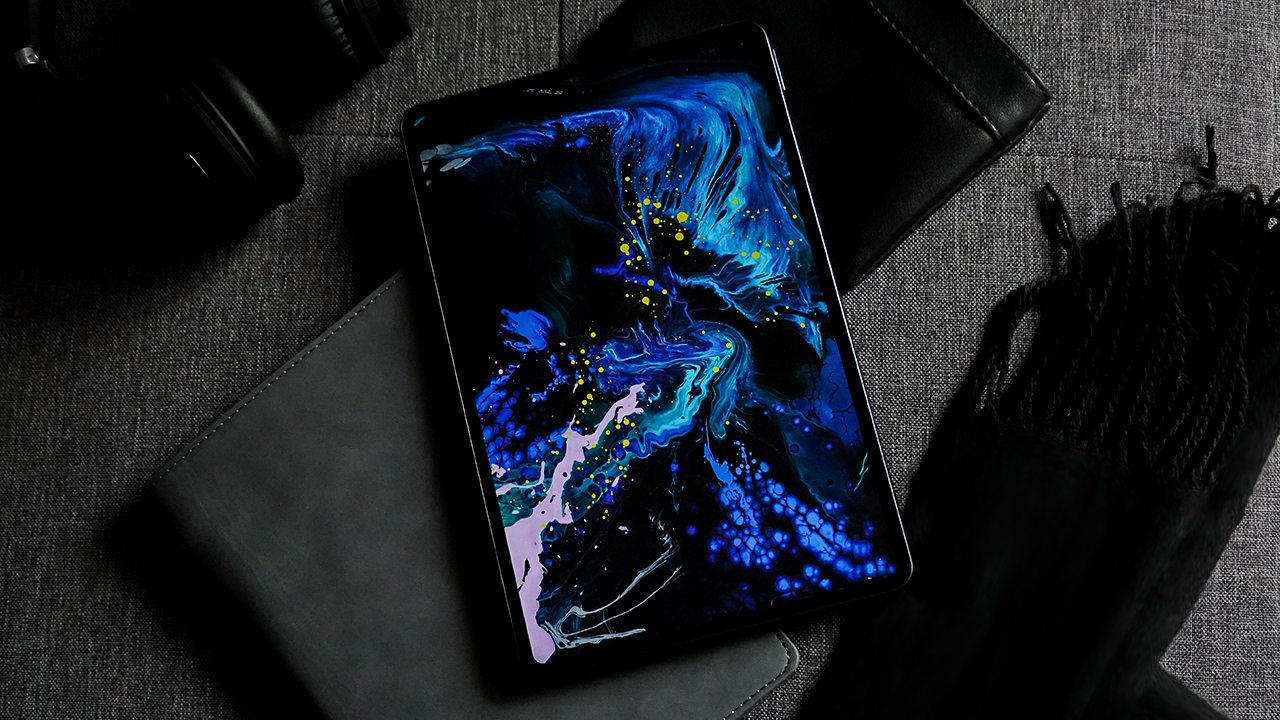
But if you’re looking for a premium tablet smart enough to hand everything to you, there’s a Samsung Galaxy Tab S6 at a much higher price tag.
Maybe, a non-pro iPad, too — in case you really want an iPad. Nonetheless, the MatePad Pro is an affordable alternative with a near iPad Pro experience.
The Huawei MatePad Pro is priced at PhP 32,990. You can get this tablet at Lazada, Shopee, MemoXpress, Abenson, Bluelite, Intogadgets, Silicon Valley, FLW.PH, and Aerophone.
SEE MORE: Stay connected and creative with the Huawei MatePad Pro | iPad Pro 2020 Unboxing and Review







As someone who tells stories for a living, I’ve always stood behind the camera.
I know all too well that I’m exceptional at framing people and landscapes, capturing moments that make sense later.
When I flew to Northern Mindanao, I told myself I was going for a change of scenery. I wanted to exist inside my own narrative, too.
Bukidnon became the perfect backdrop for getting to know myself in and behind the frame. In my pocket was the OPPO Reno15 5G in Aurora White.
There were no expectations of the smartphone being part of the story. I just wanted to see if I could trust it to document my adventures.
Surprisingly, it did.
Refinement over noise
I’ve always been drawn to designs that stand out. Covering the Reno series from its earliest iterations up to the Reno15 has been a hallmark of my career in journalism.
I like pieces that catch attention. As a Leo, I’ve always loved it — in how I dress and in the items I carry. In the past, that meant bold finishes and loud statements, much like the Reno lines before this.
As I grew and aged gracefully, my taste evolved. I still want to demand some form of presence. I just don’t want it to feel abrasive.

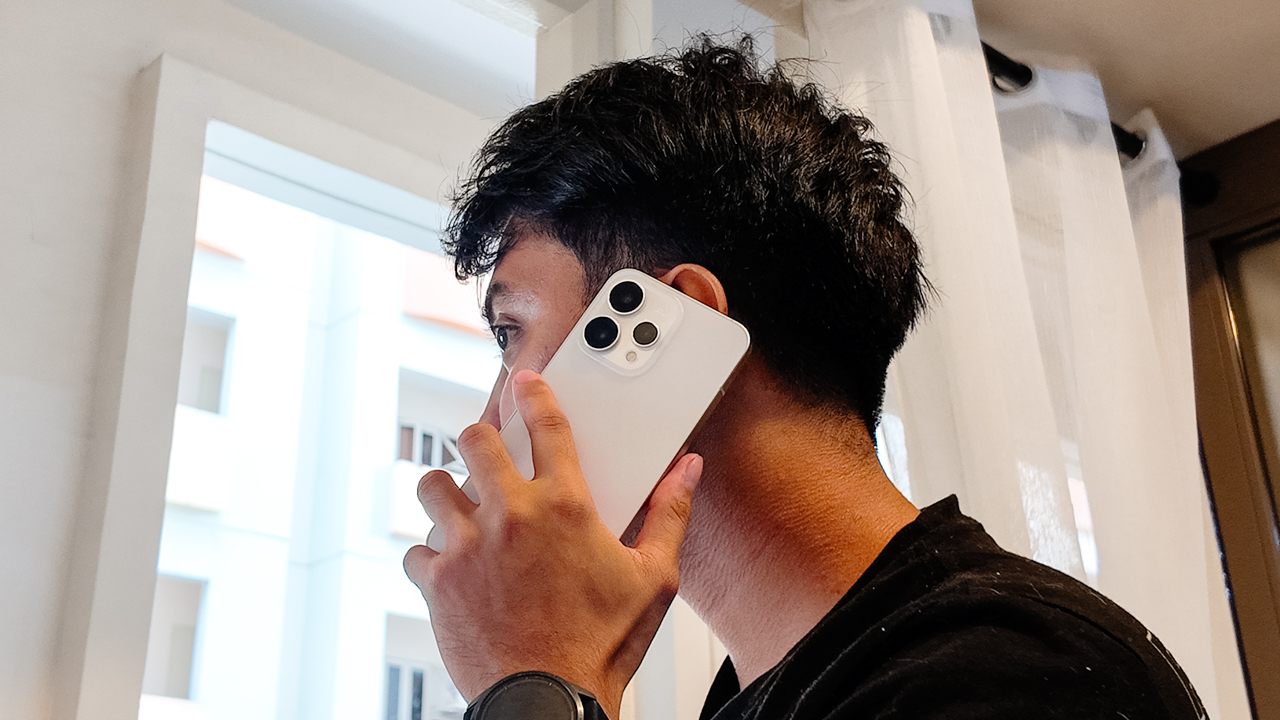
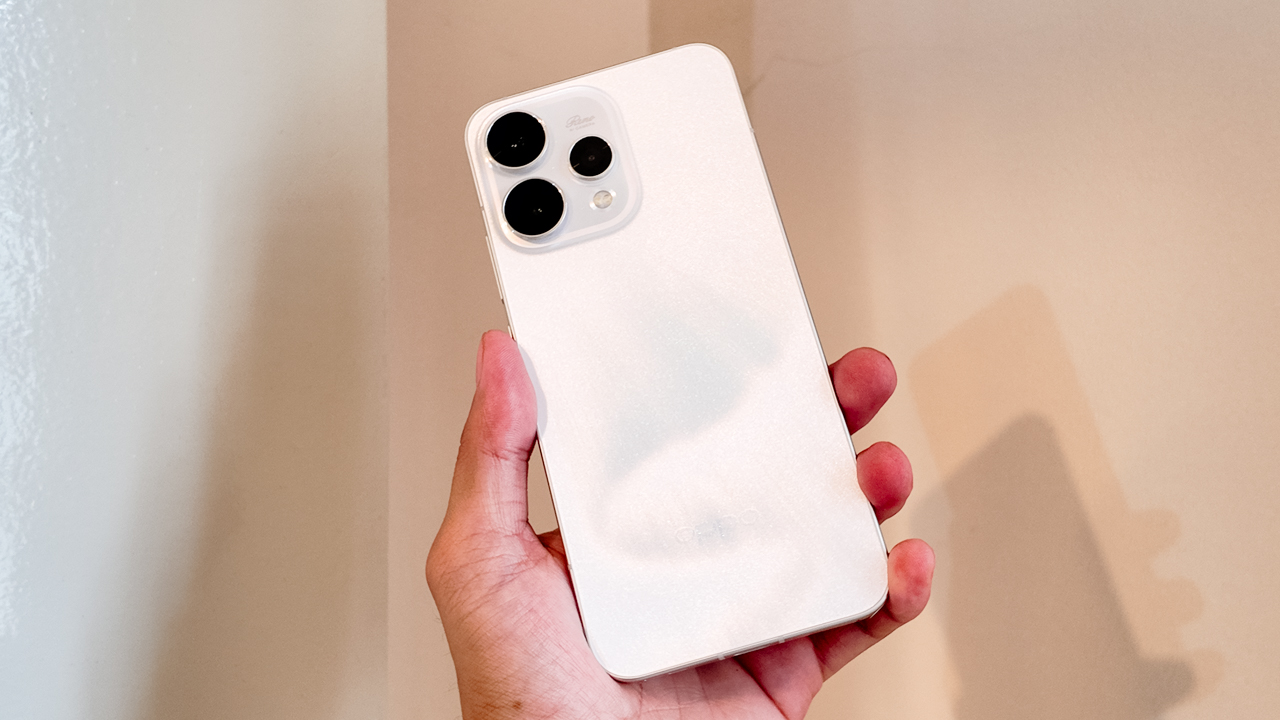
The Reno15 demands attention without being loud. The Aurora White finish looks clean and polished from afar. Up close, the surface shifts under light and a shimmer reveals itself only when you move it.
The glass back flows seamlessly into the camera module, so the silhouette feels cohesive rather than decorative. It still carries that flat-edge familiarity people love to compare to an iPhone, and I get why.
In hand, the Reno15 5G feels substantial at 197 grams, yet it never became uncomfortable during long days of recording across different adventures.
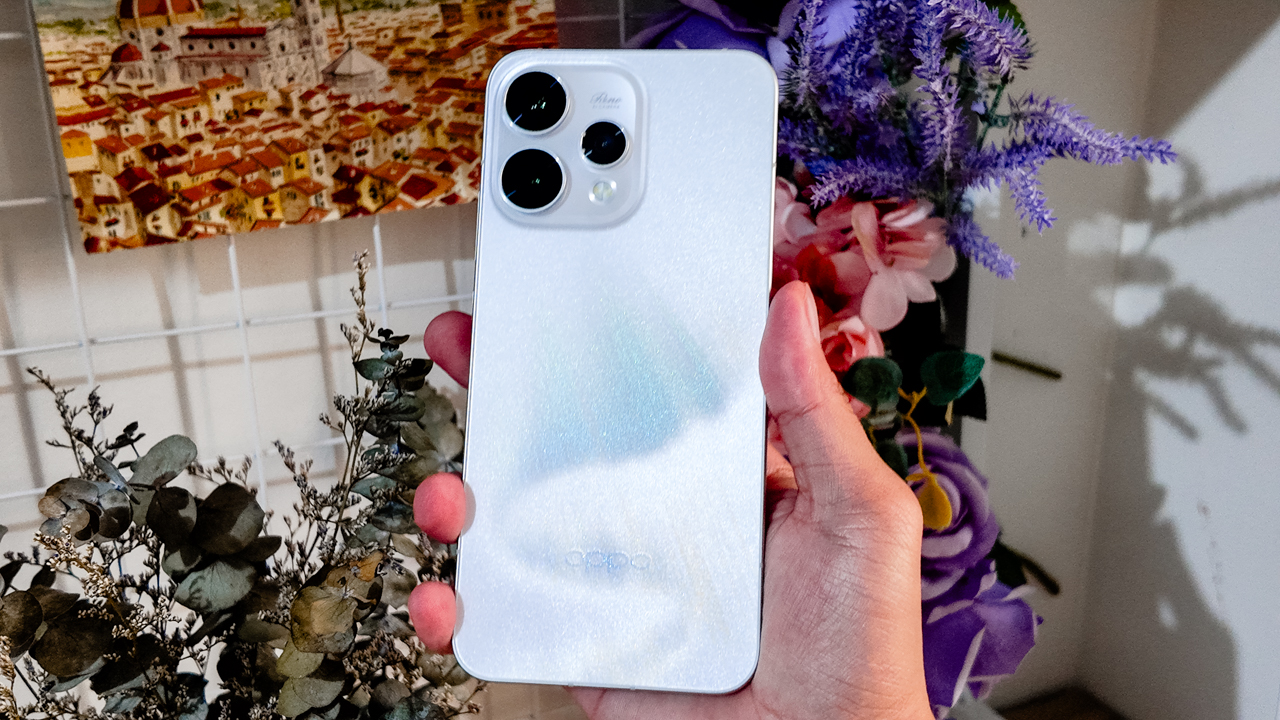
The 6.59-inch frame sits comfortably when I’m scrolling one-handed or holding it up to film while moving, like when I rode a 4×4 to a ranch, gripping it tightly as rough terrain threatened to jolt everything out of place.
That said, I live actively. I move between environments without babying my devices. My arsenal looks like gear ready for battle, and that sums up what I need from a smartphone.
The Reno15 5G’s IP66, IP68, and IP69 protection means this beauty is tougher than it looks. It resists dust and handles water exposure. Add Splash Touch support, and even slightly damp fingers don’t interrupt what I’m doing.
Light under pressure
For someone who practically lives under the sun, the display became both a companion and a challenge.
When I was filming in open fields, the Reno15 5G’s screen sometimes struggled against harsh midday light. Even at 1200 nits in high brightness mode, the glare could be relentless.
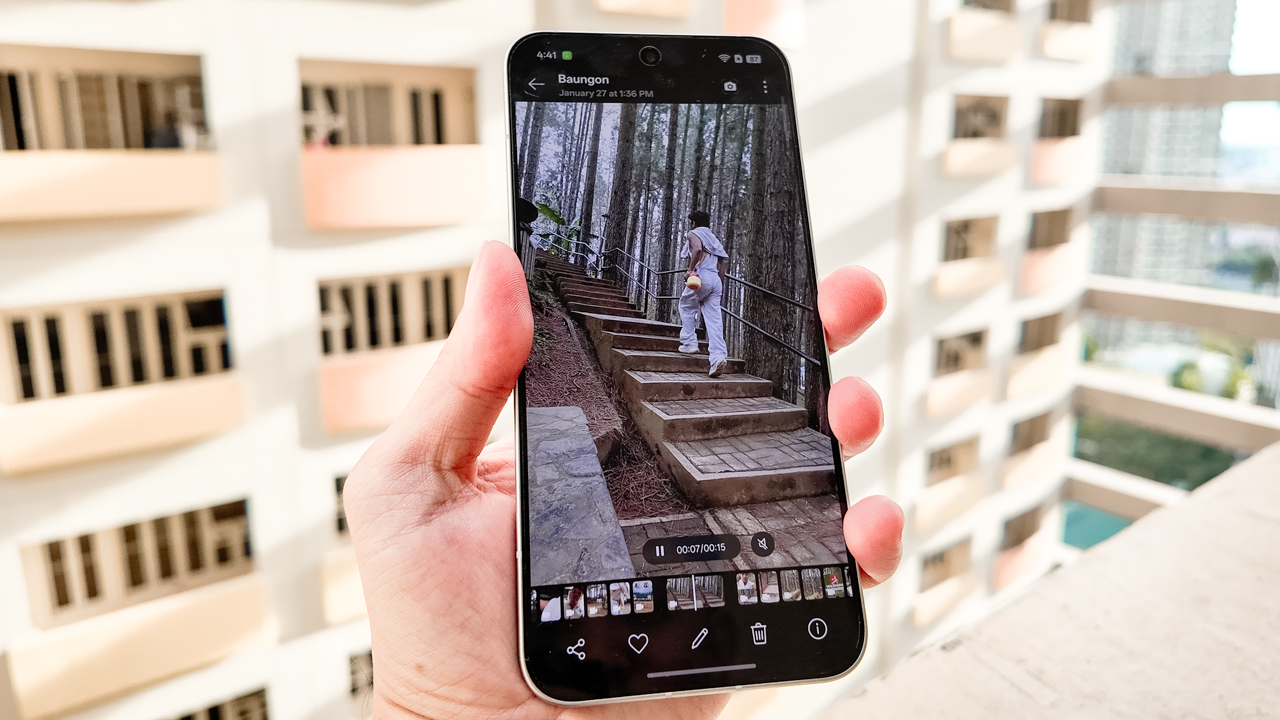
I found myself stepping into pockets of shade, tilting the screen at careful angles, squinting just to confirm whether a shot was framed properly.
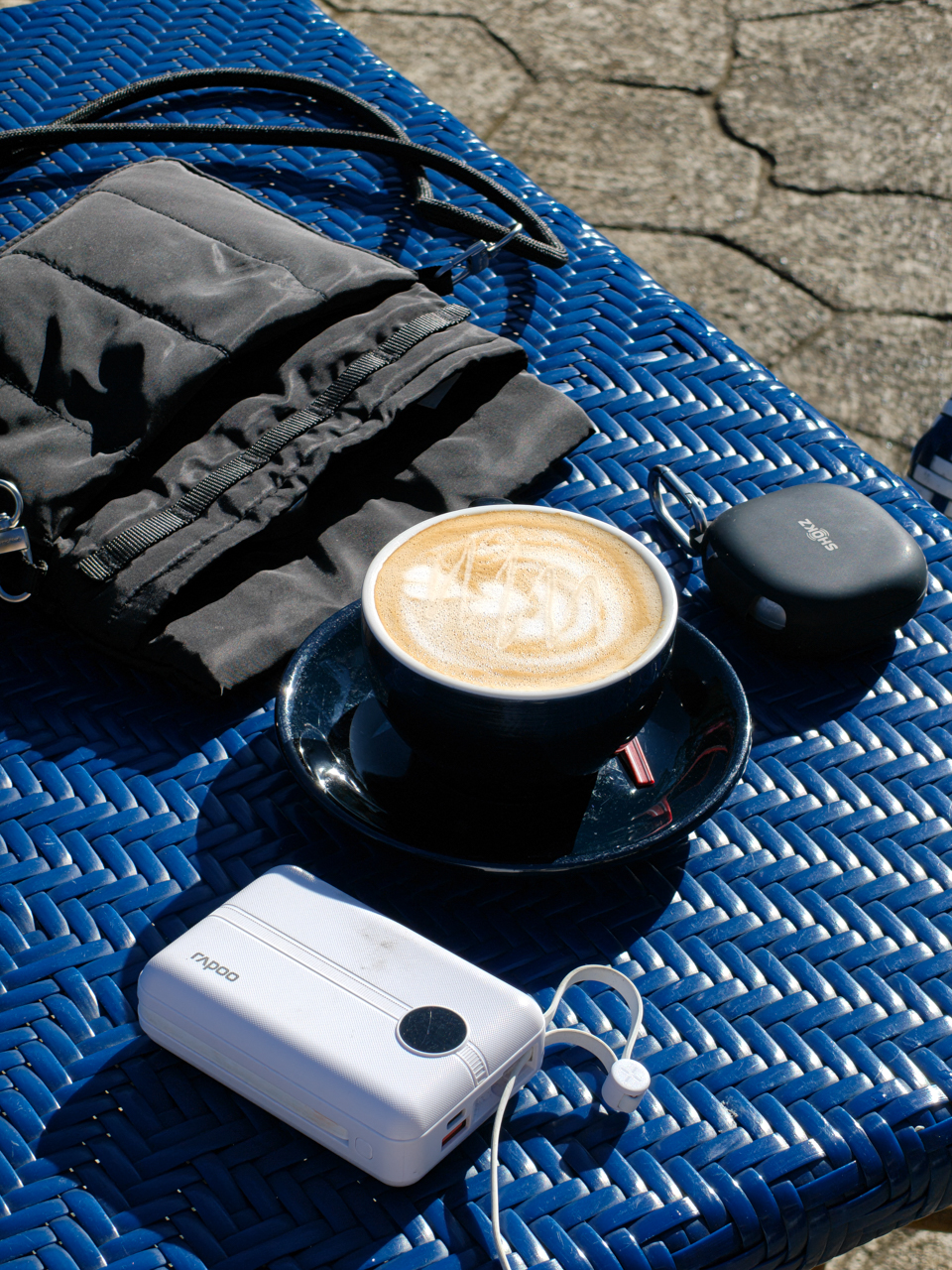
On days when there was no escaping the sun, I trusted the camera and my instinct for composition. I mounted the phone on my Ulanzi tripod, positioned myself in the scene, and focused on performing rather than obsessively reviewing every second.
There was a learning curve, but it reminded me that sometimes you have to let the moment unfold and stitch the story together later from whatever you captured.
Now Playing: Undercover Hong
My life as a creative director isn’t all shooting and exporting. I consume as much as I create. Inspiration has always come from film and television.
Lately, I’ve been watching Undercover Hong on Netflix, with Park Shin Hye playing Hong Keum-bo, an elite securities inspector who goes undercover as a rookie employee inside a suspicious investment firm.

Set in 1997 Seoul during the Asian Financial Crisis, the series commits fully to its time period. The palette leans into muted browns and dusty blues that echo economic tension.
Interiors feel dim and textured and office spaces look rigid. The fashion reflects the late ’90s without turning into a costume. Nothing is polished for surface appeal because everything feels rooted in its world.

On the Reno15 5G’s 6.59-inch AMOLED display, those tonal differences came through clearly. Dark scenes retained shadow detail instead of collapsing into flat black, while warm tungsten lighting looked rich without veering orange.
Beyond inspiration, I trim clips and scrub through footage I captured during my trip. The 120Hz refresh rate makes swiping and scrubbing feel fluid.
Where nothing lags
As someone fond of flagship devices like my OPPO Find X9 and iPhone 16 Pro, I know immediately when a smartphone feels like a compromise. The OPPO Reno15 5G is technically midrange, yet it never felt like one.
From setup to day-to-day use, everything felt smooth. Apps opened quickly so I switched between shooting, editing, messaging, and uploading without hiccups.
My neurodivergent brain appreciated that it could keep up with the constant mental tabs I have open.
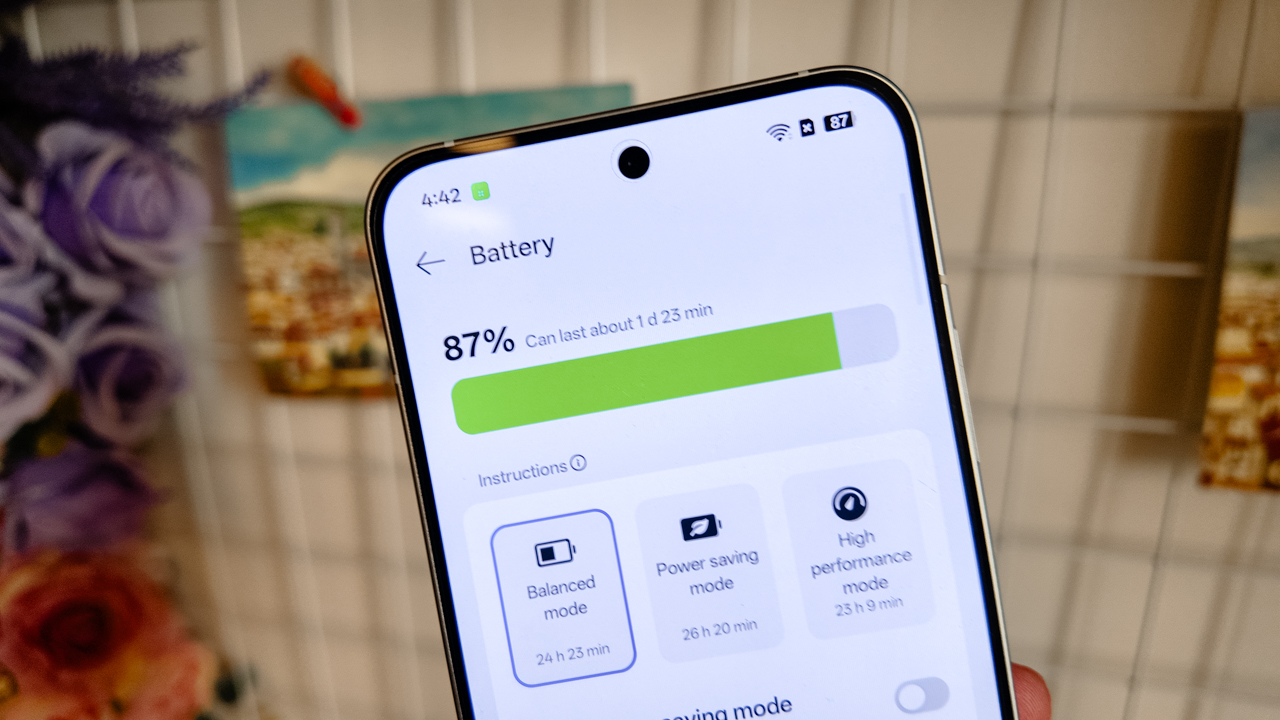
The 6500mAh battery lasted about a day and a half after shooting across cities and mountains. Charging took around 45-50 minutes from zero to 100% with 80W SUPERVOOC.
What I appreciated most was O+ Connect. I’ve used it before on the Find X9 and previous Reno devices, and it continues to make my workflow seamless.
It’s no secret that I exist deep within Apple’s ecosystem. My MacBook Air, iPad Pro, and iPhone 16 Pro are cross-functional tools for my work. I even switched to Apple’s Creator Studio.
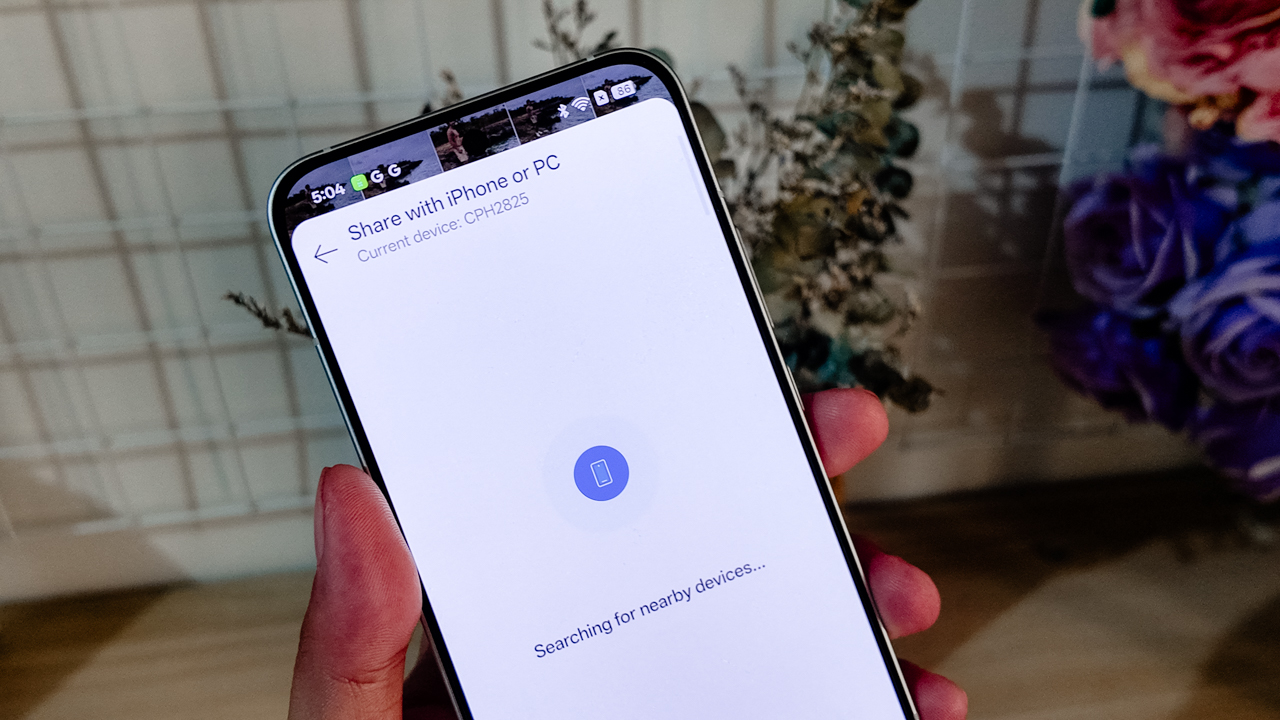
Using the Reno15 5G as my primary content device during testing could have felt disruptive. Instead, O+ Connect allowed me to move files across devices easily.
I treated the Reno15 5G like a mirrorless camera, then refined everything on a bigger screen.
A playground for precision
Artificial Intelligence has ingrained itself into our devices in ways that don’t always feel natural.
I’ve seen AI productivity tools work well for people in high-pressure professions. For me, efficiency doesn’t mean teaching a system how to think before it works for me.
What stood out in the Reno15 series was AI Mind Space. It allowed my scattered brain to consolidate screenshots, schedules, references, and fragments of information into one hub that actually mirrors how I operate.
As someone who saves everything for later, it felt less like automation and more like organization that understands me.
Then there’s AI Motion Photo Popout. As a creative director, I don’t like posting stories the way everyone else does. I have a desire, deep in my bones, to stand out.
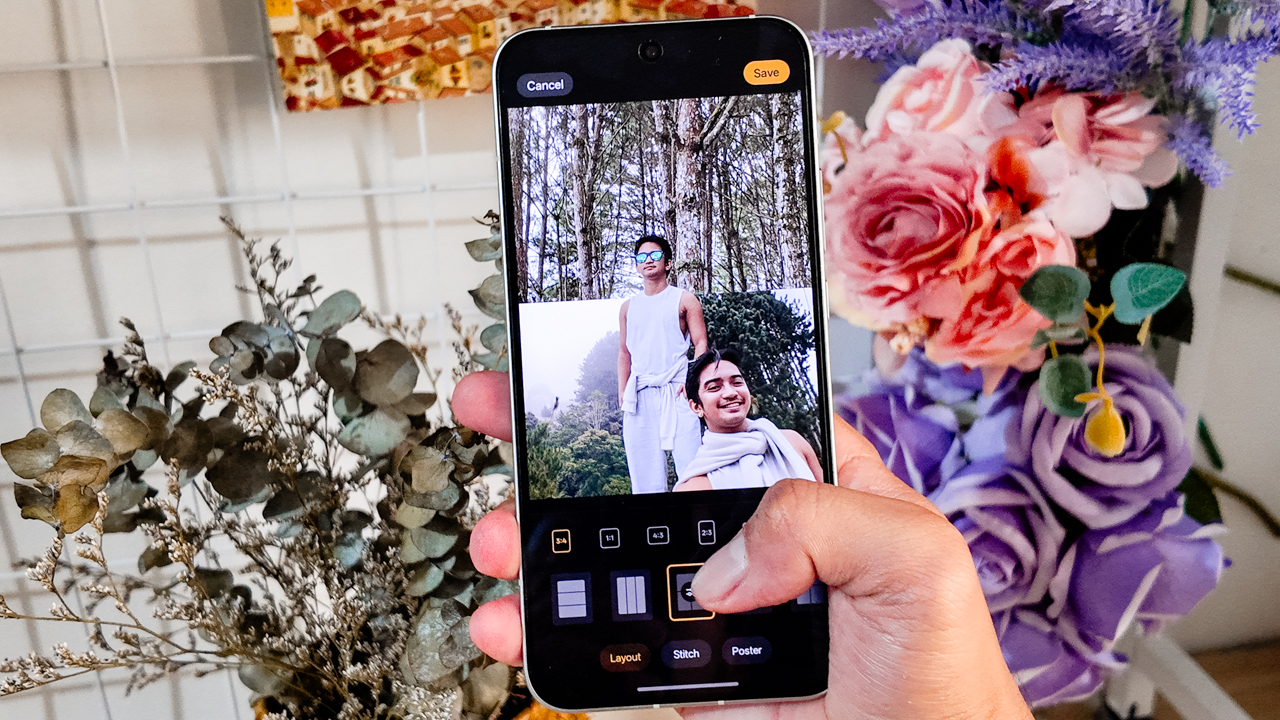
Popout lets me lift subjects out of the frame and turn them into layered visuals. I used it for Instagram Stories and thumbnails instead of settling for a random still from a Reel.
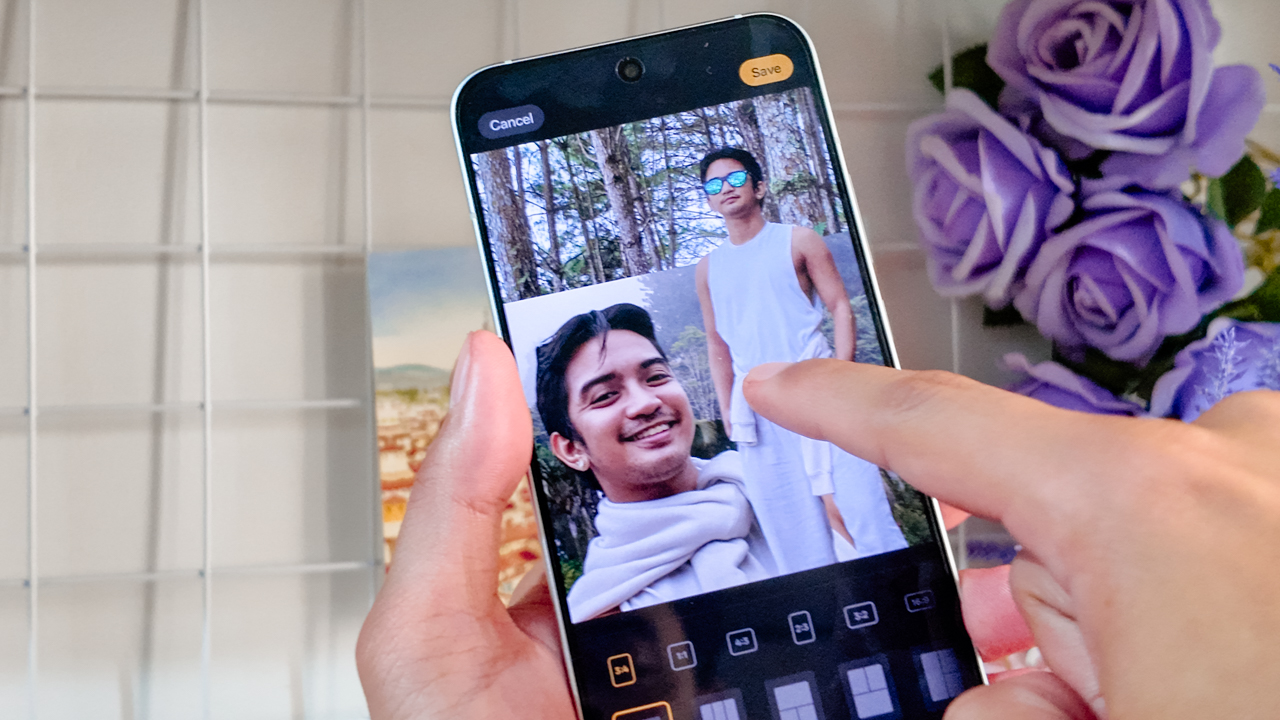
Being able to refine directly in the Gallery — erasing distractions or turning motion into cinematic snippets — meant I could act on impulse without sacrificing my love for curation.
Learning to be seen
During my time in Northern Mindanao, I stopped pretending I didn’t want to be in the photos.
For the longest time, I’ve been more comfortable orchestrating the frame than occupying it. I knew where to stand and how to direct, or where the light should hit… but for everyone else.
This past year, I’ve been learning to own the space I’m in and not dimming my light simply because I’m afraid of how bright it might be.
The OPPO Reno15 5G’s 50-megapixel ultra-wide front camera made that easier than I expected.
I told OPPO’s Creative Manager in passing that I genuinely liked the new hardware when he asked how the experience had been so far, and I meant it.






The wider field of view meant I didn’t have to overthink whether everyone fit into the frame. I didn’t have to do that subtle, Gen-Z arm stretch or step back awkwardly just to make room for the scenery.
I could capture more of the background without looking hideous in the process. The frame felt immersive, yet balanced: Faces looked natural and proportions didn’t warp.
There’s something powerful about not having to choose between yourself and the scenery. You can be the subject, or you can be part of the story. With this smartphone, you’re allowed to coexist with both.






I even asked my photographer friend, Neil Jimenez, to take my portraits using the 50-megapixel telephoto portrait camera.
Holding still in front of the lens felt unfamiliar. I tried to remain statuesque, composed, trusting him to see what I usually see in others.
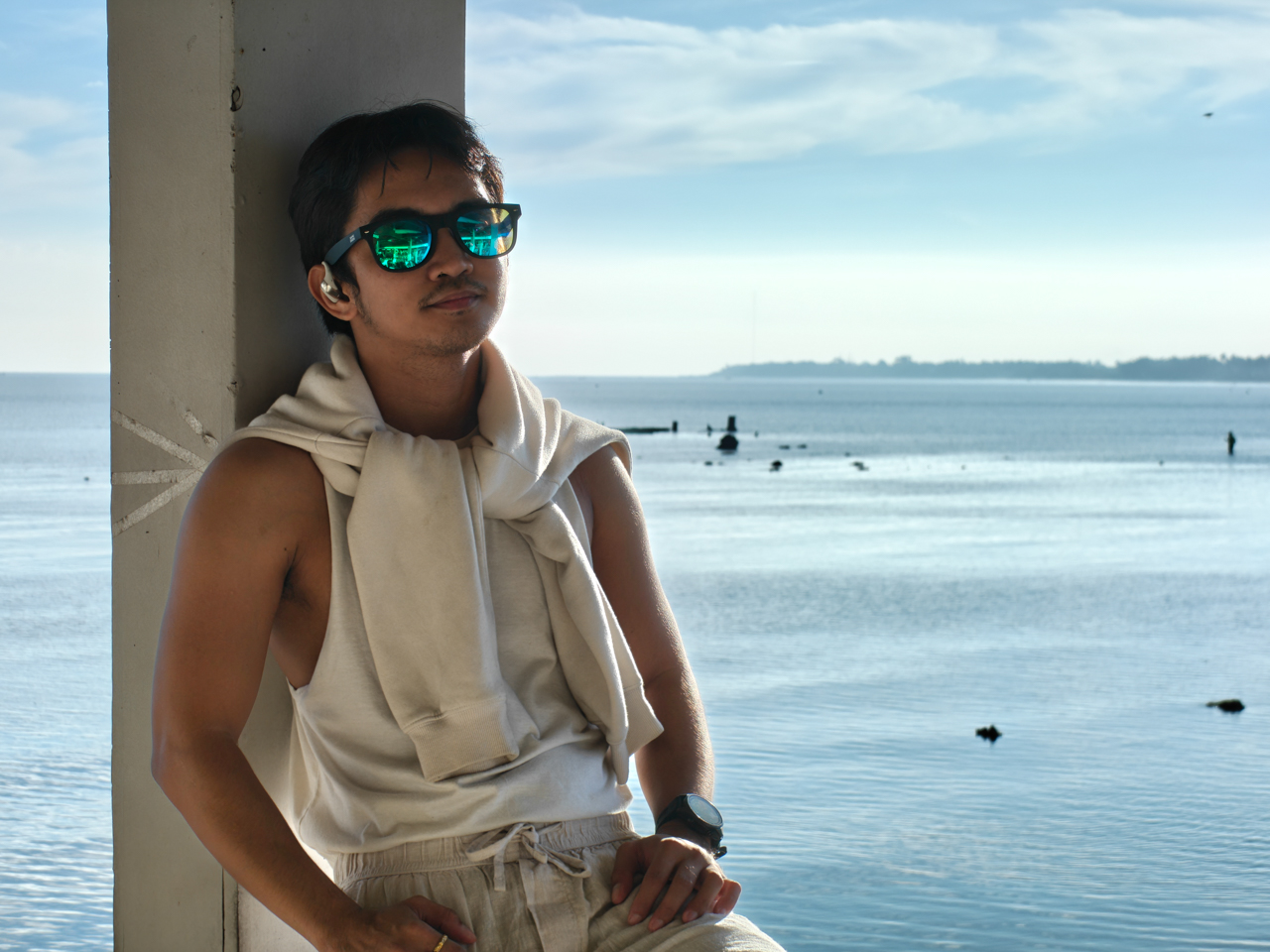
The portraits came out vivid without distortion. The backgrounds softened, but never stretched or exaggerated.
It was strange to watch myself in those frames. To notice how the light rested on my cheeks, and see how my smile shifted when something genuinely amused me. To observe expressions I never see because I’m usually the one observing.
There’s another side of you that only appears when you let yourself be seen.
Behind the lens where I’m most comfortable
If being in the frame felt vulnerable, being behind it felt like home.

Bukidnon still feels like a dream when I replay it in my head: Horses moving across open fields, mountains layered into one another like watercolor washes.














I shot wide and then cropped in. The main camera gave me enough details to experiment. Whether I stayed at 1x or zoomed into 2x or 5x, I shaped the narrative the way I wanted people to experience it.
I framed lines and symmetry, and leaned into negative space. I played with contrast, like the way Alpine Village’s architecture stands against the surrounding greenery in Dahilayan.







There was room to explore. Room to make mistakes. It felt like the device in my hand wasn’t just a tool, but a collaborator responding to the way I see the world.
Filmed and directed by yours truly
After leaving the love of my life last year, I began documenting my trips. Maybe it was for content or healing. But I started treating my life like a film I had to direct and star in.






Acting in your own story while directing it at the same time is harder than it sounds. It requires vulnerability and believing that your perspective is worth documenting.
Bukidnon became my practice. I recorded clips using the OPPO Reno15 5G in 4K HDR because I wanted the footage to be stable and detailed even when I was moving.
I remember stressing over file sizes, wondering if I had overcommitted to quality. But when you care about storytelling, you’d rather have too much detail than not enough.
There were pine-lined roads. Snippets of conversations. Landscapes that felt cinematic without trying. And of course, me being a dramatic, slightly unhinged main character like I was starring in a Taylor Swift music video.
Getting out of my comfort zone meant taking the Reno15 5G — mounted securely on a tripod — to a 350-meter zipline ride. For a brief moment, I imagined I was Elphaba flying away from the Emerald City.
View this post on Instagram
I also brought it to the Razorback ride, using Dual-View Video to record the mountains stretching in front of me while capturing my own reaction at the same time.
I’ve done something similar during an ATV ride in Bohol, but this felt different. Higher stakes (and chances of falling if I abruptly stop). Faster wind (and a cold one, because we’re high up in the mountains). More nerves (because I’m not in control).
View this post on Instagram
I was terrified. The accelerator felt awkward under my control and the seatbelt didn’t feel secure. I’m short, so even sitting comfortably required adjustment.
There was a moment where I questioned whether I had overestimated my courage. But I survived. This story is published. The video is up.
Sometimes, being able to capture how a place made you feel — not just how it looked — is priceless. Vulnerability and honesty matters.
The courage to step into your own frame matters. It just helps when the device in your hand is capable enough to keep up with the story you’re brave enough to tell.
Is the OPPO Reno15 5G your GadgetMatch?
The OPPO Reno15 5G isn’t perfect. Priced at PhP 36,990, it sits a few thousand pesos higher than its predecessor, so the jump asks you to think twice.
What you’re really paying for is refinement. It has smarter AI integrations and a more cohesive overall experience.
But here’s the thing: this is the first Reno in a while that feels grown up. It makes storytelling easier for people who live half their lives online, with a camera system and performance that feel steady enough to rival devices in higher tiers.
So if you’re wondering whether it’s your GadgetMatch, consider a Swipe Right if you’re a content creator who values camera versatility, especially a strong front camera. If you move between Android and Apple ecosystems and need something that lets you shoot, edit, and publish on the go, this fits that workflow.
Swipe Left if you’re extremely price-sensitive or if you rarely go beyond basic point-and-shoot and don’t see yourself using the AI tools built into the system.
The OPPO Reno15 5G won’t transform your life. But if you’re already in the middle of writing your own story, it’s a dependable co-director and co-producer.
And sometimes, that’s all you need.

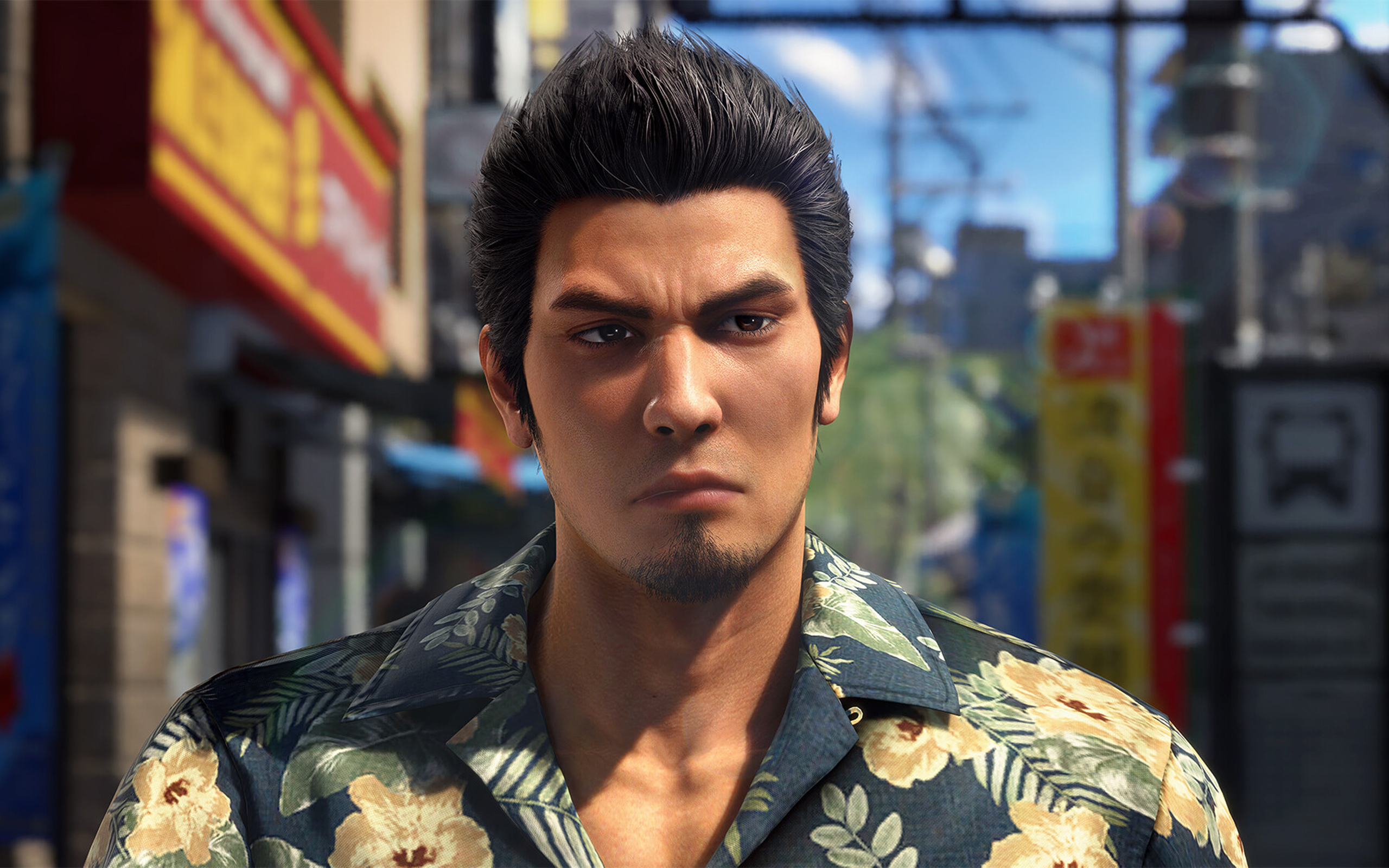
Nothing can beat the burden of being a remake or a remaster. Besides providing an enjoyable experience by itself, a remake or a remaster constantly has to justify its own existence: Why did this piece of media need to be rereleased? For some, it’s a no-brainer, such as the ongoing Final Fantasy VII remake series. For others, it’s a lot less clear, such as the many, many times there’s been an uber-mega-definitive edition of The Last of Us and Skyrim.
Now the third of its kind, Yakuza Kiwami 3 is inching perilously close to a point where it’s hard to justify why we need another remade Yakuza.
Continuing the series
Yakuza Kiwami 3 is a remake of the third entry in the Like a Dragon series. The original Yakuza 3 was the first one in the entire series to be developed for the PlayStation 3 era. Compared to the first two games, it features a lot more content and, on its own, can be considered a modern RPG by today’s standards.
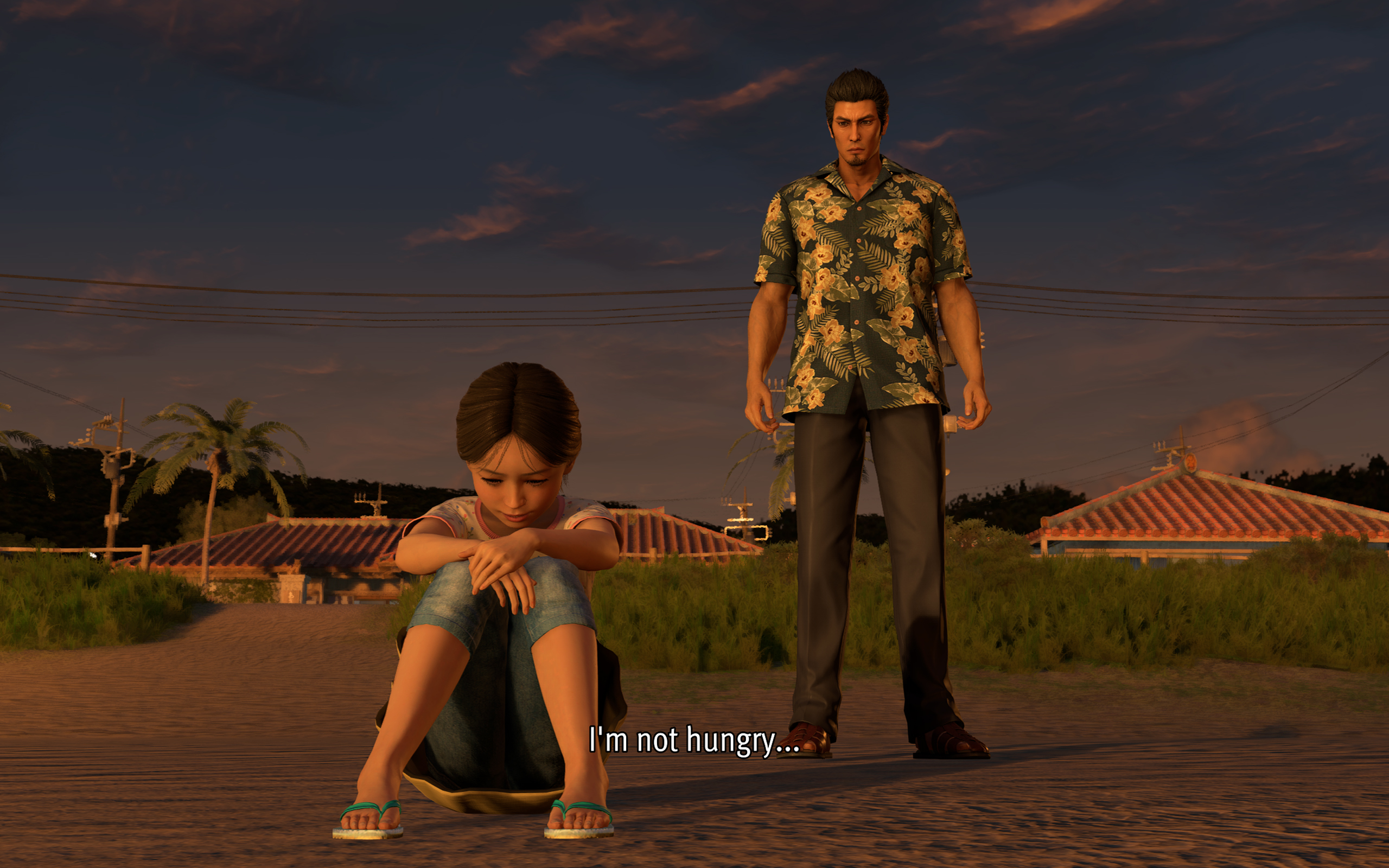
Story-wise, it’s also a turning point for the series. Though Kazuma Kiryu already took the young Haruka under his wing by this point, Yakuza 3 is the first where the series protagonist tasted a life outside of the criminal underworld.
Being such an important milestone for the franchise, a Kiwami remake seems like the best or the worst idea.
(For reference, “Kiwami” refers to an ongoing series of remakes that rebuilds the classic Yakuza games with a new engine that began in Yakuza 0.)
When a new coat of paint doesn’t really help
Yakuza 0 came out in 2015. That means the studio has been using the same engine for over ten years. The engine is starting to overstay its welcome, especially in the Kiwami series.
Despite being built with PlayStation 3 technology, Yakuza 3 still had its limitations. For one, 1080p was just becoming a standard by then. Cutscenes had to be smaller and, thus, more tightly shot. But ultimately, the limits resulted in a more cohesive game that maximized what it worked with. Yakuza 3’s Kamurocho feels alive, and you never know what’s waiting behind the next corner.
Sadly, Yakuza Kiwami 3 does not take advantage of better hardware to update how the game feels. Cutscenes were splashed with a new coat of paint, but the composition remains the same. As a result, they look so empty with so much white space.
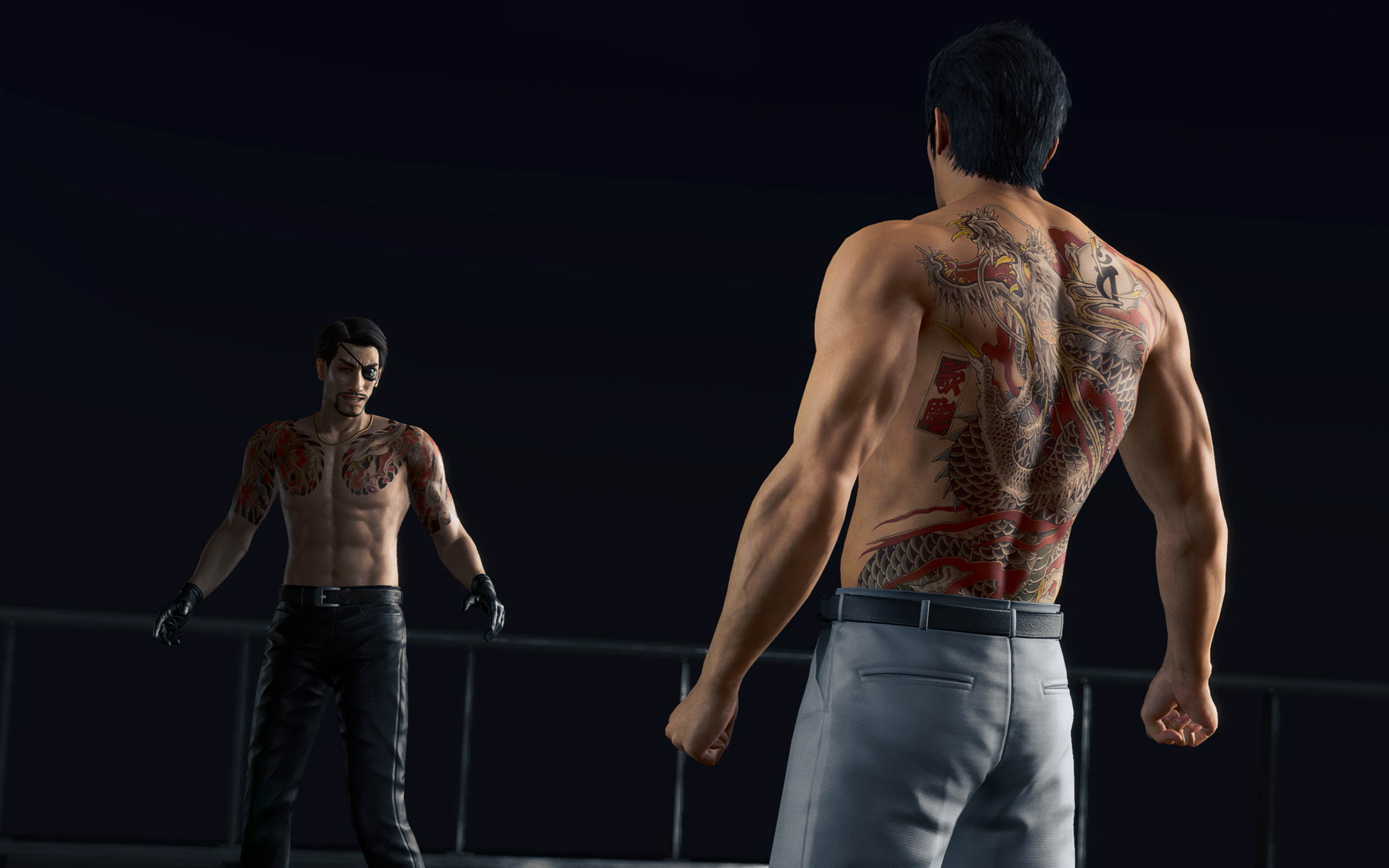
They could have added some clouds.
The “improved” Kamurocho also doesn’t feel all that updated. There’s a palpable sense of sameness as you explore through the game. Even Okinawa looks like just an extension of Tokyo. In the more modern games, exploring was rewarding. Even if the game tells you where missions are, there are new sights and new stores to just look at.
Kamurocho is a central piece of every Like a Dragon game. But I don’t think it has to be static, even if it’s just a remake.
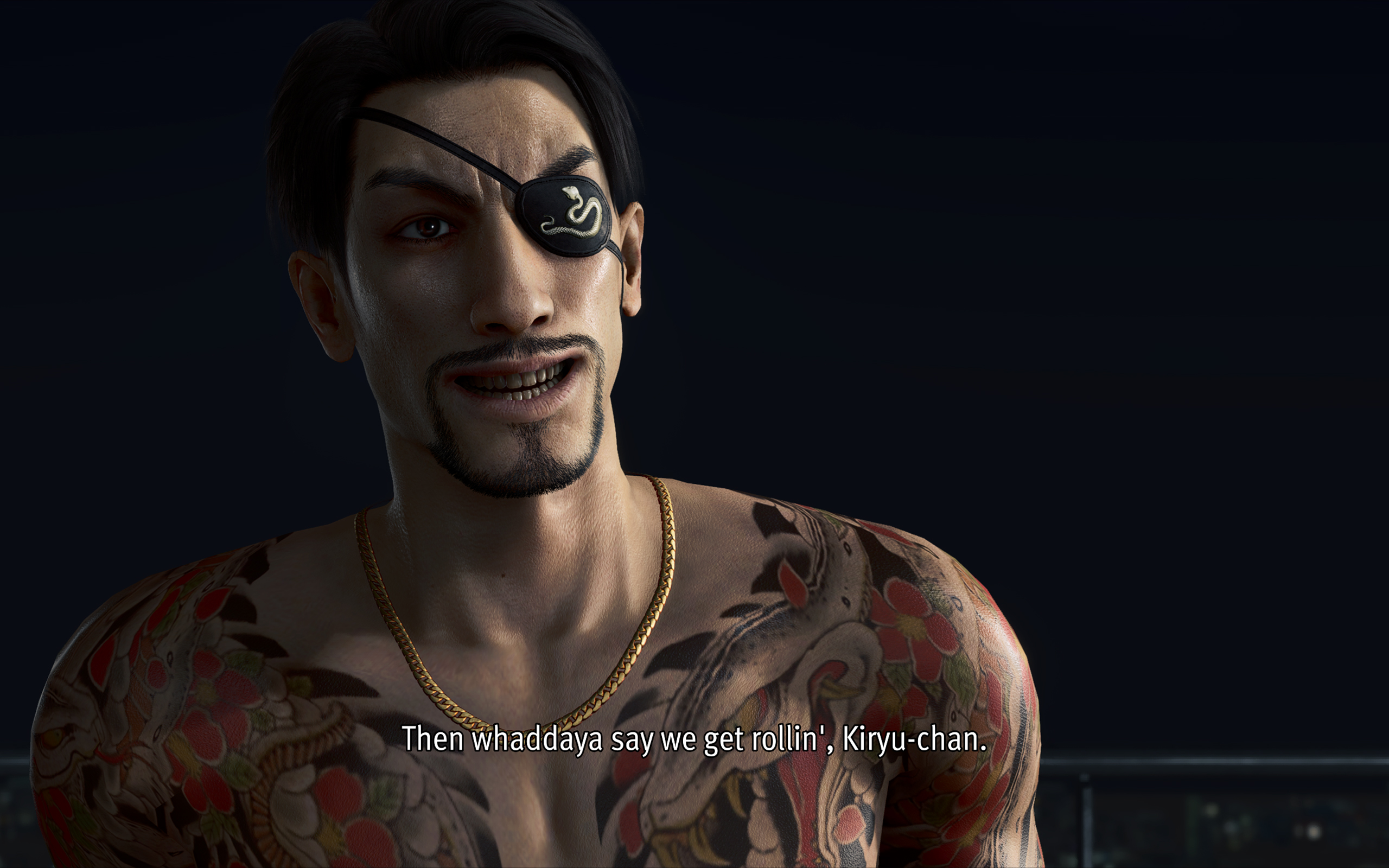
That, and I’m just tired of seeing the same character models every time I boot up a Yakuza game.
A few controversial model changes
To be completely fair, the main characters did get some updates. And, of course, there are a few elephants in the room.
First up is Rikiya, the upstart yakuza from Okinawa. From other media, Rikiya is listed as being around 20 to 21 years old. Now, I’m not a good judge of age based on looks, but the old Rikiya from the original game really doesn’t look like he’s in his early 20s.
Yakuza Kiwami 3 has a new model for Rikiya, one based on Japanese actor Sho Kasamatsu. Others have criticized this decision because the new models looks so different from the original. In my opinion, the change just makes sense; he looks much younger and brasher, just as his character dictates.

Mine also looks like a Japanese George Russell now.
The other change, however, goes beyond just narrative disagreements. Hamazaki, one of the main antagonists in the game, also received a dramatic change. In contrast to his more thug-like looks in the original, the new Hamazaki looks smarmier and more cunning. The problem lies in their choice of actor, Teruyuki Kagawa, who’s had sexually charged issues in the past.
Strangely, the studio hasn’t responded in a way that’s consistent with how they responded to similar issues in the past. Previously, they halted sales just to deal with an issue with a voice actor. This time, the studio’s response boils down to: “Hamazaki is a creep, so we got a creep to play him.”
*shrug*
A pared down experience
Anyway, on to the gameplay.
Despite the concerns I’ve had with how this remake played out, I still had so much fun. My total playtime, according to Steam, is just a little less than 60 hours. This is also the first review game that I’ve earned all achievements for, before its release. It’s inaccurate to say that it’s a bad game because it hasn’t justified itself as a remake.
Compared to the original, Yakuza Kiwami 3 offers a shorter but tighter experience. While the old one had over a hundred and a dozen substories, the remake has only 31 substories to its name.
The remake is perfectly paced. There are hardly any points when I felt that the game was an endless grind.
Dark Ties, the secondary game focused on Yoshitaka Mine, is just as balanced. It has only three main chapters, 13 longer substories, and around 50 bite-sized activities. The story itself just tells how Mine got into the yakuza life and his relationship with Tsuyoshi Kanda (but we’ll get into the story later).
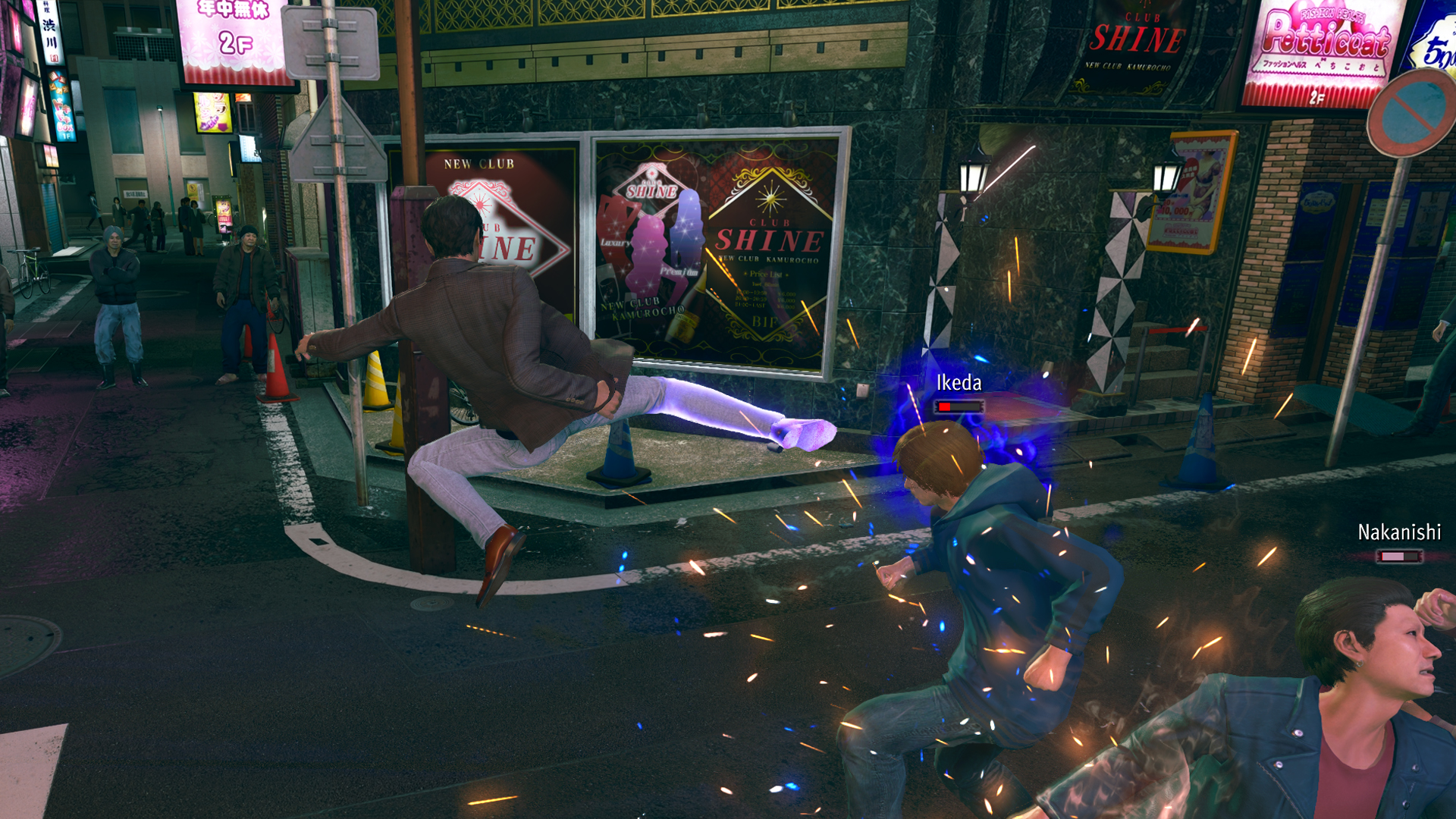
Mine’s fighting style feels smoother than Kiryu’s. He uses quick jabs, kicks, and grapples, similar to Judgment’s Yagami. For me, it’s more enjoyable to beat people up, compared to Kiryu’s slower beat-em-up approach.
Character-wise, Mine is also much colder. Seeing him go through the usual shenanigans of Yakuza’s insane substories is funnier and is much more refreshing because I’ve seen Kiryu go through the same schtick so many times in the past. It’s even funnier that his main goal is to help Kanda rebuild his reputation by doing good deeds around town while pretending to be him.
The side content is much better
As with every Yakuza game, Yakuza Kiwami 3 has secondary game modes that can suck in hours of your time. This time, the main game has two new ones: Morning Glory and Bad Boy Dragon.
Morning Glory is a Stardew-Valley-type mode where Kiryu manages the orphanage of the same name. By doing various minigames, such as sewing and cooking, he increases his reputation as a dad with the kids under his wing.
In the past, I’ve had problems with the franchise’s more laidback game modes, such as Infinite Wealth’s awful Animal Crossing island game. This one, however, is a perfect length. There’s a bit of a grind, but it’s short enough to be completed in one or two sittings.

Morning Glory feels more fleshed out.
The same goes for Bad Boy Dragon. In this one, Kiryu helps a female biker gang become the best biker gang in all of Japan. The gameplay is very similar to Pirate Yakuza’s Pirate Showdowns. It’s all about beating stronger and stronger gangs in combat.
Dark Ties has its own side content called Survival Hell, a dungeon crawler mode. Enemies get stronger with every level, so you have to collect “Gospels” that bolster your strength while inside the dungeon. Once again, it’s much shorter than previous modes of the same type.
All of them are enjoyable without dragging too much of your time. It also helps that you can earn big money by completing these modes. For example, completing Survival Hell’s hardest dungeon can net you over 25 million yen at least.
But, again, do we need the remake?
These are all well and good, but we still haven’t answered whether or not Yakuza 3 really needed a remake.
As I played through the game, it became clearer why we’ve gotten to this point. There are subtle to not-so-subtle changes to the story.
Ultimately, it helps with the continuity between games. It’s like the Rebuild of Evangelion but for the Yakuza franchise. However, I can’t help but wonder if fan service was a stronger motivator than building a more cohesive story.
For example, one of the new substories in the main game involves a fortune teller. When she tells Kiryu’s fortune, she references a major plot point in Infinite Wealth, a game that’s set so far into the future from the events of Yakuza 3. It feels a reference just for the sake of making a reference.
The franchise is getting to the point where there are more references and tapping into old wells than introducing new stories and characters.
Is Yakuza Kiwami 3 your PlayMatch?
As its own game, Yakuza Kiwami 3 & Dark Ties works well as its own game. By now, the franchise has perfected the Yakuza formula. It knows how to deliver an enjoyable experience. I wouldn’t have spent 60 hours on it, if it was a bad game.
However, with a reskin that doesn’t stand out from its predecessors and all the self-references, the game struggles as a remake. If you haven’t played the original, the remake is good to get you up to speed with the franchise’s story. However, if you enjoyed the original, there’s hardly any compelling reason to play through this pared-down version again.
Well, except maybe for the Dark Ties content.
Laptops
TECNO MEGABOOK K16s 13th review: No-frills beneath those grills
All-around laptop without messing around


For the record, the last time I held a Windows laptop was back in 2022. It wasn’t even a conventional one. Rather, it was a gaming hybrid — or a laptop and tablet rolled into one. That was a short escape though.
After being a religious Mac user since 2016, it’s high time to re-experience Windows four years after that very limiting ROG review.
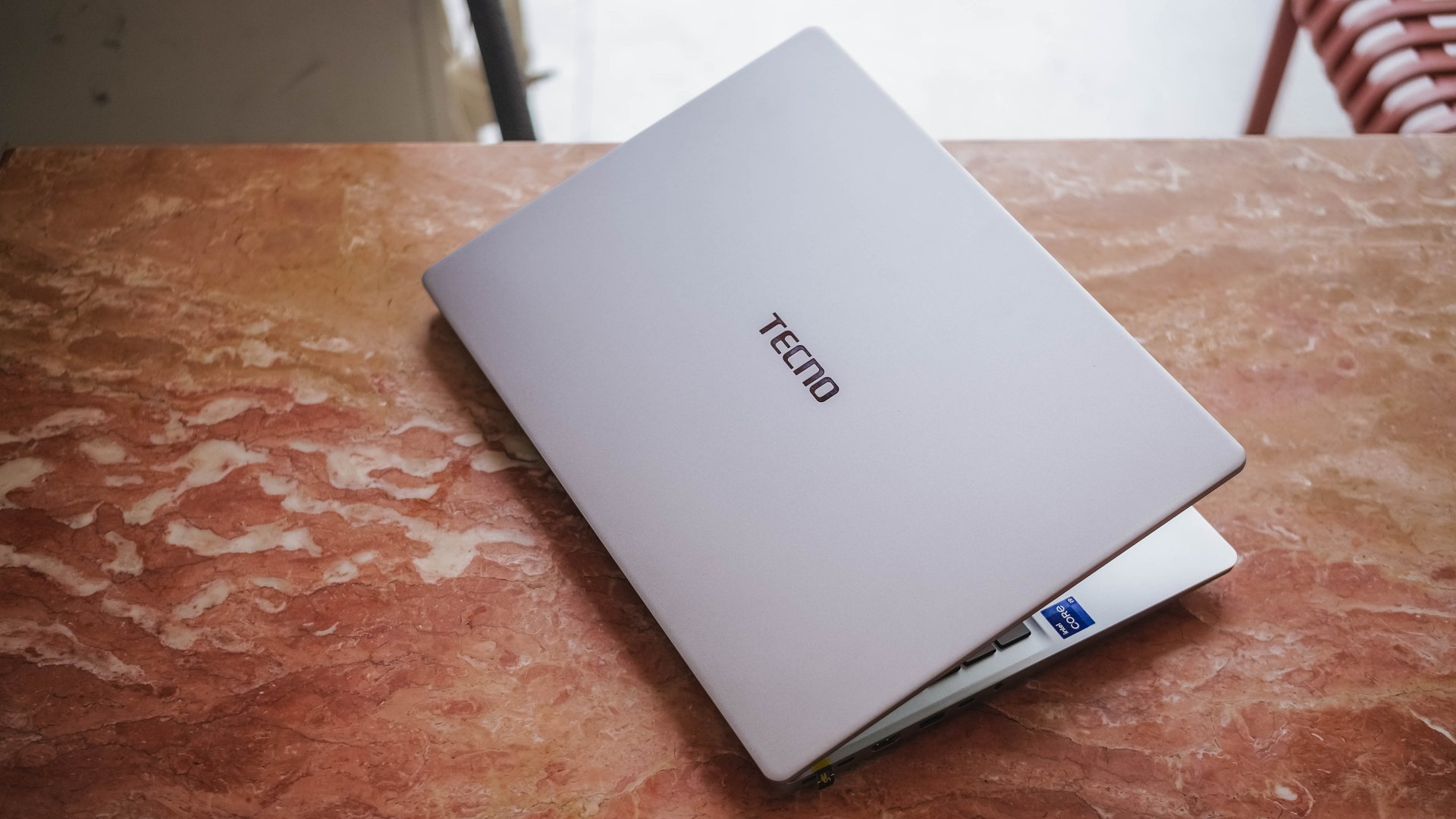
Here’s my 16-day stint with the TECNO MEGABOOK K16s 13th – Intel Edition.
All-metal clad that’s far from being bad
Gone are the days of Windows laptops that are icky plasticky.
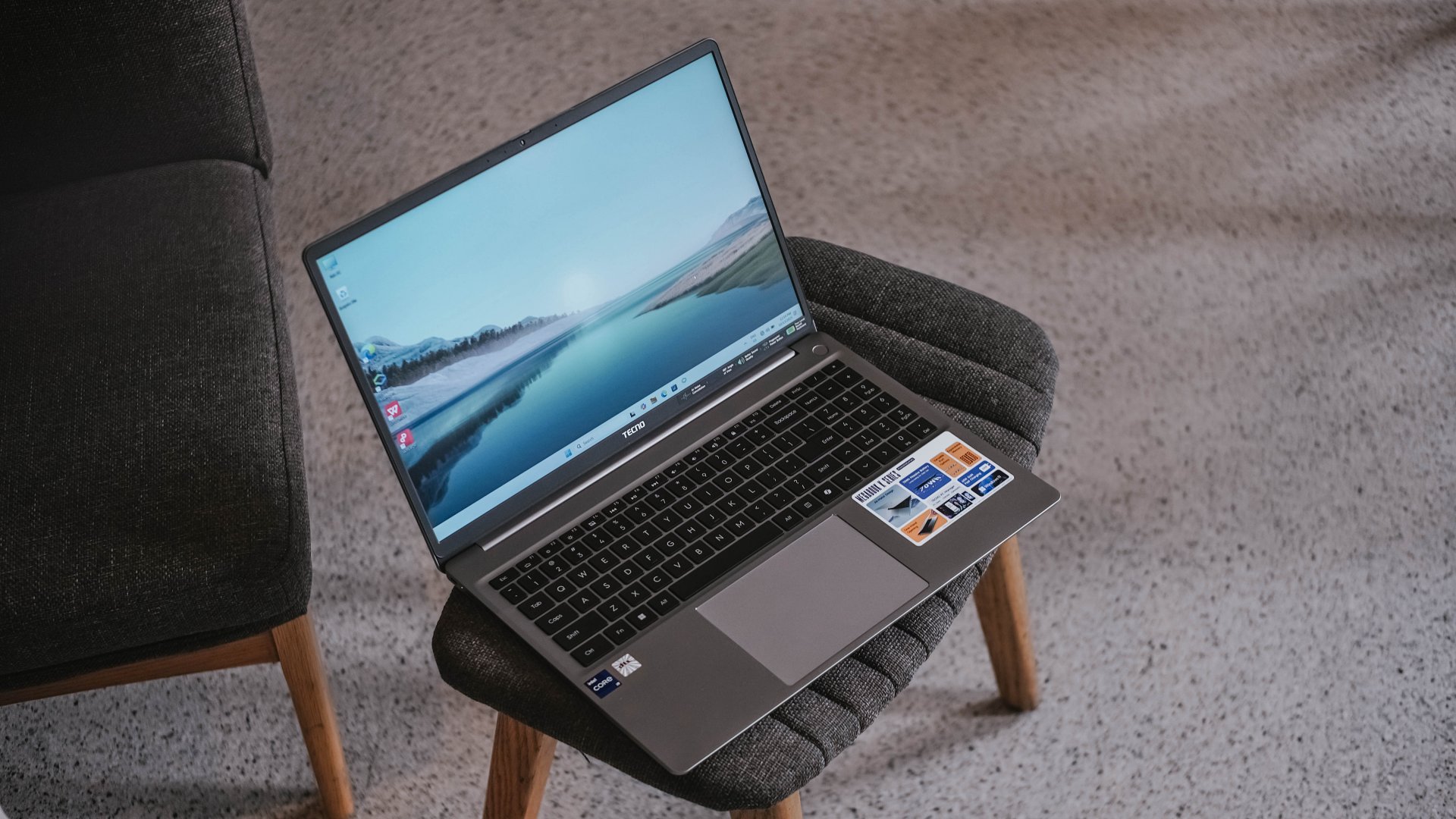
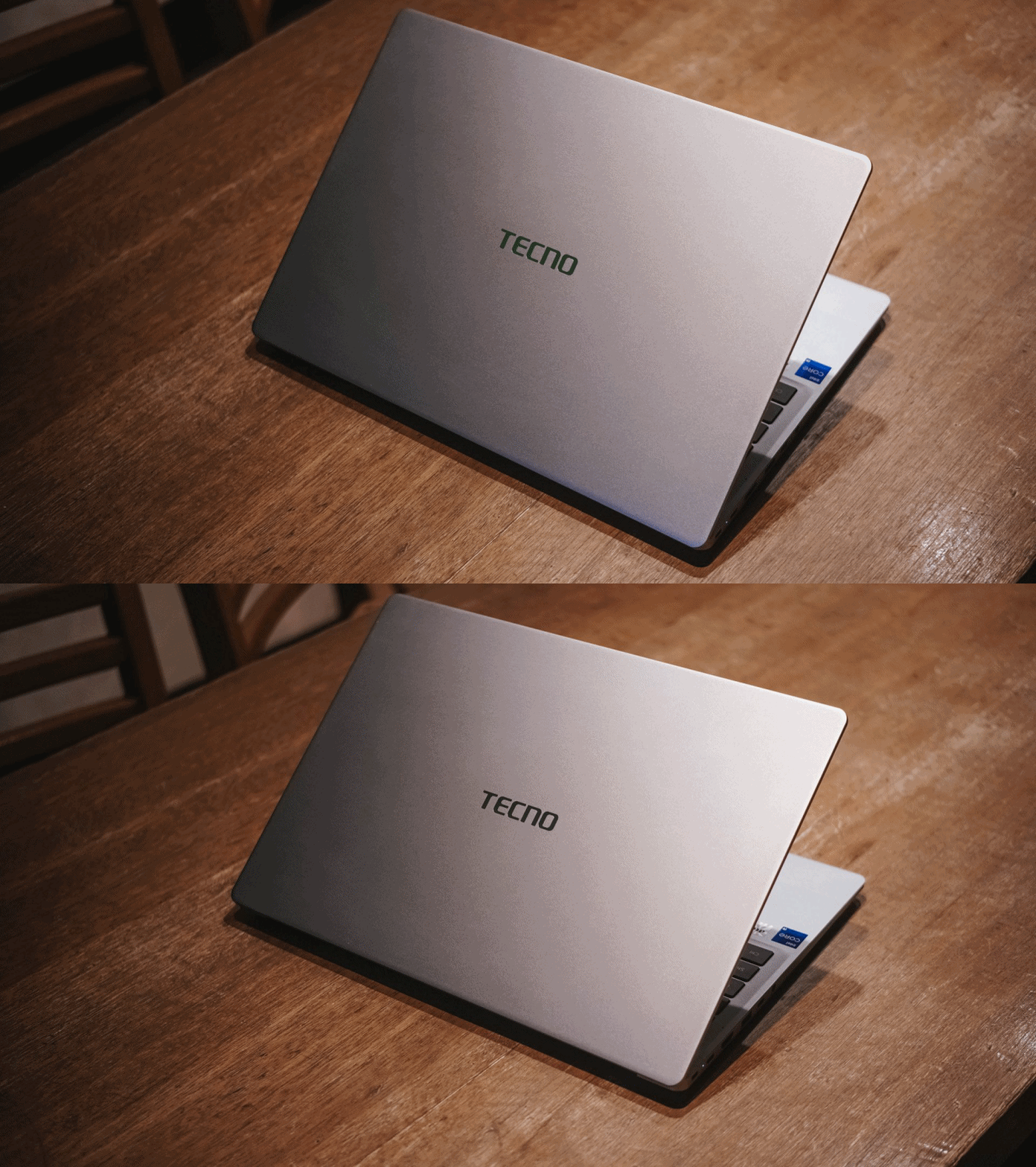
If it is not evident enough, the TECNO MEGABOOK K16s 13th uses real metal. It looks and feels solid. And by that, it has characteristics of being decently hefty and light at the same time.

The only problem with this finish is how much of a smear magnet it is. But hey, at least it’s on par with my 2023 MacBook Pro for this smudge madness (or smudge-ness in my vocabulary).
With a laptop this size, port selection should be the least of its concerns.

It has twice the USB-C and USB-A 3.1 ports, as well as inclusions of HDMI 1.4, Ethernet / RJ45, and 3.5mm audio jack. Kensington lock is still present as well — not that it’s badly-needed.
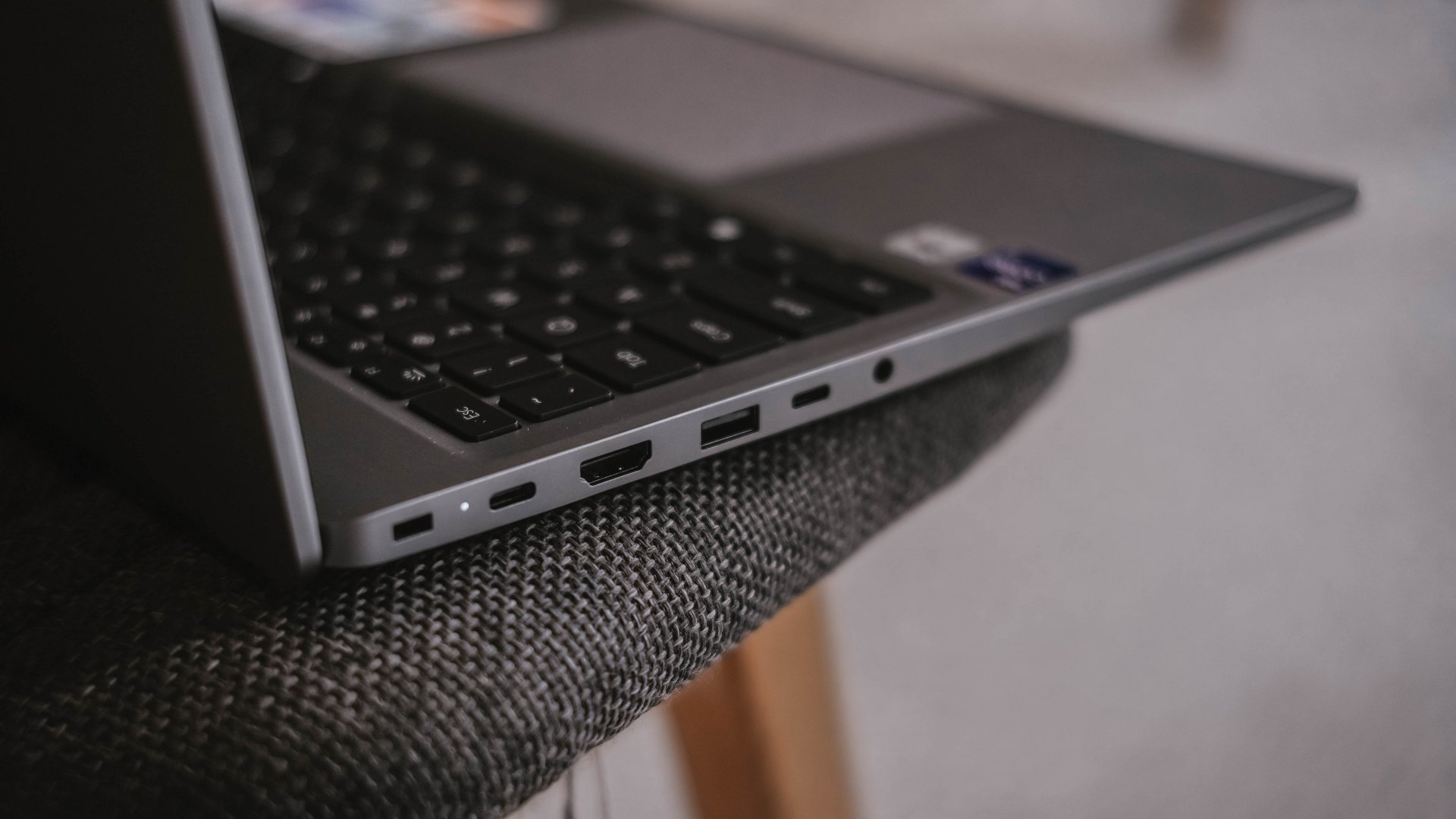
If I were to nitpick, two things that ick me are the arrangement of ports. Look at how inconsistent they are, much like seeing your disorganized spoons, forks, and knives in a single tray.

Another would be the inclusion of a microSD card slot instead of a regular SD one. I don’t get how the latter was not chosen especially with its sheer size.
Now Playing: Can This Love Be Translated 🗣️🔥⁉️
Just like waiting to re-experience a Windows device, the same can be said when I waited for the premiere of the K-Drama “Can This Love Be Translated.”
The title was already compelling to begin with. That curiosity sparked twofold upon knowing that my two favorite stars (Kim Seonho and Go Younjung) will steer drive the whole series.

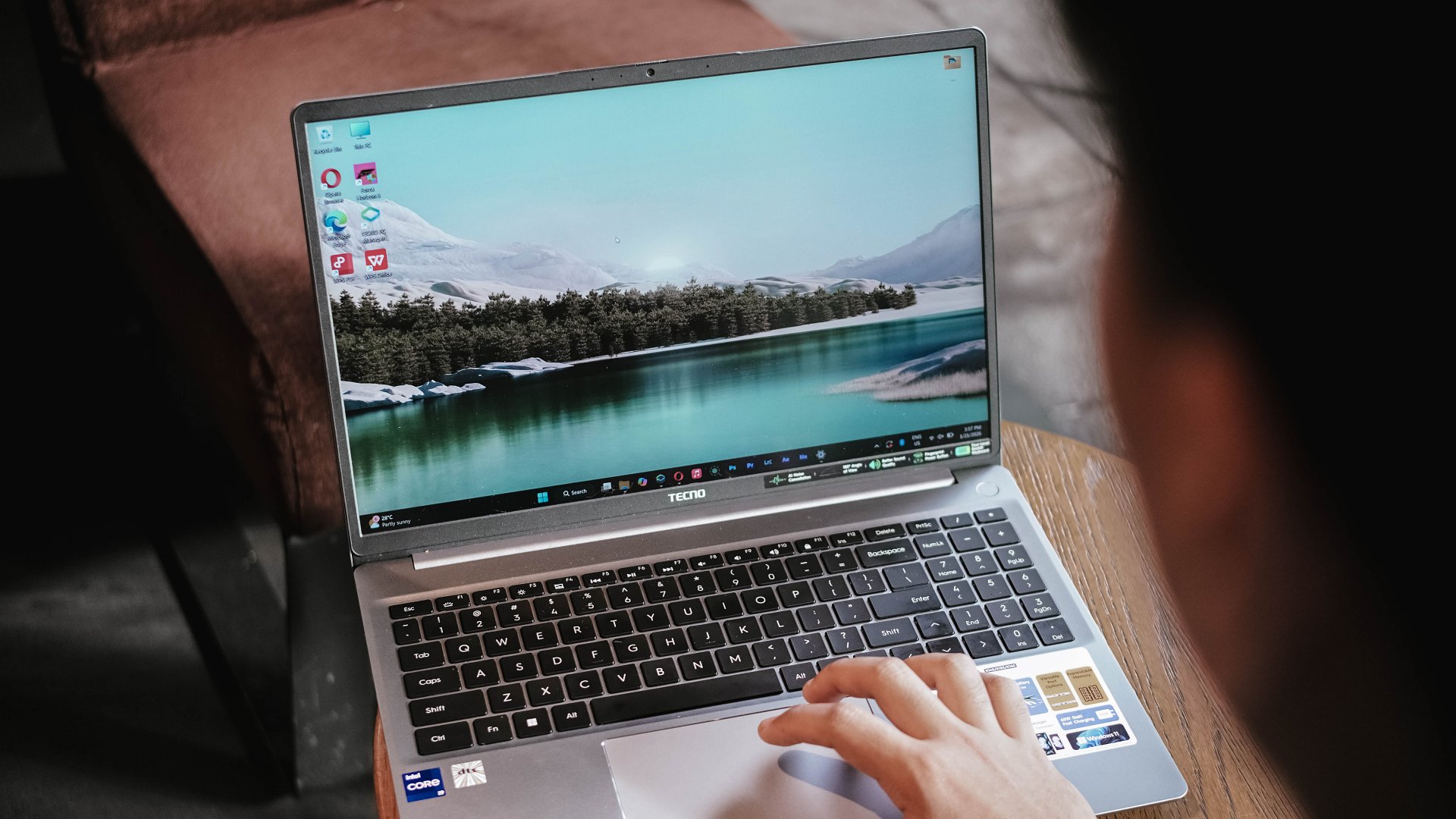
Speaking of star, the biggest star of this laptop has got to be its massive 16-inch display.
Not only I was able to reinvigorate my heart with the rom-com scene of Joo Hojin and Cha Muhee in front of that dreamy Mt. Fuji scenery.
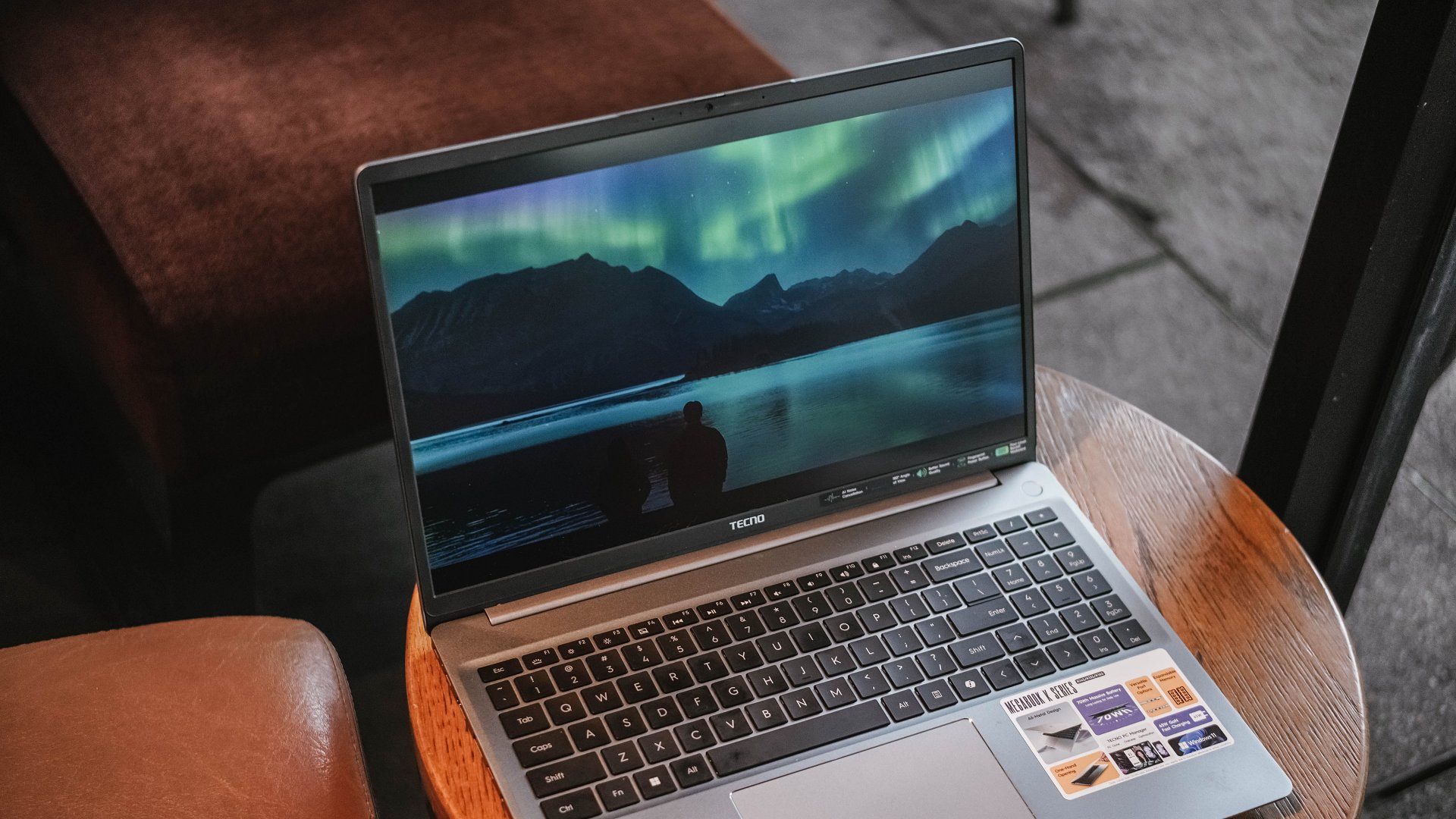
Their Aurora Borealis scene was also breathtaking. Although not as vivid as other displays, its max brightness felt just right to make the visuals pop against that harsh sunlight.
And while we’re already at it, the matte coating of the K16s 13th has been a real savior. It’s more useful for users (like me) who work at cafés with large windows every once in a while. My MacBook Pro definitely loses this fight with its awfully reflective panel.

While it is not, in any way, greater than any other OLED display nor some panel with a 120Hz refresh rate, it still feels justified considering where the K16s 13th is positioned in this vast laptop market.
On Queue: EXO’s REVERXE, ZB1’s Running To Future,
My idol anticipation doesn’t stop there. EXO’s much-awaited comeback as a full group is another one. Then, there’s ZEROBASEONE’s release.
These comeback promotions should sound good, right? Well, not really.
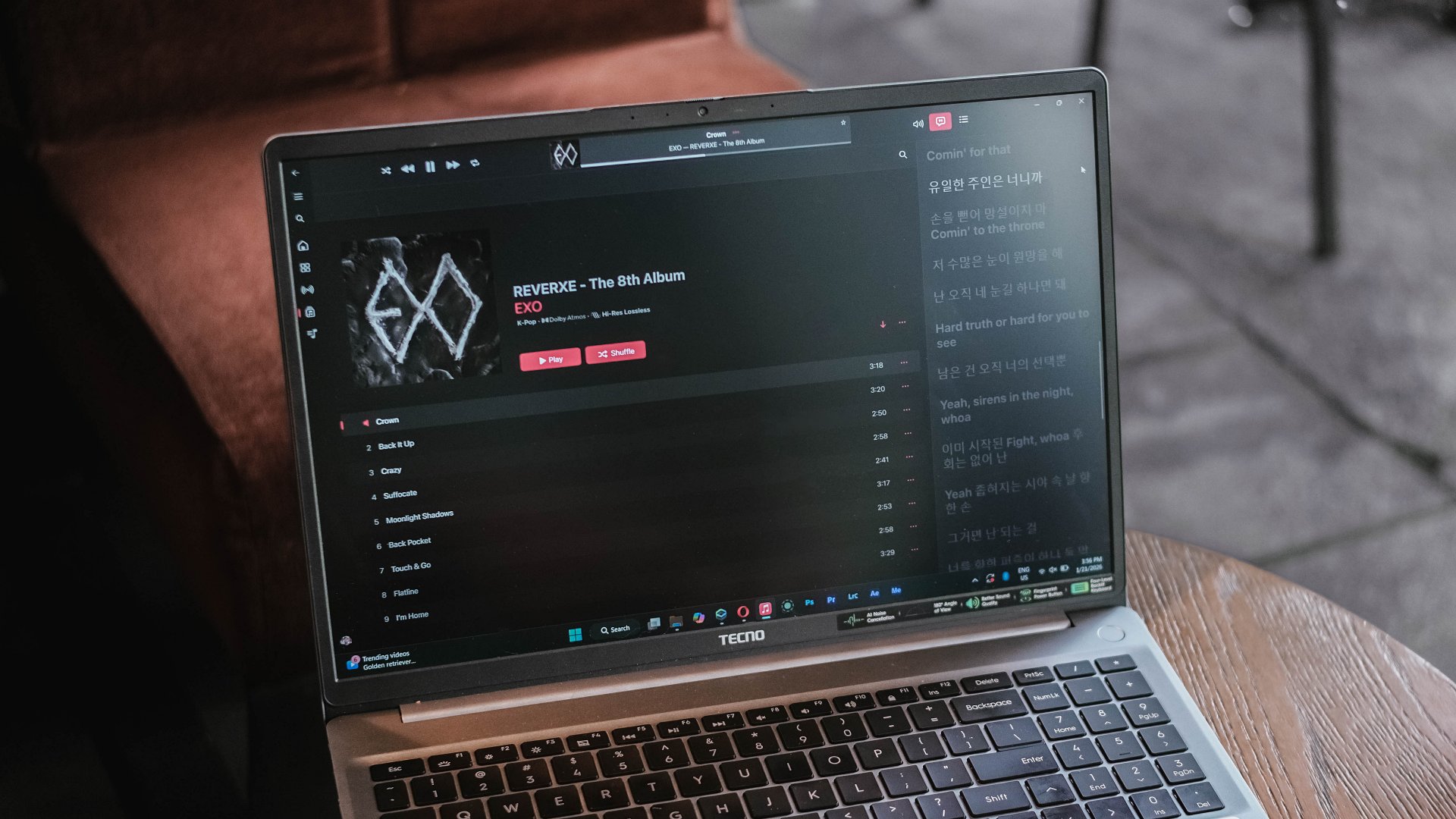
EXO is coming back with three missing members, all because of a justifiable lawsuit against their agency.
On the other hand, ZB1 is coming back — but, for the last time as they will disband real soon after completing their 2.5-year contract as a project group. A real disadvantage of a group being formed during a survival show.

Just look at how cohesive the K-Pop album covers look for January 2026
Much like all that bittersweet aftertaste, I can relate the same feeling with the MEGABOOK K16’s speaker setup.
On paper, TECNO says it’s a master-level 2.5W 4013 quad-speaker setup that delivers 300% louder volume. I am not sure how it was tested nor compared.

Without much comparison, it’s adequately loud. However, it lacks the fullness and all the necessary thump and oomph to make the sound fuller than ever.
This just means a big laptop isn’t directly synonymous to having a greater audio system.
Unparalleled performance for its price
NGL, I have been spoiled by power-packed laptops especially for the creative work that I do.
That said, the MEGABOOK K16s 13th is far from being a slouch with the Intel Core i9 (specifically the 13900HK) at its core. That’s then paired by Intel’s Iris Xe graphics, alongside 32GB of memory, plus 512GB of SSD storage.
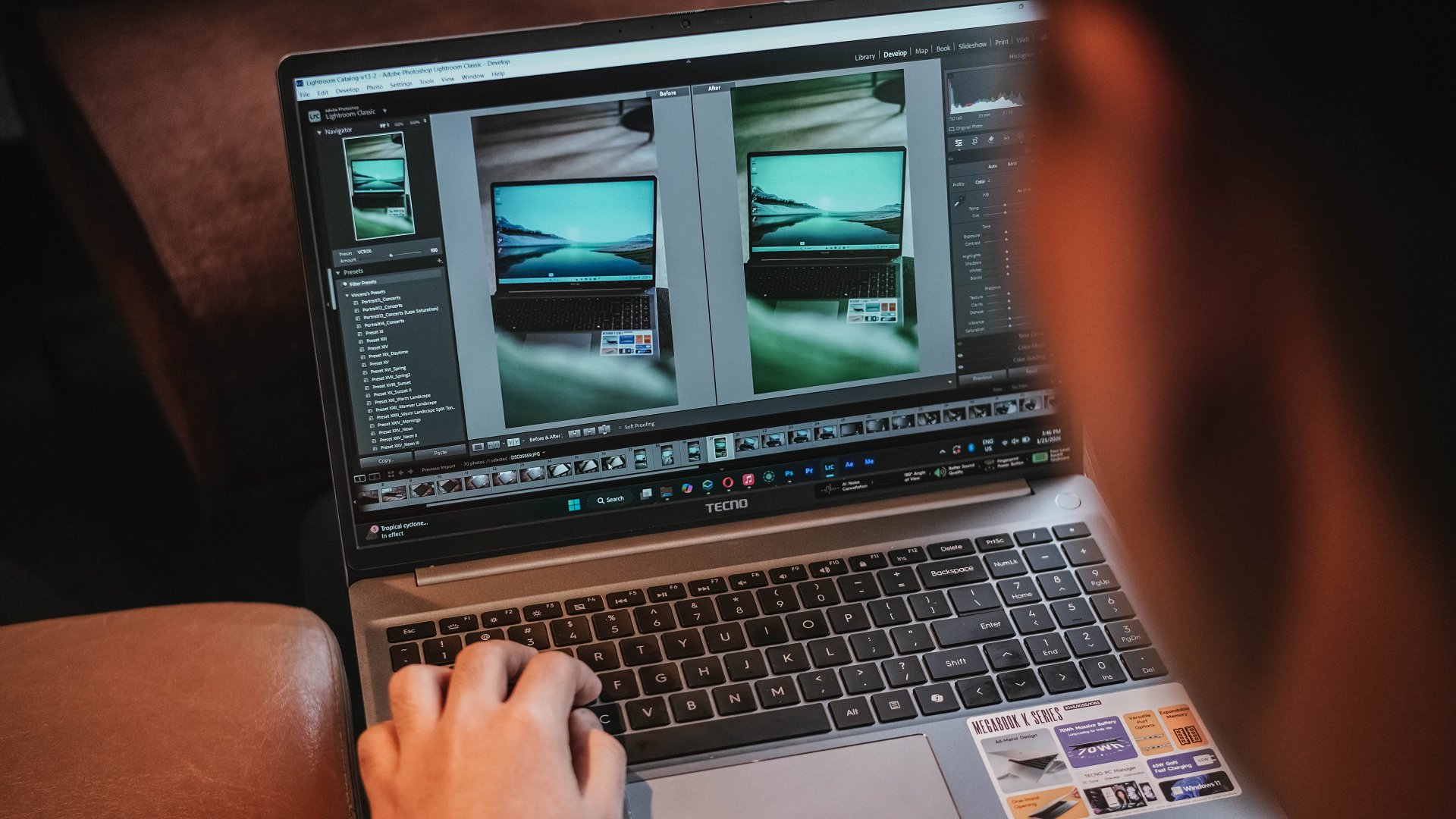
Without a hitch, I immediately installed all the essential creativity apps I use.
Lightroom is less demanding so post-processing the photos I took for the MEGABOOK K16s 13th was easy-peasy.
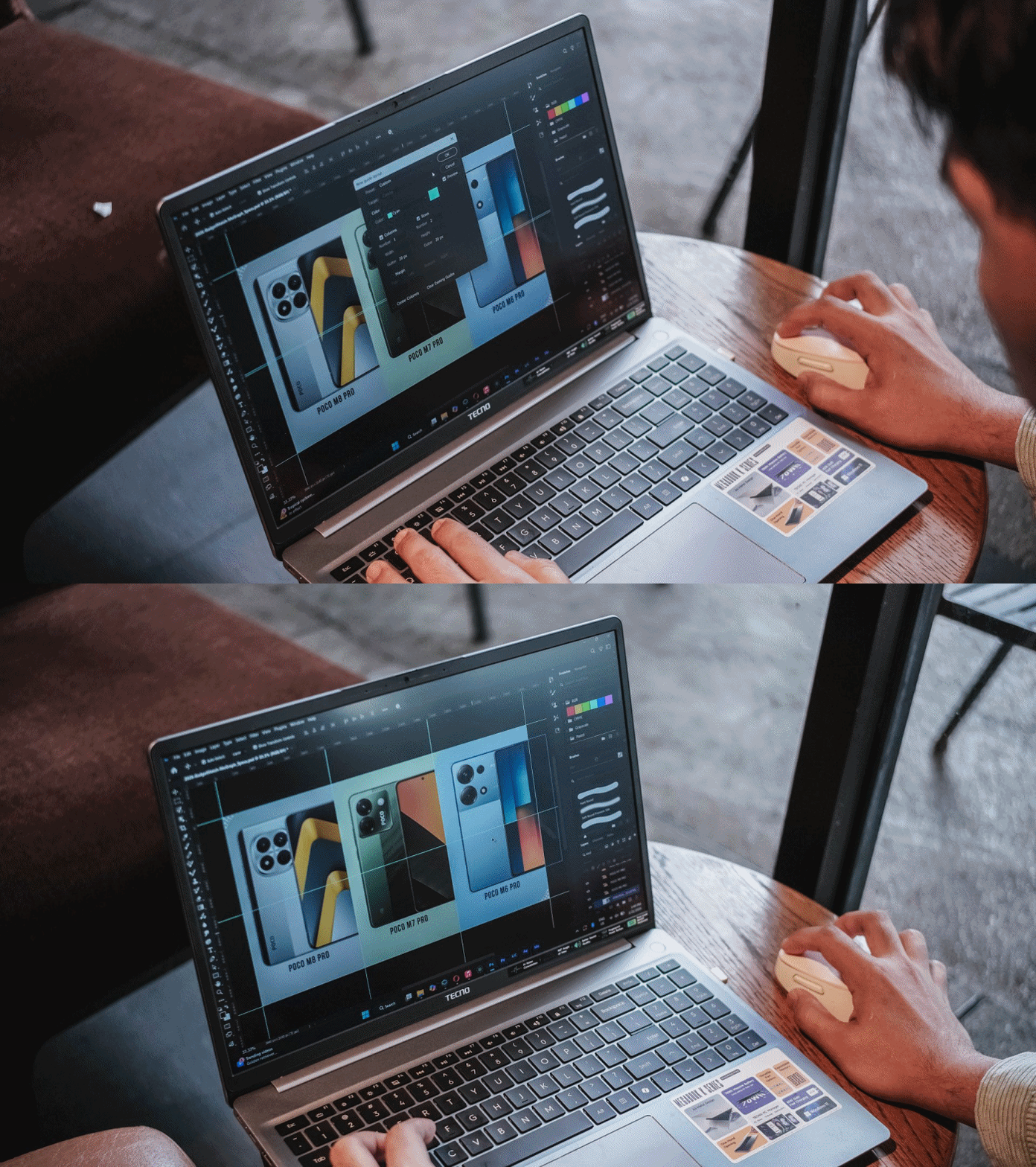
I then managed to make static graphics using Adobe Photoshop for another review article.
As for Premiere Pro and After Effects, you can still scrub through heaps of layers with tolerable amount of hiccup considering how packed my timeline was.

This laptop boasts a cooling fan system that kicked in heavily when the laptop was in dire need of releasing all the heat within — which went out through its four air vents.
Work-life balance achieved
My test doesn’t end just yet. I have installed both the Forza Horizon 5 and Euro Truck Simulator 2 for greater measure.

As expected, having integrated graphics (and the lack of a dedicated graphics) mean lower graphics support.
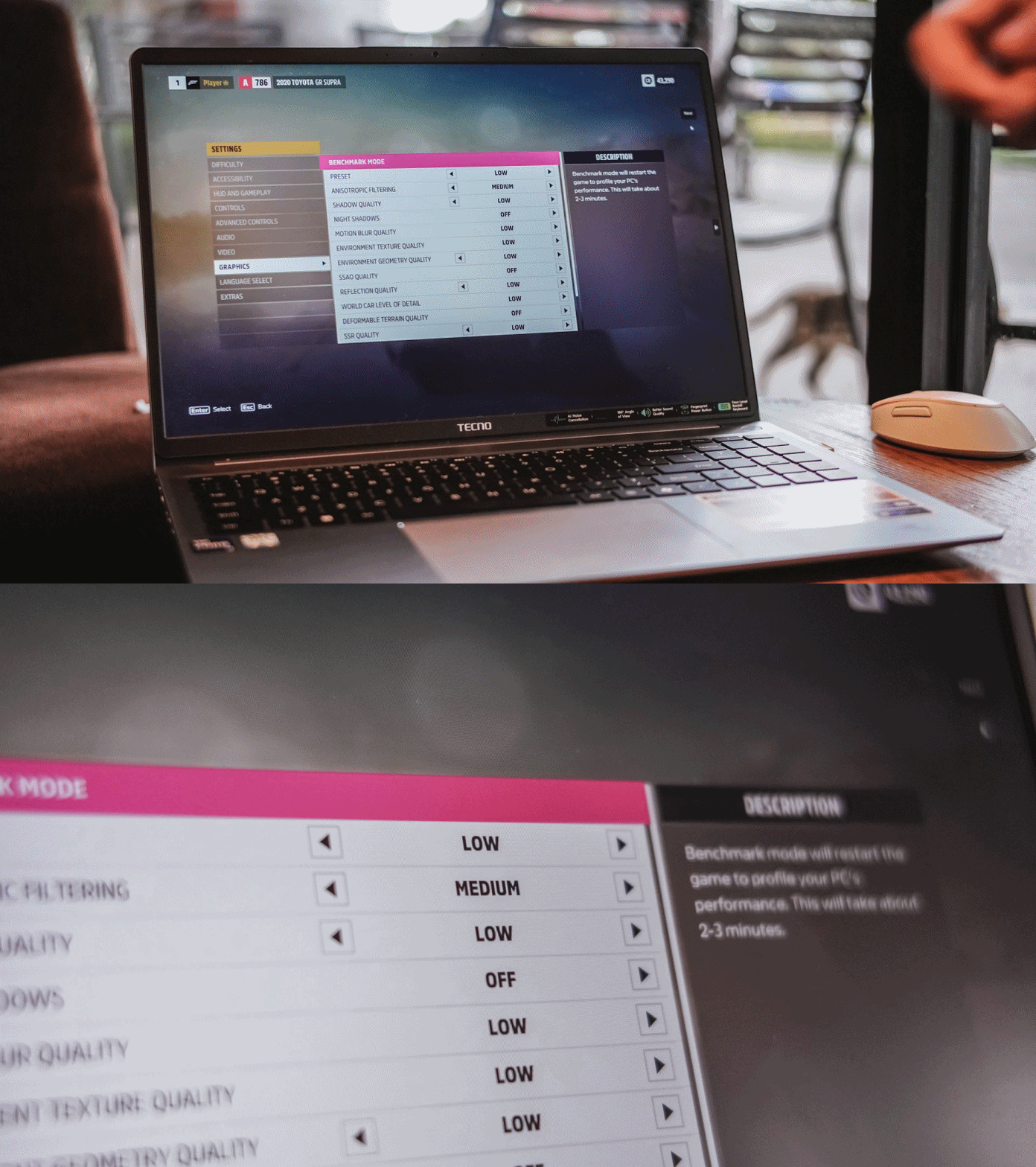
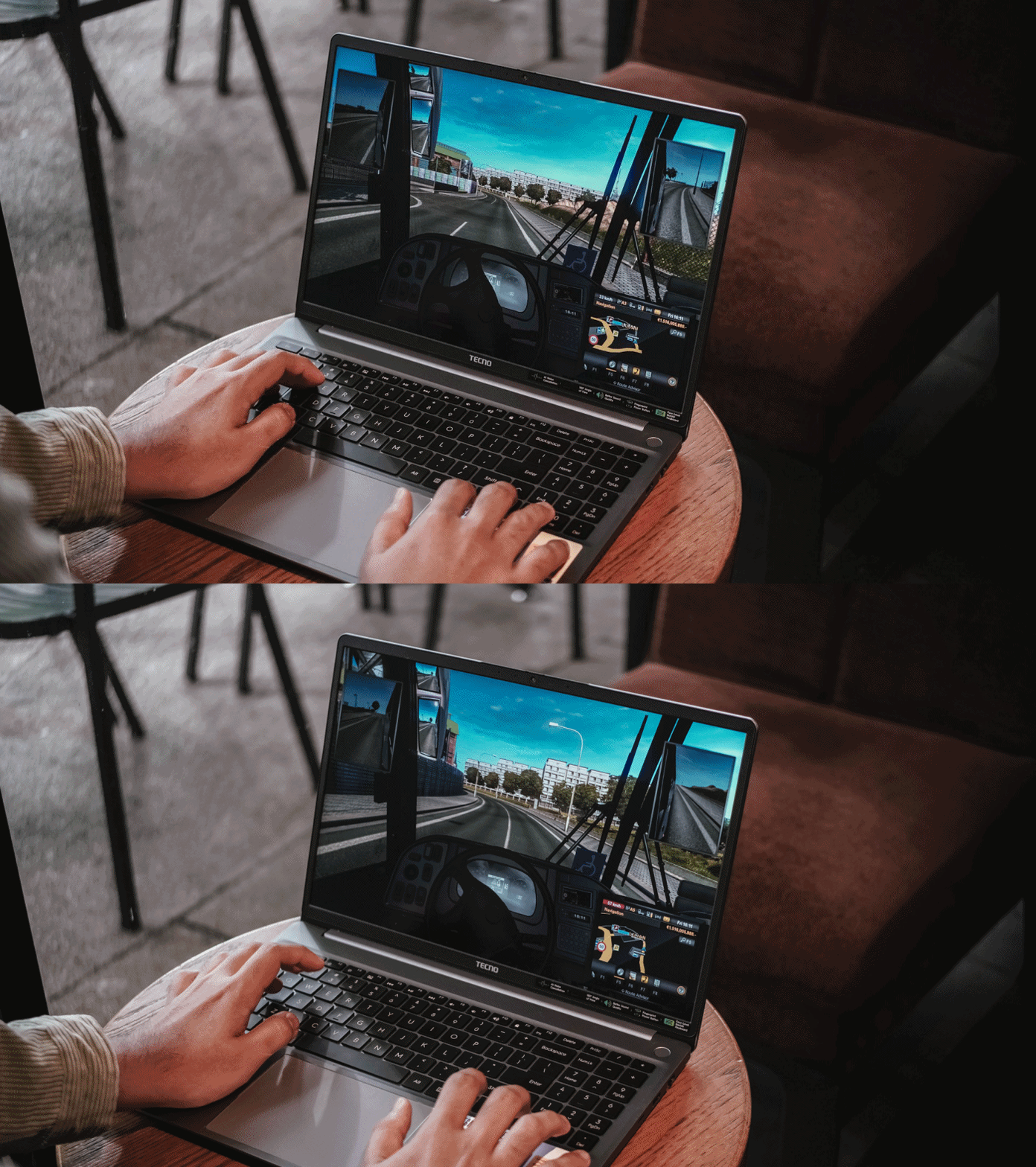
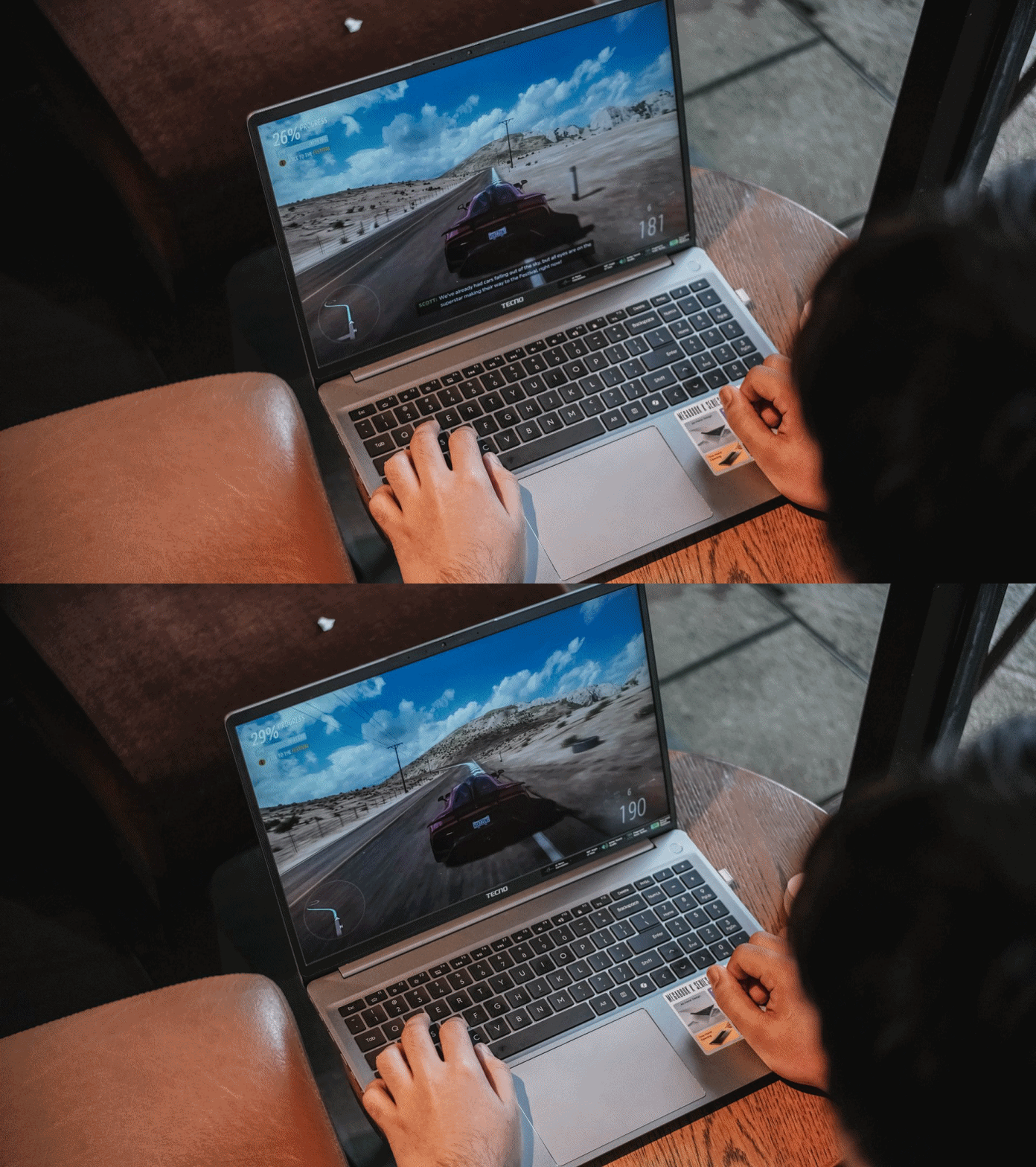
Surprisingly, both titles were playable enough. I enjoyed playing Forza Horizon 5 even in the lowest playable setting for more than 30 minutes — just with some stutters in between.
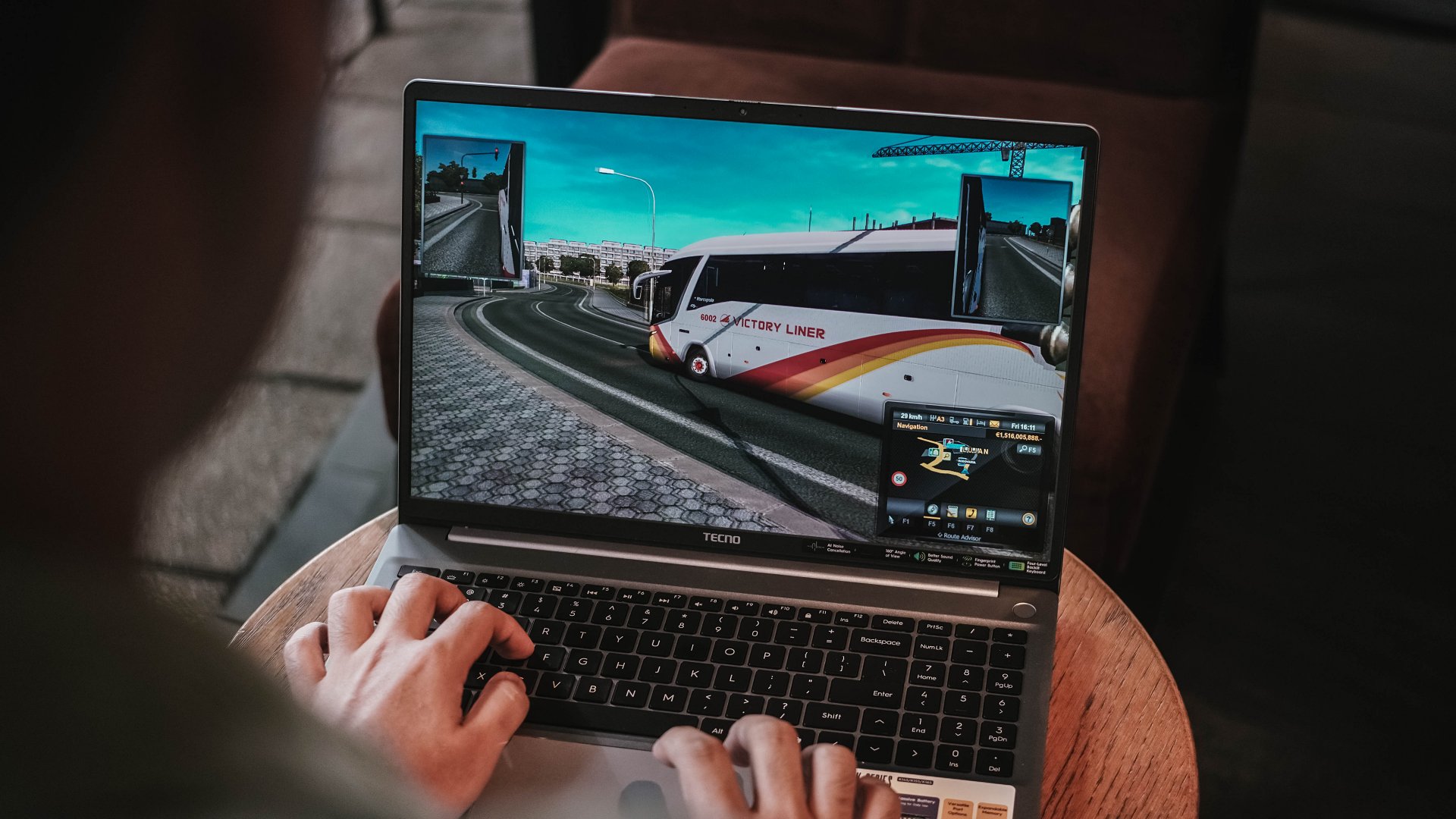
ETS2 felt smoother though. Driving the bus with the custom livery I made on Photoshop last 2019 was still working — and my pre-pandemic nostalgia kicked in.
Using the keyboard for playing isn’t the best thing in the world but it does the job — much like how I was able to write this review piece using the laptop itself.

As for the feel, the keys are more on the mushier side that felt like typing on a mashed potato. Not that I’m expecting a mechanical nor MacBook-level type of clickiness.

Good thing is, its trackpad supports gestures I’ve been heavily using since transitioning to a Mac.

Security-wise, the TECNO MEGABOOK K16s 13th can be unlocked with your fingerprint button using the power button as the reader.

That 1MP webcam also has a sliding cover for that extra level of protection against privy hackers.
Enduring that endurance
For the most part, the 70Wh battery of the MEGABOOK K16s 13th delivers a satisfactory endurance.
You will not feel its gradual decrease for the most basic of tasks — writing notes, being in a call meeting, even juggling through tens and hundreds of webpages for your write-ups.

Even between consuming several hours of entertainment, the MEGABOOK K16s 13th can still manage just like any other modern-day laptop would.
With the excellency and efficiency of hardware components in this digital age, it’s hard to kill a laptop with these day-to-day habits.
That said, the MEGABOOK K16s 13th isn’t totally meant for anything graphics-heavy.
As one would (and should) expect, the battery level instantly descends the moment you enter the start screen of a game or export a 10-second motion graphic in After Effects.
For instance, after running Forza Horizon 5 for 20 minutes, it depleted significantly from 51% all the way down to 27%.
Fortunately, the MEGABOOK K16s 13th packs a 65W GaN charger out of the box.
Charging speeds isn’t all that great, though, as it will take a long time filling the battery from zero to the brim.
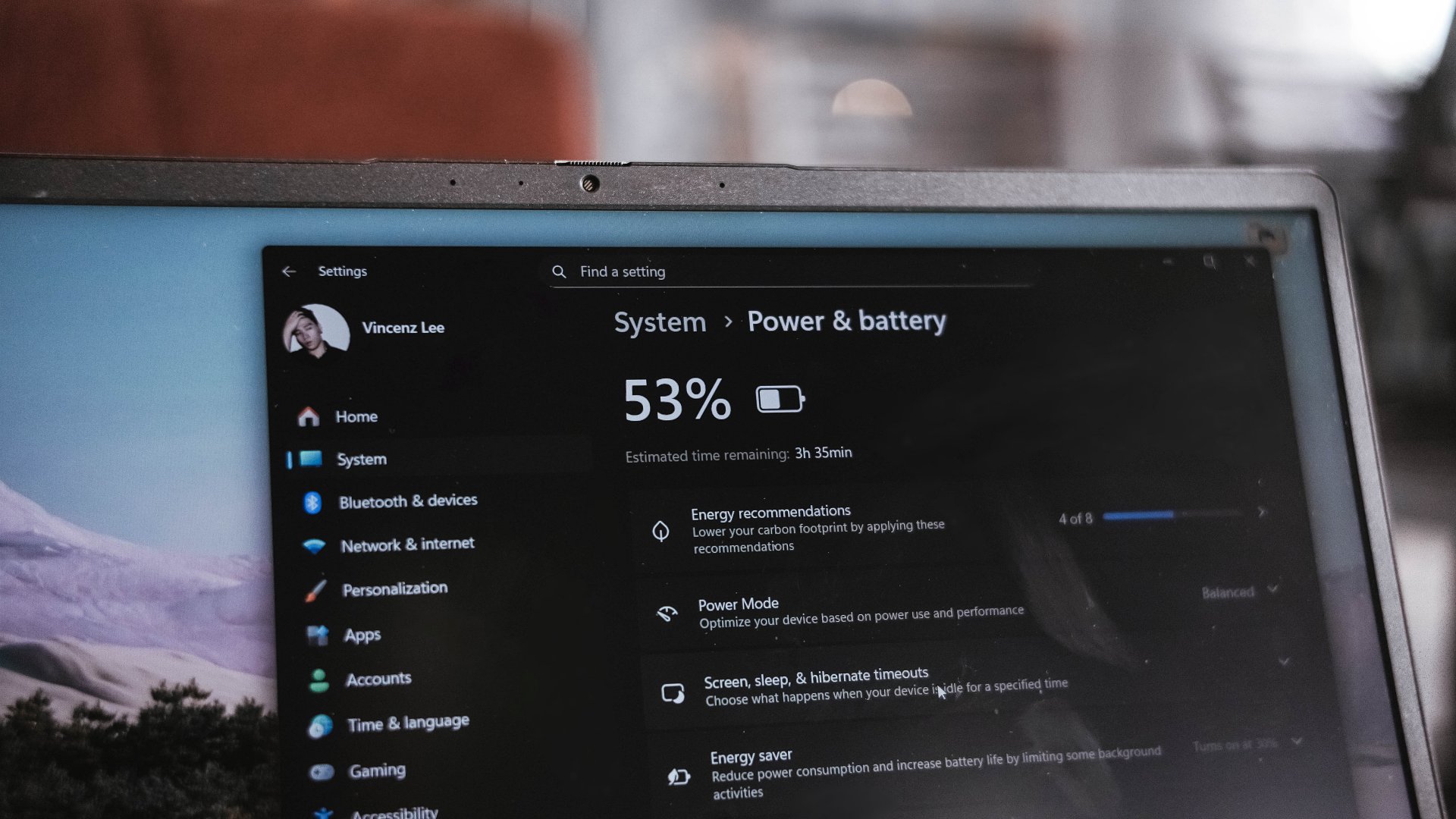
I have honestly given up my GadgetMatch Charge Test upon realizing that in the 45-minute mark, it was only able to fill it at 27%.
This just means that in order to enjoy your me time, you have to sit very near a plug outlet. Moreover, expect severe battery health degradation in the long run if you intend to use it for casual gaming.
“Win”dows is far from winning
Before being a Mac user last 2016, I have been a long-time Windows user. My youthful years made me experience Windows 98, XP, Vista, 7, and even as far as Windows 8.1. My university years in 2015? Relying on Windows 10.
Now that we’re in the era of Windows 11, it’s still far from being flawless.
Even before Fruitiger Aero aesthetics of Windows Vista, Apple was already way ahead of its time with the first iteration of the OS X dubbed “Cheetah” and its translucent UI elements along a cleaner overall look.
2.5 decades after, Windows is as cluttered as it was in its prime days. Settings are for one, file system for another.
Task Manager, Explorer, and even Recycle Bin still crash like crazy — even if the MEGABOOK K16s 13th is already equipped with a pro-grade processor in its core.
The lack of fluidity is also for another. It will really make any Mac user justify the “once you go Mac, you can never go back” saying. Reality speaking, Windows is far from winning over.

This isn’t a TECNO problem per se. It’s always been about Microsoft not fully immersing and polishing their software for the longest of time.
If you happen to own other TECNO devices, TECNO’s PC Manager saves the day.

That so-called “OneLeap Collaboration” not only enables seamless data sharing and file transfers between all your TECNO devices, it also has support for Multi-Screen or Remote PC.
PC cloning, laptop optimizations, even troubleshooting, can also be done in this one-stop app.
Is the TECNO MEGABOOK K16s 13th your GadgetMatch?
The TECNO MEGABOOK K16s 13th in the Philippines retails for PhP 46,999 — and I am not even surprised by this.
I have known TECNO as a brand for quite a while now. The MEGABOOK K16s 13th is another testament to the brand’s vision of bringing devices within the reach of consumers at the middle to the lower-end of the working class.
For those who need better performance, especially those who need intensive graphics power (emphasis on intensive), this is obviously a Swipe Left.
However, it’s a no-brainer Swipe Right for buyers who want a shiny new all-rounder laptop without spending a fortune.

Even with the similar price as the ASUS Vivobook S16, the TECNO MEGABOOK K16s 13th has the upper-hand with its more powerful 13th-Gen Intel Core i9 chipset plus Iris Xe graphics (versus the Core 5 + UHD Graphics pairing).
That’s if you don’t care about the latter’s smoother 144Hz IPS display.
Being “basic” is neither a bad thing
The TECNO MEGABOOK K16s 13th is as “basic” as a Windows laptop can get — at least compared to a swarm of 2-in-1s, ultrabooks, creative powerhouses, and gaming machineries.

I am not saying this is a letdown. In fact, I have to commend the K16s 13th for being a simple yet straightforward laptop that delivers all the necessities without frills.

Although it’s the core definition of a “basic” Windows laptop, it’s still a powerful one — way beyond its price point. It should serve as an example of how “basic” Windows laptops should be in the first place.
The TECNO MEGABOOK K16s 13th is simply an all-around laptop that delivers without messing around.
SEE ALSO: TECNO’s MEGABOOK laptops are now available in the Philippines


The art of being in and behind the frame
An OPPO Reno15 5G review


Now Playing: Yakuza Kiwami 3 & Dark Ties
How old should a game be before it gets a remake?


TECNO MEGABOOK K16s 13th review: No-frills beneath those grills
All-around laptop without messing around

Nothing opens first India store in Bengaluru

Samsung Display unveils QD-OLED Penta Tandem technology

New SIHOO Doro C300 ergonomic chair launches with deals on Amazon
The art of being in and behind the frame

New Resident Evil Requiem trailer teases a return to the RPD

Infinix NOTE Edge debuts: High-end features for accessible pricing

HONOR X9d 5G review: Tougher, more long-lasting and optimized

Redmi Note 15 Pro+ 5G review: The midrange fashion piece

Can the REDMI Note 15 Pro+ 5G Survive?

BYD expands PH presence with entry of DENZA luxury EVs


-

 Gaming2 weeks ago
PlayStation, LE SSERAFIM Chaewon team for the ‘Love of Play’ campaign
-
 Accessories2 weeks ago
Sony WF-1000XM6 was accidentally leaked online
-

 News5 days ago
TECNO will showcase the CAMON 50 and POVA 8 series at MWC 2026
-

 Reviews2 weeks ago
nubia V80 Max: Long battery, marginal upgrades, casual budget phone
-

 Gaming2 weeks ago
Zenless Zone Zero Version 2.6 launches February 6 with idol group debut
-

 Gaming1 week ago
My Hero Academia: All’s Justice: A familiar Final War, made playable
-
Laptops7 days ago
TECNO MEGABOOK K16s 13th review: No-frills beneath those grills
-

 Gaming2 weeks ago
New Civilization VII update will address everyone’s biggest issue