
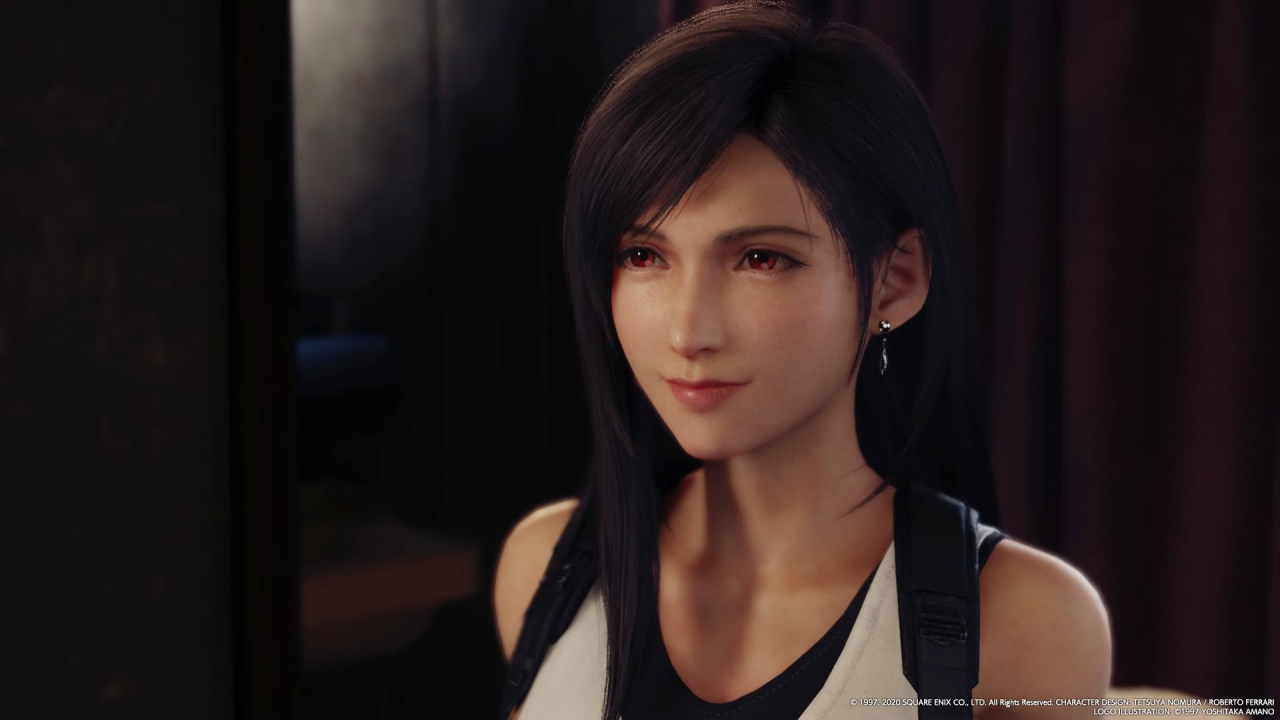


You’ve preloaded, have snacks on hand, and are now ready to head to Midgar. Before you do, here are some tips that might be helpful in your Final Fantasy VII Remake (FF7R) journey.
Before we jump in, here’s a mandatory spoiler warning. While I won’t discuss anything story-specific here, some things might hint on stuff that maybe you want to find out for yourself.
Feel free to come back here in case you’re feeling a little lost in combat.
1. Mix up blocking, running, and dodging
I’ve been pretty anxious and angry lately which is why my initial approach when I started was to charge in and just unleash a flurry of melee attacks. While this works for some random encounters, you’ll find that it’s not effective at all for half the battles you’ll be in.
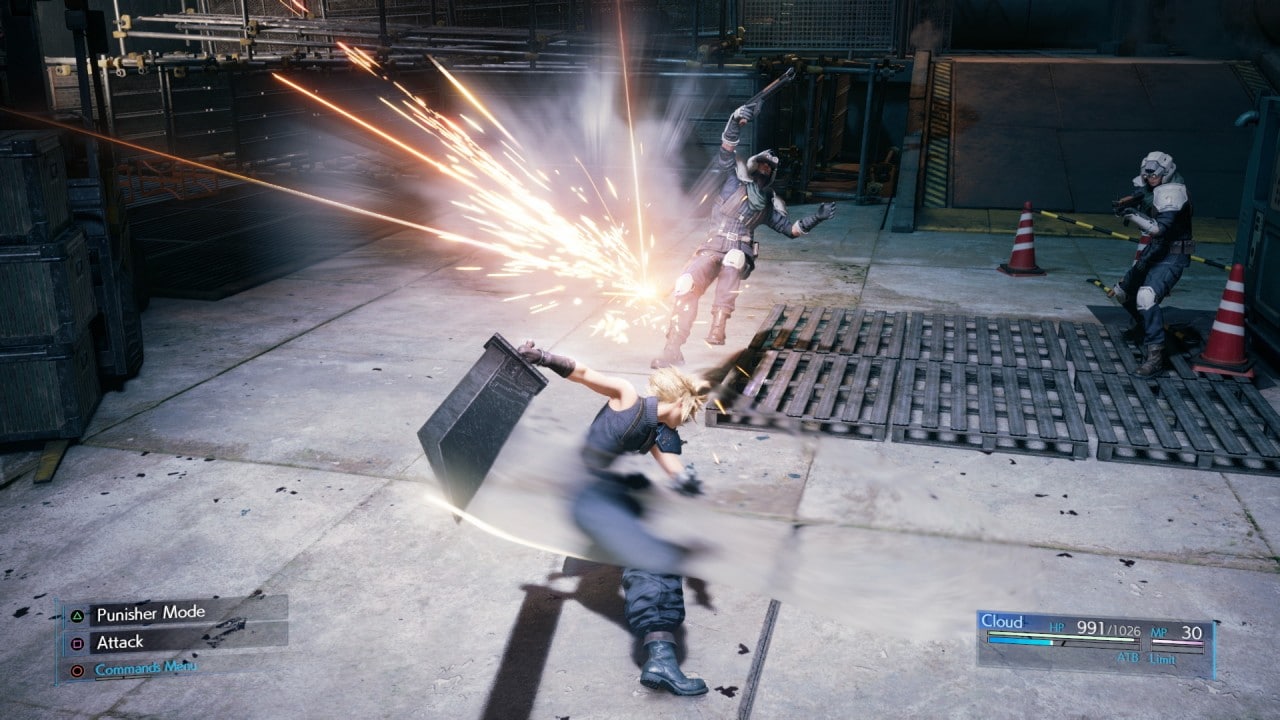
Some enemies will deal massive damage if you don’t guard or run and dodge. Yes, you need to run AND dodge. Dodging alone isn’t effective especially against the monster-types with field of area attacks. To minimize the scratches you take, you have to keep moving.
Blocking physical attacks at the last second also helps decrease damage. If you choose to do so, there’s a bit of side quest where the rewards build on blocking abilities. A lot of these really come in handy even during boss battles.
2. Switch characters during battle
I had the tendency to stick with either Cloud and Tifa too much because their attacks are really fun to look at. I especially like Tifa’s speed and combos. But you’ll soon learn that switching characters is a necessary skill.
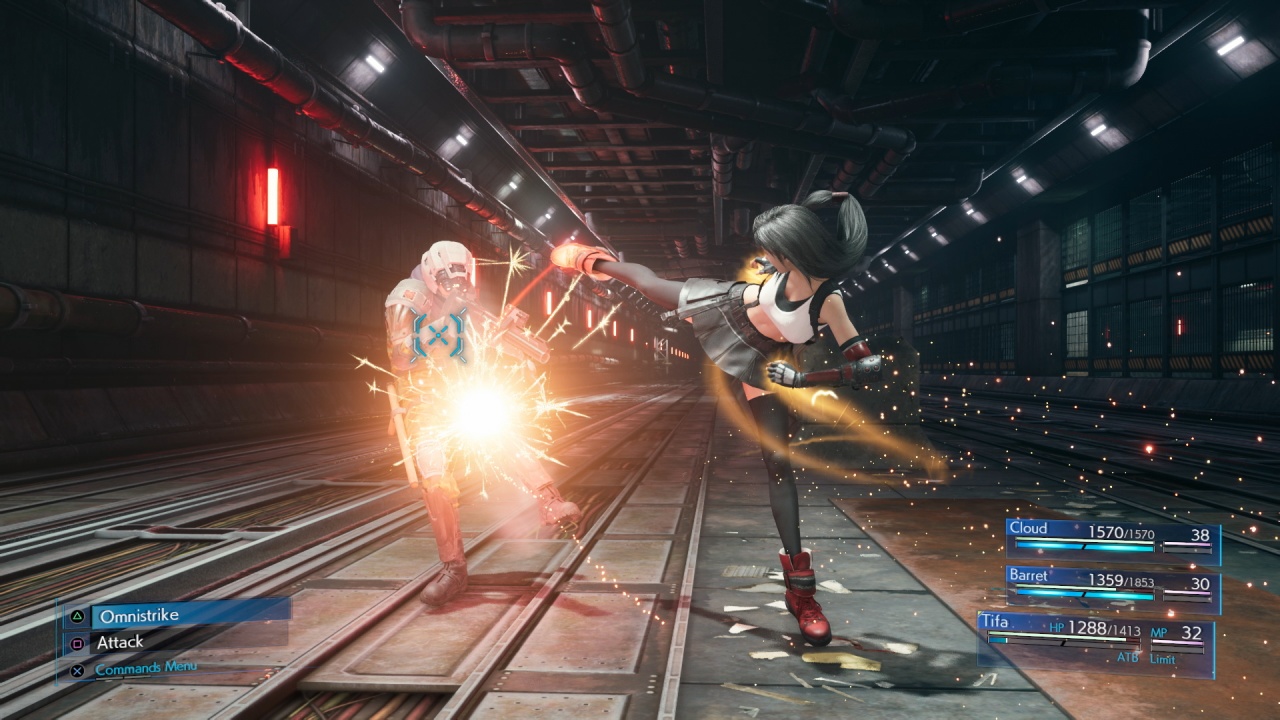
I didn’t try this as much until I was midway through the game, but I encourage you to get used to it as soon as possible. For one, whichever character you control fills-up their ATB meter faster, so switching up frequently means faster access to abilities, spells, and items.
The enemies will also frequently target whoever you’re controlling. If you’re too bullish about controlling just one character, you might end up having to use a Phoenix Down sooner than you’d hope.
3. Max as many materia as you can
I really like the materia system because it gives you flexibility on the loadouts you have no matter who you have on your party. Which is why you should level up as many of these as you can.
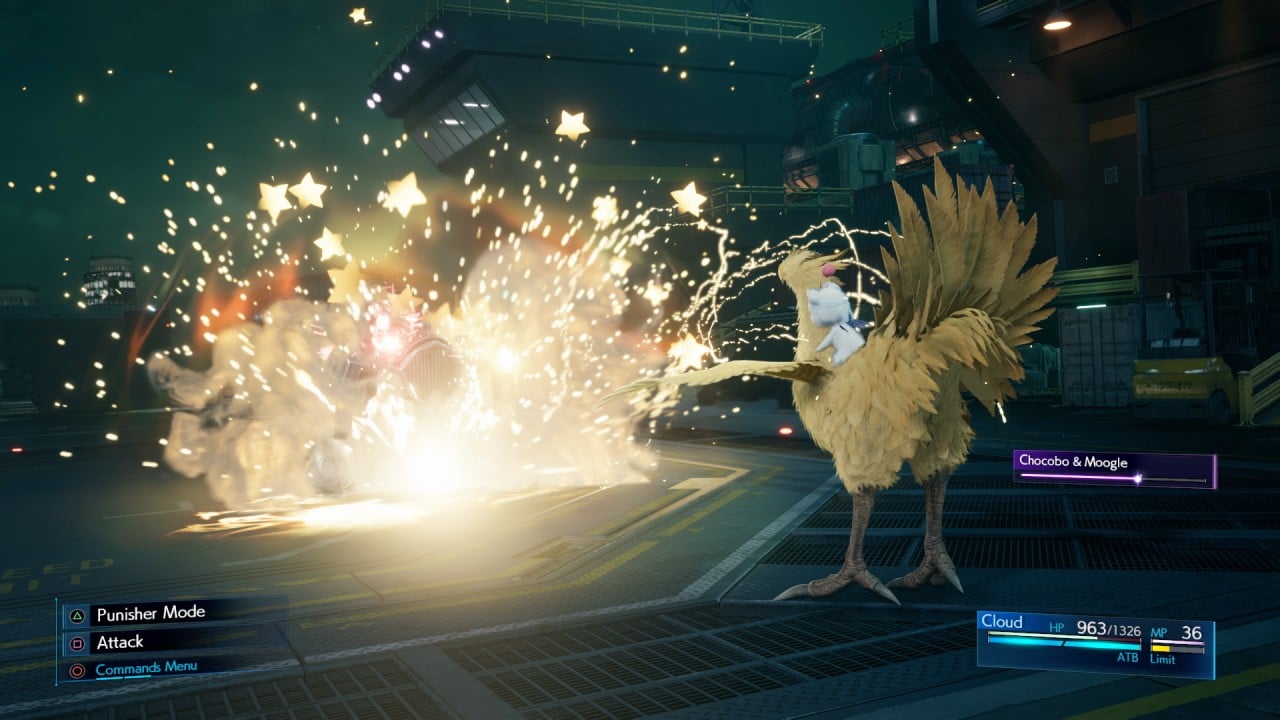
Levelling up a materia doesn’t involve having to use them frequently. Just make sure they are equipped with active party members.
If you want to prioritize, definitely try to max Fire, Ice, and Light materia right away. A lot of the enemies you’ll face will have one of the three as their weakness.
4. Give everyone a healing materia
You’ll pick up at least two of these right away early on in the game. If you have Gil to spare, make sure you get at least one more.
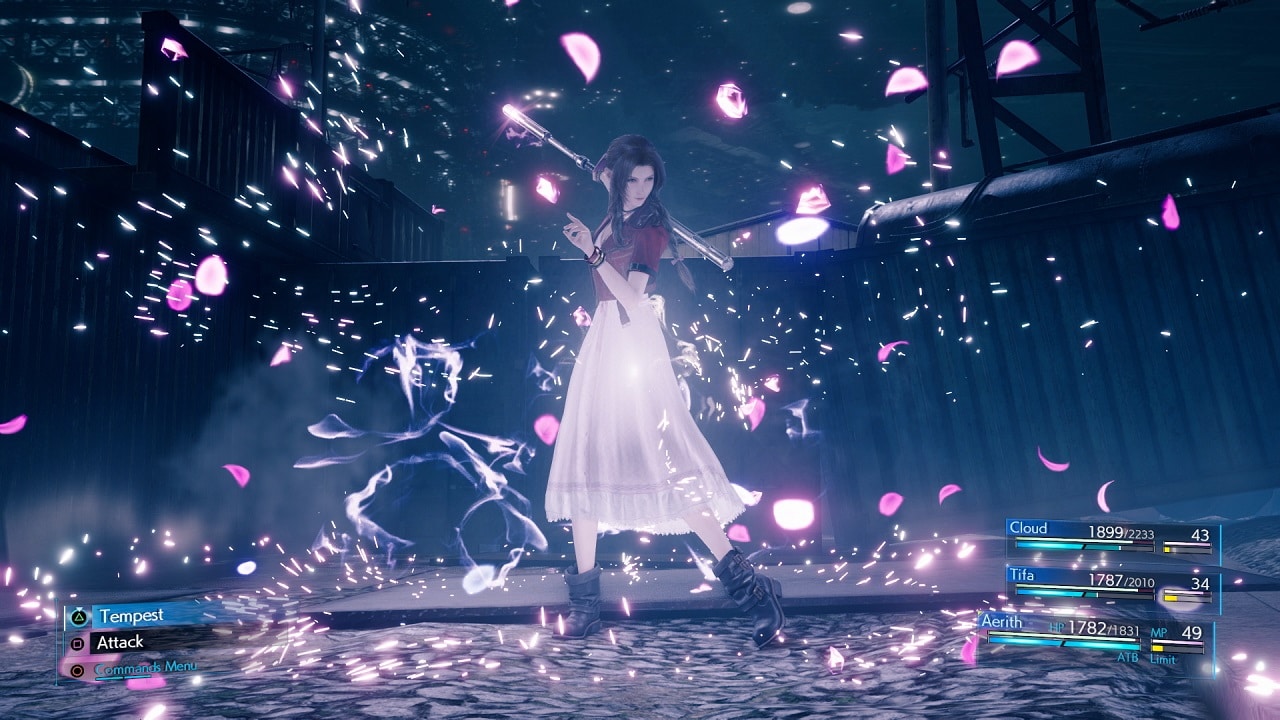
You would want to have the Cure spell on every party member. Some bosses and mini bosses have these absurd attacks that deal heavy damage. If one of your members is low on HP, they could be taken out with one hit.
With cure equipped on every member, you can save yourself a lot of trouble by healing characters right away, especially when their health bar turns yellow.
Bonus: Aerith has a Pray ability that heals all party members. You don’t spend MP but it costs two ATB gauges. You can opt to equip her with ATB boosts materia to speed-up the ATB fill-up.
5. Don’t push the Side Missions aside
Especially the ones that come during the first half of the game. The side missions have a bit of a story in them and fleshes out some characters more. A lot of them also teach you more about the mechanics of the game.
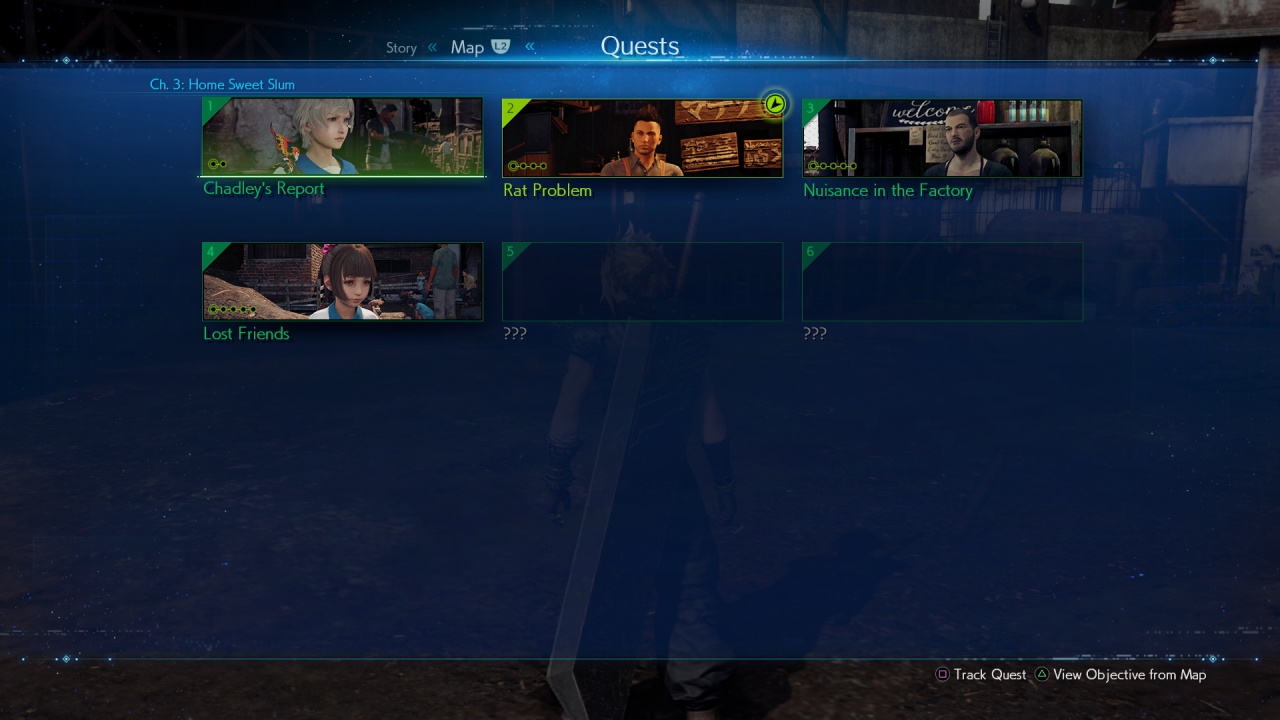
Other than that you’ll also encounter key missions like the one with Materia researcher and developer Chadley. He even has his own Battle Intel option in the menu screen so you can track your progress.
Each task from Chadley corresponds to the development of different materia. Some pretty useful ones are the Dodge Attack, Counter after Blocking, ATB Boosts, and many others.

Some summons are also only attainable through VR Battles via Chadley’s research.
6. Learn new abilities from weapons right away
Every weapon for every character comes with a new ability. To be able to use them even when you switch weapons, you have to reach 100% proficiency. To get there, you have to keep using that particular ability in battle.

The fastest way to do it is by: First, assigning that character as the party leader. This way, you take control of the character as the battle starts. This means your ATB will fill-up faster the more you attack.
Second, equip the character with any ATB boost materia. Even just the first basic ATB boost will do. The faster you fill-up your ATB gauge, the more chances you’ll have to use the ability in battle. The more you use it, the faster your character will learn it and carry it over to the next weapon.
7. Time your ATB-use properly
If you take damage while trying to perform an ability, cast a spell, or use an item, the action will be canceled out but it will still consume ATB. Which is why timing is key.
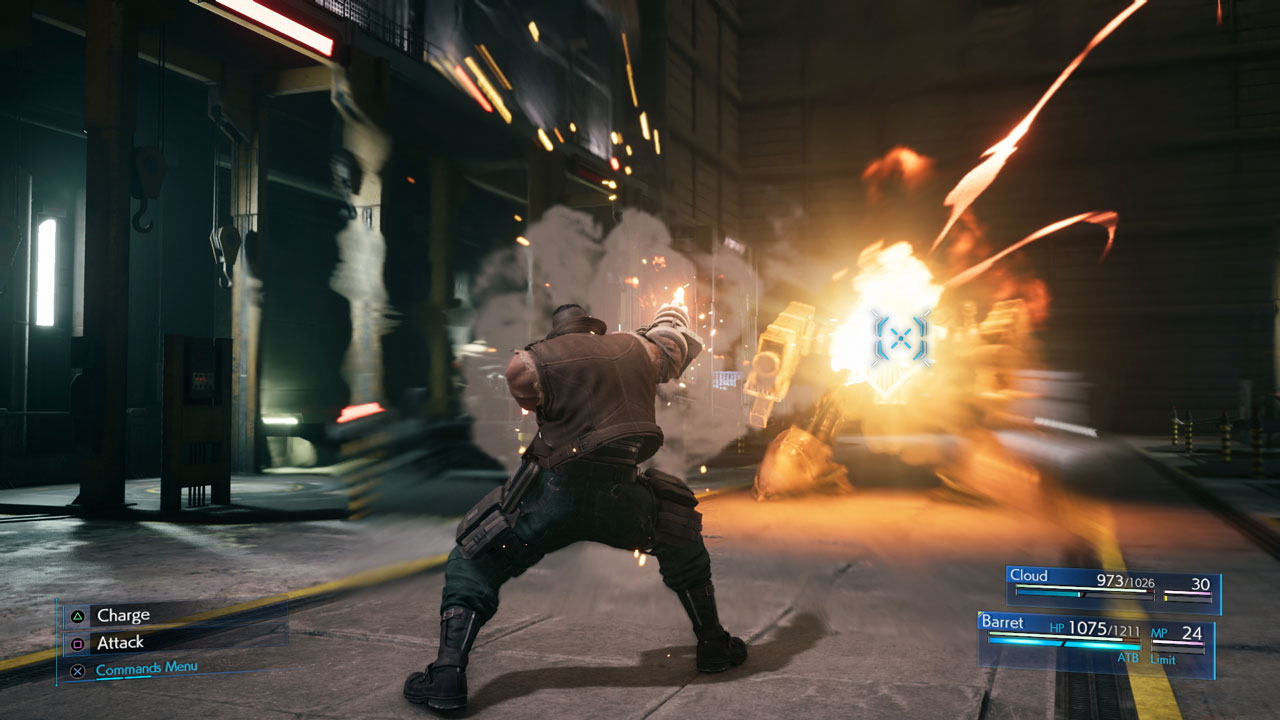
Certain abilities take time to wind-up so make sure you’re using them when an opponent is in range and is not halfway through launching an attack on you.
Same is true when casting spells and using items. When you’re trying to heal or revive a party member, be sure to create some distance between you and the enemy first so the action isn’t interrupted.
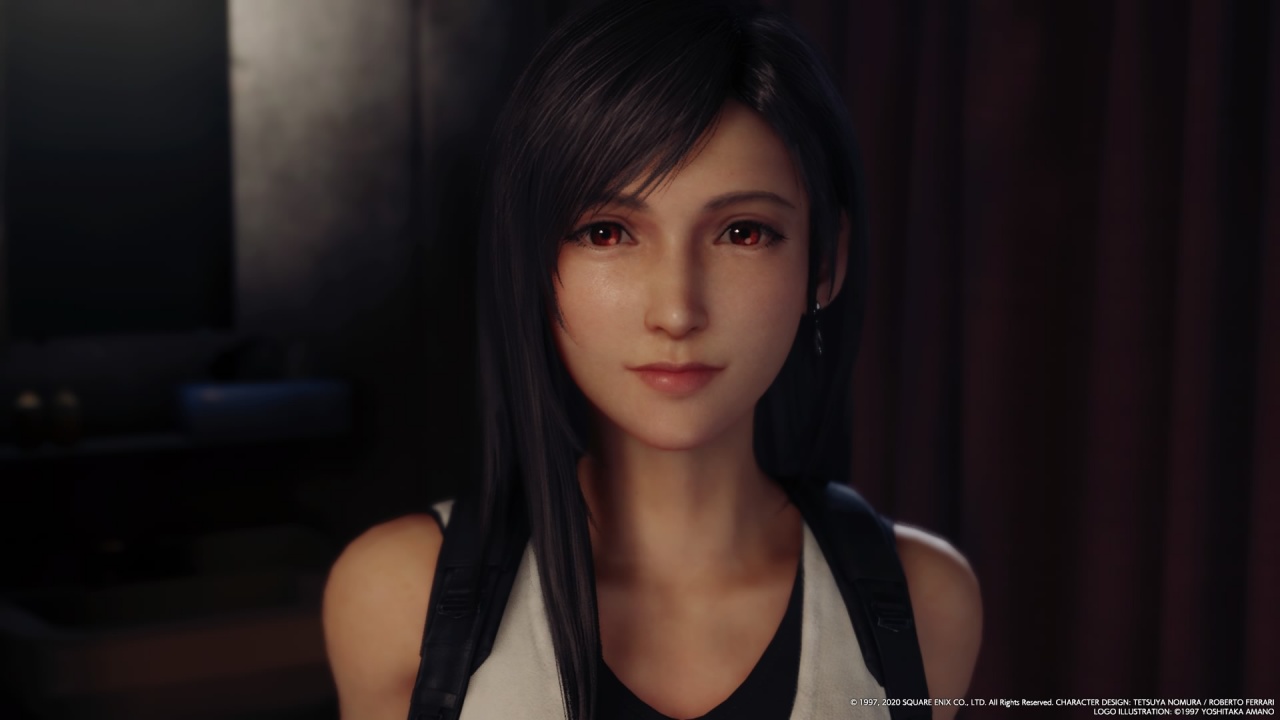
Bonus: Don’t get lost in Tifa’s eyes.
I totally failed here. 😅
There are plenty more I can share, but these are the ones that stuck out to me as I was going through the second half of the game. Most of these I wish I knew right away. Hopefully this helps you have a smoother first playthrough. Enjoy!






Gaming
BlizzCon 2026 announces World of Warcraft: Forever and Diablo V
StarCraft, Overwatch, Hearthstone, and more also get news

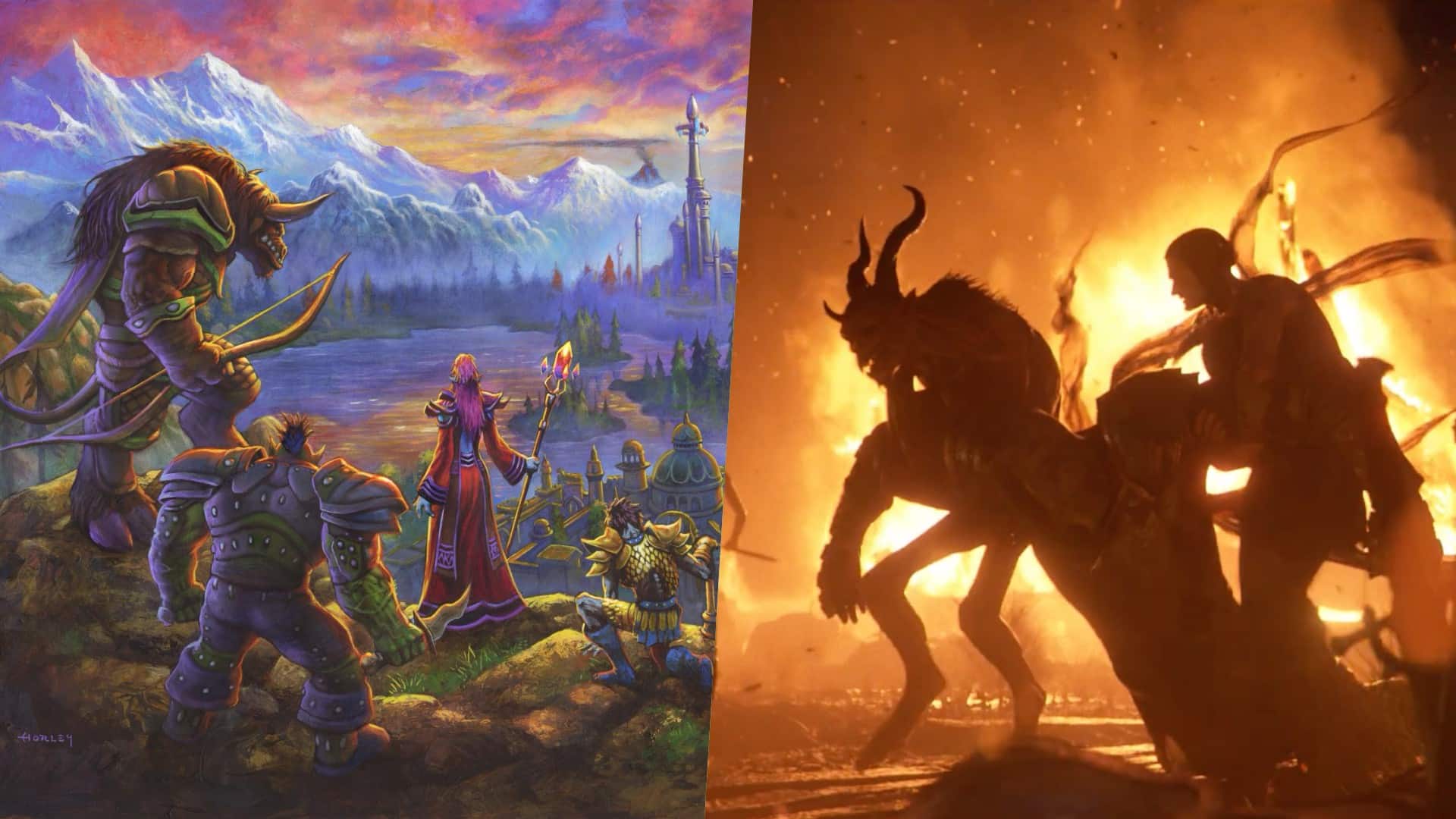
Blizzard Entertainment kicked off BlizzCon 2026 with a packed Opening Ceremony featuring new games, major expansions, updates, and other announcements across its biggest franchises.
Blizzard Entertainment President Johanna Faries opened the event at the Anaheim Convention Center, celebrating the community behind the company’s games and the teams that bring its worlds to life.
World of Warcraft: Forever and Diablo V
The biggest announcement was World of Warcraft: Forever, a new World of Warcraft experience launching November 5 AEDT, with its beta beginning September 18 AEST. The new experience will feature three zones, more than 1,000 quests, nine dungeons, two raids, and a new Skyborne race.
Blizzard also officially announced Diablo V, marking the next era of the franchise. The game is set to launch in North America in Spring 2029, with Sanctuary having fallen and Diablo having won.
StarCraft is also returning with a new story-driven, open-world shooter. The game is currently planned for a Spring 2030 release in North America.
Beyond games, Blizzard revealed that an animated series set in the Diablo universe is in development with Netflix. The company says this is only the beginning of its plans to expand its universes beyond gaming.
For Warcraft III Reforged, the new Forsaken Kingdom campaign is available today. It marks the Warcraft RTS series’ first new storyline in more than 23 years and explores the fall of Lordaeron and the origins of the Undercity. The accompanying 3.0 update also brings graphical improvements and a revamped World Editor.
Heroes of the Storm is adding Xal’atath as its newest Hero. She arrives in the Nexus on September 29 AEST, with her PTR release scheduled for September 15 AEST.
Existing games updates
Meanwhile, Diablo IV is preparing for its next major content drop. Season of Hell’s Legacy begins September 16 AEST and celebrates the franchise’s 30-year history with the return of the Prime Evils and Deckard Cain, alongside themed rewards and gear.
The legendary Amazon class will also arrive in the first half of 2027 as part of Diablo IV’s first class pack. The Diablo IV: Age of Hatred Collection is additionally coming to Nintendo Switch 2 on September 16 AEST with cross-platform play and cross-progression.
For World of Warcraft, Blizzard teased the next major update for Midnight. Eclipse (12.2) will see Xal’atath move closer to her goal of claiming Azeroth’s Worldsoul. Blizzard also offered another look at The Last Titan, the next expansion in the Worldsoul Saga and a major culmination of more than two decades of Warcraft storytelling. More information is coming early next year.
Overwatch is getting a major update with Season 5. The season introduces new Support Hero Doctrine, reworks for Sombra and Roadhog, and the new Watchpoint: Grimsvötn map. It will also conclude The Reign of Talon, Overwatch’s first year-long narrative arc.
LE SSERAFIM & YOASABI
BlizzCon also featured performances from YOASOBI and LE SSERAFIM. YOASOBI will perform during the first-ever esports halftime show at BlizzCon, while LE SSERAFIM will return to the Main Stage to close the weekend. A new LE SSERAFIM in-game collaboration is available now, with another Overwatch Spotlight scheduled for February 2027.
Finally, Hearthstone is getting its first new class in more than six years. The Monk arrives in 2027, while the upcoming Reign of the Black Empire expansion takes players back to the earliest age of Azeroth. It introduces the Assemble keyword, which combines two cards into a new one. Battlegrounds is also adding Aberrations as a new minion type.
BlizzCon 2026 is now underway, with Blizzard promising more announcements and details throughout the weekend.
Gaming
Xbox saves Kojima’s PHYSINT after PlayStation drops support
PlayStation says the separation was mutual, but Kojima hints otherwise.


Things aren’t going well in the PlayStation camp. After two months of frankly questionable decisions, the company adds another to the pile by dropping support for Hideo Kojima’s PHYSINT.
For a while now, Kojima and PlayStation were in a very productive relationship with the Death Stranding duology, a critically acclaimed collection of titles for the platform. When things looked like they were going well, Kojima announced PHYSINT, an espionage-themed game which reminded fans way too much of Metal Gear Solid.
If you were investing in a PlayStation 5 to play Kojima’s latest thriller, you might want to move your chips elsewhere now. PlayStation has just dropped support for the espionage game, meaning PHYSINT will no longer be a first-party title for the platform.
Though PlayStation claims that the decision came after “careful consideration,” Kojima himself has said that the move was “unexpected,” going against PlayStation’s assurance of a mutual separation.
Very quickly, Xbox has announced that their platform will support PHYSINT instead. It’s a big get for the competing brand because Xbox Game Studios is already supporting OD, Kojima’s other upcoming horror project starring Sophia Lillis.
Unfortunately, it’s difficult to say more. As is tradition, Kojima will not explain much more about his upcoming titles. In fact, OD’s trailer barely says anything. One thing’s for sure, though: we’re all in for quite a ride.

There’s a very specific thought that came to mind the moment I finished Marvel’s Wolverine.
“Damn, we finally have a pretty darn good Wolverine that’s not Hugh Jackman.”
I have nothing but respect for what Hugh Jackman has done with the character over the past two decades. His portrayal has shaped how a lot of people see Wolverine. But after all that time, it’s refreshing to see another actor take a proper swing at James Logan Howlett.
Liam McIntyre is fantastic here.
This isn’t exactly a live-action adaptation, but it’s about as close as you can get to having an actor perform Logan and Wolverine without putting a camera in front of him. And my god, does he perform.
McIntyre gives Logan a range of emotions that I wanted to see from the character. He isn’t just a dude acting all tough. He’s a man piecing together broken memories, balancing found-family relationships, and trying to be kind and helpful without ever becoming sappy.
For a story-driven action game like this, that’s important. Your lead can’t be insufferable when you’re going to spend more than 20 hours with him.
Thankfully, Logan is someone you can root for while he’s being a total badass.
That’s really what Marvel’s Wolverine is: a blockbuster you get to play.
A formula that works

When I first started playing Marvel’s Wolverine, I wasn’t convinced it was particularly great.
It felt familiar. Formulaic, even.
But then, after a while, I couldn’t put the controller down. That changed my mind pretty quickly.
I’m a binge watcher. If a narrative is engaging, I’m hooked. This is why I gravitate toward story-driven games, especially the kind of games that have become the money-makers for PlayStation.
Marvel’s Wolverine scratches that exact itch.
The story pulled me forward. The characters kept me invested. The combat was fun. And the set pieces are absolutely bat-shit insane.
It’s a perfect blend of all of those things.
The 21-hour campaign didn’t feel like a 21-hour campaign. It felt like I was binging an interactive, movie-quality TV series with hour-long episodes. I kept telling myself I would stop after a chapter, only to find myself wanting to see what happens next.
There were nights when I stayed up longer than I normally would just to make sure I reached a natural break point.
That’s a pretty good sign.
The funny thing is that I could still see the formula while playing it.
There are story beats you can probably figure out ahead of time. If you’ve played Insomniac’s Marvel’s Spider-Man, you might even recognize some of the ways the studio likes to structure its stories. As someone who’s been exposed to plenty of superhero stories, there isn’t much here that I would call life-changing or groundbreaking.
But it doesn’t really need to be. The execution is what makes it work.
Insomniac understands how to make these games feel like movies that you play. It understands compelling storytelling, character work, proper pacing, and dynamic gameplay.
More importantly, it understands when to let you breathe.
Knowing when to slow down

Logan and Raven (Mystique) at a bar in Madripoor
The rhythm of Marvel’s Wolverine is one of its biggest strengths.
You’ll go through a quiet character moment. Then you explore a little. There’s some dialogue. The action picks up. A fight escalates. And suddenly you’re in one of the game’s massive set pieces.
Then it lets you breathe again.
That sounds simple because it is. But getting that rhythm right is harder than it looks.
There were moments when I thought a fight was going to go on forever. Then it would stop right when I started thinking that.
The game knows when you’ve had enough.
That matters because Wolverine’s combat can get pretty intense.
But because the combat sections are spaced out properly, I was almost always looking forward to the next group of enemies I could mow down.
The quiet moments are just as important. I absolutely loved them.
They give you a breather from the violence, but they also help steady you on where the story is going. The action, violence, character work, and jaw-dropping set pieces all serve each other.
It’s a balance Insomniac executed fantastically.
This is Wolverine as a combat fantasy

If there’s one thing I think Insomniac absolutely nailed, it’s the feeling of unleashing Wolverine in combat.
Playing as Spider-Man in Insomniac’s games gives you an especially strong connection to the character because his traversal is so unique. Swinging through New York is such a huge part of what makes you feel like Spider-Man.
Wolverine doesn’t quite have that.
He’s more ground-bound, and that means some of the experience feels closer to playing a traditional hack-and-slash character.
But when the fighting starts, it’s a different story.
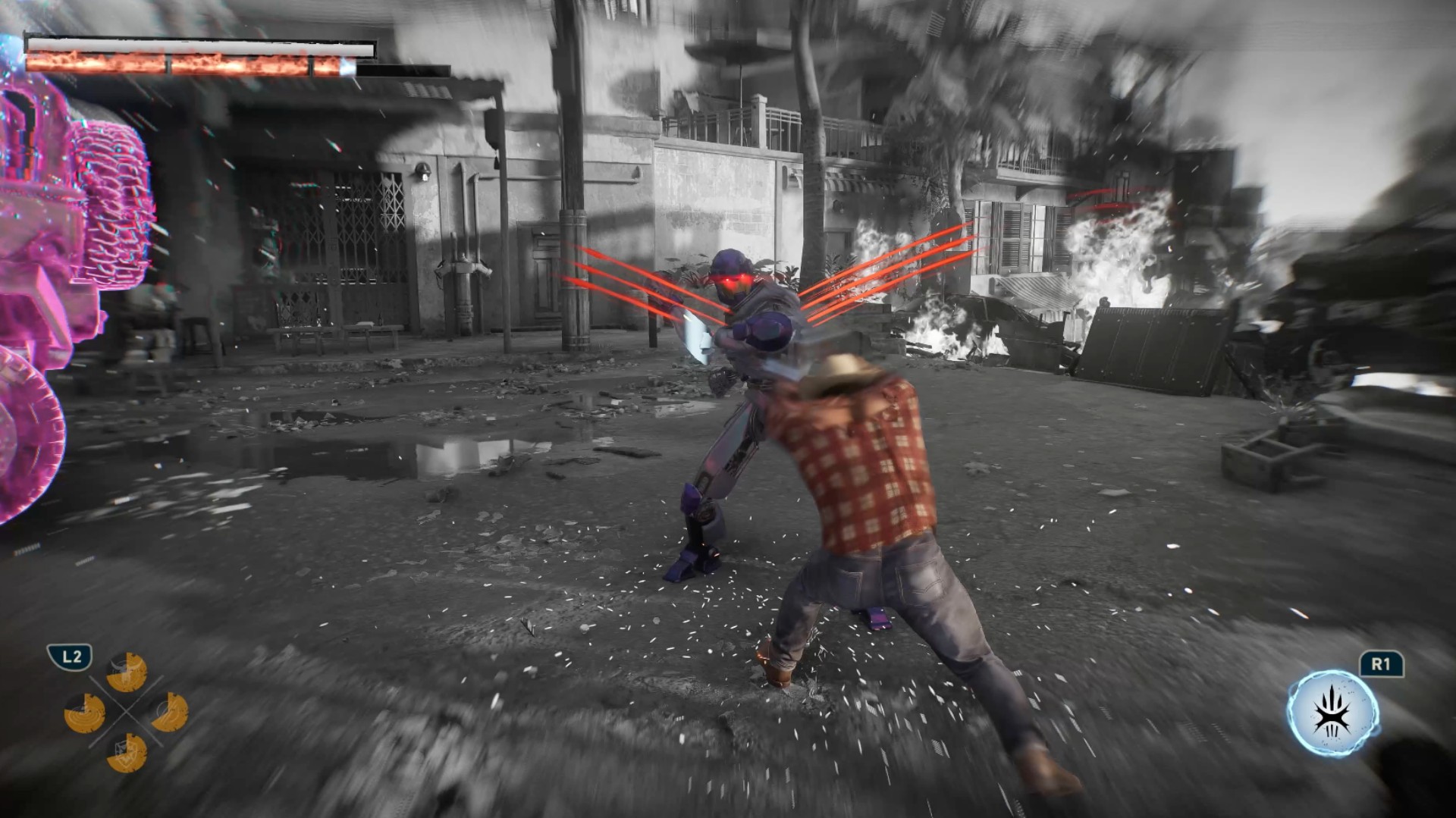
I felt like a savage force of nature wailing on enemies.
Rage
The game gets the important parts of Logan’s physicality right. His aggression. His durability. His healing factor. His claws.
Even the Rage system makes sense.
I particularly love how Rage feeds into his healing factor. That gameplay loop feels like a fantastic implementation of his mutant abilities. You’re building Rage, using it to stay in the fight, and generally making Wolverine feel like the nearly unstoppable force he’s supposed to be.
I do wish Rage felt a little more feral, though.
Wolverine is still pretty much in control when Rage kicks in. You deal more damage, but I was hoping for something that made it feel like Logan was losing control a little bit.
Maybe that’s asking for too much. I’m no game developer.
But it would have been an interesting way to express what Rage means for Wolverine beyond simply making him stronger.
Getting better feels good

The combat has enough going on to support a campaign that stretches beyond 20 hours.
Techniques become instrumental in making you feel like you’re getting better at combat. Adaptations let you build Logan around how you actually play.
I’m not particularly good at dodging and parrying, so I leaned into a tankier build. I equipped Adaptations that helped me absorb hits and extended the parry window because parrying is an important combat mechanic.
And whenever I successfully pulled off a parry, I felt like a complete badass.
That’s a good feeling to have several hours into a game.
The combat loop itself can naturally become repetitive. You’re fighting enemies, building Rage, using Techniques, and mixing up your combos.
But I never really got tired of it.
The one exception was a wave-based challenge that asks you to fight through a ridiculous number of enemies. Getting to the highest rank takes around 45 waves, and I could already feel my hands hurting around Wave 30.
That’s the kind of challenge you need to prepare for. Take it on, then take a break.
Thankfully, that was the only part of the combat that felt genuinely tiring to me.
And yes, if you’re here for the blood and gore, you will not be disappointed.
I’m not even that big a fan of excessive violence, but it works here.
There’s a famous Wolverine line about being the best at what he does, even if what he does isn’t very nice. The violence in this game supports that idea to a tee.
Marvel’s Wolverine earns its M for Mature rating.
Logan’s story is more personal than it looks
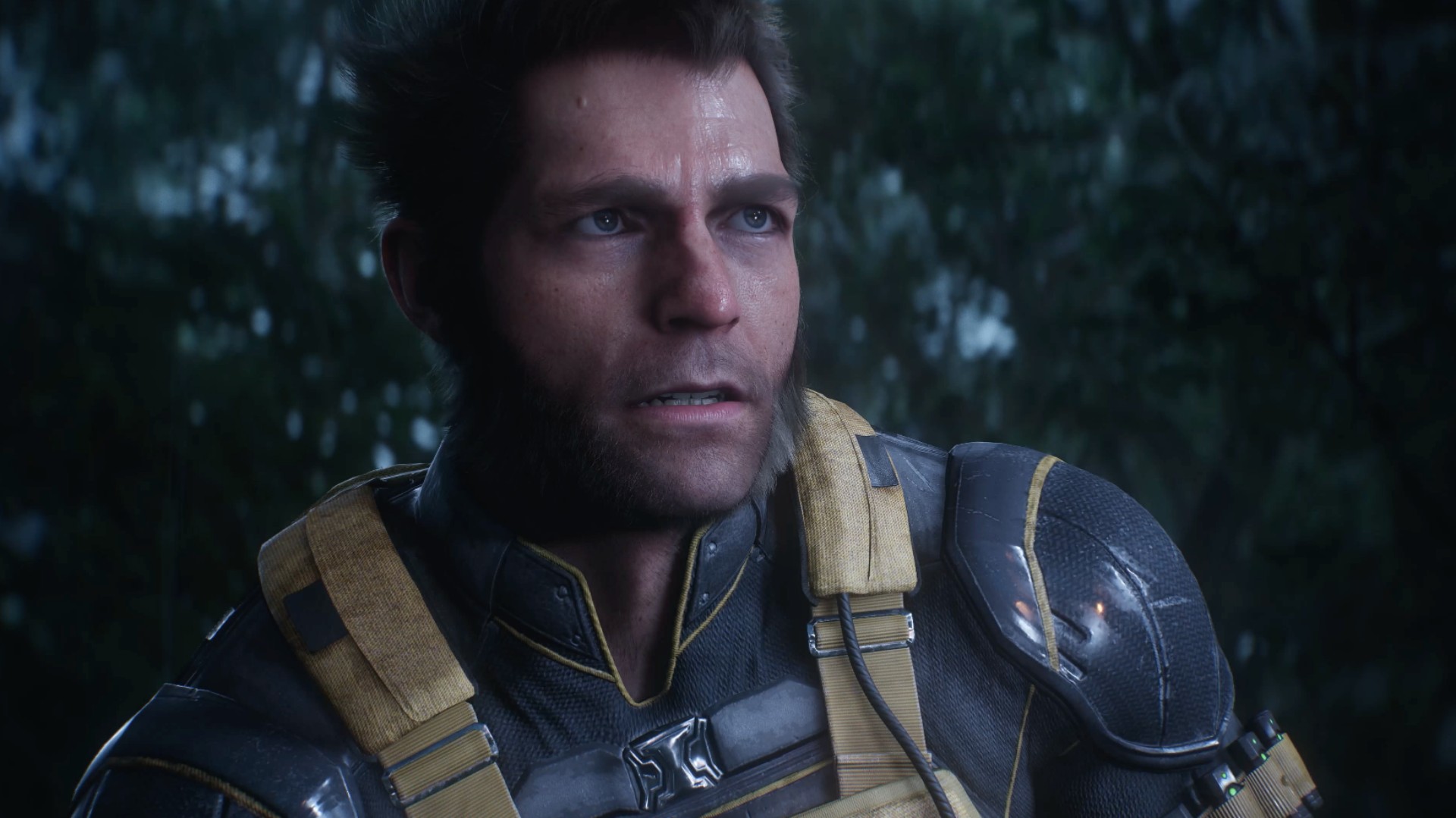
Wolverine being a superhero is the draw.
But underneath all the claws and mutant powers, this is really a story about a man trying to figure himself out.
It’s important to know going in that this is a pre-X-Men story. The game doesn’t immediately throw you into the familiar X-Men setup you might expect.
Instead, Logan is piecing together who he was, who he’s been, who he is, and ultimately who he wants to be.
It just happens to take place in a world where mutants exist.
I was never the biggest Wolverine fan. In fact, I hated how the live-action Fox movies treated him as the X-Man when the X-Men have always been an ensemble to me.
I say this as a Cyclops fan.
God bless Hugh Jackman and everything he has done for Wolverine, but his portrayal inevitably shaped the character’s place in popular culture.
Insomniac’s Logan feels a little different — and maybe the fact that he’s canonically a “short king” here makes him seem more appropriate.
He’s a man trying to do right by the people around him while also trying to figure out how to do right by himself.
He’s broken. His memories are fragmented. He has people around him that he cares about. And underneath the rough exterior is someone who is simply trying his best to make sense of his present reality.
That made him surprisingly easy to root for.
Jean Grey is having a moment

Best Jean Grey in modern media?
And then there’s Jean Grey.
I did not expect Jean to become one of my favorite parts of Marvel’s Wolverine.
But here we are.
I think a lot of people primarily know Jean through a few familiar ideas. The love triangle between Scott and Logan. The Phoenix. Getting overwhelmed by her powers.
The 1990s animated series had plenty of moments where Jean felt weak, while the live-action movies eventually speed-ran toward the Phoenix side of the character.
Marvel’s Wolverine gives her room to simply be Jean.
She’s headstrong. She can take care of herself and the people around her. She has her own motivations and a steadfast desire to protect her found family of mutants.
She can hold her own in a verbal spat just as easily as she can throw down with her mutant abilities.
She could just as easily have been marketed as the second lead of this game.
She’s fantastic.
Easily one of my favorite versions of Jean Grey.
And I think she’s about to get a lot more fans.

Between Sadie Sink’s Jean in Spider-Man: Brand New Day and this version from Insomniac, Jean Grey is suddenly having a moment.
I just don’t think we’ve gotten enough versions of Jean where she gets to be her own person.
Here, she is.
And she’s also incredibly charming.
A world that doesn’t need to be open
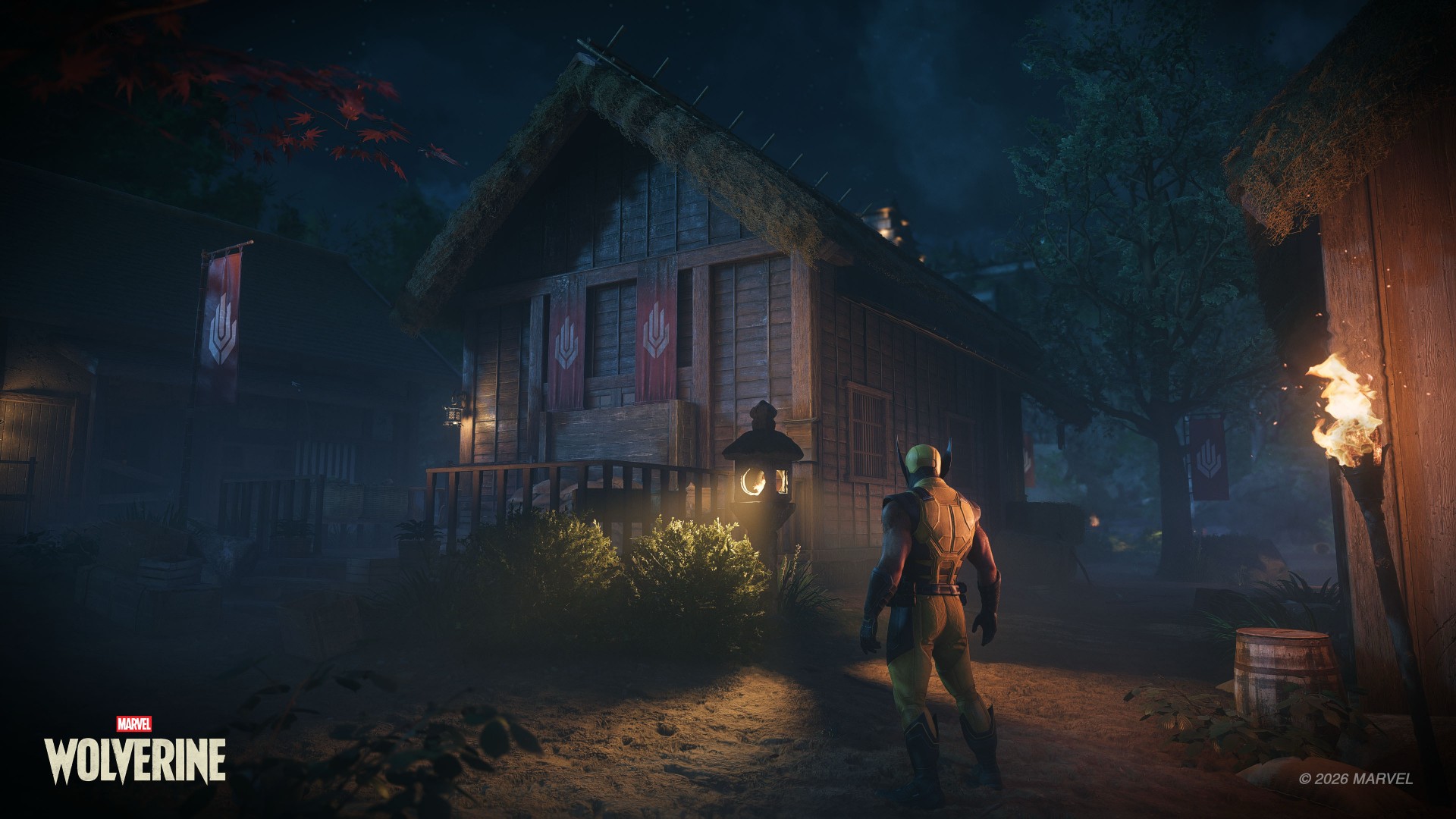
One thing I appreciate about Marvel’s Wolverine is that it doesn’t feel like Insomniac looked at its previous games and decided everything had to become bigger.
This isn’t an open-world game and that’s perfectly fine.
Not everything needs to be openworld.
The structure actually reminds me more of Ratchet & Clank: Rift Apart than Marvel’s Spider-Man. You move through contained environments, but they don’t feel like one long tunnel.
The locations are distinct. There’s room to explore. There are things to find. And the optional activities are tied to gameplay mechanics, which makes them feel more useful than simple checklist items.
Madripoor was especially memorable to me.
Part of that is because it’s a Southeast Asian-adjacent location, and that’s where I’m from. I’d love to see a more fully explorable version of Madripoor someday.
The game’s global structure also reminded me a little of how Captain America: Civil War handled its different locations.
The game also has plenty of little X-Men winks that made me go, “I understood that reference.”
The Mission Replay screen also recreates that famous meme of Logan lying on his bed and staring at a framed photo.
They did the Wolverine meme lol https://t.co/3kSO4i3n0t pic.twitter.com/bvc5q1A8Ye
— Genki✨ (@Genki_JPN) August 28, 2026
These touches never feel like they’re there just for the sake of checking a box. They add personality to the world and make it feel like Insomniac understands the character and the people who have grown up with him.
It makes the adventure feel bigger without forcing the game to become a massive open-world playground.
That’s the right choice for this particular story.
The blockbuster moments

The set pieces are where Marvel’s Wolverine really goes for it.
There are plenty of moments where you might just stop and think, “Woah.”
The action is high-octane. The spectacle is ridiculous. And there are sequences that genuinely made me want to shout at the screen.
The motorcycle sections are probably what I’ll remember most.
I sucked at them but they were fun as hell.
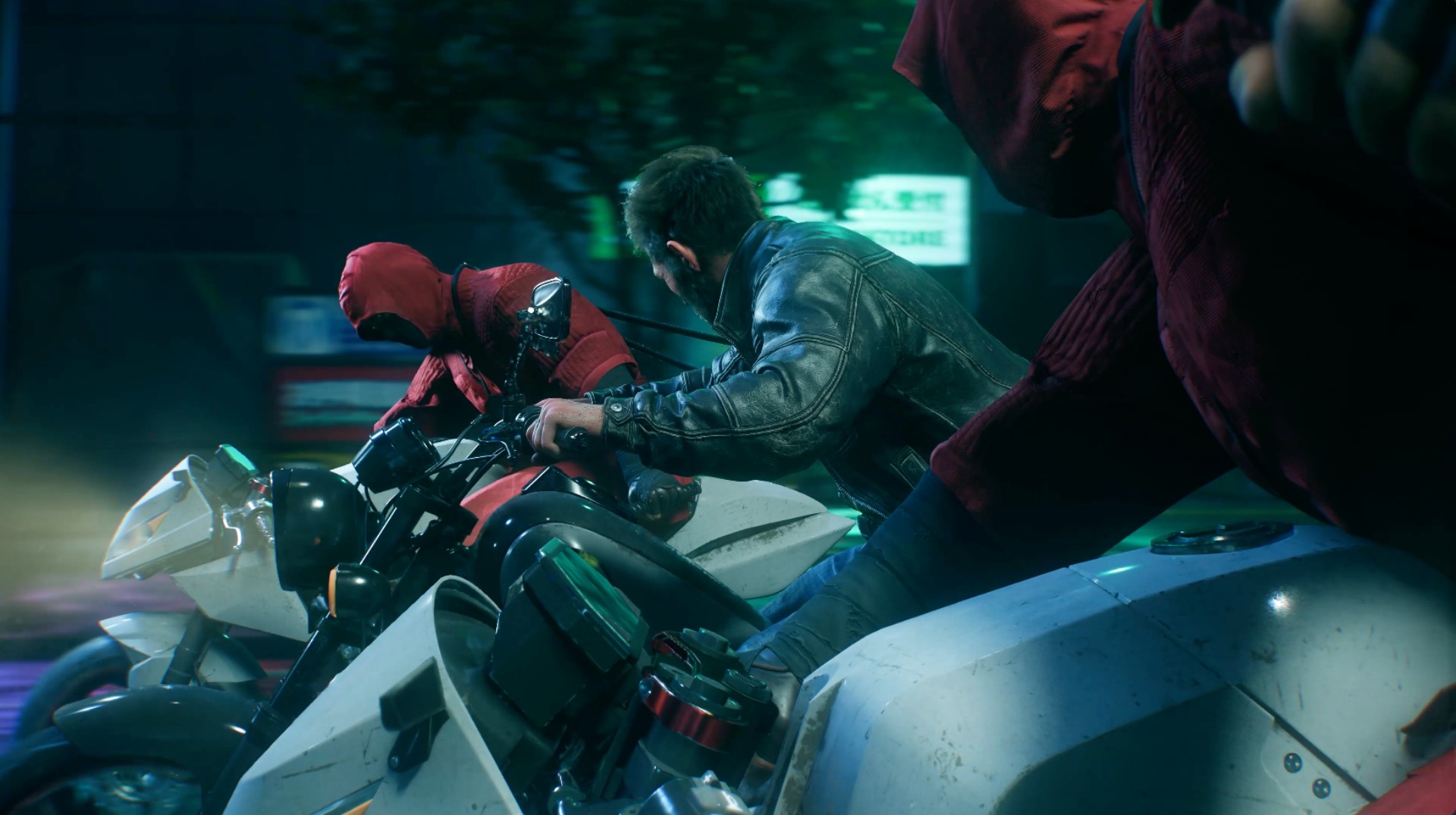
They should make the motorcycle sections playable separately.
That’s a pretty good description of a lot of the game’s biggest moments. They’re designed to make you feel like you’re inside a giant action movie, and they succeed.
What’s important is that the spectacle never felt disconnected from the rest of the game.
The quieter scenes prepare you for the big moments. The story gives them context. The combat gets you there.
Everything serves everything else.
And after 21 hours, I wasn’t thinking about which individual feature was the most innovative.
I was thinking about the experience as a whole.
A complete package

Another thing Insomniac gets right here is what happens after the credits.
Marvel’s Wolverine feels complete.
You can replay missions and go back for objectives you missed. There’s Photo Mode. There’s New Game Plus available right away. There’s optional content waiting for you.
You have plenty to do even after the credits roll.
That’s especially notable because the lack of New Game Plus and limited post-game content were among the major criticisms of Marvel’s Spider-Man 2. Wolverine addresses those concerns from day one.
Personally, I want to go back through the other missions before jumping into another full playthrough. And when I do replay the game, it won’t necessarily be because I want to discover some completely different combat experience.
I just want to experience the story again.
That’s something I tend to do with Insomniac’s games.
Not groundbreaking. Just really, really good.
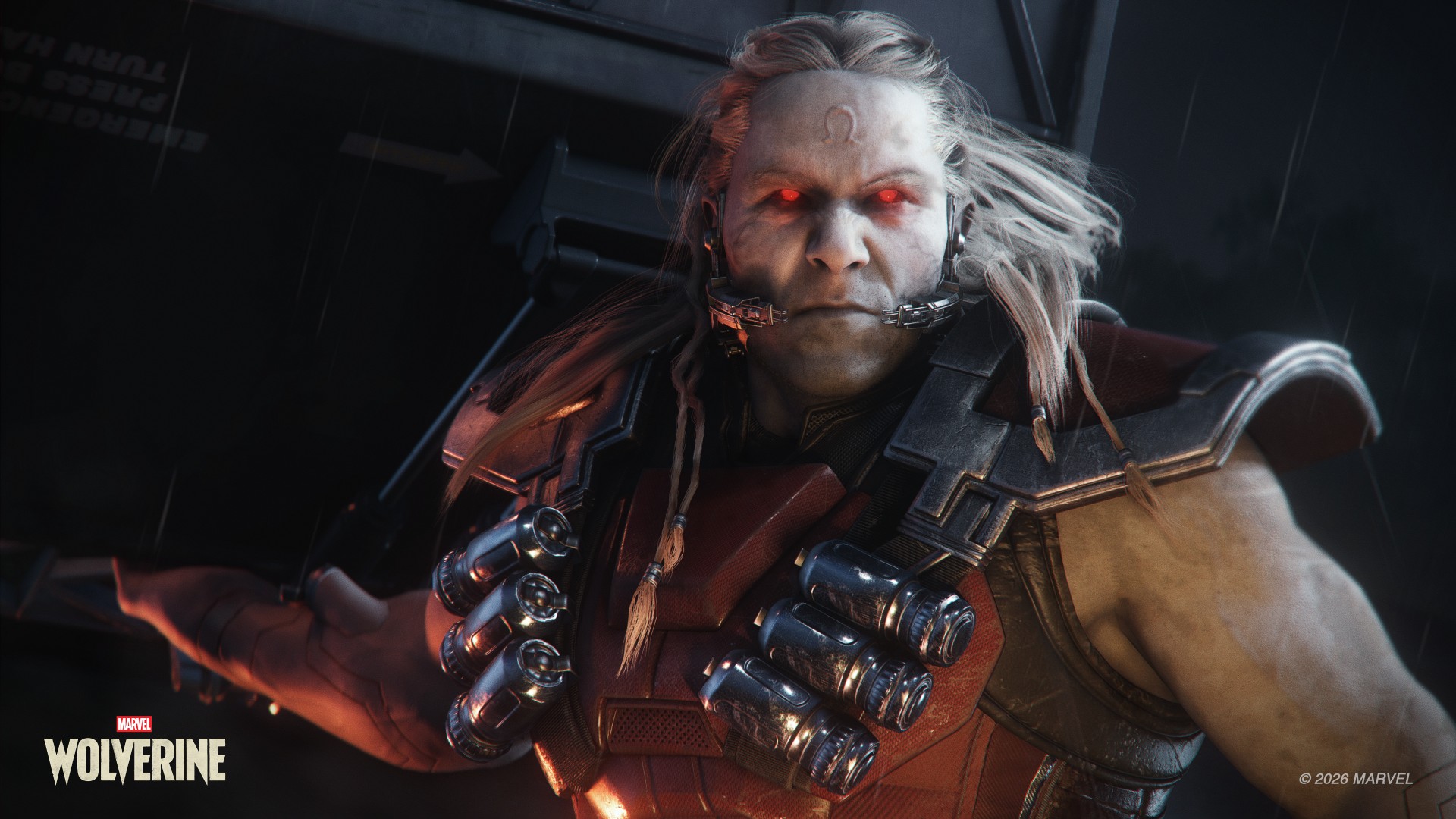
Omega Red
If I had to point to the biggest weakness of Marvel’s Wolverine, it’s predictability.
Nothing here feels particularly groundbreaking or new.
The story doesn’t have a lot of twists that genuinely surprised me. There are plenty of story breadcrumbs that make it possible to figure out where certain things are heading.
But by the time I reached the end, I didn’t really care.
The execution was good enough that I was hooked regardless.
And the game leaves plenty of room for what Insomniac could potentially do next.
I can’t say much more without getting into spoiler territory.
Let’s just say I’m a thousand percent excited.
The one character I genuinely wish had gotten more to work with is Lady Deathstrike.
Her hatred for Logan makes sense within the story, but she felt too one-note to me. Her background suggested there could have been more there, and I don’t think the character quite got the material she deserved.
That’s about as far as my major complaints go.
Combat can be repetitive because combat is naturally going to be repetitive. The game isn’t reinventing the genre.
But nothing became egregious enough for me to point at and say, “This is a problem.”
That’s because Marvel’s Wolverine is remarkably consistent.
Wolverine knows what it wants to be

Marvel’s Wolverine isn’t the game that will fundamentally change how we think about superhero games.
It doesn’t need to be.
It’s a pretty darn awesome action game that feels like a movie.
More importantly, it’s a game that understands the character it’s trying to portray.
When you’re watching Logan piece together his memories, trying to understand the people around him, or figuring out what kind of person he wants to be, the game gives you room to care about him.
When the claws come out, it lets you become a savage force of nature.
Then, when you’ve had enough, it gives you a quiet moment to breathe.
That’s the formula. It’s familiar. It’s predictable. And it works. Really, really well.
I started Marvel’s Wolverine thinking it was simply another polished PlayStation blockbuster.
By the time the credits rolled, I had spent 21 hours completely hooked.
I sat for about two hours afterward just taking the whole thing in and sorting through my thoughts.
Whew.
What an experience.

Marvel’s Wolverine reminded me why I keep coming back to story-driven action games in the first place. It doesn’t need to reinvent the formula. It just needs to execute it well enough that you forget you’re playing a game and get completely swept up in the experience.
That’s exactly what it did to me.
Marvel’s Wolverine isn’t groundbreaking. It doesn’t need to be. It’s just damn good at being the kind of game I want to play.
GadgetMatch verdict: Swipe Right.
Marvel’s Wolverine is one of the very best at what it does. And what it does is pretty astonishing. It delivers a polished, cinematic, character-driven experience that makes it very easy to lose 20-plus hours to it.


Marvel’s Wolverine review: When the claws come out
A brutal, cinematic superhero adventure


Setting your bedsheets ablaze with the Lovense Solace Pro
The closest proxy I could find where I'm guilty as sin


Now Playing: Elden Ring Tarnished Edition
Is the Switch 2 port worth the price?

BlizzCon 2026 announces World of Warcraft: Forever and Diablo V

Apple iPhone 18 Pro Series Hands-on

Spotlight: Hisense UR8 + RGB MiniLED Explained

First Look: Apple iPhone Duo

Xbox saves Kojima’s PHYSINT after PlayStation drops support

TECNO MEGAPAD 2 review: Eyes on the size

realme 16T 5G with 8000mAh battery, IP69 Pro rating launches in PH

HUAWEI Pura X View is 2026’s first WIDE slab-type smartphone

REDMI reveals the refreshed Note 17 and Note 17 Pro series

REDMI Note 17 Series focuses on long-term reliability


-
 News7 days ago
HUAWEI Pura X View is 2026’s first WIDE slab-type smartphone
-

 News7 days ago
The CAMON Slim 5G is TECNO’s latest ultra-slim smartphone
-

 Cameras2 weeks ago
DJI Osmo 360 II review: Going all-in on the ecosystem
-

 IFA 20262 weeks ago
TECNO MEGABOOK T15 360 unveiled at IFA 2026
-

 Gaming1 week ago
NBA 2K27 review: A two-way All-Star
-

 Reviews2 weeks ago
Samsung Galaxy Z Fold8 Ultra review: It’s time to get a foldable
-

 News4 days ago
iPhone 18 Pro series: Price, availability in the Philippines
-

 IFA 20261 week ago
TECNO’s POVA 8 Pro gets a stealthy makeover