


When I first got my hands on the Mate 20 Pro, I wondered to myself: Where do I even start?
Even after spending over a month with the phone and checking out its less feature-packed sibling, I still can’t help but be amazed by how much tech Huawei jammed into this thing.
It’s not even debatable; comparing the Mate 20 Pro to any other phone released this year would make the opposite side look stale. Inside and out, this is the most complete smartphone ever assembled.
Of course, that doesn’t mean it’s perfect. While Huawei focused so hard on one-upping its fiercest rivals, some old weaknesses showed up and new issues arose in the process.
Going through every single feature would be too much for a single article, however. I could easily surpass the monstrous word count of our iPhone XS review if I were to get overly thorough and technical.
Instead, it’s best to evaluate the Mate 20 Pro by its most impressive, as well as its most jarring, traits. Let’s begin with the usual: design.
I honestly wasn’t a fan of the stove-top arrangement of the rear cameras and excessively thick notch in front, but they eventually settled into my taste and I realized the purposes they served.
In short, I don’t have to deal with an awkward camera bulge on the rear, and the faster, more secure face login became a great alternative to the intuitive yet comparatively slow under-display fingerprint reader.
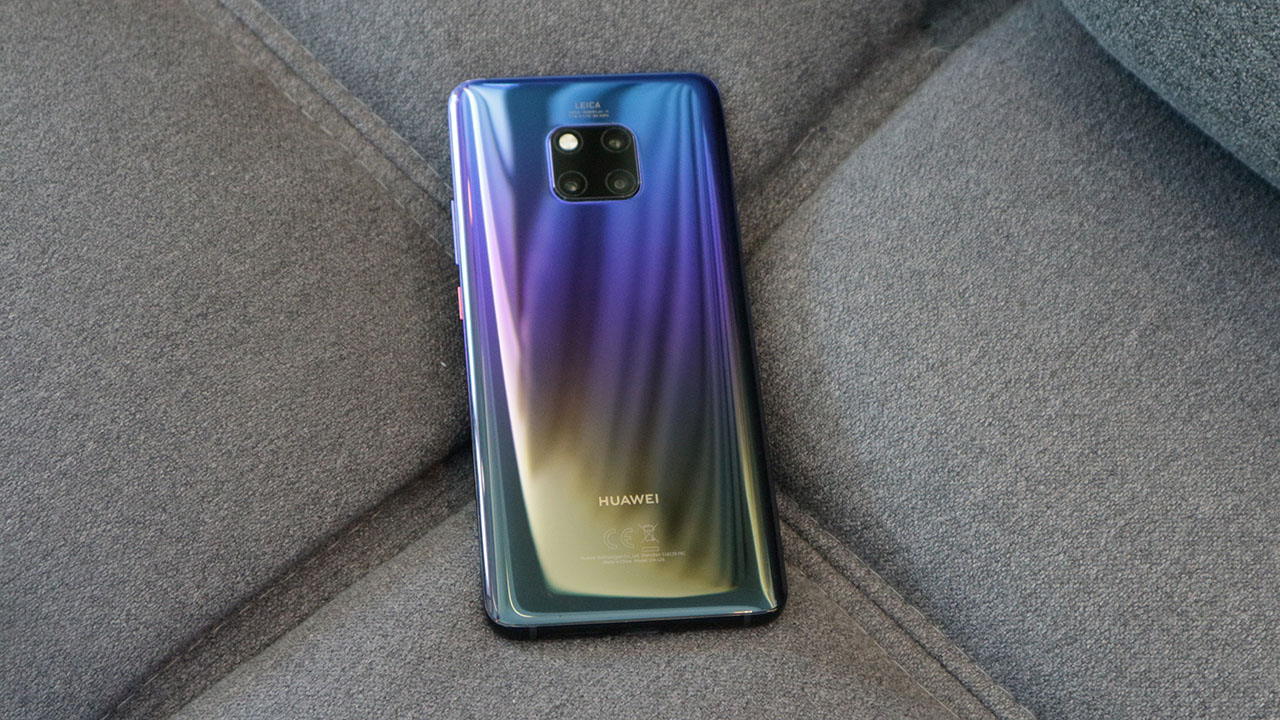
I also wasn’t interested in the curved edges at first, but I eventually missed them when switching to flatter phones. The way the curves mold into my hand and give that overflowing feel are actually more comfy than what I experienced on the Galaxy Note 9, which has a thicker and more unwieldy feel to it.
And despite the larger size, the proportions feel more ergonomic than the P20 Pro’s. In addition, the Mate 20 Pro’s Twilight gradient is a lot more appealing to me. It may be personal taste, but I’ve had a handful of people express the same opinion.
On the downside, the audio port is missing — something the regular Mate 20 has — and I find it strange that one of the stereo speakers has to come out of the USB-C port. This easily gets blocked when using the phone horizontally, especially when I forget that Huawei decided to place it there of all spots. It’s a sore point coming from the front-facing implementations of the Razer Phone 2 and Pixel 3.
Oh, and there’s an IR blaster in case you want to control your TV. Strange to see it on such a premium device, but I guess there’s a market for this, and maybe for those who like messing with televisions on display at the mall.
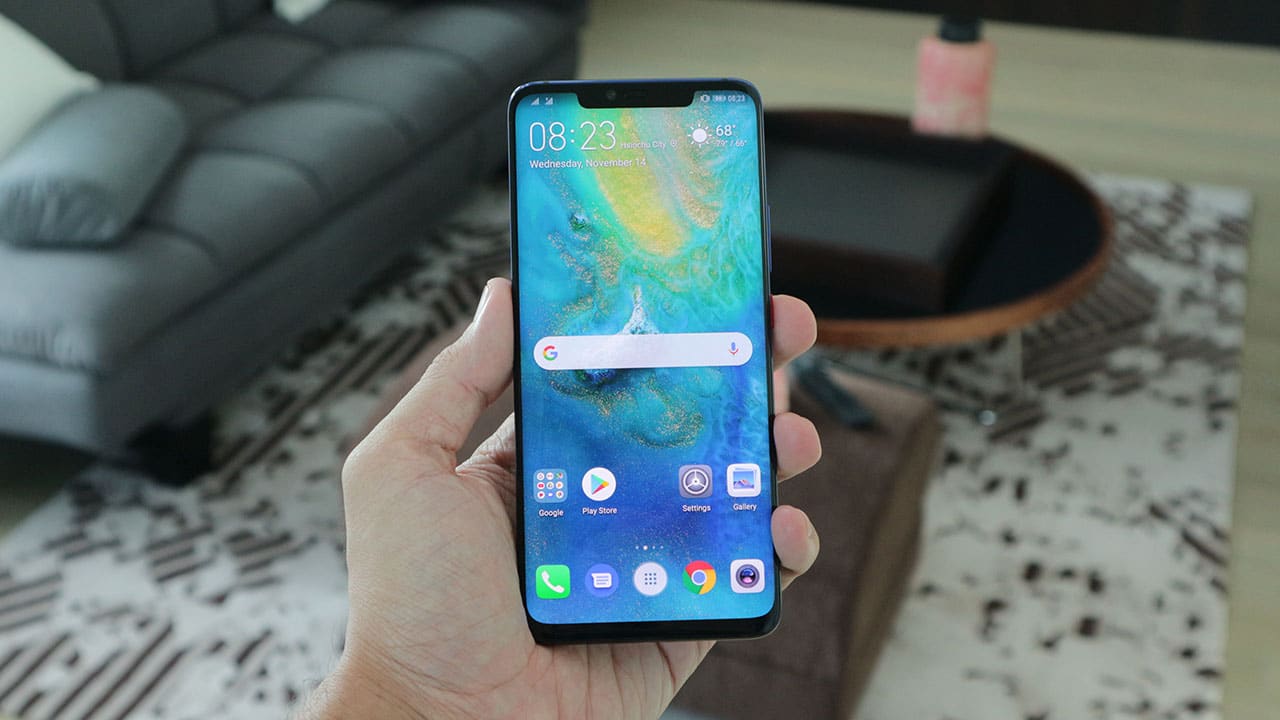
The 6.39-inch AMOLED screen itself is gorgeous. Colors pop and I love the super-dense 1440p resolution. Combined with the loud speakers and fast processing of the Kirin 980 chip, both video watching and gaming are a pleasure on this phone.
On that note, Huawei’s latest chipset is a marvel on its own. The 7nm architecture is no joke; it’s speedy AF and doesn’t overheat under pressure. Seriously, I threw the most demanding games at it and multitasked in between — nothing fazes it. It helps that I got 6GB of memory and 128GB of storage to play with. On the downside, the latter can only be expanded by Huawei’s (for now) proprietary NM Card slot. More on that here.
It’s a shame then that the EMUI skin is so behind compared to other interfaces. The Mate 20 Pro is one of the first phones to come with Android 9 Pie out of the box, but aside from a few additions like Digital Balance (the equivalent of Google’s Digital Wellbeing) and better volume controls, it’s a lot like Huawei’s clunky older software.
For one, you still need to tap an icon from the home screen to open the app drawer. This is one of the few skins that still makes you do that; others have a more intuitive swipe-up gesture to free up space on the app dock.

Want to activate your camera by double-pressing the volume down button while listening to music? Good luck with that, because doing so will simply lower the volume of your tunes. Again, other phones require a smarter double-press on the power button.
Another thing: I don’t adore the Mate 20 Pro’s always-on display. It’s nowhere near as informative as the ones found on the Galaxy or Pixel series. Sure, you’re provided with the date, time, and battery percentage, but getting a glimpse of notifications is frustrating at times, making me just go to the lockscreen to see what I’m receiving.
In addition, this has to be one of the weakest implementations of gesture navigation. Apple pioneered this style with the iPhone X, wherein you could swipe from the bottom to go to the home screen and hold it to enter multitasking; several Android manufacturers have copied this well, but Huawei didn’t get this right. Choosing the traditional back-home-app navigation bar alleviates this issue, but then you lose some of that precious real estate at the bottom.
Finally, there are certain apps — Google Photos and Maps, in particular — which have this awkward lag on EMUI. I’ve experienced this with the P20 Pro, and the problem still hasn’t gone away. I looked it up and it’s not an isolated issue.

The disconnect between the quality of hardware and software should’ve been resolved long ago. It’s reasons like this why people flock to iPhones and Pixels so easily, because they know that everything melds together so well, despite the lack of certain features. Huawei still has time to fix most if not all of these issues, but having seen no improvement on the P20 Pro after all this time, I wouldn’t hold my breath.
Cons aside, the added features are excellent, albeit excessive at times. One is the wireless reverse charging, which allows you to charge other Qi-enabled devices on the Mate 20 Pro’s back. It’s slow and part of a rare usage case, but it’s so cool to have when absolutely needed. Since the phone’s generous 4200mAh battery lasts two days anyway, it’s perfectly fine to share some juice with accessories like a smartwatch.
And because the capacity is so hefty, it’s only right for Huawei to enable 40W charging on this beast. This is by far the most convenient way to fill up a battery on any Huawei phone. It’s no exaggeration that it takes only half an hour to hit 70 percent from zero. Give it another 40 minutes, and you have a full charge. Going back to anything slower has been a pain for me.
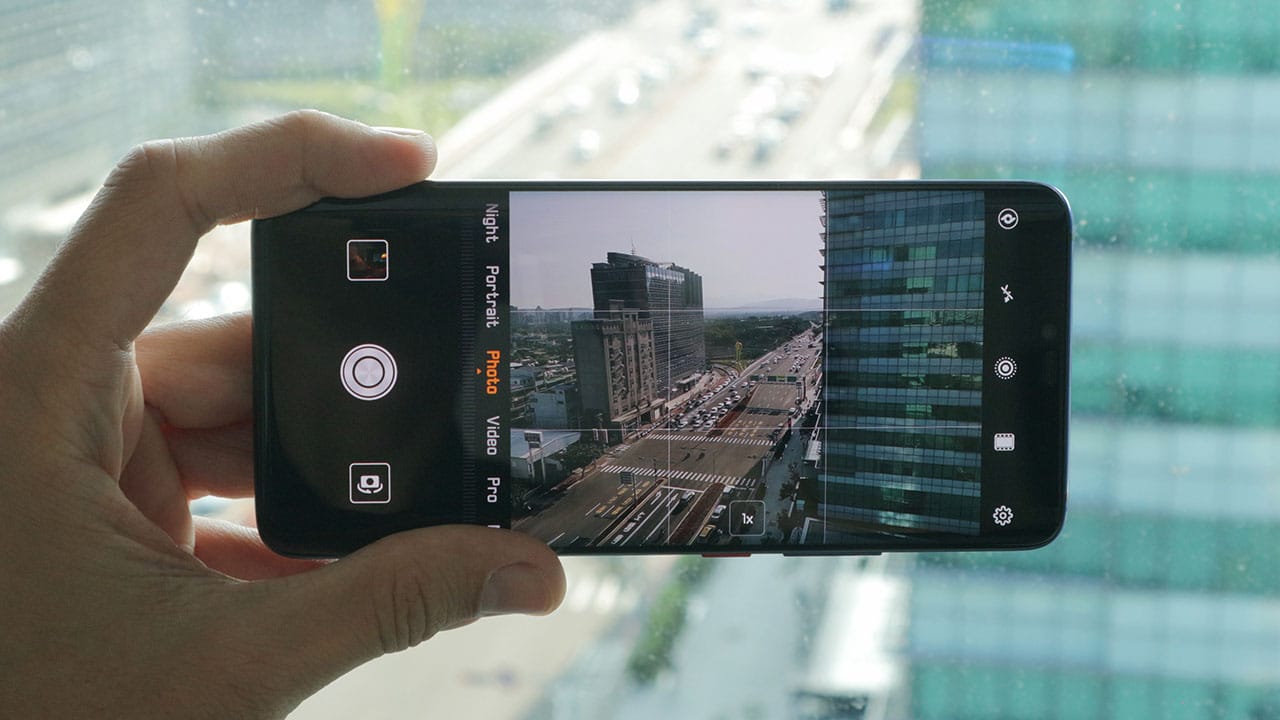
Reaching this point without talking about camera quality is a clear sign that the Mate 20 Pro is more than the sum of its pixels. At the same time, they’re a highlight of the phone and must be reviewed extensively.
You can learn more about the complex camera setup in our earlier hands-on, but in essence, the trio found on the back are what you should care most about. These are the 40-megapixel f/1.8 main shooter, 20-megapixel f/2.2 extra-wide camera, and 8-megapixel f/2.4 telephoto unit capable of optical zoom.
This translates into the most versatile cameras ever equipped on a smartphone. LG and ASUS popularized ultra-wide lenses while Apple and Samsung made telephoto shooters a thing, but it’s Huawei spearheading the complete package.
The monochrome sensor will be missed; it was Huawei’s signature feature up until the P20 Pro, but one can argue that it’s no longer necessary in this age of IG filters and colored sensors becoming advanced enough to create their own high dynamic range.




Traveling with this phone as my all-in-one camera is such a joy. When out in an open space, the ultra-wide-angle camera flourishes; while at an event in need of close-ups, the telephoto looks great up to 3x zoom — even 5x if lighting is enough.
Like the overall interface, the camera software is hit or miss. Although I appreciate the ease of switching between the primary modes, the dump of less-important ones under “More” bothers my organized self. You could leave Master AI on to let it choose the right mode for each situation, but it’s not that accurate, like any AI-powered camera you find these days.
For example, as I’m about to take a portrait in Auto mode, the app would switch to — you guessed it — Portrait mode and saturate the hell out of my subject after a short amount of lag. More often than not, the AI wouldn’t correctly identify the subject, sometimes even saying that black-and-white graffiti on a wall is a panda. Go figure.








The worst part is you can’t make adjustments after the AI-altered shot is made, which is something even lower-end Honor phones can do. Again, it’s hit or miss, and I bet a lot of users would rather keep Master AI off. Using it, however, is the fastest way to access special features like Super Macro, which emulates a macro lens’ extreme close-up of an item.
Huawei’s awesome Night mode is also back, and it’s as good as it ever was. Every time I’m out in the evening, I make sure to take a few shots with it on. Like before, it gives me a four-second or so exposure while handheld; advanced processing then creates a work of art nine out of ten times.
I had a chance to compare it with the Pixel 3’s Night Sight, and I must say that the results are mixed. While the Huawei side is better at making nighttime illumination look pretty, the Pixel 3 can see better in total darkness. Both are great, and I take low-light photos with both phones whenever I can. Don’t worry, a separate article for this comparison is in the works.



The front has the same, unimpressive 24-megapixel f/2 camera found on the P20 Pro. Why Huawei chose not to improve on this weak point is beyond me. With most Chinese rivals taking selfies seriously, it’s a surprise why the Mate 20 Pro feels so far behind.
Like the P20 Pro, selfies with this setup are less than stellar. Without proper autofocus or accurate blurring around the subject’s head, your face can turn into a mushy mess under poor lighting conditions and there isn’t even a way to turn off the integrated beauty mode — something which has bothered several reviewers including myself.
Still, I found the Mate 20 Pro’s selfies better than what the iPhone XR and Galaxy Note 9 produce, but not on the level of the Pixel 3 and its dual-cam design. I can only wish that the next Huawei flagship will up its self-portrait game in the same way the rear cameras have.
Is this your GadgetMatch?
In spite of all my complaints, nothing’s a real deal-breaker. The absolute completeness of the Mate 20 Pro automatically places it at the very top of the heap, awarding it our GadgetMatch Seal of Approval.
If you can ignore the lack of software optimization and polarizing design choices, you’re guaranteed to experience the best there is — this side of the Android space at least.

For those choosing between this and the regular Mate 20 or P20 Pro — which retail for the same amount in most regions now — I’d say go for the Mate 20 Pro if you value the front camera features and in-display fingerprint sensor. Its screen is also more impressive than the Mate 20’s, and the Kirin 980 chip blows away the P20 Pro’s older Kirin 970.
At the same time, the US$ 1,000 or so price point pits it against the likes of the Galaxy Note 9 and iPhone XS. To Huawei’s credit, the Mate 20 Pro is no incremental upgrade compared to the two aforementioned flagships. You’re getting a true successor with all the bells and whistles — practically no compromises this time.
If you’re willing to wait, the follow-up to the super-popular P20 Pro will reveal itself in a few months. It’ll likely have the same Kirin 980 processor, but the camera updates may be more significant and the overall software more optimized.




Gaming
Now Playing: The Blood of the Dawnwalker
The game lovingly cobbles together inspiration from past games.


Imitation is the sincerest form of flattery, or so they say. However, for a gamer, imitation is the sad state of the industry today. Every game is a copy of another. Every game today is a survival simulator, an extraction shooter, or a cozy organization title. The Blood of the Dawnwalker is no different. However, while it does draw inspiration from so many past titles, the unique blend makes it one of the most unique RPG experiences today.
A tale of darkness
The Blood of the Dawnwalker touts itself as the next project of the minds who came up with The Witcher 3. Rebel Wolves, a relatively small outfit, is the new home of several developers who worked on the aforementioned game. That, in itself, is already a strong reason why you should get Dawnwalker.
But it goes much deeper. And it starts with the story.

Coen of Laslea lives a relatively peaceful life in a valley called Vale Sangora. But that peace is dependent only on the whims of the valley’s vampiric rulers, a cabal of four brutal vampires who keep the peace in exchange for a monthly blood tithe, called a Blood Mass, extracted from every villager from every village once a month.
Unfortunately for Coen, this month’s Blood Mass doesn’t end as usual. Events have drawn the vampires’ ire, and — surprise, surprise — Coen gets turned into a vampire himself. Faced with a new reality, Coen goes on a rescue mission to save his family as a newly turned vampire.
Dawnwalker reverses the old trope of the hunter hunting the monster. Do you embrace the vampire within or keep being human?
A dark world
The Blood of the Dawnwalker roots itself as a traditional RPG. As a newly turned vampire, Coen doesn’t have awesome vampiric powers yet. Though he’s stronger as a vampire, a more ferocious monster can easily take him on at lower levels.
He does have a diverse skill tree pronged into three sections: Witchcraft which works only in the daytime, Vampirism which works at night, and Swordplay which works in both. Every section has its share of overpowered skills. One of my favorites heals Coen every time he executes a perfect block while in his vampire state. Coen essentially becomes invincible with some of these skills.

To level up, Coen must fight enemies or accomplish missions. Both of which add to how fun the game is. But let’s start with fighting.
Dawnwalker draws inspiration from Kingdom Come: Deliverance. Specifically, the game has a direction system of attacking and blocking. You can pick which of the four cardinal directions to attack and block. Pick a direction that your enemy doesn’t, and the attack lands. Alternatively, pick the direction that your attacking enemy does, and you block their attack.
Unlike Kingdom Come, Dawnwalker is much more accessible, especially with an icon that explicitly tells you where attacks are coming from. Fighting in Dawnwalker feels fun, regardless of how overpowered Coen is. Even at high levels, I don’t find it boring to enter another encampment and fight an entire army.
The Ubisoft way
Another way to bring Coen to those higher levels is by accomplishing missions. The Blood of the Dawnwalker does this in a way typical of most Ubisoft-inspired RPGs. Brencis, the big bad of the vampire posse, is supported by three lesser bosses. Each lesser boss has their own dominion with a set of objectives to “anger” their respective ruler. To fight Brencis, Coen must first kill all three lesser bosses.

Alongside these three goals, Coen can also recruit rebels to fight against Brencis or find powerful weapons that will help against the fight. You can also reminisce about your family’s past or romance the local witch.
If Dawnwalker were just a typical RPG (and, in some cases, it is), then you can cross off these objectives like a checklist. But Dawnwalker doesn’t do that. Time is a resource here.
Losing time
Once you finish the prologue, Coen will have thirty in-game days to rescue his family from Brencis. Time doesn’t move regularly, though. It moves only after every accomplishable activity: finishing objectives and levelling up. Each day has sixteen segments, divided into two halves for day and night. A time-progressing activity can move time up by one increment (or the equivalent of one or two hours) or even six. Some activities can even progress time from day to night (or vice versa).
On a similar note, Coen has different abilities depending on the time of day. During the day, Coen uses witchcraft. During the night, he can use his vampiric claws and suck his enemies dry as a vampire.

Using time as a resource is hardly a novel idea. I’ve seen it in Dead Rising and Dying Light. Dawnwalker, however, makes the march of time feel more pressing. Often, it’s a strategy game of figuring out which objectives to prioritize. Should I prioritize the other vampiric bosses? Should I hunt for more supporters to the rebel cause? Should I give time for Anca, my love interest?
Plus, with the differences between day and night, it’s important to plan when I wanted to do certain objectives. Am I strong enough during the day to beat a high-level monster, or should I wait until night when I’m much stronger?
Time is an illusion
Though the feeling of time’s passing is palpable throughout, Dawnwalker eventually makes it all an illusion. Thirty days is enough time to get stronger, find allies, and defeat all three lesser vampires. In fact, there are even ways to save a lot of time.
On my first playthrough, I accidentally discovered a way to break the sequence of the traditional RPG experience. After beating my second vampire lord, I wanted to explore the map a bit more before tackling the third and final lord. The next mission on my docket was hunting for a powerful silver sword in a cathedral, a supposedly low-stakes mission. Apparently, the third lord likes hanging around the cathedral. So, while I was minding my own business, the game gave me the opportunity to fight the third lord without needing to anger her. And why wouldn’t I take that chance?

With eighteen full days left before the deadline, I beat all three lords and angered Brencis enough to trigger his mission. I also felt strong enough to take him on.
Now, this isn’t to say that the game’s time-based mechanic is a failure. You can’t take away that feeling of having to strategize objectives, even if it’s ultimately moot. Besides, there’s still that day-night mechanic.
In that way, Dawnwalker’s time mechanic is still a success. Yes, it could have gone further, but you can’t ignore that it’s a unique approach to RPGs.
Choice is an illusion
Being a vampire, Coen is always prone to that hunger for blood. To materialize this, he has a blood hunger meter, which naturally depletes as time goes by. This is further highlighted by a “give in to the hunger” option with several NPC dialogues, which gradually becomes more difficult to ignore when the hunger gets higher. At one point, it becomes impossible to resist, so Coen feeds on that NPC and essentially kills them off.
On the choices-definitely-matter level, the game ideally wants you to balance Coen’s hunger for blood. It wants you to drink blood before NPC encounters, so you don’t accidentally drink them dry.
In my opinion, the system just doesn’t land. There was never a time when I felt crippled by that hunger. At times, I even forgot that it existed. It could be because I wasn’t shy about feeding during combat. After all, feeding has a very strong healing mechanic, which works extremely well in fights.

Although, I still tried the NPC feeding option on some annoying characters. And it was… meh? Sure, the drawback is that I lost dialogue options which could have led to something amazing. But I also didn’t get anything in return. I didn’t feel more powerful, nor did I feel Coen becoming more corrupted by vampirism. In essence, the hunger is more for roleplaying than something mechanically rewarding.
It’s unfortunate because Dawnwalker has something called a corruption level. The more you drink blood, the more this stat increases. The higher it is, the more vampiric powers you can unlock. If the game offered more rewards for drinking NPCs like better corruption increases (as in Vampyr, a similar vampire game), then the hunger might be more interesting.
Is The Blood of the Dawnwalker your PlayMatch?
The Blood of the Dawnwalker is easily one of the most mechanically interesting RPGs of 2026. The game patches together several unique mechanics from the past, which already worked on their own but shine even brighter when cobbled together.
Sure, it doesn’t go far enough with a few mechanics, but that’s fine enough. It’s a dark fantasy tale that keeps itself fresh throughout the playthrough. For that, this game gets a Swipe Right and a Super Swipe for those craving for a semi-lengthy, go-through-all-the-bosses RPG.
Reviews
POCO F9 Pro: True ‘premium’ performer in a midrange shell
All-around performer with upgrades across various departments

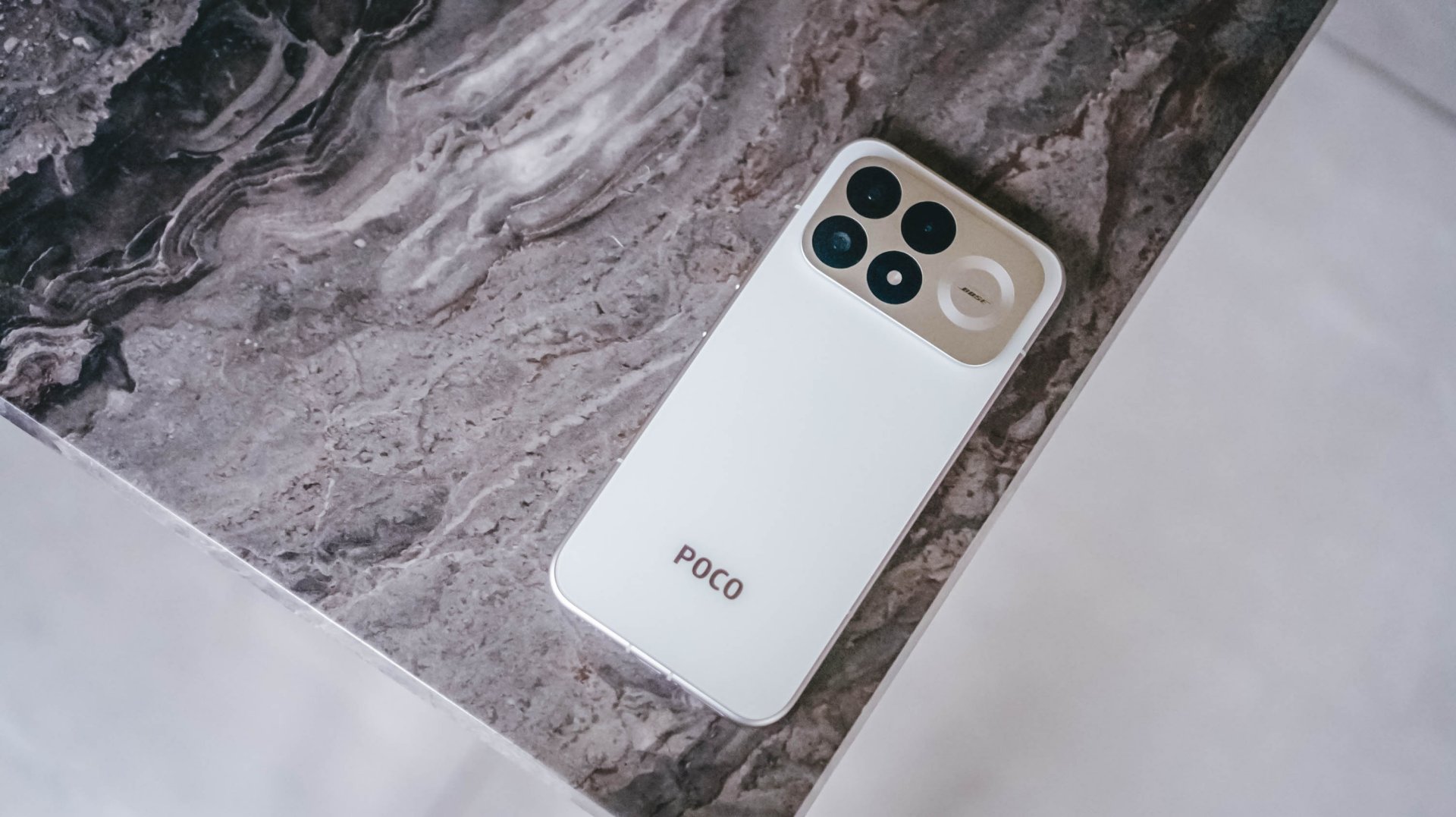
When the POCO F8 Pro came out, I expected its price to be a little higher than what was announced. It’s just how it is nowadays with smartphone pricing due to AI, storage, and more.
Nevertheless, it definitely exceeded my expectations and was one of the best real premium mid-rangers of its time. Now, POCO is back with its latest smartphone offerings, simply elevating the package the F series is known for.

While Rodneil likens the POCO F9 Ultra to an underrated star K-Pop performer, I stick by my own analogy that the POCO F9 Pro variant is a lighter weight class boxer who packs definitive power.
Smooth all-around performance
Mainly marketed for unparalleled gaming performance, the POCO F9 Pro brings incremental improvements in various departments.
Powered by the Snapdragon 8 Elite Gen 5 mobile chipset, there is no doubt the device performs lightning quick by midrange standards.
Like its predecessor, it’s an overkill for casual usage — consistently smooth and without any hiccups.
I have only been able to use this device for my usual day-to-day workload, which includes vlogging, correspondence, occasional gaming, and content consumption.
For gaming, content creation, more
From filming several clips for my food vlogs, putting all of them on an editing software, and generating reels for social media publishing, I’ve had seamless sessions with the F9 Pro.

Just having a powerful tool to execute such a workflow from start to finish feels a lot less stressful.
It matters a lot during video playback and when I have to run through a polished draft one final time before rendering.
It’s not jittery unlike other midrange devices which tend to lag or freeze on the playback part. Precision trims and cuts are likewise a breeze.
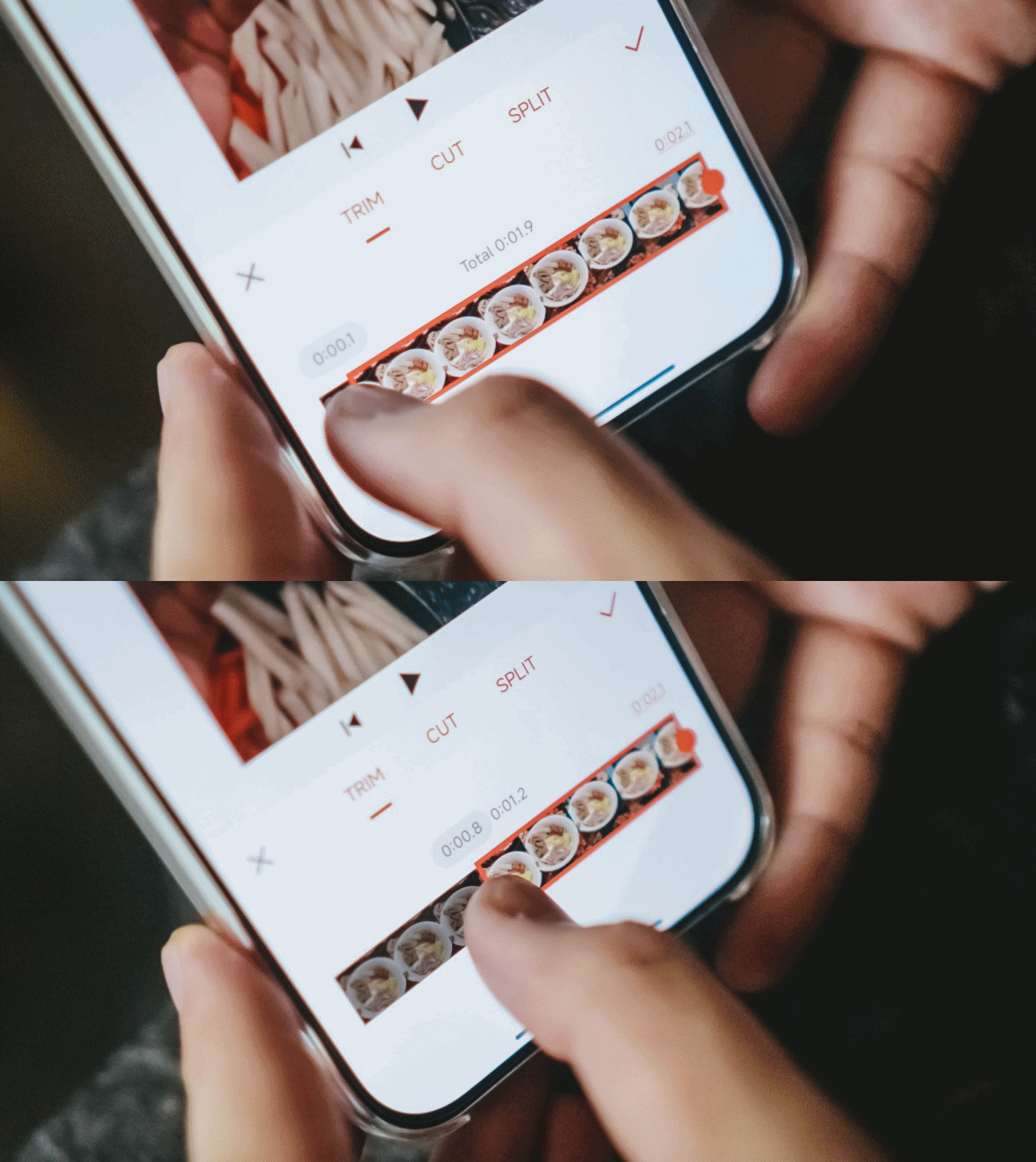
In the two weeks I’ve had this device, I haven’t tested it yet for livestreams, but I see no reason for it not to deliver on that end.
And for gaming, it’s much like my experience with the F8 Pro across various titles: steady and worry-free.
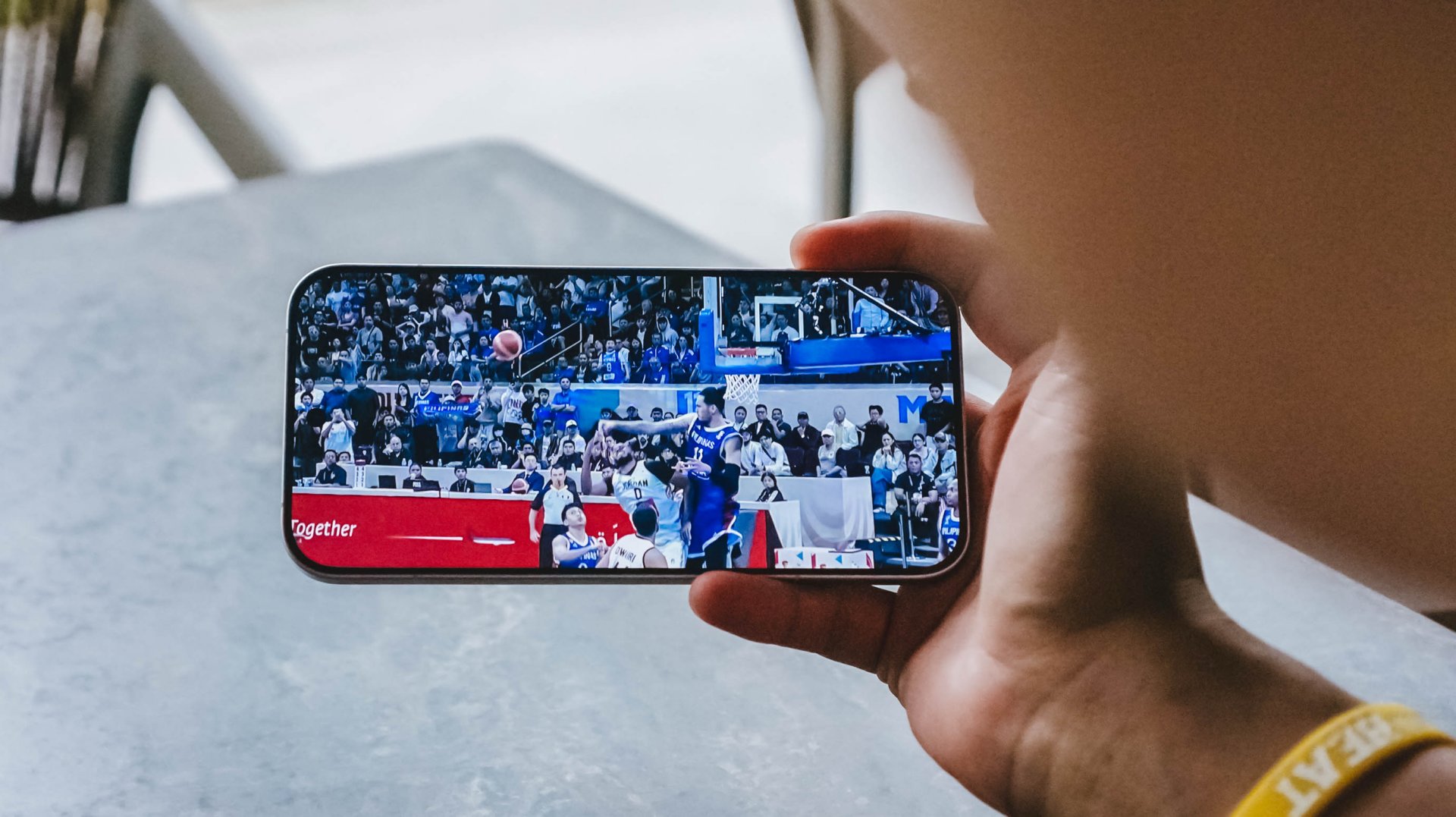
Visuals are clear and crisp with the phone’s 6.59-inch 185Hz AMOLED HyperRGB (2,510 x 1,156) display.
POCO also pairs the flagship-level processor with a dedicated VisionBoost D8 chipset to enable AI super resolution and smart frame rate at the same time.
This way, you don’t have to choose just one between high resolution or a high frame rate. But of course this depends on what the game’s settings allow.
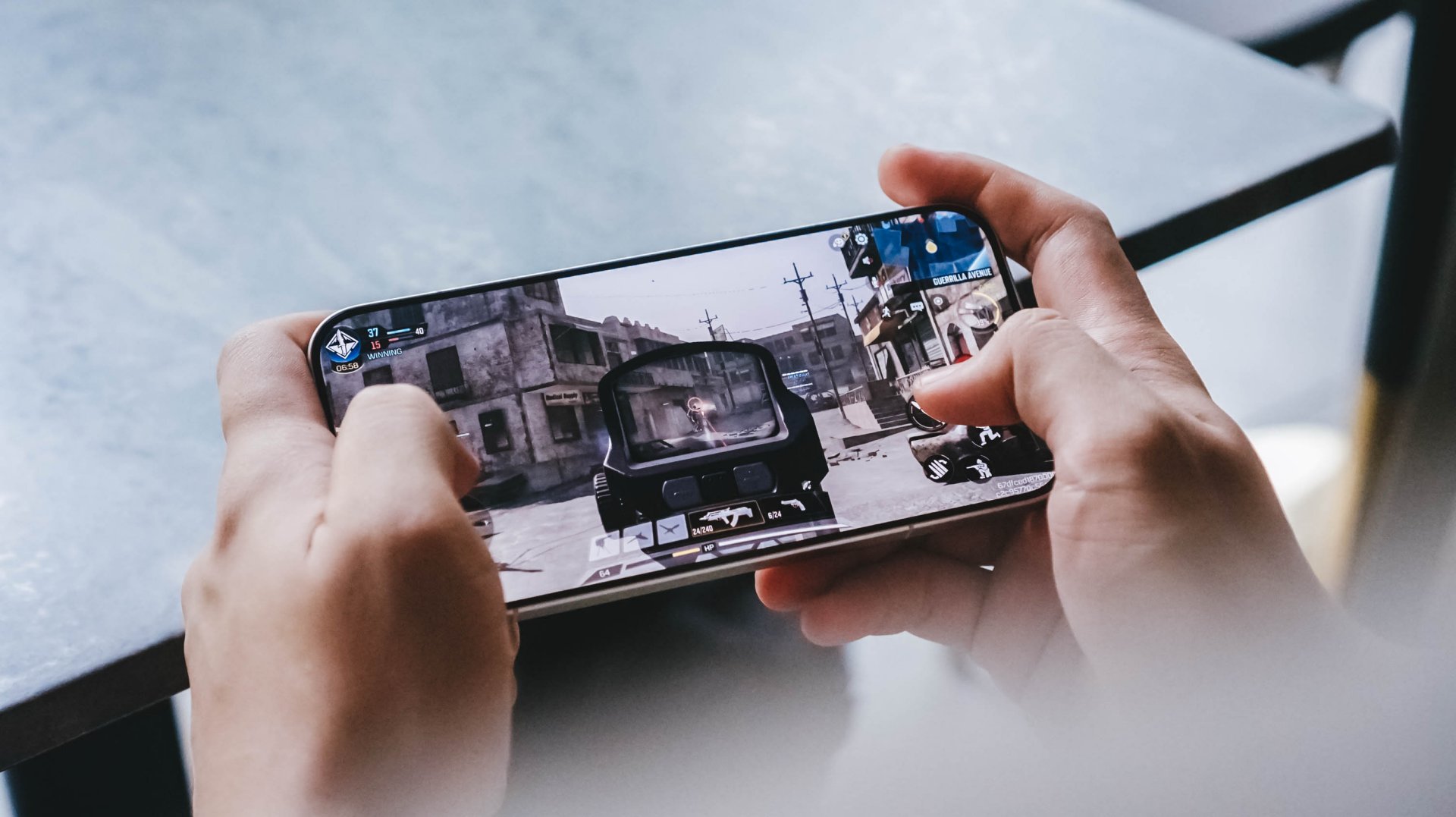
But for Call of Duty: Mobile, I personally prefer a smoother frame rate as the visuals look detailed already to begin with. WildBoost Engine then enables efficient performance throughout your sessions.
Battery improvements
The POCO F9 Pro comes with just a slight upgrade to its battery capacity — from 6,210mAh to 6,330mAh. But I do feel it’s been more efficient in distributing power and consuming it.
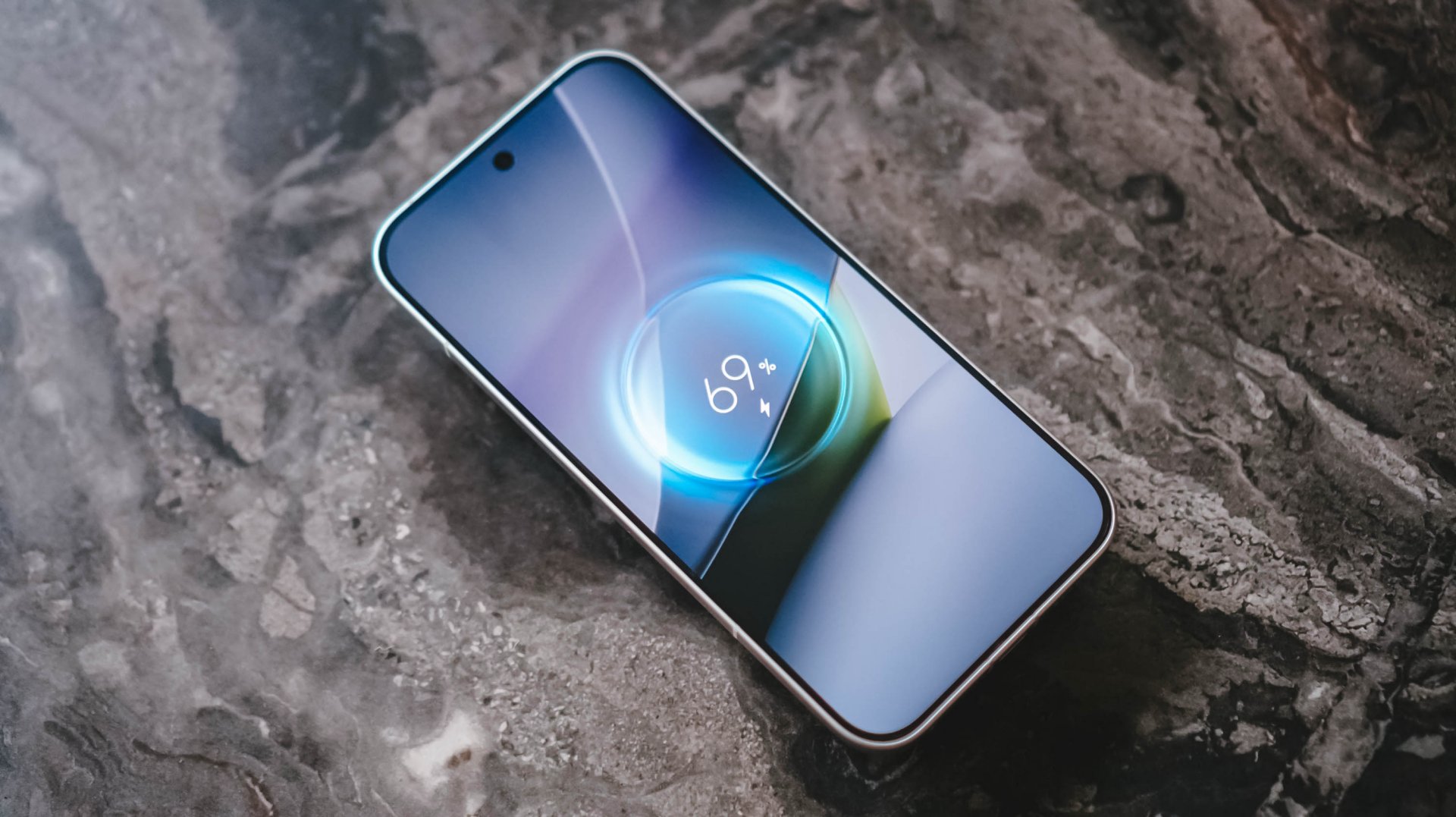
A welcome addition is its wireless charging capability.
However, you’ll need a magnetic case to ensure your power bank of choice sticks good on its back.
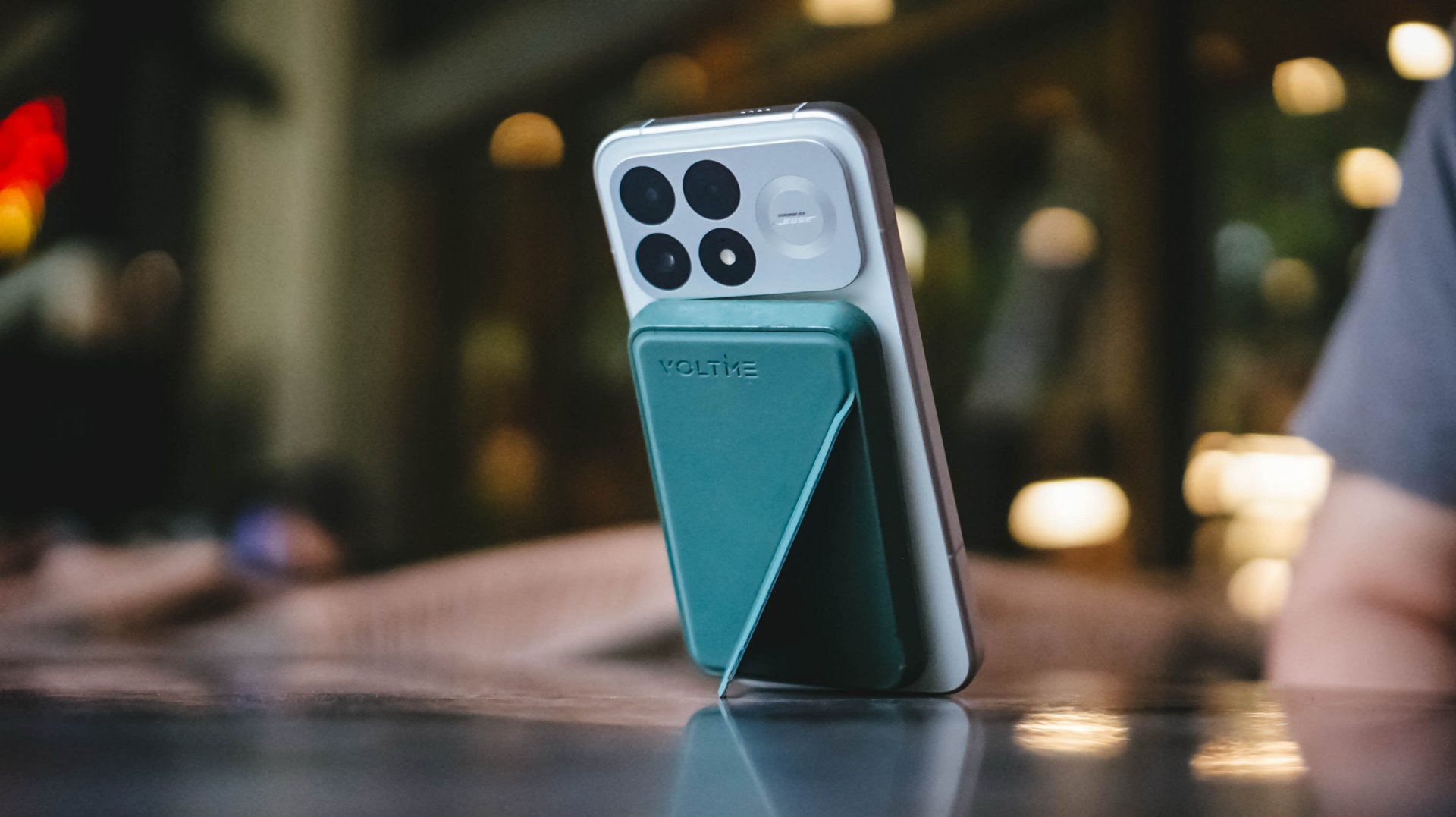
The battery supports 100W HyperCharge for a quick replenishment should it finally be drained after a long day. But otherwise, you should be able to use this outdoors from dawn ’til dusk.
Sound by Bose
POCO continues its partnership with audio brand Bose as well, bringing high-quality 2.1 channel audio to the device.
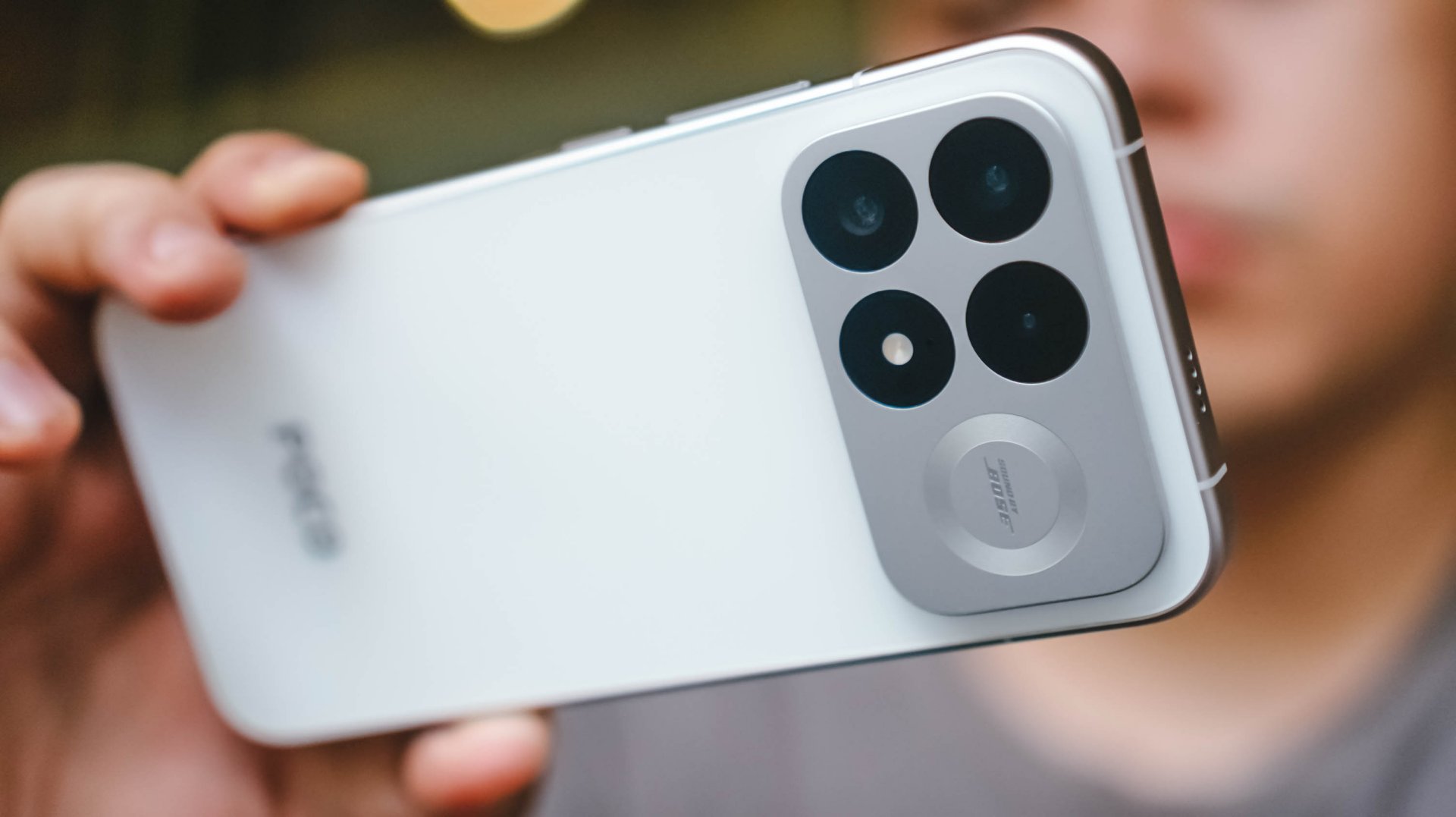
The quality is, again, more refined, as if coming out of budget earphones. You can shoot up the volume and still expect well-rounded sound instead of crackling or distorted.

There are two preset audio profiles: Dynamic and Balanced.
Aside from that, you can customize the audio depending on your preference, whether you like the more immersive, 360-degree sound blasting from the speakers or a more balanced, treble and voice-focused mix.
Cameras: A bit more consistent across ranges
In the camera department, the POCO F9 Pro introduces a 200MP ultra-clear camera system equipped with OIS.
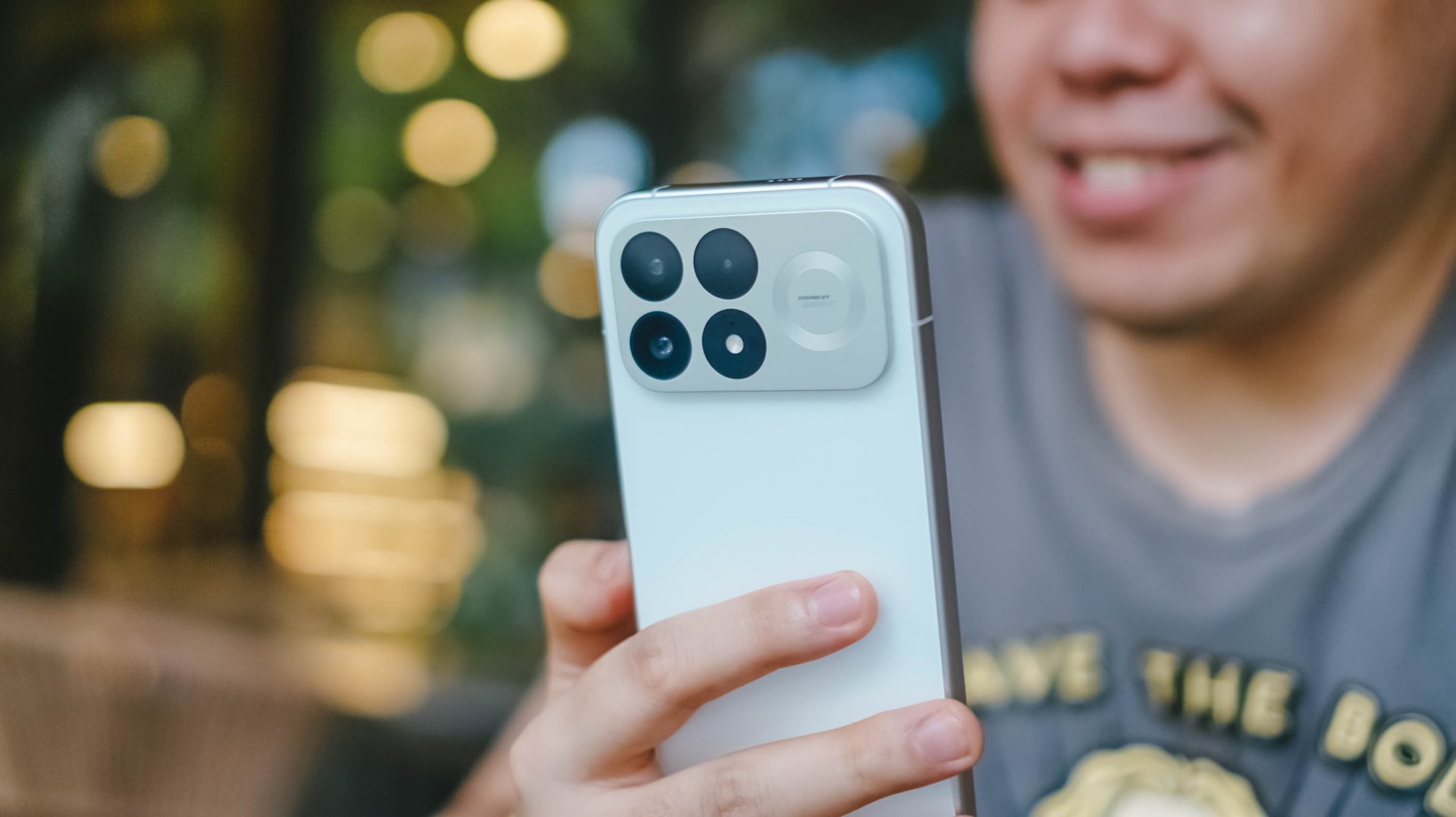
Here are its hardware:
- 200MP f/1.68 OIS main camera, OIS
- 50MP f/2.0 floating telephoto camera, OIS
- 8MP f/2.25 ultra-wide camera
- 32MP front camera
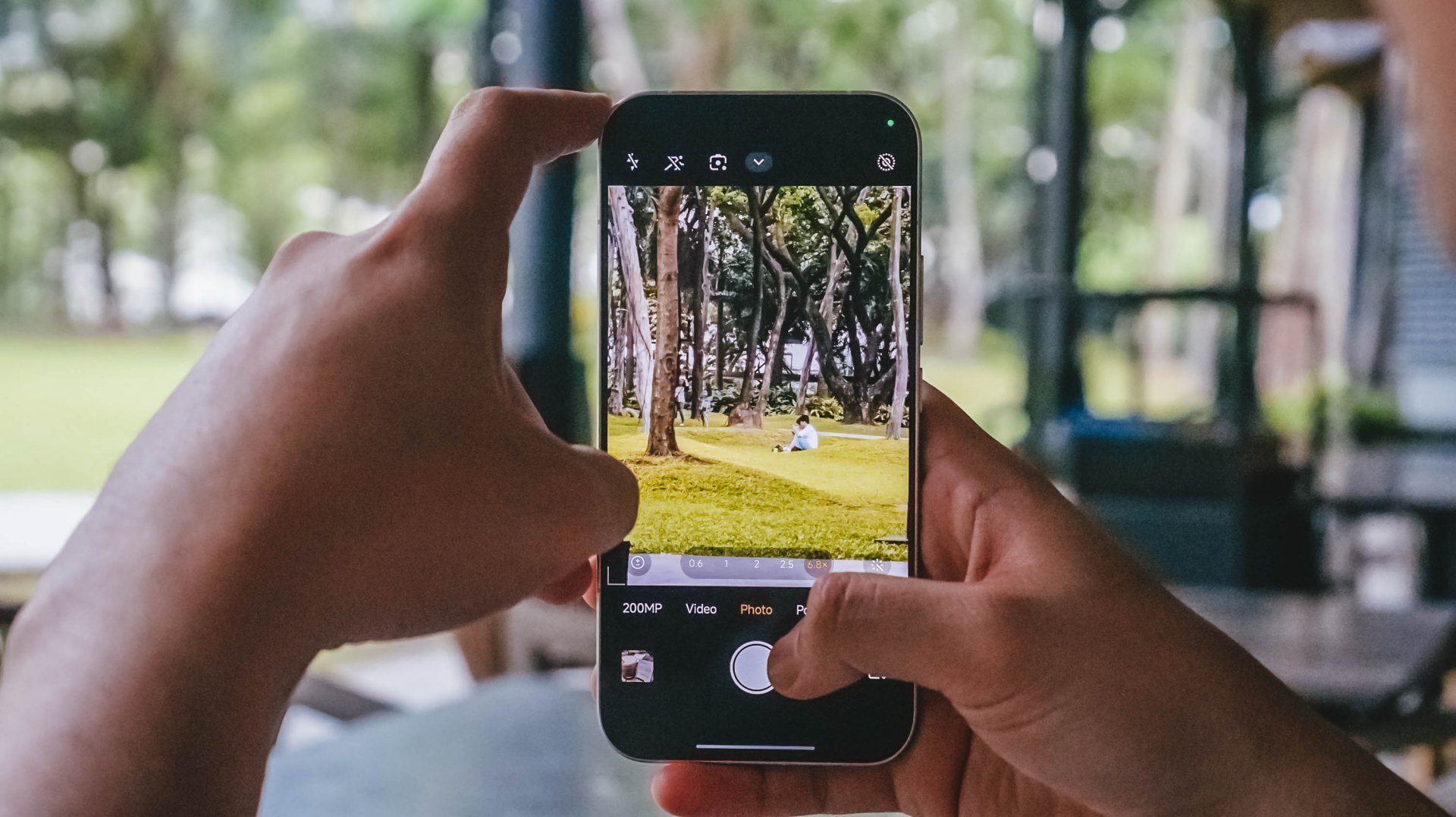
Generally, shots are more color accurate and natural, compared to the F8 Pro. That’s the system’s most distinct improvement.
Here’s a side-by-side comparison:


If you’re indoors with warm ambient light, you’d get the shots you’d expect from such a setting. Same when outdoors if the weather is overcast and cool or it’s hot and sunny.
As with Xiaomi’s mobile photography blueprint, users can switch from 24mm, 28mm, and 35mm focal lengths at “1x” zoom.











The telephoto shooter then takes over with shoots from 2.5x zoom and beyond, and helps with lossless shots at up to around 5x. It also doubles as a macro shooter for close-ups.










Meanwhile, Portrait Mode also introduces a 3.1x zoom focal length, which gives you another option for framing subjects.
Still, the blurring can be hit or miss. But you can definitely pull off some smooth bokeh and make subjects pop out more with depth. But sometimes, as with the F8 Pro, there are segmentation issues and the blurring sometimes isn’t enough.








When filming, Pro mode ensures the exposure and focus stay steady even with tracking shots. It’s not perfect and you’ll still experience some inconsistencies, but it the package is pretty darn good for everyday vlogs.
Here’s a quick sample:
Premium look and feel
The F9 series also carries over the premium look and feel for the devices. The main difference is that the entire camera module is now protruded, occupying the upper third of the back panel. That’s instead of just the individual shooters popping out.

The “Sound by Bose” branding is also a little larger now with a faux speaker design beside the cameras.
Everything else is simple and clean, reflecting the premium branding. The back remains just a little slippery, but thankfully, there is a clear case, which also lets me do this:
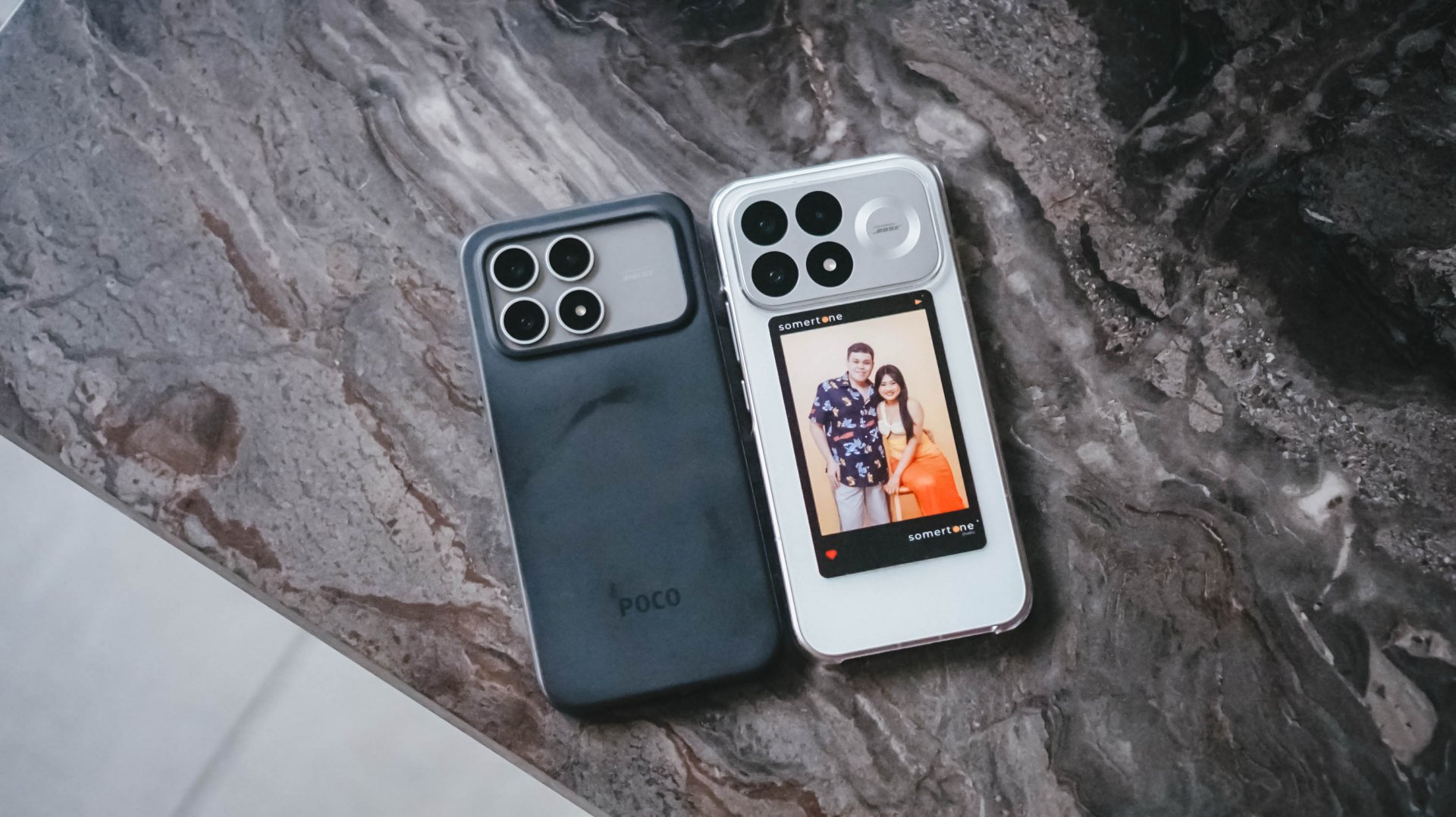
My only issue again is the curved corners which crop out some UI elements, text, or visuals when gaming and in other scenarios.
Having used the F8 Pro for almost a year now, I’ve quickly adjusted to the user interface and its unique elements compared to other brands.
Although if you are switching from another smartphone brand, there’s going to be a bit of a learning process to get used to them.
Is this your GadgetMatch?
The POCO F9 Pro is once again a Swipe Right. Its overall package puts other competitor devices in the segment to shame, whether you’re planning on using it as a gaming-first device or an overall ample performance daily carry.

You are also promised high-level performance for whatever scenario for years to come, making it a smart investment.

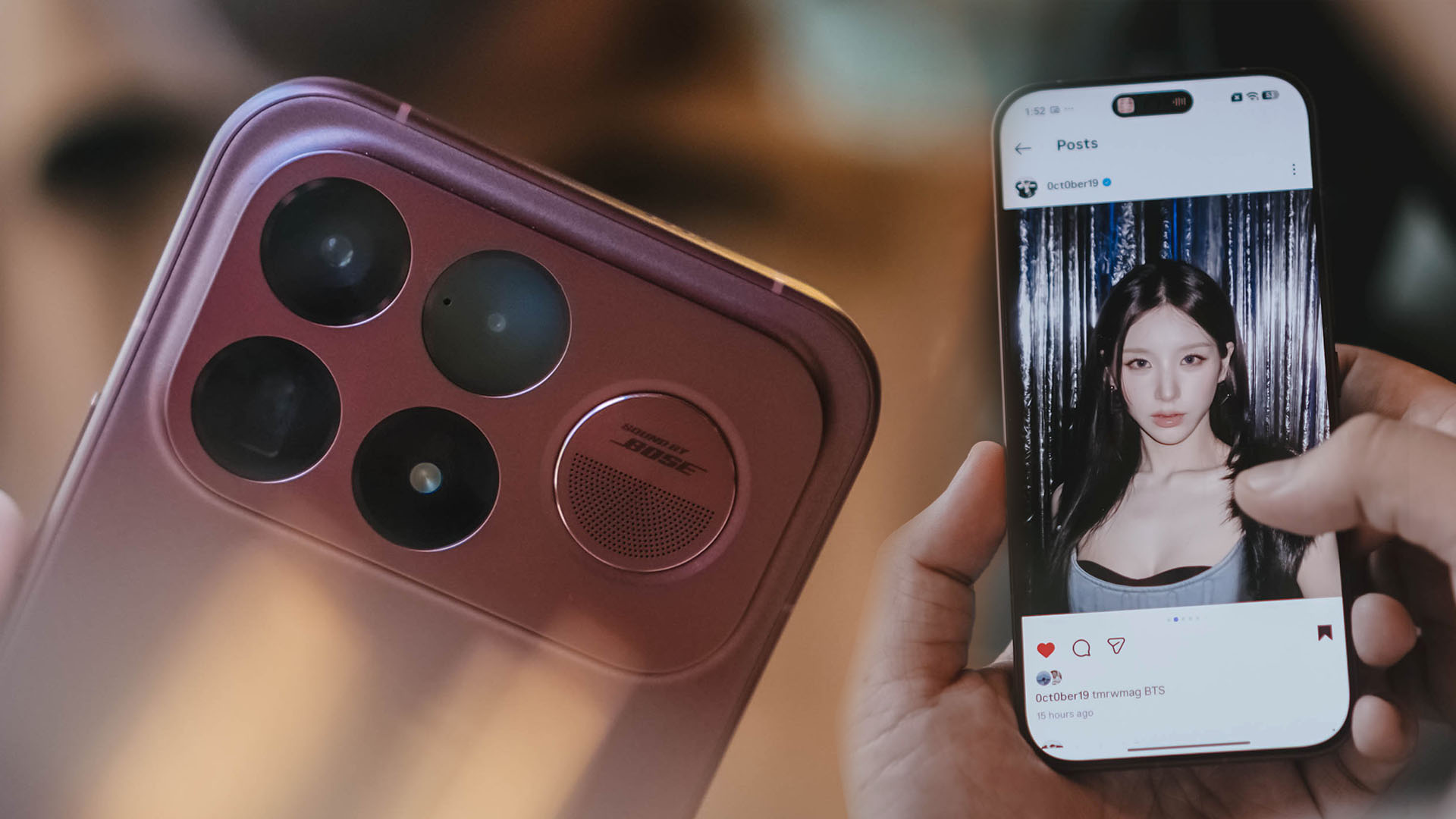
Hear me out.
Heejin is a K-Pop idol who first debuted with LOONA in 2018. She’s the group’s center, an all-rounder performer, and has a face that I adamantly believe people would go to war for.
She’s also not necessarily the first name that comes to mind for casual K-Pop fans.
That’s the POCO F9 Ultra.
It’s an all-rounder too. Great performance, a stunning display, unreal battery life, capable cameras, and a design with plenty of personality. On paper and in practice, it’s arguably just as capable as any other flagship on the market.
But when it comes to top-of-mind Android flagships, Samsung’s Galaxy S Ultra series still owns that conversation. POCO has spent the last few years trying to punch into that space, and the F9 Ultra might be its most convincing attempt yet.
Not because it does one thing exceptionally well, but because it does almost everything really well.
An all-rounder, by design
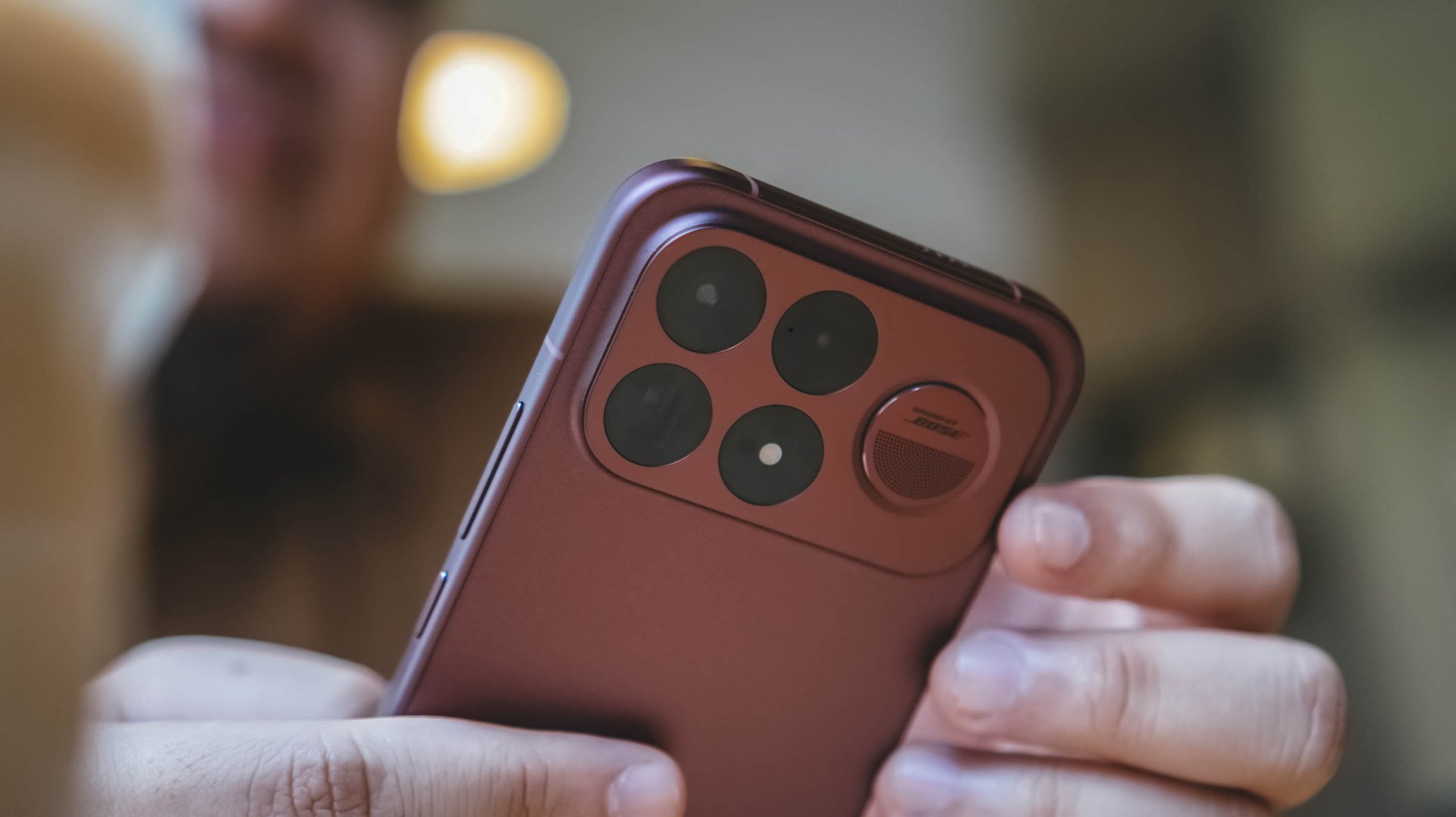
The first thing that struck me about the F9 Ultra was its weight.
It’s heavier than I expected, although I mean that in a good way. There’s a certain heft to it that makes the phone feel substantial in the hand.
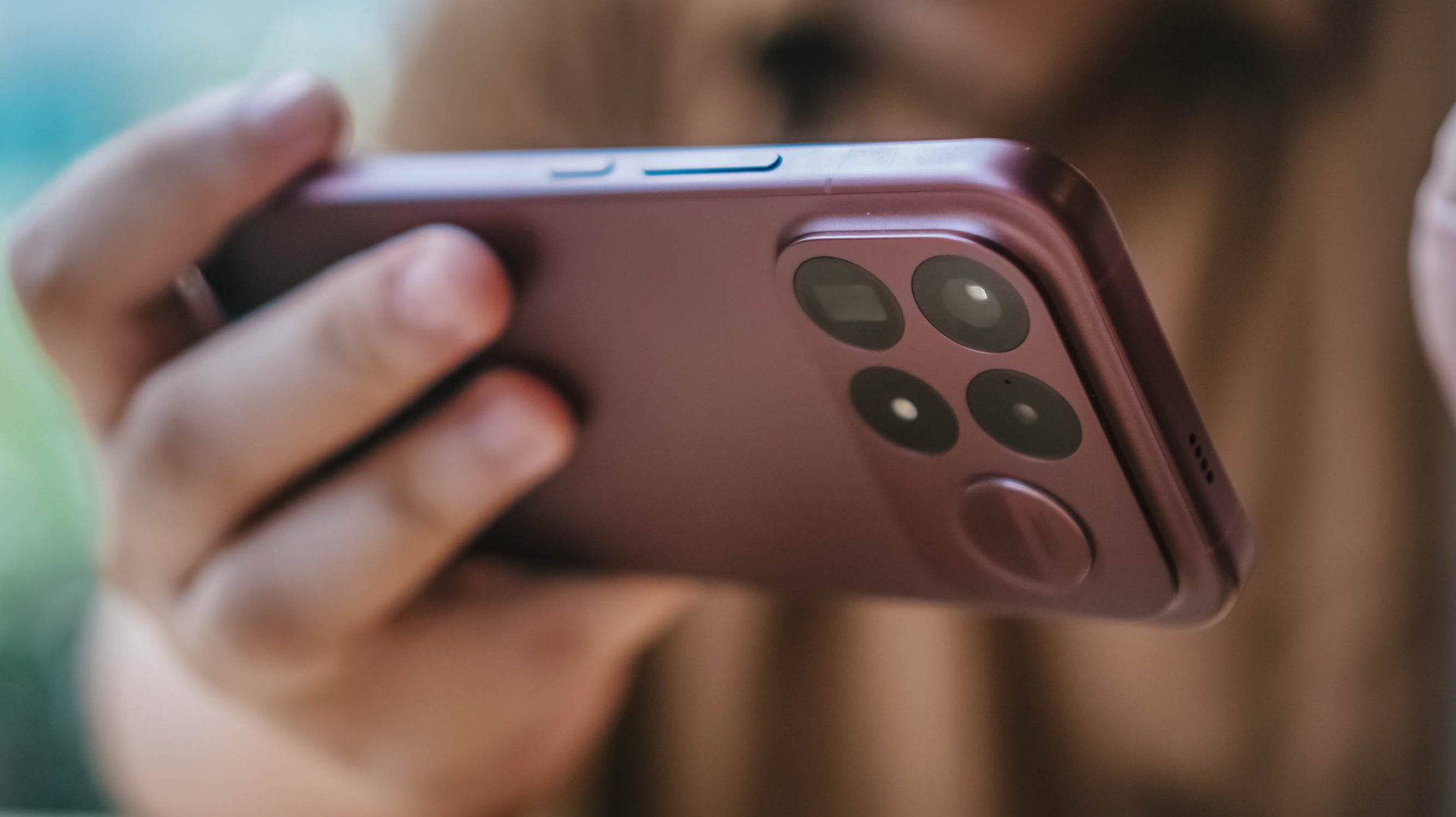
And then there’s the Dark Cherry Red finish. It’s gorgeous.
The F9 Ultra looks very much like a POCO F Series phone. That’s something I appreciate. There are plenty of slab smartphones out there that could swap logos and look almost identical. POCO, meanwhile, has been developing a visual language for the F Series.
The camera module remains familiar from the last two generations. It gives the F Ultra a sense of continuity instead of making every new generation look like a completely different phone.
The dynamic lighting adds some flair. Sound by Bose is also incorporated into the camera module, giving it another distinctive touch.
But that Dark Cherry Red? POCO should make this a staple color.
Virtual Angel

Then there’s the display. The 6.9-inch 185Hz HyperRGB AMOLED display is a feast for the eyes. Much like Heejin.
So naturally, I spent a lot of my time watching some of her covers and mindlessly staring at her Instagram Reels and posts. For research, obviously.
The colors look rich and accurate. Everything is crisp. Whether I was watching something at home, sitting in a cafe, or previewing photos from an event, the display consistently looked fantastic.
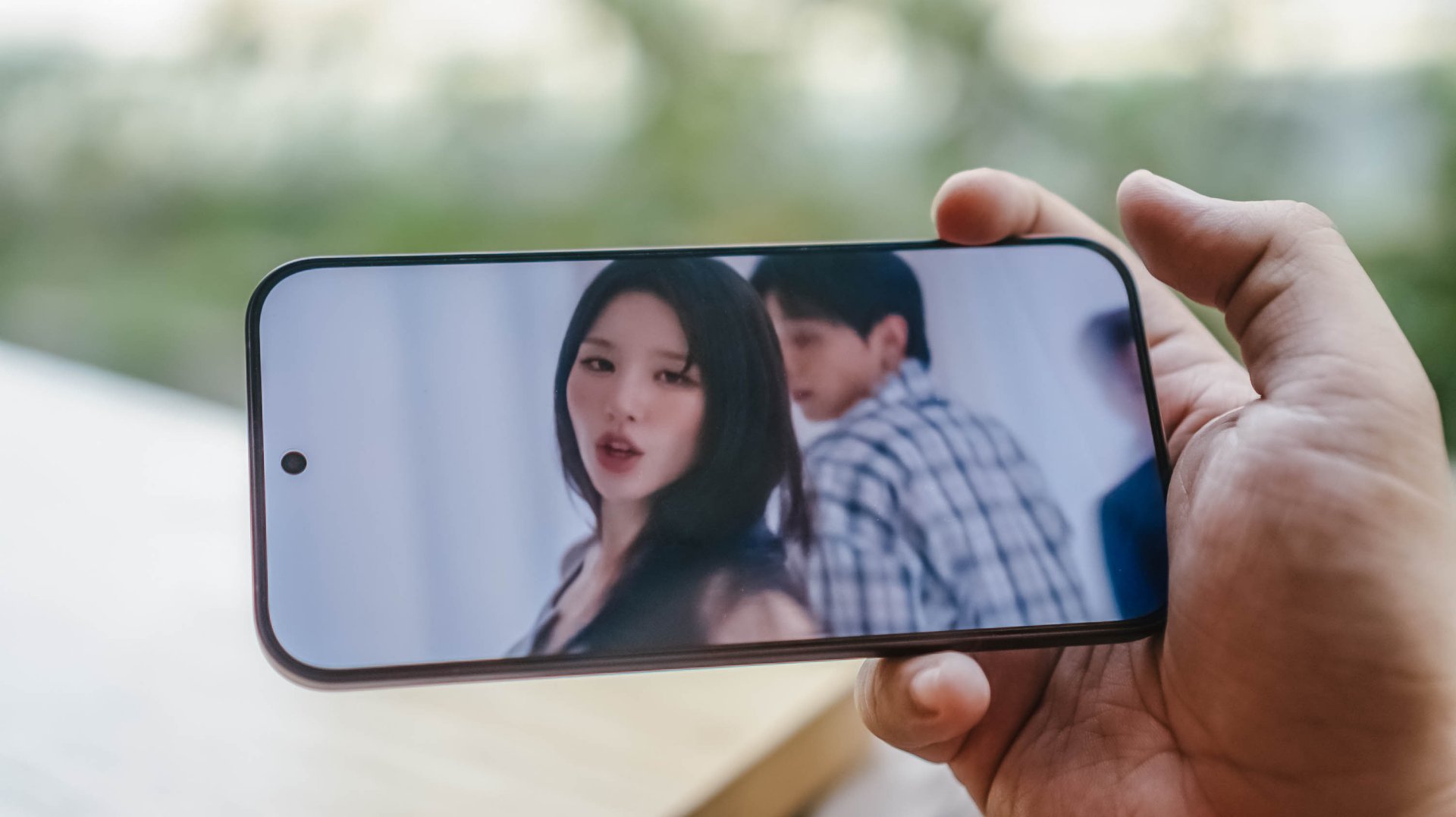
It’s also a particularly good panel for a phone that encourages you to consume so much media. The combination of its size, refresh rate, and color reproduction makes pretty much everything more enjoyable.
The past few weeks have been pretty gloomy where I am, so I can’t say much about how the display performs under direct sunlight.
But in every other environment I’ve used it in, I’ve had very little to complain about.
The F9 Ultra doesn’t merely have flagship-level display specifications.
It has a display that feels flagship-level.
Pixel Memory

POCO has been making a bigger push with smartphone photography, and the F9 Ultra takes that seriously with its first 200MP main camera and 5x periscope telephoto.
The good news is that the cameras more than deliver. Photos taken anywhere from 1x to 5x look good enough to proudly show off on social media.
The zoom looks great in the gif below.

But the detail loss is more apparent in the zoomed in photo of the building.

Even 10x is pretty darn decent.
You lose some detail, as expected, but I was still impressed with how clear some of the photos came out.
A good example is the NBA House Philippines event, where I took photos of my point god, Jason Kidd, while he was on stage. I was roughly three-quarters of a basketball court away from him, yet the F9 Ultra managed to capture usable shots at significant zoom.




Here are more samples from my time at NBA House Philippines.








On regular days, whether I’m shooting in ample indoor lighting or daylight, the F9 Ultra cameras more than deliver.
They look awesome.
Dining

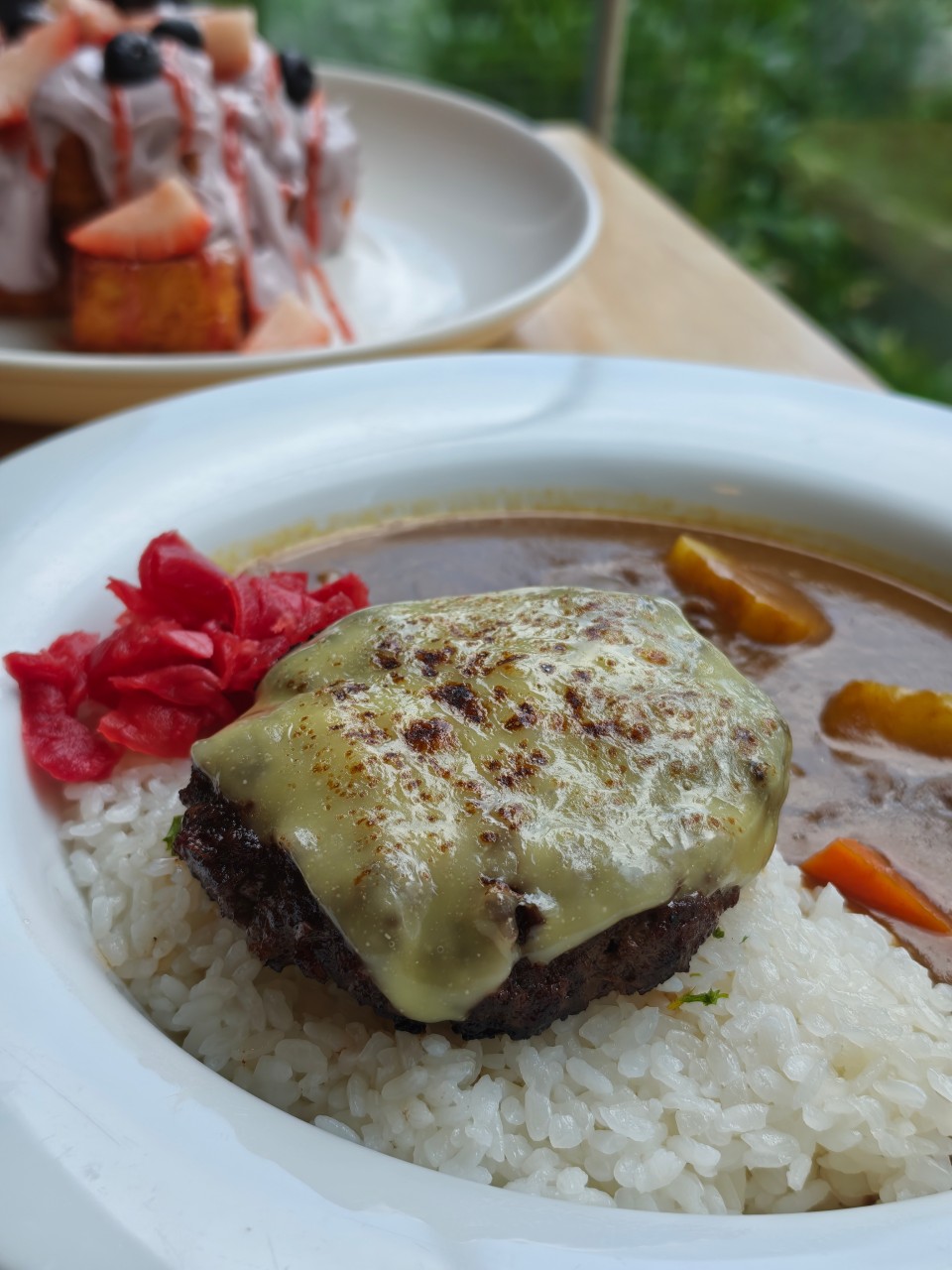


Night/ Low light




Daylight








Of course, this is where the Galaxy S26 Ultra conversation eventually comes in.
The F9 Ultra isn’t going to erase Samsung’s 10x zoom camera advantage. But for the vast majority of photos I took, I was more than happy with what came out of this phone.
The F9 Ultra doesn’t need to be the absolute best camera phone in every situation. It just needs to be good enough that you don’t feel like you’re compromising. For the most part, it is.
She doesn’t get tired
There’s a Heejin anecdote that feels particularly appropriate here. In a vlog some years ago, Heejin showed that she could hold a proper plank for over nine minutes.
If you’ve ever tried holding a plank, you know exactly how ridiculous that is.
There was a time when I could hold one for a little over a minute. Even that was tough.
Nine minutes is impeccable endurance. And, like Heejin, the POCO F9 Ultra’s endurance is top-notch.
I mentioned going to the NBA House Philippines event and taking lots of photos (Including the NBA x One Piece collaboration figures below).
That activity barely made a dent in the battery. I started the day at 100 percent at around 10am. By the time I left at around 4pm, the phone was still sitting at roughly 80 percent.







That’s six hours of use that included taking photos, scrolling through social media, doing some photo editing, and whatever else I happened to be doing that day.
Long-lasting might actually be an understatement.
The 8,050mAh battery is one of the biggest reasons the F9 Ultra feels different from a lot of other flagships.
And when you do eventually need to top up, the phone supports 100W wired charging. I tested this with a 100W charger, going from 38 percent to 100 percent in one hour and 19 minutes.
That’s not the fastest charging time I’ve encountered, but combined with the battery’s endurance, I rarely found myself worrying about charging in the first place.
That’s ultimately what good battery life should do. Make you stop thinking about battery life.
Video Game: the F9 Ultra takes the stage
I’ve said this before, but mobile gaming isn’t really my thing.
So testing gaming performance on phones can sometimes feel like a bit of a chore.
The F9 Ultra made it easier.
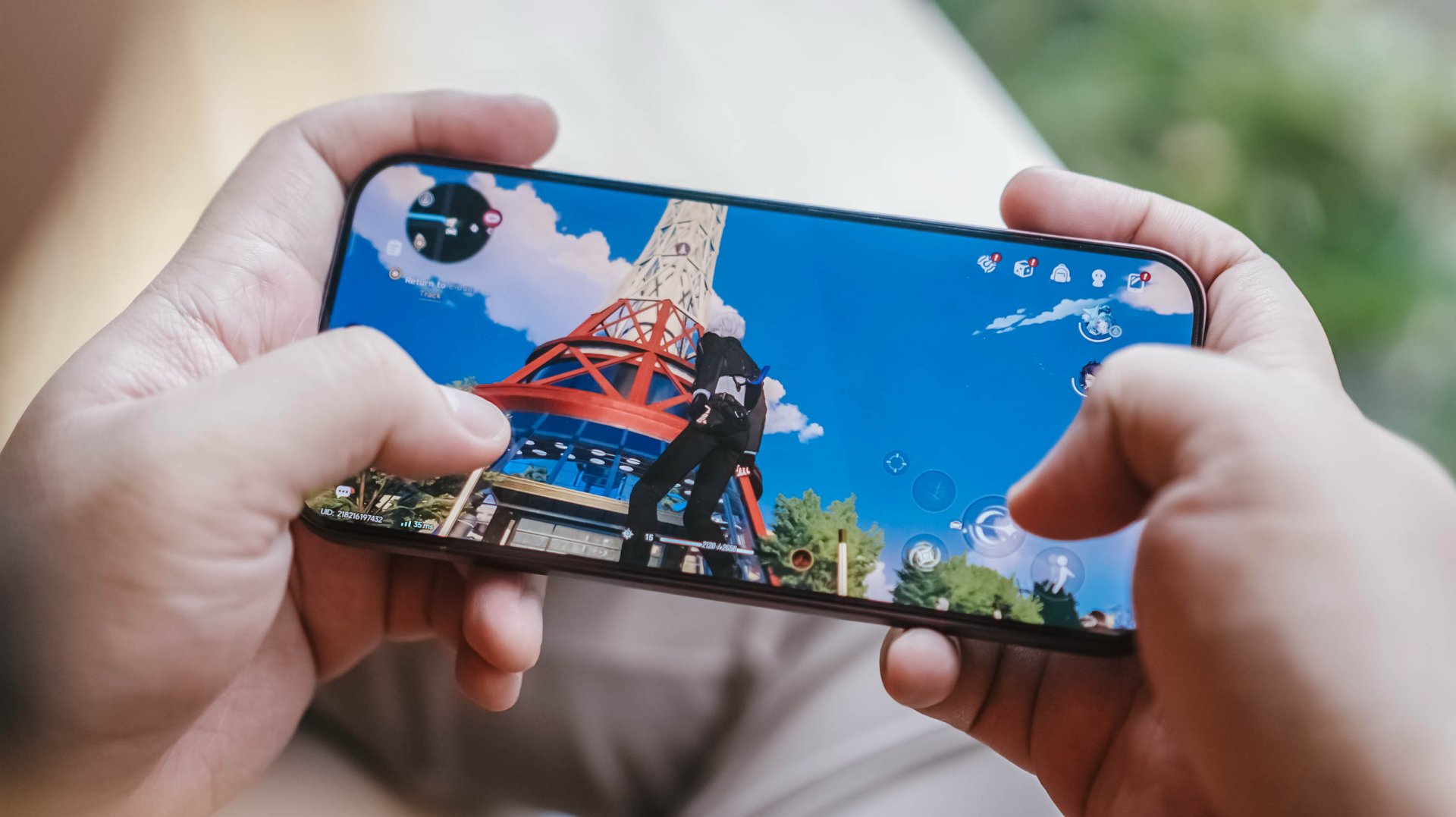
I played Neverness to Everness, which I’d like to think is a reasonably demanding game, and the phone handled it with absolute ease. I didn’t spend hours gaming on it because that’s simply not how I use phones. But the experience was enough to reinforce what the hardware already suggests.
The Snapdragon 8 Elite Gen 5, paired with the VisionBoost D8 chipset, makes everyday interaction feel smooth and seamless.

Apps open quickly. Multitasking feels effortless. You can jump between chat apps, doomscroll for an unreasonable amount of time, edit photos, and generally do whatever it is you do on your phone without feeling like you’re asking too much of it.
One thing I particularly appreciated was how easy it was to pick up where I left off. Apps could sit untouched for hours, even days, and I could come back to them without feeling like I was starting over.
That feeling stayed consistent throughout the week or so I had the phone with me. When it comes to general performance, the F Series is in the cream of the crop.
Honestly, it sounds good

POCO’s partnership with Bose gets another chance to shine through the F9 Ultra’s speakers.
I had ARTMS’ Hyper Ego EP on loop alongside the setlist from STAYC’s Stay Closer concert tour, which I’m going to later this month. Listening to them through the F9 Ultra almost felt like the first time I listened to 3D audio.
I’m not saying they sound the same. It’s the feeling I’m talking about. That feeling of hearing new sounds from a track you’ve listened to before. Little details that suddenly seem more noticeable.

The F9 Ultra’s speakers are clear, crisp, and genuinely pleasant to listen to. That’s especially noticeable when you’re watching videos or listening to music without headphones.
It’s not something I’d expect to make or break a phone purchase, but it’s another example of POCO taking an already capable flagship and finding ways to make the overall experience more enjoyable.
Much like Heejin’s voice, especially when she sings R&B.
A design that’s starting to bloom
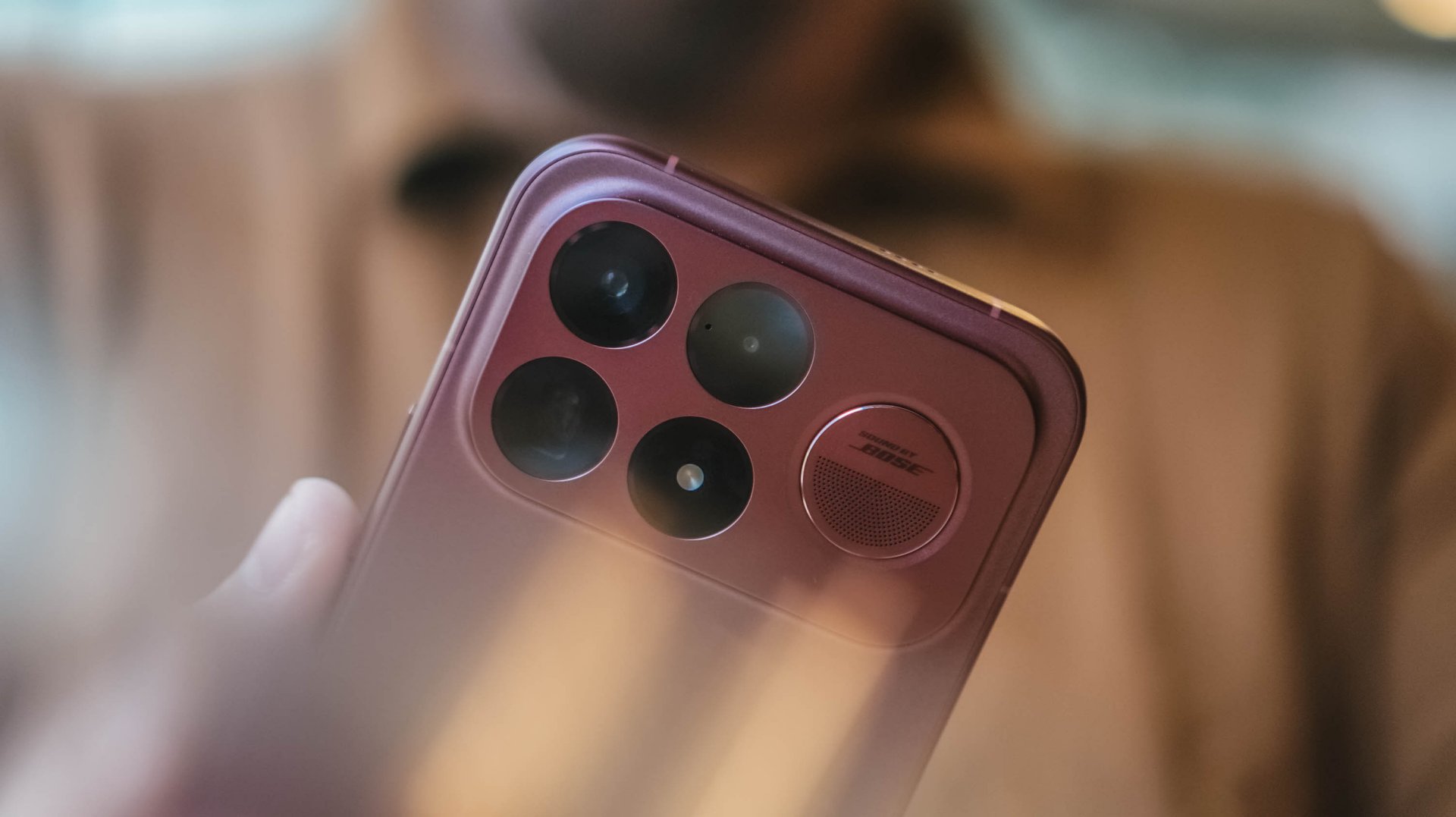
Personally, I wouldn’t immediately recognize an F9 Ultra from across a room. But that’s a me thing.
It’s easy to dismiss slab smartphones as looking more or less the same. What I appreciate about the F9 Ultra is that POCO seems to understand that consistency can itself become an identity.
The camera module has remained familiar over the last few generations while POCO continues to play with colors, finishes, and textures. And the Dark Cherry Red is easily my favorite of the bunch.
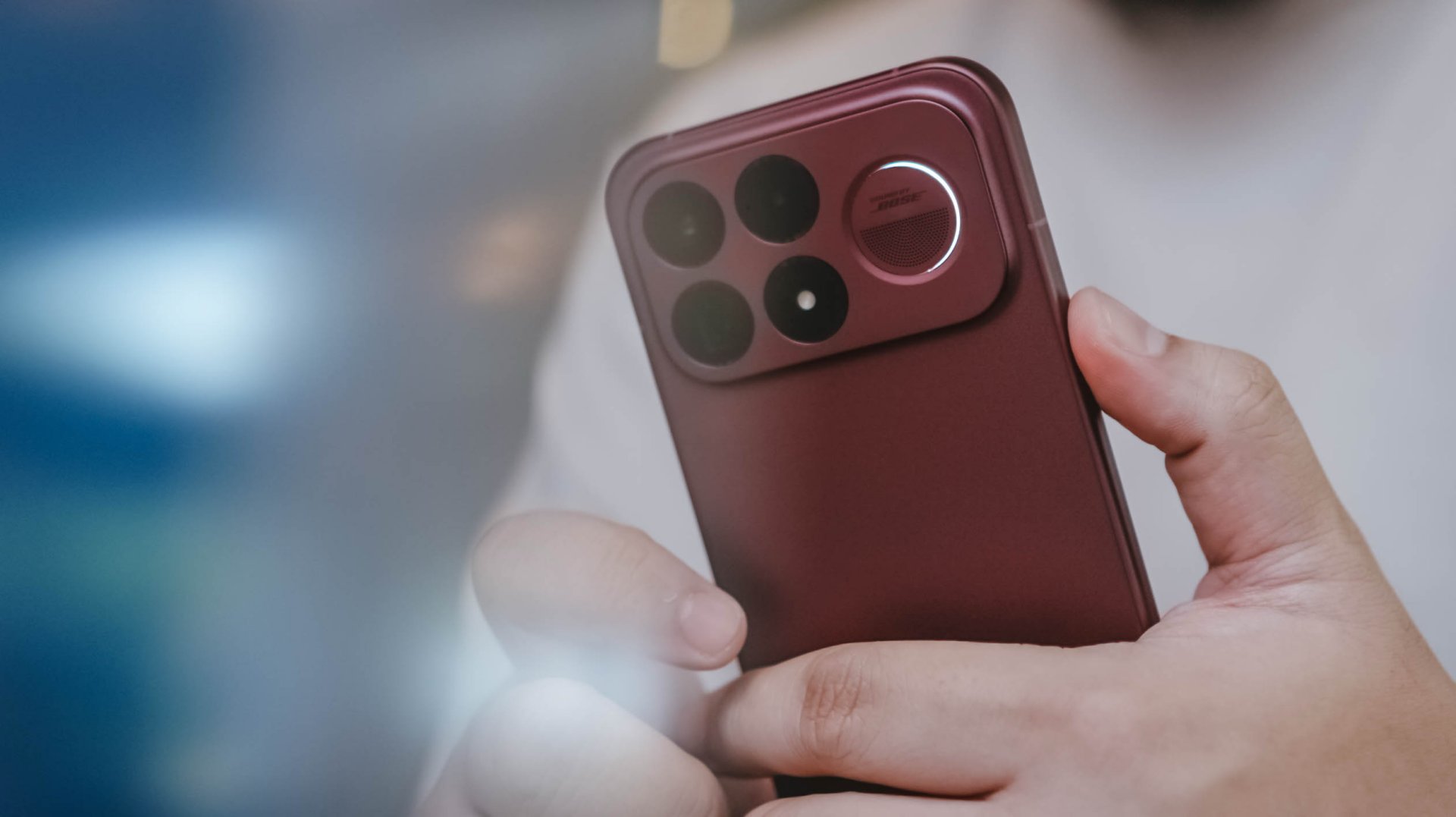
The dynamic lighting also gives the phone some character without making it look like it’s trying too hard.
There’s a practical benefit to that camera design, too. The module is large, but it doesn’t turn the phone into a wobbling mess when you put it down on a desk or table.
It’s a small thing. But small things add up.
Ready to spread its wings

Now, about that Galaxy S26 Ultra.
The highest-end POCO F9 Ultra configuration comes in at €1,399.90 for 16GB of RAM and 1TB of storage. Even at that price, it’s still less expensive than the base Galaxy S26 Ultra.
The 12GB + 256GB model costs €1,099.90, while the 16GB + 512GB version costs €1,199.90. Early-bird pricing drops those to €829.90 and €899.90, respectively, while the 1TB model gets an early-bird price of €1,199.90.
That’s a lot of phone for the money.
If you’re only after overall performance, the F9 Ultra can, pound for pound, compete with Samsung’s flagship. You can even argue that POCO handily beats the Galaxy in battery capacity and charging.

Where Samsung maintains a clear advantage is video, particularly zoom video. That’s not necessarily something everyone uses all the time. But if it’s important to you, the Galaxy remains the better choice.
There’s also the simple matter of being mainstream.
Because Samsung is Samsung, you have an enormous ecosystem of cases and accessories to choose from. Finding accessories for a POCO is a much more niche affair.
But those aren’t necessarily deal-breakers.
If what you’re after is general utility, impeccable performance, a gorgeous display, long battery life, capable cameras, and a criminally underrated look, the POCO F9 Ultra makes a very compelling case.
Is the POCO F9 Ultra your GadgetMatch?

The POCO F9 Ultra doesn’t feel like a phone desperately trying to become the obvious choice.
It keeps punching up. Against the Galaxy S26 Ultra, it can hold its own in performance, display, battery life, charging, and general everyday use. It even undercuts Samsung on price, especially at its early-bird rates.
The Galaxy still has its advantages. Its video capabilities, particularly zoom video, remain stronger. Its mainstream status also means more options for cases, accessories, and other ecosystem products.
But the F9 Ultra makes a compelling case where it matters most: the overall experience.
There’s no single feature that defines this phone. Instead, it’s the combination of everything it does really well.
It’s fast. Its display is gorgeous. The cameras are more than capable. The battery is ridiculous. The speakers are genuinely good. And that Dark Cherry Red — I just can’t stop admiring it.
That’s what makes the Heejin comparison work for me.
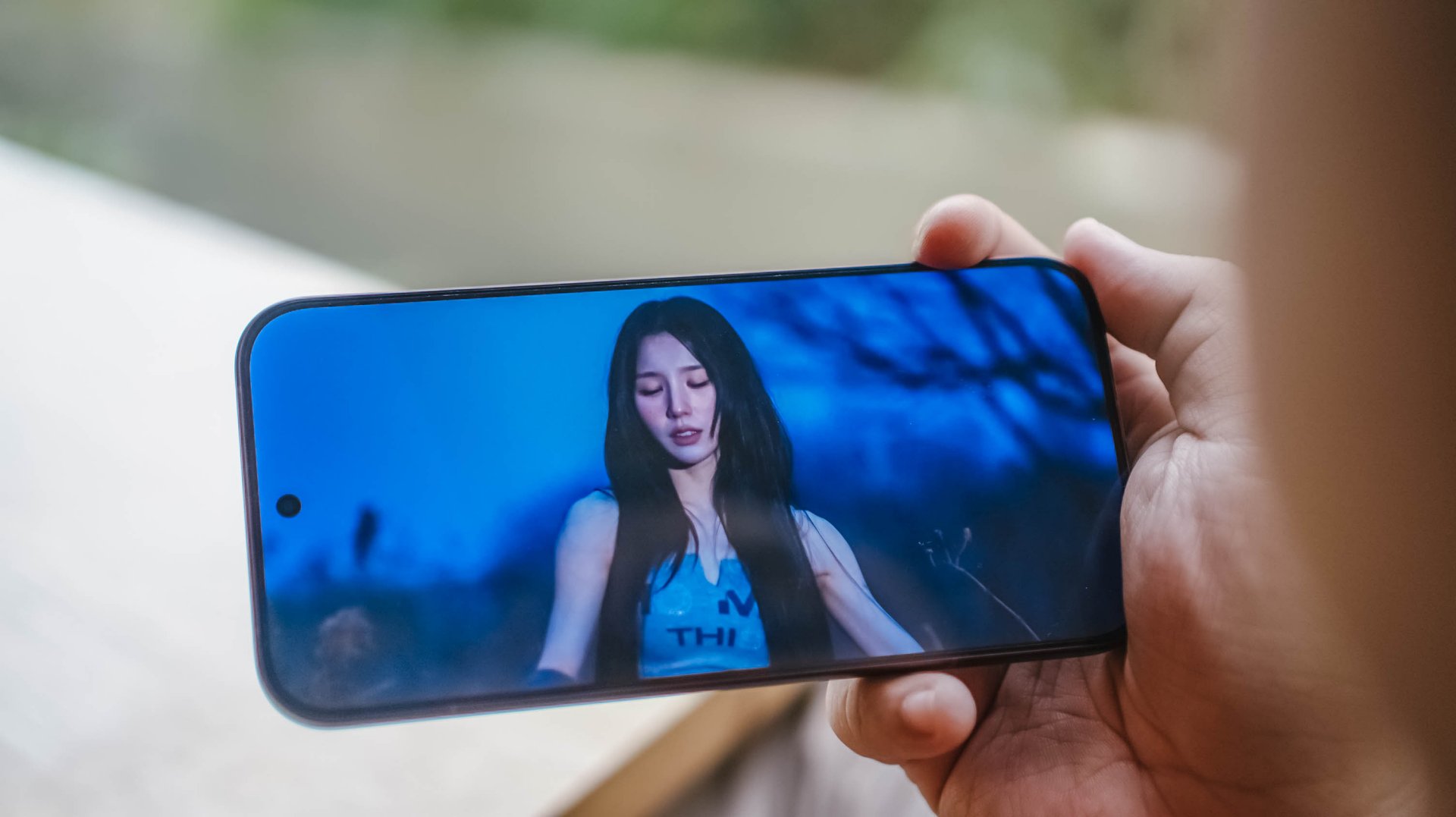
Heejin isn’t defined by one thing, either. She’s an all-rounder. She’s been consistently good at what she does for years. She has fans who know exactly why she’s worth paying attention to. She just isn’t necessarily the first name that comes to mind for everyone.
The POCO F9 Ultra is in a similar position.
It doesn’t need to beat the Galaxy S26 Ultra at everything. It just needs to make enough of a case that someone looking beyond the obvious choice realizes there’s another flagship worth considering.
The F9 Ultra does exactly that. It’s not necessarily the phone everyone is talking about. It’s the phone people should probably be talking about.


Now Playing: The Blood of the Dawnwalker
The game lovingly cobbles together inspiration from past games.

POCO F9 Pro: True ‘premium’ performer in a midrange shell
All-around performer with upgrades across various departments
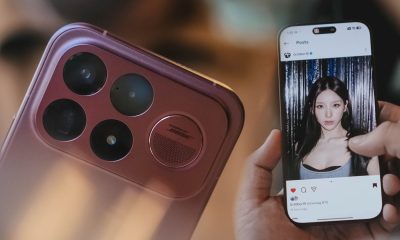

The POCO F9 Ultra is like ARTMS Heejin
Unfamiliar? Let me put you on.
Now Playing: The Blood of the Dawnwalker

Sony expands ULT POWER SOUND with three new speakers

POCO F9 Series: Price, availability in the Philippines
POCO F9 Pro: True ‘premium’ performer in a midrange shell

POCO F9 Series: Price, availability in Singapore

TECNO MEGAPAD 2 review: Eyes on the size

VinFast debuts two-wheeler models, opens 21 e-motorcycle showrooms

REDMI Note 17 Series focuses on long-term reliability

realme 16T to come with 8,000mAh battery, 7-year battery health guarantee

realme 16T 5G with 8000mAh battery, IP69 Pro rating launches in PH


-
 Reviews2 weeks ago
TECNO MEGAPAD 2 review: Eyes on the size
-
 News4 days ago
realme 16T 5G with 8000mAh battery, IP69 Pro rating launches in PH
-

 News2 weeks ago
HUAWEI Pura X View is 2026’s first WIDE slab-type smartphone
-
 Cameras2 weeks ago
30 days with the DJI Osmo Pocket 4P
-
 Singapore6 days ago
REDMI Note 17 Series: Price, availability in Singapore
-
 Cameras7 days ago
Insta360 Luna Ultra review: My new solo coverage camera
-
 News6 days ago
REDMI reveals the refreshed Note 17 and Note 17 Pro series
-
 Reviews6 days ago
REDMI Note 17 Pro review: What a rollercoaster ride!